# Fireworks
> ## Documentation Index
---
# Source: https://docs.fireworks.ai/tools-sdks/firectl/commands/account-get.md
> ## Documentation Index
> Fetch the complete documentation index at: https://docs.fireworks.ai/llms.txt
> Use this file to discover all available pages before exploring further.
# firectl account get
> Prints information about an account.
```
firectl account get [flags]
```
### Examples
```
firectl account get
firectl account get my-account
firectl account get accounts/my-account
```
### Flags
```
--dry-run Print the request proto without running it.
-h, --help help for get
-o, --output Output Set the output format to "text", "json", or "flag". (default text)
```
### Global flags
```
-a, --account-id string The Fireworks account ID. If not specified, reads account_id from ~/.fireworks/auth.ini.
--api-key string An API key used to authenticate with Fireworks.
-p, --profile string fireworks auth and settings profile to use.
```
---
# Source: https://docs.fireworks.ai/tools-sdks/firectl/commands/account-list.md
> ## Documentation Index
> Fetch the complete documentation index at: https://docs.fireworks.ai/llms.txt
> Use this file to discover all available pages before exploring further.
# firectl account list
> Prints all accounts the current signed-in user has access to.
```
firectl account list [flags]
```
### Examples
```
firectl account list
```
### Flags
```
--filter string Only resources satisfying the provided filter will be listed. See https://google.aip.dev/160 for the filter grammar.
-h, --help help for list
--no-paginate List all resources without pagination.
--order-by string A list of fields to order by. To specify a descending order for a field, append a " desc" suffix
--page-size int32 The maximum number of resources to list.
--page-token string The page to list. A number from 0 to the total number of pages (number of entities / page size).
```
### Global flags
```
-a, --account-id string The Fireworks account ID. If not specified, reads account_id from ~/.fireworks/auth.ini.
--api-key string An API key used to authenticate with Fireworks.
-p, --profile string fireworks auth and settings profile to use.
```
---
# Source: https://docs.fireworks.ai/ecosystem/integrations/agent-frameworks.md
> ## Documentation Index
> Fetch the complete documentation index at: https://docs.fireworks.ai/llms.txt
> Use this file to discover all available pages before exploring further.
# Agent Frameworks
> Build production-ready AI agents with Fireworks and leading open-source frameworks
Fireworks AI seamlessly integrates with the best open-source agent frameworks, enabling you to build magical, production-ready applications powered by state-of-the-art language models.
## Supported Frameworks
Build LLM applications with powerful orchestration and tool integration
Efficient data retrieval and document indexing for LLM-based agents
Orchestrate collaborative multi-agent systems for complex tasks
Type-safe AI agent development with Pydantic validation
Modern agent orchestration with seamless OpenAI-compatible integration
## Need Help?
For assistance with agent framework integrations, [contact our team](https://fireworks.ai/contact) or join our [Discord community](https://discord.gg/fireworks-ai).
---
# Source: https://docs.fireworks.ai/tools-sdks/firectl/commands/alias-evaluator-revision.md
# firectl alias evaluator-revision
> Alias an evaluator revision
```
firectl alias evaluator-revision [flags]
```
### Examples
```
firectl alias evaluator-revision accounts/my-account/evaluators/my-evaluator/versions/abc123 --alias-id current
```
### Flags
```
--alias-id string Alias ID to assign (e.g. current)
-h, --help help for evaluator-revision
```
### Global flags
```
-a, --account-id string The Fireworks account ID. If not specified, reads account_id from ~/.fireworks/auth.ini.
--api-key string An API key used to authenticate with Fireworks.
-p, --profile string fireworks auth and settings profile to use.
```
---
> To find navigation and other pages in this documentation, fetch the llms.txt file at: https://docs.fireworks.ai/llms.txt
---
# Source: https://docs.fireworks.ai/tools-sdks/firectl/commands/api-key-create.md
> ## Documentation Index
> Fetch the complete documentation index at: https://docs.fireworks.ai/llms.txt
> Use this file to discover all available pages before exploring further.
# firectl api-key create
> Creates an API key for the signed in user or a specified service account user.
```
firectl api-key create [flags]
```
### Examples
```
firectl api-key create
firectl api-key create --service-account=my-service-account
firectl api-key create --key-name="Production Key" --service-account=ci-bot
firectl api-key create --key-name="Temporary Key" --expire-time="2025-12-31 23:59:59"
```
### Flags
```
--dry-run Print the request proto without running it.
--expire-time string If specified, the time at which the API key will automatically expire. Specified in YYYY-MM-DD[ HH:MM:SS] format.
-h, --help help for create
--key-name string The name of the key to be created. Defaults to "default"
-o, --output Output Set the output format to "text", "json", or "flag". (default text)
--service-account string Admin only: Create API key for the specified service account user
```
### Global flags
```
-a, --account-id string The Fireworks account ID. If not specified, reads account_id from ~/.fireworks/auth.ini.
--api-key string An API key used to authenticate with Fireworks.
-p, --profile string fireworks auth and settings profile to use.
```
---
# Source: https://docs.fireworks.ai/tools-sdks/firectl/commands/api-key-delete.md
> ## Documentation Index
> Fetch the complete documentation index at: https://docs.fireworks.ai/llms.txt
> Use this file to discover all available pages before exploring further.
# firectl api-key delete
> Deletes an API key.
```
firectl api-key delete [flags]
```
### Examples
```
firectl api-key delete key-id
```
### Flags
```
--dry-run Print the request proto without running it.
-h, --help help for delete
-o, --output Output Set the output format to "text", "json", or "flag". (default text)
```
### Global flags
```
-a, --account-id string The Fireworks account ID. If not specified, reads account_id from ~/.fireworks/auth.ini.
--api-key string An API key used to authenticate with Fireworks.
-p, --profile string fireworks auth and settings profile to use.
```
---
# Source: https://docs.fireworks.ai/tools-sdks/firectl/commands/api-key-list.md
> ## Documentation Index
> Fetch the complete documentation index at: https://docs.fireworks.ai/llms.txt
> Use this file to discover all available pages before exploring further.
# firectl api-key list
> Prints all API keys for the signed in user.
```
firectl api-key list [flags]
```
### Examples
```
firectl api-key list
```
### Flags
```
--all-users Admin only: list API keys for all users in the account
--filter string Only resources satisfying the provided filter will be listed. See https://google.aip.dev/160 for the filter grammar.
-h, --help help for list
--no-paginate List all resources without pagination.
--order-by string A list of fields to order by. To specify a descending order for a field, append a " desc" suffix
--page-size int32 The maximum number of resources to list.
--page-token string The page to list. A number from 0 to the total number of pages (number of entities / page size).
```
### Global flags
```
-a, --account-id string The Fireworks account ID. If not specified, reads account_id from ~/.fireworks/auth.ini.
--api-key string An API key used to authenticate with Fireworks.
-p, --profile string fireworks auth and settings profile to use.
```
---
# Source: https://docs.fireworks.ai/faq-new/deployment-infrastructure/are-there-any-quotas-for-serverless.md
> ## Documentation Index
> Fetch the complete documentation index at: https://docs.fireworks.ai/llms.txt
> Use this file to discover all available pages before exploring further.
# Are there any quotas for serverless?
Yes, serverless deployments have rate limits and quotas.
For detailed information about serverless quotas, rate limits, and daily token limits, see our [Rate Limits & Quotas guide](/guides/quotas_usage/rate-limits#rate-limits-on-serverless).
---
# Source: https://docs.fireworks.ai/faq-new/billing-pricing/are-there-discounts-for-bulk-usage.md
> ## Documentation Index
> Fetch the complete documentation index at: https://docs.fireworks.ai/llms.txt
> Use this file to discover all available pages before exploring further.
# Are there discounts for bulk usage?
We offer discounts for bulk or pre-paid purchases. Contact [inquiries@fireworks.ai](mailto:inquiries@fireworks.ai) to discuss volume pricing.
---
# Source: https://docs.fireworks.ai/faq-new/billing-pricing/are-there-extra-fees-for-serving-fine-tuned-models.md
> ## Documentation Index
> Fetch the complete documentation index at: https://docs.fireworks.ai/llms.txt
> Use this file to discover all available pages before exploring further.
# Are there extra fees for serving fine-tuned models?
Fine-tuned (LoRA) models require a dedicated deployment to serve. Here's what you need to know:
**What you pay for**:
* **Deployment costs** on a per-GPU-second basis for hosting the model
* **The fine-tuning process** itself, if applicable
**Deployment options**:
* **Live-merge deployment**: Deploy your LoRA model with weights merged into the base model for optimal performance
* **Multi-LoRA deployment**: Deploy up to 100 LoRA models as addons on a single base model deployment
For more details on deploying fine-tuned models, see the [Deploying Fine Tuned Models guide](/fine-tuning/deploying-loras).
---
# Source: https://docs.fireworks.ai/api-reference/audio-streaming-transcriptions.md
> ## Documentation Index
> Fetch the complete documentation index at: https://docs.fireworks.ai/llms.txt
> Use this file to discover all available pages before exploring further.
# Streaming Transcription
Streaming transcription is performed over a WebSocket. Provide the transcription parameters and establish a WebSocket connection to the endpoint.
Stream short audio chunks (50-400ms) in binary frames of PCM 16-bit little-endian at 16kHz sample rate and single channel (mono). In parallel, receive transcription from the WebSocket.
Stream audio to get transcription continuously in real-time.
Stream audio to get transcription continuously in real-time.
Stream audio to get transcription continuously in real-time.
### URLs
Fireworks provides serverless, real-time ASR via WebSocket endpoints. Please select the appropriate version:
#### Streaming ASR v1 (default)
Production-ready and generally recommended for all use cases.
```
wss://audio-streaming.api.fireworks.ai/v1/audio/transcriptions/streaming
```
#### Streaming ASR v2 (preview)
An early-access version of our next-generation streaming transcription service. V2 is good for use cases that require lower latency and higher accuracy in noisy situations.
```
wss://audio-streaming-v2.api.fireworks.ai/v1/audio/transcriptions/streaming
```
### Headers
Your Fireworks API key, e.g. `Authorization=API_KEY`. Alternatively, can be provided as a query param.
### Query Parameters
Your Fireworks API key. Required when headers cannot be set (e.g., browser WebSocket connections). Can alternatively be provided via the Authorization header.
The format in which to return the response. Currently only `verbose_json` is recommended for streaming.
The target language for transcription. See the [Supported Languages](#supported-languages) section below for a complete list of available languages.
The input prompt that the model will use when generating the transcription. Can be used to specify custom words or specify the style of the transcription. E.g. `Um, here's, uh, what was recorded.` will make the model to include the filler words into the transcription.
Sampling temperature to use when decoding text tokens during transcription.
The timestamp granularities to populate for this streaming transcription. Defaults to null. Set to `word,segment` to enable timestamp granularities. Use a list for timestamp\_granularities in all client libraries. A comma-separated string like `word,segment` only works when manually included in the URL (e.g. in curl).
### Client messages
This field is for client to send audio chunks over to server. Stream short audio chunks (50-400ms) in binary frames of PCM 16-bit little-endian at 16kHz sample rate and single channel (mono).
This field is for client event initiating the context clean up.
A unique identifier for the event.
A constant string that identifies the type of event as "stt.state.clear".
The ID of the context or session to be cleared.
This field is for client event initiating tracing.
A unique identifier for the event.
A constant string indicating the event type is "stt.input.trace".
The ID used to correlate this trace event across systems.
### Server messages
The task that was performed — either `transcribe` or `translate`.
The language(s) of the transcribed/translated text. Can be a single language code or comma-separated codes as a single string when multiple languages are detected.
The transcribed/translated text.
Extracted words and their corresponding timestamps.
The text content of the word.
The language of the word.
The probability of the word.
The hallucination score of the word.
Start time of the word in seconds. Appears only when timestamp\_granularities is set to `word,segment`.
End time of the word in seconds. Appears only when timestamp\_granularities is set to `word,segment`.
Indicates whether this word has been finalized.
Segments of the transcribed/translated text and their corresponding details.
The ID of the segment.
The text content of the segment.
The language(s) of the segment. Can be a single language code or comma-separated codes as a single string when multiple languages are detected.
Extracted words in the segment.
Start time of the segment in seconds. Appears only when timestamp\_granularities is set to `word,segment`.
End time of the segment in seconds. Appears only when timestamp\_granularities is set to `word,segment`.
This field is for server to communicate it successfully cleared the context.
A unique identifier for the event.
A constant string indicating the event type is "stt.state.cleared"
The ID of the context or session that has been successfully cleared.
This field is for server to complete tracing.
A unique identifier for the event.
A constant string indicating the event type is "stt.output.trace".
The ID used to correlate this output trace with the corresponding input trace.
### Streaming Audio
Stream short audio chunks (50-400ms) in binary frames of PCM 16-bit little-endian at 16kHz sample rate and single channel (mono). Typically, you will:
1. Resample your audio to 16 kHz if it is not already.
2. Convert it to mono.
3. Send 50ms chunks (16,000 Hz \* 0.05s = 800 samples) of audio in 16-bit PCM (signed, little-endian) format.
### Handling Responses
The client maintains a state dictionary, starting with an empty dictionary `{}`. When the server sends the first transcription message, it contains a list of segments. Each segment has an `id` and `text`:
```python theme={null}
# Server initial message:
{
"segments": [
{"id": "0", "text": "This is the first sentence"},
{"id": "1", "text": "This is the second sentence"}
]
}
# Client initial state:
{
"0": "This is the first sentence",
"1": "This is the second sentence",
}
```
When the server sends the next updates to the transcription, the client updates the state dictionary based on the segment `id`:
```python theme={null}
# Server continuous message:
{
"segments": [
{"id": "1", "text": "This is the second sentence modified"},
{"id": "2", "text": "This is the third sentence"}
]
}
# Client updated state:
{
"0": "This is the first sentence",
"1": "This is the second sentence modified", # overwritten
"2": "This is the third sentence", # new
}
```
### Handling Connection Interruptions & Timeouts
Real-time streaming transcription over WebSockets can run for a long time. The longer a WebSocket session runs, the more likely it is to experience interruptions from network glitches to service hiccups.
It is important to be aware of this and build your client to recover gracefully so the stream keeps going without user impact.
In the following section, we’ll outline recommended practices for handling connection interruptions and timeouts effectively.
#### When a connection drops
Although Fireworks is designed to keep streams running smoothly, occasional interruptions can still occur. If the WebSocket is disrupted (e.g., bandwidth limitation or network failures),
your application must initialize a new WebSocket connection, start a fresh streaming session and begin sending audio as soon as the server confirms the connection is open.
#### Avoid losing audio during reconnects
While you’re reconnecting, audio could be still being produced and you could lose that audio segment if it is not transferred to our API during this period.
To minimize the risk of dropping audio during a reconnect, one effective approach is to store the audio data in a buffer until it can re-establish the connection to our API and then sends the data for transcription.
### Keep timestamps continuous across sessions
When timestamps are enabled, the result will include the start and end time of the segment in seconds. And each new WebSocket session will reset the timestamps to start from 00:00:00.
To keep a continuous timeline, we recommend to maintain a running “stream start offset” in your app and add that offset to timestamps from each new session so they align with the overall audio timeline.
### Example Usage
Check out a brief Python example below or example sources:
* [Python notebook](https://colab.research.google.com/github/fw-ai/cookbook/blob/main/learn/audio/audio_streaming_speech_to_text/audio_streaming_speech_to_text.ipynb)
* [Python sources](https://github.com/fw-ai/cookbook/tree/main/learn/audio/audio_streaming_speech_to_text/python)
* [Node.js sources](https://github.com/fw-ai/cookbook/tree/main/learn/audio/audio_streaming_speech_to_text/nodejs)
```python theme={null}
!pip3 install requests torch torchaudio websocket-client
import io
import time
import json
import torch
import requests
import torchaudio
import threading
import websocket
import urllib.parse
lock = threading.Lock()
state = {}
def on_open(ws):
def send_audio_chunks():
for chunk in audio_chunk_bytes:
ws.send(chunk, opcode=websocket.ABNF.OPCODE_BINARY)
time.sleep(chunk_size_ms / 1000)
final_checkpoint = json.dumps({"checkpoint_id": "final"})
ws.send(final_checkpoint, opcode=websocket.ABNF.OPCODE_TEXT)
threading.Thread(target=send_audio_chunks).start()
def on_message(ws, message):
message = json.loads(message)
if message.get("checkpoint_id") == "final":
ws.close()
return
update = {s["id"]: s["text"] for s in message["segments"]}
with lock:
state.update(update)
print("\n".join(f" - {k}: {v}" for k, v in state.items()))
def on_error(ws, error):
print(f"WebSocket error: {error}")
# Open a connection URL with query params
url = "wss://audio-streaming.api.fireworks.ai/v1/audio/transcriptions/streaming"
params = urllib.parse.urlencode({
"language": "en",
})
ws = websocket.WebSocketApp(
f"{url}?{params}",
header={"Authorization": ""},
on_open=on_open,
on_message=on_message,
on_error=on_error,
)
ws.run_forever()
```
### Dedicated endpoint
For fixed throughput and predictable SLAs, you may request a dedicated endpoint for streaming transcription at [inquiries@fireworks.ai](mailto:inquiries@fireworks.ai) or [discord](https://www.google.com/url?q=https%3A%2F%2Fdiscord.gg%2Ffireworks-ai).
### Supported Languages
The following languages are supported for transcription:
| Language Code | Language Name |
| ------------- | ------------------- |
| en | English |
| zh | Chinese |
| de | German |
| es | Spanish |
| ru | Russian |
| ko | Korean |
| fr | French |
| ja | Japanese |
| pt | Portuguese |
| tr | Turkish |
| pl | Polish |
| ca | Catalan |
| nl | Dutch |
| ar | Arabic |
| sv | Swedish |
| it | Italian |
| id | Indonesian |
| hi | Hindi |
| fi | Finnish |
| vi | Vietnamese |
| he | Hebrew |
| uk | Ukrainian |
| el | Greek |
| ms | Malay |
| cs | Czech |
| ro | Romanian |
| da | Danish |
| hu | Hungarian |
| ta | Tamil |
| no | Norwegian |
| th | Thai |
| ur | Urdu |
| hr | Croatian |
| bg | Bulgarian |
| lt | Lithuanian |
| la | Latin |
| mi | Maori |
| ml | Malayalam |
| cy | Welsh |
| sk | Slovak |
| te | Telugu |
| fa | Persian |
| lv | Latvian |
| bn | Bengali |
| sr | Serbian |
| az | Azerbaijani |
| sl | Slovenian |
| kn | Kannada |
| et | Estonian |
| mk | Macedonian |
| br | Breton |
| eu | Basque |
| is | Icelandic |
| hy | Armenian |
| ne | Nepali |
| mn | Mongolian |
| bs | Bosnian |
| kk | Kazakh |
| sq | Albanian |
| sw | Swahili |
| gl | Galician |
| mr | Marathi |
| pa | Punjabi |
| si | Sinhala |
| km | Khmer |
| sn | Shona |
| yo | Yoruba |
| so | Somali |
| af | Afrikaans |
| oc | Occitan |
| ka | Georgian |
| be | Belarusian |
| tg | Tajik |
| sd | Sindhi |
| gu | Gujarati |
| am | Amharic |
| yi | Yiddish |
| lo | Lao |
| uz | Uzbek |
| fo | Faroese |
| ht | Haitian Creole |
| ps | Pashto |
| tk | Turkmen |
| nn | Nynorsk |
| mt | Maltese |
| sa | Sanskrit |
| lb | Luxembourgish |
| my | Myanmar |
| bo | Tibetan |
| tl | Tagalog |
| mg | Malagasy |
| as | Assamese |
| tt | Tatar |
| haw | Hawaiian |
| ln | Lingala |
| ha | Hausa |
| ba | Bashkir |
| jw | Javanese |
| su | Sundanese |
| yue | Cantonese |
| zh-hant | Traditional Chinese |
| zh-hans | Simplified Chinese |
---
# Source: https://docs.fireworks.ai/api-reference/audio-transcriptions.md
> ## Documentation Index
> Fetch the complete documentation index at: https://docs.fireworks.ai/llms.txt
> Use this file to discover all available pages before exploring further.
# Transcribe audio
Send a sample audio to get a transcription.
### Headers
Your Fireworks API key, e.g. `Authorization=API_KEY`.
### Request
##### (multi-part form)
The input audio file to transcribe or an URL to the public audio file.
Max audio file size is 1 GB, there is no limit for audio duration. Common file formats such as mp3, flac, and wav are supported. Note that the audio will be resampled to 16kHz, downmixed to mono, and reformatted to 16-bit signed little-endian format before transcription. Pre-converting the file before sending it to the API can improve runtime performance.
String name of the ASR model to use. Can be one of `whisper-v3` or `whisper-v3-turbo`. Please use the following serverless endpoints:
* [https://audio-prod.api.fireworks.ai](https://audio-prod.api.fireworks.ai) (for `whisper-v3`);
* [https://audio-turbo.api.fireworks.ai](https://audio-turbo.api.fireworks.ai) (for `whisper-v3-turbo`);
String name of the voice activity detection (VAD) model to use. Can be one of `silero`, or `whisperx-pyannet`.
String name of the alignment model to use. Currently supported:
* `mms_fa` optimal accuracy for multilingual speech.
* `tdnn_ffn` optimal accuracy for English-only speech.
The target language for transcription. See the [Supported Languages](#supported-languages) section below for a complete list of available languages.
The input prompt that the model will use when generating the transcription. Can be used to specify custom words or specify the style of the transcription. E.g. `Um, here's, uh, what was recorded.` will make the model to include the filler words into the transcription.
Sampling temperature to use when decoding text tokens during transcription. Alternatively, fallback decoding can be enabled by passing a list of temperatures like `0.0,0.2,0.4,0.6,0.8,1.0`. This can help to improve performance.
The format in which to return the response. Can be one of `json`, `text`, `srt`, `verbose_json`, or `vtt`.
The timestamp granularities to populate for this transcription. `response_format` must be set `verbose_json` to use timestamp granularities. Either or both of these options are supported. Can be one of `word`, `segment`, or `word,segment`. If not present, defaults to `segment`.
Whether to get speaker diarization for the transcription. Can be one of `true`, or `false`. If not present, defaults to `false`.
Enabling diarization also requires other fields to hold specific values:
1. `response_format` must be set `verbose_json`.
2. `timestamp_granularities` must include `word` to use diarization.
The minimum number of speakers to detect for diarization. `diarize` must be set `true` to use `min_speakers`. If not present, defaults to `1`.
The maximum number of speakers to detect for diarization. `diarize` must be set `true` to use `max_speakers`. If not present, defaults to `inf`.
Audio preprocessing mode. Currently supported:
* `none` to skip audio preprocessing.
* `dynamic` for arbitrary audio content with variable loudness.
* `soft_dynamic` for speech intense recording such as podcasts and voice-overs.
* `bass_dynamic` for boosting lower frequencies;
### Response
The task which was performed. Either `transcribe` or `translate`.
The language(s) of the transcribed/translated text. Can be a single language code or comma-separated codes as a single string when multiple languages are detected.
The duration of the transcribed/translated audio, in seconds.
The transcribed/translated text.
Extracted words and their corresponding timestamps.
The text content of the word.
The language of the word.
The probability of the word.
The hallucination score of the word.
Start time of the word in seconds.
End time of the word in seconds.
Speaker label for the word.
Segments of the transcribed/translated text and their corresponding details.
The id of the segment.
The text content of the segment.
The language(s) of the segment. Can be a single language code or comma-separated codes as a single string when multiple languages are detected.
Start time of the segment in seconds.
End time of the segment in seconds.
Speaker label for the segment.
Extracted words in the segment.
```curl curl theme={null}
# Download audio file
curl -L -o "audio.flac" "https://tinyurl.com/4997djsh"
# Make request
curl -X POST "https://audio-prod.api.fireworks.ai/v1/audio/transcriptions" \
-H "Authorization: " \
-F "file=@audio.flac"
```
```python fireworks sdk theme={null}
!pip install fireworks-ai requests python-dotenv
from fireworks.client.audio import AudioInference
import requests
import os
from dotenv import load_dotenv
import time
# Create a .env file with your API key
load_dotenv()
# Download audio sample
audio = requests.get("https://tinyurl.com/4cb74vas").content
# Prepare client
client = AudioInference(
model="whisper-v3",
base_url="https://audio-prod.api.fireworks.ai",
# Or for the turbo version
# model="whisper-v3-turbo",
# base_url="https://audio-turbo.api.fireworks.ai",
api_key=os.getenv("FIREWORKS_API_KEY"),
)
# Make request
start = time.time()
r = await client.transcribe_async(audio=audio)
print(f"Took: {(time.time() - start):.3f}s. Text: '{r.text}'")
```
```python Python (openai sdk) theme={null}
!pip install openai requests python-dotenv
from openai import OpenAI
import os
import requests
from dotenv import load_dotenv
load_dotenv()
client = OpenAI(
base_url="https://audio-prod.api.fireworks.ai/v1",
api_key=os.getenv("FIREWORKS_API_KEY")
)
audio_file= requests.get("https://tinyurl.com/4cb74vas").content
transcription = client.audio.transcriptions.create(
model="whisper-v3",
file=audio_file
)
print(transcription.text)
```
### Supported Languages
The following languages are supported for transcription:
| Language Code | Language Name |
| ------------- | ------------------- |
| en | English |
| zh | Chinese |
| de | German |
| es | Spanish |
| ru | Russian |
| ko | Korean |
| fr | French |
| ja | Japanese |
| pt | Portuguese |
| tr | Turkish |
| pl | Polish |
| ca | Catalan |
| nl | Dutch |
| ar | Arabic |
| sv | Swedish |
| it | Italian |
| id | Indonesian |
| hi | Hindi |
| fi | Finnish |
| vi | Vietnamese |
| he | Hebrew |
| uk | Ukrainian |
| el | Greek |
| ms | Malay |
| cs | Czech |
| ro | Romanian |
| da | Danish |
| hu | Hungarian |
| ta | Tamil |
| no | Norwegian |
| th | Thai |
| ur | Urdu |
| hr | Croatian |
| bg | Bulgarian |
| lt | Lithuanian |
| la | Latin |
| mi | Maori |
| ml | Malayalam |
| cy | Welsh |
| sk | Slovak |
| te | Telugu |
| fa | Persian |
| lv | Latvian |
| bn | Bengali |
| sr | Serbian |
| az | Azerbaijani |
| sl | Slovenian |
| kn | Kannada |
| et | Estonian |
| mk | Macedonian |
| br | Breton |
| eu | Basque |
| is | Icelandic |
| hy | Armenian |
| ne | Nepali |
| mn | Mongolian |
| bs | Bosnian |
| kk | Kazakh |
| sq | Albanian |
| sw | Swahili |
| gl | Galician |
| mr | Marathi |
| pa | Punjabi |
| si | Sinhala |
| km | Khmer |
| sn | Shona |
| yo | Yoruba |
| so | Somali |
| af | Afrikaans |
| oc | Occitan |
| ka | Georgian |
| be | Belarusian |
| tg | Tajik |
| sd | Sindhi |
| gu | Gujarati |
| am | Amharic |
| yi | Yiddish |
| lo | Lao |
| uz | Uzbek |
| fo | Faroese |
| ht | Haitian Creole |
| ps | Pashto |
| tk | Turkmen |
| nn | Nynorsk |
| mt | Maltese |
| sa | Sanskrit |
| lb | Luxembourgish |
| my | Myanmar |
| bo | Tibetan |
| tl | Tagalog |
| mg | Malagasy |
| as | Assamese |
| tt | Tatar |
| haw | Hawaiian |
| ln | Lingala |
| ha | Hausa |
| ba | Bashkir |
| jw | Javanese |
| su | Sundanese |
| yue | Cantonese |
| zh-hant | Traditional Chinese |
| zh-hans | Simplified Chinese |
---
# Source: https://docs.fireworks.ai/api-reference/audio-translations.md
> ## Documentation Index
> Fetch the complete documentation index at: https://docs.fireworks.ai/llms.txt
> Use this file to discover all available pages before exploring further.
# Translate audio
### Headers
Your Fireworks API key, e.g. `Authorization=API_KEY`.
### Request
##### (multi-part form)
The input audio file to translate or an URL to the public audio file.
Max audio file size is 1 GB, there is no limit for audio duration. Common file formats such as mp3, flac, and wav are supported. Note that the audio will be resampled to 16kHz, downmixed to mono, and reformatted to 16-bit signed little-endian format before transcription. Pre-converting the file before sending it to the API can improve runtime performance.
String name of the ASR model to use. Can be one of `whisper-v3` or `whisper-v3-turbo`. Please use the following serverless endpoints:
* [https://audio-prod.api.fireworks.ai](https://audio-prod.api.fireworks.ai) (for `whisper-v3`);
* [https://audio-turbo.api.fireworks.ai](https://audio-turbo.api.fireworks.ai) (for `whisper-v3-turbo`);
String name of the voice activity detection (VAD) model to use. Can be one of `silero`, or `whisperx-pyannet`.
String name of the alignment model to use. Currently supported:
* `mms_fa` optimal accuracy for multilingual speech.
* `tdnn_ffn` optimal accuracy for English-only speech.
The source language for transcription. See the [Supported Languages](#supported-languages) section below for a complete list of available languages.
The input prompt that the model will use when generating the transcription. Can be used to specify custom words or specify the style of the transcription. E.g. `Um, here's, uh, what was recorded.` will make the model to include the filler words into the transcription.
Sampling temperature to use when decoding text tokens during transcription. Alternatively, fallback decoding can be enabled by passing a list of temperatures like `0.0,0.2,0.4,0.6,0.8,1.0`. This can help to improve performance.
The format in which to return the response. Can be one of `json`, `text`, `srt`, `verbose_json`, or `vtt`.
The timestamp granularities to populate for this transcription. response\_format must be set `verbose_json` to use timestamp granularities. Either or both of these options are supported. Can be one of `word`, `segment`, or `word,segment`. If not present, defaults to `segment`.
Audio preprocessing mode. Currently supported:
* `none` to skip audio preprocessing.
* `dynamic` for arbitrary audio content with variable loudness.
* `soft_dynamic` for speech intense recording such as podcasts and voice-overs.
* `bass_dynamic` for boosting lower frequencies;
### Response
The task which was performed. Either `transcribe` or `translate`.
The language of the transcribed/translated text.
The duration of the transcribed/translated audio, in seconds.
The transcribed/translated text.
Extracted words and their corresponding timestamps.
The text content of the word.
Start time of the word in seconds.
End time of the word in seconds.
Segments of the transcribed/translated text and their corresponding details.
```curl curl theme={null}
# Download audio file
curl -L -o "audio.flac" "https://tinyurl.com/4997djsh"
# Make request
curl -X POST "https://audio-prod.api.fireworks.ai/v1/audio/translations" \
-H "Authorization: " \
-F "file=@audio.flac"
```
```python Python (fireworks sdk) theme={null}
!pip install fireworks-ai requests
from fireworks.client.audio import AudioInference
import requests
import time
from dotenv import load_dotenv
import os
load_dotenv()
# Prepare client
audio = requests.get("https://tinyurl.com/3cy7x44v").content
client = AudioInference(
model="whisper-v3",
base_url="https://audio-prod.api.fireworks.ai",
#
# Or for the turbo version
# model="whisper-v3-turbo",
# base_url="https://audio-turbo.api.fireworks.ai",
api_key=os.getenv("FIREWORKS_API_KEY")
)
# Make request
start = time.time()
r = await client.translate_async(audio=audio)
print(f"Took: {(time.time() - start):.3f}s. Text: '{r.text}'")
```
```python Python (openai sdk) theme={null}
!pip install openai requests
from openai import OpenAI
import requests
from dotenv import load_dotenv
import os
load_dotenv()
client = OpenAI(
base_url="https://audio-prod.api.fireworks.ai/v1",
api_key=os.getenv("FIREWORKS_API_KEY"),
)
audio_file= requests.get("https://tinyurl.com/3cy7x44v").content
translation = client.audio.translations.create(
model="whisper-v3",
file=audio_file,
)
print(translation.text)
```
### Supported Languages
Translation is from one of the supported languages to English, the following languages are supported for translation:
| Language Code | Language Name |
| ------------- | -------------- |
| en | English |
| zh | Chinese |
| de | German |
| es | Spanish |
| ru | Russian |
| ko | Korean |
| fr | French |
| ja | Japanese |
| pt | Portuguese |
| tr | Turkish |
| pl | Polish |
| ca | Catalan |
| nl | Dutch |
| ar | Arabic |
| sv | Swedish |
| it | Italian |
| id | Indonesian |
| hi | Hindi |
| fi | Finnish |
| vi | Vietnamese |
| he | Hebrew |
| uk | Ukrainian |
| el | Greek |
| ms | Malay |
| cs | Czech |
| ro | Romanian |
| da | Danish |
| hu | Hungarian |
| ta | Tamil |
| no | Norwegian |
| th | Thai |
| ur | Urdu |
| hr | Croatian |
| bg | Bulgarian |
| lt | Lithuanian |
| la | Latin |
| mi | Maori |
| ml | Malayalam |
| cy | Welsh |
| sk | Slovak |
| te | Telugu |
| fa | Persian |
| lv | Latvian |
| bn | Bengali |
| sr | Serbian |
| az | Azerbaijani |
| sl | Slovenian |
| kn | Kannada |
| et | Estonian |
| mk | Macedonian |
| br | Breton |
| eu | Basque |
| is | Icelandic |
| hy | Armenian |
| ne | Nepali |
| mn | Mongolian |
| bs | Bosnian |
| kk | Kazakh |
| sq | Albanian |
| sw | Swahili |
| gl | Galician |
| mr | Marathi |
| pa | Punjabi |
| si | Sinhala |
| km | Khmer |
| sn | Shona |
| yo | Yoruba |
| so | Somali |
| af | Afrikaans |
| oc | Occitan |
| ka | Georgian |
| be | Belarusian |
| tg | Tajik |
| sd | Sindhi |
| gu | Gujarati |
| am | Amharic |
| yi | Yiddish |
| lo | Lao |
| uz | Uzbek |
| fo | Faroese |
| ht | Haitian Creole |
| ps | Pashto |
| tk | Turkmen |
| nn | Nynorsk |
| mt | Maltese |
| sa | Sanskrit |
| lb | Luxembourgish |
| my | Myanmar |
| bo | Tibetan |
| tl | Tagalog |
| mg | Malagasy |
| as | Assamese |
| tt | Tatar |
| haw | Hawaiian |
| ln | Lingala |
| ha | Hausa |
| ba | Bashkir |
| jw | Javanese |
| su | Sundanese |
| yue | Cantonese |
---
# Source: https://docs.fireworks.ai/guides/security_compliance/audit_logs.md
> ## Documentation Index
> Fetch the complete documentation index at: https://docs.fireworks.ai/llms.txt
> Use this file to discover all available pages before exploring further.
# Audit & Access Logs
> Monitor and track account activities with audit logging for Enterprise accounts
Audit logs are available for Enterprise accounts. This feature enhances security visibility, incident investigation, and compliance reporting.
Audit logs include data access logs. All read, write, and delete operations on storage are logged, normalized, and enriched with account context for complete visibility.
## View audit logs
You can view audit logs, including data access logs, using the Fireworks CLI:
```bash theme={null}
firectl ls audit-logs
```
 ---
# Source: https://docs.fireworks.ai/tools-sdks/firectl/commands/authentication.md
> ## Documentation Index
> Fetch the complete documentation index at: https://docs.fireworks.ai/llms.txt
> Use this file to discover all available pages before exploring further.
# Authentication
> Authentication for access to your account
### Signing in
Users using Google SSO can run:
```
firectl signin
```
If you are using [custom SSO](/accounts/sso), also specify the account ID:
```
firectl signin my-enterprise-account
```
### Authenticate with API Key
To authenticate with an API key, append `--api-key` to any firectl command.
```
firectl --api-key API_KEY
```
To persist the API key for all subsequent commands, run:
```
firectl set-api-key API_KEY
```
---
# Source: https://docs.fireworks.ai/deployments/autoscaling.md
> ## Documentation Index
> Fetch the complete documentation index at: https://docs.fireworks.ai/llms.txt
> Use this file to discover all available pages before exploring further.
# Autoscaling
> Configure how your deployment scales based on traffic
Control how your deployment scales based on traffic and load.
## Configuration options
| Flag | Type | Default | Description |
| ------------------------ | --------- | ------------- | ------------------------------------------------------ |
| `--min-replica-count` | Integer | 0 | Minimum number of replicas. Set to 0 for scale-to-zero |
| `--max-replica-count` | Integer | 1 | Maximum number of replicas |
| `--scale-up-window` | Duration | 30s | Wait time before scaling up |
| `--scale-down-window` | Duration | 10m | Wait time before scaling down |
| `--scale-to-zero-window` | Duration | 1h | Idle time before scaling to zero (min: 5m) |
| `--load-targets` | Key-value | `default=0.8` | Scaling thresholds. See options below |
**Load target options** (use as `--load-targets =[,=...]`):
* `default=` - General load target from 0 to 1
* `tokens_generated_per_second=` - Desired tokens per second per replica
* `prompt_tokens_per_second=` - Desired prompt tokens per second per replica
* `requests_per_second=` - Desired requests per second per replica
* `concurrent_requests=` - Desired concurrent requests per replica
When multiple targets are specified, the maximum replica count across all is used.
## Common patterns
Scale to zero when idle to minimize costs:
```bash theme={null}
firectl deployment create \
--min-replica-count 0 \
--max-replica-count 3 \
--scale-to-zero-window 1h
```
Best for: Development, testing, or intermittent production workloads.
Keep replicas running for instant response:
```bash theme={null}
firectl deployment create \
--min-replica-count 2 \
--max-replica-count 10 \
--scale-up-window 15s \
--load-targets concurrent_requests=5
```
Best for: Low-latency requirements, avoiding cold starts, high-traffic applications.
Match known traffic patterns:
```bash theme={null}
firectl deployment create \
--min-replica-count 3 \
--max-replica-count 5 \
--scale-down-window 30m \
--load-targets tokens_generated_per_second=150
```
Best for: Steady workloads where you know typical load ranges.
## Scaling from zero behavior
When a deployment is scaled to zero and receives a request, the system immediately returns a `503` error with the `DEPLOYMENT_SCALING_UP` error code while initiating the scale-up process:
```json theme={null}
{
"error": {
"message": "Deployment is currently scaled to zero and is scaling up. Please retry your request in a few minutes.",
"code": "DEPLOYMENT_SCALING_UP",
"type": "error"
}
}
```
Requests to a scaled-to-zero deployment are **not queued**. Your application must implement retry logic to handle `503` responses while the deployment scales up.
### Handling scale-from-zero responses
Implement retry logic with exponential backoff to gracefully handle scale-up delays:
```python theme={null}
import time
import requests
def query_deployment_with_retry(url, payload, max_retries=30, initial_delay=5):
"""Query a deployment with retry logic for scale-from-zero scenarios."""
delay = initial_delay
for attempt in range(max_retries):
response = requests.post(url, json=payload, headers=headers)
# Only retry if deployment is scaling up
if response.status_code == 503:
error_code = response.json().get("error", {}).get("code")
if error_code == "DEPLOYMENT_SCALING_UP":
print(f"Deployment scaling up, retrying in {delay}s...")
time.sleep(delay)
delay = min(delay * 1.5, 60) # Cap at 60 seconds
continue
response.raise_for_status()
return response.json()
raise Exception("Deployment did not scale up in time")
```
```javascript theme={null}
async function queryDeploymentWithRetry(url, payload, maxRetries = 30, initialDelay = 5000) {
let delay = initialDelay;
for (let attempt = 0; attempt < maxRetries; attempt++) {
const response = await fetch(url, {
method: 'POST',
headers: { 'Content-Type': 'application/json', ...headers },
body: JSON.stringify(payload)
});
// Only retry if deployment is scaling up
if (response.status === 503) {
const body = await response.json();
if (body.error?.code === 'DEPLOYMENT_SCALING_UP') {
console.log(`Deployment scaling up, retrying in ${delay/1000}s...`);
await new Promise(resolve => setTimeout(resolve, delay));
delay = Math.min(delay * 1.5, 60000); // Cap at 60 seconds
continue;
}
}
if (!response.ok) throw new Error(`HTTP ${response.status}`);
return response.json();
}
throw new Error('Deployment did not scale up in time');
}
```
```bash theme={null}
# Simple retry loop for scale-from-zero
MAX_RETRIES=30
RETRY_DELAY=5
for i in $(seq 1 $MAX_RETRIES); do
response=$(curl -s -w "\n%{http_code}" \
https://api.fireworks.ai/inference/v1/chat/completions \
-H "Content-Type: application/json" \
-H "Authorization: Bearer $FIREWORKS_API_KEY" \
-d '{"model": "accounts//deployments/", ...}')
http_code=$(echo "$response" | tail -n1)
body=$(echo "$response" | head -n -1)
# Only retry if deployment is scaling up
if [ "$http_code" -eq 503 ]; then
error_code=$(echo "$body" | jq -r '.error.code // empty')
if [ "$error_code" = "DEPLOYMENT_SCALING_UP" ]; then
echo "Deployment scaling up, retrying in ${RETRY_DELAY}s..."
sleep $RETRY_DELAY
RETRY_DELAY=$((RETRY_DELAY * 2))
continue
fi
echo "$body"
exit 1
fi
# Check for success (2xx status codes)
if [ "$http_code" -ge 200 ] && [ "$http_code" -lt 300 ]; then
echo "$body"
exit 0
fi
echo "$body"
exit 1
done
echo "Deployment did not scale up in time"
exit 1
```
Cold start times vary depending on model size—larger models may take longer to download and initialize. If you need instant responses without cold starts, set `--min-replica-count 1` or higher to keep replicas always running.
Deployments with min replicas = 0 are auto-deleted after 7 days of no traffic. [Reserved capacity](/deployments/reservations) guarantees availability during scale-up.
---
# Source: https://docs.fireworks.ai/api-reference-dlde/batch-delete-batch-jobs.md
# Batch Delete Batch Jobs
## OpenAPI
````yaml post /v1/accounts/{account_id}/batchJobs:batchDelete
paths:
path: /v1/accounts/{account_id}/batchJobs:batchDelete
method: post
servers:
- url: https://api.fireworks.ai
request:
security:
- title: BearerAuth
parameters:
query: {}
header:
Authorization:
type: http
scheme: bearer
description: >-
Bearer authentication using your Fireworks API key. Format:
Bearer
cookie: {}
parameters:
path:
account_id:
schema:
- type: string
required: true
description: The Account Id
query: {}
header: {}
cookie: {}
body:
application/json:
schemaArray:
- type: object
properties:
names:
allOf:
- type: array
items:
type: string
description: The resource names of the batch jobs to delete.
required: true
refIdentifier: '#/components/schemas/GatewayBatchDeleteBatchJobsBody'
requiredProperties:
- names
examples:
example:
value:
names:
-
response:
'200':
application/json:
schemaArray:
- type: object
properties: {}
examples:
example:
value: {}
description: A successful response.
deprecated: false
type: path
components:
schemas: {}
````
---
# Source: https://docs.fireworks.ai/api-reference-dlde/batch-delete-environments.md
# Batch Delete Environments
## OpenAPI
````yaml post /v1/accounts/{account_id}/environments:batchDelete
paths:
path: /v1/accounts/{account_id}/environments:batchDelete
method: post
servers:
- url: https://api.fireworks.ai
request:
security:
- title: BearerAuth
parameters:
query: {}
header:
Authorization:
type: http
scheme: bearer
description: >-
Bearer authentication using your Fireworks API key. Format:
Bearer
cookie: {}
parameters:
path:
account_id:
schema:
- type: string
required: true
description: The Account Id
query: {}
header: {}
cookie: {}
body:
application/json:
schemaArray:
- type: object
properties:
names:
allOf:
- type: array
items:
type: string
description: The resource names of the environments to delete.
required: true
refIdentifier: '#/components/schemas/GatewayBatchDeleteEnvironmentsBody'
requiredProperties:
- names
examples:
example:
value:
names:
-
response:
'200':
application/json:
schemaArray:
- type: object
properties: {}
examples:
example:
value: {}
description: A successful response.
deprecated: false
type: path
components:
schemas: {}
````
---
# Source: https://docs.fireworks.ai/api-reference-dlde/batch-delete-node-pools.md
# Batch Delete Node Pools
## OpenAPI
````yaml post /v1/accounts/{account_id}/nodePools:batchDelete
paths:
path: /v1/accounts/{account_id}/nodePools:batchDelete
method: post
servers:
- url: https://api.fireworks.ai
request:
security:
- title: BearerAuth
parameters:
query: {}
header:
Authorization:
type: http
scheme: bearer
description: >-
Bearer authentication using your Fireworks API key. Format:
Bearer
cookie: {}
parameters:
path:
account_id:
schema:
- type: string
required: true
description: The Account Id
query: {}
header: {}
cookie: {}
body:
application/json:
schemaArray:
- type: object
properties:
names:
allOf:
- type: array
items:
type: string
description: The resource names of the node pools to delete.
required: true
refIdentifier: '#/components/schemas/GatewayBatchDeleteNodePoolsBody'
requiredProperties:
- names
examples:
example:
value:
names:
-
response:
'200':
application/json:
schemaArray:
- type: object
properties: {}
examples:
example:
value: {}
description: A successful response.
deprecated: false
type: path
components:
schemas: {}
````
---
# Source: https://docs.fireworks.ai/tools-sdks/firectl/commands/batch-inference-job-create.md
> ## Documentation Index
> Fetch the complete documentation index at: https://docs.fireworks.ai/llms.txt
> Use this file to discover all available pages before exploring further.
# firectl batch-inference-job create
> Creates a batch inference job.
```
firectl batch-inference-job create [flags]
```
### Examples
```
firectl batch-inference-job create --input-dataset-id my-dataset --output-dataset-id my-output-dataset --model my-model \
--job-id my-job --max-tokens 1024 --temperature 0.7 --top-p 0.9 --top-k 50 --n 2 --precision FP16 \
--extra-body '{"stop": ["\n"], "presence_penalty": 0.5}'
```
### Flags
```
--job-id string The ID of the batch inference job. If not set, it will be autogenerated.
--display-name string The display name of the batch inference job.
-m, --model string The model to use for inference.
-d, --input-dataset-id string The input dataset ID.
-x, --output-dataset-id string The output dataset ID. If not provided, a default one will be generated.
--continue-from string Continue from an existing batch inference job (by job ID or resource name).
--max-tokens int32 Maximum number of tokens to generate per response.
--temperature float32 Sampling temperature (typically between 0 and 2).
--top-p float32 Top-p sampling parameter (typically between 0 and 1).
--top-k int32 Top-k sampling parameter, limits the token selection to the top k tokens.
--n int32 Number of response candidates to generate per input.
--extra-body string Additional inference parameters as a JSON string (e.g., '{"stop": ["\n"]}').
--precision string The precision with which the model should be served. If not specified, a suitable default will be chosen based on the model.
--quiet If set, only errors will be printed.
--dry-run Print the request proto without running it.
-o, --output Output Set the output format to "text", "json", or "flag". (default text)
-h, --help help for create
```
### Global flags
```
-a, --account-id string The Fireworks account ID. If not specified, reads account_id from ~/.fireworks/auth.ini.
--api-key string An API key used to authenticate with Fireworks.
-p, --profile string fireworks auth and settings profile to use.
```
---
# Source: https://docs.fireworks.ai/tools-sdks/firectl/commands/batch-inference-job-delete.md
> ## Documentation Index
> Fetch the complete documentation index at: https://docs.fireworks.ai/llms.txt
> Use this file to discover all available pages before exploring further.
# firectl batch-inference-job delete
> Deletes a batch inference job.
```
firectl batch-inference-job delete [flags]
```
### Examples
```
firectl batch-inference-job delete my-batch-job
firectl batch-inference-job delete accounts/my-account/batchInferenceJobs/my-batch-job
```
### Flags
```
--dry-run Print the request proto without running it.
-h, --help help for delete
-o, --output Output Set the output format to "text", "json", or "flag". (default text)
--wait Wait until the batch inference job is deleted.
--wait-timeout duration Maximum time to wait when using --wait flag. (default 30m0s)
```
### Global flags
```
-a, --account-id string The Fireworks account ID. If not specified, reads account_id from ~/.fireworks/auth.ini.
--api-key string An API key used to authenticate with Fireworks.
-p, --profile string fireworks auth and settings profile to use.
```
---
# Source: https://docs.fireworks.ai/tools-sdks/firectl/commands/batch-inference-job-get.md
> ## Documentation Index
> Fetch the complete documentation index at: https://docs.fireworks.ai/llms.txt
> Use this file to discover all available pages before exploring further.
# firectl batch-inference-job get
> Retrieves information about a batch inference job.
```
firectl batch-inference-job get [flags]
```
### Examples
```
firectl batch-inference-job get my-batch-job
firectl batch-inference-job get accounts/my-account/batchInferenceJobs/my-batch-job
```
### Flags
```
--dry-run Print the request proto without running it.
-h, --help help for get
-o, --output Output Set the output format to "text", "json", or "flag". (default text)
```
### Global flags
```
-a, --account-id string The Fireworks account ID. If not specified, reads account_id from ~/.fireworks/auth.ini.
--api-key string An API key used to authenticate with Fireworks.
-p, --profile string fireworks auth and settings profile to use.
```
---
# Source: https://docs.fireworks.ai/tools-sdks/firectl/commands/batch-inference-job-list.md
> ## Documentation Index
> Fetch the complete documentation index at: https://docs.fireworks.ai/llms.txt
> Use this file to discover all available pages before exploring further.
# firectl batch-inference-job list
> Lists all batch inference jobs in an account.
```
firectl batch-inference-job list [flags]
```
### Examples
```
firectl batch-inference-job list
```
### Flags
```
--filter string Only resources satisfying the provided filter will be listed. See https://google.aip.dev/160 for the filter grammar.
-h, --help help for list
--no-paginate List all resources without pagination.
--order-by string A list of fields to order by. To specify a descending order for a field, append a " desc" suffix
--page-size int32 The maximum number of resources to list.
--page-token string The page to list. A number from 0 to the total number of pages (number of entities / page size).
```
### Global flags
```
-a, --account-id string The Fireworks account ID. If not specified, reads account_id from ~/.fireworks/auth.ini.
--api-key string An API key used to authenticate with Fireworks.
-p, --profile string fireworks auth and settings profile to use.
```
---
# Source: https://docs.fireworks.ai/guides/batch-inference.md
> ## Documentation Index
> Fetch the complete documentation index at: https://docs.fireworks.ai/llms.txt
> Use this file to discover all available pages before exploring further.
# Batch API
> Process large-scale async workloads
Process large volumes of requests asynchronously at 50% lower cost. Batch API is ideal for:
* Production-scale inference workloads
* Large-scale testing and benchmarking
* Training smaller models with larger ones ([distillation guide](https://fireworks.ai/blog/deepseek-r1-distillation-reasoning))
Batch jobs automatically use [prompt caching](/guides/prompt-caching) for additional 50% cost savings on cached tokens. Maximize cache hits by placing static content first in your prompts.
## Getting Started
Datasets must be in JSONL format (one JSON object per line):
**Requirements:**
* **File format:** JSONL (each line is a valid JSON object)
* **Size limit:** Under 500MB
* **Required fields:** `custom_id` (unique) and `body` (request parameters)
**Example dataset:**
```json theme={null}
{"custom_id": "request-1", "body": {"messages": [{"role": "system", "content": "You are a helpful assistant."}, {"role": "user", "content": "What is the capital of France?"}], "max_tokens": 100}}
{"custom_id": "request-2", "body": {"messages": [{"role": "user", "content": "Explain quantum computing"}], "temperature": 0.7}}
{"custom_id": "request-3", "body": {"messages": [{"role": "user", "content": "Tell me a joke"}]}}
```
Save as `batch_input_data.jsonl` locally.
You can simply navigate to the dataset tab, click `Create Dataset` and follow the wizard.
---
# Source: https://docs.fireworks.ai/tools-sdks/firectl/commands/authentication.md
> ## Documentation Index
> Fetch the complete documentation index at: https://docs.fireworks.ai/llms.txt
> Use this file to discover all available pages before exploring further.
# Authentication
> Authentication for access to your account
### Signing in
Users using Google SSO can run:
```
firectl signin
```
If you are using [custom SSO](/accounts/sso), also specify the account ID:
```
firectl signin my-enterprise-account
```
### Authenticate with API Key
To authenticate with an API key, append `--api-key` to any firectl command.
```
firectl --api-key API_KEY
```
To persist the API key for all subsequent commands, run:
```
firectl set-api-key API_KEY
```
---
# Source: https://docs.fireworks.ai/deployments/autoscaling.md
> ## Documentation Index
> Fetch the complete documentation index at: https://docs.fireworks.ai/llms.txt
> Use this file to discover all available pages before exploring further.
# Autoscaling
> Configure how your deployment scales based on traffic
Control how your deployment scales based on traffic and load.
## Configuration options
| Flag | Type | Default | Description |
| ------------------------ | --------- | ------------- | ------------------------------------------------------ |
| `--min-replica-count` | Integer | 0 | Minimum number of replicas. Set to 0 for scale-to-zero |
| `--max-replica-count` | Integer | 1 | Maximum number of replicas |
| `--scale-up-window` | Duration | 30s | Wait time before scaling up |
| `--scale-down-window` | Duration | 10m | Wait time before scaling down |
| `--scale-to-zero-window` | Duration | 1h | Idle time before scaling to zero (min: 5m) |
| `--load-targets` | Key-value | `default=0.8` | Scaling thresholds. See options below |
**Load target options** (use as `--load-targets =[,=...]`):
* `default=` - General load target from 0 to 1
* `tokens_generated_per_second=` - Desired tokens per second per replica
* `prompt_tokens_per_second=` - Desired prompt tokens per second per replica
* `requests_per_second=` - Desired requests per second per replica
* `concurrent_requests=` - Desired concurrent requests per replica
When multiple targets are specified, the maximum replica count across all is used.
## Common patterns
Scale to zero when idle to minimize costs:
```bash theme={null}
firectl deployment create \
--min-replica-count 0 \
--max-replica-count 3 \
--scale-to-zero-window 1h
```
Best for: Development, testing, or intermittent production workloads.
Keep replicas running for instant response:
```bash theme={null}
firectl deployment create \
--min-replica-count 2 \
--max-replica-count 10 \
--scale-up-window 15s \
--load-targets concurrent_requests=5
```
Best for: Low-latency requirements, avoiding cold starts, high-traffic applications.
Match known traffic patterns:
```bash theme={null}
firectl deployment create \
--min-replica-count 3 \
--max-replica-count 5 \
--scale-down-window 30m \
--load-targets tokens_generated_per_second=150
```
Best for: Steady workloads where you know typical load ranges.
## Scaling from zero behavior
When a deployment is scaled to zero and receives a request, the system immediately returns a `503` error with the `DEPLOYMENT_SCALING_UP` error code while initiating the scale-up process:
```json theme={null}
{
"error": {
"message": "Deployment is currently scaled to zero and is scaling up. Please retry your request in a few minutes.",
"code": "DEPLOYMENT_SCALING_UP",
"type": "error"
}
}
```
Requests to a scaled-to-zero deployment are **not queued**. Your application must implement retry logic to handle `503` responses while the deployment scales up.
### Handling scale-from-zero responses
Implement retry logic with exponential backoff to gracefully handle scale-up delays:
```python theme={null}
import time
import requests
def query_deployment_with_retry(url, payload, max_retries=30, initial_delay=5):
"""Query a deployment with retry logic for scale-from-zero scenarios."""
delay = initial_delay
for attempt in range(max_retries):
response = requests.post(url, json=payload, headers=headers)
# Only retry if deployment is scaling up
if response.status_code == 503:
error_code = response.json().get("error", {}).get("code")
if error_code == "DEPLOYMENT_SCALING_UP":
print(f"Deployment scaling up, retrying in {delay}s...")
time.sleep(delay)
delay = min(delay * 1.5, 60) # Cap at 60 seconds
continue
response.raise_for_status()
return response.json()
raise Exception("Deployment did not scale up in time")
```
```javascript theme={null}
async function queryDeploymentWithRetry(url, payload, maxRetries = 30, initialDelay = 5000) {
let delay = initialDelay;
for (let attempt = 0; attempt < maxRetries; attempt++) {
const response = await fetch(url, {
method: 'POST',
headers: { 'Content-Type': 'application/json', ...headers },
body: JSON.stringify(payload)
});
// Only retry if deployment is scaling up
if (response.status === 503) {
const body = await response.json();
if (body.error?.code === 'DEPLOYMENT_SCALING_UP') {
console.log(`Deployment scaling up, retrying in ${delay/1000}s...`);
await new Promise(resolve => setTimeout(resolve, delay));
delay = Math.min(delay * 1.5, 60000); // Cap at 60 seconds
continue;
}
}
if (!response.ok) throw new Error(`HTTP ${response.status}`);
return response.json();
}
throw new Error('Deployment did not scale up in time');
}
```
```bash theme={null}
# Simple retry loop for scale-from-zero
MAX_RETRIES=30
RETRY_DELAY=5
for i in $(seq 1 $MAX_RETRIES); do
response=$(curl -s -w "\n%{http_code}" \
https://api.fireworks.ai/inference/v1/chat/completions \
-H "Content-Type: application/json" \
-H "Authorization: Bearer $FIREWORKS_API_KEY" \
-d '{"model": "accounts//deployments/", ...}')
http_code=$(echo "$response" | tail -n1)
body=$(echo "$response" | head -n -1)
# Only retry if deployment is scaling up
if [ "$http_code" -eq 503 ]; then
error_code=$(echo "$body" | jq -r '.error.code // empty')
if [ "$error_code" = "DEPLOYMENT_SCALING_UP" ]; then
echo "Deployment scaling up, retrying in ${RETRY_DELAY}s..."
sleep $RETRY_DELAY
RETRY_DELAY=$((RETRY_DELAY * 2))
continue
fi
echo "$body"
exit 1
fi
# Check for success (2xx status codes)
if [ "$http_code" -ge 200 ] && [ "$http_code" -lt 300 ]; then
echo "$body"
exit 0
fi
echo "$body"
exit 1
done
echo "Deployment did not scale up in time"
exit 1
```
Cold start times vary depending on model size—larger models may take longer to download and initialize. If you need instant responses without cold starts, set `--min-replica-count 1` or higher to keep replicas always running.
Deployments with min replicas = 0 are auto-deleted after 7 days of no traffic. [Reserved capacity](/deployments/reservations) guarantees availability during scale-up.
---
# Source: https://docs.fireworks.ai/api-reference-dlde/batch-delete-batch-jobs.md
# Batch Delete Batch Jobs
## OpenAPI
````yaml post /v1/accounts/{account_id}/batchJobs:batchDelete
paths:
path: /v1/accounts/{account_id}/batchJobs:batchDelete
method: post
servers:
- url: https://api.fireworks.ai
request:
security:
- title: BearerAuth
parameters:
query: {}
header:
Authorization:
type: http
scheme: bearer
description: >-
Bearer authentication using your Fireworks API key. Format:
Bearer
cookie: {}
parameters:
path:
account_id:
schema:
- type: string
required: true
description: The Account Id
query: {}
header: {}
cookie: {}
body:
application/json:
schemaArray:
- type: object
properties:
names:
allOf:
- type: array
items:
type: string
description: The resource names of the batch jobs to delete.
required: true
refIdentifier: '#/components/schemas/GatewayBatchDeleteBatchJobsBody'
requiredProperties:
- names
examples:
example:
value:
names:
-
response:
'200':
application/json:
schemaArray:
- type: object
properties: {}
examples:
example:
value: {}
description: A successful response.
deprecated: false
type: path
components:
schemas: {}
````
---
# Source: https://docs.fireworks.ai/api-reference-dlde/batch-delete-environments.md
# Batch Delete Environments
## OpenAPI
````yaml post /v1/accounts/{account_id}/environments:batchDelete
paths:
path: /v1/accounts/{account_id}/environments:batchDelete
method: post
servers:
- url: https://api.fireworks.ai
request:
security:
- title: BearerAuth
parameters:
query: {}
header:
Authorization:
type: http
scheme: bearer
description: >-
Bearer authentication using your Fireworks API key. Format:
Bearer
cookie: {}
parameters:
path:
account_id:
schema:
- type: string
required: true
description: The Account Id
query: {}
header: {}
cookie: {}
body:
application/json:
schemaArray:
- type: object
properties:
names:
allOf:
- type: array
items:
type: string
description: The resource names of the environments to delete.
required: true
refIdentifier: '#/components/schemas/GatewayBatchDeleteEnvironmentsBody'
requiredProperties:
- names
examples:
example:
value:
names:
-
response:
'200':
application/json:
schemaArray:
- type: object
properties: {}
examples:
example:
value: {}
description: A successful response.
deprecated: false
type: path
components:
schemas: {}
````
---
# Source: https://docs.fireworks.ai/api-reference-dlde/batch-delete-node-pools.md
# Batch Delete Node Pools
## OpenAPI
````yaml post /v1/accounts/{account_id}/nodePools:batchDelete
paths:
path: /v1/accounts/{account_id}/nodePools:batchDelete
method: post
servers:
- url: https://api.fireworks.ai
request:
security:
- title: BearerAuth
parameters:
query: {}
header:
Authorization:
type: http
scheme: bearer
description: >-
Bearer authentication using your Fireworks API key. Format:
Bearer
cookie: {}
parameters:
path:
account_id:
schema:
- type: string
required: true
description: The Account Id
query: {}
header: {}
cookie: {}
body:
application/json:
schemaArray:
- type: object
properties:
names:
allOf:
- type: array
items:
type: string
description: The resource names of the node pools to delete.
required: true
refIdentifier: '#/components/schemas/GatewayBatchDeleteNodePoolsBody'
requiredProperties:
- names
examples:
example:
value:
names:
-
response:
'200':
application/json:
schemaArray:
- type: object
properties: {}
examples:
example:
value: {}
description: A successful response.
deprecated: false
type: path
components:
schemas: {}
````
---
# Source: https://docs.fireworks.ai/tools-sdks/firectl/commands/batch-inference-job-create.md
> ## Documentation Index
> Fetch the complete documentation index at: https://docs.fireworks.ai/llms.txt
> Use this file to discover all available pages before exploring further.
# firectl batch-inference-job create
> Creates a batch inference job.
```
firectl batch-inference-job create [flags]
```
### Examples
```
firectl batch-inference-job create --input-dataset-id my-dataset --output-dataset-id my-output-dataset --model my-model \
--job-id my-job --max-tokens 1024 --temperature 0.7 --top-p 0.9 --top-k 50 --n 2 --precision FP16 \
--extra-body '{"stop": ["\n"], "presence_penalty": 0.5}'
```
### Flags
```
--job-id string The ID of the batch inference job. If not set, it will be autogenerated.
--display-name string The display name of the batch inference job.
-m, --model string The model to use for inference.
-d, --input-dataset-id string The input dataset ID.
-x, --output-dataset-id string The output dataset ID. If not provided, a default one will be generated.
--continue-from string Continue from an existing batch inference job (by job ID or resource name).
--max-tokens int32 Maximum number of tokens to generate per response.
--temperature float32 Sampling temperature (typically between 0 and 2).
--top-p float32 Top-p sampling parameter (typically between 0 and 1).
--top-k int32 Top-k sampling parameter, limits the token selection to the top k tokens.
--n int32 Number of response candidates to generate per input.
--extra-body string Additional inference parameters as a JSON string (e.g., '{"stop": ["\n"]}').
--precision string The precision with which the model should be served. If not specified, a suitable default will be chosen based on the model.
--quiet If set, only errors will be printed.
--dry-run Print the request proto without running it.
-o, --output Output Set the output format to "text", "json", or "flag". (default text)
-h, --help help for create
```
### Global flags
```
-a, --account-id string The Fireworks account ID. If not specified, reads account_id from ~/.fireworks/auth.ini.
--api-key string An API key used to authenticate with Fireworks.
-p, --profile string fireworks auth and settings profile to use.
```
---
# Source: https://docs.fireworks.ai/tools-sdks/firectl/commands/batch-inference-job-delete.md
> ## Documentation Index
> Fetch the complete documentation index at: https://docs.fireworks.ai/llms.txt
> Use this file to discover all available pages before exploring further.
# firectl batch-inference-job delete
> Deletes a batch inference job.
```
firectl batch-inference-job delete [flags]
```
### Examples
```
firectl batch-inference-job delete my-batch-job
firectl batch-inference-job delete accounts/my-account/batchInferenceJobs/my-batch-job
```
### Flags
```
--dry-run Print the request proto without running it.
-h, --help help for delete
-o, --output Output Set the output format to "text", "json", or "flag". (default text)
--wait Wait until the batch inference job is deleted.
--wait-timeout duration Maximum time to wait when using --wait flag. (default 30m0s)
```
### Global flags
```
-a, --account-id string The Fireworks account ID. If not specified, reads account_id from ~/.fireworks/auth.ini.
--api-key string An API key used to authenticate with Fireworks.
-p, --profile string fireworks auth and settings profile to use.
```
---
# Source: https://docs.fireworks.ai/tools-sdks/firectl/commands/batch-inference-job-get.md
> ## Documentation Index
> Fetch the complete documentation index at: https://docs.fireworks.ai/llms.txt
> Use this file to discover all available pages before exploring further.
# firectl batch-inference-job get
> Retrieves information about a batch inference job.
```
firectl batch-inference-job get [flags]
```
### Examples
```
firectl batch-inference-job get my-batch-job
firectl batch-inference-job get accounts/my-account/batchInferenceJobs/my-batch-job
```
### Flags
```
--dry-run Print the request proto without running it.
-h, --help help for get
-o, --output Output Set the output format to "text", "json", or "flag". (default text)
```
### Global flags
```
-a, --account-id string The Fireworks account ID. If not specified, reads account_id from ~/.fireworks/auth.ini.
--api-key string An API key used to authenticate with Fireworks.
-p, --profile string fireworks auth and settings profile to use.
```
---
# Source: https://docs.fireworks.ai/tools-sdks/firectl/commands/batch-inference-job-list.md
> ## Documentation Index
> Fetch the complete documentation index at: https://docs.fireworks.ai/llms.txt
> Use this file to discover all available pages before exploring further.
# firectl batch-inference-job list
> Lists all batch inference jobs in an account.
```
firectl batch-inference-job list [flags]
```
### Examples
```
firectl batch-inference-job list
```
### Flags
```
--filter string Only resources satisfying the provided filter will be listed. See https://google.aip.dev/160 for the filter grammar.
-h, --help help for list
--no-paginate List all resources without pagination.
--order-by string A list of fields to order by. To specify a descending order for a field, append a " desc" suffix
--page-size int32 The maximum number of resources to list.
--page-token string The page to list. A number from 0 to the total number of pages (number of entities / page size).
```
### Global flags
```
-a, --account-id string The Fireworks account ID. If not specified, reads account_id from ~/.fireworks/auth.ini.
--api-key string An API key used to authenticate with Fireworks.
-p, --profile string fireworks auth and settings profile to use.
```
---
# Source: https://docs.fireworks.ai/guides/batch-inference.md
> ## Documentation Index
> Fetch the complete documentation index at: https://docs.fireworks.ai/llms.txt
> Use this file to discover all available pages before exploring further.
# Batch API
> Process large-scale async workloads
Process large volumes of requests asynchronously at 50% lower cost. Batch API is ideal for:
* Production-scale inference workloads
* Large-scale testing and benchmarking
* Training smaller models with larger ones ([distillation guide](https://fireworks.ai/blog/deepseek-r1-distillation-reasoning))
Batch jobs automatically use [prompt caching](/guides/prompt-caching) for additional 50% cost savings on cached tokens. Maximize cache hits by placing static content first in your prompts.
## Getting Started
Datasets must be in JSONL format (one JSON object per line):
**Requirements:**
* **File format:** JSONL (each line is a valid JSON object)
* **Size limit:** Under 500MB
* **Required fields:** `custom_id` (unique) and `body` (request parameters)
**Example dataset:**
```json theme={null}
{"custom_id": "request-1", "body": {"messages": [{"role": "system", "content": "You are a helpful assistant."}, {"role": "user", "content": "What is the capital of France?"}], "max_tokens": 100}}
{"custom_id": "request-2", "body": {"messages": [{"role": "user", "content": "Explain quantum computing"}], "temperature": 0.7}}
{"custom_id": "request-3", "body": {"messages": [{"role": "user", "content": "Tell me a joke"}]}}
```
Save as `batch_input_data.jsonl` locally.
You can simply navigate to the dataset tab, click `Create Dataset` and follow the wizard.
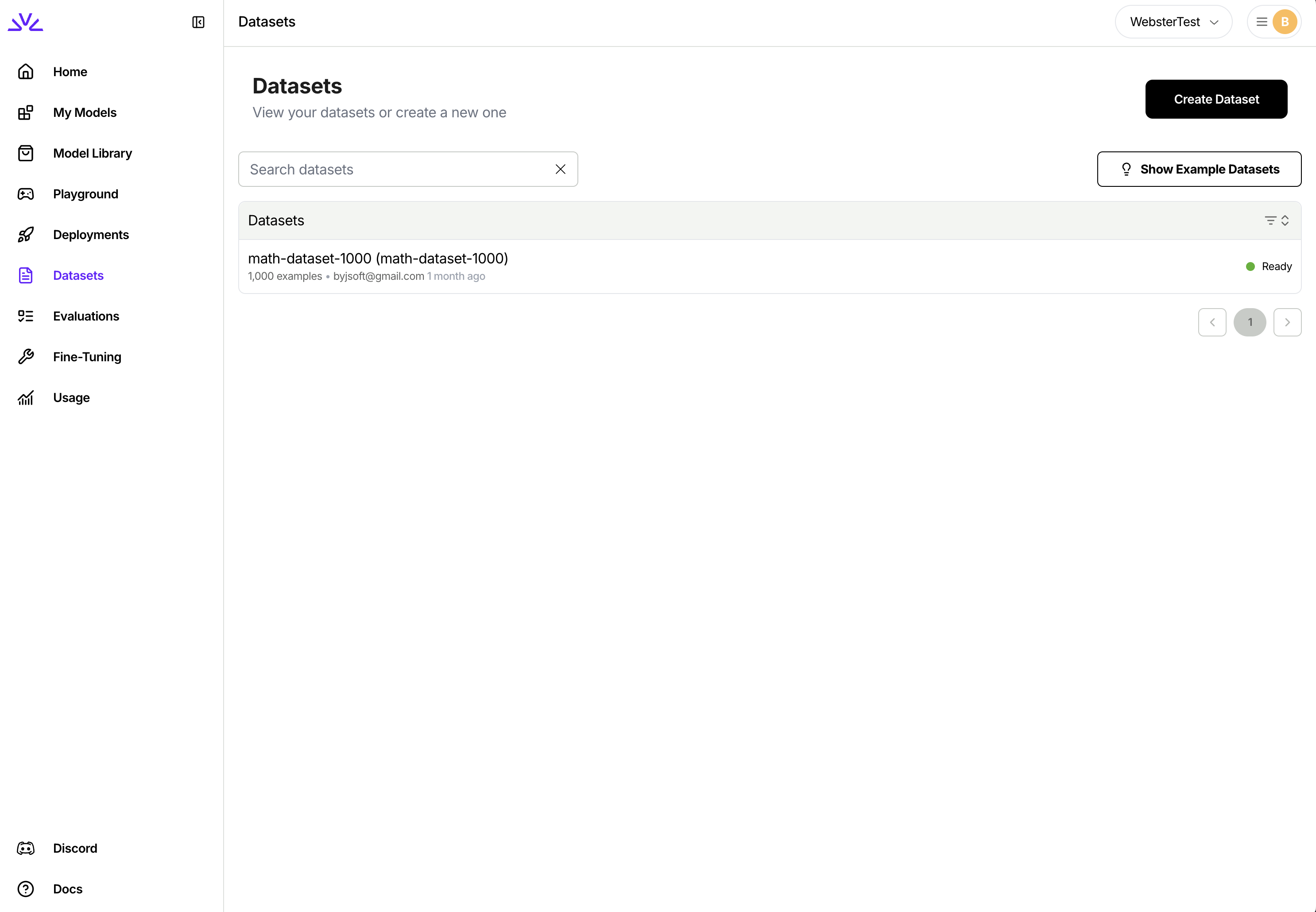 ```bash theme={null}
firectl dataset create batch-input-dataset ./batch_input_data.jsonl
```
You need to make two separate HTTP requests. One for creating the dataset entry and one for uploading the dataset. Full reference here: [Create dataset](/api-reference/create-dataset).
```bash theme={null}
# Create Dataset Entry
curl -X POST "https://api.fireworks.ai/v1/accounts/${ACCOUNT_ID}/datasets" \
-H "Authorization: Bearer ${API_KEY}" \
-H "Content-Type: application/json" \
-d '{
"datasetId": "batch-input-dataset",
"dataset": { "userUploaded": {} }
}'
# Upload JSONL file
curl -X POST "https://api.fireworks.ai/v1/accounts/${ACCOUNT_ID}/datasets/batch-input-dataset:upload" \
-H "Authorization: Bearer ${API_KEY}" \
-F "file=@./batch_input_data.jsonl"
```
Navigate to the Batch Inference tab and click "Create Batch Inference Job". Select your input dataset:
```bash theme={null}
firectl dataset create batch-input-dataset ./batch_input_data.jsonl
```
You need to make two separate HTTP requests. One for creating the dataset entry and one for uploading the dataset. Full reference here: [Create dataset](/api-reference/create-dataset).
```bash theme={null}
# Create Dataset Entry
curl -X POST "https://api.fireworks.ai/v1/accounts/${ACCOUNT_ID}/datasets" \
-H "Authorization: Bearer ${API_KEY}" \
-H "Content-Type: application/json" \
-d '{
"datasetId": "batch-input-dataset",
"dataset": { "userUploaded": {} }
}'
# Upload JSONL file
curl -X POST "https://api.fireworks.ai/v1/accounts/${ACCOUNT_ID}/datasets/batch-input-dataset:upload" \
-H "Authorization: Bearer ${API_KEY}" \
-F "file=@./batch_input_data.jsonl"
```
Navigate to the Batch Inference tab and click "Create Batch Inference Job". Select your input dataset:
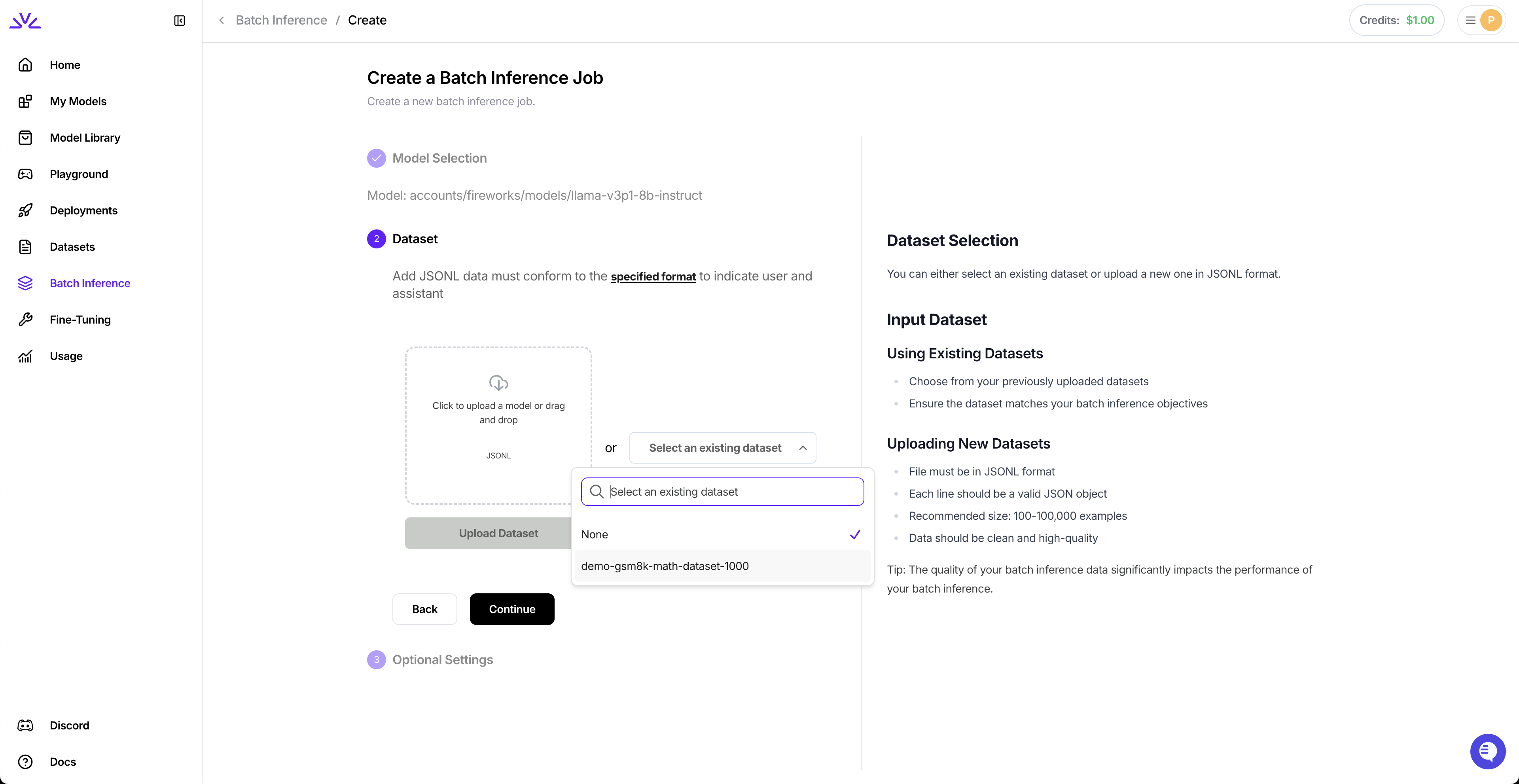 Choose your model:
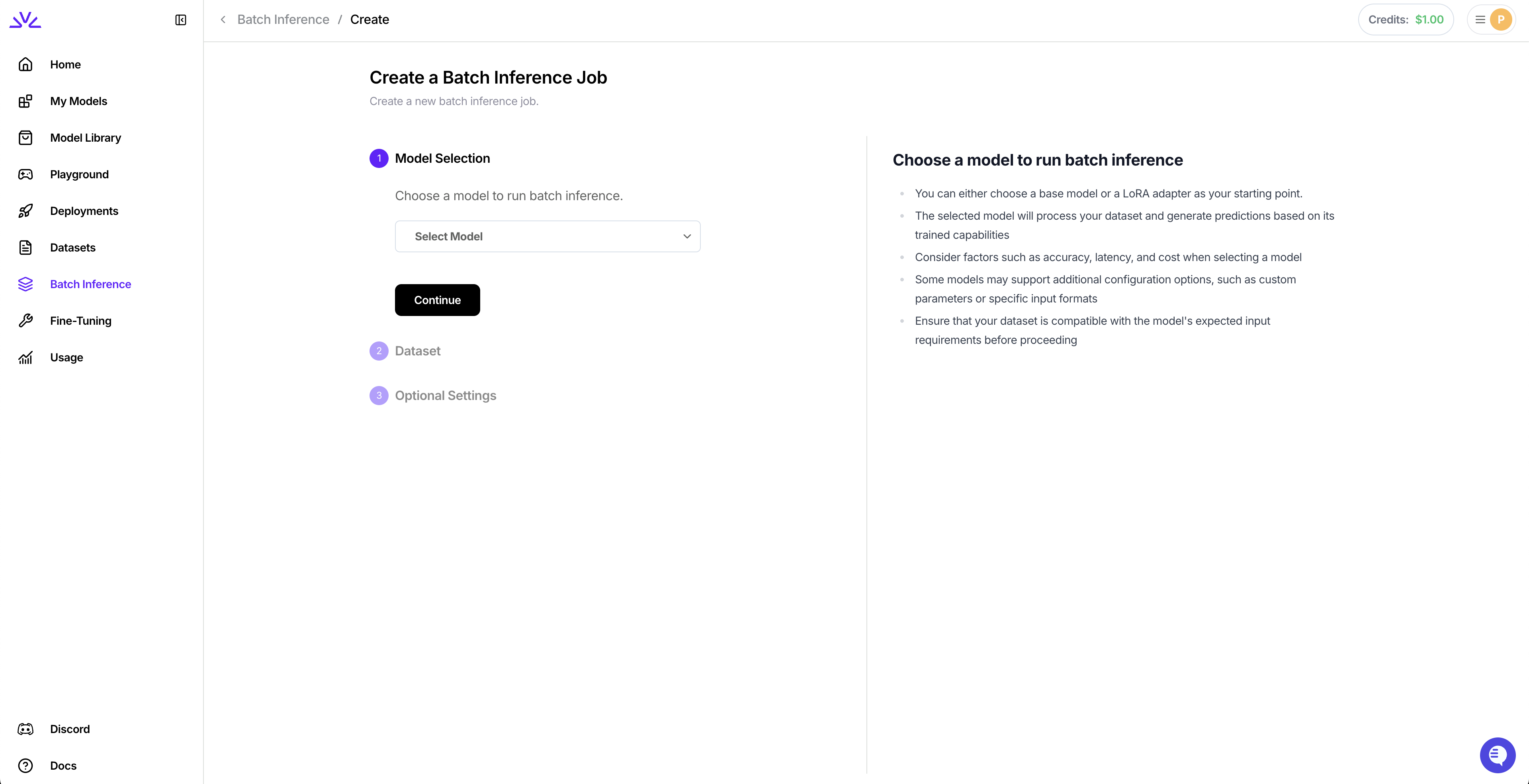 Configure optional settings:
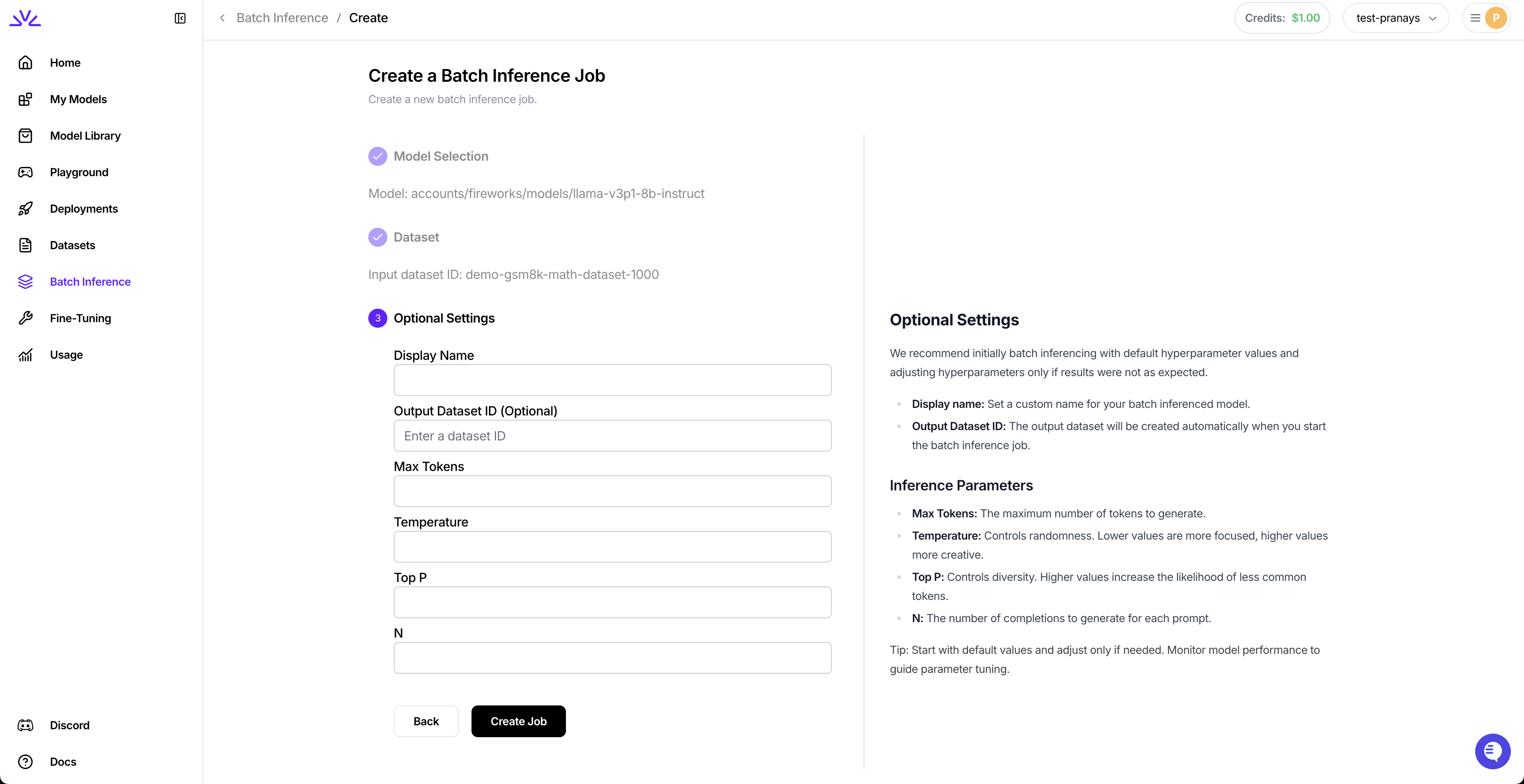 ```bash theme={null}
firectl batch-inference-job create \
--model accounts/fireworks/models/llama-v3p1-8b-instruct \
--input-dataset-id batch-input-dataset
```
With additional parameters:
```bash theme={null}
firectl batch-inference-job create \
--job-id my-batch-job \
--model accounts/fireworks/models/llama-v3p1-8b-instruct \
--input-dataset-id batch-input-dataset \
--output-dataset-id batch-output-dataset \
--max-tokens 1024 \
--temperature 0.7 \
--top-p 0.9
```
```bash theme={null}
curl -X POST "https://api.fireworks.ai/v1/accounts/${ACCOUNT_ID}/batchInferenceJobs?batchInferenceJobId=my-batch-job" \
-H "Authorization: Bearer ${API_KEY}" \
-H "Content-Type: application/json" \
-d '{
"model": "accounts/fireworks/models/llama-v3p1-8b-instruct",
"inputDatasetId": "accounts/'${ACCOUNT_ID}'/datasets/batch-input-dataset",
"outputDatasetId": "accounts/'${ACCOUNT_ID}'/datasets/batch-output-dataset",
"inferenceParameters": {
"maxTokens": 1024,
"temperature": 0.7,
"topP": 0.9
}
}'
```
View all your batch inference jobs in the dashboard:
```bash theme={null}
firectl batch-inference-job create \
--model accounts/fireworks/models/llama-v3p1-8b-instruct \
--input-dataset-id batch-input-dataset
```
With additional parameters:
```bash theme={null}
firectl batch-inference-job create \
--job-id my-batch-job \
--model accounts/fireworks/models/llama-v3p1-8b-instruct \
--input-dataset-id batch-input-dataset \
--output-dataset-id batch-output-dataset \
--max-tokens 1024 \
--temperature 0.7 \
--top-p 0.9
```
```bash theme={null}
curl -X POST "https://api.fireworks.ai/v1/accounts/${ACCOUNT_ID}/batchInferenceJobs?batchInferenceJobId=my-batch-job" \
-H "Authorization: Bearer ${API_KEY}" \
-H "Content-Type: application/json" \
-d '{
"model": "accounts/fireworks/models/llama-v3p1-8b-instruct",
"inputDatasetId": "accounts/'${ACCOUNT_ID}'/datasets/batch-input-dataset",
"outputDatasetId": "accounts/'${ACCOUNT_ID}'/datasets/batch-output-dataset",
"inferenceParameters": {
"maxTokens": 1024,
"temperature": 0.7,
"topP": 0.9
}
}'
```
View all your batch inference jobs in the dashboard:
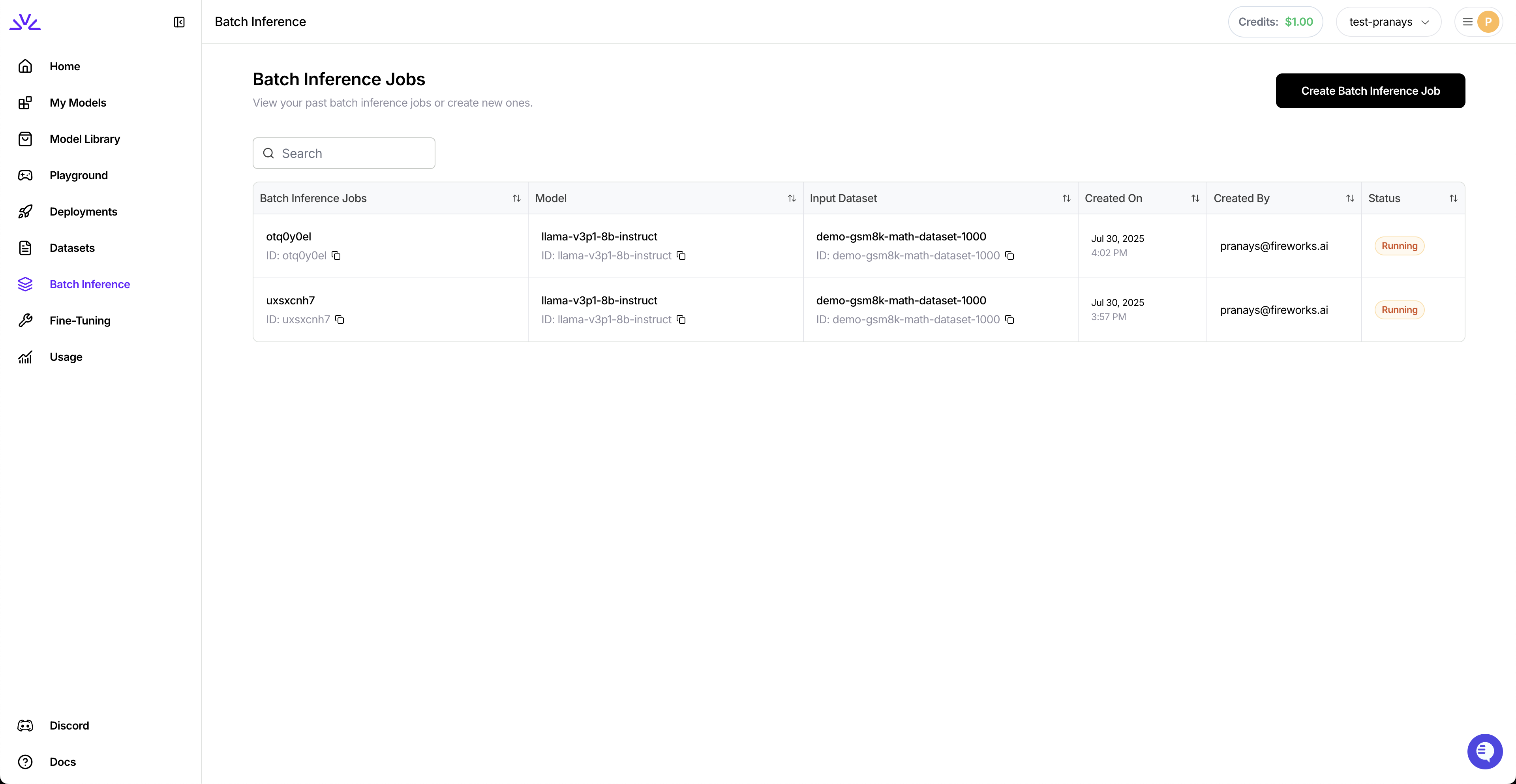 ```bash theme={null}
# Get job status
firectl batch-inference-job get my-batch-job
# List all batch jobs
firectl batch-inference-job list
```
```bash theme={null}
# Get specific job
curl -X GET "https://api.fireworks.ai/v1/accounts/${ACCOUNT_ID}/batchInferenceJobs/my-batch-job" \
-H "Authorization: Bearer ${API_KEY}"
# List all jobs
curl -X GET "https://api.fireworks.ai/v1/accounts/${ACCOUNT_ID}/batchInferenceJobs" \
-H "Authorization: Bearer ${API_KEY}"
```
Navigate to the output dataset and download the results:
```bash theme={null}
# Get job status
firectl batch-inference-job get my-batch-job
# List all batch jobs
firectl batch-inference-job list
```
```bash theme={null}
# Get specific job
curl -X GET "https://api.fireworks.ai/v1/accounts/${ACCOUNT_ID}/batchInferenceJobs/my-batch-job" \
-H "Authorization: Bearer ${API_KEY}"
# List all jobs
curl -X GET "https://api.fireworks.ai/v1/accounts/${ACCOUNT_ID}/batchInferenceJobs" \
-H "Authorization: Bearer ${API_KEY}"
```
Navigate to the output dataset and download the results:
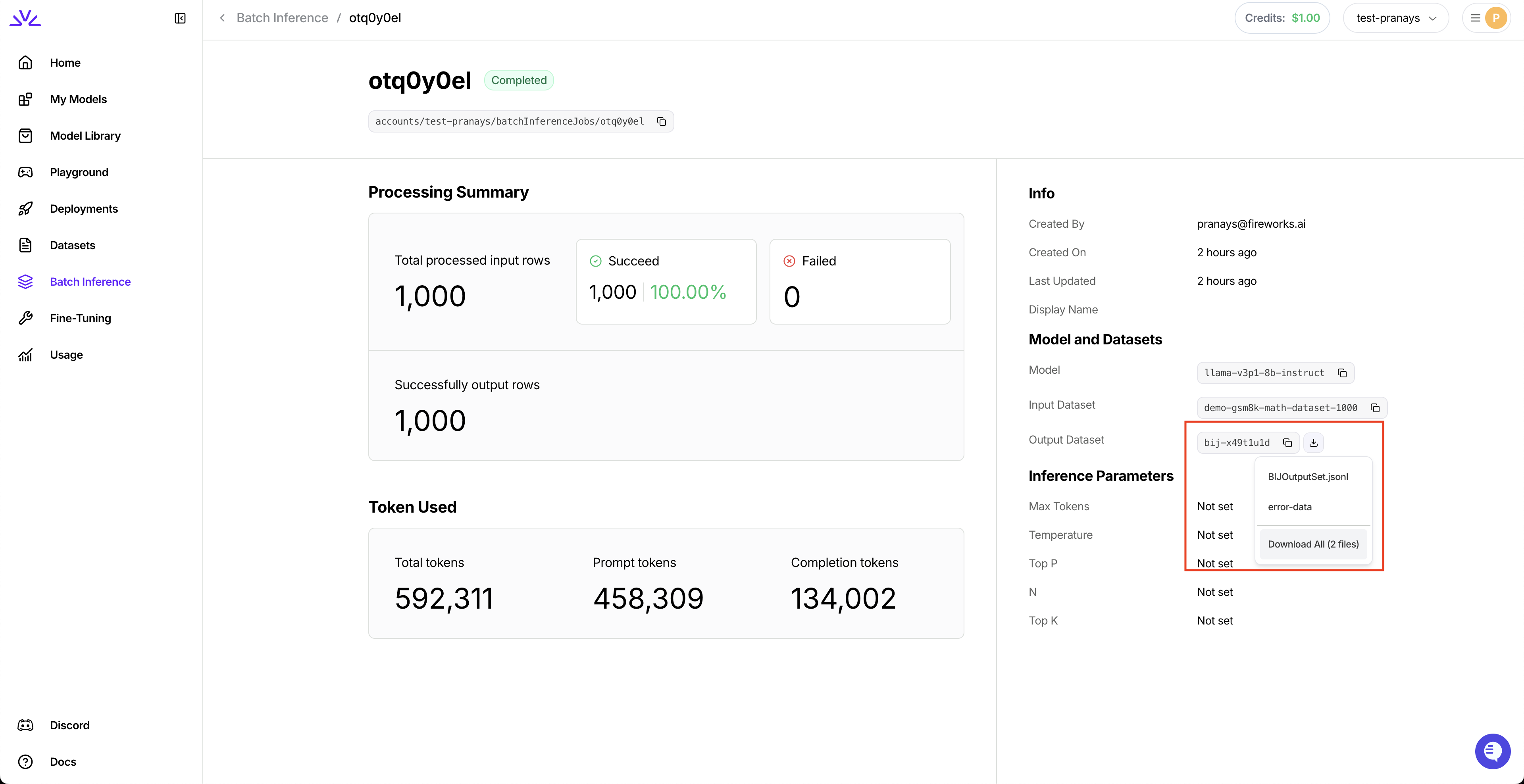 ```bash theme={null}
firectl dataset download batch-output-dataset
```
```bash theme={null}
# Get download endpoint and save response
curl -s -X GET "https://api.fireworks.ai/v1/accounts/${ACCOUNT_ID}/datasets/batch-output-dataset:getDownloadEndpoint" \
-H "Authorization: Bearer ${API_KEY}" \
-d '{}' > download.json
# Extract and download all files
jq -r '.filenameToSignedUrls | to_entries[] | "\(.key) \(.value)"' download.json | \
while read -r object_path signed_url; do
fname=$(basename "$object_path")
echo "Downloading → $fname"
curl -L -o "$fname" "$signed_url"
done
```
The output dataset contains two files: a **results file** (successful responses in JSONL format) and an **error file** (failed requests with debugging info).
## Reference
Batch jobs progress through several states:
| State | Description |
| -------------- | ----------------------------------------------------- |
| **VALIDATING** | Dataset is being validated for format requirements |
| **PENDING** | Job is queued and waiting for resources |
| **RUNNING** | Actively processing requests |
| **COMPLETED** | All requests successfully processed |
| **FAILED** | Unrecoverable error occurred (check status message) |
| **EXPIRED** | Exceeded 24-hour limit (completed requests are saved) |
* **Base Models** – Any model in the [Model Library](https://fireworks.ai/models)
* **Custom Models** – Your uploaded or fine-tuned models
*Note: Newly added models may have a delay before being supported. See [Quantization](/models/quantization) for precision info.*
* **Per-request limits:** Same as [Chat Completion API limits](/api-reference/post-chatcompletions)
* **Input dataset:** Max 500MB
* **Output dataset:** Max 8GB (job may expire early if reached)
* **Job timeout:** 24 hours maximum
Jobs expire after 24 hours. Completed rows are billed and saved to the output dataset.
**Resume processing:**
```bash theme={null}
firectl batch-inference-job create \
--continue-from original-job-id \
--model accounts/fireworks/models/llama-v3p1-8b-instruct \
--output-dataset-id new-output-dataset
```
This processes only unfinished/failed requests from the original job.
**Download complete lineage:**
```bash theme={null}
firectl dataset download output-dataset-id --download-lineage
```
Downloads all datasets in the continuation chain.
* **Validate thoroughly:** Check dataset format before uploading
* **Descriptive IDs:** Use meaningful `custom_id` values for tracking
* **Optimize tokens:** Set reasonable `max_tokens` limits
* **Monitor progress:** Track long-running jobs regularly
* **Cache optimization:** Place static content first in prompts
## Next Steps
Maximize cost savings with automatic prompt caching
Create custom models for your batch workloads
Full API documentation for Batch API
---
# Source: https://docs.fireworks.ai/deployments/benchmarking.md
> ## Documentation Index
> Fetch the complete documentation index at: https://docs.fireworks.ai/llms.txt
> Use this file to discover all available pages before exploring further.
# Performance benchmarking
> Measure and optimize your deployment's performance with load testing
Understanding your deployment's performance under various load conditions is essential for production readiness. Fireworks provides tools and best practices for benchmarking throughput, latency, and identifying bottlenecks.
## Fireworks Benchmark Tool
Use our open-source benchmarking tool to measure and optimize your deployment's performance:
**[Fireworks Benchmark Tool](https://github.com/fw-ai/benchmark)**
This tool allows you to:
* Test throughput and latency under various load conditions
* Simulate production traffic patterns
* Identify performance bottlenecks
* Compare different deployment configurations
### Installation
```bash theme={null}
git clone https://github.com/fw-ai/benchmark.git
cd benchmark
pip install -r requirements.txt
```
### Basic usage
Run a basic benchmark test:
```bash theme={null}
python benchmark.py \
--model "accounts/fireworks/models/llama-v3p1-8b-instruct" \
--deployment "your-deployment-id" \
--num-requests 1000 \
--concurrency 10
```
### Key metrics to monitor
When benchmarking your deployment, focus on these key metrics:
* **Throughput**: Requests per second (RPS) your deployment can handle
* **Latency**: Time to first token (TTFT) and end-to-end response time
* **Token generation rate**: Tokens per second during generation
* **Error rate**: Failed requests under load
## Custom benchmarking
You can also develop custom performance testing scripts or integrate with monitoring tools to track metrics over time. Consider:
* Using production-like request patterns and payloads
* Testing with various concurrency levels
* Monitoring resource utilization (GPU, memory, network)
* Testing autoscaling behavior under load
## Best practices
1. **Warm up your deployment**: Run a few requests before benchmarking to ensure models are loaded
2. **Test realistic scenarios**: Use request patterns and payloads similar to your production workload
3. **Gradually increase load**: Start with low concurrency and gradually increase to find your deployment's limits
4. **Monitor for errors**: Track error rates and response codes to identify issues under load
5. **Compare configurations**: Test different deployment shapes, quantization levels, and hardware to optimize cost and performance
## Next steps
Configure autoscaling to handle variable load
Optimize your client code for maximum throughput
---
# Source: https://docs.fireworks.ai/tools-sdks/firectl/commands/billing-export-metrics.md
> ## Documentation Index
> Fetch the complete documentation index at: https://docs.fireworks.ai/llms.txt
> Use this file to discover all available pages before exploring further.
# firectl billing export-metrics
> Exports billing metrics
```
firectl billing export-metrics [flags]
```
### Examples
```
firectl billing export-metrics
```
### Flags
```
--end-time string The end time (exclusive).
--filename string The file name to export to. (default "billing_metrics.csv")
-h, --help help for export-metrics
--start-time string The start time (inclusive).
```
### Global flags
```
-a, --account-id string The Fireworks account ID. If not specified, reads account_id from ~/.fireworks/auth.ini.
--api-key string An API key used to authenticate with Fireworks.
-p, --profile string fireworks auth and settings profile to use.
```
---
# Source: https://docs.fireworks.ai/tools-sdks/firectl/commands/billing-list-invoices.md
> ## Documentation Index
> Fetch the complete documentation index at: https://docs.fireworks.ai/llms.txt
> Use this file to discover all available pages before exploring further.
# firectl billing list-invoices
> Prints information about invoices.
```
firectl billing list-invoices [flags]
```
### Examples
```
firectl billing list-invoices
```
### Flags
```
-h, --help help for list-invoices
--show-pending If true, only pending invoices are shown.
```
### Global flags
```
-a, --account-id string The Fireworks account ID. If not specified, reads account_id from ~/.fireworks/auth.ini.
--api-key string An API key used to authenticate with Fireworks.
-p, --profile string fireworks auth and settings profile to use.
```
---
# Source: https://docs.fireworks.ai/api-reference-dlde/cancel-batch-job.md
# Cancel Batch Job
> Cancels an existing batch job if it is queued, pending, or running.
## OpenAPI
````yaml post /v1/accounts/{account_id}/batchJobs/{batch_job_id}:cancel
paths:
path: /v1/accounts/{account_id}/batchJobs/{batch_job_id}:cancel
method: post
servers:
- url: https://api.fireworks.ai
request:
security:
- title: BearerAuth
parameters:
query: {}
header:
Authorization:
type: http
scheme: bearer
description: >-
Bearer authentication using your Fireworks API key. Format:
Bearer
cookie: {}
parameters:
path:
account_id:
schema:
- type: string
required: true
description: The Account Id
batch_job_id:
schema:
- type: string
required: true
description: The Batch Job Id
query: {}
header: {}
cookie: {}
body:
application/json:
schemaArray:
- type: object
properties: {}
required: true
refIdentifier: '#/components/schemas/GatewayCancelBatchJobBody'
examples:
example:
value: {}
response:
'200':
application/json:
schemaArray:
- type: object
properties: {}
examples:
example:
value: {}
description: A successful response.
deprecated: false
type: path
components:
schemas: {}
````
---
# Source: https://docs.fireworks.ai/tools-sdks/firectl/commands/cancel-dpo-job.md
# firectl cancel dpo-job
> Cancels a running dpo job.
```
firectl cancel dpo-job [flags]
```
### Examples
```
firectl cancel dpo-job my-dpo-job
firectl cancel dpo-job accounts/my-account/dpo-jobs/my-dpo-job
```
### Flags
```
-h, --help help for dpo-job
--wait Wait until the dpo job is cancelled.
--wait-timeout duration Maximum time to wait when using --wait flag. (default 10m0s)
```
### Global flags
```
-a, --account-id string The Fireworks account ID. If not specified, reads account_id from ~/.fireworks/auth.ini.
--api-key string An API key used to authenticate with Fireworks.
-p, --profile string fireworks auth and settings profile to use.
```
---
> To find navigation and other pages in this documentation, fetch the llms.txt file at: https://docs.fireworks.ai/llms.txt
---
# Source: https://docs.fireworks.ai/api-reference/cancel-reinforcement-fine-tuning-job.md
> ## Documentation Index
> Fetch the complete documentation index at: https://docs.fireworks.ai/llms.txt
> Use this file to discover all available pages before exploring further.
# Cancel Reinforcement Fine-tuning Job
## OpenAPI
````yaml post /v1/accounts/{account_id}/reinforcementFineTuningJobs/{reinforcement_fine_tuning_job_id}:cancel
openapi: 3.1.0
info:
title: Gateway REST API
version: 4.21.6
servers:
- url: https://api.fireworks.ai
security:
- BearerAuth: []
tags:
- name: Gateway
paths:
/v1/accounts/{account_id}/reinforcementFineTuningJobs/{reinforcement_fine_tuning_job_id}:cancel:
post:
tags:
- Gateway
summary: Cancel Reinforcement Fine-tuning Job
operationId: Gateway_CancelReinforcementFineTuningJob
parameters:
- name: account_id
in: path
required: true
description: The Account Id
schema:
type: string
- name: reinforcement_fine_tuning_job_id
in: path
required: true
description: The Reinforcement Fine-tuning Job Id
schema:
type: string
requestBody:
content:
application/json:
schema:
$ref: '#/components/schemas/GatewayCancelReinforcementFineTuningJobBody'
required: true
responses:
'200':
description: A successful response.
content:
application/json:
schema:
type: object
properties: {}
components:
schemas:
GatewayCancelReinforcementFineTuningJobBody:
type: object
securitySchemes:
BearerAuth:
type: http
scheme: bearer
description: >-
Bearer authentication using your Fireworks API key. Format: Bearer
bearerFormat: API_KEY
````
---
# Source: https://docs.fireworks.ai/tools-sdks/firectl/commands/cancel-supervised-fine-tuning-job.md
# firectl cancel supervised-fine-tuning-job
> Cancels a running supervised fine-tuning job.
```
firectl cancel supervised-fine-tuning-job [flags]
```
### Examples
```
firectl cancel supervised-fine-tuning-job my-sft-job
firectl cancel supervised-fine-tuning-job accounts/my-account/supervisedFineTuningJobs/my-sft-job
```
### Flags
```
-h, --help help for supervised-fine-tuning-job
```
### Global flags
```
-a, --account-id string The Fireworks account ID. If not specified, reads account_id from ~/.fireworks/auth.ini.
--api-key string An API key used to authenticate with Fireworks.
-p, --profile string fireworks auth and settings profile to use.
```
---
> To find navigation and other pages in this documentation, fetch the llms.txt file at: https://docs.fireworks.ai/llms.txt
---
# Source: https://docs.fireworks.ai/updates/changelog.md
> ## Documentation Index
> Fetch the complete documentation index at: https://docs.fireworks.ai/llms.txt
> Use this file to discover all available pages before exploring further.
# Changelog
# Warm-Start Training and Azure Model Uploads
## **Warm-Start Training for Reinforcement Fine-Tuning**
You can now warm-start Reinforcement Fine-Tuning jobs from previously supervised fine-tuned checkpoints using the `--warm-start-from` flag. This enables a streamlined SFT-to-RFT workflow where you first train a model with supervised fine-tuning, then continue training with reinforcement learning.
See the [Warm-Start Training guide](/fine-tuning/warm-start) for details.
## **Azure Federated Identity for Model Uploads**
Model uploads from Azure Blob Storage now support Azure AD federated identity authentication as an alternative to SAS tokens. This eliminates the need for credential rotation and enables secure, credential-less authentication.
See the [Uploading Custom Models documentation](/models/uploading-custom-models) for setup instructions.
## 📚 Documentation Updates
* **Warm-Start Training:** New guide for SFT-to-RFT workflows ([Warm-Start Training](/fine-tuning/warm-start))
* **Azure Federated Identity:** Setup instructions for Azure AD authentication ([Uploading Custom Models](/models/uploading-custom-models))
* **Preserved Thinking:** Multi-turn reasoning with preserved thinking context ([Reasoning](/guides/reasoning))
* **GLM 4.7:** Added to models supporting `reasoning_effort` parameter
- **RFT Cost Display:** Reinforcement Fine-Tuning job pages now show approximate final cost (Web App)
- **GPU Information:** Deployments table displays GPU type and count (Web App)
- **DPO Job Resume:** Preference Fine-Tuning jobs can now be resumed after stopping (Web App, API)
- **Free Tuning Filter:** New filter in fine-tuning model selector for free-to-fine-tune models (Web App)
- **Playground Inputs:** Editable number inputs for temperature, top\_p, and other parameters (Web App)
- **Clone Fine-Tuning Jobs:** Fixed field population when cloning jobs (Web App)
- **Evaluation Job Errors:** Errors now display with alert banners (Web App)
- **Invoice CSV Export:** Improved download experience (Web App)
- **Multi-Region Display:** Per-region replica counts shown for multi-region deployments (Web App)
- **Playground Validation:** Prevents querying deployments with 0 replicas (Web App)
- **List Models Filter:** `firectl model list` supports `--name` and `--public-only` flags (CLI)
- **RFT Concurrency:** New `--max-concurrent-rollouts` and `--max-concurrent-evaluations` flags (CLI)
# Playground Categories, New User Roles, Fine-Tuning Improvements, and New Models
## **Playground Categories**
The Playground now features category tabs (LLM, Image, TTS, STT) in the header for easier switching between model types. The playground automatically detects the appropriate category based on the selected model and provides smart defaults for each category.
## **User Roles: Contributor and Inference**
New user roles provide more granular access control for team collaboration:
* **Contributor**: Read and write access to resources without administrative privileges
* **Inference**: Read-only access with the ability to run inference on deployments
Assign these roles when inviting team members to provide appropriate access levels.
## **Fine-Tuning Improvements**
Fine-tuning workflows have been enhanced with several new capabilities:
* **Stop and Resume Jobs**: Stop running fine-tuning jobs and resume them later from where they left off. Available for Supervised Fine-Tuning and Reinforcement Fine-Tuning jobs.
* **Clone Jobs**: Quickly create new fine-tuning jobs based on existing job configurations using the Clone action.
* **Download Output Datasets**: Download output datasets from Reinforcement Fine-Tuning jobs, including individual files or bulk download as a ZIP archive.
* **Download Rollout Logs**: Download rollout logs from Reinforcement Fine-Tuning jobs for offline analysis.
## ✨ New Models
* **[Gemma 3 12B Instruct](https://app.fireworks.ai/models/fireworks/gemma-3-12b-it)** is now available in the Model Library
* **[Gemma 3 4B Instruct](https://app.fireworks.ai/models/fireworks/gemma-3-4b-it)** is now available in the Model Library
* **[Qwen3 Omni 30B A3B Instruct](https://app.fireworks.ai/models/fireworks/qwen3-omni-30b-a3b-instruct)** is now available in the Model Library
## 📚 Documentation Updates
* **Deployment Shapes API:** Added [List Deployment Shapes](/api-reference/list-deployment-shapes) and [Get Deployment Shape](/api-reference/get-deployment-shape) endpoints for querying available deployment shapes
* **Evaluator APIs:** Added [Create Evaluator](/api-reference/create-evaluator), [Update Evaluator](/api-reference/update-evaluator), and helper endpoints for evaluator source code, build logs, and upload validation
* **Fine-Tuning APIs:** Added [Resume DPO Job](/api-reference/resume-dpo-job), [Resume Reinforcement Fine-Tuning Step](/api-reference/resume-reinforcement-fine-tuning-step), [Execute Reinforcement Fine-Tuning Step](/api-reference/execute-reinforcement-fine-tuning-step), and [Get Evaluation Job Log Endpoint](/api-reference/get-evaluation-job-log-endpoint)
* **SDK Examples:** Added Python SDK example links for [direct routing](/deployments/direct-routing) and [supervised fine-tuning](/fine-tuning/fine-tuning-models) workflows
- **Deployment Progress Display:** Deployment details page now shows live deployment progress with replica status (pending, downloading, initializing, ready) and error banners (Web App)
- **Multi-LoRA Display:** Deployment details page now shows all deployed models with expandable sections, not just the default model (Web App)
- **Prompt Cache Usage Chart:** Added Cached Prompt Tokens chart to the Serverless Usage page for visibility into prompt caching savings (Web App)
- **Audio Usage Charts:** Audio usage metrics are now displayed in a dedicated Voice tab on the Usage page with filtering support (Web App)
- **Deployment Shape Search:** Improved deployment shape discovery for models where exact base model matches aren't found, using parameter count bucketing (Web App)
- **Vision Model Auto-Detection:** Vision-language models (Qwen VL, LLaVA, Phi-3 Vision, etc.) now automatically have image input support enabled when uploaded (API)
- **Dataset Loading UX:** Output dataset tables now stream results with a progress indicator for faster perceived loading (Web App)
- **File Size Limit:** Dataset uploads now enforce a clear file size limit with improved error messaging (Web App)
- **Number Input Fields:** Improved number input validation across forms (Web App)
- **Combobox Responsiveness:** Improved combobox dropdown height on smaller screens (Web App)
- **Evaluator Editor Scroll:** Prevented accidental page navigation when scrolling inside the evaluator code editor (Web App)
- **Evaluator Save Dialog:** Fixed overflow issues in the save evaluator dialog (Web App)
- **Evaluator Selector Labels:** Fixed label rendering in async evaluator select components (Web App)
- **Deploy Button Validation:** Deploy button is now disabled when the model is not ready (Web App)
- **Model Metadata:** Fixed missing model metadata display on deployment pages (Web App)
- **Invoice Display:** Invoice list now shows "paid" status for contract payments (Web App)
- **Color Palette Update:** Updated UI color palette for improved visual consistency (Web App)
# Reasoning Guide, Prompt Caching Updates, New Models and CLI Updates
## **Reasoning Guide**
A new [Reasoning guide](/guides/reasoning) is now available in the documentation. This comprehensive guide covers:
* Accessing `reasoning_content` from thinking/reasoning models
* Controlling reasoning effort with the `reasoning_effort` parameter
* Streaming with reasoning content
* Interleaved thinking for multi-step tool-calling workflows
The guide provides code examples using the Fireworks Python SDK and explains how to work with models that support extended reasoning capabilities.
## **Prompt Caching Updates**
Prompt caching documentation has been updated with expanded guidance:
* Cached prompt tokens on serverless now cost 50% less than uncached tokens
* Session affinity routing via the `user` field or `x-session-affinity` header for improved cache hit rates
* Prompt optimization techniques for maximizing cache efficiency
See the [Prompt Caching guide](/guides/prompt-caching) for details.
## ✨ New Models
* **[Devstral Small 2 24B Instruct 2512](https://app.fireworks.ai/models/fireworks/devstral-small-2-24b-instruct-2512)** is now available in the Model Library
* **[NVIDIA Nemotron Nano 3 30B A3B](https://app.fireworks.ai/models/fireworks/nemotron-nano-3-30b-a3b)** is now available in the Model Library
## 📚 Documentation Updates
* **Reasoning Guide:** New documentation for working with reasoning models, including `reasoning_content`, `reasoning_effort`, streaming, and interleaved thinking ([Reasoning](/guides/reasoning))
* **Recommended Models:** Updated recommendations to include DeepSeek V3.2 for code generation and Kimi K2 Thinking as a GPT-5 alternative ([Recommended Models](/guides/recommended-models))
* **OpenAI Compatibility:** Removed `stop` sequence documentation as Fireworks is now 1:1 compatible with OpenAI's behavior ([OpenAI Compatibility](/tools-sdks/openai-compatibility))
* **Evaluator APIs:** Added REST API documentation for Evaluator and Evaluation Job CRUD operations ([Evals API Reference](/api-reference/list-evaluators))
* **firectl CLI Reference:** Updated with new commands including `cancel dpo-job`, `cancel supervised-fine-tuning-job`, `set-api-key`, `redeem-credit-code`, and evaluator revision management
- **Audio Usage Charts:** Added a Voice modality tab to the Usage page for viewing audio-specific usage metrics and charts (Web App)
- **Deployment Page Redesign:** Redesigned deployment details page with inline action buttons (Edit, Delete, Enable/Disable), reordered metadata sections, and collapsible API examples (Web App)
- **Deployment API Examples:** API code examples now use the deployment route as the canonical model identifier for clearer usage patterns (Web App)
- **LoRA Addons Tab:** Renamed "Serverless LoRA" tab to "LoRA Addons" on the deployments dashboard for clarity (Web App)
- **Evaluator Selector:** Improved evaluator selector UI to display both display name and evaluator ID for easier identification (Web App)
- **Evaluator Delete Confirmation:** Added confirmation modal with success/error feedback when deleting evaluators (Web App)
- **Evaluator Code Viewer:** Evaluator source files now load asynchronously, preventing browser freezes with large files (Web App)
- **Dataset Image Preview:** Dataset preview now properly renders image content in message bubbles and comparison views (Web App)
- **Model Search:** Improved model search accuracy by restricting results to display name and model ID matches only (Web App)
- **Fine-Tuning Progress Status:** Fine-tuning job detail pages now show the initial job status immediately on page load (Web App)
- **Evaluator Test Controls:** Dataset selection and pagination are now disabled while an evaluator test is running to prevent conflicts (Web App)
- **Repository Name Validation:** Evaluator repository names now validate against GitHub naming conventions (Web App)
- **Billing Contracts Tab:** Added a Contracts tab to the billing page alongside Invoices for viewing contract details (Web App)
- **Dataset Size Limit:** Enforced 1GB maximum file size for dataset uploads with clear error messaging (Web App)
- **Evaluator Documentation Link:** Fixed evaluator documentation links to point to the correct location (Web App)
- **Session Update Fix:** Fixed an issue with session state updates in the web app (Web App)
- **Popover Fix:** Fixed popover components nested in dialogs not displaying correctly (Web App)
- **Per-Replica Status:** Deployment status now shows per-replica counts (pending, downloading, initializing, ready) for better visibility into deployment progress (CLI, API)
- **set-api-key Command:** The `set-api-key` command is now visible in firectl help output (CLI)
- **DPO Resume:** Added support for resuming cancelled DPO fine-tuning jobs (API)
- **Reasoning Effort Normalization:** `reasoning_effort` parameter now accepts boolean values in addition to strings and integers (API)
# DeepSeek V3.2 on Serverless, Cached Token Pricing, and New Models
## ☁️ Serverless
* **[DeepSeek V3.2](https://app.fireworks.ai/models/fireworks/deepseek-v3p2)** is now available on serverless
## **Cached Token Pricing Display**
The Model Library and model detail pages now display cached and uncached input
token pricing for serverless models that support prompt caching. This gives you
better visibility into potential cost savings when using prompt caching with
supported models.
## **Evaluations Dashboard Improvements**
The Evaluations dashboard has been enhanced with new filtering and status tracking capabilities:
* Status column showing evaluator build state (Active, Building, Failed)
* Quick filters to filter evaluators and evaluation jobs by status
* Improved table layout with actions integrated into the status column
## ✨ New Models
* **[DeepSeek V3.2](https://app.fireworks.ai/models/fireworks/deepseek-v3p2)** is now available in the Model Library
* **[Ministral 3 14B Instruct 2512](https://app.fireworks.ai/models/fireworks/ministral-3-14b-instruct-2512)** is now available in the Model Library
* **[Ministral 3 8B Instruct 2512](https://app.fireworks.ai/models/fireworks/ministral-3-8b-instruct-2512)** is now available in the Model Library
* **[Ministral 3 3B Instruct 2512](https://app.fireworks.ai/models/fireworks/ministral-3-3b-instruct-2512)** is now available in the Model Library
* **[Mistral Large 3 675B Instruct](https://app.fireworks.ai/models/fireworks/mistral-large-3-fp8)** is now available in the Model Library
* **[Qwen3-VL-32B-Instruct](https://app.fireworks.ai/models/fireworks/qwen3-vl-32b-instruct)** is now available in the Model Library
* **[Qwen3-VL-8B-Instruct](https://app.fireworks.ai/models/fireworks/qwen3-vl-8b-instruct)** is now available in the Model Library
## 📚 Documentation Updates
* **Reranking Guide:** Added documentation for using the `/rerank` endpoint and `/embeddings` endpoint with `return_logits` for reranking, including parallel batching examples ([Querying Embeddings Models](/guides/querying-embeddings-models))
- **Deployment Page Enhancements:** Redesigned deployment detail page with new model header, quick actions (Playground, Go to Model), tabbed API/Info interface, collapsible code examples, and improved GPU count display (Web App)
- **Login Page Redesign:** New marketing panel with customer testimonials carousel, highlighted platform capabilities, and improved visual design (Web App)
- **Playground CTA:** Added "Deploy on Demand" button next to "Try the API" for eligible models, making it easier to deploy models directly from the playground (Web App)
- **Console Navigation Icons:** Updated sidebar icons with a refreshed icon set for improved visual consistency (Web App)
- **Reinforcement Fine-Tuning Defaults:** Changed default epochs to 1 and increased maximum inference N from 8 to 32 for rollout configuration (Web App)
- **Failed Job Visibility:** Training progress and loss curves now display for failed and cancelled fine-tuning jobs, helping with debugging (Web App)
- **Large Dataset Uploads:** Improved upload handling for large JSONL files with progress tracking and direct-to-storage uploads (Web App)
- **Dataset Preview:** Fixed page freeze issue when previewing datasets with very long text content (Web App)
- **Loss Chart Y-Axis:** Fixed y-axis scaling on loss charts to properly display the full range of values (Web App)
- **Model Deletion Dialog:** Improved custom model delete confirmation dialog with better validation and feedback (Web App)
- **Billing Date Range:** Fixed date range calculation errors on the first day of the month in billing usage views (Web App)
- **Login Session:** Fixed an issue where expired sessions required manual cookie clearing to log in again (Web App)
- **Rollout Detail Panel:** Improved rollout log viewing with resizable split panels and better log formatting (Web App)
- **Checkpoint Promotion:** Added validation and error messages when promoting checkpoints with missing target modules or base model (Web App)
- **Model Validation:** Added validation before deploying fine-tuned models to ensure the model ID is valid (Web App)
- **Quota Error Message:** Improved error message clarity when request quota is exceeded in the playground (Web App)
- **Safari Layout:** Fixed extra spacing in login page marketing panel on Safari browsers (Web App)
# Audit Logs, Dataset Download, Weighted Training for Reinforcement Fine-Tuning, and New Model
## **Audit Logs in Web App**
You can now view and search audit logs directly from the Fireworks web app. The new Audit Logs page provides:
* Search and filter logs by status and timeframe
* Detailed view panel for individual log entries
* Easy navigation from the console sidebar under Account settings
See the [Audit Logs documentation](/guides/security_compliance/audit_logs) for more information.
## **Dataset Download**
You can now download datasets directly from the Fireworks web app. The new download functionality allows you to:
* Download individual files from a dataset
* Download all files at once with "Download All"
* Access downloads from the Datasets table in the dashboard
## **Weighted Training for Reinforcement Fine-Tuning**
Reinforcement Fine-Tuning now supports per-example weighting, giving you more control over which samples have greater influence during training. This feature mirrors the weighted training functionality already available in Supervised Fine-Tuning.
See the [Weighted Training documentation](/fine-tuning/weighted-training) for details on the weight field format.
## ✨ New Models
* **[KAT Coder](https://app.fireworks.ai/models/fireworks/kat-coder)** is now available in the Model Library
- **Console Navigation:** Redesigned sidebar with organized groups (CREATE, EXPLORE, MANAGE) for easier navigation (Web App)
- **Fine-Tuning Progress Display:** Training progress (progress/epoch) now displays inline in the job title while Supervised Fine-Tuning jobs are running (Web App)
- **Reinforcement Fine-Tuning Evaluator Selection:** Evaluators that are still building are now disabled in the selector with a tooltip and status badge (Web App)
- **Loss Chart Smoothing:** Large datasets (>1000 metrics) now show EMA smoothing by default for improved visibility (Web App)
- **Checkpoint Restore:** Fixed base model resolution when promoting checkpoints from fine-tuning jobs (Web App)
- **Deployment Usage Charts:** Fixed usage graph display on deployment details page (Web App)
- **Evaluation Job Share Links:** Fixed incorrect output dataset share links and improved deep-link behavior for evaluation jobs (Web App)
- **Embedding Model Deployments:** Embedding models can now be deployed directly from the UI (Web App)
- **Dataset Download State:** Download option is now disabled for datasets that are still uploading (Web App)
- **GPU Hints:** Removed invalid GPU hints from region selector in deployment form (Web App)
- **PEFT Model Shapes:** Fixed deployment shape lookup for PEFT Addon and Live Merge models (Web App)
- **LoRA Validation:** Improved error messages when LoRA checkpoints are missing the required `language_model.` prefix, with actionable conversion instructions (API)
- **Reinforcement Fine-Tuning Timeout:** Extended maximum job timeout from 4 to 7 days for longer training runs (API)
- **Training Job Cancellation:** Added ability to cancel Supervised Fine-Tuning, DPO, and Reinforcement Fine-Tuning jobs via API (API)
- **Resource Errors:** Improved error messages for capacity-related issues during training and deployment (API)
# Evaluator Improvements, Kimi K2 Thinking on Serverless, and New API Endpoints
## **Improved Evaluator Creation Experience**
The evaluator creation workflow has been significantly enhanced with GitHub template integration. You can now:
* Fork evaluator templates directly from GitHub repositories
* Browse and preview templates before using them
* Create evaluators with a streamlined save dialog
* View evaluators in a new sortable and paginated table
## **MLOps & Observability Integrations**
New documentation for integrating Fireworks with MLOps and observability tools:
* [Weights & Biases (W\&B)](/ecosystem/integrations/wandb) integration for experiment tracking during fine-tuning
* MLflow integration for model management and experiment logging
## ✨ New Models
* **[Kimi K2 Thinking](https://app.fireworks.ai/models/fireworks/kimi-k2-thinking)** is now available in the Model Library
* **[KAT Dev 32B](https://app.fireworks.ai/models/fireworks/kat-dev-32b)** is now available in the Model Library
* **[KAT Dev 72B Exp](https://app.fireworks.ai/models/fireworks/kat-dev-72b-exp)** is now available in the Model Library
## ☁️ Serverless
* **[Kimi K2 Thinking](https://app.fireworks.ai/models/fireworks/kimi-k2-thinking)** is now available on serverless
## 📚 New REST API Endpoints
New REST API endpoints are now available for managing Reinforcement Fine-Tuning Steps and deployments:
* [Create Reinforcement Fine-Tuning Step](/api-reference/create-reinforcement-fine-tuning-step)
* [List Reinforcement Fine-Tuning Steps](/api-reference/list-reinforcement-fine-tuning-steps)
* [Get Reinforcement Fine-Tuning Step](/api-reference/get-reinforcement-fine-tuning-step)
* [Delete Reinforcement Fine-Tuning Step](/api-reference/delete-reinforcement-fine-tuning-step)
* [Scale Deployment](/api-reference/scale-deployment)
* [List Deployment Shape Versions](/api-reference/list-deployment-shape-versions)
* [Get Deployment Shape Version](/api-reference/get-deployment-shape-version)
* [Get Dataset Download Endpoint](/api-reference/get-dataset-download-endpoint)
- **Deployment Region Selector:** Added GPU accelerator hints to the region selector, with Global set as default for optimal availability (Web App)
- **Preference Fine-Tuning (DPO):** Added to the Fine-Tuning page for training models with human preference data (Web App)
- **Redeem Credits:** Credit code redemption is now available to all users from the Billing page (Web App)
- **Model Library Search:** Improved fuzzy search with hybrid matching for better model discovery (Web App)
- **Cogito Models:** Added Cogito namespace to the Model Library for easier discovery (Web App)
- **Custom Model Editing:** You can now edit display name and description inline on custom model detail pages (Web App)
- **Loss Curve Charts:** Fixed an issue where loss curves were not updating in real-time during fine-tuning jobs (Web App)
- **Deployment Shapes:** Fixed deployment shape selection for fine-tuned models (PEFT and live-merge) (Web App)
- **Usage Charts:** Fixed replica calculation in multi-series usage charts (Web App)
- **Session Management:** Removed auto-logout on inactivity for improved user experience (Web App)
- **Onboarding:** Updated onboarding survey with improved profile and questionnaire flow (Web App)
- **Fine-Tuning Form:** Max context length now defaults to and is capped by the selected base model's context length (Web App)
- **Secrets for Evaluators:** Added documentation for using secrets in evaluators to securely call external services (Docs)
- **Region Selection:** Deprecated regions are now filtered from deployment options (Web App)
- **Playground:** Embedding and reranker models are now filtered from playground model selection (Web App)
- **LoRA Rank:** Updated valid LoRA rank range to 4-32 in documentation (Docs)
- **SFT Documentation:** Added documentation for batch size, learning rate warmup, and gradient accumulation settings (Docs)
- **Direct Routing:** Added OpenAI SDK code examples for direct routing (Docs)
- **Recommended Models:** Updated model recommendations with migration guidance from Claude, GPT, and Gemini (Docs)
## ☀️ Sunsetting Build SDK
The Build SDK is being deprecated in favor of a new Python SDK generated
directly from our REST API. The new SDK is more up-to-date, flexible, and
continuously synchronized with our REST API. Please note that the last version
of the Build SDK will be `0.19.20`, and the new SDK will start at `1.0.0`.
Python package managers will not automatically update to the new SDK, so you
will need to manually update your dependencies and refactor your code.
Existing codebases using the Build SDK will continue to function as before and
will not be affected unless you choose to upgrade to the new SDK version.
The new SDK replaces the Build SDK's `LLM` and `Dataset` classes with REST
API-aligned methods. If you upgrade to version `1.0.0` or later, you will need
to migrate your code.
## 🚀 Improved RFT Experience
We've drastically improved the RFT experience with better reliability,
developer-friendly SDK for hooking up your existing agents, support for
multi-turn training, better observability in our Web App, and better overall
developer experience.
See [Reinforcement Fine-Tuning](/fine-tuning/reinforcement-fine-tuning-models) for more details.
## Supervised Fine-Tuning
We now support supervised fine tuning with separate thinking traces for reasoning models (e.g. DeepSeek R1, GPT OSS, Qwen3 Thinking etc) that ensures training-inference consistency. An example including thinking traces would look like:
```json theme={null}
{
"messages": [
{"role": "system", "content": "You are a helpful assistant."},
{"role": "user", "content": "What is the capital of France?"},
{"role": "assistant", "content": "Paris.", "reasoning_content": "The user is asking about the capital city of France, it should be Paris."}
]
}
{
"messages": [
{"role": "user", "content": "What is 1+1?"},
{"role": "assistant", "content": "2", "weight": 0, "reasoning_content": "The user is asking about the result of 1+1, the answer is 2."},
{"role": "user", "content": "Now what is 2+2?"},
{"role": "assistant", "content": "4", "reasoning_content": "The user is asking about the result of 2+2, the answer should be 4."}
]
}
```
We are also properly supporting multi-turn fine tuning (with or without thinking traces) for GPT OSS model family that ensures training-inference consistency.
## Supervised Fine-Tuning
We now support Qwen3 MoE model (Qwen3 dense models are already supported) and GPT OSS models for supervised fine-tuning. GPT OSS model fine tunning support is single-turn without thinking traces at the moment.
## 🎨 Vision-Language Model Fine-Tuning
You can now fine-tune Vision-Language Models (VLMs) on Fireworks AI using the Qwen 2.5 VL model family.
This extends our Supervised Fine-tuning V2 platform to support multimodal training with both images and text data.
**Supported models:**
* Qwen 2.5 VL 3B Instruct
* Qwen 2.5 VL 7B Instruct
* Qwen 2.5 VL 32B Instruct
* Qwen 2.5 VL 72B Instruct
**Features:**
* Fine-tune on datasets containing both images and text in JSONL format with base64-encoded images
* Support for up to 64K context length during training
* Built on the same Supervised Fine-tuning V2 infrastructure as text models
See the [VLM fine-tuning documentation](/fine-tuning/fine-tuning-vlm) for setup instructions and dataset formatting requirements.
## 🔧 Build SDK: Deployment Configuration Application Requirement
The Build SDK now requires you to call `.apply()` to apply any deployment configurations to Fireworks when using `deployment_type="on-demand"` or `deployment_type="on-demand-lora"`. This change ensures explicit control over when deployments are created and helps prevent accidental deployment creation.
**Key changes:**
* `.apply()` is now required for on-demand and on-demand-lora deployments
* Serverless deployments do not require `.apply()` calls
* If you do not call `.apply()`, you are expected to set up the deployment through the deployment page at [https://app.fireworks.ai/dashboard/deployments](https://app.fireworks.ai/dashboard/deployments)
**Migration guide:**
* Add `llm.apply()` after creating LLM instances with `deployment_type="on-demand"` or `deployment_type="on-demand-lora"`
* No changes needed for serverless deployments
* See updated documentation for examples and best practices
This change improves deployment management and provides better control over resource creation.
This applies to Python SDK version `>=0.19.14`.
## 🚀 Bring Your Own Rollout and Reward Development for Reinforcement Learning
You can now develop your own custom rollout and reward functionality while using
Fireworks to manage the training and deployment of your models. This gives you
full control over your reinforcement learning workflows while leveraging
Fireworks' infrastructure for model training and deployment.
See the new [LLM.reinforcement\_step()](/tools-sdks/python-client/sdk-reference#reinforcement-step) method and [ReinforcementStep](/tools-sdks/python-client/sdk-reference#reinforcementstep) class for usage examples and details.
## Supervised Fine-Tuning V2
We now support Llama 4 MoE model supervised fine-tuning (Llama 4 Scout, Llama 4 Maverick, Text only).
## 🏗️ Build SDK `LLM` Deployment Logic Refactor
Based on early feedback from users and internal testing, we've refactored the
`LLM` class deployment logic in the Build SDK to make it easier to understand.
**Key changes:**
* The `id` parameter is now required when `deployment_type` is `"on-demand"`
* The `base_id` parameter is now required when `deployment_type` is `"on-demand-lora"`
* The `deployment_display_name` parameter is now optional and defaults to the filename where the LLM was instantiated
A new deployment will be created if a deployment with the same `id` does not
exist. Otherwise, the existing deployment will be reused.
## 🚀 Support for Responses API in Python SDK
You can now use the Responses API in the Python SDK. This is useful if you want to use the Responses API in your own applications.
See the [Responses API guide](/guides/response-api) for usage examples and details.
## Support for LinkedIn authentication
You can now log in to Fireworks using your LinkedIn account. This is useful if
you already have a LinkedIn account and want to use it to log in to Fireworks.
To log in with LinkedIn, go to the [Fireworks login
page](https://fireworks.ai/login) and click the "Continue with LinkedIn"
button.
You can also log in with LinkedIn from the CLI using the `firectl login`
command.
**How it works:**
* Fireworks uses your LinkedIn primary email address for account identification
* You can switch between different Fireworks accounts by changing your LinkedIn primary email
* See our [LinkedIn authentication FAQ](/faq-new/account-access/what-email-does-linkedin-authentication-use) for detailed instructions on managing email addresses
## Support for GitHub authentication
You can now log in to Fireworks using your GitHub account. This is useful if
you already have a GitHub account and want to use it to log in to Fireworks.
To log in with GitHub, go to the [Fireworks login
page](https://fireworks.ai/login) and click the "Continue with GitHub"
button.
You can also log in with GitHub from the CLI using the `firectl login`
command.
## 🚨 Document Inlining Deprecation
Document Inlining has been deprecated and is no longer available on the Fireworks platform. This feature allowed LLMs to process images and PDFs through the chat completions API by appending `#transform=inline` to document URLs.
**Migration recommendations:**
* For image processing: Use Vision Language Models (VLMs) like [Qwen2.5-VL 32B Instruct](https://app.fireworks.ai/models/fireworks/qwen2p5-vl-32b-instruct)
* For PDF processing: Use dedicated PDF processing libraries combined with text-based LLMs
* For structured extraction: Leverage our [structured responses](/structured-responses/structured-response-formatting) capabilities
For assistance with migration, please contact our support team or visit our [Discord community](https://discord.gg/fireworks-ai).
## 🎯 Build SDK: Reward-kit integration for evaluator development
The Build SDK now natively integrates with [reward-kit](https://github.com/fw-ai-external/reward-kit) to simplify evaluator development for [Reinforcement Fine-Tuning (RFT)](/fine-tuning/reinforcement-fine-tuning-models). You can now create custom evaluators in Python with automatic dependency management and seamless deployment to Fireworks infrastructure.
**Key features:**
* Native reward-kit integration for evaluator development
* Automatic packaging of dependencies from `pyproject.toml` or `requirements.txt`
* Local testing capabilities before deployment
* Direct integration with Fireworks datasets and evaluation jobs
* Support for third-party libraries and complex evaluation logic
See our [Developing Evaluators](/tools-sdks/python-client/developing-evaluators) guide to get started with your first evaluator in minutes.
## Added new Responses API for advanced conversational workflows and integrations
* Continue conversations across multiple turns using the `previous_response_id` parameter to maintain context without resending full history
* Stream responses in real time as they are generated for responsive applications
* Control response storage with the `store` parameter—choose whether responses are retrievable by ID or ephemeral
See the [Response API guide](/guides/response-api) for usage examples and details.
## Supervised Fine-Tuning V2
Supervised Fine-Tuning V2 released.
**Key features:**
* Supports Qwen 2/2.5/3 series, Phi 4, Gemma 3, the Llama 3 family, Deepseek V2, V3, R1
* Longer context window up to full context length of the supported models
* Multi-turn function calling fine-tuning
* Quantization aware training
More details in the [blogpost](https://fireworks.ai/blog/supervised-finetuning-v2).
## Reinforcement Fine-Tuning (RFT)
Reinforcement Fine-Tuning released. Train expert models to surpass closed source frontier models through verifiable reward. More details in [blospost](https://fireworks.ai/blog/reinforcement-fine-tuning-models).
## Diarization and batch processing support added to audio inference
See our [blog post](https://fireworks.ai/blog/audio-summer-updates-and-new-features) for details.
## 🚀 Easier & faster LoRA fine-tune deployments on Fireworks
You can now deploy a LoRA fine-tune with a single command and get speeds that approximately match the base model:
```bash theme={null}
firectl deployment create "accounts/fireworks/models/"
```
Previously, this involved two distinct steps, and the resulting deployment was slower than the base model:
1. Create a deployment using `firectl deployment create "accounts/fireworks/models/" --enable-addons`
2. Then deploy the addon to the deployment: `firectl load-lora --deployment `
For more information, see our [deployment documentation](https://docs.fireworks.ai/models/deploying#deploying-to-on-demand).
This change is for dedicated deployments with a single LoRA. You can still deploy multiple LoRAs on a deployment as described in the documentation.
---
# Source: https://docs.fireworks.ai/fine-tuning/cli-reference.md
> ## Documentation Index
> Fetch the complete documentation index at: https://docs.fireworks.ai/llms.txt
> Use this file to discover all available pages before exploring further.
# Training Overview
> Launch RFT jobs using the eval-protocol CLI
The Eval Protocol CLI provides the fastest, most reproducible way to launch RFT jobs. This page covers everything you need to know about using `eval-protocol create rft`.
Before launching, review [Training Prerequisites & Validation](/fine-tuning/training-prerequisites) for requirements, validation checks, and common errors.
Already familiar with [firectl](/fine-tuning/cli-reference#using-firectl-cli-alternative)? Use it as an alternative to eval-protocol.
## Installation and setup
The following guide will help you:
* Upload your evaluator to Fireworks. If you don't have one yet, see [Concepts > Evaluators](/fine-tuning/evaluators)
* Upload your dataset to Fireworks
* Create and launch the RFT job
```bash theme={null}
pip install eval-protocol
```
Verify installation:
```bash theme={null}
eval-protocol --version
```
Configure your Fireworks API key:
```bash theme={null}
export FIREWORKS_API_KEY="fw_your_api_key_here"
```
Or create a `.env` file:
```bash theme={null}
FIREWORKS_API_KEY=fw_your_api_key_here
```
Before training, verify your evaluator works. This command discovers and runs your `@evaluation_test` with pytest. If a Dockerfile is present, it builds an image and runs the test in Docker; otherwise it runs on your host.
```bash theme={null}
cd evaluator_directory
ep local-test
```
If using a Dockerfile, it must use a Debian-based image (no Alpine or CentOS), be single-stage (no multi-stage builds), and only use supported instructions: `FROM`, `RUN`, `COPY`, `ADD`, `WORKDIR`, `USER`, `ENV`, `CMD`, `ENTRYPOINT`, `ARG`. Instructions like `EXPOSE` and `VOLUME` are ignored. See [Dockerfile constraints for RFT evaluators](/fine-tuning/quickstart-svg-agent#dockerfile-constraints-for-rft-evaluators) for details.
From the directory where your evaluator and dataset (dataset.jsonl) are located,
```bash theme={null}
eval-protocol create rft \
--base-model accounts/fireworks/models/llama-v3p1-8b-instruct \
--output-model my-model-name
```
The CLI will:
* Upload evaluator code (if changed)
* Upload dataset (if changed)
* Create the RFT job
* Display dashboard links for monitoring
Expected output:
```
Created Reinforcement Fine-tuning Job
name: accounts/your-account/reinforcementFineTuningJobs/abc123
Dashboard Links:
Evaluator: https://app.fireworks.ai/dashboard/evaluators/your-evaluator
Dataset: https://app.fireworks.ai/dashboard/datasets/your-dataset
RFT Job: https://app.fireworks.ai/dashboard/fine-tuning/reinforcement/abc123
```
Click the RFT Job link to watch training progress in real-time. See [Monitor Training](/fine-tuning/monitor-training) for details.
## Common CLI options
Customize your RFT job with these flags:
**Model and output**:
```bash theme={null}
--base-model accounts/fireworks/models/llama-v3p1-8b-instruct # Base model to fine-tune
--output-model my-custom-name # Name for fine-tuned model
```
**Training parameters**:
```bash theme={null}
--epochs 2 # Number of training epochs (default: 1)
--learning-rate 5e-5 # Learning rate (default: 1e-4)
--lora-rank 16 # LoRA rank (default: 8)
--batch-size 65536 # Batch size in tokens (default: 32768)
```
**Rollout (sampling) parameters**:
```bash theme={null}
--temperature 0.8 # Sampling temperature (default: 0.7)
--n 8 # Number of rollouts per prompt (default: 4)
--max-tokens 4096 # Max tokens per response (default: 32768)
--top-p 0.95 # Top-p sampling (default: 1.0)
--top-k 50 # Top-k sampling (default: 40)
```
**Remote environments**:
```bash theme={null}
--remote-server-url https://your-evaluator.example.com # For remote rollout processing
```
**Force re-upload**:
```bash theme={null}
--force # Re-upload evaluator even if unchanged
```
See all options:
```bash theme={null}
eval-protocol create rft --help
```
## Advanced options
Track training metrics in W\&B for deeper analysis:
```bash theme={null}
eval-protocol create rft \
--base-model accounts/fireworks/models/llama-v3p1-8b-instruct \
--wandb-project my-rft-experiments \
--wandb-entity my-org
```
Set `WANDB_API_KEY` in your environment first.
Save intermediate checkpoints during training:
```bash theme={null}
firectl rftj create \
--base-model accounts/fireworks/models/llama-v3p1-8b-instruct \
--checkpoint-frequency 500 # Save every 500 steps
...
```
Available in `firectl` only.
Speed up training with multiple GPUs:
```bash theme={null}
firectl rftj create \
--base-model accounts/fireworks/models/llama-v3p1-70b-instruct \
--accelerator-count 4 # Use 4 GPUs
...
```
Recommended for large models (70B+).
For evaluators that need more time:
```bash theme={null}
firectl rftj create \
--rollout-timeout 300 # 5 minutes per rollout
...
```
Default is 60 seconds. Increase for complex evaluations.
## Examples
**Fast experimentation** (small model, 1 epoch):
```bash theme={null}
eval-protocol create rft \
--base-model accounts/fireworks/models/qwen3-0p6b \
--output-model quick-test
```
**High-quality training** (more rollouts, higher temperature):
```bash theme={null}
eval-protocol create rft \
--base-model accounts/fireworks/models/llama-v3p1-8b-instruct \
--output-model high-quality-model \
--n 8 \
--temperature 1.0
```
**Remote environment** (for multi-turn agents):
```bash theme={null}
eval-protocol create rft \
--base-model accounts/fireworks/models/llama-v3p1-8b-instruct \
--remote-server-url https://your-agent.example.com \
--output-model remote-agent
```
**Multiple epochs with custom learning rate**:
```bash theme={null}
eval-protocol create rft \
--base-model accounts/fireworks/models/llama-v3p1-8b-instruct \
--epochs 3 \
--learning-rate 5e-5 \
--output-model multi-epoch-model
```
## Using `firectl` CLI (Alternative)
For users already familiar with Fireworks `firectl`, you can create RFT jobs directly:
```bash theme={null}
firectl rftj create \
--base-model accounts/fireworks/models/llama-v3p1-8b-instruct \
--dataset accounts/your-account/datasets/my-dataset \
--evaluator accounts/your-account/evaluators/my-evaluator \
--output-model my-finetuned-model
```
**Differences from `eval-protocol`**:
* Requires fully qualified resource names (accounts/...)
* Must manually upload evaluators and datasets first
* More verbose but offers finer control
* Same underlying API as `eval-protocol`
See [firectl documentation](/tools-sdks/firectl/commands/reinforcement-fine-tuning-job-create) for all options.
## Next steps
Review requirements, validation, and common errors
Track job progress, inspect rollouts, and debug issues
Learn how to adjust parameters for better results
---
# Source: https://docs.fireworks.ai/deployments/client-side-performance-optimization.md
> ## Documentation Index
> Fetch the complete documentation index at: https://docs.fireworks.ai/llms.txt
> Use this file to discover all available pages before exploring further.
# Client-side performance optimization
> Optimize your client code for maximum performance with dedicated deployments
When using a dedicated deployment, it is important to optimize the client-side HTTP connection pooling for maximum performance. We recommend using our [Python SDK](/tools-sdks/python-sdk) as it has good defaults for connection pooling and utilizes [httpx](https://www.python-httpx.org/) for optimal performance with Python's `asyncio` library. It also includes retry logic for handling `429` errors that Fireworks returns when the server is overloaded.
## General optimization recommendations
Based on our benchmarks, we recommend the following:
1. Use a client library optimized for high concurrency, such as [httpx](https://www.python-httpx.org/) in Python or [http.Agent](https://nodejs.org/api/http.html#class-httpagent) in Node.js.
2. Use the `AsyncFireworks` client for high-concurrency workloads.
3. Increase concurrency until performance stops improving or you observe too many `429` errors.
4. Use [direct routing](/deployments/direct-routing) to avoid the global API load balancer and route requests directly to your deployment.
## Code example: Optimal concurrent requests (Python)
Install the [Fireworks Python SDK](/tools-sdks/python-sdk):
The SDK is currently in alpha. Use the `--pre` flag when installing to get the latest version.
```bash pip theme={null}
pip install --pre fireworks-ai
```
```bash poetry theme={null}
poetry add --pre fireworks-ai
```
```bash uv theme={null}
uv add --pre fireworks-ai
```
Here's how to implement optimal concurrent requests using `asyncio` and the `AsyncFireworks` client:
```python main.py theme={null}
import asyncio
import time
import statistics
from fireworks import AsyncFireworks
async def make_concurrent_requests(
messages: list[str],
model: str,
max_workers: int = 1000,
):
"""Make concurrent requests with optimized connection pooling"""
client = AsyncFireworks(
base_url="https://my-account-abcd1234.eu-iceland-2.direct.fireworks.ai",
api_key="MY_DIRECT_ROUTE_API_KEY",
max_retries=5,
)
# Semaphore to limit concurrent requests
semaphore = asyncio.Semaphore(max_workers)
latencies = []
async def single_request(message: str):
"""Make a single request with semaphore control"""
async with semaphore:
start_time = time.perf_counter()
response = await client.chat.completions.create(
model=model,
messages=[{"role": "user", "content": message}],
max_tokens=100,
)
latency = time.perf_counter() - start_time
latencies.append(latency)
return response.choices[0].message.content
# Create all request tasks
tasks = [single_request(message) for message in messages]
# Execute all requests concurrently
results = await asyncio.gather(*tasks)
return results, latencies
# Usage example
async def main():
messages = ["Hello!"] * 1000 # 1000 requests
model = "accounts/fireworks/models/qwen3-0p6b"
start_time = time.perf_counter()
results, latencies = await make_concurrent_requests(
messages=messages,
model=model,
)
total_time = time.perf_counter() - start_time
# Calculate performance metrics
num_requests = len(results)
requests_per_second = num_requests / total_time
# Latency statistics (in milliseconds)
latencies_ms = [lat * 1000 for lat in latencies]
avg_latency = statistics.mean(latencies_ms)
min_latency = min(latencies_ms)
max_latency = max(latencies_ms)
p50_latency = statistics.median(latencies_ms)
p95_latency = statistics.quantiles(latencies_ms, n=20)[18] # 95th percentile
p99_latency = statistics.quantiles(latencies_ms, n=100)[98] # 99th percentile
print("\n" + "=" * 50)
print("Performance Results")
print("=" * 50)
print(f"Total requests: {num_requests}")
print(f"Total time: {total_time:.2f} seconds")
print(f"Throughput: {requests_per_second:.2f} requests/second")
print("\nLatency Statistics (ms):")
print(f" Min: {min_latency:.2f}")
print(f" Max: {max_latency:.2f}")
print(f" Avg: {avg_latency:.2f}")
print(f" P50 (median): {p50_latency:.2f}")
print(f" P95: {p95_latency:.2f}")
print(f" P99: {p99_latency:.2f}")
print("=" * 50)
if __name__ == "__main__":
asyncio.run(main())
```
This implementation:
* Uses `AsyncFireworks` for non-blocking async requests with optimized connection pooling
* Uses `asyncio.Semaphore` to control concurrency to avoid overwhelming the server
* Targets a dedicated deployment with [direct routing](/deployments/direct-routing)
---
# Source: https://docs.fireworks.ai/guides/completions-api.md
> ## Documentation Index
> Fetch the complete documentation index at: https://docs.fireworks.ai/llms.txt
> Use this file to discover all available pages before exploring further.
# Completions API
> Use the completions API for raw text generation with custom prompt templates
The completions API provides raw text generation without automatic message formatting. Use this when you need full control over prompt formatting or when working with base models.
## When to use completions
**Use the completions API for:**
* Custom prompt templates with specific formatting requirements
* Base models (non-instruct/non-chat variants)
* Fine-grained control over token-level formatting
* Legacy applications that depend on raw completion format
**For most use cases, use [chat completions](/guides/querying-text-models) instead.** Chat completions handles message formatting automatically and works better with instruct-tuned models.
## Basic usage
```python theme={null}
from fireworks import Fireworks
client = Fireworks()
response = client.completions.create(
model="accounts/fireworks/models/deepseek-v3p1",
prompt="Once upon a time"
)
print(response.choices[0].text)
```
```python theme={null}
import os
from openai import OpenAI
client = OpenAI(
api_key=os.environ.get("FIREWORKS_API_KEY"),
base_url="https://api.fireworks.ai/inference/v1"
)
response = client.completions.create(
model="accounts/fireworks/models/deepseek-v3p1",
prompt="Once upon a time"
)
print(response.choices[0].text)
```
```javascript theme={null}
import OpenAI from "openai";
const client = new OpenAI({
apiKey: process.env.FIREWORKS_API_KEY,
baseURL: "https://api.fireworks.ai/inference/v1",
});
const response = await client.completions.create({
model: "accounts/fireworks/models/deepseek-v3p1",
prompt: "Once upon a time",
});
console.log(response.choices[0].text);
```
```bash theme={null}
curl https://api.fireworks.ai/inference/v1/completions \
-H "Content-Type: application/json" \
-H "Authorization: Bearer $FIREWORKS_API_KEY" \
-d '{
"model": "accounts/fireworks/models/deepseek-v3p1",
"prompt": "Once upon a time"
}'
```
Most models automatically prepend the beginning-of-sequence (BOS) token (e.g., `
```bash theme={null}
firectl dataset download batch-output-dataset
```
```bash theme={null}
# Get download endpoint and save response
curl -s -X GET "https://api.fireworks.ai/v1/accounts/${ACCOUNT_ID}/datasets/batch-output-dataset:getDownloadEndpoint" \
-H "Authorization: Bearer ${API_KEY}" \
-d '{}' > download.json
# Extract and download all files
jq -r '.filenameToSignedUrls | to_entries[] | "\(.key) \(.value)"' download.json | \
while read -r object_path signed_url; do
fname=$(basename "$object_path")
echo "Downloading → $fname"
curl -L -o "$fname" "$signed_url"
done
```
The output dataset contains two files: a **results file** (successful responses in JSONL format) and an **error file** (failed requests with debugging info).
## Reference
Batch jobs progress through several states:
| State | Description |
| -------------- | ----------------------------------------------------- |
| **VALIDATING** | Dataset is being validated for format requirements |
| **PENDING** | Job is queued and waiting for resources |
| **RUNNING** | Actively processing requests |
| **COMPLETED** | All requests successfully processed |
| **FAILED** | Unrecoverable error occurred (check status message) |
| **EXPIRED** | Exceeded 24-hour limit (completed requests are saved) |
* **Base Models** – Any model in the [Model Library](https://fireworks.ai/models)
* **Custom Models** – Your uploaded or fine-tuned models
*Note: Newly added models may have a delay before being supported. See [Quantization](/models/quantization) for precision info.*
* **Per-request limits:** Same as [Chat Completion API limits](/api-reference/post-chatcompletions)
* **Input dataset:** Max 500MB
* **Output dataset:** Max 8GB (job may expire early if reached)
* **Job timeout:** 24 hours maximum
Jobs expire after 24 hours. Completed rows are billed and saved to the output dataset.
**Resume processing:**
```bash theme={null}
firectl batch-inference-job create \
--continue-from original-job-id \
--model accounts/fireworks/models/llama-v3p1-8b-instruct \
--output-dataset-id new-output-dataset
```
This processes only unfinished/failed requests from the original job.
**Download complete lineage:**
```bash theme={null}
firectl dataset download output-dataset-id --download-lineage
```
Downloads all datasets in the continuation chain.
* **Validate thoroughly:** Check dataset format before uploading
* **Descriptive IDs:** Use meaningful `custom_id` values for tracking
* **Optimize tokens:** Set reasonable `max_tokens` limits
* **Monitor progress:** Track long-running jobs regularly
* **Cache optimization:** Place static content first in prompts
## Next Steps
Maximize cost savings with automatic prompt caching
Create custom models for your batch workloads
Full API documentation for Batch API
---
# Source: https://docs.fireworks.ai/deployments/benchmarking.md
> ## Documentation Index
> Fetch the complete documentation index at: https://docs.fireworks.ai/llms.txt
> Use this file to discover all available pages before exploring further.
# Performance benchmarking
> Measure and optimize your deployment's performance with load testing
Understanding your deployment's performance under various load conditions is essential for production readiness. Fireworks provides tools and best practices for benchmarking throughput, latency, and identifying bottlenecks.
## Fireworks Benchmark Tool
Use our open-source benchmarking tool to measure and optimize your deployment's performance:
**[Fireworks Benchmark Tool](https://github.com/fw-ai/benchmark)**
This tool allows you to:
* Test throughput and latency under various load conditions
* Simulate production traffic patterns
* Identify performance bottlenecks
* Compare different deployment configurations
### Installation
```bash theme={null}
git clone https://github.com/fw-ai/benchmark.git
cd benchmark
pip install -r requirements.txt
```
### Basic usage
Run a basic benchmark test:
```bash theme={null}
python benchmark.py \
--model "accounts/fireworks/models/llama-v3p1-8b-instruct" \
--deployment "your-deployment-id" \
--num-requests 1000 \
--concurrency 10
```
### Key metrics to monitor
When benchmarking your deployment, focus on these key metrics:
* **Throughput**: Requests per second (RPS) your deployment can handle
* **Latency**: Time to first token (TTFT) and end-to-end response time
* **Token generation rate**: Tokens per second during generation
* **Error rate**: Failed requests under load
## Custom benchmarking
You can also develop custom performance testing scripts or integrate with monitoring tools to track metrics over time. Consider:
* Using production-like request patterns and payloads
* Testing with various concurrency levels
* Monitoring resource utilization (GPU, memory, network)
* Testing autoscaling behavior under load
## Best practices
1. **Warm up your deployment**: Run a few requests before benchmarking to ensure models are loaded
2. **Test realistic scenarios**: Use request patterns and payloads similar to your production workload
3. **Gradually increase load**: Start with low concurrency and gradually increase to find your deployment's limits
4. **Monitor for errors**: Track error rates and response codes to identify issues under load
5. **Compare configurations**: Test different deployment shapes, quantization levels, and hardware to optimize cost and performance
## Next steps
Configure autoscaling to handle variable load
Optimize your client code for maximum throughput
---
# Source: https://docs.fireworks.ai/tools-sdks/firectl/commands/billing-export-metrics.md
> ## Documentation Index
> Fetch the complete documentation index at: https://docs.fireworks.ai/llms.txt
> Use this file to discover all available pages before exploring further.
# firectl billing export-metrics
> Exports billing metrics
```
firectl billing export-metrics [flags]
```
### Examples
```
firectl billing export-metrics
```
### Flags
```
--end-time string The end time (exclusive).
--filename string The file name to export to. (default "billing_metrics.csv")
-h, --help help for export-metrics
--start-time string The start time (inclusive).
```
### Global flags
```
-a, --account-id string The Fireworks account ID. If not specified, reads account_id from ~/.fireworks/auth.ini.
--api-key string An API key used to authenticate with Fireworks.
-p, --profile string fireworks auth and settings profile to use.
```
---
# Source: https://docs.fireworks.ai/tools-sdks/firectl/commands/billing-list-invoices.md
> ## Documentation Index
> Fetch the complete documentation index at: https://docs.fireworks.ai/llms.txt
> Use this file to discover all available pages before exploring further.
# firectl billing list-invoices
> Prints information about invoices.
```
firectl billing list-invoices [flags]
```
### Examples
```
firectl billing list-invoices
```
### Flags
```
-h, --help help for list-invoices
--show-pending If true, only pending invoices are shown.
```
### Global flags
```
-a, --account-id string The Fireworks account ID. If not specified, reads account_id from ~/.fireworks/auth.ini.
--api-key string An API key used to authenticate with Fireworks.
-p, --profile string fireworks auth and settings profile to use.
```
---
# Source: https://docs.fireworks.ai/api-reference-dlde/cancel-batch-job.md
# Cancel Batch Job
> Cancels an existing batch job if it is queued, pending, or running.
## OpenAPI
````yaml post /v1/accounts/{account_id}/batchJobs/{batch_job_id}:cancel
paths:
path: /v1/accounts/{account_id}/batchJobs/{batch_job_id}:cancel
method: post
servers:
- url: https://api.fireworks.ai
request:
security:
- title: BearerAuth
parameters:
query: {}
header:
Authorization:
type: http
scheme: bearer
description: >-
Bearer authentication using your Fireworks API key. Format:
Bearer
cookie: {}
parameters:
path:
account_id:
schema:
- type: string
required: true
description: The Account Id
batch_job_id:
schema:
- type: string
required: true
description: The Batch Job Id
query: {}
header: {}
cookie: {}
body:
application/json:
schemaArray:
- type: object
properties: {}
required: true
refIdentifier: '#/components/schemas/GatewayCancelBatchJobBody'
examples:
example:
value: {}
response:
'200':
application/json:
schemaArray:
- type: object
properties: {}
examples:
example:
value: {}
description: A successful response.
deprecated: false
type: path
components:
schemas: {}
````
---
# Source: https://docs.fireworks.ai/tools-sdks/firectl/commands/cancel-dpo-job.md
# firectl cancel dpo-job
> Cancels a running dpo job.
```
firectl cancel dpo-job [flags]
```
### Examples
```
firectl cancel dpo-job my-dpo-job
firectl cancel dpo-job accounts/my-account/dpo-jobs/my-dpo-job
```
### Flags
```
-h, --help help for dpo-job
--wait Wait until the dpo job is cancelled.
--wait-timeout duration Maximum time to wait when using --wait flag. (default 10m0s)
```
### Global flags
```
-a, --account-id string The Fireworks account ID. If not specified, reads account_id from ~/.fireworks/auth.ini.
--api-key string An API key used to authenticate with Fireworks.
-p, --profile string fireworks auth and settings profile to use.
```
---
> To find navigation and other pages in this documentation, fetch the llms.txt file at: https://docs.fireworks.ai/llms.txt
---
# Source: https://docs.fireworks.ai/api-reference/cancel-reinforcement-fine-tuning-job.md
> ## Documentation Index
> Fetch the complete documentation index at: https://docs.fireworks.ai/llms.txt
> Use this file to discover all available pages before exploring further.
# Cancel Reinforcement Fine-tuning Job
## OpenAPI
````yaml post /v1/accounts/{account_id}/reinforcementFineTuningJobs/{reinforcement_fine_tuning_job_id}:cancel
openapi: 3.1.0
info:
title: Gateway REST API
version: 4.21.6
servers:
- url: https://api.fireworks.ai
security:
- BearerAuth: []
tags:
- name: Gateway
paths:
/v1/accounts/{account_id}/reinforcementFineTuningJobs/{reinforcement_fine_tuning_job_id}:cancel:
post:
tags:
- Gateway
summary: Cancel Reinforcement Fine-tuning Job
operationId: Gateway_CancelReinforcementFineTuningJob
parameters:
- name: account_id
in: path
required: true
description: The Account Id
schema:
type: string
- name: reinforcement_fine_tuning_job_id
in: path
required: true
description: The Reinforcement Fine-tuning Job Id
schema:
type: string
requestBody:
content:
application/json:
schema:
$ref: '#/components/schemas/GatewayCancelReinforcementFineTuningJobBody'
required: true
responses:
'200':
description: A successful response.
content:
application/json:
schema:
type: object
properties: {}
components:
schemas:
GatewayCancelReinforcementFineTuningJobBody:
type: object
securitySchemes:
BearerAuth:
type: http
scheme: bearer
description: >-
Bearer authentication using your Fireworks API key. Format: Bearer
bearerFormat: API_KEY
````
---
# Source: https://docs.fireworks.ai/tools-sdks/firectl/commands/cancel-supervised-fine-tuning-job.md
# firectl cancel supervised-fine-tuning-job
> Cancels a running supervised fine-tuning job.
```
firectl cancel supervised-fine-tuning-job [flags]
```
### Examples
```
firectl cancel supervised-fine-tuning-job my-sft-job
firectl cancel supervised-fine-tuning-job accounts/my-account/supervisedFineTuningJobs/my-sft-job
```
### Flags
```
-h, --help help for supervised-fine-tuning-job
```
### Global flags
```
-a, --account-id string The Fireworks account ID. If not specified, reads account_id from ~/.fireworks/auth.ini.
--api-key string An API key used to authenticate with Fireworks.
-p, --profile string fireworks auth and settings profile to use.
```
---
> To find navigation and other pages in this documentation, fetch the llms.txt file at: https://docs.fireworks.ai/llms.txt
---
# Source: https://docs.fireworks.ai/updates/changelog.md
> ## Documentation Index
> Fetch the complete documentation index at: https://docs.fireworks.ai/llms.txt
> Use this file to discover all available pages before exploring further.
# Changelog
# Warm-Start Training and Azure Model Uploads
## **Warm-Start Training for Reinforcement Fine-Tuning**
You can now warm-start Reinforcement Fine-Tuning jobs from previously supervised fine-tuned checkpoints using the `--warm-start-from` flag. This enables a streamlined SFT-to-RFT workflow where you first train a model with supervised fine-tuning, then continue training with reinforcement learning.
See the [Warm-Start Training guide](/fine-tuning/warm-start) for details.
## **Azure Federated Identity for Model Uploads**
Model uploads from Azure Blob Storage now support Azure AD federated identity authentication as an alternative to SAS tokens. This eliminates the need for credential rotation and enables secure, credential-less authentication.
See the [Uploading Custom Models documentation](/models/uploading-custom-models) for setup instructions.
## 📚 Documentation Updates
* **Warm-Start Training:** New guide for SFT-to-RFT workflows ([Warm-Start Training](/fine-tuning/warm-start))
* **Azure Federated Identity:** Setup instructions for Azure AD authentication ([Uploading Custom Models](/models/uploading-custom-models))
* **Preserved Thinking:** Multi-turn reasoning with preserved thinking context ([Reasoning](/guides/reasoning))
* **GLM 4.7:** Added to models supporting `reasoning_effort` parameter
- **RFT Cost Display:** Reinforcement Fine-Tuning job pages now show approximate final cost (Web App)
- **GPU Information:** Deployments table displays GPU type and count (Web App)
- **DPO Job Resume:** Preference Fine-Tuning jobs can now be resumed after stopping (Web App, API)
- **Free Tuning Filter:** New filter in fine-tuning model selector for free-to-fine-tune models (Web App)
- **Playground Inputs:** Editable number inputs for temperature, top\_p, and other parameters (Web App)
- **Clone Fine-Tuning Jobs:** Fixed field population when cloning jobs (Web App)
- **Evaluation Job Errors:** Errors now display with alert banners (Web App)
- **Invoice CSV Export:** Improved download experience (Web App)
- **Multi-Region Display:** Per-region replica counts shown for multi-region deployments (Web App)
- **Playground Validation:** Prevents querying deployments with 0 replicas (Web App)
- **List Models Filter:** `firectl model list` supports `--name` and `--public-only` flags (CLI)
- **RFT Concurrency:** New `--max-concurrent-rollouts` and `--max-concurrent-evaluations` flags (CLI)
# Playground Categories, New User Roles, Fine-Tuning Improvements, and New Models
## **Playground Categories**
The Playground now features category tabs (LLM, Image, TTS, STT) in the header for easier switching between model types. The playground automatically detects the appropriate category based on the selected model and provides smart defaults for each category.
## **User Roles: Contributor and Inference**
New user roles provide more granular access control for team collaboration:
* **Contributor**: Read and write access to resources without administrative privileges
* **Inference**: Read-only access with the ability to run inference on deployments
Assign these roles when inviting team members to provide appropriate access levels.
## **Fine-Tuning Improvements**
Fine-tuning workflows have been enhanced with several new capabilities:
* **Stop and Resume Jobs**: Stop running fine-tuning jobs and resume them later from where they left off. Available for Supervised Fine-Tuning and Reinforcement Fine-Tuning jobs.
* **Clone Jobs**: Quickly create new fine-tuning jobs based on existing job configurations using the Clone action.
* **Download Output Datasets**: Download output datasets from Reinforcement Fine-Tuning jobs, including individual files or bulk download as a ZIP archive.
* **Download Rollout Logs**: Download rollout logs from Reinforcement Fine-Tuning jobs for offline analysis.
## ✨ New Models
* **[Gemma 3 12B Instruct](https://app.fireworks.ai/models/fireworks/gemma-3-12b-it)** is now available in the Model Library
* **[Gemma 3 4B Instruct](https://app.fireworks.ai/models/fireworks/gemma-3-4b-it)** is now available in the Model Library
* **[Qwen3 Omni 30B A3B Instruct](https://app.fireworks.ai/models/fireworks/qwen3-omni-30b-a3b-instruct)** is now available in the Model Library
## 📚 Documentation Updates
* **Deployment Shapes API:** Added [List Deployment Shapes](/api-reference/list-deployment-shapes) and [Get Deployment Shape](/api-reference/get-deployment-shape) endpoints for querying available deployment shapes
* **Evaluator APIs:** Added [Create Evaluator](/api-reference/create-evaluator), [Update Evaluator](/api-reference/update-evaluator), and helper endpoints for evaluator source code, build logs, and upload validation
* **Fine-Tuning APIs:** Added [Resume DPO Job](/api-reference/resume-dpo-job), [Resume Reinforcement Fine-Tuning Step](/api-reference/resume-reinforcement-fine-tuning-step), [Execute Reinforcement Fine-Tuning Step](/api-reference/execute-reinforcement-fine-tuning-step), and [Get Evaluation Job Log Endpoint](/api-reference/get-evaluation-job-log-endpoint)
* **SDK Examples:** Added Python SDK example links for [direct routing](/deployments/direct-routing) and [supervised fine-tuning](/fine-tuning/fine-tuning-models) workflows
- **Deployment Progress Display:** Deployment details page now shows live deployment progress with replica status (pending, downloading, initializing, ready) and error banners (Web App)
- **Multi-LoRA Display:** Deployment details page now shows all deployed models with expandable sections, not just the default model (Web App)
- **Prompt Cache Usage Chart:** Added Cached Prompt Tokens chart to the Serverless Usage page for visibility into prompt caching savings (Web App)
- **Audio Usage Charts:** Audio usage metrics are now displayed in a dedicated Voice tab on the Usage page with filtering support (Web App)
- **Deployment Shape Search:** Improved deployment shape discovery for models where exact base model matches aren't found, using parameter count bucketing (Web App)
- **Vision Model Auto-Detection:** Vision-language models (Qwen VL, LLaVA, Phi-3 Vision, etc.) now automatically have image input support enabled when uploaded (API)
- **Dataset Loading UX:** Output dataset tables now stream results with a progress indicator for faster perceived loading (Web App)
- **File Size Limit:** Dataset uploads now enforce a clear file size limit with improved error messaging (Web App)
- **Number Input Fields:** Improved number input validation across forms (Web App)
- **Combobox Responsiveness:** Improved combobox dropdown height on smaller screens (Web App)
- **Evaluator Editor Scroll:** Prevented accidental page navigation when scrolling inside the evaluator code editor (Web App)
- **Evaluator Save Dialog:** Fixed overflow issues in the save evaluator dialog (Web App)
- **Evaluator Selector Labels:** Fixed label rendering in async evaluator select components (Web App)
- **Deploy Button Validation:** Deploy button is now disabled when the model is not ready (Web App)
- **Model Metadata:** Fixed missing model metadata display on deployment pages (Web App)
- **Invoice Display:** Invoice list now shows "paid" status for contract payments (Web App)
- **Color Palette Update:** Updated UI color palette for improved visual consistency (Web App)
# Reasoning Guide, Prompt Caching Updates, New Models and CLI Updates
## **Reasoning Guide**
A new [Reasoning guide](/guides/reasoning) is now available in the documentation. This comprehensive guide covers:
* Accessing `reasoning_content` from thinking/reasoning models
* Controlling reasoning effort with the `reasoning_effort` parameter
* Streaming with reasoning content
* Interleaved thinking for multi-step tool-calling workflows
The guide provides code examples using the Fireworks Python SDK and explains how to work with models that support extended reasoning capabilities.
## **Prompt Caching Updates**
Prompt caching documentation has been updated with expanded guidance:
* Cached prompt tokens on serverless now cost 50% less than uncached tokens
* Session affinity routing via the `user` field or `x-session-affinity` header for improved cache hit rates
* Prompt optimization techniques for maximizing cache efficiency
See the [Prompt Caching guide](/guides/prompt-caching) for details.
## ✨ New Models
* **[Devstral Small 2 24B Instruct 2512](https://app.fireworks.ai/models/fireworks/devstral-small-2-24b-instruct-2512)** is now available in the Model Library
* **[NVIDIA Nemotron Nano 3 30B A3B](https://app.fireworks.ai/models/fireworks/nemotron-nano-3-30b-a3b)** is now available in the Model Library
## 📚 Documentation Updates
* **Reasoning Guide:** New documentation for working with reasoning models, including `reasoning_content`, `reasoning_effort`, streaming, and interleaved thinking ([Reasoning](/guides/reasoning))
* **Recommended Models:** Updated recommendations to include DeepSeek V3.2 for code generation and Kimi K2 Thinking as a GPT-5 alternative ([Recommended Models](/guides/recommended-models))
* **OpenAI Compatibility:** Removed `stop` sequence documentation as Fireworks is now 1:1 compatible with OpenAI's behavior ([OpenAI Compatibility](/tools-sdks/openai-compatibility))
* **Evaluator APIs:** Added REST API documentation for Evaluator and Evaluation Job CRUD operations ([Evals API Reference](/api-reference/list-evaluators))
* **firectl CLI Reference:** Updated with new commands including `cancel dpo-job`, `cancel supervised-fine-tuning-job`, `set-api-key`, `redeem-credit-code`, and evaluator revision management
- **Audio Usage Charts:** Added a Voice modality tab to the Usage page for viewing audio-specific usage metrics and charts (Web App)
- **Deployment Page Redesign:** Redesigned deployment details page with inline action buttons (Edit, Delete, Enable/Disable), reordered metadata sections, and collapsible API examples (Web App)
- **Deployment API Examples:** API code examples now use the deployment route as the canonical model identifier for clearer usage patterns (Web App)
- **LoRA Addons Tab:** Renamed "Serverless LoRA" tab to "LoRA Addons" on the deployments dashboard for clarity (Web App)
- **Evaluator Selector:** Improved evaluator selector UI to display both display name and evaluator ID for easier identification (Web App)
- **Evaluator Delete Confirmation:** Added confirmation modal with success/error feedback when deleting evaluators (Web App)
- **Evaluator Code Viewer:** Evaluator source files now load asynchronously, preventing browser freezes with large files (Web App)
- **Dataset Image Preview:** Dataset preview now properly renders image content in message bubbles and comparison views (Web App)
- **Model Search:** Improved model search accuracy by restricting results to display name and model ID matches only (Web App)
- **Fine-Tuning Progress Status:** Fine-tuning job detail pages now show the initial job status immediately on page load (Web App)
- **Evaluator Test Controls:** Dataset selection and pagination are now disabled while an evaluator test is running to prevent conflicts (Web App)
- **Repository Name Validation:** Evaluator repository names now validate against GitHub naming conventions (Web App)
- **Billing Contracts Tab:** Added a Contracts tab to the billing page alongside Invoices for viewing contract details (Web App)
- **Dataset Size Limit:** Enforced 1GB maximum file size for dataset uploads with clear error messaging (Web App)
- **Evaluator Documentation Link:** Fixed evaluator documentation links to point to the correct location (Web App)
- **Session Update Fix:** Fixed an issue with session state updates in the web app (Web App)
- **Popover Fix:** Fixed popover components nested in dialogs not displaying correctly (Web App)
- **Per-Replica Status:** Deployment status now shows per-replica counts (pending, downloading, initializing, ready) for better visibility into deployment progress (CLI, API)
- **set-api-key Command:** The `set-api-key` command is now visible in firectl help output (CLI)
- **DPO Resume:** Added support for resuming cancelled DPO fine-tuning jobs (API)
- **Reasoning Effort Normalization:** `reasoning_effort` parameter now accepts boolean values in addition to strings and integers (API)
# DeepSeek V3.2 on Serverless, Cached Token Pricing, and New Models
## ☁️ Serverless
* **[DeepSeek V3.2](https://app.fireworks.ai/models/fireworks/deepseek-v3p2)** is now available on serverless
## **Cached Token Pricing Display**
The Model Library and model detail pages now display cached and uncached input
token pricing for serverless models that support prompt caching. This gives you
better visibility into potential cost savings when using prompt caching with
supported models.
## **Evaluations Dashboard Improvements**
The Evaluations dashboard has been enhanced with new filtering and status tracking capabilities:
* Status column showing evaluator build state (Active, Building, Failed)
* Quick filters to filter evaluators and evaluation jobs by status
* Improved table layout with actions integrated into the status column
## ✨ New Models
* **[DeepSeek V3.2](https://app.fireworks.ai/models/fireworks/deepseek-v3p2)** is now available in the Model Library
* **[Ministral 3 14B Instruct 2512](https://app.fireworks.ai/models/fireworks/ministral-3-14b-instruct-2512)** is now available in the Model Library
* **[Ministral 3 8B Instruct 2512](https://app.fireworks.ai/models/fireworks/ministral-3-8b-instruct-2512)** is now available in the Model Library
* **[Ministral 3 3B Instruct 2512](https://app.fireworks.ai/models/fireworks/ministral-3-3b-instruct-2512)** is now available in the Model Library
* **[Mistral Large 3 675B Instruct](https://app.fireworks.ai/models/fireworks/mistral-large-3-fp8)** is now available in the Model Library
* **[Qwen3-VL-32B-Instruct](https://app.fireworks.ai/models/fireworks/qwen3-vl-32b-instruct)** is now available in the Model Library
* **[Qwen3-VL-8B-Instruct](https://app.fireworks.ai/models/fireworks/qwen3-vl-8b-instruct)** is now available in the Model Library
## 📚 Documentation Updates
* **Reranking Guide:** Added documentation for using the `/rerank` endpoint and `/embeddings` endpoint with `return_logits` for reranking, including parallel batching examples ([Querying Embeddings Models](/guides/querying-embeddings-models))
- **Deployment Page Enhancements:** Redesigned deployment detail page with new model header, quick actions (Playground, Go to Model), tabbed API/Info interface, collapsible code examples, and improved GPU count display (Web App)
- **Login Page Redesign:** New marketing panel with customer testimonials carousel, highlighted platform capabilities, and improved visual design (Web App)
- **Playground CTA:** Added "Deploy on Demand" button next to "Try the API" for eligible models, making it easier to deploy models directly from the playground (Web App)
- **Console Navigation Icons:** Updated sidebar icons with a refreshed icon set for improved visual consistency (Web App)
- **Reinforcement Fine-Tuning Defaults:** Changed default epochs to 1 and increased maximum inference N from 8 to 32 for rollout configuration (Web App)
- **Failed Job Visibility:** Training progress and loss curves now display for failed and cancelled fine-tuning jobs, helping with debugging (Web App)
- **Large Dataset Uploads:** Improved upload handling for large JSONL files with progress tracking and direct-to-storage uploads (Web App)
- **Dataset Preview:** Fixed page freeze issue when previewing datasets with very long text content (Web App)
- **Loss Chart Y-Axis:** Fixed y-axis scaling on loss charts to properly display the full range of values (Web App)
- **Model Deletion Dialog:** Improved custom model delete confirmation dialog with better validation and feedback (Web App)
- **Billing Date Range:** Fixed date range calculation errors on the first day of the month in billing usage views (Web App)
- **Login Session:** Fixed an issue where expired sessions required manual cookie clearing to log in again (Web App)
- **Rollout Detail Panel:** Improved rollout log viewing with resizable split panels and better log formatting (Web App)
- **Checkpoint Promotion:** Added validation and error messages when promoting checkpoints with missing target modules or base model (Web App)
- **Model Validation:** Added validation before deploying fine-tuned models to ensure the model ID is valid (Web App)
- **Quota Error Message:** Improved error message clarity when request quota is exceeded in the playground (Web App)
- **Safari Layout:** Fixed extra spacing in login page marketing panel on Safari browsers (Web App)
# Audit Logs, Dataset Download, Weighted Training for Reinforcement Fine-Tuning, and New Model
## **Audit Logs in Web App**
You can now view and search audit logs directly from the Fireworks web app. The new Audit Logs page provides:
* Search and filter logs by status and timeframe
* Detailed view panel for individual log entries
* Easy navigation from the console sidebar under Account settings
See the [Audit Logs documentation](/guides/security_compliance/audit_logs) for more information.
## **Dataset Download**
You can now download datasets directly from the Fireworks web app. The new download functionality allows you to:
* Download individual files from a dataset
* Download all files at once with "Download All"
* Access downloads from the Datasets table in the dashboard
## **Weighted Training for Reinforcement Fine-Tuning**
Reinforcement Fine-Tuning now supports per-example weighting, giving you more control over which samples have greater influence during training. This feature mirrors the weighted training functionality already available in Supervised Fine-Tuning.
See the [Weighted Training documentation](/fine-tuning/weighted-training) for details on the weight field format.
## ✨ New Models
* **[KAT Coder](https://app.fireworks.ai/models/fireworks/kat-coder)** is now available in the Model Library
- **Console Navigation:** Redesigned sidebar with organized groups (CREATE, EXPLORE, MANAGE) for easier navigation (Web App)
- **Fine-Tuning Progress Display:** Training progress (progress/epoch) now displays inline in the job title while Supervised Fine-Tuning jobs are running (Web App)
- **Reinforcement Fine-Tuning Evaluator Selection:** Evaluators that are still building are now disabled in the selector with a tooltip and status badge (Web App)
- **Loss Chart Smoothing:** Large datasets (>1000 metrics) now show EMA smoothing by default for improved visibility (Web App)
- **Checkpoint Restore:** Fixed base model resolution when promoting checkpoints from fine-tuning jobs (Web App)
- **Deployment Usage Charts:** Fixed usage graph display on deployment details page (Web App)
- **Evaluation Job Share Links:** Fixed incorrect output dataset share links and improved deep-link behavior for evaluation jobs (Web App)
- **Embedding Model Deployments:** Embedding models can now be deployed directly from the UI (Web App)
- **Dataset Download State:** Download option is now disabled for datasets that are still uploading (Web App)
- **GPU Hints:** Removed invalid GPU hints from region selector in deployment form (Web App)
- **PEFT Model Shapes:** Fixed deployment shape lookup for PEFT Addon and Live Merge models (Web App)
- **LoRA Validation:** Improved error messages when LoRA checkpoints are missing the required `language_model.` prefix, with actionable conversion instructions (API)
- **Reinforcement Fine-Tuning Timeout:** Extended maximum job timeout from 4 to 7 days for longer training runs (API)
- **Training Job Cancellation:** Added ability to cancel Supervised Fine-Tuning, DPO, and Reinforcement Fine-Tuning jobs via API (API)
- **Resource Errors:** Improved error messages for capacity-related issues during training and deployment (API)
# Evaluator Improvements, Kimi K2 Thinking on Serverless, and New API Endpoints
## **Improved Evaluator Creation Experience**
The evaluator creation workflow has been significantly enhanced with GitHub template integration. You can now:
* Fork evaluator templates directly from GitHub repositories
* Browse and preview templates before using them
* Create evaluators with a streamlined save dialog
* View evaluators in a new sortable and paginated table
## **MLOps & Observability Integrations**
New documentation for integrating Fireworks with MLOps and observability tools:
* [Weights & Biases (W\&B)](/ecosystem/integrations/wandb) integration for experiment tracking during fine-tuning
* MLflow integration for model management and experiment logging
## ✨ New Models
* **[Kimi K2 Thinking](https://app.fireworks.ai/models/fireworks/kimi-k2-thinking)** is now available in the Model Library
* **[KAT Dev 32B](https://app.fireworks.ai/models/fireworks/kat-dev-32b)** is now available in the Model Library
* **[KAT Dev 72B Exp](https://app.fireworks.ai/models/fireworks/kat-dev-72b-exp)** is now available in the Model Library
## ☁️ Serverless
* **[Kimi K2 Thinking](https://app.fireworks.ai/models/fireworks/kimi-k2-thinking)** is now available on serverless
## 📚 New REST API Endpoints
New REST API endpoints are now available for managing Reinforcement Fine-Tuning Steps and deployments:
* [Create Reinforcement Fine-Tuning Step](/api-reference/create-reinforcement-fine-tuning-step)
* [List Reinforcement Fine-Tuning Steps](/api-reference/list-reinforcement-fine-tuning-steps)
* [Get Reinforcement Fine-Tuning Step](/api-reference/get-reinforcement-fine-tuning-step)
* [Delete Reinforcement Fine-Tuning Step](/api-reference/delete-reinforcement-fine-tuning-step)
* [Scale Deployment](/api-reference/scale-deployment)
* [List Deployment Shape Versions](/api-reference/list-deployment-shape-versions)
* [Get Deployment Shape Version](/api-reference/get-deployment-shape-version)
* [Get Dataset Download Endpoint](/api-reference/get-dataset-download-endpoint)
- **Deployment Region Selector:** Added GPU accelerator hints to the region selector, with Global set as default for optimal availability (Web App)
- **Preference Fine-Tuning (DPO):** Added to the Fine-Tuning page for training models with human preference data (Web App)
- **Redeem Credits:** Credit code redemption is now available to all users from the Billing page (Web App)
- **Model Library Search:** Improved fuzzy search with hybrid matching for better model discovery (Web App)
- **Cogito Models:** Added Cogito namespace to the Model Library for easier discovery (Web App)
- **Custom Model Editing:** You can now edit display name and description inline on custom model detail pages (Web App)
- **Loss Curve Charts:** Fixed an issue where loss curves were not updating in real-time during fine-tuning jobs (Web App)
- **Deployment Shapes:** Fixed deployment shape selection for fine-tuned models (PEFT and live-merge) (Web App)
- **Usage Charts:** Fixed replica calculation in multi-series usage charts (Web App)
- **Session Management:** Removed auto-logout on inactivity for improved user experience (Web App)
- **Onboarding:** Updated onboarding survey with improved profile and questionnaire flow (Web App)
- **Fine-Tuning Form:** Max context length now defaults to and is capped by the selected base model's context length (Web App)
- **Secrets for Evaluators:** Added documentation for using secrets in evaluators to securely call external services (Docs)
- **Region Selection:** Deprecated regions are now filtered from deployment options (Web App)
- **Playground:** Embedding and reranker models are now filtered from playground model selection (Web App)
- **LoRA Rank:** Updated valid LoRA rank range to 4-32 in documentation (Docs)
- **SFT Documentation:** Added documentation for batch size, learning rate warmup, and gradient accumulation settings (Docs)
- **Direct Routing:** Added OpenAI SDK code examples for direct routing (Docs)
- **Recommended Models:** Updated model recommendations with migration guidance from Claude, GPT, and Gemini (Docs)
## ☀️ Sunsetting Build SDK
The Build SDK is being deprecated in favor of a new Python SDK generated
directly from our REST API. The new SDK is more up-to-date, flexible, and
continuously synchronized with our REST API. Please note that the last version
of the Build SDK will be `0.19.20`, and the new SDK will start at `1.0.0`.
Python package managers will not automatically update to the new SDK, so you
will need to manually update your dependencies and refactor your code.
Existing codebases using the Build SDK will continue to function as before and
will not be affected unless you choose to upgrade to the new SDK version.
The new SDK replaces the Build SDK's `LLM` and `Dataset` classes with REST
API-aligned methods. If you upgrade to version `1.0.0` or later, you will need
to migrate your code.
## 🚀 Improved RFT Experience
We've drastically improved the RFT experience with better reliability,
developer-friendly SDK for hooking up your existing agents, support for
multi-turn training, better observability in our Web App, and better overall
developer experience.
See [Reinforcement Fine-Tuning](/fine-tuning/reinforcement-fine-tuning-models) for more details.
## Supervised Fine-Tuning
We now support supervised fine tuning with separate thinking traces for reasoning models (e.g. DeepSeek R1, GPT OSS, Qwen3 Thinking etc) that ensures training-inference consistency. An example including thinking traces would look like:
```json theme={null}
{
"messages": [
{"role": "system", "content": "You are a helpful assistant."},
{"role": "user", "content": "What is the capital of France?"},
{"role": "assistant", "content": "Paris.", "reasoning_content": "The user is asking about the capital city of France, it should be Paris."}
]
}
{
"messages": [
{"role": "user", "content": "What is 1+1?"},
{"role": "assistant", "content": "2", "weight": 0, "reasoning_content": "The user is asking about the result of 1+1, the answer is 2."},
{"role": "user", "content": "Now what is 2+2?"},
{"role": "assistant", "content": "4", "reasoning_content": "The user is asking about the result of 2+2, the answer should be 4."}
]
}
```
We are also properly supporting multi-turn fine tuning (with or without thinking traces) for GPT OSS model family that ensures training-inference consistency.
## Supervised Fine-Tuning
We now support Qwen3 MoE model (Qwen3 dense models are already supported) and GPT OSS models for supervised fine-tuning. GPT OSS model fine tunning support is single-turn without thinking traces at the moment.
## 🎨 Vision-Language Model Fine-Tuning
You can now fine-tune Vision-Language Models (VLMs) on Fireworks AI using the Qwen 2.5 VL model family.
This extends our Supervised Fine-tuning V2 platform to support multimodal training with both images and text data.
**Supported models:**
* Qwen 2.5 VL 3B Instruct
* Qwen 2.5 VL 7B Instruct
* Qwen 2.5 VL 32B Instruct
* Qwen 2.5 VL 72B Instruct
**Features:**
* Fine-tune on datasets containing both images and text in JSONL format with base64-encoded images
* Support for up to 64K context length during training
* Built on the same Supervised Fine-tuning V2 infrastructure as text models
See the [VLM fine-tuning documentation](/fine-tuning/fine-tuning-vlm) for setup instructions and dataset formatting requirements.
## 🔧 Build SDK: Deployment Configuration Application Requirement
The Build SDK now requires you to call `.apply()` to apply any deployment configurations to Fireworks when using `deployment_type="on-demand"` or `deployment_type="on-demand-lora"`. This change ensures explicit control over when deployments are created and helps prevent accidental deployment creation.
**Key changes:**
* `.apply()` is now required for on-demand and on-demand-lora deployments
* Serverless deployments do not require `.apply()` calls
* If you do not call `.apply()`, you are expected to set up the deployment through the deployment page at [https://app.fireworks.ai/dashboard/deployments](https://app.fireworks.ai/dashboard/deployments)
**Migration guide:**
* Add `llm.apply()` after creating LLM instances with `deployment_type="on-demand"` or `deployment_type="on-demand-lora"`
* No changes needed for serverless deployments
* See updated documentation for examples and best practices
This change improves deployment management and provides better control over resource creation.
This applies to Python SDK version `>=0.19.14`.
## 🚀 Bring Your Own Rollout and Reward Development for Reinforcement Learning
You can now develop your own custom rollout and reward functionality while using
Fireworks to manage the training and deployment of your models. This gives you
full control over your reinforcement learning workflows while leveraging
Fireworks' infrastructure for model training and deployment.
See the new [LLM.reinforcement\_step()](/tools-sdks/python-client/sdk-reference#reinforcement-step) method and [ReinforcementStep](/tools-sdks/python-client/sdk-reference#reinforcementstep) class for usage examples and details.
## Supervised Fine-Tuning V2
We now support Llama 4 MoE model supervised fine-tuning (Llama 4 Scout, Llama 4 Maverick, Text only).
## 🏗️ Build SDK `LLM` Deployment Logic Refactor
Based on early feedback from users and internal testing, we've refactored the
`LLM` class deployment logic in the Build SDK to make it easier to understand.
**Key changes:**
* The `id` parameter is now required when `deployment_type` is `"on-demand"`
* The `base_id` parameter is now required when `deployment_type` is `"on-demand-lora"`
* The `deployment_display_name` parameter is now optional and defaults to the filename where the LLM was instantiated
A new deployment will be created if a deployment with the same `id` does not
exist. Otherwise, the existing deployment will be reused.
## 🚀 Support for Responses API in Python SDK
You can now use the Responses API in the Python SDK. This is useful if you want to use the Responses API in your own applications.
See the [Responses API guide](/guides/response-api) for usage examples and details.
## Support for LinkedIn authentication
You can now log in to Fireworks using your LinkedIn account. This is useful if
you already have a LinkedIn account and want to use it to log in to Fireworks.
To log in with LinkedIn, go to the [Fireworks login
page](https://fireworks.ai/login) and click the "Continue with LinkedIn"
button.
You can also log in with LinkedIn from the CLI using the `firectl login`
command.
**How it works:**
* Fireworks uses your LinkedIn primary email address for account identification
* You can switch between different Fireworks accounts by changing your LinkedIn primary email
* See our [LinkedIn authentication FAQ](/faq-new/account-access/what-email-does-linkedin-authentication-use) for detailed instructions on managing email addresses
## Support for GitHub authentication
You can now log in to Fireworks using your GitHub account. This is useful if
you already have a GitHub account and want to use it to log in to Fireworks.
To log in with GitHub, go to the [Fireworks login
page](https://fireworks.ai/login) and click the "Continue with GitHub"
button.
You can also log in with GitHub from the CLI using the `firectl login`
command.
## 🚨 Document Inlining Deprecation
Document Inlining has been deprecated and is no longer available on the Fireworks platform. This feature allowed LLMs to process images and PDFs through the chat completions API by appending `#transform=inline` to document URLs.
**Migration recommendations:**
* For image processing: Use Vision Language Models (VLMs) like [Qwen2.5-VL 32B Instruct](https://app.fireworks.ai/models/fireworks/qwen2p5-vl-32b-instruct)
* For PDF processing: Use dedicated PDF processing libraries combined with text-based LLMs
* For structured extraction: Leverage our [structured responses](/structured-responses/structured-response-formatting) capabilities
For assistance with migration, please contact our support team or visit our [Discord community](https://discord.gg/fireworks-ai).
## 🎯 Build SDK: Reward-kit integration for evaluator development
The Build SDK now natively integrates with [reward-kit](https://github.com/fw-ai-external/reward-kit) to simplify evaluator development for [Reinforcement Fine-Tuning (RFT)](/fine-tuning/reinforcement-fine-tuning-models). You can now create custom evaluators in Python with automatic dependency management and seamless deployment to Fireworks infrastructure.
**Key features:**
* Native reward-kit integration for evaluator development
* Automatic packaging of dependencies from `pyproject.toml` or `requirements.txt`
* Local testing capabilities before deployment
* Direct integration with Fireworks datasets and evaluation jobs
* Support for third-party libraries and complex evaluation logic
See our [Developing Evaluators](/tools-sdks/python-client/developing-evaluators) guide to get started with your first evaluator in minutes.
## Added new Responses API for advanced conversational workflows and integrations
* Continue conversations across multiple turns using the `previous_response_id` parameter to maintain context without resending full history
* Stream responses in real time as they are generated for responsive applications
* Control response storage with the `store` parameter—choose whether responses are retrievable by ID or ephemeral
See the [Response API guide](/guides/response-api) for usage examples and details.
## Supervised Fine-Tuning V2
Supervised Fine-Tuning V2 released.
**Key features:**
* Supports Qwen 2/2.5/3 series, Phi 4, Gemma 3, the Llama 3 family, Deepseek V2, V3, R1
* Longer context window up to full context length of the supported models
* Multi-turn function calling fine-tuning
* Quantization aware training
More details in the [blogpost](https://fireworks.ai/blog/supervised-finetuning-v2).
## Reinforcement Fine-Tuning (RFT)
Reinforcement Fine-Tuning released. Train expert models to surpass closed source frontier models through verifiable reward. More details in [blospost](https://fireworks.ai/blog/reinforcement-fine-tuning-models).
## Diarization and batch processing support added to audio inference
See our [blog post](https://fireworks.ai/blog/audio-summer-updates-and-new-features) for details.
## 🚀 Easier & faster LoRA fine-tune deployments on Fireworks
You can now deploy a LoRA fine-tune with a single command and get speeds that approximately match the base model:
```bash theme={null}
firectl deployment create "accounts/fireworks/models/"
```
Previously, this involved two distinct steps, and the resulting deployment was slower than the base model:
1. Create a deployment using `firectl deployment create "accounts/fireworks/models/" --enable-addons`
2. Then deploy the addon to the deployment: `firectl load-lora --deployment `
For more information, see our [deployment documentation](https://docs.fireworks.ai/models/deploying#deploying-to-on-demand).
This change is for dedicated deployments with a single LoRA. You can still deploy multiple LoRAs on a deployment as described in the documentation.
---
# Source: https://docs.fireworks.ai/fine-tuning/cli-reference.md
> ## Documentation Index
> Fetch the complete documentation index at: https://docs.fireworks.ai/llms.txt
> Use this file to discover all available pages before exploring further.
# Training Overview
> Launch RFT jobs using the eval-protocol CLI
The Eval Protocol CLI provides the fastest, most reproducible way to launch RFT jobs. This page covers everything you need to know about using `eval-protocol create rft`.
Before launching, review [Training Prerequisites & Validation](/fine-tuning/training-prerequisites) for requirements, validation checks, and common errors.
Already familiar with [firectl](/fine-tuning/cli-reference#using-firectl-cli-alternative)? Use it as an alternative to eval-protocol.
## Installation and setup
The following guide will help you:
* Upload your evaluator to Fireworks. If you don't have one yet, see [Concepts > Evaluators](/fine-tuning/evaluators)
* Upload your dataset to Fireworks
* Create and launch the RFT job
```bash theme={null}
pip install eval-protocol
```
Verify installation:
```bash theme={null}
eval-protocol --version
```
Configure your Fireworks API key:
```bash theme={null}
export FIREWORKS_API_KEY="fw_your_api_key_here"
```
Or create a `.env` file:
```bash theme={null}
FIREWORKS_API_KEY=fw_your_api_key_here
```
Before training, verify your evaluator works. This command discovers and runs your `@evaluation_test` with pytest. If a Dockerfile is present, it builds an image and runs the test in Docker; otherwise it runs on your host.
```bash theme={null}
cd evaluator_directory
ep local-test
```
If using a Dockerfile, it must use a Debian-based image (no Alpine or CentOS), be single-stage (no multi-stage builds), and only use supported instructions: `FROM`, `RUN`, `COPY`, `ADD`, `WORKDIR`, `USER`, `ENV`, `CMD`, `ENTRYPOINT`, `ARG`. Instructions like `EXPOSE` and `VOLUME` are ignored. See [Dockerfile constraints for RFT evaluators](/fine-tuning/quickstart-svg-agent#dockerfile-constraints-for-rft-evaluators) for details.
From the directory where your evaluator and dataset (dataset.jsonl) are located,
```bash theme={null}
eval-protocol create rft \
--base-model accounts/fireworks/models/llama-v3p1-8b-instruct \
--output-model my-model-name
```
The CLI will:
* Upload evaluator code (if changed)
* Upload dataset (if changed)
* Create the RFT job
* Display dashboard links for monitoring
Expected output:
```
Created Reinforcement Fine-tuning Job
name: accounts/your-account/reinforcementFineTuningJobs/abc123
Dashboard Links:
Evaluator: https://app.fireworks.ai/dashboard/evaluators/your-evaluator
Dataset: https://app.fireworks.ai/dashboard/datasets/your-dataset
RFT Job: https://app.fireworks.ai/dashboard/fine-tuning/reinforcement/abc123
```
Click the RFT Job link to watch training progress in real-time. See [Monitor Training](/fine-tuning/monitor-training) for details.
## Common CLI options
Customize your RFT job with these flags:
**Model and output**:
```bash theme={null}
--base-model accounts/fireworks/models/llama-v3p1-8b-instruct # Base model to fine-tune
--output-model my-custom-name # Name for fine-tuned model
```
**Training parameters**:
```bash theme={null}
--epochs 2 # Number of training epochs (default: 1)
--learning-rate 5e-5 # Learning rate (default: 1e-4)
--lora-rank 16 # LoRA rank (default: 8)
--batch-size 65536 # Batch size in tokens (default: 32768)
```
**Rollout (sampling) parameters**:
```bash theme={null}
--temperature 0.8 # Sampling temperature (default: 0.7)
--n 8 # Number of rollouts per prompt (default: 4)
--max-tokens 4096 # Max tokens per response (default: 32768)
--top-p 0.95 # Top-p sampling (default: 1.0)
--top-k 50 # Top-k sampling (default: 40)
```
**Remote environments**:
```bash theme={null}
--remote-server-url https://your-evaluator.example.com # For remote rollout processing
```
**Force re-upload**:
```bash theme={null}
--force # Re-upload evaluator even if unchanged
```
See all options:
```bash theme={null}
eval-protocol create rft --help
```
## Advanced options
Track training metrics in W\&B for deeper analysis:
```bash theme={null}
eval-protocol create rft \
--base-model accounts/fireworks/models/llama-v3p1-8b-instruct \
--wandb-project my-rft-experiments \
--wandb-entity my-org
```
Set `WANDB_API_KEY` in your environment first.
Save intermediate checkpoints during training:
```bash theme={null}
firectl rftj create \
--base-model accounts/fireworks/models/llama-v3p1-8b-instruct \
--checkpoint-frequency 500 # Save every 500 steps
...
```
Available in `firectl` only.
Speed up training with multiple GPUs:
```bash theme={null}
firectl rftj create \
--base-model accounts/fireworks/models/llama-v3p1-70b-instruct \
--accelerator-count 4 # Use 4 GPUs
...
```
Recommended for large models (70B+).
For evaluators that need more time:
```bash theme={null}
firectl rftj create \
--rollout-timeout 300 # 5 minutes per rollout
...
```
Default is 60 seconds. Increase for complex evaluations.
## Examples
**Fast experimentation** (small model, 1 epoch):
```bash theme={null}
eval-protocol create rft \
--base-model accounts/fireworks/models/qwen3-0p6b \
--output-model quick-test
```
**High-quality training** (more rollouts, higher temperature):
```bash theme={null}
eval-protocol create rft \
--base-model accounts/fireworks/models/llama-v3p1-8b-instruct \
--output-model high-quality-model \
--n 8 \
--temperature 1.0
```
**Remote environment** (for multi-turn agents):
```bash theme={null}
eval-protocol create rft \
--base-model accounts/fireworks/models/llama-v3p1-8b-instruct \
--remote-server-url https://your-agent.example.com \
--output-model remote-agent
```
**Multiple epochs with custom learning rate**:
```bash theme={null}
eval-protocol create rft \
--base-model accounts/fireworks/models/llama-v3p1-8b-instruct \
--epochs 3 \
--learning-rate 5e-5 \
--output-model multi-epoch-model
```
## Using `firectl` CLI (Alternative)
For users already familiar with Fireworks `firectl`, you can create RFT jobs directly:
```bash theme={null}
firectl rftj create \
--base-model accounts/fireworks/models/llama-v3p1-8b-instruct \
--dataset accounts/your-account/datasets/my-dataset \
--evaluator accounts/your-account/evaluators/my-evaluator \
--output-model my-finetuned-model
```
**Differences from `eval-protocol`**:
* Requires fully qualified resource names (accounts/...)
* Must manually upload evaluators and datasets first
* More verbose but offers finer control
* Same underlying API as `eval-protocol`
See [firectl documentation](/tools-sdks/firectl/commands/reinforcement-fine-tuning-job-create) for all options.
## Next steps
Review requirements, validation, and common errors
Track job progress, inspect rollouts, and debug issues
Learn how to adjust parameters for better results
---
# Source: https://docs.fireworks.ai/deployments/client-side-performance-optimization.md
> ## Documentation Index
> Fetch the complete documentation index at: https://docs.fireworks.ai/llms.txt
> Use this file to discover all available pages before exploring further.
# Client-side performance optimization
> Optimize your client code for maximum performance with dedicated deployments
When using a dedicated deployment, it is important to optimize the client-side HTTP connection pooling for maximum performance. We recommend using our [Python SDK](/tools-sdks/python-sdk) as it has good defaults for connection pooling and utilizes [httpx](https://www.python-httpx.org/) for optimal performance with Python's `asyncio` library. It also includes retry logic for handling `429` errors that Fireworks returns when the server is overloaded.
## General optimization recommendations
Based on our benchmarks, we recommend the following:
1. Use a client library optimized for high concurrency, such as [httpx](https://www.python-httpx.org/) in Python or [http.Agent](https://nodejs.org/api/http.html#class-httpagent) in Node.js.
2. Use the `AsyncFireworks` client for high-concurrency workloads.
3. Increase concurrency until performance stops improving or you observe too many `429` errors.
4. Use [direct routing](/deployments/direct-routing) to avoid the global API load balancer and route requests directly to your deployment.
## Code example: Optimal concurrent requests (Python)
Install the [Fireworks Python SDK](/tools-sdks/python-sdk):
The SDK is currently in alpha. Use the `--pre` flag when installing to get the latest version.
```bash pip theme={null}
pip install --pre fireworks-ai
```
```bash poetry theme={null}
poetry add --pre fireworks-ai
```
```bash uv theme={null}
uv add --pre fireworks-ai
```
Here's how to implement optimal concurrent requests using `asyncio` and the `AsyncFireworks` client:
```python main.py theme={null}
import asyncio
import time
import statistics
from fireworks import AsyncFireworks
async def make_concurrent_requests(
messages: list[str],
model: str,
max_workers: int = 1000,
):
"""Make concurrent requests with optimized connection pooling"""
client = AsyncFireworks(
base_url="https://my-account-abcd1234.eu-iceland-2.direct.fireworks.ai",
api_key="MY_DIRECT_ROUTE_API_KEY",
max_retries=5,
)
# Semaphore to limit concurrent requests
semaphore = asyncio.Semaphore(max_workers)
latencies = []
async def single_request(message: str):
"""Make a single request with semaphore control"""
async with semaphore:
start_time = time.perf_counter()
response = await client.chat.completions.create(
model=model,
messages=[{"role": "user", "content": message}],
max_tokens=100,
)
latency = time.perf_counter() - start_time
latencies.append(latency)
return response.choices[0].message.content
# Create all request tasks
tasks = [single_request(message) for message in messages]
# Execute all requests concurrently
results = await asyncio.gather(*tasks)
return results, latencies
# Usage example
async def main():
messages = ["Hello!"] * 1000 # 1000 requests
model = "accounts/fireworks/models/qwen3-0p6b"
start_time = time.perf_counter()
results, latencies = await make_concurrent_requests(
messages=messages,
model=model,
)
total_time = time.perf_counter() - start_time
# Calculate performance metrics
num_requests = len(results)
requests_per_second = num_requests / total_time
# Latency statistics (in milliseconds)
latencies_ms = [lat * 1000 for lat in latencies]
avg_latency = statistics.mean(latencies_ms)
min_latency = min(latencies_ms)
max_latency = max(latencies_ms)
p50_latency = statistics.median(latencies_ms)
p95_latency = statistics.quantiles(latencies_ms, n=20)[18] # 95th percentile
p99_latency = statistics.quantiles(latencies_ms, n=100)[98] # 99th percentile
print("\n" + "=" * 50)
print("Performance Results")
print("=" * 50)
print(f"Total requests: {num_requests}")
print(f"Total time: {total_time:.2f} seconds")
print(f"Throughput: {requests_per_second:.2f} requests/second")
print("\nLatency Statistics (ms):")
print(f" Min: {min_latency:.2f}")
print(f" Max: {max_latency:.2f}")
print(f" Avg: {avg_latency:.2f}")
print(f" P50 (median): {p50_latency:.2f}")
print(f" P95: {p95_latency:.2f}")
print(f" P99: {p99_latency:.2f}")
print("=" * 50)
if __name__ == "__main__":
asyncio.run(main())
```
This implementation:
* Uses `AsyncFireworks` for non-blocking async requests with optimized connection pooling
* Uses `asyncio.Semaphore` to control concurrency to avoid overwhelming the server
* Targets a dedicated deployment with [direct routing](/deployments/direct-routing)
---
# Source: https://docs.fireworks.ai/guides/completions-api.md
> ## Documentation Index
> Fetch the complete documentation index at: https://docs.fireworks.ai/llms.txt
> Use this file to discover all available pages before exploring further.
# Completions API
> Use the completions API for raw text generation with custom prompt templates
The completions API provides raw text generation without automatic message formatting. Use this when you need full control over prompt formatting or when working with base models.
## When to use completions
**Use the completions API for:**
* Custom prompt templates with specific formatting requirements
* Base models (non-instruct/non-chat variants)
* Fine-grained control over token-level formatting
* Legacy applications that depend on raw completion format
**For most use cases, use [chat completions](/guides/querying-text-models) instead.** Chat completions handles message formatting automatically and works better with instruct-tuned models.
## Basic usage
```python theme={null}
from fireworks import Fireworks
client = Fireworks()
response = client.completions.create(
model="accounts/fireworks/models/deepseek-v3p1",
prompt="Once upon a time"
)
print(response.choices[0].text)
```
```python theme={null}
import os
from openai import OpenAI
client = OpenAI(
api_key=os.environ.get("FIREWORKS_API_KEY"),
base_url="https://api.fireworks.ai/inference/v1"
)
response = client.completions.create(
model="accounts/fireworks/models/deepseek-v3p1",
prompt="Once upon a time"
)
print(response.choices[0].text)
```
```javascript theme={null}
import OpenAI from "openai";
const client = new OpenAI({
apiKey: process.env.FIREWORKS_API_KEY,
baseURL: "https://api.fireworks.ai/inference/v1",
});
const response = await client.completions.create({
model: "accounts/fireworks/models/deepseek-v3p1",
prompt: "Once upon a time",
});
console.log(response.choices[0].text);
```
```bash theme={null}
curl https://api.fireworks.ai/inference/v1/completions \
-H "Content-Type: application/json" \
-H "Authorization: Bearer $FIREWORKS_API_KEY" \
-d '{
"model": "accounts/fireworks/models/deepseek-v3p1",
"prompt": "Once upon a time"
}'
```
Most models automatically prepend the beginning-of-sequence (BOS) token (e.g., ``) to your prompt. Verify this with the `raw_output` parameter if needed.
## Custom prompt templates
The completions API is useful when you need to implement custom prompt formats:
```python theme={null}
# Custom few-shot prompt template
prompt = """Task: Classify the sentiment of the following text.
Text: I love this product!
Sentiment: Positive
Text: This is terrible.
Sentiment: Negative
Text: The weather is nice today.
Sentiment:"""
response = client.completions.create(
model="accounts/fireworks/models/deepseek-v3p1",
prompt=prompt,
max_tokens=10,
temperature=0
)
print(response.choices[0].text) # Output: " Positive"
```
## Common parameters
All [chat completions parameters](/guides/querying-text-models#configuration--debugging) work with completions:
* `temperature` - Control randomness (0-2)
* `max_tokens` - Limit output length
* `top_p`, `top_k`, `min_p` - Sampling parameters
* `stream` - Stream responses token-by-token
* `frequency_penalty`, `presence_penalty` - Reduce repetition
See the [API reference](/api-reference/post-completions) for complete parameter documentation.
## Querying deployments
Use completions with [on-demand deployments](/guides/ondemand-deployments) by specifying the deployment identifier:
```python theme={null}
response = client.completions.create(
model="accounts//deployments/",
prompt="Your prompt here"
)
```
## Next steps
Use chat completions for most use cases
Stream responses for real-time UX
Complete API documentation
---
# Source: https://docs.fireworks.ai/getting-started/concepts.md
> ## Documentation Index
> Fetch the complete documentation index at: https://docs.fireworks.ai/llms.txt
> Use this file to discover all available pages before exploring further.
# Concepts
> This document outlines basic Fireworks AI concepts.
## Resources
### Account
Your account is the top-level resource under which other resources are located. Quotas and billing are enforced at the account level, so usage for all users in an account contribute to the same quotas and bill.
* For developer accounts, the account ID is auto-generated from the email address used to sign up.
* Enterprise accounts can optionally choose a custom, unique account ID.
### User
A user is an email address associated with an account. Each user is assigned a role (such as Admin, User, Contributor, or Inference User) that determines their level of access to resources within the account.
### Models and model types
A model is a set of model weights and metadata associated with the model. Each model has a [**globally unique name**](/getting-started/concepts#resource-names-and-ids) of the form `accounts//models/`. There are two types of models:
**Base models:** A base model consists of the full set of model weights, including models pre-trained from scratch and full fine-tunes.
* Fireworks has a library of common base models that can be used for [**serverless inference**](/models/overview#serverless-inference) as well as [**dedicated deployments**](/models/overview#dedicated-deployments). Model IDs for these models are pre-populated. For example, `llama-v3p1-70b-instruct` is the model ID for the Llama 3.1 70B model that Fireworks provides. The ID for each model can be found on its page ([**example**](https://app.fireworks.ai/models/fireworks/qwen3-coder-480b-a35b-instruct))
* Users can also [upload their own](/models/uploading-custom-models) custom base models and specify model IDs.
**LoRA (low-rank adaptation) addons:** A LoRA addon is a small, fine-tuned model that significantly reduces the amount of memory required to deploy compared to a fully fine-tuned model. Fireworks supports [**training**](/fine-tuning/finetuning-intro), [**uploading**](/models/uploading-custom-models#importing-fine-tuned-models), and [**serving**](/fine-tuning/fine-tuning-models#deploying-a-fine-tuned-model) LoRA addons. LoRA addons must be deployed on a dedicated deployment for its corresponding base model. Model IDs for LoRAs can be either auto-generated or user-specified.
### Deployments and deployment types
A model must be deployed before it can be used for inference. A deployment is a collection (one or more) model servers that host one base model and optionally one or more LoRA addons.
Fireworks supports two types of deployments:
* **Serverless deployments:** Fireworks hosts popular base models on shared "serverless" deployments. Users pay-per-token to query these models and do not need to configure GPUs. See our [Quickstart - Serverless](/getting-started/quickstart) guide to get started.
* **Dedicated deployments:** Dedicated deployments enable users to configure private deployments with a wide array of hardware (see [on-demand deployments guide](/guides/ondemand-deployments)). Dedicated deployments give users performance guarantees and the most flexibility and control over what models can be deployed. Both LoRA addons and base models can be deployed to dedicated deployments. Dedicated deployments are billed by a GPU-second basis (see [**pricing**](https://fireworks.ai/pricing#ondemand) page).
See the [**Querying text models guide**](/guides/querying-text-models) for a comprehensive overview of making LLM inference.
### Deployed model
Users can specify a model to query for inference using the model name and deployment name. Alternatively, users can refer to a "deployed model" name that refers to a unique instance of a base model or LoRA addon that is loaded into a deployment. See [On-demand deployments](/guides/ondemand-deployments) guide for more.
### Dataset
A dataset is an immutable set of training examples that can be used to fine-tune a model.
### Fine-tuning job
A fine-tuning job is an offline training job that uses a dataset to train a LoRA addon model.
## Resource names and IDs
A resource name is a globally unique identifier of a resource. The format of a name also identifies the type and hierarchy of the resource, for example:
Resource IDs must satisfy the following constraints:
* Between 1 and 63 characters (inclusive)
* Consists of a-z, 0-9, and hyphen (-)
* Does not begin or end with a hyphen (-)
* Does not begin with a digit
## Control plane and data plane
The Fireworks API can be split into a control plane and a data plane.
* The **control plane** consists of APIs used for managing the lifecycle of resources. This
includes your account, models, and deployments.
* The **data plane** consists of the APIs used for inference and the backend services that power
them.
## Interfaces
Users can interact with Fireworks through one of many interfaces:
* The **web app** at [https://app.fireworks.ai](https://app.fireworks.ai)
* The [`firectl`](/tools-sdks/firectl/firectl) CLI
* [OpenAI compatible API](/tools-sdks/openai-compatibility)
* [Python SDK](/tools-sdks/python-sdk)
---
# Source: https://docs.fireworks.ai/api-reference-dlde/connect-environment.md
# Connect Environment
> Connects the environment to a node pool.
Returns an error if there is an existing pending connection.
## OpenAPI
````yaml post /v1/accounts/{account_id}/environments/{environment_id}:connect
paths:
path: /v1/accounts/{account_id}/environments/{environment_id}:connect
method: post
servers:
- url: https://api.fireworks.ai
request:
security:
- title: BearerAuth
parameters:
query: {}
header:
Authorization:
type: http
scheme: bearer
description: >-
Bearer authentication using your Fireworks API key. Format:
Bearer
cookie: {}
parameters:
path:
account_id:
schema:
- type: string
required: true
description: The Account Id
environment_id:
schema:
- type: string
required: true
description: The Environment Id
query: {}
header: {}
cookie: {}
body:
application/json:
schemaArray:
- type: object
properties:
connection:
allOf:
- $ref: '#/components/schemas/gatewayEnvironmentConnection'
vscodeVersion:
allOf:
- type: string
title: >-
VSCode version on the client side that initiated the
connect request
required: true
refIdentifier: '#/components/schemas/GatewayConnectEnvironmentBody'
requiredProperties:
- connection
examples:
example:
value:
connection:
nodePoolId:
numRanks: 123
role:
useLocalStorage: true
vscodeVersion:
response:
'200':
application/json:
schemaArray:
- type: object
properties: {}
examples:
example:
value: {}
description: A successful response.
deprecated: false
type: path
components:
schemas:
gatewayEnvironmentConnection:
type: object
properties:
nodePoolId:
type: string
description: The resource id of the node pool the environment is connected to.
numRanks:
type: integer
format: int32
description: |-
For GPU node pools: one GPU per rank w/ host packing,
for CPU node pools: one host per rank.
If not specified, the default is 1.
role:
type: string
description: |-
The ARN of the AWS IAM role that the connection should assume.
If not specified, the connection will fall back to the node
pool's node_role.
zone:
type: string
description: >-
Current for the last zone that this environment is connected to. We
want to warn the users about cross zone migration latency when they
are
connecting to node pool in a different zone as their persistent
volume.
readOnly: true
useLocalStorage:
type: boolean
description: >-
If true, the node's local storage will be mounted on /tmp. This flag
has
no effect if the node does not have local storage.
title: 'Next ID: 8'
required:
- nodePoolId
````
---
# Source: https://docs.fireworks.ai/fine-tuning/connect-environments.md
> ## Documentation Index
> Fetch the complete documentation index at: https://docs.fireworks.ai/llms.txt
> Use this file to discover all available pages before exploring further.
# Remote Environment Setup
> Implement the /init endpoint to run evaluations in your infrastructure
If you already have an agent running in your product, or need to run rollouts on your own infrastructure, you can integrate it with RFT using the `RemoteRolloutProcessor`. This delegates rollout execution to an HTTP service you control.
Remote agent are ideal for:
* Multi-turn agentic workflows with tool use
* Access to private databases, APIs, or internal services
* Integration with existing agent codebases
* Complex simulations that require your infrastructure
New to RFT? Start with [local agent](/fine-tuning/quickstart-math) instead. They're simpler and cover most use cases. Only use remote agent environments when you need access to private infrastructure or have an existing agent to integrate.
## How remote rollouts work
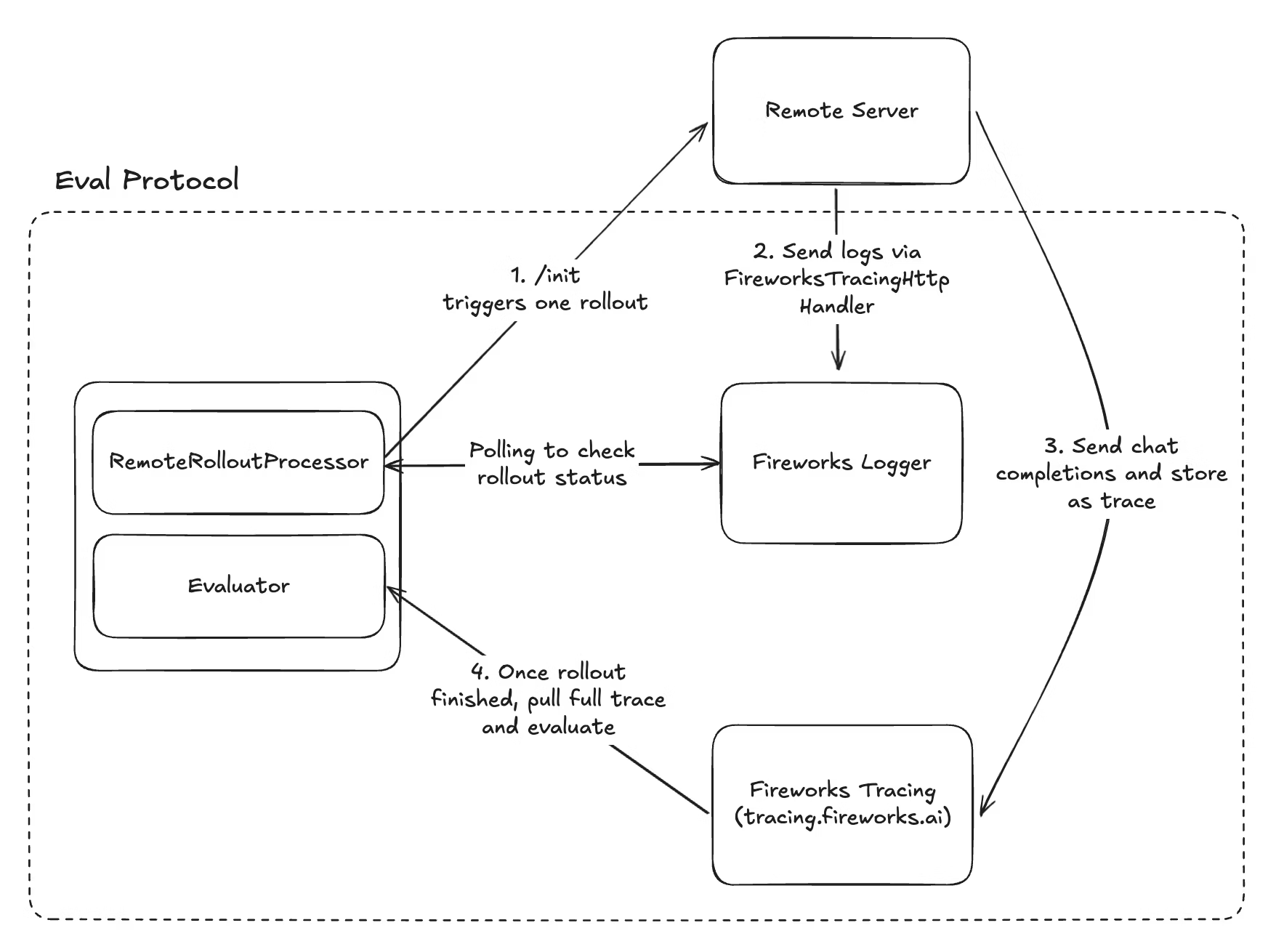 During training, Fireworks calls your service's `POST /init` endpoint with the dataset row and correlation metadata.
Your agent executes the task (e.g., multi-turn conversation, tool calls, simulation steps), logging progress via Fireworks tracing.
Your service sends structured logs tagged with rollout metadata to Fireworks so the system can track completion.
Once Fireworks detects completion, it pulls the full trace and evaluates it using your scoring logic.
Everything except implementing your remote server is handled automatically by Eval Protocol. You only need to implement the `/init` endpoint and add Fireworks tracing.
## Implementing the /init endpoint
Your remote service must implement a single `/init` endpoint that accepts rollout requests.
### Request schema
Model configuration including model name and inference parameters like temperature, max\_tokens, etc.
Array of conversation messages to send to the model
Array of available tools for the model (for function calling)
Base URL for making LLM calls through Fireworks tracing (includes correlation metadata)
Rollout execution metadata for correlation (rollout\_id, run\_id, row\_id, etc.)
Fireworks API key to use for model calls
### Example request
```json theme={null}
{
"completion_params": {
"model": "accounts/fireworks/models/llama-v3p1-8b-instruct",
"temperature": 0.7,
"max_tokens": 2048
},
"messages": [
{ "role": "user", "content": "What is the weather in San Francisco?" }
],
"tools": [
{
"type": "function",
"function": {
"name": "get_weather",
"description": "Get the weather for a city",
"parameters": {
"type": "object",
"properties": {
"city": { "type": "string" }
}
}
}
}
],
"model_base_url": "https://tracing.fireworks.ai/rollout_id/brave-night-42/invocation_id/wise-ocean-15/experiment_id/calm-forest-28/run_id/quick-river-07/row_id/bright-star-91",
"metadata": {
"invocation_id": "wise-ocean-15",
"experiment_id": "calm-forest-28",
"rollout_id": "brave-night-42",
"run_id": "quick-river-07",
"row_id": "bright-star-91"
},
"api_key": "fw_your_api_key"
}
```
## Metadata correlation
The `metadata` object contains correlation IDs that you must include when logging to Fireworks tracing. This allows Eval Protocol to match logs and traces back to specific evaluation rows.
Required metadata fields:
* `invocation_id` - Identifies the evaluation invocation
* `experiment_id` - Groups related experiments
* `rollout_id` - Unique ID for this specific rollout (most important)
* `run_id` - Identifies the evaluation run
* `row_id` - Links to the dataset row
`RemoteRolloutProcessor` automatically generates these IDs and sends them to your server. You don't need to create them yourself—just pass them through to your logging.
## Fireworks tracing integration
Your remote server must use Fireworks tracing to report rollout status. Eval Protocol polls these logs to detect when rollouts complete.
### Basic setup
```python theme={null}
import logging
from eval_protocol import Status, InitRequest, FireworksTracingHttpHandler, RolloutIdFilter
# Configure Fireworks tracing handler globally
fireworks_handler = FireworksTracingHttpHandler()
logging.getLogger().addHandler(fireworks_handler)
@app.post("/init")
def init(request: InitRequest):
# Create rollout-specific logger with filter
rollout_logger = logging.getLogger(f"eval_server.{request.metadata.rollout_id}")
rollout_logger.addFilter(RolloutIdFilter(request.metadata.rollout_id))
try:
# Execute your agent logic here
result = execute_agent(request)
# Log successful completion with structured status
rollout_logger.info(
f"Rollout {request.metadata.rollout_id} completed",
extra={"status": Status.rollout_finished()}
)
return {"status": "success"}
except Exception as e:
# Log errors with structured status
rollout_logger.error(
f"Rollout {request.metadata.rollout_id} failed: {e}",
extra={"status": Status.rollout_error(str(e))}
)
raise
```
### Key components
1. **FireworksTracingHttpHandler**: Sends logs to Fireworks tracing service
2. **RolloutIdFilter**: Tags logs with the rollout ID for correlation
3. **Status objects**: Structured status reporting that Eval Protocol can parse
* `Status.rollout_finished()` - Signals successful completion
* `Status.rollout_error(message)` - Signals failure with error details
### Alternative: Environment variable approach
For simpler setups, you can use the `EP_ROLLOUT_ID` environment variable instead of manual filters.
If your server processes one rollout at a time (e.g., serverless functions, container per request):
```python theme={null}
import os
import logging
from eval_protocol import Status, InitRequest, FireworksTracingHttpHandler
# Set rollout ID in environment
os.environ["EP_ROLLOUT_ID"] = request.metadata.rollout_id
# Configure handler (automatically picks up EP_ROLLOUT_ID)
fireworks_handler = FireworksTracingHttpHandler()
logging.getLogger().addHandler(fireworks_handler)
logger = logging.getLogger(__name__)
@app.post("/init")
def init(request: InitRequest):
# Logs are automatically tagged with rollout_id
logger.info("Processing rollout...")
# ... execute agent logic ...
```
If your `/init` handler spawns separate Python processes for each rollout:
```python theme={null}
import os
import logging
import multiprocessing
from eval_protocol import FireworksTracingHttpHandler, InitRequest
def execute_rollout_step_sync(request):
# Set EP_ROLLOUT_ID in the child process
os.environ["EP_ROLLOUT_ID"] = request.metadata.rollout_id
logging.getLogger().addHandler(FireworksTracingHttpHandler())
# Execute your rollout logic here
# Logs are automatically tagged
@app.post("/init")
async def init(request: InitRequest):
# Do NOT set EP_ROLLOUT_ID in parent process
p = multiprocessing.Process(
target=execute_rollout_step_sync,
args=(request,)
)
p.start()
return {"status": "started"}
```
### How Eval Protocol uses tracing
1. **Your server logs completion**: Uses `Status.rollout_finished()` or `Status.rollout_error()`
2. **Eval Protocol polls**: Searches Fireworks logs by `rollout_id` tag until completion signal found
3. **Status extraction**: Reads structured status fields (`code`, `message`, `details`) to determine outcome
4. **Trace retrieval**: Fetches full trace of model calls and tool use for evaluation
## Complete example
Here's a minimal but complete remote server implementation:
```python theme={null}
from fastapi import FastAPI
from fastapi.responses import JSONResponse
from eval_protocol import InitRequest, FireworksTracingHttpHandler, RolloutIdFilter, Status
import logging
app = FastAPI()
# Setup Fireworks tracing
fireworks_handler = FireworksTracingHttpHandler()
logging.getLogger().addHandler(fireworks_handler)
@app.post("/init")
async def init(request: InitRequest):
# Create rollout-specific logger
rollout_logger = logging.getLogger(f"eval_server.{request.metadata.rollout_id}")
rollout_logger.addFilter(RolloutIdFilter(request.metadata.rollout_id))
rollout_logger.info(f"Starting rollout {request.metadata.rollout_id}")
try:
# Your agent logic here
# 1. Make model calls using request.model_base_url
# 2. Call tools, interact with environment
# 3. Collect results
result = run_your_agent(
messages=request.messages,
tools=request.tools,
model_config=request.completion_params,
api_key=request.api_key
)
# Signal completion
rollout_logger.info(
f"Rollout {request.metadata.rollout_id} completed successfully",
extra={"status": Status.rollout_finished()}
)
return {"status": "success", "result": result}
except Exception as e:
# Signal error
rollout_logger.error(
f"Rollout {request.metadata.rollout_id} failed: {str(e)}",
extra={"status": Status.rollout_error(str(e))}
)
return JSONResponse(
status_code=500,
content={"status": "error", "message": str(e)}
)
def run_your_agent(messages, tools, model_config, api_key):
# Implement your agent logic here
# Make model calls, use tools, etc.
pass
```
## Testing locally
Before deploying, test your remote server locally:
```bash theme={null}
uvicorn main:app --reload --port 8080
```
In your evaluator test, point to your local server:
```python theme={null}
from eval_protocol.pytest import RemoteRolloutProcessor
rollout_processor = RemoteRolloutProcessor(
remote_base_url="http://localhost:8080"
)
```
```bash theme={null}
pytest my-evaluator-name.py -vs
```
This sends test rollouts to your local server and verifies the integration works.
## Deploying your service
Once tested locally, deploy to production:
* ✅ Service is publicly accessible (or accessible via VPN/private network)
* ✅ HTTPS endpoint with valid SSL certificate (recommended)
* ✅ Authentication/authorization configured
* ✅ Monitoring and logging set up
* ✅ Auto-scaling configured for concurrent rollouts
* ✅ Error handling and retry logic implemented
* ✅ Service availability SLA meets training requirements
**Vercel/Serverless**:
* One rollout per function invocation
* Use environment variable approach
* Configure timeout for long-running evaluations
**AWS ECS/Kubernetes**:
* Handle concurrent requests with proper worker configuration
* Use RolloutIdFilter approach
* Set up load balancing
**On-premise**:
* Ensure network connectivity from Fireworks
* Configure firewall rules
* Set up VPN if needed for security
## Connecting to RFT
Once your remote server is deployed, create an RFT job that uses it:
```bash theme={null}
eval-protocol create rft \
--base-model accounts/fireworks/models/llama-v3p1-8b-instruct \
--remote-server-url https://your-evaluator.example.com \
--dataset my-dataset
```
The RFT job will send all rollouts to your remote server for evaluation during training.
## Troubleshooting
**Symptoms**: Rollouts show as timed out or never complete
**Solutions**:
* Check that your service is logging `Status.rollout_finished()` correctly
* Verify Fireworks tracing handler is configured
* Ensure rollout\_id is included in log tags
* Check for exceptions being swallowed without logging
**Symptoms**: Eval Protocol can't match logs to rollouts
**Solutions**:
* Verify you're using the exact `rollout_id` from request metadata
* Check that RolloutIdFilter or EP\_ROLLOUT\_ID is set correctly
* Ensure logs are being sent to Fireworks (check tracing dashboard)
**Symptoms**: Training is slow, high rollout latency
**Solutions**:
* Scale your service to handle concurrent requests
* Optimize your agent logic (caching, async operations)
* Add more workers or instances
* Profile your code to find bottlenecks
**Symptoms**: Model calls fail, API errors
**Solutions**:
* Verify API key is passed correctly from request
* Check that your service has network access to Fireworks
* Ensure model\_base\_url is used for traced calls
## Example implementations
Learn by example:
Complete walkthrough using a Vercel TypeScript server for SVG generation
Minimal Python implementation showing the basics
## Next steps
Launch your RFT job using the CLI
Track rollout progress and debug issues
Full Remote Rollout Processor tutorial
Design effective reward functions
---
# Source: https://docs.fireworks.ai/examples/cookbooks.md
> ## Documentation Index
> Fetch the complete documentation index at: https://docs.fireworks.ai/llms.txt
> Use this file to discover all available pages before exploring further.
# Cookbooks
> Interactive Jupyter notebooks demonstrating advanced use cases and best practices with Fireworks AI
Explore our collection of notebooks that showcase real-world applications, best practices, and advanced techniques for building with Fireworks AI.
## Fine-Tuning & Training
Transfer large model capabilities to efficient models using a two-stage SFT + RFT approach.
**Techniques:** Supervised Fine-Tuning (SFT) + Reinforcement Fine-Tuning (RFT)
**Results:** 52% → 70% accuracy on GSM8K mathematical reasoning
Beat frontier closed-source models for product catalog cleansing with vision-language model fine-tuning.
**Techniques:** Supervised Fine-Tuning (SFT)
**Results:** 48% increase in quality from base model
## Multimodal AI
Extract structured data from invoices, forms, and financial documents using state-of-the-art OCR and document understanding.
**Use Cases:** Forms, invoices, financial documents, product catalogs
**Results:** 90.8% accuracy on invoice extraction (100% on invoice numbers and dates)
Real-time audio transcription with streaming support and low latency.
**Features:** Streaming support, low-latency transcription, production-ready
Analyze video and audio content with Qwen3 Omni, a multimodal model supporting video, audio, and text inputs.
**Features:** Video captioning, scene analysis, content understanding, multimodal Q\&A
## API Features
Leverage Model Context Protocol (MCP) for GitHub repository analysis, code search, and documentation Q\&A.
**Features:** Repository analysis, code search, documentation Q\&A, GitMCP integration
**Models:** Qwen 3 235B with external tool support
---
# Source: https://docs.fireworks.ai/api-reference/create-api-key.md
> ## Documentation Index
> Fetch the complete documentation index at: https://docs.fireworks.ai/llms.txt
> Use this file to discover all available pages before exploring further.
# Create API Key
## OpenAPI
````yaml post /v1/accounts/{account_id}/users/{user_id}/apiKeys
openapi: 3.1.0
info:
title: Gateway REST API
version: 4.21.6
servers:
- url: https://api.fireworks.ai
security:
- BearerAuth: []
tags:
- name: Gateway
paths:
/v1/accounts/{account_id}/users/{user_id}/apiKeys:
post:
tags:
- Gateway
summary: Create API Key
operationId: Gateway_CreateApiKey
parameters:
- name: account_id
in: path
required: true
description: The Account Id
schema:
type: string
- name: user_id
in: path
required: true
description: The User Id
schema:
type: string
requestBody:
content:
application/json:
schema:
$ref: '#/components/schemas/GatewayCreateApiKeyBody'
required: true
responses:
'200':
description: A successful response.
content:
application/json:
schema:
$ref: '#/components/schemas/gatewayApiKey'
components:
schemas:
GatewayCreateApiKeyBody:
type: object
properties:
apiKey:
$ref: '#/components/schemas/gatewayApiKey'
description: The API key to be created.
required:
- apiKey
gatewayApiKey:
type: object
properties:
keyId:
type: string
description: >-
Unique identifier (Key ID) for the API key, used primarily for
deletion.
readOnly: true
displayName:
type: string
description: >-
Display name for the API key, defaults to "default" if not
specified.
key:
type: string
description: >-
The actual API key value, only available upon creation and not
stored thereafter.
readOnly: true
createTime:
type: string
format: date-time
description: Timestamp indicating when the API key was created.
readOnly: true
secure:
type: boolean
description: >-
Indicates whether the plaintext value of the API key is unknown to
Fireworks.
If true, Fireworks does not know this API key's plaintext value. If
false, Fireworks does
know the plaintext value.
readOnly: true
email:
type: string
description: Email of the user who owns this API key.
readOnly: true
prefix:
type: string
title: The first few characters of the API key to visually identify it
readOnly: true
expireTime:
type: string
format: date-time
description: >-
Timestamp indicating when the API key will expire. If not set, the
key never expires.
securitySchemes:
BearerAuth:
type: http
scheme: bearer
description: >-
Bearer authentication using your Fireworks API key. Format: Bearer
bearerFormat: API_KEY
````
---
# Source: https://docs.fireworks.ai/api-reference-dlde/create-aws-iam-role-binding.md
# Create Aws Iam Role Binding
## OpenAPI
````yaml post /v1/accounts/{account_id}/awsIamRoleBindings
paths:
path: /v1/accounts/{account_id}/awsIamRoleBindings
method: post
servers:
- url: https://api.fireworks.ai
request:
security:
- title: BearerAuth
parameters:
query: {}
header:
Authorization:
type: http
scheme: bearer
description: >-
Bearer authentication using your Fireworks API key. Format:
Bearer
cookie: {}
parameters:
path:
account_id:
schema:
- type: string
required: true
description: The Account Id
query: {}
header: {}
cookie: {}
body:
application/json:
schemaArray:
- type: object
properties:
principal:
allOf:
- &ref_0
type: string
description: >-
The principal that is allowed to assume the AWS IAM role.
This must be
the email address of the user.
role:
allOf:
- &ref_1
type: string
description: >-
The AWS IAM role ARN that is allowed to be assumed by the
principal.
required: true
refIdentifier: '#/components/schemas/gatewayAwsIamRoleBinding'
requiredProperties: &ref_2
- principal
- role
examples:
example:
value:
principal:
role:
description: The properties of the AWS IAM role binding being created.
response:
'200':
application/json:
schemaArray:
- type: object
properties:
accountId:
allOf:
- type: string
description: The account ID that this binding is associated with.
readOnly: true
createTime:
allOf:
- type: string
format: date-time
description: The creation time of the AWS IAM role binding.
readOnly: true
principal:
allOf:
- *ref_0
role:
allOf:
- *ref_1
refIdentifier: '#/components/schemas/gatewayAwsIamRoleBinding'
requiredProperties: *ref_2
examples:
example:
value:
accountId:
createTime: '2023-11-07T05:31:56Z'
principal:
role:
description: A successful response.
deprecated: false
type: path
components:
schemas: {}
````
---
# Source: https://docs.fireworks.ai/api-reference/create-batch-inference-job.md
> ## Documentation Index
> Fetch the complete documentation index at: https://docs.fireworks.ai/llms.txt
> Use this file to discover all available pages before exploring further.
# Create Batch Inference Job
## OpenAPI
````yaml post /v1/accounts/{account_id}/batchInferenceJobs
openapi: 3.1.0
info:
title: Gateway REST API
version: 4.21.6
servers:
- url: https://api.fireworks.ai
security:
- BearerAuth: []
tags:
- name: Gateway
paths:
/v1/accounts/{account_id}/batchInferenceJobs:
post:
tags:
- Gateway
summary: Create Batch Inference Job
operationId: Gateway_CreateBatchInferenceJob
parameters:
- name: batchInferenceJobId
description: ID of the batch inference job.
in: query
required: false
schema:
type: string
- name: account_id
in: path
required: true
description: The Account Id
schema:
type: string
requestBody:
content:
application/json:
schema:
$ref: '#/components/schemas/gatewayBatchInferenceJob'
required: true
responses:
'200':
description: A successful response.
content:
application/json:
schema:
$ref: '#/components/schemas/gatewayBatchInferenceJob'
components:
schemas:
gatewayBatchInferenceJob:
type: object
properties:
name:
type: string
title: >-
The resource name of the batch inference job. e.g.
accounts/my-account/batchInferenceJobs/my-batch-inference-job
readOnly: true
displayName:
type: string
title: >-
Human-readable display name of the batch inference job. e.g. "My
Batch Inference Job"
createTime:
type: string
format: date-time
description: The creation time of the batch inference job.
readOnly: true
createdBy:
type: string
description: >-
The email address of the user who initiated this batch inference
job.
readOnly: true
state:
$ref: '#/components/schemas/gatewayJobState'
description: JobState represents the state an asynchronous job can be in.
readOnly: true
status:
$ref: '#/components/schemas/gatewayStatus'
readOnly: true
model:
type: string
description: >-
The name of the model to use for inference. This is required, except
when continued_from_job_name is specified.
inputDatasetId:
type: string
description: >-
The name of the dataset used for inference. This is required, except
when continued_from_job_name is specified.
outputDatasetId:
type: string
description: >-
The name of the dataset used for storing the results. This will also
contain the error file.
inferenceParameters:
$ref: '#/components/schemas/gatewayBatchInferenceJobInferenceParameters'
description: Parameters controlling the inference process.
updateTime:
type: string
format: date-time
description: The update time for the batch inference job.
readOnly: true
precision:
$ref: '#/components/schemas/DeploymentPrecision'
description: >-
The precision with which the model should be served.
If PRECISION_UNSPECIFIED, a default will be chosen based on the
model.
jobProgress:
$ref: '#/components/schemas/gatewayJobProgress'
description: Job progress.
readOnly: true
continuedFromJobName:
type: string
description: >-
The resource name of the batch inference job that this job continues
from.
Used for lineage tracking to understand job continuation chains.
title: 'Next ID: 31'
gatewayJobState:
type: string
enum:
- JOB_STATE_UNSPECIFIED
- JOB_STATE_CREATING
- JOB_STATE_RUNNING
- JOB_STATE_COMPLETED
- JOB_STATE_FAILED
- JOB_STATE_CANCELLED
- JOB_STATE_DELETING
- JOB_STATE_WRITING_RESULTS
- JOB_STATE_VALIDATING
- JOB_STATE_DELETING_CLEANING_UP
- JOB_STATE_PENDING
- JOB_STATE_EXPIRED
- JOB_STATE_RE_QUEUEING
- JOB_STATE_CREATING_INPUT_DATASET
- JOB_STATE_IDLE
- JOB_STATE_CANCELLING
- JOB_STATE_EARLY_STOPPED
- JOB_STATE_PAUSED
default: JOB_STATE_UNSPECIFIED
description: |-
JobState represents the state an asynchronous job can be in.
- JOB_STATE_PAUSED: Job is paused, typically due to account suspension or manual intervention.
gatewayStatus:
type: object
properties:
code:
$ref: '#/components/schemas/gatewayCode'
description: The status code.
message:
type: string
description: A developer-facing error message in English.
title: >-
Mimics
[https://github.com/googleapis/googleapis/blob/master/google/rpc/status.proto]
gatewayBatchInferenceJobInferenceParameters:
type: object
properties:
maxTokens:
type: integer
format: int32
description: Maximum number of tokens to generate per response.
temperature:
type: number
format: float
description: Sampling temperature, typically between 0 and 2.
topP:
type: number
format: float
description: Top-p sampling parameter, typically between 0 and 1.
'n':
type: integer
format: int32
description: Number of response candidates to generate per input.
extraBody:
type: string
description: |-
Additional parameters for the inference request as a JSON string.
For example: "{\"stop\": [\"\\n\"]}".
topK:
type: integer
format: int32
description: >-
Top-k sampling parameter, limits the token selection to the top k
tokens.
title: BIJ inference parameters
DeploymentPrecision:
type: string
enum:
- PRECISION_UNSPECIFIED
- FP16
- FP8
- FP8_MM
- FP8_AR
- FP8_MM_KV_ATTN
- FP8_KV
- FP8_MM_V2
- FP8_V2
- FP8_MM_KV_ATTN_V2
- NF4
- FP4
- BF16
- FP4_BLOCKSCALED_MM
- FP4_MX_MOE
default: PRECISION_UNSPECIFIED
title: >-
- PRECISION_UNSPECIFIED: if left unspecified we will treat this as a
legacy model created before
self serve
gatewayJobProgress:
type: object
properties:
percent:
type: integer
format: int32
description: Progress percent, within the range from 0 to 100.
epoch:
type: integer
format: int32
description: >-
The epoch for which the progress percent is reported, usually
starting from 0.
This is optional for jobs that don't run in an epoch fasion, e.g.
BIJ, EVJ.
totalInputRequests:
type: integer
format: int32
description: Total number of input requests/rows in the job.
totalProcessedRequests:
type: integer
format: int32
description: >-
Total number of requests that have been processed (successfully or
failed).
successfullyProcessedRequests:
type: integer
format: int32
description: Number of requests that were processed successfully.
failedRequests:
type: integer
format: int32
description: Number of requests that failed to process.
outputRows:
type: integer
format: int32
description: Number of output rows generated.
inputTokens:
type: integer
format: int32
description: Total number of input tokens processed.
outputTokens:
type: integer
format: int32
description: Total number of output tokens generated.
cachedInputTokenCount:
type: integer
format: int32
description: The number of input tokens that hit the prompt cache.
description: Progress of a job, e.g. RLOR, EVJ, BIJ etc.
gatewayCode:
type: string
enum:
- OK
- CANCELLED
- UNKNOWN
- INVALID_ARGUMENT
- DEADLINE_EXCEEDED
- NOT_FOUND
- ALREADY_EXISTS
- PERMISSION_DENIED
- UNAUTHENTICATED
- RESOURCE_EXHAUSTED
- FAILED_PRECONDITION
- ABORTED
- OUT_OF_RANGE
- UNIMPLEMENTED
- INTERNAL
- UNAVAILABLE
- DATA_LOSS
default: OK
description: |-
- OK: Not an error; returned on success.
HTTP Mapping: 200 OK
- CANCELLED: The operation was cancelled, typically by the caller.
HTTP Mapping: 499 Client Closed Request
- UNKNOWN: Unknown error. For example, this error may be returned when
a `Status` value received from another address space belongs to
an error space that is not known in this address space. Also
errors raised by APIs that do not return enough error information
may be converted to this error.
HTTP Mapping: 500 Internal Server Error
- INVALID_ARGUMENT: The client specified an invalid argument. Note that this differs
from `FAILED_PRECONDITION`. `INVALID_ARGUMENT` indicates arguments
that are problematic regardless of the state of the system
(e.g., a malformed file name).
HTTP Mapping: 400 Bad Request
- DEADLINE_EXCEEDED: The deadline expired before the operation could complete. For operations
that change the state of the system, this error may be returned
even if the operation has completed successfully. For example, a
successful response from a server could have been delayed long
enough for the deadline to expire.
HTTP Mapping: 504 Gateway Timeout
- NOT_FOUND: Some requested entity (e.g., file or directory) was not found.
Note to server developers: if a request is denied for an entire class
of users, such as gradual feature rollout or undocumented allowlist,
`NOT_FOUND` may be used. If a request is denied for some users within
a class of users, such as user-based access control, `PERMISSION_DENIED`
must be used.
HTTP Mapping: 404 Not Found
- ALREADY_EXISTS: The entity that a client attempted to create (e.g., file or directory)
already exists.
HTTP Mapping: 409 Conflict
- PERMISSION_DENIED: The caller does not have permission to execute the specified
operation. `PERMISSION_DENIED` must not be used for rejections
caused by exhausting some resource (use `RESOURCE_EXHAUSTED`
instead for those errors). `PERMISSION_DENIED` must not be
used if the caller can not be identified (use `UNAUTHENTICATED`
instead for those errors). This error code does not imply the
request is valid or the requested entity exists or satisfies
other pre-conditions.
HTTP Mapping: 403 Forbidden
- UNAUTHENTICATED: The request does not have valid authentication credentials for the
operation.
HTTP Mapping: 401 Unauthorized
- RESOURCE_EXHAUSTED: Some resource has been exhausted, perhaps a per-user quota, or
perhaps the entire file system is out of space.
HTTP Mapping: 429 Too Many Requests
- FAILED_PRECONDITION: The operation was rejected because the system is not in a state
required for the operation's execution. For example, the directory
to be deleted is non-empty, an rmdir operation is applied to
a non-directory, etc.
Service implementors can use the following guidelines to decide
between `FAILED_PRECONDITION`, `ABORTED`, and `UNAVAILABLE`:
(a) Use `UNAVAILABLE` if the client can retry just the failing call.
(b) Use `ABORTED` if the client should retry at a higher level. For
example, when a client-specified test-and-set fails, indicating the
client should restart a read-modify-write sequence.
(c) Use `FAILED_PRECONDITION` if the client should not retry until
the system state has been explicitly fixed. For example, if an "rmdir"
fails because the directory is non-empty, `FAILED_PRECONDITION`
should be returned since the client should not retry unless
the files are deleted from the directory.
HTTP Mapping: 400 Bad Request
- ABORTED: The operation was aborted, typically due to a concurrency issue such as
a sequencer check failure or transaction abort.
See the guidelines above for deciding between `FAILED_PRECONDITION`,
`ABORTED`, and `UNAVAILABLE`.
HTTP Mapping: 409 Conflict
- OUT_OF_RANGE: The operation was attempted past the valid range. E.g., seeking or
reading past end-of-file.
Unlike `INVALID_ARGUMENT`, this error indicates a problem that may
be fixed if the system state changes. For example, a 32-bit file
system will generate `INVALID_ARGUMENT` if asked to read at an
offset that is not in the range [0,2^32-1], but it will generate
`OUT_OF_RANGE` if asked to read from an offset past the current
file size.
There is a fair bit of overlap between `FAILED_PRECONDITION` and
`OUT_OF_RANGE`. We recommend using `OUT_OF_RANGE` (the more specific
error) when it applies so that callers who are iterating through
a space can easily look for an `OUT_OF_RANGE` error to detect when
they are done.
HTTP Mapping: 400 Bad Request
- UNIMPLEMENTED: The operation is not implemented or is not supported/enabled in this
service.
HTTP Mapping: 501 Not Implemented
- INTERNAL: Internal errors. This means that some invariants expected by the
underlying system have been broken. This error code is reserved
for serious errors.
HTTP Mapping: 500 Internal Server Error
- UNAVAILABLE: The service is currently unavailable. This is most likely a
transient condition, which can be corrected by retrying with
a backoff. Note that it is not always safe to retry
non-idempotent operations.
See the guidelines above for deciding between `FAILED_PRECONDITION`,
`ABORTED`, and `UNAVAILABLE`.
HTTP Mapping: 503 Service Unavailable
- DATA_LOSS: Unrecoverable data loss or corruption.
HTTP Mapping: 500 Internal Server Error
title: >-
Mimics
[https://github.com/googleapis/googleapis/blob/master/google/rpc/code.proto]
securitySchemes:
BearerAuth:
type: http
scheme: bearer
description: >-
Bearer authentication using your Fireworks API key. Format: Bearer
bearerFormat: API_KEY
````
---
# Source: https://docs.fireworks.ai/api-reference-dlde/create-batch-job.md
# Create Batch Job
## OpenAPI
````yaml post /v1/accounts/{account_id}/batchJobs
paths:
path: /v1/accounts/{account_id}/batchJobs
method: post
servers:
- url: https://api.fireworks.ai
request:
security:
- title: BearerAuth
parameters:
query: {}
header:
Authorization:
type: http
scheme: bearer
description: >-
Bearer authentication using your Fireworks API key. Format:
Bearer
cookie: {}
parameters:
path:
account_id:
schema:
- type: string
required: true
description: The Account Id
query: {}
header: {}
cookie: {}
body:
application/json:
schemaArray:
- type: object
properties:
displayName:
allOf:
- &ref_0
type: string
description: >-
Human-readable display name of the batch job. e.g. "My
Batch Job"
Must be fewer than 64 characters long.
nodePoolId:
allOf:
- &ref_1
type: string
title: >-
The ID of the node pool that this batch job should use.
e.g. my-node-pool
environmentId:
allOf:
- &ref_2
type: string
description: >-
The ID of the environment that this batch job should use.
e.g. my-env
If specified, image_ref must not be specified.
snapshotId:
allOf:
- &ref_3
type: string
description: >-
The ID of the snapshot used by this batch job.
If specified, environment_id must be specified and
image_ref must not be
specified.
numRanks:
allOf:
- &ref_4
type: integer
format: int32
description: |-
For GPU node pools: one GPU per rank w/ host packing,
for CPU node pools: one host per rank.
envVars:
allOf:
- &ref_5
type: object
additionalProperties:
type: string
description: >-
Environment variables to be passed during this job's
execution.
role:
allOf:
- &ref_6
type: string
description: >-
The ARN of the AWS IAM role that the batch job should
assume.
If not specified, the connection will fall back to the
node
pool's node_role.
pythonExecutor:
allOf:
- &ref_7
$ref: '#/components/schemas/gatewayPythonExecutor'
notebookExecutor:
allOf:
- &ref_8
$ref: '#/components/schemas/gatewayNotebookExecutor'
shellExecutor:
allOf:
- &ref_9
$ref: '#/components/schemas/gatewayShellExecutor'
imageRef:
allOf:
- &ref_10
type: string
description: >-
The container image used by this job. If specified,
environment_id and
snapshot_id must not be specified.
annotations:
allOf:
- &ref_11
type: object
additionalProperties:
type: string
description: >-
Arbitrary, user-specified metadata.
Keys and values must adhere to Kubernetes constraints:
https://kubernetes.io/docs/concepts/overview/working-with-objects/annotations/#syntax-and-character-set
Additionally, the "fireworks.ai/" prefix is reserved.
state:
allOf:
- &ref_12
$ref: '#/components/schemas/gatewayBatchJobState'
description: The current state of the batch job.
readOnly: true
shared:
allOf:
- &ref_13
type: boolean
description: >-
Whether the batch job is shared with all users in the
account.
This allows all users to update, delete, clone, and create
environments
using the batch job.
required: true
title: 'Next ID: 22'
refIdentifier: '#/components/schemas/gatewayBatchJob'
requiredProperties: &ref_14
- nodePoolId
examples:
example:
value:
displayName:
nodePoolId:
environmentId:
snapshotId:
numRanks: 123
envVars: {}
role:
pythonExecutor:
targetType: TARGET_TYPE_UNSPECIFIED
target:
args:
-
notebookExecutor:
notebookFilename:
shellExecutor:
command:
imageRef:
annotations: {}
shared: true
description: The properties of the batch job being created.
response:
'200':
application/json:
schemaArray:
- type: object
properties:
name:
allOf:
- type: string
title: >-
The resource name of the batch job.
e.g.
accounts/my-account/clusters/my-cluster/batchJobs/123456789
readOnly: true
displayName:
allOf:
- *ref_0
createTime:
allOf:
- type: string
format: date-time
description: The creation time of the batch job.
readOnly: true
startTime:
allOf:
- type: string
format: date-time
description: The time when the batch job started running.
readOnly: true
endTime:
allOf:
- type: string
format: date-time
description: >-
The time when the batch job completed, failed, or was
cancelled.
readOnly: true
createdBy:
allOf:
- type: string
description: The email address of the user who created this batch job.
readOnly: true
nodePoolId:
allOf:
- *ref_1
environmentId:
allOf:
- *ref_2
snapshotId:
allOf:
- *ref_3
numRanks:
allOf:
- *ref_4
envVars:
allOf:
- *ref_5
role:
allOf:
- *ref_6
pythonExecutor:
allOf:
- *ref_7
notebookExecutor:
allOf:
- *ref_8
shellExecutor:
allOf:
- *ref_9
imageRef:
allOf:
- *ref_10
annotations:
allOf:
- *ref_11
state:
allOf:
- *ref_12
status:
allOf:
- type: string
description: >-
Detailed information about the current status of the batch
job.
readOnly: true
shared:
allOf:
- *ref_13
updateTime:
allOf:
- type: string
format: date-time
description: The update time for the batch job.
readOnly: true
title: 'Next ID: 22'
refIdentifier: '#/components/schemas/gatewayBatchJob'
requiredProperties: *ref_14
examples:
example:
value:
name:
displayName:
createTime: '2023-11-07T05:31:56Z'
startTime: '2023-11-07T05:31:56Z'
endTime: '2023-11-07T05:31:56Z'
createdBy:
nodePoolId:
environmentId:
snapshotId:
numRanks: 123
envVars: {}
role:
pythonExecutor:
targetType: TARGET_TYPE_UNSPECIFIED
target:
args:
-
notebookExecutor:
notebookFilename:
shellExecutor:
command:
imageRef:
annotations: {}
state: STATE_UNSPECIFIED
status:
shared: true
updateTime: '2023-11-07T05:31:56Z'
description: A successful response.
deprecated: false
type: path
components:
schemas:
PythonExecutorTargetType:
type: string
enum:
- TARGET_TYPE_UNSPECIFIED
- MODULE
- FILENAME
default: TARGET_TYPE_UNSPECIFIED
description: |2-
- MODULE: Runs a python module, i.e. passed as -m argument.
- FILENAME: Runs a python file.
gatewayBatchJobState:
type: string
enum:
- STATE_UNSPECIFIED
- CREATING
- QUEUED
- PENDING
- RUNNING
- COMPLETED
- FAILED
- CANCELLING
- CANCELLED
- DELETING
default: STATE_UNSPECIFIED
description: |-
- CREATING: The batch job is being created.
- QUEUED: The batch job is in the queue and waiting to be scheduled.
Currently unused.
- PENDING: The batch job scheduled and is waiting for resource allocation.
- RUNNING: The batch job is running.
- COMPLETED: The batch job has finished successfully.
- FAILED: The batch job has failed.
- CANCELLING: The batch job is being cancelled.
- CANCELLED: The batch job was cancelled.
- DELETING: The batch job is being deleted.
title: 'Next ID: 10'
gatewayNotebookExecutor:
type: object
properties:
notebookFilename:
type: string
description: Path to a notebook file to be executed.
description: Execute a notebook file.
required:
- notebookFilename
gatewayPythonExecutor:
type: object
properties:
targetType:
$ref: '#/components/schemas/PythonExecutorTargetType'
description: The type of Python target to run.
target:
type: string
description: A Python module or filename depending on TargetType.
args:
type: array
items:
type: string
description: Command line arguments to pass to the Python process.
description: Execute a Python process.
required:
- targetType
- target
gatewayShellExecutor:
type: object
properties:
command:
type: string
title: Command we want to run for the shell script
description: Execute a shell script.
required:
- command
````
---
# Source: https://docs.fireworks.ai/api-reference/create-batch-request.md
> ## Documentation Index
> Fetch the complete documentation index at: https://docs.fireworks.ai/llms.txt
> Use this file to discover all available pages before exploring further.
# Create Batch Request
Create a batch request for our audio transcription service
### Headers
Your Fireworks API key, e.g. `Authorization=FIREWORKS_API_KEY`. Alternatively, can be provided as a query param.
### Path Parameters
The relative route of the target API operation (e.g. `"v1/audio/transcriptions"`, `"v1/audio/translations"`). This should correspond to a valid route supported by the backend service.
### Query Parameters
Identifies the target backend service or model to handle the request. Currently supported:
* `audio-prod`: [https://audio-prod.api.fireworks.ai](https://audio-prod.api.fireworks.ai)
* `audio-turbo`: [https://audio-turbo.api.fireworks.ai](https://audio-turbo.api.fireworks.ai)
### Body
Request body fields vary depending on the selected `endpoint_id` and `path`.
The request body must conform to the schema defined by the corresponding synchronous API.\
For example, transcription requests typically accept fields such as `model`, `diarize`, and `response_format`.\
Refer to the relevant synchronous API for required fields:
* [Transcribe audio](https://docs.fireworks.ai/api-reference/audio-transcriptions)
* [Translate audio](https://docs.fireworks.ai/api-reference/audio-translations)
### Response
The status of the batch request submission.\
A value of `"submitted"` indicates the batch request was accepted and queued for processing.
A unique identifier assigned to the batch job.
This ID can be used to check job status or retrieve results later.
The unique identifier of the account associated with the batch job.
The backend service selected to process the request.\
This typically matches the `endpoint_id` used during submission.
A human-readable message describing the result of the submission.\
Typically `"Request submitted successfully"` if accepted.
```curl curl theme={null}
# Download audio file
curl -L -o "audio.flac" "https://tinyurl.com/4997djsh"
# Make request
curl -X POST "https://audio-batch.api.fireworks.ai/v1/audio/transcriptions?endpoint_id=audio-prod" \
-H "Authorization: " \
-F "file=@audio.flac"
```
```python python theme={null}
!pip install requests
import os
import requests
# input API key and download audio
api_key = ""
audio = requests.get("https://tinyurl.com/4cb74vas").content
# Prepare request data
url = "https://audio-batch.api.fireworks.ai/v1/audio/transcriptions?endpoint_id=audio-prod"
headers = {"Authorization": api_key}
payload = {
"model": "whisper-v3",
"response_format": "json"
}
files = {"file": ("audio.flac", audio, "audio/flac")}
# Send request
response = requests.post(url, headers=headers, data=payload, files=files)
print(response.text)
```
To check the status of your batch request, use the [Check Batch Status](https://docs.fireworks.ai/api-reference/get-batch-status) endpoint with the returned `batch_id`.
---
# Source: https://docs.fireworks.ai/api-reference-dlde/create-cluster.md
# Create Cluster
## OpenAPI
````yaml post /v1/accounts/{account_id}/clusters
paths:
path: /v1/accounts/{account_id}/clusters
method: post
servers:
- url: https://api.fireworks.ai
request:
security:
- title: BearerAuth
parameters:
query: {}
header:
Authorization:
type: http
scheme: bearer
description: >-
Bearer authentication using your Fireworks API key. Format:
Bearer
cookie: {}
parameters:
path:
account_id:
schema:
- type: string
required: true
description: The Account Id
query: {}
header: {}
cookie: {}
body:
application/json:
schemaArray:
- type: object
properties:
cluster:
allOf:
- $ref: '#/components/schemas/gatewayCluster'
description: The properties of the cluster being created.
clusterId:
allOf:
- type: string
title: The cluster ID to use in the cluster name. e.g. my-cluster
required: true
refIdentifier: '#/components/schemas/GatewayCreateClusterBody'
requiredProperties:
- cluster
- clusterId
examples:
example:
value:
cluster:
displayName:
eksCluster:
awsAccountId:
fireworksManagerRole:
region:
clusterName:
storageBucketName:
metricWriterRole:
loadBalancerControllerRole:
workloadIdentityPoolProviderId:
inferenceRole:
fakeCluster:
projectId:
location:
clusterName:
clusterId:
response:
'200':
application/json:
schemaArray:
- type: object
properties:
name:
allOf:
- &ref_0
type: string
title: >-
The resource name of the cluster. e.g.
accounts/my-account/clusters/my-cluster
readOnly: true
displayName:
allOf:
- &ref_1
type: string
description: >-
Human-readable display name of the cluster. e.g. "My
Cluster"
Must be fewer than 64 characters long.
createTime:
allOf:
- &ref_2
type: string
format: date-time
description: The creation time of the cluster.
readOnly: true
eksCluster:
allOf:
- &ref_3
$ref: '#/components/schemas/gatewayEksCluster'
fakeCluster:
allOf:
- &ref_4
$ref: '#/components/schemas/gatewayFakeCluster'
state:
allOf:
- &ref_5
$ref: '#/components/schemas/gatewayClusterState'
description: The current state of the cluster.
readOnly: true
status:
allOf:
- &ref_6
$ref: '#/components/schemas/gatewayStatus'
description: >-
Detailed information about the current status of the
cluster.
readOnly: true
updateTime:
allOf:
- &ref_7
type: string
format: date-time
description: The update time for the cluster.
readOnly: true
title: 'Next ID: 15'
refIdentifier: '#/components/schemas/gatewayCluster'
examples:
example:
value:
name:
displayName:
createTime: '2023-11-07T05:31:56Z'
eksCluster:
awsAccountId:
fireworksManagerRole:
region:
clusterName:
storageBucketName:
metricWriterRole:
loadBalancerControllerRole:
workloadIdentityPoolProviderId:
inferenceRole:
fakeCluster:
projectId:
location:
clusterName:
state: STATE_UNSPECIFIED
status:
code: OK
message:
updateTime: '2023-11-07T05:31:56Z'
description: A successful response.
deprecated: false
type: path
components:
schemas:
gatewayCluster:
type: object
properties:
name: *ref_0
displayName: *ref_1
createTime: *ref_2
eksCluster: *ref_3
fakeCluster: *ref_4
state: *ref_5
status: *ref_6
updateTime: *ref_7
title: 'Next ID: 15'
gatewayClusterState:
type: string
enum:
- STATE_UNSPECIFIED
- CREATING
- READY
- DELETING
- FAILED
default: STATE_UNSPECIFIED
description: |2-
- CREATING: The cluster is still being created.
- READY: The cluster is ready to be used.
- DELETING: The cluster is being deleted.
- FAILED: Cluster is not operational.
Consult 'status' for detailed messaging.
Cluster needs to be deleted and re-created.
gatewayCode:
type: string
enum:
- OK
- CANCELLED
- UNKNOWN
- INVALID_ARGUMENT
- DEADLINE_EXCEEDED
- NOT_FOUND
- ALREADY_EXISTS
- PERMISSION_DENIED
- UNAUTHENTICATED
- RESOURCE_EXHAUSTED
- FAILED_PRECONDITION
- ABORTED
- OUT_OF_RANGE
- UNIMPLEMENTED
- INTERNAL
- UNAVAILABLE
- DATA_LOSS
default: OK
description: |-
- OK: Not an error; returned on success.
HTTP Mapping: 200 OK
- CANCELLED: The operation was cancelled, typically by the caller.
HTTP Mapping: 499 Client Closed Request
- UNKNOWN: Unknown error. For example, this error may be returned when
a `Status` value received from another address space belongs to
an error space that is not known in this address space. Also
errors raised by APIs that do not return enough error information
may be converted to this error.
HTTP Mapping: 500 Internal Server Error
- INVALID_ARGUMENT: The client specified an invalid argument. Note that this differs
from `FAILED_PRECONDITION`. `INVALID_ARGUMENT` indicates arguments
that are problematic regardless of the state of the system
(e.g., a malformed file name).
HTTP Mapping: 400 Bad Request
- DEADLINE_EXCEEDED: The deadline expired before the operation could complete. For operations
that change the state of the system, this error may be returned
even if the operation has completed successfully. For example, a
successful response from a server could have been delayed long
enough for the deadline to expire.
HTTP Mapping: 504 Gateway Timeout
- NOT_FOUND: Some requested entity (e.g., file or directory) was not found.
Note to server developers: if a request is denied for an entire class
of users, such as gradual feature rollout or undocumented allowlist,
`NOT_FOUND` may be used. If a request is denied for some users within
a class of users, such as user-based access control, `PERMISSION_DENIED`
must be used.
HTTP Mapping: 404 Not Found
- ALREADY_EXISTS: The entity that a client attempted to create (e.g., file or directory)
already exists.
HTTP Mapping: 409 Conflict
- PERMISSION_DENIED: The caller does not have permission to execute the specified
operation. `PERMISSION_DENIED` must not be used for rejections
caused by exhausting some resource (use `RESOURCE_EXHAUSTED`
instead for those errors). `PERMISSION_DENIED` must not be
used if the caller can not be identified (use `UNAUTHENTICATED`
instead for those errors). This error code does not imply the
request is valid or the requested entity exists or satisfies
other pre-conditions.
HTTP Mapping: 403 Forbidden
- UNAUTHENTICATED: The request does not have valid authentication credentials for the
operation.
HTTP Mapping: 401 Unauthorized
- RESOURCE_EXHAUSTED: Some resource has been exhausted, perhaps a per-user quota, or
perhaps the entire file system is out of space.
HTTP Mapping: 429 Too Many Requests
- FAILED_PRECONDITION: The operation was rejected because the system is not in a state
required for the operation's execution. For example, the directory
to be deleted is non-empty, an rmdir operation is applied to
a non-directory, etc.
Service implementors can use the following guidelines to decide
between `FAILED_PRECONDITION`, `ABORTED`, and `UNAVAILABLE`:
(a) Use `UNAVAILABLE` if the client can retry just the failing call.
(b) Use `ABORTED` if the client should retry at a higher level. For
example, when a client-specified test-and-set fails, indicating the
client should restart a read-modify-write sequence.
(c) Use `FAILED_PRECONDITION` if the client should not retry until
the system state has been explicitly fixed. For example, if an "rmdir"
fails because the directory is non-empty, `FAILED_PRECONDITION`
should be returned since the client should not retry unless
the files are deleted from the directory.
HTTP Mapping: 400 Bad Request
- ABORTED: The operation was aborted, typically due to a concurrency issue such as
a sequencer check failure or transaction abort.
See the guidelines above for deciding between `FAILED_PRECONDITION`,
`ABORTED`, and `UNAVAILABLE`.
HTTP Mapping: 409 Conflict
- OUT_OF_RANGE: The operation was attempted past the valid range. E.g., seeking or
reading past end-of-file.
Unlike `INVALID_ARGUMENT`, this error indicates a problem that may
be fixed if the system state changes. For example, a 32-bit file
system will generate `INVALID_ARGUMENT` if asked to read at an
offset that is not in the range [0,2^32-1], but it will generate
`OUT_OF_RANGE` if asked to read from an offset past the current
file size.
There is a fair bit of overlap between `FAILED_PRECONDITION` and
`OUT_OF_RANGE`. We recommend using `OUT_OF_RANGE` (the more specific
error) when it applies so that callers who are iterating through
a space can easily look for an `OUT_OF_RANGE` error to detect when
they are done.
HTTP Mapping: 400 Bad Request
- UNIMPLEMENTED: The operation is not implemented or is not supported/enabled in this
service.
HTTP Mapping: 501 Not Implemented
- INTERNAL: Internal errors. This means that some invariants expected by the
underlying system have been broken. This error code is reserved
for serious errors.
HTTP Mapping: 500 Internal Server Error
- UNAVAILABLE: The service is currently unavailable. This is most likely a
transient condition, which can be corrected by retrying with
a backoff. Note that it is not always safe to retry
non-idempotent operations.
See the guidelines above for deciding between `FAILED_PRECONDITION`,
`ABORTED`, and `UNAVAILABLE`.
HTTP Mapping: 503 Service Unavailable
- DATA_LOSS: Unrecoverable data loss or corruption.
HTTP Mapping: 500 Internal Server Error
title: >-
Mimics
[https://github.com/googleapis/googleapis/blob/master/google/rpc/code.proto]
gatewayEksCluster:
type: object
properties:
awsAccountId:
type: string
description: The 12-digit AWS account ID where this cluster lives.
fireworksManagerRole:
type: string
title: >-
The IAM role ARN used to manage Fireworks resources on AWS.
If not specified, the default is
arn:aws:iam:::role/FireworksManagerRole
region:
type: string
description: >-
The AWS region where this cluster lives. See
https://docs.aws.amazon.com/AmazonRDS/latest/UserGuide/Concepts.RegionsAndAvailabilityZones.html
for a list of available regions.
clusterName:
type: string
description: The EKS cluster name.
storageBucketName:
type: string
description: The S3 bucket name.
metricWriterRole:
type: string
description: >-
The IAM role ARN used by Google Managed Prometheus role that will
write metrics
to Fireworks managed Prometheus. The role must be assumable by the
`system:serviceaccount:gmp-system:collector` service account on the
EKS cluster.
If not specified, no metrics will be written to GCP.
loadBalancerControllerRole:
type: string
description: >-
The IAM role ARN used by the EKS load balancer controller (i.e. the
load balancer
automatically created for the k8s gateway resource). If not
specified, no gateway
will be created.
workloadIdentityPoolProviderId:
type: string
title: |-
The ID of the GCP workload identity pool provider in the Fireworks
project for this cluster. The pool ID is assumed to be "byoc-pool"
inferenceRole:
type: string
description: The IAM role ARN used by the inference pods on the cluster.
title: |-
An Amazon Elastic Kubernetes Service cluster.
Next ID: 16
required:
- awsAccountId
- region
gatewayFakeCluster:
type: object
properties:
projectId:
type: string
location:
type: string
clusterName:
type: string
title: A fake cluster using https://pkg.go.dev/k8s.io/client-go/kubernetes/fake
gatewayStatus:
type: object
properties:
code:
$ref: '#/components/schemas/gatewayCode'
description: The status code.
message:
type: string
description: A developer-facing error message in English.
title: >-
Mimics
[https://github.com/googleapis/googleapis/blob/master/google/rpc/status.proto]
````
---
# Source: https://docs.fireworks.ai/api-reference/create-dataset.md
> ## Documentation Index
> Fetch the complete documentation index at: https://docs.fireworks.ai/llms.txt
> Use this file to discover all available pages before exploring further.
# Create Dataset
## OpenAPI
````yaml post /v1/accounts/{account_id}/datasets
openapi: 3.1.0
info:
title: Gateway REST API
version: 4.21.6
servers:
- url: https://api.fireworks.ai
security:
- BearerAuth: []
tags:
- name: Gateway
paths:
/v1/accounts/{account_id}/datasets:
post:
tags:
- Gateway
summary: Create Dataset
operationId: Gateway_CreateDataset
parameters:
- name: account_id
in: path
required: true
description: The Account Id
schema:
type: string
requestBody:
content:
application/json:
schema:
$ref: '#/components/schemas/GatewayCreateDatasetBody'
required: true
responses:
'200':
description: A successful response.
content:
application/json:
schema:
$ref: '#/components/schemas/gatewayDataset'
components:
schemas:
GatewayCreateDatasetBody:
type: object
properties:
dataset:
$ref: '#/components/schemas/gatewayDataset'
datasetId:
type: string
sourceDatasetId:
type: string
title: >-
If set, indicates we are creating a new dataset by filtering this
existing dataset ID
filter:
type: string
title: >-
Filter condition (SQL-like WHERE clause) to apply to the source
dataset
required:
- dataset
- datasetId
gatewayDataset:
type: object
properties:
name:
type: string
readOnly: true
displayName:
type: string
createTime:
type: string
format: date-time
readOnly: true
state:
$ref: '#/components/schemas/gatewayDatasetState'
readOnly: true
status:
$ref: '#/components/schemas/gatewayStatus'
readOnly: true
exampleCount:
type: string
format: int64
userUploaded:
$ref: '#/components/schemas/gatewayUserUploaded'
evaluationResult:
$ref: '#/components/schemas/gatewayEvaluationResult'
transformed:
$ref: '#/components/schemas/gatewayTransformed'
splitted:
$ref: '#/components/schemas/gatewaySplitted'
evalProtocol:
$ref: '#/components/schemas/gatewayEvalProtocol'
externalUrl:
type: string
title: The external URI of the dataset. e.g. gs://foo/bar/baz.jsonl
format:
$ref: '#/components/schemas/DatasetFormat'
createdBy:
type: string
description: The email address of the user who initiated this fine-tuning job.
readOnly: true
updateTime:
type: string
format: date-time
description: The update time for the dataset.
readOnly: true
sourceJobName:
type: string
description: >-
The resource name of the job that created this dataset (e.g., batch
inference job).
Used for lineage tracking to understand dataset provenance.
estimatedTokenCount:
type: string
format: int64
description: The estimated number of tokens in the dataset.
readOnly: true
averageTurnCount:
type: number
format: float
description: >-
An estimate of the average number of turns per sample in the
dataset.
readOnly: true
title: 'Next ID: 24'
required:
- exampleCount
gatewayDatasetState:
type: string
enum:
- STATE_UNSPECIFIED
- UPLOADING
- READY
default: STATE_UNSPECIFIED
gatewayStatus:
type: object
properties:
code:
$ref: '#/components/schemas/gatewayCode'
description: The status code.
message:
type: string
description: A developer-facing error message in English.
title: >-
Mimics
[https://github.com/googleapis/googleapis/blob/master/google/rpc/status.proto]
gatewayUserUploaded:
type: object
gatewayEvaluationResult:
type: object
properties:
evaluationJobId:
type: string
required:
- evaluationJobId
gatewayTransformed:
type: object
properties:
sourceDatasetId:
type: string
filter:
type: string
originalFormat:
$ref: '#/components/schemas/DatasetFormat'
required:
- sourceDatasetId
gatewaySplitted:
type: object
properties:
sourceDatasetId:
type: string
required:
- sourceDatasetId
gatewayEvalProtocol:
type: object
DatasetFormat:
type: string
enum:
- FORMAT_UNSPECIFIED
- CHAT
- COMPLETION
- RL
default: FORMAT_UNSPECIFIED
gatewayCode:
type: string
enum:
- OK
- CANCELLED
- UNKNOWN
- INVALID_ARGUMENT
- DEADLINE_EXCEEDED
- NOT_FOUND
- ALREADY_EXISTS
- PERMISSION_DENIED
- UNAUTHENTICATED
- RESOURCE_EXHAUSTED
- FAILED_PRECONDITION
- ABORTED
- OUT_OF_RANGE
- UNIMPLEMENTED
- INTERNAL
- UNAVAILABLE
- DATA_LOSS
default: OK
description: |-
- OK: Not an error; returned on success.
HTTP Mapping: 200 OK
- CANCELLED: The operation was cancelled, typically by the caller.
HTTP Mapping: 499 Client Closed Request
- UNKNOWN: Unknown error. For example, this error may be returned when
a `Status` value received from another address space belongs to
an error space that is not known in this address space. Also
errors raised by APIs that do not return enough error information
may be converted to this error.
HTTP Mapping: 500 Internal Server Error
- INVALID_ARGUMENT: The client specified an invalid argument. Note that this differs
from `FAILED_PRECONDITION`. `INVALID_ARGUMENT` indicates arguments
that are problematic regardless of the state of the system
(e.g., a malformed file name).
HTTP Mapping: 400 Bad Request
- DEADLINE_EXCEEDED: The deadline expired before the operation could complete. For operations
that change the state of the system, this error may be returned
even if the operation has completed successfully. For example, a
successful response from a server could have been delayed long
enough for the deadline to expire.
HTTP Mapping: 504 Gateway Timeout
- NOT_FOUND: Some requested entity (e.g., file or directory) was not found.
Note to server developers: if a request is denied for an entire class
of users, such as gradual feature rollout or undocumented allowlist,
`NOT_FOUND` may be used. If a request is denied for some users within
a class of users, such as user-based access control, `PERMISSION_DENIED`
must be used.
HTTP Mapping: 404 Not Found
- ALREADY_EXISTS: The entity that a client attempted to create (e.g., file or directory)
already exists.
HTTP Mapping: 409 Conflict
- PERMISSION_DENIED: The caller does not have permission to execute the specified
operation. `PERMISSION_DENIED` must not be used for rejections
caused by exhausting some resource (use `RESOURCE_EXHAUSTED`
instead for those errors). `PERMISSION_DENIED` must not be
used if the caller can not be identified (use `UNAUTHENTICATED`
instead for those errors). This error code does not imply the
request is valid or the requested entity exists or satisfies
other pre-conditions.
HTTP Mapping: 403 Forbidden
- UNAUTHENTICATED: The request does not have valid authentication credentials for the
operation.
HTTP Mapping: 401 Unauthorized
- RESOURCE_EXHAUSTED: Some resource has been exhausted, perhaps a per-user quota, or
perhaps the entire file system is out of space.
HTTP Mapping: 429 Too Many Requests
- FAILED_PRECONDITION: The operation was rejected because the system is not in a state
required for the operation's execution. For example, the directory
to be deleted is non-empty, an rmdir operation is applied to
a non-directory, etc.
Service implementors can use the following guidelines to decide
between `FAILED_PRECONDITION`, `ABORTED`, and `UNAVAILABLE`:
(a) Use `UNAVAILABLE` if the client can retry just the failing call.
(b) Use `ABORTED` if the client should retry at a higher level. For
example, when a client-specified test-and-set fails, indicating the
client should restart a read-modify-write sequence.
(c) Use `FAILED_PRECONDITION` if the client should not retry until
the system state has been explicitly fixed. For example, if an "rmdir"
fails because the directory is non-empty, `FAILED_PRECONDITION`
should be returned since the client should not retry unless
the files are deleted from the directory.
HTTP Mapping: 400 Bad Request
- ABORTED: The operation was aborted, typically due to a concurrency issue such as
a sequencer check failure or transaction abort.
See the guidelines above for deciding between `FAILED_PRECONDITION`,
`ABORTED`, and `UNAVAILABLE`.
HTTP Mapping: 409 Conflict
- OUT_OF_RANGE: The operation was attempted past the valid range. E.g., seeking or
reading past end-of-file.
Unlike `INVALID_ARGUMENT`, this error indicates a problem that may
be fixed if the system state changes. For example, a 32-bit file
system will generate `INVALID_ARGUMENT` if asked to read at an
offset that is not in the range [0,2^32-1], but it will generate
`OUT_OF_RANGE` if asked to read from an offset past the current
file size.
There is a fair bit of overlap between `FAILED_PRECONDITION` and
`OUT_OF_RANGE`. We recommend using `OUT_OF_RANGE` (the more specific
error) when it applies so that callers who are iterating through
a space can easily look for an `OUT_OF_RANGE` error to detect when
they are done.
HTTP Mapping: 400 Bad Request
- UNIMPLEMENTED: The operation is not implemented or is not supported/enabled in this
service.
HTTP Mapping: 501 Not Implemented
- INTERNAL: Internal errors. This means that some invariants expected by the
underlying system have been broken. This error code is reserved
for serious errors.
HTTP Mapping: 500 Internal Server Error
- UNAVAILABLE: The service is currently unavailable. This is most likely a
transient condition, which can be corrected by retrying with
a backoff. Note that it is not always safe to retry
non-idempotent operations.
See the guidelines above for deciding between `FAILED_PRECONDITION`,
`ABORTED`, and `UNAVAILABLE`.
HTTP Mapping: 503 Service Unavailable
- DATA_LOSS: Unrecoverable data loss or corruption.
HTTP Mapping: 500 Internal Server Error
title: >-
Mimics
[https://github.com/googleapis/googleapis/blob/master/google/rpc/code.proto]
securitySchemes:
BearerAuth:
type: http
scheme: bearer
description: >-
Bearer authentication using your Fireworks API key. Format: Bearer
bearerFormat: API_KEY
````
---
# Source: https://docs.fireworks.ai/api-reference/create-deployed-model.md
> ## Documentation Index
> Fetch the complete documentation index at: https://docs.fireworks.ai/llms.txt
> Use this file to discover all available pages before exploring further.
# Load LoRA
## OpenAPI
````yaml post /v1/accounts/{account_id}/deployedModels
openapi: 3.1.0
info:
title: Gateway REST API
version: 4.21.6
servers:
- url: https://api.fireworks.ai
security:
- BearerAuth: []
tags:
- name: Gateway
paths:
/v1/accounts/{account_id}/deployedModels:
post:
tags:
- Gateway
summary: Load LoRA
operationId: Gateway_CreateDeployedModel
parameters:
- name: replaceMergedAddon
description: >-
Merges new addon to the base model, while unmerging/deleting any
existing addon in the deployment. Must be specified for hot reload
deployments
in: query
required: false
schema:
type: boolean
- name: account_id
in: path
required: true
description: The Account Id
schema:
type: string
requestBody:
content:
application/json:
schema:
$ref: '#/components/schemas/gatewayDeployedModel'
required: true
responses:
'200':
description: A successful response.
content:
application/json:
schema:
$ref: '#/components/schemas/gatewayDeployedModel'
components:
schemas:
gatewayDeployedModel:
type: object
properties:
name:
type: string
title: >-
The resource name. e.g.
accounts/my-account/deployedModels/my-deployed-model
readOnly: true
displayName:
type: string
description:
type: string
description: Description of the resource.
createTime:
type: string
format: date-time
description: The creation time of the resource.
readOnly: true
model:
type: string
title: |-
The resource name of the model to be deployed.
e.g. accounts/my-account/models/my-model
deployment:
type: string
description: The resource name of the base deployment the model is deployed to.
default:
type: boolean
description: >-
If true, this is the default target when querying this model without
the `#` suffix.
The first deployment a model is deployed to will have this field set
to true.
state:
$ref: '#/components/schemas/gatewayDeployedModelState'
description: The state of the deployed model.
readOnly: true
serverless:
type: boolean
title: True if the underlying deployment is managed by Fireworks
status:
$ref: '#/components/schemas/gatewayStatus'
description: Contains model deploy/undeploy details.
readOnly: true
public:
type: boolean
description: If true, the deployed model will be publicly reachable.
updateTime:
type: string
format: date-time
description: The update time for the deployed model.
readOnly: true
title: 'Next ID: 20'
gatewayDeployedModelState:
type: string
enum:
- STATE_UNSPECIFIED
- UNDEPLOYING
- DEPLOYING
- DEPLOYED
- UPDATING
default: STATE_UNSPECIFIED
description: |-
- UNDEPLOYING: The model is being undeployed.
- DEPLOYING: The model is being deployed.
- DEPLOYED: The model is deployed and ready for inference.
- UPDATING: there are updates happening with the deployed model
title: 'Next ID: 6'
gatewayStatus:
type: object
properties:
code:
$ref: '#/components/schemas/gatewayCode'
description: The status code.
message:
type: string
description: A developer-facing error message in English.
title: >-
Mimics
[https://github.com/googleapis/googleapis/blob/master/google/rpc/status.proto]
gatewayCode:
type: string
enum:
- OK
- CANCELLED
- UNKNOWN
- INVALID_ARGUMENT
- DEADLINE_EXCEEDED
- NOT_FOUND
- ALREADY_EXISTS
- PERMISSION_DENIED
- UNAUTHENTICATED
- RESOURCE_EXHAUSTED
- FAILED_PRECONDITION
- ABORTED
- OUT_OF_RANGE
- UNIMPLEMENTED
- INTERNAL
- UNAVAILABLE
- DATA_LOSS
default: OK
description: |-
- OK: Not an error; returned on success.
HTTP Mapping: 200 OK
- CANCELLED: The operation was cancelled, typically by the caller.
HTTP Mapping: 499 Client Closed Request
- UNKNOWN: Unknown error. For example, this error may be returned when
a `Status` value received from another address space belongs to
an error space that is not known in this address space. Also
errors raised by APIs that do not return enough error information
may be converted to this error.
HTTP Mapping: 500 Internal Server Error
- INVALID_ARGUMENT: The client specified an invalid argument. Note that this differs
from `FAILED_PRECONDITION`. `INVALID_ARGUMENT` indicates arguments
that are problematic regardless of the state of the system
(e.g., a malformed file name).
HTTP Mapping: 400 Bad Request
- DEADLINE_EXCEEDED: The deadline expired before the operation could complete. For operations
that change the state of the system, this error may be returned
even if the operation has completed successfully. For example, a
successful response from a server could have been delayed long
enough for the deadline to expire.
HTTP Mapping: 504 Gateway Timeout
- NOT_FOUND: Some requested entity (e.g., file or directory) was not found.
Note to server developers: if a request is denied for an entire class
of users, such as gradual feature rollout or undocumented allowlist,
`NOT_FOUND` may be used. If a request is denied for some users within
a class of users, such as user-based access control, `PERMISSION_DENIED`
must be used.
HTTP Mapping: 404 Not Found
- ALREADY_EXISTS: The entity that a client attempted to create (e.g., file or directory)
already exists.
HTTP Mapping: 409 Conflict
- PERMISSION_DENIED: The caller does not have permission to execute the specified
operation. `PERMISSION_DENIED` must not be used for rejections
caused by exhausting some resource (use `RESOURCE_EXHAUSTED`
instead for those errors). `PERMISSION_DENIED` must not be
used if the caller can not be identified (use `UNAUTHENTICATED`
instead for those errors). This error code does not imply the
request is valid or the requested entity exists or satisfies
other pre-conditions.
HTTP Mapping: 403 Forbidden
- UNAUTHENTICATED: The request does not have valid authentication credentials for the
operation.
HTTP Mapping: 401 Unauthorized
- RESOURCE_EXHAUSTED: Some resource has been exhausted, perhaps a per-user quota, or
perhaps the entire file system is out of space.
HTTP Mapping: 429 Too Many Requests
- FAILED_PRECONDITION: The operation was rejected because the system is not in a state
required for the operation's execution. For example, the directory
to be deleted is non-empty, an rmdir operation is applied to
a non-directory, etc.
Service implementors can use the following guidelines to decide
between `FAILED_PRECONDITION`, `ABORTED`, and `UNAVAILABLE`:
(a) Use `UNAVAILABLE` if the client can retry just the failing call.
(b) Use `ABORTED` if the client should retry at a higher level. For
example, when a client-specified test-and-set fails, indicating the
client should restart a read-modify-write sequence.
(c) Use `FAILED_PRECONDITION` if the client should not retry until
the system state has been explicitly fixed. For example, if an "rmdir"
fails because the directory is non-empty, `FAILED_PRECONDITION`
should be returned since the client should not retry unless
the files are deleted from the directory.
HTTP Mapping: 400 Bad Request
- ABORTED: The operation was aborted, typically due to a concurrency issue such as
a sequencer check failure or transaction abort.
See the guidelines above for deciding between `FAILED_PRECONDITION`,
`ABORTED`, and `UNAVAILABLE`.
HTTP Mapping: 409 Conflict
- OUT_OF_RANGE: The operation was attempted past the valid range. E.g., seeking or
reading past end-of-file.
Unlike `INVALID_ARGUMENT`, this error indicates a problem that may
be fixed if the system state changes. For example, a 32-bit file
system will generate `INVALID_ARGUMENT` if asked to read at an
offset that is not in the range [0,2^32-1], but it will generate
`OUT_OF_RANGE` if asked to read from an offset past the current
file size.
There is a fair bit of overlap between `FAILED_PRECONDITION` and
`OUT_OF_RANGE`. We recommend using `OUT_OF_RANGE` (the more specific
error) when it applies so that callers who are iterating through
a space can easily look for an `OUT_OF_RANGE` error to detect when
they are done.
HTTP Mapping: 400 Bad Request
- UNIMPLEMENTED: The operation is not implemented or is not supported/enabled in this
service.
HTTP Mapping: 501 Not Implemented
- INTERNAL: Internal errors. This means that some invariants expected by the
underlying system have been broken. This error code is reserved
for serious errors.
HTTP Mapping: 500 Internal Server Error
- UNAVAILABLE: The service is currently unavailable. This is most likely a
transient condition, which can be corrected by retrying with
a backoff. Note that it is not always safe to retry
non-idempotent operations.
See the guidelines above for deciding between `FAILED_PRECONDITION`,
`ABORTED`, and `UNAVAILABLE`.
HTTP Mapping: 503 Service Unavailable
- DATA_LOSS: Unrecoverable data loss or corruption.
HTTP Mapping: 500 Internal Server Error
title: >-
Mimics
[https://github.com/googleapis/googleapis/blob/master/google/rpc/code.proto]
securitySchemes:
BearerAuth:
type: http
scheme: bearer
description: >-
Bearer authentication using your Fireworks API key. Format: Bearer
bearerFormat: API_KEY
````
---
# Source: https://docs.fireworks.ai/api-reference/create-deployment.md
> ## Documentation Index
> Fetch the complete documentation index at: https://docs.fireworks.ai/llms.txt
> Use this file to discover all available pages before exploring further.
# Create Deployment
## OpenAPI
````yaml post /v1/accounts/{account_id}/deployments
openapi: 3.1.0
info:
title: Gateway REST API
version: 4.21.6
servers:
- url: https://api.fireworks.ai
security:
- BearerAuth: []
tags:
- name: Gateway
paths:
/v1/accounts/{account_id}/deployments:
post:
tags:
- Gateway
summary: Create Deployment
operationId: Gateway_CreateDeployment
parameters:
- name: disableAutoDeploy
description: >-
By default, a deployment created with a currently undeployed base
model
will be deployed to this deployment. If true, this auto-deploy
function
is disabled.
in: query
required: false
schema:
type: boolean
- name: disableSpeculativeDecoding
description: >-
By default, a deployment will use the speculative decoding settings
from
the base model. If true, this will disable speculative decoding.
in: query
required: false
schema:
type: boolean
- name: deploymentId
description: >-
The ID of the deployment. If not specified, a random ID will be
generated.
in: query
required: false
schema:
type: string
- name: validateOnly
description: >-
If true, this will not create the deployment, but will return the
deployment
that would be created.
in: query
required: false
schema:
type: boolean
- name: skipShapeValidation
description: >-
By default, a deployment will ensure the deployment shape provided
is validated.
If true, we will not require the deployment shape to be validated.
in: query
required: false
schema:
type: boolean
- name: skipImageTagValidation
description: >-
If true, skip the image tag policy validation that blocks certain
image tags.
This allows creating deployments with image tags that would
otherwise be blocked.
in: query
required: false
schema:
type: boolean
- name: account_id
in: path
required: true
description: The Account Id
schema:
type: string
requestBody:
content:
application/json:
schema:
$ref: '#/components/schemas/gatewayDeployment'
description: The properties of the deployment being created.
required: true
responses:
'200':
description: A successful response.
content:
application/json:
schema:
$ref: '#/components/schemas/gatewayDeployment'
components:
schemas:
gatewayDeployment:
type: object
properties:
name:
type: string
title: >-
The resource name of the deployment. e.g.
accounts/my-account/deployments/my-deployment
readOnly: true
displayName:
type: string
description: |-
Human-readable display name of the deployment. e.g. "My Deployment"
Must be fewer than 64 characters long.
description:
type: string
description: Description of the deployment.
createTime:
type: string
format: date-time
description: The creation time of the deployment.
readOnly: true
expireTime:
type: string
format: date-time
description: The time at which this deployment will automatically be deleted.
purgeTime:
type: string
format: date-time
description: The time at which the resource will be hard deleted.
readOnly: true
deleteTime:
type: string
format: date-time
description: The time at which the resource will be soft deleted.
readOnly: true
state:
$ref: '#/components/schemas/gatewayDeploymentState'
description: The state of the deployment.
readOnly: true
status:
$ref: '#/components/schemas/gatewayStatus'
description: Detailed status information regarding the most recent operation.
readOnly: true
minReplicaCount:
type: integer
format: int32
description: |-
The minimum number of replicas.
If not specified, the default is 0.
maxReplicaCount:
type: integer
format: int32
description: |-
The maximum number of replicas.
If not specified, the default is max(min_replica_count, 1).
May be set to 0 to downscale the deployment to 0.
maxWithRevocableReplicaCount:
type: integer
format: int32
description: >-
max_with_revocable_replica_count is max replica count including
revocable capacity.
The max revocable capacity will be max_with_revocable_replica_count
- max_replica_count.
desiredReplicaCount:
type: integer
format: int32
description: >-
The desired number of replicas for this deployment. This represents
the target
replica count that the system is trying to achieve.
readOnly: true
replicaCount:
type: integer
format: int32
readOnly: true
autoscalingPolicy:
$ref: '#/components/schemas/gatewayAutoscalingPolicy'
baseModel:
type: string
title: The base model name. e.g. accounts/fireworks/models/falcon-7b
acceleratorCount:
type: integer
format: int32
description: >-
The number of accelerators used per replica.
If not specified, the default is the estimated minimum required by
the
base model.
acceleratorType:
$ref: '#/components/schemas/gatewayAcceleratorType'
description: The type of accelerator to use.
precision:
$ref: '#/components/schemas/DeploymentPrecision'
description: The precision with which the model should be served.
cluster:
type: string
description: If set, this deployment is deployed to a cloud-premise cluster.
readOnly: true
enableAddons:
type: boolean
description: If true, PEFT addons are enabled for this deployment.
draftTokenCount:
type: integer
format: int32
description: >-
The number of candidate tokens to generate per step for speculative
decoding.
Default is the base model's draft_token_count. Set
CreateDeploymentRequest.disable_speculative_decoding to false to
disable
this behavior.
draftModel:
type: string
description: >-
The draft model name for speculative decoding. e.g.
accounts/fireworks/models/my-draft-model
If empty, speculative decoding using a draft model is disabled.
Default is the base model's default_draft_model. Set
CreateDeploymentRequest.disable_speculative_decoding to false to
disable
this behavior.
ngramSpeculationLength:
type: integer
format: int32
description: >-
The length of previous input sequence to be considered for N-gram
speculation.
enableSessionAffinity:
type: boolean
description: |-
Whether to apply sticky routing based on `user` field.
Serverless will be set to true when creating deployment.
directRouteApiKeys:
type: array
items:
type: string
description: >-
The set of API keys used to access the direct route deployment. If
direct routing is not enabled, this field is unused.
numPeftDeviceCached:
type: integer
format: int32
title: How many peft adapters to keep on gpu side for caching
readOnly: true
directRouteType:
$ref: '#/components/schemas/gatewayDirectRouteType'
description: >-
If set, this deployment will expose an endpoint that bypasses the
Fireworks API gateway.
directRouteHandle:
type: string
description: >-
The handle for calling a direct route. The meaning of the handle
depends on the
direct route type of the deployment:
INTERNET -> The host name for accessing the deployment
GCP_PRIVATE_SERVICE_CONNECT -> The service attachment name used to create the PSC endpoint.
AWS_PRIVATELINK -> The service name used to create the VPC endpoint.
readOnly: true
deploymentTemplate:
type: string
description: |-
The name of the deployment template to use for this deployment. Only
available to enterprise accounts.
autoTune:
$ref: '#/components/schemas/gatewayAutoTune'
description: The performance profile to use for this deployment.
placement:
$ref: '#/components/schemas/gatewayPlacement'
description: |-
The desired geographic region where the deployment must be placed.
If unspecified, the default is the GLOBAL multi-region.
region:
$ref: '#/components/schemas/gatewayRegion'
description: >-
The geographic region where the deployment is presently located.
This region may change
over time, but within the `placement` constraint.
readOnly: true
maxContextLength:
type: integer
format: int32
description: >-
The maximum context length supported by the model (context window).
If set to 0 or not specified, the model's default maximum context
length will be used.
updateTime:
type: string
format: date-time
description: The update time for the deployment.
readOnly: true
disableDeploymentSizeValidation:
type: boolean
description: Whether the deployment size validation is disabled.
enableMtp:
type: boolean
description: If true, MTP is enabled for this deployment.
enableHotLoad:
type: boolean
description: Whether to use hot load for this deployment.
hotLoadBucketType:
$ref: '#/components/schemas/DeploymentHotLoadBucketType'
title: >-
hot load bucket name, indicate what type of storage to use for hot
load
enableHotReloadLatestAddon:
type: boolean
description: >-
Allows up to 1 addon at a time to be loaded, and will merge it into
the base model.
deploymentShape:
type: string
description: >-
The name of the deployment shape that this deployment is using.
On the server side, this will be replaced with the deployment shape
version name.
activeModelVersion:
type: string
description: >-
The model version that is currently active and applied to running
replicas of a deployment.
targetModelVersion:
type: string
description: >-
The target model version that is being rolled out to the deployment.
In a ready steady state, the target model version is the same as the
active model version.
replicaStats:
$ref: '#/components/schemas/gatewayReplicaStats'
description: >-
Per-replica deployment status counters. Provides visibility into the
deployment process
by tracking replicas in different stages of the deployment
lifecycle.
readOnly: true
hotLoadBucketUrl:
type: string
description: |-
For hot load bucket location
e.g for s3: s3://mybucket/..; for GCS: gs://mybucket/..
pricingPlanId:
type: string
description: |-
Optional pricing plan ID for custom billing configuration.
If set, this deployment will use the pricing plan's billing rules
instead of default billing behavior.
title: 'Next ID: 92'
required:
- baseModel
gatewayDeploymentState:
type: string
enum:
- STATE_UNSPECIFIED
- CREATING
- READY
- DELETING
- FAILED
- UPDATING
- DELETED
default: STATE_UNSPECIFIED
description: |2-
- CREATING: The deployment is still being created.
- READY: The deployment is ready to be used.
- DELETING: The deployment is being deleted.
- FAILED: The deployment failed to be created. See the `status` field for
additional details on why it failed.
- UPDATING: There are in-progress updates happening with the deployment.
- DELETED: The deployment is soft-deleted.
gatewayStatus:
type: object
properties:
code:
$ref: '#/components/schemas/gatewayCode'
description: The status code.
message:
type: string
description: A developer-facing error message in English.
title: >-
Mimics
[https://github.com/googleapis/googleapis/blob/master/google/rpc/status.proto]
gatewayAutoscalingPolicy:
type: object
properties:
scaleUpWindow:
type: string
description: >-
The duration the autoscaler will wait before scaling up a deployment
after observing
increased load. Default is 30s. Must be less than or equal to 1
hour.
scaleDownWindow:
type: string
description: >-
The duration the autoscaler will wait before scaling down a
deployment after observing
decreased load. Default is 10m. Must be less than or equal to 1
hour.
scaleToZeroWindow:
type: string
description: >-
The duration after which there are no requests that the deployment
will be scaled down
to zero replicas, if min_replica_count==0. Default is 1h.
This must be at least 5 minutes.
loadTargets:
type: object
additionalProperties:
type: number
format: float
title: >-
Map of load metric names to their target utilization factors.
Currently only the "default" key is supported, which specifies the
default target for all metrics.
If not specified, the default target is 0.8
gatewayAcceleratorType:
type: string
enum:
- ACCELERATOR_TYPE_UNSPECIFIED
- NVIDIA_A100_80GB
- NVIDIA_H100_80GB
- AMD_MI300X_192GB
- NVIDIA_A10G_24GB
- NVIDIA_A100_40GB
- NVIDIA_L4_24GB
- NVIDIA_H200_141GB
- NVIDIA_B200_180GB
- AMD_MI325X_256GB
- AMD_MI350X_288GB
default: ACCELERATOR_TYPE_UNSPECIFIED
title: 'Next ID: 11'
DeploymentPrecision:
type: string
enum:
- PRECISION_UNSPECIFIED
- FP16
- FP8
- FP8_MM
- FP8_AR
- FP8_MM_KV_ATTN
- FP8_KV
- FP8_MM_V2
- FP8_V2
- FP8_MM_KV_ATTN_V2
- NF4
- FP4
- BF16
- FP4_BLOCKSCALED_MM
- FP4_MX_MOE
default: PRECISION_UNSPECIFIED
title: >-
- PRECISION_UNSPECIFIED: if left unspecified we will treat this as a
legacy model created before
self serve
gatewayDirectRouteType:
type: string
enum:
- DIRECT_ROUTE_TYPE_UNSPECIFIED
- INTERNET
- GCP_PRIVATE_SERVICE_CONNECT
- AWS_PRIVATELINK
default: DIRECT_ROUTE_TYPE_UNSPECIFIED
title: |-
- DIRECT_ROUTE_TYPE_UNSPECIFIED: No direct routing
- INTERNET: The direct route is exposed via the public internet
- GCP_PRIVATE_SERVICE_CONNECT: The direct route is exposed via GCP Private Service Connect
- AWS_PRIVATELINK: The direct route is exposed via AWS PrivateLink
gatewayAutoTune:
type: object
properties:
longPrompt:
type: boolean
description: If true, this deployment is optimized for long prompt lengths.
gatewayPlacement:
type: object
properties:
region:
$ref: '#/components/schemas/gatewayRegion'
description: The region where the deployment must be placed.
multiRegion:
$ref: '#/components/schemas/gatewayMultiRegion'
description: The multi-region where the deployment must be placed.
regions:
type: array
items:
$ref: '#/components/schemas/gatewayRegion'
title: The list of regions where the deployment must be placed
description: >-
The desired geographic region where the deployment must be placed.
Exactly one field will be
specified.
gatewayRegion:
type: string
enum:
- REGION_UNSPECIFIED
- US_IOWA_1
- US_VIRGINIA_1
- US_VIRGINIA_2
- US_ILLINOIS_1
- AP_TOKYO_1
- EU_LONDON_1
- US_ARIZONA_1
- US_TEXAS_1
- US_ILLINOIS_2
- EU_FRANKFURT_1
- US_TEXAS_2
- EU_PARIS_1
- EU_HELSINKI_1
- US_NEVADA_1
- EU_ICELAND_1
- EU_ICELAND_2
- US_WASHINGTON_1
- US_WASHINGTON_2
- EU_ICELAND_DEV_1
- US_WASHINGTON_3
- US_ARIZONA_2
- AP_TOKYO_2
- US_CALIFORNIA_1
- US_MISSOURI_1
- US_UTAH_1
- US_TEXAS_3
- US_ARIZONA_3
- US_GEORGIA_1
- US_GEORGIA_2
- US_WASHINGTON_4
- US_GEORGIA_3
- NA_BRITISHCOLUMBIA_1
- US_GEORGIA_4
- EU_ICELAND_3
- US_OHIO_1
default: REGION_UNSPECIFIED
description: |-
- US_IOWA_1: GCP us-central1 (Iowa)
- US_VIRGINIA_1: AWS us-east-1 (N. Virginia)
- US_VIRGINIA_2: OCI us-ashburn-1 [HIDE_FROM_DOCS]
- US_ILLINOIS_1: OCI us-chicago-1
- AP_TOKYO_1: OCI ap-tokyo-1
- EU_LONDON_1: OCI uk-london-1 [HIDE_FROM_DOCS]
- US_ARIZONA_1: OCI us-phoenix-1
- US_TEXAS_1: Lambda us-south-3 (C. Texas)
- US_ILLINOIS_2: Lambda us-midwest-1 (Illinois)
- EU_FRANKFURT_1: OCI eu-frankfurt-1
- US_TEXAS_2: Lambda us-south-2 (N. Texas)
- EU_PARIS_1: Nebius eu-west1 [HIDE_FROM_DOCS]
- EU_HELSINKI_1: Nebius eu-north1 [HIDE_FROM_DOCS]
- US_NEVADA_1: GCP us-west4 [HIDE_FROM_DOCS]
- EU_ICELAND_1: Crusoe eu-iceland1
- EU_ICELAND_2: Crusoe eu-iceland1 (network1)
- US_WASHINGTON_1: Voltage Park us-pyl-1 (Detach audio cluster from control_plane)
- US_WASHINGTON_2: Voltage Park us-seattle-2
- EU_ICELAND_DEV_1: Crusoe eu-iceland1 (dev) [HIDE_FROM_DOCS]
- US_WASHINGTON_3: Vultr Seattle 1
- US_ARIZONA_2: Azure westus3 (Anysphere BYOC) [HIDE_FROM_DOCS]
- AP_TOKYO_2: AWS ap-northeast-1
- US_CALIFORNIA_1: AWS us-west-1 (N. California)
- US_MISSOURI_1: Nebius us-central1 (Anysphere BYOC) [HIDE_FROM_DOCS]
- US_UTAH_1: GCP us-west3 (Utah)
- US_TEXAS_3: Crusoe us-southcentral1 [HIDE_FROM_DOCS]
- US_ARIZONA_3: Coreweave us-west-04a-1 [HIDE_FROM_DOCS]
- US_GEORGIA_1: DigitalOcean us-atl1
- US_GEORGIA_2: Vultr Atlanta 1
- US_WASHINGTON_4: Coreweave us-west-09b-1
- US_GEORGIA_3: Alicloud us-southeast-1
- NA_BRITISHCOLUMBIA_1: Fluidstack ca-west-1
- US_GEORGIA_4: DigitalOcean us-atl1 MI350X
- EU_ICELAND_3: Crusoe eu-iceland1 (Anysphere BYOC) [HIDE_FROM_DOCS]
- US_OHIO_1: Lambda us-midwest-2 (Ohio)
title: 'Next ID: 35'
DeploymentHotLoadBucketType:
type: string
enum:
- BUCKET_TYPE_UNSPECIFIED
- MINIO
- S3
- NEBIUS
- FW_HOSTED
default: BUCKET_TYPE_UNSPECIFIED
title: '- FW_HOSTED: Fireworks hosted bucket'
gatewayReplicaStats:
type: object
properties:
pendingSchedulingReplicaCount:
type: integer
format: int32
description: Number of replicas waiting to be scheduled to a node.
readOnly: true
downloadingModelReplicaCount:
type: integer
format: int32
description: Number of replicas downloading model weights.
readOnly: true
initializingReplicaCount:
type: integer
format: int32
description: Number of replicas initializing the model server.
readOnly: true
readyReplicaCount:
type: integer
format: int32
description: Number of replicas that are ready and serving traffic.
readOnly: true
title: 'Next ID: 5'
gatewayCode:
type: string
enum:
- OK
- CANCELLED
- UNKNOWN
- INVALID_ARGUMENT
- DEADLINE_EXCEEDED
- NOT_FOUND
- ALREADY_EXISTS
- PERMISSION_DENIED
- UNAUTHENTICATED
- RESOURCE_EXHAUSTED
- FAILED_PRECONDITION
- ABORTED
- OUT_OF_RANGE
- UNIMPLEMENTED
- INTERNAL
- UNAVAILABLE
- DATA_LOSS
default: OK
description: |-
- OK: Not an error; returned on success.
HTTP Mapping: 200 OK
- CANCELLED: The operation was cancelled, typically by the caller.
HTTP Mapping: 499 Client Closed Request
- UNKNOWN: Unknown error. For example, this error may be returned when
a `Status` value received from another address space belongs to
an error space that is not known in this address space. Also
errors raised by APIs that do not return enough error information
may be converted to this error.
HTTP Mapping: 500 Internal Server Error
- INVALID_ARGUMENT: The client specified an invalid argument. Note that this differs
from `FAILED_PRECONDITION`. `INVALID_ARGUMENT` indicates arguments
that are problematic regardless of the state of the system
(e.g., a malformed file name).
HTTP Mapping: 400 Bad Request
- DEADLINE_EXCEEDED: The deadline expired before the operation could complete. For operations
that change the state of the system, this error may be returned
even if the operation has completed successfully. For example, a
successful response from a server could have been delayed long
enough for the deadline to expire.
HTTP Mapping: 504 Gateway Timeout
- NOT_FOUND: Some requested entity (e.g., file or directory) was not found.
Note to server developers: if a request is denied for an entire class
of users, such as gradual feature rollout or undocumented allowlist,
`NOT_FOUND` may be used. If a request is denied for some users within
a class of users, such as user-based access control, `PERMISSION_DENIED`
must be used.
HTTP Mapping: 404 Not Found
- ALREADY_EXISTS: The entity that a client attempted to create (e.g., file or directory)
already exists.
HTTP Mapping: 409 Conflict
- PERMISSION_DENIED: The caller does not have permission to execute the specified
operation. `PERMISSION_DENIED` must not be used for rejections
caused by exhausting some resource (use `RESOURCE_EXHAUSTED`
instead for those errors). `PERMISSION_DENIED` must not be
used if the caller can not be identified (use `UNAUTHENTICATED`
instead for those errors). This error code does not imply the
request is valid or the requested entity exists or satisfies
other pre-conditions.
HTTP Mapping: 403 Forbidden
- UNAUTHENTICATED: The request does not have valid authentication credentials for the
operation.
HTTP Mapping: 401 Unauthorized
- RESOURCE_EXHAUSTED: Some resource has been exhausted, perhaps a per-user quota, or
perhaps the entire file system is out of space.
HTTP Mapping: 429 Too Many Requests
- FAILED_PRECONDITION: The operation was rejected because the system is not in a state
required for the operation's execution. For example, the directory
to be deleted is non-empty, an rmdir operation is applied to
a non-directory, etc.
Service implementors can use the following guidelines to decide
between `FAILED_PRECONDITION`, `ABORTED`, and `UNAVAILABLE`:
(a) Use `UNAVAILABLE` if the client can retry just the failing call.
(b) Use `ABORTED` if the client should retry at a higher level. For
example, when a client-specified test-and-set fails, indicating the
client should restart a read-modify-write sequence.
(c) Use `FAILED_PRECONDITION` if the client should not retry until
the system state has been explicitly fixed. For example, if an "rmdir"
fails because the directory is non-empty, `FAILED_PRECONDITION`
should be returned since the client should not retry unless
the files are deleted from the directory.
HTTP Mapping: 400 Bad Request
- ABORTED: The operation was aborted, typically due to a concurrency issue such as
a sequencer check failure or transaction abort.
See the guidelines above for deciding between `FAILED_PRECONDITION`,
`ABORTED`, and `UNAVAILABLE`.
HTTP Mapping: 409 Conflict
- OUT_OF_RANGE: The operation was attempted past the valid range. E.g., seeking or
reading past end-of-file.
Unlike `INVALID_ARGUMENT`, this error indicates a problem that may
be fixed if the system state changes. For example, a 32-bit file
system will generate `INVALID_ARGUMENT` if asked to read at an
offset that is not in the range [0,2^32-1], but it will generate
`OUT_OF_RANGE` if asked to read from an offset past the current
file size.
There is a fair bit of overlap between `FAILED_PRECONDITION` and
`OUT_OF_RANGE`. We recommend using `OUT_OF_RANGE` (the more specific
error) when it applies so that callers who are iterating through
a space can easily look for an `OUT_OF_RANGE` error to detect when
they are done.
HTTP Mapping: 400 Bad Request
- UNIMPLEMENTED: The operation is not implemented or is not supported/enabled in this
service.
HTTP Mapping: 501 Not Implemented
- INTERNAL: Internal errors. This means that some invariants expected by the
underlying system have been broken. This error code is reserved
for serious errors.
HTTP Mapping: 500 Internal Server Error
- UNAVAILABLE: The service is currently unavailable. This is most likely a
transient condition, which can be corrected by retrying with
a backoff. Note that it is not always safe to retry
non-idempotent operations.
See the guidelines above for deciding between `FAILED_PRECONDITION`,
`ABORTED`, and `UNAVAILABLE`.
HTTP Mapping: 503 Service Unavailable
- DATA_LOSS: Unrecoverable data loss or corruption.
HTTP Mapping: 500 Internal Server Error
title: >-
Mimics
[https://github.com/googleapis/googleapis/blob/master/google/rpc/code.proto]
gatewayMultiRegion:
type: string
enum:
- MULTI_REGION_UNSPECIFIED
- GLOBAL
- US
- EUROPE
- APAC
default: MULTI_REGION_UNSPECIFIED
securitySchemes:
BearerAuth:
type: http
scheme: bearer
description: >-
Bearer authentication using your Fireworks API key. Format: Bearer
bearerFormat: API_KEY
````
---
# Source: https://docs.fireworks.ai/api-reference/create-dpo-job.md
> ## Documentation Index
> Fetch the complete documentation index at: https://docs.fireworks.ai/llms.txt
> Use this file to discover all available pages before exploring further.
# null
## OpenAPI
````yaml post /v1/accounts/{account_id}/dpoJobs
openapi: 3.1.0
info:
title: Gateway REST API
version: 4.21.6
servers:
- url: https://api.fireworks.ai
security:
- BearerAuth: []
tags:
- name: Gateway
paths:
/v1/accounts/{account_id}/dpoJobs:
post:
tags:
- Gateway
operationId: Gateway_CreateDpoJob
parameters:
- name: dpoJobId
description: ID of the DPO job, a random ID will be generated if not specified.
in: query
required: false
schema:
type: string
- name: account_id
in: path
required: true
description: The Account Id
schema:
type: string
requestBody:
content:
application/json:
schema:
$ref: '#/components/schemas/gatewayDpoJob'
required: true
responses:
'200':
description: A successful response.
content:
application/json:
schema:
$ref: '#/components/schemas/gatewayDpoJob'
components:
schemas:
gatewayDpoJob:
type: object
properties:
name:
type: string
readOnly: true
displayName:
type: string
createTime:
type: string
format: date-time
readOnly: true
completedTime:
type: string
format: date-time
readOnly: true
dataset:
type: string
description: The name of the dataset used for training.
state:
$ref: '#/components/schemas/gatewayJobState'
readOnly: true
status:
$ref: '#/components/schemas/gatewayStatus'
readOnly: true
createdBy:
type: string
description: The email address of the user who initiated this dpo job.
readOnly: true
trainingConfig:
$ref: '#/components/schemas/gatewayBaseTrainingConfig'
description: Common training configurations.
wandbConfig:
$ref: '#/components/schemas/gatewayWandbConfig'
description: The Weights & Biases team/user account for logging job progress.
trainerLogsSignedUrl:
type: string
description: |-
The signed URL for the trainer logs file (stdout/stderr).
Only populated if the account has trainer log reading enabled.
readOnly: true
lossConfig:
$ref: '#/components/schemas/gatewayReinforcementLearningLossConfig'
description: |-
Loss configuration for the training job.
If not specified, defaults to DPO loss.
Set method to ORPO for ORPO training.
title: 'Next ID: 16'
required:
- dataset
gatewayJobState:
type: string
enum:
- JOB_STATE_UNSPECIFIED
- JOB_STATE_CREATING
- JOB_STATE_RUNNING
- JOB_STATE_COMPLETED
- JOB_STATE_FAILED
- JOB_STATE_CANCELLED
- JOB_STATE_DELETING
- JOB_STATE_WRITING_RESULTS
- JOB_STATE_VALIDATING
- JOB_STATE_DELETING_CLEANING_UP
- JOB_STATE_PENDING
- JOB_STATE_EXPIRED
- JOB_STATE_RE_QUEUEING
- JOB_STATE_CREATING_INPUT_DATASET
- JOB_STATE_IDLE
- JOB_STATE_CANCELLING
- JOB_STATE_EARLY_STOPPED
- JOB_STATE_PAUSED
default: JOB_STATE_UNSPECIFIED
description: |-
JobState represents the state an asynchronous job can be in.
- JOB_STATE_PAUSED: Job is paused, typically due to account suspension or manual intervention.
gatewayStatus:
type: object
properties:
code:
$ref: '#/components/schemas/gatewayCode'
description: The status code.
message:
type: string
description: A developer-facing error message in English.
title: >-
Mimics
[https://github.com/googleapis/googleapis/blob/master/google/rpc/status.proto]
gatewayBaseTrainingConfig:
type: object
properties:
outputModel:
type: string
description: >-
The model ID to be assigned to the resulting fine-tuned model. If
not specified, the job ID will be used.
baseModel:
type: string
description: |-
The name of the base model to be fine-tuned
Only one of 'base_model' or 'warm_start_from' should be specified.
warmStartFrom:
type: string
description: |-
The PEFT addon model in Fireworks format to be fine-tuned from
Only one of 'base_model' or 'warm_start_from' should be specified.
jinjaTemplate:
type: string
title: >-
The Jinja template for conversation formatting. If not specified,
defaults to the base model's conversation template configuration
learningRate:
type: number
format: float
description: The learning rate used for training.
maxContextLength:
type: integer
format: int32
description: The maximum context length to use with the model.
loraRank:
type: integer
format: int32
description: The rank of the LoRA layers.
region:
$ref: '#/components/schemas/gatewayRegion'
description: The region where the fine-tuning job is located.
epochs:
type: integer
format: int32
description: The number of epochs to train for.
batchSize:
type: integer
format: int32
description: >-
The maximum packed number of tokens per batch for training in
sequence packing.
gradientAccumulationSteps:
type: integer
format: int32
title: Number of gradient accumulation steps
learningRateWarmupSteps:
type: integer
format: int32
title: Number of steps for learning rate warm up
batchSizeSamples:
type: integer
format: int32
description: The number of samples per gradient batch.
optimizerWeightDecay:
type: number
format: float
description: Weight decay (L2 regularization) for optimizer.
title: |-
BaseTrainingConfig contains common configuration fields shared across
different training job types.
Next ID: 22
gatewayWandbConfig:
type: object
properties:
enabled:
type: boolean
description: Whether to enable wandb logging.
apiKey:
type: string
description: The API key for the wandb service.
project:
type: string
description: The project name for the wandb service.
entity:
type: string
description: The entity name for the wandb service.
runId:
type: string
description: The run ID for the wandb service.
url:
type: string
description: The URL for the wandb service.
readOnly: true
description: >-
WandbConfig is the configuration for the Weights & Biases (wandb)
logging which
will be used by a training job.
gatewayReinforcementLearningLossConfig:
type: object
properties:
method:
$ref: '#/components/schemas/ReinforcementLearningLossConfigMethod'
klBeta:
type: number
format: float
description: |-
KL coefficient (beta) override for GRPO-like methods.
If unset, the trainer default is used.
description: >-
Loss method + hyperparameters for reinforcement-learning-style
fine-tuning (e.g. RFT / RL trainers).
For preference jobs (DPO API), the default loss method is GRPO when
METHOD_UNSPECIFIED.
gatewayCode:
type: string
enum:
- OK
- CANCELLED
- UNKNOWN
- INVALID_ARGUMENT
- DEADLINE_EXCEEDED
- NOT_FOUND
- ALREADY_EXISTS
- PERMISSION_DENIED
- UNAUTHENTICATED
- RESOURCE_EXHAUSTED
- FAILED_PRECONDITION
- ABORTED
- OUT_OF_RANGE
- UNIMPLEMENTED
- INTERNAL
- UNAVAILABLE
- DATA_LOSS
default: OK
description: |-
- OK: Not an error; returned on success.
HTTP Mapping: 200 OK
- CANCELLED: The operation was cancelled, typically by the caller.
HTTP Mapping: 499 Client Closed Request
- UNKNOWN: Unknown error. For example, this error may be returned when
a `Status` value received from another address space belongs to
an error space that is not known in this address space. Also
errors raised by APIs that do not return enough error information
may be converted to this error.
HTTP Mapping: 500 Internal Server Error
- INVALID_ARGUMENT: The client specified an invalid argument. Note that this differs
from `FAILED_PRECONDITION`. `INVALID_ARGUMENT` indicates arguments
that are problematic regardless of the state of the system
(e.g., a malformed file name).
HTTP Mapping: 400 Bad Request
- DEADLINE_EXCEEDED: The deadline expired before the operation could complete. For operations
that change the state of the system, this error may be returned
even if the operation has completed successfully. For example, a
successful response from a server could have been delayed long
enough for the deadline to expire.
HTTP Mapping: 504 Gateway Timeout
- NOT_FOUND: Some requested entity (e.g., file or directory) was not found.
Note to server developers: if a request is denied for an entire class
of users, such as gradual feature rollout or undocumented allowlist,
`NOT_FOUND` may be used. If a request is denied for some users within
a class of users, such as user-based access control, `PERMISSION_DENIED`
must be used.
HTTP Mapping: 404 Not Found
- ALREADY_EXISTS: The entity that a client attempted to create (e.g., file or directory)
already exists.
HTTP Mapping: 409 Conflict
- PERMISSION_DENIED: The caller does not have permission to execute the specified
operation. `PERMISSION_DENIED` must not be used for rejections
caused by exhausting some resource (use `RESOURCE_EXHAUSTED`
instead for those errors). `PERMISSION_DENIED` must not be
used if the caller can not be identified (use `UNAUTHENTICATED`
instead for those errors). This error code does not imply the
request is valid or the requested entity exists or satisfies
other pre-conditions.
HTTP Mapping: 403 Forbidden
- UNAUTHENTICATED: The request does not have valid authentication credentials for the
operation.
HTTP Mapping: 401 Unauthorized
- RESOURCE_EXHAUSTED: Some resource has been exhausted, perhaps a per-user quota, or
perhaps the entire file system is out of space.
HTTP Mapping: 429 Too Many Requests
- FAILED_PRECONDITION: The operation was rejected because the system is not in a state
required for the operation's execution. For example, the directory
to be deleted is non-empty, an rmdir operation is applied to
a non-directory, etc.
Service implementors can use the following guidelines to decide
between `FAILED_PRECONDITION`, `ABORTED`, and `UNAVAILABLE`:
(a) Use `UNAVAILABLE` if the client can retry just the failing call.
(b) Use `ABORTED` if the client should retry at a higher level. For
example, when a client-specified test-and-set fails, indicating the
client should restart a read-modify-write sequence.
(c) Use `FAILED_PRECONDITION` if the client should not retry until
the system state has been explicitly fixed. For example, if an "rmdir"
fails because the directory is non-empty, `FAILED_PRECONDITION`
should be returned since the client should not retry unless
the files are deleted from the directory.
HTTP Mapping: 400 Bad Request
- ABORTED: The operation was aborted, typically due to a concurrency issue such as
a sequencer check failure or transaction abort.
See the guidelines above for deciding between `FAILED_PRECONDITION`,
`ABORTED`, and `UNAVAILABLE`.
HTTP Mapping: 409 Conflict
- OUT_OF_RANGE: The operation was attempted past the valid range. E.g., seeking or
reading past end-of-file.
Unlike `INVALID_ARGUMENT`, this error indicates a problem that may
be fixed if the system state changes. For example, a 32-bit file
system will generate `INVALID_ARGUMENT` if asked to read at an
offset that is not in the range [0,2^32-1], but it will generate
`OUT_OF_RANGE` if asked to read from an offset past the current
file size.
There is a fair bit of overlap between `FAILED_PRECONDITION` and
`OUT_OF_RANGE`. We recommend using `OUT_OF_RANGE` (the more specific
error) when it applies so that callers who are iterating through
a space can easily look for an `OUT_OF_RANGE` error to detect when
they are done.
HTTP Mapping: 400 Bad Request
- UNIMPLEMENTED: The operation is not implemented or is not supported/enabled in this
service.
HTTP Mapping: 501 Not Implemented
- INTERNAL: Internal errors. This means that some invariants expected by the
underlying system have been broken. This error code is reserved
for serious errors.
HTTP Mapping: 500 Internal Server Error
- UNAVAILABLE: The service is currently unavailable. This is most likely a
transient condition, which can be corrected by retrying with
a backoff. Note that it is not always safe to retry
non-idempotent operations.
See the guidelines above for deciding between `FAILED_PRECONDITION`,
`ABORTED`, and `UNAVAILABLE`.
HTTP Mapping: 503 Service Unavailable
- DATA_LOSS: Unrecoverable data loss or corruption.
HTTP Mapping: 500 Internal Server Error
title: >-
Mimics
[https://github.com/googleapis/googleapis/blob/master/google/rpc/code.proto]
gatewayRegion:
type: string
enum:
- REGION_UNSPECIFIED
- US_IOWA_1
- US_VIRGINIA_1
- US_VIRGINIA_2
- US_ILLINOIS_1
- AP_TOKYO_1
- EU_LONDON_1
- US_ARIZONA_1
- US_TEXAS_1
- US_ILLINOIS_2
- EU_FRANKFURT_1
- US_TEXAS_2
- EU_PARIS_1
- EU_HELSINKI_1
- US_NEVADA_1
- EU_ICELAND_1
- EU_ICELAND_2
- US_WASHINGTON_1
- US_WASHINGTON_2
- EU_ICELAND_DEV_1
- US_WASHINGTON_3
- US_ARIZONA_2
- AP_TOKYO_2
- US_CALIFORNIA_1
- US_MISSOURI_1
- US_UTAH_1
- US_TEXAS_3
- US_ARIZONA_3
- US_GEORGIA_1
- US_GEORGIA_2
- US_WASHINGTON_4
- US_GEORGIA_3
- NA_BRITISHCOLUMBIA_1
- US_GEORGIA_4
- EU_ICELAND_3
- US_OHIO_1
default: REGION_UNSPECIFIED
description: |-
- US_IOWA_1: GCP us-central1 (Iowa)
- US_VIRGINIA_1: AWS us-east-1 (N. Virginia)
- US_VIRGINIA_2: OCI us-ashburn-1 [HIDE_FROM_DOCS]
- US_ILLINOIS_1: OCI us-chicago-1
- AP_TOKYO_1: OCI ap-tokyo-1
- EU_LONDON_1: OCI uk-london-1 [HIDE_FROM_DOCS]
- US_ARIZONA_1: OCI us-phoenix-1
- US_TEXAS_1: Lambda us-south-3 (C. Texas)
- US_ILLINOIS_2: Lambda us-midwest-1 (Illinois)
- EU_FRANKFURT_1: OCI eu-frankfurt-1
- US_TEXAS_2: Lambda us-south-2 (N. Texas)
- EU_PARIS_1: Nebius eu-west1 [HIDE_FROM_DOCS]
- EU_HELSINKI_1: Nebius eu-north1 [HIDE_FROM_DOCS]
- US_NEVADA_1: GCP us-west4 [HIDE_FROM_DOCS]
- EU_ICELAND_1: Crusoe eu-iceland1
- EU_ICELAND_2: Crusoe eu-iceland1 (network1)
- US_WASHINGTON_1: Voltage Park us-pyl-1 (Detach audio cluster from control_plane)
- US_WASHINGTON_2: Voltage Park us-seattle-2
- EU_ICELAND_DEV_1: Crusoe eu-iceland1 (dev) [HIDE_FROM_DOCS]
- US_WASHINGTON_3: Vultr Seattle 1
- US_ARIZONA_2: Azure westus3 (Anysphere BYOC) [HIDE_FROM_DOCS]
- AP_TOKYO_2: AWS ap-northeast-1
- US_CALIFORNIA_1: AWS us-west-1 (N. California)
- US_MISSOURI_1: Nebius us-central1 (Anysphere BYOC) [HIDE_FROM_DOCS]
- US_UTAH_1: GCP us-west3 (Utah)
- US_TEXAS_3: Crusoe us-southcentral1 [HIDE_FROM_DOCS]
- US_ARIZONA_3: Coreweave us-west-04a-1 [HIDE_FROM_DOCS]
- US_GEORGIA_1: DigitalOcean us-atl1
- US_GEORGIA_2: Vultr Atlanta 1
- US_WASHINGTON_4: Coreweave us-west-09b-1
- US_GEORGIA_3: Alicloud us-southeast-1
- NA_BRITISHCOLUMBIA_1: Fluidstack ca-west-1
- US_GEORGIA_4: DigitalOcean us-atl1 MI350X
- EU_ICELAND_3: Crusoe eu-iceland1 (Anysphere BYOC) [HIDE_FROM_DOCS]
- US_OHIO_1: Lambda us-midwest-2 (Ohio)
title: 'Next ID: 35'
ReinforcementLearningLossConfigMethod:
type: string
enum:
- METHOD_UNSPECIFIED
- GRPO
- DAPO
- DPO
- ORPO
- GSPO_TOKEN
default: METHOD_UNSPECIFIED
title: |-
- METHOD_UNSPECIFIED: Defaults to GRPO
- GRPO: Group Relative Policy Optimization (default for preference jobs)
- DAPO: Decoupled Alignment Preference Optimization
- DPO: Direct Preference Optimization
- ORPO: Odds Ratio Preference Optimization (reference-free)
- GSPO_TOKEN: Group Sequence Policy Optimization (token-level)
securitySchemes:
BearerAuth:
type: http
scheme: bearer
description: >-
Bearer authentication using your Fireworks API key. Format: Bearer
bearerFormat: API_KEY
````
---
# Source: https://docs.fireworks.ai/api-reference-dlde/create-environment.md
# Create Environment
## OpenAPI
````yaml post /v1/accounts/{account_id}/environments
paths:
path: /v1/accounts/{account_id}/environments
method: post
servers:
- url: https://api.fireworks.ai
request:
security:
- title: BearerAuth
parameters:
query: {}
header:
Authorization:
type: http
scheme: bearer
description: >-
Bearer authentication using your Fireworks API key. Format:
Bearer
cookie: {}
parameters:
path:
account_id:
schema:
- type: string
required: true
description: The Account Id
query: {}
header: {}
cookie: {}
body:
application/json:
schemaArray:
- type: object
properties:
environment:
allOf:
- $ref: '#/components/schemas/gatewayEnvironment'
description: The properties of the Environment being created.
environmentId:
allOf:
- type: string
title: >-
The environment ID to use in the environment name. e.g.
my-env
required: true
refIdentifier: '#/components/schemas/GatewayCreateEnvironmentBody'
requiredProperties:
- environment
- environmentId
examples:
example:
value:
environment:
displayName:
baseImageRef:
shared: true
annotations: {}
environmentId:
response:
'200':
application/json:
schemaArray:
- type: object
properties:
name:
allOf:
- &ref_0
type: string
title: >-
The resource name of the environment. e.g.
accounts/my-account/clusters/my-cluster/environments/my-env
readOnly: true
displayName:
allOf:
- &ref_1
type: string
title: >-
Human-readable display name of the environment. e.g. "My
Environment"
createTime:
allOf:
- &ref_2
type: string
format: date-time
description: The creation time of the environment.
readOnly: true
createdBy:
allOf:
- &ref_3
type: string
description: >-
The email address of the user who created this
environment.
readOnly: true
state:
allOf:
- &ref_4
$ref: '#/components/schemas/gatewayEnvironmentState'
description: The current state of the environment.
readOnly: true
status:
allOf:
- &ref_5
$ref: '#/components/schemas/gatewayStatus'
description: The current error status of the environment.
readOnly: true
connection:
allOf:
- &ref_6
$ref: '#/components/schemas/gatewayEnvironmentConnection'
description: Information about the current environment connection.
readOnly: true
baseImageRef:
allOf:
- &ref_7
type: string
description: >-
The URI of the base container image used for this
environment.
imageRef:
allOf:
- &ref_8
type: string
description: >-
The URI of the container image used for this environment.
This is a
image is an immutable snapshot of the base_image_ref when
the environment
was created.
readOnly: true
snapshotImageRef:
allOf:
- &ref_9
type: string
description: >-
The URI of the latest container image snapshot for this
environment.
readOnly: true
shared:
allOf:
- &ref_10
type: boolean
description: >-
Whether the environment is shared with all users in the
account.
This allows all users to connect, disconnect, update,
delete, clone, and
create batch jobs using the environment.
annotations:
allOf:
- &ref_11
type: object
additionalProperties:
type: string
description: >-
Arbitrary, user-specified metadata.
Keys and values must adhere to Kubernetes constraints:
https://kubernetes.io/docs/concepts/overview/working-with-objects/annotations/#syntax-and-character-set
Additionally, the "fireworks.ai/" prefix is reserved.
updateTime:
allOf:
- &ref_12
type: string
format: date-time
description: The update time for the environment.
readOnly: true
title: 'Next ID: 14'
refIdentifier: '#/components/schemas/gatewayEnvironment'
examples:
example:
value:
name:
displayName:
createTime: '2023-11-07T05:31:56Z'
createdBy:
state: STATE_UNSPECIFIED
status:
code: OK
message:
connection:
nodePoolId:
numRanks: 123
role:
zone:
useLocalStorage: true
baseImageRef:
imageRef:
snapshotImageRef:
shared: true
annotations: {}
updateTime: '2023-11-07T05:31:56Z'
description: A successful response.
deprecated: false
type: path
components:
schemas:
gatewayCode:
type: string
enum:
- OK
- CANCELLED
- UNKNOWN
- INVALID_ARGUMENT
- DEADLINE_EXCEEDED
- NOT_FOUND
- ALREADY_EXISTS
- PERMISSION_DENIED
- UNAUTHENTICATED
- RESOURCE_EXHAUSTED
- FAILED_PRECONDITION
- ABORTED
- OUT_OF_RANGE
- UNIMPLEMENTED
- INTERNAL
- UNAVAILABLE
- DATA_LOSS
default: OK
description: |-
- OK: Not an error; returned on success.
HTTP Mapping: 200 OK
- CANCELLED: The operation was cancelled, typically by the caller.
HTTP Mapping: 499 Client Closed Request
- UNKNOWN: Unknown error. For example, this error may be returned when
a `Status` value received from another address space belongs to
an error space that is not known in this address space. Also
errors raised by APIs that do not return enough error information
may be converted to this error.
HTTP Mapping: 500 Internal Server Error
- INVALID_ARGUMENT: The client specified an invalid argument. Note that this differs
from `FAILED_PRECONDITION`. `INVALID_ARGUMENT` indicates arguments
that are problematic regardless of the state of the system
(e.g., a malformed file name).
HTTP Mapping: 400 Bad Request
- DEADLINE_EXCEEDED: The deadline expired before the operation could complete. For operations
that change the state of the system, this error may be returned
even if the operation has completed successfully. For example, a
successful response from a server could have been delayed long
enough for the deadline to expire.
HTTP Mapping: 504 Gateway Timeout
- NOT_FOUND: Some requested entity (e.g., file or directory) was not found.
Note to server developers: if a request is denied for an entire class
of users, such as gradual feature rollout or undocumented allowlist,
`NOT_FOUND` may be used. If a request is denied for some users within
a class of users, such as user-based access control, `PERMISSION_DENIED`
must be used.
HTTP Mapping: 404 Not Found
- ALREADY_EXISTS: The entity that a client attempted to create (e.g., file or directory)
already exists.
HTTP Mapping: 409 Conflict
- PERMISSION_DENIED: The caller does not have permission to execute the specified
operation. `PERMISSION_DENIED` must not be used for rejections
caused by exhausting some resource (use `RESOURCE_EXHAUSTED`
instead for those errors). `PERMISSION_DENIED` must not be
used if the caller can not be identified (use `UNAUTHENTICATED`
instead for those errors). This error code does not imply the
request is valid or the requested entity exists or satisfies
other pre-conditions.
HTTP Mapping: 403 Forbidden
- UNAUTHENTICATED: The request does not have valid authentication credentials for the
operation.
HTTP Mapping: 401 Unauthorized
- RESOURCE_EXHAUSTED: Some resource has been exhausted, perhaps a per-user quota, or
perhaps the entire file system is out of space.
HTTP Mapping: 429 Too Many Requests
- FAILED_PRECONDITION: The operation was rejected because the system is not in a state
required for the operation's execution. For example, the directory
to be deleted is non-empty, an rmdir operation is applied to
a non-directory, etc.
Service implementors can use the following guidelines to decide
between `FAILED_PRECONDITION`, `ABORTED`, and `UNAVAILABLE`:
(a) Use `UNAVAILABLE` if the client can retry just the failing call.
(b) Use `ABORTED` if the client should retry at a higher level. For
example, when a client-specified test-and-set fails, indicating the
client should restart a read-modify-write sequence.
(c) Use `FAILED_PRECONDITION` if the client should not retry until
the system state has been explicitly fixed. For example, if an "rmdir"
fails because the directory is non-empty, `FAILED_PRECONDITION`
should be returned since the client should not retry unless
the files are deleted from the directory.
HTTP Mapping: 400 Bad Request
- ABORTED: The operation was aborted, typically due to a concurrency issue such as
a sequencer check failure or transaction abort.
See the guidelines above for deciding between `FAILED_PRECONDITION`,
`ABORTED`, and `UNAVAILABLE`.
HTTP Mapping: 409 Conflict
- OUT_OF_RANGE: The operation was attempted past the valid range. E.g., seeking or
reading past end-of-file.
Unlike `INVALID_ARGUMENT`, this error indicates a problem that may
be fixed if the system state changes. For example, a 32-bit file
system will generate `INVALID_ARGUMENT` if asked to read at an
offset that is not in the range [0,2^32-1], but it will generate
`OUT_OF_RANGE` if asked to read from an offset past the current
file size.
There is a fair bit of overlap between `FAILED_PRECONDITION` and
`OUT_OF_RANGE`. We recommend using `OUT_OF_RANGE` (the more specific
error) when it applies so that callers who are iterating through
a space can easily look for an `OUT_OF_RANGE` error to detect when
they are done.
HTTP Mapping: 400 Bad Request
- UNIMPLEMENTED: The operation is not implemented or is not supported/enabled in this
service.
HTTP Mapping: 501 Not Implemented
- INTERNAL: Internal errors. This means that some invariants expected by the
underlying system have been broken. This error code is reserved
for serious errors.
HTTP Mapping: 500 Internal Server Error
- UNAVAILABLE: The service is currently unavailable. This is most likely a
transient condition, which can be corrected by retrying with
a backoff. Note that it is not always safe to retry
non-idempotent operations.
See the guidelines above for deciding between `FAILED_PRECONDITION`,
`ABORTED`, and `UNAVAILABLE`.
HTTP Mapping: 503 Service Unavailable
- DATA_LOSS: Unrecoverable data loss or corruption.
HTTP Mapping: 500 Internal Server Error
title: >-
Mimics
[https://github.com/googleapis/googleapis/blob/master/google/rpc/code.proto]
gatewayEnvironment:
type: object
properties:
name: *ref_0
displayName: *ref_1
createTime: *ref_2
createdBy: *ref_3
state: *ref_4
status: *ref_5
connection: *ref_6
baseImageRef: *ref_7
imageRef: *ref_8
snapshotImageRef: *ref_9
shared: *ref_10
annotations: *ref_11
updateTime: *ref_12
title: 'Next ID: 14'
gatewayEnvironmentConnection:
type: object
properties:
nodePoolId:
type: string
description: The resource id of the node pool the environment is connected to.
numRanks:
type: integer
format: int32
description: |-
For GPU node pools: one GPU per rank w/ host packing,
for CPU node pools: one host per rank.
If not specified, the default is 1.
role:
type: string
description: |-
The ARN of the AWS IAM role that the connection should assume.
If not specified, the connection will fall back to the node
pool's node_role.
zone:
type: string
description: >-
Current for the last zone that this environment is connected to. We
want to warn the users about cross zone migration latency when they
are
connecting to node pool in a different zone as their persistent
volume.
readOnly: true
useLocalStorage:
type: boolean
description: >-
If true, the node's local storage will be mounted on /tmp. This flag
has
no effect if the node does not have local storage.
title: 'Next ID: 8'
required:
- nodePoolId
gatewayEnvironmentState:
type: string
enum:
- STATE_UNSPECIFIED
- CREATING
- DISCONNECTED
- CONNECTING
- CONNECTED
- DISCONNECTING
- RECONNECTING
- DELETING
default: STATE_UNSPECIFIED
description: |-
- CREATING: The environment is being created.
- DISCONNECTED: The environment is not connected.
- CONNECTING: The environment is being connected to a node.
- CONNECTED: The environment is connected to a node.
- DISCONNECTING: The environment is being disconnected from a node.
- RECONNECTING: The environment is reconnecting with new connection parameters.
- DELETING: The environment is being deleted.
title: 'Next ID: 8'
gatewayStatus:
type: object
properties:
code:
$ref: '#/components/schemas/gatewayCode'
description: The status code.
message:
type: string
description: A developer-facing error message in English.
title: >-
Mimics
[https://github.com/googleapis/googleapis/blob/master/google/rpc/status.proto]
````
---
# Source: https://docs.fireworks.ai/api-reference/create-evaluation-job.md
> ## Documentation Index
> Fetch the complete documentation index at: https://docs.fireworks.ai/llms.txt
> Use this file to discover all available pages before exploring further.
# Create Evaluation Job
## OpenAPI
````yaml post /v1/accounts/{account_id}/evaluationJobs
openapi: 3.1.0
info:
title: Gateway REST API
version: 4.21.6
servers:
- url: https://api.fireworks.ai
security:
- BearerAuth: []
tags:
- name: Gateway
paths:
/v1/accounts/{account_id}/evaluationJobs:
post:
tags:
- Gateway
summary: Create Evaluation Job
operationId: Gateway_CreateEvaluationJob
parameters:
- name: account_id
in: path
required: true
description: The Account Id
schema:
type: string
requestBody:
content:
application/json:
schema:
$ref: '#/components/schemas/GatewayCreateEvaluationJobBody'
required: true
responses:
'200':
description: A successful response.
content:
application/json:
schema:
$ref: '#/components/schemas/gatewayEvaluationJob'
components:
schemas:
GatewayCreateEvaluationJobBody:
type: object
properties:
evaluationJob:
$ref: '#/components/schemas/gatewayEvaluationJob'
evaluationJobId:
type: string
leaderboardIds:
type: array
items:
type: string
description: Optional leaderboards to attach this job to upon creation.
required:
- evaluationJob
gatewayEvaluationJob:
type: object
properties:
name:
type: string
readOnly: true
displayName:
type: string
createTime:
type: string
format: date-time
readOnly: true
createdBy:
type: string
readOnly: true
state:
$ref: '#/components/schemas/gatewayJobState'
readOnly: true
status:
$ref: '#/components/schemas/gatewayStatus'
readOnly: true
evaluator:
type: string
description: >-
The fully-qualified resource name of the Evaluation used by this
job.
Format: accounts/{account_id}/evaluators/{evaluator_id}
inputDataset:
type: string
description: >-
The fully-qualified resource name of the input Dataset used by this
job.
Format: accounts/{account_id}/datasets/{dataset_id}
outputDataset:
type: string
description: >-
The fully-qualified resource name of the output Dataset created by
this job.
Format: accounts/{account_id}/datasets/{output_dataset_id}
metrics:
type: object
additionalProperties:
type: number
format: double
readOnly: true
outputStats:
type: string
description: The output dataset's aggregated stats for the evaluation job.
updateTime:
type: string
format: date-time
description: The update time for the evaluation job.
readOnly: true
awsS3Config:
$ref: '#/components/schemas/gatewayAwsS3Config'
description: The AWS configuration for S3 dataset access.
title: 'Next ID: 19'
required:
- evaluator
- inputDataset
- outputDataset
gatewayJobState:
type: string
enum:
- JOB_STATE_UNSPECIFIED
- JOB_STATE_CREATING
- JOB_STATE_RUNNING
- JOB_STATE_COMPLETED
- JOB_STATE_FAILED
- JOB_STATE_CANCELLED
- JOB_STATE_DELETING
- JOB_STATE_WRITING_RESULTS
- JOB_STATE_VALIDATING
- JOB_STATE_DELETING_CLEANING_UP
- JOB_STATE_PENDING
- JOB_STATE_EXPIRED
- JOB_STATE_RE_QUEUEING
- JOB_STATE_CREATING_INPUT_DATASET
- JOB_STATE_IDLE
- JOB_STATE_CANCELLING
- JOB_STATE_EARLY_STOPPED
- JOB_STATE_PAUSED
default: JOB_STATE_UNSPECIFIED
description: |-
JobState represents the state an asynchronous job can be in.
- JOB_STATE_PAUSED: Job is paused, typically due to account suspension or manual intervention.
gatewayStatus:
type: object
properties:
code:
$ref: '#/components/schemas/gatewayCode'
description: The status code.
message:
type: string
description: A developer-facing error message in English.
title: >-
Mimics
[https://github.com/googleapis/googleapis/blob/master/google/rpc/status.proto]
gatewayAwsS3Config:
type: object
properties:
credentialsSecret:
type: string
title: >-
Reference to a Secret resource containing AWS access key
credentials.
Format: accounts/{account_id}/secrets/{secret_id}
The secret value must be JSON: {"aws_access_key_id": "AKIA...",
"aws_secret_access_key": "..."}
iamRoleArn:
type: string
title: >-
IAM role ARN to assume for accessing S3 datasets via GCP OIDC
federation.
Format: arn:aws:iam::account-id:role/role-name
description: |-
AwsS3Config is the configuration for AWS S3 dataset access which
will be used by a training job.
gatewayCode:
type: string
enum:
- OK
- CANCELLED
- UNKNOWN
- INVALID_ARGUMENT
- DEADLINE_EXCEEDED
- NOT_FOUND
- ALREADY_EXISTS
- PERMISSION_DENIED
- UNAUTHENTICATED
- RESOURCE_EXHAUSTED
- FAILED_PRECONDITION
- ABORTED
- OUT_OF_RANGE
- UNIMPLEMENTED
- INTERNAL
- UNAVAILABLE
- DATA_LOSS
default: OK
description: |-
- OK: Not an error; returned on success.
HTTP Mapping: 200 OK
- CANCELLED: The operation was cancelled, typically by the caller.
HTTP Mapping: 499 Client Closed Request
- UNKNOWN: Unknown error. For example, this error may be returned when
a `Status` value received from another address space belongs to
an error space that is not known in this address space. Also
errors raised by APIs that do not return enough error information
may be converted to this error.
HTTP Mapping: 500 Internal Server Error
- INVALID_ARGUMENT: The client specified an invalid argument. Note that this differs
from `FAILED_PRECONDITION`. `INVALID_ARGUMENT` indicates arguments
that are problematic regardless of the state of the system
(e.g., a malformed file name).
HTTP Mapping: 400 Bad Request
- DEADLINE_EXCEEDED: The deadline expired before the operation could complete. For operations
that change the state of the system, this error may be returned
even if the operation has completed successfully. For example, a
successful response from a server could have been delayed long
enough for the deadline to expire.
HTTP Mapping: 504 Gateway Timeout
- NOT_FOUND: Some requested entity (e.g., file or directory) was not found.
Note to server developers: if a request is denied for an entire class
of users, such as gradual feature rollout or undocumented allowlist,
`NOT_FOUND` may be used. If a request is denied for some users within
a class of users, such as user-based access control, `PERMISSION_DENIED`
must be used.
HTTP Mapping: 404 Not Found
- ALREADY_EXISTS: The entity that a client attempted to create (e.g., file or directory)
already exists.
HTTP Mapping: 409 Conflict
- PERMISSION_DENIED: The caller does not have permission to execute the specified
operation. `PERMISSION_DENIED` must not be used for rejections
caused by exhausting some resource (use `RESOURCE_EXHAUSTED`
instead for those errors). `PERMISSION_DENIED` must not be
used if the caller can not be identified (use `UNAUTHENTICATED`
instead for those errors). This error code does not imply the
request is valid or the requested entity exists or satisfies
other pre-conditions.
HTTP Mapping: 403 Forbidden
- UNAUTHENTICATED: The request does not have valid authentication credentials for the
operation.
HTTP Mapping: 401 Unauthorized
- RESOURCE_EXHAUSTED: Some resource has been exhausted, perhaps a per-user quota, or
perhaps the entire file system is out of space.
HTTP Mapping: 429 Too Many Requests
- FAILED_PRECONDITION: The operation was rejected because the system is not in a state
required for the operation's execution. For example, the directory
to be deleted is non-empty, an rmdir operation is applied to
a non-directory, etc.
Service implementors can use the following guidelines to decide
between `FAILED_PRECONDITION`, `ABORTED`, and `UNAVAILABLE`:
(a) Use `UNAVAILABLE` if the client can retry just the failing call.
(b) Use `ABORTED` if the client should retry at a higher level. For
example, when a client-specified test-and-set fails, indicating the
client should restart a read-modify-write sequence.
(c) Use `FAILED_PRECONDITION` if the client should not retry until
the system state has been explicitly fixed. For example, if an "rmdir"
fails because the directory is non-empty, `FAILED_PRECONDITION`
should be returned since the client should not retry unless
the files are deleted from the directory.
HTTP Mapping: 400 Bad Request
- ABORTED: The operation was aborted, typically due to a concurrency issue such as
a sequencer check failure or transaction abort.
See the guidelines above for deciding between `FAILED_PRECONDITION`,
`ABORTED`, and `UNAVAILABLE`.
HTTP Mapping: 409 Conflict
- OUT_OF_RANGE: The operation was attempted past the valid range. E.g., seeking or
reading past end-of-file.
Unlike `INVALID_ARGUMENT`, this error indicates a problem that may
be fixed if the system state changes. For example, a 32-bit file
system will generate `INVALID_ARGUMENT` if asked to read at an
offset that is not in the range [0,2^32-1], but it will generate
`OUT_OF_RANGE` if asked to read from an offset past the current
file size.
There is a fair bit of overlap between `FAILED_PRECONDITION` and
`OUT_OF_RANGE`. We recommend using `OUT_OF_RANGE` (the more specific
error) when it applies so that callers who are iterating through
a space can easily look for an `OUT_OF_RANGE` error to detect when
they are done.
HTTP Mapping: 400 Bad Request
- UNIMPLEMENTED: The operation is not implemented or is not supported/enabled in this
service.
HTTP Mapping: 501 Not Implemented
- INTERNAL: Internal errors. This means that some invariants expected by the
underlying system have been broken. This error code is reserved
for serious errors.
HTTP Mapping: 500 Internal Server Error
- UNAVAILABLE: The service is currently unavailable. This is most likely a
transient condition, which can be corrected by retrying with
a backoff. Note that it is not always safe to retry
non-idempotent operations.
See the guidelines above for deciding between `FAILED_PRECONDITION`,
`ABORTED`, and `UNAVAILABLE`.
HTTP Mapping: 503 Service Unavailable
- DATA_LOSS: Unrecoverable data loss or corruption.
HTTP Mapping: 500 Internal Server Error
title: >-
Mimics
[https://github.com/googleapis/googleapis/blob/master/google/rpc/code.proto]
securitySchemes:
BearerAuth:
type: http
scheme: bearer
description: >-
Bearer authentication using your Fireworks API key. Format: Bearer
bearerFormat: API_KEY
````
---
# Source: https://docs.fireworks.ai/api-reference/create-evaluator.md
> ## Documentation Index
> Fetch the complete documentation index at: https://docs.fireworks.ai/llms.txt
> Use this file to discover all available pages before exploring further.
# Create Evaluator
> Creates a custom evaluator for scoring model outputs. Evaluators use the
[Eval Protocol](https://evalprotocol.io) to define test cases, run model
inference, and score responses. They are used with evaluation jobs and
Reinforcement Fine-Tuning (RFT).
## Source Code Requirements
Your project should contain:
- `requirements.txt` - Python dependencies for your evaluator
- `test_*.py` - Pytest test file(s) with
[`@evaluation_test`](https://evalprotocol.io/reference/evaluation-test)
decorated functions
- Any additional code/modules your evaluator needs
## Workflow
**Recommended:** Use the [`ep upload`](https://evalprotocol.io/reference/cli#ep-upload)
CLI command to handle all these steps automatically.
If using the API directly:
1. Call this endpoint to create the evaluator resource
2. Package your source directory as a `.tar.gz` (respecting `.gitignore`)
3. Call [Get Evaluator Upload Endpoint](/api-reference/get-evaluator-upload-endpoint) to get a signed upload URL
4. `PUT` the tar.gz file to the signed URL
5. Call [Validate Evaluator Upload](/api-reference/validate-evaluator-upload) to trigger server-side validation
6. Poll [Get Evaluator](/api-reference/get-evaluator) until ready
Once active, reference the evaluator in [Create Evaluation Job](/api-reference/create-evaluation-job) or [Create Reinforcement Fine-tuning Job](/api-reference/create-reinforcement-fine-tuning-job).
## OpenAPI
````yaml post /v1/accounts/{account_id}/evaluatorsV2
openapi: 3.1.0
info:
title: Gateway REST API
version: 4.21.6
servers:
- url: https://api.fireworks.ai
security:
- BearerAuth: []
tags:
- name: Gateway
paths:
/v1/accounts/{account_id}/evaluatorsV2:
post:
tags:
- Gateway
summary: Create Evaluator
description: >-
Creates a custom evaluator for scoring model outputs. Evaluators use the
[Eval Protocol](https://evalprotocol.io) to define test cases, run model
inference, and score responses. They are used with evaluation jobs and
Reinforcement Fine-Tuning (RFT).
## Source Code Requirements
Your project should contain:
- `requirements.txt` - Python dependencies for your evaluator
- `test_*.py` - Pytest test file(s) with
[`@evaluation_test`](https://evalprotocol.io/reference/evaluation-test)
decorated functions
- Any additional code/modules your evaluator needs
## Workflow
**Recommended:** Use the [`ep
upload`](https://evalprotocol.io/reference/cli#ep-upload)
CLI command to handle all these steps automatically.
If using the API directly:
1. Call this endpoint to create the evaluator resource
2. Package your source directory as a `.tar.gz` (respecting
`.gitignore`)
3. Call [Get Evaluator Upload
Endpoint](/api-reference/get-evaluator-upload-endpoint) to get a signed
upload URL
4. `PUT` the tar.gz file to the signed URL
5. Call [Validate Evaluator
Upload](/api-reference/validate-evaluator-upload) to trigger server-side
validation
6. Poll [Get Evaluator](/api-reference/get-evaluator) until ready
Once active, reference the evaluator in [Create Evaluation
Job](/api-reference/create-evaluation-job) or [Create Reinforcement
Fine-tuning Job](/api-reference/create-reinforcement-fine-tuning-job).
operationId: Gateway_CreateEvaluatorV2
parameters:
- name: account_id
in: path
required: true
description: The Account Id
schema:
type: string
requestBody:
content:
application/json:
schema:
$ref: '#/components/schemas/GatewayCreateEvaluatorV2Body'
required: true
responses:
'200':
description: A successful response.
content:
application/json:
schema:
$ref: '#/components/schemas/gatewayEvaluator'
components:
schemas:
GatewayCreateEvaluatorV2Body:
type: object
properties:
evaluator:
$ref: '#/components/schemas/gatewayEvaluator'
evaluatorId:
type: string
required:
- evaluator
gatewayEvaluator:
type: object
properties:
name:
type: string
readOnly: true
displayName:
type: string
description:
type: string
createTime:
type: string
format: date-time
readOnly: true
createdBy:
type: string
readOnly: true
updateTime:
type: string
format: date-time
readOnly: true
state:
$ref: '#/components/schemas/gatewayEvaluatorState'
readOnly: true
criteria:
type: array
items:
$ref: '#/components/schemas/gatewayCriterion'
type: object
title: >-
Criteria for the evaluator, it should produce a score for the metric
(name of criteria)
Used for eval3 with UI upload path
requirements:
type: string
title: Content for the requirements.txt for package installation
entryPoint:
type: string
title: >-
entry point of the evaluator inside the codebase. In
module::function or path::function format
status:
$ref: '#/components/schemas/gatewayStatus'
title: Status of the evaluator, used to expose build status to the user
readOnly: true
commitHash:
type: string
title: Commit hash of this evaluator from the user's original codebase
source:
$ref: '#/components/schemas/gatewayEvaluatorSource'
description: Source information for the evaluator codebase.
defaultDataset:
type: string
title: Default dataset that is associated with the evaluator
title: 'Next ID: 17'
gatewayEvaluatorState:
type: string
enum:
- STATE_UNSPECIFIED
- ACTIVE
- BUILDING
- BUILD_FAILED
default: STATE_UNSPECIFIED
title: |-
- ACTIVE: The evaluator is ready to use for evaluation
- BUILDING: The evaluator is being built, i.e. building the e2b template
- BUILD_FAILED: The evaluator build failed, and it cannot be used for evaluation
gatewayCriterion:
type: object
properties:
type:
$ref: '#/components/schemas/gatewayCriterionType'
name:
type: string
description:
type: string
codeSnippets:
$ref: '#/components/schemas/gatewayCodeSnippets'
title: Criteria for code snippet
gatewayStatus:
type: object
properties:
code:
$ref: '#/components/schemas/gatewayCode'
description: The status code.
message:
type: string
description: A developer-facing error message in English.
title: >-
Mimics
[https://github.com/googleapis/googleapis/blob/master/google/rpc/status.proto]
gatewayEvaluatorSource:
type: object
properties:
type:
$ref: '#/components/schemas/EvaluatorSourceType'
description: Identifies how the evaluator source code is provided.
githubRepositoryName:
type: string
description: >-
Normalized GitHub repository name (e.g. owner/repository) when the
source is GitHub.
gatewayCriterionType:
type: string
enum:
- TYPE_UNSPECIFIED
- CODE_SNIPPETS
default: TYPE_UNSPECIFIED
title: '- CODE_SNIPPETS: Code snippets for Sandbox based evaluation'
gatewayCodeSnippets:
type: object
properties:
language:
type: string
fileContents:
type: object
additionalProperties:
type: string
title: File name to code snippet, default is main.py
entryFile:
type: string
entryFunc:
type: string
gatewayCode:
type: string
enum:
- OK
- CANCELLED
- UNKNOWN
- INVALID_ARGUMENT
- DEADLINE_EXCEEDED
- NOT_FOUND
- ALREADY_EXISTS
- PERMISSION_DENIED
- UNAUTHENTICATED
- RESOURCE_EXHAUSTED
- FAILED_PRECONDITION
- ABORTED
- OUT_OF_RANGE
- UNIMPLEMENTED
- INTERNAL
- UNAVAILABLE
- DATA_LOSS
default: OK
description: |-
- OK: Not an error; returned on success.
HTTP Mapping: 200 OK
- CANCELLED: The operation was cancelled, typically by the caller.
HTTP Mapping: 499 Client Closed Request
- UNKNOWN: Unknown error. For example, this error may be returned when
a `Status` value received from another address space belongs to
an error space that is not known in this address space. Also
errors raised by APIs that do not return enough error information
may be converted to this error.
HTTP Mapping: 500 Internal Server Error
- INVALID_ARGUMENT: The client specified an invalid argument. Note that this differs
from `FAILED_PRECONDITION`. `INVALID_ARGUMENT` indicates arguments
that are problematic regardless of the state of the system
(e.g., a malformed file name).
HTTP Mapping: 400 Bad Request
- DEADLINE_EXCEEDED: The deadline expired before the operation could complete. For operations
that change the state of the system, this error may be returned
even if the operation has completed successfully. For example, a
successful response from a server could have been delayed long
enough for the deadline to expire.
HTTP Mapping: 504 Gateway Timeout
- NOT_FOUND: Some requested entity (e.g., file or directory) was not found.
Note to server developers: if a request is denied for an entire class
of users, such as gradual feature rollout or undocumented allowlist,
`NOT_FOUND` may be used. If a request is denied for some users within
a class of users, such as user-based access control, `PERMISSION_DENIED`
must be used.
HTTP Mapping: 404 Not Found
- ALREADY_EXISTS: The entity that a client attempted to create (e.g., file or directory)
already exists.
HTTP Mapping: 409 Conflict
- PERMISSION_DENIED: The caller does not have permission to execute the specified
operation. `PERMISSION_DENIED` must not be used for rejections
caused by exhausting some resource (use `RESOURCE_EXHAUSTED`
instead for those errors). `PERMISSION_DENIED` must not be
used if the caller can not be identified (use `UNAUTHENTICATED`
instead for those errors). This error code does not imply the
request is valid or the requested entity exists or satisfies
other pre-conditions.
HTTP Mapping: 403 Forbidden
- UNAUTHENTICATED: The request does not have valid authentication credentials for the
operation.
HTTP Mapping: 401 Unauthorized
- RESOURCE_EXHAUSTED: Some resource has been exhausted, perhaps a per-user quota, or
perhaps the entire file system is out of space.
HTTP Mapping: 429 Too Many Requests
- FAILED_PRECONDITION: The operation was rejected because the system is not in a state
required for the operation's execution. For example, the directory
to be deleted is non-empty, an rmdir operation is applied to
a non-directory, etc.
Service implementors can use the following guidelines to decide
between `FAILED_PRECONDITION`, `ABORTED`, and `UNAVAILABLE`:
(a) Use `UNAVAILABLE` if the client can retry just the failing call.
(b) Use `ABORTED` if the client should retry at a higher level. For
example, when a client-specified test-and-set fails, indicating the
client should restart a read-modify-write sequence.
(c) Use `FAILED_PRECONDITION` if the client should not retry until
the system state has been explicitly fixed. For example, if an "rmdir"
fails because the directory is non-empty, `FAILED_PRECONDITION`
should be returned since the client should not retry unless
the files are deleted from the directory.
HTTP Mapping: 400 Bad Request
- ABORTED: The operation was aborted, typically due to a concurrency issue such as
a sequencer check failure or transaction abort.
See the guidelines above for deciding between `FAILED_PRECONDITION`,
`ABORTED`, and `UNAVAILABLE`.
HTTP Mapping: 409 Conflict
- OUT_OF_RANGE: The operation was attempted past the valid range. E.g., seeking or
reading past end-of-file.
Unlike `INVALID_ARGUMENT`, this error indicates a problem that may
be fixed if the system state changes. For example, a 32-bit file
system will generate `INVALID_ARGUMENT` if asked to read at an
offset that is not in the range [0,2^32-1], but it will generate
`OUT_OF_RANGE` if asked to read from an offset past the current
file size.
There is a fair bit of overlap between `FAILED_PRECONDITION` and
`OUT_OF_RANGE`. We recommend using `OUT_OF_RANGE` (the more specific
error) when it applies so that callers who are iterating through
a space can easily look for an `OUT_OF_RANGE` error to detect when
they are done.
HTTP Mapping: 400 Bad Request
- UNIMPLEMENTED: The operation is not implemented or is not supported/enabled in this
service.
HTTP Mapping: 501 Not Implemented
- INTERNAL: Internal errors. This means that some invariants expected by the
underlying system have been broken. This error code is reserved
for serious errors.
HTTP Mapping: 500 Internal Server Error
- UNAVAILABLE: The service is currently unavailable. This is most likely a
transient condition, which can be corrected by retrying with
a backoff. Note that it is not always safe to retry
non-idempotent operations.
See the guidelines above for deciding between `FAILED_PRECONDITION`,
`ABORTED`, and `UNAVAILABLE`.
HTTP Mapping: 503 Service Unavailable
- DATA_LOSS: Unrecoverable data loss or corruption.
HTTP Mapping: 500 Internal Server Error
title: >-
Mimics
[https://github.com/googleapis/googleapis/blob/master/google/rpc/code.proto]
EvaluatorSourceType:
type: string
enum:
- TYPE_UNSPECIFIED
- TYPE_UPLOAD
- TYPE_GITHUB
- TYPE_TEMPORARY
default: TYPE_UNSPECIFIED
title: |-
- TYPE_UPLOAD: Source code is uploaded by the user
- TYPE_GITHUB: Source code is from a GitHub repository
- TYPE_TEMPORARY: Source code is a temporary UI uploaded code
securitySchemes:
BearerAuth:
type: http
scheme: bearer
description: >-
Bearer authentication using your Fireworks API key. Format: Bearer
bearerFormat: API_KEY
````
---
# Source: https://docs.fireworks.ai/tools-sdks/firectl/commands/create-identity-provider.md
# firectl create identity-provider
> Creates a new identity provider.
```
firectl create identity-provider [flags]
```
### Examples
```
# Create SAML identity provider
firectl create identity-provider --display-name="Company SAML" \
--saml-metadata-url="https://company.okta.com/app/xyz/sso/saml/metadata"
# Create OIDC identity provider
firectl create identity-provider --display-name="Company OIDC" \
--oidc-issuer="https://auth.company.com" \
--oidc-client-id="abc123" \
--oidc-client-secret="secret456"
# Create OIDC identity provider with multiple domains
firectl create identity-provider --display-name="Example OIDC" \
--oidc-issuer="https://accounts.google.com" \
--oidc-client-id="client123" \
--oidc-client-secret="secret456" \
--tenant-domains="example.com,example.co.uk"
```
### Flags
```
--display-name string The display name of the identity provider (required)
-h, --help help for identity-provider
--oidc-client-id string The OIDC client ID for OIDC providers
--oidc-client-secret string The OIDC client secret for OIDC providers
--oidc-issuer string The OIDC issuer URL for OIDC providers
--saml-metadata-url string The SAML metadata URL for SAML providers
--tenant-domains string Comma-separated list of allowed domains for the organization (e.g., 'example.com,example.co.uk'). If not provided, domain will be derived from account email.
```
### Global flags
```
-a, --account-id string The Fireworks account ID. If not specified, reads account_id from ~/.fireworks/auth.ini.
--api-key string An API key used to authenticate with Fireworks.
--dry-run Print the request proto without running it.
-o, --output Output Set the output format to "text", "json", or "flag". (default text)
-p, --profile string fireworks auth and settings profile to use.
```
---
# Source: https://docs.fireworks.ai/api-reference/create-model.md
> ## Documentation Index
> Fetch the complete documentation index at: https://docs.fireworks.ai/llms.txt
> Use this file to discover all available pages before exploring further.
# Create Model
## OpenAPI
````yaml post /v1/accounts/{account_id}/models
openapi: 3.1.0
info:
title: Gateway REST API
version: 4.21.6
servers:
- url: https://api.fireworks.ai
security:
- BearerAuth: []
tags:
- name: Gateway
paths:
/v1/accounts/{account_id}/models:
post:
tags:
- Gateway
summary: Create Model
operationId: Gateway_CreateModel
parameters:
- name: account_id
in: path
required: true
description: The Account Id
schema:
type: string
requestBody:
content:
application/json:
schema:
$ref: '#/components/schemas/GatewayCreateModelBody'
required: true
responses:
'200':
description: A successful response.
content:
application/json:
schema:
$ref: '#/components/schemas/gatewayModel'
components:
schemas:
GatewayCreateModelBody:
type: object
properties:
model:
$ref: '#/components/schemas/gatewayModel'
description: The properties of the Model being created.
modelId:
type: string
description: ID of the model.
cluster:
type: string
description: |-
The resource name of the BYOC cluster to which this model belongs.
e.g. accounts/my-account/clusters/my-cluster. Empty if it belongs to
a Fireworks cluster.
required:
- modelId
gatewayModel:
type: object
properties:
name:
type: string
title: >-
The resource name of the model. e.g.
accounts/my-account/models/my-model
readOnly: true
displayName:
type: string
description: |-
Human-readable display name of the model. e.g. "My Model"
Must be fewer than 64 characters long.
description:
type: string
description: >-
The description of the model. Must be fewer than 1000 characters
long.
createTime:
type: string
format: date-time
description: The creation time of the model.
readOnly: true
state:
$ref: '#/components/schemas/gatewayModelState'
description: The state of the model.
readOnly: true
status:
$ref: '#/components/schemas/gatewayStatus'
description: Contains detailed message when the last model operation fails.
readOnly: true
kind:
$ref: '#/components/schemas/gatewayModelKind'
description: |-
The kind of model.
If not specified, the default is HF_PEFT_ADDON.
githubUrl:
type: string
description: The URL to GitHub repository of the model.
huggingFaceUrl:
type: string
description: The URL to the Hugging Face model.
baseModelDetails:
$ref: '#/components/schemas/gatewayBaseModelDetails'
description: |-
Base model details.
Required if kind is HF_BASE_MODEL. Must not be set otherwise.
peftDetails:
$ref: '#/components/schemas/gatewayPEFTDetails'
description: |-
PEFT addon details.
Required if kind is HF_PEFT_ADDON or HF_TEFT_ADDON.
teftDetails:
$ref: '#/components/schemas/gatewayTEFTDetails'
description: |-
TEFT addon details.
Required if kind is HF_TEFT_ADDON. Must not be set otherwise.
public:
type: boolean
description: If true, the model will be publicly readable.
conversationConfig:
$ref: '#/components/schemas/gatewayConversationConfig'
description: If set, the Chat Completions API will be enabled for this model.
contextLength:
type: integer
format: int32
description: The maximum context length supported by the model.
supportsImageInput:
type: boolean
description: If set, images can be provided as input to the model.
supportsTools:
type: boolean
description: >-
If set, tools (i.e. functions) can be provided as input to the
model,
and the model may respond with one or more tool calls.
importedFrom:
type: string
description: >-
The name of the the model from which this was imported. This field
is empty
if the model was not imported.
readOnly: true
fineTuningJob:
type: string
description: >-
If the model was created from a fine-tuning job, this is the
fine-tuning
job name.
readOnly: true
defaultDraftModel:
type: string
description: |-
The default draft model to use when creating a deployment. If empty,
speculative decoding is disabled by default.
defaultDraftTokenCount:
type: integer
format: int32
description: |-
The default draft token count to use when creating a deployment.
Must be specified if default_draft_model is specified.
deployedModelRefs:
type: array
items:
$ref: '#/components/schemas/gatewayDeployedModelRef'
type: object
description: Populated from GetModel API call only.
readOnly: true
cluster:
type: string
description: |-
The resource name of the BYOC cluster to which this model belongs.
e.g. accounts/my-account/clusters/my-cluster. Empty if it belongs to
a Fireworks cluster.
readOnly: true
deprecationDate:
$ref: '#/components/schemas/typeDate'
description: >-
If specified, this is the date when the serverless deployment of the
model will be taken down.
calibrated:
type: boolean
description: >-
If true, the model is calibrated and can be deployed to non-FP16
precisions.
readOnly: true
tunable:
type: boolean
description: >-
If true, the model can be fine-tuned. The value will be true if the
tunable field is true, and
the model is validated against the model_type field.
readOnly: true
supportsLora:
type: boolean
description: Whether this model supports LoRA.
useHfApplyChatTemplate:
type: boolean
description: >-
If true, the model will use the Hugging Face apply_chat_template API
to apply the chat template.
updateTime:
type: string
format: date-time
description: The update time for the model.
readOnly: true
defaultSamplingParams:
type: object
additionalProperties:
type: number
format: float
description: >-
A json object that contains the default sampling parameters for the
model.
readOnly: true
rlTunable:
type: boolean
description: If true, the model is RL tunable.
readOnly: true
supportedPrecisions:
type: array
items:
$ref: '#/components/schemas/DeploymentPrecision'
title: Supported precisions
readOnly: true
supportedPrecisionsWithCalibration:
type: array
items:
$ref: '#/components/schemas/DeploymentPrecision'
title: Supported precisions if calibrated
readOnly: true
trainingContextLength:
type: integer
format: int32
description: The maximum context length supported by the model.
snapshotType:
$ref: '#/components/schemas/ModelSnapshotType'
supportsServerless:
type: boolean
description: If true, the model has a serverless deployment.
readOnly: true
title: 'Next ID: 57'
gatewayModelState:
type: string
enum:
- STATE_UNSPECIFIED
- UPLOADING
- READY
default: STATE_UNSPECIFIED
description: |-
- UPLOADING: The model is still being uploaded (upload is asynchronous).
- READY: The model is ready to be used.
title: 'Next ID: 7'
gatewayStatus:
type: object
properties:
code:
$ref: '#/components/schemas/gatewayCode'
description: The status code.
message:
type: string
description: A developer-facing error message in English.
title: >-
Mimics
[https://github.com/googleapis/googleapis/blob/master/google/rpc/status.proto]
gatewayModelKind:
type: string
enum:
- KIND_UNSPECIFIED
- HF_BASE_MODEL
- HF_PEFT_ADDON
- HF_TEFT_ADDON
- FLUMINA_BASE_MODEL
- FLUMINA_ADDON
- DRAFT_ADDON
- FIRE_AGENT
- LIVE_MERGE
- CUSTOM_MODEL
- EMBEDDING_MODEL
- SNAPSHOT_MODEL
default: KIND_UNSPECIFIED
description: |2-
- HF_BASE_MODEL: An LLM base model.
- HF_PEFT_ADDON: A parameter-efficent fine-tuned addon.
- HF_TEFT_ADDON: A token-eficient fine-tuned addon.
- FLUMINA_BASE_MODEL: A Flumina base model.
- FLUMINA_ADDON: A Flumina addon.
- DRAFT_ADDON: A draft model used for speculative decoding in a deployment.
- FIRE_AGENT: A FireAgent model.
- LIVE_MERGE: A live-merge model.
- CUSTOM_MODEL: A customized model
- EMBEDDING_MODEL: An Embedding model.
- SNAPSHOT_MODEL: A snapshot model.
gatewayBaseModelDetails:
type: object
properties:
worldSize:
type: integer
format: int32
description: |-
The default number of GPUs the model is served with.
If not specified, the default is 1.
checkpointFormat:
$ref: '#/components/schemas/BaseModelDetailsCheckpointFormat'
parameterCount:
type: string
format: int64
description: >-
The number of model parameters. For serverless models, this
determines the
price per token.
moe:
type: boolean
description: >-
If true, this is a Mixture of Experts (MoE) model. For serverless
models,
this affects the price per token.
tunable:
type: boolean
description: If true, this model is available for fine-tuning.
modelType:
type: string
description: The type of the model.
supportsFireattention:
type: boolean
description: Whether this model supports fireattention.
defaultPrecision:
$ref: '#/components/schemas/DeploymentPrecision'
description: Default precision of the model.
readOnly: true
supportsMtp:
type: boolean
description: If true, this model supports MTP.
title: 'Next ID: 11'
gatewayPEFTDetails:
type: object
properties:
baseModel:
type: string
title: The base model name. e.g. accounts/fireworks/models/falcon-7b
r:
type: integer
format: int32
description: |-
The rank of the update matrices.
Must be between 4 and 64, inclusive.
targetModules:
type: array
items:
type: string
title: >-
This is the target modules for an adapter that we extract from
for more information what target module means, check out
https://huggingface.co/docs/peft/conceptual_guides/lora#common-lora-parameters-in-peft
baseModelType:
type: string
description: The type of the model.
readOnly: true
mergeAddonModelName:
type: string
title: >-
The resource name of the model to merge with base model, e.g
accounts/fireworks/models/falcon-7b-lora
title: |-
PEFT addon details.
Next ID: 6
required:
- baseModel
- r
- targetModules
gatewayTEFTDetails:
type: object
gatewayConversationConfig:
type: object
properties:
style:
type: string
description: The chat template to use.
system:
type: string
description: The system prompt (if the chat style supports it).
template:
type: string
description: The Jinja template (if style is "jinja").
required:
- style
gatewayDeployedModelRef:
type: object
properties:
name:
type: string
title: >-
The resource name. e.g.
accounts/my-account/deployedModels/my-deployed-model
readOnly: true
deployment:
type: string
description: The resource name of the base deployment the model is deployed to.
readOnly: true
state:
$ref: '#/components/schemas/gatewayDeployedModelState'
description: The state of the deployed model.
readOnly: true
default:
type: boolean
description: >-
If true, this is the default target when querying this model without
the `#` suffix.
The first deployment a model is deployed to will have this field set
to
true automatically.
readOnly: true
public:
type: boolean
description: If true, the deployed model will be publicly reachable.
readOnly: true
title: 'Next ID: 6'
typeDate:
type: object
properties:
year:
type: integer
format: int32
description: >-
Year of the date. Must be from 1 to 9999, or 0 to specify a date
without
a year.
month:
type: integer
format: int32
description: >-
Month of a year. Must be from 1 to 12, or 0 to specify a year
without a
month and day.
day:
type: integer
format: int32
description: >-
Day of a month. Must be from 1 to 31 and valid for the year and
month, or 0
to specify a year by itself or a year and month where the day isn't
significant.
description: >-
* A full date, with non-zero year, month, and day values
* A month and day value, with a zero year, such as an anniversary
* A year on its own, with zero month and day values
* A year and month value, with a zero day, such as a credit card
expiration
date
Related types are [google.type.TimeOfDay][google.type.TimeOfDay] and
`google.protobuf.Timestamp`.
title: >-
Represents a whole or partial calendar date, such as a birthday. The
time of
day and time zone are either specified elsewhere or are insignificant.
The
date is relative to the Gregorian Calendar. This can represent one of
the
following:
DeploymentPrecision:
type: string
enum:
- PRECISION_UNSPECIFIED
- FP16
- FP8
- FP8_MM
- FP8_AR
- FP8_MM_KV_ATTN
- FP8_KV
- FP8_MM_V2
- FP8_V2
- FP8_MM_KV_ATTN_V2
- NF4
- FP4
- BF16
- FP4_BLOCKSCALED_MM
- FP4_MX_MOE
default: PRECISION_UNSPECIFIED
title: >-
- PRECISION_UNSPECIFIED: if left unspecified we will treat this as a
legacy model created before
self serve
ModelSnapshotType:
type: string
enum:
- FULL_SNAPSHOT
- INCREMENTAL_SNAPSHOT
default: FULL_SNAPSHOT
gatewayCode:
type: string
enum:
- OK
- CANCELLED
- UNKNOWN
- INVALID_ARGUMENT
- DEADLINE_EXCEEDED
- NOT_FOUND
- ALREADY_EXISTS
- PERMISSION_DENIED
- UNAUTHENTICATED
- RESOURCE_EXHAUSTED
- FAILED_PRECONDITION
- ABORTED
- OUT_OF_RANGE
- UNIMPLEMENTED
- INTERNAL
- UNAVAILABLE
- DATA_LOSS
default: OK
description: |-
- OK: Not an error; returned on success.
HTTP Mapping: 200 OK
- CANCELLED: The operation was cancelled, typically by the caller.
HTTP Mapping: 499 Client Closed Request
- UNKNOWN: Unknown error. For example, this error may be returned when
a `Status` value received from another address space belongs to
an error space that is not known in this address space. Also
errors raised by APIs that do not return enough error information
may be converted to this error.
HTTP Mapping: 500 Internal Server Error
- INVALID_ARGUMENT: The client specified an invalid argument. Note that this differs
from `FAILED_PRECONDITION`. `INVALID_ARGUMENT` indicates arguments
that are problematic regardless of the state of the system
(e.g., a malformed file name).
HTTP Mapping: 400 Bad Request
- DEADLINE_EXCEEDED: The deadline expired before the operation could complete. For operations
that change the state of the system, this error may be returned
even if the operation has completed successfully. For example, a
successful response from a server could have been delayed long
enough for the deadline to expire.
HTTP Mapping: 504 Gateway Timeout
- NOT_FOUND: Some requested entity (e.g., file or directory) was not found.
Note to server developers: if a request is denied for an entire class
of users, such as gradual feature rollout or undocumented allowlist,
`NOT_FOUND` may be used. If a request is denied for some users within
a class of users, such as user-based access control, `PERMISSION_DENIED`
must be used.
HTTP Mapping: 404 Not Found
- ALREADY_EXISTS: The entity that a client attempted to create (e.g., file or directory)
already exists.
HTTP Mapping: 409 Conflict
- PERMISSION_DENIED: The caller does not have permission to execute the specified
operation. `PERMISSION_DENIED` must not be used for rejections
caused by exhausting some resource (use `RESOURCE_EXHAUSTED`
instead for those errors). `PERMISSION_DENIED` must not be
used if the caller can not be identified (use `UNAUTHENTICATED`
instead for those errors). This error code does not imply the
request is valid or the requested entity exists or satisfies
other pre-conditions.
HTTP Mapping: 403 Forbidden
- UNAUTHENTICATED: The request does not have valid authentication credentials for the
operation.
HTTP Mapping: 401 Unauthorized
- RESOURCE_EXHAUSTED: Some resource has been exhausted, perhaps a per-user quota, or
perhaps the entire file system is out of space.
HTTP Mapping: 429 Too Many Requests
- FAILED_PRECONDITION: The operation was rejected because the system is not in a state
required for the operation's execution. For example, the directory
to be deleted is non-empty, an rmdir operation is applied to
a non-directory, etc.
Service implementors can use the following guidelines to decide
between `FAILED_PRECONDITION`, `ABORTED`, and `UNAVAILABLE`:
(a) Use `UNAVAILABLE` if the client can retry just the failing call.
(b) Use `ABORTED` if the client should retry at a higher level. For
example, when a client-specified test-and-set fails, indicating the
client should restart a read-modify-write sequence.
(c) Use `FAILED_PRECONDITION` if the client should not retry until
the system state has been explicitly fixed. For example, if an "rmdir"
fails because the directory is non-empty, `FAILED_PRECONDITION`
should be returned since the client should not retry unless
the files are deleted from the directory.
HTTP Mapping: 400 Bad Request
- ABORTED: The operation was aborted, typically due to a concurrency issue such as
a sequencer check failure or transaction abort.
See the guidelines above for deciding between `FAILED_PRECONDITION`,
`ABORTED`, and `UNAVAILABLE`.
HTTP Mapping: 409 Conflict
- OUT_OF_RANGE: The operation was attempted past the valid range. E.g., seeking or
reading past end-of-file.
Unlike `INVALID_ARGUMENT`, this error indicates a problem that may
be fixed if the system state changes. For example, a 32-bit file
system will generate `INVALID_ARGUMENT` if asked to read at an
offset that is not in the range [0,2^32-1], but it will generate
`OUT_OF_RANGE` if asked to read from an offset past the current
file size.
There is a fair bit of overlap between `FAILED_PRECONDITION` and
`OUT_OF_RANGE`. We recommend using `OUT_OF_RANGE` (the more specific
error) when it applies so that callers who are iterating through
a space can easily look for an `OUT_OF_RANGE` error to detect when
they are done.
HTTP Mapping: 400 Bad Request
- UNIMPLEMENTED: The operation is not implemented or is not supported/enabled in this
service.
HTTP Mapping: 501 Not Implemented
- INTERNAL: Internal errors. This means that some invariants expected by the
underlying system have been broken. This error code is reserved
for serious errors.
HTTP Mapping: 500 Internal Server Error
- UNAVAILABLE: The service is currently unavailable. This is most likely a
transient condition, which can be corrected by retrying with
a backoff. Note that it is not always safe to retry
non-idempotent operations.
See the guidelines above for deciding between `FAILED_PRECONDITION`,
`ABORTED`, and `UNAVAILABLE`.
HTTP Mapping: 503 Service Unavailable
- DATA_LOSS: Unrecoverable data loss or corruption.
HTTP Mapping: 500 Internal Server Error
title: >-
Mimics
[https://github.com/googleapis/googleapis/blob/master/google/rpc/code.proto]
BaseModelDetailsCheckpointFormat:
type: string
enum:
- CHECKPOINT_FORMAT_UNSPECIFIED
- NATIVE
- HUGGINGFACE
- UNINITIALIZED
default: CHECKPOINT_FORMAT_UNSPECIFIED
gatewayDeployedModelState:
type: string
enum:
- STATE_UNSPECIFIED
- UNDEPLOYING
- DEPLOYING
- DEPLOYED
- UPDATING
default: STATE_UNSPECIFIED
description: |-
- UNDEPLOYING: The model is being undeployed.
- DEPLOYING: The model is being deployed.
- DEPLOYED: The model is deployed and ready for inference.
- UPDATING: there are updates happening with the deployed model
title: 'Next ID: 6'
securitySchemes:
BearerAuth:
type: http
scheme: bearer
description: >-
Bearer authentication using your Fireworks API key. Format: Bearer
bearerFormat: API_KEY
````
---
# Source: https://docs.fireworks.ai/api-reference-dlde/create-node-pool-binding.md
# Create Node Pool Binding
## OpenAPI
````yaml post /v1/accounts/{account_id}/nodePoolBindings
paths:
path: /v1/accounts/{account_id}/nodePoolBindings
method: post
servers:
- url: https://api.fireworks.ai
request:
security:
- title: BearerAuth
parameters:
query: {}
header:
Authorization:
type: http
scheme: bearer
description: >-
Bearer authentication using your Fireworks API key. Format:
Bearer
cookie: {}
parameters:
path:
account_id:
schema:
- type: string
required: true
description: The Account Id
query: {}
header: {}
cookie: {}
body:
application/json:
schemaArray:
- type: object
properties:
principal:
allOf:
- &ref_0
type: string
description: >-
The principal that is allowed use the node pool. This must
be
the email address of the user.
required: true
refIdentifier: '#/components/schemas/gatewayNodePoolBinding'
requiredProperties: &ref_1
- principal
examples:
example:
value:
principal:
description: The properties of the node pool binding being created.
response:
'200':
application/json:
schemaArray:
- type: object
properties:
accountId:
allOf:
- type: string
description: The account ID that this binding is associated with.
readOnly: true
clusterId:
allOf:
- type: string
description: The cluster ID that this binding is associated with.
readOnly: true
nodePoolId:
allOf:
- type: string
description: The node pool ID that this binding is associated with.
readOnly: true
createTime:
allOf:
- type: string
format: date-time
description: The creation time of the node pool binding.
readOnly: true
principal:
allOf:
- *ref_0
refIdentifier: '#/components/schemas/gatewayNodePoolBinding'
requiredProperties: *ref_1
examples:
example:
value:
accountId:
clusterId:
nodePoolId:
createTime: '2023-11-07T05:31:56Z'
principal:
description: A successful response.
deprecated: false
type: path
components:
schemas: {}
````
---
# Source: https://docs.fireworks.ai/api-reference-dlde/create-node-pool.md
# Create Node Pool
## OpenAPI
````yaml post /v1/accounts/{account_id}/nodePools
paths:
path: /v1/accounts/{account_id}/nodePools
method: post
servers:
- url: https://api.fireworks.ai
request:
security:
- title: BearerAuth
parameters:
query: {}
header:
Authorization:
type: http
scheme: bearer
description: >-
Bearer authentication using your Fireworks API key. Format:
Bearer
cookie: {}
parameters:
path:
account_id:
schema:
- type: string
required: true
description: The Account Id
query: {}
header: {}
cookie: {}
body:
application/json:
schemaArray:
- type: object
properties:
nodePool:
allOf:
- $ref: '#/components/schemas/gatewayNodePool'
description: The properties of the NodePool being created.
nodePoolId:
allOf:
- type: string
title: >-
The node pool ID to use in the node pool name. e.g.
my-pool
required: true
refIdentifier: '#/components/schemas/GatewayCreateNodePoolBody'
requiredProperties:
- nodePool
- nodePoolId
examples:
example:
value:
nodePool:
displayName:
minNodeCount: 123
maxNodeCount: 123
overprovisionNodeCount: 123
eksNodePool:
nodeRole:
instanceType:
spot: true
nodeGroupName:
subnetIds:
-
zone:
placementGroup:
launchTemplate:
fakeNodePool:
machineType:
numNodes: 123
serviceAccount:
annotations: {}
nodePoolId:
response:
'200':
application/json:
schemaArray:
- type: object
properties:
name:
allOf:
- &ref_0
type: string
title: >-
The resource name of the node pool. e.g.
accounts/my-account/clusters/my-cluster/nodePools/my-pool
readOnly: true
displayName:
allOf:
- &ref_1
type: string
description: >-
Human-readable display name of the node pool. e.g. "My
Node Pool"
Must be fewer than 64 characters long.
createTime:
allOf:
- &ref_2
type: string
format: date-time
description: The creation time of the node pool.
readOnly: true
minNodeCount:
allOf:
- &ref_3
type: integer
format: int32
description: >-
https://cloud.google.com/kubernetes-engine/quotas
Minimum number of nodes in this node pool. Must be a
non-negative integer
less than or equal to max_node_count.
If not specified, the default is 0.
maxNodeCount:
allOf:
- &ref_4
type: integer
format: int32
description: >-
https://cloud.google.com/kubernetes-engine/quotas
Maximum number of nodes in this node pool. Must be a
positive integer
greater than or equal to min_node_count.
If not specified, the default is 1.
overprovisionNodeCount:
allOf:
- &ref_5
type: integer
format: int32
description: >-
The number of nodes to overprovision by the autoscaler.
Must be a
non-negative integer and less than or equal to
min_node_count and
max_node_count-min_node_count.
If not specified, the default is 0.
eksNodePool:
allOf:
- &ref_6
$ref: '#/components/schemas/gatewayEksNodePool'
fakeNodePool:
allOf:
- &ref_7
$ref: '#/components/schemas/gatewayFakeNodePool'
annotations:
allOf:
- &ref_8
type: object
additionalProperties:
type: string
description: >-
Arbitrary, user-specified metadata.
Keys and values must adhere to Kubernetes constraints:
https://kubernetes.io/docs/concepts/overview/working-with-objects/annotations/#syntax-and-character-set
Additionally, the "fireworks.ai/" prefix is reserved.
state:
allOf:
- &ref_9
$ref: '#/components/schemas/gatewayNodePoolState'
description: The current state of the node pool.
readOnly: true
status:
allOf:
- &ref_10
$ref: '#/components/schemas/gatewayStatus'
description: >-
Contains detailed message when the last node pool
operation fails, e.g.
when node pool is in FAILED state or when last node pool
update fails.
readOnly: true
nodePoolStats:
allOf:
- &ref_11
$ref: '#/components/schemas/gatewayNodePoolStats'
description: Live statistics of the node pool.
readOnly: true
updateTime:
allOf:
- &ref_12
type: string
format: date-time
description: The update time for the node pool.
readOnly: true
title: 'Next ID: 16'
refIdentifier: '#/components/schemas/gatewayNodePool'
examples:
example:
value:
name:
displayName:
createTime: '2023-11-07T05:31:56Z'
minNodeCount: 123
maxNodeCount: 123
overprovisionNodeCount: 123
eksNodePool:
nodeRole:
instanceType:
spot: true
nodeGroupName:
subnetIds:
-
zone:
placementGroup:
launchTemplate:
fakeNodePool:
machineType:
numNodes: 123
serviceAccount:
annotations: {}
state: STATE_UNSPECIFIED
status:
code: OK
message:
nodePoolStats:
nodeCount: 123
ranksPerNode: 123
environmentCount: 123
environmentRanks: 123
batchJobCount: {}
batchJobRanks: {}
updateTime: '2023-11-07T05:31:56Z'
description: A successful response.
deprecated: false
type: path
components:
schemas:
gatewayCode:
type: string
enum:
- OK
- CANCELLED
- UNKNOWN
- INVALID_ARGUMENT
- DEADLINE_EXCEEDED
- NOT_FOUND
- ALREADY_EXISTS
- PERMISSION_DENIED
- UNAUTHENTICATED
- RESOURCE_EXHAUSTED
- FAILED_PRECONDITION
- ABORTED
- OUT_OF_RANGE
- UNIMPLEMENTED
- INTERNAL
- UNAVAILABLE
- DATA_LOSS
default: OK
description: |-
- OK: Not an error; returned on success.
HTTP Mapping: 200 OK
- CANCELLED: The operation was cancelled, typically by the caller.
HTTP Mapping: 499 Client Closed Request
- UNKNOWN: Unknown error. For example, this error may be returned when
a `Status` value received from another address space belongs to
an error space that is not known in this address space. Also
errors raised by APIs that do not return enough error information
may be converted to this error.
HTTP Mapping: 500 Internal Server Error
- INVALID_ARGUMENT: The client specified an invalid argument. Note that this differs
from `FAILED_PRECONDITION`. `INVALID_ARGUMENT` indicates arguments
that are problematic regardless of the state of the system
(e.g., a malformed file name).
HTTP Mapping: 400 Bad Request
- DEADLINE_EXCEEDED: The deadline expired before the operation could complete. For operations
that change the state of the system, this error may be returned
even if the operation has completed successfully. For example, a
successful response from a server could have been delayed long
enough for the deadline to expire.
HTTP Mapping: 504 Gateway Timeout
- NOT_FOUND: Some requested entity (e.g., file or directory) was not found.
Note to server developers: if a request is denied for an entire class
of users, such as gradual feature rollout or undocumented allowlist,
`NOT_FOUND` may be used. If a request is denied for some users within
a class of users, such as user-based access control, `PERMISSION_DENIED`
must be used.
HTTP Mapping: 404 Not Found
- ALREADY_EXISTS: The entity that a client attempted to create (e.g., file or directory)
already exists.
HTTP Mapping: 409 Conflict
- PERMISSION_DENIED: The caller does not have permission to execute the specified
operation. `PERMISSION_DENIED` must not be used for rejections
caused by exhausting some resource (use `RESOURCE_EXHAUSTED`
instead for those errors). `PERMISSION_DENIED` must not be
used if the caller can not be identified (use `UNAUTHENTICATED`
instead for those errors). This error code does not imply the
request is valid or the requested entity exists or satisfies
other pre-conditions.
HTTP Mapping: 403 Forbidden
- UNAUTHENTICATED: The request does not have valid authentication credentials for the
operation.
HTTP Mapping: 401 Unauthorized
- RESOURCE_EXHAUSTED: Some resource has been exhausted, perhaps a per-user quota, or
perhaps the entire file system is out of space.
HTTP Mapping: 429 Too Many Requests
- FAILED_PRECONDITION: The operation was rejected because the system is not in a state
required for the operation's execution. For example, the directory
to be deleted is non-empty, an rmdir operation is applied to
a non-directory, etc.
Service implementors can use the following guidelines to decide
between `FAILED_PRECONDITION`, `ABORTED`, and `UNAVAILABLE`:
(a) Use `UNAVAILABLE` if the client can retry just the failing call.
(b) Use `ABORTED` if the client should retry at a higher level. For
example, when a client-specified test-and-set fails, indicating the
client should restart a read-modify-write sequence.
(c) Use `FAILED_PRECONDITION` if the client should not retry until
the system state has been explicitly fixed. For example, if an "rmdir"
fails because the directory is non-empty, `FAILED_PRECONDITION`
should be returned since the client should not retry unless
the files are deleted from the directory.
HTTP Mapping: 400 Bad Request
- ABORTED: The operation was aborted, typically due to a concurrency issue such as
a sequencer check failure or transaction abort.
See the guidelines above for deciding between `FAILED_PRECONDITION`,
`ABORTED`, and `UNAVAILABLE`.
HTTP Mapping: 409 Conflict
- OUT_OF_RANGE: The operation was attempted past the valid range. E.g., seeking or
reading past end-of-file.
Unlike `INVALID_ARGUMENT`, this error indicates a problem that may
be fixed if the system state changes. For example, a 32-bit file
system will generate `INVALID_ARGUMENT` if asked to read at an
offset that is not in the range [0,2^32-1], but it will generate
`OUT_OF_RANGE` if asked to read from an offset past the current
file size.
There is a fair bit of overlap between `FAILED_PRECONDITION` and
`OUT_OF_RANGE`. We recommend using `OUT_OF_RANGE` (the more specific
error) when it applies so that callers who are iterating through
a space can easily look for an `OUT_OF_RANGE` error to detect when
they are done.
HTTP Mapping: 400 Bad Request
- UNIMPLEMENTED: The operation is not implemented or is not supported/enabled in this
service.
HTTP Mapping: 501 Not Implemented
- INTERNAL: Internal errors. This means that some invariants expected by the
underlying system have been broken. This error code is reserved
for serious errors.
HTTP Mapping: 500 Internal Server Error
- UNAVAILABLE: The service is currently unavailable. This is most likely a
transient condition, which can be corrected by retrying with
a backoff. Note that it is not always safe to retry
non-idempotent operations.
See the guidelines above for deciding between `FAILED_PRECONDITION`,
`ABORTED`, and `UNAVAILABLE`.
HTTP Mapping: 503 Service Unavailable
- DATA_LOSS: Unrecoverable data loss or corruption.
HTTP Mapping: 500 Internal Server Error
title: >-
Mimics
[https://github.com/googleapis/googleapis/blob/master/google/rpc/code.proto]
gatewayEksNodePool:
type: object
properties:
nodeRole:
type: string
description: |-
If not specified, the parent cluster's system_node_group_role
will be used.
title: |-
The IAM role ARN to associate with nodes. The role must have the
following IAM policies attached:
- AmazonEKSWorkerNodePolicy
- AmazonEC2ContainerRegistryReadOnly
- AmazonEKS_CNI_Policy
instanceType:
type: string
description: >-
The type of instance used in this node pool. See
https://aws.amazon.com/ec2/instance-types/
for a list of valid instance types.
spot:
type: boolean
title: >-
If true, nodes are created as preemptible VM instances.
See
https://docs.aws.amazon.com/eks/latest/userguide/managed-node-groups.html#managed-node-group-capacity-types
nodeGroupName:
type: string
description: |-
The name of the node group.
If not specified, the default is the node pool ID.
subnetIds:
type: array
items:
type: string
description: >-
A list of subnet IDs for nodes in this node pool.
If not specified, the parent cluster's default subnet IDs that
matches the zone
will be used. Note that all the subnets will need to be in the same
zone.
zone:
type: string
description: >-
Zone for the node pool.
If not specified, a random zone in the cluster's region will be
selected.
placementGroup:
type: string
description: Cluster placement group to colocate hosts in this pool.
launchTemplate:
type: string
description: Launch template to create for this node group.
title: |-
An Amazon Elastic Kubernetes Service node pool.
Next ID: 10
required:
- instanceType
gatewayFakeNodePool:
type: object
properties:
machineType:
type: string
numNodes:
type: integer
format: int32
serviceAccount:
type: string
description: A fake node pool to be used with FakeCluster.
gatewayNodePool:
type: object
properties:
name: *ref_0
displayName: *ref_1
createTime: *ref_2
minNodeCount: *ref_3
maxNodeCount: *ref_4
overprovisionNodeCount: *ref_5
eksNodePool: *ref_6
fakeNodePool: *ref_7
annotations: *ref_8
state: *ref_9
status: *ref_10
nodePoolStats: *ref_11
updateTime: *ref_12
title: 'Next ID: 16'
gatewayNodePoolState:
type: string
enum:
- STATE_UNSPECIFIED
- CREATING
- READY
- DELETING
- FAILED
default: STATE_UNSPECIFIED
description: |2-
- CREATING: The cluster is still being created.
- READY: The node pool is ready to be used.
- DELETING: The node pool is being deleted.
- FAILED: Node pool is not operational.
Consult 'status' for detailed messaging.
Node pool needs to be deleted and re-created.
gatewayNodePoolStats:
type: object
properties:
nodeCount:
type: integer
format: int32
description: The number of nodes currently available in this pool.
ranksPerNode:
type: integer
format: int32
description: >-
The number of ranks available per node. This is determined by the
machine
type of the nodes in this node pool.
environmentCount:
type: integer
format: int32
description: The number of environments connected to this node pool.
environmentRanks:
type: integer
format: int32
description: |-
The number of ranks in this node pool that are currently allocated
to environment connections.
batchJobCount:
type: object
additionalProperties:
type: integer
format: int32
description: >-
The key is the string representation of BatchJob.State (e.g.
"RUNNING").
The value is the number of batch jobs in that state allocated to
this
node pool.
batchJobRanks:
type: object
additionalProperties:
type: integer
format: int32
description: >-
The key is the string representation of BatchJob.State (e.g.
"RUNNING").
The value is the number of ranks allocated to batch jobs in that
state in
this node pool.
title: 'Next ID: 7'
gatewayStatus:
type: object
properties:
code:
$ref: '#/components/schemas/gatewayCode'
description: The status code.
message:
type: string
description: A developer-facing error message in English.
title: >-
Mimics
[https://github.com/googleapis/googleapis/blob/master/google/rpc/status.proto]
````
---
# Source: https://docs.fireworks.ai/api-reference/create-reinforcement-fine-tuning-job.md
> ## Documentation Index
> Fetch the complete documentation index at: https://docs.fireworks.ai/llms.txt
> Use this file to discover all available pages before exploring further.
# Create Reinforcement Fine-tuning Job
## OpenAPI
````yaml post /v1/accounts/{account_id}/reinforcementFineTuningJobs
openapi: 3.1.0
info:
title: Gateway REST API
version: 4.21.6
servers:
- url: https://api.fireworks.ai
security:
- BearerAuth: []
tags:
- name: Gateway
paths:
/v1/accounts/{account_id}/reinforcementFineTuningJobs:
post:
tags:
- Gateway
summary: Create Reinforcement Fine-tuning Job
operationId: Gateway_CreateReinforcementFineTuningJob
parameters:
- name: reinforcementFineTuningJobId
description: >-
ID of the reinforcement fine-tuning job, a random UUID will be
generated if not specified.
in: query
required: false
schema:
type: string
- name: account_id
in: path
required: true
description: The Account Id
schema:
type: string
requestBody:
content:
application/json:
schema:
$ref: '#/components/schemas/gatewayReinforcementFineTuningJob'
required: true
responses:
'200':
description: A successful response.
content:
application/json:
schema:
$ref: '#/components/schemas/gatewayReinforcementFineTuningJob'
components:
schemas:
gatewayReinforcementFineTuningJob:
type: object
properties:
name:
type: string
readOnly: true
displayName:
type: string
createTime:
type: string
format: date-time
readOnly: true
completedTime:
type: string
format: date-time
description: The completed time for the reinforcement fine-tuning job.
readOnly: true
dataset:
type: string
description: The name of the dataset used for training.
evaluationDataset:
type: string
description: The name of a separate dataset to use for evaluation.
evalAutoCarveout:
type: boolean
description: Whether to auto-carve the dataset for eval.
state:
$ref: '#/components/schemas/gatewayJobState'
readOnly: true
status:
$ref: '#/components/schemas/gatewayStatus'
readOnly: true
createdBy:
type: string
description: The email address of the user who initiated this fine-tuning job.
readOnly: true
trainingConfig:
$ref: '#/components/schemas/gatewayBaseTrainingConfig'
description: Common training configurations.
evaluator:
type: string
description: The evaluator resource name to use for RLOR fine-tuning job.
wandbConfig:
$ref: '#/components/schemas/gatewayWandbConfig'
description: >-
The Weights & Biases team/user account for logging training
progress.
awsS3Config:
$ref: '#/components/schemas/gatewayAwsS3Config'
description: The AWS configuration for S3 dataset access.
outputStats:
type: string
description: The output dataset's aggregated stats for the evaluation job.
readOnly: true
inferenceParameters:
$ref: >-
#/components/schemas/gatewayReinforcementFineTuningJobInferenceParameters
description: RFT inference parameters.
chunkSize:
type: integer
format: int32
description: >-
Data chunking for rollout, default size 200, enabled when dataset >
300. Valid range is 1-10,000.
outputMetrics:
type: string
readOnly: true
mcpServer:
type: string
nodeCount:
type: integer
format: int32
description: |-
The number of nodes to use for the fine-tuning job.
If not specified, the default is 1.
lossConfig:
$ref: '#/components/schemas/gatewayReinforcementLearningLossConfig'
description: >-
Reinforcement learning loss method + hyperparameters for the
underlying trainers.
trainerLogsSignedUrl:
type: string
description: |-
The signed URL for the trainer logs file (stdout/stderr).
Only populated if the account has trainer log reading enabled.
readOnly: true
acceleratorSeconds:
type: object
additionalProperties:
type: string
format: int64
description: >-
Accelerator seconds used by the job, keyed by accelerator type
(e.g., "NVIDIA_H100_80GB"). Updated when job completes or is
cancelled.
readOnly: true
maxConcurrentRollouts:
type: integer
format: int32
description: Maximum number of concurrent rollouts during the RFT job.
maxConcurrentEvaluations:
type: integer
format: int32
description: Maximum number of concurrent evaluations during the RFT job.
title: 'Next ID: 36'
required:
- dataset
- evaluator
gatewayJobState:
type: string
enum:
- JOB_STATE_UNSPECIFIED
- JOB_STATE_CREATING
- JOB_STATE_RUNNING
- JOB_STATE_COMPLETED
- JOB_STATE_FAILED
- JOB_STATE_CANCELLED
- JOB_STATE_DELETING
- JOB_STATE_WRITING_RESULTS
- JOB_STATE_VALIDATING
- JOB_STATE_DELETING_CLEANING_UP
- JOB_STATE_PENDING
- JOB_STATE_EXPIRED
- JOB_STATE_RE_QUEUEING
- JOB_STATE_CREATING_INPUT_DATASET
- JOB_STATE_IDLE
- JOB_STATE_CANCELLING
- JOB_STATE_EARLY_STOPPED
- JOB_STATE_PAUSED
default: JOB_STATE_UNSPECIFIED
description: |-
JobState represents the state an asynchronous job can be in.
- JOB_STATE_PAUSED: Job is paused, typically due to account suspension or manual intervention.
gatewayStatus:
type: object
properties:
code:
$ref: '#/components/schemas/gatewayCode'
description: The status code.
message:
type: string
description: A developer-facing error message in English.
title: >-
Mimics
[https://github.com/googleapis/googleapis/blob/master/google/rpc/status.proto]
gatewayBaseTrainingConfig:
type: object
properties:
outputModel:
type: string
description: >-
The model ID to be assigned to the resulting fine-tuned model. If
not specified, the job ID will be used.
baseModel:
type: string
description: |-
The name of the base model to be fine-tuned
Only one of 'base_model' or 'warm_start_from' should be specified.
warmStartFrom:
type: string
description: |-
The PEFT addon model in Fireworks format to be fine-tuned from
Only one of 'base_model' or 'warm_start_from' should be specified.
jinjaTemplate:
type: string
title: >-
The Jinja template for conversation formatting. If not specified,
defaults to the base model's conversation template configuration
learningRate:
type: number
format: float
description: The learning rate used for training.
maxContextLength:
type: integer
format: int32
description: The maximum context length to use with the model.
loraRank:
type: integer
format: int32
description: The rank of the LoRA layers.
region:
$ref: '#/components/schemas/gatewayRegion'
description: The region where the fine-tuning job is located.
epochs:
type: integer
format: int32
description: The number of epochs to train for.
batchSize:
type: integer
format: int32
description: >-
The maximum packed number of tokens per batch for training in
sequence packing.
gradientAccumulationSteps:
type: integer
format: int32
title: Number of gradient accumulation steps
learningRateWarmupSteps:
type: integer
format: int32
title: Number of steps for learning rate warm up
batchSizeSamples:
type: integer
format: int32
description: The number of samples per gradient batch.
optimizerWeightDecay:
type: number
format: float
description: Weight decay (L2 regularization) for optimizer.
title: |-
BaseTrainingConfig contains common configuration fields shared across
different training job types.
Next ID: 22
gatewayWandbConfig:
type: object
properties:
enabled:
type: boolean
description: Whether to enable wandb logging.
apiKey:
type: string
description: The API key for the wandb service.
project:
type: string
description: The project name for the wandb service.
entity:
type: string
description: The entity name for the wandb service.
runId:
type: string
description: The run ID for the wandb service.
url:
type: string
description: The URL for the wandb service.
readOnly: true
description: >-
WandbConfig is the configuration for the Weights & Biases (wandb)
logging which
will be used by a training job.
gatewayAwsS3Config:
type: object
properties:
credentialsSecret:
type: string
title: >-
Reference to a Secret resource containing AWS access key
credentials.
Format: accounts/{account_id}/secrets/{secret_id}
The secret value must be JSON: {"aws_access_key_id": "AKIA...",
"aws_secret_access_key": "..."}
iamRoleArn:
type: string
title: >-
IAM role ARN to assume for accessing S3 datasets via GCP OIDC
federation.
Format: arn:aws:iam::account-id:role/role-name
description: |-
AwsS3Config is the configuration for AWS S3 dataset access which
will be used by a training job.
gatewayReinforcementFineTuningJobInferenceParameters:
type: object
properties:
maxOutputTokens:
type: integer
format: int32
description: Maximum number of tokens to generate per response.
temperature:
type: number
format: float
description: Sampling temperature, typically between 0 and 2.
topP:
type: number
format: float
description: Top-p sampling parameter, typically between 0 and 1.
responseCandidatesCount:
type: integer
format: int32
title: >-
Number of response candidates to generate per input. RFT requires at
least 2 candidates
extraBody:
type: string
description: |-
Additional parameters for the inference request as a JSON string.
For example: "{\"stop\": [\"\\n\"]}".
topK:
type: integer
format: int32
description: >-
Top-k sampling parameter, limits the token selection to the top k
tokens.
title: RFT inference parameters
gatewayReinforcementLearningLossConfig:
type: object
properties:
method:
$ref: '#/components/schemas/ReinforcementLearningLossConfigMethod'
klBeta:
type: number
format: float
description: |-
KL coefficient (beta) override for GRPO-like methods.
If unset, the trainer default is used.
description: >-
Loss method + hyperparameters for reinforcement-learning-style
fine-tuning (e.g. RFT / RL trainers).
For preference jobs (DPO API), the default loss method is GRPO when
METHOD_UNSPECIFIED.
gatewayCode:
type: string
enum:
- OK
- CANCELLED
- UNKNOWN
- INVALID_ARGUMENT
- DEADLINE_EXCEEDED
- NOT_FOUND
- ALREADY_EXISTS
- PERMISSION_DENIED
- UNAUTHENTICATED
- RESOURCE_EXHAUSTED
- FAILED_PRECONDITION
- ABORTED
- OUT_OF_RANGE
- UNIMPLEMENTED
- INTERNAL
- UNAVAILABLE
- DATA_LOSS
default: OK
description: |-
- OK: Not an error; returned on success.
HTTP Mapping: 200 OK
- CANCELLED: The operation was cancelled, typically by the caller.
HTTP Mapping: 499 Client Closed Request
- UNKNOWN: Unknown error. For example, this error may be returned when
a `Status` value received from another address space belongs to
an error space that is not known in this address space. Also
errors raised by APIs that do not return enough error information
may be converted to this error.
HTTP Mapping: 500 Internal Server Error
- INVALID_ARGUMENT: The client specified an invalid argument. Note that this differs
from `FAILED_PRECONDITION`. `INVALID_ARGUMENT` indicates arguments
that are problematic regardless of the state of the system
(e.g., a malformed file name).
HTTP Mapping: 400 Bad Request
- DEADLINE_EXCEEDED: The deadline expired before the operation could complete. For operations
that change the state of the system, this error may be returned
even if the operation has completed successfully. For example, a
successful response from a server could have been delayed long
enough for the deadline to expire.
HTTP Mapping: 504 Gateway Timeout
- NOT_FOUND: Some requested entity (e.g., file or directory) was not found.
Note to server developers: if a request is denied for an entire class
of users, such as gradual feature rollout or undocumented allowlist,
`NOT_FOUND` may be used. If a request is denied for some users within
a class of users, such as user-based access control, `PERMISSION_DENIED`
must be used.
HTTP Mapping: 404 Not Found
- ALREADY_EXISTS: The entity that a client attempted to create (e.g., file or directory)
already exists.
HTTP Mapping: 409 Conflict
- PERMISSION_DENIED: The caller does not have permission to execute the specified
operation. `PERMISSION_DENIED` must not be used for rejections
caused by exhausting some resource (use `RESOURCE_EXHAUSTED`
instead for those errors). `PERMISSION_DENIED` must not be
used if the caller can not be identified (use `UNAUTHENTICATED`
instead for those errors). This error code does not imply the
request is valid or the requested entity exists or satisfies
other pre-conditions.
HTTP Mapping: 403 Forbidden
- UNAUTHENTICATED: The request does not have valid authentication credentials for the
operation.
HTTP Mapping: 401 Unauthorized
- RESOURCE_EXHAUSTED: Some resource has been exhausted, perhaps a per-user quota, or
perhaps the entire file system is out of space.
HTTP Mapping: 429 Too Many Requests
- FAILED_PRECONDITION: The operation was rejected because the system is not in a state
required for the operation's execution. For example, the directory
to be deleted is non-empty, an rmdir operation is applied to
a non-directory, etc.
Service implementors can use the following guidelines to decide
between `FAILED_PRECONDITION`, `ABORTED`, and `UNAVAILABLE`:
(a) Use `UNAVAILABLE` if the client can retry just the failing call.
(b) Use `ABORTED` if the client should retry at a higher level. For
example, when a client-specified test-and-set fails, indicating the
client should restart a read-modify-write sequence.
(c) Use `FAILED_PRECONDITION` if the client should not retry until
the system state has been explicitly fixed. For example, if an "rmdir"
fails because the directory is non-empty, `FAILED_PRECONDITION`
should be returned since the client should not retry unless
the files are deleted from the directory.
HTTP Mapping: 400 Bad Request
- ABORTED: The operation was aborted, typically due to a concurrency issue such as
a sequencer check failure or transaction abort.
See the guidelines above for deciding between `FAILED_PRECONDITION`,
`ABORTED`, and `UNAVAILABLE`.
HTTP Mapping: 409 Conflict
- OUT_OF_RANGE: The operation was attempted past the valid range. E.g., seeking or
reading past end-of-file.
Unlike `INVALID_ARGUMENT`, this error indicates a problem that may
be fixed if the system state changes. For example, a 32-bit file
system will generate `INVALID_ARGUMENT` if asked to read at an
offset that is not in the range [0,2^32-1], but it will generate
`OUT_OF_RANGE` if asked to read from an offset past the current
file size.
There is a fair bit of overlap between `FAILED_PRECONDITION` and
`OUT_OF_RANGE`. We recommend using `OUT_OF_RANGE` (the more specific
error) when it applies so that callers who are iterating through
a space can easily look for an `OUT_OF_RANGE` error to detect when
they are done.
HTTP Mapping: 400 Bad Request
- UNIMPLEMENTED: The operation is not implemented or is not supported/enabled in this
service.
HTTP Mapping: 501 Not Implemented
- INTERNAL: Internal errors. This means that some invariants expected by the
underlying system have been broken. This error code is reserved
for serious errors.
HTTP Mapping: 500 Internal Server Error
- UNAVAILABLE: The service is currently unavailable. This is most likely a
transient condition, which can be corrected by retrying with
a backoff. Note that it is not always safe to retry
non-idempotent operations.
See the guidelines above for deciding between `FAILED_PRECONDITION`,
`ABORTED`, and `UNAVAILABLE`.
HTTP Mapping: 503 Service Unavailable
- DATA_LOSS: Unrecoverable data loss or corruption.
HTTP Mapping: 500 Internal Server Error
title: >-
Mimics
[https://github.com/googleapis/googleapis/blob/master/google/rpc/code.proto]
gatewayRegion:
type: string
enum:
- REGION_UNSPECIFIED
- US_IOWA_1
- US_VIRGINIA_1
- US_VIRGINIA_2
- US_ILLINOIS_1
- AP_TOKYO_1
- EU_LONDON_1
- US_ARIZONA_1
- US_TEXAS_1
- US_ILLINOIS_2
- EU_FRANKFURT_1
- US_TEXAS_2
- EU_PARIS_1
- EU_HELSINKI_1
- US_NEVADA_1
- EU_ICELAND_1
- EU_ICELAND_2
- US_WASHINGTON_1
- US_WASHINGTON_2
- EU_ICELAND_DEV_1
- US_WASHINGTON_3
- US_ARIZONA_2
- AP_TOKYO_2
- US_CALIFORNIA_1
- US_MISSOURI_1
- US_UTAH_1
- US_TEXAS_3
- US_ARIZONA_3
- US_GEORGIA_1
- US_GEORGIA_2
- US_WASHINGTON_4
- US_GEORGIA_3
- NA_BRITISHCOLUMBIA_1
- US_GEORGIA_4
- EU_ICELAND_3
- US_OHIO_1
default: REGION_UNSPECIFIED
description: |-
- US_IOWA_1: GCP us-central1 (Iowa)
- US_VIRGINIA_1: AWS us-east-1 (N. Virginia)
- US_VIRGINIA_2: OCI us-ashburn-1 [HIDE_FROM_DOCS]
- US_ILLINOIS_1: OCI us-chicago-1
- AP_TOKYO_1: OCI ap-tokyo-1
- EU_LONDON_1: OCI uk-london-1 [HIDE_FROM_DOCS]
- US_ARIZONA_1: OCI us-phoenix-1
- US_TEXAS_1: Lambda us-south-3 (C. Texas)
- US_ILLINOIS_2: Lambda us-midwest-1 (Illinois)
- EU_FRANKFURT_1: OCI eu-frankfurt-1
- US_TEXAS_2: Lambda us-south-2 (N. Texas)
- EU_PARIS_1: Nebius eu-west1 [HIDE_FROM_DOCS]
- EU_HELSINKI_1: Nebius eu-north1 [HIDE_FROM_DOCS]
- US_NEVADA_1: GCP us-west4 [HIDE_FROM_DOCS]
- EU_ICELAND_1: Crusoe eu-iceland1
- EU_ICELAND_2: Crusoe eu-iceland1 (network1)
- US_WASHINGTON_1: Voltage Park us-pyl-1 (Detach audio cluster from control_plane)
- US_WASHINGTON_2: Voltage Park us-seattle-2
- EU_ICELAND_DEV_1: Crusoe eu-iceland1 (dev) [HIDE_FROM_DOCS]
- US_WASHINGTON_3: Vultr Seattle 1
- US_ARIZONA_2: Azure westus3 (Anysphere BYOC) [HIDE_FROM_DOCS]
- AP_TOKYO_2: AWS ap-northeast-1
- US_CALIFORNIA_1: AWS us-west-1 (N. California)
- US_MISSOURI_1: Nebius us-central1 (Anysphere BYOC) [HIDE_FROM_DOCS]
- US_UTAH_1: GCP us-west3 (Utah)
- US_TEXAS_3: Crusoe us-southcentral1 [HIDE_FROM_DOCS]
- US_ARIZONA_3: Coreweave us-west-04a-1 [HIDE_FROM_DOCS]
- US_GEORGIA_1: DigitalOcean us-atl1
- US_GEORGIA_2: Vultr Atlanta 1
- US_WASHINGTON_4: Coreweave us-west-09b-1
- US_GEORGIA_3: Alicloud us-southeast-1
- NA_BRITISHCOLUMBIA_1: Fluidstack ca-west-1
- US_GEORGIA_4: DigitalOcean us-atl1 MI350X
- EU_ICELAND_3: Crusoe eu-iceland1 (Anysphere BYOC) [HIDE_FROM_DOCS]
- US_OHIO_1: Lambda us-midwest-2 (Ohio)
title: 'Next ID: 35'
ReinforcementLearningLossConfigMethod:
type: string
enum:
- METHOD_UNSPECIFIED
- GRPO
- DAPO
- DPO
- ORPO
- GSPO_TOKEN
default: METHOD_UNSPECIFIED
title: |-
- METHOD_UNSPECIFIED: Defaults to GRPO
- GRPO: Group Relative Policy Optimization (default for preference jobs)
- DAPO: Decoupled Alignment Preference Optimization
- DPO: Direct Preference Optimization
- ORPO: Odds Ratio Preference Optimization (reference-free)
- GSPO_TOKEN: Group Sequence Policy Optimization (token-level)
securitySchemes:
BearerAuth:
type: http
scheme: bearer
description: >-
Bearer authentication using your Fireworks API key. Format: Bearer
bearerFormat: API_KEY
````
---
# Source: https://docs.fireworks.ai/api-reference/create-reinforcement-fine-tuning-step.md
> ## Documentation Index
> Fetch the complete documentation index at: https://docs.fireworks.ai/llms.txt
> Use this file to discover all available pages before exploring further.
# Create Reinforcement Fine-tuning Step
## OpenAPI
````yaml post /v1/accounts/{account_id}/rlorTrainerJobs
openapi: 3.1.0
info:
title: Gateway REST API
version: 4.21.6
servers:
- url: https://api.fireworks.ai
security:
- BearerAuth: []
tags:
- name: Gateway
paths:
/v1/accounts/{account_id}/rlorTrainerJobs:
post:
tags:
- Gateway
summary: Create Reinforcement Fine-tuning Step
operationId: Gateway_CreateRlorTrainerJob
parameters:
- name: rlorTrainerJobId
description: >-
ID of the RLOR trainer job, a random UUID will be generated if not
specified.
in: query
required: false
schema:
type: string
- name: account_id
in: path
required: true
description: The Account Id
schema:
type: string
requestBody:
content:
application/json:
schema:
$ref: '#/components/schemas/gatewayRlorTrainerJob'
required: true
responses:
'200':
description: A successful response.
content:
application/json:
schema:
$ref: '#/components/schemas/gatewayRlorTrainerJob'
components:
schemas:
gatewayRlorTrainerJob:
type: object
properties:
name:
type: string
readOnly: true
displayName:
type: string
createTime:
type: string
format: date-time
readOnly: true
completedTime:
type: string
format: date-time
readOnly: true
dataset:
type: string
description: The name of the dataset used for training.
evaluationDataset:
type: string
description: The name of a separate dataset to use for evaluation.
evalAutoCarveout:
type: boolean
description: Whether to auto-carve the dataset for eval.
state:
$ref: '#/components/schemas/gatewayJobState'
readOnly: true
status:
$ref: '#/components/schemas/gatewayStatus'
readOnly: true
createdBy:
type: string
description: The email address of the user who initiated this fine-tuning job.
readOnly: true
trainingConfig:
$ref: '#/components/schemas/gatewayBaseTrainingConfig'
description: Common training configurations.
rewardWeights:
type: array
items:
type: string
description: >-
A list of reward metrics to use for training in format of
"=".
wandbConfig:
$ref: '#/components/schemas/gatewayWandbConfig'
description: >-
The Weights & Biases team/user account for logging training
progress.
awsS3Config:
$ref: '#/components/schemas/gatewayAwsS3Config'
description: The AWS configuration for S3 dataset access.
keepAlive:
type: boolean
title: indicates this RLOR trainer job should run in keep-alive mode
rolloutDeploymentName:
type: string
description: >-
Rollout deployment name associated with this RLOR trainer job.
This is optional. If not set, trainer will not trigger weight sync
to rollout engine.
lossConfig:
$ref: '#/components/schemas/gatewayReinforcementLearningLossConfig'
description: >-
Reinforcement learning loss method + hyperparameters for the
underlying trainer.
nodeCount:
type: integer
format: int32
description: |-
The number of nodes to use for the fine-tuning job.
If not specified, the default is 1.
acceleratorSeconds:
type: object
additionalProperties:
type: string
format: int64
description: >-
Accelerator seconds used by the job, keyed by accelerator type
(e.g., "NVIDIA_H100_80GB").
Updated periodically.
readOnly: true
serviceMode:
type: boolean
title: >-
Whether to deploy as a service with tinker-style api endpoints
exposure
directRouteHandle:
type: string
title: |-
Only valid when service_mode enabled
The direct route handle for the trainer in service mode (tinker api)
readOnly: true
hotLoadDeploymentId:
type: string
description: >-
The deployment ID used for hot loading. When set, checkpoints are
saved
to this deployment's hot load bucket, enabling weight swaps on
inference.
Only valid for service-mode or keep-alive jobs.
title: 'Next ID: 29'
gatewayJobState:
type: string
enum:
- JOB_STATE_UNSPECIFIED
- JOB_STATE_CREATING
- JOB_STATE_RUNNING
- JOB_STATE_COMPLETED
- JOB_STATE_FAILED
- JOB_STATE_CANCELLED
- JOB_STATE_DELETING
- JOB_STATE_WRITING_RESULTS
- JOB_STATE_VALIDATING
- JOB_STATE_DELETING_CLEANING_UP
- JOB_STATE_PENDING
- JOB_STATE_EXPIRED
- JOB_STATE_RE_QUEUEING
- JOB_STATE_CREATING_INPUT_DATASET
- JOB_STATE_IDLE
- JOB_STATE_CANCELLING
- JOB_STATE_EARLY_STOPPED
- JOB_STATE_PAUSED
default: JOB_STATE_UNSPECIFIED
description: |-
JobState represents the state an asynchronous job can be in.
- JOB_STATE_PAUSED: Job is paused, typically due to account suspension or manual intervention.
gatewayStatus:
type: object
properties:
code:
$ref: '#/components/schemas/gatewayCode'
description: The status code.
message:
type: string
description: A developer-facing error message in English.
title: >-
Mimics
[https://github.com/googleapis/googleapis/blob/master/google/rpc/status.proto]
gatewayBaseTrainingConfig:
type: object
properties:
outputModel:
type: string
description: >-
The model ID to be assigned to the resulting fine-tuned model. If
not specified, the job ID will be used.
baseModel:
type: string
description: |-
The name of the base model to be fine-tuned
Only one of 'base_model' or 'warm_start_from' should be specified.
warmStartFrom:
type: string
description: |-
The PEFT addon model in Fireworks format to be fine-tuned from
Only one of 'base_model' or 'warm_start_from' should be specified.
jinjaTemplate:
type: string
title: >-
The Jinja template for conversation formatting. If not specified,
defaults to the base model's conversation template configuration
learningRate:
type: number
format: float
description: The learning rate used for training.
maxContextLength:
type: integer
format: int32
description: The maximum context length to use with the model.
loraRank:
type: integer
format: int32
description: The rank of the LoRA layers.
region:
$ref: '#/components/schemas/gatewayRegion'
description: The region where the fine-tuning job is located.
epochs:
type: integer
format: int32
description: The number of epochs to train for.
batchSize:
type: integer
format: int32
description: >-
The maximum packed number of tokens per batch for training in
sequence packing.
gradientAccumulationSteps:
type: integer
format: int32
title: Number of gradient accumulation steps
learningRateWarmupSteps:
type: integer
format: int32
title: Number of steps for learning rate warm up
batchSizeSamples:
type: integer
format: int32
description: The number of samples per gradient batch.
optimizerWeightDecay:
type: number
format: float
description: Weight decay (L2 regularization) for optimizer.
title: |-
BaseTrainingConfig contains common configuration fields shared across
different training job types.
Next ID: 22
gatewayWandbConfig:
type: object
properties:
enabled:
type: boolean
description: Whether to enable wandb logging.
apiKey:
type: string
description: The API key for the wandb service.
project:
type: string
description: The project name for the wandb service.
entity:
type: string
description: The entity name for the wandb service.
runId:
type: string
description: The run ID for the wandb service.
url:
type: string
description: The URL for the wandb service.
readOnly: true
description: >-
WandbConfig is the configuration for the Weights & Biases (wandb)
logging which
will be used by a training job.
gatewayAwsS3Config:
type: object
properties:
credentialsSecret:
type: string
title: >-
Reference to a Secret resource containing AWS access key
credentials.
Format: accounts/{account_id}/secrets/{secret_id}
The secret value must be JSON: {"aws_access_key_id": "AKIA...",
"aws_secret_access_key": "..."}
iamRoleArn:
type: string
title: >-
IAM role ARN to assume for accessing S3 datasets via GCP OIDC
federation.
Format: arn:aws:iam::account-id:role/role-name
description: |-
AwsS3Config is the configuration for AWS S3 dataset access which
will be used by a training job.
gatewayReinforcementLearningLossConfig:
type: object
properties:
method:
$ref: '#/components/schemas/ReinforcementLearningLossConfigMethod'
klBeta:
type: number
format: float
description: |-
KL coefficient (beta) override for GRPO-like methods.
If unset, the trainer default is used.
description: >-
Loss method + hyperparameters for reinforcement-learning-style
fine-tuning (e.g. RFT / RL trainers).
For preference jobs (DPO API), the default loss method is GRPO when
METHOD_UNSPECIFIED.
gatewayCode:
type: string
enum:
- OK
- CANCELLED
- UNKNOWN
- INVALID_ARGUMENT
- DEADLINE_EXCEEDED
- NOT_FOUND
- ALREADY_EXISTS
- PERMISSION_DENIED
- UNAUTHENTICATED
- RESOURCE_EXHAUSTED
- FAILED_PRECONDITION
- ABORTED
- OUT_OF_RANGE
- UNIMPLEMENTED
- INTERNAL
- UNAVAILABLE
- DATA_LOSS
default: OK
description: |-
- OK: Not an error; returned on success.
HTTP Mapping: 200 OK
- CANCELLED: The operation was cancelled, typically by the caller.
HTTP Mapping: 499 Client Closed Request
- UNKNOWN: Unknown error. For example, this error may be returned when
a `Status` value received from another address space belongs to
an error space that is not known in this address space. Also
errors raised by APIs that do not return enough error information
may be converted to this error.
HTTP Mapping: 500 Internal Server Error
- INVALID_ARGUMENT: The client specified an invalid argument. Note that this differs
from `FAILED_PRECONDITION`. `INVALID_ARGUMENT` indicates arguments
that are problematic regardless of the state of the system
(e.g., a malformed file name).
HTTP Mapping: 400 Bad Request
- DEADLINE_EXCEEDED: The deadline expired before the operation could complete. For operations
that change the state of the system, this error may be returned
even if the operation has completed successfully. For example, a
successful response from a server could have been delayed long
enough for the deadline to expire.
HTTP Mapping: 504 Gateway Timeout
- NOT_FOUND: Some requested entity (e.g., file or directory) was not found.
Note to server developers: if a request is denied for an entire class
of users, such as gradual feature rollout or undocumented allowlist,
`NOT_FOUND` may be used. If a request is denied for some users within
a class of users, such as user-based access control, `PERMISSION_DENIED`
must be used.
HTTP Mapping: 404 Not Found
- ALREADY_EXISTS: The entity that a client attempted to create (e.g., file or directory)
already exists.
HTTP Mapping: 409 Conflict
- PERMISSION_DENIED: The caller does not have permission to execute the specified
operation. `PERMISSION_DENIED` must not be used for rejections
caused by exhausting some resource (use `RESOURCE_EXHAUSTED`
instead for those errors). `PERMISSION_DENIED` must not be
used if the caller can not be identified (use `UNAUTHENTICATED`
instead for those errors). This error code does not imply the
request is valid or the requested entity exists or satisfies
other pre-conditions.
HTTP Mapping: 403 Forbidden
- UNAUTHENTICATED: The request does not have valid authentication credentials for the
operation.
HTTP Mapping: 401 Unauthorized
- RESOURCE_EXHAUSTED: Some resource has been exhausted, perhaps a per-user quota, or
perhaps the entire file system is out of space.
HTTP Mapping: 429 Too Many Requests
- FAILED_PRECONDITION: The operation was rejected because the system is not in a state
required for the operation's execution. For example, the directory
to be deleted is non-empty, an rmdir operation is applied to
a non-directory, etc.
Service implementors can use the following guidelines to decide
between `FAILED_PRECONDITION`, `ABORTED`, and `UNAVAILABLE`:
(a) Use `UNAVAILABLE` if the client can retry just the failing call.
(b) Use `ABORTED` if the client should retry at a higher level. For
example, when a client-specified test-and-set fails, indicating the
client should restart a read-modify-write sequence.
(c) Use `FAILED_PRECONDITION` if the client should not retry until
the system state has been explicitly fixed. For example, if an "rmdir"
fails because the directory is non-empty, `FAILED_PRECONDITION`
should be returned since the client should not retry unless
the files are deleted from the directory.
HTTP Mapping: 400 Bad Request
- ABORTED: The operation was aborted, typically due to a concurrency issue such as
a sequencer check failure or transaction abort.
See the guidelines above for deciding between `FAILED_PRECONDITION`,
`ABORTED`, and `UNAVAILABLE`.
HTTP Mapping: 409 Conflict
- OUT_OF_RANGE: The operation was attempted past the valid range. E.g., seeking or
reading past end-of-file.
Unlike `INVALID_ARGUMENT`, this error indicates a problem that may
be fixed if the system state changes. For example, a 32-bit file
system will generate `INVALID_ARGUMENT` if asked to read at an
offset that is not in the range [0,2^32-1], but it will generate
`OUT_OF_RANGE` if asked to read from an offset past the current
file size.
There is a fair bit of overlap between `FAILED_PRECONDITION` and
`OUT_OF_RANGE`. We recommend using `OUT_OF_RANGE` (the more specific
error) when it applies so that callers who are iterating through
a space can easily look for an `OUT_OF_RANGE` error to detect when
they are done.
HTTP Mapping: 400 Bad Request
- UNIMPLEMENTED: The operation is not implemented or is not supported/enabled in this
service.
HTTP Mapping: 501 Not Implemented
- INTERNAL: Internal errors. This means that some invariants expected by the
underlying system have been broken. This error code is reserved
for serious errors.
HTTP Mapping: 500 Internal Server Error
- UNAVAILABLE: The service is currently unavailable. This is most likely a
transient condition, which can be corrected by retrying with
a backoff. Note that it is not always safe to retry
non-idempotent operations.
See the guidelines above for deciding between `FAILED_PRECONDITION`,
`ABORTED`, and `UNAVAILABLE`.
HTTP Mapping: 503 Service Unavailable
- DATA_LOSS: Unrecoverable data loss or corruption.
HTTP Mapping: 500 Internal Server Error
title: >-
Mimics
[https://github.com/googleapis/googleapis/blob/master/google/rpc/code.proto]
gatewayRegion:
type: string
enum:
- REGION_UNSPECIFIED
- US_IOWA_1
- US_VIRGINIA_1
- US_VIRGINIA_2
- US_ILLINOIS_1
- AP_TOKYO_1
- EU_LONDON_1
- US_ARIZONA_1
- US_TEXAS_1
- US_ILLINOIS_2
- EU_FRANKFURT_1
- US_TEXAS_2
- EU_PARIS_1
- EU_HELSINKI_1
- US_NEVADA_1
- EU_ICELAND_1
- EU_ICELAND_2
- US_WASHINGTON_1
- US_WASHINGTON_2
- EU_ICELAND_DEV_1
- US_WASHINGTON_3
- US_ARIZONA_2
- AP_TOKYO_2
- US_CALIFORNIA_1
- US_MISSOURI_1
- US_UTAH_1
- US_TEXAS_3
- US_ARIZONA_3
- US_GEORGIA_1
- US_GEORGIA_2
- US_WASHINGTON_4
- US_GEORGIA_3
- NA_BRITISHCOLUMBIA_1
- US_GEORGIA_4
- EU_ICELAND_3
- US_OHIO_1
default: REGION_UNSPECIFIED
description: |-
- US_IOWA_1: GCP us-central1 (Iowa)
- US_VIRGINIA_1: AWS us-east-1 (N. Virginia)
- US_VIRGINIA_2: OCI us-ashburn-1 [HIDE_FROM_DOCS]
- US_ILLINOIS_1: OCI us-chicago-1
- AP_TOKYO_1: OCI ap-tokyo-1
- EU_LONDON_1: OCI uk-london-1 [HIDE_FROM_DOCS]
- US_ARIZONA_1: OCI us-phoenix-1
- US_TEXAS_1: Lambda us-south-3 (C. Texas)
- US_ILLINOIS_2: Lambda us-midwest-1 (Illinois)
- EU_FRANKFURT_1: OCI eu-frankfurt-1
- US_TEXAS_2: Lambda us-south-2 (N. Texas)
- EU_PARIS_1: Nebius eu-west1 [HIDE_FROM_DOCS]
- EU_HELSINKI_1: Nebius eu-north1 [HIDE_FROM_DOCS]
- US_NEVADA_1: GCP us-west4 [HIDE_FROM_DOCS]
- EU_ICELAND_1: Crusoe eu-iceland1
- EU_ICELAND_2: Crusoe eu-iceland1 (network1)
- US_WASHINGTON_1: Voltage Park us-pyl-1 (Detach audio cluster from control_plane)
- US_WASHINGTON_2: Voltage Park us-seattle-2
- EU_ICELAND_DEV_1: Crusoe eu-iceland1 (dev) [HIDE_FROM_DOCS]
- US_WASHINGTON_3: Vultr Seattle 1
- US_ARIZONA_2: Azure westus3 (Anysphere BYOC) [HIDE_FROM_DOCS]
- AP_TOKYO_2: AWS ap-northeast-1
- US_CALIFORNIA_1: AWS us-west-1 (N. California)
- US_MISSOURI_1: Nebius us-central1 (Anysphere BYOC) [HIDE_FROM_DOCS]
- US_UTAH_1: GCP us-west3 (Utah)
- US_TEXAS_3: Crusoe us-southcentral1 [HIDE_FROM_DOCS]
- US_ARIZONA_3: Coreweave us-west-04a-1 [HIDE_FROM_DOCS]
- US_GEORGIA_1: DigitalOcean us-atl1
- US_GEORGIA_2: Vultr Atlanta 1
- US_WASHINGTON_4: Coreweave us-west-09b-1
- US_GEORGIA_3: Alicloud us-southeast-1
- NA_BRITISHCOLUMBIA_1: Fluidstack ca-west-1
- US_GEORGIA_4: DigitalOcean us-atl1 MI350X
- EU_ICELAND_3: Crusoe eu-iceland1 (Anysphere BYOC) [HIDE_FROM_DOCS]
- US_OHIO_1: Lambda us-midwest-2 (Ohio)
title: 'Next ID: 35'
ReinforcementLearningLossConfigMethod:
type: string
enum:
- METHOD_UNSPECIFIED
- GRPO
- DAPO
- DPO
- ORPO
- GSPO_TOKEN
default: METHOD_UNSPECIFIED
title: |-
- METHOD_UNSPECIFIED: Defaults to GRPO
- GRPO: Group Relative Policy Optimization (default for preference jobs)
- DAPO: Decoupled Alignment Preference Optimization
- DPO: Direct Preference Optimization
- ORPO: Odds Ratio Preference Optimization (reference-free)
- GSPO_TOKEN: Group Sequence Policy Optimization (token-level)
securitySchemes:
BearerAuth:
type: http
scheme: bearer
description: >-
Bearer authentication using your Fireworks API key. Format: Bearer
bearerFormat: API_KEY
````
---
# Source: https://docs.fireworks.ai/api-reference/create-secret.md
> ## Documentation Index
> Fetch the complete documentation index at: https://docs.fireworks.ai/llms.txt
> Use this file to discover all available pages before exploring further.
# null
## OpenAPI
````yaml post /v1/accounts/{account_id}/secrets
openapi: 3.1.0
info:
title: Gateway REST API
version: 4.21.6
servers:
- url: https://api.fireworks.ai
security:
- BearerAuth: []
tags:
- name: Gateway
paths:
/v1/accounts/{account_id}/secrets:
post:
tags:
- Gateway
operationId: Gateway_CreateSecret
parameters:
- name: account_id
in: path
required: true
description: The Account Id
schema:
type: string
requestBody:
content:
application/json:
schema:
$ref: '#/components/schemas/gatewaySecret'
required: true
responses:
'200':
description: A successful response.
content:
application/json:
schema:
$ref: '#/components/schemas/gatewaySecret'
components:
schemas:
gatewaySecret:
type: object
properties:
name:
type: string
title: |-
name follows the convention
accounts/account-id/secrets/unkey-key-id
keyName:
type: string
title: name of the key. In this case, it can be WOLFRAM_ALPHA_API_KEY
value:
type: string
example: sk-1234567890abcdef
description: >-
The secret value. This field is INPUT_ONLY and will not be returned
in GET or LIST responses
for security reasons. The value is only accepted when creating or
updating secrets.
required:
- name
- keyName
securitySchemes:
BearerAuth:
type: http
scheme: bearer
description: >-
Bearer authentication using your Fireworks API key. Format: Bearer
bearerFormat: API_KEY
````
---
# Source: https://docs.fireworks.ai/api-reference-dlde/create-snapshot.md
# Create Snapshot
## OpenAPI
````yaml post /v1/accounts/{account_id}/snapshots
paths:
path: /v1/accounts/{account_id}/snapshots
method: post
servers:
- url: https://api.fireworks.ai
request:
security:
- title: BearerAuth
parameters:
query: {}
header:
Authorization:
type: http
scheme: bearer
description: >-
Bearer authentication using your Fireworks API key. Format:
Bearer
cookie: {}
parameters:
path:
account_id:
schema:
- type: string
required: true
description: The Account Id
query: {}
header: {}
cookie: {}
body:
application/json:
schemaArray:
- type: object
properties:
state:
allOf:
- &ref_0
$ref: '#/components/schemas/gatewaySnapshotState'
description: The state of the snapshot.
readOnly: true
status:
allOf:
- &ref_1
$ref: '#/components/schemas/gatewayStatus'
description: The status code and message of the snapshot.
readOnly: true
required: true
title: 'Next ID: 7'
refIdentifier: '#/components/schemas/gatewaySnapshot'
examples:
example:
value: {}
description: The properties of the snapshot being created.
response:
'200':
application/json:
schemaArray:
- type: object
properties:
name:
allOf:
- type: string
title: >-
The resource name of the snapshot.
e.g.
accounts/my-account/clusters/my-cluster/environments/my-env/snapshots/1
readOnly: true
createTime:
allOf:
- type: string
format: date-time
description: The creation time of the snapshot.
readOnly: true
state:
allOf:
- *ref_0
status:
allOf:
- *ref_1
imageRef:
allOf:
- type: string
description: The URI of the container image for this snapshot.
readOnly: true
updateTime:
allOf:
- type: string
format: date-time
description: The update time for the snapshot.
readOnly: true
title: 'Next ID: 7'
refIdentifier: '#/components/schemas/gatewaySnapshot'
examples:
example:
value:
name:
createTime: '2023-11-07T05:31:56Z'
state: STATE_UNSPECIFIED
status:
code: OK
message:
imageRef:
updateTime: '2023-11-07T05:31:56Z'
description: A successful response.
deprecated: false
type: path
components:
schemas:
gatewayCode:
type: string
enum:
- OK
- CANCELLED
- UNKNOWN
- INVALID_ARGUMENT
- DEADLINE_EXCEEDED
- NOT_FOUND
- ALREADY_EXISTS
- PERMISSION_DENIED
- UNAUTHENTICATED
- RESOURCE_EXHAUSTED
- FAILED_PRECONDITION
- ABORTED
- OUT_OF_RANGE
- UNIMPLEMENTED
- INTERNAL
- UNAVAILABLE
- DATA_LOSS
default: OK
description: |-
- OK: Not an error; returned on success.
HTTP Mapping: 200 OK
- CANCELLED: The operation was cancelled, typically by the caller.
HTTP Mapping: 499 Client Closed Request
- UNKNOWN: Unknown error. For example, this error may be returned when
a `Status` value received from another address space belongs to
an error space that is not known in this address space. Also
errors raised by APIs that do not return enough error information
may be converted to this error.
HTTP Mapping: 500 Internal Server Error
- INVALID_ARGUMENT: The client specified an invalid argument. Note that this differs
from `FAILED_PRECONDITION`. `INVALID_ARGUMENT` indicates arguments
that are problematic regardless of the state of the system
(e.g., a malformed file name).
HTTP Mapping: 400 Bad Request
- DEADLINE_EXCEEDED: The deadline expired before the operation could complete. For operations
that change the state of the system, this error may be returned
even if the operation has completed successfully. For example, a
successful response from a server could have been delayed long
enough for the deadline to expire.
HTTP Mapping: 504 Gateway Timeout
- NOT_FOUND: Some requested entity (e.g., file or directory) was not found.
Note to server developers: if a request is denied for an entire class
of users, such as gradual feature rollout or undocumented allowlist,
`NOT_FOUND` may be used. If a request is denied for some users within
a class of users, such as user-based access control, `PERMISSION_DENIED`
must be used.
HTTP Mapping: 404 Not Found
- ALREADY_EXISTS: The entity that a client attempted to create (e.g., file or directory)
already exists.
HTTP Mapping: 409 Conflict
- PERMISSION_DENIED: The caller does not have permission to execute the specified
operation. `PERMISSION_DENIED` must not be used for rejections
caused by exhausting some resource (use `RESOURCE_EXHAUSTED`
instead for those errors). `PERMISSION_DENIED` must not be
used if the caller can not be identified (use `UNAUTHENTICATED`
instead for those errors). This error code does not imply the
request is valid or the requested entity exists or satisfies
other pre-conditions.
HTTP Mapping: 403 Forbidden
- UNAUTHENTICATED: The request does not have valid authentication credentials for the
operation.
HTTP Mapping: 401 Unauthorized
- RESOURCE_EXHAUSTED: Some resource has been exhausted, perhaps a per-user quota, or
perhaps the entire file system is out of space.
HTTP Mapping: 429 Too Many Requests
- FAILED_PRECONDITION: The operation was rejected because the system is not in a state
required for the operation's execution. For example, the directory
to be deleted is non-empty, an rmdir operation is applied to
a non-directory, etc.
Service implementors can use the following guidelines to decide
between `FAILED_PRECONDITION`, `ABORTED`, and `UNAVAILABLE`:
(a) Use `UNAVAILABLE` if the client can retry just the failing call.
(b) Use `ABORTED` if the client should retry at a higher level. For
example, when a client-specified test-and-set fails, indicating the
client should restart a read-modify-write sequence.
(c) Use `FAILED_PRECONDITION` if the client should not retry until
the system state has been explicitly fixed. For example, if an "rmdir"
fails because the directory is non-empty, `FAILED_PRECONDITION`
should be returned since the client should not retry unless
the files are deleted from the directory.
HTTP Mapping: 400 Bad Request
- ABORTED: The operation was aborted, typically due to a concurrency issue such as
a sequencer check failure or transaction abort.
See the guidelines above for deciding between `FAILED_PRECONDITION`,
`ABORTED`, and `UNAVAILABLE`.
HTTP Mapping: 409 Conflict
- OUT_OF_RANGE: The operation was attempted past the valid range. E.g., seeking or
reading past end-of-file.
Unlike `INVALID_ARGUMENT`, this error indicates a problem that may
be fixed if the system state changes. For example, a 32-bit file
system will generate `INVALID_ARGUMENT` if asked to read at an
offset that is not in the range [0,2^32-1], but it will generate
`OUT_OF_RANGE` if asked to read from an offset past the current
file size.
There is a fair bit of overlap between `FAILED_PRECONDITION` and
`OUT_OF_RANGE`. We recommend using `OUT_OF_RANGE` (the more specific
error) when it applies so that callers who are iterating through
a space can easily look for an `OUT_OF_RANGE` error to detect when
they are done.
HTTP Mapping: 400 Bad Request
- UNIMPLEMENTED: The operation is not implemented or is not supported/enabled in this
service.
HTTP Mapping: 501 Not Implemented
- INTERNAL: Internal errors. This means that some invariants expected by the
underlying system have been broken. This error code is reserved
for serious errors.
HTTP Mapping: 500 Internal Server Error
- UNAVAILABLE: The service is currently unavailable. This is most likely a
transient condition, which can be corrected by retrying with
a backoff. Note that it is not always safe to retry
non-idempotent operations.
See the guidelines above for deciding between `FAILED_PRECONDITION`,
`ABORTED`, and `UNAVAILABLE`.
HTTP Mapping: 503 Service Unavailable
- DATA_LOSS: Unrecoverable data loss or corruption.
HTTP Mapping: 500 Internal Server Error
title: >-
Mimics
[https://github.com/googleapis/googleapis/blob/master/google/rpc/code.proto]
gatewaySnapshotState:
type: string
enum:
- STATE_UNSPECIFIED
- CREATING
- READY
- FAILED
- DELETING
default: STATE_UNSPECIFIED
gatewayStatus:
type: object
properties:
code:
$ref: '#/components/schemas/gatewayCode'
description: The status code.
message:
type: string
description: A developer-facing error message in English.
title: >-
Mimics
[https://github.com/googleapis/googleapis/blob/master/google/rpc/status.proto]
````
---
# Source: https://docs.fireworks.ai/api-reference/create-supervised-fine-tuning-job.md
> ## Documentation Index
> Fetch the complete documentation index at: https://docs.fireworks.ai/llms.txt
> Use this file to discover all available pages before exploring further.
# Create Supervised Fine-tuning Job
## OpenAPI
````yaml post /v1/accounts/{account_id}/supervisedFineTuningJobs
openapi: 3.1.0
info:
title: Gateway REST API
version: 4.21.6
servers:
- url: https://api.fireworks.ai
security:
- BearerAuth: []
tags:
- name: Gateway
paths:
/v1/accounts/{account_id}/supervisedFineTuningJobs:
post:
tags:
- Gateway
summary: Create Supervised Fine-tuning Job
operationId: Gateway_CreateSupervisedFineTuningJob
parameters:
- name: supervisedFineTuningJobId
description: >-
ID of the supervised fine-tuning job, a random UUID will be
generated if not specified.
in: query
required: false
schema:
type: string
- name: account_id
in: path
required: true
description: The Account Id
schema:
type: string
requestBody:
content:
application/json:
schema:
$ref: '#/components/schemas/gatewaySupervisedFineTuningJob'
required: true
responses:
'200':
description: A successful response.
content:
application/json:
schema:
$ref: '#/components/schemas/gatewaySupervisedFineTuningJob'
components:
schemas:
gatewaySupervisedFineTuningJob:
type: object
properties:
name:
type: string
readOnly: true
displayName:
type: string
createTime:
type: string
format: date-time
readOnly: true
completedTime:
type: string
format: date-time
readOnly: true
dataset:
type: string
description: The name of the dataset used for training.
awsS3Config:
$ref: '#/components/schemas/gatewayAwsS3Config'
description: The AWS configuration for S3 dataset access.
state:
$ref: '#/components/schemas/gatewayJobState'
readOnly: true
status:
$ref: '#/components/schemas/gatewayStatus'
readOnly: true
createdBy:
type: string
description: The email address of the user who initiated this fine-tuning job.
readOnly: true
outputModel:
type: string
description: >-
The model ID to be assigned to the resulting fine-tuned model. If
not specified, the job ID will be used.
baseModel:
type: string
description: |-
The name of the base model to be fine-tuned
Only one of 'base_model' or 'warm_start_from' should be specified.
warmStartFrom:
type: string
description: |-
The PEFT addon model in Fireworks format to be fine-tuned from
Only one of 'base_model' or 'warm_start_from' should be specified.
jinjaTemplate:
type: string
title: >-
The Jinja template for conversation formatting. If not specified,
defaults to the base model's conversation template configuration
earlyStop:
type: boolean
description: >-
Whether to stop training early if the validation loss does not
improve.
epochs:
type: integer
format: int32
description: The number of epochs to train for.
learningRate:
type: number
format: float
description: The learning rate used for training.
maxContextLength:
type: integer
format: int32
description: The maximum context length to use with the model.
loraRank:
type: integer
format: int32
description: The rank of the LoRA layers.
wandbConfig:
$ref: '#/components/schemas/gatewayWandbConfig'
description: >-
The Weights & Biases team/user account for logging training
progress.
evaluationDataset:
type: string
description: The name of a separate dataset to use for evaluation.
isTurbo:
type: boolean
description: Whether to run the fine-tuning job in turbo mode.
evalAutoCarveout:
type: boolean
description: Whether to auto-carve the dataset for eval.
region:
$ref: '#/components/schemas/gatewayRegion'
description: The region where the fine-tuning job is located.
updateTime:
type: string
format: date-time
description: The update time for the supervised fine-tuning job.
readOnly: true
nodes:
type: integer
format: int32
description: The number of nodes to use for the fine-tuning job.
batchSize:
type: integer
format: int32
title: The batch size for sequence packing in training
mtpEnabled:
type: boolean
title: Whether to enable MTP (Model-Token-Prediction) mode
mtpNumDraftTokens:
type: integer
format: int32
title: Number of draft tokens to use in MTP mode
mtpFreezeBaseModel:
type: boolean
title: Whether to freeze the base model parameters during MTP training
metricsFileSignedUrl:
type: string
title: The signed URL for the metrics file
trainerLogsSignedUrl:
type: string
description: |-
The signed URL for the trainer logs file (stdout/stderr).
Only populated if the account has trainer log reading enabled.
readOnly: true
gradientAccumulationSteps:
type: integer
format: int32
title: Number of gradient accumulation steps
learningRateWarmupSteps:
type: integer
format: int32
title: Number of steps for learning rate warm up
batchSizeSamples:
type: integer
format: int32
description: The number of samples per gradient batch.
estimatedCost:
$ref: '#/components/schemas/typeMoney'
description: The estimated cost of the job.
readOnly: true
optimizerWeightDecay:
type: number
format: float
description: Weight decay (L2 regularization) for optimizer.
title: 'Next ID: 49'
required:
- dataset
gatewayAwsS3Config:
type: object
properties:
credentialsSecret:
type: string
title: >-
Reference to a Secret resource containing AWS access key
credentials.
Format: accounts/{account_id}/secrets/{secret_id}
The secret value must be JSON: {"aws_access_key_id": "AKIA...",
"aws_secret_access_key": "..."}
iamRoleArn:
type: string
title: >-
IAM role ARN to assume for accessing S3 datasets via GCP OIDC
federation.
Format: arn:aws:iam::account-id:role/role-name
description: |-
AwsS3Config is the configuration for AWS S3 dataset access which
will be used by a training job.
gatewayJobState:
type: string
enum:
- JOB_STATE_UNSPECIFIED
- JOB_STATE_CREATING
- JOB_STATE_RUNNING
- JOB_STATE_COMPLETED
- JOB_STATE_FAILED
- JOB_STATE_CANCELLED
- JOB_STATE_DELETING
- JOB_STATE_WRITING_RESULTS
- JOB_STATE_VALIDATING
- JOB_STATE_DELETING_CLEANING_UP
- JOB_STATE_PENDING
- JOB_STATE_EXPIRED
- JOB_STATE_RE_QUEUEING
- JOB_STATE_CREATING_INPUT_DATASET
- JOB_STATE_IDLE
- JOB_STATE_CANCELLING
- JOB_STATE_EARLY_STOPPED
- JOB_STATE_PAUSED
default: JOB_STATE_UNSPECIFIED
description: |-
JobState represents the state an asynchronous job can be in.
- JOB_STATE_PAUSED: Job is paused, typically due to account suspension or manual intervention.
gatewayStatus:
type: object
properties:
code:
$ref: '#/components/schemas/gatewayCode'
description: The status code.
message:
type: string
description: A developer-facing error message in English.
title: >-
Mimics
[https://github.com/googleapis/googleapis/blob/master/google/rpc/status.proto]
gatewayWandbConfig:
type: object
properties:
enabled:
type: boolean
description: Whether to enable wandb logging.
apiKey:
type: string
description: The API key for the wandb service.
project:
type: string
description: The project name for the wandb service.
entity:
type: string
description: The entity name for the wandb service.
runId:
type: string
description: The run ID for the wandb service.
url:
type: string
description: The URL for the wandb service.
readOnly: true
description: >-
WandbConfig is the configuration for the Weights & Biases (wandb)
logging which
will be used by a training job.
gatewayRegion:
type: string
enum:
- REGION_UNSPECIFIED
- US_IOWA_1
- US_VIRGINIA_1
- US_VIRGINIA_2
- US_ILLINOIS_1
- AP_TOKYO_1
- EU_LONDON_1
- US_ARIZONA_1
- US_TEXAS_1
- US_ILLINOIS_2
- EU_FRANKFURT_1
- US_TEXAS_2
- EU_PARIS_1
- EU_HELSINKI_1
- US_NEVADA_1
- EU_ICELAND_1
- EU_ICELAND_2
- US_WASHINGTON_1
- US_WASHINGTON_2
- EU_ICELAND_DEV_1
- US_WASHINGTON_3
- US_ARIZONA_2
- AP_TOKYO_2
- US_CALIFORNIA_1
- US_MISSOURI_1
- US_UTAH_1
- US_TEXAS_3
- US_ARIZONA_3
- US_GEORGIA_1
- US_GEORGIA_2
- US_WASHINGTON_4
- US_GEORGIA_3
- NA_BRITISHCOLUMBIA_1
- US_GEORGIA_4
- EU_ICELAND_3
- US_OHIO_1
default: REGION_UNSPECIFIED
description: |-
- US_IOWA_1: GCP us-central1 (Iowa)
- US_VIRGINIA_1: AWS us-east-1 (N. Virginia)
- US_VIRGINIA_2: OCI us-ashburn-1 [HIDE_FROM_DOCS]
- US_ILLINOIS_1: OCI us-chicago-1
- AP_TOKYO_1: OCI ap-tokyo-1
- EU_LONDON_1: OCI uk-london-1 [HIDE_FROM_DOCS]
- US_ARIZONA_1: OCI us-phoenix-1
- US_TEXAS_1: Lambda us-south-3 (C. Texas)
- US_ILLINOIS_2: Lambda us-midwest-1 (Illinois)
- EU_FRANKFURT_1: OCI eu-frankfurt-1
- US_TEXAS_2: Lambda us-south-2 (N. Texas)
- EU_PARIS_1: Nebius eu-west1 [HIDE_FROM_DOCS]
- EU_HELSINKI_1: Nebius eu-north1 [HIDE_FROM_DOCS]
- US_NEVADA_1: GCP us-west4 [HIDE_FROM_DOCS]
- EU_ICELAND_1: Crusoe eu-iceland1
- EU_ICELAND_2: Crusoe eu-iceland1 (network1)
- US_WASHINGTON_1: Voltage Park us-pyl-1 (Detach audio cluster from control_plane)
- US_WASHINGTON_2: Voltage Park us-seattle-2
- EU_ICELAND_DEV_1: Crusoe eu-iceland1 (dev) [HIDE_FROM_DOCS]
- US_WASHINGTON_3: Vultr Seattle 1
- US_ARIZONA_2: Azure westus3 (Anysphere BYOC) [HIDE_FROM_DOCS]
- AP_TOKYO_2: AWS ap-northeast-1
- US_CALIFORNIA_1: AWS us-west-1 (N. California)
- US_MISSOURI_1: Nebius us-central1 (Anysphere BYOC) [HIDE_FROM_DOCS]
- US_UTAH_1: GCP us-west3 (Utah)
- US_TEXAS_3: Crusoe us-southcentral1 [HIDE_FROM_DOCS]
- US_ARIZONA_3: Coreweave us-west-04a-1 [HIDE_FROM_DOCS]
- US_GEORGIA_1: DigitalOcean us-atl1
- US_GEORGIA_2: Vultr Atlanta 1
- US_WASHINGTON_4: Coreweave us-west-09b-1
- US_GEORGIA_3: Alicloud us-southeast-1
- NA_BRITISHCOLUMBIA_1: Fluidstack ca-west-1
- US_GEORGIA_4: DigitalOcean us-atl1 MI350X
- EU_ICELAND_3: Crusoe eu-iceland1 (Anysphere BYOC) [HIDE_FROM_DOCS]
- US_OHIO_1: Lambda us-midwest-2 (Ohio)
title: 'Next ID: 35'
typeMoney:
type: object
properties:
currencyCode:
type: string
description: The three-letter currency code defined in ISO 4217.
units:
type: string
format: int64
description: >-
The whole units of the amount.
For example if `currencyCode` is `"USD"`, then 1 unit is one US
dollar.
nanos:
type: integer
format: int32
description: >-
Number of nano (10^-9) units of the amount.
The value must be between -999,999,999 and +999,999,999 inclusive.
If `units` is positive, `nanos` must be positive or zero.
If `units` is zero, `nanos` can be positive, zero, or negative.
If `units` is negative, `nanos` must be negative or zero.
For example $-1.75 is represented as `units`=-1 and
`nanos`=-750,000,000.
description: Represents an amount of money with its currency type.
gatewayCode:
type: string
enum:
- OK
- CANCELLED
- UNKNOWN
- INVALID_ARGUMENT
- DEADLINE_EXCEEDED
- NOT_FOUND
- ALREADY_EXISTS
- PERMISSION_DENIED
- UNAUTHENTICATED
- RESOURCE_EXHAUSTED
- FAILED_PRECONDITION
- ABORTED
- OUT_OF_RANGE
- UNIMPLEMENTED
- INTERNAL
- UNAVAILABLE
- DATA_LOSS
default: OK
description: |-
- OK: Not an error; returned on success.
HTTP Mapping: 200 OK
- CANCELLED: The operation was cancelled, typically by the caller.
HTTP Mapping: 499 Client Closed Request
- UNKNOWN: Unknown error. For example, this error may be returned when
a `Status` value received from another address space belongs to
an error space that is not known in this address space. Also
errors raised by APIs that do not return enough error information
may be converted to this error.
HTTP Mapping: 500 Internal Server Error
- INVALID_ARGUMENT: The client specified an invalid argument. Note that this differs
from `FAILED_PRECONDITION`. `INVALID_ARGUMENT` indicates arguments
that are problematic regardless of the state of the system
(e.g., a malformed file name).
HTTP Mapping: 400 Bad Request
- DEADLINE_EXCEEDED: The deadline expired before the operation could complete. For operations
that change the state of the system, this error may be returned
even if the operation has completed successfully. For example, a
successful response from a server could have been delayed long
enough for the deadline to expire.
HTTP Mapping: 504 Gateway Timeout
- NOT_FOUND: Some requested entity (e.g., file or directory) was not found.
Note to server developers: if a request is denied for an entire class
of users, such as gradual feature rollout or undocumented allowlist,
`NOT_FOUND` may be used. If a request is denied for some users within
a class of users, such as user-based access control, `PERMISSION_DENIED`
must be used.
HTTP Mapping: 404 Not Found
- ALREADY_EXISTS: The entity that a client attempted to create (e.g., file or directory)
already exists.
HTTP Mapping: 409 Conflict
- PERMISSION_DENIED: The caller does not have permission to execute the specified
operation. `PERMISSION_DENIED` must not be used for rejections
caused by exhausting some resource (use `RESOURCE_EXHAUSTED`
instead for those errors). `PERMISSION_DENIED` must not be
used if the caller can not be identified (use `UNAUTHENTICATED`
instead for those errors). This error code does not imply the
request is valid or the requested entity exists or satisfies
other pre-conditions.
HTTP Mapping: 403 Forbidden
- UNAUTHENTICATED: The request does not have valid authentication credentials for the
operation.
HTTP Mapping: 401 Unauthorized
- RESOURCE_EXHAUSTED: Some resource has been exhausted, perhaps a per-user quota, or
perhaps the entire file system is out of space.
HTTP Mapping: 429 Too Many Requests
- FAILED_PRECONDITION: The operation was rejected because the system is not in a state
required for the operation's execution. For example, the directory
to be deleted is non-empty, an rmdir operation is applied to
a non-directory, etc.
Service implementors can use the following guidelines to decide
between `FAILED_PRECONDITION`, `ABORTED`, and `UNAVAILABLE`:
(a) Use `UNAVAILABLE` if the client can retry just the failing call.
(b) Use `ABORTED` if the client should retry at a higher level. For
example, when a client-specified test-and-set fails, indicating the
client should restart a read-modify-write sequence.
(c) Use `FAILED_PRECONDITION` if the client should not retry until
the system state has been explicitly fixed. For example, if an "rmdir"
fails because the directory is non-empty, `FAILED_PRECONDITION`
should be returned since the client should not retry unless
the files are deleted from the directory.
HTTP Mapping: 400 Bad Request
- ABORTED: The operation was aborted, typically due to a concurrency issue such as
a sequencer check failure or transaction abort.
See the guidelines above for deciding between `FAILED_PRECONDITION`,
`ABORTED`, and `UNAVAILABLE`.
HTTP Mapping: 409 Conflict
- OUT_OF_RANGE: The operation was attempted past the valid range. E.g., seeking or
reading past end-of-file.
Unlike `INVALID_ARGUMENT`, this error indicates a problem that may
be fixed if the system state changes. For example, a 32-bit file
system will generate `INVALID_ARGUMENT` if asked to read at an
offset that is not in the range [0,2^32-1], but it will generate
`OUT_OF_RANGE` if asked to read from an offset past the current
file size.
There is a fair bit of overlap between `FAILED_PRECONDITION` and
`OUT_OF_RANGE`. We recommend using `OUT_OF_RANGE` (the more specific
error) when it applies so that callers who are iterating through
a space can easily look for an `OUT_OF_RANGE` error to detect when
they are done.
HTTP Mapping: 400 Bad Request
- UNIMPLEMENTED: The operation is not implemented or is not supported/enabled in this
service.
HTTP Mapping: 501 Not Implemented
- INTERNAL: Internal errors. This means that some invariants expected by the
underlying system have been broken. This error code is reserved
for serious errors.
HTTP Mapping: 500 Internal Server Error
- UNAVAILABLE: The service is currently unavailable. This is most likely a
transient condition, which can be corrected by retrying with
a backoff. Note that it is not always safe to retry
non-idempotent operations.
See the guidelines above for deciding between `FAILED_PRECONDITION`,
`ABORTED`, and `UNAVAILABLE`.
HTTP Mapping: 503 Service Unavailable
- DATA_LOSS: Unrecoverable data loss or corruption.
HTTP Mapping: 500 Internal Server Error
title: >-
Mimics
[https://github.com/googleapis/googleapis/blob/master/google/rpc/code.proto]
securitySchemes:
BearerAuth:
type: http
scheme: bearer
description: >-
Bearer authentication using your Fireworks API key. Format: Bearer
bearerFormat: API_KEY
````
---
# Source: https://docs.fireworks.ai/api-reference/create-user.md
> ## Documentation Index
> Fetch the complete documentation index at: https://docs.fireworks.ai/llms.txt
> Use this file to discover all available pages before exploring further.
# Create User
## OpenAPI
````yaml post /v1/accounts/{account_id}/users
openapi: 3.1.0
info:
title: Gateway REST API
version: 4.21.6
servers:
- url: https://api.fireworks.ai
security:
- BearerAuth: []
tags:
- name: Gateway
paths:
/v1/accounts/{account_id}/users:
post:
tags:
- Gateway
summary: Create User
operationId: Gateway_CreateUser
parameters:
- name: userId
description: |-
The user ID to use in the user name. e.g. my-user
If not specified, a default ID is generated from user.email.
in: query
required: false
schema:
type: string
- name: account_id
in: path
required: true
description: The Account Id
schema:
type: string
requestBody:
content:
application/json:
schema:
$ref: '#/components/schemas/gatewayUser'
description: The properties of the user being created.
required: true
responses:
'200':
description: A successful response.
content:
application/json:
schema:
$ref: '#/components/schemas/gatewayUser'
components:
schemas:
gatewayUser:
type: object
properties:
name:
type: string
title: >-
The resource name of the user. e.g.
accounts/my-account/users/my-user
readOnly: true
displayName:
type: string
description: |-
Human-readable display name of the user. e.g. "Alice"
Must be fewer than 64 characters long.
serviceAccount:
type: boolean
title: Whether this user is a service account (can only be set by admins)
createTime:
type: string
format: date-time
description: The creation time of the user.
readOnly: true
role:
type: string
description: 'The user''s role: admin, user, contributor, or inference-user.'
email:
type: string
description: The user's email address.
state:
$ref: '#/components/schemas/gatewayUserState'
description: The state of the user.
readOnly: true
status:
$ref: '#/components/schemas/gatewayStatus'
description: Contains information about the user status.
readOnly: true
updateTime:
type: string
format: date-time
description: The update time for the user.
readOnly: true
title: 'Next ID: 13'
required:
- role
gatewayUserState:
type: string
enum:
- STATE_UNSPECIFIED
- CREATING
- READY
- UPDATING
- DELETING
default: STATE_UNSPECIFIED
gatewayStatus:
type: object
properties:
code:
$ref: '#/components/schemas/gatewayCode'
description: The status code.
message:
type: string
description: A developer-facing error message in English.
title: >-
Mimics
[https://github.com/googleapis/googleapis/blob/master/google/rpc/status.proto]
gatewayCode:
type: string
enum:
- OK
- CANCELLED
- UNKNOWN
- INVALID_ARGUMENT
- DEADLINE_EXCEEDED
- NOT_FOUND
- ALREADY_EXISTS
- PERMISSION_DENIED
- UNAUTHENTICATED
- RESOURCE_EXHAUSTED
- FAILED_PRECONDITION
- ABORTED
- OUT_OF_RANGE
- UNIMPLEMENTED
- INTERNAL
- UNAVAILABLE
- DATA_LOSS
default: OK
description: |-
- OK: Not an error; returned on success.
HTTP Mapping: 200 OK
- CANCELLED: The operation was cancelled, typically by the caller.
HTTP Mapping: 499 Client Closed Request
- UNKNOWN: Unknown error. For example, this error may be returned when
a `Status` value received from another address space belongs to
an error space that is not known in this address space. Also
errors raised by APIs that do not return enough error information
may be converted to this error.
HTTP Mapping: 500 Internal Server Error
- INVALID_ARGUMENT: The client specified an invalid argument. Note that this differs
from `FAILED_PRECONDITION`. `INVALID_ARGUMENT` indicates arguments
that are problematic regardless of the state of the system
(e.g., a malformed file name).
HTTP Mapping: 400 Bad Request
- DEADLINE_EXCEEDED: The deadline expired before the operation could complete. For operations
that change the state of the system, this error may be returned
even if the operation has completed successfully. For example, a
successful response from a server could have been delayed long
enough for the deadline to expire.
HTTP Mapping: 504 Gateway Timeout
- NOT_FOUND: Some requested entity (e.g., file or directory) was not found.
Note to server developers: if a request is denied for an entire class
of users, such as gradual feature rollout or undocumented allowlist,
`NOT_FOUND` may be used. If a request is denied for some users within
a class of users, such as user-based access control, `PERMISSION_DENIED`
must be used.
HTTP Mapping: 404 Not Found
- ALREADY_EXISTS: The entity that a client attempted to create (e.g., file or directory)
already exists.
HTTP Mapping: 409 Conflict
- PERMISSION_DENIED: The caller does not have permission to execute the specified
operation. `PERMISSION_DENIED` must not be used for rejections
caused by exhausting some resource (use `RESOURCE_EXHAUSTED`
instead for those errors). `PERMISSION_DENIED` must not be
used if the caller can not be identified (use `UNAUTHENTICATED`
instead for those errors). This error code does not imply the
request is valid or the requested entity exists or satisfies
other pre-conditions.
HTTP Mapping: 403 Forbidden
- UNAUTHENTICATED: The request does not have valid authentication credentials for the
operation.
HTTP Mapping: 401 Unauthorized
- RESOURCE_EXHAUSTED: Some resource has been exhausted, perhaps a per-user quota, or
perhaps the entire file system is out of space.
HTTP Mapping: 429 Too Many Requests
- FAILED_PRECONDITION: The operation was rejected because the system is not in a state
required for the operation's execution. For example, the directory
to be deleted is non-empty, an rmdir operation is applied to
a non-directory, etc.
Service implementors can use the following guidelines to decide
between `FAILED_PRECONDITION`, `ABORTED`, and `UNAVAILABLE`:
(a) Use `UNAVAILABLE` if the client can retry just the failing call.
(b) Use `ABORTED` if the client should retry at a higher level. For
example, when a client-specified test-and-set fails, indicating the
client should restart a read-modify-write sequence.
(c) Use `FAILED_PRECONDITION` if the client should not retry until
the system state has been explicitly fixed. For example, if an "rmdir"
fails because the directory is non-empty, `FAILED_PRECONDITION`
should be returned since the client should not retry unless
the files are deleted from the directory.
HTTP Mapping: 400 Bad Request
- ABORTED: The operation was aborted, typically due to a concurrency issue such as
a sequencer check failure or transaction abort.
See the guidelines above for deciding between `FAILED_PRECONDITION`,
`ABORTED`, and `UNAVAILABLE`.
HTTP Mapping: 409 Conflict
- OUT_OF_RANGE: The operation was attempted past the valid range. E.g., seeking or
reading past end-of-file.
Unlike `INVALID_ARGUMENT`, this error indicates a problem that may
be fixed if the system state changes. For example, a 32-bit file
system will generate `INVALID_ARGUMENT` if asked to read at an
offset that is not in the range [0,2^32-1], but it will generate
`OUT_OF_RANGE` if asked to read from an offset past the current
file size.
There is a fair bit of overlap between `FAILED_PRECONDITION` and
`OUT_OF_RANGE`. We recommend using `OUT_OF_RANGE` (the more specific
error) when it applies so that callers who are iterating through
a space can easily look for an `OUT_OF_RANGE` error to detect when
they are done.
HTTP Mapping: 400 Bad Request
- UNIMPLEMENTED: The operation is not implemented or is not supported/enabled in this
service.
HTTP Mapping: 501 Not Implemented
- INTERNAL: Internal errors. This means that some invariants expected by the
underlying system have been broken. This error code is reserved
for serious errors.
HTTP Mapping: 500 Internal Server Error
- UNAVAILABLE: The service is currently unavailable. This is most likely a
transient condition, which can be corrected by retrying with
a backoff. Note that it is not always safe to retry
non-idempotent operations.
See the guidelines above for deciding between `FAILED_PRECONDITION`,
`ABORTED`, and `UNAVAILABLE`.
HTTP Mapping: 503 Service Unavailable
- DATA_LOSS: Unrecoverable data loss or corruption.
HTTP Mapping: 500 Internal Server Error
title: >-
Mimics
[https://github.com/googleapis/googleapis/blob/master/google/rpc/code.proto]
securitySchemes:
BearerAuth:
type: http
scheme: bearer
description: >-
Bearer authentication using your Fireworks API key. Format: Bearer
bearerFormat: API_KEY
````
---
# Source: https://docs.fireworks.ai/api-reference/creates-an-embedding-vector-representing-the-input-text.md
> ## Documentation Index
> Fetch the complete documentation index at: https://docs.fireworks.ai/llms.txt
> Use this file to discover all available pages before exploring further.
# Create embeddings
## OpenAPI
````yaml post /embeddings
openapi: 3.0.0
info:
title: Fireworks REST API
description: REST API for performing inference on Fireworks large language models (LLMs).
version: 0.0.1
servers:
- url: https://api.fireworks.ai/inference/v1/
security:
- BearerAuth: []
paths:
/embeddings:
post:
summary: Create embeddings
operationId: createEmbedding
requestBody:
required: true
content:
application/json:
schema:
$ref: '#/components/schemas/CreateEmbeddingRequest'
responses:
'200':
description: OK
content:
application/json:
schema:
$ref: '#/components/schemas/CreateEmbeddingResponse'
components:
schemas:
CreateEmbeddingRequest:
type: object
additionalProperties: false
properties:
input:
description: >
Input text to embed, encoded as a string. To embed multiple inputs
in a single request, pass an array of strings. You can pass
structured object(s) to use along with the prompt_template. The
input must not exceed the max input tokens for the model (8192
tokens for `nomic-ai/nomic-embed-text-v1.5`), cannot be an empty
string, and any array must be 2048 dimensions or less.
example: The quick brown fox jumped over the lazy dog
oneOf:
- type: string
title: string
description: The string that will be turned into an embedding.
default: ''
example: This is a test.
- type: array
title: array of strings
description: The array of strings that will be turned into an embedding.
minItems: 1
maxItems: 2048
items:
type: string
default: ''
example: '[''This is a test.'', ''This is another test.'']'
- type: object
title: structured data
description: >-
Structured data to use while forming the input string using the
prompt template.
example:
text: Hello world
metadata:
id: 1
source: user_input
- type: array
title: array of objects
description: >-
Array of structured data to use while forming the input strings
using the prompt template.
items:
type: object
example:
- text: First document
metadata:
id: 1
source: user_input
- text: Second document
metadata:
id: 2
source: user_input
x-oaiExpandable: true
model:
description: The model to use for generating embeddings.
example: nomic-ai/nomic-embed-text-v1.5
type: string
x-oaiTypeLabel: string
prompt_template:
description: >
Template string for processing input data before embedding. When
provided, fields from the input object are substituted using
[Jinja2](https://jinja.palletsprojects.com/en/stable/). For example,
simple substitution is done using `{field_name}` syntax. The
resulting string(s) are then embedded. For array inputs, each object
generates a separate string.
Additionally, we expose `truncate_tokens(string)` function to the
template that allows to truncate the string based on token lengths
instead of characters
type: string
example: 'Embed this text: {text}'
dimensions:
description: >
The number of dimensions the resulting output embeddings should
have. Only supported in `nomic-ai/nomic-embed-text-v1.5` and later
models.
type: integer
minimum: 1
example: 768
return_logits:
description: >
If provided, returns raw model logits (pre-softmax scores) for
specified token or class indices. If an empty list is provided,
returns logits for all available tokens/classes. Otherwise, only the
specified indices are returned.
When used with normalize=true, softmax is applied to create
probability distributions. Softmax is applied only to the selected
tokens, so output probabilities will always add up to 1.
type: array
items:
type: integer
example:
- 0
- 1
- 2
normalize:
description: >
Controls normalization of the output. When return_logits is not
provided, embeddings are L2 normalized (unit vectors). When
return_logits is provided, softmax is applied to the selected logits
to create probability distributions.
type: boolean
default: false
example: false
required:
- model
- input
CreateEmbeddingResponse:
type: object
properties:
data:
type: array
description: The list of embeddings generated by the model.
items:
$ref: '#/components/schemas/Embedding'
model:
type: string
description: The name of the model used to generate the embedding.
object:
type: string
description: The object type, which is always "list".
enum:
- list
usage:
type: object
description: The usage information for the request.
properties:
prompt_tokens:
type: integer
description: The number of tokens used by the prompt.
total_tokens:
type: integer
description: The total number of tokens used by the request.
required:
- prompt_tokens
- total_tokens
required:
- object
- model
- data
- usage
Embedding:
type: object
description: |
Represents an embedding vector returned by embedding endpoint.
properties:
index:
type: integer
description: The index of the embedding in the list of embeddings.
embedding:
type: array
description: >
The embedding vector, which is a list of floats. The length of
vector depends on the model as listed in the [embedding
guide](/guides/querying-embedding-models).
items:
type: number
object:
type: string
description: The object type, which is always "embedding".
enum:
- embedding
required:
- index
- object
- embedding
x-oaiMeta:
name: The embedding object
example: |
{
"object": "embedding",
"embedding": [
0.0023064255,
-0.009327292,
.... (1536 floats total for ada-002)
-0.0028842222,
],
"index": 0
}
securitySchemes:
BearerAuth:
type: http
scheme: bearer
````
---
# Source: https://docs.fireworks.ai/tools-sdks/firectl/commands/credit-redemption-list.md
> ## Documentation Index
> Fetch the complete documentation index at: https://docs.fireworks.ai/llms.txt
> Use this file to discover all available pages before exploring further.
# firectl credit-redemption list
> Lists credit code redemptions for the current account.
```
firectl credit-redemption list [flags]
```
### Examples
```
firectl credit-redemption list
```
### Flags
```
--filter string Only resources satisfying the provided filter will be listed. See https://google.aip.dev/160 for the filter grammar.
-h, --help help for list
--no-paginate List all resources without pagination.
--order-by string A list of fields to order by. To specify a descending order for a field, append a " desc" suffix
--page-size int32 The maximum number of resources to list.
--page-token string The page to list. A number from 0 to the total number of pages (number of entities / page size).
```
### Global flags
```
-a, --account-id string The Fireworks account ID. If not specified, reads account_id from ~/.fireworks/auth.ini.
--api-key string An API key used to authenticate with Fireworks.
-p, --profile string fireworks auth and settings profile to use.
```
---
# Source: https://docs.fireworks.ai/tools-sdks/firectl/commands/credit-redemption-redeem.md
> ## Documentation Index
> Fetch the complete documentation index at: https://docs.fireworks.ai/llms.txt
> Use this file to discover all available pages before exploring further.
# firectl credit-redemption redeem
> Redeems a credit code.
```
firectl credit-redemption redeem [flags]
```
### Examples
```
firectl credit-redemption redeem PROMO2025
```
### Flags
```
-h, --help help for redeem
```
### Global flags
```
-a, --account-id string The Fireworks account ID. If not specified, reads account_id from ~/.fireworks/auth.ini.
--api-key string An API key used to authenticate with Fireworks.
-p, --profile string fireworks auth and settings profile to use.
```
---
# Source: https://docs.fireworks.ai/guides/security_compliance/data_handling.md
> ## Documentation Index
> Fetch the complete documentation index at: https://docs.fireworks.ai/llms.txt
> Use this file to discover all available pages before exploring further.
# Zero Data Retention
> Data retention policies at Fireworks
## Zero data retention
Fireworks has Zero Data Retention by default. Specifically, this means
* Fireworks does not log or store prompt or generation data for any open models, without explicit user opt-in.
* More technically: prompt and generation data exist only in volatile memory for the duration of the request. If [prompt caching](https://docs.fireworks.ai/guides/prompt-caching#data-privacy) is active, some prompt data (and associated KV caches) can be stored in volatile memory for several minutes. In either case, prompt and generation data are not logged into any persistent storage.
* Fireworks logs metadata (e.g. number of tokens in a request) as required to deliver the service.
* Users can explicitly opt-in to log prompt and generation data for certain advanced features (e.g. FireOptimizer).
## Response API data retention
For the Response API specifically, Fireworks retains conversation data with the following policy when the API request has `store=True` (the default):
* **What is stored**: Conversation messages include the complete conversation data:
* User prompts
* Model responses
* Tools called by the model
* **Opt-out option**: You can disable data storage by setting `store=False` in your API requests to prevent any conversation data from being retained.
* **Retention period**: All stored conversation data is automatically deleted after 30 days.
* **Immediate deletion**: You can immediately delete stored conversation data using the DELETE API endpoint by providing the `response_id`. This will permanently remove the record.
This retention policy is designed to be consistent with the OpenAI API while providing users control over their data storage preferences.
The Response API retention policy only applies to conversation data when using the Response API endpoints. All other Fireworks services follow the zero data retention policy described above.
---
# Source: https://docs.fireworks.ai/guides/security_compliance/data_security.md
> ## Documentation Index
> Fetch the complete documentation index at: https://docs.fireworks.ai/llms.txt
> Use this file to discover all available pages before exploring further.
# Data Security
> How we secure and handle your data for inference and training
At Fireworks, protecting customer data is at the core of our platform. We design all of our systems, infrastructure, and business processes to ensure customer trust through verifiable security & compliance.
This page provides an overview of our key security measures. For documentation and audit reports, see our [Trust Center](https://trust.fireworks.ai/).
## Zero Data Retention
Fireworks does not log or store prompt or generation data for open models, without explicit user opt-in. See our [Zero Data Retention Policy](https://docs.fireworks.ai/guides/security_compliance/data_handling).
## Secure Data Handling
**Data Ownership & Control:** Customers maintain ownership of their data. Customer data stored as part of an active workflow can be permanently deleted with auditable confirmation, and secure wipe processes ensure deleted assets cannot be reconstructed.
**Encryption**: Data is encrypted in transit (TLS 1.2+) and at rest (AES-256).
**Bring Your Own Bucket:** Customers may integrate their own cloud storage to retain governance and apply their own compliance frameworks.
* Datasets: [GCS Bucket Integration](/fine-tuning/secure-fine-tuning#gcs-bucket-integration) (AWS S3 coming soon)
* Models: [External AWS S3 Bucket Integration](/models/uploading-custom-models#uploading-your-model)
* (Coming soon) Encryption Keys: Customers may choose to use their own encryption keys and policies for end-to-end control.
**Access Logging:** All customer data access is logged, monitored, and protected against tampering. See [Audit & Access Logs](https://docs.fireworks.ai/guides/security_compliance/audit_logs).
## Workload Isolation
Dedicated workloads run in logically isolated environments, preventing cross-customer access or data leakage.
## Secure Training
Fireworks enables secure model training, including fine-tuning and reinforcement learning, while maintaining customer control over sensitive components and data. This approach builds on our [Zero Data Retention](#zero-data-retention) policy to ensure sensitive training data never persists on our platform.
**Customer-Controlled Architecture:** For advanced training workflows like reinforcement learning, critical components remain under customer control:
* Reward models and reward functions are kept proprietary and not shared
* Rollout servers and training metrics are built and managed by customers
* Model checkpoints are managed through secure cloud storage registries
**Minimal Data Sharing:** Training data is shared via controlled bucket access with minimal sharing and step-wise retention, limiting data exposure while enabling effective training workflows.
**API-Based Integration:** Customers leverage Fireworks' training APIs while maintaining full control over sensitive components, ensuring no cross-component data leakage.
For detailed guidance on secure reinforcement fine-tuning and using your own cloud storage, see [Secure Fine Tuning](/fine-tuning/secure-fine-tuning).
## Technical Safeguards
* **Device Trust**: Only approved, secured devices with strong authentication can access sensitive Fireworks systems.
* **Identity & Access Management**: Fine-grained access controls are enforced across all Fireworks environments, following the principle of least privilege.
* **Network Security**
* Private network isolation for customer workloads.
* Firewalls and security groups prevent unauthorized inbound/outbound traffic.
* DDoS protection is in place across core services.
* **Monitoring & Detection**: Real-time monitoring and anomaly detection systems alert on suspicious activity
* **Vulnerability Management**: Continuous scanning and patching processes keep infrastructure up to date against known threats.
## Operational Security
* **Security Reviews & Testing**: Regular penetration testing validates controls.
* **Incident Response**: A formal incident response plan ensures swift containment, customer notification, and remediation if an issue arises.
* **Employee Access**: Only a minimal subset of Fireworks personnel have access to production systems, and all access is logged and periodically reviewed.
* **Third-Party Risk Management**: Vendors and subprocessors undergo rigorous due diligence and contractual security obligations.
## Compliance & Certifications
Fireworks aligns with leading industry standards to support customer compliance obligations:
* **SOC 2 Type II** (certified)
* **ISO 27001 / ISO 27701 / ISO 42001** (in progress)
* **HIPAA Support**: Firework is HIPAA compliant and supports healthcare and life sciences organizations in leveraging our rapid inference capabilities with confidence.
* **Regulatory Alignment**: Controls are mapped to GDPR, CCPA, and other international data protection frameworks
Documentation and audit reports are available in our [Trust Center](https://trust.fireworks.ai/).
---
# Source: https://docs.fireworks.ai/tools-sdks/firectl/commands/dataset-create.md
> ## Documentation Index
> Fetch the complete documentation index at: https://docs.fireworks.ai/llms.txt
> Use this file to discover all available pages before exploring further.
# firectl dataset create
> Creates and uploads a dataset.
```
firectl dataset create [flags]
```
### Examples
```
firectl dataset create my-dataset /path/to/dataset.jsonl
firectl dataset create --trace-from-model-id model_abc --format chat --date 2024-01-10 my-dataset
firectl dataset create my-dataset --external-url gs://bucket-name/object-name
```
### Flags
```
--display-name string The display name of the dataset.
--dry-run Print the request proto without running it.
--end-time string The end time for which to trace data (format: YYYY-MM-DD). Only specify for traced dataset.
--eval-protocol-output If true, the dataset is in eval protocol output format.
--external-url string The GCS URI that points to the dataset file.
--filter string Filter condition to apply to the source dataset.
-h, --help help for create
-o, --output Output Set the output format to "text", "json", or "flag". (default text)
--quiet If true, does not print the upload progress bar.
--source string Source dataset ID to filter from.
--start-time string The start time for which to trace data (format: YYYY-MM-DD). Only specify for traced dataset.
```
### Global flags
```
-a, --account-id string The Fireworks account ID. If not specified, reads account_id from ~/.fireworks/auth.ini.
--api-key string An API key used to authenticate with Fireworks.
-p, --profile string fireworks auth and settings profile to use.
```
---
# Source: https://docs.fireworks.ai/tools-sdks/firectl/commands/dataset-delete.md
> ## Documentation Index
> Fetch the complete documentation index at: https://docs.fireworks.ai/llms.txt
> Use this file to discover all available pages before exploring further.
# firectl dataset delete
> Deletes a dataset.
```
firectl dataset delete [flags]
```
### Examples
```
firectl dataset delete my-dataset
firectl dataset delete accounts/my-account/datasets/my-dataset
```
### Flags
```
--dry-run Print the request proto without running it.
-h, --help help for delete
-o, --output Output Set the output format to "text", "json", or "flag". (default text)
--wait Wait until the dataset is deleted.
--wait-timeout duration Maximum time to wait when using --wait flag. (default 30m0s)
```
### Global flags
```
-a, --account-id string The Fireworks account ID. If not specified, reads account_id from ~/.fireworks/auth.ini.
--api-key string An API key used to authenticate with Fireworks.
-p, --profile string fireworks auth and settings profile to use.
```
---
# Source: https://docs.fireworks.ai/tools-sdks/firectl/commands/dataset-download.md
> ## Documentation Index
> Fetch the complete documentation index at: https://docs.fireworks.ai/llms.txt
> Use this file to discover all available pages before exploring further.
# firectl dataset download
> Downloads a dataset to a local directory.
```
firectl dataset download [flags]
```
### Examples
```
# Download a single dataset
firectl dataset download my-dataset --output-dir /path/to/download
# Download entire lineage chain (only for batch inference continuation jobs)
firectl dataset download my-dataset --download-lineage --output-dir /path/to/download
```
### Flags
```
--download-lineage If true, downloads entire lineage chain (all related datasets)
-h, --help help for download
--output-dir string Directory to download dataset files to (default ".")
--quiet If true, does not show download progress
```
### Global flags
```
-a, --account-id string The Fireworks account ID. If not specified, reads account_id from ~/.fireworks/auth.ini.
--api-key string An API key used to authenticate with Fireworks.
-p, --profile string fireworks auth and settings profile to use.
```
---
# Source: https://docs.fireworks.ai/tools-sdks/firectl/commands/dataset-get.md
> ## Documentation Index
> Fetch the complete documentation index at: https://docs.fireworks.ai/llms.txt
> Use this file to discover all available pages before exploring further.
# firectl dataset get
> Prints information about a dataset.
```
firectl dataset get [flags]
```
### Examples
```
firectl dataset get my-dataset
firectl dataset get accounts/my-account/datasets/my-dataset
```
### Flags
```
--dry-run Print the request proto without running it.
-h, --help help for get
-o, --output Output Set the output format to "text", "json", or "flag". (default text)
```
### Global flags
```
-a, --account-id string The Fireworks account ID. If not specified, reads account_id from ~/.fireworks/auth.ini.
--api-key string An API key used to authenticate with Fireworks.
-p, --profile string fireworks auth and settings profile to use.
```
---
# Source: https://docs.fireworks.ai/tools-sdks/firectl/commands/dataset-list.md
> ## Documentation Index
> Fetch the complete documentation index at: https://docs.fireworks.ai/llms.txt
> Use this file to discover all available pages before exploring further.
# firectl dataset list
> Prints all datasets in an account.
```
firectl dataset list [flags]
```
### Examples
```
firectl dataset list
```
### Flags
```
--filter string Only resources satisfying the provided filter will be listed. See https://google.aip.dev/160 for the filter grammar.
-h, --help help for list
--no-paginate List all resources without pagination.
--order-by string A list of fields to order by. To specify a descending order for a field, append a " desc" suffix
--page-size int32 The maximum number of resources to list.
--page-token string The page to list. A number from 0 to the total number of pages (number of entities / page size).
```
### Global flags
```
-a, --account-id string The Fireworks account ID. If not specified, reads account_id from ~/.fireworks/auth.ini.
--api-key string An API key used to authenticate with Fireworks.
-p, --profile string fireworks auth and settings profile to use.
```
---
# Source: https://docs.fireworks.ai/tools-sdks/firectl/commands/dataset-update.md
> ## Documentation Index
> Fetch the complete documentation index at: https://docs.fireworks.ai/llms.txt
> Use this file to discover all available pages before exploring further.
# firectl dataset update
> Updates a dataset.
```
firectl dataset update [flags]
```
### Examples
```
firectl dataset update my-dataset
firectl dataset update accounts/my-account/datasets/my-dataset
```
### Flags
```
--display-name string The display name of the dataset.
--dry-run Print the request proto without running it.
-h, --help help for update
-o, --output Output Set the output format to "text", "json", or "flag". (default text)
```
### Global flags
```
-a, --account-id string The Fireworks account ID. If not specified, reads account_id from ~/.fireworks/auth.ini.
--api-key string An API key used to authenticate with Fireworks.
-p, --profile string fireworks auth and settings profile to use.
```
---
# Source: https://docs.fireworks.ai/api-reference/delete-api-key.md
> ## Documentation Index
> Fetch the complete documentation index at: https://docs.fireworks.ai/llms.txt
> Use this file to discover all available pages before exploring further.
# Delete API Key
## OpenAPI
````yaml post /v1/accounts/{account_id}/users/{user_id}/apiKeys:delete
openapi: 3.1.0
info:
title: Gateway REST API
version: 4.21.6
servers:
- url: https://api.fireworks.ai
security:
- BearerAuth: []
tags:
- name: Gateway
paths:
/v1/accounts/{account_id}/users/{user_id}/apiKeys:delete:
post:
tags:
- Gateway
summary: Delete API Key
operationId: Gateway_DeleteApiKey
parameters:
- name: account_id
in: path
required: true
description: The Account Id
schema:
type: string
- name: user_id
in: path
required: true
description: The User Id
schema:
type: string
requestBody:
content:
application/json:
schema:
$ref: '#/components/schemas/GatewayDeleteApiKeyBody'
required: true
responses:
'200':
description: A successful response.
content:
application/json:
schema:
type: object
properties: {}
components:
schemas:
GatewayDeleteApiKeyBody:
type: object
properties:
keyId:
type: string
description: The key ID for the API key.
required:
- keyId
securitySchemes:
BearerAuth:
type: http
scheme: bearer
description: >-
Bearer authentication using your Fireworks API key. Format: Bearer
bearerFormat: API_KEY
````
---
# Source: https://docs.fireworks.ai/api-reference-dlde/delete-aws-iam-role-binding.md
# Delete Aws Iam Role Binding
## OpenAPI
````yaml post /v1/accounts/{account_id}/awsIamRoleBindings:delete
paths:
path: /v1/accounts/{account_id}/awsIamRoleBindings:delete
method: post
servers:
- url: https://api.fireworks.ai
request:
security:
- title: BearerAuth
parameters:
query: {}
header:
Authorization:
type: http
scheme: bearer
description: >-
Bearer authentication using your Fireworks API key. Format:
Bearer
cookie: {}
parameters:
path:
account_id:
schema:
- type: string
required: true
description: The Account Id
query: {}
header: {}
cookie: {}
body:
application/json:
schemaArray:
- type: object
properties:
principal:
allOf:
- type: string
description: >-
The principal that is allowed to assume the AWS IAM role.
This must be
the email address of the user.
role:
allOf:
- type: string
description: >-
The AWS IAM role ARN that is allowed to be assumed by the
principal.
required: true
title: |-
The AWS IAM role binding being deleted.
Must specify account_id, principal, and role.
examples:
example:
value:
principal:
role:
description: |-
The AWS IAM role binding being deleted.
Must specify account_id, principal, and role.
response:
'200':
application/json:
schemaArray:
- type: object
properties: {}
examples:
example:
value: {}
description: A successful response.
deprecated: false
type: path
components:
schemas: {}
````
---
# Source: https://docs.fireworks.ai/api-reference/delete-batch-inference-job.md
> ## Documentation Index
> Fetch the complete documentation index at: https://docs.fireworks.ai/llms.txt
> Use this file to discover all available pages before exploring further.
# Delete Batch Inference Job
## OpenAPI
````yaml delete /v1/accounts/{account_id}/batchInferenceJobs/{batch_inference_job_id}
openapi: 3.1.0
info:
title: Gateway REST API
version: 4.21.6
servers:
- url: https://api.fireworks.ai
security:
- BearerAuth: []
tags:
- name: Gateway
paths:
/v1/accounts/{account_id}/batchInferenceJobs/{batch_inference_job_id}:
delete:
tags:
- Gateway
summary: Delete Batch Inference Job
operationId: Gateway_DeleteBatchInferenceJob
parameters:
- name: account_id
in: path
required: true
description: The Account Id
schema:
type: string
- name: batch_inference_job_id
in: path
required: true
description: The Batch Inference Job Id
schema:
type: string
responses:
'200':
description: A successful response.
content:
application/json:
schema:
type: object
properties: {}
components:
securitySchemes:
BearerAuth:
type: http
scheme: bearer
description: >-
Bearer authentication using your Fireworks API key. Format: Bearer
bearerFormat: API_KEY
````
---
# Source: https://docs.fireworks.ai/api-reference-dlde/delete-batch-job.md
# Delete Batch Job
## OpenAPI
````yaml delete /v1/accounts/{account_id}/batchJobs/{batch_job_id}
paths:
path: /v1/accounts/{account_id}/batchJobs/{batch_job_id}
method: delete
servers:
- url: https://api.fireworks.ai
request:
security:
- title: BearerAuth
parameters:
query: {}
header:
Authorization:
type: http
scheme: bearer
description: >-
Bearer authentication using your Fireworks API key. Format:
Bearer
cookie: {}
parameters:
path:
account_id:
schema:
- type: string
required: true
description: The Account Id
batch_job_id:
schema:
- type: string
required: true
description: The Batch Job Id
query: {}
header: {}
cookie: {}
body: {}
response:
'200':
application/json:
schemaArray:
- type: object
properties: {}
examples:
example:
value: {}
description: A successful response.
deprecated: false
type: path
components:
schemas: {}
````
---
# Source: https://docs.fireworks.ai/api-reference-dlde/delete-cluster.md
# Delete Cluster
## OpenAPI
````yaml delete /v1/accounts/{account_id}/clusters/{cluster_id}
paths:
path: /v1/accounts/{account_id}/clusters/{cluster_id}
method: delete
servers:
- url: https://api.fireworks.ai
request:
security:
- title: BearerAuth
parameters:
query: {}
header:
Authorization:
type: http
scheme: bearer
description: >-
Bearer authentication using your Fireworks API key. Format:
Bearer
cookie: {}
parameters:
path:
account_id:
schema:
- type: string
required: true
description: The Account Id
cluster_id:
schema:
- type: string
required: true
description: The Cluster Id
query: {}
header: {}
cookie: {}
body: {}
response:
'200':
application/json:
schemaArray:
- type: object
properties: {}
examples:
example:
value: {}
description: A successful response.
deprecated: false
type: path
components:
schemas: {}
````
---
# Source: https://docs.fireworks.ai/api-reference/delete-dataset.md
> ## Documentation Index
> Fetch the complete documentation index at: https://docs.fireworks.ai/llms.txt
> Use this file to discover all available pages before exploring further.
# Delete Dataset
## OpenAPI
````yaml delete /v1/accounts/{account_id}/datasets/{dataset_id}
openapi: 3.1.0
info:
title: Gateway REST API
version: 4.21.6
servers:
- url: https://api.fireworks.ai
security:
- BearerAuth: []
tags:
- name: Gateway
paths:
/v1/accounts/{account_id}/datasets/{dataset_id}:
delete:
tags:
- Gateway
summary: Delete Dataset
operationId: Gateway_DeleteDataset
parameters:
- name: account_id
in: path
required: true
description: The Account Id
schema:
type: string
- name: dataset_id
in: path
required: true
description: The Dataset Id
schema:
type: string
responses:
'200':
description: A successful response.
content:
application/json:
schema:
type: object
properties: {}
components:
securitySchemes:
BearerAuth:
type: http
scheme: bearer
description: >-
Bearer authentication using your Fireworks API key. Format: Bearer
bearerFormat: API_KEY
````
---
# Source: https://docs.fireworks.ai/api-reference/delete-deployed-model.md
> ## Documentation Index
> Fetch the complete documentation index at: https://docs.fireworks.ai/llms.txt
> Use this file to discover all available pages before exploring further.
# Unload LoRA
## OpenAPI
````yaml delete /v1/accounts/{account_id}/deployedModels/{deployed_model_id}
openapi: 3.1.0
info:
title: Gateway REST API
version: 4.21.6
servers:
- url: https://api.fireworks.ai
security:
- BearerAuth: []
tags:
- name: Gateway
paths:
/v1/accounts/{account_id}/deployedModels/{deployed_model_id}:
delete:
tags:
- Gateway
summary: Unload LoRA
operationId: Gateway_DeleteDeployedModel
parameters:
- name: account_id
in: path
required: true
description: The Account Id
schema:
type: string
- name: deployed_model_id
in: path
required: true
description: The Deployed Model Id
schema:
type: string
responses:
'200':
description: A successful response.
content:
application/json:
schema:
type: object
properties: {}
components:
securitySchemes:
BearerAuth:
type: http
scheme: bearer
description: >-
Bearer authentication using your Fireworks API key. Format: Bearer
bearerFormat: API_KEY
````
---
# Source: https://docs.fireworks.ai/api-reference/delete-deployment.md
> ## Documentation Index
> Fetch the complete documentation index at: https://docs.fireworks.ai/llms.txt
> Use this file to discover all available pages before exploring further.
# Delete Deployment
## OpenAPI
````yaml delete /v1/accounts/{account_id}/deployments/{deployment_id}
openapi: 3.1.0
info:
title: Gateway REST API
version: 4.21.6
servers:
- url: https://api.fireworks.ai
security:
- BearerAuth: []
tags:
- name: Gateway
paths:
/v1/accounts/{account_id}/deployments/{deployment_id}:
delete:
tags:
- Gateway
summary: Delete Deployment
operationId: Gateway_DeleteDeployment
parameters:
- name: hard
description: If true, this will perform a hard deletion.
in: query
required: false
schema:
type: boolean
- name: ignoreChecks
description: >-
If true, this will ignore checks and force the deletion of a
deployment that is currently
deployed and is in use.
in: query
required: false
schema:
type: boolean
- name: account_id
in: path
required: true
description: The Account Id
schema:
type: string
- name: deployment_id
in: path
required: true
description: The Deployment Id
schema:
type: string
responses:
'200':
description: A successful response.
content:
application/json:
schema:
type: object
properties: {}
components:
securitySchemes:
BearerAuth:
type: http
scheme: bearer
description: >-
Bearer authentication using your Fireworks API key. Format: Bearer
bearerFormat: API_KEY
````
---
# Source: https://docs.fireworks.ai/api-reference/delete-dpo-job.md
> ## Documentation Index
> Fetch the complete documentation index at: https://docs.fireworks.ai/llms.txt
> Use this file to discover all available pages before exploring further.
# null
## OpenAPI
````yaml delete /v1/accounts/{account_id}/dpoJobs/{dpo_job_id}
openapi: 3.1.0
info:
title: Gateway REST API
version: 4.21.6
servers:
- url: https://api.fireworks.ai
security:
- BearerAuth: []
tags:
- name: Gateway
paths:
/v1/accounts/{account_id}/dpoJobs/{dpo_job_id}:
delete:
tags:
- Gateway
operationId: Gateway_DeleteDpoJob
parameters:
- name: account_id
in: path
required: true
description: The Account Id
schema:
type: string
- name: dpo_job_id
in: path
required: true
description: The Dpo Job Id
schema:
type: string
responses:
'200':
description: A successful response.
content:
application/json:
schema:
type: object
properties: {}
components:
securitySchemes:
BearerAuth:
type: http
scheme: bearer
description: >-
Bearer authentication using your Fireworks API key. Format: Bearer
bearerFormat: API_KEY
````
---
# Source: https://docs.fireworks.ai/api-reference-dlde/delete-environment.md
# Delete Environment
## OpenAPI
````yaml delete /v1/accounts/{account_id}/environments/{environment_id}
paths:
path: /v1/accounts/{account_id}/environments/{environment_id}
method: delete
servers:
- url: https://api.fireworks.ai
request:
security:
- title: BearerAuth
parameters:
query: {}
header:
Authorization:
type: http
scheme: bearer
description: >-
Bearer authentication using your Fireworks API key. Format:
Bearer
cookie: {}
parameters:
path:
account_id:
schema:
- type: string
required: true
description: The Account Id
environment_id:
schema:
- type: string
required: true
description: The Environment Id
query: {}
header: {}
cookie: {}
body: {}
response:
'200':
application/json:
schemaArray:
- type: object
properties: {}
examples:
example:
value: {}
description: A successful response.
deprecated: false
type: path
components:
schemas: {}
````
---
# Source: https://docs.fireworks.ai/api-reference/delete-evaluation-job.md
> ## Documentation Index
> Fetch the complete documentation index at: https://docs.fireworks.ai/llms.txt
> Use this file to discover all available pages before exploring further.
# Delete Evaluation Job
## OpenAPI
````yaml delete /v1/accounts/{account_id}/evaluationJobs/{evaluation_job_id}
openapi: 3.1.0
info:
title: Gateway REST API
version: 4.21.6
servers:
- url: https://api.fireworks.ai
security:
- BearerAuth: []
tags:
- name: Gateway
paths:
/v1/accounts/{account_id}/evaluationJobs/{evaluation_job_id}:
delete:
tags:
- Gateway
summary: Delete Evaluation Job
operationId: Gateway_DeleteEvaluationJob
parameters:
- name: account_id
in: path
required: true
description: The Account Id
schema:
type: string
- name: evaluation_job_id
in: path
required: true
description: The Evaluation Job Id
schema:
type: string
responses:
'200':
description: A successful response.
content:
application/json:
schema:
type: object
properties: {}
components:
securitySchemes:
BearerAuth:
type: http
scheme: bearer
description: >-
Bearer authentication using your Fireworks API key. Format: Bearer
bearerFormat: API_KEY
````
---
# Source: https://docs.fireworks.ai/tools-sdks/firectl/commands/delete-evaluator-revision.md
# firectl delete evaluator-revision
> Delete an evaluator revision
```
firectl delete evaluator-revision [flags]
```
### Examples
```
firectl delete evaluator-revision accounts/my-account/evaluators/my-evaluator/versions/abc123
```
### Flags
```
-h, --help help for evaluator-revision
```
### Global flags
```
-a, --account-id string The Fireworks account ID. If not specified, reads account_id from ~/.fireworks/auth.ini.
--api-key string An API key used to authenticate with Fireworks.
-p, --profile string fireworks auth and settings profile to use.
```
---
> To find navigation and other pages in this documentation, fetch the llms.txt file at: https://docs.fireworks.ai/llms.txt
---
# Source: https://docs.fireworks.ai/api-reference/delete-evaluator.md
> ## Documentation Index
> Fetch the complete documentation index at: https://docs.fireworks.ai/llms.txt
> Use this file to discover all available pages before exploring further.
# Delete Evaluator
> Deletes an evaluator and its associated versions and build artifacts.
## OpenAPI
````yaml delete /v1/accounts/{account_id}/evaluators/{evaluator_id}
openapi: 3.1.0
info:
title: Gateway REST API
version: 4.21.6
servers:
- url: https://api.fireworks.ai
security:
- BearerAuth: []
tags:
- name: Gateway
paths:
/v1/accounts/{account_id}/evaluators/{evaluator_id}:
delete:
tags:
- Gateway
summary: Delete Evaluator
description: Deletes an evaluator and its associated versions and build artifacts.
operationId: Gateway_DeleteEvaluator
parameters:
- name: account_id
in: path
required: true
description: The Account Id
schema:
type: string
- name: evaluator_id
in: path
required: true
description: The Evaluator Id
schema:
type: string
responses:
'200':
description: A successful response.
content:
application/json:
schema:
type: object
properties: {}
components:
securitySchemes:
BearerAuth:
type: http
scheme: bearer
description: >-
Bearer authentication using your Fireworks API key. Format: Bearer
bearerFormat: API_KEY
````
---
# Source: https://docs.fireworks.ai/api-reference/delete-model.md
> ## Documentation Index
> Fetch the complete documentation index at: https://docs.fireworks.ai/llms.txt
> Use this file to discover all available pages before exploring further.
# Delete Model
## OpenAPI
````yaml delete /v1/accounts/{account_id}/models/{model_id}
openapi: 3.1.0
info:
title: Gateway REST API
version: 4.21.6
servers:
- url: https://api.fireworks.ai
security:
- BearerAuth: []
tags:
- name: Gateway
paths:
/v1/accounts/{account_id}/models/{model_id}:
delete:
tags:
- Gateway
summary: Delete Model
operationId: Gateway_DeleteModel
parameters:
- name: account_id
in: path
required: true
description: The Account Id
schema:
type: string
- name: model_id
in: path
required: true
description: The Model Id
schema:
type: string
responses:
'200':
description: A successful response.
content:
application/json:
schema:
type: object
properties: {}
components:
securitySchemes:
BearerAuth:
type: http
scheme: bearer
description: >-
Bearer authentication using your Fireworks API key. Format: Bearer
bearerFormat: API_KEY
````
---
# Source: https://docs.fireworks.ai/api-reference-dlde/delete-node-pool-binding.md
# Delete Node Pool Binding
## OpenAPI
````yaml post /v1/accounts/{account_id}/nodePoolBindings:delete
paths:
path: /v1/accounts/{account_id}/nodePoolBindings:delete
method: post
servers:
- url: https://api.fireworks.ai
request:
security:
- title: BearerAuth
parameters:
query: {}
header:
Authorization:
type: http
scheme: bearer
description: >-
Bearer authentication using your Fireworks API key. Format:
Bearer
cookie: {}
parameters:
path:
account_id:
schema:
- type: string
required: true
description: The Account Id
query: {}
header: {}
cookie: {}
body:
application/json:
schemaArray:
- type: object
properties:
principal:
allOf:
- type: string
description: >-
The principal that is allowed use the node pool. This must
be
the email address of the user.
required: true
title: |-
The node pool binding being deleted.
Must specify account_id, cluster_id, node_pool_id, and principal.
examples:
example:
value:
principal:
description: |-
The node pool binding being deleted.
Must specify account_id, cluster_id, node_pool_id, and principal.
response:
'200':
application/json:
schemaArray:
- type: object
properties: {}
examples:
example:
value: {}
description: A successful response.
deprecated: false
type: path
components:
schemas: {}
````
---
# Source: https://docs.fireworks.ai/api-reference-dlde/delete-node-pool.md
# Delete Node Pool
## OpenAPI
````yaml delete /v1/accounts/{account_id}/nodePools/{node_pool_id}
paths:
path: /v1/accounts/{account_id}/nodePools/{node_pool_id}
method: delete
servers:
- url: https://api.fireworks.ai
request:
security:
- title: BearerAuth
parameters:
query: {}
header:
Authorization:
type: http
scheme: bearer
description: >-
Bearer authentication using your Fireworks API key. Format:
Bearer
cookie: {}
parameters:
path:
account_id:
schema:
- type: string
required: true
description: The Account Id
node_pool_id:
schema:
- type: string
required: true
description: The Node Pool Id
query: {}
header: {}
cookie: {}
body: {}
response:
'200':
application/json:
schemaArray:
- type: object
properties: {}
examples:
example:
value: {}
description: A successful response.
deprecated: false
type: path
components:
schemas: {}
````
---
# Source: https://docs.fireworks.ai/api-reference/delete-reinforcement-fine-tuning-job.md
> ## Documentation Index
> Fetch the complete documentation index at: https://docs.fireworks.ai/llms.txt
> Use this file to discover all available pages before exploring further.
# Delete Reinforcement Fine-tuning Job
## OpenAPI
````yaml delete /v1/accounts/{account_id}/reinforcementFineTuningJobs/{reinforcement_fine_tuning_job_id}
openapi: 3.1.0
info:
title: Gateway REST API
version: 4.21.6
servers:
- url: https://api.fireworks.ai
security:
- BearerAuth: []
tags:
- name: Gateway
paths:
/v1/accounts/{account_id}/reinforcementFineTuningJobs/{reinforcement_fine_tuning_job_id}:
delete:
tags:
- Gateway
summary: Delete Reinforcement Fine-tuning Job
operationId: Gateway_DeleteReinforcementFineTuningJob
parameters:
- name: account_id
in: path
required: true
description: The Account Id
schema:
type: string
- name: reinforcement_fine_tuning_job_id
in: path
required: true
description: The Reinforcement Fine-tuning Job Id
schema:
type: string
responses:
'200':
description: A successful response.
content:
application/json:
schema:
type: object
properties: {}
components:
securitySchemes:
BearerAuth:
type: http
scheme: bearer
description: >-
Bearer authentication using your Fireworks API key. Format: Bearer
bearerFormat: API_KEY
````
---
# Source: https://docs.fireworks.ai/api-reference/delete-reinforcement-fine-tuning-step.md
> ## Documentation Index
> Fetch the complete documentation index at: https://docs.fireworks.ai/llms.txt
> Use this file to discover all available pages before exploring further.
# Delete Reinforcement Fine-tuning Step
## OpenAPI
````yaml delete /v1/accounts/{account_id}/rlorTrainerJobs/{rlor_trainer_job_id}
openapi: 3.1.0
info:
title: Gateway REST API
version: 4.21.6
servers:
- url: https://api.fireworks.ai
security:
- BearerAuth: []
tags:
- name: Gateway
paths:
/v1/accounts/{account_id}/rlorTrainerJobs/{rlor_trainer_job_id}:
delete:
tags:
- Gateway
summary: Delete Reinforcement Fine-tuning Step
operationId: Gateway_DeleteRlorTrainerJob
parameters:
- name: account_id
in: path
required: true
description: The Account Id
schema:
type: string
- name: rlor_trainer_job_id
in: path
required: true
description: The Rlor Trainer Job Id
schema:
type: string
responses:
'200':
description: A successful response.
content:
application/json:
schema:
type: object
properties: {}
components:
securitySchemes:
BearerAuth:
type: http
scheme: bearer
description: >-
Bearer authentication using your Fireworks API key. Format: Bearer
bearerFormat: API_KEY
````
---
# Source: https://docs.fireworks.ai/api-reference/delete-response.md
> ## Documentation Index
> Fetch the complete documentation index at: https://docs.fireworks.ai/llms.txt
> Use this file to discover all available pages before exploring further.
# Delete Response
> Deletes a model response by its ID. Once deleted, the response data will be gone immediately and permanently.
The response cannot be recovered and any conversations that reference this response ID will no longer be able to access it.
## OpenAPI
````yaml delete /v1/responses/{response_id}
openapi: 3.1.0
info:
title: Gateway REST API
version: 4.21.6
servers: []
security: []
tags:
- name: gateway.openapi_Gateway
x-displayName: Gateway
- name: gateway-extra.openapi_Gateway
x-displayName: Gateway
- name: responses.openapi_other
x-displayName: other
- name: text-completion.openapi_other
x-displayName: other
paths:
/v1/responses/{response_id}:
servers:
- url: https://api.fireworks.ai/inference
delete:
tags:
- responses.openapi_other
summary: Delete Response
description: >-
Deletes a model response by its ID. Once deleted, the response data will
be gone immediately and permanently.
The response cannot be recovered and any conversations that reference
this response ID will no longer be able to access it.
operationId: delete_response_v1_responses__response_id__delete
parameters:
- name: response_id
in: path
required: true
schema:
type: string
description: The ID of the response to delete
title: Response Id
description: The ID of the response to delete
responses:
'200':
description: Successful Response
content:
application/json:
schema:
$ref: '#/components/schemas/DeleteResponse'
'422':
description: Validation Error
content:
application/json:
schema:
$ref: '#/components/schemas/HTTPValidationError'
security:
- BearerAuth: []
components:
schemas:
DeleteResponse:
properties:
message:
type: string
title: Message
description: Confirmation message
example: Response deleted successfully
type: object
required:
- message
title: DeleteResponse
description: Response model for deleting a response.
HTTPValidationError:
properties:
detail:
items:
$ref: '#/components/schemas/ValidationError'
type: array
title: Detail
type: object
title: HTTPValidationError
ValidationError:
properties:
loc:
items:
anyOf:
- type: string
- type: integer
type: array
title: Location
msg:
type: string
title: Message
type:
type: string
title: Error Type
type: object
required:
- loc
- msg
- type
title: ValidationError
securitySchemes:
BearerAuth:
type: http
scheme: bearer
bearerFormat: API_KEY
description: >-
Bearer authentication using your Fireworks API key. Format: Bearer
````
---
# Source: https://docs.fireworks.ai/api-reference/delete-secret.md
> ## Documentation Index
> Fetch the complete documentation index at: https://docs.fireworks.ai/llms.txt
> Use this file to discover all available pages before exploring further.
# null
## OpenAPI
````yaml delete /v1/accounts/{account_id}/secrets/{secret_id}
openapi: 3.1.0
info:
title: Gateway REST API
version: 4.21.6
servers:
- url: https://api.fireworks.ai
security:
- BearerAuth: []
tags:
- name: Gateway
paths:
/v1/accounts/{account_id}/secrets/{secret_id}:
delete:
tags:
- Gateway
operationId: Gateway_DeleteSecret
parameters:
- name: account_id
in: path
required: true
description: The Account Id
schema:
type: string
- name: secret_id
in: path
required: true
description: The Secret Id
schema:
type: string
responses:
'200':
description: A successful response.
content:
application/json:
schema:
type: object
properties: {}
components:
securitySchemes:
BearerAuth:
type: http
scheme: bearer
description: >-
Bearer authentication using your Fireworks API key. Format: Bearer
bearerFormat: API_KEY
````
---
# Source: https://docs.fireworks.ai/api-reference-dlde/delete-snapshot.md
# Delete Snapshot
## OpenAPI
````yaml delete /v1/accounts/{account_id}/snapshots/{snapshot_id}
paths:
path: /v1/accounts/{account_id}/snapshots/{snapshot_id}
method: delete
servers:
- url: https://api.fireworks.ai
request:
security:
- title: BearerAuth
parameters:
query: {}
header:
Authorization:
type: http
scheme: bearer
description: >-
Bearer authentication using your Fireworks API key. Format:
Bearer
cookie: {}
parameters:
path:
account_id:
schema:
- type: string
required: true
description: The Account Id
snapshot_id:
schema:
- type: string
required: true
description: The Snapshot Id
query: {}
header: {}
cookie: {}
body: {}
response:
'200':
application/json:
schemaArray:
- type: object
properties: {}
examples:
example:
value: {}
description: A successful response.
deprecated: false
type: path
components:
schemas: {}
````
---
# Source: https://docs.fireworks.ai/api-reference/delete-supervised-fine-tuning-job.md
> ## Documentation Index
> Fetch the complete documentation index at: https://docs.fireworks.ai/llms.txt
> Use this file to discover all available pages before exploring further.
# Delete Supervised Fine-tuning Job
## OpenAPI
````yaml delete /v1/accounts/{account_id}/supervisedFineTuningJobs/{supervised_fine_tuning_job_id}
openapi: 3.1.0
info:
title: Gateway REST API
version: 4.21.6
servers:
- url: https://api.fireworks.ai
security:
- BearerAuth: []
tags:
- name: Gateway
paths:
/v1/accounts/{account_id}/supervisedFineTuningJobs/{supervised_fine_tuning_job_id}:
delete:
tags:
- Gateway
summary: Delete Supervised Fine-tuning Job
operationId: Gateway_DeleteSupervisedFineTuningJob
parameters:
- name: account_id
in: path
required: true
description: The Account Id
schema:
type: string
- name: supervised_fine_tuning_job_id
in: path
required: true
description: The Supervised Fine-tuning Job Id
schema:
type: string
responses:
'200':
description: A successful response.
content:
application/json:
schema:
type: object
properties: {}
components:
securitySchemes:
BearerAuth:
type: http
scheme: bearer
description: >-
Bearer authentication using your Fireworks API key. Format: Bearer
bearerFormat: API_KEY
````
---
# Source: https://docs.fireworks.ai/tools-sdks/firectl/commands/delete-user.md
# firectl delete user
> Deletes a user.
```
firectl delete user [flags]
```
### Examples
```
firectl delete user my-user
firectl delete user accounts/my-account/users/my-user
```
### Flags
```
-h, --help help for user
```
### Global flags
```
-a, --account-id string The Fireworks account ID. If not specified, reads account_id from ~/.fireworks/auth.ini.
--api-key string An API key used to authenticate with Fireworks.
-p, --profile string fireworks auth and settings profile to use.
```
---
# Source: https://docs.fireworks.ai/tools-sdks/firectl/commands/deployed-model-get.md
> ## Documentation Index
> Fetch the complete documentation index at: https://docs.fireworks.ai/llms.txt
> Use this file to discover all available pages before exploring further.
# firectl deployed-model get
> Prints information about a deployed model.
```
firectl deployed-model get [flags]
```
### Examples
```
firectl deployed-model get my-deployed-model
firectl deployed-model get accounts/my-account/deployedModels/my-deployed-model
```
### Flags
```
--dry-run Print the request proto without running it.
-h, --help help for get
-o, --output Output Set the output format to "text", "json", or "flag". (default text)
```
### Global flags
```
-a, --account-id string The Fireworks account ID. If not specified, reads account_id from ~/.fireworks/auth.ini.
--api-key string An API key used to authenticate with Fireworks.
-p, --profile string fireworks auth and settings profile to use.
```
---
# Source: https://docs.fireworks.ai/tools-sdks/firectl/commands/deployed-model-list.md
> ## Documentation Index
> Fetch the complete documentation index at: https://docs.fireworks.ai/llms.txt
> Use this file to discover all available pages before exploring further.
# firectl deployed-model list
> Prints all deployed models in the account.
```
firectl deployed-model list [flags]
```
### Examples
```
firectl deployed-model list
```
### Flags
```
--filter string Only resources satisfying the provided filter will be listed. See https://google.aip.dev/160 for the filter grammar.
-h, --help help for list
--no-paginate List all resources without pagination.
--order-by string A list of fields to order by. To specify a descending order for a field, append a " desc" suffix
--page-size int32 The maximum number of resources to list.
--page-token string The page to list. A number from 0 to the total number of pages (number of entities / page size).
```
### Global flags
```
-a, --account-id string The Fireworks account ID. If not specified, reads account_id from ~/.fireworks/auth.ini.
--api-key string An API key used to authenticate with Fireworks.
-p, --profile string fireworks auth and settings profile to use.
```
---
# Source: https://docs.fireworks.ai/tools-sdks/firectl/commands/deployed-model-update.md
> ## Documentation Index
> Fetch the complete documentation index at: https://docs.fireworks.ai/llms.txt
> Use this file to discover all available pages before exploring further.
# firectl deployed-model update
> Update a deployed model.
```
firectl deployed-model update [flags]
```
### Examples
```
firectl deployed-model update my-deployed-model
firectl deployed-model update accounts/my-account/deployedModels/my-deployed-model
```
### Flags
```
--default # If true, this is the default deployment when querying this model without the # suffix.
--description string Description of the deployed model. Must be fewer than 1000 characters long.
--display-name string Human-readable name of the deployed model. Must be fewer than 64 characters long.
--dry-run Print the request proto without running it.
-h, --help help for update
-o, --output Output Set the output format to "text", "json", or "flag". (default text)
--public If true, the deployed model will be publicly reachable.
```
### Global flags
```
-a, --account-id string The Fireworks account ID. If not specified, reads account_id from ~/.fireworks/auth.ini.
--api-key string An API key used to authenticate with Fireworks.
-p, --profile string fireworks auth and settings profile to use.
```
---
# Source: https://docs.fireworks.ai/fine-tuning/deploying-loras.md
> ## Documentation Index
> Fetch the complete documentation index at: https://docs.fireworks.ai/llms.txt
> Use this file to discover all available pages before exploring further.
# Deploying Fine Tuned Models
> Deploy one or multiple LoRA models fine tuned on Fireworks
After fine-tuning your model on Fireworks, deploy it to make it available for inference.
You can also upload and deploy LoRA models fine-tuned outside of Fireworks. See [importing fine-tuned models](/models/uploading-custom-models#importing-fine-tuned-models) for details.
## Single-LoRA deployment
Deploy your LoRA fine-tuned model with a single command that delivers performance matching the base model. This streamlined approach, called live merge, eliminates the previous two-step process and provides better performance compared to multi-LoRA deployments.
### Quick deployment
Deploy your LoRA fine-tuned model with one simple command:
```bash theme={null}
firectl deployment create "accounts/fireworks/models/"
```
Your deployment will be ready to use once it completes, with performance that matches the base model.
## Multi-LoRA deployment
If you have multiple fine-tuned versions of the same base model (e.g., you've fine-tuned the same model for different use cases, applications, or prototyping), you can share a single base model deployment across these LoRA models to achieve higher utilization.
Multi-LoRA deployment comes with performance tradeoffs. We recommend using it only if you need to serve multiple fine-tunes of the same base model and are willing to trade performance for higher deployment utilization.
### Deploy with CLI
Deploy the base model with addons enabled:
```bash theme={null}
firectl deployment create "accounts/fireworks/models/" --enable-addons
```
Once the deployment is ready, load your LoRA models onto the deployment:
```bash theme={null}
firectl load-lora --deployment
```
You can load multiple LoRA models onto the same deployment by repeating this command with different model IDs.
### When to use multi-LoRA deployment
Use multi-LoRA deployment when you:
* Need to serve multiple fine-tuned models based on the same base model
* Want to maximize deployment utilization
* Can accept some performance tradeoff compared to single-LoRA deployment
* Are managing multiple variants or experiments of the same model
## Next steps
Learn about deployment configuration and optimization
Upload LoRA models fine-tuned outside of Fireworks
---
# Source: https://docs.fireworks.ai/tools-sdks/firectl/commands/deployment-create.md
> ## Documentation Index
> Fetch the complete documentation index at: https://docs.fireworks.ai/llms.txt
> Use this file to discover all available pages before exploring further.
# firectl deployment create
> Creates a new deployment.
```
firectl deployment create [flags]
```
### Examples
```
firectl deployment create falcon-7b
firectl deployment create accounts/fireworks/models/falcon-7b
firectl deployment create falcon-7b --file=/path/to/deployment-config.json
firectl deployment create falcon-7b --deployment-shape=falcon-7b-shape
```
### Flags
```
--accelerator-count int32 The number of accelerators to use per replica.
--accelerator-type string The type of accelerator to use. Must be one of {NVIDIA_A100_80GB, NVIDIA_H100_80GB, NVIDIA_H200_141GB, AMD_MI300X_192GB}
-c, --cluster-id string The Fireworks cluster ID. If not specified, reads cluster_id from ~/.fireworks/settings.ini.
--deployment-id string The ID of the deployment. If not specified, a random ID will be generated.
--deployment-shape string The deployment shape to use for this deployment.
--deployment-template string The deployment template to use.
--description string Description of the deployment.
--direct-route-api-keys stringArray The API keys for the direct route. Only available to enterprise accounts.
--direct-route-type string If set, this deployment will expose an endpoint that bypasses our API gateway. Must be one of {INTERNET, GCP_PRIVATE_SERVICE_CONNECT, AWS_PRIVATELINK}. Only available to enterprise accounts.
--disable-speculative-decoding If true, speculative decoding is disabled.
--display-name string Human-readable name of the deployment. Must be fewer than 64 characters long.
--draft-model string The draft model to use for speculative decoding. If the model is under your account, you can specify the model ID. If the model is under another account, you can specify the full resource name (e.g. accounts/other-account/models/falcon-7b).
--draft-token-count int32 The number of tokens to generate per step for speculative decoding.
--dry-run Print the request proto without running it.
--enable-addons If true, enable addons for this deployment.
--enable-mtp If true, enable multi-token prediction for this deployment.
--enable-session-affinity If true, does sticky routing based on the 'user' field. Only available to enterprise accounts.
--expire-time string If specified, the time at which the deployment will automatically be deleted. Specified in YYYY-MM-DD[ HH:MM:SS] format.
--file string Path to a JSON configuration file containing deployment settings.
-h, --help help for create
--load-targets Map Map of autoscaling load metric names to their target utilization factors. Only available to enterprise accounts.
--long-prompt Whether this deployment is optimized for long prompts.
--max-context-length int32 The maximum context length supported by the model (context window). If not specified, the model's default maximum context length will be used.
--max-replica-count int32 Maximum number of replicas for the deployment. If min-replica-count > 0 defaults to 0, otherwise defaults to 1.
--min-replica-count int32 Minimum number of replicas for the deployment. If min-replica-count < max-replica-count the deployment will automatically scale between the two replica counts based on load.
--ngram-speculation-length int32 The length of previous input sequence to be considered for N-gram speculation.
-o, --output Output Set the output format to "text", "json", or "flag". (default text)
--precision string The precision with which the model is served. If specified, must be one of {FP8, FP16, FP8_MM, FP8_AR, FP8_MM_KV_ATTN, FP8_KV, FP8_MM_V2, FP8_V2, FP8_MM_KV_ATTN_V2, FP4, BF16, FP4_BLOCKSCALED_MM, FP4_MX_MOE}.
--region string Placement: 'global', region group (us), or specific region (us-iowa-1).
--scale-down-window duration The duration the autoscaler will wait before scaling down a deployment after observing decreased load. Default is 10m.
--scale-to-zero-window duration The duration after which there are no requests that the deployment will be scaled down to zero replicas, if min-replica-count is 0. Default 1h.
--scale-up-window duration The duration the autoscaler will wait before scaling up a deployment after observing increased load. Default is 30s.
--validate-only If true, this will not create the deployment, but will return the deployment that would be created.
--wait Wait until the deployment is ready.
--wait-timeout duration Maximum time to wait when using --wait flag. (default 1h0m0s)
```
### Global flags
```
-a, --account-id string The Fireworks account ID. If not specified, reads account_id from ~/.fireworks/auth.ini.
--api-key string An API key used to authenticate with Fireworks.
-p, --profile string fireworks auth and settings profile to use.
```
---
# Source: https://docs.fireworks.ai/tools-sdks/firectl/commands/deployment-delete.md
> ## Documentation Index
> Fetch the complete documentation index at: https://docs.fireworks.ai/llms.txt
> Use this file to discover all available pages before exploring further.
# firectl deployment delete
> Deletes a deployment.
```
firectl deployment delete [flags]
```
### Examples
```
firectl deployment delete my-deployment
firectl deployment delete accounts/my-account/deployments/my-deployment
```
### Flags
```
--dry-run Print the request proto without running it.
--hard Hard delete the deployment
-h, --help help for delete
--ignore-checks Skip checking if the deployment is in use before deleting
-o, --output Output Set the output format to "text", "json", or "flag". (default text)
--wait Wait until the deployment is deleted.
--wait-timeout duration Maximum time to wait when using --wait flag. (default 1h0m0s)
```
### Global flags
```
-a, --account-id string The Fireworks account ID. If not specified, reads account_id from ~/.fireworks/auth.ini.
--api-key string An API key used to authenticate with Fireworks.
-p, --profile string fireworks auth and settings profile to use.
```
---
# Source: https://docs.fireworks.ai/tools-sdks/firectl/commands/deployment-get.md
> ## Documentation Index
> Fetch the complete documentation index at: https://docs.fireworks.ai/llms.txt
> Use this file to discover all available pages before exploring further.
# firectl deployment get
> Prints information about a deployment.
```
firectl deployment get [flags]
```
### Examples
```
firectl deployment get my-deployment
firectl deployment get accounts/my-account/deployments/my-deployment
```
### Flags
```
--dry-run Print the request proto without running it.
-h, --help help for get
-o, --output Output Set the output format to "text", "json", or "flag". (default text)
```
### Global flags
```
-a, --account-id string The Fireworks account ID. If not specified, reads account_id from ~/.fireworks/auth.ini.
--api-key string An API key used to authenticate with Fireworks.
-p, --profile string fireworks auth and settings profile to use.
```
---
# Source: https://docs.fireworks.ai/tools-sdks/firectl/commands/deployment-list.md
> ## Documentation Index
> Fetch the complete documentation index at: https://docs.fireworks.ai/llms.txt
> Use this file to discover all available pages before exploring further.
# firectl deployment list
> Prints all deployments in the account.
```
firectl deployment list [flags]
```
### Examples
```
firectl deployment list
```
### Flags
```
--filter string Only resources satisfying the provided filter will be listed. See https://google.aip.dev/160 for the filter grammar.
-h, --help help for list
--no-paginate List all resources without pagination.
--order-by string A list of fields to order by. To specify a descending order for a field, append a " desc" suffix
--page-size int32 The maximum number of resources to list.
--page-token string The page to list. A number from 0 to the total number of pages (number of entities / page size).
--show-deleted If true, DELETED deployments will be included.
```
### Global flags
```
-a, --account-id string The Fireworks account ID. If not specified, reads account_id from ~/.fireworks/auth.ini.
--api-key string An API key used to authenticate with Fireworks.
-p, --profile string fireworks auth and settings profile to use.
```
---
# Source: https://docs.fireworks.ai/tools-sdks/firectl/commands/deployment-scale.md
> ## Documentation Index
> Fetch the complete documentation index at: https://docs.fireworks.ai/llms.txt
> Use this file to discover all available pages before exploring further.
# firectl deployment scale
> Scales a deployment to a specified number of replicas.
```
firectl deployment scale [flags]
```
### Examples
```
firectl deployment scale my-deployment --replica-count=3
firectl deployment scale accounts/my-account/deployments/my-deployment --replica-count=3
```
### Flags
```
-h, --help help for scale
--replica-count int32 The desired number of replicas. Must be non-negative.
```
### Global flags
```
-a, --account-id string The Fireworks account ID. If not specified, reads account_id from ~/.fireworks/auth.ini.
--api-key string An API key used to authenticate with Fireworks.
-p, --profile string fireworks auth and settings profile to use.
```
---
# Source: https://docs.fireworks.ai/tools-sdks/firectl/commands/deployment-shape-version-get.md
> ## Documentation Index
> Fetch the complete documentation index at: https://docs.fireworks.ai/llms.txt
> Use this file to discover all available pages before exploring further.
# firectl deployment-shape-version get
> Prints information about a deployment shape version.
```
firectl deployment-shape-version get [flags]
```
### Examples
```
firectl deployment-shape-version get accounts/my-account/deploymentShapes/my-deployment-shape/versions/my-version
firectl deployment-shape-version get accounts/my-account/deploymentShapes/my-deployment-shape/versions/latest
```
### Flags
```
--dry-run Print the request proto without running it.
-h, --help help for get
-o, --output Output Set the output format to "text", "json", or "flag". (default text)
```
### Global flags
```
-a, --account-id string The Fireworks account ID. If not specified, reads account_id from ~/.fireworks/auth.ini.
--api-key string An API key used to authenticate with Fireworks.
-p, --profile string fireworks auth and settings profile to use.
```
---
# Source: https://docs.fireworks.ai/tools-sdks/firectl/commands/deployment-shape-version-list.md
> ## Documentation Index
> Fetch the complete documentation index at: https://docs.fireworks.ai/llms.txt
> Use this file to discover all available pages before exploring further.
# firectl deployment-shape-version list
> Prints all deployment shape versions of this deployment shape.
```
firectl deployment-shape-version list [flags]
```
### Examples
```
firectl deployment-shape-version list my-deployment-shape
firectl deployment-shape-version list accounts/my-account/deploymentShapes/my-deployment-shape
firectl deployment-shape-version list
```
### Flags
```
--base-model string If specified, will filter out versions not matching the given base model.
--filter string Only resources satisfying the provided filter will be listed. See https://google.aip.dev/160 for the filter grammar.
-h, --help help for list
--no-paginate List all resources without pagination.
--order-by string A list of fields to order by. To specify a descending order for a field, append a " desc" suffix
--page-size int32 The maximum number of resources to list.
--page-token string The page to list. A number from 0 to the total number of pages (number of entities / page size).
```
### Global flags
```
-a, --account-id string The Fireworks account ID. If not specified, reads account_id from ~/.fireworks/auth.ini.
--api-key string An API key used to authenticate with Fireworks.
-p, --profile string fireworks auth and settings profile to use.
```
---
# Source: https://docs.fireworks.ai/tools-sdks/firectl/commands/deployment-undelete.md
> ## Documentation Index
> Fetch the complete documentation index at: https://docs.fireworks.ai/llms.txt
> Use this file to discover all available pages before exploring further.
# firectl deployment undelete
> Undeletes a deployment.
```
firectl deployment undelete [flags]
```
### Examples
```
firectl deployment undelete my-deployment
```
### Flags
```
-h, --help help for undelete
--wait Wait until the deployment is undeleted.
--wait-timeout duration Maximum time to wait when using --wait flag. (default 1h0m0s)
```
### Global flags
```
-a, --account-id string The Fireworks account ID. If not specified, reads account_id from ~/.fireworks/auth.ini.
--api-key string An API key used to authenticate with Fireworks.
-p, --profile string fireworks auth and settings profile to use.
```
---
# Source: https://docs.fireworks.ai/tools-sdks/firectl/commands/deployment-update.md
> ## Documentation Index
> Fetch the complete documentation index at: https://docs.fireworks.ai/llms.txt
> Use this file to discover all available pages before exploring further.
# firectl deployment update
> Update a deployment.
```
firectl deployment update [flags]
```
### Examples
```
firectl deployment update my-deployment
firectl deployment update accounts/my-account/deployments/my-deployment
```
### Flags
```
--accelerator-count int32 The number of accelerators to use per replica.
--accelerator-type string The type of accelerator to use. Must be one of {NVIDIA_A100_80GB, NVIDIA_H100_80GB, NVIDIA_H200_141GB, AMD_MI300X_192GB}
--deployment-shape string The deployment shape to use for this deployment.
--description string Description of the deployment.
--direct-route-api-keys stringArray The API keys for the direct route. Only available to enterprise accounts.
--direct-route-type string If set, this deployment will expose an endpoint that bypasses our API gateway. Must be one of {INTERNET, GCP_PRIVATE_SERVICE_CONNECT, AWS_PRIVATELINK}. Only available to enterprise accounts.
--display-name string Human-readable name of the deployment. Must be fewer than 64 characters long.
--draft-model string The draft model to use for speculative decoding. If the model is under your account, you can specify the model ID. If the model is under another account, you can specify the full resource name (e.g. accounts/other-account/models/falcon-7b).
--draft-token-count int32 The number of tokens to generate per step for speculative decoding.
--dry-run Print the request proto without running it.
--enable-addons If true, enable addons for this deployment.
--enable-mtp If true, enable multi-token prediction for this deployment.
--enable-session-affinity If true, does sticky routing based on the 'user' field. Only available to enterprise accounts.
--expire-time string If specified, the time at which the deployment will automatically be deleted. Specified in YYYY-MM-DD[ HH:MM:SS] format.
-h, --help help for update
--load-targets Map Map of autoscaling load metric names to their target utilization factors. Only available to enterprise accounts.
--long-prompt Whether this deployment is optimized for long prompts.
--max-context-length int32 The maximum context length supported by the model (context window). If not specified, the model's default maximum context length will be used.
--max-replica-count int32 Maximum number of replicas for the deployment. If min-replica-count > 0 defaults to 0, otherwise defaults to 1.
--min-replica-count int32 Minimum number of replicas for the deployment. If min-replica-count < max-replica-count the deployment will automatically scale between the two replica counts based on load.
--ngram-speculation-length int32 The length of previous input sequence to be considered for N-gram speculation.
-o, --output Output Set the output format to "text", "json", or "flag". (default text)
--precision string The precision with which the model is served. If specified, must be one of {FP8, FP16, FP8_MM, FP8_AR, FP8_MM_KV_ATTN, FP8_KV, FP8_MM_V2, FP8_V2, FP8_MM_KV_ATTN_V2, FP4, BF16, FP4_BLOCKSCALED_MM, FP4_MX_MOE}.
--scale-down-window duration The duration the autoscaler will wait before scaling down a deployment after observing decreased load. Default is 10m.
--scale-to-zero-window duration The duration after which there are no requests that the deployment will be scaled down to zero replicas, if min-replica-count is 0. Default 1h.
--scale-up-window duration The duration the autoscaler will wait before scaling up a deployment after observing increased load. Default is 30s.
```
### Global flags
```
-a, --account-id string The Fireworks account ID. If not specified, reads account_id from ~/.fireworks/auth.ini.
--api-key string An API key used to authenticate with Fireworks.
-p, --profile string fireworks auth and settings profile to use.
```
---
# Source: https://docs.fireworks.ai/deployments/direct-routing.md
> ## Documentation Index
> Fetch the complete documentation index at: https://docs.fireworks.ai/llms.txt
> Use this file to discover all available pages before exploring further.
# Direct routing
> Direct routing enables enterprise users reduce latency to their deployments.
## Internet direct routing
Internet direct routing bypasses our global API load balancer and directly routes your request to the machines where
your deployment is running. This can save several tens or even hundreds of milliseconds of time-to-first-token (TTFT)
latency.
To create a deployment using Internet direct routing:
When creating a deployment with direct routing, the `--region` parameter is required to specify the deployment region.
```bash theme={null}
$ firectl deployment create accounts/fireworks/models/llama-v3p1-8b-instruct \
--direct-route-type INTERNET \
--direct-route-api-keys \
--region
Name: accounts/my-account/deployments/abcd1234
...
Direct Route Handle: my-account-abcd1234.us-arizona-1.direct.fireworks.ai
Region: US_ARIZONA_1
```
If you have multiple API keys, use repeated fields, such as:
`--direct-route-api-keys= --direct-route-api-keys=`. These keys can
be any alpha-numeric string and are a distinct concept from the API keys provisioned via the Fireworks console. A key
provisioned in the console but not specified the list here will not be allowed when querying the model via direct
routing.
Take note of the `Direct Route Handle` to get the inference endpoint. This is what you will use access the deployment
instead of the global `https://api.fireworks.ai/inference/` endpoint. For example:
```bash theme={null}
curl \
--header 'Authorization: Bearer ' \
--header 'Content-Type: application/json' \
--data '{
"model": "accounts/fireworks/models/llama-v3-8b-instruct",
"prompt": "The sky is"
}' \
--url https://my-account-abcd1234.us-arizona-1.direct.fireworks.ai/v1/completions
```
### Use Python SDKs with direct routing
Set the direct route handle as the `base_url` when you initialize the SDK so your calls go straight to the regional deployment endpoint.
**Important:** The `base_url` format differs between SDKs:
* **OpenAI SDK:** Include the `/v1` suffix (e.g., `https://...direct.fireworks.ai/v1`)
* **Fireworks SDK:** Omit the `/v1` suffix (e.g., `https://...direct.fireworks.ai`)
```python OpenAI SDK theme={null}
from openai import OpenAI
client = OpenAI(
# Note: Include /v1 suffix for OpenAI SDK
base_url="https://my-account-abcd1234.us-arizona-1.direct.fireworks.ai/v1",
api_key=""
)
response = client.chat.completions.create(
model="accounts/fireworks/models/llama-v3-8b-instruct",
messages=[{"role": "user", "content": "Hello!"}]
)
```
```python Fireworks SDK theme={null}
from fireworks import Fireworks
client = Fireworks(
# Note: No /v1 suffix for Fireworks SDK
base_url="https://my-account-abcd1234.us-arizona-1.direct.fireworks.ai",
api_key=""
)
response = client.chat.completions.create(
model="accounts/fireworks/models/llama-v3-8b-instruct",
messages=[{"role": "user", "content": "Hello!"}]
)
```
The direct route handle replaces the standard `https://api.fireworks.ai/inference/v1` endpoint, bypassing the global load balancer to reduce latency.
For a complete code-only example that demonstrates creating a direct route deployment and querying it, see the [Python SDK direct route deployment example](https://github.com/fw-ai-external/python-sdk/blob/main/examples/direct_route_deployment.py).
## Supported Regions for Direct Routing
Direct routing is currently supported in the following regions:
* `US_IOWA_1`
* `US_VIRGINIA_1`
* `US_ARIZONA_1`
* `US_ILLINOIS_1`
* `US_TEXAS_1`
* `US_ILLINOIS_2`
* `EU_FRANKFURT_1`
* `US_WASHINGTON_3`
* `US_WASHINGTON_1`
* `AP_TOKYO_1`
## Private Service Connect (PSC)
Contact your Fireworks representative to set up [GCP Private Service Connect](https://cloud.google.com/vpc/docs/private-service-connect)
to your deployment.
## AWS PrivateLink
Contact your Fireworks representative to set up [AWS PrivateLink](https://aws.amazon.com/privatelink/) to your
deployment.
---
# Source: https://docs.fireworks.ai/api-reference-dlde/disconnect-environment.md
# Disconnect Environment
> Disconnects the environment from the node pool. Returns an error
if the environment is not connected to a node pool.
## OpenAPI
````yaml post /v1/accounts/{account_id}/environments/{environment_id}:disconnect
paths:
path: /v1/accounts/{account_id}/environments/{environment_id}:disconnect
method: post
servers:
- url: https://api.fireworks.ai
request:
security:
- title: BearerAuth
parameters:
query: {}
header:
Authorization:
type: http
scheme: bearer
description: >-
Bearer authentication using your Fireworks API key. Format:
Bearer
cookie: {}
parameters:
path:
account_id:
schema:
- type: string
required: true
description: The Account Id
environment_id:
schema:
- type: string
required: true
description: The Environment Id
query: {}
header: {}
cookie: {}
body:
application/json:
schemaArray:
- type: object
properties:
force:
allOf:
- type: boolean
description: >-
Disconnect the environment even if snapshotting fails
(e.g. due to pod
failure). This flag should only be used if you are certain
that the pod
is gone.
resetSnapshots:
allOf:
- type: boolean
description: >-
Forces snapshots to be rebuilt.
This can be used when there are too many snapshot layers
or when an unforeseen snapshotting logic error has
occurred.
required: true
refIdentifier: '#/components/schemas/GatewayDisconnectEnvironmentBody'
examples:
example:
value:
force: true
resetSnapshots: true
response:
'200':
application/json:
schemaArray:
- type: object
properties: {}
examples:
example:
value: {}
description: A successful response.
deprecated: false
type: path
components:
schemas: {}
````
---
# Source: https://docs.fireworks.ai/faq-new/deployment-infrastructure/do-you-provide-notice-before-removing-model-availability.md
> ## Documentation Index
> Fetch the complete documentation index at: https://docs.fireworks.ai/llms.txt
> Use this file to discover all available pages before exploring further.
# Do you provide notice before removing model availability?
Yes, we provide advance notice before removing models from the serverless infrastructure:
* **Minimum 2 weeks’ notice** before model removal
* Longer notice periods may be provided for **popular models**, depending on usage
* Higher-usage models may have extended deprecation timelines
**Best Practices**:
1. Monitor announcements regularly.
2. Prepare a migration plan in advance.
3. Test alternative models to ensure continuity.
4. Keep your contact information updated for timely notifications.
---
# Source: https://docs.fireworks.ai/faq-new/deployment-infrastructure/do-you-support-auto-scaling.md
> ## Documentation Index
> Fetch the complete documentation index at: https://docs.fireworks.ai/llms.txt
> Use this file to discover all available pages before exploring further.
# Do you support Auto Scaling?
Yes, our system supports **auto scaling** with the following features:
* **Scaling down to zero** capability for resource efficiency
* Controllable **scale-up and scale-down velocity**
* **Custom scaling rules and thresholds** to match your specific needs
---
# Source: https://docs.fireworks.ai/faq-new/models-inference/does-fireworks-support-custom-base-models.md
> ## Documentation Index
> Fetch the complete documentation index at: https://docs.fireworks.ai/llms.txt
> Use this file to discover all available pages before exploring further.
# Does Fireworks support custom base models?
Yes, custom base models can be deployed via **firectl**. You can learn more about custom model deployment in our [guide on uploading custom models](https://docs.fireworks.ai/models/uploading-custom-models).
---
# Source: https://docs.fireworks.ai/faq-new/models-inference/does-the-api-support-batching-and-load-balancing.md
> ## Documentation Index
> Fetch the complete documentation index at: https://docs.fireworks.ai/llms.txt
> Use this file to discover all available pages before exploring further.
# Does the API support batching and load balancing?
Current capabilities include:
* **Load balancing**: Yes, supported out of the box
* **Continuous batching**: Yes, supported
* **Batch inference**: Yes, supported via the [Batch API](/guides/batch-inference)
* **Streaming**: Yes, supported
For asynchronous batch processing of large volumes of requests, see our [Batch API documentation](/guides/batch-inference).
---
# Source: https://docs.fireworks.ai/tools-sdks/firectl/commands/download-billing-metrics.md
# firectl download billing-metrics
> Exports billing metrics
```
firectl download billing-metrics [flags]
```
### Examples
```
firectl export billing-metrics
```
### Flags
```
--end-time string The end time (exclusive).
--filename string The file name to export to. (default "billing_metrics.csv")
-h, --help help for billing-metrics
--start-time string The start time (inclusive).
```
### Global flags
```
-a, --account-id string The Fireworks account ID. If not specified, reads account_id from ~/.fireworks/auth.ini.
--api-key string An API key used to authenticate with Fireworks.
-p, --profile string fireworks auth and settings profile to use.
```
---
# Source: https://docs.fireworks.ai/tools-sdks/firectl/commands/download-dataset.md
# firectl download dataset
> Downloads a dataset to a local directory.
```
firectl download dataset [flags]
```
### Examples
```
# Download a single dataset
firectl download dataset my-dataset --output-dir /path/to/download
# Download entire lineage chain
firectl download dataset my-dataset --download-lineage --output-dir /path/to/download
```
### Flags
```
--download-lineage If true, downloads entire lineage chain (all related datasets)
-h, --help help for dataset
--output-dir string Directory to download dataset files to (default ".")
--quiet If true, does not show download progress
```
### Global flags
```
-a, --account-id string The Fireworks account ID. If not specified, reads account_id from ~/.fireworks/auth.ini.
--api-key string An API key used to authenticate with Fireworks.
-p, --profile string fireworks auth and settings profile to use.
```
---
# Source: https://docs.fireworks.ai/tools-sdks/firectl/commands/download-dpo-job-metrics.md
# firectl download dpo-job-metrics
> Retrieves metrics for a dpo job.
```
firectl download dpo-job-metrics [flags]
```
### Examples
```
firectl download dpoj-metrics my-dpo-job
firectl download dpoj-metrics accounts/my-account/dpo-jobs/my-dpo-job
```
### Flags
```
--filename string The file name to export to. (default "metrics.jsonl")
-h, --help help for dpo-job-metrics
```
### Global flags
```
-a, --account-id string The Fireworks account ID. If not specified, reads account_id from ~/.fireworks/auth.ini.
--api-key string An API key used to authenticate with Fireworks.
-p, --profile string fireworks auth and settings profile to use.
```
---
# Source: https://docs.fireworks.ai/tools-sdks/firectl/commands/download-model.md
# firectl download model
> Download a model.
```
firectl download model [flags]
```
### Examples
```
firectl download model my-model /path/to/checkpoint/
```
### Flags
```
-h, --help help for model
--quiet If true, does not print the upload progress bar.
```
### Global flags
```
-a, --account-id string The Fireworks account ID. If not specified, reads account_id from ~/.fireworks/auth.ini.
--api-key string An API key used to authenticate with Fireworks.
-p, --profile string fireworks auth and settings profile to use.
```
---
# Source: https://docs.fireworks.ai/fine-tuning/dpo-fine-tuning.md
> ## Documentation Index
> Fetch the complete documentation index at: https://docs.fireworks.ai/llms.txt
> Use this file to discover all available pages before exploring further.
# Direct Preference Optimization
Direct Preference Optimization (DPO) fine-tunes models by training them on pairs of preferred and non-preferred responses to the same prompt. This teaches the model to generate more desirable outputs while reducing unwanted behaviors.
**Use DPO when:**
* Aligning model outputs with brand voice, tone, or style guidelines
* Reducing hallucinations or incorrect reasoning patterns
* Improving response quality where there's no single "correct" answer
* Teaching models to follow specific formatting or structural preferences
## Fine-tuning with DPO
Datasets must adhere strictly to the JSONL format, where each line represents a complete JSON-formatted training example.
**Minimum Requirements:**
* **Minimum examples needed:** 3
* **Maximum examples:** Up to 3 million examples per dataset
* **File format:** JSONL (each line is a valid JSON object)
* **Dataset Schema:** Each training sample must include the following fields:
* An `input` field containing a `messages` array, where each message is an object with two fields:
* `role`: one of `system`, `user`, or `assistant`
* `content`: a string representing the message content
* A `preferred_output` field containing an assistant message with an ideal response
* A `non_preferred_output` field containing an assistant message with a suboptimal response
Here’s an example conversation dataset (one training example):
```json einstein_dpo.jsonl theme={null}
{
"input": {
"messages": [
{
"role": "user",
"content": "What is Einstein famous for?"
}
],
"tools": []
},
"preferred_output": [
{
"role": "assistant",
"content": "Einstein is renowned for his theory of relativity, especially the equation E=mc²."
}
],
"non_preferred_output": [
{
"role": "assistant",
"content": "He was a famous scientist."
}
]
}
```
We currently only support one-turn conversations for each example, where the preferred and non-preferred messages need to be the last assistant message.
Save this dataset as jsonl file locally, for example `einstein_dpo.jsonl`.
There are a couple ways to upload the dataset to Fireworks platform for fine tuning: `firectl`, `Restful API` , `builder SDK` or `UI`.
* You can simply navigate to the dataset tab, click `Create Dataset` and follow the wizard.
* Upload dataset using `firectl`
```bash theme={null}
firectl dataset create /path/to/file.jsonl
```
You need to make two separate HTTP requests. One for creating the dataset entry and one for uploading the dataset. Full reference here: [Create dataset](/api-reference/create-dataset). Note that the `exampleCount` parameter needs to be provided by the client.
```jsx theme={null}
// Create Dataset Entry
const createDatasetPayload = {
datasetId: "trader-poe-sample-data",
dataset: { userUploaded: {} }
// Additional params such as exampleCount
};
const urlCreateDataset = `${BASE_URL}/datasets`;
const response = await fetch(urlCreateDataset, {
method: "POST",
headers: HEADERS_WITH_CONTENT_TYPE,
body: JSON.stringify(createDatasetPayload)
});
```
```jsx theme={null}
// Upload JSONL file
const urlUpload = `${BASE_URL}/datasets/${DATASET_ID}:upload`;
const files = new FormData();
files.append("file", localFileInput.files[0]);
const uploadResponse = await fetch(urlUpload, {
method: "POST",
headers: HEADERS,
body: files
});
```
While all of the above approaches should work, `UI` is more suitable for smaller datasets `< 500MB` while `firectl` might work better for bigger datasets.
Ensure the dataset ID conforms to the [resource id restrictions](/getting-started/concepts#resource-names-and-ids).
Simple use `firectl` to create a new DPO job:
```bash theme={null}
firectl dpoj create \
--base-model accounts/account-id/models/base-model-id \
--dataset accounts/my-account-id/datasets/my-dataset-id \
--output-model new-model-id
```
for our example, we might run the following command:
```bash theme={null}
firectl dpoj create \
--base-model accounts/fireworks/models/llama-v3p1-8b-instruct \
--dataset accounts/pyroworks/datasets/einstein-dpo \
--output-model einstein-dpo-model
```
to fine-tune a [Llama 3.1 8b Instruct](https://fireworks.ai/models/fireworks/llama-v3p1-8b-instruct) model with our Einstein dataset.
Use `firectl` to monitor progress updates for the DPO fine-tuning job.
```bash theme={null}
firectl dpoj get dpo-job-id
```
Once the job is complete, the `STATE` will be set to `JOB_STATE_COMPLETED`, and the fine-tuned model can be deployed.
Once training completes, you can create a deployment to interact with the fine-tuned model. Refer to [deploying a fine-tuned model](/fine-tuning/fine-tuning-models#deploying-a-fine-tuned-model) for more details.
## Next Steps
Explore other fine-tuning methods to improve model output for different use cases.
Train models on input-output examples to improve task-specific performance.
Optimize models using AI feedback for complex reasoning and decision-making.
Fine-tune vision-language models to understand both images and text.
---
# Source: https://docs.fireworks.ai/tools-sdks/firectl/commands/dpo-job-cancel.md
> ## Documentation Index
> Fetch the complete documentation index at: https://docs.fireworks.ai/llms.txt
> Use this file to discover all available pages before exploring further.
# firectl dpo-job cancel
> Cancels a running dpo job.
```
firectl dpo-job cancel [flags]
```
### Examples
```
firectl dpo-job cancel my-dpo-job
firectl dpo-job cancel accounts/my-account/dpoJobs/my-dpo-job
```
### Flags
```
-h, --help help for cancel
--wait Wait until the dpo job is cancelled.
--wait-timeout duration Maximum time to wait when using --wait flag. (default 10m0s)
```
### Global flags
```
-a, --account-id string The Fireworks account ID. If not specified, reads account_id from ~/.fireworks/auth.ini.
--api-key string An API key used to authenticate with Fireworks.
-p, --profile string fireworks auth and settings profile to use.
```
---
# Source: https://docs.fireworks.ai/tools-sdks/firectl/commands/dpo-job-create.md
> ## Documentation Index
> Fetch the complete documentation index at: https://docs.fireworks.ai/llms.txt
> Use this file to discover all available pages before exploring further.
# firectl dpo-job create
> Creates a dpo job.
```
firectl dpo-job create [flags]
```
### Examples
```
firectl dpo-job create \
--base-model llama-v3-8b-instruct \
--dataset sample-dataset \
--output-model name-of-the-trained-model
# Create from source job:
firectl dpo-job create \
--source-job my-previous-job \
--output-model new-model
```
### Flags
```
--base-model string The base model for the dpo job. Only one of base-model or warm-start-from should be specified.
--dataset string The dataset for the dpo job. (Required)
--output-model string The output model for the dpo job.
--job-id string The ID of the dpo job. If not set, it will be autogenerated.
--warm-start-from string The model to warm start from. If set, base-model must not be set.
--source-job string The source dpo job to copy configuration from. If other flags are set, they will override the source job's configuration.
--epochs int32 The number of epochs for the dpo job.
--learning-rate float32 The learning rate for the dpo job.
--max-context-length int32 Maximum token length for sequences within each training batch. Shorter sequences are concatenated; longer sequences are truncated.
--batch-size int32 The batch size measured in tokens. Maximum number of tokens packed into each training batch/step. A single sequence will not be split across batches.
--batch-size-samples int32 Number of samples per gradient update. If set to k, gradients update after every k samples. By default (0), gradients update based on batch-size (tokens).
--gradient-accumulation-steps int32 The number of batches to accumulate gradients before updating the model parameters. The effective batch size will be batch-size multiplied by this value. (default 1)
--learning-rate-warmup-steps int32 The number of learning rate warmup steps for the dpo job.
--lora-rank int32 The rank of the LoRA layers for the dpo job. (default 8)
--optimizer-weight-decay float32 Weight decay (L2 regularization) for the optimizer. Default in trainer is 0.01.
--wandb-api-key string [WANDB_API_KEY] WandB API Key. (Required if any WandB flag is set)
--wandb-project string [WANDB_PROJECT] WandB Project. (Required if any WandB flag is set)
--wandb-entity string [WANDB_ENTITY] WandB Entity. (Required if any WandB flag is set)
--wandb Enable WandB
--display-name string The display name of the dpo job.
--early-stop Enable early stopping for the dpo job.
--quiet If set, only errors will be printed.
--loss-method string Loss method for the job (GRPO, DPO, or ORPO). Defaults to GRPO if not specified.
--dry-run Print the request proto without running it.
-o, --output Output Set the output format to "text", "json", or "flag". (default text)
-h, --help help for create
```
### Global flags
```
-a, --account-id string The Fireworks account ID. If not specified, reads account_id from ~/.fireworks/auth.ini.
--api-key string An API key used to authenticate with Fireworks.
-p, --profile string fireworks auth and settings profile to use.
```
---
# Source: https://docs.fireworks.ai/tools-sdks/firectl/commands/dpo-job-delete.md
> ## Documentation Index
> Fetch the complete documentation index at: https://docs.fireworks.ai/llms.txt
> Use this file to discover all available pages before exploring further.
# firectl dpo-job delete
> Deletes a dpo job.
```
firectl dpo-job delete [flags]
```
### Examples
```
firectl dpo-job delete my-dpo-job
firectl dpo-job delete accounts/my-account/dpoJobs/my-dpo-job
```
### Flags
```
--dry-run Print the request proto without running it.
-h, --help help for delete
-o, --output Output Set the output format to "text", "json", or "flag". (default text)
--wait Wait until the dpo job is deleted.
--wait-timeout duration Maximum time to wait when using --wait flag. (default 30m0s)
```
### Global flags
```
-a, --account-id string The Fireworks account ID. If not specified, reads account_id from ~/.fireworks/auth.ini.
--api-key string An API key used to authenticate with Fireworks.
-p, --profile string fireworks auth and settings profile to use.
```
---
# Source: https://docs.fireworks.ai/tools-sdks/firectl/commands/dpo-job-export-metrics.md
> ## Documentation Index
> Fetch the complete documentation index at: https://docs.fireworks.ai/llms.txt
> Use this file to discover all available pages before exploring further.
# firectl dpo-job export-metrics
> Exports metrics for a dpo job.
```
firectl dpo-job export-metrics [flags]
```
### Examples
```
firectl dpo-job export-metrics my-dpo-job
firectl dpo-job export-metrics accounts/my-account/dpoJobs/my-dpo-job
```
### Flags
```
--filename string The file name to export to. (default "metrics.jsonl")
-h, --help help for export-metrics
```
### Global flags
```
-a, --account-id string The Fireworks account ID. If not specified, reads account_id from ~/.fireworks/auth.ini.
--api-key string An API key used to authenticate with Fireworks.
-p, --profile string fireworks auth and settings profile to use.
```
---
# Source: https://docs.fireworks.ai/tools-sdks/firectl/commands/dpo-job-get.md
> ## Documentation Index
> Fetch the complete documentation index at: https://docs.fireworks.ai/llms.txt
> Use this file to discover all available pages before exploring further.
# firectl dpo-job get
> Retrieves information about a dpo job.
```
firectl dpo-job get [flags]
```
### Examples
```
firectl dpo-job get my-dpo-job
firectl dpo-job get accounts/my-account/dpoJobs/my-dpo-job
```
### Flags
```
--dry-run Print the request proto without running it.
-h, --help help for get
-o, --output Output Set the output format to "text", "json", or "flag". (default text)
```
### Global flags
```
-a, --account-id string The Fireworks account ID. If not specified, reads account_id from ~/.fireworks/auth.ini.
--api-key string An API key used to authenticate with Fireworks.
-p, --profile string fireworks auth and settings profile to use.
```
---
# Source: https://docs.fireworks.ai/tools-sdks/firectl/commands/dpo-job-list.md
> ## Documentation Index
> Fetch the complete documentation index at: https://docs.fireworks.ai/llms.txt
> Use this file to discover all available pages before exploring further.
# firectl dpo-job list
> Lists all dpo jobs in an account.
```
firectl dpo-job list [flags]
```
### Examples
```
firectl dpo-job list
```
### Flags
```
--filter string Only resources satisfying the provided filter will be listed. See https://google.aip.dev/160 for the filter grammar.
-h, --help help for list
--no-paginate List all resources without pagination.
--order-by string A list of fields to order by. To specify a descending order for a field, append a " desc" suffix
--page-size int32 The maximum number of resources to list.
--page-token string The page to list. A number from 0 to the total number of pages (number of entities / page size).
```
### Global flags
```
-a, --account-id string The Fireworks account ID. If not specified, reads account_id from ~/.fireworks/auth.ini.
--api-key string An API key used to authenticate with Fireworks.
-p, --profile string fireworks auth and settings profile to use.
```
---
# Source: https://docs.fireworks.ai/tools-sdks/firectl/commands/dpo-job-resume.md
> ## Documentation Index
> Fetch the complete documentation index at: https://docs.fireworks.ai/llms.txt
> Use this file to discover all available pages before exploring further.
# firectl dpo-job resume
> Resumes a dpo job.
```
firectl dpo-job resume [flags]
```
### Examples
```
firectl dpo-job resume my-dpo-job
firectl dpo-job resume accounts/my-account/dpoJobs/my-dpo-job
```
### Flags
```
-h, --help help for resume
```
### Global flags
```
-a, --account-id string The Fireworks account ID. If not specified, reads account_id from ~/.fireworks/auth.ini.
--api-key string An API key used to authenticate with Fireworks.
-p, --profile string fireworks auth and settings profile to use.
```
---
# Source: https://docs.fireworks.ai/fine-tuning/environments.md
> ## Documentation Index
> Fetch the complete documentation index at: https://docs.fireworks.ai/llms.txt
> Use this file to discover all available pages before exploring further.
# Agent Tracing
> Understand where your agent runs and how tracing enables reinforcement fine-tuning
## Why agent tracing is critical to doing RL
Reinforcement learning for agents depends on the entire chain of actions, tool calls, state transitions, and intermediate decisions—not just the final answer. Tracing captures this full trajectory so you can compute reliable rewards, reproduce behavior, and iterate quickly.
**Why it matters**
* **Credit assignment**: You need a complete record of each step to attribute reward to the decisions that caused success or failure.
* **Reproducibility**: Deterministic replays require the exact prompts, model parameters, tool I/O, and environment state.
* **Debuggability**: You can pinpoint where an episode fails (model output, tool error, data mismatch, timeout).
Use Fireworks Tracing to drive the RL loop: emit structured logs with `FireworksTracingHttpHandler`, tag them with rollout correlation metadata, and signal completion using `Status.rollout_finished()` or `Status.rollout_error()`. When you make model calls, use the `model_base_url` issued by the trainer (it points to `https://tracing.fireworks.ai`) so chat completions are recorded as traces via an OpenAI-compatible endpoint.
## How Fireworks tracing works for RFT
* **Traced completions**: The trainer provides a `model_base_url` on `https://tracing.fireworks.ai` that encodes correlation metadata. Your agent uses this OpenAI-compatible URL for LLM calls; tracing.fireworks.ai records the calls as traces automatically.
* **Structured logging sink**: Your agent logs to Fireworks via `FireworksTracingHttpHandler`, including a structured `Status` when a rollout finishes or errors.
* **Join traces and logs**: The trainer polls the logging sink by `rollout_id` to detect completion, then loads the full trace. Logs and traces are deterministically joined using the same correlation tags.
### Correlation metadata
* **Correlate every log and trace** with these metadata fields provided in `/init`: `invocation_id`, `experiment_id`, `rollout_id`, `run_id`, `row_id`.
* **Emit structured completion** from your server logs:
* Add `FireworksTracingHttpHandler` and `RolloutIdFilter` to attach the `rollout_id`
* Log `Status.rollout_finished()` on success, or `Status.rollout_error(message)` on failure
* **Alternative**: If you run one rollout per process, set `EP_ROLLOUT_ID` in the child process instead of adding a filter.
* **Record model calls as traces** by using the `model_base_url` from the trainer. It encodes the correlation IDs so your completions are automatically captured.
### tracing.fireworks.ai base URL
* **Purpose-built for RL**: tracing.fireworks.ai is the Fireworks gateway used during RFT to capture traces and correlate them with rollout status.
* **OpenAI-compatible**: It exposes Chat Completions-compatible endpoints, so you set it as your client's `base_url`.
* **Correlation-aware**: The trainer embeds `rollout_id`, `run_id`, and related IDs into the `model_base_url` path so your completions are automatically tagged and joinable with logs.
* **Drop-in usage**: Always use the `model_base_url` provided in `/init`—do not override it—so traces and logs are correctly linked.
## End-to-end tracing setup with tracing.fireworks.ai
Your server implements `/init` and receives `metadata` and `model_base_url`. Attach `RolloutIdFilter` or set `EP_ROLLOUT_ID` for the current rollout.
Call the model using `model_base_url` so chat completions are persisted as traces with correlation tags.
Attach `FireworksTracingHttpHandler` to your logger and log `Status.rollout_finished()` or `Status.rollout_error()` when the rollout concludes.
The trainer polls Fireworks logs by `rollout_id`, then loads the full traces; logs and traces share the same tags and are joined to finalize results and compute rewards.
### Remote server minimal example
```python remote_server.py theme={null}
import logging
import os
from eval_protocol import InitRequest, Status, FireworksTracingHttpHandler, RolloutIdFilter
# Configure Fireworks logging sink once at startup
logging.getLogger().addHandler(FireworksTracingHttpHandler())
@app.post("/init")
def init(request: InitRequest):
# Option A: add filter that injects rollout_id on every log record
logger = logging.getLogger(f"eval.{request.metadata.rollout_id}")
logger.addFilter(RolloutIdFilter(request.metadata.rollout_id))
# Option B: per-process correlation (use when spawning one rollout per process)
# os.environ["EP_ROLLOUT_ID"] = request.metadata.rollout_id
# Make model calls via the correlated base URL so completions are traced
# client = YourLLMClient(base_url=request.model_base_url, api_key=request.api_key)
try:
# ... execute rollout steps, tool calls, etc. ...
logger.info("rollout finished", extra={"status": Status.rollout_finished()})
except Exception as e:
logger.error("rollout error", extra={"status": Status.rollout_error(str(e))})
```
Under the hood, the trainer polls the logging sink for `Status` and then loads the full trace for scoring. Because both logs and traces share the same correlation tags, Fireworks can deterministically join them to finalize results and compute rewards.
### What to capture in a trace
* **Inputs and context**: Task ID, dataset split, initial state, seeds, and any retrieval results provided to the agent.
* **Model calls**: System/user messages, tool messages, model/version, parameters (e.g., temperature, top\_p, seed), token counts, and optional logprobs.
* **Tool and API calls**: Request/response summaries, status codes, durations, retries, and sanitized payload snippets.
* **Environment state transitions**: Key state before/after each action that affects reward or next-step choices.
* **Rewards**: Per-step shaping rewards, terminal reward, and component breakdowns with weights and units.
* **Errors and timeouts**: Exceptions, stack traces, and where they occurred in the trajectory.
* **Artifacts**: Files, code, unit test results, or other outputs needed to verify correctness.
Never record secrets or raw sensitive data in traces. Redact tokens, credentials, and PII. Store references (IDs, hashes) instead of full payloads whenever possible.
### How tracing powers the training loop
1. **Rollout begins**: Trainer creates a rollout and sends it to your environment (local or remote) with a unique identifier.
2. **Agent executes**: Your agent emits spans for model calls, tool calls, and state changes; your evaluator computes step and terminal rewards.
3. **Rewards aggregate**: The trainer consumes your rewards and updates the policy; traces are stored for replay and analysis.
4. **Analyze and iterate**: You filter traces by reward, failure type, latency, or cost to refine prompts, tools, or reward shaping.
### How RemoteRolloutProcessor uses Fireworks Tracing
1. **Remote server logs completion** with structured status: `Status.rollout_finished()` or `Status.rollout_error()`.
2. **Trainer polls Fireworks Tracing** by `rollout_id` until completion status is found.
3. **Status extracted** from structured fields (`code`, `message`, `details`) to finalize the rollout result.
### Best practices
* **Make it deterministic**: Record seeds, versions, and any non-deterministic knobs; prefer idempotent tool calls or cached fixtures in test runs.
* **Keep signals bounded**: Normalize rewards to a consistent range (e.g., \[0, 1]) and document your components and weights.
* **Summarize, don’t dump**: Log compact summaries and references for large payloads to keep traces fast and cheap.
* **Emit heartbeats**: Send periodic status updates so long-running rollouts are observable; always finalize with success or failure.
* **Use consistent schemas**: Keep field names and structures stable to enable dashboards, filters, and automated diagnostics.
## Next steps
Implement `/init`, tracing, and structured status for remote agents
Build and deploy a local evaluator in under 10 minutes
Launch your RFT job
Design effective reward functions for your task
---
# Source: https://docs.fireworks.ai/tools-sdks/firectl/commands/evaluator-revision-alias.md
> ## Documentation Index
> Fetch the complete documentation index at: https://docs.fireworks.ai/llms.txt
> Use this file to discover all available pages before exploring further.
# firectl evaluator-revision alias
> Alias an evaluator revision
```
firectl evaluator-revision alias [flags]
```
### Examples
```
firectl evaluator-revision alias accounts/my-account/evaluators/my-evaluator/versions/abc123 --alias-id current
```
### Flags
```
-h, --help help for alias
```
### Global flags
```
-a, --account-id string The Fireworks account ID. If not specified, reads account_id from ~/.fireworks/auth.ini.
--api-key string An API key used to authenticate with Fireworks.
-p, --profile string fireworks auth and settings profile to use.
```
---
# Source: https://docs.fireworks.ai/tools-sdks/firectl/commands/evaluator-revision-delete.md
> ## Documentation Index
> Fetch the complete documentation index at: https://docs.fireworks.ai/llms.txt
> Use this file to discover all available pages before exploring further.
# firectl evaluator-revision delete
> Delete an evaluator revision
```
firectl evaluator-revision delete [flags]
```
### Examples
```
firectl evaluator-revision delete accounts/my-account/evaluators/my-evaluator/versions/abc123
```
### Flags
```
--dry-run Print the request proto without running it.
-h, --help help for delete
-o, --output Output Set the output format to "text", "json", or "flag". (default text)
```
### Global flags
```
-a, --account-id string The Fireworks account ID. If not specified, reads account_id from ~/.fireworks/auth.ini.
--api-key string An API key used to authenticate with Fireworks.
-p, --profile string fireworks auth and settings profile to use.
```
---
# Source: https://docs.fireworks.ai/tools-sdks/firectl/commands/evaluator-revision-get.md
> ## Documentation Index
> Fetch the complete documentation index at: https://docs.fireworks.ai/llms.txt
> Use this file to discover all available pages before exploring further.
# firectl evaluator-revision get
> Get an evaluator revision
```
firectl evaluator-revision get [flags]
```
### Examples
```
firectl evaluator-revision get accounts/my-account/evaluators/my-evaluator/versions/latest
```
### Flags
```
--dry-run Print the request proto without running it.
-h, --help help for get
-o, --output Output Set the output format to "text", "json", or "flag". (default text)
```
### Global flags
```
-a, --account-id string The Fireworks account ID. If not specified, reads account_id from ~/.fireworks/auth.ini.
--api-key string An API key used to authenticate with Fireworks.
-p, --profile string fireworks auth and settings profile to use.
```
---
# Source: https://docs.fireworks.ai/tools-sdks/firectl/commands/evaluator-revision-list.md
> ## Documentation Index
> Fetch the complete documentation index at: https://docs.fireworks.ai/llms.txt
> Use this file to discover all available pages before exploring further.
# firectl evaluator-revision list
> List evaluator revisions
```
firectl evaluator-revision list [flags]
```
### Examples
```
firectl evaluator-revision list accounts/my-account/evaluators/my-evaluator
```
### Flags
```
--filter string Only resources satisfying the provided filter will be listed. See https://google.aip.dev/160 for the filter grammar.
-h, --help help for list
--no-paginate List all resources without pagination.
--order-by string A list of fields to order by. To specify a descending order for a field, append a " desc" suffix
--page-size int32 The maximum number of resources to list.
--page-token string The page to list. A number from 0 to the total number of pages (number of entities / page size).
```
### Global flags
```
-a, --account-id string The Fireworks account ID. If not specified, reads account_id from ~/.fireworks/auth.ini.
--api-key string An API key used to authenticate with Fireworks.
-p, --profile string fireworks auth and settings profile to use.
```
---
# Source: https://docs.fireworks.ai/fine-tuning/evaluators.md
> ## Documentation Index
> Fetch the complete documentation index at: https://docs.fireworks.ai/llms.txt
> Use this file to discover all available pages before exploring further.
# Evaluators
> Understand the fundamentals of evaluators and reward functions in reinforcement fine-tuning
An evaluator (also called a reward function) is code that scores model outputs from 0.0 (worst) to 1.0 (best). During reinforcement fine-tuning, your evaluator guides the model toward better responses by providing feedback on its generated outputs.
## Why evaluators matter
Unlike supervised fine-tuning where you provide perfect examples, RFT uses evaluators to define what "good" means. This is powerful because:
* **No perfect data required** - Just prompts and a way to score outputs
* **Encourages exploration** - Models learn strategies, not just patterns
* **Noise tolerant** - Even noisy signals can improve model performance
* **Encodes domain expertise** - Complex rules and logic that are hard to demonstrate with examples
## Anatomy of an evaluator
Every evaluator has three core components:
### 1. Input data
The prompt and any ground truth data needed for evaluation:
```python theme={null}
{
"messages": [
{"role": "system", "content": "You are a math tutor."},
{"role": "user", "content": "What is 15 * 23?"}
],
"ground_truth": "345" # Optional additional data
}
```
### 2. Model output
The assistant's response to evaluate:
```python theme={null}
{
"role": "assistant",
"content": "Let me calculate that step by step:\n15 * 23 = 345"
}
```
### 3. Scoring logic
Code that compares the output to your criteria:
```python theme={null}
def evaluate(model_output: str, ground_truth: str) -> float:
# Extract answer from model's response
predicted = extract_number(model_output)
# Score it
if predicted == int(ground_truth):
return 1.0 # Perfect
else:
return 0.0 # Wrong
```
## Types of evaluators
### Rule-based evaluators
Check if outputs match specific patterns or rules:
* **Exact match** - Output exactly equals expected value
* **Contains** - Output includes required text
* **Regex** - Output matches a pattern
* **Format validation** - Output follows required structure (e.g., valid JSON)
Start with rule-based evaluators. They're simple, fast, and surprisingly effective.
### Execution-based evaluators
Run code or commands to verify correctness:
* **Code execution** - Run generated code and check results
* **Test suites** - Pass generated code through unit tests
* **API calls** - Execute commands and verify outcomes
* **Simulations** - Run agents in environments and measure success
### LLM-as-judge evaluators
Use another model to evaluate quality:
* **Rubric scoring** - Judge outputs against criteria
* **Comparative ranking** - Compare multiple outputs
* **Natural language assessment** - Evaluate subjective qualities like helpfulness
## Scoring guidelines
Your evaluator should return a score between 0.0 and 1.0:
| Score range | Meaning | Example |
| ----------- | ------- | --------------------------- |
| 1.0 | Perfect | Exact correct answer |
| 0.7-0.9 | Good | Right approach, minor error |
| 0.4-0.6 | Partial | Some correct elements |
| 0.1-0.3 | Poor | Wrong but attempted |
| 0.0 | Failure | Completely wrong |
Binary scoring (0.0 or 1.0) works well for many tasks. Use gradual scoring when you can meaningfully distinguish between partial successes.
## Best practices
Begin with basic evaluation logic and refine over time:
```python theme={null}
# Start here
score = 1.0 if predicted == expected else 0.0
# Then refine if needed
score = calculate_similarity(predicted, expected)
```
Start with the simplest scoring approach that captures your core requirements. You can always add sophistication later based on training results.
Training generates many outputs to evaluate, so performance matters:
* **Cache expensive computations**: Store results of repeated calculations
* **Use timeouts for code execution**: Prevent hanging on infinite loops
* **Batch API calls when possible**: Reduce network overhead
* **Profile slow evaluators and optimize**: Identify and fix bottlenecks
Aim for evaluations that complete in seconds, not minutes. Slow evaluators directly increase training time and cost.
Models will generate unexpected outputs, so build robust error handling:
```python theme={null}
try:
result = execute_code(model_output)
score = check_result(result)
except TimeoutError:
score = 0.0 # Code ran too long
except SyntaxError:
score = 0.0 # Invalid code
except Exception as e:
score = 0.0 # Any other error
```
Anticipate and gracefully handle malformed outputs, syntax errors, timeouts, and edge cases specific to your domain.
Models will exploit evaluation weaknesses, so design defensively:
**Example: Length exploitation**
If you score outputs by length, the model might generate verbose nonsense. Add constraints:
```python theme={null}
# Bad: Model learns to write long outputs
score = min(len(output) / 1000, 1.0)
# Better: Require correctness AND reasonable length
if is_correct(output):
score = 1.0 if len(output) < 500 else 0.8
else:
score = 0.0
```
**Example: Format over substance**
If you only check JSON validity, the model might return valid but wrong JSON. Check content too:
```python theme={null}
# Bad: Only checks format
score = 1.0 if is_valid_json(output) else 0.0
# Better: Check format AND content
if is_valid_json(output):
data = json.loads(output)
score = evaluate_content(data)
else:
score = 0.0
```
Always combine format checks with content validation to prevent models from gaming the system.
## Debugging evaluators
Test your evaluator before training. Look for:
* **Correct scoring** - Good outputs score high, bad outputs score low
* **Reasonable runtime** - Each evaluation completes in reasonable time
* **Clear feedback** - Evaluation reasons explain scores
Run your evaluator on manually created good and bad examples first. If it doesn't score them correctly, fix the evaluator before training.
## Next steps
Connect to your environment for single and multi-turn agents
Follow a complete example building and using an evaluator
---
# Source: https://docs.fireworks.ai/api-reference/execute-reinforcement-fine-tuning-step.md
> ## Documentation Index
> Fetch the complete documentation index at: https://docs.fireworks.ai/llms.txt
> Use this file to discover all available pages before exploring further.
# Execute one training step for keep-alive Reinforcement Fine-tuning Step
## OpenAPI
````yaml post /v1/accounts/{account_id}/rlorTrainerJobs/{rlor_trainer_job_id}:executeTrainStep
openapi: 3.1.0
info:
title: Gateway REST API
version: 4.21.6
servers:
- url: https://api.fireworks.ai
security:
- BearerAuth: []
tags:
- name: Gateway
paths:
/v1/accounts/{account_id}/rlorTrainerJobs/{rlor_trainer_job_id}:executeTrainStep:
post:
tags:
- Gateway
summary: Execute one training step for keep-alive Reinforcement Fine-tuning Step
operationId: Gateway_ExecuteRlorTrainStep
parameters:
- name: account_id
in: path
required: true
description: The Account Id
schema:
type: string
- name: rlor_trainer_job_id
in: path
required: true
description: The Rlor Trainer Job Id
schema:
type: string
requestBody:
content:
application/json:
schema:
$ref: '#/components/schemas/GatewayExecuteRlorTrainStepBody'
required: true
responses:
'200':
description: A successful response.
content:
application/json:
schema:
type: object
properties: {}
components:
schemas:
GatewayExecuteRlorTrainStepBody:
type: object
properties:
dataset:
type: string
description: Dataset to process for this iteration.
outputModel:
type: string
description: Output model to materialize when training completes.
required:
- dataset
- outputModel
securitySchemes:
BearerAuth:
type: http
scheme: bearer
description: >-
Bearer authentication using your Fireworks API key. Format: Bearer
bearerFormat: API_KEY
````
---
# Source: https://docs.fireworks.ai/accounts/exporting-billing-metrics.md
> ## Documentation Index
> Fetch the complete documentation index at: https://docs.fireworks.ai/llms.txt
> Use this file to discover all available pages before exploring further.
# Exporting Billing Metrics
> Export billing and usage metrics for all Fireworks services
## Overview
Fireworks provides a CLI tool to export comprehensive billing metrics for all usage types including serverless inference, on-demand deployments, and fine-tuning jobs. The exported data can be used for cost analysis, internal billing, and usage tracking.
## Exporting billing metrics
Use the Fireworks CLI to export a billing CSV that includes all usage:
```bash theme={null}
# Authenticate (once)
firectl login
# Export billing metrics to CSV
firectl billing export-metrics
```
## Examples
Export all billing metrics for an account:
```bash theme={null}
firectl billing export-metrics
```
Export metrics for a specific date range and filename:
```bash theme={null}
firectl billing export-metrics \
--start-time "2025-01-01" \
--end-time "2025-01-31" \
--filename january_metrics.csv
```
## Output format
The exported CSV includes the following columns:
* **email**: Account email
* **start\_time**: Request start timestamp
* **end\_time**: Request end timestamp
* **usage\_type**: Type of usage (e.g., TEXT\_COMPLETION\_INFERENCE\_USAGE)
* **accelerator\_type**: GPU/hardware type used
* **accelerator\_seconds**: Compute time in seconds
* **base\_model\_name**: The model used
* **model\_bucket**: Model category
* **parameter\_count**: Model size
* **prompt\_tokens**: Input tokens
* **completion\_tokens**: Output tokens
### Sample row
```csv theme={null}
email,start_time,end_time,usage_type,accelerator_type,accelerator_seconds,base_model_name,model_bucket,parameter_count,prompt_tokens,completion_tokens
user@example.com,2025-10-20 17:16:48 UTC,2025-10-20 17:16:48 UTC,TEXT_COMPLETION_INFERENCE_USAGE,,,accounts/fireworks/models/llama4-maverick-instruct-basic,Llama 4 Maverick Basic,401583781376,803,109
```
## Automation
You can automate exports in cron jobs and load the CSV into your internal systems:
```bash theme={null}
# Example: Daily export with dated filename
firectl billing export-metrics \
--start-time "$(date -v-1d '+%Y-%m-%d')" \
--end-time "$(date '+%Y-%m-%d')" \
--filename "billing_$(date '+%Y%m%d').csv"
```
Run `firectl billing export-metrics --help` to see all available flags and
options.
## Coverage
This export includes:
* **Serverless inference**: All serverless API usage
* **On-demand deployments**: Deployment usage (see also [Exporting deployment metrics](/deployments/exporting-metrics) for real-time Prometheus metrics)
* **Fine-tuning jobs**: Fine-tuning compute usage
* **Other services**: All billable Fireworks services
For real-time monitoring of on-demand deployment performance metrics (latency,
throughput, etc.), use the [Prometheus metrics
endpoint](/deployments/exporting-metrics) instead.
## See also
* [firectl CLI overview](/tools-sdks/firectl/firectl)
* [Exporting deployment metrics](/deployments/exporting-metrics) - Real-time Prometheus metrics for on-demand deployments
* [Rate Limits & Quotas](/guides/quotas_usage/rate-limits) - Understanding spend limits and quotas
---
# Source: https://docs.fireworks.ai/deployments/exporting-metrics.md
> ## Documentation Index
> Fetch the complete documentation index at: https://docs.fireworks.ai/llms.txt
> Use this file to discover all available pages before exploring further.
# Exporting Metrics
> Export metrics from your dedicated deployments to your observability stack
## Overview
Fireworks provides a metrics endpoint in Prometheus format, enabling integration with popular observability tools like Prometheus, OpenTelemetry (OTel) Collector, Datadog Agent, and Vector.
This page covers real-time performance metrics (latency, throughput, etc.) for on-demand deployments. For billing and usage data across all Fireworks services, see [Exporting Billing Metrics](/accounts/exporting-billing-metrics).
## Setting Up Metrics Collection
### Endpoint
The metrics endpoint is as follows. This URL and authorization header can be directly used by services like Grafana Cloud to ingest Fireworks metrics.
```
https://api.fireworks.ai/v1/accounts//metrics
```
### Authentication
Use the Authorization header with your Fireworks API key:
```json theme={null}
{
"Authorization": "Bearer YOUR_API_KEY"
}
```
### Scrape Interval
We recommend using a 1-minute scrape interval as metrics are updated every 30s.
### Rate Limits
To ensure service stability and fair usage:
* Maximum of 6 requests per minute per account
* Exceeding this limit results in HTTP 429 (Too Many Requests) responses
* Use a 1-minute scrape interval to stay within limits
## Integration Options
Fireworks metrics can be integrated with various observability platforms through multiple approaches:
### OpenTelemetry Collector Integration
The Fireworks metrics endpoint can be integrated with OpenTelemetry Collector by configuring a Prometheus receiver that scrapes the endpoint. This allows Fireworks metrics to be pushed to a variety of popular exporters—see the [OpenTelemetry registry](https://opentelemetry.io/ecosystem/registry/) for a full list.
### Direct Prometheus Integration
To integrate directly with Prometheus, specify the Fireworks metrics endpoint in your scrape config:
```yaml theme={null}
global:
scrape_interval: 60s
scrape_configs:
- job_name: 'fireworks'
metrics_path: 'v1/accounts//metrics'
authorization:
type: "Bearer"
credentials: "YOUR_API_KEY"
static_configs:
- targets: ['api.fireworks.ai']
scheme: https
```
For more details on Prometheus configuration, refer to the [Prometheus documentation](https://prometheus.io/docs/prometheus/latest/configuration/configuration/).
### Supported Platforms
Fireworks metrics can be exported to various observability platforms including:
* Prometheus
* Datadog
* Grafana
* New Relic
## Available Metrics
### Common Labels
All metrics include the following common labels:
* `base_model`: The base model identifier (e.g., "accounts/fireworks/models/deepseek-v3")
* `deployment`: Full deployment path (e.g., "accounts/account-name/deployments/deployment-id")
* `deployment_account`: The account name
* `deployment_id`: The deployment identifier
### Rate Metrics (per second)
These metrics show activity rates calculated using 1-minute windows:
#### Request Rate
* `request_counter_total:sum_by_deployment`: Request rate per deployment
#### Error Rate
* `requests_error_total:sum_by_deployment`: Error rate per deployment, broken down by HTTP status code (includes additional `http_code` label)
#### Token Processing Rates
* `tokens_cached_prompt_total:sum_by_deployment`: Rate of cached prompt tokens per deployment
* `tokens_prompt_total:sum_by_deployment`: Rate of total prompt tokens processed per deployment
### Latency Histogram Metrics
These metrics provide latency distribution data with histogram buckets, calculated using 1-minute windows:
#### Generation Latency
* `latency_generation_per_token_ms_bucket:sum_by_deployment`: Per-token generation time distribution
* `latency_generation_queue_ms_bucket:sum_by_deployment`: Time spent waiting in generation queue
#### Request Latency
* `latency_overall_ms_bucket:sum_by_deployment`: End-to-end request latency distribution
* `latency_to_first_token_ms_bucket:sum_by_deployment`: Time to first token distribution
#### Prefill Latency
* `latency_prefill_ms_bucket:sum_by_deployment`: Prefill processing time distribution
* `latency_prefill_queue_ms_bucket:sum_by_deployment`: Time spent waiting in prefill queue
### Token Distribution Metrics
These histogram metrics show token count distributions per request, calculated using 1-minute windows:
* `tokens_generated_per_request_bucket:sum_by_deployment`: Distribution of generated tokens per request
* `tokens_prompt_per_request_bucket:sum_by_deployment`: Distribution of prompt tokens per request
### Resource Utilization Metrics
These gauge metrics show average resource usage:
* `generator_kv_blocks_fraction:avg_by_deployment`: Average fraction of KV cache blocks in use
* `generator_kv_slots_fraction:avg_by_deployment`: Average fraction of KV cache slots in use
* `generator_model_forward_time:avg_by_deployment`: Average time spent in model forward pass
* `requests_coordinator_concurrent_count:avg_by_deployment`: Average number of concurrent requests
* `prefiller_prompt_cache_ttl:avg_by_deployment`: Average prompt cache time-to-live
---
# Source: https://docs.fireworks.ai/fine-tuning/fine-tuning-models.md
> ## Documentation Index
> Fetch the complete documentation index at: https://docs.fireworks.ai/llms.txt
> Use this file to discover all available pages before exploring further.
# Supervised Fine Tuning - Text
This guide will focus on using supervised fine-tuning to fine-tune and deploy a model with on-demand hosting.
## Fine-tuning a model using SFT
You can confirm that a base model is available to fine-tune by looking for the `Tunnable` tag in the model library or by using:
```bash theme={null}
firectl model get -a fireworks
```
And looking for `Tunable: true`.
Some base models cannot be tuned on Fireworks (`Tunable: false`) but still list support for LoRA (`Supports Lora: true`). This means that users can tune a LoRA for this base model on a separate platform and upload it to Fireworks for inference. Consult [importing fine-tuned models](/models/uploading-custom-models#importing-fine-tuned-models) for more information.
Datasets must be in JSONL format, where each line represents a complete JSON-formatted training example. Make sure your data conforms to the following restrictions:
* **Minimum examples:** 3
* **Maximum examples:** 3 million per dataset
* **File format:** `.jsonl`
* **Message schema:** Each training sample must include a messages array, where each message is an object with two fields:
* `role`: one of `system`, `user`, or `assistant`. A message with the `system` role is optional, but if specified, it must be the first message of the conversation
* `content`: a string representing the message content
* `weight`: optional key with value to be configured in either 0 or 1. message will be skipped if value is set to 0
* **Sample weight:** Optional key `weight` at the root of the JSON object. It can be any floating point number (positive, negative, or 0) and is used as a loss multiplier for tokens in that sample. If used, this field must be present in all samples in the dataset.
Here is an example conversation dataset:
```json theme={null}
{
"messages": [
{"role": "system", "content": "You are a helpful assistant."},
{"role": "user", "content": "What is the capital of France?"},
{"role": "assistant", "content": "Paris."}
]
}
{
"messages": [
{"role": "user", "content": "What is 1+1?"},
{"role": "assistant", "content": "2", "weight": 0},
{"role": "user", "content": "Now what is 2+2?"},
{"role": "assistant", "content": "4"}
]
}
```
Here is an example conversation dataset with sample weights:
```json theme={null}
{
"messages": [
{"role": "system", "content": "You are a helpful assistant."},
{"role": "user", "content": "What is the capital of France?"},
{"role": "assistant", "content": "Paris."}
],
"weight": 0.5
}
{
"messages": [
{"role": "user", "content": "What is 1+1?"},
{"role": "assistant", "content": "2", "weight": 0},
{"role": "user", "content": "Now what is 2+2?"},
{"role": "assistant", "content": "4"}
],
"weight": 1.0
}
```
We also support function calling dataset with a list of tools. An example would look like:
```json theme={null}
{
"tools": [
{
"type": "function",
"function": {
"name": "get_car_specs",
"description": "Fetches detailed specifications for a car based on the given trim ID.",
"parameters": {
"trimid": {
"description": "The trim ID of the car for which to retrieve specifications.",
"type": "int",
"default": ""
}
}
}
},
],
"messages": [
{
"role": "user",
"content": "What is the specs of the car with trim 121?"
},
{
"role": "assistant",
"tool_calls": [
{
"type": "function",
"function": {
"name": "get_car_specs",
"arguments": "{\"trimid\": 121}"
}
}
]
}
]
}
```
For the subset of models that supports thinking (e.g. DeepSeek R1, GPT OSS models and Qwen3 thinking models), we also support fine tuning with thinking traces. If you wish to fine tune with thinking traces, the dataset could also include thinking traces for assistant turns. Though optional, ideally each assistant turn includes a thinking trace. For example:
```json theme={null}
{
"messages": [
{"role": "system", "content": "You are a helpful assistant."},
{"role": "user", "content": "What is the capital of France?"},
{"role": "assistant", "content": "Paris.", "reasoning_content": "The user is asking about the capital city of France, it should be Paris."}
]
}
{
"messages": [
{"role": "user", "content": "What is 1+1?"},
{"role": "assistant", "content": "2", "weight": 0, "reasoning_content": "The user is asking about the result of 1+1, the answer is 2."},
{"role": "user", "content": "Now what is 2+2?"},
{"role": "assistant", "content": "4", "reasoning_content": "The user is asking about the result of 2+2, the answer should be 4."}
]
}
```
Note that when fine tuning with intermediate thinking traces, the number of total tuned tokens could exceed the number of total tokens in the dataset. This is because we perform preprocessing and expand the dataset to ensure train-inference consistency.
There are a couple ways to upload the dataset to Fireworks platform for fine tuning: `firectl`, `Restful API` , `builder SDK` or `UI`.
* You can simply navigate to the dataset tab, click `Create Dataset` and follow the wizard.
```bash theme={null}
firectl dataset create /path/to/jsonl/file
```
You need to make two separate HTTP requests. One for creating the dataset entry and one for uploading the dataset. Full reference here: [Create dataset](/api-reference/create-dataset). Note that the `exampleCount` parameter needs to be provided by the client.
```jsx theme={null}
// Create Dataset Entry
const createDatasetPayload = {
datasetId: "trader-poe-sample-data",
dataset: { userUploaded: {} }
// Additional params such as exampleCount
};
const urlCreateDataset = `${BASE_URL}/datasets`;
const response = await fetch(urlCreateDataset, {
method: "POST",
headers: HEADERS_WITH_CONTENT_TYPE,
body: JSON.stringify(createDatasetPayload)
});
```
```jsx theme={null}
// Upload JSONL file
const urlUpload = `${BASE_URL}/datasets/${DATASET_ID}:upload`;
const files = new FormData();
files.append("file", localFileInput.files[0]);
const uploadResponse = await fetch(urlUpload, {
method: "POST",
headers: HEADERS,
body: files
});
```
While all of the above approaches should work, `UI` is more suitable for smaller datasets `< 500MB` while `firectl` might work better for bigger datasets.
Ensure the dataset ID conforms to the [resource id restrictions](/getting-started/concepts#resource-names-and-ids).
There are also a couple ways to launch the fine-tuning jobs. We highly recommend creating supervised fine tuning jobs via `UI` .
Simply navigate to the `Fine-Tuning` tab, click `Fine-Tune a Model` and follow the wizard from there. You can even pick a LoRA model to start the fine-tuning for continued training.
During training, Fireworks calls your service's `POST /init` endpoint with the dataset row and correlation metadata.
Your agent executes the task (e.g., multi-turn conversation, tool calls, simulation steps), logging progress via Fireworks tracing.
Your service sends structured logs tagged with rollout metadata to Fireworks so the system can track completion.
Once Fireworks detects completion, it pulls the full trace and evaluates it using your scoring logic.
Everything except implementing your remote server is handled automatically by Eval Protocol. You only need to implement the `/init` endpoint and add Fireworks tracing.
## Implementing the /init endpoint
Your remote service must implement a single `/init` endpoint that accepts rollout requests.
### Request schema
Model configuration including model name and inference parameters like temperature, max\_tokens, etc.
Array of conversation messages to send to the model
Array of available tools for the model (for function calling)
Base URL for making LLM calls through Fireworks tracing (includes correlation metadata)
Rollout execution metadata for correlation (rollout\_id, run\_id, row\_id, etc.)
Fireworks API key to use for model calls
### Example request
```json theme={null}
{
"completion_params": {
"model": "accounts/fireworks/models/llama-v3p1-8b-instruct",
"temperature": 0.7,
"max_tokens": 2048
},
"messages": [
{ "role": "user", "content": "What is the weather in San Francisco?" }
],
"tools": [
{
"type": "function",
"function": {
"name": "get_weather",
"description": "Get the weather for a city",
"parameters": {
"type": "object",
"properties": {
"city": { "type": "string" }
}
}
}
}
],
"model_base_url": "https://tracing.fireworks.ai/rollout_id/brave-night-42/invocation_id/wise-ocean-15/experiment_id/calm-forest-28/run_id/quick-river-07/row_id/bright-star-91",
"metadata": {
"invocation_id": "wise-ocean-15",
"experiment_id": "calm-forest-28",
"rollout_id": "brave-night-42",
"run_id": "quick-river-07",
"row_id": "bright-star-91"
},
"api_key": "fw_your_api_key"
}
```
## Metadata correlation
The `metadata` object contains correlation IDs that you must include when logging to Fireworks tracing. This allows Eval Protocol to match logs and traces back to specific evaluation rows.
Required metadata fields:
* `invocation_id` - Identifies the evaluation invocation
* `experiment_id` - Groups related experiments
* `rollout_id` - Unique ID for this specific rollout (most important)
* `run_id` - Identifies the evaluation run
* `row_id` - Links to the dataset row
`RemoteRolloutProcessor` automatically generates these IDs and sends them to your server. You don't need to create them yourself—just pass them through to your logging.
## Fireworks tracing integration
Your remote server must use Fireworks tracing to report rollout status. Eval Protocol polls these logs to detect when rollouts complete.
### Basic setup
```python theme={null}
import logging
from eval_protocol import Status, InitRequest, FireworksTracingHttpHandler, RolloutIdFilter
# Configure Fireworks tracing handler globally
fireworks_handler = FireworksTracingHttpHandler()
logging.getLogger().addHandler(fireworks_handler)
@app.post("/init")
def init(request: InitRequest):
# Create rollout-specific logger with filter
rollout_logger = logging.getLogger(f"eval_server.{request.metadata.rollout_id}")
rollout_logger.addFilter(RolloutIdFilter(request.metadata.rollout_id))
try:
# Execute your agent logic here
result = execute_agent(request)
# Log successful completion with structured status
rollout_logger.info(
f"Rollout {request.metadata.rollout_id} completed",
extra={"status": Status.rollout_finished()}
)
return {"status": "success"}
except Exception as e:
# Log errors with structured status
rollout_logger.error(
f"Rollout {request.metadata.rollout_id} failed: {e}",
extra={"status": Status.rollout_error(str(e))}
)
raise
```
### Key components
1. **FireworksTracingHttpHandler**: Sends logs to Fireworks tracing service
2. **RolloutIdFilter**: Tags logs with the rollout ID for correlation
3. **Status objects**: Structured status reporting that Eval Protocol can parse
* `Status.rollout_finished()` - Signals successful completion
* `Status.rollout_error(message)` - Signals failure with error details
### Alternative: Environment variable approach
For simpler setups, you can use the `EP_ROLLOUT_ID` environment variable instead of manual filters.
If your server processes one rollout at a time (e.g., serverless functions, container per request):
```python theme={null}
import os
import logging
from eval_protocol import Status, InitRequest, FireworksTracingHttpHandler
# Set rollout ID in environment
os.environ["EP_ROLLOUT_ID"] = request.metadata.rollout_id
# Configure handler (automatically picks up EP_ROLLOUT_ID)
fireworks_handler = FireworksTracingHttpHandler()
logging.getLogger().addHandler(fireworks_handler)
logger = logging.getLogger(__name__)
@app.post("/init")
def init(request: InitRequest):
# Logs are automatically tagged with rollout_id
logger.info("Processing rollout...")
# ... execute agent logic ...
```
If your `/init` handler spawns separate Python processes for each rollout:
```python theme={null}
import os
import logging
import multiprocessing
from eval_protocol import FireworksTracingHttpHandler, InitRequest
def execute_rollout_step_sync(request):
# Set EP_ROLLOUT_ID in the child process
os.environ["EP_ROLLOUT_ID"] = request.metadata.rollout_id
logging.getLogger().addHandler(FireworksTracingHttpHandler())
# Execute your rollout logic here
# Logs are automatically tagged
@app.post("/init")
async def init(request: InitRequest):
# Do NOT set EP_ROLLOUT_ID in parent process
p = multiprocessing.Process(
target=execute_rollout_step_sync,
args=(request,)
)
p.start()
return {"status": "started"}
```
### How Eval Protocol uses tracing
1. **Your server logs completion**: Uses `Status.rollout_finished()` or `Status.rollout_error()`
2. **Eval Protocol polls**: Searches Fireworks logs by `rollout_id` tag until completion signal found
3. **Status extraction**: Reads structured status fields (`code`, `message`, `details`) to determine outcome
4. **Trace retrieval**: Fetches full trace of model calls and tool use for evaluation
## Complete example
Here's a minimal but complete remote server implementation:
```python theme={null}
from fastapi import FastAPI
from fastapi.responses import JSONResponse
from eval_protocol import InitRequest, FireworksTracingHttpHandler, RolloutIdFilter, Status
import logging
app = FastAPI()
# Setup Fireworks tracing
fireworks_handler = FireworksTracingHttpHandler()
logging.getLogger().addHandler(fireworks_handler)
@app.post("/init")
async def init(request: InitRequest):
# Create rollout-specific logger
rollout_logger = logging.getLogger(f"eval_server.{request.metadata.rollout_id}")
rollout_logger.addFilter(RolloutIdFilter(request.metadata.rollout_id))
rollout_logger.info(f"Starting rollout {request.metadata.rollout_id}")
try:
# Your agent logic here
# 1. Make model calls using request.model_base_url
# 2. Call tools, interact with environment
# 3. Collect results
result = run_your_agent(
messages=request.messages,
tools=request.tools,
model_config=request.completion_params,
api_key=request.api_key
)
# Signal completion
rollout_logger.info(
f"Rollout {request.metadata.rollout_id} completed successfully",
extra={"status": Status.rollout_finished()}
)
return {"status": "success", "result": result}
except Exception as e:
# Signal error
rollout_logger.error(
f"Rollout {request.metadata.rollout_id} failed: {str(e)}",
extra={"status": Status.rollout_error(str(e))}
)
return JSONResponse(
status_code=500,
content={"status": "error", "message": str(e)}
)
def run_your_agent(messages, tools, model_config, api_key):
# Implement your agent logic here
# Make model calls, use tools, etc.
pass
```
## Testing locally
Before deploying, test your remote server locally:
```bash theme={null}
uvicorn main:app --reload --port 8080
```
In your evaluator test, point to your local server:
```python theme={null}
from eval_protocol.pytest import RemoteRolloutProcessor
rollout_processor = RemoteRolloutProcessor(
remote_base_url="http://localhost:8080"
)
```
```bash theme={null}
pytest my-evaluator-name.py -vs
```
This sends test rollouts to your local server and verifies the integration works.
## Deploying your service
Once tested locally, deploy to production:
* ✅ Service is publicly accessible (or accessible via VPN/private network)
* ✅ HTTPS endpoint with valid SSL certificate (recommended)
* ✅ Authentication/authorization configured
* ✅ Monitoring and logging set up
* ✅ Auto-scaling configured for concurrent rollouts
* ✅ Error handling and retry logic implemented
* ✅ Service availability SLA meets training requirements
**Vercel/Serverless**:
* One rollout per function invocation
* Use environment variable approach
* Configure timeout for long-running evaluations
**AWS ECS/Kubernetes**:
* Handle concurrent requests with proper worker configuration
* Use RolloutIdFilter approach
* Set up load balancing
**On-premise**:
* Ensure network connectivity from Fireworks
* Configure firewall rules
* Set up VPN if needed for security
## Connecting to RFT
Once your remote server is deployed, create an RFT job that uses it:
```bash theme={null}
eval-protocol create rft \
--base-model accounts/fireworks/models/llama-v3p1-8b-instruct \
--remote-server-url https://your-evaluator.example.com \
--dataset my-dataset
```
The RFT job will send all rollouts to your remote server for evaluation during training.
## Troubleshooting
**Symptoms**: Rollouts show as timed out or never complete
**Solutions**:
* Check that your service is logging `Status.rollout_finished()` correctly
* Verify Fireworks tracing handler is configured
* Ensure rollout\_id is included in log tags
* Check for exceptions being swallowed without logging
**Symptoms**: Eval Protocol can't match logs to rollouts
**Solutions**:
* Verify you're using the exact `rollout_id` from request metadata
* Check that RolloutIdFilter or EP\_ROLLOUT\_ID is set correctly
* Ensure logs are being sent to Fireworks (check tracing dashboard)
**Symptoms**: Training is slow, high rollout latency
**Solutions**:
* Scale your service to handle concurrent requests
* Optimize your agent logic (caching, async operations)
* Add more workers or instances
* Profile your code to find bottlenecks
**Symptoms**: Model calls fail, API errors
**Solutions**:
* Verify API key is passed correctly from request
* Check that your service has network access to Fireworks
* Ensure model\_base\_url is used for traced calls
## Example implementations
Learn by example:
Complete walkthrough using a Vercel TypeScript server for SVG generation
Minimal Python implementation showing the basics
## Next steps
Launch your RFT job using the CLI
Track rollout progress and debug issues
Full Remote Rollout Processor tutorial
Design effective reward functions
---
# Source: https://docs.fireworks.ai/examples/cookbooks.md
> ## Documentation Index
> Fetch the complete documentation index at: https://docs.fireworks.ai/llms.txt
> Use this file to discover all available pages before exploring further.
# Cookbooks
> Interactive Jupyter notebooks demonstrating advanced use cases and best practices with Fireworks AI
Explore our collection of notebooks that showcase real-world applications, best practices, and advanced techniques for building with Fireworks AI.
## Fine-Tuning & Training
Transfer large model capabilities to efficient models using a two-stage SFT + RFT approach.
**Techniques:** Supervised Fine-Tuning (SFT) + Reinforcement Fine-Tuning (RFT)
**Results:** 52% → 70% accuracy on GSM8K mathematical reasoning
Beat frontier closed-source models for product catalog cleansing with vision-language model fine-tuning.
**Techniques:** Supervised Fine-Tuning (SFT)
**Results:** 48% increase in quality from base model
## Multimodal AI
Extract structured data from invoices, forms, and financial documents using state-of-the-art OCR and document understanding.
**Use Cases:** Forms, invoices, financial documents, product catalogs
**Results:** 90.8% accuracy on invoice extraction (100% on invoice numbers and dates)
Real-time audio transcription with streaming support and low latency.
**Features:** Streaming support, low-latency transcription, production-ready
Analyze video and audio content with Qwen3 Omni, a multimodal model supporting video, audio, and text inputs.
**Features:** Video captioning, scene analysis, content understanding, multimodal Q\&A
## API Features
Leverage Model Context Protocol (MCP) for GitHub repository analysis, code search, and documentation Q\&A.
**Features:** Repository analysis, code search, documentation Q\&A, GitMCP integration
**Models:** Qwen 3 235B with external tool support
---
# Source: https://docs.fireworks.ai/api-reference/create-api-key.md
> ## Documentation Index
> Fetch the complete documentation index at: https://docs.fireworks.ai/llms.txt
> Use this file to discover all available pages before exploring further.
# Create API Key
## OpenAPI
````yaml post /v1/accounts/{account_id}/users/{user_id}/apiKeys
openapi: 3.1.0
info:
title: Gateway REST API
version: 4.21.6
servers:
- url: https://api.fireworks.ai
security:
- BearerAuth: []
tags:
- name: Gateway
paths:
/v1/accounts/{account_id}/users/{user_id}/apiKeys:
post:
tags:
- Gateway
summary: Create API Key
operationId: Gateway_CreateApiKey
parameters:
- name: account_id
in: path
required: true
description: The Account Id
schema:
type: string
- name: user_id
in: path
required: true
description: The User Id
schema:
type: string
requestBody:
content:
application/json:
schema:
$ref: '#/components/schemas/GatewayCreateApiKeyBody'
required: true
responses:
'200':
description: A successful response.
content:
application/json:
schema:
$ref: '#/components/schemas/gatewayApiKey'
components:
schemas:
GatewayCreateApiKeyBody:
type: object
properties:
apiKey:
$ref: '#/components/schemas/gatewayApiKey'
description: The API key to be created.
required:
- apiKey
gatewayApiKey:
type: object
properties:
keyId:
type: string
description: >-
Unique identifier (Key ID) for the API key, used primarily for
deletion.
readOnly: true
displayName:
type: string
description: >-
Display name for the API key, defaults to "default" if not
specified.
key:
type: string
description: >-
The actual API key value, only available upon creation and not
stored thereafter.
readOnly: true
createTime:
type: string
format: date-time
description: Timestamp indicating when the API key was created.
readOnly: true
secure:
type: boolean
description: >-
Indicates whether the plaintext value of the API key is unknown to
Fireworks.
If true, Fireworks does not know this API key's plaintext value. If
false, Fireworks does
know the plaintext value.
readOnly: true
email:
type: string
description: Email of the user who owns this API key.
readOnly: true
prefix:
type: string
title: The first few characters of the API key to visually identify it
readOnly: true
expireTime:
type: string
format: date-time
description: >-
Timestamp indicating when the API key will expire. If not set, the
key never expires.
securitySchemes:
BearerAuth:
type: http
scheme: bearer
description: >-
Bearer authentication using your Fireworks API key. Format: Bearer
bearerFormat: API_KEY
````
---
# Source: https://docs.fireworks.ai/api-reference-dlde/create-aws-iam-role-binding.md
# Create Aws Iam Role Binding
## OpenAPI
````yaml post /v1/accounts/{account_id}/awsIamRoleBindings
paths:
path: /v1/accounts/{account_id}/awsIamRoleBindings
method: post
servers:
- url: https://api.fireworks.ai
request:
security:
- title: BearerAuth
parameters:
query: {}
header:
Authorization:
type: http
scheme: bearer
description: >-
Bearer authentication using your Fireworks API key. Format:
Bearer
cookie: {}
parameters:
path:
account_id:
schema:
- type: string
required: true
description: The Account Id
query: {}
header: {}
cookie: {}
body:
application/json:
schemaArray:
- type: object
properties:
principal:
allOf:
- &ref_0
type: string
description: >-
The principal that is allowed to assume the AWS IAM role.
This must be
the email address of the user.
role:
allOf:
- &ref_1
type: string
description: >-
The AWS IAM role ARN that is allowed to be assumed by the
principal.
required: true
refIdentifier: '#/components/schemas/gatewayAwsIamRoleBinding'
requiredProperties: &ref_2
- principal
- role
examples:
example:
value:
principal:
role:
description: The properties of the AWS IAM role binding being created.
response:
'200':
application/json:
schemaArray:
- type: object
properties:
accountId:
allOf:
- type: string
description: The account ID that this binding is associated with.
readOnly: true
createTime:
allOf:
- type: string
format: date-time
description: The creation time of the AWS IAM role binding.
readOnly: true
principal:
allOf:
- *ref_0
role:
allOf:
- *ref_1
refIdentifier: '#/components/schemas/gatewayAwsIamRoleBinding'
requiredProperties: *ref_2
examples:
example:
value:
accountId:
createTime: '2023-11-07T05:31:56Z'
principal:
role:
description: A successful response.
deprecated: false
type: path
components:
schemas: {}
````
---
# Source: https://docs.fireworks.ai/api-reference/create-batch-inference-job.md
> ## Documentation Index
> Fetch the complete documentation index at: https://docs.fireworks.ai/llms.txt
> Use this file to discover all available pages before exploring further.
# Create Batch Inference Job
## OpenAPI
````yaml post /v1/accounts/{account_id}/batchInferenceJobs
openapi: 3.1.0
info:
title: Gateway REST API
version: 4.21.6
servers:
- url: https://api.fireworks.ai
security:
- BearerAuth: []
tags:
- name: Gateway
paths:
/v1/accounts/{account_id}/batchInferenceJobs:
post:
tags:
- Gateway
summary: Create Batch Inference Job
operationId: Gateway_CreateBatchInferenceJob
parameters:
- name: batchInferenceJobId
description: ID of the batch inference job.
in: query
required: false
schema:
type: string
- name: account_id
in: path
required: true
description: The Account Id
schema:
type: string
requestBody:
content:
application/json:
schema:
$ref: '#/components/schemas/gatewayBatchInferenceJob'
required: true
responses:
'200':
description: A successful response.
content:
application/json:
schema:
$ref: '#/components/schemas/gatewayBatchInferenceJob'
components:
schemas:
gatewayBatchInferenceJob:
type: object
properties:
name:
type: string
title: >-
The resource name of the batch inference job. e.g.
accounts/my-account/batchInferenceJobs/my-batch-inference-job
readOnly: true
displayName:
type: string
title: >-
Human-readable display name of the batch inference job. e.g. "My
Batch Inference Job"
createTime:
type: string
format: date-time
description: The creation time of the batch inference job.
readOnly: true
createdBy:
type: string
description: >-
The email address of the user who initiated this batch inference
job.
readOnly: true
state:
$ref: '#/components/schemas/gatewayJobState'
description: JobState represents the state an asynchronous job can be in.
readOnly: true
status:
$ref: '#/components/schemas/gatewayStatus'
readOnly: true
model:
type: string
description: >-
The name of the model to use for inference. This is required, except
when continued_from_job_name is specified.
inputDatasetId:
type: string
description: >-
The name of the dataset used for inference. This is required, except
when continued_from_job_name is specified.
outputDatasetId:
type: string
description: >-
The name of the dataset used for storing the results. This will also
contain the error file.
inferenceParameters:
$ref: '#/components/schemas/gatewayBatchInferenceJobInferenceParameters'
description: Parameters controlling the inference process.
updateTime:
type: string
format: date-time
description: The update time for the batch inference job.
readOnly: true
precision:
$ref: '#/components/schemas/DeploymentPrecision'
description: >-
The precision with which the model should be served.
If PRECISION_UNSPECIFIED, a default will be chosen based on the
model.
jobProgress:
$ref: '#/components/schemas/gatewayJobProgress'
description: Job progress.
readOnly: true
continuedFromJobName:
type: string
description: >-
The resource name of the batch inference job that this job continues
from.
Used for lineage tracking to understand job continuation chains.
title: 'Next ID: 31'
gatewayJobState:
type: string
enum:
- JOB_STATE_UNSPECIFIED
- JOB_STATE_CREATING
- JOB_STATE_RUNNING
- JOB_STATE_COMPLETED
- JOB_STATE_FAILED
- JOB_STATE_CANCELLED
- JOB_STATE_DELETING
- JOB_STATE_WRITING_RESULTS
- JOB_STATE_VALIDATING
- JOB_STATE_DELETING_CLEANING_UP
- JOB_STATE_PENDING
- JOB_STATE_EXPIRED
- JOB_STATE_RE_QUEUEING
- JOB_STATE_CREATING_INPUT_DATASET
- JOB_STATE_IDLE
- JOB_STATE_CANCELLING
- JOB_STATE_EARLY_STOPPED
- JOB_STATE_PAUSED
default: JOB_STATE_UNSPECIFIED
description: |-
JobState represents the state an asynchronous job can be in.
- JOB_STATE_PAUSED: Job is paused, typically due to account suspension or manual intervention.
gatewayStatus:
type: object
properties:
code:
$ref: '#/components/schemas/gatewayCode'
description: The status code.
message:
type: string
description: A developer-facing error message in English.
title: >-
Mimics
[https://github.com/googleapis/googleapis/blob/master/google/rpc/status.proto]
gatewayBatchInferenceJobInferenceParameters:
type: object
properties:
maxTokens:
type: integer
format: int32
description: Maximum number of tokens to generate per response.
temperature:
type: number
format: float
description: Sampling temperature, typically between 0 and 2.
topP:
type: number
format: float
description: Top-p sampling parameter, typically between 0 and 1.
'n':
type: integer
format: int32
description: Number of response candidates to generate per input.
extraBody:
type: string
description: |-
Additional parameters for the inference request as a JSON string.
For example: "{\"stop\": [\"\\n\"]}".
topK:
type: integer
format: int32
description: >-
Top-k sampling parameter, limits the token selection to the top k
tokens.
title: BIJ inference parameters
DeploymentPrecision:
type: string
enum:
- PRECISION_UNSPECIFIED
- FP16
- FP8
- FP8_MM
- FP8_AR
- FP8_MM_KV_ATTN
- FP8_KV
- FP8_MM_V2
- FP8_V2
- FP8_MM_KV_ATTN_V2
- NF4
- FP4
- BF16
- FP4_BLOCKSCALED_MM
- FP4_MX_MOE
default: PRECISION_UNSPECIFIED
title: >-
- PRECISION_UNSPECIFIED: if left unspecified we will treat this as a
legacy model created before
self serve
gatewayJobProgress:
type: object
properties:
percent:
type: integer
format: int32
description: Progress percent, within the range from 0 to 100.
epoch:
type: integer
format: int32
description: >-
The epoch for which the progress percent is reported, usually
starting from 0.
This is optional for jobs that don't run in an epoch fasion, e.g.
BIJ, EVJ.
totalInputRequests:
type: integer
format: int32
description: Total number of input requests/rows in the job.
totalProcessedRequests:
type: integer
format: int32
description: >-
Total number of requests that have been processed (successfully or
failed).
successfullyProcessedRequests:
type: integer
format: int32
description: Number of requests that were processed successfully.
failedRequests:
type: integer
format: int32
description: Number of requests that failed to process.
outputRows:
type: integer
format: int32
description: Number of output rows generated.
inputTokens:
type: integer
format: int32
description: Total number of input tokens processed.
outputTokens:
type: integer
format: int32
description: Total number of output tokens generated.
cachedInputTokenCount:
type: integer
format: int32
description: The number of input tokens that hit the prompt cache.
description: Progress of a job, e.g. RLOR, EVJ, BIJ etc.
gatewayCode:
type: string
enum:
- OK
- CANCELLED
- UNKNOWN
- INVALID_ARGUMENT
- DEADLINE_EXCEEDED
- NOT_FOUND
- ALREADY_EXISTS
- PERMISSION_DENIED
- UNAUTHENTICATED
- RESOURCE_EXHAUSTED
- FAILED_PRECONDITION
- ABORTED
- OUT_OF_RANGE
- UNIMPLEMENTED
- INTERNAL
- UNAVAILABLE
- DATA_LOSS
default: OK
description: |-
- OK: Not an error; returned on success.
HTTP Mapping: 200 OK
- CANCELLED: The operation was cancelled, typically by the caller.
HTTP Mapping: 499 Client Closed Request
- UNKNOWN: Unknown error. For example, this error may be returned when
a `Status` value received from another address space belongs to
an error space that is not known in this address space. Also
errors raised by APIs that do not return enough error information
may be converted to this error.
HTTP Mapping: 500 Internal Server Error
- INVALID_ARGUMENT: The client specified an invalid argument. Note that this differs
from `FAILED_PRECONDITION`. `INVALID_ARGUMENT` indicates arguments
that are problematic regardless of the state of the system
(e.g., a malformed file name).
HTTP Mapping: 400 Bad Request
- DEADLINE_EXCEEDED: The deadline expired before the operation could complete. For operations
that change the state of the system, this error may be returned
even if the operation has completed successfully. For example, a
successful response from a server could have been delayed long
enough for the deadline to expire.
HTTP Mapping: 504 Gateway Timeout
- NOT_FOUND: Some requested entity (e.g., file or directory) was not found.
Note to server developers: if a request is denied for an entire class
of users, such as gradual feature rollout or undocumented allowlist,
`NOT_FOUND` may be used. If a request is denied for some users within
a class of users, such as user-based access control, `PERMISSION_DENIED`
must be used.
HTTP Mapping: 404 Not Found
- ALREADY_EXISTS: The entity that a client attempted to create (e.g., file or directory)
already exists.
HTTP Mapping: 409 Conflict
- PERMISSION_DENIED: The caller does not have permission to execute the specified
operation. `PERMISSION_DENIED` must not be used for rejections
caused by exhausting some resource (use `RESOURCE_EXHAUSTED`
instead for those errors). `PERMISSION_DENIED` must not be
used if the caller can not be identified (use `UNAUTHENTICATED`
instead for those errors). This error code does not imply the
request is valid or the requested entity exists or satisfies
other pre-conditions.
HTTP Mapping: 403 Forbidden
- UNAUTHENTICATED: The request does not have valid authentication credentials for the
operation.
HTTP Mapping: 401 Unauthorized
- RESOURCE_EXHAUSTED: Some resource has been exhausted, perhaps a per-user quota, or
perhaps the entire file system is out of space.
HTTP Mapping: 429 Too Many Requests
- FAILED_PRECONDITION: The operation was rejected because the system is not in a state
required for the operation's execution. For example, the directory
to be deleted is non-empty, an rmdir operation is applied to
a non-directory, etc.
Service implementors can use the following guidelines to decide
between `FAILED_PRECONDITION`, `ABORTED`, and `UNAVAILABLE`:
(a) Use `UNAVAILABLE` if the client can retry just the failing call.
(b) Use `ABORTED` if the client should retry at a higher level. For
example, when a client-specified test-and-set fails, indicating the
client should restart a read-modify-write sequence.
(c) Use `FAILED_PRECONDITION` if the client should not retry until
the system state has been explicitly fixed. For example, if an "rmdir"
fails because the directory is non-empty, `FAILED_PRECONDITION`
should be returned since the client should not retry unless
the files are deleted from the directory.
HTTP Mapping: 400 Bad Request
- ABORTED: The operation was aborted, typically due to a concurrency issue such as
a sequencer check failure or transaction abort.
See the guidelines above for deciding between `FAILED_PRECONDITION`,
`ABORTED`, and `UNAVAILABLE`.
HTTP Mapping: 409 Conflict
- OUT_OF_RANGE: The operation was attempted past the valid range. E.g., seeking or
reading past end-of-file.
Unlike `INVALID_ARGUMENT`, this error indicates a problem that may
be fixed if the system state changes. For example, a 32-bit file
system will generate `INVALID_ARGUMENT` if asked to read at an
offset that is not in the range [0,2^32-1], but it will generate
`OUT_OF_RANGE` if asked to read from an offset past the current
file size.
There is a fair bit of overlap between `FAILED_PRECONDITION` and
`OUT_OF_RANGE`. We recommend using `OUT_OF_RANGE` (the more specific
error) when it applies so that callers who are iterating through
a space can easily look for an `OUT_OF_RANGE` error to detect when
they are done.
HTTP Mapping: 400 Bad Request
- UNIMPLEMENTED: The operation is not implemented or is not supported/enabled in this
service.
HTTP Mapping: 501 Not Implemented
- INTERNAL: Internal errors. This means that some invariants expected by the
underlying system have been broken. This error code is reserved
for serious errors.
HTTP Mapping: 500 Internal Server Error
- UNAVAILABLE: The service is currently unavailable. This is most likely a
transient condition, which can be corrected by retrying with
a backoff. Note that it is not always safe to retry
non-idempotent operations.
See the guidelines above for deciding between `FAILED_PRECONDITION`,
`ABORTED`, and `UNAVAILABLE`.
HTTP Mapping: 503 Service Unavailable
- DATA_LOSS: Unrecoverable data loss or corruption.
HTTP Mapping: 500 Internal Server Error
title: >-
Mimics
[https://github.com/googleapis/googleapis/blob/master/google/rpc/code.proto]
securitySchemes:
BearerAuth:
type: http
scheme: bearer
description: >-
Bearer authentication using your Fireworks API key. Format: Bearer
bearerFormat: API_KEY
````
---
# Source: https://docs.fireworks.ai/api-reference-dlde/create-batch-job.md
# Create Batch Job
## OpenAPI
````yaml post /v1/accounts/{account_id}/batchJobs
paths:
path: /v1/accounts/{account_id}/batchJobs
method: post
servers:
- url: https://api.fireworks.ai
request:
security:
- title: BearerAuth
parameters:
query: {}
header:
Authorization:
type: http
scheme: bearer
description: >-
Bearer authentication using your Fireworks API key. Format:
Bearer
cookie: {}
parameters:
path:
account_id:
schema:
- type: string
required: true
description: The Account Id
query: {}
header: {}
cookie: {}
body:
application/json:
schemaArray:
- type: object
properties:
displayName:
allOf:
- &ref_0
type: string
description: >-
Human-readable display name of the batch job. e.g. "My
Batch Job"
Must be fewer than 64 characters long.
nodePoolId:
allOf:
- &ref_1
type: string
title: >-
The ID of the node pool that this batch job should use.
e.g. my-node-pool
environmentId:
allOf:
- &ref_2
type: string
description: >-
The ID of the environment that this batch job should use.
e.g. my-env
If specified, image_ref must not be specified.
snapshotId:
allOf:
- &ref_3
type: string
description: >-
The ID of the snapshot used by this batch job.
If specified, environment_id must be specified and
image_ref must not be
specified.
numRanks:
allOf:
- &ref_4
type: integer
format: int32
description: |-
For GPU node pools: one GPU per rank w/ host packing,
for CPU node pools: one host per rank.
envVars:
allOf:
- &ref_5
type: object
additionalProperties:
type: string
description: >-
Environment variables to be passed during this job's
execution.
role:
allOf:
- &ref_6
type: string
description: >-
The ARN of the AWS IAM role that the batch job should
assume.
If not specified, the connection will fall back to the
node
pool's node_role.
pythonExecutor:
allOf:
- &ref_7
$ref: '#/components/schemas/gatewayPythonExecutor'
notebookExecutor:
allOf:
- &ref_8
$ref: '#/components/schemas/gatewayNotebookExecutor'
shellExecutor:
allOf:
- &ref_9
$ref: '#/components/schemas/gatewayShellExecutor'
imageRef:
allOf:
- &ref_10
type: string
description: >-
The container image used by this job. If specified,
environment_id and
snapshot_id must not be specified.
annotations:
allOf:
- &ref_11
type: object
additionalProperties:
type: string
description: >-
Arbitrary, user-specified metadata.
Keys and values must adhere to Kubernetes constraints:
https://kubernetes.io/docs/concepts/overview/working-with-objects/annotations/#syntax-and-character-set
Additionally, the "fireworks.ai/" prefix is reserved.
state:
allOf:
- &ref_12
$ref: '#/components/schemas/gatewayBatchJobState'
description: The current state of the batch job.
readOnly: true
shared:
allOf:
- &ref_13
type: boolean
description: >-
Whether the batch job is shared with all users in the
account.
This allows all users to update, delete, clone, and create
environments
using the batch job.
required: true
title: 'Next ID: 22'
refIdentifier: '#/components/schemas/gatewayBatchJob'
requiredProperties: &ref_14
- nodePoolId
examples:
example:
value:
displayName:
nodePoolId:
environmentId:
snapshotId:
numRanks: 123
envVars: {}
role:
pythonExecutor:
targetType: TARGET_TYPE_UNSPECIFIED
target:
args:
-
notebookExecutor:
notebookFilename:
shellExecutor:
command:
imageRef:
annotations: {}
shared: true
description: The properties of the batch job being created.
response:
'200':
application/json:
schemaArray:
- type: object
properties:
name:
allOf:
- type: string
title: >-
The resource name of the batch job.
e.g.
accounts/my-account/clusters/my-cluster/batchJobs/123456789
readOnly: true
displayName:
allOf:
- *ref_0
createTime:
allOf:
- type: string
format: date-time
description: The creation time of the batch job.
readOnly: true
startTime:
allOf:
- type: string
format: date-time
description: The time when the batch job started running.
readOnly: true
endTime:
allOf:
- type: string
format: date-time
description: >-
The time when the batch job completed, failed, or was
cancelled.
readOnly: true
createdBy:
allOf:
- type: string
description: The email address of the user who created this batch job.
readOnly: true
nodePoolId:
allOf:
- *ref_1
environmentId:
allOf:
- *ref_2
snapshotId:
allOf:
- *ref_3
numRanks:
allOf:
- *ref_4
envVars:
allOf:
- *ref_5
role:
allOf:
- *ref_6
pythonExecutor:
allOf:
- *ref_7
notebookExecutor:
allOf:
- *ref_8
shellExecutor:
allOf:
- *ref_9
imageRef:
allOf:
- *ref_10
annotations:
allOf:
- *ref_11
state:
allOf:
- *ref_12
status:
allOf:
- type: string
description: >-
Detailed information about the current status of the batch
job.
readOnly: true
shared:
allOf:
- *ref_13
updateTime:
allOf:
- type: string
format: date-time
description: The update time for the batch job.
readOnly: true
title: 'Next ID: 22'
refIdentifier: '#/components/schemas/gatewayBatchJob'
requiredProperties: *ref_14
examples:
example:
value:
name:
displayName:
createTime: '2023-11-07T05:31:56Z'
startTime: '2023-11-07T05:31:56Z'
endTime: '2023-11-07T05:31:56Z'
createdBy:
nodePoolId:
environmentId:
snapshotId:
numRanks: 123
envVars: {}
role:
pythonExecutor:
targetType: TARGET_TYPE_UNSPECIFIED
target:
args:
-
notebookExecutor:
notebookFilename:
shellExecutor:
command:
imageRef:
annotations: {}
state: STATE_UNSPECIFIED
status:
shared: true
updateTime: '2023-11-07T05:31:56Z'
description: A successful response.
deprecated: false
type: path
components:
schemas:
PythonExecutorTargetType:
type: string
enum:
- TARGET_TYPE_UNSPECIFIED
- MODULE
- FILENAME
default: TARGET_TYPE_UNSPECIFIED
description: |2-
- MODULE: Runs a python module, i.e. passed as -m argument.
- FILENAME: Runs a python file.
gatewayBatchJobState:
type: string
enum:
- STATE_UNSPECIFIED
- CREATING
- QUEUED
- PENDING
- RUNNING
- COMPLETED
- FAILED
- CANCELLING
- CANCELLED
- DELETING
default: STATE_UNSPECIFIED
description: |-
- CREATING: The batch job is being created.
- QUEUED: The batch job is in the queue and waiting to be scheduled.
Currently unused.
- PENDING: The batch job scheduled and is waiting for resource allocation.
- RUNNING: The batch job is running.
- COMPLETED: The batch job has finished successfully.
- FAILED: The batch job has failed.
- CANCELLING: The batch job is being cancelled.
- CANCELLED: The batch job was cancelled.
- DELETING: The batch job is being deleted.
title: 'Next ID: 10'
gatewayNotebookExecutor:
type: object
properties:
notebookFilename:
type: string
description: Path to a notebook file to be executed.
description: Execute a notebook file.
required:
- notebookFilename
gatewayPythonExecutor:
type: object
properties:
targetType:
$ref: '#/components/schemas/PythonExecutorTargetType'
description: The type of Python target to run.
target:
type: string
description: A Python module or filename depending on TargetType.
args:
type: array
items:
type: string
description: Command line arguments to pass to the Python process.
description: Execute a Python process.
required:
- targetType
- target
gatewayShellExecutor:
type: object
properties:
command:
type: string
title: Command we want to run for the shell script
description: Execute a shell script.
required:
- command
````
---
# Source: https://docs.fireworks.ai/api-reference/create-batch-request.md
> ## Documentation Index
> Fetch the complete documentation index at: https://docs.fireworks.ai/llms.txt
> Use this file to discover all available pages before exploring further.
# Create Batch Request
Create a batch request for our audio transcription service
### Headers
Your Fireworks API key, e.g. `Authorization=FIREWORKS_API_KEY`. Alternatively, can be provided as a query param.
### Path Parameters
The relative route of the target API operation (e.g. `"v1/audio/transcriptions"`, `"v1/audio/translations"`). This should correspond to a valid route supported by the backend service.
### Query Parameters
Identifies the target backend service or model to handle the request. Currently supported:
* `audio-prod`: [https://audio-prod.api.fireworks.ai](https://audio-prod.api.fireworks.ai)
* `audio-turbo`: [https://audio-turbo.api.fireworks.ai](https://audio-turbo.api.fireworks.ai)
### Body
Request body fields vary depending on the selected `endpoint_id` and `path`.
The request body must conform to the schema defined by the corresponding synchronous API.\
For example, transcription requests typically accept fields such as `model`, `diarize`, and `response_format`.\
Refer to the relevant synchronous API for required fields:
* [Transcribe audio](https://docs.fireworks.ai/api-reference/audio-transcriptions)
* [Translate audio](https://docs.fireworks.ai/api-reference/audio-translations)
### Response
The status of the batch request submission.\
A value of `"submitted"` indicates the batch request was accepted and queued for processing.
A unique identifier assigned to the batch job.
This ID can be used to check job status or retrieve results later.
The unique identifier of the account associated with the batch job.
The backend service selected to process the request.\
This typically matches the `endpoint_id` used during submission.
A human-readable message describing the result of the submission.\
Typically `"Request submitted successfully"` if accepted.
```curl curl theme={null}
# Download audio file
curl -L -o "audio.flac" "https://tinyurl.com/4997djsh"
# Make request
curl -X POST "https://audio-batch.api.fireworks.ai/v1/audio/transcriptions?endpoint_id=audio-prod" \
-H "Authorization: " \
-F "file=@audio.flac"
```
```python python theme={null}
!pip install requests
import os
import requests
# input API key and download audio
api_key = ""
audio = requests.get("https://tinyurl.com/4cb74vas").content
# Prepare request data
url = "https://audio-batch.api.fireworks.ai/v1/audio/transcriptions?endpoint_id=audio-prod"
headers = {"Authorization": api_key}
payload = {
"model": "whisper-v3",
"response_format": "json"
}
files = {"file": ("audio.flac", audio, "audio/flac")}
# Send request
response = requests.post(url, headers=headers, data=payload, files=files)
print(response.text)
```
To check the status of your batch request, use the [Check Batch Status](https://docs.fireworks.ai/api-reference/get-batch-status) endpoint with the returned `batch_id`.
---
# Source: https://docs.fireworks.ai/api-reference-dlde/create-cluster.md
# Create Cluster
## OpenAPI
````yaml post /v1/accounts/{account_id}/clusters
paths:
path: /v1/accounts/{account_id}/clusters
method: post
servers:
- url: https://api.fireworks.ai
request:
security:
- title: BearerAuth
parameters:
query: {}
header:
Authorization:
type: http
scheme: bearer
description: >-
Bearer authentication using your Fireworks API key. Format:
Bearer
cookie: {}
parameters:
path:
account_id:
schema:
- type: string
required: true
description: The Account Id
query: {}
header: {}
cookie: {}
body:
application/json:
schemaArray:
- type: object
properties:
cluster:
allOf:
- $ref: '#/components/schemas/gatewayCluster'
description: The properties of the cluster being created.
clusterId:
allOf:
- type: string
title: The cluster ID to use in the cluster name. e.g. my-cluster
required: true
refIdentifier: '#/components/schemas/GatewayCreateClusterBody'
requiredProperties:
- cluster
- clusterId
examples:
example:
value:
cluster:
displayName:
eksCluster:
awsAccountId:
fireworksManagerRole:
region:
clusterName:
storageBucketName:
metricWriterRole:
loadBalancerControllerRole:
workloadIdentityPoolProviderId:
inferenceRole:
fakeCluster:
projectId:
location:
clusterName:
clusterId:
response:
'200':
application/json:
schemaArray:
- type: object
properties:
name:
allOf:
- &ref_0
type: string
title: >-
The resource name of the cluster. e.g.
accounts/my-account/clusters/my-cluster
readOnly: true
displayName:
allOf:
- &ref_1
type: string
description: >-
Human-readable display name of the cluster. e.g. "My
Cluster"
Must be fewer than 64 characters long.
createTime:
allOf:
- &ref_2
type: string
format: date-time
description: The creation time of the cluster.
readOnly: true
eksCluster:
allOf:
- &ref_3
$ref: '#/components/schemas/gatewayEksCluster'
fakeCluster:
allOf:
- &ref_4
$ref: '#/components/schemas/gatewayFakeCluster'
state:
allOf:
- &ref_5
$ref: '#/components/schemas/gatewayClusterState'
description: The current state of the cluster.
readOnly: true
status:
allOf:
- &ref_6
$ref: '#/components/schemas/gatewayStatus'
description: >-
Detailed information about the current status of the
cluster.
readOnly: true
updateTime:
allOf:
- &ref_7
type: string
format: date-time
description: The update time for the cluster.
readOnly: true
title: 'Next ID: 15'
refIdentifier: '#/components/schemas/gatewayCluster'
examples:
example:
value:
name:
displayName:
createTime: '2023-11-07T05:31:56Z'
eksCluster:
awsAccountId:
fireworksManagerRole:
region:
clusterName:
storageBucketName:
metricWriterRole:
loadBalancerControllerRole:
workloadIdentityPoolProviderId:
inferenceRole:
fakeCluster:
projectId:
location:
clusterName:
state: STATE_UNSPECIFIED
status:
code: OK
message:
updateTime: '2023-11-07T05:31:56Z'
description: A successful response.
deprecated: false
type: path
components:
schemas:
gatewayCluster:
type: object
properties:
name: *ref_0
displayName: *ref_1
createTime: *ref_2
eksCluster: *ref_3
fakeCluster: *ref_4
state: *ref_5
status: *ref_6
updateTime: *ref_7
title: 'Next ID: 15'
gatewayClusterState:
type: string
enum:
- STATE_UNSPECIFIED
- CREATING
- READY
- DELETING
- FAILED
default: STATE_UNSPECIFIED
description: |2-
- CREATING: The cluster is still being created.
- READY: The cluster is ready to be used.
- DELETING: The cluster is being deleted.
- FAILED: Cluster is not operational.
Consult 'status' for detailed messaging.
Cluster needs to be deleted and re-created.
gatewayCode:
type: string
enum:
- OK
- CANCELLED
- UNKNOWN
- INVALID_ARGUMENT
- DEADLINE_EXCEEDED
- NOT_FOUND
- ALREADY_EXISTS
- PERMISSION_DENIED
- UNAUTHENTICATED
- RESOURCE_EXHAUSTED
- FAILED_PRECONDITION
- ABORTED
- OUT_OF_RANGE
- UNIMPLEMENTED
- INTERNAL
- UNAVAILABLE
- DATA_LOSS
default: OK
description: |-
- OK: Not an error; returned on success.
HTTP Mapping: 200 OK
- CANCELLED: The operation was cancelled, typically by the caller.
HTTP Mapping: 499 Client Closed Request
- UNKNOWN: Unknown error. For example, this error may be returned when
a `Status` value received from another address space belongs to
an error space that is not known in this address space. Also
errors raised by APIs that do not return enough error information
may be converted to this error.
HTTP Mapping: 500 Internal Server Error
- INVALID_ARGUMENT: The client specified an invalid argument. Note that this differs
from `FAILED_PRECONDITION`. `INVALID_ARGUMENT` indicates arguments
that are problematic regardless of the state of the system
(e.g., a malformed file name).
HTTP Mapping: 400 Bad Request
- DEADLINE_EXCEEDED: The deadline expired before the operation could complete. For operations
that change the state of the system, this error may be returned
even if the operation has completed successfully. For example, a
successful response from a server could have been delayed long
enough for the deadline to expire.
HTTP Mapping: 504 Gateway Timeout
- NOT_FOUND: Some requested entity (e.g., file or directory) was not found.
Note to server developers: if a request is denied for an entire class
of users, such as gradual feature rollout or undocumented allowlist,
`NOT_FOUND` may be used. If a request is denied for some users within
a class of users, such as user-based access control, `PERMISSION_DENIED`
must be used.
HTTP Mapping: 404 Not Found
- ALREADY_EXISTS: The entity that a client attempted to create (e.g., file or directory)
already exists.
HTTP Mapping: 409 Conflict
- PERMISSION_DENIED: The caller does not have permission to execute the specified
operation. `PERMISSION_DENIED` must not be used for rejections
caused by exhausting some resource (use `RESOURCE_EXHAUSTED`
instead for those errors). `PERMISSION_DENIED` must not be
used if the caller can not be identified (use `UNAUTHENTICATED`
instead for those errors). This error code does not imply the
request is valid or the requested entity exists or satisfies
other pre-conditions.
HTTP Mapping: 403 Forbidden
- UNAUTHENTICATED: The request does not have valid authentication credentials for the
operation.
HTTP Mapping: 401 Unauthorized
- RESOURCE_EXHAUSTED: Some resource has been exhausted, perhaps a per-user quota, or
perhaps the entire file system is out of space.
HTTP Mapping: 429 Too Many Requests
- FAILED_PRECONDITION: The operation was rejected because the system is not in a state
required for the operation's execution. For example, the directory
to be deleted is non-empty, an rmdir operation is applied to
a non-directory, etc.
Service implementors can use the following guidelines to decide
between `FAILED_PRECONDITION`, `ABORTED`, and `UNAVAILABLE`:
(a) Use `UNAVAILABLE` if the client can retry just the failing call.
(b) Use `ABORTED` if the client should retry at a higher level. For
example, when a client-specified test-and-set fails, indicating the
client should restart a read-modify-write sequence.
(c) Use `FAILED_PRECONDITION` if the client should not retry until
the system state has been explicitly fixed. For example, if an "rmdir"
fails because the directory is non-empty, `FAILED_PRECONDITION`
should be returned since the client should not retry unless
the files are deleted from the directory.
HTTP Mapping: 400 Bad Request
- ABORTED: The operation was aborted, typically due to a concurrency issue such as
a sequencer check failure or transaction abort.
See the guidelines above for deciding between `FAILED_PRECONDITION`,
`ABORTED`, and `UNAVAILABLE`.
HTTP Mapping: 409 Conflict
- OUT_OF_RANGE: The operation was attempted past the valid range. E.g., seeking or
reading past end-of-file.
Unlike `INVALID_ARGUMENT`, this error indicates a problem that may
be fixed if the system state changes. For example, a 32-bit file
system will generate `INVALID_ARGUMENT` if asked to read at an
offset that is not in the range [0,2^32-1], but it will generate
`OUT_OF_RANGE` if asked to read from an offset past the current
file size.
There is a fair bit of overlap between `FAILED_PRECONDITION` and
`OUT_OF_RANGE`. We recommend using `OUT_OF_RANGE` (the more specific
error) when it applies so that callers who are iterating through
a space can easily look for an `OUT_OF_RANGE` error to detect when
they are done.
HTTP Mapping: 400 Bad Request
- UNIMPLEMENTED: The operation is not implemented or is not supported/enabled in this
service.
HTTP Mapping: 501 Not Implemented
- INTERNAL: Internal errors. This means that some invariants expected by the
underlying system have been broken. This error code is reserved
for serious errors.
HTTP Mapping: 500 Internal Server Error
- UNAVAILABLE: The service is currently unavailable. This is most likely a
transient condition, which can be corrected by retrying with
a backoff. Note that it is not always safe to retry
non-idempotent operations.
See the guidelines above for deciding between `FAILED_PRECONDITION`,
`ABORTED`, and `UNAVAILABLE`.
HTTP Mapping: 503 Service Unavailable
- DATA_LOSS: Unrecoverable data loss or corruption.
HTTP Mapping: 500 Internal Server Error
title: >-
Mimics
[https://github.com/googleapis/googleapis/blob/master/google/rpc/code.proto]
gatewayEksCluster:
type: object
properties:
awsAccountId:
type: string
description: The 12-digit AWS account ID where this cluster lives.
fireworksManagerRole:
type: string
title: >-
The IAM role ARN used to manage Fireworks resources on AWS.
If not specified, the default is
arn:aws:iam:::role/FireworksManagerRole
region:
type: string
description: >-
The AWS region where this cluster lives. See
https://docs.aws.amazon.com/AmazonRDS/latest/UserGuide/Concepts.RegionsAndAvailabilityZones.html
for a list of available regions.
clusterName:
type: string
description: The EKS cluster name.
storageBucketName:
type: string
description: The S3 bucket name.
metricWriterRole:
type: string
description: >-
The IAM role ARN used by Google Managed Prometheus role that will
write metrics
to Fireworks managed Prometheus. The role must be assumable by the
`system:serviceaccount:gmp-system:collector` service account on the
EKS cluster.
If not specified, no metrics will be written to GCP.
loadBalancerControllerRole:
type: string
description: >-
The IAM role ARN used by the EKS load balancer controller (i.e. the
load balancer
automatically created for the k8s gateway resource). If not
specified, no gateway
will be created.
workloadIdentityPoolProviderId:
type: string
title: |-
The ID of the GCP workload identity pool provider in the Fireworks
project for this cluster. The pool ID is assumed to be "byoc-pool"
inferenceRole:
type: string
description: The IAM role ARN used by the inference pods on the cluster.
title: |-
An Amazon Elastic Kubernetes Service cluster.
Next ID: 16
required:
- awsAccountId
- region
gatewayFakeCluster:
type: object
properties:
projectId:
type: string
location:
type: string
clusterName:
type: string
title: A fake cluster using https://pkg.go.dev/k8s.io/client-go/kubernetes/fake
gatewayStatus:
type: object
properties:
code:
$ref: '#/components/schemas/gatewayCode'
description: The status code.
message:
type: string
description: A developer-facing error message in English.
title: >-
Mimics
[https://github.com/googleapis/googleapis/blob/master/google/rpc/status.proto]
````
---
# Source: https://docs.fireworks.ai/api-reference/create-dataset.md
> ## Documentation Index
> Fetch the complete documentation index at: https://docs.fireworks.ai/llms.txt
> Use this file to discover all available pages before exploring further.
# Create Dataset
## OpenAPI
````yaml post /v1/accounts/{account_id}/datasets
openapi: 3.1.0
info:
title: Gateway REST API
version: 4.21.6
servers:
- url: https://api.fireworks.ai
security:
- BearerAuth: []
tags:
- name: Gateway
paths:
/v1/accounts/{account_id}/datasets:
post:
tags:
- Gateway
summary: Create Dataset
operationId: Gateway_CreateDataset
parameters:
- name: account_id
in: path
required: true
description: The Account Id
schema:
type: string
requestBody:
content:
application/json:
schema:
$ref: '#/components/schemas/GatewayCreateDatasetBody'
required: true
responses:
'200':
description: A successful response.
content:
application/json:
schema:
$ref: '#/components/schemas/gatewayDataset'
components:
schemas:
GatewayCreateDatasetBody:
type: object
properties:
dataset:
$ref: '#/components/schemas/gatewayDataset'
datasetId:
type: string
sourceDatasetId:
type: string
title: >-
If set, indicates we are creating a new dataset by filtering this
existing dataset ID
filter:
type: string
title: >-
Filter condition (SQL-like WHERE clause) to apply to the source
dataset
required:
- dataset
- datasetId
gatewayDataset:
type: object
properties:
name:
type: string
readOnly: true
displayName:
type: string
createTime:
type: string
format: date-time
readOnly: true
state:
$ref: '#/components/schemas/gatewayDatasetState'
readOnly: true
status:
$ref: '#/components/schemas/gatewayStatus'
readOnly: true
exampleCount:
type: string
format: int64
userUploaded:
$ref: '#/components/schemas/gatewayUserUploaded'
evaluationResult:
$ref: '#/components/schemas/gatewayEvaluationResult'
transformed:
$ref: '#/components/schemas/gatewayTransformed'
splitted:
$ref: '#/components/schemas/gatewaySplitted'
evalProtocol:
$ref: '#/components/schemas/gatewayEvalProtocol'
externalUrl:
type: string
title: The external URI of the dataset. e.g. gs://foo/bar/baz.jsonl
format:
$ref: '#/components/schemas/DatasetFormat'
createdBy:
type: string
description: The email address of the user who initiated this fine-tuning job.
readOnly: true
updateTime:
type: string
format: date-time
description: The update time for the dataset.
readOnly: true
sourceJobName:
type: string
description: >-
The resource name of the job that created this dataset (e.g., batch
inference job).
Used for lineage tracking to understand dataset provenance.
estimatedTokenCount:
type: string
format: int64
description: The estimated number of tokens in the dataset.
readOnly: true
averageTurnCount:
type: number
format: float
description: >-
An estimate of the average number of turns per sample in the
dataset.
readOnly: true
title: 'Next ID: 24'
required:
- exampleCount
gatewayDatasetState:
type: string
enum:
- STATE_UNSPECIFIED
- UPLOADING
- READY
default: STATE_UNSPECIFIED
gatewayStatus:
type: object
properties:
code:
$ref: '#/components/schemas/gatewayCode'
description: The status code.
message:
type: string
description: A developer-facing error message in English.
title: >-
Mimics
[https://github.com/googleapis/googleapis/blob/master/google/rpc/status.proto]
gatewayUserUploaded:
type: object
gatewayEvaluationResult:
type: object
properties:
evaluationJobId:
type: string
required:
- evaluationJobId
gatewayTransformed:
type: object
properties:
sourceDatasetId:
type: string
filter:
type: string
originalFormat:
$ref: '#/components/schemas/DatasetFormat'
required:
- sourceDatasetId
gatewaySplitted:
type: object
properties:
sourceDatasetId:
type: string
required:
- sourceDatasetId
gatewayEvalProtocol:
type: object
DatasetFormat:
type: string
enum:
- FORMAT_UNSPECIFIED
- CHAT
- COMPLETION
- RL
default: FORMAT_UNSPECIFIED
gatewayCode:
type: string
enum:
- OK
- CANCELLED
- UNKNOWN
- INVALID_ARGUMENT
- DEADLINE_EXCEEDED
- NOT_FOUND
- ALREADY_EXISTS
- PERMISSION_DENIED
- UNAUTHENTICATED
- RESOURCE_EXHAUSTED
- FAILED_PRECONDITION
- ABORTED
- OUT_OF_RANGE
- UNIMPLEMENTED
- INTERNAL
- UNAVAILABLE
- DATA_LOSS
default: OK
description: |-
- OK: Not an error; returned on success.
HTTP Mapping: 200 OK
- CANCELLED: The operation was cancelled, typically by the caller.
HTTP Mapping: 499 Client Closed Request
- UNKNOWN: Unknown error. For example, this error may be returned when
a `Status` value received from another address space belongs to
an error space that is not known in this address space. Also
errors raised by APIs that do not return enough error information
may be converted to this error.
HTTP Mapping: 500 Internal Server Error
- INVALID_ARGUMENT: The client specified an invalid argument. Note that this differs
from `FAILED_PRECONDITION`. `INVALID_ARGUMENT` indicates arguments
that are problematic regardless of the state of the system
(e.g., a malformed file name).
HTTP Mapping: 400 Bad Request
- DEADLINE_EXCEEDED: The deadline expired before the operation could complete. For operations
that change the state of the system, this error may be returned
even if the operation has completed successfully. For example, a
successful response from a server could have been delayed long
enough for the deadline to expire.
HTTP Mapping: 504 Gateway Timeout
- NOT_FOUND: Some requested entity (e.g., file or directory) was not found.
Note to server developers: if a request is denied for an entire class
of users, such as gradual feature rollout or undocumented allowlist,
`NOT_FOUND` may be used. If a request is denied for some users within
a class of users, such as user-based access control, `PERMISSION_DENIED`
must be used.
HTTP Mapping: 404 Not Found
- ALREADY_EXISTS: The entity that a client attempted to create (e.g., file or directory)
already exists.
HTTP Mapping: 409 Conflict
- PERMISSION_DENIED: The caller does not have permission to execute the specified
operation. `PERMISSION_DENIED` must not be used for rejections
caused by exhausting some resource (use `RESOURCE_EXHAUSTED`
instead for those errors). `PERMISSION_DENIED` must not be
used if the caller can not be identified (use `UNAUTHENTICATED`
instead for those errors). This error code does not imply the
request is valid or the requested entity exists or satisfies
other pre-conditions.
HTTP Mapping: 403 Forbidden
- UNAUTHENTICATED: The request does not have valid authentication credentials for the
operation.
HTTP Mapping: 401 Unauthorized
- RESOURCE_EXHAUSTED: Some resource has been exhausted, perhaps a per-user quota, or
perhaps the entire file system is out of space.
HTTP Mapping: 429 Too Many Requests
- FAILED_PRECONDITION: The operation was rejected because the system is not in a state
required for the operation's execution. For example, the directory
to be deleted is non-empty, an rmdir operation is applied to
a non-directory, etc.
Service implementors can use the following guidelines to decide
between `FAILED_PRECONDITION`, `ABORTED`, and `UNAVAILABLE`:
(a) Use `UNAVAILABLE` if the client can retry just the failing call.
(b) Use `ABORTED` if the client should retry at a higher level. For
example, when a client-specified test-and-set fails, indicating the
client should restart a read-modify-write sequence.
(c) Use `FAILED_PRECONDITION` if the client should not retry until
the system state has been explicitly fixed. For example, if an "rmdir"
fails because the directory is non-empty, `FAILED_PRECONDITION`
should be returned since the client should not retry unless
the files are deleted from the directory.
HTTP Mapping: 400 Bad Request
- ABORTED: The operation was aborted, typically due to a concurrency issue such as
a sequencer check failure or transaction abort.
See the guidelines above for deciding between `FAILED_PRECONDITION`,
`ABORTED`, and `UNAVAILABLE`.
HTTP Mapping: 409 Conflict
- OUT_OF_RANGE: The operation was attempted past the valid range. E.g., seeking or
reading past end-of-file.
Unlike `INVALID_ARGUMENT`, this error indicates a problem that may
be fixed if the system state changes. For example, a 32-bit file
system will generate `INVALID_ARGUMENT` if asked to read at an
offset that is not in the range [0,2^32-1], but it will generate
`OUT_OF_RANGE` if asked to read from an offset past the current
file size.
There is a fair bit of overlap between `FAILED_PRECONDITION` and
`OUT_OF_RANGE`. We recommend using `OUT_OF_RANGE` (the more specific
error) when it applies so that callers who are iterating through
a space can easily look for an `OUT_OF_RANGE` error to detect when
they are done.
HTTP Mapping: 400 Bad Request
- UNIMPLEMENTED: The operation is not implemented or is not supported/enabled in this
service.
HTTP Mapping: 501 Not Implemented
- INTERNAL: Internal errors. This means that some invariants expected by the
underlying system have been broken. This error code is reserved
for serious errors.
HTTP Mapping: 500 Internal Server Error
- UNAVAILABLE: The service is currently unavailable. This is most likely a
transient condition, which can be corrected by retrying with
a backoff. Note that it is not always safe to retry
non-idempotent operations.
See the guidelines above for deciding between `FAILED_PRECONDITION`,
`ABORTED`, and `UNAVAILABLE`.
HTTP Mapping: 503 Service Unavailable
- DATA_LOSS: Unrecoverable data loss or corruption.
HTTP Mapping: 500 Internal Server Error
title: >-
Mimics
[https://github.com/googleapis/googleapis/blob/master/google/rpc/code.proto]
securitySchemes:
BearerAuth:
type: http
scheme: bearer
description: >-
Bearer authentication using your Fireworks API key. Format: Bearer
bearerFormat: API_KEY
````
---
# Source: https://docs.fireworks.ai/api-reference/create-deployed-model.md
> ## Documentation Index
> Fetch the complete documentation index at: https://docs.fireworks.ai/llms.txt
> Use this file to discover all available pages before exploring further.
# Load LoRA
## OpenAPI
````yaml post /v1/accounts/{account_id}/deployedModels
openapi: 3.1.0
info:
title: Gateway REST API
version: 4.21.6
servers:
- url: https://api.fireworks.ai
security:
- BearerAuth: []
tags:
- name: Gateway
paths:
/v1/accounts/{account_id}/deployedModels:
post:
tags:
- Gateway
summary: Load LoRA
operationId: Gateway_CreateDeployedModel
parameters:
- name: replaceMergedAddon
description: >-
Merges new addon to the base model, while unmerging/deleting any
existing addon in the deployment. Must be specified for hot reload
deployments
in: query
required: false
schema:
type: boolean
- name: account_id
in: path
required: true
description: The Account Id
schema:
type: string
requestBody:
content:
application/json:
schema:
$ref: '#/components/schemas/gatewayDeployedModel'
required: true
responses:
'200':
description: A successful response.
content:
application/json:
schema:
$ref: '#/components/schemas/gatewayDeployedModel'
components:
schemas:
gatewayDeployedModel:
type: object
properties:
name:
type: string
title: >-
The resource name. e.g.
accounts/my-account/deployedModels/my-deployed-model
readOnly: true
displayName:
type: string
description:
type: string
description: Description of the resource.
createTime:
type: string
format: date-time
description: The creation time of the resource.
readOnly: true
model:
type: string
title: |-
The resource name of the model to be deployed.
e.g. accounts/my-account/models/my-model
deployment:
type: string
description: The resource name of the base deployment the model is deployed to.
default:
type: boolean
description: >-
If true, this is the default target when querying this model without
the `#` suffix.
The first deployment a model is deployed to will have this field set
to true.
state:
$ref: '#/components/schemas/gatewayDeployedModelState'
description: The state of the deployed model.
readOnly: true
serverless:
type: boolean
title: True if the underlying deployment is managed by Fireworks
status:
$ref: '#/components/schemas/gatewayStatus'
description: Contains model deploy/undeploy details.
readOnly: true
public:
type: boolean
description: If true, the deployed model will be publicly reachable.
updateTime:
type: string
format: date-time
description: The update time for the deployed model.
readOnly: true
title: 'Next ID: 20'
gatewayDeployedModelState:
type: string
enum:
- STATE_UNSPECIFIED
- UNDEPLOYING
- DEPLOYING
- DEPLOYED
- UPDATING
default: STATE_UNSPECIFIED
description: |-
- UNDEPLOYING: The model is being undeployed.
- DEPLOYING: The model is being deployed.
- DEPLOYED: The model is deployed and ready for inference.
- UPDATING: there are updates happening with the deployed model
title: 'Next ID: 6'
gatewayStatus:
type: object
properties:
code:
$ref: '#/components/schemas/gatewayCode'
description: The status code.
message:
type: string
description: A developer-facing error message in English.
title: >-
Mimics
[https://github.com/googleapis/googleapis/blob/master/google/rpc/status.proto]
gatewayCode:
type: string
enum:
- OK
- CANCELLED
- UNKNOWN
- INVALID_ARGUMENT
- DEADLINE_EXCEEDED
- NOT_FOUND
- ALREADY_EXISTS
- PERMISSION_DENIED
- UNAUTHENTICATED
- RESOURCE_EXHAUSTED
- FAILED_PRECONDITION
- ABORTED
- OUT_OF_RANGE
- UNIMPLEMENTED
- INTERNAL
- UNAVAILABLE
- DATA_LOSS
default: OK
description: |-
- OK: Not an error; returned on success.
HTTP Mapping: 200 OK
- CANCELLED: The operation was cancelled, typically by the caller.
HTTP Mapping: 499 Client Closed Request
- UNKNOWN: Unknown error. For example, this error may be returned when
a `Status` value received from another address space belongs to
an error space that is not known in this address space. Also
errors raised by APIs that do not return enough error information
may be converted to this error.
HTTP Mapping: 500 Internal Server Error
- INVALID_ARGUMENT: The client specified an invalid argument. Note that this differs
from `FAILED_PRECONDITION`. `INVALID_ARGUMENT` indicates arguments
that are problematic regardless of the state of the system
(e.g., a malformed file name).
HTTP Mapping: 400 Bad Request
- DEADLINE_EXCEEDED: The deadline expired before the operation could complete. For operations
that change the state of the system, this error may be returned
even if the operation has completed successfully. For example, a
successful response from a server could have been delayed long
enough for the deadline to expire.
HTTP Mapping: 504 Gateway Timeout
- NOT_FOUND: Some requested entity (e.g., file or directory) was not found.
Note to server developers: if a request is denied for an entire class
of users, such as gradual feature rollout or undocumented allowlist,
`NOT_FOUND` may be used. If a request is denied for some users within
a class of users, such as user-based access control, `PERMISSION_DENIED`
must be used.
HTTP Mapping: 404 Not Found
- ALREADY_EXISTS: The entity that a client attempted to create (e.g., file or directory)
already exists.
HTTP Mapping: 409 Conflict
- PERMISSION_DENIED: The caller does not have permission to execute the specified
operation. `PERMISSION_DENIED` must not be used for rejections
caused by exhausting some resource (use `RESOURCE_EXHAUSTED`
instead for those errors). `PERMISSION_DENIED` must not be
used if the caller can not be identified (use `UNAUTHENTICATED`
instead for those errors). This error code does not imply the
request is valid or the requested entity exists or satisfies
other pre-conditions.
HTTP Mapping: 403 Forbidden
- UNAUTHENTICATED: The request does not have valid authentication credentials for the
operation.
HTTP Mapping: 401 Unauthorized
- RESOURCE_EXHAUSTED: Some resource has been exhausted, perhaps a per-user quota, or
perhaps the entire file system is out of space.
HTTP Mapping: 429 Too Many Requests
- FAILED_PRECONDITION: The operation was rejected because the system is not in a state
required for the operation's execution. For example, the directory
to be deleted is non-empty, an rmdir operation is applied to
a non-directory, etc.
Service implementors can use the following guidelines to decide
between `FAILED_PRECONDITION`, `ABORTED`, and `UNAVAILABLE`:
(a) Use `UNAVAILABLE` if the client can retry just the failing call.
(b) Use `ABORTED` if the client should retry at a higher level. For
example, when a client-specified test-and-set fails, indicating the
client should restart a read-modify-write sequence.
(c) Use `FAILED_PRECONDITION` if the client should not retry until
the system state has been explicitly fixed. For example, if an "rmdir"
fails because the directory is non-empty, `FAILED_PRECONDITION`
should be returned since the client should not retry unless
the files are deleted from the directory.
HTTP Mapping: 400 Bad Request
- ABORTED: The operation was aborted, typically due to a concurrency issue such as
a sequencer check failure or transaction abort.
See the guidelines above for deciding between `FAILED_PRECONDITION`,
`ABORTED`, and `UNAVAILABLE`.
HTTP Mapping: 409 Conflict
- OUT_OF_RANGE: The operation was attempted past the valid range. E.g., seeking or
reading past end-of-file.
Unlike `INVALID_ARGUMENT`, this error indicates a problem that may
be fixed if the system state changes. For example, a 32-bit file
system will generate `INVALID_ARGUMENT` if asked to read at an
offset that is not in the range [0,2^32-1], but it will generate
`OUT_OF_RANGE` if asked to read from an offset past the current
file size.
There is a fair bit of overlap between `FAILED_PRECONDITION` and
`OUT_OF_RANGE`. We recommend using `OUT_OF_RANGE` (the more specific
error) when it applies so that callers who are iterating through
a space can easily look for an `OUT_OF_RANGE` error to detect when
they are done.
HTTP Mapping: 400 Bad Request
- UNIMPLEMENTED: The operation is not implemented or is not supported/enabled in this
service.
HTTP Mapping: 501 Not Implemented
- INTERNAL: Internal errors. This means that some invariants expected by the
underlying system have been broken. This error code is reserved
for serious errors.
HTTP Mapping: 500 Internal Server Error
- UNAVAILABLE: The service is currently unavailable. This is most likely a
transient condition, which can be corrected by retrying with
a backoff. Note that it is not always safe to retry
non-idempotent operations.
See the guidelines above for deciding between `FAILED_PRECONDITION`,
`ABORTED`, and `UNAVAILABLE`.
HTTP Mapping: 503 Service Unavailable
- DATA_LOSS: Unrecoverable data loss or corruption.
HTTP Mapping: 500 Internal Server Error
title: >-
Mimics
[https://github.com/googleapis/googleapis/blob/master/google/rpc/code.proto]
securitySchemes:
BearerAuth:
type: http
scheme: bearer
description: >-
Bearer authentication using your Fireworks API key. Format: Bearer
bearerFormat: API_KEY
````
---
# Source: https://docs.fireworks.ai/api-reference/create-deployment.md
> ## Documentation Index
> Fetch the complete documentation index at: https://docs.fireworks.ai/llms.txt
> Use this file to discover all available pages before exploring further.
# Create Deployment
## OpenAPI
````yaml post /v1/accounts/{account_id}/deployments
openapi: 3.1.0
info:
title: Gateway REST API
version: 4.21.6
servers:
- url: https://api.fireworks.ai
security:
- BearerAuth: []
tags:
- name: Gateway
paths:
/v1/accounts/{account_id}/deployments:
post:
tags:
- Gateway
summary: Create Deployment
operationId: Gateway_CreateDeployment
parameters:
- name: disableAutoDeploy
description: >-
By default, a deployment created with a currently undeployed base
model
will be deployed to this deployment. If true, this auto-deploy
function
is disabled.
in: query
required: false
schema:
type: boolean
- name: disableSpeculativeDecoding
description: >-
By default, a deployment will use the speculative decoding settings
from
the base model. If true, this will disable speculative decoding.
in: query
required: false
schema:
type: boolean
- name: deploymentId
description: >-
The ID of the deployment. If not specified, a random ID will be
generated.
in: query
required: false
schema:
type: string
- name: validateOnly
description: >-
If true, this will not create the deployment, but will return the
deployment
that would be created.
in: query
required: false
schema:
type: boolean
- name: skipShapeValidation
description: >-
By default, a deployment will ensure the deployment shape provided
is validated.
If true, we will not require the deployment shape to be validated.
in: query
required: false
schema:
type: boolean
- name: skipImageTagValidation
description: >-
If true, skip the image tag policy validation that blocks certain
image tags.
This allows creating deployments with image tags that would
otherwise be blocked.
in: query
required: false
schema:
type: boolean
- name: account_id
in: path
required: true
description: The Account Id
schema:
type: string
requestBody:
content:
application/json:
schema:
$ref: '#/components/schemas/gatewayDeployment'
description: The properties of the deployment being created.
required: true
responses:
'200':
description: A successful response.
content:
application/json:
schema:
$ref: '#/components/schemas/gatewayDeployment'
components:
schemas:
gatewayDeployment:
type: object
properties:
name:
type: string
title: >-
The resource name of the deployment. e.g.
accounts/my-account/deployments/my-deployment
readOnly: true
displayName:
type: string
description: |-
Human-readable display name of the deployment. e.g. "My Deployment"
Must be fewer than 64 characters long.
description:
type: string
description: Description of the deployment.
createTime:
type: string
format: date-time
description: The creation time of the deployment.
readOnly: true
expireTime:
type: string
format: date-time
description: The time at which this deployment will automatically be deleted.
purgeTime:
type: string
format: date-time
description: The time at which the resource will be hard deleted.
readOnly: true
deleteTime:
type: string
format: date-time
description: The time at which the resource will be soft deleted.
readOnly: true
state:
$ref: '#/components/schemas/gatewayDeploymentState'
description: The state of the deployment.
readOnly: true
status:
$ref: '#/components/schemas/gatewayStatus'
description: Detailed status information regarding the most recent operation.
readOnly: true
minReplicaCount:
type: integer
format: int32
description: |-
The minimum number of replicas.
If not specified, the default is 0.
maxReplicaCount:
type: integer
format: int32
description: |-
The maximum number of replicas.
If not specified, the default is max(min_replica_count, 1).
May be set to 0 to downscale the deployment to 0.
maxWithRevocableReplicaCount:
type: integer
format: int32
description: >-
max_with_revocable_replica_count is max replica count including
revocable capacity.
The max revocable capacity will be max_with_revocable_replica_count
- max_replica_count.
desiredReplicaCount:
type: integer
format: int32
description: >-
The desired number of replicas for this deployment. This represents
the target
replica count that the system is trying to achieve.
readOnly: true
replicaCount:
type: integer
format: int32
readOnly: true
autoscalingPolicy:
$ref: '#/components/schemas/gatewayAutoscalingPolicy'
baseModel:
type: string
title: The base model name. e.g. accounts/fireworks/models/falcon-7b
acceleratorCount:
type: integer
format: int32
description: >-
The number of accelerators used per replica.
If not specified, the default is the estimated minimum required by
the
base model.
acceleratorType:
$ref: '#/components/schemas/gatewayAcceleratorType'
description: The type of accelerator to use.
precision:
$ref: '#/components/schemas/DeploymentPrecision'
description: The precision with which the model should be served.
cluster:
type: string
description: If set, this deployment is deployed to a cloud-premise cluster.
readOnly: true
enableAddons:
type: boolean
description: If true, PEFT addons are enabled for this deployment.
draftTokenCount:
type: integer
format: int32
description: >-
The number of candidate tokens to generate per step for speculative
decoding.
Default is the base model's draft_token_count. Set
CreateDeploymentRequest.disable_speculative_decoding to false to
disable
this behavior.
draftModel:
type: string
description: >-
The draft model name for speculative decoding. e.g.
accounts/fireworks/models/my-draft-model
If empty, speculative decoding using a draft model is disabled.
Default is the base model's default_draft_model. Set
CreateDeploymentRequest.disable_speculative_decoding to false to
disable
this behavior.
ngramSpeculationLength:
type: integer
format: int32
description: >-
The length of previous input sequence to be considered for N-gram
speculation.
enableSessionAffinity:
type: boolean
description: |-
Whether to apply sticky routing based on `user` field.
Serverless will be set to true when creating deployment.
directRouteApiKeys:
type: array
items:
type: string
description: >-
The set of API keys used to access the direct route deployment. If
direct routing is not enabled, this field is unused.
numPeftDeviceCached:
type: integer
format: int32
title: How many peft adapters to keep on gpu side for caching
readOnly: true
directRouteType:
$ref: '#/components/schemas/gatewayDirectRouteType'
description: >-
If set, this deployment will expose an endpoint that bypasses the
Fireworks API gateway.
directRouteHandle:
type: string
description: >-
The handle for calling a direct route. The meaning of the handle
depends on the
direct route type of the deployment:
INTERNET -> The host name for accessing the deployment
GCP_PRIVATE_SERVICE_CONNECT -> The service attachment name used to create the PSC endpoint.
AWS_PRIVATELINK -> The service name used to create the VPC endpoint.
readOnly: true
deploymentTemplate:
type: string
description: |-
The name of the deployment template to use for this deployment. Only
available to enterprise accounts.
autoTune:
$ref: '#/components/schemas/gatewayAutoTune'
description: The performance profile to use for this deployment.
placement:
$ref: '#/components/schemas/gatewayPlacement'
description: |-
The desired geographic region where the deployment must be placed.
If unspecified, the default is the GLOBAL multi-region.
region:
$ref: '#/components/schemas/gatewayRegion'
description: >-
The geographic region where the deployment is presently located.
This region may change
over time, but within the `placement` constraint.
readOnly: true
maxContextLength:
type: integer
format: int32
description: >-
The maximum context length supported by the model (context window).
If set to 0 or not specified, the model's default maximum context
length will be used.
updateTime:
type: string
format: date-time
description: The update time for the deployment.
readOnly: true
disableDeploymentSizeValidation:
type: boolean
description: Whether the deployment size validation is disabled.
enableMtp:
type: boolean
description: If true, MTP is enabled for this deployment.
enableHotLoad:
type: boolean
description: Whether to use hot load for this deployment.
hotLoadBucketType:
$ref: '#/components/schemas/DeploymentHotLoadBucketType'
title: >-
hot load bucket name, indicate what type of storage to use for hot
load
enableHotReloadLatestAddon:
type: boolean
description: >-
Allows up to 1 addon at a time to be loaded, and will merge it into
the base model.
deploymentShape:
type: string
description: >-
The name of the deployment shape that this deployment is using.
On the server side, this will be replaced with the deployment shape
version name.
activeModelVersion:
type: string
description: >-
The model version that is currently active and applied to running
replicas of a deployment.
targetModelVersion:
type: string
description: >-
The target model version that is being rolled out to the deployment.
In a ready steady state, the target model version is the same as the
active model version.
replicaStats:
$ref: '#/components/schemas/gatewayReplicaStats'
description: >-
Per-replica deployment status counters. Provides visibility into the
deployment process
by tracking replicas in different stages of the deployment
lifecycle.
readOnly: true
hotLoadBucketUrl:
type: string
description: |-
For hot load bucket location
e.g for s3: s3://mybucket/..; for GCS: gs://mybucket/..
pricingPlanId:
type: string
description: |-
Optional pricing plan ID for custom billing configuration.
If set, this deployment will use the pricing plan's billing rules
instead of default billing behavior.
title: 'Next ID: 92'
required:
- baseModel
gatewayDeploymentState:
type: string
enum:
- STATE_UNSPECIFIED
- CREATING
- READY
- DELETING
- FAILED
- UPDATING
- DELETED
default: STATE_UNSPECIFIED
description: |2-
- CREATING: The deployment is still being created.
- READY: The deployment is ready to be used.
- DELETING: The deployment is being deleted.
- FAILED: The deployment failed to be created. See the `status` field for
additional details on why it failed.
- UPDATING: There are in-progress updates happening with the deployment.
- DELETED: The deployment is soft-deleted.
gatewayStatus:
type: object
properties:
code:
$ref: '#/components/schemas/gatewayCode'
description: The status code.
message:
type: string
description: A developer-facing error message in English.
title: >-
Mimics
[https://github.com/googleapis/googleapis/blob/master/google/rpc/status.proto]
gatewayAutoscalingPolicy:
type: object
properties:
scaleUpWindow:
type: string
description: >-
The duration the autoscaler will wait before scaling up a deployment
after observing
increased load. Default is 30s. Must be less than or equal to 1
hour.
scaleDownWindow:
type: string
description: >-
The duration the autoscaler will wait before scaling down a
deployment after observing
decreased load. Default is 10m. Must be less than or equal to 1
hour.
scaleToZeroWindow:
type: string
description: >-
The duration after which there are no requests that the deployment
will be scaled down
to zero replicas, if min_replica_count==0. Default is 1h.
This must be at least 5 minutes.
loadTargets:
type: object
additionalProperties:
type: number
format: float
title: >-
Map of load metric names to their target utilization factors.
Currently only the "default" key is supported, which specifies the
default target for all metrics.
If not specified, the default target is 0.8
gatewayAcceleratorType:
type: string
enum:
- ACCELERATOR_TYPE_UNSPECIFIED
- NVIDIA_A100_80GB
- NVIDIA_H100_80GB
- AMD_MI300X_192GB
- NVIDIA_A10G_24GB
- NVIDIA_A100_40GB
- NVIDIA_L4_24GB
- NVIDIA_H200_141GB
- NVIDIA_B200_180GB
- AMD_MI325X_256GB
- AMD_MI350X_288GB
default: ACCELERATOR_TYPE_UNSPECIFIED
title: 'Next ID: 11'
DeploymentPrecision:
type: string
enum:
- PRECISION_UNSPECIFIED
- FP16
- FP8
- FP8_MM
- FP8_AR
- FP8_MM_KV_ATTN
- FP8_KV
- FP8_MM_V2
- FP8_V2
- FP8_MM_KV_ATTN_V2
- NF4
- FP4
- BF16
- FP4_BLOCKSCALED_MM
- FP4_MX_MOE
default: PRECISION_UNSPECIFIED
title: >-
- PRECISION_UNSPECIFIED: if left unspecified we will treat this as a
legacy model created before
self serve
gatewayDirectRouteType:
type: string
enum:
- DIRECT_ROUTE_TYPE_UNSPECIFIED
- INTERNET
- GCP_PRIVATE_SERVICE_CONNECT
- AWS_PRIVATELINK
default: DIRECT_ROUTE_TYPE_UNSPECIFIED
title: |-
- DIRECT_ROUTE_TYPE_UNSPECIFIED: No direct routing
- INTERNET: The direct route is exposed via the public internet
- GCP_PRIVATE_SERVICE_CONNECT: The direct route is exposed via GCP Private Service Connect
- AWS_PRIVATELINK: The direct route is exposed via AWS PrivateLink
gatewayAutoTune:
type: object
properties:
longPrompt:
type: boolean
description: If true, this deployment is optimized for long prompt lengths.
gatewayPlacement:
type: object
properties:
region:
$ref: '#/components/schemas/gatewayRegion'
description: The region where the deployment must be placed.
multiRegion:
$ref: '#/components/schemas/gatewayMultiRegion'
description: The multi-region where the deployment must be placed.
regions:
type: array
items:
$ref: '#/components/schemas/gatewayRegion'
title: The list of regions where the deployment must be placed
description: >-
The desired geographic region where the deployment must be placed.
Exactly one field will be
specified.
gatewayRegion:
type: string
enum:
- REGION_UNSPECIFIED
- US_IOWA_1
- US_VIRGINIA_1
- US_VIRGINIA_2
- US_ILLINOIS_1
- AP_TOKYO_1
- EU_LONDON_1
- US_ARIZONA_1
- US_TEXAS_1
- US_ILLINOIS_2
- EU_FRANKFURT_1
- US_TEXAS_2
- EU_PARIS_1
- EU_HELSINKI_1
- US_NEVADA_1
- EU_ICELAND_1
- EU_ICELAND_2
- US_WASHINGTON_1
- US_WASHINGTON_2
- EU_ICELAND_DEV_1
- US_WASHINGTON_3
- US_ARIZONA_2
- AP_TOKYO_2
- US_CALIFORNIA_1
- US_MISSOURI_1
- US_UTAH_1
- US_TEXAS_3
- US_ARIZONA_3
- US_GEORGIA_1
- US_GEORGIA_2
- US_WASHINGTON_4
- US_GEORGIA_3
- NA_BRITISHCOLUMBIA_1
- US_GEORGIA_4
- EU_ICELAND_3
- US_OHIO_1
default: REGION_UNSPECIFIED
description: |-
- US_IOWA_1: GCP us-central1 (Iowa)
- US_VIRGINIA_1: AWS us-east-1 (N. Virginia)
- US_VIRGINIA_2: OCI us-ashburn-1 [HIDE_FROM_DOCS]
- US_ILLINOIS_1: OCI us-chicago-1
- AP_TOKYO_1: OCI ap-tokyo-1
- EU_LONDON_1: OCI uk-london-1 [HIDE_FROM_DOCS]
- US_ARIZONA_1: OCI us-phoenix-1
- US_TEXAS_1: Lambda us-south-3 (C. Texas)
- US_ILLINOIS_2: Lambda us-midwest-1 (Illinois)
- EU_FRANKFURT_1: OCI eu-frankfurt-1
- US_TEXAS_2: Lambda us-south-2 (N. Texas)
- EU_PARIS_1: Nebius eu-west1 [HIDE_FROM_DOCS]
- EU_HELSINKI_1: Nebius eu-north1 [HIDE_FROM_DOCS]
- US_NEVADA_1: GCP us-west4 [HIDE_FROM_DOCS]
- EU_ICELAND_1: Crusoe eu-iceland1
- EU_ICELAND_2: Crusoe eu-iceland1 (network1)
- US_WASHINGTON_1: Voltage Park us-pyl-1 (Detach audio cluster from control_plane)
- US_WASHINGTON_2: Voltage Park us-seattle-2
- EU_ICELAND_DEV_1: Crusoe eu-iceland1 (dev) [HIDE_FROM_DOCS]
- US_WASHINGTON_3: Vultr Seattle 1
- US_ARIZONA_2: Azure westus3 (Anysphere BYOC) [HIDE_FROM_DOCS]
- AP_TOKYO_2: AWS ap-northeast-1
- US_CALIFORNIA_1: AWS us-west-1 (N. California)
- US_MISSOURI_1: Nebius us-central1 (Anysphere BYOC) [HIDE_FROM_DOCS]
- US_UTAH_1: GCP us-west3 (Utah)
- US_TEXAS_3: Crusoe us-southcentral1 [HIDE_FROM_DOCS]
- US_ARIZONA_3: Coreweave us-west-04a-1 [HIDE_FROM_DOCS]
- US_GEORGIA_1: DigitalOcean us-atl1
- US_GEORGIA_2: Vultr Atlanta 1
- US_WASHINGTON_4: Coreweave us-west-09b-1
- US_GEORGIA_3: Alicloud us-southeast-1
- NA_BRITISHCOLUMBIA_1: Fluidstack ca-west-1
- US_GEORGIA_4: DigitalOcean us-atl1 MI350X
- EU_ICELAND_3: Crusoe eu-iceland1 (Anysphere BYOC) [HIDE_FROM_DOCS]
- US_OHIO_1: Lambda us-midwest-2 (Ohio)
title: 'Next ID: 35'
DeploymentHotLoadBucketType:
type: string
enum:
- BUCKET_TYPE_UNSPECIFIED
- MINIO
- S3
- NEBIUS
- FW_HOSTED
default: BUCKET_TYPE_UNSPECIFIED
title: '- FW_HOSTED: Fireworks hosted bucket'
gatewayReplicaStats:
type: object
properties:
pendingSchedulingReplicaCount:
type: integer
format: int32
description: Number of replicas waiting to be scheduled to a node.
readOnly: true
downloadingModelReplicaCount:
type: integer
format: int32
description: Number of replicas downloading model weights.
readOnly: true
initializingReplicaCount:
type: integer
format: int32
description: Number of replicas initializing the model server.
readOnly: true
readyReplicaCount:
type: integer
format: int32
description: Number of replicas that are ready and serving traffic.
readOnly: true
title: 'Next ID: 5'
gatewayCode:
type: string
enum:
- OK
- CANCELLED
- UNKNOWN
- INVALID_ARGUMENT
- DEADLINE_EXCEEDED
- NOT_FOUND
- ALREADY_EXISTS
- PERMISSION_DENIED
- UNAUTHENTICATED
- RESOURCE_EXHAUSTED
- FAILED_PRECONDITION
- ABORTED
- OUT_OF_RANGE
- UNIMPLEMENTED
- INTERNAL
- UNAVAILABLE
- DATA_LOSS
default: OK
description: |-
- OK: Not an error; returned on success.
HTTP Mapping: 200 OK
- CANCELLED: The operation was cancelled, typically by the caller.
HTTP Mapping: 499 Client Closed Request
- UNKNOWN: Unknown error. For example, this error may be returned when
a `Status` value received from another address space belongs to
an error space that is not known in this address space. Also
errors raised by APIs that do not return enough error information
may be converted to this error.
HTTP Mapping: 500 Internal Server Error
- INVALID_ARGUMENT: The client specified an invalid argument. Note that this differs
from `FAILED_PRECONDITION`. `INVALID_ARGUMENT` indicates arguments
that are problematic regardless of the state of the system
(e.g., a malformed file name).
HTTP Mapping: 400 Bad Request
- DEADLINE_EXCEEDED: The deadline expired before the operation could complete. For operations
that change the state of the system, this error may be returned
even if the operation has completed successfully. For example, a
successful response from a server could have been delayed long
enough for the deadline to expire.
HTTP Mapping: 504 Gateway Timeout
- NOT_FOUND: Some requested entity (e.g., file or directory) was not found.
Note to server developers: if a request is denied for an entire class
of users, such as gradual feature rollout or undocumented allowlist,
`NOT_FOUND` may be used. If a request is denied for some users within
a class of users, such as user-based access control, `PERMISSION_DENIED`
must be used.
HTTP Mapping: 404 Not Found
- ALREADY_EXISTS: The entity that a client attempted to create (e.g., file or directory)
already exists.
HTTP Mapping: 409 Conflict
- PERMISSION_DENIED: The caller does not have permission to execute the specified
operation. `PERMISSION_DENIED` must not be used for rejections
caused by exhausting some resource (use `RESOURCE_EXHAUSTED`
instead for those errors). `PERMISSION_DENIED` must not be
used if the caller can not be identified (use `UNAUTHENTICATED`
instead for those errors). This error code does not imply the
request is valid or the requested entity exists or satisfies
other pre-conditions.
HTTP Mapping: 403 Forbidden
- UNAUTHENTICATED: The request does not have valid authentication credentials for the
operation.
HTTP Mapping: 401 Unauthorized
- RESOURCE_EXHAUSTED: Some resource has been exhausted, perhaps a per-user quota, or
perhaps the entire file system is out of space.
HTTP Mapping: 429 Too Many Requests
- FAILED_PRECONDITION: The operation was rejected because the system is not in a state
required for the operation's execution. For example, the directory
to be deleted is non-empty, an rmdir operation is applied to
a non-directory, etc.
Service implementors can use the following guidelines to decide
between `FAILED_PRECONDITION`, `ABORTED`, and `UNAVAILABLE`:
(a) Use `UNAVAILABLE` if the client can retry just the failing call.
(b) Use `ABORTED` if the client should retry at a higher level. For
example, when a client-specified test-and-set fails, indicating the
client should restart a read-modify-write sequence.
(c) Use `FAILED_PRECONDITION` if the client should not retry until
the system state has been explicitly fixed. For example, if an "rmdir"
fails because the directory is non-empty, `FAILED_PRECONDITION`
should be returned since the client should not retry unless
the files are deleted from the directory.
HTTP Mapping: 400 Bad Request
- ABORTED: The operation was aborted, typically due to a concurrency issue such as
a sequencer check failure or transaction abort.
See the guidelines above for deciding between `FAILED_PRECONDITION`,
`ABORTED`, and `UNAVAILABLE`.
HTTP Mapping: 409 Conflict
- OUT_OF_RANGE: The operation was attempted past the valid range. E.g., seeking or
reading past end-of-file.
Unlike `INVALID_ARGUMENT`, this error indicates a problem that may
be fixed if the system state changes. For example, a 32-bit file
system will generate `INVALID_ARGUMENT` if asked to read at an
offset that is not in the range [0,2^32-1], but it will generate
`OUT_OF_RANGE` if asked to read from an offset past the current
file size.
There is a fair bit of overlap between `FAILED_PRECONDITION` and
`OUT_OF_RANGE`. We recommend using `OUT_OF_RANGE` (the more specific
error) when it applies so that callers who are iterating through
a space can easily look for an `OUT_OF_RANGE` error to detect when
they are done.
HTTP Mapping: 400 Bad Request
- UNIMPLEMENTED: The operation is not implemented or is not supported/enabled in this
service.
HTTP Mapping: 501 Not Implemented
- INTERNAL: Internal errors. This means that some invariants expected by the
underlying system have been broken. This error code is reserved
for serious errors.
HTTP Mapping: 500 Internal Server Error
- UNAVAILABLE: The service is currently unavailable. This is most likely a
transient condition, which can be corrected by retrying with
a backoff. Note that it is not always safe to retry
non-idempotent operations.
See the guidelines above for deciding between `FAILED_PRECONDITION`,
`ABORTED`, and `UNAVAILABLE`.
HTTP Mapping: 503 Service Unavailable
- DATA_LOSS: Unrecoverable data loss or corruption.
HTTP Mapping: 500 Internal Server Error
title: >-
Mimics
[https://github.com/googleapis/googleapis/blob/master/google/rpc/code.proto]
gatewayMultiRegion:
type: string
enum:
- MULTI_REGION_UNSPECIFIED
- GLOBAL
- US
- EUROPE
- APAC
default: MULTI_REGION_UNSPECIFIED
securitySchemes:
BearerAuth:
type: http
scheme: bearer
description: >-
Bearer authentication using your Fireworks API key. Format: Bearer
bearerFormat: API_KEY
````
---
# Source: https://docs.fireworks.ai/api-reference/create-dpo-job.md
> ## Documentation Index
> Fetch the complete documentation index at: https://docs.fireworks.ai/llms.txt
> Use this file to discover all available pages before exploring further.
# null
## OpenAPI
````yaml post /v1/accounts/{account_id}/dpoJobs
openapi: 3.1.0
info:
title: Gateway REST API
version: 4.21.6
servers:
- url: https://api.fireworks.ai
security:
- BearerAuth: []
tags:
- name: Gateway
paths:
/v1/accounts/{account_id}/dpoJobs:
post:
tags:
- Gateway
operationId: Gateway_CreateDpoJob
parameters:
- name: dpoJobId
description: ID of the DPO job, a random ID will be generated if not specified.
in: query
required: false
schema:
type: string
- name: account_id
in: path
required: true
description: The Account Id
schema:
type: string
requestBody:
content:
application/json:
schema:
$ref: '#/components/schemas/gatewayDpoJob'
required: true
responses:
'200':
description: A successful response.
content:
application/json:
schema:
$ref: '#/components/schemas/gatewayDpoJob'
components:
schemas:
gatewayDpoJob:
type: object
properties:
name:
type: string
readOnly: true
displayName:
type: string
createTime:
type: string
format: date-time
readOnly: true
completedTime:
type: string
format: date-time
readOnly: true
dataset:
type: string
description: The name of the dataset used for training.
state:
$ref: '#/components/schemas/gatewayJobState'
readOnly: true
status:
$ref: '#/components/schemas/gatewayStatus'
readOnly: true
createdBy:
type: string
description: The email address of the user who initiated this dpo job.
readOnly: true
trainingConfig:
$ref: '#/components/schemas/gatewayBaseTrainingConfig'
description: Common training configurations.
wandbConfig:
$ref: '#/components/schemas/gatewayWandbConfig'
description: The Weights & Biases team/user account for logging job progress.
trainerLogsSignedUrl:
type: string
description: |-
The signed URL for the trainer logs file (stdout/stderr).
Only populated if the account has trainer log reading enabled.
readOnly: true
lossConfig:
$ref: '#/components/schemas/gatewayReinforcementLearningLossConfig'
description: |-
Loss configuration for the training job.
If not specified, defaults to DPO loss.
Set method to ORPO for ORPO training.
title: 'Next ID: 16'
required:
- dataset
gatewayJobState:
type: string
enum:
- JOB_STATE_UNSPECIFIED
- JOB_STATE_CREATING
- JOB_STATE_RUNNING
- JOB_STATE_COMPLETED
- JOB_STATE_FAILED
- JOB_STATE_CANCELLED
- JOB_STATE_DELETING
- JOB_STATE_WRITING_RESULTS
- JOB_STATE_VALIDATING
- JOB_STATE_DELETING_CLEANING_UP
- JOB_STATE_PENDING
- JOB_STATE_EXPIRED
- JOB_STATE_RE_QUEUEING
- JOB_STATE_CREATING_INPUT_DATASET
- JOB_STATE_IDLE
- JOB_STATE_CANCELLING
- JOB_STATE_EARLY_STOPPED
- JOB_STATE_PAUSED
default: JOB_STATE_UNSPECIFIED
description: |-
JobState represents the state an asynchronous job can be in.
- JOB_STATE_PAUSED: Job is paused, typically due to account suspension or manual intervention.
gatewayStatus:
type: object
properties:
code:
$ref: '#/components/schemas/gatewayCode'
description: The status code.
message:
type: string
description: A developer-facing error message in English.
title: >-
Mimics
[https://github.com/googleapis/googleapis/blob/master/google/rpc/status.proto]
gatewayBaseTrainingConfig:
type: object
properties:
outputModel:
type: string
description: >-
The model ID to be assigned to the resulting fine-tuned model. If
not specified, the job ID will be used.
baseModel:
type: string
description: |-
The name of the base model to be fine-tuned
Only one of 'base_model' or 'warm_start_from' should be specified.
warmStartFrom:
type: string
description: |-
The PEFT addon model in Fireworks format to be fine-tuned from
Only one of 'base_model' or 'warm_start_from' should be specified.
jinjaTemplate:
type: string
title: >-
The Jinja template for conversation formatting. If not specified,
defaults to the base model's conversation template configuration
learningRate:
type: number
format: float
description: The learning rate used for training.
maxContextLength:
type: integer
format: int32
description: The maximum context length to use with the model.
loraRank:
type: integer
format: int32
description: The rank of the LoRA layers.
region:
$ref: '#/components/schemas/gatewayRegion'
description: The region where the fine-tuning job is located.
epochs:
type: integer
format: int32
description: The number of epochs to train for.
batchSize:
type: integer
format: int32
description: >-
The maximum packed number of tokens per batch for training in
sequence packing.
gradientAccumulationSteps:
type: integer
format: int32
title: Number of gradient accumulation steps
learningRateWarmupSteps:
type: integer
format: int32
title: Number of steps for learning rate warm up
batchSizeSamples:
type: integer
format: int32
description: The number of samples per gradient batch.
optimizerWeightDecay:
type: number
format: float
description: Weight decay (L2 regularization) for optimizer.
title: |-
BaseTrainingConfig contains common configuration fields shared across
different training job types.
Next ID: 22
gatewayWandbConfig:
type: object
properties:
enabled:
type: boolean
description: Whether to enable wandb logging.
apiKey:
type: string
description: The API key for the wandb service.
project:
type: string
description: The project name for the wandb service.
entity:
type: string
description: The entity name for the wandb service.
runId:
type: string
description: The run ID for the wandb service.
url:
type: string
description: The URL for the wandb service.
readOnly: true
description: >-
WandbConfig is the configuration for the Weights & Biases (wandb)
logging which
will be used by a training job.
gatewayReinforcementLearningLossConfig:
type: object
properties:
method:
$ref: '#/components/schemas/ReinforcementLearningLossConfigMethod'
klBeta:
type: number
format: float
description: |-
KL coefficient (beta) override for GRPO-like methods.
If unset, the trainer default is used.
description: >-
Loss method + hyperparameters for reinforcement-learning-style
fine-tuning (e.g. RFT / RL trainers).
For preference jobs (DPO API), the default loss method is GRPO when
METHOD_UNSPECIFIED.
gatewayCode:
type: string
enum:
- OK
- CANCELLED
- UNKNOWN
- INVALID_ARGUMENT
- DEADLINE_EXCEEDED
- NOT_FOUND
- ALREADY_EXISTS
- PERMISSION_DENIED
- UNAUTHENTICATED
- RESOURCE_EXHAUSTED
- FAILED_PRECONDITION
- ABORTED
- OUT_OF_RANGE
- UNIMPLEMENTED
- INTERNAL
- UNAVAILABLE
- DATA_LOSS
default: OK
description: |-
- OK: Not an error; returned on success.
HTTP Mapping: 200 OK
- CANCELLED: The operation was cancelled, typically by the caller.
HTTP Mapping: 499 Client Closed Request
- UNKNOWN: Unknown error. For example, this error may be returned when
a `Status` value received from another address space belongs to
an error space that is not known in this address space. Also
errors raised by APIs that do not return enough error information
may be converted to this error.
HTTP Mapping: 500 Internal Server Error
- INVALID_ARGUMENT: The client specified an invalid argument. Note that this differs
from `FAILED_PRECONDITION`. `INVALID_ARGUMENT` indicates arguments
that are problematic regardless of the state of the system
(e.g., a malformed file name).
HTTP Mapping: 400 Bad Request
- DEADLINE_EXCEEDED: The deadline expired before the operation could complete. For operations
that change the state of the system, this error may be returned
even if the operation has completed successfully. For example, a
successful response from a server could have been delayed long
enough for the deadline to expire.
HTTP Mapping: 504 Gateway Timeout
- NOT_FOUND: Some requested entity (e.g., file or directory) was not found.
Note to server developers: if a request is denied for an entire class
of users, such as gradual feature rollout or undocumented allowlist,
`NOT_FOUND` may be used. If a request is denied for some users within
a class of users, such as user-based access control, `PERMISSION_DENIED`
must be used.
HTTP Mapping: 404 Not Found
- ALREADY_EXISTS: The entity that a client attempted to create (e.g., file or directory)
already exists.
HTTP Mapping: 409 Conflict
- PERMISSION_DENIED: The caller does not have permission to execute the specified
operation. `PERMISSION_DENIED` must not be used for rejections
caused by exhausting some resource (use `RESOURCE_EXHAUSTED`
instead for those errors). `PERMISSION_DENIED` must not be
used if the caller can not be identified (use `UNAUTHENTICATED`
instead for those errors). This error code does not imply the
request is valid or the requested entity exists or satisfies
other pre-conditions.
HTTP Mapping: 403 Forbidden
- UNAUTHENTICATED: The request does not have valid authentication credentials for the
operation.
HTTP Mapping: 401 Unauthorized
- RESOURCE_EXHAUSTED: Some resource has been exhausted, perhaps a per-user quota, or
perhaps the entire file system is out of space.
HTTP Mapping: 429 Too Many Requests
- FAILED_PRECONDITION: The operation was rejected because the system is not in a state
required for the operation's execution. For example, the directory
to be deleted is non-empty, an rmdir operation is applied to
a non-directory, etc.
Service implementors can use the following guidelines to decide
between `FAILED_PRECONDITION`, `ABORTED`, and `UNAVAILABLE`:
(a) Use `UNAVAILABLE` if the client can retry just the failing call.
(b) Use `ABORTED` if the client should retry at a higher level. For
example, when a client-specified test-and-set fails, indicating the
client should restart a read-modify-write sequence.
(c) Use `FAILED_PRECONDITION` if the client should not retry until
the system state has been explicitly fixed. For example, if an "rmdir"
fails because the directory is non-empty, `FAILED_PRECONDITION`
should be returned since the client should not retry unless
the files are deleted from the directory.
HTTP Mapping: 400 Bad Request
- ABORTED: The operation was aborted, typically due to a concurrency issue such as
a sequencer check failure or transaction abort.
See the guidelines above for deciding between `FAILED_PRECONDITION`,
`ABORTED`, and `UNAVAILABLE`.
HTTP Mapping: 409 Conflict
- OUT_OF_RANGE: The operation was attempted past the valid range. E.g., seeking or
reading past end-of-file.
Unlike `INVALID_ARGUMENT`, this error indicates a problem that may
be fixed if the system state changes. For example, a 32-bit file
system will generate `INVALID_ARGUMENT` if asked to read at an
offset that is not in the range [0,2^32-1], but it will generate
`OUT_OF_RANGE` if asked to read from an offset past the current
file size.
There is a fair bit of overlap between `FAILED_PRECONDITION` and
`OUT_OF_RANGE`. We recommend using `OUT_OF_RANGE` (the more specific
error) when it applies so that callers who are iterating through
a space can easily look for an `OUT_OF_RANGE` error to detect when
they are done.
HTTP Mapping: 400 Bad Request
- UNIMPLEMENTED: The operation is not implemented or is not supported/enabled in this
service.
HTTP Mapping: 501 Not Implemented
- INTERNAL: Internal errors. This means that some invariants expected by the
underlying system have been broken. This error code is reserved
for serious errors.
HTTP Mapping: 500 Internal Server Error
- UNAVAILABLE: The service is currently unavailable. This is most likely a
transient condition, which can be corrected by retrying with
a backoff. Note that it is not always safe to retry
non-idempotent operations.
See the guidelines above for deciding between `FAILED_PRECONDITION`,
`ABORTED`, and `UNAVAILABLE`.
HTTP Mapping: 503 Service Unavailable
- DATA_LOSS: Unrecoverable data loss or corruption.
HTTP Mapping: 500 Internal Server Error
title: >-
Mimics
[https://github.com/googleapis/googleapis/blob/master/google/rpc/code.proto]
gatewayRegion:
type: string
enum:
- REGION_UNSPECIFIED
- US_IOWA_1
- US_VIRGINIA_1
- US_VIRGINIA_2
- US_ILLINOIS_1
- AP_TOKYO_1
- EU_LONDON_1
- US_ARIZONA_1
- US_TEXAS_1
- US_ILLINOIS_2
- EU_FRANKFURT_1
- US_TEXAS_2
- EU_PARIS_1
- EU_HELSINKI_1
- US_NEVADA_1
- EU_ICELAND_1
- EU_ICELAND_2
- US_WASHINGTON_1
- US_WASHINGTON_2
- EU_ICELAND_DEV_1
- US_WASHINGTON_3
- US_ARIZONA_2
- AP_TOKYO_2
- US_CALIFORNIA_1
- US_MISSOURI_1
- US_UTAH_1
- US_TEXAS_3
- US_ARIZONA_3
- US_GEORGIA_1
- US_GEORGIA_2
- US_WASHINGTON_4
- US_GEORGIA_3
- NA_BRITISHCOLUMBIA_1
- US_GEORGIA_4
- EU_ICELAND_3
- US_OHIO_1
default: REGION_UNSPECIFIED
description: |-
- US_IOWA_1: GCP us-central1 (Iowa)
- US_VIRGINIA_1: AWS us-east-1 (N. Virginia)
- US_VIRGINIA_2: OCI us-ashburn-1 [HIDE_FROM_DOCS]
- US_ILLINOIS_1: OCI us-chicago-1
- AP_TOKYO_1: OCI ap-tokyo-1
- EU_LONDON_1: OCI uk-london-1 [HIDE_FROM_DOCS]
- US_ARIZONA_1: OCI us-phoenix-1
- US_TEXAS_1: Lambda us-south-3 (C. Texas)
- US_ILLINOIS_2: Lambda us-midwest-1 (Illinois)
- EU_FRANKFURT_1: OCI eu-frankfurt-1
- US_TEXAS_2: Lambda us-south-2 (N. Texas)
- EU_PARIS_1: Nebius eu-west1 [HIDE_FROM_DOCS]
- EU_HELSINKI_1: Nebius eu-north1 [HIDE_FROM_DOCS]
- US_NEVADA_1: GCP us-west4 [HIDE_FROM_DOCS]
- EU_ICELAND_1: Crusoe eu-iceland1
- EU_ICELAND_2: Crusoe eu-iceland1 (network1)
- US_WASHINGTON_1: Voltage Park us-pyl-1 (Detach audio cluster from control_plane)
- US_WASHINGTON_2: Voltage Park us-seattle-2
- EU_ICELAND_DEV_1: Crusoe eu-iceland1 (dev) [HIDE_FROM_DOCS]
- US_WASHINGTON_3: Vultr Seattle 1
- US_ARIZONA_2: Azure westus3 (Anysphere BYOC) [HIDE_FROM_DOCS]
- AP_TOKYO_2: AWS ap-northeast-1
- US_CALIFORNIA_1: AWS us-west-1 (N. California)
- US_MISSOURI_1: Nebius us-central1 (Anysphere BYOC) [HIDE_FROM_DOCS]
- US_UTAH_1: GCP us-west3 (Utah)
- US_TEXAS_3: Crusoe us-southcentral1 [HIDE_FROM_DOCS]
- US_ARIZONA_3: Coreweave us-west-04a-1 [HIDE_FROM_DOCS]
- US_GEORGIA_1: DigitalOcean us-atl1
- US_GEORGIA_2: Vultr Atlanta 1
- US_WASHINGTON_4: Coreweave us-west-09b-1
- US_GEORGIA_3: Alicloud us-southeast-1
- NA_BRITISHCOLUMBIA_1: Fluidstack ca-west-1
- US_GEORGIA_4: DigitalOcean us-atl1 MI350X
- EU_ICELAND_3: Crusoe eu-iceland1 (Anysphere BYOC) [HIDE_FROM_DOCS]
- US_OHIO_1: Lambda us-midwest-2 (Ohio)
title: 'Next ID: 35'
ReinforcementLearningLossConfigMethod:
type: string
enum:
- METHOD_UNSPECIFIED
- GRPO
- DAPO
- DPO
- ORPO
- GSPO_TOKEN
default: METHOD_UNSPECIFIED
title: |-
- METHOD_UNSPECIFIED: Defaults to GRPO
- GRPO: Group Relative Policy Optimization (default for preference jobs)
- DAPO: Decoupled Alignment Preference Optimization
- DPO: Direct Preference Optimization
- ORPO: Odds Ratio Preference Optimization (reference-free)
- GSPO_TOKEN: Group Sequence Policy Optimization (token-level)
securitySchemes:
BearerAuth:
type: http
scheme: bearer
description: >-
Bearer authentication using your Fireworks API key. Format: Bearer
bearerFormat: API_KEY
````
---
# Source: https://docs.fireworks.ai/api-reference-dlde/create-environment.md
# Create Environment
## OpenAPI
````yaml post /v1/accounts/{account_id}/environments
paths:
path: /v1/accounts/{account_id}/environments
method: post
servers:
- url: https://api.fireworks.ai
request:
security:
- title: BearerAuth
parameters:
query: {}
header:
Authorization:
type: http
scheme: bearer
description: >-
Bearer authentication using your Fireworks API key. Format:
Bearer
cookie: {}
parameters:
path:
account_id:
schema:
- type: string
required: true
description: The Account Id
query: {}
header: {}
cookie: {}
body:
application/json:
schemaArray:
- type: object
properties:
environment:
allOf:
- $ref: '#/components/schemas/gatewayEnvironment'
description: The properties of the Environment being created.
environmentId:
allOf:
- type: string
title: >-
The environment ID to use in the environment name. e.g.
my-env
required: true
refIdentifier: '#/components/schemas/GatewayCreateEnvironmentBody'
requiredProperties:
- environment
- environmentId
examples:
example:
value:
environment:
displayName:
baseImageRef:
shared: true
annotations: {}
environmentId:
response:
'200':
application/json:
schemaArray:
- type: object
properties:
name:
allOf:
- &ref_0
type: string
title: >-
The resource name of the environment. e.g.
accounts/my-account/clusters/my-cluster/environments/my-env
readOnly: true
displayName:
allOf:
- &ref_1
type: string
title: >-
Human-readable display name of the environment. e.g. "My
Environment"
createTime:
allOf:
- &ref_2
type: string
format: date-time
description: The creation time of the environment.
readOnly: true
createdBy:
allOf:
- &ref_3
type: string
description: >-
The email address of the user who created this
environment.
readOnly: true
state:
allOf:
- &ref_4
$ref: '#/components/schemas/gatewayEnvironmentState'
description: The current state of the environment.
readOnly: true
status:
allOf:
- &ref_5
$ref: '#/components/schemas/gatewayStatus'
description: The current error status of the environment.
readOnly: true
connection:
allOf:
- &ref_6
$ref: '#/components/schemas/gatewayEnvironmentConnection'
description: Information about the current environment connection.
readOnly: true
baseImageRef:
allOf:
- &ref_7
type: string
description: >-
The URI of the base container image used for this
environment.
imageRef:
allOf:
- &ref_8
type: string
description: >-
The URI of the container image used for this environment.
This is a
image is an immutable snapshot of the base_image_ref when
the environment
was created.
readOnly: true
snapshotImageRef:
allOf:
- &ref_9
type: string
description: >-
The URI of the latest container image snapshot for this
environment.
readOnly: true
shared:
allOf:
- &ref_10
type: boolean
description: >-
Whether the environment is shared with all users in the
account.
This allows all users to connect, disconnect, update,
delete, clone, and
create batch jobs using the environment.
annotations:
allOf:
- &ref_11
type: object
additionalProperties:
type: string
description: >-
Arbitrary, user-specified metadata.
Keys and values must adhere to Kubernetes constraints:
https://kubernetes.io/docs/concepts/overview/working-with-objects/annotations/#syntax-and-character-set
Additionally, the "fireworks.ai/" prefix is reserved.
updateTime:
allOf:
- &ref_12
type: string
format: date-time
description: The update time for the environment.
readOnly: true
title: 'Next ID: 14'
refIdentifier: '#/components/schemas/gatewayEnvironment'
examples:
example:
value:
name:
displayName:
createTime: '2023-11-07T05:31:56Z'
createdBy:
state: STATE_UNSPECIFIED
status:
code: OK
message:
connection:
nodePoolId:
numRanks: 123
role:
zone:
useLocalStorage: true
baseImageRef:
imageRef:
snapshotImageRef:
shared: true
annotations: {}
updateTime: '2023-11-07T05:31:56Z'
description: A successful response.
deprecated: false
type: path
components:
schemas:
gatewayCode:
type: string
enum:
- OK
- CANCELLED
- UNKNOWN
- INVALID_ARGUMENT
- DEADLINE_EXCEEDED
- NOT_FOUND
- ALREADY_EXISTS
- PERMISSION_DENIED
- UNAUTHENTICATED
- RESOURCE_EXHAUSTED
- FAILED_PRECONDITION
- ABORTED
- OUT_OF_RANGE
- UNIMPLEMENTED
- INTERNAL
- UNAVAILABLE
- DATA_LOSS
default: OK
description: |-
- OK: Not an error; returned on success.
HTTP Mapping: 200 OK
- CANCELLED: The operation was cancelled, typically by the caller.
HTTP Mapping: 499 Client Closed Request
- UNKNOWN: Unknown error. For example, this error may be returned when
a `Status` value received from another address space belongs to
an error space that is not known in this address space. Also
errors raised by APIs that do not return enough error information
may be converted to this error.
HTTP Mapping: 500 Internal Server Error
- INVALID_ARGUMENT: The client specified an invalid argument. Note that this differs
from `FAILED_PRECONDITION`. `INVALID_ARGUMENT` indicates arguments
that are problematic regardless of the state of the system
(e.g., a malformed file name).
HTTP Mapping: 400 Bad Request
- DEADLINE_EXCEEDED: The deadline expired before the operation could complete. For operations
that change the state of the system, this error may be returned
even if the operation has completed successfully. For example, a
successful response from a server could have been delayed long
enough for the deadline to expire.
HTTP Mapping: 504 Gateway Timeout
- NOT_FOUND: Some requested entity (e.g., file or directory) was not found.
Note to server developers: if a request is denied for an entire class
of users, such as gradual feature rollout or undocumented allowlist,
`NOT_FOUND` may be used. If a request is denied for some users within
a class of users, such as user-based access control, `PERMISSION_DENIED`
must be used.
HTTP Mapping: 404 Not Found
- ALREADY_EXISTS: The entity that a client attempted to create (e.g., file or directory)
already exists.
HTTP Mapping: 409 Conflict
- PERMISSION_DENIED: The caller does not have permission to execute the specified
operation. `PERMISSION_DENIED` must not be used for rejections
caused by exhausting some resource (use `RESOURCE_EXHAUSTED`
instead for those errors). `PERMISSION_DENIED` must not be
used if the caller can not be identified (use `UNAUTHENTICATED`
instead for those errors). This error code does not imply the
request is valid or the requested entity exists or satisfies
other pre-conditions.
HTTP Mapping: 403 Forbidden
- UNAUTHENTICATED: The request does not have valid authentication credentials for the
operation.
HTTP Mapping: 401 Unauthorized
- RESOURCE_EXHAUSTED: Some resource has been exhausted, perhaps a per-user quota, or
perhaps the entire file system is out of space.
HTTP Mapping: 429 Too Many Requests
- FAILED_PRECONDITION: The operation was rejected because the system is not in a state
required for the operation's execution. For example, the directory
to be deleted is non-empty, an rmdir operation is applied to
a non-directory, etc.
Service implementors can use the following guidelines to decide
between `FAILED_PRECONDITION`, `ABORTED`, and `UNAVAILABLE`:
(a) Use `UNAVAILABLE` if the client can retry just the failing call.
(b) Use `ABORTED` if the client should retry at a higher level. For
example, when a client-specified test-and-set fails, indicating the
client should restart a read-modify-write sequence.
(c) Use `FAILED_PRECONDITION` if the client should not retry until
the system state has been explicitly fixed. For example, if an "rmdir"
fails because the directory is non-empty, `FAILED_PRECONDITION`
should be returned since the client should not retry unless
the files are deleted from the directory.
HTTP Mapping: 400 Bad Request
- ABORTED: The operation was aborted, typically due to a concurrency issue such as
a sequencer check failure or transaction abort.
See the guidelines above for deciding between `FAILED_PRECONDITION`,
`ABORTED`, and `UNAVAILABLE`.
HTTP Mapping: 409 Conflict
- OUT_OF_RANGE: The operation was attempted past the valid range. E.g., seeking or
reading past end-of-file.
Unlike `INVALID_ARGUMENT`, this error indicates a problem that may
be fixed if the system state changes. For example, a 32-bit file
system will generate `INVALID_ARGUMENT` if asked to read at an
offset that is not in the range [0,2^32-1], but it will generate
`OUT_OF_RANGE` if asked to read from an offset past the current
file size.
There is a fair bit of overlap between `FAILED_PRECONDITION` and
`OUT_OF_RANGE`. We recommend using `OUT_OF_RANGE` (the more specific
error) when it applies so that callers who are iterating through
a space can easily look for an `OUT_OF_RANGE` error to detect when
they are done.
HTTP Mapping: 400 Bad Request
- UNIMPLEMENTED: The operation is not implemented or is not supported/enabled in this
service.
HTTP Mapping: 501 Not Implemented
- INTERNAL: Internal errors. This means that some invariants expected by the
underlying system have been broken. This error code is reserved
for serious errors.
HTTP Mapping: 500 Internal Server Error
- UNAVAILABLE: The service is currently unavailable. This is most likely a
transient condition, which can be corrected by retrying with
a backoff. Note that it is not always safe to retry
non-idempotent operations.
See the guidelines above for deciding between `FAILED_PRECONDITION`,
`ABORTED`, and `UNAVAILABLE`.
HTTP Mapping: 503 Service Unavailable
- DATA_LOSS: Unrecoverable data loss or corruption.
HTTP Mapping: 500 Internal Server Error
title: >-
Mimics
[https://github.com/googleapis/googleapis/blob/master/google/rpc/code.proto]
gatewayEnvironment:
type: object
properties:
name: *ref_0
displayName: *ref_1
createTime: *ref_2
createdBy: *ref_3
state: *ref_4
status: *ref_5
connection: *ref_6
baseImageRef: *ref_7
imageRef: *ref_8
snapshotImageRef: *ref_9
shared: *ref_10
annotations: *ref_11
updateTime: *ref_12
title: 'Next ID: 14'
gatewayEnvironmentConnection:
type: object
properties:
nodePoolId:
type: string
description: The resource id of the node pool the environment is connected to.
numRanks:
type: integer
format: int32
description: |-
For GPU node pools: one GPU per rank w/ host packing,
for CPU node pools: one host per rank.
If not specified, the default is 1.
role:
type: string
description: |-
The ARN of the AWS IAM role that the connection should assume.
If not specified, the connection will fall back to the node
pool's node_role.
zone:
type: string
description: >-
Current for the last zone that this environment is connected to. We
want to warn the users about cross zone migration latency when they
are
connecting to node pool in a different zone as their persistent
volume.
readOnly: true
useLocalStorage:
type: boolean
description: >-
If true, the node's local storage will be mounted on /tmp. This flag
has
no effect if the node does not have local storage.
title: 'Next ID: 8'
required:
- nodePoolId
gatewayEnvironmentState:
type: string
enum:
- STATE_UNSPECIFIED
- CREATING
- DISCONNECTED
- CONNECTING
- CONNECTED
- DISCONNECTING
- RECONNECTING
- DELETING
default: STATE_UNSPECIFIED
description: |-
- CREATING: The environment is being created.
- DISCONNECTED: The environment is not connected.
- CONNECTING: The environment is being connected to a node.
- CONNECTED: The environment is connected to a node.
- DISCONNECTING: The environment is being disconnected from a node.
- RECONNECTING: The environment is reconnecting with new connection parameters.
- DELETING: The environment is being deleted.
title: 'Next ID: 8'
gatewayStatus:
type: object
properties:
code:
$ref: '#/components/schemas/gatewayCode'
description: The status code.
message:
type: string
description: A developer-facing error message in English.
title: >-
Mimics
[https://github.com/googleapis/googleapis/blob/master/google/rpc/status.proto]
````
---
# Source: https://docs.fireworks.ai/api-reference/create-evaluation-job.md
> ## Documentation Index
> Fetch the complete documentation index at: https://docs.fireworks.ai/llms.txt
> Use this file to discover all available pages before exploring further.
# Create Evaluation Job
## OpenAPI
````yaml post /v1/accounts/{account_id}/evaluationJobs
openapi: 3.1.0
info:
title: Gateway REST API
version: 4.21.6
servers:
- url: https://api.fireworks.ai
security:
- BearerAuth: []
tags:
- name: Gateway
paths:
/v1/accounts/{account_id}/evaluationJobs:
post:
tags:
- Gateway
summary: Create Evaluation Job
operationId: Gateway_CreateEvaluationJob
parameters:
- name: account_id
in: path
required: true
description: The Account Id
schema:
type: string
requestBody:
content:
application/json:
schema:
$ref: '#/components/schemas/GatewayCreateEvaluationJobBody'
required: true
responses:
'200':
description: A successful response.
content:
application/json:
schema:
$ref: '#/components/schemas/gatewayEvaluationJob'
components:
schemas:
GatewayCreateEvaluationJobBody:
type: object
properties:
evaluationJob:
$ref: '#/components/schemas/gatewayEvaluationJob'
evaluationJobId:
type: string
leaderboardIds:
type: array
items:
type: string
description: Optional leaderboards to attach this job to upon creation.
required:
- evaluationJob
gatewayEvaluationJob:
type: object
properties:
name:
type: string
readOnly: true
displayName:
type: string
createTime:
type: string
format: date-time
readOnly: true
createdBy:
type: string
readOnly: true
state:
$ref: '#/components/schemas/gatewayJobState'
readOnly: true
status:
$ref: '#/components/schemas/gatewayStatus'
readOnly: true
evaluator:
type: string
description: >-
The fully-qualified resource name of the Evaluation used by this
job.
Format: accounts/{account_id}/evaluators/{evaluator_id}
inputDataset:
type: string
description: >-
The fully-qualified resource name of the input Dataset used by this
job.
Format: accounts/{account_id}/datasets/{dataset_id}
outputDataset:
type: string
description: >-
The fully-qualified resource name of the output Dataset created by
this job.
Format: accounts/{account_id}/datasets/{output_dataset_id}
metrics:
type: object
additionalProperties:
type: number
format: double
readOnly: true
outputStats:
type: string
description: The output dataset's aggregated stats for the evaluation job.
updateTime:
type: string
format: date-time
description: The update time for the evaluation job.
readOnly: true
awsS3Config:
$ref: '#/components/schemas/gatewayAwsS3Config'
description: The AWS configuration for S3 dataset access.
title: 'Next ID: 19'
required:
- evaluator
- inputDataset
- outputDataset
gatewayJobState:
type: string
enum:
- JOB_STATE_UNSPECIFIED
- JOB_STATE_CREATING
- JOB_STATE_RUNNING
- JOB_STATE_COMPLETED
- JOB_STATE_FAILED
- JOB_STATE_CANCELLED
- JOB_STATE_DELETING
- JOB_STATE_WRITING_RESULTS
- JOB_STATE_VALIDATING
- JOB_STATE_DELETING_CLEANING_UP
- JOB_STATE_PENDING
- JOB_STATE_EXPIRED
- JOB_STATE_RE_QUEUEING
- JOB_STATE_CREATING_INPUT_DATASET
- JOB_STATE_IDLE
- JOB_STATE_CANCELLING
- JOB_STATE_EARLY_STOPPED
- JOB_STATE_PAUSED
default: JOB_STATE_UNSPECIFIED
description: |-
JobState represents the state an asynchronous job can be in.
- JOB_STATE_PAUSED: Job is paused, typically due to account suspension or manual intervention.
gatewayStatus:
type: object
properties:
code:
$ref: '#/components/schemas/gatewayCode'
description: The status code.
message:
type: string
description: A developer-facing error message in English.
title: >-
Mimics
[https://github.com/googleapis/googleapis/blob/master/google/rpc/status.proto]
gatewayAwsS3Config:
type: object
properties:
credentialsSecret:
type: string
title: >-
Reference to a Secret resource containing AWS access key
credentials.
Format: accounts/{account_id}/secrets/{secret_id}
The secret value must be JSON: {"aws_access_key_id": "AKIA...",
"aws_secret_access_key": "..."}
iamRoleArn:
type: string
title: >-
IAM role ARN to assume for accessing S3 datasets via GCP OIDC
federation.
Format: arn:aws:iam::account-id:role/role-name
description: |-
AwsS3Config is the configuration for AWS S3 dataset access which
will be used by a training job.
gatewayCode:
type: string
enum:
- OK
- CANCELLED
- UNKNOWN
- INVALID_ARGUMENT
- DEADLINE_EXCEEDED
- NOT_FOUND
- ALREADY_EXISTS
- PERMISSION_DENIED
- UNAUTHENTICATED
- RESOURCE_EXHAUSTED
- FAILED_PRECONDITION
- ABORTED
- OUT_OF_RANGE
- UNIMPLEMENTED
- INTERNAL
- UNAVAILABLE
- DATA_LOSS
default: OK
description: |-
- OK: Not an error; returned on success.
HTTP Mapping: 200 OK
- CANCELLED: The operation was cancelled, typically by the caller.
HTTP Mapping: 499 Client Closed Request
- UNKNOWN: Unknown error. For example, this error may be returned when
a `Status` value received from another address space belongs to
an error space that is not known in this address space. Also
errors raised by APIs that do not return enough error information
may be converted to this error.
HTTP Mapping: 500 Internal Server Error
- INVALID_ARGUMENT: The client specified an invalid argument. Note that this differs
from `FAILED_PRECONDITION`. `INVALID_ARGUMENT` indicates arguments
that are problematic regardless of the state of the system
(e.g., a malformed file name).
HTTP Mapping: 400 Bad Request
- DEADLINE_EXCEEDED: The deadline expired before the operation could complete. For operations
that change the state of the system, this error may be returned
even if the operation has completed successfully. For example, a
successful response from a server could have been delayed long
enough for the deadline to expire.
HTTP Mapping: 504 Gateway Timeout
- NOT_FOUND: Some requested entity (e.g., file or directory) was not found.
Note to server developers: if a request is denied for an entire class
of users, such as gradual feature rollout or undocumented allowlist,
`NOT_FOUND` may be used. If a request is denied for some users within
a class of users, such as user-based access control, `PERMISSION_DENIED`
must be used.
HTTP Mapping: 404 Not Found
- ALREADY_EXISTS: The entity that a client attempted to create (e.g., file or directory)
already exists.
HTTP Mapping: 409 Conflict
- PERMISSION_DENIED: The caller does not have permission to execute the specified
operation. `PERMISSION_DENIED` must not be used for rejections
caused by exhausting some resource (use `RESOURCE_EXHAUSTED`
instead for those errors). `PERMISSION_DENIED` must not be
used if the caller can not be identified (use `UNAUTHENTICATED`
instead for those errors). This error code does not imply the
request is valid or the requested entity exists or satisfies
other pre-conditions.
HTTP Mapping: 403 Forbidden
- UNAUTHENTICATED: The request does not have valid authentication credentials for the
operation.
HTTP Mapping: 401 Unauthorized
- RESOURCE_EXHAUSTED: Some resource has been exhausted, perhaps a per-user quota, or
perhaps the entire file system is out of space.
HTTP Mapping: 429 Too Many Requests
- FAILED_PRECONDITION: The operation was rejected because the system is not in a state
required for the operation's execution. For example, the directory
to be deleted is non-empty, an rmdir operation is applied to
a non-directory, etc.
Service implementors can use the following guidelines to decide
between `FAILED_PRECONDITION`, `ABORTED`, and `UNAVAILABLE`:
(a) Use `UNAVAILABLE` if the client can retry just the failing call.
(b) Use `ABORTED` if the client should retry at a higher level. For
example, when a client-specified test-and-set fails, indicating the
client should restart a read-modify-write sequence.
(c) Use `FAILED_PRECONDITION` if the client should not retry until
the system state has been explicitly fixed. For example, if an "rmdir"
fails because the directory is non-empty, `FAILED_PRECONDITION`
should be returned since the client should not retry unless
the files are deleted from the directory.
HTTP Mapping: 400 Bad Request
- ABORTED: The operation was aborted, typically due to a concurrency issue such as
a sequencer check failure or transaction abort.
See the guidelines above for deciding between `FAILED_PRECONDITION`,
`ABORTED`, and `UNAVAILABLE`.
HTTP Mapping: 409 Conflict
- OUT_OF_RANGE: The operation was attempted past the valid range. E.g., seeking or
reading past end-of-file.
Unlike `INVALID_ARGUMENT`, this error indicates a problem that may
be fixed if the system state changes. For example, a 32-bit file
system will generate `INVALID_ARGUMENT` if asked to read at an
offset that is not in the range [0,2^32-1], but it will generate
`OUT_OF_RANGE` if asked to read from an offset past the current
file size.
There is a fair bit of overlap between `FAILED_PRECONDITION` and
`OUT_OF_RANGE`. We recommend using `OUT_OF_RANGE` (the more specific
error) when it applies so that callers who are iterating through
a space can easily look for an `OUT_OF_RANGE` error to detect when
they are done.
HTTP Mapping: 400 Bad Request
- UNIMPLEMENTED: The operation is not implemented or is not supported/enabled in this
service.
HTTP Mapping: 501 Not Implemented
- INTERNAL: Internal errors. This means that some invariants expected by the
underlying system have been broken. This error code is reserved
for serious errors.
HTTP Mapping: 500 Internal Server Error
- UNAVAILABLE: The service is currently unavailable. This is most likely a
transient condition, which can be corrected by retrying with
a backoff. Note that it is not always safe to retry
non-idempotent operations.
See the guidelines above for deciding between `FAILED_PRECONDITION`,
`ABORTED`, and `UNAVAILABLE`.
HTTP Mapping: 503 Service Unavailable
- DATA_LOSS: Unrecoverable data loss or corruption.
HTTP Mapping: 500 Internal Server Error
title: >-
Mimics
[https://github.com/googleapis/googleapis/blob/master/google/rpc/code.proto]
securitySchemes:
BearerAuth:
type: http
scheme: bearer
description: >-
Bearer authentication using your Fireworks API key. Format: Bearer
bearerFormat: API_KEY
````
---
# Source: https://docs.fireworks.ai/api-reference/create-evaluator.md
> ## Documentation Index
> Fetch the complete documentation index at: https://docs.fireworks.ai/llms.txt
> Use this file to discover all available pages before exploring further.
# Create Evaluator
> Creates a custom evaluator for scoring model outputs. Evaluators use the
[Eval Protocol](https://evalprotocol.io) to define test cases, run model
inference, and score responses. They are used with evaluation jobs and
Reinforcement Fine-Tuning (RFT).
## Source Code Requirements
Your project should contain:
- `requirements.txt` - Python dependencies for your evaluator
- `test_*.py` - Pytest test file(s) with
[`@evaluation_test`](https://evalprotocol.io/reference/evaluation-test)
decorated functions
- Any additional code/modules your evaluator needs
## Workflow
**Recommended:** Use the [`ep upload`](https://evalprotocol.io/reference/cli#ep-upload)
CLI command to handle all these steps automatically.
If using the API directly:
1. Call this endpoint to create the evaluator resource
2. Package your source directory as a `.tar.gz` (respecting `.gitignore`)
3. Call [Get Evaluator Upload Endpoint](/api-reference/get-evaluator-upload-endpoint) to get a signed upload URL
4. `PUT` the tar.gz file to the signed URL
5. Call [Validate Evaluator Upload](/api-reference/validate-evaluator-upload) to trigger server-side validation
6. Poll [Get Evaluator](/api-reference/get-evaluator) until ready
Once active, reference the evaluator in [Create Evaluation Job](/api-reference/create-evaluation-job) or [Create Reinforcement Fine-tuning Job](/api-reference/create-reinforcement-fine-tuning-job).
## OpenAPI
````yaml post /v1/accounts/{account_id}/evaluatorsV2
openapi: 3.1.0
info:
title: Gateway REST API
version: 4.21.6
servers:
- url: https://api.fireworks.ai
security:
- BearerAuth: []
tags:
- name: Gateway
paths:
/v1/accounts/{account_id}/evaluatorsV2:
post:
tags:
- Gateway
summary: Create Evaluator
description: >-
Creates a custom evaluator for scoring model outputs. Evaluators use the
[Eval Protocol](https://evalprotocol.io) to define test cases, run model
inference, and score responses. They are used with evaluation jobs and
Reinforcement Fine-Tuning (RFT).
## Source Code Requirements
Your project should contain:
- `requirements.txt` - Python dependencies for your evaluator
- `test_*.py` - Pytest test file(s) with
[`@evaluation_test`](https://evalprotocol.io/reference/evaluation-test)
decorated functions
- Any additional code/modules your evaluator needs
## Workflow
**Recommended:** Use the [`ep
upload`](https://evalprotocol.io/reference/cli#ep-upload)
CLI command to handle all these steps automatically.
If using the API directly:
1. Call this endpoint to create the evaluator resource
2. Package your source directory as a `.tar.gz` (respecting
`.gitignore`)
3. Call [Get Evaluator Upload
Endpoint](/api-reference/get-evaluator-upload-endpoint) to get a signed
upload URL
4. `PUT` the tar.gz file to the signed URL
5. Call [Validate Evaluator
Upload](/api-reference/validate-evaluator-upload) to trigger server-side
validation
6. Poll [Get Evaluator](/api-reference/get-evaluator) until ready
Once active, reference the evaluator in [Create Evaluation
Job](/api-reference/create-evaluation-job) or [Create Reinforcement
Fine-tuning Job](/api-reference/create-reinforcement-fine-tuning-job).
operationId: Gateway_CreateEvaluatorV2
parameters:
- name: account_id
in: path
required: true
description: The Account Id
schema:
type: string
requestBody:
content:
application/json:
schema:
$ref: '#/components/schemas/GatewayCreateEvaluatorV2Body'
required: true
responses:
'200':
description: A successful response.
content:
application/json:
schema:
$ref: '#/components/schemas/gatewayEvaluator'
components:
schemas:
GatewayCreateEvaluatorV2Body:
type: object
properties:
evaluator:
$ref: '#/components/schemas/gatewayEvaluator'
evaluatorId:
type: string
required:
- evaluator
gatewayEvaluator:
type: object
properties:
name:
type: string
readOnly: true
displayName:
type: string
description:
type: string
createTime:
type: string
format: date-time
readOnly: true
createdBy:
type: string
readOnly: true
updateTime:
type: string
format: date-time
readOnly: true
state:
$ref: '#/components/schemas/gatewayEvaluatorState'
readOnly: true
criteria:
type: array
items:
$ref: '#/components/schemas/gatewayCriterion'
type: object
title: >-
Criteria for the evaluator, it should produce a score for the metric
(name of criteria)
Used for eval3 with UI upload path
requirements:
type: string
title: Content for the requirements.txt for package installation
entryPoint:
type: string
title: >-
entry point of the evaluator inside the codebase. In
module::function or path::function format
status:
$ref: '#/components/schemas/gatewayStatus'
title: Status of the evaluator, used to expose build status to the user
readOnly: true
commitHash:
type: string
title: Commit hash of this evaluator from the user's original codebase
source:
$ref: '#/components/schemas/gatewayEvaluatorSource'
description: Source information for the evaluator codebase.
defaultDataset:
type: string
title: Default dataset that is associated with the evaluator
title: 'Next ID: 17'
gatewayEvaluatorState:
type: string
enum:
- STATE_UNSPECIFIED
- ACTIVE
- BUILDING
- BUILD_FAILED
default: STATE_UNSPECIFIED
title: |-
- ACTIVE: The evaluator is ready to use for evaluation
- BUILDING: The evaluator is being built, i.e. building the e2b template
- BUILD_FAILED: The evaluator build failed, and it cannot be used for evaluation
gatewayCriterion:
type: object
properties:
type:
$ref: '#/components/schemas/gatewayCriterionType'
name:
type: string
description:
type: string
codeSnippets:
$ref: '#/components/schemas/gatewayCodeSnippets'
title: Criteria for code snippet
gatewayStatus:
type: object
properties:
code:
$ref: '#/components/schemas/gatewayCode'
description: The status code.
message:
type: string
description: A developer-facing error message in English.
title: >-
Mimics
[https://github.com/googleapis/googleapis/blob/master/google/rpc/status.proto]
gatewayEvaluatorSource:
type: object
properties:
type:
$ref: '#/components/schemas/EvaluatorSourceType'
description: Identifies how the evaluator source code is provided.
githubRepositoryName:
type: string
description: >-
Normalized GitHub repository name (e.g. owner/repository) when the
source is GitHub.
gatewayCriterionType:
type: string
enum:
- TYPE_UNSPECIFIED
- CODE_SNIPPETS
default: TYPE_UNSPECIFIED
title: '- CODE_SNIPPETS: Code snippets for Sandbox based evaluation'
gatewayCodeSnippets:
type: object
properties:
language:
type: string
fileContents:
type: object
additionalProperties:
type: string
title: File name to code snippet, default is main.py
entryFile:
type: string
entryFunc:
type: string
gatewayCode:
type: string
enum:
- OK
- CANCELLED
- UNKNOWN
- INVALID_ARGUMENT
- DEADLINE_EXCEEDED
- NOT_FOUND
- ALREADY_EXISTS
- PERMISSION_DENIED
- UNAUTHENTICATED
- RESOURCE_EXHAUSTED
- FAILED_PRECONDITION
- ABORTED
- OUT_OF_RANGE
- UNIMPLEMENTED
- INTERNAL
- UNAVAILABLE
- DATA_LOSS
default: OK
description: |-
- OK: Not an error; returned on success.
HTTP Mapping: 200 OK
- CANCELLED: The operation was cancelled, typically by the caller.
HTTP Mapping: 499 Client Closed Request
- UNKNOWN: Unknown error. For example, this error may be returned when
a `Status` value received from another address space belongs to
an error space that is not known in this address space. Also
errors raised by APIs that do not return enough error information
may be converted to this error.
HTTP Mapping: 500 Internal Server Error
- INVALID_ARGUMENT: The client specified an invalid argument. Note that this differs
from `FAILED_PRECONDITION`. `INVALID_ARGUMENT` indicates arguments
that are problematic regardless of the state of the system
(e.g., a malformed file name).
HTTP Mapping: 400 Bad Request
- DEADLINE_EXCEEDED: The deadline expired before the operation could complete. For operations
that change the state of the system, this error may be returned
even if the operation has completed successfully. For example, a
successful response from a server could have been delayed long
enough for the deadline to expire.
HTTP Mapping: 504 Gateway Timeout
- NOT_FOUND: Some requested entity (e.g., file or directory) was not found.
Note to server developers: if a request is denied for an entire class
of users, such as gradual feature rollout or undocumented allowlist,
`NOT_FOUND` may be used. If a request is denied for some users within
a class of users, such as user-based access control, `PERMISSION_DENIED`
must be used.
HTTP Mapping: 404 Not Found
- ALREADY_EXISTS: The entity that a client attempted to create (e.g., file or directory)
already exists.
HTTP Mapping: 409 Conflict
- PERMISSION_DENIED: The caller does not have permission to execute the specified
operation. `PERMISSION_DENIED` must not be used for rejections
caused by exhausting some resource (use `RESOURCE_EXHAUSTED`
instead for those errors). `PERMISSION_DENIED` must not be
used if the caller can not be identified (use `UNAUTHENTICATED`
instead for those errors). This error code does not imply the
request is valid or the requested entity exists or satisfies
other pre-conditions.
HTTP Mapping: 403 Forbidden
- UNAUTHENTICATED: The request does not have valid authentication credentials for the
operation.
HTTP Mapping: 401 Unauthorized
- RESOURCE_EXHAUSTED: Some resource has been exhausted, perhaps a per-user quota, or
perhaps the entire file system is out of space.
HTTP Mapping: 429 Too Many Requests
- FAILED_PRECONDITION: The operation was rejected because the system is not in a state
required for the operation's execution. For example, the directory
to be deleted is non-empty, an rmdir operation is applied to
a non-directory, etc.
Service implementors can use the following guidelines to decide
between `FAILED_PRECONDITION`, `ABORTED`, and `UNAVAILABLE`:
(a) Use `UNAVAILABLE` if the client can retry just the failing call.
(b) Use `ABORTED` if the client should retry at a higher level. For
example, when a client-specified test-and-set fails, indicating the
client should restart a read-modify-write sequence.
(c) Use `FAILED_PRECONDITION` if the client should not retry until
the system state has been explicitly fixed. For example, if an "rmdir"
fails because the directory is non-empty, `FAILED_PRECONDITION`
should be returned since the client should not retry unless
the files are deleted from the directory.
HTTP Mapping: 400 Bad Request
- ABORTED: The operation was aborted, typically due to a concurrency issue such as
a sequencer check failure or transaction abort.
See the guidelines above for deciding between `FAILED_PRECONDITION`,
`ABORTED`, and `UNAVAILABLE`.
HTTP Mapping: 409 Conflict
- OUT_OF_RANGE: The operation was attempted past the valid range. E.g., seeking or
reading past end-of-file.
Unlike `INVALID_ARGUMENT`, this error indicates a problem that may
be fixed if the system state changes. For example, a 32-bit file
system will generate `INVALID_ARGUMENT` if asked to read at an
offset that is not in the range [0,2^32-1], but it will generate
`OUT_OF_RANGE` if asked to read from an offset past the current
file size.
There is a fair bit of overlap between `FAILED_PRECONDITION` and
`OUT_OF_RANGE`. We recommend using `OUT_OF_RANGE` (the more specific
error) when it applies so that callers who are iterating through
a space can easily look for an `OUT_OF_RANGE` error to detect when
they are done.
HTTP Mapping: 400 Bad Request
- UNIMPLEMENTED: The operation is not implemented or is not supported/enabled in this
service.
HTTP Mapping: 501 Not Implemented
- INTERNAL: Internal errors. This means that some invariants expected by the
underlying system have been broken. This error code is reserved
for serious errors.
HTTP Mapping: 500 Internal Server Error
- UNAVAILABLE: The service is currently unavailable. This is most likely a
transient condition, which can be corrected by retrying with
a backoff. Note that it is not always safe to retry
non-idempotent operations.
See the guidelines above for deciding between `FAILED_PRECONDITION`,
`ABORTED`, and `UNAVAILABLE`.
HTTP Mapping: 503 Service Unavailable
- DATA_LOSS: Unrecoverable data loss or corruption.
HTTP Mapping: 500 Internal Server Error
title: >-
Mimics
[https://github.com/googleapis/googleapis/blob/master/google/rpc/code.proto]
EvaluatorSourceType:
type: string
enum:
- TYPE_UNSPECIFIED
- TYPE_UPLOAD
- TYPE_GITHUB
- TYPE_TEMPORARY
default: TYPE_UNSPECIFIED
title: |-
- TYPE_UPLOAD: Source code is uploaded by the user
- TYPE_GITHUB: Source code is from a GitHub repository
- TYPE_TEMPORARY: Source code is a temporary UI uploaded code
securitySchemes:
BearerAuth:
type: http
scheme: bearer
description: >-
Bearer authentication using your Fireworks API key. Format: Bearer
bearerFormat: API_KEY
````
---
# Source: https://docs.fireworks.ai/tools-sdks/firectl/commands/create-identity-provider.md
# firectl create identity-provider
> Creates a new identity provider.
```
firectl create identity-provider [flags]
```
### Examples
```
# Create SAML identity provider
firectl create identity-provider --display-name="Company SAML" \
--saml-metadata-url="https://company.okta.com/app/xyz/sso/saml/metadata"
# Create OIDC identity provider
firectl create identity-provider --display-name="Company OIDC" \
--oidc-issuer="https://auth.company.com" \
--oidc-client-id="abc123" \
--oidc-client-secret="secret456"
# Create OIDC identity provider with multiple domains
firectl create identity-provider --display-name="Example OIDC" \
--oidc-issuer="https://accounts.google.com" \
--oidc-client-id="client123" \
--oidc-client-secret="secret456" \
--tenant-domains="example.com,example.co.uk"
```
### Flags
```
--display-name string The display name of the identity provider (required)
-h, --help help for identity-provider
--oidc-client-id string The OIDC client ID for OIDC providers
--oidc-client-secret string The OIDC client secret for OIDC providers
--oidc-issuer string The OIDC issuer URL for OIDC providers
--saml-metadata-url string The SAML metadata URL for SAML providers
--tenant-domains string Comma-separated list of allowed domains for the organization (e.g., 'example.com,example.co.uk'). If not provided, domain will be derived from account email.
```
### Global flags
```
-a, --account-id string The Fireworks account ID. If not specified, reads account_id from ~/.fireworks/auth.ini.
--api-key string An API key used to authenticate with Fireworks.
--dry-run Print the request proto without running it.
-o, --output Output Set the output format to "text", "json", or "flag". (default text)
-p, --profile string fireworks auth and settings profile to use.
```
---
# Source: https://docs.fireworks.ai/api-reference/create-model.md
> ## Documentation Index
> Fetch the complete documentation index at: https://docs.fireworks.ai/llms.txt
> Use this file to discover all available pages before exploring further.
# Create Model
## OpenAPI
````yaml post /v1/accounts/{account_id}/models
openapi: 3.1.0
info:
title: Gateway REST API
version: 4.21.6
servers:
- url: https://api.fireworks.ai
security:
- BearerAuth: []
tags:
- name: Gateway
paths:
/v1/accounts/{account_id}/models:
post:
tags:
- Gateway
summary: Create Model
operationId: Gateway_CreateModel
parameters:
- name: account_id
in: path
required: true
description: The Account Id
schema:
type: string
requestBody:
content:
application/json:
schema:
$ref: '#/components/schemas/GatewayCreateModelBody'
required: true
responses:
'200':
description: A successful response.
content:
application/json:
schema:
$ref: '#/components/schemas/gatewayModel'
components:
schemas:
GatewayCreateModelBody:
type: object
properties:
model:
$ref: '#/components/schemas/gatewayModel'
description: The properties of the Model being created.
modelId:
type: string
description: ID of the model.
cluster:
type: string
description: |-
The resource name of the BYOC cluster to which this model belongs.
e.g. accounts/my-account/clusters/my-cluster. Empty if it belongs to
a Fireworks cluster.
required:
- modelId
gatewayModel:
type: object
properties:
name:
type: string
title: >-
The resource name of the model. e.g.
accounts/my-account/models/my-model
readOnly: true
displayName:
type: string
description: |-
Human-readable display name of the model. e.g. "My Model"
Must be fewer than 64 characters long.
description:
type: string
description: >-
The description of the model. Must be fewer than 1000 characters
long.
createTime:
type: string
format: date-time
description: The creation time of the model.
readOnly: true
state:
$ref: '#/components/schemas/gatewayModelState'
description: The state of the model.
readOnly: true
status:
$ref: '#/components/schemas/gatewayStatus'
description: Contains detailed message when the last model operation fails.
readOnly: true
kind:
$ref: '#/components/schemas/gatewayModelKind'
description: |-
The kind of model.
If not specified, the default is HF_PEFT_ADDON.
githubUrl:
type: string
description: The URL to GitHub repository of the model.
huggingFaceUrl:
type: string
description: The URL to the Hugging Face model.
baseModelDetails:
$ref: '#/components/schemas/gatewayBaseModelDetails'
description: |-
Base model details.
Required if kind is HF_BASE_MODEL. Must not be set otherwise.
peftDetails:
$ref: '#/components/schemas/gatewayPEFTDetails'
description: |-
PEFT addon details.
Required if kind is HF_PEFT_ADDON or HF_TEFT_ADDON.
teftDetails:
$ref: '#/components/schemas/gatewayTEFTDetails'
description: |-
TEFT addon details.
Required if kind is HF_TEFT_ADDON. Must not be set otherwise.
public:
type: boolean
description: If true, the model will be publicly readable.
conversationConfig:
$ref: '#/components/schemas/gatewayConversationConfig'
description: If set, the Chat Completions API will be enabled for this model.
contextLength:
type: integer
format: int32
description: The maximum context length supported by the model.
supportsImageInput:
type: boolean
description: If set, images can be provided as input to the model.
supportsTools:
type: boolean
description: >-
If set, tools (i.e. functions) can be provided as input to the
model,
and the model may respond with one or more tool calls.
importedFrom:
type: string
description: >-
The name of the the model from which this was imported. This field
is empty
if the model was not imported.
readOnly: true
fineTuningJob:
type: string
description: >-
If the model was created from a fine-tuning job, this is the
fine-tuning
job name.
readOnly: true
defaultDraftModel:
type: string
description: |-
The default draft model to use when creating a deployment. If empty,
speculative decoding is disabled by default.
defaultDraftTokenCount:
type: integer
format: int32
description: |-
The default draft token count to use when creating a deployment.
Must be specified if default_draft_model is specified.
deployedModelRefs:
type: array
items:
$ref: '#/components/schemas/gatewayDeployedModelRef'
type: object
description: Populated from GetModel API call only.
readOnly: true
cluster:
type: string
description: |-
The resource name of the BYOC cluster to which this model belongs.
e.g. accounts/my-account/clusters/my-cluster. Empty if it belongs to
a Fireworks cluster.
readOnly: true
deprecationDate:
$ref: '#/components/schemas/typeDate'
description: >-
If specified, this is the date when the serverless deployment of the
model will be taken down.
calibrated:
type: boolean
description: >-
If true, the model is calibrated and can be deployed to non-FP16
precisions.
readOnly: true
tunable:
type: boolean
description: >-
If true, the model can be fine-tuned. The value will be true if the
tunable field is true, and
the model is validated against the model_type field.
readOnly: true
supportsLora:
type: boolean
description: Whether this model supports LoRA.
useHfApplyChatTemplate:
type: boolean
description: >-
If true, the model will use the Hugging Face apply_chat_template API
to apply the chat template.
updateTime:
type: string
format: date-time
description: The update time for the model.
readOnly: true
defaultSamplingParams:
type: object
additionalProperties:
type: number
format: float
description: >-
A json object that contains the default sampling parameters for the
model.
readOnly: true
rlTunable:
type: boolean
description: If true, the model is RL tunable.
readOnly: true
supportedPrecisions:
type: array
items:
$ref: '#/components/schemas/DeploymentPrecision'
title: Supported precisions
readOnly: true
supportedPrecisionsWithCalibration:
type: array
items:
$ref: '#/components/schemas/DeploymentPrecision'
title: Supported precisions if calibrated
readOnly: true
trainingContextLength:
type: integer
format: int32
description: The maximum context length supported by the model.
snapshotType:
$ref: '#/components/schemas/ModelSnapshotType'
supportsServerless:
type: boolean
description: If true, the model has a serverless deployment.
readOnly: true
title: 'Next ID: 57'
gatewayModelState:
type: string
enum:
- STATE_UNSPECIFIED
- UPLOADING
- READY
default: STATE_UNSPECIFIED
description: |-
- UPLOADING: The model is still being uploaded (upload is asynchronous).
- READY: The model is ready to be used.
title: 'Next ID: 7'
gatewayStatus:
type: object
properties:
code:
$ref: '#/components/schemas/gatewayCode'
description: The status code.
message:
type: string
description: A developer-facing error message in English.
title: >-
Mimics
[https://github.com/googleapis/googleapis/blob/master/google/rpc/status.proto]
gatewayModelKind:
type: string
enum:
- KIND_UNSPECIFIED
- HF_BASE_MODEL
- HF_PEFT_ADDON
- HF_TEFT_ADDON
- FLUMINA_BASE_MODEL
- FLUMINA_ADDON
- DRAFT_ADDON
- FIRE_AGENT
- LIVE_MERGE
- CUSTOM_MODEL
- EMBEDDING_MODEL
- SNAPSHOT_MODEL
default: KIND_UNSPECIFIED
description: |2-
- HF_BASE_MODEL: An LLM base model.
- HF_PEFT_ADDON: A parameter-efficent fine-tuned addon.
- HF_TEFT_ADDON: A token-eficient fine-tuned addon.
- FLUMINA_BASE_MODEL: A Flumina base model.
- FLUMINA_ADDON: A Flumina addon.
- DRAFT_ADDON: A draft model used for speculative decoding in a deployment.
- FIRE_AGENT: A FireAgent model.
- LIVE_MERGE: A live-merge model.
- CUSTOM_MODEL: A customized model
- EMBEDDING_MODEL: An Embedding model.
- SNAPSHOT_MODEL: A snapshot model.
gatewayBaseModelDetails:
type: object
properties:
worldSize:
type: integer
format: int32
description: |-
The default number of GPUs the model is served with.
If not specified, the default is 1.
checkpointFormat:
$ref: '#/components/schemas/BaseModelDetailsCheckpointFormat'
parameterCount:
type: string
format: int64
description: >-
The number of model parameters. For serverless models, this
determines the
price per token.
moe:
type: boolean
description: >-
If true, this is a Mixture of Experts (MoE) model. For serverless
models,
this affects the price per token.
tunable:
type: boolean
description: If true, this model is available for fine-tuning.
modelType:
type: string
description: The type of the model.
supportsFireattention:
type: boolean
description: Whether this model supports fireattention.
defaultPrecision:
$ref: '#/components/schemas/DeploymentPrecision'
description: Default precision of the model.
readOnly: true
supportsMtp:
type: boolean
description: If true, this model supports MTP.
title: 'Next ID: 11'
gatewayPEFTDetails:
type: object
properties:
baseModel:
type: string
title: The base model name. e.g. accounts/fireworks/models/falcon-7b
r:
type: integer
format: int32
description: |-
The rank of the update matrices.
Must be between 4 and 64, inclusive.
targetModules:
type: array
items:
type: string
title: >-
This is the target modules for an adapter that we extract from
for more information what target module means, check out
https://huggingface.co/docs/peft/conceptual_guides/lora#common-lora-parameters-in-peft
baseModelType:
type: string
description: The type of the model.
readOnly: true
mergeAddonModelName:
type: string
title: >-
The resource name of the model to merge with base model, e.g
accounts/fireworks/models/falcon-7b-lora
title: |-
PEFT addon details.
Next ID: 6
required:
- baseModel
- r
- targetModules
gatewayTEFTDetails:
type: object
gatewayConversationConfig:
type: object
properties:
style:
type: string
description: The chat template to use.
system:
type: string
description: The system prompt (if the chat style supports it).
template:
type: string
description: The Jinja template (if style is "jinja").
required:
- style
gatewayDeployedModelRef:
type: object
properties:
name:
type: string
title: >-
The resource name. e.g.
accounts/my-account/deployedModels/my-deployed-model
readOnly: true
deployment:
type: string
description: The resource name of the base deployment the model is deployed to.
readOnly: true
state:
$ref: '#/components/schemas/gatewayDeployedModelState'
description: The state of the deployed model.
readOnly: true
default:
type: boolean
description: >-
If true, this is the default target when querying this model without
the `#` suffix.
The first deployment a model is deployed to will have this field set
to
true automatically.
readOnly: true
public:
type: boolean
description: If true, the deployed model will be publicly reachable.
readOnly: true
title: 'Next ID: 6'
typeDate:
type: object
properties:
year:
type: integer
format: int32
description: >-
Year of the date. Must be from 1 to 9999, or 0 to specify a date
without
a year.
month:
type: integer
format: int32
description: >-
Month of a year. Must be from 1 to 12, or 0 to specify a year
without a
month and day.
day:
type: integer
format: int32
description: >-
Day of a month. Must be from 1 to 31 and valid for the year and
month, or 0
to specify a year by itself or a year and month where the day isn't
significant.
description: >-
* A full date, with non-zero year, month, and day values
* A month and day value, with a zero year, such as an anniversary
* A year on its own, with zero month and day values
* A year and month value, with a zero day, such as a credit card
expiration
date
Related types are [google.type.TimeOfDay][google.type.TimeOfDay] and
`google.protobuf.Timestamp`.
title: >-
Represents a whole or partial calendar date, such as a birthday. The
time of
day and time zone are either specified elsewhere or are insignificant.
The
date is relative to the Gregorian Calendar. This can represent one of
the
following:
DeploymentPrecision:
type: string
enum:
- PRECISION_UNSPECIFIED
- FP16
- FP8
- FP8_MM
- FP8_AR
- FP8_MM_KV_ATTN
- FP8_KV
- FP8_MM_V2
- FP8_V2
- FP8_MM_KV_ATTN_V2
- NF4
- FP4
- BF16
- FP4_BLOCKSCALED_MM
- FP4_MX_MOE
default: PRECISION_UNSPECIFIED
title: >-
- PRECISION_UNSPECIFIED: if left unspecified we will treat this as a
legacy model created before
self serve
ModelSnapshotType:
type: string
enum:
- FULL_SNAPSHOT
- INCREMENTAL_SNAPSHOT
default: FULL_SNAPSHOT
gatewayCode:
type: string
enum:
- OK
- CANCELLED
- UNKNOWN
- INVALID_ARGUMENT
- DEADLINE_EXCEEDED
- NOT_FOUND
- ALREADY_EXISTS
- PERMISSION_DENIED
- UNAUTHENTICATED
- RESOURCE_EXHAUSTED
- FAILED_PRECONDITION
- ABORTED
- OUT_OF_RANGE
- UNIMPLEMENTED
- INTERNAL
- UNAVAILABLE
- DATA_LOSS
default: OK
description: |-
- OK: Not an error; returned on success.
HTTP Mapping: 200 OK
- CANCELLED: The operation was cancelled, typically by the caller.
HTTP Mapping: 499 Client Closed Request
- UNKNOWN: Unknown error. For example, this error may be returned when
a `Status` value received from another address space belongs to
an error space that is not known in this address space. Also
errors raised by APIs that do not return enough error information
may be converted to this error.
HTTP Mapping: 500 Internal Server Error
- INVALID_ARGUMENT: The client specified an invalid argument. Note that this differs
from `FAILED_PRECONDITION`. `INVALID_ARGUMENT` indicates arguments
that are problematic regardless of the state of the system
(e.g., a malformed file name).
HTTP Mapping: 400 Bad Request
- DEADLINE_EXCEEDED: The deadline expired before the operation could complete. For operations
that change the state of the system, this error may be returned
even if the operation has completed successfully. For example, a
successful response from a server could have been delayed long
enough for the deadline to expire.
HTTP Mapping: 504 Gateway Timeout
- NOT_FOUND: Some requested entity (e.g., file or directory) was not found.
Note to server developers: if a request is denied for an entire class
of users, such as gradual feature rollout or undocumented allowlist,
`NOT_FOUND` may be used. If a request is denied for some users within
a class of users, such as user-based access control, `PERMISSION_DENIED`
must be used.
HTTP Mapping: 404 Not Found
- ALREADY_EXISTS: The entity that a client attempted to create (e.g., file or directory)
already exists.
HTTP Mapping: 409 Conflict
- PERMISSION_DENIED: The caller does not have permission to execute the specified
operation. `PERMISSION_DENIED` must not be used for rejections
caused by exhausting some resource (use `RESOURCE_EXHAUSTED`
instead for those errors). `PERMISSION_DENIED` must not be
used if the caller can not be identified (use `UNAUTHENTICATED`
instead for those errors). This error code does not imply the
request is valid or the requested entity exists or satisfies
other pre-conditions.
HTTP Mapping: 403 Forbidden
- UNAUTHENTICATED: The request does not have valid authentication credentials for the
operation.
HTTP Mapping: 401 Unauthorized
- RESOURCE_EXHAUSTED: Some resource has been exhausted, perhaps a per-user quota, or
perhaps the entire file system is out of space.
HTTP Mapping: 429 Too Many Requests
- FAILED_PRECONDITION: The operation was rejected because the system is not in a state
required for the operation's execution. For example, the directory
to be deleted is non-empty, an rmdir operation is applied to
a non-directory, etc.
Service implementors can use the following guidelines to decide
between `FAILED_PRECONDITION`, `ABORTED`, and `UNAVAILABLE`:
(a) Use `UNAVAILABLE` if the client can retry just the failing call.
(b) Use `ABORTED` if the client should retry at a higher level. For
example, when a client-specified test-and-set fails, indicating the
client should restart a read-modify-write sequence.
(c) Use `FAILED_PRECONDITION` if the client should not retry until
the system state has been explicitly fixed. For example, if an "rmdir"
fails because the directory is non-empty, `FAILED_PRECONDITION`
should be returned since the client should not retry unless
the files are deleted from the directory.
HTTP Mapping: 400 Bad Request
- ABORTED: The operation was aborted, typically due to a concurrency issue such as
a sequencer check failure or transaction abort.
See the guidelines above for deciding between `FAILED_PRECONDITION`,
`ABORTED`, and `UNAVAILABLE`.
HTTP Mapping: 409 Conflict
- OUT_OF_RANGE: The operation was attempted past the valid range. E.g., seeking or
reading past end-of-file.
Unlike `INVALID_ARGUMENT`, this error indicates a problem that may
be fixed if the system state changes. For example, a 32-bit file
system will generate `INVALID_ARGUMENT` if asked to read at an
offset that is not in the range [0,2^32-1], but it will generate
`OUT_OF_RANGE` if asked to read from an offset past the current
file size.
There is a fair bit of overlap between `FAILED_PRECONDITION` and
`OUT_OF_RANGE`. We recommend using `OUT_OF_RANGE` (the more specific
error) when it applies so that callers who are iterating through
a space can easily look for an `OUT_OF_RANGE` error to detect when
they are done.
HTTP Mapping: 400 Bad Request
- UNIMPLEMENTED: The operation is not implemented or is not supported/enabled in this
service.
HTTP Mapping: 501 Not Implemented
- INTERNAL: Internal errors. This means that some invariants expected by the
underlying system have been broken. This error code is reserved
for serious errors.
HTTP Mapping: 500 Internal Server Error
- UNAVAILABLE: The service is currently unavailable. This is most likely a
transient condition, which can be corrected by retrying with
a backoff. Note that it is not always safe to retry
non-idempotent operations.
See the guidelines above for deciding between `FAILED_PRECONDITION`,
`ABORTED`, and `UNAVAILABLE`.
HTTP Mapping: 503 Service Unavailable
- DATA_LOSS: Unrecoverable data loss or corruption.
HTTP Mapping: 500 Internal Server Error
title: >-
Mimics
[https://github.com/googleapis/googleapis/blob/master/google/rpc/code.proto]
BaseModelDetailsCheckpointFormat:
type: string
enum:
- CHECKPOINT_FORMAT_UNSPECIFIED
- NATIVE
- HUGGINGFACE
- UNINITIALIZED
default: CHECKPOINT_FORMAT_UNSPECIFIED
gatewayDeployedModelState:
type: string
enum:
- STATE_UNSPECIFIED
- UNDEPLOYING
- DEPLOYING
- DEPLOYED
- UPDATING
default: STATE_UNSPECIFIED
description: |-
- UNDEPLOYING: The model is being undeployed.
- DEPLOYING: The model is being deployed.
- DEPLOYED: The model is deployed and ready for inference.
- UPDATING: there are updates happening with the deployed model
title: 'Next ID: 6'
securitySchemes:
BearerAuth:
type: http
scheme: bearer
description: >-
Bearer authentication using your Fireworks API key. Format: Bearer
bearerFormat: API_KEY
````
---
# Source: https://docs.fireworks.ai/api-reference-dlde/create-node-pool-binding.md
# Create Node Pool Binding
## OpenAPI
````yaml post /v1/accounts/{account_id}/nodePoolBindings
paths:
path: /v1/accounts/{account_id}/nodePoolBindings
method: post
servers:
- url: https://api.fireworks.ai
request:
security:
- title: BearerAuth
parameters:
query: {}
header:
Authorization:
type: http
scheme: bearer
description: >-
Bearer authentication using your Fireworks API key. Format:
Bearer
cookie: {}
parameters:
path:
account_id:
schema:
- type: string
required: true
description: The Account Id
query: {}
header: {}
cookie: {}
body:
application/json:
schemaArray:
- type: object
properties:
principal:
allOf:
- &ref_0
type: string
description: >-
The principal that is allowed use the node pool. This must
be
the email address of the user.
required: true
refIdentifier: '#/components/schemas/gatewayNodePoolBinding'
requiredProperties: &ref_1
- principal
examples:
example:
value:
principal:
description: The properties of the node pool binding being created.
response:
'200':
application/json:
schemaArray:
- type: object
properties:
accountId:
allOf:
- type: string
description: The account ID that this binding is associated with.
readOnly: true
clusterId:
allOf:
- type: string
description: The cluster ID that this binding is associated with.
readOnly: true
nodePoolId:
allOf:
- type: string
description: The node pool ID that this binding is associated with.
readOnly: true
createTime:
allOf:
- type: string
format: date-time
description: The creation time of the node pool binding.
readOnly: true
principal:
allOf:
- *ref_0
refIdentifier: '#/components/schemas/gatewayNodePoolBinding'
requiredProperties: *ref_1
examples:
example:
value:
accountId:
clusterId:
nodePoolId:
createTime: '2023-11-07T05:31:56Z'
principal:
description: A successful response.
deprecated: false
type: path
components:
schemas: {}
````
---
# Source: https://docs.fireworks.ai/api-reference-dlde/create-node-pool.md
# Create Node Pool
## OpenAPI
````yaml post /v1/accounts/{account_id}/nodePools
paths:
path: /v1/accounts/{account_id}/nodePools
method: post
servers:
- url: https://api.fireworks.ai
request:
security:
- title: BearerAuth
parameters:
query: {}
header:
Authorization:
type: http
scheme: bearer
description: >-
Bearer authentication using your Fireworks API key. Format:
Bearer
cookie: {}
parameters:
path:
account_id:
schema:
- type: string
required: true
description: The Account Id
query: {}
header: {}
cookie: {}
body:
application/json:
schemaArray:
- type: object
properties:
nodePool:
allOf:
- $ref: '#/components/schemas/gatewayNodePool'
description: The properties of the NodePool being created.
nodePoolId:
allOf:
- type: string
title: >-
The node pool ID to use in the node pool name. e.g.
my-pool
required: true
refIdentifier: '#/components/schemas/GatewayCreateNodePoolBody'
requiredProperties:
- nodePool
- nodePoolId
examples:
example:
value:
nodePool:
displayName:
minNodeCount: 123
maxNodeCount: 123
overprovisionNodeCount: 123
eksNodePool:
nodeRole:
instanceType:
spot: true
nodeGroupName:
subnetIds:
-
zone:
placementGroup:
launchTemplate:
fakeNodePool:
machineType:
numNodes: 123
serviceAccount:
annotations: {}
nodePoolId:
response:
'200':
application/json:
schemaArray:
- type: object
properties:
name:
allOf:
- &ref_0
type: string
title: >-
The resource name of the node pool. e.g.
accounts/my-account/clusters/my-cluster/nodePools/my-pool
readOnly: true
displayName:
allOf:
- &ref_1
type: string
description: >-
Human-readable display name of the node pool. e.g. "My
Node Pool"
Must be fewer than 64 characters long.
createTime:
allOf:
- &ref_2
type: string
format: date-time
description: The creation time of the node pool.
readOnly: true
minNodeCount:
allOf:
- &ref_3
type: integer
format: int32
description: >-
https://cloud.google.com/kubernetes-engine/quotas
Minimum number of nodes in this node pool. Must be a
non-negative integer
less than or equal to max_node_count.
If not specified, the default is 0.
maxNodeCount:
allOf:
- &ref_4
type: integer
format: int32
description: >-
https://cloud.google.com/kubernetes-engine/quotas
Maximum number of nodes in this node pool. Must be a
positive integer
greater than or equal to min_node_count.
If not specified, the default is 1.
overprovisionNodeCount:
allOf:
- &ref_5
type: integer
format: int32
description: >-
The number of nodes to overprovision by the autoscaler.
Must be a
non-negative integer and less than or equal to
min_node_count and
max_node_count-min_node_count.
If not specified, the default is 0.
eksNodePool:
allOf:
- &ref_6
$ref: '#/components/schemas/gatewayEksNodePool'
fakeNodePool:
allOf:
- &ref_7
$ref: '#/components/schemas/gatewayFakeNodePool'
annotations:
allOf:
- &ref_8
type: object
additionalProperties:
type: string
description: >-
Arbitrary, user-specified metadata.
Keys and values must adhere to Kubernetes constraints:
https://kubernetes.io/docs/concepts/overview/working-with-objects/annotations/#syntax-and-character-set
Additionally, the "fireworks.ai/" prefix is reserved.
state:
allOf:
- &ref_9
$ref: '#/components/schemas/gatewayNodePoolState'
description: The current state of the node pool.
readOnly: true
status:
allOf:
- &ref_10
$ref: '#/components/schemas/gatewayStatus'
description: >-
Contains detailed message when the last node pool
operation fails, e.g.
when node pool is in FAILED state or when last node pool
update fails.
readOnly: true
nodePoolStats:
allOf:
- &ref_11
$ref: '#/components/schemas/gatewayNodePoolStats'
description: Live statistics of the node pool.
readOnly: true
updateTime:
allOf:
- &ref_12
type: string
format: date-time
description: The update time for the node pool.
readOnly: true
title: 'Next ID: 16'
refIdentifier: '#/components/schemas/gatewayNodePool'
examples:
example:
value:
name:
displayName:
createTime: '2023-11-07T05:31:56Z'
minNodeCount: 123
maxNodeCount: 123
overprovisionNodeCount: 123
eksNodePool:
nodeRole:
instanceType:
spot: true
nodeGroupName:
subnetIds:
-
zone:
placementGroup:
launchTemplate:
fakeNodePool:
machineType:
numNodes: 123
serviceAccount:
annotations: {}
state: STATE_UNSPECIFIED
status:
code: OK
message:
nodePoolStats:
nodeCount: 123
ranksPerNode: 123
environmentCount: 123
environmentRanks: 123
batchJobCount: {}
batchJobRanks: {}
updateTime: '2023-11-07T05:31:56Z'
description: A successful response.
deprecated: false
type: path
components:
schemas:
gatewayCode:
type: string
enum:
- OK
- CANCELLED
- UNKNOWN
- INVALID_ARGUMENT
- DEADLINE_EXCEEDED
- NOT_FOUND
- ALREADY_EXISTS
- PERMISSION_DENIED
- UNAUTHENTICATED
- RESOURCE_EXHAUSTED
- FAILED_PRECONDITION
- ABORTED
- OUT_OF_RANGE
- UNIMPLEMENTED
- INTERNAL
- UNAVAILABLE
- DATA_LOSS
default: OK
description: |-
- OK: Not an error; returned on success.
HTTP Mapping: 200 OK
- CANCELLED: The operation was cancelled, typically by the caller.
HTTP Mapping: 499 Client Closed Request
- UNKNOWN: Unknown error. For example, this error may be returned when
a `Status` value received from another address space belongs to
an error space that is not known in this address space. Also
errors raised by APIs that do not return enough error information
may be converted to this error.
HTTP Mapping: 500 Internal Server Error
- INVALID_ARGUMENT: The client specified an invalid argument. Note that this differs
from `FAILED_PRECONDITION`. `INVALID_ARGUMENT` indicates arguments
that are problematic regardless of the state of the system
(e.g., a malformed file name).
HTTP Mapping: 400 Bad Request
- DEADLINE_EXCEEDED: The deadline expired before the operation could complete. For operations
that change the state of the system, this error may be returned
even if the operation has completed successfully. For example, a
successful response from a server could have been delayed long
enough for the deadline to expire.
HTTP Mapping: 504 Gateway Timeout
- NOT_FOUND: Some requested entity (e.g., file or directory) was not found.
Note to server developers: if a request is denied for an entire class
of users, such as gradual feature rollout or undocumented allowlist,
`NOT_FOUND` may be used. If a request is denied for some users within
a class of users, such as user-based access control, `PERMISSION_DENIED`
must be used.
HTTP Mapping: 404 Not Found
- ALREADY_EXISTS: The entity that a client attempted to create (e.g., file or directory)
already exists.
HTTP Mapping: 409 Conflict
- PERMISSION_DENIED: The caller does not have permission to execute the specified
operation. `PERMISSION_DENIED` must not be used for rejections
caused by exhausting some resource (use `RESOURCE_EXHAUSTED`
instead for those errors). `PERMISSION_DENIED` must not be
used if the caller can not be identified (use `UNAUTHENTICATED`
instead for those errors). This error code does not imply the
request is valid or the requested entity exists or satisfies
other pre-conditions.
HTTP Mapping: 403 Forbidden
- UNAUTHENTICATED: The request does not have valid authentication credentials for the
operation.
HTTP Mapping: 401 Unauthorized
- RESOURCE_EXHAUSTED: Some resource has been exhausted, perhaps a per-user quota, or
perhaps the entire file system is out of space.
HTTP Mapping: 429 Too Many Requests
- FAILED_PRECONDITION: The operation was rejected because the system is not in a state
required for the operation's execution. For example, the directory
to be deleted is non-empty, an rmdir operation is applied to
a non-directory, etc.
Service implementors can use the following guidelines to decide
between `FAILED_PRECONDITION`, `ABORTED`, and `UNAVAILABLE`:
(a) Use `UNAVAILABLE` if the client can retry just the failing call.
(b) Use `ABORTED` if the client should retry at a higher level. For
example, when a client-specified test-and-set fails, indicating the
client should restart a read-modify-write sequence.
(c) Use `FAILED_PRECONDITION` if the client should not retry until
the system state has been explicitly fixed. For example, if an "rmdir"
fails because the directory is non-empty, `FAILED_PRECONDITION`
should be returned since the client should not retry unless
the files are deleted from the directory.
HTTP Mapping: 400 Bad Request
- ABORTED: The operation was aborted, typically due to a concurrency issue such as
a sequencer check failure or transaction abort.
See the guidelines above for deciding between `FAILED_PRECONDITION`,
`ABORTED`, and `UNAVAILABLE`.
HTTP Mapping: 409 Conflict
- OUT_OF_RANGE: The operation was attempted past the valid range. E.g., seeking or
reading past end-of-file.
Unlike `INVALID_ARGUMENT`, this error indicates a problem that may
be fixed if the system state changes. For example, a 32-bit file
system will generate `INVALID_ARGUMENT` if asked to read at an
offset that is not in the range [0,2^32-1], but it will generate
`OUT_OF_RANGE` if asked to read from an offset past the current
file size.
There is a fair bit of overlap between `FAILED_PRECONDITION` and
`OUT_OF_RANGE`. We recommend using `OUT_OF_RANGE` (the more specific
error) when it applies so that callers who are iterating through
a space can easily look for an `OUT_OF_RANGE` error to detect when
they are done.
HTTP Mapping: 400 Bad Request
- UNIMPLEMENTED: The operation is not implemented or is not supported/enabled in this
service.
HTTP Mapping: 501 Not Implemented
- INTERNAL: Internal errors. This means that some invariants expected by the
underlying system have been broken. This error code is reserved
for serious errors.
HTTP Mapping: 500 Internal Server Error
- UNAVAILABLE: The service is currently unavailable. This is most likely a
transient condition, which can be corrected by retrying with
a backoff. Note that it is not always safe to retry
non-idempotent operations.
See the guidelines above for deciding between `FAILED_PRECONDITION`,
`ABORTED`, and `UNAVAILABLE`.
HTTP Mapping: 503 Service Unavailable
- DATA_LOSS: Unrecoverable data loss or corruption.
HTTP Mapping: 500 Internal Server Error
title: >-
Mimics
[https://github.com/googleapis/googleapis/blob/master/google/rpc/code.proto]
gatewayEksNodePool:
type: object
properties:
nodeRole:
type: string
description: |-
If not specified, the parent cluster's system_node_group_role
will be used.
title: |-
The IAM role ARN to associate with nodes. The role must have the
following IAM policies attached:
- AmazonEKSWorkerNodePolicy
- AmazonEC2ContainerRegistryReadOnly
- AmazonEKS_CNI_Policy
instanceType:
type: string
description: >-
The type of instance used in this node pool. See
https://aws.amazon.com/ec2/instance-types/
for a list of valid instance types.
spot:
type: boolean
title: >-
If true, nodes are created as preemptible VM instances.
See
https://docs.aws.amazon.com/eks/latest/userguide/managed-node-groups.html#managed-node-group-capacity-types
nodeGroupName:
type: string
description: |-
The name of the node group.
If not specified, the default is the node pool ID.
subnetIds:
type: array
items:
type: string
description: >-
A list of subnet IDs for nodes in this node pool.
If not specified, the parent cluster's default subnet IDs that
matches the zone
will be used. Note that all the subnets will need to be in the same
zone.
zone:
type: string
description: >-
Zone for the node pool.
If not specified, a random zone in the cluster's region will be
selected.
placementGroup:
type: string
description: Cluster placement group to colocate hosts in this pool.
launchTemplate:
type: string
description: Launch template to create for this node group.
title: |-
An Amazon Elastic Kubernetes Service node pool.
Next ID: 10
required:
- instanceType
gatewayFakeNodePool:
type: object
properties:
machineType:
type: string
numNodes:
type: integer
format: int32
serviceAccount:
type: string
description: A fake node pool to be used with FakeCluster.
gatewayNodePool:
type: object
properties:
name: *ref_0
displayName: *ref_1
createTime: *ref_2
minNodeCount: *ref_3
maxNodeCount: *ref_4
overprovisionNodeCount: *ref_5
eksNodePool: *ref_6
fakeNodePool: *ref_7
annotations: *ref_8
state: *ref_9
status: *ref_10
nodePoolStats: *ref_11
updateTime: *ref_12
title: 'Next ID: 16'
gatewayNodePoolState:
type: string
enum:
- STATE_UNSPECIFIED
- CREATING
- READY
- DELETING
- FAILED
default: STATE_UNSPECIFIED
description: |2-
- CREATING: The cluster is still being created.
- READY: The node pool is ready to be used.
- DELETING: The node pool is being deleted.
- FAILED: Node pool is not operational.
Consult 'status' for detailed messaging.
Node pool needs to be deleted and re-created.
gatewayNodePoolStats:
type: object
properties:
nodeCount:
type: integer
format: int32
description: The number of nodes currently available in this pool.
ranksPerNode:
type: integer
format: int32
description: >-
The number of ranks available per node. This is determined by the
machine
type of the nodes in this node pool.
environmentCount:
type: integer
format: int32
description: The number of environments connected to this node pool.
environmentRanks:
type: integer
format: int32
description: |-
The number of ranks in this node pool that are currently allocated
to environment connections.
batchJobCount:
type: object
additionalProperties:
type: integer
format: int32
description: >-
The key is the string representation of BatchJob.State (e.g.
"RUNNING").
The value is the number of batch jobs in that state allocated to
this
node pool.
batchJobRanks:
type: object
additionalProperties:
type: integer
format: int32
description: >-
The key is the string representation of BatchJob.State (e.g.
"RUNNING").
The value is the number of ranks allocated to batch jobs in that
state in
this node pool.
title: 'Next ID: 7'
gatewayStatus:
type: object
properties:
code:
$ref: '#/components/schemas/gatewayCode'
description: The status code.
message:
type: string
description: A developer-facing error message in English.
title: >-
Mimics
[https://github.com/googleapis/googleapis/blob/master/google/rpc/status.proto]
````
---
# Source: https://docs.fireworks.ai/api-reference/create-reinforcement-fine-tuning-job.md
> ## Documentation Index
> Fetch the complete documentation index at: https://docs.fireworks.ai/llms.txt
> Use this file to discover all available pages before exploring further.
# Create Reinforcement Fine-tuning Job
## OpenAPI
````yaml post /v1/accounts/{account_id}/reinforcementFineTuningJobs
openapi: 3.1.0
info:
title: Gateway REST API
version: 4.21.6
servers:
- url: https://api.fireworks.ai
security:
- BearerAuth: []
tags:
- name: Gateway
paths:
/v1/accounts/{account_id}/reinforcementFineTuningJobs:
post:
tags:
- Gateway
summary: Create Reinforcement Fine-tuning Job
operationId: Gateway_CreateReinforcementFineTuningJob
parameters:
- name: reinforcementFineTuningJobId
description: >-
ID of the reinforcement fine-tuning job, a random UUID will be
generated if not specified.
in: query
required: false
schema:
type: string
- name: account_id
in: path
required: true
description: The Account Id
schema:
type: string
requestBody:
content:
application/json:
schema:
$ref: '#/components/schemas/gatewayReinforcementFineTuningJob'
required: true
responses:
'200':
description: A successful response.
content:
application/json:
schema:
$ref: '#/components/schemas/gatewayReinforcementFineTuningJob'
components:
schemas:
gatewayReinforcementFineTuningJob:
type: object
properties:
name:
type: string
readOnly: true
displayName:
type: string
createTime:
type: string
format: date-time
readOnly: true
completedTime:
type: string
format: date-time
description: The completed time for the reinforcement fine-tuning job.
readOnly: true
dataset:
type: string
description: The name of the dataset used for training.
evaluationDataset:
type: string
description: The name of a separate dataset to use for evaluation.
evalAutoCarveout:
type: boolean
description: Whether to auto-carve the dataset for eval.
state:
$ref: '#/components/schemas/gatewayJobState'
readOnly: true
status:
$ref: '#/components/schemas/gatewayStatus'
readOnly: true
createdBy:
type: string
description: The email address of the user who initiated this fine-tuning job.
readOnly: true
trainingConfig:
$ref: '#/components/schemas/gatewayBaseTrainingConfig'
description: Common training configurations.
evaluator:
type: string
description: The evaluator resource name to use for RLOR fine-tuning job.
wandbConfig:
$ref: '#/components/schemas/gatewayWandbConfig'
description: >-
The Weights & Biases team/user account for logging training
progress.
awsS3Config:
$ref: '#/components/schemas/gatewayAwsS3Config'
description: The AWS configuration for S3 dataset access.
outputStats:
type: string
description: The output dataset's aggregated stats for the evaluation job.
readOnly: true
inferenceParameters:
$ref: >-
#/components/schemas/gatewayReinforcementFineTuningJobInferenceParameters
description: RFT inference parameters.
chunkSize:
type: integer
format: int32
description: >-
Data chunking for rollout, default size 200, enabled when dataset >
300. Valid range is 1-10,000.
outputMetrics:
type: string
readOnly: true
mcpServer:
type: string
nodeCount:
type: integer
format: int32
description: |-
The number of nodes to use for the fine-tuning job.
If not specified, the default is 1.
lossConfig:
$ref: '#/components/schemas/gatewayReinforcementLearningLossConfig'
description: >-
Reinforcement learning loss method + hyperparameters for the
underlying trainers.
trainerLogsSignedUrl:
type: string
description: |-
The signed URL for the trainer logs file (stdout/stderr).
Only populated if the account has trainer log reading enabled.
readOnly: true
acceleratorSeconds:
type: object
additionalProperties:
type: string
format: int64
description: >-
Accelerator seconds used by the job, keyed by accelerator type
(e.g., "NVIDIA_H100_80GB"). Updated when job completes or is
cancelled.
readOnly: true
maxConcurrentRollouts:
type: integer
format: int32
description: Maximum number of concurrent rollouts during the RFT job.
maxConcurrentEvaluations:
type: integer
format: int32
description: Maximum number of concurrent evaluations during the RFT job.
title: 'Next ID: 36'
required:
- dataset
- evaluator
gatewayJobState:
type: string
enum:
- JOB_STATE_UNSPECIFIED
- JOB_STATE_CREATING
- JOB_STATE_RUNNING
- JOB_STATE_COMPLETED
- JOB_STATE_FAILED
- JOB_STATE_CANCELLED
- JOB_STATE_DELETING
- JOB_STATE_WRITING_RESULTS
- JOB_STATE_VALIDATING
- JOB_STATE_DELETING_CLEANING_UP
- JOB_STATE_PENDING
- JOB_STATE_EXPIRED
- JOB_STATE_RE_QUEUEING
- JOB_STATE_CREATING_INPUT_DATASET
- JOB_STATE_IDLE
- JOB_STATE_CANCELLING
- JOB_STATE_EARLY_STOPPED
- JOB_STATE_PAUSED
default: JOB_STATE_UNSPECIFIED
description: |-
JobState represents the state an asynchronous job can be in.
- JOB_STATE_PAUSED: Job is paused, typically due to account suspension or manual intervention.
gatewayStatus:
type: object
properties:
code:
$ref: '#/components/schemas/gatewayCode'
description: The status code.
message:
type: string
description: A developer-facing error message in English.
title: >-
Mimics
[https://github.com/googleapis/googleapis/blob/master/google/rpc/status.proto]
gatewayBaseTrainingConfig:
type: object
properties:
outputModel:
type: string
description: >-
The model ID to be assigned to the resulting fine-tuned model. If
not specified, the job ID will be used.
baseModel:
type: string
description: |-
The name of the base model to be fine-tuned
Only one of 'base_model' or 'warm_start_from' should be specified.
warmStartFrom:
type: string
description: |-
The PEFT addon model in Fireworks format to be fine-tuned from
Only one of 'base_model' or 'warm_start_from' should be specified.
jinjaTemplate:
type: string
title: >-
The Jinja template for conversation formatting. If not specified,
defaults to the base model's conversation template configuration
learningRate:
type: number
format: float
description: The learning rate used for training.
maxContextLength:
type: integer
format: int32
description: The maximum context length to use with the model.
loraRank:
type: integer
format: int32
description: The rank of the LoRA layers.
region:
$ref: '#/components/schemas/gatewayRegion'
description: The region where the fine-tuning job is located.
epochs:
type: integer
format: int32
description: The number of epochs to train for.
batchSize:
type: integer
format: int32
description: >-
The maximum packed number of tokens per batch for training in
sequence packing.
gradientAccumulationSteps:
type: integer
format: int32
title: Number of gradient accumulation steps
learningRateWarmupSteps:
type: integer
format: int32
title: Number of steps for learning rate warm up
batchSizeSamples:
type: integer
format: int32
description: The number of samples per gradient batch.
optimizerWeightDecay:
type: number
format: float
description: Weight decay (L2 regularization) for optimizer.
title: |-
BaseTrainingConfig contains common configuration fields shared across
different training job types.
Next ID: 22
gatewayWandbConfig:
type: object
properties:
enabled:
type: boolean
description: Whether to enable wandb logging.
apiKey:
type: string
description: The API key for the wandb service.
project:
type: string
description: The project name for the wandb service.
entity:
type: string
description: The entity name for the wandb service.
runId:
type: string
description: The run ID for the wandb service.
url:
type: string
description: The URL for the wandb service.
readOnly: true
description: >-
WandbConfig is the configuration for the Weights & Biases (wandb)
logging which
will be used by a training job.
gatewayAwsS3Config:
type: object
properties:
credentialsSecret:
type: string
title: >-
Reference to a Secret resource containing AWS access key
credentials.
Format: accounts/{account_id}/secrets/{secret_id}
The secret value must be JSON: {"aws_access_key_id": "AKIA...",
"aws_secret_access_key": "..."}
iamRoleArn:
type: string
title: >-
IAM role ARN to assume for accessing S3 datasets via GCP OIDC
federation.
Format: arn:aws:iam::account-id:role/role-name
description: |-
AwsS3Config is the configuration for AWS S3 dataset access which
will be used by a training job.
gatewayReinforcementFineTuningJobInferenceParameters:
type: object
properties:
maxOutputTokens:
type: integer
format: int32
description: Maximum number of tokens to generate per response.
temperature:
type: number
format: float
description: Sampling temperature, typically between 0 and 2.
topP:
type: number
format: float
description: Top-p sampling parameter, typically between 0 and 1.
responseCandidatesCount:
type: integer
format: int32
title: >-
Number of response candidates to generate per input. RFT requires at
least 2 candidates
extraBody:
type: string
description: |-
Additional parameters for the inference request as a JSON string.
For example: "{\"stop\": [\"\\n\"]}".
topK:
type: integer
format: int32
description: >-
Top-k sampling parameter, limits the token selection to the top k
tokens.
title: RFT inference parameters
gatewayReinforcementLearningLossConfig:
type: object
properties:
method:
$ref: '#/components/schemas/ReinforcementLearningLossConfigMethod'
klBeta:
type: number
format: float
description: |-
KL coefficient (beta) override for GRPO-like methods.
If unset, the trainer default is used.
description: >-
Loss method + hyperparameters for reinforcement-learning-style
fine-tuning (e.g. RFT / RL trainers).
For preference jobs (DPO API), the default loss method is GRPO when
METHOD_UNSPECIFIED.
gatewayCode:
type: string
enum:
- OK
- CANCELLED
- UNKNOWN
- INVALID_ARGUMENT
- DEADLINE_EXCEEDED
- NOT_FOUND
- ALREADY_EXISTS
- PERMISSION_DENIED
- UNAUTHENTICATED
- RESOURCE_EXHAUSTED
- FAILED_PRECONDITION
- ABORTED
- OUT_OF_RANGE
- UNIMPLEMENTED
- INTERNAL
- UNAVAILABLE
- DATA_LOSS
default: OK
description: |-
- OK: Not an error; returned on success.
HTTP Mapping: 200 OK
- CANCELLED: The operation was cancelled, typically by the caller.
HTTP Mapping: 499 Client Closed Request
- UNKNOWN: Unknown error. For example, this error may be returned when
a `Status` value received from another address space belongs to
an error space that is not known in this address space. Also
errors raised by APIs that do not return enough error information
may be converted to this error.
HTTP Mapping: 500 Internal Server Error
- INVALID_ARGUMENT: The client specified an invalid argument. Note that this differs
from `FAILED_PRECONDITION`. `INVALID_ARGUMENT` indicates arguments
that are problematic regardless of the state of the system
(e.g., a malformed file name).
HTTP Mapping: 400 Bad Request
- DEADLINE_EXCEEDED: The deadline expired before the operation could complete. For operations
that change the state of the system, this error may be returned
even if the operation has completed successfully. For example, a
successful response from a server could have been delayed long
enough for the deadline to expire.
HTTP Mapping: 504 Gateway Timeout
- NOT_FOUND: Some requested entity (e.g., file or directory) was not found.
Note to server developers: if a request is denied for an entire class
of users, such as gradual feature rollout or undocumented allowlist,
`NOT_FOUND` may be used. If a request is denied for some users within
a class of users, such as user-based access control, `PERMISSION_DENIED`
must be used.
HTTP Mapping: 404 Not Found
- ALREADY_EXISTS: The entity that a client attempted to create (e.g., file or directory)
already exists.
HTTP Mapping: 409 Conflict
- PERMISSION_DENIED: The caller does not have permission to execute the specified
operation. `PERMISSION_DENIED` must not be used for rejections
caused by exhausting some resource (use `RESOURCE_EXHAUSTED`
instead for those errors). `PERMISSION_DENIED` must not be
used if the caller can not be identified (use `UNAUTHENTICATED`
instead for those errors). This error code does not imply the
request is valid or the requested entity exists or satisfies
other pre-conditions.
HTTP Mapping: 403 Forbidden
- UNAUTHENTICATED: The request does not have valid authentication credentials for the
operation.
HTTP Mapping: 401 Unauthorized
- RESOURCE_EXHAUSTED: Some resource has been exhausted, perhaps a per-user quota, or
perhaps the entire file system is out of space.
HTTP Mapping: 429 Too Many Requests
- FAILED_PRECONDITION: The operation was rejected because the system is not in a state
required for the operation's execution. For example, the directory
to be deleted is non-empty, an rmdir operation is applied to
a non-directory, etc.
Service implementors can use the following guidelines to decide
between `FAILED_PRECONDITION`, `ABORTED`, and `UNAVAILABLE`:
(a) Use `UNAVAILABLE` if the client can retry just the failing call.
(b) Use `ABORTED` if the client should retry at a higher level. For
example, when a client-specified test-and-set fails, indicating the
client should restart a read-modify-write sequence.
(c) Use `FAILED_PRECONDITION` if the client should not retry until
the system state has been explicitly fixed. For example, if an "rmdir"
fails because the directory is non-empty, `FAILED_PRECONDITION`
should be returned since the client should not retry unless
the files are deleted from the directory.
HTTP Mapping: 400 Bad Request
- ABORTED: The operation was aborted, typically due to a concurrency issue such as
a sequencer check failure or transaction abort.
See the guidelines above for deciding between `FAILED_PRECONDITION`,
`ABORTED`, and `UNAVAILABLE`.
HTTP Mapping: 409 Conflict
- OUT_OF_RANGE: The operation was attempted past the valid range. E.g., seeking or
reading past end-of-file.
Unlike `INVALID_ARGUMENT`, this error indicates a problem that may
be fixed if the system state changes. For example, a 32-bit file
system will generate `INVALID_ARGUMENT` if asked to read at an
offset that is not in the range [0,2^32-1], but it will generate
`OUT_OF_RANGE` if asked to read from an offset past the current
file size.
There is a fair bit of overlap between `FAILED_PRECONDITION` and
`OUT_OF_RANGE`. We recommend using `OUT_OF_RANGE` (the more specific
error) when it applies so that callers who are iterating through
a space can easily look for an `OUT_OF_RANGE` error to detect when
they are done.
HTTP Mapping: 400 Bad Request
- UNIMPLEMENTED: The operation is not implemented or is not supported/enabled in this
service.
HTTP Mapping: 501 Not Implemented
- INTERNAL: Internal errors. This means that some invariants expected by the
underlying system have been broken. This error code is reserved
for serious errors.
HTTP Mapping: 500 Internal Server Error
- UNAVAILABLE: The service is currently unavailable. This is most likely a
transient condition, which can be corrected by retrying with
a backoff. Note that it is not always safe to retry
non-idempotent operations.
See the guidelines above for deciding between `FAILED_PRECONDITION`,
`ABORTED`, and `UNAVAILABLE`.
HTTP Mapping: 503 Service Unavailable
- DATA_LOSS: Unrecoverable data loss or corruption.
HTTP Mapping: 500 Internal Server Error
title: >-
Mimics
[https://github.com/googleapis/googleapis/blob/master/google/rpc/code.proto]
gatewayRegion:
type: string
enum:
- REGION_UNSPECIFIED
- US_IOWA_1
- US_VIRGINIA_1
- US_VIRGINIA_2
- US_ILLINOIS_1
- AP_TOKYO_1
- EU_LONDON_1
- US_ARIZONA_1
- US_TEXAS_1
- US_ILLINOIS_2
- EU_FRANKFURT_1
- US_TEXAS_2
- EU_PARIS_1
- EU_HELSINKI_1
- US_NEVADA_1
- EU_ICELAND_1
- EU_ICELAND_2
- US_WASHINGTON_1
- US_WASHINGTON_2
- EU_ICELAND_DEV_1
- US_WASHINGTON_3
- US_ARIZONA_2
- AP_TOKYO_2
- US_CALIFORNIA_1
- US_MISSOURI_1
- US_UTAH_1
- US_TEXAS_3
- US_ARIZONA_3
- US_GEORGIA_1
- US_GEORGIA_2
- US_WASHINGTON_4
- US_GEORGIA_3
- NA_BRITISHCOLUMBIA_1
- US_GEORGIA_4
- EU_ICELAND_3
- US_OHIO_1
default: REGION_UNSPECIFIED
description: |-
- US_IOWA_1: GCP us-central1 (Iowa)
- US_VIRGINIA_1: AWS us-east-1 (N. Virginia)
- US_VIRGINIA_2: OCI us-ashburn-1 [HIDE_FROM_DOCS]
- US_ILLINOIS_1: OCI us-chicago-1
- AP_TOKYO_1: OCI ap-tokyo-1
- EU_LONDON_1: OCI uk-london-1 [HIDE_FROM_DOCS]
- US_ARIZONA_1: OCI us-phoenix-1
- US_TEXAS_1: Lambda us-south-3 (C. Texas)
- US_ILLINOIS_2: Lambda us-midwest-1 (Illinois)
- EU_FRANKFURT_1: OCI eu-frankfurt-1
- US_TEXAS_2: Lambda us-south-2 (N. Texas)
- EU_PARIS_1: Nebius eu-west1 [HIDE_FROM_DOCS]
- EU_HELSINKI_1: Nebius eu-north1 [HIDE_FROM_DOCS]
- US_NEVADA_1: GCP us-west4 [HIDE_FROM_DOCS]
- EU_ICELAND_1: Crusoe eu-iceland1
- EU_ICELAND_2: Crusoe eu-iceland1 (network1)
- US_WASHINGTON_1: Voltage Park us-pyl-1 (Detach audio cluster from control_plane)
- US_WASHINGTON_2: Voltage Park us-seattle-2
- EU_ICELAND_DEV_1: Crusoe eu-iceland1 (dev) [HIDE_FROM_DOCS]
- US_WASHINGTON_3: Vultr Seattle 1
- US_ARIZONA_2: Azure westus3 (Anysphere BYOC) [HIDE_FROM_DOCS]
- AP_TOKYO_2: AWS ap-northeast-1
- US_CALIFORNIA_1: AWS us-west-1 (N. California)
- US_MISSOURI_1: Nebius us-central1 (Anysphere BYOC) [HIDE_FROM_DOCS]
- US_UTAH_1: GCP us-west3 (Utah)
- US_TEXAS_3: Crusoe us-southcentral1 [HIDE_FROM_DOCS]
- US_ARIZONA_3: Coreweave us-west-04a-1 [HIDE_FROM_DOCS]
- US_GEORGIA_1: DigitalOcean us-atl1
- US_GEORGIA_2: Vultr Atlanta 1
- US_WASHINGTON_4: Coreweave us-west-09b-1
- US_GEORGIA_3: Alicloud us-southeast-1
- NA_BRITISHCOLUMBIA_1: Fluidstack ca-west-1
- US_GEORGIA_4: DigitalOcean us-atl1 MI350X
- EU_ICELAND_3: Crusoe eu-iceland1 (Anysphere BYOC) [HIDE_FROM_DOCS]
- US_OHIO_1: Lambda us-midwest-2 (Ohio)
title: 'Next ID: 35'
ReinforcementLearningLossConfigMethod:
type: string
enum:
- METHOD_UNSPECIFIED
- GRPO
- DAPO
- DPO
- ORPO
- GSPO_TOKEN
default: METHOD_UNSPECIFIED
title: |-
- METHOD_UNSPECIFIED: Defaults to GRPO
- GRPO: Group Relative Policy Optimization (default for preference jobs)
- DAPO: Decoupled Alignment Preference Optimization
- DPO: Direct Preference Optimization
- ORPO: Odds Ratio Preference Optimization (reference-free)
- GSPO_TOKEN: Group Sequence Policy Optimization (token-level)
securitySchemes:
BearerAuth:
type: http
scheme: bearer
description: >-
Bearer authentication using your Fireworks API key. Format: Bearer
bearerFormat: API_KEY
````
---
# Source: https://docs.fireworks.ai/api-reference/create-reinforcement-fine-tuning-step.md
> ## Documentation Index
> Fetch the complete documentation index at: https://docs.fireworks.ai/llms.txt
> Use this file to discover all available pages before exploring further.
# Create Reinforcement Fine-tuning Step
## OpenAPI
````yaml post /v1/accounts/{account_id}/rlorTrainerJobs
openapi: 3.1.0
info:
title: Gateway REST API
version: 4.21.6
servers:
- url: https://api.fireworks.ai
security:
- BearerAuth: []
tags:
- name: Gateway
paths:
/v1/accounts/{account_id}/rlorTrainerJobs:
post:
tags:
- Gateway
summary: Create Reinforcement Fine-tuning Step
operationId: Gateway_CreateRlorTrainerJob
parameters:
- name: rlorTrainerJobId
description: >-
ID of the RLOR trainer job, a random UUID will be generated if not
specified.
in: query
required: false
schema:
type: string
- name: account_id
in: path
required: true
description: The Account Id
schema:
type: string
requestBody:
content:
application/json:
schema:
$ref: '#/components/schemas/gatewayRlorTrainerJob'
required: true
responses:
'200':
description: A successful response.
content:
application/json:
schema:
$ref: '#/components/schemas/gatewayRlorTrainerJob'
components:
schemas:
gatewayRlorTrainerJob:
type: object
properties:
name:
type: string
readOnly: true
displayName:
type: string
createTime:
type: string
format: date-time
readOnly: true
completedTime:
type: string
format: date-time
readOnly: true
dataset:
type: string
description: The name of the dataset used for training.
evaluationDataset:
type: string
description: The name of a separate dataset to use for evaluation.
evalAutoCarveout:
type: boolean
description: Whether to auto-carve the dataset for eval.
state:
$ref: '#/components/schemas/gatewayJobState'
readOnly: true
status:
$ref: '#/components/schemas/gatewayStatus'
readOnly: true
createdBy:
type: string
description: The email address of the user who initiated this fine-tuning job.
readOnly: true
trainingConfig:
$ref: '#/components/schemas/gatewayBaseTrainingConfig'
description: Common training configurations.
rewardWeights:
type: array
items:
type: string
description: >-
A list of reward metrics to use for training in format of
"=".
wandbConfig:
$ref: '#/components/schemas/gatewayWandbConfig'
description: >-
The Weights & Biases team/user account for logging training
progress.
awsS3Config:
$ref: '#/components/schemas/gatewayAwsS3Config'
description: The AWS configuration for S3 dataset access.
keepAlive:
type: boolean
title: indicates this RLOR trainer job should run in keep-alive mode
rolloutDeploymentName:
type: string
description: >-
Rollout deployment name associated with this RLOR trainer job.
This is optional. If not set, trainer will not trigger weight sync
to rollout engine.
lossConfig:
$ref: '#/components/schemas/gatewayReinforcementLearningLossConfig'
description: >-
Reinforcement learning loss method + hyperparameters for the
underlying trainer.
nodeCount:
type: integer
format: int32
description: |-
The number of nodes to use for the fine-tuning job.
If not specified, the default is 1.
acceleratorSeconds:
type: object
additionalProperties:
type: string
format: int64
description: >-
Accelerator seconds used by the job, keyed by accelerator type
(e.g., "NVIDIA_H100_80GB").
Updated periodically.
readOnly: true
serviceMode:
type: boolean
title: >-
Whether to deploy as a service with tinker-style api endpoints
exposure
directRouteHandle:
type: string
title: |-
Only valid when service_mode enabled
The direct route handle for the trainer in service mode (tinker api)
readOnly: true
hotLoadDeploymentId:
type: string
description: >-
The deployment ID used for hot loading. When set, checkpoints are
saved
to this deployment's hot load bucket, enabling weight swaps on
inference.
Only valid for service-mode or keep-alive jobs.
title: 'Next ID: 29'
gatewayJobState:
type: string
enum:
- JOB_STATE_UNSPECIFIED
- JOB_STATE_CREATING
- JOB_STATE_RUNNING
- JOB_STATE_COMPLETED
- JOB_STATE_FAILED
- JOB_STATE_CANCELLED
- JOB_STATE_DELETING
- JOB_STATE_WRITING_RESULTS
- JOB_STATE_VALIDATING
- JOB_STATE_DELETING_CLEANING_UP
- JOB_STATE_PENDING
- JOB_STATE_EXPIRED
- JOB_STATE_RE_QUEUEING
- JOB_STATE_CREATING_INPUT_DATASET
- JOB_STATE_IDLE
- JOB_STATE_CANCELLING
- JOB_STATE_EARLY_STOPPED
- JOB_STATE_PAUSED
default: JOB_STATE_UNSPECIFIED
description: |-
JobState represents the state an asynchronous job can be in.
- JOB_STATE_PAUSED: Job is paused, typically due to account suspension or manual intervention.
gatewayStatus:
type: object
properties:
code:
$ref: '#/components/schemas/gatewayCode'
description: The status code.
message:
type: string
description: A developer-facing error message in English.
title: >-
Mimics
[https://github.com/googleapis/googleapis/blob/master/google/rpc/status.proto]
gatewayBaseTrainingConfig:
type: object
properties:
outputModel:
type: string
description: >-
The model ID to be assigned to the resulting fine-tuned model. If
not specified, the job ID will be used.
baseModel:
type: string
description: |-
The name of the base model to be fine-tuned
Only one of 'base_model' or 'warm_start_from' should be specified.
warmStartFrom:
type: string
description: |-
The PEFT addon model in Fireworks format to be fine-tuned from
Only one of 'base_model' or 'warm_start_from' should be specified.
jinjaTemplate:
type: string
title: >-
The Jinja template for conversation formatting. If not specified,
defaults to the base model's conversation template configuration
learningRate:
type: number
format: float
description: The learning rate used for training.
maxContextLength:
type: integer
format: int32
description: The maximum context length to use with the model.
loraRank:
type: integer
format: int32
description: The rank of the LoRA layers.
region:
$ref: '#/components/schemas/gatewayRegion'
description: The region where the fine-tuning job is located.
epochs:
type: integer
format: int32
description: The number of epochs to train for.
batchSize:
type: integer
format: int32
description: >-
The maximum packed number of tokens per batch for training in
sequence packing.
gradientAccumulationSteps:
type: integer
format: int32
title: Number of gradient accumulation steps
learningRateWarmupSteps:
type: integer
format: int32
title: Number of steps for learning rate warm up
batchSizeSamples:
type: integer
format: int32
description: The number of samples per gradient batch.
optimizerWeightDecay:
type: number
format: float
description: Weight decay (L2 regularization) for optimizer.
title: |-
BaseTrainingConfig contains common configuration fields shared across
different training job types.
Next ID: 22
gatewayWandbConfig:
type: object
properties:
enabled:
type: boolean
description: Whether to enable wandb logging.
apiKey:
type: string
description: The API key for the wandb service.
project:
type: string
description: The project name for the wandb service.
entity:
type: string
description: The entity name for the wandb service.
runId:
type: string
description: The run ID for the wandb service.
url:
type: string
description: The URL for the wandb service.
readOnly: true
description: >-
WandbConfig is the configuration for the Weights & Biases (wandb)
logging which
will be used by a training job.
gatewayAwsS3Config:
type: object
properties:
credentialsSecret:
type: string
title: >-
Reference to a Secret resource containing AWS access key
credentials.
Format: accounts/{account_id}/secrets/{secret_id}
The secret value must be JSON: {"aws_access_key_id": "AKIA...",
"aws_secret_access_key": "..."}
iamRoleArn:
type: string
title: >-
IAM role ARN to assume for accessing S3 datasets via GCP OIDC
federation.
Format: arn:aws:iam::account-id:role/role-name
description: |-
AwsS3Config is the configuration for AWS S3 dataset access which
will be used by a training job.
gatewayReinforcementLearningLossConfig:
type: object
properties:
method:
$ref: '#/components/schemas/ReinforcementLearningLossConfigMethod'
klBeta:
type: number
format: float
description: |-
KL coefficient (beta) override for GRPO-like methods.
If unset, the trainer default is used.
description: >-
Loss method + hyperparameters for reinforcement-learning-style
fine-tuning (e.g. RFT / RL trainers).
For preference jobs (DPO API), the default loss method is GRPO when
METHOD_UNSPECIFIED.
gatewayCode:
type: string
enum:
- OK
- CANCELLED
- UNKNOWN
- INVALID_ARGUMENT
- DEADLINE_EXCEEDED
- NOT_FOUND
- ALREADY_EXISTS
- PERMISSION_DENIED
- UNAUTHENTICATED
- RESOURCE_EXHAUSTED
- FAILED_PRECONDITION
- ABORTED
- OUT_OF_RANGE
- UNIMPLEMENTED
- INTERNAL
- UNAVAILABLE
- DATA_LOSS
default: OK
description: |-
- OK: Not an error; returned on success.
HTTP Mapping: 200 OK
- CANCELLED: The operation was cancelled, typically by the caller.
HTTP Mapping: 499 Client Closed Request
- UNKNOWN: Unknown error. For example, this error may be returned when
a `Status` value received from another address space belongs to
an error space that is not known in this address space. Also
errors raised by APIs that do not return enough error information
may be converted to this error.
HTTP Mapping: 500 Internal Server Error
- INVALID_ARGUMENT: The client specified an invalid argument. Note that this differs
from `FAILED_PRECONDITION`. `INVALID_ARGUMENT` indicates arguments
that are problematic regardless of the state of the system
(e.g., a malformed file name).
HTTP Mapping: 400 Bad Request
- DEADLINE_EXCEEDED: The deadline expired before the operation could complete. For operations
that change the state of the system, this error may be returned
even if the operation has completed successfully. For example, a
successful response from a server could have been delayed long
enough for the deadline to expire.
HTTP Mapping: 504 Gateway Timeout
- NOT_FOUND: Some requested entity (e.g., file or directory) was not found.
Note to server developers: if a request is denied for an entire class
of users, such as gradual feature rollout or undocumented allowlist,
`NOT_FOUND` may be used. If a request is denied for some users within
a class of users, such as user-based access control, `PERMISSION_DENIED`
must be used.
HTTP Mapping: 404 Not Found
- ALREADY_EXISTS: The entity that a client attempted to create (e.g., file or directory)
already exists.
HTTP Mapping: 409 Conflict
- PERMISSION_DENIED: The caller does not have permission to execute the specified
operation. `PERMISSION_DENIED` must not be used for rejections
caused by exhausting some resource (use `RESOURCE_EXHAUSTED`
instead for those errors). `PERMISSION_DENIED` must not be
used if the caller can not be identified (use `UNAUTHENTICATED`
instead for those errors). This error code does not imply the
request is valid or the requested entity exists or satisfies
other pre-conditions.
HTTP Mapping: 403 Forbidden
- UNAUTHENTICATED: The request does not have valid authentication credentials for the
operation.
HTTP Mapping: 401 Unauthorized
- RESOURCE_EXHAUSTED: Some resource has been exhausted, perhaps a per-user quota, or
perhaps the entire file system is out of space.
HTTP Mapping: 429 Too Many Requests
- FAILED_PRECONDITION: The operation was rejected because the system is not in a state
required for the operation's execution. For example, the directory
to be deleted is non-empty, an rmdir operation is applied to
a non-directory, etc.
Service implementors can use the following guidelines to decide
between `FAILED_PRECONDITION`, `ABORTED`, and `UNAVAILABLE`:
(a) Use `UNAVAILABLE` if the client can retry just the failing call.
(b) Use `ABORTED` if the client should retry at a higher level. For
example, when a client-specified test-and-set fails, indicating the
client should restart a read-modify-write sequence.
(c) Use `FAILED_PRECONDITION` if the client should not retry until
the system state has been explicitly fixed. For example, if an "rmdir"
fails because the directory is non-empty, `FAILED_PRECONDITION`
should be returned since the client should not retry unless
the files are deleted from the directory.
HTTP Mapping: 400 Bad Request
- ABORTED: The operation was aborted, typically due to a concurrency issue such as
a sequencer check failure or transaction abort.
See the guidelines above for deciding between `FAILED_PRECONDITION`,
`ABORTED`, and `UNAVAILABLE`.
HTTP Mapping: 409 Conflict
- OUT_OF_RANGE: The operation was attempted past the valid range. E.g., seeking or
reading past end-of-file.
Unlike `INVALID_ARGUMENT`, this error indicates a problem that may
be fixed if the system state changes. For example, a 32-bit file
system will generate `INVALID_ARGUMENT` if asked to read at an
offset that is not in the range [0,2^32-1], but it will generate
`OUT_OF_RANGE` if asked to read from an offset past the current
file size.
There is a fair bit of overlap between `FAILED_PRECONDITION` and
`OUT_OF_RANGE`. We recommend using `OUT_OF_RANGE` (the more specific
error) when it applies so that callers who are iterating through
a space can easily look for an `OUT_OF_RANGE` error to detect when
they are done.
HTTP Mapping: 400 Bad Request
- UNIMPLEMENTED: The operation is not implemented or is not supported/enabled in this
service.
HTTP Mapping: 501 Not Implemented
- INTERNAL: Internal errors. This means that some invariants expected by the
underlying system have been broken. This error code is reserved
for serious errors.
HTTP Mapping: 500 Internal Server Error
- UNAVAILABLE: The service is currently unavailable. This is most likely a
transient condition, which can be corrected by retrying with
a backoff. Note that it is not always safe to retry
non-idempotent operations.
See the guidelines above for deciding between `FAILED_PRECONDITION`,
`ABORTED`, and `UNAVAILABLE`.
HTTP Mapping: 503 Service Unavailable
- DATA_LOSS: Unrecoverable data loss or corruption.
HTTP Mapping: 500 Internal Server Error
title: >-
Mimics
[https://github.com/googleapis/googleapis/blob/master/google/rpc/code.proto]
gatewayRegion:
type: string
enum:
- REGION_UNSPECIFIED
- US_IOWA_1
- US_VIRGINIA_1
- US_VIRGINIA_2
- US_ILLINOIS_1
- AP_TOKYO_1
- EU_LONDON_1
- US_ARIZONA_1
- US_TEXAS_1
- US_ILLINOIS_2
- EU_FRANKFURT_1
- US_TEXAS_2
- EU_PARIS_1
- EU_HELSINKI_1
- US_NEVADA_1
- EU_ICELAND_1
- EU_ICELAND_2
- US_WASHINGTON_1
- US_WASHINGTON_2
- EU_ICELAND_DEV_1
- US_WASHINGTON_3
- US_ARIZONA_2
- AP_TOKYO_2
- US_CALIFORNIA_1
- US_MISSOURI_1
- US_UTAH_1
- US_TEXAS_3
- US_ARIZONA_3
- US_GEORGIA_1
- US_GEORGIA_2
- US_WASHINGTON_4
- US_GEORGIA_3
- NA_BRITISHCOLUMBIA_1
- US_GEORGIA_4
- EU_ICELAND_3
- US_OHIO_1
default: REGION_UNSPECIFIED
description: |-
- US_IOWA_1: GCP us-central1 (Iowa)
- US_VIRGINIA_1: AWS us-east-1 (N. Virginia)
- US_VIRGINIA_2: OCI us-ashburn-1 [HIDE_FROM_DOCS]
- US_ILLINOIS_1: OCI us-chicago-1
- AP_TOKYO_1: OCI ap-tokyo-1
- EU_LONDON_1: OCI uk-london-1 [HIDE_FROM_DOCS]
- US_ARIZONA_1: OCI us-phoenix-1
- US_TEXAS_1: Lambda us-south-3 (C. Texas)
- US_ILLINOIS_2: Lambda us-midwest-1 (Illinois)
- EU_FRANKFURT_1: OCI eu-frankfurt-1
- US_TEXAS_2: Lambda us-south-2 (N. Texas)
- EU_PARIS_1: Nebius eu-west1 [HIDE_FROM_DOCS]
- EU_HELSINKI_1: Nebius eu-north1 [HIDE_FROM_DOCS]
- US_NEVADA_1: GCP us-west4 [HIDE_FROM_DOCS]
- EU_ICELAND_1: Crusoe eu-iceland1
- EU_ICELAND_2: Crusoe eu-iceland1 (network1)
- US_WASHINGTON_1: Voltage Park us-pyl-1 (Detach audio cluster from control_plane)
- US_WASHINGTON_2: Voltage Park us-seattle-2
- EU_ICELAND_DEV_1: Crusoe eu-iceland1 (dev) [HIDE_FROM_DOCS]
- US_WASHINGTON_3: Vultr Seattle 1
- US_ARIZONA_2: Azure westus3 (Anysphere BYOC) [HIDE_FROM_DOCS]
- AP_TOKYO_2: AWS ap-northeast-1
- US_CALIFORNIA_1: AWS us-west-1 (N. California)
- US_MISSOURI_1: Nebius us-central1 (Anysphere BYOC) [HIDE_FROM_DOCS]
- US_UTAH_1: GCP us-west3 (Utah)
- US_TEXAS_3: Crusoe us-southcentral1 [HIDE_FROM_DOCS]
- US_ARIZONA_3: Coreweave us-west-04a-1 [HIDE_FROM_DOCS]
- US_GEORGIA_1: DigitalOcean us-atl1
- US_GEORGIA_2: Vultr Atlanta 1
- US_WASHINGTON_4: Coreweave us-west-09b-1
- US_GEORGIA_3: Alicloud us-southeast-1
- NA_BRITISHCOLUMBIA_1: Fluidstack ca-west-1
- US_GEORGIA_4: DigitalOcean us-atl1 MI350X
- EU_ICELAND_3: Crusoe eu-iceland1 (Anysphere BYOC) [HIDE_FROM_DOCS]
- US_OHIO_1: Lambda us-midwest-2 (Ohio)
title: 'Next ID: 35'
ReinforcementLearningLossConfigMethod:
type: string
enum:
- METHOD_UNSPECIFIED
- GRPO
- DAPO
- DPO
- ORPO
- GSPO_TOKEN
default: METHOD_UNSPECIFIED
title: |-
- METHOD_UNSPECIFIED: Defaults to GRPO
- GRPO: Group Relative Policy Optimization (default for preference jobs)
- DAPO: Decoupled Alignment Preference Optimization
- DPO: Direct Preference Optimization
- ORPO: Odds Ratio Preference Optimization (reference-free)
- GSPO_TOKEN: Group Sequence Policy Optimization (token-level)
securitySchemes:
BearerAuth:
type: http
scheme: bearer
description: >-
Bearer authentication using your Fireworks API key. Format: Bearer
bearerFormat: API_KEY
````
---
# Source: https://docs.fireworks.ai/api-reference/create-secret.md
> ## Documentation Index
> Fetch the complete documentation index at: https://docs.fireworks.ai/llms.txt
> Use this file to discover all available pages before exploring further.
# null
## OpenAPI
````yaml post /v1/accounts/{account_id}/secrets
openapi: 3.1.0
info:
title: Gateway REST API
version: 4.21.6
servers:
- url: https://api.fireworks.ai
security:
- BearerAuth: []
tags:
- name: Gateway
paths:
/v1/accounts/{account_id}/secrets:
post:
tags:
- Gateway
operationId: Gateway_CreateSecret
parameters:
- name: account_id
in: path
required: true
description: The Account Id
schema:
type: string
requestBody:
content:
application/json:
schema:
$ref: '#/components/schemas/gatewaySecret'
required: true
responses:
'200':
description: A successful response.
content:
application/json:
schema:
$ref: '#/components/schemas/gatewaySecret'
components:
schemas:
gatewaySecret:
type: object
properties:
name:
type: string
title: |-
name follows the convention
accounts/account-id/secrets/unkey-key-id
keyName:
type: string
title: name of the key. In this case, it can be WOLFRAM_ALPHA_API_KEY
value:
type: string
example: sk-1234567890abcdef
description: >-
The secret value. This field is INPUT_ONLY and will not be returned
in GET or LIST responses
for security reasons. The value is only accepted when creating or
updating secrets.
required:
- name
- keyName
securitySchemes:
BearerAuth:
type: http
scheme: bearer
description: >-
Bearer authentication using your Fireworks API key. Format: Bearer
bearerFormat: API_KEY
````
---
# Source: https://docs.fireworks.ai/api-reference-dlde/create-snapshot.md
# Create Snapshot
## OpenAPI
````yaml post /v1/accounts/{account_id}/snapshots
paths:
path: /v1/accounts/{account_id}/snapshots
method: post
servers:
- url: https://api.fireworks.ai
request:
security:
- title: BearerAuth
parameters:
query: {}
header:
Authorization:
type: http
scheme: bearer
description: >-
Bearer authentication using your Fireworks API key. Format:
Bearer
cookie: {}
parameters:
path:
account_id:
schema:
- type: string
required: true
description: The Account Id
query: {}
header: {}
cookie: {}
body:
application/json:
schemaArray:
- type: object
properties:
state:
allOf:
- &ref_0
$ref: '#/components/schemas/gatewaySnapshotState'
description: The state of the snapshot.
readOnly: true
status:
allOf:
- &ref_1
$ref: '#/components/schemas/gatewayStatus'
description: The status code and message of the snapshot.
readOnly: true
required: true
title: 'Next ID: 7'
refIdentifier: '#/components/schemas/gatewaySnapshot'
examples:
example:
value: {}
description: The properties of the snapshot being created.
response:
'200':
application/json:
schemaArray:
- type: object
properties:
name:
allOf:
- type: string
title: >-
The resource name of the snapshot.
e.g.
accounts/my-account/clusters/my-cluster/environments/my-env/snapshots/1
readOnly: true
createTime:
allOf:
- type: string
format: date-time
description: The creation time of the snapshot.
readOnly: true
state:
allOf:
- *ref_0
status:
allOf:
- *ref_1
imageRef:
allOf:
- type: string
description: The URI of the container image for this snapshot.
readOnly: true
updateTime:
allOf:
- type: string
format: date-time
description: The update time for the snapshot.
readOnly: true
title: 'Next ID: 7'
refIdentifier: '#/components/schemas/gatewaySnapshot'
examples:
example:
value:
name:
createTime: '2023-11-07T05:31:56Z'
state: STATE_UNSPECIFIED
status:
code: OK
message:
imageRef:
updateTime: '2023-11-07T05:31:56Z'
description: A successful response.
deprecated: false
type: path
components:
schemas:
gatewayCode:
type: string
enum:
- OK
- CANCELLED
- UNKNOWN
- INVALID_ARGUMENT
- DEADLINE_EXCEEDED
- NOT_FOUND
- ALREADY_EXISTS
- PERMISSION_DENIED
- UNAUTHENTICATED
- RESOURCE_EXHAUSTED
- FAILED_PRECONDITION
- ABORTED
- OUT_OF_RANGE
- UNIMPLEMENTED
- INTERNAL
- UNAVAILABLE
- DATA_LOSS
default: OK
description: |-
- OK: Not an error; returned on success.
HTTP Mapping: 200 OK
- CANCELLED: The operation was cancelled, typically by the caller.
HTTP Mapping: 499 Client Closed Request
- UNKNOWN: Unknown error. For example, this error may be returned when
a `Status` value received from another address space belongs to
an error space that is not known in this address space. Also
errors raised by APIs that do not return enough error information
may be converted to this error.
HTTP Mapping: 500 Internal Server Error
- INVALID_ARGUMENT: The client specified an invalid argument. Note that this differs
from `FAILED_PRECONDITION`. `INVALID_ARGUMENT` indicates arguments
that are problematic regardless of the state of the system
(e.g., a malformed file name).
HTTP Mapping: 400 Bad Request
- DEADLINE_EXCEEDED: The deadline expired before the operation could complete. For operations
that change the state of the system, this error may be returned
even if the operation has completed successfully. For example, a
successful response from a server could have been delayed long
enough for the deadline to expire.
HTTP Mapping: 504 Gateway Timeout
- NOT_FOUND: Some requested entity (e.g., file or directory) was not found.
Note to server developers: if a request is denied for an entire class
of users, such as gradual feature rollout or undocumented allowlist,
`NOT_FOUND` may be used. If a request is denied for some users within
a class of users, such as user-based access control, `PERMISSION_DENIED`
must be used.
HTTP Mapping: 404 Not Found
- ALREADY_EXISTS: The entity that a client attempted to create (e.g., file or directory)
already exists.
HTTP Mapping: 409 Conflict
- PERMISSION_DENIED: The caller does not have permission to execute the specified
operation. `PERMISSION_DENIED` must not be used for rejections
caused by exhausting some resource (use `RESOURCE_EXHAUSTED`
instead for those errors). `PERMISSION_DENIED` must not be
used if the caller can not be identified (use `UNAUTHENTICATED`
instead for those errors). This error code does not imply the
request is valid or the requested entity exists or satisfies
other pre-conditions.
HTTP Mapping: 403 Forbidden
- UNAUTHENTICATED: The request does not have valid authentication credentials for the
operation.
HTTP Mapping: 401 Unauthorized
- RESOURCE_EXHAUSTED: Some resource has been exhausted, perhaps a per-user quota, or
perhaps the entire file system is out of space.
HTTP Mapping: 429 Too Many Requests
- FAILED_PRECONDITION: The operation was rejected because the system is not in a state
required for the operation's execution. For example, the directory
to be deleted is non-empty, an rmdir operation is applied to
a non-directory, etc.
Service implementors can use the following guidelines to decide
between `FAILED_PRECONDITION`, `ABORTED`, and `UNAVAILABLE`:
(a) Use `UNAVAILABLE` if the client can retry just the failing call.
(b) Use `ABORTED` if the client should retry at a higher level. For
example, when a client-specified test-and-set fails, indicating the
client should restart a read-modify-write sequence.
(c) Use `FAILED_PRECONDITION` if the client should not retry until
the system state has been explicitly fixed. For example, if an "rmdir"
fails because the directory is non-empty, `FAILED_PRECONDITION`
should be returned since the client should not retry unless
the files are deleted from the directory.
HTTP Mapping: 400 Bad Request
- ABORTED: The operation was aborted, typically due to a concurrency issue such as
a sequencer check failure or transaction abort.
See the guidelines above for deciding between `FAILED_PRECONDITION`,
`ABORTED`, and `UNAVAILABLE`.
HTTP Mapping: 409 Conflict
- OUT_OF_RANGE: The operation was attempted past the valid range. E.g., seeking or
reading past end-of-file.
Unlike `INVALID_ARGUMENT`, this error indicates a problem that may
be fixed if the system state changes. For example, a 32-bit file
system will generate `INVALID_ARGUMENT` if asked to read at an
offset that is not in the range [0,2^32-1], but it will generate
`OUT_OF_RANGE` if asked to read from an offset past the current
file size.
There is a fair bit of overlap between `FAILED_PRECONDITION` and
`OUT_OF_RANGE`. We recommend using `OUT_OF_RANGE` (the more specific
error) when it applies so that callers who are iterating through
a space can easily look for an `OUT_OF_RANGE` error to detect when
they are done.
HTTP Mapping: 400 Bad Request
- UNIMPLEMENTED: The operation is not implemented or is not supported/enabled in this
service.
HTTP Mapping: 501 Not Implemented
- INTERNAL: Internal errors. This means that some invariants expected by the
underlying system have been broken. This error code is reserved
for serious errors.
HTTP Mapping: 500 Internal Server Error
- UNAVAILABLE: The service is currently unavailable. This is most likely a
transient condition, which can be corrected by retrying with
a backoff. Note that it is not always safe to retry
non-idempotent operations.
See the guidelines above for deciding between `FAILED_PRECONDITION`,
`ABORTED`, and `UNAVAILABLE`.
HTTP Mapping: 503 Service Unavailable
- DATA_LOSS: Unrecoverable data loss or corruption.
HTTP Mapping: 500 Internal Server Error
title: >-
Mimics
[https://github.com/googleapis/googleapis/blob/master/google/rpc/code.proto]
gatewaySnapshotState:
type: string
enum:
- STATE_UNSPECIFIED
- CREATING
- READY
- FAILED
- DELETING
default: STATE_UNSPECIFIED
gatewayStatus:
type: object
properties:
code:
$ref: '#/components/schemas/gatewayCode'
description: The status code.
message:
type: string
description: A developer-facing error message in English.
title: >-
Mimics
[https://github.com/googleapis/googleapis/blob/master/google/rpc/status.proto]
````
---
# Source: https://docs.fireworks.ai/api-reference/create-supervised-fine-tuning-job.md
> ## Documentation Index
> Fetch the complete documentation index at: https://docs.fireworks.ai/llms.txt
> Use this file to discover all available pages before exploring further.
# Create Supervised Fine-tuning Job
## OpenAPI
````yaml post /v1/accounts/{account_id}/supervisedFineTuningJobs
openapi: 3.1.0
info:
title: Gateway REST API
version: 4.21.6
servers:
- url: https://api.fireworks.ai
security:
- BearerAuth: []
tags:
- name: Gateway
paths:
/v1/accounts/{account_id}/supervisedFineTuningJobs:
post:
tags:
- Gateway
summary: Create Supervised Fine-tuning Job
operationId: Gateway_CreateSupervisedFineTuningJob
parameters:
- name: supervisedFineTuningJobId
description: >-
ID of the supervised fine-tuning job, a random UUID will be
generated if not specified.
in: query
required: false
schema:
type: string
- name: account_id
in: path
required: true
description: The Account Id
schema:
type: string
requestBody:
content:
application/json:
schema:
$ref: '#/components/schemas/gatewaySupervisedFineTuningJob'
required: true
responses:
'200':
description: A successful response.
content:
application/json:
schema:
$ref: '#/components/schemas/gatewaySupervisedFineTuningJob'
components:
schemas:
gatewaySupervisedFineTuningJob:
type: object
properties:
name:
type: string
readOnly: true
displayName:
type: string
createTime:
type: string
format: date-time
readOnly: true
completedTime:
type: string
format: date-time
readOnly: true
dataset:
type: string
description: The name of the dataset used for training.
awsS3Config:
$ref: '#/components/schemas/gatewayAwsS3Config'
description: The AWS configuration for S3 dataset access.
state:
$ref: '#/components/schemas/gatewayJobState'
readOnly: true
status:
$ref: '#/components/schemas/gatewayStatus'
readOnly: true
createdBy:
type: string
description: The email address of the user who initiated this fine-tuning job.
readOnly: true
outputModel:
type: string
description: >-
The model ID to be assigned to the resulting fine-tuned model. If
not specified, the job ID will be used.
baseModel:
type: string
description: |-
The name of the base model to be fine-tuned
Only one of 'base_model' or 'warm_start_from' should be specified.
warmStartFrom:
type: string
description: |-
The PEFT addon model in Fireworks format to be fine-tuned from
Only one of 'base_model' or 'warm_start_from' should be specified.
jinjaTemplate:
type: string
title: >-
The Jinja template for conversation formatting. If not specified,
defaults to the base model's conversation template configuration
earlyStop:
type: boolean
description: >-
Whether to stop training early if the validation loss does not
improve.
epochs:
type: integer
format: int32
description: The number of epochs to train for.
learningRate:
type: number
format: float
description: The learning rate used for training.
maxContextLength:
type: integer
format: int32
description: The maximum context length to use with the model.
loraRank:
type: integer
format: int32
description: The rank of the LoRA layers.
wandbConfig:
$ref: '#/components/schemas/gatewayWandbConfig'
description: >-
The Weights & Biases team/user account for logging training
progress.
evaluationDataset:
type: string
description: The name of a separate dataset to use for evaluation.
isTurbo:
type: boolean
description: Whether to run the fine-tuning job in turbo mode.
evalAutoCarveout:
type: boolean
description: Whether to auto-carve the dataset for eval.
region:
$ref: '#/components/schemas/gatewayRegion'
description: The region where the fine-tuning job is located.
updateTime:
type: string
format: date-time
description: The update time for the supervised fine-tuning job.
readOnly: true
nodes:
type: integer
format: int32
description: The number of nodes to use for the fine-tuning job.
batchSize:
type: integer
format: int32
title: The batch size for sequence packing in training
mtpEnabled:
type: boolean
title: Whether to enable MTP (Model-Token-Prediction) mode
mtpNumDraftTokens:
type: integer
format: int32
title: Number of draft tokens to use in MTP mode
mtpFreezeBaseModel:
type: boolean
title: Whether to freeze the base model parameters during MTP training
metricsFileSignedUrl:
type: string
title: The signed URL for the metrics file
trainerLogsSignedUrl:
type: string
description: |-
The signed URL for the trainer logs file (stdout/stderr).
Only populated if the account has trainer log reading enabled.
readOnly: true
gradientAccumulationSteps:
type: integer
format: int32
title: Number of gradient accumulation steps
learningRateWarmupSteps:
type: integer
format: int32
title: Number of steps for learning rate warm up
batchSizeSamples:
type: integer
format: int32
description: The number of samples per gradient batch.
estimatedCost:
$ref: '#/components/schemas/typeMoney'
description: The estimated cost of the job.
readOnly: true
optimizerWeightDecay:
type: number
format: float
description: Weight decay (L2 regularization) for optimizer.
title: 'Next ID: 49'
required:
- dataset
gatewayAwsS3Config:
type: object
properties:
credentialsSecret:
type: string
title: >-
Reference to a Secret resource containing AWS access key
credentials.
Format: accounts/{account_id}/secrets/{secret_id}
The secret value must be JSON: {"aws_access_key_id": "AKIA...",
"aws_secret_access_key": "..."}
iamRoleArn:
type: string
title: >-
IAM role ARN to assume for accessing S3 datasets via GCP OIDC
federation.
Format: arn:aws:iam::account-id:role/role-name
description: |-
AwsS3Config is the configuration for AWS S3 dataset access which
will be used by a training job.
gatewayJobState:
type: string
enum:
- JOB_STATE_UNSPECIFIED
- JOB_STATE_CREATING
- JOB_STATE_RUNNING
- JOB_STATE_COMPLETED
- JOB_STATE_FAILED
- JOB_STATE_CANCELLED
- JOB_STATE_DELETING
- JOB_STATE_WRITING_RESULTS
- JOB_STATE_VALIDATING
- JOB_STATE_DELETING_CLEANING_UP
- JOB_STATE_PENDING
- JOB_STATE_EXPIRED
- JOB_STATE_RE_QUEUEING
- JOB_STATE_CREATING_INPUT_DATASET
- JOB_STATE_IDLE
- JOB_STATE_CANCELLING
- JOB_STATE_EARLY_STOPPED
- JOB_STATE_PAUSED
default: JOB_STATE_UNSPECIFIED
description: |-
JobState represents the state an asynchronous job can be in.
- JOB_STATE_PAUSED: Job is paused, typically due to account suspension or manual intervention.
gatewayStatus:
type: object
properties:
code:
$ref: '#/components/schemas/gatewayCode'
description: The status code.
message:
type: string
description: A developer-facing error message in English.
title: >-
Mimics
[https://github.com/googleapis/googleapis/blob/master/google/rpc/status.proto]
gatewayWandbConfig:
type: object
properties:
enabled:
type: boolean
description: Whether to enable wandb logging.
apiKey:
type: string
description: The API key for the wandb service.
project:
type: string
description: The project name for the wandb service.
entity:
type: string
description: The entity name for the wandb service.
runId:
type: string
description: The run ID for the wandb service.
url:
type: string
description: The URL for the wandb service.
readOnly: true
description: >-
WandbConfig is the configuration for the Weights & Biases (wandb)
logging which
will be used by a training job.
gatewayRegion:
type: string
enum:
- REGION_UNSPECIFIED
- US_IOWA_1
- US_VIRGINIA_1
- US_VIRGINIA_2
- US_ILLINOIS_1
- AP_TOKYO_1
- EU_LONDON_1
- US_ARIZONA_1
- US_TEXAS_1
- US_ILLINOIS_2
- EU_FRANKFURT_1
- US_TEXAS_2
- EU_PARIS_1
- EU_HELSINKI_1
- US_NEVADA_1
- EU_ICELAND_1
- EU_ICELAND_2
- US_WASHINGTON_1
- US_WASHINGTON_2
- EU_ICELAND_DEV_1
- US_WASHINGTON_3
- US_ARIZONA_2
- AP_TOKYO_2
- US_CALIFORNIA_1
- US_MISSOURI_1
- US_UTAH_1
- US_TEXAS_3
- US_ARIZONA_3
- US_GEORGIA_1
- US_GEORGIA_2
- US_WASHINGTON_4
- US_GEORGIA_3
- NA_BRITISHCOLUMBIA_1
- US_GEORGIA_4
- EU_ICELAND_3
- US_OHIO_1
default: REGION_UNSPECIFIED
description: |-
- US_IOWA_1: GCP us-central1 (Iowa)
- US_VIRGINIA_1: AWS us-east-1 (N. Virginia)
- US_VIRGINIA_2: OCI us-ashburn-1 [HIDE_FROM_DOCS]
- US_ILLINOIS_1: OCI us-chicago-1
- AP_TOKYO_1: OCI ap-tokyo-1
- EU_LONDON_1: OCI uk-london-1 [HIDE_FROM_DOCS]
- US_ARIZONA_1: OCI us-phoenix-1
- US_TEXAS_1: Lambda us-south-3 (C. Texas)
- US_ILLINOIS_2: Lambda us-midwest-1 (Illinois)
- EU_FRANKFURT_1: OCI eu-frankfurt-1
- US_TEXAS_2: Lambda us-south-2 (N. Texas)
- EU_PARIS_1: Nebius eu-west1 [HIDE_FROM_DOCS]
- EU_HELSINKI_1: Nebius eu-north1 [HIDE_FROM_DOCS]
- US_NEVADA_1: GCP us-west4 [HIDE_FROM_DOCS]
- EU_ICELAND_1: Crusoe eu-iceland1
- EU_ICELAND_2: Crusoe eu-iceland1 (network1)
- US_WASHINGTON_1: Voltage Park us-pyl-1 (Detach audio cluster from control_plane)
- US_WASHINGTON_2: Voltage Park us-seattle-2
- EU_ICELAND_DEV_1: Crusoe eu-iceland1 (dev) [HIDE_FROM_DOCS]
- US_WASHINGTON_3: Vultr Seattle 1
- US_ARIZONA_2: Azure westus3 (Anysphere BYOC) [HIDE_FROM_DOCS]
- AP_TOKYO_2: AWS ap-northeast-1
- US_CALIFORNIA_1: AWS us-west-1 (N. California)
- US_MISSOURI_1: Nebius us-central1 (Anysphere BYOC) [HIDE_FROM_DOCS]
- US_UTAH_1: GCP us-west3 (Utah)
- US_TEXAS_3: Crusoe us-southcentral1 [HIDE_FROM_DOCS]
- US_ARIZONA_3: Coreweave us-west-04a-1 [HIDE_FROM_DOCS]
- US_GEORGIA_1: DigitalOcean us-atl1
- US_GEORGIA_2: Vultr Atlanta 1
- US_WASHINGTON_4: Coreweave us-west-09b-1
- US_GEORGIA_3: Alicloud us-southeast-1
- NA_BRITISHCOLUMBIA_1: Fluidstack ca-west-1
- US_GEORGIA_4: DigitalOcean us-atl1 MI350X
- EU_ICELAND_3: Crusoe eu-iceland1 (Anysphere BYOC) [HIDE_FROM_DOCS]
- US_OHIO_1: Lambda us-midwest-2 (Ohio)
title: 'Next ID: 35'
typeMoney:
type: object
properties:
currencyCode:
type: string
description: The three-letter currency code defined in ISO 4217.
units:
type: string
format: int64
description: >-
The whole units of the amount.
For example if `currencyCode` is `"USD"`, then 1 unit is one US
dollar.
nanos:
type: integer
format: int32
description: >-
Number of nano (10^-9) units of the amount.
The value must be between -999,999,999 and +999,999,999 inclusive.
If `units` is positive, `nanos` must be positive or zero.
If `units` is zero, `nanos` can be positive, zero, or negative.
If `units` is negative, `nanos` must be negative or zero.
For example $-1.75 is represented as `units`=-1 and
`nanos`=-750,000,000.
description: Represents an amount of money with its currency type.
gatewayCode:
type: string
enum:
- OK
- CANCELLED
- UNKNOWN
- INVALID_ARGUMENT
- DEADLINE_EXCEEDED
- NOT_FOUND
- ALREADY_EXISTS
- PERMISSION_DENIED
- UNAUTHENTICATED
- RESOURCE_EXHAUSTED
- FAILED_PRECONDITION
- ABORTED
- OUT_OF_RANGE
- UNIMPLEMENTED
- INTERNAL
- UNAVAILABLE
- DATA_LOSS
default: OK
description: |-
- OK: Not an error; returned on success.
HTTP Mapping: 200 OK
- CANCELLED: The operation was cancelled, typically by the caller.
HTTP Mapping: 499 Client Closed Request
- UNKNOWN: Unknown error. For example, this error may be returned when
a `Status` value received from another address space belongs to
an error space that is not known in this address space. Also
errors raised by APIs that do not return enough error information
may be converted to this error.
HTTP Mapping: 500 Internal Server Error
- INVALID_ARGUMENT: The client specified an invalid argument. Note that this differs
from `FAILED_PRECONDITION`. `INVALID_ARGUMENT` indicates arguments
that are problematic regardless of the state of the system
(e.g., a malformed file name).
HTTP Mapping: 400 Bad Request
- DEADLINE_EXCEEDED: The deadline expired before the operation could complete. For operations
that change the state of the system, this error may be returned
even if the operation has completed successfully. For example, a
successful response from a server could have been delayed long
enough for the deadline to expire.
HTTP Mapping: 504 Gateway Timeout
- NOT_FOUND: Some requested entity (e.g., file or directory) was not found.
Note to server developers: if a request is denied for an entire class
of users, such as gradual feature rollout or undocumented allowlist,
`NOT_FOUND` may be used. If a request is denied for some users within
a class of users, such as user-based access control, `PERMISSION_DENIED`
must be used.
HTTP Mapping: 404 Not Found
- ALREADY_EXISTS: The entity that a client attempted to create (e.g., file or directory)
already exists.
HTTP Mapping: 409 Conflict
- PERMISSION_DENIED: The caller does not have permission to execute the specified
operation. `PERMISSION_DENIED` must not be used for rejections
caused by exhausting some resource (use `RESOURCE_EXHAUSTED`
instead for those errors). `PERMISSION_DENIED` must not be
used if the caller can not be identified (use `UNAUTHENTICATED`
instead for those errors). This error code does not imply the
request is valid or the requested entity exists or satisfies
other pre-conditions.
HTTP Mapping: 403 Forbidden
- UNAUTHENTICATED: The request does not have valid authentication credentials for the
operation.
HTTP Mapping: 401 Unauthorized
- RESOURCE_EXHAUSTED: Some resource has been exhausted, perhaps a per-user quota, or
perhaps the entire file system is out of space.
HTTP Mapping: 429 Too Many Requests
- FAILED_PRECONDITION: The operation was rejected because the system is not in a state
required for the operation's execution. For example, the directory
to be deleted is non-empty, an rmdir operation is applied to
a non-directory, etc.
Service implementors can use the following guidelines to decide
between `FAILED_PRECONDITION`, `ABORTED`, and `UNAVAILABLE`:
(a) Use `UNAVAILABLE` if the client can retry just the failing call.
(b) Use `ABORTED` if the client should retry at a higher level. For
example, when a client-specified test-and-set fails, indicating the
client should restart a read-modify-write sequence.
(c) Use `FAILED_PRECONDITION` if the client should not retry until
the system state has been explicitly fixed. For example, if an "rmdir"
fails because the directory is non-empty, `FAILED_PRECONDITION`
should be returned since the client should not retry unless
the files are deleted from the directory.
HTTP Mapping: 400 Bad Request
- ABORTED: The operation was aborted, typically due to a concurrency issue such as
a sequencer check failure or transaction abort.
See the guidelines above for deciding between `FAILED_PRECONDITION`,
`ABORTED`, and `UNAVAILABLE`.
HTTP Mapping: 409 Conflict
- OUT_OF_RANGE: The operation was attempted past the valid range. E.g., seeking or
reading past end-of-file.
Unlike `INVALID_ARGUMENT`, this error indicates a problem that may
be fixed if the system state changes. For example, a 32-bit file
system will generate `INVALID_ARGUMENT` if asked to read at an
offset that is not in the range [0,2^32-1], but it will generate
`OUT_OF_RANGE` if asked to read from an offset past the current
file size.
There is a fair bit of overlap between `FAILED_PRECONDITION` and
`OUT_OF_RANGE`. We recommend using `OUT_OF_RANGE` (the more specific
error) when it applies so that callers who are iterating through
a space can easily look for an `OUT_OF_RANGE` error to detect when
they are done.
HTTP Mapping: 400 Bad Request
- UNIMPLEMENTED: The operation is not implemented or is not supported/enabled in this
service.
HTTP Mapping: 501 Not Implemented
- INTERNAL: Internal errors. This means that some invariants expected by the
underlying system have been broken. This error code is reserved
for serious errors.
HTTP Mapping: 500 Internal Server Error
- UNAVAILABLE: The service is currently unavailable. This is most likely a
transient condition, which can be corrected by retrying with
a backoff. Note that it is not always safe to retry
non-idempotent operations.
See the guidelines above for deciding between `FAILED_PRECONDITION`,
`ABORTED`, and `UNAVAILABLE`.
HTTP Mapping: 503 Service Unavailable
- DATA_LOSS: Unrecoverable data loss or corruption.
HTTP Mapping: 500 Internal Server Error
title: >-
Mimics
[https://github.com/googleapis/googleapis/blob/master/google/rpc/code.proto]
securitySchemes:
BearerAuth:
type: http
scheme: bearer
description: >-
Bearer authentication using your Fireworks API key. Format: Bearer
bearerFormat: API_KEY
````
---
# Source: https://docs.fireworks.ai/api-reference/create-user.md
> ## Documentation Index
> Fetch the complete documentation index at: https://docs.fireworks.ai/llms.txt
> Use this file to discover all available pages before exploring further.
# Create User
## OpenAPI
````yaml post /v1/accounts/{account_id}/users
openapi: 3.1.0
info:
title: Gateway REST API
version: 4.21.6
servers:
- url: https://api.fireworks.ai
security:
- BearerAuth: []
tags:
- name: Gateway
paths:
/v1/accounts/{account_id}/users:
post:
tags:
- Gateway
summary: Create User
operationId: Gateway_CreateUser
parameters:
- name: userId
description: |-
The user ID to use in the user name. e.g. my-user
If not specified, a default ID is generated from user.email.
in: query
required: false
schema:
type: string
- name: account_id
in: path
required: true
description: The Account Id
schema:
type: string
requestBody:
content:
application/json:
schema:
$ref: '#/components/schemas/gatewayUser'
description: The properties of the user being created.
required: true
responses:
'200':
description: A successful response.
content:
application/json:
schema:
$ref: '#/components/schemas/gatewayUser'
components:
schemas:
gatewayUser:
type: object
properties:
name:
type: string
title: >-
The resource name of the user. e.g.
accounts/my-account/users/my-user
readOnly: true
displayName:
type: string
description: |-
Human-readable display name of the user. e.g. "Alice"
Must be fewer than 64 characters long.
serviceAccount:
type: boolean
title: Whether this user is a service account (can only be set by admins)
createTime:
type: string
format: date-time
description: The creation time of the user.
readOnly: true
role:
type: string
description: 'The user''s role: admin, user, contributor, or inference-user.'
email:
type: string
description: The user's email address.
state:
$ref: '#/components/schemas/gatewayUserState'
description: The state of the user.
readOnly: true
status:
$ref: '#/components/schemas/gatewayStatus'
description: Contains information about the user status.
readOnly: true
updateTime:
type: string
format: date-time
description: The update time for the user.
readOnly: true
title: 'Next ID: 13'
required:
- role
gatewayUserState:
type: string
enum:
- STATE_UNSPECIFIED
- CREATING
- READY
- UPDATING
- DELETING
default: STATE_UNSPECIFIED
gatewayStatus:
type: object
properties:
code:
$ref: '#/components/schemas/gatewayCode'
description: The status code.
message:
type: string
description: A developer-facing error message in English.
title: >-
Mimics
[https://github.com/googleapis/googleapis/blob/master/google/rpc/status.proto]
gatewayCode:
type: string
enum:
- OK
- CANCELLED
- UNKNOWN
- INVALID_ARGUMENT
- DEADLINE_EXCEEDED
- NOT_FOUND
- ALREADY_EXISTS
- PERMISSION_DENIED
- UNAUTHENTICATED
- RESOURCE_EXHAUSTED
- FAILED_PRECONDITION
- ABORTED
- OUT_OF_RANGE
- UNIMPLEMENTED
- INTERNAL
- UNAVAILABLE
- DATA_LOSS
default: OK
description: |-
- OK: Not an error; returned on success.
HTTP Mapping: 200 OK
- CANCELLED: The operation was cancelled, typically by the caller.
HTTP Mapping: 499 Client Closed Request
- UNKNOWN: Unknown error. For example, this error may be returned when
a `Status` value received from another address space belongs to
an error space that is not known in this address space. Also
errors raised by APIs that do not return enough error information
may be converted to this error.
HTTP Mapping: 500 Internal Server Error
- INVALID_ARGUMENT: The client specified an invalid argument. Note that this differs
from `FAILED_PRECONDITION`. `INVALID_ARGUMENT` indicates arguments
that are problematic regardless of the state of the system
(e.g., a malformed file name).
HTTP Mapping: 400 Bad Request
- DEADLINE_EXCEEDED: The deadline expired before the operation could complete. For operations
that change the state of the system, this error may be returned
even if the operation has completed successfully. For example, a
successful response from a server could have been delayed long
enough for the deadline to expire.
HTTP Mapping: 504 Gateway Timeout
- NOT_FOUND: Some requested entity (e.g., file or directory) was not found.
Note to server developers: if a request is denied for an entire class
of users, such as gradual feature rollout or undocumented allowlist,
`NOT_FOUND` may be used. If a request is denied for some users within
a class of users, such as user-based access control, `PERMISSION_DENIED`
must be used.
HTTP Mapping: 404 Not Found
- ALREADY_EXISTS: The entity that a client attempted to create (e.g., file or directory)
already exists.
HTTP Mapping: 409 Conflict
- PERMISSION_DENIED: The caller does not have permission to execute the specified
operation. `PERMISSION_DENIED` must not be used for rejections
caused by exhausting some resource (use `RESOURCE_EXHAUSTED`
instead for those errors). `PERMISSION_DENIED` must not be
used if the caller can not be identified (use `UNAUTHENTICATED`
instead for those errors). This error code does not imply the
request is valid or the requested entity exists or satisfies
other pre-conditions.
HTTP Mapping: 403 Forbidden
- UNAUTHENTICATED: The request does not have valid authentication credentials for the
operation.
HTTP Mapping: 401 Unauthorized
- RESOURCE_EXHAUSTED: Some resource has been exhausted, perhaps a per-user quota, or
perhaps the entire file system is out of space.
HTTP Mapping: 429 Too Many Requests
- FAILED_PRECONDITION: The operation was rejected because the system is not in a state
required for the operation's execution. For example, the directory
to be deleted is non-empty, an rmdir operation is applied to
a non-directory, etc.
Service implementors can use the following guidelines to decide
between `FAILED_PRECONDITION`, `ABORTED`, and `UNAVAILABLE`:
(a) Use `UNAVAILABLE` if the client can retry just the failing call.
(b) Use `ABORTED` if the client should retry at a higher level. For
example, when a client-specified test-and-set fails, indicating the
client should restart a read-modify-write sequence.
(c) Use `FAILED_PRECONDITION` if the client should not retry until
the system state has been explicitly fixed. For example, if an "rmdir"
fails because the directory is non-empty, `FAILED_PRECONDITION`
should be returned since the client should not retry unless
the files are deleted from the directory.
HTTP Mapping: 400 Bad Request
- ABORTED: The operation was aborted, typically due to a concurrency issue such as
a sequencer check failure or transaction abort.
See the guidelines above for deciding between `FAILED_PRECONDITION`,
`ABORTED`, and `UNAVAILABLE`.
HTTP Mapping: 409 Conflict
- OUT_OF_RANGE: The operation was attempted past the valid range. E.g., seeking or
reading past end-of-file.
Unlike `INVALID_ARGUMENT`, this error indicates a problem that may
be fixed if the system state changes. For example, a 32-bit file
system will generate `INVALID_ARGUMENT` if asked to read at an
offset that is not in the range [0,2^32-1], but it will generate
`OUT_OF_RANGE` if asked to read from an offset past the current
file size.
There is a fair bit of overlap between `FAILED_PRECONDITION` and
`OUT_OF_RANGE`. We recommend using `OUT_OF_RANGE` (the more specific
error) when it applies so that callers who are iterating through
a space can easily look for an `OUT_OF_RANGE` error to detect when
they are done.
HTTP Mapping: 400 Bad Request
- UNIMPLEMENTED: The operation is not implemented or is not supported/enabled in this
service.
HTTP Mapping: 501 Not Implemented
- INTERNAL: Internal errors. This means that some invariants expected by the
underlying system have been broken. This error code is reserved
for serious errors.
HTTP Mapping: 500 Internal Server Error
- UNAVAILABLE: The service is currently unavailable. This is most likely a
transient condition, which can be corrected by retrying with
a backoff. Note that it is not always safe to retry
non-idempotent operations.
See the guidelines above for deciding between `FAILED_PRECONDITION`,
`ABORTED`, and `UNAVAILABLE`.
HTTP Mapping: 503 Service Unavailable
- DATA_LOSS: Unrecoverable data loss or corruption.
HTTP Mapping: 500 Internal Server Error
title: >-
Mimics
[https://github.com/googleapis/googleapis/blob/master/google/rpc/code.proto]
securitySchemes:
BearerAuth:
type: http
scheme: bearer
description: >-
Bearer authentication using your Fireworks API key. Format: Bearer
bearerFormat: API_KEY
````
---
# Source: https://docs.fireworks.ai/api-reference/creates-an-embedding-vector-representing-the-input-text.md
> ## Documentation Index
> Fetch the complete documentation index at: https://docs.fireworks.ai/llms.txt
> Use this file to discover all available pages before exploring further.
# Create embeddings
## OpenAPI
````yaml post /embeddings
openapi: 3.0.0
info:
title: Fireworks REST API
description: REST API for performing inference on Fireworks large language models (LLMs).
version: 0.0.1
servers:
- url: https://api.fireworks.ai/inference/v1/
security:
- BearerAuth: []
paths:
/embeddings:
post:
summary: Create embeddings
operationId: createEmbedding
requestBody:
required: true
content:
application/json:
schema:
$ref: '#/components/schemas/CreateEmbeddingRequest'
responses:
'200':
description: OK
content:
application/json:
schema:
$ref: '#/components/schemas/CreateEmbeddingResponse'
components:
schemas:
CreateEmbeddingRequest:
type: object
additionalProperties: false
properties:
input:
description: >
Input text to embed, encoded as a string. To embed multiple inputs
in a single request, pass an array of strings. You can pass
structured object(s) to use along with the prompt_template. The
input must not exceed the max input tokens for the model (8192
tokens for `nomic-ai/nomic-embed-text-v1.5`), cannot be an empty
string, and any array must be 2048 dimensions or less.
example: The quick brown fox jumped over the lazy dog
oneOf:
- type: string
title: string
description: The string that will be turned into an embedding.
default: ''
example: This is a test.
- type: array
title: array of strings
description: The array of strings that will be turned into an embedding.
minItems: 1
maxItems: 2048
items:
type: string
default: ''
example: '[''This is a test.'', ''This is another test.'']'
- type: object
title: structured data
description: >-
Structured data to use while forming the input string using the
prompt template.
example:
text: Hello world
metadata:
id: 1
source: user_input
- type: array
title: array of objects
description: >-
Array of structured data to use while forming the input strings
using the prompt template.
items:
type: object
example:
- text: First document
metadata:
id: 1
source: user_input
- text: Second document
metadata:
id: 2
source: user_input
x-oaiExpandable: true
model:
description: The model to use for generating embeddings.
example: nomic-ai/nomic-embed-text-v1.5
type: string
x-oaiTypeLabel: string
prompt_template:
description: >
Template string for processing input data before embedding. When
provided, fields from the input object are substituted using
[Jinja2](https://jinja.palletsprojects.com/en/stable/). For example,
simple substitution is done using `{field_name}` syntax. The
resulting string(s) are then embedded. For array inputs, each object
generates a separate string.
Additionally, we expose `truncate_tokens(string)` function to the
template that allows to truncate the string based on token lengths
instead of characters
type: string
example: 'Embed this text: {text}'
dimensions:
description: >
The number of dimensions the resulting output embeddings should
have. Only supported in `nomic-ai/nomic-embed-text-v1.5` and later
models.
type: integer
minimum: 1
example: 768
return_logits:
description: >
If provided, returns raw model logits (pre-softmax scores) for
specified token or class indices. If an empty list is provided,
returns logits for all available tokens/classes. Otherwise, only the
specified indices are returned.
When used with normalize=true, softmax is applied to create
probability distributions. Softmax is applied only to the selected
tokens, so output probabilities will always add up to 1.
type: array
items:
type: integer
example:
- 0
- 1
- 2
normalize:
description: >
Controls normalization of the output. When return_logits is not
provided, embeddings are L2 normalized (unit vectors). When
return_logits is provided, softmax is applied to the selected logits
to create probability distributions.
type: boolean
default: false
example: false
required:
- model
- input
CreateEmbeddingResponse:
type: object
properties:
data:
type: array
description: The list of embeddings generated by the model.
items:
$ref: '#/components/schemas/Embedding'
model:
type: string
description: The name of the model used to generate the embedding.
object:
type: string
description: The object type, which is always "list".
enum:
- list
usage:
type: object
description: The usage information for the request.
properties:
prompt_tokens:
type: integer
description: The number of tokens used by the prompt.
total_tokens:
type: integer
description: The total number of tokens used by the request.
required:
- prompt_tokens
- total_tokens
required:
- object
- model
- data
- usage
Embedding:
type: object
description: |
Represents an embedding vector returned by embedding endpoint.
properties:
index:
type: integer
description: The index of the embedding in the list of embeddings.
embedding:
type: array
description: >
The embedding vector, which is a list of floats. The length of
vector depends on the model as listed in the [embedding
guide](/guides/querying-embedding-models).
items:
type: number
object:
type: string
description: The object type, which is always "embedding".
enum:
- embedding
required:
- index
- object
- embedding
x-oaiMeta:
name: The embedding object
example: |
{
"object": "embedding",
"embedding": [
0.0023064255,
-0.009327292,
.... (1536 floats total for ada-002)
-0.0028842222,
],
"index": 0
}
securitySchemes:
BearerAuth:
type: http
scheme: bearer
````
---
# Source: https://docs.fireworks.ai/tools-sdks/firectl/commands/credit-redemption-list.md
> ## Documentation Index
> Fetch the complete documentation index at: https://docs.fireworks.ai/llms.txt
> Use this file to discover all available pages before exploring further.
# firectl credit-redemption list
> Lists credit code redemptions for the current account.
```
firectl credit-redemption list [flags]
```
### Examples
```
firectl credit-redemption list
```
### Flags
```
--filter string Only resources satisfying the provided filter will be listed. See https://google.aip.dev/160 for the filter grammar.
-h, --help help for list
--no-paginate List all resources without pagination.
--order-by string A list of fields to order by. To specify a descending order for a field, append a " desc" suffix
--page-size int32 The maximum number of resources to list.
--page-token string The page to list. A number from 0 to the total number of pages (number of entities / page size).
```
### Global flags
```
-a, --account-id string The Fireworks account ID. If not specified, reads account_id from ~/.fireworks/auth.ini.
--api-key string An API key used to authenticate with Fireworks.
-p, --profile string fireworks auth and settings profile to use.
```
---
# Source: https://docs.fireworks.ai/tools-sdks/firectl/commands/credit-redemption-redeem.md
> ## Documentation Index
> Fetch the complete documentation index at: https://docs.fireworks.ai/llms.txt
> Use this file to discover all available pages before exploring further.
# firectl credit-redemption redeem
> Redeems a credit code.
```
firectl credit-redemption redeem [flags]
```
### Examples
```
firectl credit-redemption redeem PROMO2025
```
### Flags
```
-h, --help help for redeem
```
### Global flags
```
-a, --account-id string The Fireworks account ID. If not specified, reads account_id from ~/.fireworks/auth.ini.
--api-key string An API key used to authenticate with Fireworks.
-p, --profile string fireworks auth and settings profile to use.
```
---
# Source: https://docs.fireworks.ai/guides/security_compliance/data_handling.md
> ## Documentation Index
> Fetch the complete documentation index at: https://docs.fireworks.ai/llms.txt
> Use this file to discover all available pages before exploring further.
# Zero Data Retention
> Data retention policies at Fireworks
## Zero data retention
Fireworks has Zero Data Retention by default. Specifically, this means
* Fireworks does not log or store prompt or generation data for any open models, without explicit user opt-in.
* More technically: prompt and generation data exist only in volatile memory for the duration of the request. If [prompt caching](https://docs.fireworks.ai/guides/prompt-caching#data-privacy) is active, some prompt data (and associated KV caches) can be stored in volatile memory for several minutes. In either case, prompt and generation data are not logged into any persistent storage.
* Fireworks logs metadata (e.g. number of tokens in a request) as required to deliver the service.
* Users can explicitly opt-in to log prompt and generation data for certain advanced features (e.g. FireOptimizer).
## Response API data retention
For the Response API specifically, Fireworks retains conversation data with the following policy when the API request has `store=True` (the default):
* **What is stored**: Conversation messages include the complete conversation data:
* User prompts
* Model responses
* Tools called by the model
* **Opt-out option**: You can disable data storage by setting `store=False` in your API requests to prevent any conversation data from being retained.
* **Retention period**: All stored conversation data is automatically deleted after 30 days.
* **Immediate deletion**: You can immediately delete stored conversation data using the DELETE API endpoint by providing the `response_id`. This will permanently remove the record.
This retention policy is designed to be consistent with the OpenAI API while providing users control over their data storage preferences.
The Response API retention policy only applies to conversation data when using the Response API endpoints. All other Fireworks services follow the zero data retention policy described above.
---
# Source: https://docs.fireworks.ai/guides/security_compliance/data_security.md
> ## Documentation Index
> Fetch the complete documentation index at: https://docs.fireworks.ai/llms.txt
> Use this file to discover all available pages before exploring further.
# Data Security
> How we secure and handle your data for inference and training
At Fireworks, protecting customer data is at the core of our platform. We design all of our systems, infrastructure, and business processes to ensure customer trust through verifiable security & compliance.
This page provides an overview of our key security measures. For documentation and audit reports, see our [Trust Center](https://trust.fireworks.ai/).
## Zero Data Retention
Fireworks does not log or store prompt or generation data for open models, without explicit user opt-in. See our [Zero Data Retention Policy](https://docs.fireworks.ai/guides/security_compliance/data_handling).
## Secure Data Handling
**Data Ownership & Control:** Customers maintain ownership of their data. Customer data stored as part of an active workflow can be permanently deleted with auditable confirmation, and secure wipe processes ensure deleted assets cannot be reconstructed.
**Encryption**: Data is encrypted in transit (TLS 1.2+) and at rest (AES-256).
**Bring Your Own Bucket:** Customers may integrate their own cloud storage to retain governance and apply their own compliance frameworks.
* Datasets: [GCS Bucket Integration](/fine-tuning/secure-fine-tuning#gcs-bucket-integration) (AWS S3 coming soon)
* Models: [External AWS S3 Bucket Integration](/models/uploading-custom-models#uploading-your-model)
* (Coming soon) Encryption Keys: Customers may choose to use their own encryption keys and policies for end-to-end control.
**Access Logging:** All customer data access is logged, monitored, and protected against tampering. See [Audit & Access Logs](https://docs.fireworks.ai/guides/security_compliance/audit_logs).
## Workload Isolation
Dedicated workloads run in logically isolated environments, preventing cross-customer access or data leakage.
## Secure Training
Fireworks enables secure model training, including fine-tuning and reinforcement learning, while maintaining customer control over sensitive components and data. This approach builds on our [Zero Data Retention](#zero-data-retention) policy to ensure sensitive training data never persists on our platform.
**Customer-Controlled Architecture:** For advanced training workflows like reinforcement learning, critical components remain under customer control:
* Reward models and reward functions are kept proprietary and not shared
* Rollout servers and training metrics are built and managed by customers
* Model checkpoints are managed through secure cloud storage registries
**Minimal Data Sharing:** Training data is shared via controlled bucket access with minimal sharing and step-wise retention, limiting data exposure while enabling effective training workflows.
**API-Based Integration:** Customers leverage Fireworks' training APIs while maintaining full control over sensitive components, ensuring no cross-component data leakage.
For detailed guidance on secure reinforcement fine-tuning and using your own cloud storage, see [Secure Fine Tuning](/fine-tuning/secure-fine-tuning).
## Technical Safeguards
* **Device Trust**: Only approved, secured devices with strong authentication can access sensitive Fireworks systems.
* **Identity & Access Management**: Fine-grained access controls are enforced across all Fireworks environments, following the principle of least privilege.
* **Network Security**
* Private network isolation for customer workloads.
* Firewalls and security groups prevent unauthorized inbound/outbound traffic.
* DDoS protection is in place across core services.
* **Monitoring & Detection**: Real-time monitoring and anomaly detection systems alert on suspicious activity
* **Vulnerability Management**: Continuous scanning and patching processes keep infrastructure up to date against known threats.
## Operational Security
* **Security Reviews & Testing**: Regular penetration testing validates controls.
* **Incident Response**: A formal incident response plan ensures swift containment, customer notification, and remediation if an issue arises.
* **Employee Access**: Only a minimal subset of Fireworks personnel have access to production systems, and all access is logged and periodically reviewed.
* **Third-Party Risk Management**: Vendors and subprocessors undergo rigorous due diligence and contractual security obligations.
## Compliance & Certifications
Fireworks aligns with leading industry standards to support customer compliance obligations:
* **SOC 2 Type II** (certified)
* **ISO 27001 / ISO 27701 / ISO 42001** (in progress)
* **HIPAA Support**: Firework is HIPAA compliant and supports healthcare and life sciences organizations in leveraging our rapid inference capabilities with confidence.
* **Regulatory Alignment**: Controls are mapped to GDPR, CCPA, and other international data protection frameworks
Documentation and audit reports are available in our [Trust Center](https://trust.fireworks.ai/).
---
# Source: https://docs.fireworks.ai/tools-sdks/firectl/commands/dataset-create.md
> ## Documentation Index
> Fetch the complete documentation index at: https://docs.fireworks.ai/llms.txt
> Use this file to discover all available pages before exploring further.
# firectl dataset create
> Creates and uploads a dataset.
```
firectl dataset create [flags]
```
### Examples
```
firectl dataset create my-dataset /path/to/dataset.jsonl
firectl dataset create --trace-from-model-id model_abc --format chat --date 2024-01-10 my-dataset
firectl dataset create my-dataset --external-url gs://bucket-name/object-name
```
### Flags
```
--display-name string The display name of the dataset.
--dry-run Print the request proto without running it.
--end-time string The end time for which to trace data (format: YYYY-MM-DD). Only specify for traced dataset.
--eval-protocol-output If true, the dataset is in eval protocol output format.
--external-url string The GCS URI that points to the dataset file.
--filter string Filter condition to apply to the source dataset.
-h, --help help for create
-o, --output Output Set the output format to "text", "json", or "flag". (default text)
--quiet If true, does not print the upload progress bar.
--source string Source dataset ID to filter from.
--start-time string The start time for which to trace data (format: YYYY-MM-DD). Only specify for traced dataset.
```
### Global flags
```
-a, --account-id string The Fireworks account ID. If not specified, reads account_id from ~/.fireworks/auth.ini.
--api-key string An API key used to authenticate with Fireworks.
-p, --profile string fireworks auth and settings profile to use.
```
---
# Source: https://docs.fireworks.ai/tools-sdks/firectl/commands/dataset-delete.md
> ## Documentation Index
> Fetch the complete documentation index at: https://docs.fireworks.ai/llms.txt
> Use this file to discover all available pages before exploring further.
# firectl dataset delete
> Deletes a dataset.
```
firectl dataset delete [flags]
```
### Examples
```
firectl dataset delete my-dataset
firectl dataset delete accounts/my-account/datasets/my-dataset
```
### Flags
```
--dry-run Print the request proto without running it.
-h, --help help for delete
-o, --output Output Set the output format to "text", "json", or "flag". (default text)
--wait Wait until the dataset is deleted.
--wait-timeout duration Maximum time to wait when using --wait flag. (default 30m0s)
```
### Global flags
```
-a, --account-id string The Fireworks account ID. If not specified, reads account_id from ~/.fireworks/auth.ini.
--api-key string An API key used to authenticate with Fireworks.
-p, --profile string fireworks auth and settings profile to use.
```
---
# Source: https://docs.fireworks.ai/tools-sdks/firectl/commands/dataset-download.md
> ## Documentation Index
> Fetch the complete documentation index at: https://docs.fireworks.ai/llms.txt
> Use this file to discover all available pages before exploring further.
# firectl dataset download
> Downloads a dataset to a local directory.
```
firectl dataset download [flags]
```
### Examples
```
# Download a single dataset
firectl dataset download my-dataset --output-dir /path/to/download
# Download entire lineage chain (only for batch inference continuation jobs)
firectl dataset download my-dataset --download-lineage --output-dir /path/to/download
```
### Flags
```
--download-lineage If true, downloads entire lineage chain (all related datasets)
-h, --help help for download
--output-dir string Directory to download dataset files to (default ".")
--quiet If true, does not show download progress
```
### Global flags
```
-a, --account-id string The Fireworks account ID. If not specified, reads account_id from ~/.fireworks/auth.ini.
--api-key string An API key used to authenticate with Fireworks.
-p, --profile string fireworks auth and settings profile to use.
```
---
# Source: https://docs.fireworks.ai/tools-sdks/firectl/commands/dataset-get.md
> ## Documentation Index
> Fetch the complete documentation index at: https://docs.fireworks.ai/llms.txt
> Use this file to discover all available pages before exploring further.
# firectl dataset get
> Prints information about a dataset.
```
firectl dataset get [flags]
```
### Examples
```
firectl dataset get my-dataset
firectl dataset get accounts/my-account/datasets/my-dataset
```
### Flags
```
--dry-run Print the request proto without running it.
-h, --help help for get
-o, --output Output Set the output format to "text", "json", or "flag". (default text)
```
### Global flags
```
-a, --account-id string The Fireworks account ID. If not specified, reads account_id from ~/.fireworks/auth.ini.
--api-key string An API key used to authenticate with Fireworks.
-p, --profile string fireworks auth and settings profile to use.
```
---
# Source: https://docs.fireworks.ai/tools-sdks/firectl/commands/dataset-list.md
> ## Documentation Index
> Fetch the complete documentation index at: https://docs.fireworks.ai/llms.txt
> Use this file to discover all available pages before exploring further.
# firectl dataset list
> Prints all datasets in an account.
```
firectl dataset list [flags]
```
### Examples
```
firectl dataset list
```
### Flags
```
--filter string Only resources satisfying the provided filter will be listed. See https://google.aip.dev/160 for the filter grammar.
-h, --help help for list
--no-paginate List all resources without pagination.
--order-by string A list of fields to order by. To specify a descending order for a field, append a " desc" suffix
--page-size int32 The maximum number of resources to list.
--page-token string The page to list. A number from 0 to the total number of pages (number of entities / page size).
```
### Global flags
```
-a, --account-id string The Fireworks account ID. If not specified, reads account_id from ~/.fireworks/auth.ini.
--api-key string An API key used to authenticate with Fireworks.
-p, --profile string fireworks auth and settings profile to use.
```
---
# Source: https://docs.fireworks.ai/tools-sdks/firectl/commands/dataset-update.md
> ## Documentation Index
> Fetch the complete documentation index at: https://docs.fireworks.ai/llms.txt
> Use this file to discover all available pages before exploring further.
# firectl dataset update
> Updates a dataset.
```
firectl dataset update [flags]
```
### Examples
```
firectl dataset update my-dataset
firectl dataset update accounts/my-account/datasets/my-dataset
```
### Flags
```
--display-name string The display name of the dataset.
--dry-run Print the request proto without running it.
-h, --help help for update
-o, --output Output Set the output format to "text", "json", or "flag". (default text)
```
### Global flags
```
-a, --account-id string The Fireworks account ID. If not specified, reads account_id from ~/.fireworks/auth.ini.
--api-key string An API key used to authenticate with Fireworks.
-p, --profile string fireworks auth and settings profile to use.
```
---
# Source: https://docs.fireworks.ai/api-reference/delete-api-key.md
> ## Documentation Index
> Fetch the complete documentation index at: https://docs.fireworks.ai/llms.txt
> Use this file to discover all available pages before exploring further.
# Delete API Key
## OpenAPI
````yaml post /v1/accounts/{account_id}/users/{user_id}/apiKeys:delete
openapi: 3.1.0
info:
title: Gateway REST API
version: 4.21.6
servers:
- url: https://api.fireworks.ai
security:
- BearerAuth: []
tags:
- name: Gateway
paths:
/v1/accounts/{account_id}/users/{user_id}/apiKeys:delete:
post:
tags:
- Gateway
summary: Delete API Key
operationId: Gateway_DeleteApiKey
parameters:
- name: account_id
in: path
required: true
description: The Account Id
schema:
type: string
- name: user_id
in: path
required: true
description: The User Id
schema:
type: string
requestBody:
content:
application/json:
schema:
$ref: '#/components/schemas/GatewayDeleteApiKeyBody'
required: true
responses:
'200':
description: A successful response.
content:
application/json:
schema:
type: object
properties: {}
components:
schemas:
GatewayDeleteApiKeyBody:
type: object
properties:
keyId:
type: string
description: The key ID for the API key.
required:
- keyId
securitySchemes:
BearerAuth:
type: http
scheme: bearer
description: >-
Bearer authentication using your Fireworks API key. Format: Bearer
bearerFormat: API_KEY
````
---
# Source: https://docs.fireworks.ai/api-reference-dlde/delete-aws-iam-role-binding.md
# Delete Aws Iam Role Binding
## OpenAPI
````yaml post /v1/accounts/{account_id}/awsIamRoleBindings:delete
paths:
path: /v1/accounts/{account_id}/awsIamRoleBindings:delete
method: post
servers:
- url: https://api.fireworks.ai
request:
security:
- title: BearerAuth
parameters:
query: {}
header:
Authorization:
type: http
scheme: bearer
description: >-
Bearer authentication using your Fireworks API key. Format:
Bearer
cookie: {}
parameters:
path:
account_id:
schema:
- type: string
required: true
description: The Account Id
query: {}
header: {}
cookie: {}
body:
application/json:
schemaArray:
- type: object
properties:
principal:
allOf:
- type: string
description: >-
The principal that is allowed to assume the AWS IAM role.
This must be
the email address of the user.
role:
allOf:
- type: string
description: >-
The AWS IAM role ARN that is allowed to be assumed by the
principal.
required: true
title: |-
The AWS IAM role binding being deleted.
Must specify account_id, principal, and role.
examples:
example:
value:
principal:
role:
description: |-
The AWS IAM role binding being deleted.
Must specify account_id, principal, and role.
response:
'200':
application/json:
schemaArray:
- type: object
properties: {}
examples:
example:
value: {}
description: A successful response.
deprecated: false
type: path
components:
schemas: {}
````
---
# Source: https://docs.fireworks.ai/api-reference/delete-batch-inference-job.md
> ## Documentation Index
> Fetch the complete documentation index at: https://docs.fireworks.ai/llms.txt
> Use this file to discover all available pages before exploring further.
# Delete Batch Inference Job
## OpenAPI
````yaml delete /v1/accounts/{account_id}/batchInferenceJobs/{batch_inference_job_id}
openapi: 3.1.0
info:
title: Gateway REST API
version: 4.21.6
servers:
- url: https://api.fireworks.ai
security:
- BearerAuth: []
tags:
- name: Gateway
paths:
/v1/accounts/{account_id}/batchInferenceJobs/{batch_inference_job_id}:
delete:
tags:
- Gateway
summary: Delete Batch Inference Job
operationId: Gateway_DeleteBatchInferenceJob
parameters:
- name: account_id
in: path
required: true
description: The Account Id
schema:
type: string
- name: batch_inference_job_id
in: path
required: true
description: The Batch Inference Job Id
schema:
type: string
responses:
'200':
description: A successful response.
content:
application/json:
schema:
type: object
properties: {}
components:
securitySchemes:
BearerAuth:
type: http
scheme: bearer
description: >-
Bearer authentication using your Fireworks API key. Format: Bearer
bearerFormat: API_KEY
````
---
# Source: https://docs.fireworks.ai/api-reference-dlde/delete-batch-job.md
# Delete Batch Job
## OpenAPI
````yaml delete /v1/accounts/{account_id}/batchJobs/{batch_job_id}
paths:
path: /v1/accounts/{account_id}/batchJobs/{batch_job_id}
method: delete
servers:
- url: https://api.fireworks.ai
request:
security:
- title: BearerAuth
parameters:
query: {}
header:
Authorization:
type: http
scheme: bearer
description: >-
Bearer authentication using your Fireworks API key. Format:
Bearer
cookie: {}
parameters:
path:
account_id:
schema:
- type: string
required: true
description: The Account Id
batch_job_id:
schema:
- type: string
required: true
description: The Batch Job Id
query: {}
header: {}
cookie: {}
body: {}
response:
'200':
application/json:
schemaArray:
- type: object
properties: {}
examples:
example:
value: {}
description: A successful response.
deprecated: false
type: path
components:
schemas: {}
````
---
# Source: https://docs.fireworks.ai/api-reference-dlde/delete-cluster.md
# Delete Cluster
## OpenAPI
````yaml delete /v1/accounts/{account_id}/clusters/{cluster_id}
paths:
path: /v1/accounts/{account_id}/clusters/{cluster_id}
method: delete
servers:
- url: https://api.fireworks.ai
request:
security:
- title: BearerAuth
parameters:
query: {}
header:
Authorization:
type: http
scheme: bearer
description: >-
Bearer authentication using your Fireworks API key. Format:
Bearer
cookie: {}
parameters:
path:
account_id:
schema:
- type: string
required: true
description: The Account Id
cluster_id:
schema:
- type: string
required: true
description: The Cluster Id
query: {}
header: {}
cookie: {}
body: {}
response:
'200':
application/json:
schemaArray:
- type: object
properties: {}
examples:
example:
value: {}
description: A successful response.
deprecated: false
type: path
components:
schemas: {}
````
---
# Source: https://docs.fireworks.ai/api-reference/delete-dataset.md
> ## Documentation Index
> Fetch the complete documentation index at: https://docs.fireworks.ai/llms.txt
> Use this file to discover all available pages before exploring further.
# Delete Dataset
## OpenAPI
````yaml delete /v1/accounts/{account_id}/datasets/{dataset_id}
openapi: 3.1.0
info:
title: Gateway REST API
version: 4.21.6
servers:
- url: https://api.fireworks.ai
security:
- BearerAuth: []
tags:
- name: Gateway
paths:
/v1/accounts/{account_id}/datasets/{dataset_id}:
delete:
tags:
- Gateway
summary: Delete Dataset
operationId: Gateway_DeleteDataset
parameters:
- name: account_id
in: path
required: true
description: The Account Id
schema:
type: string
- name: dataset_id
in: path
required: true
description: The Dataset Id
schema:
type: string
responses:
'200':
description: A successful response.
content:
application/json:
schema:
type: object
properties: {}
components:
securitySchemes:
BearerAuth:
type: http
scheme: bearer
description: >-
Bearer authentication using your Fireworks API key. Format: Bearer
bearerFormat: API_KEY
````
---
# Source: https://docs.fireworks.ai/api-reference/delete-deployed-model.md
> ## Documentation Index
> Fetch the complete documentation index at: https://docs.fireworks.ai/llms.txt
> Use this file to discover all available pages before exploring further.
# Unload LoRA
## OpenAPI
````yaml delete /v1/accounts/{account_id}/deployedModels/{deployed_model_id}
openapi: 3.1.0
info:
title: Gateway REST API
version: 4.21.6
servers:
- url: https://api.fireworks.ai
security:
- BearerAuth: []
tags:
- name: Gateway
paths:
/v1/accounts/{account_id}/deployedModels/{deployed_model_id}:
delete:
tags:
- Gateway
summary: Unload LoRA
operationId: Gateway_DeleteDeployedModel
parameters:
- name: account_id
in: path
required: true
description: The Account Id
schema:
type: string
- name: deployed_model_id
in: path
required: true
description: The Deployed Model Id
schema:
type: string
responses:
'200':
description: A successful response.
content:
application/json:
schema:
type: object
properties: {}
components:
securitySchemes:
BearerAuth:
type: http
scheme: bearer
description: >-
Bearer authentication using your Fireworks API key. Format: Bearer
bearerFormat: API_KEY
````
---
# Source: https://docs.fireworks.ai/api-reference/delete-deployment.md
> ## Documentation Index
> Fetch the complete documentation index at: https://docs.fireworks.ai/llms.txt
> Use this file to discover all available pages before exploring further.
# Delete Deployment
## OpenAPI
````yaml delete /v1/accounts/{account_id}/deployments/{deployment_id}
openapi: 3.1.0
info:
title: Gateway REST API
version: 4.21.6
servers:
- url: https://api.fireworks.ai
security:
- BearerAuth: []
tags:
- name: Gateway
paths:
/v1/accounts/{account_id}/deployments/{deployment_id}:
delete:
tags:
- Gateway
summary: Delete Deployment
operationId: Gateway_DeleteDeployment
parameters:
- name: hard
description: If true, this will perform a hard deletion.
in: query
required: false
schema:
type: boolean
- name: ignoreChecks
description: >-
If true, this will ignore checks and force the deletion of a
deployment that is currently
deployed and is in use.
in: query
required: false
schema:
type: boolean
- name: account_id
in: path
required: true
description: The Account Id
schema:
type: string
- name: deployment_id
in: path
required: true
description: The Deployment Id
schema:
type: string
responses:
'200':
description: A successful response.
content:
application/json:
schema:
type: object
properties: {}
components:
securitySchemes:
BearerAuth:
type: http
scheme: bearer
description: >-
Bearer authentication using your Fireworks API key. Format: Bearer
bearerFormat: API_KEY
````
---
# Source: https://docs.fireworks.ai/api-reference/delete-dpo-job.md
> ## Documentation Index
> Fetch the complete documentation index at: https://docs.fireworks.ai/llms.txt
> Use this file to discover all available pages before exploring further.
# null
## OpenAPI
````yaml delete /v1/accounts/{account_id}/dpoJobs/{dpo_job_id}
openapi: 3.1.0
info:
title: Gateway REST API
version: 4.21.6
servers:
- url: https://api.fireworks.ai
security:
- BearerAuth: []
tags:
- name: Gateway
paths:
/v1/accounts/{account_id}/dpoJobs/{dpo_job_id}:
delete:
tags:
- Gateway
operationId: Gateway_DeleteDpoJob
parameters:
- name: account_id
in: path
required: true
description: The Account Id
schema:
type: string
- name: dpo_job_id
in: path
required: true
description: The Dpo Job Id
schema:
type: string
responses:
'200':
description: A successful response.
content:
application/json:
schema:
type: object
properties: {}
components:
securitySchemes:
BearerAuth:
type: http
scheme: bearer
description: >-
Bearer authentication using your Fireworks API key. Format: Bearer
bearerFormat: API_KEY
````
---
# Source: https://docs.fireworks.ai/api-reference-dlde/delete-environment.md
# Delete Environment
## OpenAPI
````yaml delete /v1/accounts/{account_id}/environments/{environment_id}
paths:
path: /v1/accounts/{account_id}/environments/{environment_id}
method: delete
servers:
- url: https://api.fireworks.ai
request:
security:
- title: BearerAuth
parameters:
query: {}
header:
Authorization:
type: http
scheme: bearer
description: >-
Bearer authentication using your Fireworks API key. Format:
Bearer
cookie: {}
parameters:
path:
account_id:
schema:
- type: string
required: true
description: The Account Id
environment_id:
schema:
- type: string
required: true
description: The Environment Id
query: {}
header: {}
cookie: {}
body: {}
response:
'200':
application/json:
schemaArray:
- type: object
properties: {}
examples:
example:
value: {}
description: A successful response.
deprecated: false
type: path
components:
schemas: {}
````
---
# Source: https://docs.fireworks.ai/api-reference/delete-evaluation-job.md
> ## Documentation Index
> Fetch the complete documentation index at: https://docs.fireworks.ai/llms.txt
> Use this file to discover all available pages before exploring further.
# Delete Evaluation Job
## OpenAPI
````yaml delete /v1/accounts/{account_id}/evaluationJobs/{evaluation_job_id}
openapi: 3.1.0
info:
title: Gateway REST API
version: 4.21.6
servers:
- url: https://api.fireworks.ai
security:
- BearerAuth: []
tags:
- name: Gateway
paths:
/v1/accounts/{account_id}/evaluationJobs/{evaluation_job_id}:
delete:
tags:
- Gateway
summary: Delete Evaluation Job
operationId: Gateway_DeleteEvaluationJob
parameters:
- name: account_id
in: path
required: true
description: The Account Id
schema:
type: string
- name: evaluation_job_id
in: path
required: true
description: The Evaluation Job Id
schema:
type: string
responses:
'200':
description: A successful response.
content:
application/json:
schema:
type: object
properties: {}
components:
securitySchemes:
BearerAuth:
type: http
scheme: bearer
description: >-
Bearer authentication using your Fireworks API key. Format: Bearer
bearerFormat: API_KEY
````
---
# Source: https://docs.fireworks.ai/tools-sdks/firectl/commands/delete-evaluator-revision.md
# firectl delete evaluator-revision
> Delete an evaluator revision
```
firectl delete evaluator-revision [flags]
```
### Examples
```
firectl delete evaluator-revision accounts/my-account/evaluators/my-evaluator/versions/abc123
```
### Flags
```
-h, --help help for evaluator-revision
```
### Global flags
```
-a, --account-id string The Fireworks account ID. If not specified, reads account_id from ~/.fireworks/auth.ini.
--api-key string An API key used to authenticate with Fireworks.
-p, --profile string fireworks auth and settings profile to use.
```
---
> To find navigation and other pages in this documentation, fetch the llms.txt file at: https://docs.fireworks.ai/llms.txt
---
# Source: https://docs.fireworks.ai/api-reference/delete-evaluator.md
> ## Documentation Index
> Fetch the complete documentation index at: https://docs.fireworks.ai/llms.txt
> Use this file to discover all available pages before exploring further.
# Delete Evaluator
> Deletes an evaluator and its associated versions and build artifacts.
## OpenAPI
````yaml delete /v1/accounts/{account_id}/evaluators/{evaluator_id}
openapi: 3.1.0
info:
title: Gateway REST API
version: 4.21.6
servers:
- url: https://api.fireworks.ai
security:
- BearerAuth: []
tags:
- name: Gateway
paths:
/v1/accounts/{account_id}/evaluators/{evaluator_id}:
delete:
tags:
- Gateway
summary: Delete Evaluator
description: Deletes an evaluator and its associated versions and build artifacts.
operationId: Gateway_DeleteEvaluator
parameters:
- name: account_id
in: path
required: true
description: The Account Id
schema:
type: string
- name: evaluator_id
in: path
required: true
description: The Evaluator Id
schema:
type: string
responses:
'200':
description: A successful response.
content:
application/json:
schema:
type: object
properties: {}
components:
securitySchemes:
BearerAuth:
type: http
scheme: bearer
description: >-
Bearer authentication using your Fireworks API key. Format: Bearer
bearerFormat: API_KEY
````
---
# Source: https://docs.fireworks.ai/api-reference/delete-model.md
> ## Documentation Index
> Fetch the complete documentation index at: https://docs.fireworks.ai/llms.txt
> Use this file to discover all available pages before exploring further.
# Delete Model
## OpenAPI
````yaml delete /v1/accounts/{account_id}/models/{model_id}
openapi: 3.1.0
info:
title: Gateway REST API
version: 4.21.6
servers:
- url: https://api.fireworks.ai
security:
- BearerAuth: []
tags:
- name: Gateway
paths:
/v1/accounts/{account_id}/models/{model_id}:
delete:
tags:
- Gateway
summary: Delete Model
operationId: Gateway_DeleteModel
parameters:
- name: account_id
in: path
required: true
description: The Account Id
schema:
type: string
- name: model_id
in: path
required: true
description: The Model Id
schema:
type: string
responses:
'200':
description: A successful response.
content:
application/json:
schema:
type: object
properties: {}
components:
securitySchemes:
BearerAuth:
type: http
scheme: bearer
description: >-
Bearer authentication using your Fireworks API key. Format: Bearer
bearerFormat: API_KEY
````
---
# Source: https://docs.fireworks.ai/api-reference-dlde/delete-node-pool-binding.md
# Delete Node Pool Binding
## OpenAPI
````yaml post /v1/accounts/{account_id}/nodePoolBindings:delete
paths:
path: /v1/accounts/{account_id}/nodePoolBindings:delete
method: post
servers:
- url: https://api.fireworks.ai
request:
security:
- title: BearerAuth
parameters:
query: {}
header:
Authorization:
type: http
scheme: bearer
description: >-
Bearer authentication using your Fireworks API key. Format:
Bearer
cookie: {}
parameters:
path:
account_id:
schema:
- type: string
required: true
description: The Account Id
query: {}
header: {}
cookie: {}
body:
application/json:
schemaArray:
- type: object
properties:
principal:
allOf:
- type: string
description: >-
The principal that is allowed use the node pool. This must
be
the email address of the user.
required: true
title: |-
The node pool binding being deleted.
Must specify account_id, cluster_id, node_pool_id, and principal.
examples:
example:
value:
principal:
description: |-
The node pool binding being deleted.
Must specify account_id, cluster_id, node_pool_id, and principal.
response:
'200':
application/json:
schemaArray:
- type: object
properties: {}
examples:
example:
value: {}
description: A successful response.
deprecated: false
type: path
components:
schemas: {}
````
---
# Source: https://docs.fireworks.ai/api-reference-dlde/delete-node-pool.md
# Delete Node Pool
## OpenAPI
````yaml delete /v1/accounts/{account_id}/nodePools/{node_pool_id}
paths:
path: /v1/accounts/{account_id}/nodePools/{node_pool_id}
method: delete
servers:
- url: https://api.fireworks.ai
request:
security:
- title: BearerAuth
parameters:
query: {}
header:
Authorization:
type: http
scheme: bearer
description: >-
Bearer authentication using your Fireworks API key. Format:
Bearer
cookie: {}
parameters:
path:
account_id:
schema:
- type: string
required: true
description: The Account Id
node_pool_id:
schema:
- type: string
required: true
description: The Node Pool Id
query: {}
header: {}
cookie: {}
body: {}
response:
'200':
application/json:
schemaArray:
- type: object
properties: {}
examples:
example:
value: {}
description: A successful response.
deprecated: false
type: path
components:
schemas: {}
````
---
# Source: https://docs.fireworks.ai/api-reference/delete-reinforcement-fine-tuning-job.md
> ## Documentation Index
> Fetch the complete documentation index at: https://docs.fireworks.ai/llms.txt
> Use this file to discover all available pages before exploring further.
# Delete Reinforcement Fine-tuning Job
## OpenAPI
````yaml delete /v1/accounts/{account_id}/reinforcementFineTuningJobs/{reinforcement_fine_tuning_job_id}
openapi: 3.1.0
info:
title: Gateway REST API
version: 4.21.6
servers:
- url: https://api.fireworks.ai
security:
- BearerAuth: []
tags:
- name: Gateway
paths:
/v1/accounts/{account_id}/reinforcementFineTuningJobs/{reinforcement_fine_tuning_job_id}:
delete:
tags:
- Gateway
summary: Delete Reinforcement Fine-tuning Job
operationId: Gateway_DeleteReinforcementFineTuningJob
parameters:
- name: account_id
in: path
required: true
description: The Account Id
schema:
type: string
- name: reinforcement_fine_tuning_job_id
in: path
required: true
description: The Reinforcement Fine-tuning Job Id
schema:
type: string
responses:
'200':
description: A successful response.
content:
application/json:
schema:
type: object
properties: {}
components:
securitySchemes:
BearerAuth:
type: http
scheme: bearer
description: >-
Bearer authentication using your Fireworks API key. Format: Bearer
bearerFormat: API_KEY
````
---
# Source: https://docs.fireworks.ai/api-reference/delete-reinforcement-fine-tuning-step.md
> ## Documentation Index
> Fetch the complete documentation index at: https://docs.fireworks.ai/llms.txt
> Use this file to discover all available pages before exploring further.
# Delete Reinforcement Fine-tuning Step
## OpenAPI
````yaml delete /v1/accounts/{account_id}/rlorTrainerJobs/{rlor_trainer_job_id}
openapi: 3.1.0
info:
title: Gateway REST API
version: 4.21.6
servers:
- url: https://api.fireworks.ai
security:
- BearerAuth: []
tags:
- name: Gateway
paths:
/v1/accounts/{account_id}/rlorTrainerJobs/{rlor_trainer_job_id}:
delete:
tags:
- Gateway
summary: Delete Reinforcement Fine-tuning Step
operationId: Gateway_DeleteRlorTrainerJob
parameters:
- name: account_id
in: path
required: true
description: The Account Id
schema:
type: string
- name: rlor_trainer_job_id
in: path
required: true
description: The Rlor Trainer Job Id
schema:
type: string
responses:
'200':
description: A successful response.
content:
application/json:
schema:
type: object
properties: {}
components:
securitySchemes:
BearerAuth:
type: http
scheme: bearer
description: >-
Bearer authentication using your Fireworks API key. Format: Bearer
bearerFormat: API_KEY
````
---
# Source: https://docs.fireworks.ai/api-reference/delete-response.md
> ## Documentation Index
> Fetch the complete documentation index at: https://docs.fireworks.ai/llms.txt
> Use this file to discover all available pages before exploring further.
# Delete Response
> Deletes a model response by its ID. Once deleted, the response data will be gone immediately and permanently.
The response cannot be recovered and any conversations that reference this response ID will no longer be able to access it.
## OpenAPI
````yaml delete /v1/responses/{response_id}
openapi: 3.1.0
info:
title: Gateway REST API
version: 4.21.6
servers: []
security: []
tags:
- name: gateway.openapi_Gateway
x-displayName: Gateway
- name: gateway-extra.openapi_Gateway
x-displayName: Gateway
- name: responses.openapi_other
x-displayName: other
- name: text-completion.openapi_other
x-displayName: other
paths:
/v1/responses/{response_id}:
servers:
- url: https://api.fireworks.ai/inference
delete:
tags:
- responses.openapi_other
summary: Delete Response
description: >-
Deletes a model response by its ID. Once deleted, the response data will
be gone immediately and permanently.
The response cannot be recovered and any conversations that reference
this response ID will no longer be able to access it.
operationId: delete_response_v1_responses__response_id__delete
parameters:
- name: response_id
in: path
required: true
schema:
type: string
description: The ID of the response to delete
title: Response Id
description: The ID of the response to delete
responses:
'200':
description: Successful Response
content:
application/json:
schema:
$ref: '#/components/schemas/DeleteResponse'
'422':
description: Validation Error
content:
application/json:
schema:
$ref: '#/components/schemas/HTTPValidationError'
security:
- BearerAuth: []
components:
schemas:
DeleteResponse:
properties:
message:
type: string
title: Message
description: Confirmation message
example: Response deleted successfully
type: object
required:
- message
title: DeleteResponse
description: Response model for deleting a response.
HTTPValidationError:
properties:
detail:
items:
$ref: '#/components/schemas/ValidationError'
type: array
title: Detail
type: object
title: HTTPValidationError
ValidationError:
properties:
loc:
items:
anyOf:
- type: string
- type: integer
type: array
title: Location
msg:
type: string
title: Message
type:
type: string
title: Error Type
type: object
required:
- loc
- msg
- type
title: ValidationError
securitySchemes:
BearerAuth:
type: http
scheme: bearer
bearerFormat: API_KEY
description: >-
Bearer authentication using your Fireworks API key. Format: Bearer
````
---
# Source: https://docs.fireworks.ai/api-reference/delete-secret.md
> ## Documentation Index
> Fetch the complete documentation index at: https://docs.fireworks.ai/llms.txt
> Use this file to discover all available pages before exploring further.
# null
## OpenAPI
````yaml delete /v1/accounts/{account_id}/secrets/{secret_id}
openapi: 3.1.0
info:
title: Gateway REST API
version: 4.21.6
servers:
- url: https://api.fireworks.ai
security:
- BearerAuth: []
tags:
- name: Gateway
paths:
/v1/accounts/{account_id}/secrets/{secret_id}:
delete:
tags:
- Gateway
operationId: Gateway_DeleteSecret
parameters:
- name: account_id
in: path
required: true
description: The Account Id
schema:
type: string
- name: secret_id
in: path
required: true
description: The Secret Id
schema:
type: string
responses:
'200':
description: A successful response.
content:
application/json:
schema:
type: object
properties: {}
components:
securitySchemes:
BearerAuth:
type: http
scheme: bearer
description: >-
Bearer authentication using your Fireworks API key. Format: Bearer
bearerFormat: API_KEY
````
---
# Source: https://docs.fireworks.ai/api-reference-dlde/delete-snapshot.md
# Delete Snapshot
## OpenAPI
````yaml delete /v1/accounts/{account_id}/snapshots/{snapshot_id}
paths:
path: /v1/accounts/{account_id}/snapshots/{snapshot_id}
method: delete
servers:
- url: https://api.fireworks.ai
request:
security:
- title: BearerAuth
parameters:
query: {}
header:
Authorization:
type: http
scheme: bearer
description: >-
Bearer authentication using your Fireworks API key. Format:
Bearer
cookie: {}
parameters:
path:
account_id:
schema:
- type: string
required: true
description: The Account Id
snapshot_id:
schema:
- type: string
required: true
description: The Snapshot Id
query: {}
header: {}
cookie: {}
body: {}
response:
'200':
application/json:
schemaArray:
- type: object
properties: {}
examples:
example:
value: {}
description: A successful response.
deprecated: false
type: path
components:
schemas: {}
````
---
# Source: https://docs.fireworks.ai/api-reference/delete-supervised-fine-tuning-job.md
> ## Documentation Index
> Fetch the complete documentation index at: https://docs.fireworks.ai/llms.txt
> Use this file to discover all available pages before exploring further.
# Delete Supervised Fine-tuning Job
## OpenAPI
````yaml delete /v1/accounts/{account_id}/supervisedFineTuningJobs/{supervised_fine_tuning_job_id}
openapi: 3.1.0
info:
title: Gateway REST API
version: 4.21.6
servers:
- url: https://api.fireworks.ai
security:
- BearerAuth: []
tags:
- name: Gateway
paths:
/v1/accounts/{account_id}/supervisedFineTuningJobs/{supervised_fine_tuning_job_id}:
delete:
tags:
- Gateway
summary: Delete Supervised Fine-tuning Job
operationId: Gateway_DeleteSupervisedFineTuningJob
parameters:
- name: account_id
in: path
required: true
description: The Account Id
schema:
type: string
- name: supervised_fine_tuning_job_id
in: path
required: true
description: The Supervised Fine-tuning Job Id
schema:
type: string
responses:
'200':
description: A successful response.
content:
application/json:
schema:
type: object
properties: {}
components:
securitySchemes:
BearerAuth:
type: http
scheme: bearer
description: >-
Bearer authentication using your Fireworks API key. Format: Bearer
bearerFormat: API_KEY
````
---
# Source: https://docs.fireworks.ai/tools-sdks/firectl/commands/delete-user.md
# firectl delete user
> Deletes a user.
```
firectl delete user [flags]
```
### Examples
```
firectl delete user my-user
firectl delete user accounts/my-account/users/my-user
```
### Flags
```
-h, --help help for user
```
### Global flags
```
-a, --account-id string The Fireworks account ID. If not specified, reads account_id from ~/.fireworks/auth.ini.
--api-key string An API key used to authenticate with Fireworks.
-p, --profile string fireworks auth and settings profile to use.
```
---
# Source: https://docs.fireworks.ai/tools-sdks/firectl/commands/deployed-model-get.md
> ## Documentation Index
> Fetch the complete documentation index at: https://docs.fireworks.ai/llms.txt
> Use this file to discover all available pages before exploring further.
# firectl deployed-model get
> Prints information about a deployed model.
```
firectl deployed-model get [flags]
```
### Examples
```
firectl deployed-model get my-deployed-model
firectl deployed-model get accounts/my-account/deployedModels/my-deployed-model
```
### Flags
```
--dry-run Print the request proto without running it.
-h, --help help for get
-o, --output Output Set the output format to "text", "json", or "flag". (default text)
```
### Global flags
```
-a, --account-id string The Fireworks account ID. If not specified, reads account_id from ~/.fireworks/auth.ini.
--api-key string An API key used to authenticate with Fireworks.
-p, --profile string fireworks auth and settings profile to use.
```
---
# Source: https://docs.fireworks.ai/tools-sdks/firectl/commands/deployed-model-list.md
> ## Documentation Index
> Fetch the complete documentation index at: https://docs.fireworks.ai/llms.txt
> Use this file to discover all available pages before exploring further.
# firectl deployed-model list
> Prints all deployed models in the account.
```
firectl deployed-model list [flags]
```
### Examples
```
firectl deployed-model list
```
### Flags
```
--filter string Only resources satisfying the provided filter will be listed. See https://google.aip.dev/160 for the filter grammar.
-h, --help help for list
--no-paginate List all resources without pagination.
--order-by string A list of fields to order by. To specify a descending order for a field, append a " desc" suffix
--page-size int32 The maximum number of resources to list.
--page-token string The page to list. A number from 0 to the total number of pages (number of entities / page size).
```
### Global flags
```
-a, --account-id string The Fireworks account ID. If not specified, reads account_id from ~/.fireworks/auth.ini.
--api-key string An API key used to authenticate with Fireworks.
-p, --profile string fireworks auth and settings profile to use.
```
---
# Source: https://docs.fireworks.ai/tools-sdks/firectl/commands/deployed-model-update.md
> ## Documentation Index
> Fetch the complete documentation index at: https://docs.fireworks.ai/llms.txt
> Use this file to discover all available pages before exploring further.
# firectl deployed-model update
> Update a deployed model.
```
firectl deployed-model update [flags]
```
### Examples
```
firectl deployed-model update my-deployed-model
firectl deployed-model update accounts/my-account/deployedModels/my-deployed-model
```
### Flags
```
--default # If true, this is the default deployment when querying this model without the # suffix.
--description string Description of the deployed model. Must be fewer than 1000 characters long.
--display-name string Human-readable name of the deployed model. Must be fewer than 64 characters long.
--dry-run Print the request proto without running it.
-h, --help help for update
-o, --output Output Set the output format to "text", "json", or "flag". (default text)
--public If true, the deployed model will be publicly reachable.
```
### Global flags
```
-a, --account-id string The Fireworks account ID. If not specified, reads account_id from ~/.fireworks/auth.ini.
--api-key string An API key used to authenticate with Fireworks.
-p, --profile string fireworks auth and settings profile to use.
```
---
# Source: https://docs.fireworks.ai/fine-tuning/deploying-loras.md
> ## Documentation Index
> Fetch the complete documentation index at: https://docs.fireworks.ai/llms.txt
> Use this file to discover all available pages before exploring further.
# Deploying Fine Tuned Models
> Deploy one or multiple LoRA models fine tuned on Fireworks
After fine-tuning your model on Fireworks, deploy it to make it available for inference.
You can also upload and deploy LoRA models fine-tuned outside of Fireworks. See [importing fine-tuned models](/models/uploading-custom-models#importing-fine-tuned-models) for details.
## Single-LoRA deployment
Deploy your LoRA fine-tuned model with a single command that delivers performance matching the base model. This streamlined approach, called live merge, eliminates the previous two-step process and provides better performance compared to multi-LoRA deployments.
### Quick deployment
Deploy your LoRA fine-tuned model with one simple command:
```bash theme={null}
firectl deployment create "accounts/fireworks/models/"
```
Your deployment will be ready to use once it completes, with performance that matches the base model.
## Multi-LoRA deployment
If you have multiple fine-tuned versions of the same base model (e.g., you've fine-tuned the same model for different use cases, applications, or prototyping), you can share a single base model deployment across these LoRA models to achieve higher utilization.
Multi-LoRA deployment comes with performance tradeoffs. We recommend using it only if you need to serve multiple fine-tunes of the same base model and are willing to trade performance for higher deployment utilization.
### Deploy with CLI
Deploy the base model with addons enabled:
```bash theme={null}
firectl deployment create "accounts/fireworks/models/" --enable-addons
```
Once the deployment is ready, load your LoRA models onto the deployment:
```bash theme={null}
firectl load-lora --deployment
```
You can load multiple LoRA models onto the same deployment by repeating this command with different model IDs.
### When to use multi-LoRA deployment
Use multi-LoRA deployment when you:
* Need to serve multiple fine-tuned models based on the same base model
* Want to maximize deployment utilization
* Can accept some performance tradeoff compared to single-LoRA deployment
* Are managing multiple variants or experiments of the same model
## Next steps
Learn about deployment configuration and optimization
Upload LoRA models fine-tuned outside of Fireworks
---
# Source: https://docs.fireworks.ai/tools-sdks/firectl/commands/deployment-create.md
> ## Documentation Index
> Fetch the complete documentation index at: https://docs.fireworks.ai/llms.txt
> Use this file to discover all available pages before exploring further.
# firectl deployment create
> Creates a new deployment.
```
firectl deployment create [flags]
```
### Examples
```
firectl deployment create falcon-7b
firectl deployment create accounts/fireworks/models/falcon-7b
firectl deployment create falcon-7b --file=/path/to/deployment-config.json
firectl deployment create falcon-7b --deployment-shape=falcon-7b-shape
```
### Flags
```
--accelerator-count int32 The number of accelerators to use per replica.
--accelerator-type string The type of accelerator to use. Must be one of {NVIDIA_A100_80GB, NVIDIA_H100_80GB, NVIDIA_H200_141GB, AMD_MI300X_192GB}
-c, --cluster-id string The Fireworks cluster ID. If not specified, reads cluster_id from ~/.fireworks/settings.ini.
--deployment-id string The ID of the deployment. If not specified, a random ID will be generated.
--deployment-shape string The deployment shape to use for this deployment.
--deployment-template string The deployment template to use.
--description string Description of the deployment.
--direct-route-api-keys stringArray The API keys for the direct route. Only available to enterprise accounts.
--direct-route-type string If set, this deployment will expose an endpoint that bypasses our API gateway. Must be one of {INTERNET, GCP_PRIVATE_SERVICE_CONNECT, AWS_PRIVATELINK}. Only available to enterprise accounts.
--disable-speculative-decoding If true, speculative decoding is disabled.
--display-name string Human-readable name of the deployment. Must be fewer than 64 characters long.
--draft-model string The draft model to use for speculative decoding. If the model is under your account, you can specify the model ID. If the model is under another account, you can specify the full resource name (e.g. accounts/other-account/models/falcon-7b).
--draft-token-count int32 The number of tokens to generate per step for speculative decoding.
--dry-run Print the request proto without running it.
--enable-addons If true, enable addons for this deployment.
--enable-mtp If true, enable multi-token prediction for this deployment.
--enable-session-affinity If true, does sticky routing based on the 'user' field. Only available to enterprise accounts.
--expire-time string If specified, the time at which the deployment will automatically be deleted. Specified in YYYY-MM-DD[ HH:MM:SS] format.
--file string Path to a JSON configuration file containing deployment settings.
-h, --help help for create
--load-targets Map Map of autoscaling load metric names to their target utilization factors. Only available to enterprise accounts.
--long-prompt Whether this deployment is optimized for long prompts.
--max-context-length int32 The maximum context length supported by the model (context window). If not specified, the model's default maximum context length will be used.
--max-replica-count int32 Maximum number of replicas for the deployment. If min-replica-count > 0 defaults to 0, otherwise defaults to 1.
--min-replica-count int32 Minimum number of replicas for the deployment. If min-replica-count < max-replica-count the deployment will automatically scale between the two replica counts based on load.
--ngram-speculation-length int32 The length of previous input sequence to be considered for N-gram speculation.
-o, --output Output Set the output format to "text", "json", or "flag". (default text)
--precision string The precision with which the model is served. If specified, must be one of {FP8, FP16, FP8_MM, FP8_AR, FP8_MM_KV_ATTN, FP8_KV, FP8_MM_V2, FP8_V2, FP8_MM_KV_ATTN_V2, FP4, BF16, FP4_BLOCKSCALED_MM, FP4_MX_MOE}.
--region string Placement: 'global', region group (us), or specific region (us-iowa-1).
--scale-down-window duration The duration the autoscaler will wait before scaling down a deployment after observing decreased load. Default is 10m.
--scale-to-zero-window duration The duration after which there are no requests that the deployment will be scaled down to zero replicas, if min-replica-count is 0. Default 1h.
--scale-up-window duration The duration the autoscaler will wait before scaling up a deployment after observing increased load. Default is 30s.
--validate-only If true, this will not create the deployment, but will return the deployment that would be created.
--wait Wait until the deployment is ready.
--wait-timeout duration Maximum time to wait when using --wait flag. (default 1h0m0s)
```
### Global flags
```
-a, --account-id string The Fireworks account ID. If not specified, reads account_id from ~/.fireworks/auth.ini.
--api-key string An API key used to authenticate with Fireworks.
-p, --profile string fireworks auth and settings profile to use.
```
---
# Source: https://docs.fireworks.ai/tools-sdks/firectl/commands/deployment-delete.md
> ## Documentation Index
> Fetch the complete documentation index at: https://docs.fireworks.ai/llms.txt
> Use this file to discover all available pages before exploring further.
# firectl deployment delete
> Deletes a deployment.
```
firectl deployment delete [flags]
```
### Examples
```
firectl deployment delete my-deployment
firectl deployment delete accounts/my-account/deployments/my-deployment
```
### Flags
```
--dry-run Print the request proto without running it.
--hard Hard delete the deployment
-h, --help help for delete
--ignore-checks Skip checking if the deployment is in use before deleting
-o, --output Output Set the output format to "text", "json", or "flag". (default text)
--wait Wait until the deployment is deleted.
--wait-timeout duration Maximum time to wait when using --wait flag. (default 1h0m0s)
```
### Global flags
```
-a, --account-id string The Fireworks account ID. If not specified, reads account_id from ~/.fireworks/auth.ini.
--api-key string An API key used to authenticate with Fireworks.
-p, --profile string fireworks auth and settings profile to use.
```
---
# Source: https://docs.fireworks.ai/tools-sdks/firectl/commands/deployment-get.md
> ## Documentation Index
> Fetch the complete documentation index at: https://docs.fireworks.ai/llms.txt
> Use this file to discover all available pages before exploring further.
# firectl deployment get
> Prints information about a deployment.
```
firectl deployment get [flags]
```
### Examples
```
firectl deployment get my-deployment
firectl deployment get accounts/my-account/deployments/my-deployment
```
### Flags
```
--dry-run Print the request proto without running it.
-h, --help help for get
-o, --output Output Set the output format to "text", "json", or "flag". (default text)
```
### Global flags
```
-a, --account-id string The Fireworks account ID. If not specified, reads account_id from ~/.fireworks/auth.ini.
--api-key string An API key used to authenticate with Fireworks.
-p, --profile string fireworks auth and settings profile to use.
```
---
# Source: https://docs.fireworks.ai/tools-sdks/firectl/commands/deployment-list.md
> ## Documentation Index
> Fetch the complete documentation index at: https://docs.fireworks.ai/llms.txt
> Use this file to discover all available pages before exploring further.
# firectl deployment list
> Prints all deployments in the account.
```
firectl deployment list [flags]
```
### Examples
```
firectl deployment list
```
### Flags
```
--filter string Only resources satisfying the provided filter will be listed. See https://google.aip.dev/160 for the filter grammar.
-h, --help help for list
--no-paginate List all resources without pagination.
--order-by string A list of fields to order by. To specify a descending order for a field, append a " desc" suffix
--page-size int32 The maximum number of resources to list.
--page-token string The page to list. A number from 0 to the total number of pages (number of entities / page size).
--show-deleted If true, DELETED deployments will be included.
```
### Global flags
```
-a, --account-id string The Fireworks account ID. If not specified, reads account_id from ~/.fireworks/auth.ini.
--api-key string An API key used to authenticate with Fireworks.
-p, --profile string fireworks auth and settings profile to use.
```
---
# Source: https://docs.fireworks.ai/tools-sdks/firectl/commands/deployment-scale.md
> ## Documentation Index
> Fetch the complete documentation index at: https://docs.fireworks.ai/llms.txt
> Use this file to discover all available pages before exploring further.
# firectl deployment scale
> Scales a deployment to a specified number of replicas.
```
firectl deployment scale [flags]
```
### Examples
```
firectl deployment scale my-deployment --replica-count=3
firectl deployment scale accounts/my-account/deployments/my-deployment --replica-count=3
```
### Flags
```
-h, --help help for scale
--replica-count int32 The desired number of replicas. Must be non-negative.
```
### Global flags
```
-a, --account-id string The Fireworks account ID. If not specified, reads account_id from ~/.fireworks/auth.ini.
--api-key string An API key used to authenticate with Fireworks.
-p, --profile string fireworks auth and settings profile to use.
```
---
# Source: https://docs.fireworks.ai/tools-sdks/firectl/commands/deployment-shape-version-get.md
> ## Documentation Index
> Fetch the complete documentation index at: https://docs.fireworks.ai/llms.txt
> Use this file to discover all available pages before exploring further.
# firectl deployment-shape-version get
> Prints information about a deployment shape version.
```
firectl deployment-shape-version get [flags]
```
### Examples
```
firectl deployment-shape-version get accounts/my-account/deploymentShapes/my-deployment-shape/versions/my-version
firectl deployment-shape-version get accounts/my-account/deploymentShapes/my-deployment-shape/versions/latest
```
### Flags
```
--dry-run Print the request proto without running it.
-h, --help help for get
-o, --output Output Set the output format to "text", "json", or "flag". (default text)
```
### Global flags
```
-a, --account-id string The Fireworks account ID. If not specified, reads account_id from ~/.fireworks/auth.ini.
--api-key string An API key used to authenticate with Fireworks.
-p, --profile string fireworks auth and settings profile to use.
```
---
# Source: https://docs.fireworks.ai/tools-sdks/firectl/commands/deployment-shape-version-list.md
> ## Documentation Index
> Fetch the complete documentation index at: https://docs.fireworks.ai/llms.txt
> Use this file to discover all available pages before exploring further.
# firectl deployment-shape-version list
> Prints all deployment shape versions of this deployment shape.
```
firectl deployment-shape-version list [flags]
```
### Examples
```
firectl deployment-shape-version list my-deployment-shape
firectl deployment-shape-version list accounts/my-account/deploymentShapes/my-deployment-shape
firectl deployment-shape-version list
```
### Flags
```
--base-model string If specified, will filter out versions not matching the given base model.
--filter string Only resources satisfying the provided filter will be listed. See https://google.aip.dev/160 for the filter grammar.
-h, --help help for list
--no-paginate List all resources without pagination.
--order-by string A list of fields to order by. To specify a descending order for a field, append a " desc" suffix
--page-size int32 The maximum number of resources to list.
--page-token string The page to list. A number from 0 to the total number of pages (number of entities / page size).
```
### Global flags
```
-a, --account-id string The Fireworks account ID. If not specified, reads account_id from ~/.fireworks/auth.ini.
--api-key string An API key used to authenticate with Fireworks.
-p, --profile string fireworks auth and settings profile to use.
```
---
# Source: https://docs.fireworks.ai/tools-sdks/firectl/commands/deployment-undelete.md
> ## Documentation Index
> Fetch the complete documentation index at: https://docs.fireworks.ai/llms.txt
> Use this file to discover all available pages before exploring further.
# firectl deployment undelete
> Undeletes a deployment.
```
firectl deployment undelete [flags]
```
### Examples
```
firectl deployment undelete my-deployment
```
### Flags
```
-h, --help help for undelete
--wait Wait until the deployment is undeleted.
--wait-timeout duration Maximum time to wait when using --wait flag. (default 1h0m0s)
```
### Global flags
```
-a, --account-id string The Fireworks account ID. If not specified, reads account_id from ~/.fireworks/auth.ini.
--api-key string An API key used to authenticate with Fireworks.
-p, --profile string fireworks auth and settings profile to use.
```
---
# Source: https://docs.fireworks.ai/tools-sdks/firectl/commands/deployment-update.md
> ## Documentation Index
> Fetch the complete documentation index at: https://docs.fireworks.ai/llms.txt
> Use this file to discover all available pages before exploring further.
# firectl deployment update
> Update a deployment.
```
firectl deployment update [flags]
```
### Examples
```
firectl deployment update my-deployment
firectl deployment update accounts/my-account/deployments/my-deployment
```
### Flags
```
--accelerator-count int32 The number of accelerators to use per replica.
--accelerator-type string The type of accelerator to use. Must be one of {NVIDIA_A100_80GB, NVIDIA_H100_80GB, NVIDIA_H200_141GB, AMD_MI300X_192GB}
--deployment-shape string The deployment shape to use for this deployment.
--description string Description of the deployment.
--direct-route-api-keys stringArray The API keys for the direct route. Only available to enterprise accounts.
--direct-route-type string If set, this deployment will expose an endpoint that bypasses our API gateway. Must be one of {INTERNET, GCP_PRIVATE_SERVICE_CONNECT, AWS_PRIVATELINK}. Only available to enterprise accounts.
--display-name string Human-readable name of the deployment. Must be fewer than 64 characters long.
--draft-model string The draft model to use for speculative decoding. If the model is under your account, you can specify the model ID. If the model is under another account, you can specify the full resource name (e.g. accounts/other-account/models/falcon-7b).
--draft-token-count int32 The number of tokens to generate per step for speculative decoding.
--dry-run Print the request proto without running it.
--enable-addons If true, enable addons for this deployment.
--enable-mtp If true, enable multi-token prediction for this deployment.
--enable-session-affinity If true, does sticky routing based on the 'user' field. Only available to enterprise accounts.
--expire-time string If specified, the time at which the deployment will automatically be deleted. Specified in YYYY-MM-DD[ HH:MM:SS] format.
-h, --help help for update
--load-targets Map Map of autoscaling load metric names to their target utilization factors. Only available to enterprise accounts.
--long-prompt Whether this deployment is optimized for long prompts.
--max-context-length int32 The maximum context length supported by the model (context window). If not specified, the model's default maximum context length will be used.
--max-replica-count int32 Maximum number of replicas for the deployment. If min-replica-count > 0 defaults to 0, otherwise defaults to 1.
--min-replica-count int32 Minimum number of replicas for the deployment. If min-replica-count < max-replica-count the deployment will automatically scale between the two replica counts based on load.
--ngram-speculation-length int32 The length of previous input sequence to be considered for N-gram speculation.
-o, --output Output Set the output format to "text", "json", or "flag". (default text)
--precision string The precision with which the model is served. If specified, must be one of {FP8, FP16, FP8_MM, FP8_AR, FP8_MM_KV_ATTN, FP8_KV, FP8_MM_V2, FP8_V2, FP8_MM_KV_ATTN_V2, FP4, BF16, FP4_BLOCKSCALED_MM, FP4_MX_MOE}.
--scale-down-window duration The duration the autoscaler will wait before scaling down a deployment after observing decreased load. Default is 10m.
--scale-to-zero-window duration The duration after which there are no requests that the deployment will be scaled down to zero replicas, if min-replica-count is 0. Default 1h.
--scale-up-window duration The duration the autoscaler will wait before scaling up a deployment after observing increased load. Default is 30s.
```
### Global flags
```
-a, --account-id string The Fireworks account ID. If not specified, reads account_id from ~/.fireworks/auth.ini.
--api-key string An API key used to authenticate with Fireworks.
-p, --profile string fireworks auth and settings profile to use.
```
---
# Source: https://docs.fireworks.ai/deployments/direct-routing.md
> ## Documentation Index
> Fetch the complete documentation index at: https://docs.fireworks.ai/llms.txt
> Use this file to discover all available pages before exploring further.
# Direct routing
> Direct routing enables enterprise users reduce latency to their deployments.
## Internet direct routing
Internet direct routing bypasses our global API load balancer and directly routes your request to the machines where
your deployment is running. This can save several tens or even hundreds of milliseconds of time-to-first-token (TTFT)
latency.
To create a deployment using Internet direct routing:
When creating a deployment with direct routing, the `--region` parameter is required to specify the deployment region.
```bash theme={null}
$ firectl deployment create accounts/fireworks/models/llama-v3p1-8b-instruct \
--direct-route-type INTERNET \
--direct-route-api-keys \
--region
Name: accounts/my-account/deployments/abcd1234
...
Direct Route Handle: my-account-abcd1234.us-arizona-1.direct.fireworks.ai
Region: US_ARIZONA_1
```
If you have multiple API keys, use repeated fields, such as:
`--direct-route-api-keys= --direct-route-api-keys=`. These keys can
be any alpha-numeric string and are a distinct concept from the API keys provisioned via the Fireworks console. A key
provisioned in the console but not specified the list here will not be allowed when querying the model via direct
routing.
Take note of the `Direct Route Handle` to get the inference endpoint. This is what you will use access the deployment
instead of the global `https://api.fireworks.ai/inference/` endpoint. For example:
```bash theme={null}
curl \
--header 'Authorization: Bearer ' \
--header 'Content-Type: application/json' \
--data '{
"model": "accounts/fireworks/models/llama-v3-8b-instruct",
"prompt": "The sky is"
}' \
--url https://my-account-abcd1234.us-arizona-1.direct.fireworks.ai/v1/completions
```
### Use Python SDKs with direct routing
Set the direct route handle as the `base_url` when you initialize the SDK so your calls go straight to the regional deployment endpoint.
**Important:** The `base_url` format differs between SDKs:
* **OpenAI SDK:** Include the `/v1` suffix (e.g., `https://...direct.fireworks.ai/v1`)
* **Fireworks SDK:** Omit the `/v1` suffix (e.g., `https://...direct.fireworks.ai`)
```python OpenAI SDK theme={null}
from openai import OpenAI
client = OpenAI(
# Note: Include /v1 suffix for OpenAI SDK
base_url="https://my-account-abcd1234.us-arizona-1.direct.fireworks.ai/v1",
api_key=""
)
response = client.chat.completions.create(
model="accounts/fireworks/models/llama-v3-8b-instruct",
messages=[{"role": "user", "content": "Hello!"}]
)
```
```python Fireworks SDK theme={null}
from fireworks import Fireworks
client = Fireworks(
# Note: No /v1 suffix for Fireworks SDK
base_url="https://my-account-abcd1234.us-arizona-1.direct.fireworks.ai",
api_key=""
)
response = client.chat.completions.create(
model="accounts/fireworks/models/llama-v3-8b-instruct",
messages=[{"role": "user", "content": "Hello!"}]
)
```
The direct route handle replaces the standard `https://api.fireworks.ai/inference/v1` endpoint, bypassing the global load balancer to reduce latency.
For a complete code-only example that demonstrates creating a direct route deployment and querying it, see the [Python SDK direct route deployment example](https://github.com/fw-ai-external/python-sdk/blob/main/examples/direct_route_deployment.py).
## Supported Regions for Direct Routing
Direct routing is currently supported in the following regions:
* `US_IOWA_1`
* `US_VIRGINIA_1`
* `US_ARIZONA_1`
* `US_ILLINOIS_1`
* `US_TEXAS_1`
* `US_ILLINOIS_2`
* `EU_FRANKFURT_1`
* `US_WASHINGTON_3`
* `US_WASHINGTON_1`
* `AP_TOKYO_1`
## Private Service Connect (PSC)
Contact your Fireworks representative to set up [GCP Private Service Connect](https://cloud.google.com/vpc/docs/private-service-connect)
to your deployment.
## AWS PrivateLink
Contact your Fireworks representative to set up [AWS PrivateLink](https://aws.amazon.com/privatelink/) to your
deployment.
---
# Source: https://docs.fireworks.ai/api-reference-dlde/disconnect-environment.md
# Disconnect Environment
> Disconnects the environment from the node pool. Returns an error
if the environment is not connected to a node pool.
## OpenAPI
````yaml post /v1/accounts/{account_id}/environments/{environment_id}:disconnect
paths:
path: /v1/accounts/{account_id}/environments/{environment_id}:disconnect
method: post
servers:
- url: https://api.fireworks.ai
request:
security:
- title: BearerAuth
parameters:
query: {}
header:
Authorization:
type: http
scheme: bearer
description: >-
Bearer authentication using your Fireworks API key. Format:
Bearer
cookie: {}
parameters:
path:
account_id:
schema:
- type: string
required: true
description: The Account Id
environment_id:
schema:
- type: string
required: true
description: The Environment Id
query: {}
header: {}
cookie: {}
body:
application/json:
schemaArray:
- type: object
properties:
force:
allOf:
- type: boolean
description: >-
Disconnect the environment even if snapshotting fails
(e.g. due to pod
failure). This flag should only be used if you are certain
that the pod
is gone.
resetSnapshots:
allOf:
- type: boolean
description: >-
Forces snapshots to be rebuilt.
This can be used when there are too many snapshot layers
or when an unforeseen snapshotting logic error has
occurred.
required: true
refIdentifier: '#/components/schemas/GatewayDisconnectEnvironmentBody'
examples:
example:
value:
force: true
resetSnapshots: true
response:
'200':
application/json:
schemaArray:
- type: object
properties: {}
examples:
example:
value: {}
description: A successful response.
deprecated: false
type: path
components:
schemas: {}
````
---
# Source: https://docs.fireworks.ai/faq-new/deployment-infrastructure/do-you-provide-notice-before-removing-model-availability.md
> ## Documentation Index
> Fetch the complete documentation index at: https://docs.fireworks.ai/llms.txt
> Use this file to discover all available pages before exploring further.
# Do you provide notice before removing model availability?
Yes, we provide advance notice before removing models from the serverless infrastructure:
* **Minimum 2 weeks’ notice** before model removal
* Longer notice periods may be provided for **popular models**, depending on usage
* Higher-usage models may have extended deprecation timelines
**Best Practices**:
1. Monitor announcements regularly.
2. Prepare a migration plan in advance.
3. Test alternative models to ensure continuity.
4. Keep your contact information updated for timely notifications.
---
# Source: https://docs.fireworks.ai/faq-new/deployment-infrastructure/do-you-support-auto-scaling.md
> ## Documentation Index
> Fetch the complete documentation index at: https://docs.fireworks.ai/llms.txt
> Use this file to discover all available pages before exploring further.
# Do you support Auto Scaling?
Yes, our system supports **auto scaling** with the following features:
* **Scaling down to zero** capability for resource efficiency
* Controllable **scale-up and scale-down velocity**
* **Custom scaling rules and thresholds** to match your specific needs
---
# Source: https://docs.fireworks.ai/faq-new/models-inference/does-fireworks-support-custom-base-models.md
> ## Documentation Index
> Fetch the complete documentation index at: https://docs.fireworks.ai/llms.txt
> Use this file to discover all available pages before exploring further.
# Does Fireworks support custom base models?
Yes, custom base models can be deployed via **firectl**. You can learn more about custom model deployment in our [guide on uploading custom models](https://docs.fireworks.ai/models/uploading-custom-models).
---
# Source: https://docs.fireworks.ai/faq-new/models-inference/does-the-api-support-batching-and-load-balancing.md
> ## Documentation Index
> Fetch the complete documentation index at: https://docs.fireworks.ai/llms.txt
> Use this file to discover all available pages before exploring further.
# Does the API support batching and load balancing?
Current capabilities include:
* **Load balancing**: Yes, supported out of the box
* **Continuous batching**: Yes, supported
* **Batch inference**: Yes, supported via the [Batch API](/guides/batch-inference)
* **Streaming**: Yes, supported
For asynchronous batch processing of large volumes of requests, see our [Batch API documentation](/guides/batch-inference).
---
# Source: https://docs.fireworks.ai/tools-sdks/firectl/commands/download-billing-metrics.md
# firectl download billing-metrics
> Exports billing metrics
```
firectl download billing-metrics [flags]
```
### Examples
```
firectl export billing-metrics
```
### Flags
```
--end-time string The end time (exclusive).
--filename string The file name to export to. (default "billing_metrics.csv")
-h, --help help for billing-metrics
--start-time string The start time (inclusive).
```
### Global flags
```
-a, --account-id string The Fireworks account ID. If not specified, reads account_id from ~/.fireworks/auth.ini.
--api-key string An API key used to authenticate with Fireworks.
-p, --profile string fireworks auth and settings profile to use.
```
---
# Source: https://docs.fireworks.ai/tools-sdks/firectl/commands/download-dataset.md
# firectl download dataset
> Downloads a dataset to a local directory.
```
firectl download dataset [flags]
```
### Examples
```
# Download a single dataset
firectl download dataset my-dataset --output-dir /path/to/download
# Download entire lineage chain
firectl download dataset my-dataset --download-lineage --output-dir /path/to/download
```
### Flags
```
--download-lineage If true, downloads entire lineage chain (all related datasets)
-h, --help help for dataset
--output-dir string Directory to download dataset files to (default ".")
--quiet If true, does not show download progress
```
### Global flags
```
-a, --account-id string The Fireworks account ID. If not specified, reads account_id from ~/.fireworks/auth.ini.
--api-key string An API key used to authenticate with Fireworks.
-p, --profile string fireworks auth and settings profile to use.
```
---
# Source: https://docs.fireworks.ai/tools-sdks/firectl/commands/download-dpo-job-metrics.md
# firectl download dpo-job-metrics
> Retrieves metrics for a dpo job.
```
firectl download dpo-job-metrics [flags]
```
### Examples
```
firectl download dpoj-metrics my-dpo-job
firectl download dpoj-metrics accounts/my-account/dpo-jobs/my-dpo-job
```
### Flags
```
--filename string The file name to export to. (default "metrics.jsonl")
-h, --help help for dpo-job-metrics
```
### Global flags
```
-a, --account-id string The Fireworks account ID. If not specified, reads account_id from ~/.fireworks/auth.ini.
--api-key string An API key used to authenticate with Fireworks.
-p, --profile string fireworks auth and settings profile to use.
```
---
# Source: https://docs.fireworks.ai/tools-sdks/firectl/commands/download-model.md
# firectl download model
> Download a model.
```
firectl download model [flags]
```
### Examples
```
firectl download model my-model /path/to/checkpoint/
```
### Flags
```
-h, --help help for model
--quiet If true, does not print the upload progress bar.
```
### Global flags
```
-a, --account-id string The Fireworks account ID. If not specified, reads account_id from ~/.fireworks/auth.ini.
--api-key string An API key used to authenticate with Fireworks.
-p, --profile string fireworks auth and settings profile to use.
```
---
# Source: https://docs.fireworks.ai/fine-tuning/dpo-fine-tuning.md
> ## Documentation Index
> Fetch the complete documentation index at: https://docs.fireworks.ai/llms.txt
> Use this file to discover all available pages before exploring further.
# Direct Preference Optimization
Direct Preference Optimization (DPO) fine-tunes models by training them on pairs of preferred and non-preferred responses to the same prompt. This teaches the model to generate more desirable outputs while reducing unwanted behaviors.
**Use DPO when:**
* Aligning model outputs with brand voice, tone, or style guidelines
* Reducing hallucinations or incorrect reasoning patterns
* Improving response quality where there's no single "correct" answer
* Teaching models to follow specific formatting or structural preferences
## Fine-tuning with DPO
Datasets must adhere strictly to the JSONL format, where each line represents a complete JSON-formatted training example.
**Minimum Requirements:**
* **Minimum examples needed:** 3
* **Maximum examples:** Up to 3 million examples per dataset
* **File format:** JSONL (each line is a valid JSON object)
* **Dataset Schema:** Each training sample must include the following fields:
* An `input` field containing a `messages` array, where each message is an object with two fields:
* `role`: one of `system`, `user`, or `assistant`
* `content`: a string representing the message content
* A `preferred_output` field containing an assistant message with an ideal response
* A `non_preferred_output` field containing an assistant message with a suboptimal response
Here’s an example conversation dataset (one training example):
```json einstein_dpo.jsonl theme={null}
{
"input": {
"messages": [
{
"role": "user",
"content": "What is Einstein famous for?"
}
],
"tools": []
},
"preferred_output": [
{
"role": "assistant",
"content": "Einstein is renowned for his theory of relativity, especially the equation E=mc²."
}
],
"non_preferred_output": [
{
"role": "assistant",
"content": "He was a famous scientist."
}
]
}
```
We currently only support one-turn conversations for each example, where the preferred and non-preferred messages need to be the last assistant message.
Save this dataset as jsonl file locally, for example `einstein_dpo.jsonl`.
There are a couple ways to upload the dataset to Fireworks platform for fine tuning: `firectl`, `Restful API` , `builder SDK` or `UI`.
* You can simply navigate to the dataset tab, click `Create Dataset` and follow the wizard.
* Upload dataset using `firectl`
```bash theme={null}
firectl dataset create /path/to/file.jsonl
```
You need to make two separate HTTP requests. One for creating the dataset entry and one for uploading the dataset. Full reference here: [Create dataset](/api-reference/create-dataset). Note that the `exampleCount` parameter needs to be provided by the client.
```jsx theme={null}
// Create Dataset Entry
const createDatasetPayload = {
datasetId: "trader-poe-sample-data",
dataset: { userUploaded: {} }
// Additional params such as exampleCount
};
const urlCreateDataset = `${BASE_URL}/datasets`;
const response = await fetch(urlCreateDataset, {
method: "POST",
headers: HEADERS_WITH_CONTENT_TYPE,
body: JSON.stringify(createDatasetPayload)
});
```
```jsx theme={null}
// Upload JSONL file
const urlUpload = `${BASE_URL}/datasets/${DATASET_ID}:upload`;
const files = new FormData();
files.append("file", localFileInput.files[0]);
const uploadResponse = await fetch(urlUpload, {
method: "POST",
headers: HEADERS,
body: files
});
```
While all of the above approaches should work, `UI` is more suitable for smaller datasets `< 500MB` while `firectl` might work better for bigger datasets.
Ensure the dataset ID conforms to the [resource id restrictions](/getting-started/concepts#resource-names-and-ids).
Simple use `firectl` to create a new DPO job:
```bash theme={null}
firectl dpoj create \
--base-model accounts/account-id/models/base-model-id \
--dataset accounts/my-account-id/datasets/my-dataset-id \
--output-model new-model-id
```
for our example, we might run the following command:
```bash theme={null}
firectl dpoj create \
--base-model accounts/fireworks/models/llama-v3p1-8b-instruct \
--dataset accounts/pyroworks/datasets/einstein-dpo \
--output-model einstein-dpo-model
```
to fine-tune a [Llama 3.1 8b Instruct](https://fireworks.ai/models/fireworks/llama-v3p1-8b-instruct) model with our Einstein dataset.
Use `firectl` to monitor progress updates for the DPO fine-tuning job.
```bash theme={null}
firectl dpoj get dpo-job-id
```
Once the job is complete, the `STATE` will be set to `JOB_STATE_COMPLETED`, and the fine-tuned model can be deployed.
Once training completes, you can create a deployment to interact with the fine-tuned model. Refer to [deploying a fine-tuned model](/fine-tuning/fine-tuning-models#deploying-a-fine-tuned-model) for more details.
## Next Steps
Explore other fine-tuning methods to improve model output for different use cases.
Train models on input-output examples to improve task-specific performance.
Optimize models using AI feedback for complex reasoning and decision-making.
Fine-tune vision-language models to understand both images and text.
---
# Source: https://docs.fireworks.ai/tools-sdks/firectl/commands/dpo-job-cancel.md
> ## Documentation Index
> Fetch the complete documentation index at: https://docs.fireworks.ai/llms.txt
> Use this file to discover all available pages before exploring further.
# firectl dpo-job cancel
> Cancels a running dpo job.
```
firectl dpo-job cancel [flags]
```
### Examples
```
firectl dpo-job cancel my-dpo-job
firectl dpo-job cancel accounts/my-account/dpoJobs/my-dpo-job
```
### Flags
```
-h, --help help for cancel
--wait Wait until the dpo job is cancelled.
--wait-timeout duration Maximum time to wait when using --wait flag. (default 10m0s)
```
### Global flags
```
-a, --account-id string The Fireworks account ID. If not specified, reads account_id from ~/.fireworks/auth.ini.
--api-key string An API key used to authenticate with Fireworks.
-p, --profile string fireworks auth and settings profile to use.
```
---
# Source: https://docs.fireworks.ai/tools-sdks/firectl/commands/dpo-job-create.md
> ## Documentation Index
> Fetch the complete documentation index at: https://docs.fireworks.ai/llms.txt
> Use this file to discover all available pages before exploring further.
# firectl dpo-job create
> Creates a dpo job.
```
firectl dpo-job create [flags]
```
### Examples
```
firectl dpo-job create \
--base-model llama-v3-8b-instruct \
--dataset sample-dataset \
--output-model name-of-the-trained-model
# Create from source job:
firectl dpo-job create \
--source-job my-previous-job \
--output-model new-model
```
### Flags
```
--base-model string The base model for the dpo job. Only one of base-model or warm-start-from should be specified.
--dataset string The dataset for the dpo job. (Required)
--output-model string The output model for the dpo job.
--job-id string The ID of the dpo job. If not set, it will be autogenerated.
--warm-start-from string The model to warm start from. If set, base-model must not be set.
--source-job string The source dpo job to copy configuration from. If other flags are set, they will override the source job's configuration.
--epochs int32 The number of epochs for the dpo job.
--learning-rate float32 The learning rate for the dpo job.
--max-context-length int32 Maximum token length for sequences within each training batch. Shorter sequences are concatenated; longer sequences are truncated.
--batch-size int32 The batch size measured in tokens. Maximum number of tokens packed into each training batch/step. A single sequence will not be split across batches.
--batch-size-samples int32 Number of samples per gradient update. If set to k, gradients update after every k samples. By default (0), gradients update based on batch-size (tokens).
--gradient-accumulation-steps int32 The number of batches to accumulate gradients before updating the model parameters. The effective batch size will be batch-size multiplied by this value. (default 1)
--learning-rate-warmup-steps int32 The number of learning rate warmup steps for the dpo job.
--lora-rank int32 The rank of the LoRA layers for the dpo job. (default 8)
--optimizer-weight-decay float32 Weight decay (L2 regularization) for the optimizer. Default in trainer is 0.01.
--wandb-api-key string [WANDB_API_KEY] WandB API Key. (Required if any WandB flag is set)
--wandb-project string [WANDB_PROJECT] WandB Project. (Required if any WandB flag is set)
--wandb-entity string [WANDB_ENTITY] WandB Entity. (Required if any WandB flag is set)
--wandb Enable WandB
--display-name string The display name of the dpo job.
--early-stop Enable early stopping for the dpo job.
--quiet If set, only errors will be printed.
--loss-method string Loss method for the job (GRPO, DPO, or ORPO). Defaults to GRPO if not specified.
--dry-run Print the request proto without running it.
-o, --output Output Set the output format to "text", "json", or "flag". (default text)
-h, --help help for create
```
### Global flags
```
-a, --account-id string The Fireworks account ID. If not specified, reads account_id from ~/.fireworks/auth.ini.
--api-key string An API key used to authenticate with Fireworks.
-p, --profile string fireworks auth and settings profile to use.
```
---
# Source: https://docs.fireworks.ai/tools-sdks/firectl/commands/dpo-job-delete.md
> ## Documentation Index
> Fetch the complete documentation index at: https://docs.fireworks.ai/llms.txt
> Use this file to discover all available pages before exploring further.
# firectl dpo-job delete
> Deletes a dpo job.
```
firectl dpo-job delete [flags]
```
### Examples
```
firectl dpo-job delete my-dpo-job
firectl dpo-job delete accounts/my-account/dpoJobs/my-dpo-job
```
### Flags
```
--dry-run Print the request proto without running it.
-h, --help help for delete
-o, --output Output Set the output format to "text", "json", or "flag". (default text)
--wait Wait until the dpo job is deleted.
--wait-timeout duration Maximum time to wait when using --wait flag. (default 30m0s)
```
### Global flags
```
-a, --account-id string The Fireworks account ID. If not specified, reads account_id from ~/.fireworks/auth.ini.
--api-key string An API key used to authenticate with Fireworks.
-p, --profile string fireworks auth and settings profile to use.
```
---
# Source: https://docs.fireworks.ai/tools-sdks/firectl/commands/dpo-job-export-metrics.md
> ## Documentation Index
> Fetch the complete documentation index at: https://docs.fireworks.ai/llms.txt
> Use this file to discover all available pages before exploring further.
# firectl dpo-job export-metrics
> Exports metrics for a dpo job.
```
firectl dpo-job export-metrics [flags]
```
### Examples
```
firectl dpo-job export-metrics my-dpo-job
firectl dpo-job export-metrics accounts/my-account/dpoJobs/my-dpo-job
```
### Flags
```
--filename string The file name to export to. (default "metrics.jsonl")
-h, --help help for export-metrics
```
### Global flags
```
-a, --account-id string The Fireworks account ID. If not specified, reads account_id from ~/.fireworks/auth.ini.
--api-key string An API key used to authenticate with Fireworks.
-p, --profile string fireworks auth and settings profile to use.
```
---
# Source: https://docs.fireworks.ai/tools-sdks/firectl/commands/dpo-job-get.md
> ## Documentation Index
> Fetch the complete documentation index at: https://docs.fireworks.ai/llms.txt
> Use this file to discover all available pages before exploring further.
# firectl dpo-job get
> Retrieves information about a dpo job.
```
firectl dpo-job get [flags]
```
### Examples
```
firectl dpo-job get my-dpo-job
firectl dpo-job get accounts/my-account/dpoJobs/my-dpo-job
```
### Flags
```
--dry-run Print the request proto without running it.
-h, --help help for get
-o, --output Output Set the output format to "text", "json", or "flag". (default text)
```
### Global flags
```
-a, --account-id string The Fireworks account ID. If not specified, reads account_id from ~/.fireworks/auth.ini.
--api-key string An API key used to authenticate with Fireworks.
-p, --profile string fireworks auth and settings profile to use.
```
---
# Source: https://docs.fireworks.ai/tools-sdks/firectl/commands/dpo-job-list.md
> ## Documentation Index
> Fetch the complete documentation index at: https://docs.fireworks.ai/llms.txt
> Use this file to discover all available pages before exploring further.
# firectl dpo-job list
> Lists all dpo jobs in an account.
```
firectl dpo-job list [flags]
```
### Examples
```
firectl dpo-job list
```
### Flags
```
--filter string Only resources satisfying the provided filter will be listed. See https://google.aip.dev/160 for the filter grammar.
-h, --help help for list
--no-paginate List all resources without pagination.
--order-by string A list of fields to order by. To specify a descending order for a field, append a " desc" suffix
--page-size int32 The maximum number of resources to list.
--page-token string The page to list. A number from 0 to the total number of pages (number of entities / page size).
```
### Global flags
```
-a, --account-id string The Fireworks account ID. If not specified, reads account_id from ~/.fireworks/auth.ini.
--api-key string An API key used to authenticate with Fireworks.
-p, --profile string fireworks auth and settings profile to use.
```
---
# Source: https://docs.fireworks.ai/tools-sdks/firectl/commands/dpo-job-resume.md
> ## Documentation Index
> Fetch the complete documentation index at: https://docs.fireworks.ai/llms.txt
> Use this file to discover all available pages before exploring further.
# firectl dpo-job resume
> Resumes a dpo job.
```
firectl dpo-job resume [flags]
```
### Examples
```
firectl dpo-job resume my-dpo-job
firectl dpo-job resume accounts/my-account/dpoJobs/my-dpo-job
```
### Flags
```
-h, --help help for resume
```
### Global flags
```
-a, --account-id string The Fireworks account ID. If not specified, reads account_id from ~/.fireworks/auth.ini.
--api-key string An API key used to authenticate with Fireworks.
-p, --profile string fireworks auth and settings profile to use.
```
---
# Source: https://docs.fireworks.ai/fine-tuning/environments.md
> ## Documentation Index
> Fetch the complete documentation index at: https://docs.fireworks.ai/llms.txt
> Use this file to discover all available pages before exploring further.
# Agent Tracing
> Understand where your agent runs and how tracing enables reinforcement fine-tuning
## Why agent tracing is critical to doing RL
Reinforcement learning for agents depends on the entire chain of actions, tool calls, state transitions, and intermediate decisions—not just the final answer. Tracing captures this full trajectory so you can compute reliable rewards, reproduce behavior, and iterate quickly.
**Why it matters**
* **Credit assignment**: You need a complete record of each step to attribute reward to the decisions that caused success or failure.
* **Reproducibility**: Deterministic replays require the exact prompts, model parameters, tool I/O, and environment state.
* **Debuggability**: You can pinpoint where an episode fails (model output, tool error, data mismatch, timeout).
Use Fireworks Tracing to drive the RL loop: emit structured logs with `FireworksTracingHttpHandler`, tag them with rollout correlation metadata, and signal completion using `Status.rollout_finished()` or `Status.rollout_error()`. When you make model calls, use the `model_base_url` issued by the trainer (it points to `https://tracing.fireworks.ai`) so chat completions are recorded as traces via an OpenAI-compatible endpoint.
## How Fireworks tracing works for RFT
* **Traced completions**: The trainer provides a `model_base_url` on `https://tracing.fireworks.ai` that encodes correlation metadata. Your agent uses this OpenAI-compatible URL for LLM calls; tracing.fireworks.ai records the calls as traces automatically.
* **Structured logging sink**: Your agent logs to Fireworks via `FireworksTracingHttpHandler`, including a structured `Status` when a rollout finishes or errors.
* **Join traces and logs**: The trainer polls the logging sink by `rollout_id` to detect completion, then loads the full trace. Logs and traces are deterministically joined using the same correlation tags.
### Correlation metadata
* **Correlate every log and trace** with these metadata fields provided in `/init`: `invocation_id`, `experiment_id`, `rollout_id`, `run_id`, `row_id`.
* **Emit structured completion** from your server logs:
* Add `FireworksTracingHttpHandler` and `RolloutIdFilter` to attach the `rollout_id`
* Log `Status.rollout_finished()` on success, or `Status.rollout_error(message)` on failure
* **Alternative**: If you run one rollout per process, set `EP_ROLLOUT_ID` in the child process instead of adding a filter.
* **Record model calls as traces** by using the `model_base_url` from the trainer. It encodes the correlation IDs so your completions are automatically captured.
### tracing.fireworks.ai base URL
* **Purpose-built for RL**: tracing.fireworks.ai is the Fireworks gateway used during RFT to capture traces and correlate them with rollout status.
* **OpenAI-compatible**: It exposes Chat Completions-compatible endpoints, so you set it as your client's `base_url`.
* **Correlation-aware**: The trainer embeds `rollout_id`, `run_id`, and related IDs into the `model_base_url` path so your completions are automatically tagged and joinable with logs.
* **Drop-in usage**: Always use the `model_base_url` provided in `/init`—do not override it—so traces and logs are correctly linked.
## End-to-end tracing setup with tracing.fireworks.ai
Your server implements `/init` and receives `metadata` and `model_base_url`. Attach `RolloutIdFilter` or set `EP_ROLLOUT_ID` for the current rollout.
Call the model using `model_base_url` so chat completions are persisted as traces with correlation tags.
Attach `FireworksTracingHttpHandler` to your logger and log `Status.rollout_finished()` or `Status.rollout_error()` when the rollout concludes.
The trainer polls Fireworks logs by `rollout_id`, then loads the full traces; logs and traces share the same tags and are joined to finalize results and compute rewards.
### Remote server minimal example
```python remote_server.py theme={null}
import logging
import os
from eval_protocol import InitRequest, Status, FireworksTracingHttpHandler, RolloutIdFilter
# Configure Fireworks logging sink once at startup
logging.getLogger().addHandler(FireworksTracingHttpHandler())
@app.post("/init")
def init(request: InitRequest):
# Option A: add filter that injects rollout_id on every log record
logger = logging.getLogger(f"eval.{request.metadata.rollout_id}")
logger.addFilter(RolloutIdFilter(request.metadata.rollout_id))
# Option B: per-process correlation (use when spawning one rollout per process)
# os.environ["EP_ROLLOUT_ID"] = request.metadata.rollout_id
# Make model calls via the correlated base URL so completions are traced
# client = YourLLMClient(base_url=request.model_base_url, api_key=request.api_key)
try:
# ... execute rollout steps, tool calls, etc. ...
logger.info("rollout finished", extra={"status": Status.rollout_finished()})
except Exception as e:
logger.error("rollout error", extra={"status": Status.rollout_error(str(e))})
```
Under the hood, the trainer polls the logging sink for `Status` and then loads the full trace for scoring. Because both logs and traces share the same correlation tags, Fireworks can deterministically join them to finalize results and compute rewards.
### What to capture in a trace
* **Inputs and context**: Task ID, dataset split, initial state, seeds, and any retrieval results provided to the agent.
* **Model calls**: System/user messages, tool messages, model/version, parameters (e.g., temperature, top\_p, seed), token counts, and optional logprobs.
* **Tool and API calls**: Request/response summaries, status codes, durations, retries, and sanitized payload snippets.
* **Environment state transitions**: Key state before/after each action that affects reward or next-step choices.
* **Rewards**: Per-step shaping rewards, terminal reward, and component breakdowns with weights and units.
* **Errors and timeouts**: Exceptions, stack traces, and where they occurred in the trajectory.
* **Artifacts**: Files, code, unit test results, or other outputs needed to verify correctness.
Never record secrets or raw sensitive data in traces. Redact tokens, credentials, and PII. Store references (IDs, hashes) instead of full payloads whenever possible.
### How tracing powers the training loop
1. **Rollout begins**: Trainer creates a rollout and sends it to your environment (local or remote) with a unique identifier.
2. **Agent executes**: Your agent emits spans for model calls, tool calls, and state changes; your evaluator computes step and terminal rewards.
3. **Rewards aggregate**: The trainer consumes your rewards and updates the policy; traces are stored for replay and analysis.
4. **Analyze and iterate**: You filter traces by reward, failure type, latency, or cost to refine prompts, tools, or reward shaping.
### How RemoteRolloutProcessor uses Fireworks Tracing
1. **Remote server logs completion** with structured status: `Status.rollout_finished()` or `Status.rollout_error()`.
2. **Trainer polls Fireworks Tracing** by `rollout_id` until completion status is found.
3. **Status extracted** from structured fields (`code`, `message`, `details`) to finalize the rollout result.
### Best practices
* **Make it deterministic**: Record seeds, versions, and any non-deterministic knobs; prefer idempotent tool calls or cached fixtures in test runs.
* **Keep signals bounded**: Normalize rewards to a consistent range (e.g., \[0, 1]) and document your components and weights.
* **Summarize, don’t dump**: Log compact summaries and references for large payloads to keep traces fast and cheap.
* **Emit heartbeats**: Send periodic status updates so long-running rollouts are observable; always finalize with success or failure.
* **Use consistent schemas**: Keep field names and structures stable to enable dashboards, filters, and automated diagnostics.
## Next steps
Implement `/init`, tracing, and structured status for remote agents
Build and deploy a local evaluator in under 10 minutes
Launch your RFT job
Design effective reward functions for your task
---
# Source: https://docs.fireworks.ai/tools-sdks/firectl/commands/evaluator-revision-alias.md
> ## Documentation Index
> Fetch the complete documentation index at: https://docs.fireworks.ai/llms.txt
> Use this file to discover all available pages before exploring further.
# firectl evaluator-revision alias
> Alias an evaluator revision
```
firectl evaluator-revision alias [flags]
```
### Examples
```
firectl evaluator-revision alias accounts/my-account/evaluators/my-evaluator/versions/abc123 --alias-id current
```
### Flags
```
-h, --help help for alias
```
### Global flags
```
-a, --account-id string The Fireworks account ID. If not specified, reads account_id from ~/.fireworks/auth.ini.
--api-key string An API key used to authenticate with Fireworks.
-p, --profile string fireworks auth and settings profile to use.
```
---
# Source: https://docs.fireworks.ai/tools-sdks/firectl/commands/evaluator-revision-delete.md
> ## Documentation Index
> Fetch the complete documentation index at: https://docs.fireworks.ai/llms.txt
> Use this file to discover all available pages before exploring further.
# firectl evaluator-revision delete
> Delete an evaluator revision
```
firectl evaluator-revision delete [flags]
```
### Examples
```
firectl evaluator-revision delete accounts/my-account/evaluators/my-evaluator/versions/abc123
```
### Flags
```
--dry-run Print the request proto without running it.
-h, --help help for delete
-o, --output Output Set the output format to "text", "json", or "flag". (default text)
```
### Global flags
```
-a, --account-id string The Fireworks account ID. If not specified, reads account_id from ~/.fireworks/auth.ini.
--api-key string An API key used to authenticate with Fireworks.
-p, --profile string fireworks auth and settings profile to use.
```
---
# Source: https://docs.fireworks.ai/tools-sdks/firectl/commands/evaluator-revision-get.md
> ## Documentation Index
> Fetch the complete documentation index at: https://docs.fireworks.ai/llms.txt
> Use this file to discover all available pages before exploring further.
# firectl evaluator-revision get
> Get an evaluator revision
```
firectl evaluator-revision get [flags]
```
### Examples
```
firectl evaluator-revision get accounts/my-account/evaluators/my-evaluator/versions/latest
```
### Flags
```
--dry-run Print the request proto without running it.
-h, --help help for get
-o, --output Output Set the output format to "text", "json", or "flag". (default text)
```
### Global flags
```
-a, --account-id string The Fireworks account ID. If not specified, reads account_id from ~/.fireworks/auth.ini.
--api-key string An API key used to authenticate with Fireworks.
-p, --profile string fireworks auth and settings profile to use.
```
---
# Source: https://docs.fireworks.ai/tools-sdks/firectl/commands/evaluator-revision-list.md
> ## Documentation Index
> Fetch the complete documentation index at: https://docs.fireworks.ai/llms.txt
> Use this file to discover all available pages before exploring further.
# firectl evaluator-revision list
> List evaluator revisions
```
firectl evaluator-revision list [flags]
```
### Examples
```
firectl evaluator-revision list accounts/my-account/evaluators/my-evaluator
```
### Flags
```
--filter string Only resources satisfying the provided filter will be listed. See https://google.aip.dev/160 for the filter grammar.
-h, --help help for list
--no-paginate List all resources without pagination.
--order-by string A list of fields to order by. To specify a descending order for a field, append a " desc" suffix
--page-size int32 The maximum number of resources to list.
--page-token string The page to list. A number from 0 to the total number of pages (number of entities / page size).
```
### Global flags
```
-a, --account-id string The Fireworks account ID. If not specified, reads account_id from ~/.fireworks/auth.ini.
--api-key string An API key used to authenticate with Fireworks.
-p, --profile string fireworks auth and settings profile to use.
```
---
# Source: https://docs.fireworks.ai/fine-tuning/evaluators.md
> ## Documentation Index
> Fetch the complete documentation index at: https://docs.fireworks.ai/llms.txt
> Use this file to discover all available pages before exploring further.
# Evaluators
> Understand the fundamentals of evaluators and reward functions in reinforcement fine-tuning
An evaluator (also called a reward function) is code that scores model outputs from 0.0 (worst) to 1.0 (best). During reinforcement fine-tuning, your evaluator guides the model toward better responses by providing feedback on its generated outputs.
## Why evaluators matter
Unlike supervised fine-tuning where you provide perfect examples, RFT uses evaluators to define what "good" means. This is powerful because:
* **No perfect data required** - Just prompts and a way to score outputs
* **Encourages exploration** - Models learn strategies, not just patterns
* **Noise tolerant** - Even noisy signals can improve model performance
* **Encodes domain expertise** - Complex rules and logic that are hard to demonstrate with examples
## Anatomy of an evaluator
Every evaluator has three core components:
### 1. Input data
The prompt and any ground truth data needed for evaluation:
```python theme={null}
{
"messages": [
{"role": "system", "content": "You are a math tutor."},
{"role": "user", "content": "What is 15 * 23?"}
],
"ground_truth": "345" # Optional additional data
}
```
### 2. Model output
The assistant's response to evaluate:
```python theme={null}
{
"role": "assistant",
"content": "Let me calculate that step by step:\n15 * 23 = 345"
}
```
### 3. Scoring logic
Code that compares the output to your criteria:
```python theme={null}
def evaluate(model_output: str, ground_truth: str) -> float:
# Extract answer from model's response
predicted = extract_number(model_output)
# Score it
if predicted == int(ground_truth):
return 1.0 # Perfect
else:
return 0.0 # Wrong
```
## Types of evaluators
### Rule-based evaluators
Check if outputs match specific patterns or rules:
* **Exact match** - Output exactly equals expected value
* **Contains** - Output includes required text
* **Regex** - Output matches a pattern
* **Format validation** - Output follows required structure (e.g., valid JSON)
Start with rule-based evaluators. They're simple, fast, and surprisingly effective.
### Execution-based evaluators
Run code or commands to verify correctness:
* **Code execution** - Run generated code and check results
* **Test suites** - Pass generated code through unit tests
* **API calls** - Execute commands and verify outcomes
* **Simulations** - Run agents in environments and measure success
### LLM-as-judge evaluators
Use another model to evaluate quality:
* **Rubric scoring** - Judge outputs against criteria
* **Comparative ranking** - Compare multiple outputs
* **Natural language assessment** - Evaluate subjective qualities like helpfulness
## Scoring guidelines
Your evaluator should return a score between 0.0 and 1.0:
| Score range | Meaning | Example |
| ----------- | ------- | --------------------------- |
| 1.0 | Perfect | Exact correct answer |
| 0.7-0.9 | Good | Right approach, minor error |
| 0.4-0.6 | Partial | Some correct elements |
| 0.1-0.3 | Poor | Wrong but attempted |
| 0.0 | Failure | Completely wrong |
Binary scoring (0.0 or 1.0) works well for many tasks. Use gradual scoring when you can meaningfully distinguish between partial successes.
## Best practices
Begin with basic evaluation logic and refine over time:
```python theme={null}
# Start here
score = 1.0 if predicted == expected else 0.0
# Then refine if needed
score = calculate_similarity(predicted, expected)
```
Start with the simplest scoring approach that captures your core requirements. You can always add sophistication later based on training results.
Training generates many outputs to evaluate, so performance matters:
* **Cache expensive computations**: Store results of repeated calculations
* **Use timeouts for code execution**: Prevent hanging on infinite loops
* **Batch API calls when possible**: Reduce network overhead
* **Profile slow evaluators and optimize**: Identify and fix bottlenecks
Aim for evaluations that complete in seconds, not minutes. Slow evaluators directly increase training time and cost.
Models will generate unexpected outputs, so build robust error handling:
```python theme={null}
try:
result = execute_code(model_output)
score = check_result(result)
except TimeoutError:
score = 0.0 # Code ran too long
except SyntaxError:
score = 0.0 # Invalid code
except Exception as e:
score = 0.0 # Any other error
```
Anticipate and gracefully handle malformed outputs, syntax errors, timeouts, and edge cases specific to your domain.
Models will exploit evaluation weaknesses, so design defensively:
**Example: Length exploitation**
If you score outputs by length, the model might generate verbose nonsense. Add constraints:
```python theme={null}
# Bad: Model learns to write long outputs
score = min(len(output) / 1000, 1.0)
# Better: Require correctness AND reasonable length
if is_correct(output):
score = 1.0 if len(output) < 500 else 0.8
else:
score = 0.0
```
**Example: Format over substance**
If you only check JSON validity, the model might return valid but wrong JSON. Check content too:
```python theme={null}
# Bad: Only checks format
score = 1.0 if is_valid_json(output) else 0.0
# Better: Check format AND content
if is_valid_json(output):
data = json.loads(output)
score = evaluate_content(data)
else:
score = 0.0
```
Always combine format checks with content validation to prevent models from gaming the system.
## Debugging evaluators
Test your evaluator before training. Look for:
* **Correct scoring** - Good outputs score high, bad outputs score low
* **Reasonable runtime** - Each evaluation completes in reasonable time
* **Clear feedback** - Evaluation reasons explain scores
Run your evaluator on manually created good and bad examples first. If it doesn't score them correctly, fix the evaluator before training.
## Next steps
Connect to your environment for single and multi-turn agents
Follow a complete example building and using an evaluator
---
# Source: https://docs.fireworks.ai/api-reference/execute-reinforcement-fine-tuning-step.md
> ## Documentation Index
> Fetch the complete documentation index at: https://docs.fireworks.ai/llms.txt
> Use this file to discover all available pages before exploring further.
# Execute one training step for keep-alive Reinforcement Fine-tuning Step
## OpenAPI
````yaml post /v1/accounts/{account_id}/rlorTrainerJobs/{rlor_trainer_job_id}:executeTrainStep
openapi: 3.1.0
info:
title: Gateway REST API
version: 4.21.6
servers:
- url: https://api.fireworks.ai
security:
- BearerAuth: []
tags:
- name: Gateway
paths:
/v1/accounts/{account_id}/rlorTrainerJobs/{rlor_trainer_job_id}:executeTrainStep:
post:
tags:
- Gateway
summary: Execute one training step for keep-alive Reinforcement Fine-tuning Step
operationId: Gateway_ExecuteRlorTrainStep
parameters:
- name: account_id
in: path
required: true
description: The Account Id
schema:
type: string
- name: rlor_trainer_job_id
in: path
required: true
description: The Rlor Trainer Job Id
schema:
type: string
requestBody:
content:
application/json:
schema:
$ref: '#/components/schemas/GatewayExecuteRlorTrainStepBody'
required: true
responses:
'200':
description: A successful response.
content:
application/json:
schema:
type: object
properties: {}
components:
schemas:
GatewayExecuteRlorTrainStepBody:
type: object
properties:
dataset:
type: string
description: Dataset to process for this iteration.
outputModel:
type: string
description: Output model to materialize when training completes.
required:
- dataset
- outputModel
securitySchemes:
BearerAuth:
type: http
scheme: bearer
description: >-
Bearer authentication using your Fireworks API key. Format: Bearer
bearerFormat: API_KEY
````
---
# Source: https://docs.fireworks.ai/accounts/exporting-billing-metrics.md
> ## Documentation Index
> Fetch the complete documentation index at: https://docs.fireworks.ai/llms.txt
> Use this file to discover all available pages before exploring further.
# Exporting Billing Metrics
> Export billing and usage metrics for all Fireworks services
## Overview
Fireworks provides a CLI tool to export comprehensive billing metrics for all usage types including serverless inference, on-demand deployments, and fine-tuning jobs. The exported data can be used for cost analysis, internal billing, and usage tracking.
## Exporting billing metrics
Use the Fireworks CLI to export a billing CSV that includes all usage:
```bash theme={null}
# Authenticate (once)
firectl login
# Export billing metrics to CSV
firectl billing export-metrics
```
## Examples
Export all billing metrics for an account:
```bash theme={null}
firectl billing export-metrics
```
Export metrics for a specific date range and filename:
```bash theme={null}
firectl billing export-metrics \
--start-time "2025-01-01" \
--end-time "2025-01-31" \
--filename january_metrics.csv
```
## Output format
The exported CSV includes the following columns:
* **email**: Account email
* **start\_time**: Request start timestamp
* **end\_time**: Request end timestamp
* **usage\_type**: Type of usage (e.g., TEXT\_COMPLETION\_INFERENCE\_USAGE)
* **accelerator\_type**: GPU/hardware type used
* **accelerator\_seconds**: Compute time in seconds
* **base\_model\_name**: The model used
* **model\_bucket**: Model category
* **parameter\_count**: Model size
* **prompt\_tokens**: Input tokens
* **completion\_tokens**: Output tokens
### Sample row
```csv theme={null}
email,start_time,end_time,usage_type,accelerator_type,accelerator_seconds,base_model_name,model_bucket,parameter_count,prompt_tokens,completion_tokens
user@example.com,2025-10-20 17:16:48 UTC,2025-10-20 17:16:48 UTC,TEXT_COMPLETION_INFERENCE_USAGE,,,accounts/fireworks/models/llama4-maverick-instruct-basic,Llama 4 Maverick Basic,401583781376,803,109
```
## Automation
You can automate exports in cron jobs and load the CSV into your internal systems:
```bash theme={null}
# Example: Daily export with dated filename
firectl billing export-metrics \
--start-time "$(date -v-1d '+%Y-%m-%d')" \
--end-time "$(date '+%Y-%m-%d')" \
--filename "billing_$(date '+%Y%m%d').csv"
```
Run `firectl billing export-metrics --help` to see all available flags and
options.
## Coverage
This export includes:
* **Serverless inference**: All serverless API usage
* **On-demand deployments**: Deployment usage (see also [Exporting deployment metrics](/deployments/exporting-metrics) for real-time Prometheus metrics)
* **Fine-tuning jobs**: Fine-tuning compute usage
* **Other services**: All billable Fireworks services
For real-time monitoring of on-demand deployment performance metrics (latency,
throughput, etc.), use the [Prometheus metrics
endpoint](/deployments/exporting-metrics) instead.
## See also
* [firectl CLI overview](/tools-sdks/firectl/firectl)
* [Exporting deployment metrics](/deployments/exporting-metrics) - Real-time Prometheus metrics for on-demand deployments
* [Rate Limits & Quotas](/guides/quotas_usage/rate-limits) - Understanding spend limits and quotas
---
# Source: https://docs.fireworks.ai/deployments/exporting-metrics.md
> ## Documentation Index
> Fetch the complete documentation index at: https://docs.fireworks.ai/llms.txt
> Use this file to discover all available pages before exploring further.
# Exporting Metrics
> Export metrics from your dedicated deployments to your observability stack
## Overview
Fireworks provides a metrics endpoint in Prometheus format, enabling integration with popular observability tools like Prometheus, OpenTelemetry (OTel) Collector, Datadog Agent, and Vector.
This page covers real-time performance metrics (latency, throughput, etc.) for on-demand deployments. For billing and usage data across all Fireworks services, see [Exporting Billing Metrics](/accounts/exporting-billing-metrics).
## Setting Up Metrics Collection
### Endpoint
The metrics endpoint is as follows. This URL and authorization header can be directly used by services like Grafana Cloud to ingest Fireworks metrics.
```
https://api.fireworks.ai/v1/accounts//metrics
```
### Authentication
Use the Authorization header with your Fireworks API key:
```json theme={null}
{
"Authorization": "Bearer YOUR_API_KEY"
}
```
### Scrape Interval
We recommend using a 1-minute scrape interval as metrics are updated every 30s.
### Rate Limits
To ensure service stability and fair usage:
* Maximum of 6 requests per minute per account
* Exceeding this limit results in HTTP 429 (Too Many Requests) responses
* Use a 1-minute scrape interval to stay within limits
## Integration Options
Fireworks metrics can be integrated with various observability platforms through multiple approaches:
### OpenTelemetry Collector Integration
The Fireworks metrics endpoint can be integrated with OpenTelemetry Collector by configuring a Prometheus receiver that scrapes the endpoint. This allows Fireworks metrics to be pushed to a variety of popular exporters—see the [OpenTelemetry registry](https://opentelemetry.io/ecosystem/registry/) for a full list.
### Direct Prometheus Integration
To integrate directly with Prometheus, specify the Fireworks metrics endpoint in your scrape config:
```yaml theme={null}
global:
scrape_interval: 60s
scrape_configs:
- job_name: 'fireworks'
metrics_path: 'v1/accounts//metrics'
authorization:
type: "Bearer"
credentials: "YOUR_API_KEY"
static_configs:
- targets: ['api.fireworks.ai']
scheme: https
```
For more details on Prometheus configuration, refer to the [Prometheus documentation](https://prometheus.io/docs/prometheus/latest/configuration/configuration/).
### Supported Platforms
Fireworks metrics can be exported to various observability platforms including:
* Prometheus
* Datadog
* Grafana
* New Relic
## Available Metrics
### Common Labels
All metrics include the following common labels:
* `base_model`: The base model identifier (e.g., "accounts/fireworks/models/deepseek-v3")
* `deployment`: Full deployment path (e.g., "accounts/account-name/deployments/deployment-id")
* `deployment_account`: The account name
* `deployment_id`: The deployment identifier
### Rate Metrics (per second)
These metrics show activity rates calculated using 1-minute windows:
#### Request Rate
* `request_counter_total:sum_by_deployment`: Request rate per deployment
#### Error Rate
* `requests_error_total:sum_by_deployment`: Error rate per deployment, broken down by HTTP status code (includes additional `http_code` label)
#### Token Processing Rates
* `tokens_cached_prompt_total:sum_by_deployment`: Rate of cached prompt tokens per deployment
* `tokens_prompt_total:sum_by_deployment`: Rate of total prompt tokens processed per deployment
### Latency Histogram Metrics
These metrics provide latency distribution data with histogram buckets, calculated using 1-minute windows:
#### Generation Latency
* `latency_generation_per_token_ms_bucket:sum_by_deployment`: Per-token generation time distribution
* `latency_generation_queue_ms_bucket:sum_by_deployment`: Time spent waiting in generation queue
#### Request Latency
* `latency_overall_ms_bucket:sum_by_deployment`: End-to-end request latency distribution
* `latency_to_first_token_ms_bucket:sum_by_deployment`: Time to first token distribution
#### Prefill Latency
* `latency_prefill_ms_bucket:sum_by_deployment`: Prefill processing time distribution
* `latency_prefill_queue_ms_bucket:sum_by_deployment`: Time spent waiting in prefill queue
### Token Distribution Metrics
These histogram metrics show token count distributions per request, calculated using 1-minute windows:
* `tokens_generated_per_request_bucket:sum_by_deployment`: Distribution of generated tokens per request
* `tokens_prompt_per_request_bucket:sum_by_deployment`: Distribution of prompt tokens per request
### Resource Utilization Metrics
These gauge metrics show average resource usage:
* `generator_kv_blocks_fraction:avg_by_deployment`: Average fraction of KV cache blocks in use
* `generator_kv_slots_fraction:avg_by_deployment`: Average fraction of KV cache slots in use
* `generator_model_forward_time:avg_by_deployment`: Average time spent in model forward pass
* `requests_coordinator_concurrent_count:avg_by_deployment`: Average number of concurrent requests
* `prefiller_prompt_cache_ttl:avg_by_deployment`: Average prompt cache time-to-live
---
# Source: https://docs.fireworks.ai/fine-tuning/fine-tuning-models.md
> ## Documentation Index
> Fetch the complete documentation index at: https://docs.fireworks.ai/llms.txt
> Use this file to discover all available pages before exploring further.
# Supervised Fine Tuning - Text
This guide will focus on using supervised fine-tuning to fine-tune and deploy a model with on-demand hosting.
## Fine-tuning a model using SFT
You can confirm that a base model is available to fine-tune by looking for the `Tunnable` tag in the model library or by using:
```bash theme={null}
firectl model get -a fireworks
```
And looking for `Tunable: true`.
Some base models cannot be tuned on Fireworks (`Tunable: false`) but still list support for LoRA (`Supports Lora: true`). This means that users can tune a LoRA for this base model on a separate platform and upload it to Fireworks for inference. Consult [importing fine-tuned models](/models/uploading-custom-models#importing-fine-tuned-models) for more information.
Datasets must be in JSONL format, where each line represents a complete JSON-formatted training example. Make sure your data conforms to the following restrictions:
* **Minimum examples:** 3
* **Maximum examples:** 3 million per dataset
* **File format:** `.jsonl`
* **Message schema:** Each training sample must include a messages array, where each message is an object with two fields:
* `role`: one of `system`, `user`, or `assistant`. A message with the `system` role is optional, but if specified, it must be the first message of the conversation
* `content`: a string representing the message content
* `weight`: optional key with value to be configured in either 0 or 1. message will be skipped if value is set to 0
* **Sample weight:** Optional key `weight` at the root of the JSON object. It can be any floating point number (positive, negative, or 0) and is used as a loss multiplier for tokens in that sample. If used, this field must be present in all samples in the dataset.
Here is an example conversation dataset:
```json theme={null}
{
"messages": [
{"role": "system", "content": "You are a helpful assistant."},
{"role": "user", "content": "What is the capital of France?"},
{"role": "assistant", "content": "Paris."}
]
}
{
"messages": [
{"role": "user", "content": "What is 1+1?"},
{"role": "assistant", "content": "2", "weight": 0},
{"role": "user", "content": "Now what is 2+2?"},
{"role": "assistant", "content": "4"}
]
}
```
Here is an example conversation dataset with sample weights:
```json theme={null}
{
"messages": [
{"role": "system", "content": "You are a helpful assistant."},
{"role": "user", "content": "What is the capital of France?"},
{"role": "assistant", "content": "Paris."}
],
"weight": 0.5
}
{
"messages": [
{"role": "user", "content": "What is 1+1?"},
{"role": "assistant", "content": "2", "weight": 0},
{"role": "user", "content": "Now what is 2+2?"},
{"role": "assistant", "content": "4"}
],
"weight": 1.0
}
```
We also support function calling dataset with a list of tools. An example would look like:
```json theme={null}
{
"tools": [
{
"type": "function",
"function": {
"name": "get_car_specs",
"description": "Fetches detailed specifications for a car based on the given trim ID.",
"parameters": {
"trimid": {
"description": "The trim ID of the car for which to retrieve specifications.",
"type": "int",
"default": ""
}
}
}
},
],
"messages": [
{
"role": "user",
"content": "What is the specs of the car with trim 121?"
},
{
"role": "assistant",
"tool_calls": [
{
"type": "function",
"function": {
"name": "get_car_specs",
"arguments": "{\"trimid\": 121}"
}
}
]
}
]
}
```
For the subset of models that supports thinking (e.g. DeepSeek R1, GPT OSS models and Qwen3 thinking models), we also support fine tuning with thinking traces. If you wish to fine tune with thinking traces, the dataset could also include thinking traces for assistant turns. Though optional, ideally each assistant turn includes a thinking trace. For example:
```json theme={null}
{
"messages": [
{"role": "system", "content": "You are a helpful assistant."},
{"role": "user", "content": "What is the capital of France?"},
{"role": "assistant", "content": "Paris.", "reasoning_content": "The user is asking about the capital city of France, it should be Paris."}
]
}
{
"messages": [
{"role": "user", "content": "What is 1+1?"},
{"role": "assistant", "content": "2", "weight": 0, "reasoning_content": "The user is asking about the result of 1+1, the answer is 2."},
{"role": "user", "content": "Now what is 2+2?"},
{"role": "assistant", "content": "4", "reasoning_content": "The user is asking about the result of 2+2, the answer should be 4."}
]
}
```
Note that when fine tuning with intermediate thinking traces, the number of total tuned tokens could exceed the number of total tokens in the dataset. This is because we perform preprocessing and expand the dataset to ensure train-inference consistency.
There are a couple ways to upload the dataset to Fireworks platform for fine tuning: `firectl`, `Restful API` , `builder SDK` or `UI`.
* You can simply navigate to the dataset tab, click `Create Dataset` and follow the wizard.
```bash theme={null}
firectl dataset create /path/to/jsonl/file
```
You need to make two separate HTTP requests. One for creating the dataset entry and one for uploading the dataset. Full reference here: [Create dataset](/api-reference/create-dataset). Note that the `exampleCount` parameter needs to be provided by the client.
```jsx theme={null}
// Create Dataset Entry
const createDatasetPayload = {
datasetId: "trader-poe-sample-data",
dataset: { userUploaded: {} }
// Additional params such as exampleCount
};
const urlCreateDataset = `${BASE_URL}/datasets`;
const response = await fetch(urlCreateDataset, {
method: "POST",
headers: HEADERS_WITH_CONTENT_TYPE,
body: JSON.stringify(createDatasetPayload)
});
```
```jsx theme={null}
// Upload JSONL file
const urlUpload = `${BASE_URL}/datasets/${DATASET_ID}:upload`;
const files = new FormData();
files.append("file", localFileInput.files[0]);
const uploadResponse = await fetch(urlUpload, {
method: "POST",
headers: HEADERS,
body: files
});
```
While all of the above approaches should work, `UI` is more suitable for smaller datasets `< 500MB` while `firectl` might work better for bigger datasets.
Ensure the dataset ID conforms to the [resource id restrictions](/getting-started/concepts#resource-names-and-ids).
There are also a couple ways to launch the fine-tuning jobs. We highly recommend creating supervised fine tuning jobs via `UI` .
Simply navigate to the `Fine-Tuning` tab, click `Fine-Tune a Model` and follow the wizard from there. You can even pick a LoRA model to start the fine-tuning for continued training.
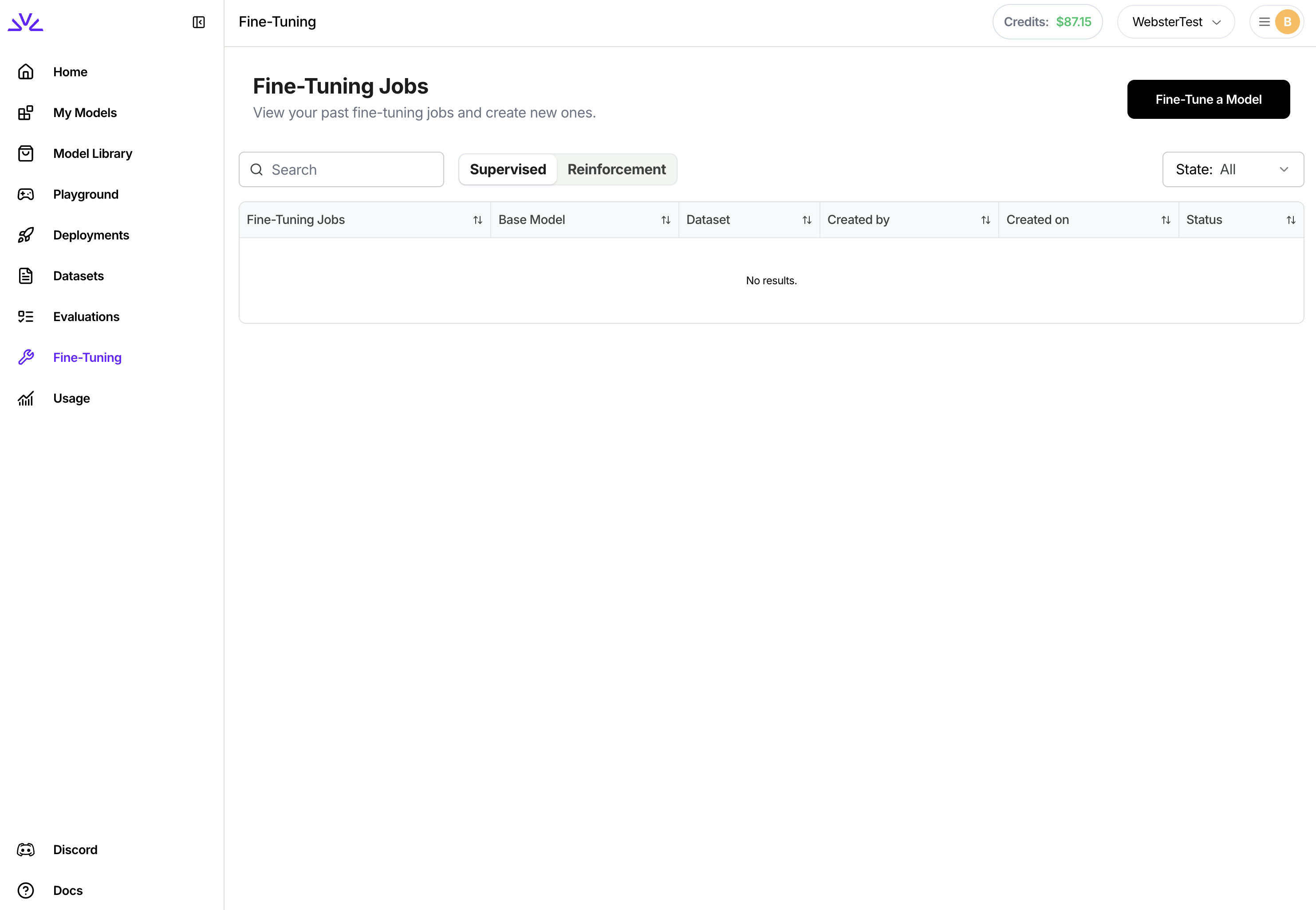
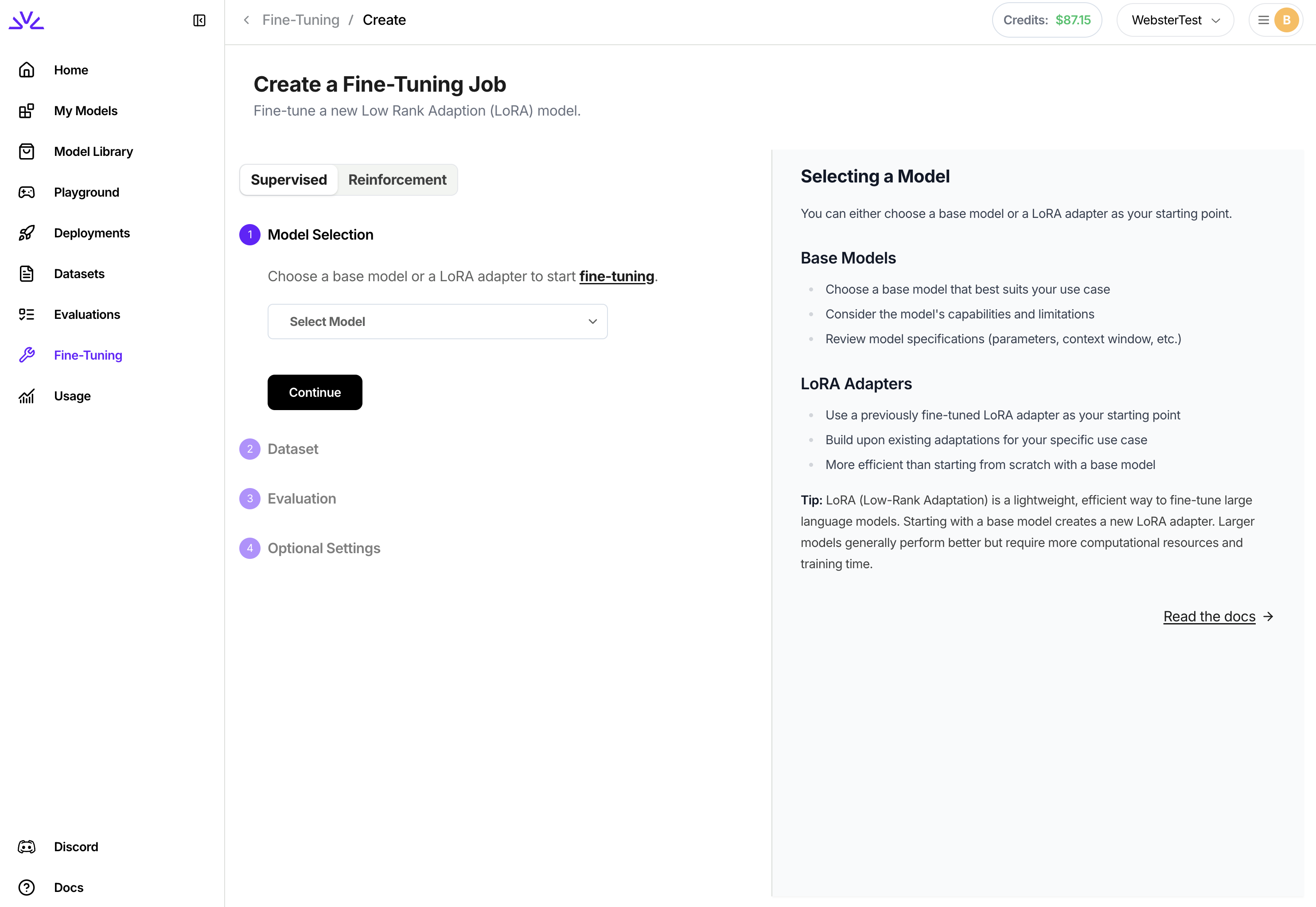 Ensure the fine tuned model ID conforms to the [resource id restrictions](/getting-started/concepts#resource-names-and-ids). This will return a fine-tuning job ID. For a full explanation of the settings available to control the fine-tuning process, including learning rate and epochs, consult [additional SFT job settings](#additional-sft-job-settings).
```bash theme={null}
firectl sftj create --base-model --dataset --output-model
```
Similar to UI, instead of tuning a base model, you can also start tuning from a previous LoRA model using
```bash theme={null}
firectl sftj create --warm-start-from --dataset --output-model
```
Notice that we use `--warm-start-from` instead of `--base-model` when creating this job.
With `UI`, once the job is created, it will show in the list of jobs. Clicking to view the job details to monitor the job progress.
Ensure the fine tuned model ID conforms to the [resource id restrictions](/getting-started/concepts#resource-names-and-ids). This will return a fine-tuning job ID. For a full explanation of the settings available to control the fine-tuning process, including learning rate and epochs, consult [additional SFT job settings](#additional-sft-job-settings).
```bash theme={null}
firectl sftj create --base-model --dataset --output-model
```
Similar to UI, instead of tuning a base model, you can also start tuning from a previous LoRA model using
```bash theme={null}
firectl sftj create --warm-start-from --dataset --output-model
```
Notice that we use `--warm-start-from` instead of `--base-model` when creating this job.
With `UI`, once the job is created, it will show in the list of jobs. Clicking to view the job details to monitor the job progress.
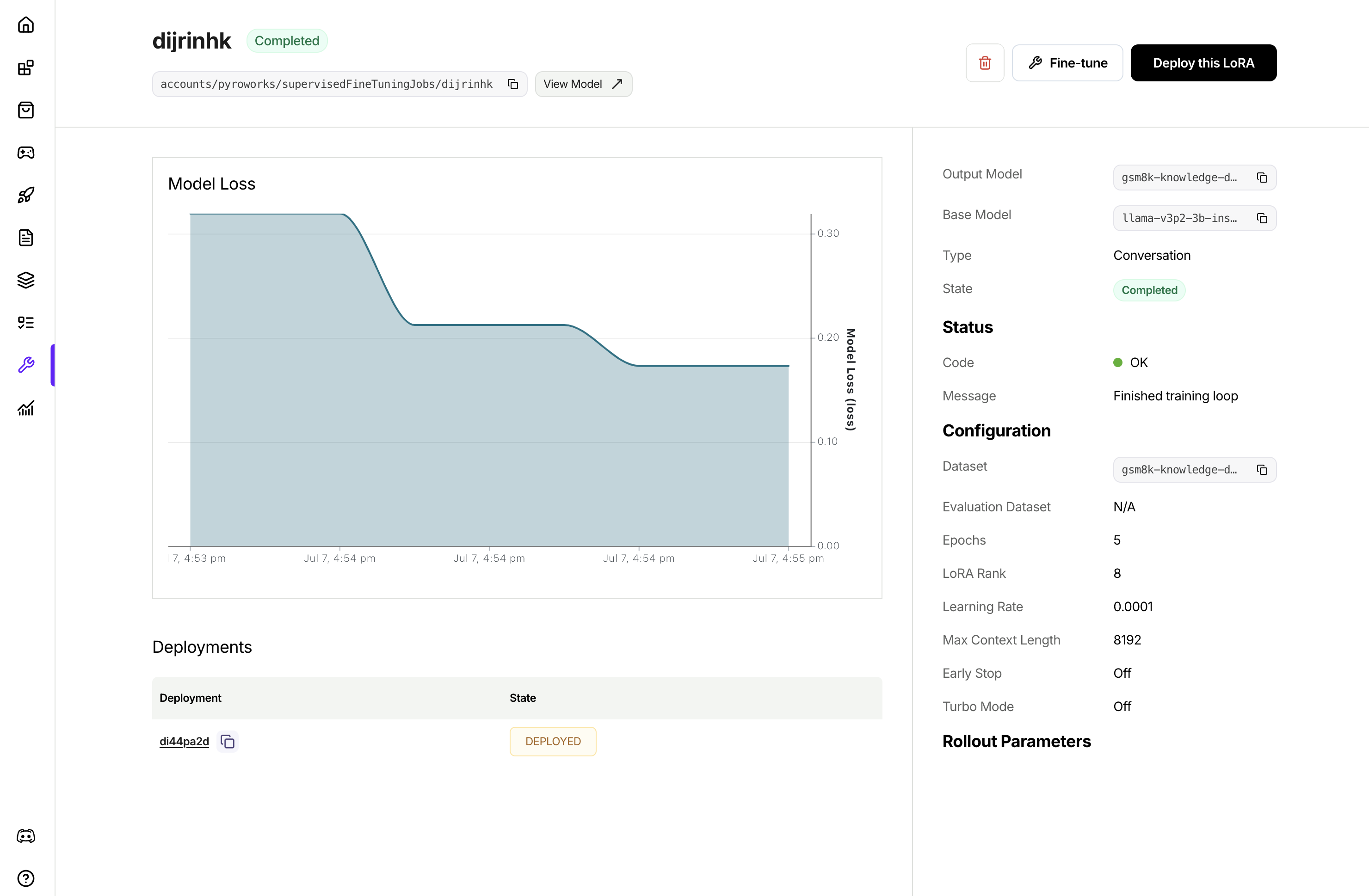 With `firectl`, you can monitor the progress of the tuning job by running
```bash theme={null}
firectl sftj get
```
Once the job successfully completes, you will see the new LoRA model in your model list
```bash theme={null}
firectl model list
```
For a complete Python SDK example that demonstrates the full workflow (creating datasets, uploading files, and launching a supervised fine-tuning job), see the [Python SDK workflow example](https://github.com/fw-ai-external/python-sdk/blob/main/examples/sftj_workflow.py).
## Deploying a fine-tuned model
After fine-tuning completes, deploy your model to make it available for inference:
```bash theme={null}
firectl deployment create
```
This creates a dedicated deployment with performance matching the base model.
For more details on deploying fine-tuned models, including multi-LoRA deployments, see the [Deploying Fine Tuned Models guide](/fine-tuning/deploying-loras).
## Additional SFT job settings
Additional tuning settings are available when starting a fine-tuning job. All of the below settings are optional and will have reasonable defaults if not specified. For settings that affect tuning quality like `epochs` and `learning rate`, we recommend using default settings and only changing hyperparameters if results are not as desired.
By default, the fine-tuning job will run evaluation by running the fine-tuned model against an evaluation set that's created by automatically carving out a portion of your training set. You have the option to explicitly specify a separate evaluation dataset to use instead of carving out training data.
`evaluation_dataset`: The ID of a separate dataset to use for evaluation. Must be pre-uploaded via firectl
```shell theme={null}
firectl sftj create \
--evaluation-dataset my-eval-set \
--base-model MY_BASE_MODEL \
--dataset cancerset \
--output-model my-tuned-model
```
Depending on the size of the model, the default context size will be different. For most models, the default context size is >= 32768. Training examples will be cut-off at 32768 tokens. Usually you do not need to set the max context length unless out of memory error is encountered with higher lora rank and large max context length.
```shell theme={null}
firectl sftj create \
--max-context-length 65536 \
--base-model MY_BASE_MODEL \
--dataset cancerset \
--output-model my-tuned-model
```
Batch size is the number of tokens packed into one forward step during training. One batch could consist of multiple training samples. We do sequence packing on the training samples, and batch size controls how many total tokens will be packed into each batch.
```shell theme={null}
firectl sftj create \
--batch-size 65536 \
--base-model MY_BASE_MODEL \
--dataset cancerset \
--output-model my-tuned-model
```
Epochs are the number of passes over the training data. Our default value is 1. If the model does not follow the training data as much as expected, increase the number of epochs by 1 or 2. Non-integer values are supported.
**Note: we set a max value of 3 million dataset examples × epochs**
```shell theme={null}
firectl sftj create \
--epochs 2.0 \
--base-model MY_BASE_MODEL \
--dataset cancerset \
--output-model my-tuned-model
```
Learning rate controls how fast the model updates from data. We generally do not recommend changing learning rate. The default value is automatically based on your selected model.
```shell theme={null}
firectl sftj create \
--learning-rate 0.0001 \
--base-model MY_BASE_MODEL \
--dataset cancerset \
--output-model my-tuned-model
```
Learning rate warmup steps controls the number of training steps during which the learning rate will be linearly ramped up to the set learning rate.
```shell theme={null}
firectl sftj create \
--learning-rate 0.0001 \
--learning-rate-warmup-steps 200 \
--base-model MY_BASE_MODEL \
--dataset cancerset \
--output-model my-tuned-model
```
Gradient accumulation steps controls the number of forward steps and backward steps to take (gradients are accumulated) before optimizer.step() is taken. Gradient accumulation steps > 1 increases effective batch size.
```shell theme={null}
firectl sftj create \
--gradient-accumulation-steps 4 \
--base-model MY_BASE_MODEL \
--dataset cancerset \
--output-model my-tuned-model
```
LoRA rank refers to the number of parameters that will be tuned in your LoRA add-on. Higher LoRA rank increases the amount of information that can be captured while tuning. LoRA rank must be a power of 2 up to 64. Our default value is 8.
```shell theme={null}
firectl sftj create \
--lora-rank 16 \
--base-model MY_BASE_MODEL \
--dataset cancerset \
--output-model my-tuned-model
```
The fine-tuning service integrates with Weights & Biases to provide observability into the tuning process. To use this feature, you must have a Weights & Biases account and have provisioned an API key.
```shell theme={null}
firectl sftj create \
--wandb-entity my-org \
--wandb-api-key xxx \
--wandb-project "My Project" \
--base-model MY_BASE_MODEL \
--dataset cancerset \
--output-model my-tuned-model
```
By default, the fine-tuning job will generate a random unique ID for the model. This ID is used to refer to the model at inference time. You can optionally specify a custom ID, within [ID constraints](/getting-started/concepts#resource-names-and-ids).
```shell theme={null}
firectl sftj create \
--output-model my-model \
--base-model MY_BASE_MODEL \
--dataset cancerset
```
By default, the fine-tuning job will generate a random unique ID for the fine-tuning job. You can optionally choose a custom ID.
```shell theme={null}
firectl sftj create \
--job-id my-fine-tuning-job \
--base-model MY_BASE_MODEL \
--dataset cancerset \
--output-model my-tuned-model
```
## Appendix
* `Python SDK` [references](/tools-sdks/python-sdk)
* `Restful API` [references](/api-reference/introduction)
* `firectl` [references](/tools-sdks/firectl/firectl)
* [Complete Python SDK workflow example](https://github.com/fw-ai-external/python-sdk/blob/main/examples/sftj_workflow.py) for a code-only implementation
---
# Source: https://docs.fireworks.ai/fine-tuning/fine-tuning-vlm.md
> ## Documentation Index
> Fetch the complete documentation index at: https://docs.fireworks.ai/llms.txt
> Use this file to discover all available pages before exploring further.
# Supervised Fine Tuning - Vision
> Learn how to fine-tune vision-language models on Fireworks AI with image and text datasets
Vision-language model (VLM) fine-tuning allows you to adapt pre-trained models that can understand both text and images to your specific use cases.
This is particularly valuable for tasks like document analysis, visual question answering, image captioning, and domain-specific visual understanding.
To see all vision models that support fine-tuning, visit the [Model Library for vision models](https://app.fireworks.ai/models?filter=vision\&tunable=true).
## Fine-tuning a VLM using LoRA
vision datasets must be in JSONL format in OpenAI-compatible chat format.
Each line represents a complete training example.
**Dataset Requirements:**
* **Format**: `.jsonl` file
* **Minimum examples**: 3
* **Maximum examples**: 3 million per dataset
* **Images**: Must be base64 encoded with proper MIME type prefixes
* **Supported image formats**: PNG, JPG, JPEG
**Message Schema:**
Each training example must include a `messages` array where each message has:
* `role`: one of `system`, `user`, or `assistant`
* `content`: an array containing text and image objects or just text
### Basic VLM Dataset Example
```json theme={null}
{
"messages": [
{
"role": "system",
"content": "You are a helpful visual assistant that can analyze images and answer questions about them."
},
{
"role": "user",
"content": [
{
"type": "text",
"text": "What objects do you see in this image?"
},
{
"type": "image_url",
"image_url": {
"url": "data:image/jpeg;base64,/9j/4AAQSkZJRgABAQAAAQABAAD..."
}
}
]
},
{
"role": "assistant",
"content": "I can see a red car, a tree, and a blue house in this image."
}
]
}
```
### If your dataset contains image urls
Images must be base64 encoded with MIME type prefixes. If your dataset contains image URLs, you'll need to download and encode them to base64.
```json theme={null}
{
"type": "image_url",
"image_url": {
// ❌ Raw HTTP/HTTPS URLs are NOT supported
"url": "https://example.com/image.jpg"
}
}
```
```json theme={null}
{
"type": "image_url",
"image_url": {
// ✅ Use data URI with base64 encoding
// Format: data:image/{format};base64,{base64_encoded_data}
"url": "data:image/jpeg;base64,/9j/4AAQSkZJRgABAQAAAQABAAD..."
}
}
```
You can use the following script to automatically convert your dataset to the correct format:
**Usage:**
```bash theme={null}
# Install required dependency
pip install requests
# Download the script
wget https://raw.githubusercontent.com/fw-ai/cookbook/refs/heads/main/learn/vlm-finetuning/utils/download_images_and_encode_to_b64.py
# Run the script - will output a new dataset _base64.jsonl
python download_images_and_encode_to_b64.py --input_file
```
### Advanced Dataset Examples
```json expandable theme={null}
{
"messages": [
{
"role": "user",
"content": [
{
"type": "text",
"text": "Compare these two images and tell me the differences"
},
{
"type": "image_url",
"image_url": {
"url": "data:image/jpeg;base64,/9j/4AAQSkZJRg..."
}
},
{
"type": "image_url",
"image_url": {
"url": "data:image/jpeg;base64,/9j/4BBBSkZJRg..."
}
}
]
},
{
"role": "assistant",
"content": "The first image shows a daytime scene while the second shows the same location at night. The lighting and shadows are completely different."
}
]
}
```
```json expandable theme={null}
{
"messages": [
{
"role": "system",
"content": "You are a helpful visual assistant that can analyze images and remember details from previous images in our conversation."
},
{
"role": "user",
"content": [
{
"type": "text",
"text": "Can you describe this kitchen layout for me?"
},
{
"type": "image_url",
"image_url": {
"url": "data:image/jpeg;base64,/9j/4AAQSkZJRgABAQ..."
}
}
]
},
{
"role": "assistant",
"content": "This is a modern open-plan kitchen with white cabinets, granite countertops, and stainless steel appliances. The island is positioned in the center with bar seating for 3-4 people. There's a large window above the sink providing natural light."
},
{
"role": "user",
"content": "Now look at this living room. Do you think the styles would work well together?"
},
{
"role": "assistant",
"content": "I'd be happy to help compare the styles! However, I don't see a living room image in your message. Could you please share the living room photo so I can analyze how well it would coordinate with the modern kitchen style we just discussed?"
},
{
"role": "user",
"content": [
{
"type": "text",
"text": "Sorry about that! Here's the living room:"
},
{
"type": "image_url",
"image_url": {
"url": "data:image/jpeg;base64,/9j/4BBBSkZJRgABAQ..."
}
}
]
},
{
"role": "assistant",
"content": "Perfect! This living room has a complementary modern aesthetic that would work beautifully with the kitchen. Both spaces feature clean lines and a neutral color palette. The living room's contemporary furniture and the kitchen's sleek design would create a cohesive flow in an open floor plan. The warm wood accents in the living room would add nice contrast to the kitchen's cooler tones."
},
]
}
```
### Try with an Example Dataset
To get a feel for how VLM fine-tuning works, you can use an example vision dataset. This is a classification dataset that contains images of food with `` tags for reasoning.
```bash theme={null}
# Download the example dataset
curl -L -o food_reasoning.jsonl https://huggingface.co/datasets/fireworks-ai/vision-food-reasoning-dataset/resolve/main/food_reasoning.jsonl
```
```bash theme={null}
# Download the example dataset
wget https://huggingface.co/datasets/fireworks-ai/vision-food-reasoning-dataset/resolve/main/food_reasoning.jsonl
```
Upload your prepared JSONL dataset to Fireworks for training:
```bash theme={null}
firectl dataset create my-vlm-dataset /path/to/vlm_training_data.jsonl
```
Navigate to the Datasets tab in the Fireworks console, click "Create Dataset", and upload your JSONL file through the wizard.
```javascript theme={null}
// Create dataset entry
const createDatasetPayload = {
datasetId: "my-vlm-dataset",
dataset: { userUploaded: {} }
};
const response = await fetch(`${BASE_URL}/datasets`, {
method: "POST",
headers: {
"Authorization": `Bearer ${API_KEY}`,
"Content-Type": "application/json"
},
body: JSON.stringify(createDatasetPayload)
});
// Upload JSONL file
const formData = new FormData();
formData.append("file", fileInput.files[0]);
const uploadResponse = await fetch(`${BASE_URL}/datasets/my-vlm-dataset:upload`, {
method: "POST",
headers: { "Authorization": `Bearer ${API_KEY}` },
body: formData
});
```
For larger datasets (>500MB), use `firectl` as it handles large uploads more reliably than the web interface. For enhanced data control and security, we also support bring your own bucket (BYOB) configurations. See our [Secure Fine Tuning](/fine-tuning/secure-fine-tuning#gcs-bucket-integration) guide for setup details.
Create a supervised fine-tuning job for your VLM:
```bash theme={null}
firectl sftj create \
--base-model accounts/fireworks/models/qwen2p5-vl-32b-instruct \
--dataset my-vlm-dataset \
--output-model my-custom-vlm \
--epochs 3
```
For additional parameters like learning rates, evaluation datasets, and batch sizes, see [Additional SFT job settings](/fine-tuning/fine-tuning-models#additional-sft-job-settings).
1. Navigate to the Fine-tuning tab in the Fireworks console
2. Click "Create Fine-tuning Job"
3. Select your VLM base model (Qwen 2.5 VL)
4. Choose your uploaded dataset
5. Configure training parameters
6. Launch the job
VLM fine-tuning jobs typically take longer than text-only models due to the additional image processing. Expect training times of several hours depending on dataset size and model complexity.
Track your VLM fine-tuning job in the [Fireworks console](https://app.fireworks.ai/dashboard/fine-tuning).
With `firectl`, you can monitor the progress of the tuning job by running
```bash theme={null}
firectl sftj get
```
Once the job successfully completes, you will see the new LoRA model in your model list
```bash theme={null}
firectl model list
```
For a complete Python SDK example that demonstrates the full workflow (creating datasets, uploading files, and launching a supervised fine-tuning job), see the [Python SDK workflow example](https://github.com/fw-ai-external/python-sdk/blob/main/examples/sftj_workflow.py).
## Deploying a fine-tuned model
After fine-tuning completes, deploy your model to make it available for inference:
```bash theme={null}
firectl deployment create
```
This creates a dedicated deployment with performance matching the base model.
For more details on deploying fine-tuned models, including multi-LoRA deployments, see the [Deploying Fine Tuned Models guide](/fine-tuning/deploying-loras).
## Additional SFT job settings
Additional tuning settings are available when starting a fine-tuning job. All of the below settings are optional and will have reasonable defaults if not specified. For settings that affect tuning quality like `epochs` and `learning rate`, we recommend using default settings and only changing hyperparameters if results are not as desired.
By default, the fine-tuning job will run evaluation by running the fine-tuned model against an evaluation set that's created by automatically carving out a portion of your training set. You have the option to explicitly specify a separate evaluation dataset to use instead of carving out training data.
`evaluation_dataset`: The ID of a separate dataset to use for evaluation. Must be pre-uploaded via firectl
```shell theme={null}
firectl sftj create \
--evaluation-dataset my-eval-set \
--base-model MY_BASE_MODEL \
--dataset cancerset \
--output-model my-tuned-model
```
Depending on the size of the model, the default context size will be different. For most models, the default context size is >= 32768. Training examples will be cut-off at 32768 tokens. Usually you do not need to set the max context length unless out of memory error is encountered with higher lora rank and large max context length.
```shell theme={null}
firectl sftj create \
--max-context-length 65536 \
--base-model MY_BASE_MODEL \
--dataset cancerset \
--output-model my-tuned-model
```
Batch size is the number of tokens packed into one forward step during training. One batch could consist of multiple training samples. We do sequence packing on the training samples, and batch size controls how many total tokens will be packed into each batch.
```shell theme={null}
firectl sftj create \
--batch-size 65536 \
--base-model MY_BASE_MODEL \
--dataset cancerset \
--output-model my-tuned-model
```
Epochs are the number of passes over the training data. Our default value is 1. If the model does not follow the training data as much as expected, increase the number of epochs by 1 or 2. Non-integer values are supported.
**Note: we set a max value of 3 million dataset examples × epochs**
```shell theme={null}
firectl sftj create \
--epochs 2.0 \
--base-model MY_BASE_MODEL \
--dataset cancerset \
--output-model my-tuned-model
```
Learning rate controls how fast the model updates from data. We generally do not recommend changing learning rate. The default value is automatically based on your selected model.
```shell theme={null}
firectl sftj create \
--learning-rate 0.0001 \
--base-model MY_BASE_MODEL \
--dataset cancerset \
--output-model my-tuned-model
```
Learning rate warmup steps controls the number of training steps during which the learning rate will be linearly ramped up to the set learning rate.
```shell theme={null}
firectl sftj create \
--learning-rate 0.0001 \
--learning-rate-warmup-steps 200 \
--base-model MY_BASE_MODEL \
--dataset cancerset \
--output-model my-tuned-model
```
Gradient accumulation steps controls the number of forward steps and backward steps to take (gradients are accumulated) before optimizer.step() is taken. Gradient accumulation steps > 1 increases effective batch size.
```shell theme={null}
firectl sftj create \
--gradient-accumulation-steps 4 \
--base-model MY_BASE_MODEL \
--dataset cancerset \
--output-model my-tuned-model
```
LoRA rank refers to the number of parameters that will be tuned in your LoRA add-on. Higher LoRA rank increases the amount of information that can be captured while tuning. LoRA rank must be a power of 2 up to 64. Our default value is 8.
```shell theme={null}
firectl sftj create \
--lora-rank 16 \
--base-model MY_BASE_MODEL \
--dataset cancerset \
--output-model my-tuned-model
```
The fine-tuning service integrates with Weights & Biases to provide observability into the tuning process. To use this feature, you must have a Weights & Biases account and have provisioned an API key.
```shell theme={null}
firectl sftj create \
--wandb-entity my-org \
--wandb-api-key xxx \
--wandb-project "My Project" \
--base-model MY_BASE_MODEL \
--dataset cancerset \
--output-model my-tuned-model
```
By default, the fine-tuning job will generate a random unique ID for the model. This ID is used to refer to the model at inference time. You can optionally specify a custom ID, within [ID constraints](/getting-started/concepts#resource-names-and-ids).
```shell theme={null}
firectl sftj create \
--output-model my-model \
--base-model MY_BASE_MODEL \
--dataset cancerset
```
By default, the fine-tuning job will generate a random unique ID for the fine-tuning job. You can optionally choose a custom ID.
```shell theme={null}
firectl sftj create \
--job-id my-fine-tuning-job \
--base-model MY_BASE_MODEL \
--dataset cancerset \
--output-model my-tuned-model
```
## Appendix
* `Python SDK` [references](/tools-sdks/python-sdk)
* `Restful API` [references](/api-reference/introduction)
* `firectl` [references](/tools-sdks/firectl/firectl)
* [Complete Python SDK workflow example](https://github.com/fw-ai-external/python-sdk/blob/main/examples/sftj_workflow.py) for a code-only implementation
---
# Source: https://docs.fireworks.ai/fine-tuning/fine-tuning-vlm.md
> ## Documentation Index
> Fetch the complete documentation index at: https://docs.fireworks.ai/llms.txt
> Use this file to discover all available pages before exploring further.
# Supervised Fine Tuning - Vision
> Learn how to fine-tune vision-language models on Fireworks AI with image and text datasets
Vision-language model (VLM) fine-tuning allows you to adapt pre-trained models that can understand both text and images to your specific use cases.
This is particularly valuable for tasks like document analysis, visual question answering, image captioning, and domain-specific visual understanding.
To see all vision models that support fine-tuning, visit the [Model Library for vision models](https://app.fireworks.ai/models?filter=vision\&tunable=true).
## Fine-tuning a VLM using LoRA
vision datasets must be in JSONL format in OpenAI-compatible chat format.
Each line represents a complete training example.
**Dataset Requirements:**
* **Format**: `.jsonl` file
* **Minimum examples**: 3
* **Maximum examples**: 3 million per dataset
* **Images**: Must be base64 encoded with proper MIME type prefixes
* **Supported image formats**: PNG, JPG, JPEG
**Message Schema:**
Each training example must include a `messages` array where each message has:
* `role`: one of `system`, `user`, or `assistant`
* `content`: an array containing text and image objects or just text
### Basic VLM Dataset Example
```json theme={null}
{
"messages": [
{
"role": "system",
"content": "You are a helpful visual assistant that can analyze images and answer questions about them."
},
{
"role": "user",
"content": [
{
"type": "text",
"text": "What objects do you see in this image?"
},
{
"type": "image_url",
"image_url": {
"url": "data:image/jpeg;base64,/9j/4AAQSkZJRgABAQAAAQABAAD..."
}
}
]
},
{
"role": "assistant",
"content": "I can see a red car, a tree, and a blue house in this image."
}
]
}
```
### If your dataset contains image urls
Images must be base64 encoded with MIME type prefixes. If your dataset contains image URLs, you'll need to download and encode them to base64.
```json theme={null}
{
"type": "image_url",
"image_url": {
// ❌ Raw HTTP/HTTPS URLs are NOT supported
"url": "https://example.com/image.jpg"
}
}
```
```json theme={null}
{
"type": "image_url",
"image_url": {
// ✅ Use data URI with base64 encoding
// Format: data:image/{format};base64,{base64_encoded_data}
"url": "data:image/jpeg;base64,/9j/4AAQSkZJRgABAQAAAQABAAD..."
}
}
```
You can use the following script to automatically convert your dataset to the correct format:
**Usage:**
```bash theme={null}
# Install required dependency
pip install requests
# Download the script
wget https://raw.githubusercontent.com/fw-ai/cookbook/refs/heads/main/learn/vlm-finetuning/utils/download_images_and_encode_to_b64.py
# Run the script - will output a new dataset _base64.jsonl
python download_images_and_encode_to_b64.py --input_file
```
### Advanced Dataset Examples
```json expandable theme={null}
{
"messages": [
{
"role": "user",
"content": [
{
"type": "text",
"text": "Compare these two images and tell me the differences"
},
{
"type": "image_url",
"image_url": {
"url": "data:image/jpeg;base64,/9j/4AAQSkZJRg..."
}
},
{
"type": "image_url",
"image_url": {
"url": "data:image/jpeg;base64,/9j/4BBBSkZJRg..."
}
}
]
},
{
"role": "assistant",
"content": "The first image shows a daytime scene while the second shows the same location at night. The lighting and shadows are completely different."
}
]
}
```
```json expandable theme={null}
{
"messages": [
{
"role": "system",
"content": "You are a helpful visual assistant that can analyze images and remember details from previous images in our conversation."
},
{
"role": "user",
"content": [
{
"type": "text",
"text": "Can you describe this kitchen layout for me?"
},
{
"type": "image_url",
"image_url": {
"url": "data:image/jpeg;base64,/9j/4AAQSkZJRgABAQ..."
}
}
]
},
{
"role": "assistant",
"content": "This is a modern open-plan kitchen with white cabinets, granite countertops, and stainless steel appliances. The island is positioned in the center with bar seating for 3-4 people. There's a large window above the sink providing natural light."
},
{
"role": "user",
"content": "Now look at this living room. Do you think the styles would work well together?"
},
{
"role": "assistant",
"content": "I'd be happy to help compare the styles! However, I don't see a living room image in your message. Could you please share the living room photo so I can analyze how well it would coordinate with the modern kitchen style we just discussed?"
},
{
"role": "user",
"content": [
{
"type": "text",
"text": "Sorry about that! Here's the living room:"
},
{
"type": "image_url",
"image_url": {
"url": "data:image/jpeg;base64,/9j/4BBBSkZJRgABAQ..."
}
}
]
},
{
"role": "assistant",
"content": "Perfect! This living room has a complementary modern aesthetic that would work beautifully with the kitchen. Both spaces feature clean lines and a neutral color palette. The living room's contemporary furniture and the kitchen's sleek design would create a cohesive flow in an open floor plan. The warm wood accents in the living room would add nice contrast to the kitchen's cooler tones."
},
]
}
```
### Try with an Example Dataset
To get a feel for how VLM fine-tuning works, you can use an example vision dataset. This is a classification dataset that contains images of food with `` tags for reasoning.
```bash theme={null}
# Download the example dataset
curl -L -o food_reasoning.jsonl https://huggingface.co/datasets/fireworks-ai/vision-food-reasoning-dataset/resolve/main/food_reasoning.jsonl
```
```bash theme={null}
# Download the example dataset
wget https://huggingface.co/datasets/fireworks-ai/vision-food-reasoning-dataset/resolve/main/food_reasoning.jsonl
```
Upload your prepared JSONL dataset to Fireworks for training:
```bash theme={null}
firectl dataset create my-vlm-dataset /path/to/vlm_training_data.jsonl
```
Navigate to the Datasets tab in the Fireworks console, click "Create Dataset", and upload your JSONL file through the wizard.
```javascript theme={null}
// Create dataset entry
const createDatasetPayload = {
datasetId: "my-vlm-dataset",
dataset: { userUploaded: {} }
};
const response = await fetch(`${BASE_URL}/datasets`, {
method: "POST",
headers: {
"Authorization": `Bearer ${API_KEY}`,
"Content-Type": "application/json"
},
body: JSON.stringify(createDatasetPayload)
});
// Upload JSONL file
const formData = new FormData();
formData.append("file", fileInput.files[0]);
const uploadResponse = await fetch(`${BASE_URL}/datasets/my-vlm-dataset:upload`, {
method: "POST",
headers: { "Authorization": `Bearer ${API_KEY}` },
body: formData
});
```
For larger datasets (>500MB), use `firectl` as it handles large uploads more reliably than the web interface. For enhanced data control and security, we also support bring your own bucket (BYOB) configurations. See our [Secure Fine Tuning](/fine-tuning/secure-fine-tuning#gcs-bucket-integration) guide for setup details.
Create a supervised fine-tuning job for your VLM:
```bash theme={null}
firectl sftj create \
--base-model accounts/fireworks/models/qwen2p5-vl-32b-instruct \
--dataset my-vlm-dataset \
--output-model my-custom-vlm \
--epochs 3
```
For additional parameters like learning rates, evaluation datasets, and batch sizes, see [Additional SFT job settings](/fine-tuning/fine-tuning-models#additional-sft-job-settings).
1. Navigate to the Fine-tuning tab in the Fireworks console
2. Click "Create Fine-tuning Job"
3. Select your VLM base model (Qwen 2.5 VL)
4. Choose your uploaded dataset
5. Configure training parameters
6. Launch the job
VLM fine-tuning jobs typically take longer than text-only models due to the additional image processing. Expect training times of several hours depending on dataset size and model complexity.
Track your VLM fine-tuning job in the [Fireworks console](https://app.fireworks.ai/dashboard/fine-tuning).
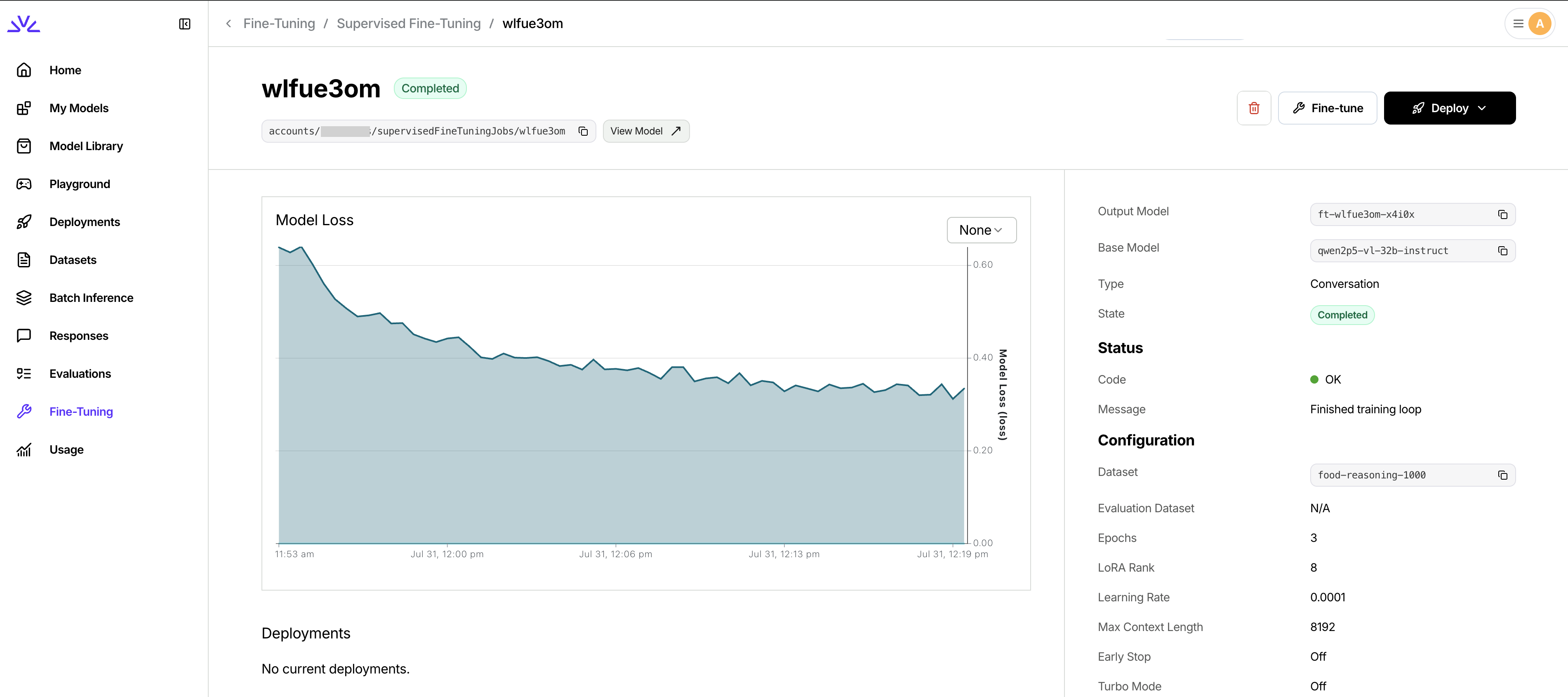 Monitor key metrics:
* **Training loss**: Should generally decrease over time
* **Evaluation loss**: Monitor for overfitting if using evaluation dataset
* **Training progress**: Epochs completed and estimated time remaining
Your VLM fine-tuning job is complete when the status shows `COMPLETED` and your custom model is ready for deployment.
Once training is complete, deploy your custom VLM:
```bash theme={null}
# Create a deployment for your fine-tuned VLM
firectl deployment create my-custom-vlm
# Check deployment status
firectl deployment get accounts/your-account/deployment/deployment-id
```
Deploy from the UI using the `Deploy` dropdown in the fine-tuning job page.
Monitor key metrics:
* **Training loss**: Should generally decrease over time
* **Evaluation loss**: Monitor for overfitting if using evaluation dataset
* **Training progress**: Epochs completed and estimated time remaining
Your VLM fine-tuning job is complete when the status shows `COMPLETED` and your custom model is ready for deployment.
Once training is complete, deploy your custom VLM:
```bash theme={null}
# Create a deployment for your fine-tuned VLM
firectl deployment create my-custom-vlm
# Check deployment status
firectl deployment get accounts/your-account/deployment/deployment-id
```
Deploy from the UI using the `Deploy` dropdown in the fine-tuning job page.
 ## Advanced Configuration
For additional fine-tuning parameters and advanced settings like custom learning rates, batch sizes, and optimization options, see the [Additional SFT job settings](/fine-tuning/fine-tuning-models#additional-sft-job-settings) section in our comprehensive fine-tuning guide.
## Interactive Tutorials: Fine-tuning VLMs
For a hands-on, step-by-step walkthrough of VLM fine-tuning, we've created two fine tuning cookbooks that demonstrates the complete process from dataset preparation, model deployment to evaluation.
**Google Colab Notebook: Fine-tune Qwen2.5 VL on Fireworks AI**
**Finetuning a VLM to beat SOTA closed source model**
The cookbooks above cover the following:
* Setting up your environment with Fireworks CLI
* Preparing vision datasets in the correct format
* Launching and monitoring VLM fine-tuning jobs
* Testing your fine-tuned model
* Best practices for VLM fine-tuning
* Running inference on serverless VLMs
* Running evals to show performance gains
## Testing Your Fine-tuned VLM
After deployment, test your fine-tuned VLM using the same API patterns as base VLMs:
```python Python (OpenAI SDK) theme={null}
import openai
client = openai.OpenAI(
base_url="https://api.fireworks.ai/inference/v1",
api_key="",
)
response = client.chat.completions.create(
model="accounts/your-account/models/my-custom-vlm",
messages=[{
"role": "user",
"content": [{
"type": "image_url",
"image_url": {
"url": "https://raw.githubusercontent.com/fw-ai/cookbook/refs/heads/main/learn/vlm-finetuning/images/icecream.jpeg"
},
},{
"type": "text",
"text": "What's in this image?",
}],
}]
)
print(response.choices[0].message.content)
```
If you fine-tuned using the example dataset, your model should include `` tags in its response.
---
# Source: https://docs.fireworks.ai/fine-tuning/finetuning-intro.md
> ## Documentation Index
> Fetch the complete documentation index at: https://docs.fireworks.ai/llms.txt
> Use this file to discover all available pages before exploring further.
# Fine Tuning Overview
Fireworks helps you fine-tune models to improve quality and performance for your product use cases, without the burden of building & maintaining your own training infrastructure.
## Fine-tuning methods
Train models using custom reward functions for complex reasoning tasks
Train text models with labeled examples of desired outputs
Train vision-language models with image and text pairs
Align models with human preferences using pairwise comparisons
## Supported models
Fireworks supports fine-tuning for most major open source models, including DeepSeek, Qwen, Kimi, and Llama model families, and supports fine-tuning large state-of-the-art models like Kimi K2 0905 and DeepSeek V3.1.
To see all models that support fine-tuning, visit the [Model Library for text models](https://app.fireworks.ai/models?filter=LLM\&tunable=true) or [vision models](https://app.fireworks.ai/models?filter=vision\&tunable=true).
## Fireworks uses LoRA
Fireworks uses **[Low-Rank Adaptation (LoRA)](https://arxiv.org/abs/2106.09685)** to fine-tune models efficiently. The fine-tuning process generates a LoRA addon—a small adapter that modifies the base model's behavior without retraining all its weights. This approach is:
* **Faster and cheaper** - Train models in hours, not days
* **Easy to deploy** - Deploy LoRA addons instantly on Fireworks
* **Flexible** - Run [multiple LoRAs](/fine-tuning/deploying-loras#multi-lora-deployment) on a single base model deployment
## When to use Supervised Fine-Tuning (SFT) vs. Reinforcement Fine-Tuning (RFT)
In supervised fine-tuning, you provide a dataset with labeled examples of “good” outputs. In reinforcement fine-tuning, you provide a grader function that can be used to score the model's outputs. The model is iteratively trained to produce outputs that maximize this score. To learn more about the differences between SFT and RFT, see [when to use Supervised Fine-Tuning (SFT) vs. Reinforcement Fine-Tuning (RFT)](./finetuning-intro#when-to-use-supervised-fine-tuning-sft-vs-reinforcement-fine-tuning-models-rft).
Supervised fine-tuning (SFT) works well for many common scenarios, especially when:
* You have a sizable dataset (\~1000+ examples) with high-quality, ground-truth lables.
* The dataset covers most possible input scenarios.
* Tasks are relatively straightforward, such as:
* Classification
* Content extraction
However, SFT may struggle in situations where:
* Your dataset is small.
* You lack ground-truth outputs (a.k.a. “golden generations”).
* The task requires multi-step reasoning.
Here is a simple decision tree:
```mermaid theme={null}
flowchart TD
B{"Do you have labeled ground truth data?"}
B --"Yes"--> C{"How much?"}
C --"more than 1000 examples"--> D["SFT"]
C --"100-1000 examples"-->F{"Does reasoning help?"}
C --"~100s examples"--> E["RFT"]
F --"No"-->D
F -- "Yes" -->E
B --"No"--> G{"Is this a verifiable task (see below)?"}
G -- "Yes" -->E
G -- "No"-->H["RLHF / LLM as judge"]
```
`Verifiable` refers to whether it is relatively easy to make a judgement on the quality of the model generation.
---
# Source: https://docs.fireworks.ai/tools-sdks/firectl/firectl.md
> ## Documentation Index
> Fetch the complete documentation index at: https://docs.fireworks.ai/llms.txt
> Use this file to discover all available pages before exploring further.
# Getting started
> Learn to create, deploy, and manage resources using Firectl
Firectl can be installed several ways based on your choice and platform.
```bash homebrew theme={null}
brew tap fw-ai/firectl
brew install firectl
# If you encounter a failed SHA256 check, try first running
brew update
```
```bash macOS (Apple Silicon) theme={null}
curl https://storage.googleapis.com/fireworks-public/firectl/stable/darwin-arm64.gz -o firectl.gz
gzip -d firectl.gz && chmod a+x firectl
sudo mv firectl /usr/local/bin/firectl
sudo chown root: /usr/local/bin/firectl
```
```bash macOS (x86_64) theme={null}
curl https://storage.googleapis.com/fireworks-public/firectl/stable/darwin-amd64.gz -o firectl.gz
gzip -d firectl.gz && chmod a+x firectl
sudo mv firectl /usr/local/bin/firectl
sudo chown root: /usr/local/bin/firectl
```
```bash Linux (x86_64) theme={null}
wget -O firectl.gz https://storage.googleapis.com/fireworks-public/firectl/stable/linux-amd64.gz
gunzip firectl.gz
sudo install -o root -g root -m 0755 firectl /usr/local/bin/firectl
```
```Text Windows (64 bit) theme={null}
wget -L https://storage.googleapis.com/fireworks-public/firectl/stable/firectl.exe
```
### Sign into Fireworks account
To sign into your Fireworks account:
```bash theme={null}
firectl signin
```
If you have set up [Custom SSO](/accounts/sso) then also pass your account ID:
```bash theme={null}
firectl signin
```
### Check you have signed in
To show which account you have signed into:
```bash theme={null}
firectl whoami
```
### Check your installed version
```bash theme={null}
firectl version
```
### Upgrade to the latest version
```bash theme={null}
sudo firectl upgrade
```
---
# Source: https://docs.fireworks.ai/faq-new/models-inference/flux-image-generation.md
> ## Documentation Index
> Fetch the complete documentation index at: https://docs.fireworks.ai/llms.txt
> Use this file to discover all available pages before exploring further.
# FLUX image generation
## Can I generate multiple images in a single API call?
No, FLUX serverless supports only one image per API call. For multiple images, send separate parallel requests—these will be automatically load-balanced across our replicas for optimal performance.
## Does FLUX support image-to-image generation?
No, image-to-image generation is not currently supported. We are evaluating this feature for future implementation. If you have specific use cases, please share them with our support team to help inform development.
## Can I create custom LoRA models with FLUX?
Inference on FLUX-LoRA adapters is currently supported. However, managed training on Fireworks with FLUX is not, although this feature is under development. Updates about our managed LoRA training service will be announced when available.
---
# Source: https://docs.fireworks.ai/guides/function-calling.md
> ## Documentation Index
> Fetch the complete documentation index at: https://docs.fireworks.ai/llms.txt
> Use this file to discover all available pages before exploring further.
# Tool Calling
> Connect models to external tools and APIs
Tool calling (also known as function calling) enables models to intelligently select and use external tools based on user input. You can build agents that access APIs, retrieve real-time data, or perform actions—all through [OpenAI-compatible](https://platform.openai.com/docs/guides/function-calling) tool specifications.
**How it works:**
1. Define tools using [JSON Schema](https://json-schema.org/learn/getting-started-step-by-step) (name, description, parameters)
2. Model analyzes the query and decides whether to call a tool
3. If needed, model returns structured tool calls with parameters
4. You execute the tool and send results back for the final response
## Quick example
Define tools and send a request - the model will return structured tool calls when needed:
Initialize the client:
```python Python (Fireworks SDK) theme={null}
from fireworks import Fireworks
client = Fireworks()
```
```python Python (OpenAI SDK) theme={null}
import os
from openai import OpenAI
client = OpenAI(
api_key=os.environ.get("FIREWORKS_API_KEY"),
base_url="https://api.fireworks.ai/inference/v1"
)
```
Define the tools and make the request:
```python theme={null}
tools = [{
"type": "function",
"function": {
"name": "get_weather",
"description": "Get the current weather for a location",
"parameters": {
"type": "object",
"properties": {
"location": {"type": "string", "description": "City name"}
},
"required": ["location"]
}
}
}]
response = client.chat.completions.create(
model="accounts/fireworks/models/kimi-k2-instruct-0905",
messages=[{"role": "user", "content": "What's the weather in San Francisco?"}],
tools=tools,
temperature=0.1
)
print(response.choices[0].message.tool_calls)
# Output: [ChatCompletionMessageToolCall(id='call_abc123', function=Function(arguments='{"location":"San Francisco"}', name='get_weather'), type='function')]
```
For best results with tool calling, use a low temperature (0.0-0.3) to reduce hallucinated parameter values and ensure more deterministic tool selection.
```python theme={null}
import json
# Step 1: Define your tools
tools = [{
"type": "function",
"function": {
"name": "get_weather",
"description": "Get the current weather for a location",
"parameters": {
"type": "object",
"properties": {
"location": {"type": "string", "description": "City name"},
"unit": {"type": "string", "enum": ["celsius", "fahrenheit"]}
},
"required": ["location"]
}
}
}]
# Step 2: Send initial request
messages = [{"role": "user", "content": "What's the weather in San Francisco?"}]
response = client.chat.completions.create(
model="accounts/fireworks/models/kimi-k2-instruct-0905",
messages=messages,
tools=tools,
temperature=0.1
)
# Step 3: Check if model wants to call a tool
if response.choices[0].message.tool_calls:
# Step 4: Execute the tool
tool_call = response.choices[0].message.tool_calls[0]
# Your actual tool implementation
def get_weather(location, unit="celsius"):
# In production, call your weather API here
return {"temperature": 72, "condition": "sunny", "unit": unit}
# Parse arguments and call your function
function_args = json.loads(tool_call.function.arguments)
function_response = get_weather(**function_args)
# Step 5: Send tool response back to model
messages.append(response.choices[0].message) # Add assistant's tool call
messages.append({
"role": "tool",
"tool_call_id": tool_call.id,
"content": json.dumps(function_response)
})
# Step 6: Get final response
final_response = client.chat.completions.create(
model="accounts/fireworks/models/kimi-k2-instruct-0905",
messages=messages,
tools=tools,
temperature=0.1
)
print(final_response.choices[0].message.content)
# Output: "It's currently 72°F and sunny in San Francisco."
```
## Defining tools
Tools are defined using [JSON Schema](https://json-schema.org/understanding-json-schema/reference) format. Each tool requires:
* **name**: Function identifier (a-z, A-Z, 0-9, underscores, dashes; max 64 characters)
* **description**: Clear explanation of what the function does (used by the model to decide when to call it)
* **parameters**: JSON Schema object describing the function's parameters
Write detailed descriptions and parameter definitions. The model relies on these to select the correct tool and provide appropriate arguments.
### Parameter types
JSON Schema supports: `string`, `number`, `integer`, `object`, `array`, `boolean`, and `null`. You can also:
* Use `enum` to restrict values to specific options
* Mark parameters as `required` or optional
* Provide descriptions for each parameter
```python theme={null}
tools = [
{
"type": "function",
"function": {
"name": "get_weather",
"description": "Get current weather for a location",
"parameters": {
"type": "object",
"properties": {
"location": {
"type": "string",
"description": "City name, e.g. San Francisco"
},
"unit": {
"type": "string",
"enum": ["celsius", "fahrenheit"],
"description": "Temperature unit"
}
},
"required": ["location"]
}
}
},
{
"type": "function",
"function": {
"name": "search_restaurants",
"description": "Search for restaurants by cuisine type",
"parameters": {
"type": "object",
"properties": {
"cuisine": {
"type": "string",
"description": "Type of cuisine (e.g., Italian, Mexican)"
},
"location": {
"type": "string",
"description": "City or neighborhood"
},
"price_range": {
"type": "string",
"enum": ["$", "$$", "$$$", "$$$$"]
}
},
"required": ["cuisine", "location"]
}
}
}
]
```
## Additional configurations
### tool\_choice
The [`tool_choice`](/api-reference/post-chatcompletions#body-tool-choice) parameter controls how the model uses tools:
* **`auto`** (default): Model decides whether to call a tool or respond directly
* **`none`**: Model will not call any tools
* **`required`**: Model must call at least one tool
* **Specific function**: Force the model to call a particular function
```python theme={null}
# Force a specific tool
response = client.chat.completions.create(
model="accounts/fireworks/models/kimi-k2-instruct-0905",
messages=[{"role": "user", "content": "What's the weather?"}],
tools=tools,
tool_choice={"type": "function", "function": {"name": "get_weather"}},
temperature=0.1
)
```
Some models support parallel tool calling, where multiple tools can be called in a single response. Check the model's capabilities before relying on this feature.
## Streaming
Tool calls work with streaming responses. Arguments are sent incrementally as the model generates them:
```python theme={null}
import json
tools = [{
"type": "function",
"function": {
"name": "get_weather",
"description": "Get the current weather for a city",
"parameters": {
"type": "object",
"properties": {
"city": {"type": "string", "description": "City name"},
"unit": {"type": "string", "enum": ["celsius", "fahrenheit"]}
},
"required": ["city"]
}
}
}]
stream = client.chat.completions.create(
model="accounts/fireworks/models/kimi-k2-instruct-0905",
messages=[{"role": "user", "content": "What's the weather in San Francisco?"}],
tools=tools,
stream=True,
temperature=0.1
)
# Accumulate tool call data
tool_calls = {}
for chunk in stream:
if chunk.choices[0].delta.tool_calls:
for tool_call in chunk.choices[0].delta.tool_calls:
index = tool_call.index
if index not in tool_calls:
tool_calls[index] = {"id": "", "name": "", "arguments": ""}
if tool_call.id:
tool_calls[index]["id"] = tool_call.id
if tool_call.function and tool_call.function.name:
tool_calls[index]["name"] = tool_call.function.name
if tool_call.function and tool_call.function.arguments:
tool_calls[index]["arguments"] += tool_call.function.arguments
if chunk.choices[0].finish_reason == "tool_calls":
for tool_call in tool_calls.values():
args = json.loads(tool_call["arguments"])
print(f"Calling {tool_call['name']} with {args}")
break
```
## Troubleshooting
* Check that your tool descriptions are clear and detailed
* Ensure the user query clearly indicates a need for the tool
* Try using `tool_choice="required"` to force tool usage
* Verify your model supports tool calling (check `supportsTools` field)
* Add more detailed parameter descriptions
* Use lower temperature (0.0-0.3) for more deterministic outputs
* Provide examples in parameter descriptions
* Use `enum` to constrain values to specific options
* Always validate tool call arguments before parsing
* Handle partial or malformed JSON gracefully in production
* Use try-catch blocks when parsing `tool_call.function.arguments`
## Next steps
Enforce JSON schemas for consistent responses
Learn about chat completions and other APIs
Deploy models on dedicated GPUs
Full chat completions API documentation
---
# Source: https://docs.fireworks.ai/api-reference/generate-or-edit-image-using-flux-kontext.md
> ## Documentation Index
> Fetch the complete documentation index at: https://docs.fireworks.ai/llms.txt
> Use this file to discover all available pages before exploring further.
# Generate or edit an image with FLUX.1 Kontext
💡 Note that this API is async and will return the **request\_id** instead of the image. Call the [get\_result](/api-reference/get-generated-image-from-flux-kontex) API to obtain the generated image.
FLUX Kontext Pro is a specialized model for generating contextually-aware images from text descriptions. Designed for professional use cases requiring high-quality, consistent image generation.
Use our [Playground](https://app.fireworks.ai/playground?model=accounts/fireworks/models/flux-kontext-pro) to quickly try it out in your browser.
FLUX Kontext Max is the most advanced model in the Kontext series, offering maximum quality and context understanding. Ideal for enterprise applications requiring the highest level of image generation performance.
Use our [Playground](https://app.fireworks.ai/playground?model=accounts/fireworks/models/flux-kontext-max) to quickly try it out in your browser.
## Path
The model to use for image generation. Use **flux-kontext-pro** or **flux-kontext-max** as the model name in the API.
## Headers
The media type of the request body.
Your Fireworks API key.
## Request Body
Prompt to use for the image generation process.
Base64 encoded image or URL to use with Kontext.
Optional seed for reproducibility.
Aspect ratio of the image between 21:9 and 9:21.
Output format for the generated image. Can be 'jpeg' or 'png'.
**Options:** `jpeg`, `png`
URL to receive webhook notifications.
**Length:** 1-2083 characters
Optional secret for webhook signature verification.
Whether to perform upsampling on the prompt. If active, automatically modifies the prompt for more creative generation.
Tolerance level for input and output moderation. Between 0 and 6, 0 being most strict, 6 being least strict. Limit of 2 for Image to Image.
**Range:** 0-6
```python Python theme={null}
import requests
url = "https://api.fireworks.ai/inference/v1/workflows/accounts/fireworks/models/{model}"
headers = {
"Content-Type": "application/json",
"Authorization": "Bearer $API_KEY",
}
data = {
"prompt": "A beautiful sunset over the ocean",
"input_image": "",
"seed": 42,
"aspect_ratio": "",
"output_format": "jpeg",
"webhook_url": "",
"webhook_secret": "",
"prompt_upsampling": False,
"safety_tolerance": 2
}
response = requests.post(url, headers=headers, json=data)
```
```typescript TypeScript theme={null}
import fs from "fs";
import fetch from "node-fetch";
(async () => {
const response = await fetch("https://api.fireworks.ai/inference/v1/workflows/accounts/fireworks/models/{model}", {
method: "POST",
headers: {
"Content-Type": "application/json",
"Authorization": "Bearer $API_KEY"
},
body: JSON.stringify({
prompt: "A beautiful sunset over the ocean"
}),
});
})().catch(console.error);
```
```shell curl theme={null}
curl --request POST \
-S --fail-with-body \
--url https://api.fireworks.ai/inference/v1/workflows/accounts/fireworks/models/{model} \
-H 'Content-Type: application/json' \
-H "Authorization: Bearer $API_KEY" \
--data '
{
"prompt": "A beautiful sunset over the ocean"
}'
```
## Response
Successful Response
request id
Unsuccessful Response
error message
---
# Source: https://docs.fireworks.ai/api-reference/get-account.md
> ## Documentation Index
> Fetch the complete documentation index at: https://docs.fireworks.ai/llms.txt
> Use this file to discover all available pages before exploring further.
# Get Account
## OpenAPI
````yaml get /v1/accounts/{account_id}
openapi: 3.1.0
info:
title: Gateway REST API
version: 4.21.6
servers:
- url: https://api.fireworks.ai
security:
- BearerAuth: []
tags:
- name: Gateway
paths:
/v1/accounts/{account_id}:
get:
tags:
- Gateway
summary: Get Account
operationId: Gateway_GetAccount
parameters:
- name: readMask
description: >-
The fields to be returned in the response. If empty or "*", all
fields will be returned.
in: query
required: false
schema:
type: string
- name: account_id
in: path
required: true
description: The Account Id
schema:
type: string
responses:
'200':
description: A successful response.
content:
application/json:
schema:
$ref: '#/components/schemas/gatewayAccount'
components:
schemas:
gatewayAccount:
type: object
properties:
name:
type: string
title: The resource name of the account. e.g. accounts/my-account
readOnly: true
displayName:
type: string
description: |-
Human-readable display name of the account. e.g. "My Account"
Must be fewer than 64 characters long.
createTime:
type: string
format: date-time
description: The creation time of the account.
readOnly: true
accountType:
$ref: '#/components/schemas/AccountAccountType'
description: The type of the account.
email:
type: string
description: |-
The primary email for the account. This is used for billing invoices
and account notifications.
state:
$ref: '#/components/schemas/gatewayAccountState'
description: The state of the account.
readOnly: true
status:
$ref: '#/components/schemas/gatewayStatus'
description: Contains information about the account status.
readOnly: true
suspendState:
$ref: '#/components/schemas/AccountSuspendState'
readOnly: true
updateTime:
type: string
format: date-time
description: The update time for the account.
readOnly: true
title: 'Next ID: 26'
required:
- email
AccountAccountType:
type: string
enum:
- ACCOUNT_TYPE_UNSPECIFIED
- ENTERPRISE
default: ACCOUNT_TYPE_UNSPECIFIED
title: 'Next ID: 5'
gatewayAccountState:
type: string
enum:
- STATE_UNSPECIFIED
- CREATING
- READY
- UPDATING
- DELETING
default: STATE_UNSPECIFIED
gatewayStatus:
type: object
properties:
code:
$ref: '#/components/schemas/gatewayCode'
description: The status code.
message:
type: string
description: A developer-facing error message in English.
title: >-
Mimics
[https://github.com/googleapis/googleapis/blob/master/google/rpc/status.proto]
AccountSuspendState:
type: string
enum:
- UNSUSPENDED
- FAILED_PAYMENTS
- CREDIT_DEPLETED
- MONTHLY_SPEND_LIMIT_EXCEEDED
- BLOCKED_BY_ABUSE_RULE
default: UNSUSPENDED
gatewayCode:
type: string
enum:
- OK
- CANCELLED
- UNKNOWN
- INVALID_ARGUMENT
- DEADLINE_EXCEEDED
- NOT_FOUND
- ALREADY_EXISTS
- PERMISSION_DENIED
- UNAUTHENTICATED
- RESOURCE_EXHAUSTED
- FAILED_PRECONDITION
- ABORTED
- OUT_OF_RANGE
- UNIMPLEMENTED
- INTERNAL
- UNAVAILABLE
- DATA_LOSS
default: OK
description: |-
- OK: Not an error; returned on success.
HTTP Mapping: 200 OK
- CANCELLED: The operation was cancelled, typically by the caller.
HTTP Mapping: 499 Client Closed Request
- UNKNOWN: Unknown error. For example, this error may be returned when
a `Status` value received from another address space belongs to
an error space that is not known in this address space. Also
errors raised by APIs that do not return enough error information
may be converted to this error.
HTTP Mapping: 500 Internal Server Error
- INVALID_ARGUMENT: The client specified an invalid argument. Note that this differs
from `FAILED_PRECONDITION`. `INVALID_ARGUMENT` indicates arguments
that are problematic regardless of the state of the system
(e.g., a malformed file name).
HTTP Mapping: 400 Bad Request
- DEADLINE_EXCEEDED: The deadline expired before the operation could complete. For operations
that change the state of the system, this error may be returned
even if the operation has completed successfully. For example, a
successful response from a server could have been delayed long
enough for the deadline to expire.
HTTP Mapping: 504 Gateway Timeout
- NOT_FOUND: Some requested entity (e.g., file or directory) was not found.
Note to server developers: if a request is denied for an entire class
of users, such as gradual feature rollout or undocumented allowlist,
`NOT_FOUND` may be used. If a request is denied for some users within
a class of users, such as user-based access control, `PERMISSION_DENIED`
must be used.
HTTP Mapping: 404 Not Found
- ALREADY_EXISTS: The entity that a client attempted to create (e.g., file or directory)
already exists.
HTTP Mapping: 409 Conflict
- PERMISSION_DENIED: The caller does not have permission to execute the specified
operation. `PERMISSION_DENIED` must not be used for rejections
caused by exhausting some resource (use `RESOURCE_EXHAUSTED`
instead for those errors). `PERMISSION_DENIED` must not be
used if the caller can not be identified (use `UNAUTHENTICATED`
instead for those errors). This error code does not imply the
request is valid or the requested entity exists or satisfies
other pre-conditions.
HTTP Mapping: 403 Forbidden
- UNAUTHENTICATED: The request does not have valid authentication credentials for the
operation.
HTTP Mapping: 401 Unauthorized
- RESOURCE_EXHAUSTED: Some resource has been exhausted, perhaps a per-user quota, or
perhaps the entire file system is out of space.
HTTP Mapping: 429 Too Many Requests
- FAILED_PRECONDITION: The operation was rejected because the system is not in a state
required for the operation's execution. For example, the directory
to be deleted is non-empty, an rmdir operation is applied to
a non-directory, etc.
Service implementors can use the following guidelines to decide
between `FAILED_PRECONDITION`, `ABORTED`, and `UNAVAILABLE`:
(a) Use `UNAVAILABLE` if the client can retry just the failing call.
(b) Use `ABORTED` if the client should retry at a higher level. For
example, when a client-specified test-and-set fails, indicating the
client should restart a read-modify-write sequence.
(c) Use `FAILED_PRECONDITION` if the client should not retry until
the system state has been explicitly fixed. For example, if an "rmdir"
fails because the directory is non-empty, `FAILED_PRECONDITION`
should be returned since the client should not retry unless
the files are deleted from the directory.
HTTP Mapping: 400 Bad Request
- ABORTED: The operation was aborted, typically due to a concurrency issue such as
a sequencer check failure or transaction abort.
See the guidelines above for deciding between `FAILED_PRECONDITION`,
`ABORTED`, and `UNAVAILABLE`.
HTTP Mapping: 409 Conflict
- OUT_OF_RANGE: The operation was attempted past the valid range. E.g., seeking or
reading past end-of-file.
Unlike `INVALID_ARGUMENT`, this error indicates a problem that may
be fixed if the system state changes. For example, a 32-bit file
system will generate `INVALID_ARGUMENT` if asked to read at an
offset that is not in the range [0,2^32-1], but it will generate
`OUT_OF_RANGE` if asked to read from an offset past the current
file size.
There is a fair bit of overlap between `FAILED_PRECONDITION` and
`OUT_OF_RANGE`. We recommend using `OUT_OF_RANGE` (the more specific
error) when it applies so that callers who are iterating through
a space can easily look for an `OUT_OF_RANGE` error to detect when
they are done.
HTTP Mapping: 400 Bad Request
- UNIMPLEMENTED: The operation is not implemented or is not supported/enabled in this
service.
HTTP Mapping: 501 Not Implemented
- INTERNAL: Internal errors. This means that some invariants expected by the
underlying system have been broken. This error code is reserved
for serious errors.
HTTP Mapping: 500 Internal Server Error
- UNAVAILABLE: The service is currently unavailable. This is most likely a
transient condition, which can be corrected by retrying with
a backoff. Note that it is not always safe to retry
non-idempotent operations.
See the guidelines above for deciding between `FAILED_PRECONDITION`,
`ABORTED`, and `UNAVAILABLE`.
HTTP Mapping: 503 Service Unavailable
- DATA_LOSS: Unrecoverable data loss or corruption.
HTTP Mapping: 500 Internal Server Error
title: >-
Mimics
[https://github.com/googleapis/googleapis/blob/master/google/rpc/code.proto]
securitySchemes:
BearerAuth:
type: http
scheme: bearer
description: >-
Bearer authentication using your Fireworks API key. Format: Bearer
bearerFormat: API_KEY
````
---
# Source: https://docs.fireworks.ai/api-reference/get-batch-inference-job.md
> ## Documentation Index
> Fetch the complete documentation index at: https://docs.fireworks.ai/llms.txt
> Use this file to discover all available pages before exploring further.
# Get Batch Inference Job
## OpenAPI
````yaml get /v1/accounts/{account_id}/batchInferenceJobs/{batch_inference_job_id}
openapi: 3.1.0
info:
title: Gateway REST API
version: 4.21.6
servers:
- url: https://api.fireworks.ai
security:
- BearerAuth: []
tags:
- name: Gateway
paths:
/v1/accounts/{account_id}/batchInferenceJobs/{batch_inference_job_id}:
get:
tags:
- Gateway
summary: Get Batch Inference Job
operationId: Gateway_GetBatchInferenceJob
parameters:
- name: readMask
description: >-
The fields to be returned in the response. If empty or "*", all
fields will be returned.
in: query
required: false
schema:
type: string
- name: account_id
in: path
required: true
description: The Account Id
schema:
type: string
- name: batch_inference_job_id
in: path
required: true
description: The Batch Inference Job Id
schema:
type: string
responses:
'200':
description: A successful response.
content:
application/json:
schema:
$ref: '#/components/schemas/gatewayBatchInferenceJob'
components:
schemas:
gatewayBatchInferenceJob:
type: object
properties:
name:
type: string
title: >-
The resource name of the batch inference job. e.g.
accounts/my-account/batchInferenceJobs/my-batch-inference-job
readOnly: true
displayName:
type: string
title: >-
Human-readable display name of the batch inference job. e.g. "My
Batch Inference Job"
createTime:
type: string
format: date-time
description: The creation time of the batch inference job.
readOnly: true
createdBy:
type: string
description: >-
The email address of the user who initiated this batch inference
job.
readOnly: true
state:
$ref: '#/components/schemas/gatewayJobState'
description: JobState represents the state an asynchronous job can be in.
readOnly: true
status:
$ref: '#/components/schemas/gatewayStatus'
readOnly: true
model:
type: string
description: >-
The name of the model to use for inference. This is required, except
when continued_from_job_name is specified.
inputDatasetId:
type: string
description: >-
The name of the dataset used for inference. This is required, except
when continued_from_job_name is specified.
outputDatasetId:
type: string
description: >-
The name of the dataset used for storing the results. This will also
contain the error file.
inferenceParameters:
$ref: '#/components/schemas/gatewayBatchInferenceJobInferenceParameters'
description: Parameters controlling the inference process.
updateTime:
type: string
format: date-time
description: The update time for the batch inference job.
readOnly: true
precision:
$ref: '#/components/schemas/DeploymentPrecision'
description: >-
The precision with which the model should be served.
If PRECISION_UNSPECIFIED, a default will be chosen based on the
model.
jobProgress:
$ref: '#/components/schemas/gatewayJobProgress'
description: Job progress.
readOnly: true
continuedFromJobName:
type: string
description: >-
The resource name of the batch inference job that this job continues
from.
Used for lineage tracking to understand job continuation chains.
title: 'Next ID: 31'
gatewayJobState:
type: string
enum:
- JOB_STATE_UNSPECIFIED
- JOB_STATE_CREATING
- JOB_STATE_RUNNING
- JOB_STATE_COMPLETED
- JOB_STATE_FAILED
- JOB_STATE_CANCELLED
- JOB_STATE_DELETING
- JOB_STATE_WRITING_RESULTS
- JOB_STATE_VALIDATING
- JOB_STATE_DELETING_CLEANING_UP
- JOB_STATE_PENDING
- JOB_STATE_EXPIRED
- JOB_STATE_RE_QUEUEING
- JOB_STATE_CREATING_INPUT_DATASET
- JOB_STATE_IDLE
- JOB_STATE_CANCELLING
- JOB_STATE_EARLY_STOPPED
- JOB_STATE_PAUSED
default: JOB_STATE_UNSPECIFIED
description: |-
JobState represents the state an asynchronous job can be in.
- JOB_STATE_PAUSED: Job is paused, typically due to account suspension or manual intervention.
gatewayStatus:
type: object
properties:
code:
$ref: '#/components/schemas/gatewayCode'
description: The status code.
message:
type: string
description: A developer-facing error message in English.
title: >-
Mimics
[https://github.com/googleapis/googleapis/blob/master/google/rpc/status.proto]
gatewayBatchInferenceJobInferenceParameters:
type: object
properties:
maxTokens:
type: integer
format: int32
description: Maximum number of tokens to generate per response.
temperature:
type: number
format: float
description: Sampling temperature, typically between 0 and 2.
topP:
type: number
format: float
description: Top-p sampling parameter, typically between 0 and 1.
'n':
type: integer
format: int32
description: Number of response candidates to generate per input.
extraBody:
type: string
description: |-
Additional parameters for the inference request as a JSON string.
For example: "{\"stop\": [\"\\n\"]}".
topK:
type: integer
format: int32
description: >-
Top-k sampling parameter, limits the token selection to the top k
tokens.
title: BIJ inference parameters
DeploymentPrecision:
type: string
enum:
- PRECISION_UNSPECIFIED
- FP16
- FP8
- FP8_MM
- FP8_AR
- FP8_MM_KV_ATTN
- FP8_KV
- FP8_MM_V2
- FP8_V2
- FP8_MM_KV_ATTN_V2
- NF4
- FP4
- BF16
- FP4_BLOCKSCALED_MM
- FP4_MX_MOE
default: PRECISION_UNSPECIFIED
title: >-
- PRECISION_UNSPECIFIED: if left unspecified we will treat this as a
legacy model created before
self serve
gatewayJobProgress:
type: object
properties:
percent:
type: integer
format: int32
description: Progress percent, within the range from 0 to 100.
epoch:
type: integer
format: int32
description: >-
The epoch for which the progress percent is reported, usually
starting from 0.
This is optional for jobs that don't run in an epoch fasion, e.g.
BIJ, EVJ.
totalInputRequests:
type: integer
format: int32
description: Total number of input requests/rows in the job.
totalProcessedRequests:
type: integer
format: int32
description: >-
Total number of requests that have been processed (successfully or
failed).
successfullyProcessedRequests:
type: integer
format: int32
description: Number of requests that were processed successfully.
failedRequests:
type: integer
format: int32
description: Number of requests that failed to process.
outputRows:
type: integer
format: int32
description: Number of output rows generated.
inputTokens:
type: integer
format: int32
description: Total number of input tokens processed.
outputTokens:
type: integer
format: int32
description: Total number of output tokens generated.
cachedInputTokenCount:
type: integer
format: int32
description: The number of input tokens that hit the prompt cache.
description: Progress of a job, e.g. RLOR, EVJ, BIJ etc.
gatewayCode:
type: string
enum:
- OK
- CANCELLED
- UNKNOWN
- INVALID_ARGUMENT
- DEADLINE_EXCEEDED
- NOT_FOUND
- ALREADY_EXISTS
- PERMISSION_DENIED
- UNAUTHENTICATED
- RESOURCE_EXHAUSTED
- FAILED_PRECONDITION
- ABORTED
- OUT_OF_RANGE
- UNIMPLEMENTED
- INTERNAL
- UNAVAILABLE
- DATA_LOSS
default: OK
description: |-
- OK: Not an error; returned on success.
HTTP Mapping: 200 OK
- CANCELLED: The operation was cancelled, typically by the caller.
HTTP Mapping: 499 Client Closed Request
- UNKNOWN: Unknown error. For example, this error may be returned when
a `Status` value received from another address space belongs to
an error space that is not known in this address space. Also
errors raised by APIs that do not return enough error information
may be converted to this error.
HTTP Mapping: 500 Internal Server Error
- INVALID_ARGUMENT: The client specified an invalid argument. Note that this differs
from `FAILED_PRECONDITION`. `INVALID_ARGUMENT` indicates arguments
that are problematic regardless of the state of the system
(e.g., a malformed file name).
HTTP Mapping: 400 Bad Request
- DEADLINE_EXCEEDED: The deadline expired before the operation could complete. For operations
that change the state of the system, this error may be returned
even if the operation has completed successfully. For example, a
successful response from a server could have been delayed long
enough for the deadline to expire.
HTTP Mapping: 504 Gateway Timeout
- NOT_FOUND: Some requested entity (e.g., file or directory) was not found.
Note to server developers: if a request is denied for an entire class
of users, such as gradual feature rollout or undocumented allowlist,
`NOT_FOUND` may be used. If a request is denied for some users within
a class of users, such as user-based access control, `PERMISSION_DENIED`
must be used.
HTTP Mapping: 404 Not Found
- ALREADY_EXISTS: The entity that a client attempted to create (e.g., file or directory)
already exists.
HTTP Mapping: 409 Conflict
- PERMISSION_DENIED: The caller does not have permission to execute the specified
operation. `PERMISSION_DENIED` must not be used for rejections
caused by exhausting some resource (use `RESOURCE_EXHAUSTED`
instead for those errors). `PERMISSION_DENIED` must not be
used if the caller can not be identified (use `UNAUTHENTICATED`
instead for those errors). This error code does not imply the
request is valid or the requested entity exists or satisfies
other pre-conditions.
HTTP Mapping: 403 Forbidden
- UNAUTHENTICATED: The request does not have valid authentication credentials for the
operation.
HTTP Mapping: 401 Unauthorized
- RESOURCE_EXHAUSTED: Some resource has been exhausted, perhaps a per-user quota, or
perhaps the entire file system is out of space.
HTTP Mapping: 429 Too Many Requests
- FAILED_PRECONDITION: The operation was rejected because the system is not in a state
required for the operation's execution. For example, the directory
to be deleted is non-empty, an rmdir operation is applied to
a non-directory, etc.
Service implementors can use the following guidelines to decide
between `FAILED_PRECONDITION`, `ABORTED`, and `UNAVAILABLE`:
(a) Use `UNAVAILABLE` if the client can retry just the failing call.
(b) Use `ABORTED` if the client should retry at a higher level. For
example, when a client-specified test-and-set fails, indicating the
client should restart a read-modify-write sequence.
(c) Use `FAILED_PRECONDITION` if the client should not retry until
the system state has been explicitly fixed. For example, if an "rmdir"
fails because the directory is non-empty, `FAILED_PRECONDITION`
should be returned since the client should not retry unless
the files are deleted from the directory.
HTTP Mapping: 400 Bad Request
- ABORTED: The operation was aborted, typically due to a concurrency issue such as
a sequencer check failure or transaction abort.
See the guidelines above for deciding between `FAILED_PRECONDITION`,
`ABORTED`, and `UNAVAILABLE`.
HTTP Mapping: 409 Conflict
- OUT_OF_RANGE: The operation was attempted past the valid range. E.g., seeking or
reading past end-of-file.
Unlike `INVALID_ARGUMENT`, this error indicates a problem that may
be fixed if the system state changes. For example, a 32-bit file
system will generate `INVALID_ARGUMENT` if asked to read at an
offset that is not in the range [0,2^32-1], but it will generate
`OUT_OF_RANGE` if asked to read from an offset past the current
file size.
There is a fair bit of overlap between `FAILED_PRECONDITION` and
`OUT_OF_RANGE`. We recommend using `OUT_OF_RANGE` (the more specific
error) when it applies so that callers who are iterating through
a space can easily look for an `OUT_OF_RANGE` error to detect when
they are done.
HTTP Mapping: 400 Bad Request
- UNIMPLEMENTED: The operation is not implemented or is not supported/enabled in this
service.
HTTP Mapping: 501 Not Implemented
- INTERNAL: Internal errors. This means that some invariants expected by the
underlying system have been broken. This error code is reserved
for serious errors.
HTTP Mapping: 500 Internal Server Error
- UNAVAILABLE: The service is currently unavailable. This is most likely a
transient condition, which can be corrected by retrying with
a backoff. Note that it is not always safe to retry
non-idempotent operations.
See the guidelines above for deciding between `FAILED_PRECONDITION`,
`ABORTED`, and `UNAVAILABLE`.
HTTP Mapping: 503 Service Unavailable
- DATA_LOSS: Unrecoverable data loss or corruption.
HTTP Mapping: 500 Internal Server Error
title: >-
Mimics
[https://github.com/googleapis/googleapis/blob/master/google/rpc/code.proto]
securitySchemes:
BearerAuth:
type: http
scheme: bearer
description: >-
Bearer authentication using your Fireworks API key. Format: Bearer
bearerFormat: API_KEY
````
---
# Source: https://docs.fireworks.ai/api-reference-dlde/get-batch-job-logs.md
# Get Batch Job Logs
## OpenAPI
````yaml get /v1/accounts/{account_id}/batchJobs/{batch_job_id}:getLogs
paths:
path: /v1/accounts/{account_id}/batchJobs/{batch_job_id}:getLogs
method: get
servers:
- url: https://api.fireworks.ai
request:
security:
- title: BearerAuth
parameters:
query: {}
header:
Authorization:
type: http
scheme: bearer
description: >-
Bearer authentication using your Fireworks API key. Format:
Bearer
cookie: {}
parameters:
path:
account_id:
schema:
- type: string
required: true
description: The Account Id
batch_job_id:
schema:
- type: string
required: true
description: The Batch Job Id
query:
ranks:
schema:
- type: array
items:
allOf:
- type: integer
format: int32
required: false
description: Ranks, for which to fetch logs.
explode: true
pageSize:
schema:
- type: integer
required: false
description: >-
The maximum number of log entries to return. The maximum
page_size is 10,000,
values above 10,000 will be coerced to 10,000.
If unspecified, the default is 100.
pageToken:
schema:
- type: string
required: false
description: >-
A page token, received from a previous GetBatchJobLogsRequest
call. Provide this
to retrieve the subsequent page. When paginating, all other
parameters
provided to GetBatchJobLogsRequest must match the call that
provided the page
token.
startTime:
schema:
- type: string
required: false
description: |-
Entries before this timestamp won't be returned.
If not specified, up to page_size last records will be returned.
format: date-time
filter:
schema:
- type: string
required: false
description: |-
Only entries matching this filter will be returned.
Currently only basic substring match is performed.
startFromHead:
schema:
- type: boolean
required: false
description: >-
Pagination direction, time-wise reverse direction by default
(false).
readMask:
schema:
- type: string
required: false
description: >-
The fields to be returned in the response. If empty or "*", all
fields will be returned.
header: {}
cookie: {}
body: {}
response:
'200':
application/json:
schemaArray:
- type: object
properties:
entries:
allOf:
- type: array
items:
type: object
$ref: '#/components/schemas/gatewayLogEntry'
nextPageToken:
allOf:
- type: string
description: >-
A token, which can be sent as `page_token` to retrieve the
next page.
If this field is omitted, there are no subsequent pages.
refIdentifier: '#/components/schemas/gatewayGetBatchJobLogsResponse'
examples:
example:
value:
entries:
- logTime: '2023-11-07T05:31:56Z'
rank: 123
message:
nextPageToken:
description: A successful response.
deprecated: false
type: path
components:
schemas:
gatewayLogEntry:
type: object
properties:
logTime:
type: string
format: date-time
description: The timestamp of the log entry.
rank:
type: integer
format: int32
description: The rank which produced the log entry.
message:
type: string
description: The log messsage.
````
---
# Source: https://docs.fireworks.ai/api-reference-dlde/get-batch-job.md
# Get Batch Job
## OpenAPI
````yaml get /v1/accounts/{account_id}/batchJobs/{batch_job_id}
paths:
path: /v1/accounts/{account_id}/batchJobs/{batch_job_id}
method: get
servers:
- url: https://api.fireworks.ai
request:
security:
- title: BearerAuth
parameters:
query: {}
header:
Authorization:
type: http
scheme: bearer
description: >-
Bearer authentication using your Fireworks API key. Format:
Bearer
cookie: {}
parameters:
path:
account_id:
schema:
- type: string
required: true
description: The Account Id
batch_job_id:
schema:
- type: string
required: true
description: The Batch Job Id
query:
readMask:
schema:
- type: string
required: false
description: >-
The fields to be returned in the response. If empty or "*", all
fields will be returned.
header: {}
cookie: {}
body: {}
response:
'200':
application/json:
schemaArray:
- type: object
properties:
name:
allOf:
- type: string
title: >-
The resource name of the batch job.
e.g.
accounts/my-account/clusters/my-cluster/batchJobs/123456789
readOnly: true
displayName:
allOf:
- type: string
description: >-
Human-readable display name of the batch job. e.g. "My
Batch Job"
Must be fewer than 64 characters long.
createTime:
allOf:
- type: string
format: date-time
description: The creation time of the batch job.
readOnly: true
startTime:
allOf:
- type: string
format: date-time
description: The time when the batch job started running.
readOnly: true
endTime:
allOf:
- type: string
format: date-time
description: >-
The time when the batch job completed, failed, or was
cancelled.
readOnly: true
createdBy:
allOf:
- type: string
description: The email address of the user who created this batch job.
readOnly: true
nodePoolId:
allOf:
- type: string
title: >-
The ID of the node pool that this batch job should use.
e.g. my-node-pool
environmentId:
allOf:
- type: string
description: >-
The ID of the environment that this batch job should use.
e.g. my-env
If specified, image_ref must not be specified.
snapshotId:
allOf:
- type: string
description: >-
The ID of the snapshot used by this batch job.
If specified, environment_id must be specified and
image_ref must not be
specified.
numRanks:
allOf:
- type: integer
format: int32
description: |-
For GPU node pools: one GPU per rank w/ host packing,
for CPU node pools: one host per rank.
envVars:
allOf:
- type: object
additionalProperties:
type: string
description: >-
Environment variables to be passed during this job's
execution.
role:
allOf:
- type: string
description: >-
The ARN of the AWS IAM role that the batch job should
assume.
If not specified, the connection will fall back to the
node
pool's node_role.
pythonExecutor:
allOf:
- $ref: '#/components/schemas/gatewayPythonExecutor'
notebookExecutor:
allOf:
- $ref: '#/components/schemas/gatewayNotebookExecutor'
shellExecutor:
allOf:
- $ref: '#/components/schemas/gatewayShellExecutor'
imageRef:
allOf:
- type: string
description: >-
The container image used by this job. If specified,
environment_id and
snapshot_id must not be specified.
annotations:
allOf:
- type: object
additionalProperties:
type: string
description: >-
Arbitrary, user-specified metadata.
Keys and values must adhere to Kubernetes constraints:
https://kubernetes.io/docs/concepts/overview/working-with-objects/annotations/#syntax-and-character-set
Additionally, the "fireworks.ai/" prefix is reserved.
state:
allOf:
- $ref: '#/components/schemas/gatewayBatchJobState'
description: The current state of the batch job.
readOnly: true
status:
allOf:
- type: string
description: >-
Detailed information about the current status of the batch
job.
readOnly: true
shared:
allOf:
- type: boolean
description: >-
Whether the batch job is shared with all users in the
account.
This allows all users to update, delete, clone, and create
environments
using the batch job.
updateTime:
allOf:
- type: string
format: date-time
description: The update time for the batch job.
readOnly: true
title: 'Next ID: 22'
refIdentifier: '#/components/schemas/gatewayBatchJob'
requiredProperties:
- nodePoolId
examples:
example:
value:
name:
displayName:
createTime: '2023-11-07T05:31:56Z'
startTime: '2023-11-07T05:31:56Z'
endTime: '2023-11-07T05:31:56Z'
createdBy:
nodePoolId:
environmentId:
snapshotId:
numRanks: 123
envVars: {}
role:
pythonExecutor:
targetType: TARGET_TYPE_UNSPECIFIED
target:
args:
-
notebookExecutor:
notebookFilename:
shellExecutor:
command:
imageRef:
annotations: {}
state: STATE_UNSPECIFIED
status:
shared: true
updateTime: '2023-11-07T05:31:56Z'
description: A successful response.
deprecated: false
type: path
components:
schemas:
PythonExecutorTargetType:
type: string
enum:
- TARGET_TYPE_UNSPECIFIED
- MODULE
- FILENAME
default: TARGET_TYPE_UNSPECIFIED
description: |2-
- MODULE: Runs a python module, i.e. passed as -m argument.
- FILENAME: Runs a python file.
gatewayBatchJobState:
type: string
enum:
- STATE_UNSPECIFIED
- CREATING
- QUEUED
- PENDING
- RUNNING
- COMPLETED
- FAILED
- CANCELLING
- CANCELLED
- DELETING
default: STATE_UNSPECIFIED
description: |-
- CREATING: The batch job is being created.
- QUEUED: The batch job is in the queue and waiting to be scheduled.
Currently unused.
- PENDING: The batch job scheduled and is waiting for resource allocation.
- RUNNING: The batch job is running.
- COMPLETED: The batch job has finished successfully.
- FAILED: The batch job has failed.
- CANCELLING: The batch job is being cancelled.
- CANCELLED: The batch job was cancelled.
- DELETING: The batch job is being deleted.
title: 'Next ID: 10'
gatewayNotebookExecutor:
type: object
properties:
notebookFilename:
type: string
description: Path to a notebook file to be executed.
description: Execute a notebook file.
required:
- notebookFilename
gatewayPythonExecutor:
type: object
properties:
targetType:
$ref: '#/components/schemas/PythonExecutorTargetType'
description: The type of Python target to run.
target:
type: string
description: A Python module or filename depending on TargetType.
args:
type: array
items:
type: string
description: Command line arguments to pass to the Python process.
description: Execute a Python process.
required:
- targetType
- target
gatewayShellExecutor:
type: object
properties:
command:
type: string
title: Command we want to run for the shell script
description: Execute a shell script.
required:
- command
````
---
# Source: https://docs.fireworks.ai/api-reference/get-batch-status.md
> ## Documentation Index
> Fetch the complete documentation index at: https://docs.fireworks.ai/llms.txt
> Use this file to discover all available pages before exploring further.
# Check Batch Status
This endpoint allows you to check the current status of a previously submitted batch request, and retrieve the final result if available.
Check status of your batch request
### Headers
Your Fireworks API key. e.g. `Authorization=FIREWORKS_API_KEY`. Alternatively, can be provided as a query param.
### Path Parameters
The identifier of your Fireworks account. Must match the account used when the batch request was submitted.
The unique identifier of the batch job to check.\
This should match the `batch_id` returned when the batch request was originally submitted.
### Response
The response includes the status of the batch job and, if completed, the final result.
The status of the batch job at the time of the request.\
Possible values include `"completed"` and `"processing"`.
The unique identifier of the batch job whose status is being retrieved.\
This ID matches the one provided in the original request.
A human-readable message describing the current state of the batch job.\
This field is typically `null` when the job has completed successfully.
The original content type of the response body.\
This value can be used to determine how to parse the string in the `body` field.
The serialized result of the batch job, this field is only present when `status` is `"completed"`.\
The format of this string depends on the `content_type` field and may vary across endpoints.\
Clients should use `content_type` to determine how to parse or interpret the value.
```curl curl theme={null}
# Make request
curl -X GET "https://audio-batch.api.fireworks.ai/v1/accounts/{account_id}/batch_job/{batch_id}" \
-H "Authorization: "
```
```python python theme={null}
!pip install requests
import os
import requests
# Input api key and path parameters
api_key = ""
account_id = ""
batch_id = ""
# Send request
url = f"https://audio-batch.api.fireworks.ai/v1/accounts/{account_id}/batch_job/{batch_id}"
headers = {"Authorization": api_key}
response = requests.get(url, headers=headers)
print(response.text)
```
---
# Source: https://docs.fireworks.ai/api-reference-dlde/get-cluster-connection-info.md
# Get Cluster Connection Info
> Retrieve connection settings for the cluster to be put in kubeconfig
## OpenAPI
````yaml get /v1/accounts/{account_id}/clusters/{cluster_id}:getConnectionInfo
paths:
path: /v1/accounts/{account_id}/clusters/{cluster_id}:getConnectionInfo
method: get
servers:
- url: https://api.fireworks.ai
request:
security:
- title: BearerAuth
parameters:
query: {}
header:
Authorization:
type: http
scheme: bearer
description: >-
Bearer authentication using your Fireworks API key. Format:
Bearer
cookie: {}
parameters:
path:
account_id:
schema:
- type: string
required: true
description: The Account Id
cluster_id:
schema:
- type: string
required: true
description: The Cluster Id
query:
readMask:
schema:
- type: string
required: false
description: >-
The fields to be returned in the response. If empty or "*", all
fields will be returned.
header: {}
cookie: {}
body: {}
response:
'200':
application/json:
schemaArray:
- type: object
properties:
endpoint:
allOf:
- type: string
description: The cluster's Kubernetes API server endpoint.
caData:
allOf:
- type: string
description: Base64-encoded cluster's CA certificate.
refIdentifier: '#/components/schemas/gatewayClusterConnectionInfo'
examples:
example:
value:
endpoint:
caData:
description: A successful response.
deprecated: false
type: path
components:
schemas: {}
````
---
# Source: https://docs.fireworks.ai/api-reference-dlde/get-cluster.md
# Get Cluster
## OpenAPI
````yaml get /v1/accounts/{account_id}/clusters/{cluster_id}
paths:
path: /v1/accounts/{account_id}/clusters/{cluster_id}
method: get
servers:
- url: https://api.fireworks.ai
request:
security:
- title: BearerAuth
parameters:
query: {}
header:
Authorization:
type: http
scheme: bearer
description: >-
Bearer authentication using your Fireworks API key. Format:
Bearer
cookie: {}
parameters:
path:
account_id:
schema:
- type: string
required: true
description: The Account Id
cluster_id:
schema:
- type: string
required: true
description: The Cluster Id
query:
readMask:
schema:
- type: string
required: false
description: >-
The fields to be returned in the response. If empty or "*", all
fields will be returned.
header: {}
cookie: {}
body: {}
response:
'200':
application/json:
schemaArray:
- type: object
properties:
name:
allOf:
- type: string
title: >-
The resource name of the cluster. e.g.
accounts/my-account/clusters/my-cluster
readOnly: true
displayName:
allOf:
- type: string
description: >-
Human-readable display name of the cluster. e.g. "My
Cluster"
Must be fewer than 64 characters long.
createTime:
allOf:
- type: string
format: date-time
description: The creation time of the cluster.
readOnly: true
eksCluster:
allOf:
- $ref: '#/components/schemas/gatewayEksCluster'
fakeCluster:
allOf:
- $ref: '#/components/schemas/gatewayFakeCluster'
state:
allOf:
- $ref: '#/components/schemas/gatewayClusterState'
description: The current state of the cluster.
readOnly: true
status:
allOf:
- $ref: '#/components/schemas/gatewayStatus'
description: >-
Detailed information about the current status of the
cluster.
readOnly: true
updateTime:
allOf:
- type: string
format: date-time
description: The update time for the cluster.
readOnly: true
title: 'Next ID: 15'
refIdentifier: '#/components/schemas/gatewayCluster'
examples:
example:
value:
name:
displayName:
createTime: '2023-11-07T05:31:56Z'
eksCluster:
awsAccountId:
fireworksManagerRole:
region:
clusterName:
storageBucketName:
metricWriterRole:
loadBalancerControllerRole:
workloadIdentityPoolProviderId:
inferenceRole:
fakeCluster:
projectId:
location:
clusterName:
state: STATE_UNSPECIFIED
status:
code: OK
message:
updateTime: '2023-11-07T05:31:56Z'
description: A successful response.
deprecated: false
type: path
components:
schemas:
gatewayClusterState:
type: string
enum:
- STATE_UNSPECIFIED
- CREATING
- READY
- DELETING
- FAILED
default: STATE_UNSPECIFIED
description: |2-
- CREATING: The cluster is still being created.
- READY: The cluster is ready to be used.
- DELETING: The cluster is being deleted.
- FAILED: Cluster is not operational.
Consult 'status' for detailed messaging.
Cluster needs to be deleted and re-created.
gatewayCode:
type: string
enum:
- OK
- CANCELLED
- UNKNOWN
- INVALID_ARGUMENT
- DEADLINE_EXCEEDED
- NOT_FOUND
- ALREADY_EXISTS
- PERMISSION_DENIED
- UNAUTHENTICATED
- RESOURCE_EXHAUSTED
- FAILED_PRECONDITION
- ABORTED
- OUT_OF_RANGE
- UNIMPLEMENTED
- INTERNAL
- UNAVAILABLE
- DATA_LOSS
default: OK
description: |-
- OK: Not an error; returned on success.
HTTP Mapping: 200 OK
- CANCELLED: The operation was cancelled, typically by the caller.
HTTP Mapping: 499 Client Closed Request
- UNKNOWN: Unknown error. For example, this error may be returned when
a `Status` value received from another address space belongs to
an error space that is not known in this address space. Also
errors raised by APIs that do not return enough error information
may be converted to this error.
HTTP Mapping: 500 Internal Server Error
- INVALID_ARGUMENT: The client specified an invalid argument. Note that this differs
from `FAILED_PRECONDITION`. `INVALID_ARGUMENT` indicates arguments
that are problematic regardless of the state of the system
(e.g., a malformed file name).
HTTP Mapping: 400 Bad Request
- DEADLINE_EXCEEDED: The deadline expired before the operation could complete. For operations
that change the state of the system, this error may be returned
even if the operation has completed successfully. For example, a
successful response from a server could have been delayed long
enough for the deadline to expire.
HTTP Mapping: 504 Gateway Timeout
- NOT_FOUND: Some requested entity (e.g., file or directory) was not found.
Note to server developers: if a request is denied for an entire class
of users, such as gradual feature rollout or undocumented allowlist,
`NOT_FOUND` may be used. If a request is denied for some users within
a class of users, such as user-based access control, `PERMISSION_DENIED`
must be used.
HTTP Mapping: 404 Not Found
- ALREADY_EXISTS: The entity that a client attempted to create (e.g., file or directory)
already exists.
HTTP Mapping: 409 Conflict
- PERMISSION_DENIED: The caller does not have permission to execute the specified
operation. `PERMISSION_DENIED` must not be used for rejections
caused by exhausting some resource (use `RESOURCE_EXHAUSTED`
instead for those errors). `PERMISSION_DENIED` must not be
used if the caller can not be identified (use `UNAUTHENTICATED`
instead for those errors). This error code does not imply the
request is valid or the requested entity exists or satisfies
other pre-conditions.
HTTP Mapping: 403 Forbidden
- UNAUTHENTICATED: The request does not have valid authentication credentials for the
operation.
HTTP Mapping: 401 Unauthorized
- RESOURCE_EXHAUSTED: Some resource has been exhausted, perhaps a per-user quota, or
perhaps the entire file system is out of space.
HTTP Mapping: 429 Too Many Requests
- FAILED_PRECONDITION: The operation was rejected because the system is not in a state
required for the operation's execution. For example, the directory
to be deleted is non-empty, an rmdir operation is applied to
a non-directory, etc.
Service implementors can use the following guidelines to decide
between `FAILED_PRECONDITION`, `ABORTED`, and `UNAVAILABLE`:
(a) Use `UNAVAILABLE` if the client can retry just the failing call.
(b) Use `ABORTED` if the client should retry at a higher level. For
example, when a client-specified test-and-set fails, indicating the
client should restart a read-modify-write sequence.
(c) Use `FAILED_PRECONDITION` if the client should not retry until
the system state has been explicitly fixed. For example, if an "rmdir"
fails because the directory is non-empty, `FAILED_PRECONDITION`
should be returned since the client should not retry unless
the files are deleted from the directory.
HTTP Mapping: 400 Bad Request
- ABORTED: The operation was aborted, typically due to a concurrency issue such as
a sequencer check failure or transaction abort.
See the guidelines above for deciding between `FAILED_PRECONDITION`,
`ABORTED`, and `UNAVAILABLE`.
HTTP Mapping: 409 Conflict
- OUT_OF_RANGE: The operation was attempted past the valid range. E.g., seeking or
reading past end-of-file.
Unlike `INVALID_ARGUMENT`, this error indicates a problem that may
be fixed if the system state changes. For example, a 32-bit file
system will generate `INVALID_ARGUMENT` if asked to read at an
offset that is not in the range [0,2^32-1], but it will generate
`OUT_OF_RANGE` if asked to read from an offset past the current
file size.
There is a fair bit of overlap between `FAILED_PRECONDITION` and
`OUT_OF_RANGE`. We recommend using `OUT_OF_RANGE` (the more specific
error) when it applies so that callers who are iterating through
a space can easily look for an `OUT_OF_RANGE` error to detect when
they are done.
HTTP Mapping: 400 Bad Request
- UNIMPLEMENTED: The operation is not implemented or is not supported/enabled in this
service.
HTTP Mapping: 501 Not Implemented
- INTERNAL: Internal errors. This means that some invariants expected by the
underlying system have been broken. This error code is reserved
for serious errors.
HTTP Mapping: 500 Internal Server Error
- UNAVAILABLE: The service is currently unavailable. This is most likely a
transient condition, which can be corrected by retrying with
a backoff. Note that it is not always safe to retry
non-idempotent operations.
See the guidelines above for deciding between `FAILED_PRECONDITION`,
`ABORTED`, and `UNAVAILABLE`.
HTTP Mapping: 503 Service Unavailable
- DATA_LOSS: Unrecoverable data loss or corruption.
HTTP Mapping: 500 Internal Server Error
title: >-
Mimics
[https://github.com/googleapis/googleapis/blob/master/google/rpc/code.proto]
gatewayEksCluster:
type: object
properties:
awsAccountId:
type: string
description: The 12-digit AWS account ID where this cluster lives.
fireworksManagerRole:
type: string
title: >-
The IAM role ARN used to manage Fireworks resources on AWS.
If not specified, the default is
arn:aws:iam:::role/FireworksManagerRole
region:
type: string
description: >-
The AWS region where this cluster lives. See
https://docs.aws.amazon.com/AmazonRDS/latest/UserGuide/Concepts.RegionsAndAvailabilityZones.html
for a list of available regions.
clusterName:
type: string
description: The EKS cluster name.
storageBucketName:
type: string
description: The S3 bucket name.
metricWriterRole:
type: string
description: >-
The IAM role ARN used by Google Managed Prometheus role that will
write metrics
to Fireworks managed Prometheus. The role must be assumable by the
`system:serviceaccount:gmp-system:collector` service account on the
EKS cluster.
If not specified, no metrics will be written to GCP.
loadBalancerControllerRole:
type: string
description: >-
The IAM role ARN used by the EKS load balancer controller (i.e. the
load balancer
automatically created for the k8s gateway resource). If not
specified, no gateway
will be created.
workloadIdentityPoolProviderId:
type: string
title: |-
The ID of the GCP workload identity pool provider in the Fireworks
project for this cluster. The pool ID is assumed to be "byoc-pool"
inferenceRole:
type: string
description: The IAM role ARN used by the inference pods on the cluster.
title: |-
An Amazon Elastic Kubernetes Service cluster.
Next ID: 16
required:
- awsAccountId
- region
gatewayFakeCluster:
type: object
properties:
projectId:
type: string
location:
type: string
clusterName:
type: string
title: A fake cluster using https://pkg.go.dev/k8s.io/client-go/kubernetes/fake
gatewayStatus:
type: object
properties:
code:
$ref: '#/components/schemas/gatewayCode'
description: The status code.
message:
type: string
description: A developer-facing error message in English.
title: >-
Mimics
[https://github.com/googleapis/googleapis/blob/master/google/rpc/status.proto]
````
---
# Source: https://docs.fireworks.ai/api-reference/get-dataset-download-endpoint.md
> ## Documentation Index
> Fetch the complete documentation index at: https://docs.fireworks.ai/llms.txt
> Use this file to discover all available pages before exploring further.
# Get Dataset Download Endpoint
## OpenAPI
````yaml get /v1/accounts/{account_id}/datasets/{dataset_id}:getDownloadEndpoint
openapi: 3.1.0
info:
title: Gateway REST API
version: 4.21.6
servers:
- url: https://api.fireworks.ai
security:
- BearerAuth: []
tags:
- name: Gateway
paths:
/v1/accounts/{account_id}/datasets/{dataset_id}:getDownloadEndpoint:
get:
tags:
- Gateway
summary: Get Dataset Download Endpoint
operationId: Gateway_GetDatasetDownloadEndpoint
parameters:
- name: readMask
description: >-
The fields to be returned in the response. If empty or "*", all
fields will be returned.
in: query
required: false
schema:
type: string
- name: downloadLineage
description: |-
If true, downloads entire lineage chain (all related datasets).
Filenames will be prefixed with dataset IDs to avoid collisions.
in: query
required: false
schema:
type: boolean
- name: account_id
in: path
required: true
description: The Account Id
schema:
type: string
- name: dataset_id
in: path
required: true
description: The Dataset Id
schema:
type: string
responses:
'200':
description: A successful response.
content:
application/json:
schema:
$ref: '#/components/schemas/gatewayGetDatasetDownloadEndpointResponse'
components:
schemas:
gatewayGetDatasetDownloadEndpointResponse:
type: object
properties:
filenameToSignedUrls:
type: object
additionalProperties:
type: string
title: Signed URLs for downloading dataset files
securitySchemes:
BearerAuth:
type: http
scheme: bearer
description: >-
Bearer authentication using your Fireworks API key. Format: Bearer
bearerFormat: API_KEY
````
---
# Source: https://docs.fireworks.ai/api-reference/get-dataset-upload-endpoint.md
> ## Documentation Index
> Fetch the complete documentation index at: https://docs.fireworks.ai/llms.txt
> Use this file to discover all available pages before exploring further.
# Get Dataset Upload Endpoint
## OpenAPI
````yaml post /v1/accounts/{account_id}/datasets/{dataset_id}:getUploadEndpoint
openapi: 3.1.0
info:
title: Gateway REST API
version: 4.21.6
servers:
- url: https://api.fireworks.ai
security:
- BearerAuth: []
tags:
- name: Gateway
paths:
/v1/accounts/{account_id}/datasets/{dataset_id}:getUploadEndpoint:
post:
tags:
- Gateway
summary: Get Dataset Upload Endpoint
operationId: Gateway_GetDatasetUploadEndpoint
parameters:
- name: account_id
in: path
required: true
description: The Account Id
schema:
type: string
- name: dataset_id
in: path
required: true
description: The Dataset Id
schema:
type: string
requestBody:
content:
application/json:
schema:
$ref: '#/components/schemas/GatewayGetDatasetUploadEndpointBody'
required: true
responses:
'200':
description: A successful response.
content:
application/json:
schema:
$ref: '#/components/schemas/gatewayGetDatasetUploadEndpointResponse'
components:
schemas:
GatewayGetDatasetUploadEndpointBody:
type: object
properties:
filenameToSize:
type: object
additionalProperties:
type: string
format: int64
description: A mapping from the file name to its size in bytes.
readMask:
type: string
description: >-
The fields to be returned in the response. If empty or "*", all
fields will be returned.
required:
- filenameToSize
gatewayGetDatasetUploadEndpointResponse:
type: object
properties:
filenameToSignedUrls:
type: object
additionalProperties:
type: string
title: Signed URLs for uploading dataset files
securitySchemes:
BearerAuth:
type: http
scheme: bearer
description: >-
Bearer authentication using your Fireworks API key. Format: Bearer
bearerFormat: API_KEY
````
---
# Source: https://docs.fireworks.ai/api-reference/get-dataset.md
> ## Documentation Index
> Fetch the complete documentation index at: https://docs.fireworks.ai/llms.txt
> Use this file to discover all available pages before exploring further.
# Get Dataset
## OpenAPI
````yaml get /v1/accounts/{account_id}/datasets/{dataset_id}
openapi: 3.1.0
info:
title: Gateway REST API
version: 4.21.6
servers:
- url: https://api.fireworks.ai
security:
- BearerAuth: []
tags:
- name: Gateway
paths:
/v1/accounts/{account_id}/datasets/{dataset_id}:
get:
tags:
- Gateway
summary: Get Dataset
operationId: Gateway_GetDataset
parameters:
- name: readMask
description: >-
The fields to be returned in the response. If empty or "*", all
fields will be returned.
in: query
required: false
schema:
type: string
- name: account_id
in: path
required: true
description: The Account Id
schema:
type: string
- name: dataset_id
in: path
required: true
description: The Dataset Id
schema:
type: string
responses:
'200':
description: A successful response.
content:
application/json:
schema:
$ref: '#/components/schemas/gatewayDataset'
components:
schemas:
gatewayDataset:
type: object
properties:
name:
type: string
readOnly: true
displayName:
type: string
createTime:
type: string
format: date-time
readOnly: true
state:
$ref: '#/components/schemas/gatewayDatasetState'
readOnly: true
status:
$ref: '#/components/schemas/gatewayStatus'
readOnly: true
exampleCount:
type: string
format: int64
userUploaded:
$ref: '#/components/schemas/gatewayUserUploaded'
evaluationResult:
$ref: '#/components/schemas/gatewayEvaluationResult'
transformed:
$ref: '#/components/schemas/gatewayTransformed'
splitted:
$ref: '#/components/schemas/gatewaySplitted'
evalProtocol:
$ref: '#/components/schemas/gatewayEvalProtocol'
externalUrl:
type: string
title: The external URI of the dataset. e.g. gs://foo/bar/baz.jsonl
format:
$ref: '#/components/schemas/DatasetFormat'
createdBy:
type: string
description: The email address of the user who initiated this fine-tuning job.
readOnly: true
updateTime:
type: string
format: date-time
description: The update time for the dataset.
readOnly: true
sourceJobName:
type: string
description: >-
The resource name of the job that created this dataset (e.g., batch
inference job).
Used for lineage tracking to understand dataset provenance.
estimatedTokenCount:
type: string
format: int64
description: The estimated number of tokens in the dataset.
readOnly: true
averageTurnCount:
type: number
format: float
description: >-
An estimate of the average number of turns per sample in the
dataset.
readOnly: true
title: 'Next ID: 24'
required:
- exampleCount
gatewayDatasetState:
type: string
enum:
- STATE_UNSPECIFIED
- UPLOADING
- READY
default: STATE_UNSPECIFIED
gatewayStatus:
type: object
properties:
code:
$ref: '#/components/schemas/gatewayCode'
description: The status code.
message:
type: string
description: A developer-facing error message in English.
title: >-
Mimics
[https://github.com/googleapis/googleapis/blob/master/google/rpc/status.proto]
gatewayUserUploaded:
type: object
gatewayEvaluationResult:
type: object
properties:
evaluationJobId:
type: string
required:
- evaluationJobId
gatewayTransformed:
type: object
properties:
sourceDatasetId:
type: string
filter:
type: string
originalFormat:
$ref: '#/components/schemas/DatasetFormat'
required:
- sourceDatasetId
gatewaySplitted:
type: object
properties:
sourceDatasetId:
type: string
required:
- sourceDatasetId
gatewayEvalProtocol:
type: object
DatasetFormat:
type: string
enum:
- FORMAT_UNSPECIFIED
- CHAT
- COMPLETION
- RL
default: FORMAT_UNSPECIFIED
gatewayCode:
type: string
enum:
- OK
- CANCELLED
- UNKNOWN
- INVALID_ARGUMENT
- DEADLINE_EXCEEDED
- NOT_FOUND
- ALREADY_EXISTS
- PERMISSION_DENIED
- UNAUTHENTICATED
- RESOURCE_EXHAUSTED
- FAILED_PRECONDITION
- ABORTED
- OUT_OF_RANGE
- UNIMPLEMENTED
- INTERNAL
- UNAVAILABLE
- DATA_LOSS
default: OK
description: |-
- OK: Not an error; returned on success.
HTTP Mapping: 200 OK
- CANCELLED: The operation was cancelled, typically by the caller.
HTTP Mapping: 499 Client Closed Request
- UNKNOWN: Unknown error. For example, this error may be returned when
a `Status` value received from another address space belongs to
an error space that is not known in this address space. Also
errors raised by APIs that do not return enough error information
may be converted to this error.
HTTP Mapping: 500 Internal Server Error
- INVALID_ARGUMENT: The client specified an invalid argument. Note that this differs
from `FAILED_PRECONDITION`. `INVALID_ARGUMENT` indicates arguments
that are problematic regardless of the state of the system
(e.g., a malformed file name).
HTTP Mapping: 400 Bad Request
- DEADLINE_EXCEEDED: The deadline expired before the operation could complete. For operations
that change the state of the system, this error may be returned
even if the operation has completed successfully. For example, a
successful response from a server could have been delayed long
enough for the deadline to expire.
HTTP Mapping: 504 Gateway Timeout
- NOT_FOUND: Some requested entity (e.g., file or directory) was not found.
Note to server developers: if a request is denied for an entire class
of users, such as gradual feature rollout or undocumented allowlist,
`NOT_FOUND` may be used. If a request is denied for some users within
a class of users, such as user-based access control, `PERMISSION_DENIED`
must be used.
HTTP Mapping: 404 Not Found
- ALREADY_EXISTS: The entity that a client attempted to create (e.g., file or directory)
already exists.
HTTP Mapping: 409 Conflict
- PERMISSION_DENIED: The caller does not have permission to execute the specified
operation. `PERMISSION_DENIED` must not be used for rejections
caused by exhausting some resource (use `RESOURCE_EXHAUSTED`
instead for those errors). `PERMISSION_DENIED` must not be
used if the caller can not be identified (use `UNAUTHENTICATED`
instead for those errors). This error code does not imply the
request is valid or the requested entity exists or satisfies
other pre-conditions.
HTTP Mapping: 403 Forbidden
- UNAUTHENTICATED: The request does not have valid authentication credentials for the
operation.
HTTP Mapping: 401 Unauthorized
- RESOURCE_EXHAUSTED: Some resource has been exhausted, perhaps a per-user quota, or
perhaps the entire file system is out of space.
HTTP Mapping: 429 Too Many Requests
- FAILED_PRECONDITION: The operation was rejected because the system is not in a state
required for the operation's execution. For example, the directory
to be deleted is non-empty, an rmdir operation is applied to
a non-directory, etc.
Service implementors can use the following guidelines to decide
between `FAILED_PRECONDITION`, `ABORTED`, and `UNAVAILABLE`:
(a) Use `UNAVAILABLE` if the client can retry just the failing call.
(b) Use `ABORTED` if the client should retry at a higher level. For
example, when a client-specified test-and-set fails, indicating the
client should restart a read-modify-write sequence.
(c) Use `FAILED_PRECONDITION` if the client should not retry until
the system state has been explicitly fixed. For example, if an "rmdir"
fails because the directory is non-empty, `FAILED_PRECONDITION`
should be returned since the client should not retry unless
the files are deleted from the directory.
HTTP Mapping: 400 Bad Request
- ABORTED: The operation was aborted, typically due to a concurrency issue such as
a sequencer check failure or transaction abort.
See the guidelines above for deciding between `FAILED_PRECONDITION`,
`ABORTED`, and `UNAVAILABLE`.
HTTP Mapping: 409 Conflict
- OUT_OF_RANGE: The operation was attempted past the valid range. E.g., seeking or
reading past end-of-file.
Unlike `INVALID_ARGUMENT`, this error indicates a problem that may
be fixed if the system state changes. For example, a 32-bit file
system will generate `INVALID_ARGUMENT` if asked to read at an
offset that is not in the range [0,2^32-1], but it will generate
`OUT_OF_RANGE` if asked to read from an offset past the current
file size.
There is a fair bit of overlap between `FAILED_PRECONDITION` and
`OUT_OF_RANGE`. We recommend using `OUT_OF_RANGE` (the more specific
error) when it applies so that callers who are iterating through
a space can easily look for an `OUT_OF_RANGE` error to detect when
they are done.
HTTP Mapping: 400 Bad Request
- UNIMPLEMENTED: The operation is not implemented or is not supported/enabled in this
service.
HTTP Mapping: 501 Not Implemented
- INTERNAL: Internal errors. This means that some invariants expected by the
underlying system have been broken. This error code is reserved
for serious errors.
HTTP Mapping: 500 Internal Server Error
- UNAVAILABLE: The service is currently unavailable. This is most likely a
transient condition, which can be corrected by retrying with
a backoff. Note that it is not always safe to retry
non-idempotent operations.
See the guidelines above for deciding between `FAILED_PRECONDITION`,
`ABORTED`, and `UNAVAILABLE`.
HTTP Mapping: 503 Service Unavailable
- DATA_LOSS: Unrecoverable data loss or corruption.
HTTP Mapping: 500 Internal Server Error
title: >-
Mimics
[https://github.com/googleapis/googleapis/blob/master/google/rpc/code.proto]
securitySchemes:
BearerAuth:
type: http
scheme: bearer
description: >-
Bearer authentication using your Fireworks API key. Format: Bearer
bearerFormat: API_KEY
````
---
# Source: https://docs.fireworks.ai/api-reference/get-deployed-model.md
> ## Documentation Index
> Fetch the complete documentation index at: https://docs.fireworks.ai/llms.txt
> Use this file to discover all available pages before exploring further.
# Get LoRA
## OpenAPI
````yaml get /v1/accounts/{account_id}/deployedModels/{deployed_model_id}
openapi: 3.1.0
info:
title: Gateway REST API
version: 4.21.6
servers:
- url: https://api.fireworks.ai
security:
- BearerAuth: []
tags:
- name: Gateway
paths:
/v1/accounts/{account_id}/deployedModels/{deployed_model_id}:
get:
tags:
- Gateway
summary: Get LoRA
operationId: Gateway_GetDeployedModel
parameters:
- name: readMask
description: >-
The fields to be returned in the response. If empty or "*", all
fields will be returned.
in: query
required: false
schema:
type: string
- name: account_id
in: path
required: true
description: The Account Id
schema:
type: string
- name: deployed_model_id
in: path
required: true
description: The Deployed Model Id
schema:
type: string
responses:
'200':
description: A successful response.
content:
application/json:
schema:
$ref: '#/components/schemas/gatewayDeployedModel'
components:
schemas:
gatewayDeployedModel:
type: object
properties:
name:
type: string
title: >-
The resource name. e.g.
accounts/my-account/deployedModels/my-deployed-model
readOnly: true
displayName:
type: string
description:
type: string
description: Description of the resource.
createTime:
type: string
format: date-time
description: The creation time of the resource.
readOnly: true
model:
type: string
title: |-
The resource name of the model to be deployed.
e.g. accounts/my-account/models/my-model
deployment:
type: string
description: The resource name of the base deployment the model is deployed to.
default:
type: boolean
description: >-
If true, this is the default target when querying this model without
the `#` suffix.
The first deployment a model is deployed to will have this field set
to true.
state:
$ref: '#/components/schemas/gatewayDeployedModelState'
description: The state of the deployed model.
readOnly: true
serverless:
type: boolean
title: True if the underlying deployment is managed by Fireworks
status:
$ref: '#/components/schemas/gatewayStatus'
description: Contains model deploy/undeploy details.
readOnly: true
public:
type: boolean
description: If true, the deployed model will be publicly reachable.
updateTime:
type: string
format: date-time
description: The update time for the deployed model.
readOnly: true
title: 'Next ID: 20'
gatewayDeployedModelState:
type: string
enum:
- STATE_UNSPECIFIED
- UNDEPLOYING
- DEPLOYING
- DEPLOYED
- UPDATING
default: STATE_UNSPECIFIED
description: |-
- UNDEPLOYING: The model is being undeployed.
- DEPLOYING: The model is being deployed.
- DEPLOYED: The model is deployed and ready for inference.
- UPDATING: there are updates happening with the deployed model
title: 'Next ID: 6'
gatewayStatus:
type: object
properties:
code:
$ref: '#/components/schemas/gatewayCode'
description: The status code.
message:
type: string
description: A developer-facing error message in English.
title: >-
Mimics
[https://github.com/googleapis/googleapis/blob/master/google/rpc/status.proto]
gatewayCode:
type: string
enum:
- OK
- CANCELLED
- UNKNOWN
- INVALID_ARGUMENT
- DEADLINE_EXCEEDED
- NOT_FOUND
- ALREADY_EXISTS
- PERMISSION_DENIED
- UNAUTHENTICATED
- RESOURCE_EXHAUSTED
- FAILED_PRECONDITION
- ABORTED
- OUT_OF_RANGE
- UNIMPLEMENTED
- INTERNAL
- UNAVAILABLE
- DATA_LOSS
default: OK
description: |-
- OK: Not an error; returned on success.
HTTP Mapping: 200 OK
- CANCELLED: The operation was cancelled, typically by the caller.
HTTP Mapping: 499 Client Closed Request
- UNKNOWN: Unknown error. For example, this error may be returned when
a `Status` value received from another address space belongs to
an error space that is not known in this address space. Also
errors raised by APIs that do not return enough error information
may be converted to this error.
HTTP Mapping: 500 Internal Server Error
- INVALID_ARGUMENT: The client specified an invalid argument. Note that this differs
from `FAILED_PRECONDITION`. `INVALID_ARGUMENT` indicates arguments
that are problematic regardless of the state of the system
(e.g., a malformed file name).
HTTP Mapping: 400 Bad Request
- DEADLINE_EXCEEDED: The deadline expired before the operation could complete. For operations
that change the state of the system, this error may be returned
even if the operation has completed successfully. For example, a
successful response from a server could have been delayed long
enough for the deadline to expire.
HTTP Mapping: 504 Gateway Timeout
- NOT_FOUND: Some requested entity (e.g., file or directory) was not found.
Note to server developers: if a request is denied for an entire class
of users, such as gradual feature rollout or undocumented allowlist,
`NOT_FOUND` may be used. If a request is denied for some users within
a class of users, such as user-based access control, `PERMISSION_DENIED`
must be used.
HTTP Mapping: 404 Not Found
- ALREADY_EXISTS: The entity that a client attempted to create (e.g., file or directory)
already exists.
HTTP Mapping: 409 Conflict
- PERMISSION_DENIED: The caller does not have permission to execute the specified
operation. `PERMISSION_DENIED` must not be used for rejections
caused by exhausting some resource (use `RESOURCE_EXHAUSTED`
instead for those errors). `PERMISSION_DENIED` must not be
used if the caller can not be identified (use `UNAUTHENTICATED`
instead for those errors). This error code does not imply the
request is valid or the requested entity exists or satisfies
other pre-conditions.
HTTP Mapping: 403 Forbidden
- UNAUTHENTICATED: The request does not have valid authentication credentials for the
operation.
HTTP Mapping: 401 Unauthorized
- RESOURCE_EXHAUSTED: Some resource has been exhausted, perhaps a per-user quota, or
perhaps the entire file system is out of space.
HTTP Mapping: 429 Too Many Requests
- FAILED_PRECONDITION: The operation was rejected because the system is not in a state
required for the operation's execution. For example, the directory
to be deleted is non-empty, an rmdir operation is applied to
a non-directory, etc.
Service implementors can use the following guidelines to decide
between `FAILED_PRECONDITION`, `ABORTED`, and `UNAVAILABLE`:
(a) Use `UNAVAILABLE` if the client can retry just the failing call.
(b) Use `ABORTED` if the client should retry at a higher level. For
example, when a client-specified test-and-set fails, indicating the
client should restart a read-modify-write sequence.
(c) Use `FAILED_PRECONDITION` if the client should not retry until
the system state has been explicitly fixed. For example, if an "rmdir"
fails because the directory is non-empty, `FAILED_PRECONDITION`
should be returned since the client should not retry unless
the files are deleted from the directory.
HTTP Mapping: 400 Bad Request
- ABORTED: The operation was aborted, typically due to a concurrency issue such as
a sequencer check failure or transaction abort.
See the guidelines above for deciding between `FAILED_PRECONDITION`,
`ABORTED`, and `UNAVAILABLE`.
HTTP Mapping: 409 Conflict
- OUT_OF_RANGE: The operation was attempted past the valid range. E.g., seeking or
reading past end-of-file.
Unlike `INVALID_ARGUMENT`, this error indicates a problem that may
be fixed if the system state changes. For example, a 32-bit file
system will generate `INVALID_ARGUMENT` if asked to read at an
offset that is not in the range [0,2^32-1], but it will generate
`OUT_OF_RANGE` if asked to read from an offset past the current
file size.
There is a fair bit of overlap between `FAILED_PRECONDITION` and
`OUT_OF_RANGE`. We recommend using `OUT_OF_RANGE` (the more specific
error) when it applies so that callers who are iterating through
a space can easily look for an `OUT_OF_RANGE` error to detect when
they are done.
HTTP Mapping: 400 Bad Request
- UNIMPLEMENTED: The operation is not implemented or is not supported/enabled in this
service.
HTTP Mapping: 501 Not Implemented
- INTERNAL: Internal errors. This means that some invariants expected by the
underlying system have been broken. This error code is reserved
for serious errors.
HTTP Mapping: 500 Internal Server Error
- UNAVAILABLE: The service is currently unavailable. This is most likely a
transient condition, which can be corrected by retrying with
a backoff. Note that it is not always safe to retry
non-idempotent operations.
See the guidelines above for deciding between `FAILED_PRECONDITION`,
`ABORTED`, and `UNAVAILABLE`.
HTTP Mapping: 503 Service Unavailable
- DATA_LOSS: Unrecoverable data loss or corruption.
HTTP Mapping: 500 Internal Server Error
title: >-
Mimics
[https://github.com/googleapis/googleapis/blob/master/google/rpc/code.proto]
securitySchemes:
BearerAuth:
type: http
scheme: bearer
description: >-
Bearer authentication using your Fireworks API key. Format: Bearer
bearerFormat: API_KEY
````
---
# Source: https://docs.fireworks.ai/api-reference/get-deployment-shape-version.md
> ## Documentation Index
> Fetch the complete documentation index at: https://docs.fireworks.ai/llms.txt
> Use this file to discover all available pages before exploring further.
# Get Deployment Shape Version
## OpenAPI
````yaml get /v1/accounts/{account_id}/deploymentShapes/{deployment_shape_id}/versions/{version_id}
openapi: 3.1.0
info:
title: Gateway REST API
version: 4.21.6
servers:
- url: https://api.fireworks.ai
security:
- BearerAuth: []
tags:
- name: Gateway
paths:
/v1/accounts/{account_id}/deploymentShapes/{deployment_shape_id}/versions/{version_id}:
get:
tags:
- Gateway
summary: Get Deployment Shape Version
operationId: Gateway_GetDeploymentShapeVersion
parameters:
- name: readMask
description: >-
The fields to be returned in the response. If empty or "*", all
fields will be returned.
in: query
required: false
schema:
type: string
- name: account_id
in: path
required: true
description: The Account Id
schema:
type: string
- name: deployment_shape_id
in: path
required: true
description: The Deployment Shape Id
schema:
type: string
- name: version_id
in: path
required: true
description: The Version Id
schema:
type: string
responses:
'200':
description: A successful response.
content:
application/json:
schema:
$ref: '#/components/schemas/gatewayDeploymentShapeVersion'
components:
schemas:
gatewayDeploymentShapeVersion:
type: object
properties:
name:
type: string
title: >-
The resource name of the deployment shape version. e.g.
accounts/my-account/deploymentShapes/my-deployment-shape/versions/{version_id}
readOnly: true
createTime:
type: string
format: date-time
description: >-
The creation time of the deployment shape version. Lists will be
ordered by this field.
readOnly: true
snapshot:
$ref: '#/components/schemas/gatewayDeploymentShape'
description: Full snapshot of the Deployment Shape at this version.
readOnly: true
validated:
type: boolean
description: If true, this version has been validated.
public:
type: boolean
description: If true, this version will be publicly readable.
latestValidated:
type: boolean
description: |-
If true, this version is the latest validated version.
Only one version of the shape can be the latest validated version.
readOnly: true
title: >-
A deployment shape version is a specific version of a deployment shape.
Versions are immutable, only created on updates and deleted when the
deployment shape is deleted.
Next ID: 11
gatewayDeploymentShape:
type: object
properties:
name:
type: string
title: >-
The resource name of the deployment shape. e.g.
accounts/my-account/deploymentShapes/my-deployment-shape
readOnly: true
displayName:
type: string
description: >-
Human-readable display name of the deployment shape. e.g. "My
Deployment Shape"
Must be fewer than 64 characters long.
description:
type: string
description: >-
The description of the deployment shape. Must be fewer than 1000
characters long.
createTime:
type: string
format: date-time
description: The creation time of the deployment shape.
readOnly: true
updateTime:
type: string
format: date-time
description: The update time for the deployment shape.
readOnly: true
baseModel:
type: string
title: The base model name. e.g. accounts/fireworks/models/falcon-7b
modelType:
type: string
description: The model type of the base model.
readOnly: true
parameterCount:
type: string
format: int64
description: The parameter count of the base model .
readOnly: true
acceleratorCount:
type: integer
format: int32
description: >-
The number of accelerators used per replica.
If not specified, the default is the estimated minimum required by
the base model.
acceleratorType:
$ref: '#/components/schemas/gatewayAcceleratorType'
description: |-
The type of accelerator to use.
If not specified, the default is NVIDIA_A100_80GB.
precision:
$ref: '#/components/schemas/DeploymentPrecision'
description: The precision with which the model should be served.
disableDeploymentSizeValidation:
type: boolean
description: If true, the deployment size validation is disabled.
enableAddons:
type: boolean
description: >-
If true, LORA addons are enabled for deployments created from this
shape.
draftTokenCount:
type: integer
format: int32
description: |-
The number of candidate tokens to generate per step for speculative
decoding.
Default is the base model's draft_token_count.
draftModel:
type: string
description: >-
The draft model name for speculative decoding. e.g.
accounts/fireworks/models/my-draft-model
If empty, speculative decoding using a draft model is disabled.
Default is the base model's default_draft_model.
this behavior.
ngramSpeculationLength:
type: integer
format: int32
description: >-
The length of previous input sequence to be considered for N-gram
speculation.
enableSessionAffinity:
type: boolean
description: Whether to apply sticky routing based on `user` field.
numLoraDeviceCached:
type: integer
format: int32
title: How many LORA adapters to keep on GPU side for caching
maxContextLength:
type: integer
format: int32
description: >-
The maximum context length supported by the model (context window).
If set to 0 or not specified, the model's default maximum context
length will be used.
presetType:
$ref: '#/components/schemas/DeploymentShapePresetType'
description: Type of deployment shape for different deployment configurations.
title: >-
A deployment shape is a set of parameters that define the shape of a
deployment.
Deployments are created from a deployment shape.
Next ID: 34
required:
- baseModel
gatewayAcceleratorType:
type: string
enum:
- ACCELERATOR_TYPE_UNSPECIFIED
- NVIDIA_A100_80GB
- NVIDIA_H100_80GB
- AMD_MI300X_192GB
- NVIDIA_A10G_24GB
- NVIDIA_A100_40GB
- NVIDIA_L4_24GB
- NVIDIA_H200_141GB
- NVIDIA_B200_180GB
- AMD_MI325X_256GB
- AMD_MI350X_288GB
default: ACCELERATOR_TYPE_UNSPECIFIED
title: 'Next ID: 11'
DeploymentPrecision:
type: string
enum:
- PRECISION_UNSPECIFIED
- FP16
- FP8
- FP8_MM
- FP8_AR
- FP8_MM_KV_ATTN
- FP8_KV
- FP8_MM_V2
- FP8_V2
- FP8_MM_KV_ATTN_V2
- NF4
- FP4
- BF16
- FP4_BLOCKSCALED_MM
- FP4_MX_MOE
default: PRECISION_UNSPECIFIED
title: >-
- PRECISION_UNSPECIFIED: if left unspecified we will treat this as a
legacy model created before
self serve
DeploymentShapePresetType:
type: string
enum:
- PRESET_TYPE_UNSPECIFIED
- MINIMAL
- FAST
- THROUGHPUT
- FULL_PRECISION
default: PRESET_TYPE_UNSPECIFIED
title: |-
- MINIMAL: Preset for cheapest & most minimal type of deployment
- FAST: Preset for fastest generation & TTFT deployment
- THROUGHPUT: Preset for best throughput deployment
- FULL_PRECISION: Preset for deployment with full precision for training & most accurate numerics
securitySchemes:
BearerAuth:
type: http
scheme: bearer
description: >-
Bearer authentication using your Fireworks API key. Format: Bearer
bearerFormat: API_KEY
````
---
# Source: https://docs.fireworks.ai/api-reference/get-deployment-shape.md
> ## Documentation Index
> Fetch the complete documentation index at: https://docs.fireworks.ai/llms.txt
> Use this file to discover all available pages before exploring further.
# Get Deployment Shape
## OpenAPI
````yaml get /v1/accounts/{account_id}/deploymentShapes/{deployment_shape_id}
openapi: 3.1.0
info:
title: Gateway REST API
version: 4.21.6
servers:
- url: https://api.fireworks.ai
security:
- BearerAuth: []
tags:
- name: Gateway
paths:
/v1/accounts/{account_id}/deploymentShapes/{deployment_shape_id}:
get:
tags:
- Gateway
summary: Get Deployment Shape
operationId: Gateway_GetDeploymentShape
parameters:
- name: readMask
description: >-
The fields to be returned in the response. If empty or "*", all
fields will be returned.
in: query
required: false
schema:
type: string
- name: account_id
in: path
required: true
description: The Account Id
schema:
type: string
- name: deployment_shape_id
in: path
required: true
description: The Deployment Shape Id
schema:
type: string
responses:
'200':
description: A successful response.
content:
application/json:
schema:
$ref: '#/components/schemas/gatewayDeploymentShape'
components:
schemas:
gatewayDeploymentShape:
type: object
properties:
name:
type: string
title: >-
The resource name of the deployment shape. e.g.
accounts/my-account/deploymentShapes/my-deployment-shape
readOnly: true
displayName:
type: string
description: >-
Human-readable display name of the deployment shape. e.g. "My
Deployment Shape"
Must be fewer than 64 characters long.
description:
type: string
description: >-
The description of the deployment shape. Must be fewer than 1000
characters long.
createTime:
type: string
format: date-time
description: The creation time of the deployment shape.
readOnly: true
updateTime:
type: string
format: date-time
description: The update time for the deployment shape.
readOnly: true
baseModel:
type: string
title: The base model name. e.g. accounts/fireworks/models/falcon-7b
modelType:
type: string
description: The model type of the base model.
readOnly: true
parameterCount:
type: string
format: int64
description: The parameter count of the base model .
readOnly: true
acceleratorCount:
type: integer
format: int32
description: >-
The number of accelerators used per replica.
If not specified, the default is the estimated minimum required by
the base model.
acceleratorType:
$ref: '#/components/schemas/gatewayAcceleratorType'
description: |-
The type of accelerator to use.
If not specified, the default is NVIDIA_A100_80GB.
precision:
$ref: '#/components/schemas/DeploymentPrecision'
description: The precision with which the model should be served.
disableDeploymentSizeValidation:
type: boolean
description: If true, the deployment size validation is disabled.
enableAddons:
type: boolean
description: >-
If true, LORA addons are enabled for deployments created from this
shape.
draftTokenCount:
type: integer
format: int32
description: |-
The number of candidate tokens to generate per step for speculative
decoding.
Default is the base model's draft_token_count.
draftModel:
type: string
description: >-
The draft model name for speculative decoding. e.g.
accounts/fireworks/models/my-draft-model
If empty, speculative decoding using a draft model is disabled.
Default is the base model's default_draft_model.
this behavior.
ngramSpeculationLength:
type: integer
format: int32
description: >-
The length of previous input sequence to be considered for N-gram
speculation.
enableSessionAffinity:
type: boolean
description: Whether to apply sticky routing based on `user` field.
numLoraDeviceCached:
type: integer
format: int32
title: How many LORA adapters to keep on GPU side for caching
maxContextLength:
type: integer
format: int32
description: >-
The maximum context length supported by the model (context window).
If set to 0 or not specified, the model's default maximum context
length will be used.
presetType:
$ref: '#/components/schemas/DeploymentShapePresetType'
description: Type of deployment shape for different deployment configurations.
title: >-
A deployment shape is a set of parameters that define the shape of a
deployment.
Deployments are created from a deployment shape.
Next ID: 34
required:
- baseModel
gatewayAcceleratorType:
type: string
enum:
- ACCELERATOR_TYPE_UNSPECIFIED
- NVIDIA_A100_80GB
- NVIDIA_H100_80GB
- AMD_MI300X_192GB
- NVIDIA_A10G_24GB
- NVIDIA_A100_40GB
- NVIDIA_L4_24GB
- NVIDIA_H200_141GB
- NVIDIA_B200_180GB
- AMD_MI325X_256GB
- AMD_MI350X_288GB
default: ACCELERATOR_TYPE_UNSPECIFIED
title: 'Next ID: 11'
DeploymentPrecision:
type: string
enum:
- PRECISION_UNSPECIFIED
- FP16
- FP8
- FP8_MM
- FP8_AR
- FP8_MM_KV_ATTN
- FP8_KV
- FP8_MM_V2
- FP8_V2
- FP8_MM_KV_ATTN_V2
- NF4
- FP4
- BF16
- FP4_BLOCKSCALED_MM
- FP4_MX_MOE
default: PRECISION_UNSPECIFIED
title: >-
- PRECISION_UNSPECIFIED: if left unspecified we will treat this as a
legacy model created before
self serve
DeploymentShapePresetType:
type: string
enum:
- PRESET_TYPE_UNSPECIFIED
- MINIMAL
- FAST
- THROUGHPUT
- FULL_PRECISION
default: PRESET_TYPE_UNSPECIFIED
title: |-
- MINIMAL: Preset for cheapest & most minimal type of deployment
- FAST: Preset for fastest generation & TTFT deployment
- THROUGHPUT: Preset for best throughput deployment
- FULL_PRECISION: Preset for deployment with full precision for training & most accurate numerics
securitySchemes:
BearerAuth:
type: http
scheme: bearer
description: >-
Bearer authentication using your Fireworks API key. Format: Bearer
bearerFormat: API_KEY
````
---
# Source: https://docs.fireworks.ai/api-reference/get-deployment.md
> ## Documentation Index
> Fetch the complete documentation index at: https://docs.fireworks.ai/llms.txt
> Use this file to discover all available pages before exploring further.
# Get Deployment
## OpenAPI
````yaml get /v1/accounts/{account_id}/deployments/{deployment_id}
openapi: 3.1.0
info:
title: Gateway REST API
version: 4.21.6
servers:
- url: https://api.fireworks.ai
security:
- BearerAuth: []
tags:
- name: Gateway
paths:
/v1/accounts/{account_id}/deployments/{deployment_id}:
get:
tags:
- Gateway
summary: Get Deployment
operationId: Gateway_GetDeployment
parameters:
- name: readMask
description: >-
The fields to be returned in the response. If empty or "*", all
fields will be returned.
in: query
required: false
schema:
type: string
- name: account_id
in: path
required: true
description: The Account Id
schema:
type: string
- name: deployment_id
in: path
required: true
description: The Deployment Id
schema:
type: string
responses:
'200':
description: A successful response.
content:
application/json:
schema:
$ref: '#/components/schemas/gatewayDeployment'
components:
schemas:
gatewayDeployment:
type: object
properties:
name:
type: string
title: >-
The resource name of the deployment. e.g.
accounts/my-account/deployments/my-deployment
readOnly: true
displayName:
type: string
description: |-
Human-readable display name of the deployment. e.g. "My Deployment"
Must be fewer than 64 characters long.
description:
type: string
description: Description of the deployment.
createTime:
type: string
format: date-time
description: The creation time of the deployment.
readOnly: true
expireTime:
type: string
format: date-time
description: The time at which this deployment will automatically be deleted.
purgeTime:
type: string
format: date-time
description: The time at which the resource will be hard deleted.
readOnly: true
deleteTime:
type: string
format: date-time
description: The time at which the resource will be soft deleted.
readOnly: true
state:
$ref: '#/components/schemas/gatewayDeploymentState'
description: The state of the deployment.
readOnly: true
status:
$ref: '#/components/schemas/gatewayStatus'
description: Detailed status information regarding the most recent operation.
readOnly: true
minReplicaCount:
type: integer
format: int32
description: |-
The minimum number of replicas.
If not specified, the default is 0.
maxReplicaCount:
type: integer
format: int32
description: |-
The maximum number of replicas.
If not specified, the default is max(min_replica_count, 1).
May be set to 0 to downscale the deployment to 0.
maxWithRevocableReplicaCount:
type: integer
format: int32
description: >-
max_with_revocable_replica_count is max replica count including
revocable capacity.
The max revocable capacity will be max_with_revocable_replica_count
- max_replica_count.
desiredReplicaCount:
type: integer
format: int32
description: >-
The desired number of replicas for this deployment. This represents
the target
replica count that the system is trying to achieve.
readOnly: true
replicaCount:
type: integer
format: int32
readOnly: true
autoscalingPolicy:
$ref: '#/components/schemas/gatewayAutoscalingPolicy'
baseModel:
type: string
title: The base model name. e.g. accounts/fireworks/models/falcon-7b
acceleratorCount:
type: integer
format: int32
description: >-
The number of accelerators used per replica.
If not specified, the default is the estimated minimum required by
the
base model.
acceleratorType:
$ref: '#/components/schemas/gatewayAcceleratorType'
description: The type of accelerator to use.
precision:
$ref: '#/components/schemas/DeploymentPrecision'
description: The precision with which the model should be served.
cluster:
type: string
description: If set, this deployment is deployed to a cloud-premise cluster.
readOnly: true
enableAddons:
type: boolean
description: If true, PEFT addons are enabled for this deployment.
draftTokenCount:
type: integer
format: int32
description: >-
The number of candidate tokens to generate per step for speculative
decoding.
Default is the base model's draft_token_count. Set
CreateDeploymentRequest.disable_speculative_decoding to false to
disable
this behavior.
draftModel:
type: string
description: >-
The draft model name for speculative decoding. e.g.
accounts/fireworks/models/my-draft-model
If empty, speculative decoding using a draft model is disabled.
Default is the base model's default_draft_model. Set
CreateDeploymentRequest.disable_speculative_decoding to false to
disable
this behavior.
ngramSpeculationLength:
type: integer
format: int32
description: >-
The length of previous input sequence to be considered for N-gram
speculation.
enableSessionAffinity:
type: boolean
description: |-
Whether to apply sticky routing based on `user` field.
Serverless will be set to true when creating deployment.
directRouteApiKeys:
type: array
items:
type: string
description: >-
The set of API keys used to access the direct route deployment. If
direct routing is not enabled, this field is unused.
numPeftDeviceCached:
type: integer
format: int32
title: How many peft adapters to keep on gpu side for caching
readOnly: true
directRouteType:
$ref: '#/components/schemas/gatewayDirectRouteType'
description: >-
If set, this deployment will expose an endpoint that bypasses the
Fireworks API gateway.
directRouteHandle:
type: string
description: >-
The handle for calling a direct route. The meaning of the handle
depends on the
direct route type of the deployment:
INTERNET -> The host name for accessing the deployment
GCP_PRIVATE_SERVICE_CONNECT -> The service attachment name used to create the PSC endpoint.
AWS_PRIVATELINK -> The service name used to create the VPC endpoint.
readOnly: true
deploymentTemplate:
type: string
description: |-
The name of the deployment template to use for this deployment. Only
available to enterprise accounts.
autoTune:
$ref: '#/components/schemas/gatewayAutoTune'
description: The performance profile to use for this deployment.
placement:
$ref: '#/components/schemas/gatewayPlacement'
description: |-
The desired geographic region where the deployment must be placed.
If unspecified, the default is the GLOBAL multi-region.
region:
$ref: '#/components/schemas/gatewayRegion'
description: >-
The geographic region where the deployment is presently located.
This region may change
over time, but within the `placement` constraint.
readOnly: true
maxContextLength:
type: integer
format: int32
description: >-
The maximum context length supported by the model (context window).
If set to 0 or not specified, the model's default maximum context
length will be used.
updateTime:
type: string
format: date-time
description: The update time for the deployment.
readOnly: true
disableDeploymentSizeValidation:
type: boolean
description: Whether the deployment size validation is disabled.
enableMtp:
type: boolean
description: If true, MTP is enabled for this deployment.
enableHotLoad:
type: boolean
description: Whether to use hot load for this deployment.
hotLoadBucketType:
$ref: '#/components/schemas/DeploymentHotLoadBucketType'
title: >-
hot load bucket name, indicate what type of storage to use for hot
load
enableHotReloadLatestAddon:
type: boolean
description: >-
Allows up to 1 addon at a time to be loaded, and will merge it into
the base model.
deploymentShape:
type: string
description: >-
The name of the deployment shape that this deployment is using.
On the server side, this will be replaced with the deployment shape
version name.
activeModelVersion:
type: string
description: >-
The model version that is currently active and applied to running
replicas of a deployment.
targetModelVersion:
type: string
description: >-
The target model version that is being rolled out to the deployment.
In a ready steady state, the target model version is the same as the
active model version.
replicaStats:
$ref: '#/components/schemas/gatewayReplicaStats'
description: >-
Per-replica deployment status counters. Provides visibility into the
deployment process
by tracking replicas in different stages of the deployment
lifecycle.
readOnly: true
hotLoadBucketUrl:
type: string
description: |-
For hot load bucket location
e.g for s3: s3://mybucket/..; for GCS: gs://mybucket/..
pricingPlanId:
type: string
description: |-
Optional pricing plan ID for custom billing configuration.
If set, this deployment will use the pricing plan's billing rules
instead of default billing behavior.
title: 'Next ID: 92'
required:
- baseModel
gatewayDeploymentState:
type: string
enum:
- STATE_UNSPECIFIED
- CREATING
- READY
- DELETING
- FAILED
- UPDATING
- DELETED
default: STATE_UNSPECIFIED
description: |2-
- CREATING: The deployment is still being created.
- READY: The deployment is ready to be used.
- DELETING: The deployment is being deleted.
- FAILED: The deployment failed to be created. See the `status` field for
additional details on why it failed.
- UPDATING: There are in-progress updates happening with the deployment.
- DELETED: The deployment is soft-deleted.
gatewayStatus:
type: object
properties:
code:
$ref: '#/components/schemas/gatewayCode'
description: The status code.
message:
type: string
description: A developer-facing error message in English.
title: >-
Mimics
[https://github.com/googleapis/googleapis/blob/master/google/rpc/status.proto]
gatewayAutoscalingPolicy:
type: object
properties:
scaleUpWindow:
type: string
description: >-
The duration the autoscaler will wait before scaling up a deployment
after observing
increased load. Default is 30s. Must be less than or equal to 1
hour.
scaleDownWindow:
type: string
description: >-
The duration the autoscaler will wait before scaling down a
deployment after observing
decreased load. Default is 10m. Must be less than or equal to 1
hour.
scaleToZeroWindow:
type: string
description: >-
The duration after which there are no requests that the deployment
will be scaled down
to zero replicas, if min_replica_count==0. Default is 1h.
This must be at least 5 minutes.
loadTargets:
type: object
additionalProperties:
type: number
format: float
title: >-
Map of load metric names to their target utilization factors.
Currently only the "default" key is supported, which specifies the
default target for all metrics.
If not specified, the default target is 0.8
gatewayAcceleratorType:
type: string
enum:
- ACCELERATOR_TYPE_UNSPECIFIED
- NVIDIA_A100_80GB
- NVIDIA_H100_80GB
- AMD_MI300X_192GB
- NVIDIA_A10G_24GB
- NVIDIA_A100_40GB
- NVIDIA_L4_24GB
- NVIDIA_H200_141GB
- NVIDIA_B200_180GB
- AMD_MI325X_256GB
- AMD_MI350X_288GB
default: ACCELERATOR_TYPE_UNSPECIFIED
title: 'Next ID: 11'
DeploymentPrecision:
type: string
enum:
- PRECISION_UNSPECIFIED
- FP16
- FP8
- FP8_MM
- FP8_AR
- FP8_MM_KV_ATTN
- FP8_KV
- FP8_MM_V2
- FP8_V2
- FP8_MM_KV_ATTN_V2
- NF4
- FP4
- BF16
- FP4_BLOCKSCALED_MM
- FP4_MX_MOE
default: PRECISION_UNSPECIFIED
title: >-
- PRECISION_UNSPECIFIED: if left unspecified we will treat this as a
legacy model created before
self serve
gatewayDirectRouteType:
type: string
enum:
- DIRECT_ROUTE_TYPE_UNSPECIFIED
- INTERNET
- GCP_PRIVATE_SERVICE_CONNECT
- AWS_PRIVATELINK
default: DIRECT_ROUTE_TYPE_UNSPECIFIED
title: |-
- DIRECT_ROUTE_TYPE_UNSPECIFIED: No direct routing
- INTERNET: The direct route is exposed via the public internet
- GCP_PRIVATE_SERVICE_CONNECT: The direct route is exposed via GCP Private Service Connect
- AWS_PRIVATELINK: The direct route is exposed via AWS PrivateLink
gatewayAutoTune:
type: object
properties:
longPrompt:
type: boolean
description: If true, this deployment is optimized for long prompt lengths.
gatewayPlacement:
type: object
properties:
region:
$ref: '#/components/schemas/gatewayRegion'
description: The region where the deployment must be placed.
multiRegion:
$ref: '#/components/schemas/gatewayMultiRegion'
description: The multi-region where the deployment must be placed.
regions:
type: array
items:
$ref: '#/components/schemas/gatewayRegion'
title: The list of regions where the deployment must be placed
description: >-
The desired geographic region where the deployment must be placed.
Exactly one field will be
specified.
gatewayRegion:
type: string
enum:
- REGION_UNSPECIFIED
- US_IOWA_1
- US_VIRGINIA_1
- US_VIRGINIA_2
- US_ILLINOIS_1
- AP_TOKYO_1
- EU_LONDON_1
- US_ARIZONA_1
- US_TEXAS_1
- US_ILLINOIS_2
- EU_FRANKFURT_1
- US_TEXAS_2
- EU_PARIS_1
- EU_HELSINKI_1
- US_NEVADA_1
- EU_ICELAND_1
- EU_ICELAND_2
- US_WASHINGTON_1
- US_WASHINGTON_2
- EU_ICELAND_DEV_1
- US_WASHINGTON_3
- US_ARIZONA_2
- AP_TOKYO_2
- US_CALIFORNIA_1
- US_MISSOURI_1
- US_UTAH_1
- US_TEXAS_3
- US_ARIZONA_3
- US_GEORGIA_1
- US_GEORGIA_2
- US_WASHINGTON_4
- US_GEORGIA_3
- NA_BRITISHCOLUMBIA_1
- US_GEORGIA_4
- EU_ICELAND_3
- US_OHIO_1
default: REGION_UNSPECIFIED
description: |-
- US_IOWA_1: GCP us-central1 (Iowa)
- US_VIRGINIA_1: AWS us-east-1 (N. Virginia)
- US_VIRGINIA_2: OCI us-ashburn-1 [HIDE_FROM_DOCS]
- US_ILLINOIS_1: OCI us-chicago-1
- AP_TOKYO_1: OCI ap-tokyo-1
- EU_LONDON_1: OCI uk-london-1 [HIDE_FROM_DOCS]
- US_ARIZONA_1: OCI us-phoenix-1
- US_TEXAS_1: Lambda us-south-3 (C. Texas)
- US_ILLINOIS_2: Lambda us-midwest-1 (Illinois)
- EU_FRANKFURT_1: OCI eu-frankfurt-1
- US_TEXAS_2: Lambda us-south-2 (N. Texas)
- EU_PARIS_1: Nebius eu-west1 [HIDE_FROM_DOCS]
- EU_HELSINKI_1: Nebius eu-north1 [HIDE_FROM_DOCS]
- US_NEVADA_1: GCP us-west4 [HIDE_FROM_DOCS]
- EU_ICELAND_1: Crusoe eu-iceland1
- EU_ICELAND_2: Crusoe eu-iceland1 (network1)
- US_WASHINGTON_1: Voltage Park us-pyl-1 (Detach audio cluster from control_plane)
- US_WASHINGTON_2: Voltage Park us-seattle-2
- EU_ICELAND_DEV_1: Crusoe eu-iceland1 (dev) [HIDE_FROM_DOCS]
- US_WASHINGTON_3: Vultr Seattle 1
- US_ARIZONA_2: Azure westus3 (Anysphere BYOC) [HIDE_FROM_DOCS]
- AP_TOKYO_2: AWS ap-northeast-1
- US_CALIFORNIA_1: AWS us-west-1 (N. California)
- US_MISSOURI_1: Nebius us-central1 (Anysphere BYOC) [HIDE_FROM_DOCS]
- US_UTAH_1: GCP us-west3 (Utah)
- US_TEXAS_3: Crusoe us-southcentral1 [HIDE_FROM_DOCS]
- US_ARIZONA_3: Coreweave us-west-04a-1 [HIDE_FROM_DOCS]
- US_GEORGIA_1: DigitalOcean us-atl1
- US_GEORGIA_2: Vultr Atlanta 1
- US_WASHINGTON_4: Coreweave us-west-09b-1
- US_GEORGIA_3: Alicloud us-southeast-1
- NA_BRITISHCOLUMBIA_1: Fluidstack ca-west-1
- US_GEORGIA_4: DigitalOcean us-atl1 MI350X
- EU_ICELAND_3: Crusoe eu-iceland1 (Anysphere BYOC) [HIDE_FROM_DOCS]
- US_OHIO_1: Lambda us-midwest-2 (Ohio)
title: 'Next ID: 35'
DeploymentHotLoadBucketType:
type: string
enum:
- BUCKET_TYPE_UNSPECIFIED
- MINIO
- S3
- NEBIUS
- FW_HOSTED
default: BUCKET_TYPE_UNSPECIFIED
title: '- FW_HOSTED: Fireworks hosted bucket'
gatewayReplicaStats:
type: object
properties:
pendingSchedulingReplicaCount:
type: integer
format: int32
description: Number of replicas waiting to be scheduled to a node.
readOnly: true
downloadingModelReplicaCount:
type: integer
format: int32
description: Number of replicas downloading model weights.
readOnly: true
initializingReplicaCount:
type: integer
format: int32
description: Number of replicas initializing the model server.
readOnly: true
readyReplicaCount:
type: integer
format: int32
description: Number of replicas that are ready and serving traffic.
readOnly: true
title: 'Next ID: 5'
gatewayCode:
type: string
enum:
- OK
- CANCELLED
- UNKNOWN
- INVALID_ARGUMENT
- DEADLINE_EXCEEDED
- NOT_FOUND
- ALREADY_EXISTS
- PERMISSION_DENIED
- UNAUTHENTICATED
- RESOURCE_EXHAUSTED
- FAILED_PRECONDITION
- ABORTED
- OUT_OF_RANGE
- UNIMPLEMENTED
- INTERNAL
- UNAVAILABLE
- DATA_LOSS
default: OK
description: |-
- OK: Not an error; returned on success.
HTTP Mapping: 200 OK
- CANCELLED: The operation was cancelled, typically by the caller.
HTTP Mapping: 499 Client Closed Request
- UNKNOWN: Unknown error. For example, this error may be returned when
a `Status` value received from another address space belongs to
an error space that is not known in this address space. Also
errors raised by APIs that do not return enough error information
may be converted to this error.
HTTP Mapping: 500 Internal Server Error
- INVALID_ARGUMENT: The client specified an invalid argument. Note that this differs
from `FAILED_PRECONDITION`. `INVALID_ARGUMENT` indicates arguments
that are problematic regardless of the state of the system
(e.g., a malformed file name).
HTTP Mapping: 400 Bad Request
- DEADLINE_EXCEEDED: The deadline expired before the operation could complete. For operations
that change the state of the system, this error may be returned
even if the operation has completed successfully. For example, a
successful response from a server could have been delayed long
enough for the deadline to expire.
HTTP Mapping: 504 Gateway Timeout
- NOT_FOUND: Some requested entity (e.g., file or directory) was not found.
Note to server developers: if a request is denied for an entire class
of users, such as gradual feature rollout or undocumented allowlist,
`NOT_FOUND` may be used. If a request is denied for some users within
a class of users, such as user-based access control, `PERMISSION_DENIED`
must be used.
HTTP Mapping: 404 Not Found
- ALREADY_EXISTS: The entity that a client attempted to create (e.g., file or directory)
already exists.
HTTP Mapping: 409 Conflict
- PERMISSION_DENIED: The caller does not have permission to execute the specified
operation. `PERMISSION_DENIED` must not be used for rejections
caused by exhausting some resource (use `RESOURCE_EXHAUSTED`
instead for those errors). `PERMISSION_DENIED` must not be
used if the caller can not be identified (use `UNAUTHENTICATED`
instead for those errors). This error code does not imply the
request is valid or the requested entity exists or satisfies
other pre-conditions.
HTTP Mapping: 403 Forbidden
- UNAUTHENTICATED: The request does not have valid authentication credentials for the
operation.
HTTP Mapping: 401 Unauthorized
- RESOURCE_EXHAUSTED: Some resource has been exhausted, perhaps a per-user quota, or
perhaps the entire file system is out of space.
HTTP Mapping: 429 Too Many Requests
- FAILED_PRECONDITION: The operation was rejected because the system is not in a state
required for the operation's execution. For example, the directory
to be deleted is non-empty, an rmdir operation is applied to
a non-directory, etc.
Service implementors can use the following guidelines to decide
between `FAILED_PRECONDITION`, `ABORTED`, and `UNAVAILABLE`:
(a) Use `UNAVAILABLE` if the client can retry just the failing call.
(b) Use `ABORTED` if the client should retry at a higher level. For
example, when a client-specified test-and-set fails, indicating the
client should restart a read-modify-write sequence.
(c) Use `FAILED_PRECONDITION` if the client should not retry until
the system state has been explicitly fixed. For example, if an "rmdir"
fails because the directory is non-empty, `FAILED_PRECONDITION`
should be returned since the client should not retry unless
the files are deleted from the directory.
HTTP Mapping: 400 Bad Request
- ABORTED: The operation was aborted, typically due to a concurrency issue such as
a sequencer check failure or transaction abort.
See the guidelines above for deciding between `FAILED_PRECONDITION`,
`ABORTED`, and `UNAVAILABLE`.
HTTP Mapping: 409 Conflict
- OUT_OF_RANGE: The operation was attempted past the valid range. E.g., seeking or
reading past end-of-file.
Unlike `INVALID_ARGUMENT`, this error indicates a problem that may
be fixed if the system state changes. For example, a 32-bit file
system will generate `INVALID_ARGUMENT` if asked to read at an
offset that is not in the range [0,2^32-1], but it will generate
`OUT_OF_RANGE` if asked to read from an offset past the current
file size.
There is a fair bit of overlap between `FAILED_PRECONDITION` and
`OUT_OF_RANGE`. We recommend using `OUT_OF_RANGE` (the more specific
error) when it applies so that callers who are iterating through
a space can easily look for an `OUT_OF_RANGE` error to detect when
they are done.
HTTP Mapping: 400 Bad Request
- UNIMPLEMENTED: The operation is not implemented or is not supported/enabled in this
service.
HTTP Mapping: 501 Not Implemented
- INTERNAL: Internal errors. This means that some invariants expected by the
underlying system have been broken. This error code is reserved
for serious errors.
HTTP Mapping: 500 Internal Server Error
- UNAVAILABLE: The service is currently unavailable. This is most likely a
transient condition, which can be corrected by retrying with
a backoff. Note that it is not always safe to retry
non-idempotent operations.
See the guidelines above for deciding between `FAILED_PRECONDITION`,
`ABORTED`, and `UNAVAILABLE`.
HTTP Mapping: 503 Service Unavailable
- DATA_LOSS: Unrecoverable data loss or corruption.
HTTP Mapping: 500 Internal Server Error
title: >-
Mimics
[https://github.com/googleapis/googleapis/blob/master/google/rpc/code.proto]
gatewayMultiRegion:
type: string
enum:
- MULTI_REGION_UNSPECIFIED
- GLOBAL
- US
- EUROPE
- APAC
default: MULTI_REGION_UNSPECIFIED
securitySchemes:
BearerAuth:
type: http
scheme: bearer
description: >-
Bearer authentication using your Fireworks API key. Format: Bearer
bearerFormat: API_KEY
````
---
# Source: https://docs.fireworks.ai/api-reference/get-dpo-job-metrics-file-endpoint.md
> ## Documentation Index
> Fetch the complete documentation index at: https://docs.fireworks.ai/llms.txt
> Use this file to discover all available pages before exploring further.
# null
## OpenAPI
````yaml get /v1/accounts/{account_id}/dpoJobs/{dpo_job_id}:getMetricsFileEndpoint
openapi: 3.1.0
info:
title: Gateway REST API
version: 4.21.6
servers:
- url: https://api.fireworks.ai
security:
- BearerAuth: []
tags:
- name: Gateway
paths:
/v1/accounts/{account_id}/dpoJobs/{dpo_job_id}:getMetricsFileEndpoint:
get:
tags:
- Gateway
operationId: Gateway_GetDpoJobMetricsFileEndpoint
parameters:
- name: account_id
in: path
required: true
description: The Account Id
schema:
type: string
- name: dpo_job_id
in: path
required: true
description: The Dpo Job Id
schema:
type: string
responses:
'200':
description: A successful response.
content:
application/json:
schema:
$ref: '#/components/schemas/gatewayGetDpoJobMetricsFileResponse'
components:
schemas:
gatewayGetDpoJobMetricsFileResponse:
type: object
properties:
signedUrl:
type: string
title: The signed URL for the metrics file
title: |-
when the JobMetrics file has been created for the DPO job
and the file exists, we will populate this field
empty otherwise
securitySchemes:
BearerAuth:
type: http
scheme: bearer
description: >-
Bearer authentication using your Fireworks API key. Format: Bearer
bearerFormat: API_KEY
````
---
# Source: https://docs.fireworks.ai/api-reference/get-dpo-job.md
> ## Documentation Index
> Fetch the complete documentation index at: https://docs.fireworks.ai/llms.txt
> Use this file to discover all available pages before exploring further.
# null
## OpenAPI
````yaml get /v1/accounts/{account_id}/dpoJobs/{dpo_job_id}
openapi: 3.1.0
info:
title: Gateway REST API
version: 4.21.6
servers:
- url: https://api.fireworks.ai
security:
- BearerAuth: []
tags:
- name: Gateway
paths:
/v1/accounts/{account_id}/dpoJobs/{dpo_job_id}:
get:
tags:
- Gateway
operationId: Gateway_GetDpoJob
parameters:
- name: readMask
description: >-
The fields to be returned in the response. If empty or "*", all
fields will be returned.
in: query
required: false
schema:
type: string
- name: account_id
in: path
required: true
description: The Account Id
schema:
type: string
- name: dpo_job_id
in: path
required: true
description: The Dpo Job Id
schema:
type: string
responses:
'200':
description: A successful response.
content:
application/json:
schema:
$ref: '#/components/schemas/gatewayDpoJob'
components:
schemas:
gatewayDpoJob:
type: object
properties:
name:
type: string
readOnly: true
displayName:
type: string
createTime:
type: string
format: date-time
readOnly: true
completedTime:
type: string
format: date-time
readOnly: true
dataset:
type: string
description: The name of the dataset used for training.
state:
$ref: '#/components/schemas/gatewayJobState'
readOnly: true
status:
$ref: '#/components/schemas/gatewayStatus'
readOnly: true
createdBy:
type: string
description: The email address of the user who initiated this dpo job.
readOnly: true
trainingConfig:
$ref: '#/components/schemas/gatewayBaseTrainingConfig'
description: Common training configurations.
wandbConfig:
$ref: '#/components/schemas/gatewayWandbConfig'
description: The Weights & Biases team/user account for logging job progress.
trainerLogsSignedUrl:
type: string
description: |-
The signed URL for the trainer logs file (stdout/stderr).
Only populated if the account has trainer log reading enabled.
readOnly: true
lossConfig:
$ref: '#/components/schemas/gatewayReinforcementLearningLossConfig'
description: |-
Loss configuration for the training job.
If not specified, defaults to DPO loss.
Set method to ORPO for ORPO training.
title: 'Next ID: 16'
required:
- dataset
gatewayJobState:
type: string
enum:
- JOB_STATE_UNSPECIFIED
- JOB_STATE_CREATING
- JOB_STATE_RUNNING
- JOB_STATE_COMPLETED
- JOB_STATE_FAILED
- JOB_STATE_CANCELLED
- JOB_STATE_DELETING
- JOB_STATE_WRITING_RESULTS
- JOB_STATE_VALIDATING
- JOB_STATE_DELETING_CLEANING_UP
- JOB_STATE_PENDING
- JOB_STATE_EXPIRED
- JOB_STATE_RE_QUEUEING
- JOB_STATE_CREATING_INPUT_DATASET
- JOB_STATE_IDLE
- JOB_STATE_CANCELLING
- JOB_STATE_EARLY_STOPPED
- JOB_STATE_PAUSED
default: JOB_STATE_UNSPECIFIED
description: |-
JobState represents the state an asynchronous job can be in.
- JOB_STATE_PAUSED: Job is paused, typically due to account suspension or manual intervention.
gatewayStatus:
type: object
properties:
code:
$ref: '#/components/schemas/gatewayCode'
description: The status code.
message:
type: string
description: A developer-facing error message in English.
title: >-
Mimics
[https://github.com/googleapis/googleapis/blob/master/google/rpc/status.proto]
gatewayBaseTrainingConfig:
type: object
properties:
outputModel:
type: string
description: >-
The model ID to be assigned to the resulting fine-tuned model. If
not specified, the job ID will be used.
baseModel:
type: string
description: |-
The name of the base model to be fine-tuned
Only one of 'base_model' or 'warm_start_from' should be specified.
warmStartFrom:
type: string
description: |-
The PEFT addon model in Fireworks format to be fine-tuned from
Only one of 'base_model' or 'warm_start_from' should be specified.
jinjaTemplate:
type: string
title: >-
The Jinja template for conversation formatting. If not specified,
defaults to the base model's conversation template configuration
learningRate:
type: number
format: float
description: The learning rate used for training.
maxContextLength:
type: integer
format: int32
description: The maximum context length to use with the model.
loraRank:
type: integer
format: int32
description: The rank of the LoRA layers.
region:
$ref: '#/components/schemas/gatewayRegion'
description: The region where the fine-tuning job is located.
epochs:
type: integer
format: int32
description: The number of epochs to train for.
batchSize:
type: integer
format: int32
description: >-
The maximum packed number of tokens per batch for training in
sequence packing.
gradientAccumulationSteps:
type: integer
format: int32
title: Number of gradient accumulation steps
learningRateWarmupSteps:
type: integer
format: int32
title: Number of steps for learning rate warm up
batchSizeSamples:
type: integer
format: int32
description: The number of samples per gradient batch.
optimizerWeightDecay:
type: number
format: float
description: Weight decay (L2 regularization) for optimizer.
title: |-
BaseTrainingConfig contains common configuration fields shared across
different training job types.
Next ID: 22
gatewayWandbConfig:
type: object
properties:
enabled:
type: boolean
description: Whether to enable wandb logging.
apiKey:
type: string
description: The API key for the wandb service.
project:
type: string
description: The project name for the wandb service.
entity:
type: string
description: The entity name for the wandb service.
runId:
type: string
description: The run ID for the wandb service.
url:
type: string
description: The URL for the wandb service.
readOnly: true
description: >-
WandbConfig is the configuration for the Weights & Biases (wandb)
logging which
will be used by a training job.
gatewayReinforcementLearningLossConfig:
type: object
properties:
method:
$ref: '#/components/schemas/ReinforcementLearningLossConfigMethod'
klBeta:
type: number
format: float
description: |-
KL coefficient (beta) override for GRPO-like methods.
If unset, the trainer default is used.
description: >-
Loss method + hyperparameters for reinforcement-learning-style
fine-tuning (e.g. RFT / RL trainers).
For preference jobs (DPO API), the default loss method is GRPO when
METHOD_UNSPECIFIED.
gatewayCode:
type: string
enum:
- OK
- CANCELLED
- UNKNOWN
- INVALID_ARGUMENT
- DEADLINE_EXCEEDED
- NOT_FOUND
- ALREADY_EXISTS
- PERMISSION_DENIED
- UNAUTHENTICATED
- RESOURCE_EXHAUSTED
- FAILED_PRECONDITION
- ABORTED
- OUT_OF_RANGE
- UNIMPLEMENTED
- INTERNAL
- UNAVAILABLE
- DATA_LOSS
default: OK
description: |-
- OK: Not an error; returned on success.
HTTP Mapping: 200 OK
- CANCELLED: The operation was cancelled, typically by the caller.
HTTP Mapping: 499 Client Closed Request
- UNKNOWN: Unknown error. For example, this error may be returned when
a `Status` value received from another address space belongs to
an error space that is not known in this address space. Also
errors raised by APIs that do not return enough error information
may be converted to this error.
HTTP Mapping: 500 Internal Server Error
- INVALID_ARGUMENT: The client specified an invalid argument. Note that this differs
from `FAILED_PRECONDITION`. `INVALID_ARGUMENT` indicates arguments
that are problematic regardless of the state of the system
(e.g., a malformed file name).
HTTP Mapping: 400 Bad Request
- DEADLINE_EXCEEDED: The deadline expired before the operation could complete. For operations
that change the state of the system, this error may be returned
even if the operation has completed successfully. For example, a
successful response from a server could have been delayed long
enough for the deadline to expire.
HTTP Mapping: 504 Gateway Timeout
- NOT_FOUND: Some requested entity (e.g., file or directory) was not found.
Note to server developers: if a request is denied for an entire class
of users, such as gradual feature rollout or undocumented allowlist,
`NOT_FOUND` may be used. If a request is denied for some users within
a class of users, such as user-based access control, `PERMISSION_DENIED`
must be used.
HTTP Mapping: 404 Not Found
- ALREADY_EXISTS: The entity that a client attempted to create (e.g., file or directory)
already exists.
HTTP Mapping: 409 Conflict
- PERMISSION_DENIED: The caller does not have permission to execute the specified
operation. `PERMISSION_DENIED` must not be used for rejections
caused by exhausting some resource (use `RESOURCE_EXHAUSTED`
instead for those errors). `PERMISSION_DENIED` must not be
used if the caller can not be identified (use `UNAUTHENTICATED`
instead for those errors). This error code does not imply the
request is valid or the requested entity exists or satisfies
other pre-conditions.
HTTP Mapping: 403 Forbidden
- UNAUTHENTICATED: The request does not have valid authentication credentials for the
operation.
HTTP Mapping: 401 Unauthorized
- RESOURCE_EXHAUSTED: Some resource has been exhausted, perhaps a per-user quota, or
perhaps the entire file system is out of space.
HTTP Mapping: 429 Too Many Requests
- FAILED_PRECONDITION: The operation was rejected because the system is not in a state
required for the operation's execution. For example, the directory
to be deleted is non-empty, an rmdir operation is applied to
a non-directory, etc.
Service implementors can use the following guidelines to decide
between `FAILED_PRECONDITION`, `ABORTED`, and `UNAVAILABLE`:
(a) Use `UNAVAILABLE` if the client can retry just the failing call.
(b) Use `ABORTED` if the client should retry at a higher level. For
example, when a client-specified test-and-set fails, indicating the
client should restart a read-modify-write sequence.
(c) Use `FAILED_PRECONDITION` if the client should not retry until
the system state has been explicitly fixed. For example, if an "rmdir"
fails because the directory is non-empty, `FAILED_PRECONDITION`
should be returned since the client should not retry unless
the files are deleted from the directory.
HTTP Mapping: 400 Bad Request
- ABORTED: The operation was aborted, typically due to a concurrency issue such as
a sequencer check failure or transaction abort.
See the guidelines above for deciding between `FAILED_PRECONDITION`,
`ABORTED`, and `UNAVAILABLE`.
HTTP Mapping: 409 Conflict
- OUT_OF_RANGE: The operation was attempted past the valid range. E.g., seeking or
reading past end-of-file.
Unlike `INVALID_ARGUMENT`, this error indicates a problem that may
be fixed if the system state changes. For example, a 32-bit file
system will generate `INVALID_ARGUMENT` if asked to read at an
offset that is not in the range [0,2^32-1], but it will generate
`OUT_OF_RANGE` if asked to read from an offset past the current
file size.
There is a fair bit of overlap between `FAILED_PRECONDITION` and
`OUT_OF_RANGE`. We recommend using `OUT_OF_RANGE` (the more specific
error) when it applies so that callers who are iterating through
a space can easily look for an `OUT_OF_RANGE` error to detect when
they are done.
HTTP Mapping: 400 Bad Request
- UNIMPLEMENTED: The operation is not implemented or is not supported/enabled in this
service.
HTTP Mapping: 501 Not Implemented
- INTERNAL: Internal errors. This means that some invariants expected by the
underlying system have been broken. This error code is reserved
for serious errors.
HTTP Mapping: 500 Internal Server Error
- UNAVAILABLE: The service is currently unavailable. This is most likely a
transient condition, which can be corrected by retrying with
a backoff. Note that it is not always safe to retry
non-idempotent operations.
See the guidelines above for deciding between `FAILED_PRECONDITION`,
`ABORTED`, and `UNAVAILABLE`.
HTTP Mapping: 503 Service Unavailable
- DATA_LOSS: Unrecoverable data loss or corruption.
HTTP Mapping: 500 Internal Server Error
title: >-
Mimics
[https://github.com/googleapis/googleapis/blob/master/google/rpc/code.proto]
gatewayRegion:
type: string
enum:
- REGION_UNSPECIFIED
- US_IOWA_1
- US_VIRGINIA_1
- US_VIRGINIA_2
- US_ILLINOIS_1
- AP_TOKYO_1
- EU_LONDON_1
- US_ARIZONA_1
- US_TEXAS_1
- US_ILLINOIS_2
- EU_FRANKFURT_1
- US_TEXAS_2
- EU_PARIS_1
- EU_HELSINKI_1
- US_NEVADA_1
- EU_ICELAND_1
- EU_ICELAND_2
- US_WASHINGTON_1
- US_WASHINGTON_2
- EU_ICELAND_DEV_1
- US_WASHINGTON_3
- US_ARIZONA_2
- AP_TOKYO_2
- US_CALIFORNIA_1
- US_MISSOURI_1
- US_UTAH_1
- US_TEXAS_3
- US_ARIZONA_3
- US_GEORGIA_1
- US_GEORGIA_2
- US_WASHINGTON_4
- US_GEORGIA_3
- NA_BRITISHCOLUMBIA_1
- US_GEORGIA_4
- EU_ICELAND_3
- US_OHIO_1
default: REGION_UNSPECIFIED
description: |-
- US_IOWA_1: GCP us-central1 (Iowa)
- US_VIRGINIA_1: AWS us-east-1 (N. Virginia)
- US_VIRGINIA_2: OCI us-ashburn-1 [HIDE_FROM_DOCS]
- US_ILLINOIS_1: OCI us-chicago-1
- AP_TOKYO_1: OCI ap-tokyo-1
- EU_LONDON_1: OCI uk-london-1 [HIDE_FROM_DOCS]
- US_ARIZONA_1: OCI us-phoenix-1
- US_TEXAS_1: Lambda us-south-3 (C. Texas)
- US_ILLINOIS_2: Lambda us-midwest-1 (Illinois)
- EU_FRANKFURT_1: OCI eu-frankfurt-1
- US_TEXAS_2: Lambda us-south-2 (N. Texas)
- EU_PARIS_1: Nebius eu-west1 [HIDE_FROM_DOCS]
- EU_HELSINKI_1: Nebius eu-north1 [HIDE_FROM_DOCS]
- US_NEVADA_1: GCP us-west4 [HIDE_FROM_DOCS]
- EU_ICELAND_1: Crusoe eu-iceland1
- EU_ICELAND_2: Crusoe eu-iceland1 (network1)
- US_WASHINGTON_1: Voltage Park us-pyl-1 (Detach audio cluster from control_plane)
- US_WASHINGTON_2: Voltage Park us-seattle-2
- EU_ICELAND_DEV_1: Crusoe eu-iceland1 (dev) [HIDE_FROM_DOCS]
- US_WASHINGTON_3: Vultr Seattle 1
- US_ARIZONA_2: Azure westus3 (Anysphere BYOC) [HIDE_FROM_DOCS]
- AP_TOKYO_2: AWS ap-northeast-1
- US_CALIFORNIA_1: AWS us-west-1 (N. California)
- US_MISSOURI_1: Nebius us-central1 (Anysphere BYOC) [HIDE_FROM_DOCS]
- US_UTAH_1: GCP us-west3 (Utah)
- US_TEXAS_3: Crusoe us-southcentral1 [HIDE_FROM_DOCS]
- US_ARIZONA_3: Coreweave us-west-04a-1 [HIDE_FROM_DOCS]
- US_GEORGIA_1: DigitalOcean us-atl1
- US_GEORGIA_2: Vultr Atlanta 1
- US_WASHINGTON_4: Coreweave us-west-09b-1
- US_GEORGIA_3: Alicloud us-southeast-1
- NA_BRITISHCOLUMBIA_1: Fluidstack ca-west-1
- US_GEORGIA_4: DigitalOcean us-atl1 MI350X
- EU_ICELAND_3: Crusoe eu-iceland1 (Anysphere BYOC) [HIDE_FROM_DOCS]
- US_OHIO_1: Lambda us-midwest-2 (Ohio)
title: 'Next ID: 35'
ReinforcementLearningLossConfigMethod:
type: string
enum:
- METHOD_UNSPECIFIED
- GRPO
- DAPO
- DPO
- ORPO
- GSPO_TOKEN
default: METHOD_UNSPECIFIED
title: |-
- METHOD_UNSPECIFIED: Defaults to GRPO
- GRPO: Group Relative Policy Optimization (default for preference jobs)
- DAPO: Decoupled Alignment Preference Optimization
- DPO: Direct Preference Optimization
- ORPO: Odds Ratio Preference Optimization (reference-free)
- GSPO_TOKEN: Group Sequence Policy Optimization (token-level)
securitySchemes:
BearerAuth:
type: http
scheme: bearer
description: >-
Bearer authentication using your Fireworks API key. Format: Bearer
bearerFormat: API_KEY
````
---
# Source: https://docs.fireworks.ai/api-reference-dlde/get-environment.md
# Get Environment
## OpenAPI
````yaml get /v1/accounts/{account_id}/environments/{environment_id}
paths:
path: /v1/accounts/{account_id}/environments/{environment_id}
method: get
servers:
- url: https://api.fireworks.ai
request:
security:
- title: BearerAuth
parameters:
query: {}
header:
Authorization:
type: http
scheme: bearer
description: >-
Bearer authentication using your Fireworks API key. Format:
Bearer
cookie: {}
parameters:
path:
account_id:
schema:
- type: string
required: true
description: The Account Id
environment_id:
schema:
- type: string
required: true
description: The Environment Id
query:
readMask:
schema:
- type: string
required: false
description: >-
The fields to be returned in the response. If empty or "*", all
fields will be returned.
header: {}
cookie: {}
body: {}
response:
'200':
application/json:
schemaArray:
- type: object
properties:
name:
allOf:
- type: string
title: >-
The resource name of the environment. e.g.
accounts/my-account/clusters/my-cluster/environments/my-env
readOnly: true
displayName:
allOf:
- type: string
title: >-
Human-readable display name of the environment. e.g. "My
Environment"
createTime:
allOf:
- type: string
format: date-time
description: The creation time of the environment.
readOnly: true
createdBy:
allOf:
- type: string
description: >-
The email address of the user who created this
environment.
readOnly: true
state:
allOf:
- $ref: '#/components/schemas/gatewayEnvironmentState'
description: The current state of the environment.
readOnly: true
status:
allOf:
- $ref: '#/components/schemas/gatewayStatus'
description: The current error status of the environment.
readOnly: true
connection:
allOf:
- $ref: '#/components/schemas/gatewayEnvironmentConnection'
description: Information about the current environment connection.
readOnly: true
baseImageRef:
allOf:
- type: string
description: >-
The URI of the base container image used for this
environment.
imageRef:
allOf:
- type: string
description: >-
The URI of the container image used for this environment.
This is a
image is an immutable snapshot of the base_image_ref when
the environment
was created.
readOnly: true
snapshotImageRef:
allOf:
- type: string
description: >-
The URI of the latest container image snapshot for this
environment.
readOnly: true
shared:
allOf:
- type: boolean
description: >-
Whether the environment is shared with all users in the
account.
This allows all users to connect, disconnect, update,
delete, clone, and
create batch jobs using the environment.
annotations:
allOf:
- type: object
additionalProperties:
type: string
description: >-
Arbitrary, user-specified metadata.
Keys and values must adhere to Kubernetes constraints:
https://kubernetes.io/docs/concepts/overview/working-with-objects/annotations/#syntax-and-character-set
Additionally, the "fireworks.ai/" prefix is reserved.
updateTime:
allOf:
- type: string
format: date-time
description: The update time for the environment.
readOnly: true
title: 'Next ID: 14'
refIdentifier: '#/components/schemas/gatewayEnvironment'
examples:
example:
value:
name:
displayName:
createTime: '2023-11-07T05:31:56Z'
createdBy:
state: STATE_UNSPECIFIED
status:
code: OK
message:
connection:
nodePoolId:
numRanks: 123
role:
zone:
useLocalStorage: true
baseImageRef:
imageRef:
snapshotImageRef:
shared: true
annotations: {}
updateTime: '2023-11-07T05:31:56Z'
description: A successful response.
deprecated: false
type: path
components:
schemas:
gatewayCode:
type: string
enum:
- OK
- CANCELLED
- UNKNOWN
- INVALID_ARGUMENT
- DEADLINE_EXCEEDED
- NOT_FOUND
- ALREADY_EXISTS
- PERMISSION_DENIED
- UNAUTHENTICATED
- RESOURCE_EXHAUSTED
- FAILED_PRECONDITION
- ABORTED
- OUT_OF_RANGE
- UNIMPLEMENTED
- INTERNAL
- UNAVAILABLE
- DATA_LOSS
default: OK
description: |-
- OK: Not an error; returned on success.
HTTP Mapping: 200 OK
- CANCELLED: The operation was cancelled, typically by the caller.
HTTP Mapping: 499 Client Closed Request
- UNKNOWN: Unknown error. For example, this error may be returned when
a `Status` value received from another address space belongs to
an error space that is not known in this address space. Also
errors raised by APIs that do not return enough error information
may be converted to this error.
HTTP Mapping: 500 Internal Server Error
- INVALID_ARGUMENT: The client specified an invalid argument. Note that this differs
from `FAILED_PRECONDITION`. `INVALID_ARGUMENT` indicates arguments
that are problematic regardless of the state of the system
(e.g., a malformed file name).
HTTP Mapping: 400 Bad Request
- DEADLINE_EXCEEDED: The deadline expired before the operation could complete. For operations
that change the state of the system, this error may be returned
even if the operation has completed successfully. For example, a
successful response from a server could have been delayed long
enough for the deadline to expire.
HTTP Mapping: 504 Gateway Timeout
- NOT_FOUND: Some requested entity (e.g., file or directory) was not found.
Note to server developers: if a request is denied for an entire class
of users, such as gradual feature rollout or undocumented allowlist,
`NOT_FOUND` may be used. If a request is denied for some users within
a class of users, such as user-based access control, `PERMISSION_DENIED`
must be used.
HTTP Mapping: 404 Not Found
- ALREADY_EXISTS: The entity that a client attempted to create (e.g., file or directory)
already exists.
HTTP Mapping: 409 Conflict
- PERMISSION_DENIED: The caller does not have permission to execute the specified
operation. `PERMISSION_DENIED` must not be used for rejections
caused by exhausting some resource (use `RESOURCE_EXHAUSTED`
instead for those errors). `PERMISSION_DENIED` must not be
used if the caller can not be identified (use `UNAUTHENTICATED`
instead for those errors). This error code does not imply the
request is valid or the requested entity exists or satisfies
other pre-conditions.
HTTP Mapping: 403 Forbidden
- UNAUTHENTICATED: The request does not have valid authentication credentials for the
operation.
HTTP Mapping: 401 Unauthorized
- RESOURCE_EXHAUSTED: Some resource has been exhausted, perhaps a per-user quota, or
perhaps the entire file system is out of space.
HTTP Mapping: 429 Too Many Requests
- FAILED_PRECONDITION: The operation was rejected because the system is not in a state
required for the operation's execution. For example, the directory
to be deleted is non-empty, an rmdir operation is applied to
a non-directory, etc.
Service implementors can use the following guidelines to decide
between `FAILED_PRECONDITION`, `ABORTED`, and `UNAVAILABLE`:
(a) Use `UNAVAILABLE` if the client can retry just the failing call.
(b) Use `ABORTED` if the client should retry at a higher level. For
example, when a client-specified test-and-set fails, indicating the
client should restart a read-modify-write sequence.
(c) Use `FAILED_PRECONDITION` if the client should not retry until
the system state has been explicitly fixed. For example, if an "rmdir"
fails because the directory is non-empty, `FAILED_PRECONDITION`
should be returned since the client should not retry unless
the files are deleted from the directory.
HTTP Mapping: 400 Bad Request
- ABORTED: The operation was aborted, typically due to a concurrency issue such as
a sequencer check failure or transaction abort.
See the guidelines above for deciding between `FAILED_PRECONDITION`,
`ABORTED`, and `UNAVAILABLE`.
HTTP Mapping: 409 Conflict
- OUT_OF_RANGE: The operation was attempted past the valid range. E.g., seeking or
reading past end-of-file.
Unlike `INVALID_ARGUMENT`, this error indicates a problem that may
be fixed if the system state changes. For example, a 32-bit file
system will generate `INVALID_ARGUMENT` if asked to read at an
offset that is not in the range [0,2^32-1], but it will generate
`OUT_OF_RANGE` if asked to read from an offset past the current
file size.
There is a fair bit of overlap between `FAILED_PRECONDITION` and
`OUT_OF_RANGE`. We recommend using `OUT_OF_RANGE` (the more specific
error) when it applies so that callers who are iterating through
a space can easily look for an `OUT_OF_RANGE` error to detect when
they are done.
HTTP Mapping: 400 Bad Request
- UNIMPLEMENTED: The operation is not implemented or is not supported/enabled in this
service.
HTTP Mapping: 501 Not Implemented
- INTERNAL: Internal errors. This means that some invariants expected by the
underlying system have been broken. This error code is reserved
for serious errors.
HTTP Mapping: 500 Internal Server Error
- UNAVAILABLE: The service is currently unavailable. This is most likely a
transient condition, which can be corrected by retrying with
a backoff. Note that it is not always safe to retry
non-idempotent operations.
See the guidelines above for deciding between `FAILED_PRECONDITION`,
`ABORTED`, and `UNAVAILABLE`.
HTTP Mapping: 503 Service Unavailable
- DATA_LOSS: Unrecoverable data loss or corruption.
HTTP Mapping: 500 Internal Server Error
title: >-
Mimics
[https://github.com/googleapis/googleapis/blob/master/google/rpc/code.proto]
gatewayEnvironmentConnection:
type: object
properties:
nodePoolId:
type: string
description: The resource id of the node pool the environment is connected to.
numRanks:
type: integer
format: int32
description: |-
For GPU node pools: one GPU per rank w/ host packing,
for CPU node pools: one host per rank.
If not specified, the default is 1.
role:
type: string
description: |-
The ARN of the AWS IAM role that the connection should assume.
If not specified, the connection will fall back to the node
pool's node_role.
zone:
type: string
description: >-
Current for the last zone that this environment is connected to. We
want to warn the users about cross zone migration latency when they
are
connecting to node pool in a different zone as their persistent
volume.
readOnly: true
useLocalStorage:
type: boolean
description: >-
If true, the node's local storage will be mounted on /tmp. This flag
has
no effect if the node does not have local storage.
title: 'Next ID: 8'
required:
- nodePoolId
gatewayEnvironmentState:
type: string
enum:
- STATE_UNSPECIFIED
- CREATING
- DISCONNECTED
- CONNECTING
- CONNECTED
- DISCONNECTING
- RECONNECTING
- DELETING
default: STATE_UNSPECIFIED
description: |-
- CREATING: The environment is being created.
- DISCONNECTED: The environment is not connected.
- CONNECTING: The environment is being connected to a node.
- CONNECTED: The environment is connected to a node.
- DISCONNECTING: The environment is being disconnected from a node.
- RECONNECTING: The environment is reconnecting with new connection parameters.
- DELETING: The environment is being deleted.
title: 'Next ID: 8'
gatewayStatus:
type: object
properties:
code:
$ref: '#/components/schemas/gatewayCode'
description: The status code.
message:
type: string
description: A developer-facing error message in English.
title: >-
Mimics
[https://github.com/googleapis/googleapis/blob/master/google/rpc/status.proto]
````
---
# Source: https://docs.fireworks.ai/api-reference/get-evaluation-job-log-endpoint.md
> ## Documentation Index
> Fetch the complete documentation index at: https://docs.fireworks.ai/llms.txt
> Use this file to discover all available pages before exploring further.
# Get Evaluation Job execution logs (stream log endpoint + tracing IDs).
## OpenAPI
````yaml get /v1/accounts/{account_id}/evaluationJobs/{evaluation_job_id}:getExecutionLogEndpoint
openapi: 3.1.0
info:
title: Gateway REST API
version: 4.21.6
servers:
- url: https://api.fireworks.ai
security:
- BearerAuth: []
tags:
- name: Gateway
paths:
/v1/accounts/{account_id}/evaluationJobs/{evaluation_job_id}:getExecutionLogEndpoint:
get:
tags:
- Gateway
summary: Get Evaluation Job execution logs (stream log endpoint + tracing IDs).
operationId: Gateway_GetEvaluationJobExecutionLogEndpoint
parameters:
- name: account_id
in: path
required: true
description: The Account Id
schema:
type: string
- name: evaluation_job_id
in: path
required: true
description: The Evaluation Job Id
schema:
type: string
responses:
'200':
description: A successful response.
content:
application/json:
schema:
$ref: >-
#/components/schemas/gatewayGetEvaluationJobExecutionLogEndpointResponse
components:
schemas:
gatewayGetEvaluationJobExecutionLogEndpointResponse:
type: object
properties:
executionLogSignedUri:
type: string
description: >-
Short-lived signed URL for the execution log file.
Empty if the log file has not been created yet (e.g. job not started
or still initializing).
contentType:
type: string
description: |-
Content type for the log file (e.g. "text/plain").
Only set when execution_log_signed_uri is present.
expireTime:
type: string
format: date-time
description: |-
Expiration time of the signed URL.
Only set when execution_log_signed_uri is present.
description: |-
Response carries the stream log URL (for VirtualizedLogViewer).
Next ID: 4
securitySchemes:
BearerAuth:
type: http
scheme: bearer
description: >-
Bearer authentication using your Fireworks API key. Format: Bearer
bearerFormat: API_KEY
````
---
# Source: https://docs.fireworks.ai/api-reference/get-evaluation-job.md
> ## Documentation Index
> Fetch the complete documentation index at: https://docs.fireworks.ai/llms.txt
> Use this file to discover all available pages before exploring further.
# Get Evaluation Job
## OpenAPI
````yaml get /v1/accounts/{account_id}/evaluationJobs/{evaluation_job_id}
openapi: 3.1.0
info:
title: Gateway REST API
version: 4.21.6
servers:
- url: https://api.fireworks.ai
security:
- BearerAuth: []
tags:
- name: Gateway
paths:
/v1/accounts/{account_id}/evaluationJobs/{evaluation_job_id}:
get:
tags:
- Gateway
summary: Get Evaluation Job
operationId: Gateway_GetEvaluationJob
parameters:
- name: readMask
description: >-
The fields to be returned in the response. If empty or "*", all
fields will be returned.
in: query
required: false
schema:
type: string
- name: account_id
in: path
required: true
description: The Account Id
schema:
type: string
- name: evaluation_job_id
in: path
required: true
description: The Evaluation Job Id
schema:
type: string
responses:
'200':
description: A successful response.
content:
application/json:
schema:
$ref: '#/components/schemas/gatewayEvaluationJob'
components:
schemas:
gatewayEvaluationJob:
type: object
properties:
name:
type: string
readOnly: true
displayName:
type: string
createTime:
type: string
format: date-time
readOnly: true
createdBy:
type: string
readOnly: true
state:
$ref: '#/components/schemas/gatewayJobState'
readOnly: true
status:
$ref: '#/components/schemas/gatewayStatus'
readOnly: true
evaluator:
type: string
description: >-
The fully-qualified resource name of the Evaluation used by this
job.
Format: accounts/{account_id}/evaluators/{evaluator_id}
inputDataset:
type: string
description: >-
The fully-qualified resource name of the input Dataset used by this
job.
Format: accounts/{account_id}/datasets/{dataset_id}
outputDataset:
type: string
description: >-
The fully-qualified resource name of the output Dataset created by
this job.
Format: accounts/{account_id}/datasets/{output_dataset_id}
metrics:
type: object
additionalProperties:
type: number
format: double
readOnly: true
outputStats:
type: string
description: The output dataset's aggregated stats for the evaluation job.
updateTime:
type: string
format: date-time
description: The update time for the evaluation job.
readOnly: true
awsS3Config:
$ref: '#/components/schemas/gatewayAwsS3Config'
description: The AWS configuration for S3 dataset access.
title: 'Next ID: 19'
required:
- evaluator
- inputDataset
- outputDataset
gatewayJobState:
type: string
enum:
- JOB_STATE_UNSPECIFIED
- JOB_STATE_CREATING
- JOB_STATE_RUNNING
- JOB_STATE_COMPLETED
- JOB_STATE_FAILED
- JOB_STATE_CANCELLED
- JOB_STATE_DELETING
- JOB_STATE_WRITING_RESULTS
- JOB_STATE_VALIDATING
- JOB_STATE_DELETING_CLEANING_UP
- JOB_STATE_PENDING
- JOB_STATE_EXPIRED
- JOB_STATE_RE_QUEUEING
- JOB_STATE_CREATING_INPUT_DATASET
- JOB_STATE_IDLE
- JOB_STATE_CANCELLING
- JOB_STATE_EARLY_STOPPED
- JOB_STATE_PAUSED
default: JOB_STATE_UNSPECIFIED
description: |-
JobState represents the state an asynchronous job can be in.
- JOB_STATE_PAUSED: Job is paused, typically due to account suspension or manual intervention.
gatewayStatus:
type: object
properties:
code:
$ref: '#/components/schemas/gatewayCode'
description: The status code.
message:
type: string
description: A developer-facing error message in English.
title: >-
Mimics
[https://github.com/googleapis/googleapis/blob/master/google/rpc/status.proto]
gatewayAwsS3Config:
type: object
properties:
credentialsSecret:
type: string
title: >-
Reference to a Secret resource containing AWS access key
credentials.
Format: accounts/{account_id}/secrets/{secret_id}
The secret value must be JSON: {"aws_access_key_id": "AKIA...",
"aws_secret_access_key": "..."}
iamRoleArn:
type: string
title: >-
IAM role ARN to assume for accessing S3 datasets via GCP OIDC
federation.
Format: arn:aws:iam::account-id:role/role-name
description: |-
AwsS3Config is the configuration for AWS S3 dataset access which
will be used by a training job.
gatewayCode:
type: string
enum:
- OK
- CANCELLED
- UNKNOWN
- INVALID_ARGUMENT
- DEADLINE_EXCEEDED
- NOT_FOUND
- ALREADY_EXISTS
- PERMISSION_DENIED
- UNAUTHENTICATED
- RESOURCE_EXHAUSTED
- FAILED_PRECONDITION
- ABORTED
- OUT_OF_RANGE
- UNIMPLEMENTED
- INTERNAL
- UNAVAILABLE
- DATA_LOSS
default: OK
description: |-
- OK: Not an error; returned on success.
HTTP Mapping: 200 OK
- CANCELLED: The operation was cancelled, typically by the caller.
HTTP Mapping: 499 Client Closed Request
- UNKNOWN: Unknown error. For example, this error may be returned when
a `Status` value received from another address space belongs to
an error space that is not known in this address space. Also
errors raised by APIs that do not return enough error information
may be converted to this error.
HTTP Mapping: 500 Internal Server Error
- INVALID_ARGUMENT: The client specified an invalid argument. Note that this differs
from `FAILED_PRECONDITION`. `INVALID_ARGUMENT` indicates arguments
that are problematic regardless of the state of the system
(e.g., a malformed file name).
HTTP Mapping: 400 Bad Request
- DEADLINE_EXCEEDED: The deadline expired before the operation could complete. For operations
that change the state of the system, this error may be returned
even if the operation has completed successfully. For example, a
successful response from a server could have been delayed long
enough for the deadline to expire.
HTTP Mapping: 504 Gateway Timeout
- NOT_FOUND: Some requested entity (e.g., file or directory) was not found.
Note to server developers: if a request is denied for an entire class
of users, such as gradual feature rollout or undocumented allowlist,
`NOT_FOUND` may be used. If a request is denied for some users within
a class of users, such as user-based access control, `PERMISSION_DENIED`
must be used.
HTTP Mapping: 404 Not Found
- ALREADY_EXISTS: The entity that a client attempted to create (e.g., file or directory)
already exists.
HTTP Mapping: 409 Conflict
- PERMISSION_DENIED: The caller does not have permission to execute the specified
operation. `PERMISSION_DENIED` must not be used for rejections
caused by exhausting some resource (use `RESOURCE_EXHAUSTED`
instead for those errors). `PERMISSION_DENIED` must not be
used if the caller can not be identified (use `UNAUTHENTICATED`
instead for those errors). This error code does not imply the
request is valid or the requested entity exists or satisfies
other pre-conditions.
HTTP Mapping: 403 Forbidden
- UNAUTHENTICATED: The request does not have valid authentication credentials for the
operation.
HTTP Mapping: 401 Unauthorized
- RESOURCE_EXHAUSTED: Some resource has been exhausted, perhaps a per-user quota, or
perhaps the entire file system is out of space.
HTTP Mapping: 429 Too Many Requests
- FAILED_PRECONDITION: The operation was rejected because the system is not in a state
required for the operation's execution. For example, the directory
to be deleted is non-empty, an rmdir operation is applied to
a non-directory, etc.
Service implementors can use the following guidelines to decide
between `FAILED_PRECONDITION`, `ABORTED`, and `UNAVAILABLE`:
(a) Use `UNAVAILABLE` if the client can retry just the failing call.
(b) Use `ABORTED` if the client should retry at a higher level. For
example, when a client-specified test-and-set fails, indicating the
client should restart a read-modify-write sequence.
(c) Use `FAILED_PRECONDITION` if the client should not retry until
the system state has been explicitly fixed. For example, if an "rmdir"
fails because the directory is non-empty, `FAILED_PRECONDITION`
should be returned since the client should not retry unless
the files are deleted from the directory.
HTTP Mapping: 400 Bad Request
- ABORTED: The operation was aborted, typically due to a concurrency issue such as
a sequencer check failure or transaction abort.
See the guidelines above for deciding between `FAILED_PRECONDITION`,
`ABORTED`, and `UNAVAILABLE`.
HTTP Mapping: 409 Conflict
- OUT_OF_RANGE: The operation was attempted past the valid range. E.g., seeking or
reading past end-of-file.
Unlike `INVALID_ARGUMENT`, this error indicates a problem that may
be fixed if the system state changes. For example, a 32-bit file
system will generate `INVALID_ARGUMENT` if asked to read at an
offset that is not in the range [0,2^32-1], but it will generate
`OUT_OF_RANGE` if asked to read from an offset past the current
file size.
There is a fair bit of overlap between `FAILED_PRECONDITION` and
`OUT_OF_RANGE`. We recommend using `OUT_OF_RANGE` (the more specific
error) when it applies so that callers who are iterating through
a space can easily look for an `OUT_OF_RANGE` error to detect when
they are done.
HTTP Mapping: 400 Bad Request
- UNIMPLEMENTED: The operation is not implemented or is not supported/enabled in this
service.
HTTP Mapping: 501 Not Implemented
- INTERNAL: Internal errors. This means that some invariants expected by the
underlying system have been broken. This error code is reserved
for serious errors.
HTTP Mapping: 500 Internal Server Error
- UNAVAILABLE: The service is currently unavailable. This is most likely a
transient condition, which can be corrected by retrying with
a backoff. Note that it is not always safe to retry
non-idempotent operations.
See the guidelines above for deciding between `FAILED_PRECONDITION`,
`ABORTED`, and `UNAVAILABLE`.
HTTP Mapping: 503 Service Unavailable
- DATA_LOSS: Unrecoverable data loss or corruption.
HTTP Mapping: 500 Internal Server Error
title: >-
Mimics
[https://github.com/googleapis/googleapis/blob/master/google/rpc/code.proto]
securitySchemes:
BearerAuth:
type: http
scheme: bearer
description: >-
Bearer authentication using your Fireworks API key. Format: Bearer
## Advanced Configuration
For additional fine-tuning parameters and advanced settings like custom learning rates, batch sizes, and optimization options, see the [Additional SFT job settings](/fine-tuning/fine-tuning-models#additional-sft-job-settings) section in our comprehensive fine-tuning guide.
## Interactive Tutorials: Fine-tuning VLMs
For a hands-on, step-by-step walkthrough of VLM fine-tuning, we've created two fine tuning cookbooks that demonstrates the complete process from dataset preparation, model deployment to evaluation.
**Google Colab Notebook: Fine-tune Qwen2.5 VL on Fireworks AI**
**Finetuning a VLM to beat SOTA closed source model**
The cookbooks above cover the following:
* Setting up your environment with Fireworks CLI
* Preparing vision datasets in the correct format
* Launching and monitoring VLM fine-tuning jobs
* Testing your fine-tuned model
* Best practices for VLM fine-tuning
* Running inference on serverless VLMs
* Running evals to show performance gains
## Testing Your Fine-tuned VLM
After deployment, test your fine-tuned VLM using the same API patterns as base VLMs:
```python Python (OpenAI SDK) theme={null}
import openai
client = openai.OpenAI(
base_url="https://api.fireworks.ai/inference/v1",
api_key="",
)
response = client.chat.completions.create(
model="accounts/your-account/models/my-custom-vlm",
messages=[{
"role": "user",
"content": [{
"type": "image_url",
"image_url": {
"url": "https://raw.githubusercontent.com/fw-ai/cookbook/refs/heads/main/learn/vlm-finetuning/images/icecream.jpeg"
},
},{
"type": "text",
"text": "What's in this image?",
}],
}]
)
print(response.choices[0].message.content)
```
If you fine-tuned using the example dataset, your model should include `` tags in its response.
---
# Source: https://docs.fireworks.ai/fine-tuning/finetuning-intro.md
> ## Documentation Index
> Fetch the complete documentation index at: https://docs.fireworks.ai/llms.txt
> Use this file to discover all available pages before exploring further.
# Fine Tuning Overview
Fireworks helps you fine-tune models to improve quality and performance for your product use cases, without the burden of building & maintaining your own training infrastructure.
## Fine-tuning methods
Train models using custom reward functions for complex reasoning tasks
Train text models with labeled examples of desired outputs
Train vision-language models with image and text pairs
Align models with human preferences using pairwise comparisons
## Supported models
Fireworks supports fine-tuning for most major open source models, including DeepSeek, Qwen, Kimi, and Llama model families, and supports fine-tuning large state-of-the-art models like Kimi K2 0905 and DeepSeek V3.1.
To see all models that support fine-tuning, visit the [Model Library for text models](https://app.fireworks.ai/models?filter=LLM\&tunable=true) or [vision models](https://app.fireworks.ai/models?filter=vision\&tunable=true).
## Fireworks uses LoRA
Fireworks uses **[Low-Rank Adaptation (LoRA)](https://arxiv.org/abs/2106.09685)** to fine-tune models efficiently. The fine-tuning process generates a LoRA addon—a small adapter that modifies the base model's behavior without retraining all its weights. This approach is:
* **Faster and cheaper** - Train models in hours, not days
* **Easy to deploy** - Deploy LoRA addons instantly on Fireworks
* **Flexible** - Run [multiple LoRAs](/fine-tuning/deploying-loras#multi-lora-deployment) on a single base model deployment
## When to use Supervised Fine-Tuning (SFT) vs. Reinforcement Fine-Tuning (RFT)
In supervised fine-tuning, you provide a dataset with labeled examples of “good” outputs. In reinforcement fine-tuning, you provide a grader function that can be used to score the model's outputs. The model is iteratively trained to produce outputs that maximize this score. To learn more about the differences between SFT and RFT, see [when to use Supervised Fine-Tuning (SFT) vs. Reinforcement Fine-Tuning (RFT)](./finetuning-intro#when-to-use-supervised-fine-tuning-sft-vs-reinforcement-fine-tuning-models-rft).
Supervised fine-tuning (SFT) works well for many common scenarios, especially when:
* You have a sizable dataset (\~1000+ examples) with high-quality, ground-truth lables.
* The dataset covers most possible input scenarios.
* Tasks are relatively straightforward, such as:
* Classification
* Content extraction
However, SFT may struggle in situations where:
* Your dataset is small.
* You lack ground-truth outputs (a.k.a. “golden generations”).
* The task requires multi-step reasoning.
Here is a simple decision tree:
```mermaid theme={null}
flowchart TD
B{"Do you have labeled ground truth data?"}
B --"Yes"--> C{"How much?"}
C --"more than 1000 examples"--> D["SFT"]
C --"100-1000 examples"-->F{"Does reasoning help?"}
C --"~100s examples"--> E["RFT"]
F --"No"-->D
F -- "Yes" -->E
B --"No"--> G{"Is this a verifiable task (see below)?"}
G -- "Yes" -->E
G -- "No"-->H["RLHF / LLM as judge"]
```
`Verifiable` refers to whether it is relatively easy to make a judgement on the quality of the model generation.
---
# Source: https://docs.fireworks.ai/tools-sdks/firectl/firectl.md
> ## Documentation Index
> Fetch the complete documentation index at: https://docs.fireworks.ai/llms.txt
> Use this file to discover all available pages before exploring further.
# Getting started
> Learn to create, deploy, and manage resources using Firectl
Firectl can be installed several ways based on your choice and platform.
```bash homebrew theme={null}
brew tap fw-ai/firectl
brew install firectl
# If you encounter a failed SHA256 check, try first running
brew update
```
```bash macOS (Apple Silicon) theme={null}
curl https://storage.googleapis.com/fireworks-public/firectl/stable/darwin-arm64.gz -o firectl.gz
gzip -d firectl.gz && chmod a+x firectl
sudo mv firectl /usr/local/bin/firectl
sudo chown root: /usr/local/bin/firectl
```
```bash macOS (x86_64) theme={null}
curl https://storage.googleapis.com/fireworks-public/firectl/stable/darwin-amd64.gz -o firectl.gz
gzip -d firectl.gz && chmod a+x firectl
sudo mv firectl /usr/local/bin/firectl
sudo chown root: /usr/local/bin/firectl
```
```bash Linux (x86_64) theme={null}
wget -O firectl.gz https://storage.googleapis.com/fireworks-public/firectl/stable/linux-amd64.gz
gunzip firectl.gz
sudo install -o root -g root -m 0755 firectl /usr/local/bin/firectl
```
```Text Windows (64 bit) theme={null}
wget -L https://storage.googleapis.com/fireworks-public/firectl/stable/firectl.exe
```
### Sign into Fireworks account
To sign into your Fireworks account:
```bash theme={null}
firectl signin
```
If you have set up [Custom SSO](/accounts/sso) then also pass your account ID:
```bash theme={null}
firectl signin
```
### Check you have signed in
To show which account you have signed into:
```bash theme={null}
firectl whoami
```
### Check your installed version
```bash theme={null}
firectl version
```
### Upgrade to the latest version
```bash theme={null}
sudo firectl upgrade
```
---
# Source: https://docs.fireworks.ai/faq-new/models-inference/flux-image-generation.md
> ## Documentation Index
> Fetch the complete documentation index at: https://docs.fireworks.ai/llms.txt
> Use this file to discover all available pages before exploring further.
# FLUX image generation
## Can I generate multiple images in a single API call?
No, FLUX serverless supports only one image per API call. For multiple images, send separate parallel requests—these will be automatically load-balanced across our replicas for optimal performance.
## Does FLUX support image-to-image generation?
No, image-to-image generation is not currently supported. We are evaluating this feature for future implementation. If you have specific use cases, please share them with our support team to help inform development.
## Can I create custom LoRA models with FLUX?
Inference on FLUX-LoRA adapters is currently supported. However, managed training on Fireworks with FLUX is not, although this feature is under development. Updates about our managed LoRA training service will be announced when available.
---
# Source: https://docs.fireworks.ai/guides/function-calling.md
> ## Documentation Index
> Fetch the complete documentation index at: https://docs.fireworks.ai/llms.txt
> Use this file to discover all available pages before exploring further.
# Tool Calling
> Connect models to external tools and APIs
Tool calling (also known as function calling) enables models to intelligently select and use external tools based on user input. You can build agents that access APIs, retrieve real-time data, or perform actions—all through [OpenAI-compatible](https://platform.openai.com/docs/guides/function-calling) tool specifications.
**How it works:**
1. Define tools using [JSON Schema](https://json-schema.org/learn/getting-started-step-by-step) (name, description, parameters)
2. Model analyzes the query and decides whether to call a tool
3. If needed, model returns structured tool calls with parameters
4. You execute the tool and send results back for the final response
## Quick example
Define tools and send a request - the model will return structured tool calls when needed:
Initialize the client:
```python Python (Fireworks SDK) theme={null}
from fireworks import Fireworks
client = Fireworks()
```
```python Python (OpenAI SDK) theme={null}
import os
from openai import OpenAI
client = OpenAI(
api_key=os.environ.get("FIREWORKS_API_KEY"),
base_url="https://api.fireworks.ai/inference/v1"
)
```
Define the tools and make the request:
```python theme={null}
tools = [{
"type": "function",
"function": {
"name": "get_weather",
"description": "Get the current weather for a location",
"parameters": {
"type": "object",
"properties": {
"location": {"type": "string", "description": "City name"}
},
"required": ["location"]
}
}
}]
response = client.chat.completions.create(
model="accounts/fireworks/models/kimi-k2-instruct-0905",
messages=[{"role": "user", "content": "What's the weather in San Francisco?"}],
tools=tools,
temperature=0.1
)
print(response.choices[0].message.tool_calls)
# Output: [ChatCompletionMessageToolCall(id='call_abc123', function=Function(arguments='{"location":"San Francisco"}', name='get_weather'), type='function')]
```
For best results with tool calling, use a low temperature (0.0-0.3) to reduce hallucinated parameter values and ensure more deterministic tool selection.
```python theme={null}
import json
# Step 1: Define your tools
tools = [{
"type": "function",
"function": {
"name": "get_weather",
"description": "Get the current weather for a location",
"parameters": {
"type": "object",
"properties": {
"location": {"type": "string", "description": "City name"},
"unit": {"type": "string", "enum": ["celsius", "fahrenheit"]}
},
"required": ["location"]
}
}
}]
# Step 2: Send initial request
messages = [{"role": "user", "content": "What's the weather in San Francisco?"}]
response = client.chat.completions.create(
model="accounts/fireworks/models/kimi-k2-instruct-0905",
messages=messages,
tools=tools,
temperature=0.1
)
# Step 3: Check if model wants to call a tool
if response.choices[0].message.tool_calls:
# Step 4: Execute the tool
tool_call = response.choices[0].message.tool_calls[0]
# Your actual tool implementation
def get_weather(location, unit="celsius"):
# In production, call your weather API here
return {"temperature": 72, "condition": "sunny", "unit": unit}
# Parse arguments and call your function
function_args = json.loads(tool_call.function.arguments)
function_response = get_weather(**function_args)
# Step 5: Send tool response back to model
messages.append(response.choices[0].message) # Add assistant's tool call
messages.append({
"role": "tool",
"tool_call_id": tool_call.id,
"content": json.dumps(function_response)
})
# Step 6: Get final response
final_response = client.chat.completions.create(
model="accounts/fireworks/models/kimi-k2-instruct-0905",
messages=messages,
tools=tools,
temperature=0.1
)
print(final_response.choices[0].message.content)
# Output: "It's currently 72°F and sunny in San Francisco."
```
## Defining tools
Tools are defined using [JSON Schema](https://json-schema.org/understanding-json-schema/reference) format. Each tool requires:
* **name**: Function identifier (a-z, A-Z, 0-9, underscores, dashes; max 64 characters)
* **description**: Clear explanation of what the function does (used by the model to decide when to call it)
* **parameters**: JSON Schema object describing the function's parameters
Write detailed descriptions and parameter definitions. The model relies on these to select the correct tool and provide appropriate arguments.
### Parameter types
JSON Schema supports: `string`, `number`, `integer`, `object`, `array`, `boolean`, and `null`. You can also:
* Use `enum` to restrict values to specific options
* Mark parameters as `required` or optional
* Provide descriptions for each parameter
```python theme={null}
tools = [
{
"type": "function",
"function": {
"name": "get_weather",
"description": "Get current weather for a location",
"parameters": {
"type": "object",
"properties": {
"location": {
"type": "string",
"description": "City name, e.g. San Francisco"
},
"unit": {
"type": "string",
"enum": ["celsius", "fahrenheit"],
"description": "Temperature unit"
}
},
"required": ["location"]
}
}
},
{
"type": "function",
"function": {
"name": "search_restaurants",
"description": "Search for restaurants by cuisine type",
"parameters": {
"type": "object",
"properties": {
"cuisine": {
"type": "string",
"description": "Type of cuisine (e.g., Italian, Mexican)"
},
"location": {
"type": "string",
"description": "City or neighborhood"
},
"price_range": {
"type": "string",
"enum": ["$", "$$", "$$$", "$$$$"]
}
},
"required": ["cuisine", "location"]
}
}
}
]
```
## Additional configurations
### tool\_choice
The [`tool_choice`](/api-reference/post-chatcompletions#body-tool-choice) parameter controls how the model uses tools:
* **`auto`** (default): Model decides whether to call a tool or respond directly
* **`none`**: Model will not call any tools
* **`required`**: Model must call at least one tool
* **Specific function**: Force the model to call a particular function
```python theme={null}
# Force a specific tool
response = client.chat.completions.create(
model="accounts/fireworks/models/kimi-k2-instruct-0905",
messages=[{"role": "user", "content": "What's the weather?"}],
tools=tools,
tool_choice={"type": "function", "function": {"name": "get_weather"}},
temperature=0.1
)
```
Some models support parallel tool calling, where multiple tools can be called in a single response. Check the model's capabilities before relying on this feature.
## Streaming
Tool calls work with streaming responses. Arguments are sent incrementally as the model generates them:
```python theme={null}
import json
tools = [{
"type": "function",
"function": {
"name": "get_weather",
"description": "Get the current weather for a city",
"parameters": {
"type": "object",
"properties": {
"city": {"type": "string", "description": "City name"},
"unit": {"type": "string", "enum": ["celsius", "fahrenheit"]}
},
"required": ["city"]
}
}
}]
stream = client.chat.completions.create(
model="accounts/fireworks/models/kimi-k2-instruct-0905",
messages=[{"role": "user", "content": "What's the weather in San Francisco?"}],
tools=tools,
stream=True,
temperature=0.1
)
# Accumulate tool call data
tool_calls = {}
for chunk in stream:
if chunk.choices[0].delta.tool_calls:
for tool_call in chunk.choices[0].delta.tool_calls:
index = tool_call.index
if index not in tool_calls:
tool_calls[index] = {"id": "", "name": "", "arguments": ""}
if tool_call.id:
tool_calls[index]["id"] = tool_call.id
if tool_call.function and tool_call.function.name:
tool_calls[index]["name"] = tool_call.function.name
if tool_call.function and tool_call.function.arguments:
tool_calls[index]["arguments"] += tool_call.function.arguments
if chunk.choices[0].finish_reason == "tool_calls":
for tool_call in tool_calls.values():
args = json.loads(tool_call["arguments"])
print(f"Calling {tool_call['name']} with {args}")
break
```
## Troubleshooting
* Check that your tool descriptions are clear and detailed
* Ensure the user query clearly indicates a need for the tool
* Try using `tool_choice="required"` to force tool usage
* Verify your model supports tool calling (check `supportsTools` field)
* Add more detailed parameter descriptions
* Use lower temperature (0.0-0.3) for more deterministic outputs
* Provide examples in parameter descriptions
* Use `enum` to constrain values to specific options
* Always validate tool call arguments before parsing
* Handle partial or malformed JSON gracefully in production
* Use try-catch blocks when parsing `tool_call.function.arguments`
## Next steps
Enforce JSON schemas for consistent responses
Learn about chat completions and other APIs
Deploy models on dedicated GPUs
Full chat completions API documentation
---
# Source: https://docs.fireworks.ai/api-reference/generate-or-edit-image-using-flux-kontext.md
> ## Documentation Index
> Fetch the complete documentation index at: https://docs.fireworks.ai/llms.txt
> Use this file to discover all available pages before exploring further.
# Generate or edit an image with FLUX.1 Kontext
💡 Note that this API is async and will return the **request\_id** instead of the image. Call the [get\_result](/api-reference/get-generated-image-from-flux-kontex) API to obtain the generated image.
FLUX Kontext Pro is a specialized model for generating contextually-aware images from text descriptions. Designed for professional use cases requiring high-quality, consistent image generation.
Use our [Playground](https://app.fireworks.ai/playground?model=accounts/fireworks/models/flux-kontext-pro) to quickly try it out in your browser.
FLUX Kontext Max is the most advanced model in the Kontext series, offering maximum quality and context understanding. Ideal for enterprise applications requiring the highest level of image generation performance.
Use our [Playground](https://app.fireworks.ai/playground?model=accounts/fireworks/models/flux-kontext-max) to quickly try it out in your browser.
## Path
The model to use for image generation. Use **flux-kontext-pro** or **flux-kontext-max** as the model name in the API.
## Headers
The media type of the request body.
Your Fireworks API key.
## Request Body
Prompt to use for the image generation process.
Base64 encoded image or URL to use with Kontext.
Optional seed for reproducibility.
Aspect ratio of the image between 21:9 and 9:21.
Output format for the generated image. Can be 'jpeg' or 'png'.
**Options:** `jpeg`, `png`
URL to receive webhook notifications.
**Length:** 1-2083 characters
Optional secret for webhook signature verification.
Whether to perform upsampling on the prompt. If active, automatically modifies the prompt for more creative generation.
Tolerance level for input and output moderation. Between 0 and 6, 0 being most strict, 6 being least strict. Limit of 2 for Image to Image.
**Range:** 0-6
```python Python theme={null}
import requests
url = "https://api.fireworks.ai/inference/v1/workflows/accounts/fireworks/models/{model}"
headers = {
"Content-Type": "application/json",
"Authorization": "Bearer $API_KEY",
}
data = {
"prompt": "A beautiful sunset over the ocean",
"input_image": "",
"seed": 42,
"aspect_ratio": "",
"output_format": "jpeg",
"webhook_url": "",
"webhook_secret": "",
"prompt_upsampling": False,
"safety_tolerance": 2
}
response = requests.post(url, headers=headers, json=data)
```
```typescript TypeScript theme={null}
import fs from "fs";
import fetch from "node-fetch";
(async () => {
const response = await fetch("https://api.fireworks.ai/inference/v1/workflows/accounts/fireworks/models/{model}", {
method: "POST",
headers: {
"Content-Type": "application/json",
"Authorization": "Bearer $API_KEY"
},
body: JSON.stringify({
prompt: "A beautiful sunset over the ocean"
}),
});
})().catch(console.error);
```
```shell curl theme={null}
curl --request POST \
-S --fail-with-body \
--url https://api.fireworks.ai/inference/v1/workflows/accounts/fireworks/models/{model} \
-H 'Content-Type: application/json' \
-H "Authorization: Bearer $API_KEY" \
--data '
{
"prompt": "A beautiful sunset over the ocean"
}'
```
## Response
Successful Response
request id
Unsuccessful Response
error message
---
# Source: https://docs.fireworks.ai/api-reference/get-account.md
> ## Documentation Index
> Fetch the complete documentation index at: https://docs.fireworks.ai/llms.txt
> Use this file to discover all available pages before exploring further.
# Get Account
## OpenAPI
````yaml get /v1/accounts/{account_id}
openapi: 3.1.0
info:
title: Gateway REST API
version: 4.21.6
servers:
- url: https://api.fireworks.ai
security:
- BearerAuth: []
tags:
- name: Gateway
paths:
/v1/accounts/{account_id}:
get:
tags:
- Gateway
summary: Get Account
operationId: Gateway_GetAccount
parameters:
- name: readMask
description: >-
The fields to be returned in the response. If empty or "*", all
fields will be returned.
in: query
required: false
schema:
type: string
- name: account_id
in: path
required: true
description: The Account Id
schema:
type: string
responses:
'200':
description: A successful response.
content:
application/json:
schema:
$ref: '#/components/schemas/gatewayAccount'
components:
schemas:
gatewayAccount:
type: object
properties:
name:
type: string
title: The resource name of the account. e.g. accounts/my-account
readOnly: true
displayName:
type: string
description: |-
Human-readable display name of the account. e.g. "My Account"
Must be fewer than 64 characters long.
createTime:
type: string
format: date-time
description: The creation time of the account.
readOnly: true
accountType:
$ref: '#/components/schemas/AccountAccountType'
description: The type of the account.
email:
type: string
description: |-
The primary email for the account. This is used for billing invoices
and account notifications.
state:
$ref: '#/components/schemas/gatewayAccountState'
description: The state of the account.
readOnly: true
status:
$ref: '#/components/schemas/gatewayStatus'
description: Contains information about the account status.
readOnly: true
suspendState:
$ref: '#/components/schemas/AccountSuspendState'
readOnly: true
updateTime:
type: string
format: date-time
description: The update time for the account.
readOnly: true
title: 'Next ID: 26'
required:
- email
AccountAccountType:
type: string
enum:
- ACCOUNT_TYPE_UNSPECIFIED
- ENTERPRISE
default: ACCOUNT_TYPE_UNSPECIFIED
title: 'Next ID: 5'
gatewayAccountState:
type: string
enum:
- STATE_UNSPECIFIED
- CREATING
- READY
- UPDATING
- DELETING
default: STATE_UNSPECIFIED
gatewayStatus:
type: object
properties:
code:
$ref: '#/components/schemas/gatewayCode'
description: The status code.
message:
type: string
description: A developer-facing error message in English.
title: >-
Mimics
[https://github.com/googleapis/googleapis/blob/master/google/rpc/status.proto]
AccountSuspendState:
type: string
enum:
- UNSUSPENDED
- FAILED_PAYMENTS
- CREDIT_DEPLETED
- MONTHLY_SPEND_LIMIT_EXCEEDED
- BLOCKED_BY_ABUSE_RULE
default: UNSUSPENDED
gatewayCode:
type: string
enum:
- OK
- CANCELLED
- UNKNOWN
- INVALID_ARGUMENT
- DEADLINE_EXCEEDED
- NOT_FOUND
- ALREADY_EXISTS
- PERMISSION_DENIED
- UNAUTHENTICATED
- RESOURCE_EXHAUSTED
- FAILED_PRECONDITION
- ABORTED
- OUT_OF_RANGE
- UNIMPLEMENTED
- INTERNAL
- UNAVAILABLE
- DATA_LOSS
default: OK
description: |-
- OK: Not an error; returned on success.
HTTP Mapping: 200 OK
- CANCELLED: The operation was cancelled, typically by the caller.
HTTP Mapping: 499 Client Closed Request
- UNKNOWN: Unknown error. For example, this error may be returned when
a `Status` value received from another address space belongs to
an error space that is not known in this address space. Also
errors raised by APIs that do not return enough error information
may be converted to this error.
HTTP Mapping: 500 Internal Server Error
- INVALID_ARGUMENT: The client specified an invalid argument. Note that this differs
from `FAILED_PRECONDITION`. `INVALID_ARGUMENT` indicates arguments
that are problematic regardless of the state of the system
(e.g., a malformed file name).
HTTP Mapping: 400 Bad Request
- DEADLINE_EXCEEDED: The deadline expired before the operation could complete. For operations
that change the state of the system, this error may be returned
even if the operation has completed successfully. For example, a
successful response from a server could have been delayed long
enough for the deadline to expire.
HTTP Mapping: 504 Gateway Timeout
- NOT_FOUND: Some requested entity (e.g., file or directory) was not found.
Note to server developers: if a request is denied for an entire class
of users, such as gradual feature rollout or undocumented allowlist,
`NOT_FOUND` may be used. If a request is denied for some users within
a class of users, such as user-based access control, `PERMISSION_DENIED`
must be used.
HTTP Mapping: 404 Not Found
- ALREADY_EXISTS: The entity that a client attempted to create (e.g., file or directory)
already exists.
HTTP Mapping: 409 Conflict
- PERMISSION_DENIED: The caller does not have permission to execute the specified
operation. `PERMISSION_DENIED` must not be used for rejections
caused by exhausting some resource (use `RESOURCE_EXHAUSTED`
instead for those errors). `PERMISSION_DENIED` must not be
used if the caller can not be identified (use `UNAUTHENTICATED`
instead for those errors). This error code does not imply the
request is valid or the requested entity exists or satisfies
other pre-conditions.
HTTP Mapping: 403 Forbidden
- UNAUTHENTICATED: The request does not have valid authentication credentials for the
operation.
HTTP Mapping: 401 Unauthorized
- RESOURCE_EXHAUSTED: Some resource has been exhausted, perhaps a per-user quota, or
perhaps the entire file system is out of space.
HTTP Mapping: 429 Too Many Requests
- FAILED_PRECONDITION: The operation was rejected because the system is not in a state
required for the operation's execution. For example, the directory
to be deleted is non-empty, an rmdir operation is applied to
a non-directory, etc.
Service implementors can use the following guidelines to decide
between `FAILED_PRECONDITION`, `ABORTED`, and `UNAVAILABLE`:
(a) Use `UNAVAILABLE` if the client can retry just the failing call.
(b) Use `ABORTED` if the client should retry at a higher level. For
example, when a client-specified test-and-set fails, indicating the
client should restart a read-modify-write sequence.
(c) Use `FAILED_PRECONDITION` if the client should not retry until
the system state has been explicitly fixed. For example, if an "rmdir"
fails because the directory is non-empty, `FAILED_PRECONDITION`
should be returned since the client should not retry unless
the files are deleted from the directory.
HTTP Mapping: 400 Bad Request
- ABORTED: The operation was aborted, typically due to a concurrency issue such as
a sequencer check failure or transaction abort.
See the guidelines above for deciding between `FAILED_PRECONDITION`,
`ABORTED`, and `UNAVAILABLE`.
HTTP Mapping: 409 Conflict
- OUT_OF_RANGE: The operation was attempted past the valid range. E.g., seeking or
reading past end-of-file.
Unlike `INVALID_ARGUMENT`, this error indicates a problem that may
be fixed if the system state changes. For example, a 32-bit file
system will generate `INVALID_ARGUMENT` if asked to read at an
offset that is not in the range [0,2^32-1], but it will generate
`OUT_OF_RANGE` if asked to read from an offset past the current
file size.
There is a fair bit of overlap between `FAILED_PRECONDITION` and
`OUT_OF_RANGE`. We recommend using `OUT_OF_RANGE` (the more specific
error) when it applies so that callers who are iterating through
a space can easily look for an `OUT_OF_RANGE` error to detect when
they are done.
HTTP Mapping: 400 Bad Request
- UNIMPLEMENTED: The operation is not implemented or is not supported/enabled in this
service.
HTTP Mapping: 501 Not Implemented
- INTERNAL: Internal errors. This means that some invariants expected by the
underlying system have been broken. This error code is reserved
for serious errors.
HTTP Mapping: 500 Internal Server Error
- UNAVAILABLE: The service is currently unavailable. This is most likely a
transient condition, which can be corrected by retrying with
a backoff. Note that it is not always safe to retry
non-idempotent operations.
See the guidelines above for deciding between `FAILED_PRECONDITION`,
`ABORTED`, and `UNAVAILABLE`.
HTTP Mapping: 503 Service Unavailable
- DATA_LOSS: Unrecoverable data loss or corruption.
HTTP Mapping: 500 Internal Server Error
title: >-
Mimics
[https://github.com/googleapis/googleapis/blob/master/google/rpc/code.proto]
securitySchemes:
BearerAuth:
type: http
scheme: bearer
description: >-
Bearer authentication using your Fireworks API key. Format: Bearer
bearerFormat: API_KEY
````
---
# Source: https://docs.fireworks.ai/api-reference/get-batch-inference-job.md
> ## Documentation Index
> Fetch the complete documentation index at: https://docs.fireworks.ai/llms.txt
> Use this file to discover all available pages before exploring further.
# Get Batch Inference Job
## OpenAPI
````yaml get /v1/accounts/{account_id}/batchInferenceJobs/{batch_inference_job_id}
openapi: 3.1.0
info:
title: Gateway REST API
version: 4.21.6
servers:
- url: https://api.fireworks.ai
security:
- BearerAuth: []
tags:
- name: Gateway
paths:
/v1/accounts/{account_id}/batchInferenceJobs/{batch_inference_job_id}:
get:
tags:
- Gateway
summary: Get Batch Inference Job
operationId: Gateway_GetBatchInferenceJob
parameters:
- name: readMask
description: >-
The fields to be returned in the response. If empty or "*", all
fields will be returned.
in: query
required: false
schema:
type: string
- name: account_id
in: path
required: true
description: The Account Id
schema:
type: string
- name: batch_inference_job_id
in: path
required: true
description: The Batch Inference Job Id
schema:
type: string
responses:
'200':
description: A successful response.
content:
application/json:
schema:
$ref: '#/components/schemas/gatewayBatchInferenceJob'
components:
schemas:
gatewayBatchInferenceJob:
type: object
properties:
name:
type: string
title: >-
The resource name of the batch inference job. e.g.
accounts/my-account/batchInferenceJobs/my-batch-inference-job
readOnly: true
displayName:
type: string
title: >-
Human-readable display name of the batch inference job. e.g. "My
Batch Inference Job"
createTime:
type: string
format: date-time
description: The creation time of the batch inference job.
readOnly: true
createdBy:
type: string
description: >-
The email address of the user who initiated this batch inference
job.
readOnly: true
state:
$ref: '#/components/schemas/gatewayJobState'
description: JobState represents the state an asynchronous job can be in.
readOnly: true
status:
$ref: '#/components/schemas/gatewayStatus'
readOnly: true
model:
type: string
description: >-
The name of the model to use for inference. This is required, except
when continued_from_job_name is specified.
inputDatasetId:
type: string
description: >-
The name of the dataset used for inference. This is required, except
when continued_from_job_name is specified.
outputDatasetId:
type: string
description: >-
The name of the dataset used for storing the results. This will also
contain the error file.
inferenceParameters:
$ref: '#/components/schemas/gatewayBatchInferenceJobInferenceParameters'
description: Parameters controlling the inference process.
updateTime:
type: string
format: date-time
description: The update time for the batch inference job.
readOnly: true
precision:
$ref: '#/components/schemas/DeploymentPrecision'
description: >-
The precision with which the model should be served.
If PRECISION_UNSPECIFIED, a default will be chosen based on the
model.
jobProgress:
$ref: '#/components/schemas/gatewayJobProgress'
description: Job progress.
readOnly: true
continuedFromJobName:
type: string
description: >-
The resource name of the batch inference job that this job continues
from.
Used for lineage tracking to understand job continuation chains.
title: 'Next ID: 31'
gatewayJobState:
type: string
enum:
- JOB_STATE_UNSPECIFIED
- JOB_STATE_CREATING
- JOB_STATE_RUNNING
- JOB_STATE_COMPLETED
- JOB_STATE_FAILED
- JOB_STATE_CANCELLED
- JOB_STATE_DELETING
- JOB_STATE_WRITING_RESULTS
- JOB_STATE_VALIDATING
- JOB_STATE_DELETING_CLEANING_UP
- JOB_STATE_PENDING
- JOB_STATE_EXPIRED
- JOB_STATE_RE_QUEUEING
- JOB_STATE_CREATING_INPUT_DATASET
- JOB_STATE_IDLE
- JOB_STATE_CANCELLING
- JOB_STATE_EARLY_STOPPED
- JOB_STATE_PAUSED
default: JOB_STATE_UNSPECIFIED
description: |-
JobState represents the state an asynchronous job can be in.
- JOB_STATE_PAUSED: Job is paused, typically due to account suspension or manual intervention.
gatewayStatus:
type: object
properties:
code:
$ref: '#/components/schemas/gatewayCode'
description: The status code.
message:
type: string
description: A developer-facing error message in English.
title: >-
Mimics
[https://github.com/googleapis/googleapis/blob/master/google/rpc/status.proto]
gatewayBatchInferenceJobInferenceParameters:
type: object
properties:
maxTokens:
type: integer
format: int32
description: Maximum number of tokens to generate per response.
temperature:
type: number
format: float
description: Sampling temperature, typically between 0 and 2.
topP:
type: number
format: float
description: Top-p sampling parameter, typically between 0 and 1.
'n':
type: integer
format: int32
description: Number of response candidates to generate per input.
extraBody:
type: string
description: |-
Additional parameters for the inference request as a JSON string.
For example: "{\"stop\": [\"\\n\"]}".
topK:
type: integer
format: int32
description: >-
Top-k sampling parameter, limits the token selection to the top k
tokens.
title: BIJ inference parameters
DeploymentPrecision:
type: string
enum:
- PRECISION_UNSPECIFIED
- FP16
- FP8
- FP8_MM
- FP8_AR
- FP8_MM_KV_ATTN
- FP8_KV
- FP8_MM_V2
- FP8_V2
- FP8_MM_KV_ATTN_V2
- NF4
- FP4
- BF16
- FP4_BLOCKSCALED_MM
- FP4_MX_MOE
default: PRECISION_UNSPECIFIED
title: >-
- PRECISION_UNSPECIFIED: if left unspecified we will treat this as a
legacy model created before
self serve
gatewayJobProgress:
type: object
properties:
percent:
type: integer
format: int32
description: Progress percent, within the range from 0 to 100.
epoch:
type: integer
format: int32
description: >-
The epoch for which the progress percent is reported, usually
starting from 0.
This is optional for jobs that don't run in an epoch fasion, e.g.
BIJ, EVJ.
totalInputRequests:
type: integer
format: int32
description: Total number of input requests/rows in the job.
totalProcessedRequests:
type: integer
format: int32
description: >-
Total number of requests that have been processed (successfully or
failed).
successfullyProcessedRequests:
type: integer
format: int32
description: Number of requests that were processed successfully.
failedRequests:
type: integer
format: int32
description: Number of requests that failed to process.
outputRows:
type: integer
format: int32
description: Number of output rows generated.
inputTokens:
type: integer
format: int32
description: Total number of input tokens processed.
outputTokens:
type: integer
format: int32
description: Total number of output tokens generated.
cachedInputTokenCount:
type: integer
format: int32
description: The number of input tokens that hit the prompt cache.
description: Progress of a job, e.g. RLOR, EVJ, BIJ etc.
gatewayCode:
type: string
enum:
- OK
- CANCELLED
- UNKNOWN
- INVALID_ARGUMENT
- DEADLINE_EXCEEDED
- NOT_FOUND
- ALREADY_EXISTS
- PERMISSION_DENIED
- UNAUTHENTICATED
- RESOURCE_EXHAUSTED
- FAILED_PRECONDITION
- ABORTED
- OUT_OF_RANGE
- UNIMPLEMENTED
- INTERNAL
- UNAVAILABLE
- DATA_LOSS
default: OK
description: |-
- OK: Not an error; returned on success.
HTTP Mapping: 200 OK
- CANCELLED: The operation was cancelled, typically by the caller.
HTTP Mapping: 499 Client Closed Request
- UNKNOWN: Unknown error. For example, this error may be returned when
a `Status` value received from another address space belongs to
an error space that is not known in this address space. Also
errors raised by APIs that do not return enough error information
may be converted to this error.
HTTP Mapping: 500 Internal Server Error
- INVALID_ARGUMENT: The client specified an invalid argument. Note that this differs
from `FAILED_PRECONDITION`. `INVALID_ARGUMENT` indicates arguments
that are problematic regardless of the state of the system
(e.g., a malformed file name).
HTTP Mapping: 400 Bad Request
- DEADLINE_EXCEEDED: The deadline expired before the operation could complete. For operations
that change the state of the system, this error may be returned
even if the operation has completed successfully. For example, a
successful response from a server could have been delayed long
enough for the deadline to expire.
HTTP Mapping: 504 Gateway Timeout
- NOT_FOUND: Some requested entity (e.g., file or directory) was not found.
Note to server developers: if a request is denied for an entire class
of users, such as gradual feature rollout or undocumented allowlist,
`NOT_FOUND` may be used. If a request is denied for some users within
a class of users, such as user-based access control, `PERMISSION_DENIED`
must be used.
HTTP Mapping: 404 Not Found
- ALREADY_EXISTS: The entity that a client attempted to create (e.g., file or directory)
already exists.
HTTP Mapping: 409 Conflict
- PERMISSION_DENIED: The caller does not have permission to execute the specified
operation. `PERMISSION_DENIED` must not be used for rejections
caused by exhausting some resource (use `RESOURCE_EXHAUSTED`
instead for those errors). `PERMISSION_DENIED` must not be
used if the caller can not be identified (use `UNAUTHENTICATED`
instead for those errors). This error code does not imply the
request is valid or the requested entity exists or satisfies
other pre-conditions.
HTTP Mapping: 403 Forbidden
- UNAUTHENTICATED: The request does not have valid authentication credentials for the
operation.
HTTP Mapping: 401 Unauthorized
- RESOURCE_EXHAUSTED: Some resource has been exhausted, perhaps a per-user quota, or
perhaps the entire file system is out of space.
HTTP Mapping: 429 Too Many Requests
- FAILED_PRECONDITION: The operation was rejected because the system is not in a state
required for the operation's execution. For example, the directory
to be deleted is non-empty, an rmdir operation is applied to
a non-directory, etc.
Service implementors can use the following guidelines to decide
between `FAILED_PRECONDITION`, `ABORTED`, and `UNAVAILABLE`:
(a) Use `UNAVAILABLE` if the client can retry just the failing call.
(b) Use `ABORTED` if the client should retry at a higher level. For
example, when a client-specified test-and-set fails, indicating the
client should restart a read-modify-write sequence.
(c) Use `FAILED_PRECONDITION` if the client should not retry until
the system state has been explicitly fixed. For example, if an "rmdir"
fails because the directory is non-empty, `FAILED_PRECONDITION`
should be returned since the client should not retry unless
the files are deleted from the directory.
HTTP Mapping: 400 Bad Request
- ABORTED: The operation was aborted, typically due to a concurrency issue such as
a sequencer check failure or transaction abort.
See the guidelines above for deciding between `FAILED_PRECONDITION`,
`ABORTED`, and `UNAVAILABLE`.
HTTP Mapping: 409 Conflict
- OUT_OF_RANGE: The operation was attempted past the valid range. E.g., seeking or
reading past end-of-file.
Unlike `INVALID_ARGUMENT`, this error indicates a problem that may
be fixed if the system state changes. For example, a 32-bit file
system will generate `INVALID_ARGUMENT` if asked to read at an
offset that is not in the range [0,2^32-1], but it will generate
`OUT_OF_RANGE` if asked to read from an offset past the current
file size.
There is a fair bit of overlap between `FAILED_PRECONDITION` and
`OUT_OF_RANGE`. We recommend using `OUT_OF_RANGE` (the more specific
error) when it applies so that callers who are iterating through
a space can easily look for an `OUT_OF_RANGE` error to detect when
they are done.
HTTP Mapping: 400 Bad Request
- UNIMPLEMENTED: The operation is not implemented or is not supported/enabled in this
service.
HTTP Mapping: 501 Not Implemented
- INTERNAL: Internal errors. This means that some invariants expected by the
underlying system have been broken. This error code is reserved
for serious errors.
HTTP Mapping: 500 Internal Server Error
- UNAVAILABLE: The service is currently unavailable. This is most likely a
transient condition, which can be corrected by retrying with
a backoff. Note that it is not always safe to retry
non-idempotent operations.
See the guidelines above for deciding between `FAILED_PRECONDITION`,
`ABORTED`, and `UNAVAILABLE`.
HTTP Mapping: 503 Service Unavailable
- DATA_LOSS: Unrecoverable data loss or corruption.
HTTP Mapping: 500 Internal Server Error
title: >-
Mimics
[https://github.com/googleapis/googleapis/blob/master/google/rpc/code.proto]
securitySchemes:
BearerAuth:
type: http
scheme: bearer
description: >-
Bearer authentication using your Fireworks API key. Format: Bearer
bearerFormat: API_KEY
````
---
# Source: https://docs.fireworks.ai/api-reference-dlde/get-batch-job-logs.md
# Get Batch Job Logs
## OpenAPI
````yaml get /v1/accounts/{account_id}/batchJobs/{batch_job_id}:getLogs
paths:
path: /v1/accounts/{account_id}/batchJobs/{batch_job_id}:getLogs
method: get
servers:
- url: https://api.fireworks.ai
request:
security:
- title: BearerAuth
parameters:
query: {}
header:
Authorization:
type: http
scheme: bearer
description: >-
Bearer authentication using your Fireworks API key. Format:
Bearer
cookie: {}
parameters:
path:
account_id:
schema:
- type: string
required: true
description: The Account Id
batch_job_id:
schema:
- type: string
required: true
description: The Batch Job Id
query:
ranks:
schema:
- type: array
items:
allOf:
- type: integer
format: int32
required: false
description: Ranks, for which to fetch logs.
explode: true
pageSize:
schema:
- type: integer
required: false
description: >-
The maximum number of log entries to return. The maximum
page_size is 10,000,
values above 10,000 will be coerced to 10,000.
If unspecified, the default is 100.
pageToken:
schema:
- type: string
required: false
description: >-
A page token, received from a previous GetBatchJobLogsRequest
call. Provide this
to retrieve the subsequent page. When paginating, all other
parameters
provided to GetBatchJobLogsRequest must match the call that
provided the page
token.
startTime:
schema:
- type: string
required: false
description: |-
Entries before this timestamp won't be returned.
If not specified, up to page_size last records will be returned.
format: date-time
filter:
schema:
- type: string
required: false
description: |-
Only entries matching this filter will be returned.
Currently only basic substring match is performed.
startFromHead:
schema:
- type: boolean
required: false
description: >-
Pagination direction, time-wise reverse direction by default
(false).
readMask:
schema:
- type: string
required: false
description: >-
The fields to be returned in the response. If empty or "*", all
fields will be returned.
header: {}
cookie: {}
body: {}
response:
'200':
application/json:
schemaArray:
- type: object
properties:
entries:
allOf:
- type: array
items:
type: object
$ref: '#/components/schemas/gatewayLogEntry'
nextPageToken:
allOf:
- type: string
description: >-
A token, which can be sent as `page_token` to retrieve the
next page.
If this field is omitted, there are no subsequent pages.
refIdentifier: '#/components/schemas/gatewayGetBatchJobLogsResponse'
examples:
example:
value:
entries:
- logTime: '2023-11-07T05:31:56Z'
rank: 123
message:
nextPageToken:
description: A successful response.
deprecated: false
type: path
components:
schemas:
gatewayLogEntry:
type: object
properties:
logTime:
type: string
format: date-time
description: The timestamp of the log entry.
rank:
type: integer
format: int32
description: The rank which produced the log entry.
message:
type: string
description: The log messsage.
````
---
# Source: https://docs.fireworks.ai/api-reference-dlde/get-batch-job.md
# Get Batch Job
## OpenAPI
````yaml get /v1/accounts/{account_id}/batchJobs/{batch_job_id}
paths:
path: /v1/accounts/{account_id}/batchJobs/{batch_job_id}
method: get
servers:
- url: https://api.fireworks.ai
request:
security:
- title: BearerAuth
parameters:
query: {}
header:
Authorization:
type: http
scheme: bearer
description: >-
Bearer authentication using your Fireworks API key. Format:
Bearer
cookie: {}
parameters:
path:
account_id:
schema:
- type: string
required: true
description: The Account Id
batch_job_id:
schema:
- type: string
required: true
description: The Batch Job Id
query:
readMask:
schema:
- type: string
required: false
description: >-
The fields to be returned in the response. If empty or "*", all
fields will be returned.
header: {}
cookie: {}
body: {}
response:
'200':
application/json:
schemaArray:
- type: object
properties:
name:
allOf:
- type: string
title: >-
The resource name of the batch job.
e.g.
accounts/my-account/clusters/my-cluster/batchJobs/123456789
readOnly: true
displayName:
allOf:
- type: string
description: >-
Human-readable display name of the batch job. e.g. "My
Batch Job"
Must be fewer than 64 characters long.
createTime:
allOf:
- type: string
format: date-time
description: The creation time of the batch job.
readOnly: true
startTime:
allOf:
- type: string
format: date-time
description: The time when the batch job started running.
readOnly: true
endTime:
allOf:
- type: string
format: date-time
description: >-
The time when the batch job completed, failed, or was
cancelled.
readOnly: true
createdBy:
allOf:
- type: string
description: The email address of the user who created this batch job.
readOnly: true
nodePoolId:
allOf:
- type: string
title: >-
The ID of the node pool that this batch job should use.
e.g. my-node-pool
environmentId:
allOf:
- type: string
description: >-
The ID of the environment that this batch job should use.
e.g. my-env
If specified, image_ref must not be specified.
snapshotId:
allOf:
- type: string
description: >-
The ID of the snapshot used by this batch job.
If specified, environment_id must be specified and
image_ref must not be
specified.
numRanks:
allOf:
- type: integer
format: int32
description: |-
For GPU node pools: one GPU per rank w/ host packing,
for CPU node pools: one host per rank.
envVars:
allOf:
- type: object
additionalProperties:
type: string
description: >-
Environment variables to be passed during this job's
execution.
role:
allOf:
- type: string
description: >-
The ARN of the AWS IAM role that the batch job should
assume.
If not specified, the connection will fall back to the
node
pool's node_role.
pythonExecutor:
allOf:
- $ref: '#/components/schemas/gatewayPythonExecutor'
notebookExecutor:
allOf:
- $ref: '#/components/schemas/gatewayNotebookExecutor'
shellExecutor:
allOf:
- $ref: '#/components/schemas/gatewayShellExecutor'
imageRef:
allOf:
- type: string
description: >-
The container image used by this job. If specified,
environment_id and
snapshot_id must not be specified.
annotations:
allOf:
- type: object
additionalProperties:
type: string
description: >-
Arbitrary, user-specified metadata.
Keys and values must adhere to Kubernetes constraints:
https://kubernetes.io/docs/concepts/overview/working-with-objects/annotations/#syntax-and-character-set
Additionally, the "fireworks.ai/" prefix is reserved.
state:
allOf:
- $ref: '#/components/schemas/gatewayBatchJobState'
description: The current state of the batch job.
readOnly: true
status:
allOf:
- type: string
description: >-
Detailed information about the current status of the batch
job.
readOnly: true
shared:
allOf:
- type: boolean
description: >-
Whether the batch job is shared with all users in the
account.
This allows all users to update, delete, clone, and create
environments
using the batch job.
updateTime:
allOf:
- type: string
format: date-time
description: The update time for the batch job.
readOnly: true
title: 'Next ID: 22'
refIdentifier: '#/components/schemas/gatewayBatchJob'
requiredProperties:
- nodePoolId
examples:
example:
value:
name:
displayName:
createTime: '2023-11-07T05:31:56Z'
startTime: '2023-11-07T05:31:56Z'
endTime: '2023-11-07T05:31:56Z'
createdBy:
nodePoolId:
environmentId:
snapshotId:
numRanks: 123
envVars: {}
role:
pythonExecutor:
targetType: TARGET_TYPE_UNSPECIFIED
target:
args:
-
notebookExecutor:
notebookFilename:
shellExecutor:
command:
imageRef:
annotations: {}
state: STATE_UNSPECIFIED
status:
shared: true
updateTime: '2023-11-07T05:31:56Z'
description: A successful response.
deprecated: false
type: path
components:
schemas:
PythonExecutorTargetType:
type: string
enum:
- TARGET_TYPE_UNSPECIFIED
- MODULE
- FILENAME
default: TARGET_TYPE_UNSPECIFIED
description: |2-
- MODULE: Runs a python module, i.e. passed as -m argument.
- FILENAME: Runs a python file.
gatewayBatchJobState:
type: string
enum:
- STATE_UNSPECIFIED
- CREATING
- QUEUED
- PENDING
- RUNNING
- COMPLETED
- FAILED
- CANCELLING
- CANCELLED
- DELETING
default: STATE_UNSPECIFIED
description: |-
- CREATING: The batch job is being created.
- QUEUED: The batch job is in the queue and waiting to be scheduled.
Currently unused.
- PENDING: The batch job scheduled and is waiting for resource allocation.
- RUNNING: The batch job is running.
- COMPLETED: The batch job has finished successfully.
- FAILED: The batch job has failed.
- CANCELLING: The batch job is being cancelled.
- CANCELLED: The batch job was cancelled.
- DELETING: The batch job is being deleted.
title: 'Next ID: 10'
gatewayNotebookExecutor:
type: object
properties:
notebookFilename:
type: string
description: Path to a notebook file to be executed.
description: Execute a notebook file.
required:
- notebookFilename
gatewayPythonExecutor:
type: object
properties:
targetType:
$ref: '#/components/schemas/PythonExecutorTargetType'
description: The type of Python target to run.
target:
type: string
description: A Python module or filename depending on TargetType.
args:
type: array
items:
type: string
description: Command line arguments to pass to the Python process.
description: Execute a Python process.
required:
- targetType
- target
gatewayShellExecutor:
type: object
properties:
command:
type: string
title: Command we want to run for the shell script
description: Execute a shell script.
required:
- command
````
---
# Source: https://docs.fireworks.ai/api-reference/get-batch-status.md
> ## Documentation Index
> Fetch the complete documentation index at: https://docs.fireworks.ai/llms.txt
> Use this file to discover all available pages before exploring further.
# Check Batch Status
This endpoint allows you to check the current status of a previously submitted batch request, and retrieve the final result if available.
Check status of your batch request
### Headers
Your Fireworks API key. e.g. `Authorization=FIREWORKS_API_KEY`. Alternatively, can be provided as a query param.
### Path Parameters
The identifier of your Fireworks account. Must match the account used when the batch request was submitted.
The unique identifier of the batch job to check.\
This should match the `batch_id` returned when the batch request was originally submitted.
### Response
The response includes the status of the batch job and, if completed, the final result.
The status of the batch job at the time of the request.\
Possible values include `"completed"` and `"processing"`.
The unique identifier of the batch job whose status is being retrieved.\
This ID matches the one provided in the original request.
A human-readable message describing the current state of the batch job.\
This field is typically `null` when the job has completed successfully.
The original content type of the response body.\
This value can be used to determine how to parse the string in the `body` field.
The serialized result of the batch job, this field is only present when `status` is `"completed"`.\
The format of this string depends on the `content_type` field and may vary across endpoints.\
Clients should use `content_type` to determine how to parse or interpret the value.
```curl curl theme={null}
# Make request
curl -X GET "https://audio-batch.api.fireworks.ai/v1/accounts/{account_id}/batch_job/{batch_id}" \
-H "Authorization: "
```
```python python theme={null}
!pip install requests
import os
import requests
# Input api key and path parameters
api_key = ""
account_id = ""
batch_id = ""
# Send request
url = f"https://audio-batch.api.fireworks.ai/v1/accounts/{account_id}/batch_job/{batch_id}"
headers = {"Authorization": api_key}
response = requests.get(url, headers=headers)
print(response.text)
```
---
# Source: https://docs.fireworks.ai/api-reference-dlde/get-cluster-connection-info.md
# Get Cluster Connection Info
> Retrieve connection settings for the cluster to be put in kubeconfig
## OpenAPI
````yaml get /v1/accounts/{account_id}/clusters/{cluster_id}:getConnectionInfo
paths:
path: /v1/accounts/{account_id}/clusters/{cluster_id}:getConnectionInfo
method: get
servers:
- url: https://api.fireworks.ai
request:
security:
- title: BearerAuth
parameters:
query: {}
header:
Authorization:
type: http
scheme: bearer
description: >-
Bearer authentication using your Fireworks API key. Format:
Bearer
cookie: {}
parameters:
path:
account_id:
schema:
- type: string
required: true
description: The Account Id
cluster_id:
schema:
- type: string
required: true
description: The Cluster Id
query:
readMask:
schema:
- type: string
required: false
description: >-
The fields to be returned in the response. If empty or "*", all
fields will be returned.
header: {}
cookie: {}
body: {}
response:
'200':
application/json:
schemaArray:
- type: object
properties:
endpoint:
allOf:
- type: string
description: The cluster's Kubernetes API server endpoint.
caData:
allOf:
- type: string
description: Base64-encoded cluster's CA certificate.
refIdentifier: '#/components/schemas/gatewayClusterConnectionInfo'
examples:
example:
value:
endpoint:
caData:
description: A successful response.
deprecated: false
type: path
components:
schemas: {}
````
---
# Source: https://docs.fireworks.ai/api-reference-dlde/get-cluster.md
# Get Cluster
## OpenAPI
````yaml get /v1/accounts/{account_id}/clusters/{cluster_id}
paths:
path: /v1/accounts/{account_id}/clusters/{cluster_id}
method: get
servers:
- url: https://api.fireworks.ai
request:
security:
- title: BearerAuth
parameters:
query: {}
header:
Authorization:
type: http
scheme: bearer
description: >-
Bearer authentication using your Fireworks API key. Format:
Bearer
cookie: {}
parameters:
path:
account_id:
schema:
- type: string
required: true
description: The Account Id
cluster_id:
schema:
- type: string
required: true
description: The Cluster Id
query:
readMask:
schema:
- type: string
required: false
description: >-
The fields to be returned in the response. If empty or "*", all
fields will be returned.
header: {}
cookie: {}
body: {}
response:
'200':
application/json:
schemaArray:
- type: object
properties:
name:
allOf:
- type: string
title: >-
The resource name of the cluster. e.g.
accounts/my-account/clusters/my-cluster
readOnly: true
displayName:
allOf:
- type: string
description: >-
Human-readable display name of the cluster. e.g. "My
Cluster"
Must be fewer than 64 characters long.
createTime:
allOf:
- type: string
format: date-time
description: The creation time of the cluster.
readOnly: true
eksCluster:
allOf:
- $ref: '#/components/schemas/gatewayEksCluster'
fakeCluster:
allOf:
- $ref: '#/components/schemas/gatewayFakeCluster'
state:
allOf:
- $ref: '#/components/schemas/gatewayClusterState'
description: The current state of the cluster.
readOnly: true
status:
allOf:
- $ref: '#/components/schemas/gatewayStatus'
description: >-
Detailed information about the current status of the
cluster.
readOnly: true
updateTime:
allOf:
- type: string
format: date-time
description: The update time for the cluster.
readOnly: true
title: 'Next ID: 15'
refIdentifier: '#/components/schemas/gatewayCluster'
examples:
example:
value:
name:
displayName:
createTime: '2023-11-07T05:31:56Z'
eksCluster:
awsAccountId:
fireworksManagerRole:
region:
clusterName:
storageBucketName:
metricWriterRole:
loadBalancerControllerRole:
workloadIdentityPoolProviderId:
inferenceRole:
fakeCluster:
projectId:
location:
clusterName:
state: STATE_UNSPECIFIED
status:
code: OK
message:
updateTime: '2023-11-07T05:31:56Z'
description: A successful response.
deprecated: false
type: path
components:
schemas:
gatewayClusterState:
type: string
enum:
- STATE_UNSPECIFIED
- CREATING
- READY
- DELETING
- FAILED
default: STATE_UNSPECIFIED
description: |2-
- CREATING: The cluster is still being created.
- READY: The cluster is ready to be used.
- DELETING: The cluster is being deleted.
- FAILED: Cluster is not operational.
Consult 'status' for detailed messaging.
Cluster needs to be deleted and re-created.
gatewayCode:
type: string
enum:
- OK
- CANCELLED
- UNKNOWN
- INVALID_ARGUMENT
- DEADLINE_EXCEEDED
- NOT_FOUND
- ALREADY_EXISTS
- PERMISSION_DENIED
- UNAUTHENTICATED
- RESOURCE_EXHAUSTED
- FAILED_PRECONDITION
- ABORTED
- OUT_OF_RANGE
- UNIMPLEMENTED
- INTERNAL
- UNAVAILABLE
- DATA_LOSS
default: OK
description: |-
- OK: Not an error; returned on success.
HTTP Mapping: 200 OK
- CANCELLED: The operation was cancelled, typically by the caller.
HTTP Mapping: 499 Client Closed Request
- UNKNOWN: Unknown error. For example, this error may be returned when
a `Status` value received from another address space belongs to
an error space that is not known in this address space. Also
errors raised by APIs that do not return enough error information
may be converted to this error.
HTTP Mapping: 500 Internal Server Error
- INVALID_ARGUMENT: The client specified an invalid argument. Note that this differs
from `FAILED_PRECONDITION`. `INVALID_ARGUMENT` indicates arguments
that are problematic regardless of the state of the system
(e.g., a malformed file name).
HTTP Mapping: 400 Bad Request
- DEADLINE_EXCEEDED: The deadline expired before the operation could complete. For operations
that change the state of the system, this error may be returned
even if the operation has completed successfully. For example, a
successful response from a server could have been delayed long
enough for the deadline to expire.
HTTP Mapping: 504 Gateway Timeout
- NOT_FOUND: Some requested entity (e.g., file or directory) was not found.
Note to server developers: if a request is denied for an entire class
of users, such as gradual feature rollout or undocumented allowlist,
`NOT_FOUND` may be used. If a request is denied for some users within
a class of users, such as user-based access control, `PERMISSION_DENIED`
must be used.
HTTP Mapping: 404 Not Found
- ALREADY_EXISTS: The entity that a client attempted to create (e.g., file or directory)
already exists.
HTTP Mapping: 409 Conflict
- PERMISSION_DENIED: The caller does not have permission to execute the specified
operation. `PERMISSION_DENIED` must not be used for rejections
caused by exhausting some resource (use `RESOURCE_EXHAUSTED`
instead for those errors). `PERMISSION_DENIED` must not be
used if the caller can not be identified (use `UNAUTHENTICATED`
instead for those errors). This error code does not imply the
request is valid or the requested entity exists or satisfies
other pre-conditions.
HTTP Mapping: 403 Forbidden
- UNAUTHENTICATED: The request does not have valid authentication credentials for the
operation.
HTTP Mapping: 401 Unauthorized
- RESOURCE_EXHAUSTED: Some resource has been exhausted, perhaps a per-user quota, or
perhaps the entire file system is out of space.
HTTP Mapping: 429 Too Many Requests
- FAILED_PRECONDITION: The operation was rejected because the system is not in a state
required for the operation's execution. For example, the directory
to be deleted is non-empty, an rmdir operation is applied to
a non-directory, etc.
Service implementors can use the following guidelines to decide
between `FAILED_PRECONDITION`, `ABORTED`, and `UNAVAILABLE`:
(a) Use `UNAVAILABLE` if the client can retry just the failing call.
(b) Use `ABORTED` if the client should retry at a higher level. For
example, when a client-specified test-and-set fails, indicating the
client should restart a read-modify-write sequence.
(c) Use `FAILED_PRECONDITION` if the client should not retry until
the system state has been explicitly fixed. For example, if an "rmdir"
fails because the directory is non-empty, `FAILED_PRECONDITION`
should be returned since the client should not retry unless
the files are deleted from the directory.
HTTP Mapping: 400 Bad Request
- ABORTED: The operation was aborted, typically due to a concurrency issue such as
a sequencer check failure or transaction abort.
See the guidelines above for deciding between `FAILED_PRECONDITION`,
`ABORTED`, and `UNAVAILABLE`.
HTTP Mapping: 409 Conflict
- OUT_OF_RANGE: The operation was attempted past the valid range. E.g., seeking or
reading past end-of-file.
Unlike `INVALID_ARGUMENT`, this error indicates a problem that may
be fixed if the system state changes. For example, a 32-bit file
system will generate `INVALID_ARGUMENT` if asked to read at an
offset that is not in the range [0,2^32-1], but it will generate
`OUT_OF_RANGE` if asked to read from an offset past the current
file size.
There is a fair bit of overlap between `FAILED_PRECONDITION` and
`OUT_OF_RANGE`. We recommend using `OUT_OF_RANGE` (the more specific
error) when it applies so that callers who are iterating through
a space can easily look for an `OUT_OF_RANGE` error to detect when
they are done.
HTTP Mapping: 400 Bad Request
- UNIMPLEMENTED: The operation is not implemented or is not supported/enabled in this
service.
HTTP Mapping: 501 Not Implemented
- INTERNAL: Internal errors. This means that some invariants expected by the
underlying system have been broken. This error code is reserved
for serious errors.
HTTP Mapping: 500 Internal Server Error
- UNAVAILABLE: The service is currently unavailable. This is most likely a
transient condition, which can be corrected by retrying with
a backoff. Note that it is not always safe to retry
non-idempotent operations.
See the guidelines above for deciding between `FAILED_PRECONDITION`,
`ABORTED`, and `UNAVAILABLE`.
HTTP Mapping: 503 Service Unavailable
- DATA_LOSS: Unrecoverable data loss or corruption.
HTTP Mapping: 500 Internal Server Error
title: >-
Mimics
[https://github.com/googleapis/googleapis/blob/master/google/rpc/code.proto]
gatewayEksCluster:
type: object
properties:
awsAccountId:
type: string
description: The 12-digit AWS account ID where this cluster lives.
fireworksManagerRole:
type: string
title: >-
The IAM role ARN used to manage Fireworks resources on AWS.
If not specified, the default is
arn:aws:iam:::role/FireworksManagerRole
region:
type: string
description: >-
The AWS region where this cluster lives. See
https://docs.aws.amazon.com/AmazonRDS/latest/UserGuide/Concepts.RegionsAndAvailabilityZones.html
for a list of available regions.
clusterName:
type: string
description: The EKS cluster name.
storageBucketName:
type: string
description: The S3 bucket name.
metricWriterRole:
type: string
description: >-
The IAM role ARN used by Google Managed Prometheus role that will
write metrics
to Fireworks managed Prometheus. The role must be assumable by the
`system:serviceaccount:gmp-system:collector` service account on the
EKS cluster.
If not specified, no metrics will be written to GCP.
loadBalancerControllerRole:
type: string
description: >-
The IAM role ARN used by the EKS load balancer controller (i.e. the
load balancer
automatically created for the k8s gateway resource). If not
specified, no gateway
will be created.
workloadIdentityPoolProviderId:
type: string
title: |-
The ID of the GCP workload identity pool provider in the Fireworks
project for this cluster. The pool ID is assumed to be "byoc-pool"
inferenceRole:
type: string
description: The IAM role ARN used by the inference pods on the cluster.
title: |-
An Amazon Elastic Kubernetes Service cluster.
Next ID: 16
required:
- awsAccountId
- region
gatewayFakeCluster:
type: object
properties:
projectId:
type: string
location:
type: string
clusterName:
type: string
title: A fake cluster using https://pkg.go.dev/k8s.io/client-go/kubernetes/fake
gatewayStatus:
type: object
properties:
code:
$ref: '#/components/schemas/gatewayCode'
description: The status code.
message:
type: string
description: A developer-facing error message in English.
title: >-
Mimics
[https://github.com/googleapis/googleapis/blob/master/google/rpc/status.proto]
````
---
# Source: https://docs.fireworks.ai/api-reference/get-dataset-download-endpoint.md
> ## Documentation Index
> Fetch the complete documentation index at: https://docs.fireworks.ai/llms.txt
> Use this file to discover all available pages before exploring further.
# Get Dataset Download Endpoint
## OpenAPI
````yaml get /v1/accounts/{account_id}/datasets/{dataset_id}:getDownloadEndpoint
openapi: 3.1.0
info:
title: Gateway REST API
version: 4.21.6
servers:
- url: https://api.fireworks.ai
security:
- BearerAuth: []
tags:
- name: Gateway
paths:
/v1/accounts/{account_id}/datasets/{dataset_id}:getDownloadEndpoint:
get:
tags:
- Gateway
summary: Get Dataset Download Endpoint
operationId: Gateway_GetDatasetDownloadEndpoint
parameters:
- name: readMask
description: >-
The fields to be returned in the response. If empty or "*", all
fields will be returned.
in: query
required: false
schema:
type: string
- name: downloadLineage
description: |-
If true, downloads entire lineage chain (all related datasets).
Filenames will be prefixed with dataset IDs to avoid collisions.
in: query
required: false
schema:
type: boolean
- name: account_id
in: path
required: true
description: The Account Id
schema:
type: string
- name: dataset_id
in: path
required: true
description: The Dataset Id
schema:
type: string
responses:
'200':
description: A successful response.
content:
application/json:
schema:
$ref: '#/components/schemas/gatewayGetDatasetDownloadEndpointResponse'
components:
schemas:
gatewayGetDatasetDownloadEndpointResponse:
type: object
properties:
filenameToSignedUrls:
type: object
additionalProperties:
type: string
title: Signed URLs for downloading dataset files
securitySchemes:
BearerAuth:
type: http
scheme: bearer
description: >-
Bearer authentication using your Fireworks API key. Format: Bearer
bearerFormat: API_KEY
````
---
# Source: https://docs.fireworks.ai/api-reference/get-dataset-upload-endpoint.md
> ## Documentation Index
> Fetch the complete documentation index at: https://docs.fireworks.ai/llms.txt
> Use this file to discover all available pages before exploring further.
# Get Dataset Upload Endpoint
## OpenAPI
````yaml post /v1/accounts/{account_id}/datasets/{dataset_id}:getUploadEndpoint
openapi: 3.1.0
info:
title: Gateway REST API
version: 4.21.6
servers:
- url: https://api.fireworks.ai
security:
- BearerAuth: []
tags:
- name: Gateway
paths:
/v1/accounts/{account_id}/datasets/{dataset_id}:getUploadEndpoint:
post:
tags:
- Gateway
summary: Get Dataset Upload Endpoint
operationId: Gateway_GetDatasetUploadEndpoint
parameters:
- name: account_id
in: path
required: true
description: The Account Id
schema:
type: string
- name: dataset_id
in: path
required: true
description: The Dataset Id
schema:
type: string
requestBody:
content:
application/json:
schema:
$ref: '#/components/schemas/GatewayGetDatasetUploadEndpointBody'
required: true
responses:
'200':
description: A successful response.
content:
application/json:
schema:
$ref: '#/components/schemas/gatewayGetDatasetUploadEndpointResponse'
components:
schemas:
GatewayGetDatasetUploadEndpointBody:
type: object
properties:
filenameToSize:
type: object
additionalProperties:
type: string
format: int64
description: A mapping from the file name to its size in bytes.
readMask:
type: string
description: >-
The fields to be returned in the response. If empty or "*", all
fields will be returned.
required:
- filenameToSize
gatewayGetDatasetUploadEndpointResponse:
type: object
properties:
filenameToSignedUrls:
type: object
additionalProperties:
type: string
title: Signed URLs for uploading dataset files
securitySchemes:
BearerAuth:
type: http
scheme: bearer
description: >-
Bearer authentication using your Fireworks API key. Format: Bearer
bearerFormat: API_KEY
````
---
# Source: https://docs.fireworks.ai/api-reference/get-dataset.md
> ## Documentation Index
> Fetch the complete documentation index at: https://docs.fireworks.ai/llms.txt
> Use this file to discover all available pages before exploring further.
# Get Dataset
## OpenAPI
````yaml get /v1/accounts/{account_id}/datasets/{dataset_id}
openapi: 3.1.0
info:
title: Gateway REST API
version: 4.21.6
servers:
- url: https://api.fireworks.ai
security:
- BearerAuth: []
tags:
- name: Gateway
paths:
/v1/accounts/{account_id}/datasets/{dataset_id}:
get:
tags:
- Gateway
summary: Get Dataset
operationId: Gateway_GetDataset
parameters:
- name: readMask
description: >-
The fields to be returned in the response. If empty or "*", all
fields will be returned.
in: query
required: false
schema:
type: string
- name: account_id
in: path
required: true
description: The Account Id
schema:
type: string
- name: dataset_id
in: path
required: true
description: The Dataset Id
schema:
type: string
responses:
'200':
description: A successful response.
content:
application/json:
schema:
$ref: '#/components/schemas/gatewayDataset'
components:
schemas:
gatewayDataset:
type: object
properties:
name:
type: string
readOnly: true
displayName:
type: string
createTime:
type: string
format: date-time
readOnly: true
state:
$ref: '#/components/schemas/gatewayDatasetState'
readOnly: true
status:
$ref: '#/components/schemas/gatewayStatus'
readOnly: true
exampleCount:
type: string
format: int64
userUploaded:
$ref: '#/components/schemas/gatewayUserUploaded'
evaluationResult:
$ref: '#/components/schemas/gatewayEvaluationResult'
transformed:
$ref: '#/components/schemas/gatewayTransformed'
splitted:
$ref: '#/components/schemas/gatewaySplitted'
evalProtocol:
$ref: '#/components/schemas/gatewayEvalProtocol'
externalUrl:
type: string
title: The external URI of the dataset. e.g. gs://foo/bar/baz.jsonl
format:
$ref: '#/components/schemas/DatasetFormat'
createdBy:
type: string
description: The email address of the user who initiated this fine-tuning job.
readOnly: true
updateTime:
type: string
format: date-time
description: The update time for the dataset.
readOnly: true
sourceJobName:
type: string
description: >-
The resource name of the job that created this dataset (e.g., batch
inference job).
Used for lineage tracking to understand dataset provenance.
estimatedTokenCount:
type: string
format: int64
description: The estimated number of tokens in the dataset.
readOnly: true
averageTurnCount:
type: number
format: float
description: >-
An estimate of the average number of turns per sample in the
dataset.
readOnly: true
title: 'Next ID: 24'
required:
- exampleCount
gatewayDatasetState:
type: string
enum:
- STATE_UNSPECIFIED
- UPLOADING
- READY
default: STATE_UNSPECIFIED
gatewayStatus:
type: object
properties:
code:
$ref: '#/components/schemas/gatewayCode'
description: The status code.
message:
type: string
description: A developer-facing error message in English.
title: >-
Mimics
[https://github.com/googleapis/googleapis/blob/master/google/rpc/status.proto]
gatewayUserUploaded:
type: object
gatewayEvaluationResult:
type: object
properties:
evaluationJobId:
type: string
required:
- evaluationJobId
gatewayTransformed:
type: object
properties:
sourceDatasetId:
type: string
filter:
type: string
originalFormat:
$ref: '#/components/schemas/DatasetFormat'
required:
- sourceDatasetId
gatewaySplitted:
type: object
properties:
sourceDatasetId:
type: string
required:
- sourceDatasetId
gatewayEvalProtocol:
type: object
DatasetFormat:
type: string
enum:
- FORMAT_UNSPECIFIED
- CHAT
- COMPLETION
- RL
default: FORMAT_UNSPECIFIED
gatewayCode:
type: string
enum:
- OK
- CANCELLED
- UNKNOWN
- INVALID_ARGUMENT
- DEADLINE_EXCEEDED
- NOT_FOUND
- ALREADY_EXISTS
- PERMISSION_DENIED
- UNAUTHENTICATED
- RESOURCE_EXHAUSTED
- FAILED_PRECONDITION
- ABORTED
- OUT_OF_RANGE
- UNIMPLEMENTED
- INTERNAL
- UNAVAILABLE
- DATA_LOSS
default: OK
description: |-
- OK: Not an error; returned on success.
HTTP Mapping: 200 OK
- CANCELLED: The operation was cancelled, typically by the caller.
HTTP Mapping: 499 Client Closed Request
- UNKNOWN: Unknown error. For example, this error may be returned when
a `Status` value received from another address space belongs to
an error space that is not known in this address space. Also
errors raised by APIs that do not return enough error information
may be converted to this error.
HTTP Mapping: 500 Internal Server Error
- INVALID_ARGUMENT: The client specified an invalid argument. Note that this differs
from `FAILED_PRECONDITION`. `INVALID_ARGUMENT` indicates arguments
that are problematic regardless of the state of the system
(e.g., a malformed file name).
HTTP Mapping: 400 Bad Request
- DEADLINE_EXCEEDED: The deadline expired before the operation could complete. For operations
that change the state of the system, this error may be returned
even if the operation has completed successfully. For example, a
successful response from a server could have been delayed long
enough for the deadline to expire.
HTTP Mapping: 504 Gateway Timeout
- NOT_FOUND: Some requested entity (e.g., file or directory) was not found.
Note to server developers: if a request is denied for an entire class
of users, such as gradual feature rollout or undocumented allowlist,
`NOT_FOUND` may be used. If a request is denied for some users within
a class of users, such as user-based access control, `PERMISSION_DENIED`
must be used.
HTTP Mapping: 404 Not Found
- ALREADY_EXISTS: The entity that a client attempted to create (e.g., file or directory)
already exists.
HTTP Mapping: 409 Conflict
- PERMISSION_DENIED: The caller does not have permission to execute the specified
operation. `PERMISSION_DENIED` must not be used for rejections
caused by exhausting some resource (use `RESOURCE_EXHAUSTED`
instead for those errors). `PERMISSION_DENIED` must not be
used if the caller can not be identified (use `UNAUTHENTICATED`
instead for those errors). This error code does not imply the
request is valid or the requested entity exists or satisfies
other pre-conditions.
HTTP Mapping: 403 Forbidden
- UNAUTHENTICATED: The request does not have valid authentication credentials for the
operation.
HTTP Mapping: 401 Unauthorized
- RESOURCE_EXHAUSTED: Some resource has been exhausted, perhaps a per-user quota, or
perhaps the entire file system is out of space.
HTTP Mapping: 429 Too Many Requests
- FAILED_PRECONDITION: The operation was rejected because the system is not in a state
required for the operation's execution. For example, the directory
to be deleted is non-empty, an rmdir operation is applied to
a non-directory, etc.
Service implementors can use the following guidelines to decide
between `FAILED_PRECONDITION`, `ABORTED`, and `UNAVAILABLE`:
(a) Use `UNAVAILABLE` if the client can retry just the failing call.
(b) Use `ABORTED` if the client should retry at a higher level. For
example, when a client-specified test-and-set fails, indicating the
client should restart a read-modify-write sequence.
(c) Use `FAILED_PRECONDITION` if the client should not retry until
the system state has been explicitly fixed. For example, if an "rmdir"
fails because the directory is non-empty, `FAILED_PRECONDITION`
should be returned since the client should not retry unless
the files are deleted from the directory.
HTTP Mapping: 400 Bad Request
- ABORTED: The operation was aborted, typically due to a concurrency issue such as
a sequencer check failure or transaction abort.
See the guidelines above for deciding between `FAILED_PRECONDITION`,
`ABORTED`, and `UNAVAILABLE`.
HTTP Mapping: 409 Conflict
- OUT_OF_RANGE: The operation was attempted past the valid range. E.g., seeking or
reading past end-of-file.
Unlike `INVALID_ARGUMENT`, this error indicates a problem that may
be fixed if the system state changes. For example, a 32-bit file
system will generate `INVALID_ARGUMENT` if asked to read at an
offset that is not in the range [0,2^32-1], but it will generate
`OUT_OF_RANGE` if asked to read from an offset past the current
file size.
There is a fair bit of overlap between `FAILED_PRECONDITION` and
`OUT_OF_RANGE`. We recommend using `OUT_OF_RANGE` (the more specific
error) when it applies so that callers who are iterating through
a space can easily look for an `OUT_OF_RANGE` error to detect when
they are done.
HTTP Mapping: 400 Bad Request
- UNIMPLEMENTED: The operation is not implemented or is not supported/enabled in this
service.
HTTP Mapping: 501 Not Implemented
- INTERNAL: Internal errors. This means that some invariants expected by the
underlying system have been broken. This error code is reserved
for serious errors.
HTTP Mapping: 500 Internal Server Error
- UNAVAILABLE: The service is currently unavailable. This is most likely a
transient condition, which can be corrected by retrying with
a backoff. Note that it is not always safe to retry
non-idempotent operations.
See the guidelines above for deciding between `FAILED_PRECONDITION`,
`ABORTED`, and `UNAVAILABLE`.
HTTP Mapping: 503 Service Unavailable
- DATA_LOSS: Unrecoverable data loss or corruption.
HTTP Mapping: 500 Internal Server Error
title: >-
Mimics
[https://github.com/googleapis/googleapis/blob/master/google/rpc/code.proto]
securitySchemes:
BearerAuth:
type: http
scheme: bearer
description: >-
Bearer authentication using your Fireworks API key. Format: Bearer
bearerFormat: API_KEY
````
---
# Source: https://docs.fireworks.ai/api-reference/get-deployed-model.md
> ## Documentation Index
> Fetch the complete documentation index at: https://docs.fireworks.ai/llms.txt
> Use this file to discover all available pages before exploring further.
# Get LoRA
## OpenAPI
````yaml get /v1/accounts/{account_id}/deployedModels/{deployed_model_id}
openapi: 3.1.0
info:
title: Gateway REST API
version: 4.21.6
servers:
- url: https://api.fireworks.ai
security:
- BearerAuth: []
tags:
- name: Gateway
paths:
/v1/accounts/{account_id}/deployedModels/{deployed_model_id}:
get:
tags:
- Gateway
summary: Get LoRA
operationId: Gateway_GetDeployedModel
parameters:
- name: readMask
description: >-
The fields to be returned in the response. If empty or "*", all
fields will be returned.
in: query
required: false
schema:
type: string
- name: account_id
in: path
required: true
description: The Account Id
schema:
type: string
- name: deployed_model_id
in: path
required: true
description: The Deployed Model Id
schema:
type: string
responses:
'200':
description: A successful response.
content:
application/json:
schema:
$ref: '#/components/schemas/gatewayDeployedModel'
components:
schemas:
gatewayDeployedModel:
type: object
properties:
name:
type: string
title: >-
The resource name. e.g.
accounts/my-account/deployedModels/my-deployed-model
readOnly: true
displayName:
type: string
description:
type: string
description: Description of the resource.
createTime:
type: string
format: date-time
description: The creation time of the resource.
readOnly: true
model:
type: string
title: |-
The resource name of the model to be deployed.
e.g. accounts/my-account/models/my-model
deployment:
type: string
description: The resource name of the base deployment the model is deployed to.
default:
type: boolean
description: >-
If true, this is the default target when querying this model without
the `#` suffix.
The first deployment a model is deployed to will have this field set
to true.
state:
$ref: '#/components/schemas/gatewayDeployedModelState'
description: The state of the deployed model.
readOnly: true
serverless:
type: boolean
title: True if the underlying deployment is managed by Fireworks
status:
$ref: '#/components/schemas/gatewayStatus'
description: Contains model deploy/undeploy details.
readOnly: true
public:
type: boolean
description: If true, the deployed model will be publicly reachable.
updateTime:
type: string
format: date-time
description: The update time for the deployed model.
readOnly: true
title: 'Next ID: 20'
gatewayDeployedModelState:
type: string
enum:
- STATE_UNSPECIFIED
- UNDEPLOYING
- DEPLOYING
- DEPLOYED
- UPDATING
default: STATE_UNSPECIFIED
description: |-
- UNDEPLOYING: The model is being undeployed.
- DEPLOYING: The model is being deployed.
- DEPLOYED: The model is deployed and ready for inference.
- UPDATING: there are updates happening with the deployed model
title: 'Next ID: 6'
gatewayStatus:
type: object
properties:
code:
$ref: '#/components/schemas/gatewayCode'
description: The status code.
message:
type: string
description: A developer-facing error message in English.
title: >-
Mimics
[https://github.com/googleapis/googleapis/blob/master/google/rpc/status.proto]
gatewayCode:
type: string
enum:
- OK
- CANCELLED
- UNKNOWN
- INVALID_ARGUMENT
- DEADLINE_EXCEEDED
- NOT_FOUND
- ALREADY_EXISTS
- PERMISSION_DENIED
- UNAUTHENTICATED
- RESOURCE_EXHAUSTED
- FAILED_PRECONDITION
- ABORTED
- OUT_OF_RANGE
- UNIMPLEMENTED
- INTERNAL
- UNAVAILABLE
- DATA_LOSS
default: OK
description: |-
- OK: Not an error; returned on success.
HTTP Mapping: 200 OK
- CANCELLED: The operation was cancelled, typically by the caller.
HTTP Mapping: 499 Client Closed Request
- UNKNOWN: Unknown error. For example, this error may be returned when
a `Status` value received from another address space belongs to
an error space that is not known in this address space. Also
errors raised by APIs that do not return enough error information
may be converted to this error.
HTTP Mapping: 500 Internal Server Error
- INVALID_ARGUMENT: The client specified an invalid argument. Note that this differs
from `FAILED_PRECONDITION`. `INVALID_ARGUMENT` indicates arguments
that are problematic regardless of the state of the system
(e.g., a malformed file name).
HTTP Mapping: 400 Bad Request
- DEADLINE_EXCEEDED: The deadline expired before the operation could complete. For operations
that change the state of the system, this error may be returned
even if the operation has completed successfully. For example, a
successful response from a server could have been delayed long
enough for the deadline to expire.
HTTP Mapping: 504 Gateway Timeout
- NOT_FOUND: Some requested entity (e.g., file or directory) was not found.
Note to server developers: if a request is denied for an entire class
of users, such as gradual feature rollout or undocumented allowlist,
`NOT_FOUND` may be used. If a request is denied for some users within
a class of users, such as user-based access control, `PERMISSION_DENIED`
must be used.
HTTP Mapping: 404 Not Found
- ALREADY_EXISTS: The entity that a client attempted to create (e.g., file or directory)
already exists.
HTTP Mapping: 409 Conflict
- PERMISSION_DENIED: The caller does not have permission to execute the specified
operation. `PERMISSION_DENIED` must not be used for rejections
caused by exhausting some resource (use `RESOURCE_EXHAUSTED`
instead for those errors). `PERMISSION_DENIED` must not be
used if the caller can not be identified (use `UNAUTHENTICATED`
instead for those errors). This error code does not imply the
request is valid or the requested entity exists or satisfies
other pre-conditions.
HTTP Mapping: 403 Forbidden
- UNAUTHENTICATED: The request does not have valid authentication credentials for the
operation.
HTTP Mapping: 401 Unauthorized
- RESOURCE_EXHAUSTED: Some resource has been exhausted, perhaps a per-user quota, or
perhaps the entire file system is out of space.
HTTP Mapping: 429 Too Many Requests
- FAILED_PRECONDITION: The operation was rejected because the system is not in a state
required for the operation's execution. For example, the directory
to be deleted is non-empty, an rmdir operation is applied to
a non-directory, etc.
Service implementors can use the following guidelines to decide
between `FAILED_PRECONDITION`, `ABORTED`, and `UNAVAILABLE`:
(a) Use `UNAVAILABLE` if the client can retry just the failing call.
(b) Use `ABORTED` if the client should retry at a higher level. For
example, when a client-specified test-and-set fails, indicating the
client should restart a read-modify-write sequence.
(c) Use `FAILED_PRECONDITION` if the client should not retry until
the system state has been explicitly fixed. For example, if an "rmdir"
fails because the directory is non-empty, `FAILED_PRECONDITION`
should be returned since the client should not retry unless
the files are deleted from the directory.
HTTP Mapping: 400 Bad Request
- ABORTED: The operation was aborted, typically due to a concurrency issue such as
a sequencer check failure or transaction abort.
See the guidelines above for deciding between `FAILED_PRECONDITION`,
`ABORTED`, and `UNAVAILABLE`.
HTTP Mapping: 409 Conflict
- OUT_OF_RANGE: The operation was attempted past the valid range. E.g., seeking or
reading past end-of-file.
Unlike `INVALID_ARGUMENT`, this error indicates a problem that may
be fixed if the system state changes. For example, a 32-bit file
system will generate `INVALID_ARGUMENT` if asked to read at an
offset that is not in the range [0,2^32-1], but it will generate
`OUT_OF_RANGE` if asked to read from an offset past the current
file size.
There is a fair bit of overlap between `FAILED_PRECONDITION` and
`OUT_OF_RANGE`. We recommend using `OUT_OF_RANGE` (the more specific
error) when it applies so that callers who are iterating through
a space can easily look for an `OUT_OF_RANGE` error to detect when
they are done.
HTTP Mapping: 400 Bad Request
- UNIMPLEMENTED: The operation is not implemented or is not supported/enabled in this
service.
HTTP Mapping: 501 Not Implemented
- INTERNAL: Internal errors. This means that some invariants expected by the
underlying system have been broken. This error code is reserved
for serious errors.
HTTP Mapping: 500 Internal Server Error
- UNAVAILABLE: The service is currently unavailable. This is most likely a
transient condition, which can be corrected by retrying with
a backoff. Note that it is not always safe to retry
non-idempotent operations.
See the guidelines above for deciding between `FAILED_PRECONDITION`,
`ABORTED`, and `UNAVAILABLE`.
HTTP Mapping: 503 Service Unavailable
- DATA_LOSS: Unrecoverable data loss or corruption.
HTTP Mapping: 500 Internal Server Error
title: >-
Mimics
[https://github.com/googleapis/googleapis/blob/master/google/rpc/code.proto]
securitySchemes:
BearerAuth:
type: http
scheme: bearer
description: >-
Bearer authentication using your Fireworks API key. Format: Bearer
bearerFormat: API_KEY
````
---
# Source: https://docs.fireworks.ai/api-reference/get-deployment-shape-version.md
> ## Documentation Index
> Fetch the complete documentation index at: https://docs.fireworks.ai/llms.txt
> Use this file to discover all available pages before exploring further.
# Get Deployment Shape Version
## OpenAPI
````yaml get /v1/accounts/{account_id}/deploymentShapes/{deployment_shape_id}/versions/{version_id}
openapi: 3.1.0
info:
title: Gateway REST API
version: 4.21.6
servers:
- url: https://api.fireworks.ai
security:
- BearerAuth: []
tags:
- name: Gateway
paths:
/v1/accounts/{account_id}/deploymentShapes/{deployment_shape_id}/versions/{version_id}:
get:
tags:
- Gateway
summary: Get Deployment Shape Version
operationId: Gateway_GetDeploymentShapeVersion
parameters:
- name: readMask
description: >-
The fields to be returned in the response. If empty or "*", all
fields will be returned.
in: query
required: false
schema:
type: string
- name: account_id
in: path
required: true
description: The Account Id
schema:
type: string
- name: deployment_shape_id
in: path
required: true
description: The Deployment Shape Id
schema:
type: string
- name: version_id
in: path
required: true
description: The Version Id
schema:
type: string
responses:
'200':
description: A successful response.
content:
application/json:
schema:
$ref: '#/components/schemas/gatewayDeploymentShapeVersion'
components:
schemas:
gatewayDeploymentShapeVersion:
type: object
properties:
name:
type: string
title: >-
The resource name of the deployment shape version. e.g.
accounts/my-account/deploymentShapes/my-deployment-shape/versions/{version_id}
readOnly: true
createTime:
type: string
format: date-time
description: >-
The creation time of the deployment shape version. Lists will be
ordered by this field.
readOnly: true
snapshot:
$ref: '#/components/schemas/gatewayDeploymentShape'
description: Full snapshot of the Deployment Shape at this version.
readOnly: true
validated:
type: boolean
description: If true, this version has been validated.
public:
type: boolean
description: If true, this version will be publicly readable.
latestValidated:
type: boolean
description: |-
If true, this version is the latest validated version.
Only one version of the shape can be the latest validated version.
readOnly: true
title: >-
A deployment shape version is a specific version of a deployment shape.
Versions are immutable, only created on updates and deleted when the
deployment shape is deleted.
Next ID: 11
gatewayDeploymentShape:
type: object
properties:
name:
type: string
title: >-
The resource name of the deployment shape. e.g.
accounts/my-account/deploymentShapes/my-deployment-shape
readOnly: true
displayName:
type: string
description: >-
Human-readable display name of the deployment shape. e.g. "My
Deployment Shape"
Must be fewer than 64 characters long.
description:
type: string
description: >-
The description of the deployment shape. Must be fewer than 1000
characters long.
createTime:
type: string
format: date-time
description: The creation time of the deployment shape.
readOnly: true
updateTime:
type: string
format: date-time
description: The update time for the deployment shape.
readOnly: true
baseModel:
type: string
title: The base model name. e.g. accounts/fireworks/models/falcon-7b
modelType:
type: string
description: The model type of the base model.
readOnly: true
parameterCount:
type: string
format: int64
description: The parameter count of the base model .
readOnly: true
acceleratorCount:
type: integer
format: int32
description: >-
The number of accelerators used per replica.
If not specified, the default is the estimated minimum required by
the base model.
acceleratorType:
$ref: '#/components/schemas/gatewayAcceleratorType'
description: |-
The type of accelerator to use.
If not specified, the default is NVIDIA_A100_80GB.
precision:
$ref: '#/components/schemas/DeploymentPrecision'
description: The precision with which the model should be served.
disableDeploymentSizeValidation:
type: boolean
description: If true, the deployment size validation is disabled.
enableAddons:
type: boolean
description: >-
If true, LORA addons are enabled for deployments created from this
shape.
draftTokenCount:
type: integer
format: int32
description: |-
The number of candidate tokens to generate per step for speculative
decoding.
Default is the base model's draft_token_count.
draftModel:
type: string
description: >-
The draft model name for speculative decoding. e.g.
accounts/fireworks/models/my-draft-model
If empty, speculative decoding using a draft model is disabled.
Default is the base model's default_draft_model.
this behavior.
ngramSpeculationLength:
type: integer
format: int32
description: >-
The length of previous input sequence to be considered for N-gram
speculation.
enableSessionAffinity:
type: boolean
description: Whether to apply sticky routing based on `user` field.
numLoraDeviceCached:
type: integer
format: int32
title: How many LORA adapters to keep on GPU side for caching
maxContextLength:
type: integer
format: int32
description: >-
The maximum context length supported by the model (context window).
If set to 0 or not specified, the model's default maximum context
length will be used.
presetType:
$ref: '#/components/schemas/DeploymentShapePresetType'
description: Type of deployment shape for different deployment configurations.
title: >-
A deployment shape is a set of parameters that define the shape of a
deployment.
Deployments are created from a deployment shape.
Next ID: 34
required:
- baseModel
gatewayAcceleratorType:
type: string
enum:
- ACCELERATOR_TYPE_UNSPECIFIED
- NVIDIA_A100_80GB
- NVIDIA_H100_80GB
- AMD_MI300X_192GB
- NVIDIA_A10G_24GB
- NVIDIA_A100_40GB
- NVIDIA_L4_24GB
- NVIDIA_H200_141GB
- NVIDIA_B200_180GB
- AMD_MI325X_256GB
- AMD_MI350X_288GB
default: ACCELERATOR_TYPE_UNSPECIFIED
title: 'Next ID: 11'
DeploymentPrecision:
type: string
enum:
- PRECISION_UNSPECIFIED
- FP16
- FP8
- FP8_MM
- FP8_AR
- FP8_MM_KV_ATTN
- FP8_KV
- FP8_MM_V2
- FP8_V2
- FP8_MM_KV_ATTN_V2
- NF4
- FP4
- BF16
- FP4_BLOCKSCALED_MM
- FP4_MX_MOE
default: PRECISION_UNSPECIFIED
title: >-
- PRECISION_UNSPECIFIED: if left unspecified we will treat this as a
legacy model created before
self serve
DeploymentShapePresetType:
type: string
enum:
- PRESET_TYPE_UNSPECIFIED
- MINIMAL
- FAST
- THROUGHPUT
- FULL_PRECISION
default: PRESET_TYPE_UNSPECIFIED
title: |-
- MINIMAL: Preset for cheapest & most minimal type of deployment
- FAST: Preset for fastest generation & TTFT deployment
- THROUGHPUT: Preset for best throughput deployment
- FULL_PRECISION: Preset for deployment with full precision for training & most accurate numerics
securitySchemes:
BearerAuth:
type: http
scheme: bearer
description: >-
Bearer authentication using your Fireworks API key. Format: Bearer
bearerFormat: API_KEY
````
---
# Source: https://docs.fireworks.ai/api-reference/get-deployment-shape.md
> ## Documentation Index
> Fetch the complete documentation index at: https://docs.fireworks.ai/llms.txt
> Use this file to discover all available pages before exploring further.
# Get Deployment Shape
## OpenAPI
````yaml get /v1/accounts/{account_id}/deploymentShapes/{deployment_shape_id}
openapi: 3.1.0
info:
title: Gateway REST API
version: 4.21.6
servers:
- url: https://api.fireworks.ai
security:
- BearerAuth: []
tags:
- name: Gateway
paths:
/v1/accounts/{account_id}/deploymentShapes/{deployment_shape_id}:
get:
tags:
- Gateway
summary: Get Deployment Shape
operationId: Gateway_GetDeploymentShape
parameters:
- name: readMask
description: >-
The fields to be returned in the response. If empty or "*", all
fields will be returned.
in: query
required: false
schema:
type: string
- name: account_id
in: path
required: true
description: The Account Id
schema:
type: string
- name: deployment_shape_id
in: path
required: true
description: The Deployment Shape Id
schema:
type: string
responses:
'200':
description: A successful response.
content:
application/json:
schema:
$ref: '#/components/schemas/gatewayDeploymentShape'
components:
schemas:
gatewayDeploymentShape:
type: object
properties:
name:
type: string
title: >-
The resource name of the deployment shape. e.g.
accounts/my-account/deploymentShapes/my-deployment-shape
readOnly: true
displayName:
type: string
description: >-
Human-readable display name of the deployment shape. e.g. "My
Deployment Shape"
Must be fewer than 64 characters long.
description:
type: string
description: >-
The description of the deployment shape. Must be fewer than 1000
characters long.
createTime:
type: string
format: date-time
description: The creation time of the deployment shape.
readOnly: true
updateTime:
type: string
format: date-time
description: The update time for the deployment shape.
readOnly: true
baseModel:
type: string
title: The base model name. e.g. accounts/fireworks/models/falcon-7b
modelType:
type: string
description: The model type of the base model.
readOnly: true
parameterCount:
type: string
format: int64
description: The parameter count of the base model .
readOnly: true
acceleratorCount:
type: integer
format: int32
description: >-
The number of accelerators used per replica.
If not specified, the default is the estimated minimum required by
the base model.
acceleratorType:
$ref: '#/components/schemas/gatewayAcceleratorType'
description: |-
The type of accelerator to use.
If not specified, the default is NVIDIA_A100_80GB.
precision:
$ref: '#/components/schemas/DeploymentPrecision'
description: The precision with which the model should be served.
disableDeploymentSizeValidation:
type: boolean
description: If true, the deployment size validation is disabled.
enableAddons:
type: boolean
description: >-
If true, LORA addons are enabled for deployments created from this
shape.
draftTokenCount:
type: integer
format: int32
description: |-
The number of candidate tokens to generate per step for speculative
decoding.
Default is the base model's draft_token_count.
draftModel:
type: string
description: >-
The draft model name for speculative decoding. e.g.
accounts/fireworks/models/my-draft-model
If empty, speculative decoding using a draft model is disabled.
Default is the base model's default_draft_model.
this behavior.
ngramSpeculationLength:
type: integer
format: int32
description: >-
The length of previous input sequence to be considered for N-gram
speculation.
enableSessionAffinity:
type: boolean
description: Whether to apply sticky routing based on `user` field.
numLoraDeviceCached:
type: integer
format: int32
title: How many LORA adapters to keep on GPU side for caching
maxContextLength:
type: integer
format: int32
description: >-
The maximum context length supported by the model (context window).
If set to 0 or not specified, the model's default maximum context
length will be used.
presetType:
$ref: '#/components/schemas/DeploymentShapePresetType'
description: Type of deployment shape for different deployment configurations.
title: >-
A deployment shape is a set of parameters that define the shape of a
deployment.
Deployments are created from a deployment shape.
Next ID: 34
required:
- baseModel
gatewayAcceleratorType:
type: string
enum:
- ACCELERATOR_TYPE_UNSPECIFIED
- NVIDIA_A100_80GB
- NVIDIA_H100_80GB
- AMD_MI300X_192GB
- NVIDIA_A10G_24GB
- NVIDIA_A100_40GB
- NVIDIA_L4_24GB
- NVIDIA_H200_141GB
- NVIDIA_B200_180GB
- AMD_MI325X_256GB
- AMD_MI350X_288GB
default: ACCELERATOR_TYPE_UNSPECIFIED
title: 'Next ID: 11'
DeploymentPrecision:
type: string
enum:
- PRECISION_UNSPECIFIED
- FP16
- FP8
- FP8_MM
- FP8_AR
- FP8_MM_KV_ATTN
- FP8_KV
- FP8_MM_V2
- FP8_V2
- FP8_MM_KV_ATTN_V2
- NF4
- FP4
- BF16
- FP4_BLOCKSCALED_MM
- FP4_MX_MOE
default: PRECISION_UNSPECIFIED
title: >-
- PRECISION_UNSPECIFIED: if left unspecified we will treat this as a
legacy model created before
self serve
DeploymentShapePresetType:
type: string
enum:
- PRESET_TYPE_UNSPECIFIED
- MINIMAL
- FAST
- THROUGHPUT
- FULL_PRECISION
default: PRESET_TYPE_UNSPECIFIED
title: |-
- MINIMAL: Preset for cheapest & most minimal type of deployment
- FAST: Preset for fastest generation & TTFT deployment
- THROUGHPUT: Preset for best throughput deployment
- FULL_PRECISION: Preset for deployment with full precision for training & most accurate numerics
securitySchemes:
BearerAuth:
type: http
scheme: bearer
description: >-
Bearer authentication using your Fireworks API key. Format: Bearer
bearerFormat: API_KEY
````
---
# Source: https://docs.fireworks.ai/api-reference/get-deployment.md
> ## Documentation Index
> Fetch the complete documentation index at: https://docs.fireworks.ai/llms.txt
> Use this file to discover all available pages before exploring further.
# Get Deployment
## OpenAPI
````yaml get /v1/accounts/{account_id}/deployments/{deployment_id}
openapi: 3.1.0
info:
title: Gateway REST API
version: 4.21.6
servers:
- url: https://api.fireworks.ai
security:
- BearerAuth: []
tags:
- name: Gateway
paths:
/v1/accounts/{account_id}/deployments/{deployment_id}:
get:
tags:
- Gateway
summary: Get Deployment
operationId: Gateway_GetDeployment
parameters:
- name: readMask
description: >-
The fields to be returned in the response. If empty or "*", all
fields will be returned.
in: query
required: false
schema:
type: string
- name: account_id
in: path
required: true
description: The Account Id
schema:
type: string
- name: deployment_id
in: path
required: true
description: The Deployment Id
schema:
type: string
responses:
'200':
description: A successful response.
content:
application/json:
schema:
$ref: '#/components/schemas/gatewayDeployment'
components:
schemas:
gatewayDeployment:
type: object
properties:
name:
type: string
title: >-
The resource name of the deployment. e.g.
accounts/my-account/deployments/my-deployment
readOnly: true
displayName:
type: string
description: |-
Human-readable display name of the deployment. e.g. "My Deployment"
Must be fewer than 64 characters long.
description:
type: string
description: Description of the deployment.
createTime:
type: string
format: date-time
description: The creation time of the deployment.
readOnly: true
expireTime:
type: string
format: date-time
description: The time at which this deployment will automatically be deleted.
purgeTime:
type: string
format: date-time
description: The time at which the resource will be hard deleted.
readOnly: true
deleteTime:
type: string
format: date-time
description: The time at which the resource will be soft deleted.
readOnly: true
state:
$ref: '#/components/schemas/gatewayDeploymentState'
description: The state of the deployment.
readOnly: true
status:
$ref: '#/components/schemas/gatewayStatus'
description: Detailed status information regarding the most recent operation.
readOnly: true
minReplicaCount:
type: integer
format: int32
description: |-
The minimum number of replicas.
If not specified, the default is 0.
maxReplicaCount:
type: integer
format: int32
description: |-
The maximum number of replicas.
If not specified, the default is max(min_replica_count, 1).
May be set to 0 to downscale the deployment to 0.
maxWithRevocableReplicaCount:
type: integer
format: int32
description: >-
max_with_revocable_replica_count is max replica count including
revocable capacity.
The max revocable capacity will be max_with_revocable_replica_count
- max_replica_count.
desiredReplicaCount:
type: integer
format: int32
description: >-
The desired number of replicas for this deployment. This represents
the target
replica count that the system is trying to achieve.
readOnly: true
replicaCount:
type: integer
format: int32
readOnly: true
autoscalingPolicy:
$ref: '#/components/schemas/gatewayAutoscalingPolicy'
baseModel:
type: string
title: The base model name. e.g. accounts/fireworks/models/falcon-7b
acceleratorCount:
type: integer
format: int32
description: >-
The number of accelerators used per replica.
If not specified, the default is the estimated minimum required by
the
base model.
acceleratorType:
$ref: '#/components/schemas/gatewayAcceleratorType'
description: The type of accelerator to use.
precision:
$ref: '#/components/schemas/DeploymentPrecision'
description: The precision with which the model should be served.
cluster:
type: string
description: If set, this deployment is deployed to a cloud-premise cluster.
readOnly: true
enableAddons:
type: boolean
description: If true, PEFT addons are enabled for this deployment.
draftTokenCount:
type: integer
format: int32
description: >-
The number of candidate tokens to generate per step for speculative
decoding.
Default is the base model's draft_token_count. Set
CreateDeploymentRequest.disable_speculative_decoding to false to
disable
this behavior.
draftModel:
type: string
description: >-
The draft model name for speculative decoding. e.g.
accounts/fireworks/models/my-draft-model
If empty, speculative decoding using a draft model is disabled.
Default is the base model's default_draft_model. Set
CreateDeploymentRequest.disable_speculative_decoding to false to
disable
this behavior.
ngramSpeculationLength:
type: integer
format: int32
description: >-
The length of previous input sequence to be considered for N-gram
speculation.
enableSessionAffinity:
type: boolean
description: |-
Whether to apply sticky routing based on `user` field.
Serverless will be set to true when creating deployment.
directRouteApiKeys:
type: array
items:
type: string
description: >-
The set of API keys used to access the direct route deployment. If
direct routing is not enabled, this field is unused.
numPeftDeviceCached:
type: integer
format: int32
title: How many peft adapters to keep on gpu side for caching
readOnly: true
directRouteType:
$ref: '#/components/schemas/gatewayDirectRouteType'
description: >-
If set, this deployment will expose an endpoint that bypasses the
Fireworks API gateway.
directRouteHandle:
type: string
description: >-
The handle for calling a direct route. The meaning of the handle
depends on the
direct route type of the deployment:
INTERNET -> The host name for accessing the deployment
GCP_PRIVATE_SERVICE_CONNECT -> The service attachment name used to create the PSC endpoint.
AWS_PRIVATELINK -> The service name used to create the VPC endpoint.
readOnly: true
deploymentTemplate:
type: string
description: |-
The name of the deployment template to use for this deployment. Only
available to enterprise accounts.
autoTune:
$ref: '#/components/schemas/gatewayAutoTune'
description: The performance profile to use for this deployment.
placement:
$ref: '#/components/schemas/gatewayPlacement'
description: |-
The desired geographic region where the deployment must be placed.
If unspecified, the default is the GLOBAL multi-region.
region:
$ref: '#/components/schemas/gatewayRegion'
description: >-
The geographic region where the deployment is presently located.
This region may change
over time, but within the `placement` constraint.
readOnly: true
maxContextLength:
type: integer
format: int32
description: >-
The maximum context length supported by the model (context window).
If set to 0 or not specified, the model's default maximum context
length will be used.
updateTime:
type: string
format: date-time
description: The update time for the deployment.
readOnly: true
disableDeploymentSizeValidation:
type: boolean
description: Whether the deployment size validation is disabled.
enableMtp:
type: boolean
description: If true, MTP is enabled for this deployment.
enableHotLoad:
type: boolean
description: Whether to use hot load for this deployment.
hotLoadBucketType:
$ref: '#/components/schemas/DeploymentHotLoadBucketType'
title: >-
hot load bucket name, indicate what type of storage to use for hot
load
enableHotReloadLatestAddon:
type: boolean
description: >-
Allows up to 1 addon at a time to be loaded, and will merge it into
the base model.
deploymentShape:
type: string
description: >-
The name of the deployment shape that this deployment is using.
On the server side, this will be replaced with the deployment shape
version name.
activeModelVersion:
type: string
description: >-
The model version that is currently active and applied to running
replicas of a deployment.
targetModelVersion:
type: string
description: >-
The target model version that is being rolled out to the deployment.
In a ready steady state, the target model version is the same as the
active model version.
replicaStats:
$ref: '#/components/schemas/gatewayReplicaStats'
description: >-
Per-replica deployment status counters. Provides visibility into the
deployment process
by tracking replicas in different stages of the deployment
lifecycle.
readOnly: true
hotLoadBucketUrl:
type: string
description: |-
For hot load bucket location
e.g for s3: s3://mybucket/..; for GCS: gs://mybucket/..
pricingPlanId:
type: string
description: |-
Optional pricing plan ID for custom billing configuration.
If set, this deployment will use the pricing plan's billing rules
instead of default billing behavior.
title: 'Next ID: 92'
required:
- baseModel
gatewayDeploymentState:
type: string
enum:
- STATE_UNSPECIFIED
- CREATING
- READY
- DELETING
- FAILED
- UPDATING
- DELETED
default: STATE_UNSPECIFIED
description: |2-
- CREATING: The deployment is still being created.
- READY: The deployment is ready to be used.
- DELETING: The deployment is being deleted.
- FAILED: The deployment failed to be created. See the `status` field for
additional details on why it failed.
- UPDATING: There are in-progress updates happening with the deployment.
- DELETED: The deployment is soft-deleted.
gatewayStatus:
type: object
properties:
code:
$ref: '#/components/schemas/gatewayCode'
description: The status code.
message:
type: string
description: A developer-facing error message in English.
title: >-
Mimics
[https://github.com/googleapis/googleapis/blob/master/google/rpc/status.proto]
gatewayAutoscalingPolicy:
type: object
properties:
scaleUpWindow:
type: string
description: >-
The duration the autoscaler will wait before scaling up a deployment
after observing
increased load. Default is 30s. Must be less than or equal to 1
hour.
scaleDownWindow:
type: string
description: >-
The duration the autoscaler will wait before scaling down a
deployment after observing
decreased load. Default is 10m. Must be less than or equal to 1
hour.
scaleToZeroWindow:
type: string
description: >-
The duration after which there are no requests that the deployment
will be scaled down
to zero replicas, if min_replica_count==0. Default is 1h.
This must be at least 5 minutes.
loadTargets:
type: object
additionalProperties:
type: number
format: float
title: >-
Map of load metric names to their target utilization factors.
Currently only the "default" key is supported, which specifies the
default target for all metrics.
If not specified, the default target is 0.8
gatewayAcceleratorType:
type: string
enum:
- ACCELERATOR_TYPE_UNSPECIFIED
- NVIDIA_A100_80GB
- NVIDIA_H100_80GB
- AMD_MI300X_192GB
- NVIDIA_A10G_24GB
- NVIDIA_A100_40GB
- NVIDIA_L4_24GB
- NVIDIA_H200_141GB
- NVIDIA_B200_180GB
- AMD_MI325X_256GB
- AMD_MI350X_288GB
default: ACCELERATOR_TYPE_UNSPECIFIED
title: 'Next ID: 11'
DeploymentPrecision:
type: string
enum:
- PRECISION_UNSPECIFIED
- FP16
- FP8
- FP8_MM
- FP8_AR
- FP8_MM_KV_ATTN
- FP8_KV
- FP8_MM_V2
- FP8_V2
- FP8_MM_KV_ATTN_V2
- NF4
- FP4
- BF16
- FP4_BLOCKSCALED_MM
- FP4_MX_MOE
default: PRECISION_UNSPECIFIED
title: >-
- PRECISION_UNSPECIFIED: if left unspecified we will treat this as a
legacy model created before
self serve
gatewayDirectRouteType:
type: string
enum:
- DIRECT_ROUTE_TYPE_UNSPECIFIED
- INTERNET
- GCP_PRIVATE_SERVICE_CONNECT
- AWS_PRIVATELINK
default: DIRECT_ROUTE_TYPE_UNSPECIFIED
title: |-
- DIRECT_ROUTE_TYPE_UNSPECIFIED: No direct routing
- INTERNET: The direct route is exposed via the public internet
- GCP_PRIVATE_SERVICE_CONNECT: The direct route is exposed via GCP Private Service Connect
- AWS_PRIVATELINK: The direct route is exposed via AWS PrivateLink
gatewayAutoTune:
type: object
properties:
longPrompt:
type: boolean
description: If true, this deployment is optimized for long prompt lengths.
gatewayPlacement:
type: object
properties:
region:
$ref: '#/components/schemas/gatewayRegion'
description: The region where the deployment must be placed.
multiRegion:
$ref: '#/components/schemas/gatewayMultiRegion'
description: The multi-region where the deployment must be placed.
regions:
type: array
items:
$ref: '#/components/schemas/gatewayRegion'
title: The list of regions where the deployment must be placed
description: >-
The desired geographic region where the deployment must be placed.
Exactly one field will be
specified.
gatewayRegion:
type: string
enum:
- REGION_UNSPECIFIED
- US_IOWA_1
- US_VIRGINIA_1
- US_VIRGINIA_2
- US_ILLINOIS_1
- AP_TOKYO_1
- EU_LONDON_1
- US_ARIZONA_1
- US_TEXAS_1
- US_ILLINOIS_2
- EU_FRANKFURT_1
- US_TEXAS_2
- EU_PARIS_1
- EU_HELSINKI_1
- US_NEVADA_1
- EU_ICELAND_1
- EU_ICELAND_2
- US_WASHINGTON_1
- US_WASHINGTON_2
- EU_ICELAND_DEV_1
- US_WASHINGTON_3
- US_ARIZONA_2
- AP_TOKYO_2
- US_CALIFORNIA_1
- US_MISSOURI_1
- US_UTAH_1
- US_TEXAS_3
- US_ARIZONA_3
- US_GEORGIA_1
- US_GEORGIA_2
- US_WASHINGTON_4
- US_GEORGIA_3
- NA_BRITISHCOLUMBIA_1
- US_GEORGIA_4
- EU_ICELAND_3
- US_OHIO_1
default: REGION_UNSPECIFIED
description: |-
- US_IOWA_1: GCP us-central1 (Iowa)
- US_VIRGINIA_1: AWS us-east-1 (N. Virginia)
- US_VIRGINIA_2: OCI us-ashburn-1 [HIDE_FROM_DOCS]
- US_ILLINOIS_1: OCI us-chicago-1
- AP_TOKYO_1: OCI ap-tokyo-1
- EU_LONDON_1: OCI uk-london-1 [HIDE_FROM_DOCS]
- US_ARIZONA_1: OCI us-phoenix-1
- US_TEXAS_1: Lambda us-south-3 (C. Texas)
- US_ILLINOIS_2: Lambda us-midwest-1 (Illinois)
- EU_FRANKFURT_1: OCI eu-frankfurt-1
- US_TEXAS_2: Lambda us-south-2 (N. Texas)
- EU_PARIS_1: Nebius eu-west1 [HIDE_FROM_DOCS]
- EU_HELSINKI_1: Nebius eu-north1 [HIDE_FROM_DOCS]
- US_NEVADA_1: GCP us-west4 [HIDE_FROM_DOCS]
- EU_ICELAND_1: Crusoe eu-iceland1
- EU_ICELAND_2: Crusoe eu-iceland1 (network1)
- US_WASHINGTON_1: Voltage Park us-pyl-1 (Detach audio cluster from control_plane)
- US_WASHINGTON_2: Voltage Park us-seattle-2
- EU_ICELAND_DEV_1: Crusoe eu-iceland1 (dev) [HIDE_FROM_DOCS]
- US_WASHINGTON_3: Vultr Seattle 1
- US_ARIZONA_2: Azure westus3 (Anysphere BYOC) [HIDE_FROM_DOCS]
- AP_TOKYO_2: AWS ap-northeast-1
- US_CALIFORNIA_1: AWS us-west-1 (N. California)
- US_MISSOURI_1: Nebius us-central1 (Anysphere BYOC) [HIDE_FROM_DOCS]
- US_UTAH_1: GCP us-west3 (Utah)
- US_TEXAS_3: Crusoe us-southcentral1 [HIDE_FROM_DOCS]
- US_ARIZONA_3: Coreweave us-west-04a-1 [HIDE_FROM_DOCS]
- US_GEORGIA_1: DigitalOcean us-atl1
- US_GEORGIA_2: Vultr Atlanta 1
- US_WASHINGTON_4: Coreweave us-west-09b-1
- US_GEORGIA_3: Alicloud us-southeast-1
- NA_BRITISHCOLUMBIA_1: Fluidstack ca-west-1
- US_GEORGIA_4: DigitalOcean us-atl1 MI350X
- EU_ICELAND_3: Crusoe eu-iceland1 (Anysphere BYOC) [HIDE_FROM_DOCS]
- US_OHIO_1: Lambda us-midwest-2 (Ohio)
title: 'Next ID: 35'
DeploymentHotLoadBucketType:
type: string
enum:
- BUCKET_TYPE_UNSPECIFIED
- MINIO
- S3
- NEBIUS
- FW_HOSTED
default: BUCKET_TYPE_UNSPECIFIED
title: '- FW_HOSTED: Fireworks hosted bucket'
gatewayReplicaStats:
type: object
properties:
pendingSchedulingReplicaCount:
type: integer
format: int32
description: Number of replicas waiting to be scheduled to a node.
readOnly: true
downloadingModelReplicaCount:
type: integer
format: int32
description: Number of replicas downloading model weights.
readOnly: true
initializingReplicaCount:
type: integer
format: int32
description: Number of replicas initializing the model server.
readOnly: true
readyReplicaCount:
type: integer
format: int32
description: Number of replicas that are ready and serving traffic.
readOnly: true
title: 'Next ID: 5'
gatewayCode:
type: string
enum:
- OK
- CANCELLED
- UNKNOWN
- INVALID_ARGUMENT
- DEADLINE_EXCEEDED
- NOT_FOUND
- ALREADY_EXISTS
- PERMISSION_DENIED
- UNAUTHENTICATED
- RESOURCE_EXHAUSTED
- FAILED_PRECONDITION
- ABORTED
- OUT_OF_RANGE
- UNIMPLEMENTED
- INTERNAL
- UNAVAILABLE
- DATA_LOSS
default: OK
description: |-
- OK: Not an error; returned on success.
HTTP Mapping: 200 OK
- CANCELLED: The operation was cancelled, typically by the caller.
HTTP Mapping: 499 Client Closed Request
- UNKNOWN: Unknown error. For example, this error may be returned when
a `Status` value received from another address space belongs to
an error space that is not known in this address space. Also
errors raised by APIs that do not return enough error information
may be converted to this error.
HTTP Mapping: 500 Internal Server Error
- INVALID_ARGUMENT: The client specified an invalid argument. Note that this differs
from `FAILED_PRECONDITION`. `INVALID_ARGUMENT` indicates arguments
that are problematic regardless of the state of the system
(e.g., a malformed file name).
HTTP Mapping: 400 Bad Request
- DEADLINE_EXCEEDED: The deadline expired before the operation could complete. For operations
that change the state of the system, this error may be returned
even if the operation has completed successfully. For example, a
successful response from a server could have been delayed long
enough for the deadline to expire.
HTTP Mapping: 504 Gateway Timeout
- NOT_FOUND: Some requested entity (e.g., file or directory) was not found.
Note to server developers: if a request is denied for an entire class
of users, such as gradual feature rollout or undocumented allowlist,
`NOT_FOUND` may be used. If a request is denied for some users within
a class of users, such as user-based access control, `PERMISSION_DENIED`
must be used.
HTTP Mapping: 404 Not Found
- ALREADY_EXISTS: The entity that a client attempted to create (e.g., file or directory)
already exists.
HTTP Mapping: 409 Conflict
- PERMISSION_DENIED: The caller does not have permission to execute the specified
operation. `PERMISSION_DENIED` must not be used for rejections
caused by exhausting some resource (use `RESOURCE_EXHAUSTED`
instead for those errors). `PERMISSION_DENIED` must not be
used if the caller can not be identified (use `UNAUTHENTICATED`
instead for those errors). This error code does not imply the
request is valid or the requested entity exists or satisfies
other pre-conditions.
HTTP Mapping: 403 Forbidden
- UNAUTHENTICATED: The request does not have valid authentication credentials for the
operation.
HTTP Mapping: 401 Unauthorized
- RESOURCE_EXHAUSTED: Some resource has been exhausted, perhaps a per-user quota, or
perhaps the entire file system is out of space.
HTTP Mapping: 429 Too Many Requests
- FAILED_PRECONDITION: The operation was rejected because the system is not in a state
required for the operation's execution. For example, the directory
to be deleted is non-empty, an rmdir operation is applied to
a non-directory, etc.
Service implementors can use the following guidelines to decide
between `FAILED_PRECONDITION`, `ABORTED`, and `UNAVAILABLE`:
(a) Use `UNAVAILABLE` if the client can retry just the failing call.
(b) Use `ABORTED` if the client should retry at a higher level. For
example, when a client-specified test-and-set fails, indicating the
client should restart a read-modify-write sequence.
(c) Use `FAILED_PRECONDITION` if the client should not retry until
the system state has been explicitly fixed. For example, if an "rmdir"
fails because the directory is non-empty, `FAILED_PRECONDITION`
should be returned since the client should not retry unless
the files are deleted from the directory.
HTTP Mapping: 400 Bad Request
- ABORTED: The operation was aborted, typically due to a concurrency issue such as
a sequencer check failure or transaction abort.
See the guidelines above for deciding between `FAILED_PRECONDITION`,
`ABORTED`, and `UNAVAILABLE`.
HTTP Mapping: 409 Conflict
- OUT_OF_RANGE: The operation was attempted past the valid range. E.g., seeking or
reading past end-of-file.
Unlike `INVALID_ARGUMENT`, this error indicates a problem that may
be fixed if the system state changes. For example, a 32-bit file
system will generate `INVALID_ARGUMENT` if asked to read at an
offset that is not in the range [0,2^32-1], but it will generate
`OUT_OF_RANGE` if asked to read from an offset past the current
file size.
There is a fair bit of overlap between `FAILED_PRECONDITION` and
`OUT_OF_RANGE`. We recommend using `OUT_OF_RANGE` (the more specific
error) when it applies so that callers who are iterating through
a space can easily look for an `OUT_OF_RANGE` error to detect when
they are done.
HTTP Mapping: 400 Bad Request
- UNIMPLEMENTED: The operation is not implemented or is not supported/enabled in this
service.
HTTP Mapping: 501 Not Implemented
- INTERNAL: Internal errors. This means that some invariants expected by the
underlying system have been broken. This error code is reserved
for serious errors.
HTTP Mapping: 500 Internal Server Error
- UNAVAILABLE: The service is currently unavailable. This is most likely a
transient condition, which can be corrected by retrying with
a backoff. Note that it is not always safe to retry
non-idempotent operations.
See the guidelines above for deciding between `FAILED_PRECONDITION`,
`ABORTED`, and `UNAVAILABLE`.
HTTP Mapping: 503 Service Unavailable
- DATA_LOSS: Unrecoverable data loss or corruption.
HTTP Mapping: 500 Internal Server Error
title: >-
Mimics
[https://github.com/googleapis/googleapis/blob/master/google/rpc/code.proto]
gatewayMultiRegion:
type: string
enum:
- MULTI_REGION_UNSPECIFIED
- GLOBAL
- US
- EUROPE
- APAC
default: MULTI_REGION_UNSPECIFIED
securitySchemes:
BearerAuth:
type: http
scheme: bearer
description: >-
Bearer authentication using your Fireworks API key. Format: Bearer
bearerFormat: API_KEY
````
---
# Source: https://docs.fireworks.ai/api-reference/get-dpo-job-metrics-file-endpoint.md
> ## Documentation Index
> Fetch the complete documentation index at: https://docs.fireworks.ai/llms.txt
> Use this file to discover all available pages before exploring further.
# null
## OpenAPI
````yaml get /v1/accounts/{account_id}/dpoJobs/{dpo_job_id}:getMetricsFileEndpoint
openapi: 3.1.0
info:
title: Gateway REST API
version: 4.21.6
servers:
- url: https://api.fireworks.ai
security:
- BearerAuth: []
tags:
- name: Gateway
paths:
/v1/accounts/{account_id}/dpoJobs/{dpo_job_id}:getMetricsFileEndpoint:
get:
tags:
- Gateway
operationId: Gateway_GetDpoJobMetricsFileEndpoint
parameters:
- name: account_id
in: path
required: true
description: The Account Id
schema:
type: string
- name: dpo_job_id
in: path
required: true
description: The Dpo Job Id
schema:
type: string
responses:
'200':
description: A successful response.
content:
application/json:
schema:
$ref: '#/components/schemas/gatewayGetDpoJobMetricsFileResponse'
components:
schemas:
gatewayGetDpoJobMetricsFileResponse:
type: object
properties:
signedUrl:
type: string
title: The signed URL for the metrics file
title: |-
when the JobMetrics file has been created for the DPO job
and the file exists, we will populate this field
empty otherwise
securitySchemes:
BearerAuth:
type: http
scheme: bearer
description: >-
Bearer authentication using your Fireworks API key. Format: Bearer
bearerFormat: API_KEY
````
---
# Source: https://docs.fireworks.ai/api-reference/get-dpo-job.md
> ## Documentation Index
> Fetch the complete documentation index at: https://docs.fireworks.ai/llms.txt
> Use this file to discover all available pages before exploring further.
# null
## OpenAPI
````yaml get /v1/accounts/{account_id}/dpoJobs/{dpo_job_id}
openapi: 3.1.0
info:
title: Gateway REST API
version: 4.21.6
servers:
- url: https://api.fireworks.ai
security:
- BearerAuth: []
tags:
- name: Gateway
paths:
/v1/accounts/{account_id}/dpoJobs/{dpo_job_id}:
get:
tags:
- Gateway
operationId: Gateway_GetDpoJob
parameters:
- name: readMask
description: >-
The fields to be returned in the response. If empty or "*", all
fields will be returned.
in: query
required: false
schema:
type: string
- name: account_id
in: path
required: true
description: The Account Id
schema:
type: string
- name: dpo_job_id
in: path
required: true
description: The Dpo Job Id
schema:
type: string
responses:
'200':
description: A successful response.
content:
application/json:
schema:
$ref: '#/components/schemas/gatewayDpoJob'
components:
schemas:
gatewayDpoJob:
type: object
properties:
name:
type: string
readOnly: true
displayName:
type: string
createTime:
type: string
format: date-time
readOnly: true
completedTime:
type: string
format: date-time
readOnly: true
dataset:
type: string
description: The name of the dataset used for training.
state:
$ref: '#/components/schemas/gatewayJobState'
readOnly: true
status:
$ref: '#/components/schemas/gatewayStatus'
readOnly: true
createdBy:
type: string
description: The email address of the user who initiated this dpo job.
readOnly: true
trainingConfig:
$ref: '#/components/schemas/gatewayBaseTrainingConfig'
description: Common training configurations.
wandbConfig:
$ref: '#/components/schemas/gatewayWandbConfig'
description: The Weights & Biases team/user account for logging job progress.
trainerLogsSignedUrl:
type: string
description: |-
The signed URL for the trainer logs file (stdout/stderr).
Only populated if the account has trainer log reading enabled.
readOnly: true
lossConfig:
$ref: '#/components/schemas/gatewayReinforcementLearningLossConfig'
description: |-
Loss configuration for the training job.
If not specified, defaults to DPO loss.
Set method to ORPO for ORPO training.
title: 'Next ID: 16'
required:
- dataset
gatewayJobState:
type: string
enum:
- JOB_STATE_UNSPECIFIED
- JOB_STATE_CREATING
- JOB_STATE_RUNNING
- JOB_STATE_COMPLETED
- JOB_STATE_FAILED
- JOB_STATE_CANCELLED
- JOB_STATE_DELETING
- JOB_STATE_WRITING_RESULTS
- JOB_STATE_VALIDATING
- JOB_STATE_DELETING_CLEANING_UP
- JOB_STATE_PENDING
- JOB_STATE_EXPIRED
- JOB_STATE_RE_QUEUEING
- JOB_STATE_CREATING_INPUT_DATASET
- JOB_STATE_IDLE
- JOB_STATE_CANCELLING
- JOB_STATE_EARLY_STOPPED
- JOB_STATE_PAUSED
default: JOB_STATE_UNSPECIFIED
description: |-
JobState represents the state an asynchronous job can be in.
- JOB_STATE_PAUSED: Job is paused, typically due to account suspension or manual intervention.
gatewayStatus:
type: object
properties:
code:
$ref: '#/components/schemas/gatewayCode'
description: The status code.
message:
type: string
description: A developer-facing error message in English.
title: >-
Mimics
[https://github.com/googleapis/googleapis/blob/master/google/rpc/status.proto]
gatewayBaseTrainingConfig:
type: object
properties:
outputModel:
type: string
description: >-
The model ID to be assigned to the resulting fine-tuned model. If
not specified, the job ID will be used.
baseModel:
type: string
description: |-
The name of the base model to be fine-tuned
Only one of 'base_model' or 'warm_start_from' should be specified.
warmStartFrom:
type: string
description: |-
The PEFT addon model in Fireworks format to be fine-tuned from
Only one of 'base_model' or 'warm_start_from' should be specified.
jinjaTemplate:
type: string
title: >-
The Jinja template for conversation formatting. If not specified,
defaults to the base model's conversation template configuration
learningRate:
type: number
format: float
description: The learning rate used for training.
maxContextLength:
type: integer
format: int32
description: The maximum context length to use with the model.
loraRank:
type: integer
format: int32
description: The rank of the LoRA layers.
region:
$ref: '#/components/schemas/gatewayRegion'
description: The region where the fine-tuning job is located.
epochs:
type: integer
format: int32
description: The number of epochs to train for.
batchSize:
type: integer
format: int32
description: >-
The maximum packed number of tokens per batch for training in
sequence packing.
gradientAccumulationSteps:
type: integer
format: int32
title: Number of gradient accumulation steps
learningRateWarmupSteps:
type: integer
format: int32
title: Number of steps for learning rate warm up
batchSizeSamples:
type: integer
format: int32
description: The number of samples per gradient batch.
optimizerWeightDecay:
type: number
format: float
description: Weight decay (L2 regularization) for optimizer.
title: |-
BaseTrainingConfig contains common configuration fields shared across
different training job types.
Next ID: 22
gatewayWandbConfig:
type: object
properties:
enabled:
type: boolean
description: Whether to enable wandb logging.
apiKey:
type: string
description: The API key for the wandb service.
project:
type: string
description: The project name for the wandb service.
entity:
type: string
description: The entity name for the wandb service.
runId:
type: string
description: The run ID for the wandb service.
url:
type: string
description: The URL for the wandb service.
readOnly: true
description: >-
WandbConfig is the configuration for the Weights & Biases (wandb)
logging which
will be used by a training job.
gatewayReinforcementLearningLossConfig:
type: object
properties:
method:
$ref: '#/components/schemas/ReinforcementLearningLossConfigMethod'
klBeta:
type: number
format: float
description: |-
KL coefficient (beta) override for GRPO-like methods.
If unset, the trainer default is used.
description: >-
Loss method + hyperparameters for reinforcement-learning-style
fine-tuning (e.g. RFT / RL trainers).
For preference jobs (DPO API), the default loss method is GRPO when
METHOD_UNSPECIFIED.
gatewayCode:
type: string
enum:
- OK
- CANCELLED
- UNKNOWN
- INVALID_ARGUMENT
- DEADLINE_EXCEEDED
- NOT_FOUND
- ALREADY_EXISTS
- PERMISSION_DENIED
- UNAUTHENTICATED
- RESOURCE_EXHAUSTED
- FAILED_PRECONDITION
- ABORTED
- OUT_OF_RANGE
- UNIMPLEMENTED
- INTERNAL
- UNAVAILABLE
- DATA_LOSS
default: OK
description: |-
- OK: Not an error; returned on success.
HTTP Mapping: 200 OK
- CANCELLED: The operation was cancelled, typically by the caller.
HTTP Mapping: 499 Client Closed Request
- UNKNOWN: Unknown error. For example, this error may be returned when
a `Status` value received from another address space belongs to
an error space that is not known in this address space. Also
errors raised by APIs that do not return enough error information
may be converted to this error.
HTTP Mapping: 500 Internal Server Error
- INVALID_ARGUMENT: The client specified an invalid argument. Note that this differs
from `FAILED_PRECONDITION`. `INVALID_ARGUMENT` indicates arguments
that are problematic regardless of the state of the system
(e.g., a malformed file name).
HTTP Mapping: 400 Bad Request
- DEADLINE_EXCEEDED: The deadline expired before the operation could complete. For operations
that change the state of the system, this error may be returned
even if the operation has completed successfully. For example, a
successful response from a server could have been delayed long
enough for the deadline to expire.
HTTP Mapping: 504 Gateway Timeout
- NOT_FOUND: Some requested entity (e.g., file or directory) was not found.
Note to server developers: if a request is denied for an entire class
of users, such as gradual feature rollout or undocumented allowlist,
`NOT_FOUND` may be used. If a request is denied for some users within
a class of users, such as user-based access control, `PERMISSION_DENIED`
must be used.
HTTP Mapping: 404 Not Found
- ALREADY_EXISTS: The entity that a client attempted to create (e.g., file or directory)
already exists.
HTTP Mapping: 409 Conflict
- PERMISSION_DENIED: The caller does not have permission to execute the specified
operation. `PERMISSION_DENIED` must not be used for rejections
caused by exhausting some resource (use `RESOURCE_EXHAUSTED`
instead for those errors). `PERMISSION_DENIED` must not be
used if the caller can not be identified (use `UNAUTHENTICATED`
instead for those errors). This error code does not imply the
request is valid or the requested entity exists or satisfies
other pre-conditions.
HTTP Mapping: 403 Forbidden
- UNAUTHENTICATED: The request does not have valid authentication credentials for the
operation.
HTTP Mapping: 401 Unauthorized
- RESOURCE_EXHAUSTED: Some resource has been exhausted, perhaps a per-user quota, or
perhaps the entire file system is out of space.
HTTP Mapping: 429 Too Many Requests
- FAILED_PRECONDITION: The operation was rejected because the system is not in a state
required for the operation's execution. For example, the directory
to be deleted is non-empty, an rmdir operation is applied to
a non-directory, etc.
Service implementors can use the following guidelines to decide
between `FAILED_PRECONDITION`, `ABORTED`, and `UNAVAILABLE`:
(a) Use `UNAVAILABLE` if the client can retry just the failing call.
(b) Use `ABORTED` if the client should retry at a higher level. For
example, when a client-specified test-and-set fails, indicating the
client should restart a read-modify-write sequence.
(c) Use `FAILED_PRECONDITION` if the client should not retry until
the system state has been explicitly fixed. For example, if an "rmdir"
fails because the directory is non-empty, `FAILED_PRECONDITION`
should be returned since the client should not retry unless
the files are deleted from the directory.
HTTP Mapping: 400 Bad Request
- ABORTED: The operation was aborted, typically due to a concurrency issue such as
a sequencer check failure or transaction abort.
See the guidelines above for deciding between `FAILED_PRECONDITION`,
`ABORTED`, and `UNAVAILABLE`.
HTTP Mapping: 409 Conflict
- OUT_OF_RANGE: The operation was attempted past the valid range. E.g., seeking or
reading past end-of-file.
Unlike `INVALID_ARGUMENT`, this error indicates a problem that may
be fixed if the system state changes. For example, a 32-bit file
system will generate `INVALID_ARGUMENT` if asked to read at an
offset that is not in the range [0,2^32-1], but it will generate
`OUT_OF_RANGE` if asked to read from an offset past the current
file size.
There is a fair bit of overlap between `FAILED_PRECONDITION` and
`OUT_OF_RANGE`. We recommend using `OUT_OF_RANGE` (the more specific
error) when it applies so that callers who are iterating through
a space can easily look for an `OUT_OF_RANGE` error to detect when
they are done.
HTTP Mapping: 400 Bad Request
- UNIMPLEMENTED: The operation is not implemented or is not supported/enabled in this
service.
HTTP Mapping: 501 Not Implemented
- INTERNAL: Internal errors. This means that some invariants expected by the
underlying system have been broken. This error code is reserved
for serious errors.
HTTP Mapping: 500 Internal Server Error
- UNAVAILABLE: The service is currently unavailable. This is most likely a
transient condition, which can be corrected by retrying with
a backoff. Note that it is not always safe to retry
non-idempotent operations.
See the guidelines above for deciding between `FAILED_PRECONDITION`,
`ABORTED`, and `UNAVAILABLE`.
HTTP Mapping: 503 Service Unavailable
- DATA_LOSS: Unrecoverable data loss or corruption.
HTTP Mapping: 500 Internal Server Error
title: >-
Mimics
[https://github.com/googleapis/googleapis/blob/master/google/rpc/code.proto]
gatewayRegion:
type: string
enum:
- REGION_UNSPECIFIED
- US_IOWA_1
- US_VIRGINIA_1
- US_VIRGINIA_2
- US_ILLINOIS_1
- AP_TOKYO_1
- EU_LONDON_1
- US_ARIZONA_1
- US_TEXAS_1
- US_ILLINOIS_2
- EU_FRANKFURT_1
- US_TEXAS_2
- EU_PARIS_1
- EU_HELSINKI_1
- US_NEVADA_1
- EU_ICELAND_1
- EU_ICELAND_2
- US_WASHINGTON_1
- US_WASHINGTON_2
- EU_ICELAND_DEV_1
- US_WASHINGTON_3
- US_ARIZONA_2
- AP_TOKYO_2
- US_CALIFORNIA_1
- US_MISSOURI_1
- US_UTAH_1
- US_TEXAS_3
- US_ARIZONA_3
- US_GEORGIA_1
- US_GEORGIA_2
- US_WASHINGTON_4
- US_GEORGIA_3
- NA_BRITISHCOLUMBIA_1
- US_GEORGIA_4
- EU_ICELAND_3
- US_OHIO_1
default: REGION_UNSPECIFIED
description: |-
- US_IOWA_1: GCP us-central1 (Iowa)
- US_VIRGINIA_1: AWS us-east-1 (N. Virginia)
- US_VIRGINIA_2: OCI us-ashburn-1 [HIDE_FROM_DOCS]
- US_ILLINOIS_1: OCI us-chicago-1
- AP_TOKYO_1: OCI ap-tokyo-1
- EU_LONDON_1: OCI uk-london-1 [HIDE_FROM_DOCS]
- US_ARIZONA_1: OCI us-phoenix-1
- US_TEXAS_1: Lambda us-south-3 (C. Texas)
- US_ILLINOIS_2: Lambda us-midwest-1 (Illinois)
- EU_FRANKFURT_1: OCI eu-frankfurt-1
- US_TEXAS_2: Lambda us-south-2 (N. Texas)
- EU_PARIS_1: Nebius eu-west1 [HIDE_FROM_DOCS]
- EU_HELSINKI_1: Nebius eu-north1 [HIDE_FROM_DOCS]
- US_NEVADA_1: GCP us-west4 [HIDE_FROM_DOCS]
- EU_ICELAND_1: Crusoe eu-iceland1
- EU_ICELAND_2: Crusoe eu-iceland1 (network1)
- US_WASHINGTON_1: Voltage Park us-pyl-1 (Detach audio cluster from control_plane)
- US_WASHINGTON_2: Voltage Park us-seattle-2
- EU_ICELAND_DEV_1: Crusoe eu-iceland1 (dev) [HIDE_FROM_DOCS]
- US_WASHINGTON_3: Vultr Seattle 1
- US_ARIZONA_2: Azure westus3 (Anysphere BYOC) [HIDE_FROM_DOCS]
- AP_TOKYO_2: AWS ap-northeast-1
- US_CALIFORNIA_1: AWS us-west-1 (N. California)
- US_MISSOURI_1: Nebius us-central1 (Anysphere BYOC) [HIDE_FROM_DOCS]
- US_UTAH_1: GCP us-west3 (Utah)
- US_TEXAS_3: Crusoe us-southcentral1 [HIDE_FROM_DOCS]
- US_ARIZONA_3: Coreweave us-west-04a-1 [HIDE_FROM_DOCS]
- US_GEORGIA_1: DigitalOcean us-atl1
- US_GEORGIA_2: Vultr Atlanta 1
- US_WASHINGTON_4: Coreweave us-west-09b-1
- US_GEORGIA_3: Alicloud us-southeast-1
- NA_BRITISHCOLUMBIA_1: Fluidstack ca-west-1
- US_GEORGIA_4: DigitalOcean us-atl1 MI350X
- EU_ICELAND_3: Crusoe eu-iceland1 (Anysphere BYOC) [HIDE_FROM_DOCS]
- US_OHIO_1: Lambda us-midwest-2 (Ohio)
title: 'Next ID: 35'
ReinforcementLearningLossConfigMethod:
type: string
enum:
- METHOD_UNSPECIFIED
- GRPO
- DAPO
- DPO
- ORPO
- GSPO_TOKEN
default: METHOD_UNSPECIFIED
title: |-
- METHOD_UNSPECIFIED: Defaults to GRPO
- GRPO: Group Relative Policy Optimization (default for preference jobs)
- DAPO: Decoupled Alignment Preference Optimization
- DPO: Direct Preference Optimization
- ORPO: Odds Ratio Preference Optimization (reference-free)
- GSPO_TOKEN: Group Sequence Policy Optimization (token-level)
securitySchemes:
BearerAuth:
type: http
scheme: bearer
description: >-
Bearer authentication using your Fireworks API key. Format: Bearer
bearerFormat: API_KEY
````
---
# Source: https://docs.fireworks.ai/api-reference-dlde/get-environment.md
# Get Environment
## OpenAPI
````yaml get /v1/accounts/{account_id}/environments/{environment_id}
paths:
path: /v1/accounts/{account_id}/environments/{environment_id}
method: get
servers:
- url: https://api.fireworks.ai
request:
security:
- title: BearerAuth
parameters:
query: {}
header:
Authorization:
type: http
scheme: bearer
description: >-
Bearer authentication using your Fireworks API key. Format:
Bearer
cookie: {}
parameters:
path:
account_id:
schema:
- type: string
required: true
description: The Account Id
environment_id:
schema:
- type: string
required: true
description: The Environment Id
query:
readMask:
schema:
- type: string
required: false
description: >-
The fields to be returned in the response. If empty or "*", all
fields will be returned.
header: {}
cookie: {}
body: {}
response:
'200':
application/json:
schemaArray:
- type: object
properties:
name:
allOf:
- type: string
title: >-
The resource name of the environment. e.g.
accounts/my-account/clusters/my-cluster/environments/my-env
readOnly: true
displayName:
allOf:
- type: string
title: >-
Human-readable display name of the environment. e.g. "My
Environment"
createTime:
allOf:
- type: string
format: date-time
description: The creation time of the environment.
readOnly: true
createdBy:
allOf:
- type: string
description: >-
The email address of the user who created this
environment.
readOnly: true
state:
allOf:
- $ref: '#/components/schemas/gatewayEnvironmentState'
description: The current state of the environment.
readOnly: true
status:
allOf:
- $ref: '#/components/schemas/gatewayStatus'
description: The current error status of the environment.
readOnly: true
connection:
allOf:
- $ref: '#/components/schemas/gatewayEnvironmentConnection'
description: Information about the current environment connection.
readOnly: true
baseImageRef:
allOf:
- type: string
description: >-
The URI of the base container image used for this
environment.
imageRef:
allOf:
- type: string
description: >-
The URI of the container image used for this environment.
This is a
image is an immutable snapshot of the base_image_ref when
the environment
was created.
readOnly: true
snapshotImageRef:
allOf:
- type: string
description: >-
The URI of the latest container image snapshot for this
environment.
readOnly: true
shared:
allOf:
- type: boolean
description: >-
Whether the environment is shared with all users in the
account.
This allows all users to connect, disconnect, update,
delete, clone, and
create batch jobs using the environment.
annotations:
allOf:
- type: object
additionalProperties:
type: string
description: >-
Arbitrary, user-specified metadata.
Keys and values must adhere to Kubernetes constraints:
https://kubernetes.io/docs/concepts/overview/working-with-objects/annotations/#syntax-and-character-set
Additionally, the "fireworks.ai/" prefix is reserved.
updateTime:
allOf:
- type: string
format: date-time
description: The update time for the environment.
readOnly: true
title: 'Next ID: 14'
refIdentifier: '#/components/schemas/gatewayEnvironment'
examples:
example:
value:
name:
displayName:
createTime: '2023-11-07T05:31:56Z'
createdBy:
state: STATE_UNSPECIFIED
status:
code: OK
message:
connection:
nodePoolId:
numRanks: 123
role:
zone:
useLocalStorage: true
baseImageRef:
imageRef:
snapshotImageRef:
shared: true
annotations: {}
updateTime: '2023-11-07T05:31:56Z'
description: A successful response.
deprecated: false
type: path
components:
schemas:
gatewayCode:
type: string
enum:
- OK
- CANCELLED
- UNKNOWN
- INVALID_ARGUMENT
- DEADLINE_EXCEEDED
- NOT_FOUND
- ALREADY_EXISTS
- PERMISSION_DENIED
- UNAUTHENTICATED
- RESOURCE_EXHAUSTED
- FAILED_PRECONDITION
- ABORTED
- OUT_OF_RANGE
- UNIMPLEMENTED
- INTERNAL
- UNAVAILABLE
- DATA_LOSS
default: OK
description: |-
- OK: Not an error; returned on success.
HTTP Mapping: 200 OK
- CANCELLED: The operation was cancelled, typically by the caller.
HTTP Mapping: 499 Client Closed Request
- UNKNOWN: Unknown error. For example, this error may be returned when
a `Status` value received from another address space belongs to
an error space that is not known in this address space. Also
errors raised by APIs that do not return enough error information
may be converted to this error.
HTTP Mapping: 500 Internal Server Error
- INVALID_ARGUMENT: The client specified an invalid argument. Note that this differs
from `FAILED_PRECONDITION`. `INVALID_ARGUMENT` indicates arguments
that are problematic regardless of the state of the system
(e.g., a malformed file name).
HTTP Mapping: 400 Bad Request
- DEADLINE_EXCEEDED: The deadline expired before the operation could complete. For operations
that change the state of the system, this error may be returned
even if the operation has completed successfully. For example, a
successful response from a server could have been delayed long
enough for the deadline to expire.
HTTP Mapping: 504 Gateway Timeout
- NOT_FOUND: Some requested entity (e.g., file or directory) was not found.
Note to server developers: if a request is denied for an entire class
of users, such as gradual feature rollout or undocumented allowlist,
`NOT_FOUND` may be used. If a request is denied for some users within
a class of users, such as user-based access control, `PERMISSION_DENIED`
must be used.
HTTP Mapping: 404 Not Found
- ALREADY_EXISTS: The entity that a client attempted to create (e.g., file or directory)
already exists.
HTTP Mapping: 409 Conflict
- PERMISSION_DENIED: The caller does not have permission to execute the specified
operation. `PERMISSION_DENIED` must not be used for rejections
caused by exhausting some resource (use `RESOURCE_EXHAUSTED`
instead for those errors). `PERMISSION_DENIED` must not be
used if the caller can not be identified (use `UNAUTHENTICATED`
instead for those errors). This error code does not imply the
request is valid or the requested entity exists or satisfies
other pre-conditions.
HTTP Mapping: 403 Forbidden
- UNAUTHENTICATED: The request does not have valid authentication credentials for the
operation.
HTTP Mapping: 401 Unauthorized
- RESOURCE_EXHAUSTED: Some resource has been exhausted, perhaps a per-user quota, or
perhaps the entire file system is out of space.
HTTP Mapping: 429 Too Many Requests
- FAILED_PRECONDITION: The operation was rejected because the system is not in a state
required for the operation's execution. For example, the directory
to be deleted is non-empty, an rmdir operation is applied to
a non-directory, etc.
Service implementors can use the following guidelines to decide
between `FAILED_PRECONDITION`, `ABORTED`, and `UNAVAILABLE`:
(a) Use `UNAVAILABLE` if the client can retry just the failing call.
(b) Use `ABORTED` if the client should retry at a higher level. For
example, when a client-specified test-and-set fails, indicating the
client should restart a read-modify-write sequence.
(c) Use `FAILED_PRECONDITION` if the client should not retry until
the system state has been explicitly fixed. For example, if an "rmdir"
fails because the directory is non-empty, `FAILED_PRECONDITION`
should be returned since the client should not retry unless
the files are deleted from the directory.
HTTP Mapping: 400 Bad Request
- ABORTED: The operation was aborted, typically due to a concurrency issue such as
a sequencer check failure or transaction abort.
See the guidelines above for deciding between `FAILED_PRECONDITION`,
`ABORTED`, and `UNAVAILABLE`.
HTTP Mapping: 409 Conflict
- OUT_OF_RANGE: The operation was attempted past the valid range. E.g., seeking or
reading past end-of-file.
Unlike `INVALID_ARGUMENT`, this error indicates a problem that may
be fixed if the system state changes. For example, a 32-bit file
system will generate `INVALID_ARGUMENT` if asked to read at an
offset that is not in the range [0,2^32-1], but it will generate
`OUT_OF_RANGE` if asked to read from an offset past the current
file size.
There is a fair bit of overlap between `FAILED_PRECONDITION` and
`OUT_OF_RANGE`. We recommend using `OUT_OF_RANGE` (the more specific
error) when it applies so that callers who are iterating through
a space can easily look for an `OUT_OF_RANGE` error to detect when
they are done.
HTTP Mapping: 400 Bad Request
- UNIMPLEMENTED: The operation is not implemented or is not supported/enabled in this
service.
HTTP Mapping: 501 Not Implemented
- INTERNAL: Internal errors. This means that some invariants expected by the
underlying system have been broken. This error code is reserved
for serious errors.
HTTP Mapping: 500 Internal Server Error
- UNAVAILABLE: The service is currently unavailable. This is most likely a
transient condition, which can be corrected by retrying with
a backoff. Note that it is not always safe to retry
non-idempotent operations.
See the guidelines above for deciding between `FAILED_PRECONDITION`,
`ABORTED`, and `UNAVAILABLE`.
HTTP Mapping: 503 Service Unavailable
- DATA_LOSS: Unrecoverable data loss or corruption.
HTTP Mapping: 500 Internal Server Error
title: >-
Mimics
[https://github.com/googleapis/googleapis/blob/master/google/rpc/code.proto]
gatewayEnvironmentConnection:
type: object
properties:
nodePoolId:
type: string
description: The resource id of the node pool the environment is connected to.
numRanks:
type: integer
format: int32
description: |-
For GPU node pools: one GPU per rank w/ host packing,
for CPU node pools: one host per rank.
If not specified, the default is 1.
role:
type: string
description: |-
The ARN of the AWS IAM role that the connection should assume.
If not specified, the connection will fall back to the node
pool's node_role.
zone:
type: string
description: >-
Current for the last zone that this environment is connected to. We
want to warn the users about cross zone migration latency when they
are
connecting to node pool in a different zone as their persistent
volume.
readOnly: true
useLocalStorage:
type: boolean
description: >-
If true, the node's local storage will be mounted on /tmp. This flag
has
no effect if the node does not have local storage.
title: 'Next ID: 8'
required:
- nodePoolId
gatewayEnvironmentState:
type: string
enum:
- STATE_UNSPECIFIED
- CREATING
- DISCONNECTED
- CONNECTING
- CONNECTED
- DISCONNECTING
- RECONNECTING
- DELETING
default: STATE_UNSPECIFIED
description: |-
- CREATING: The environment is being created.
- DISCONNECTED: The environment is not connected.
- CONNECTING: The environment is being connected to a node.
- CONNECTED: The environment is connected to a node.
- DISCONNECTING: The environment is being disconnected from a node.
- RECONNECTING: The environment is reconnecting with new connection parameters.
- DELETING: The environment is being deleted.
title: 'Next ID: 8'
gatewayStatus:
type: object
properties:
code:
$ref: '#/components/schemas/gatewayCode'
description: The status code.
message:
type: string
description: A developer-facing error message in English.
title: >-
Mimics
[https://github.com/googleapis/googleapis/blob/master/google/rpc/status.proto]
````
---
# Source: https://docs.fireworks.ai/api-reference/get-evaluation-job-log-endpoint.md
> ## Documentation Index
> Fetch the complete documentation index at: https://docs.fireworks.ai/llms.txt
> Use this file to discover all available pages before exploring further.
# Get Evaluation Job execution logs (stream log endpoint + tracing IDs).
## OpenAPI
````yaml get /v1/accounts/{account_id}/evaluationJobs/{evaluation_job_id}:getExecutionLogEndpoint
openapi: 3.1.0
info:
title: Gateway REST API
version: 4.21.6
servers:
- url: https://api.fireworks.ai
security:
- BearerAuth: []
tags:
- name: Gateway
paths:
/v1/accounts/{account_id}/evaluationJobs/{evaluation_job_id}:getExecutionLogEndpoint:
get:
tags:
- Gateway
summary: Get Evaluation Job execution logs (stream log endpoint + tracing IDs).
operationId: Gateway_GetEvaluationJobExecutionLogEndpoint
parameters:
- name: account_id
in: path
required: true
description: The Account Id
schema:
type: string
- name: evaluation_job_id
in: path
required: true
description: The Evaluation Job Id
schema:
type: string
responses:
'200':
description: A successful response.
content:
application/json:
schema:
$ref: >-
#/components/schemas/gatewayGetEvaluationJobExecutionLogEndpointResponse
components:
schemas:
gatewayGetEvaluationJobExecutionLogEndpointResponse:
type: object
properties:
executionLogSignedUri:
type: string
description: >-
Short-lived signed URL for the execution log file.
Empty if the log file has not been created yet (e.g. job not started
or still initializing).
contentType:
type: string
description: |-
Content type for the log file (e.g. "text/plain").
Only set when execution_log_signed_uri is present.
expireTime:
type: string
format: date-time
description: |-
Expiration time of the signed URL.
Only set when execution_log_signed_uri is present.
description: |-
Response carries the stream log URL (for VirtualizedLogViewer).
Next ID: 4
securitySchemes:
BearerAuth:
type: http
scheme: bearer
description: >-
Bearer authentication using your Fireworks API key. Format: Bearer
bearerFormat: API_KEY
````
---
# Source: https://docs.fireworks.ai/api-reference/get-evaluation-job.md
> ## Documentation Index
> Fetch the complete documentation index at: https://docs.fireworks.ai/llms.txt
> Use this file to discover all available pages before exploring further.
# Get Evaluation Job
## OpenAPI
````yaml get /v1/accounts/{account_id}/evaluationJobs/{evaluation_job_id}
openapi: 3.1.0
info:
title: Gateway REST API
version: 4.21.6
servers:
- url: https://api.fireworks.ai
security:
- BearerAuth: []
tags:
- name: Gateway
paths:
/v1/accounts/{account_id}/evaluationJobs/{evaluation_job_id}:
get:
tags:
- Gateway
summary: Get Evaluation Job
operationId: Gateway_GetEvaluationJob
parameters:
- name: readMask
description: >-
The fields to be returned in the response. If empty or "*", all
fields will be returned.
in: query
required: false
schema:
type: string
- name: account_id
in: path
required: true
description: The Account Id
schema:
type: string
- name: evaluation_job_id
in: path
required: true
description: The Evaluation Job Id
schema:
type: string
responses:
'200':
description: A successful response.
content:
application/json:
schema:
$ref: '#/components/schemas/gatewayEvaluationJob'
components:
schemas:
gatewayEvaluationJob:
type: object
properties:
name:
type: string
readOnly: true
displayName:
type: string
createTime:
type: string
format: date-time
readOnly: true
createdBy:
type: string
readOnly: true
state:
$ref: '#/components/schemas/gatewayJobState'
readOnly: true
status:
$ref: '#/components/schemas/gatewayStatus'
readOnly: true
evaluator:
type: string
description: >-
The fully-qualified resource name of the Evaluation used by this
job.
Format: accounts/{account_id}/evaluators/{evaluator_id}
inputDataset:
type: string
description: >-
The fully-qualified resource name of the input Dataset used by this
job.
Format: accounts/{account_id}/datasets/{dataset_id}
outputDataset:
type: string
description: >-
The fully-qualified resource name of the output Dataset created by
this job.
Format: accounts/{account_id}/datasets/{output_dataset_id}
metrics:
type: object
additionalProperties:
type: number
format: double
readOnly: true
outputStats:
type: string
description: The output dataset's aggregated stats for the evaluation job.
updateTime:
type: string
format: date-time
description: The update time for the evaluation job.
readOnly: true
awsS3Config:
$ref: '#/components/schemas/gatewayAwsS3Config'
description: The AWS configuration for S3 dataset access.
title: 'Next ID: 19'
required:
- evaluator
- inputDataset
- outputDataset
gatewayJobState:
type: string
enum:
- JOB_STATE_UNSPECIFIED
- JOB_STATE_CREATING
- JOB_STATE_RUNNING
- JOB_STATE_COMPLETED
- JOB_STATE_FAILED
- JOB_STATE_CANCELLED
- JOB_STATE_DELETING
- JOB_STATE_WRITING_RESULTS
- JOB_STATE_VALIDATING
- JOB_STATE_DELETING_CLEANING_UP
- JOB_STATE_PENDING
- JOB_STATE_EXPIRED
- JOB_STATE_RE_QUEUEING
- JOB_STATE_CREATING_INPUT_DATASET
- JOB_STATE_IDLE
- JOB_STATE_CANCELLING
- JOB_STATE_EARLY_STOPPED
- JOB_STATE_PAUSED
default: JOB_STATE_UNSPECIFIED
description: |-
JobState represents the state an asynchronous job can be in.
- JOB_STATE_PAUSED: Job is paused, typically due to account suspension or manual intervention.
gatewayStatus:
type: object
properties:
code:
$ref: '#/components/schemas/gatewayCode'
description: The status code.
message:
type: string
description: A developer-facing error message in English.
title: >-
Mimics
[https://github.com/googleapis/googleapis/blob/master/google/rpc/status.proto]
gatewayAwsS3Config:
type: object
properties:
credentialsSecret:
type: string
title: >-
Reference to a Secret resource containing AWS access key
credentials.
Format: accounts/{account_id}/secrets/{secret_id}
The secret value must be JSON: {"aws_access_key_id": "AKIA...",
"aws_secret_access_key": "..."}
iamRoleArn:
type: string
title: >-
IAM role ARN to assume for accessing S3 datasets via GCP OIDC
federation.
Format: arn:aws:iam::account-id:role/role-name
description: |-
AwsS3Config is the configuration for AWS S3 dataset access which
will be used by a training job.
gatewayCode:
type: string
enum:
- OK
- CANCELLED
- UNKNOWN
- INVALID_ARGUMENT
- DEADLINE_EXCEEDED
- NOT_FOUND
- ALREADY_EXISTS
- PERMISSION_DENIED
- UNAUTHENTICATED
- RESOURCE_EXHAUSTED
- FAILED_PRECONDITION
- ABORTED
- OUT_OF_RANGE
- UNIMPLEMENTED
- INTERNAL
- UNAVAILABLE
- DATA_LOSS
default: OK
description: |-
- OK: Not an error; returned on success.
HTTP Mapping: 200 OK
- CANCELLED: The operation was cancelled, typically by the caller.
HTTP Mapping: 499 Client Closed Request
- UNKNOWN: Unknown error. For example, this error may be returned when
a `Status` value received from another address space belongs to
an error space that is not known in this address space. Also
errors raised by APIs that do not return enough error information
may be converted to this error.
HTTP Mapping: 500 Internal Server Error
- INVALID_ARGUMENT: The client specified an invalid argument. Note that this differs
from `FAILED_PRECONDITION`. `INVALID_ARGUMENT` indicates arguments
that are problematic regardless of the state of the system
(e.g., a malformed file name).
HTTP Mapping: 400 Bad Request
- DEADLINE_EXCEEDED: The deadline expired before the operation could complete. For operations
that change the state of the system, this error may be returned
even if the operation has completed successfully. For example, a
successful response from a server could have been delayed long
enough for the deadline to expire.
HTTP Mapping: 504 Gateway Timeout
- NOT_FOUND: Some requested entity (e.g., file or directory) was not found.
Note to server developers: if a request is denied for an entire class
of users, such as gradual feature rollout or undocumented allowlist,
`NOT_FOUND` may be used. If a request is denied for some users within
a class of users, such as user-based access control, `PERMISSION_DENIED`
must be used.
HTTP Mapping: 404 Not Found
- ALREADY_EXISTS: The entity that a client attempted to create (e.g., file or directory)
already exists.
HTTP Mapping: 409 Conflict
- PERMISSION_DENIED: The caller does not have permission to execute the specified
operation. `PERMISSION_DENIED` must not be used for rejections
caused by exhausting some resource (use `RESOURCE_EXHAUSTED`
instead for those errors). `PERMISSION_DENIED` must not be
used if the caller can not be identified (use `UNAUTHENTICATED`
instead for those errors). This error code does not imply the
request is valid or the requested entity exists or satisfies
other pre-conditions.
HTTP Mapping: 403 Forbidden
- UNAUTHENTICATED: The request does not have valid authentication credentials for the
operation.
HTTP Mapping: 401 Unauthorized
- RESOURCE_EXHAUSTED: Some resource has been exhausted, perhaps a per-user quota, or
perhaps the entire file system is out of space.
HTTP Mapping: 429 Too Many Requests
- FAILED_PRECONDITION: The operation was rejected because the system is not in a state
required for the operation's execution. For example, the directory
to be deleted is non-empty, an rmdir operation is applied to
a non-directory, etc.
Service implementors can use the following guidelines to decide
between `FAILED_PRECONDITION`, `ABORTED`, and `UNAVAILABLE`:
(a) Use `UNAVAILABLE` if the client can retry just the failing call.
(b) Use `ABORTED` if the client should retry at a higher level. For
example, when a client-specified test-and-set fails, indicating the
client should restart a read-modify-write sequence.
(c) Use `FAILED_PRECONDITION` if the client should not retry until
the system state has been explicitly fixed. For example, if an "rmdir"
fails because the directory is non-empty, `FAILED_PRECONDITION`
should be returned since the client should not retry unless
the files are deleted from the directory.
HTTP Mapping: 400 Bad Request
- ABORTED: The operation was aborted, typically due to a concurrency issue such as
a sequencer check failure or transaction abort.
See the guidelines above for deciding between `FAILED_PRECONDITION`,
`ABORTED`, and `UNAVAILABLE`.
HTTP Mapping: 409 Conflict
- OUT_OF_RANGE: The operation was attempted past the valid range. E.g., seeking or
reading past end-of-file.
Unlike `INVALID_ARGUMENT`, this error indicates a problem that may
be fixed if the system state changes. For example, a 32-bit file
system will generate `INVALID_ARGUMENT` if asked to read at an
offset that is not in the range [0,2^32-1], but it will generate
`OUT_OF_RANGE` if asked to read from an offset past the current
file size.
There is a fair bit of overlap between `FAILED_PRECONDITION` and
`OUT_OF_RANGE`. We recommend using `OUT_OF_RANGE` (the more specific
error) when it applies so that callers who are iterating through
a space can easily look for an `OUT_OF_RANGE` error to detect when
they are done.
HTTP Mapping: 400 Bad Request
- UNIMPLEMENTED: The operation is not implemented or is not supported/enabled in this
service.
HTTP Mapping: 501 Not Implemented
- INTERNAL: Internal errors. This means that some invariants expected by the
underlying system have been broken. This error code is reserved
for serious errors.
HTTP Mapping: 500 Internal Server Error
- UNAVAILABLE: The service is currently unavailable. This is most likely a
transient condition, which can be corrected by retrying with
a backoff. Note that it is not always safe to retry
non-idempotent operations.
See the guidelines above for deciding between `FAILED_PRECONDITION`,
`ABORTED`, and `UNAVAILABLE`.
HTTP Mapping: 503 Service Unavailable
- DATA_LOSS: Unrecoverable data loss or corruption.
HTTP Mapping: 500 Internal Server Error
title: >-
Mimics
[https://github.com/googleapis/googleapis/blob/master/google/rpc/code.proto]
securitySchemes:
BearerAuth:
type: http
scheme: bearer
description: >-
Bearer authentication using your Fireworks API key. Format: Bearer