
# Exa
> ## Documentation Index
---
# Source: https://exa.ai/docs/websets/dashboard/walkthroughs/Creating-enrichments.md
> ## Documentation Index
> Fetch the complete documentation index at: https://exa.ai/docs/llms.txt
> Use this file to discover all available pages before exploring further.
# Creating Enrichments
> Here's how to create enrichments (also known as Adding Columns).
**Open the enrichment modal**
Use the chat: you can add enrichments by prompting directly in the Chat! Or click on "Add Enrichment" in the top-right corner.
**Fill in your prompt:** Prompt the AI generator to have our agent fill in the fields for you, or fill in the enrichment type, title and prompt directly.
**Enrichment types:** text, contact information (email & phone number), date, number, options (think of these as tags!)
Cool examples of enrichments:
* "Find me this candidate's contact information" - Contact
* "Do a sentiment analysis on each article" - Text or Options
* "Categorize these companies by B2B or B2C" - Options
* "Create a custom email based on this company's main product"- Text
* "Give me this candidate's years of experience" - Number
* "Find any public data on this company's revenue or valuation" - Text
* "What is the most powerful data point mentioned in each research paper?" - Text
---
# Source: https://exa.ai/docs/websets/dashboard/walkthroughs/Exploring-your-results.md
> ## Documentation Index
> Fetch the complete documentation index at: https://exa.ai/docs/llms.txt
> Use this file to discover all available pages before exploring further.
# Exploring your results
> Explore your Websets matched results, view summaries, criteria justification
Matched Result: matched results are results that match all of your criteria.
Evaluated Results: evaluated results are all the possible results that were analyzed by Websets - some were deemed matches, some were deemed that they did not comply with your criteria.
---
# Source: https://exa.ai/docs/websets/api/LLM.md
> ## Documentation Index
> Fetch the complete documentation index at: https://exa.ai/docs/llms.txt
> Use this file to discover all available pages before exploring further.
# LLM prompt for writing Python
> To teach LLMs how to use the Websets API. Best with powerful reasoning models.
The following text is a Git repository with code. The structure of the text are sections that begin with ----, followed by a single line containing the file path and file name, followed by a variable amount of lines containing the file contents. The text representing the Git repository ends when the symbols --END-- are encounted. Any further text beyond --END-- are meant to be interpreted as instructions using the aforementioned Git repository as context.
***
```
[client.py](http://client.py)
from **future** import annotations
import time
from datetime import datetime
from typing import List, Optional, Literal, Dict, Any, Union
from .types import (
Webset,
ListWebsetsResponse,
GetWebsetResponse,
UpdateWebsetRequest,
WebsetStatus,
CreateWebsetParameters,
)
from .core.base import WebsetsBaseClient
from .items import WebsetItemsClient
from .searches import WebsetSearchesClient
from .enrichments import WebsetEnrichmentsClient
from .webhooks import WebsetWebhooksClient
class WebsetsClient(WebsetsBaseClient):
"""Client for managing Websets."""
def **init**(self, client):
super().\__init_\_(client)
self.items = WebsetItemsClient(client)
self.searches = WebsetSearchesClient(client)
self.enrichments = WebsetEnrichmentsClient(client)
self.webhooks = WebsetWebhooksClient(client)
def create(self, params: Union[Dict[str, Any], CreateWebsetParameters]) -\> Webset:
"""Create a new Webset.
Args:
params (CreateWebsetParameters): The parameters for creating a webset.
Returns:
Webset: The created webset.
"""
response = self.request("/v0/websets", data=params)
return Webset.model_validate(response)
def get(self, id: str, \*, expand: Optional[List[Literal["items"]]] = None) -\> GetWebsetResponse:
"""Get a Webset by ID.
Args:
id (str): The id or externalId of the Webset.
expand (List[Literal["items"]], optional): Expand the response with specified resources.
Allowed values: ["items"]
Returns:
GetWebsetResponse: The retrieved webset.
"""
params = {"expand": expand} if expand else {}
response = self.request(f"/v0/websets/{id}", params=params, method="GET")
return GetWebsetResponse.model_validate(response)
def list(self, \*, cursor: Optional[str] = None, limit: Optional[int] = None) -\> ListWebsetsResponse:
"""List all Websets.
Args:
cursor (str, optional): The cursor to paginate through the results.
limit (int, optional): The number of results to return (max 200).
Returns:
ListWebsetsResponse: List of websets.
"""
params = {k: v for k, v in {"cursor": cursor, "limit": limit}.items() if v is not None}
response = self.request("/v0/websets", params=params, method="GET")
return ListWebsetsResponse.model_validate(response)
def update(self, id: str, params: Union[Dict[str, Any], UpdateWebsetRequest]) -\> Webset:
"""Update a Webset.
Args:
id (str): The id or externalId of the Webset.
params (UpdateWebsetRequest): The parameters for updating a webset.
Returns:
Webset: The updated webset.
"""
response = self.request(f"/v0/websets/{id}", data=params, method="POST")
return Webset.model_validate(response)
def delete(self, id: str) -\> Webset:
"""Delete a Webset.
Args:
id (str): The id or externalId of the Webset.
Returns:
Webset: The deleted webset.
"""
response = self.request(f"/v0/websets/{id}", method="DELETE")
return Webset.model_validate(response)
def cancel(self, id: str) -\> Webset:
"""Cancel a running Webset.
Args:
id (str): The id or externalId of the Webset.
Returns:
Webset: The canceled webset.
"""
response = self.request(f"/v0/websets/{id}/cancel", method="POST")
return Webset.model_validate(response)
def wait_until_idle(self, id: str, \*, timeout: int = 3600, poll_interval: int = 5) -\> Webset:
"""Wait until a Webset is idle.
Args:
id (str): The id or externalId of the Webset.
timeout (int, optional): Maximum time to wait in seconds. Defaults to 3600.
poll_interval (int, optional): Time to wait between polls in seconds. Defaults to 5.
Returns:
Webset: The webset once it's idle.
Raises:
TimeoutError: If the webset does not become idle within the timeout period.
"""
start_time = time.time()
while True:
webset = self.get(id)
if webset.status == WebsetStatus.idle.value:
return webset
if time.time() - start_time \> timeout:
raise TimeoutError(f"Webset {id} did not become idle within {timeout} seconds")
time.sleep(poll_interval)
----
**init**.py
from .client import WebsetsClient
**all** = [
"WebsetsClient",
]
----
[types.py](http://types.py)
from **future** import annotations
from datetime import datetime
from enum import Enum
from typing import Any, Dict, List, Literal, Optional, Union
from pydantic import AnyUrl, Field, confloat, constr
from .core.base import ExaBaseModel
class CanceledReason(Enum):
"""
The reason the search was canceled
"""
webset_deleted = 'webset_deleted'
webset_canceled = 'webset_canceled'
class CreateCriterionParameters(ExaBaseModel):
description: constr(min_length=1)
"""
The description of the criterion
"""
class CreateEnrichmentParameters(ExaBaseModel):
description: constr(min_length=1)
"""
Provide a description of the enrichment task you want to perform to each Webset Item.
"""
format: Optional[Format] = None
"""
Format of the enrichment response.
We automatically select the best format based on the description. If you want to explicitly specify the format, you can do so here.
"""
options: Optional[List[Option]] = Field(None, max_items=20, min_items=1)
"""
When the format is options, the different options for the enrichment agent to choose from.
"""
metadata: Optional[Dict[str, Any]] = None
"""
Set of key-value pairs you want to associate with this object.
"""
class CreateWebhookParameters(ExaBaseModel):
events: List[EventType] = Field(..., max_items=12, min_items=1)
"""
The events to trigger the webhook
"""
url: AnyUrl
"""
The URL to send the webhook to
"""
metadata: Optional[Dict[str, Any]] = None
"""
Set of key-value pairs you want to associate with this object.
"""
class CreateWebsetParameters(ExaBaseModel):
search: Search
"""
Create initial search for the Webset.
"""
enrichments: Optional[List[CreateEnrichmentParameters]] = Field(None, max_items=10)
"""
Add Enrichments for the Webset.
"""
external_id: Optional[str] = Field(None, alias='externalId')
"""
The external identifier for the webset.
You can use this to reference the Webset by your own internal identifiers.
"""
metadata: Optional[Dict[str, Any]] = None
"""
Set of key-value pairs you want to associate with this object.
"""
class CreateWebsetSearchParameters(ExaBaseModel):
count: confloat(ge=1.0)
"""
Number of Items the Search will attempt to find.
The actual number of Items found may be less than this number depending on the query complexity.
"""
query: constr(min_length=1) = Field(
...,
examples=[
'Marketing agencies based in the US, that focus on consumer products. Get brands worked with and city'
],
)
"""
Query describing what you are looking for.
Any URL provided will be crawled and used as context for the search.
"""
entity: Optional[
Union[
WebsetCompanyEntity,
WebsetPersonEntity,
WebsetArticleEntity,
WebsetResearchPaperEntity,
WebsetCustomEntity,
]
] = None
"""
Entity the Webset will return results for.
It is not required to provide it, we automatically detect the entity from all the information provided in the query.
"""
criteria: Optional[List[CreateCriterionParameters]] = Field(
None, max_items=5, min_items=1
)
"""
Criteria every item is evaluated against.
It's not required to provide your own criteria, we automatically detect the criteria from all the information provided in the query.
"""
behaviour: Optional[WebsetSearchBehaviour] = Field(
'override', title='WebsetSearchBehaviour'
)
"""
The behaviour of the Search when it is added to a Webset.
- `override`: the search will reuse the existing Items found in the Webset and evaluate them against the new criteria. Any Items that don't match the new criteria will be discarded.
"""
metadata: Optional[Dict[str, Any]] = None
"""
Set of key-value pairs you want to associate with this object.
"""
class Criterion(ExaBaseModel):
description: constr(min_length=1)
"""
The description of the criterion
"""
success_rate: confloat(ge=0.0, le=100.0) = Field(..., alias='successRate')
"""
Value between 0 and 100 representing the percentage of results that meet the criterion.
"""
class EnrichmentResult(ExaBaseModel):
object: Literal['enrichment_result']
format: WebsetEnrichmentFormat
result: Optional[List[str]] = None
"""
The result of the enrichment. None if the enrichment wasn't successful.
"""
reasoning: Optional[str] = None
"""
The reasoning for the result when an Agent is used.
"""
references: List[Reference]
"""
The references used to generate the result.
"""
enrichment_id: str = Field(..., alias='enrichmentId')
"""
The id of the Enrichment that generated the result
"""
class EventType(Enum):
webset_created = 'webset.created'
webset_deleted = 'webset.deleted'
webset_paused = 'webset.paused'
webset_idle = 'webset.idle'
webset_search_created = '[webset.search](http://webset.search).created'
webset_search_canceled = '[webset.search](http://webset.search).canceled'
webset_search_completed = '[webset.search](http://webset.search).completed'
webset_search_updated = '[webset.search](http://webset.search).updated'
webset_export_created = 'webset.export.created'
webset_export_completed = 'webset.export.completed'
webset_item_created = 'webset.item.created'
webset_item_enriched = 'webset.item.enriched'
class Format(Enum):
"""
Format of the enrichment response.
We automatically select the best format based on the description. If you want to explicitly specify the format, you can do so here.
"""
text = 'text'
date = 'date'
number = 'number'
options = 'options'
email = 'email'
phone = 'phone'
class ListEventsResponse(ExaBaseModel):
data: List[
Union[
WebsetCreatedEvent,
WebsetDeletedEvent,
WebsetIdleEvent,
WebsetPausedEvent,
WebsetItemCreatedEvent,
WebsetItemEnrichedEvent,
WebsetSearchCreatedEvent,
WebsetSearchUpdatedEvent,
WebsetSearchCanceledEvent,
WebsetSearchCompletedEvent,
]
] = Field(..., discriminator='type')
"""
The list of events
"""
has_more: bool = Field(..., alias='hasMore')
"""
Whether there are more results to paginate through
"""
next_cursor: Optional[str] = Field(..., alias='nextCursor')
"""
The cursor to paginate through the next set of results
"""
class ListWebhookAttemptsResponse(ExaBaseModel):
data: List[WebhookAttempt]
"""
The list of webhook attempts
"""
has_more: bool = Field(..., alias='hasMore')
"""
Whether there are more results to paginate through
"""
next_cursor: Optional[str] = Field(..., alias='nextCursor')
"""
The cursor to paginate through the next set of results
"""
class ListWebhooksResponse(ExaBaseModel):
data: List[Webhook]
"""
The list of webhooks
"""
has_more: bool = Field(..., alias='hasMore')
"""
Whether there are more results to paginate through
"""
next_cursor: Optional[str] = Field(..., alias='nextCursor')
"""
The cursor to paginate through the next set of results
"""
class ListWebsetItemResponse(ExaBaseModel):
data: List[WebsetItem]
"""
The list of webset items
"""
has_more: bool = Field(..., alias='hasMore')
"""
Whether there are more Items to paginate through
"""
next_cursor: Optional[str] = Field(..., alias='nextCursor')
"""
The cursor to paginate through the next set of Items
"""
class ListWebsetsResponse(ExaBaseModel):
data: List[Webset]
"""
The list of websets
"""
has_more: bool = Field(..., alias='hasMore')
"""
Whether there are more results to paginate through
"""
next_cursor: Optional[str] = Field(..., alias='nextCursor')
"""
The cursor to paginate through the next set of results
"""
class Option(ExaBaseModel):
label: str
"""
The label of the option
"""
class Progress(ExaBaseModel):
"""
The progress of the search
"""
found: float
"""
The number of results found so far
"""
completion: confloat(ge=0.0, le=100.0)
"""
The completion percentage of the search
"""
class Reference(ExaBaseModel):
title: Optional[str] = None
"""
The title of the reference
"""
snippet: Optional[str] = None
"""
The relevant snippet of the reference content
"""
url: AnyUrl
"""
The URL of the reference
"""
class Satisfied(Enum):
"""
The satisfaction of the criterion
"""
yes = 'yes'
no = 'no'
unclear = 'unclear'
class Search(ExaBaseModel):
"""
Create initial search for the Webset.
"""
query: constr(min_length=1) = Field(
...,
examples=[
'Marketing agencies based in the US, that focus on consumer products.'
],
)
"""
Your search query.
Use this to describe what you are looking for.
Any URL provided will be crawled and used as context for the search.
"""
count: Optional[confloat(ge=1.0)] = 10
"""
Number of Items the Webset will attempt to find.
The actual number of Items found may be less than this number depending on the search complexity.
"""
entity: Optional[
Union[
WebsetCompanyEntity,
WebsetPersonEntity,
WebsetArticleEntity,
WebsetResearchPaperEntity,
WebsetCustomEntity,
]
] = Field(None, discriminator='type')
"""
Entity the Webset will return results for.
It is not required to provide it, we automatically detect the entity from all the information provided in the query. Only use this when you need more fine control.
"""
criteria: Optional[List[CreateCriterionParameters]] = Field(
None, max_items=5, min_items=1
)
"""
Criteria every item is evaluated against.
It's not required to provide your own criteria, we automatically detect the criteria from all the information provided in the query. Only use this when you need more fine control.
"""
class Source(Enum):
"""
The source of the Item
"""
search = 'search'
class UpdateWebhookParameters(ExaBaseModel):
events: Optional[List[EventType]] = Field(None, max_items=12, min_items=1)
"""
The events to trigger the webhook
"""
url: Optional[AnyUrl] = None
"""
The URL to send the webhook to
"""
metadata: Optional[Dict[str, Any]] = None
"""
Set of key-value pairs you want to associate with this object.
"""
class UpdateWebsetRequest(ExaBaseModel):
metadata: Optional[Dict[str, str]] = None
"""
Set of key-value pairs you want to associate with this object.
"""
class Webhook(ExaBaseModel):
id: str
"""
The unique identifier for the webhook
"""
object: Literal['webhook']
status: WebhookStatus = Field(..., title='WebhookStatus')
"""
The status of the webhook
"""
events: List[EventType] = Field(..., min_items=1)
"""
The events to trigger the webhook
"""
url: AnyUrl
"""
The URL to send the webhook to
"""
secret: Optional[str] = None
"""
The secret to verify the webhook signature. Only returned on Webhook creation.
"""
metadata: Optional[Dict[str, Any]] = {}
"""
The metadata of the webhook
"""
created_at: datetime = Field(..., alias='createdAt')
"""
The date and time the webhook was created
"""
updated_at: datetime = Field(..., alias='updatedAt')
"""
The date and time the webhook was last updated
"""
class WebhookAttempt(ExaBaseModel):
id: str
"""
The unique identifier for the webhook attempt
"""
object: Literal['webhook_attempt']
event_id: str = Field(..., alias='eventId')
"""
The unique identifier for the event
"""
event_type: EventType = Field(..., alias='eventType')
"""
The type of event
"""
webhook_id: str = Field(..., alias='webhookId')
"""
The unique identifier for the webhook
"""
url: str
"""
The URL that was used during the attempt
"""
successful: bool
"""
Whether the attempt was successful
"""
response_headers: Dict[str, Any] = Field(..., alias='responseHeaders')
"""
The headers of the response
"""
response_body: str = Field(..., alias='responseBody')
"""
The body of the response
"""
response_status_code: float = Field(..., alias='responseStatusCode')
"""
The status code of the response
"""
attempt: float
"""
The attempt number of the webhook
"""
attempted_at: datetime = Field(..., alias='attemptedAt')
"""
The date and time the webhook attempt was made
"""
class WebhookStatus(Enum):
"""
The status of the webhook
"""
active = 'active'
inactive = 'inactive'
class Webset(ExaBaseModel):
id: str
"""
The unique identifier for the webset
"""
object: Literal['webset']
status: WebsetStatus = Field(..., title='WebsetStatus')
"""
The status of the webset
"""
external_id: Optional[str] = Field(..., alias='externalId')
"""
The external identifier for the webset
"""
searches: List[WebsetSearch]
"""
The searches that have been performed on the webset.
"""
enrichments: List[WebsetEnrichment]
"""
The Enrichments to apply to the Webset Items.
"""
metadata: Optional[Dict[str, Any]] = {}
"""
Set of key-value pairs you want to associate with this object.
"""
created_at: datetime = Field(..., alias='createdAt')
"""
The date and time the webset was created
"""
updated_at: datetime = Field(..., alias='updatedAt')
"""
The date and time the webset was updated
"""
class WebsetArticleEntity(ExaBaseModel):
type: Literal['article']
class WebsetCompanyEntity(ExaBaseModel):
type: Literal['company']
class WebsetCreatedEvent(ExaBaseModel):
id: str
"""
The unique identifier for the event
"""
object: Literal['event']
type: Literal['webset.created']
data: Webset
created_at: datetime = Field(..., alias='createdAt')
"""
The date and time the event was created
"""
class WebsetCustomEntity(ExaBaseModel):
type: Literal['custom']
description: constr(min_length=2)
"""
When you decide to use a custom entity, this is the description of the entity.
The entity represents what type of results the Webset will return. For example, if you want results to be Job Postings, you might use "Job Postings" as the entity description.
"""
class WebsetDeletedEvent(ExaBaseModel):
id: str
"""
The unique identifier for the event
"""
object: Literal['event']
type: Literal['webset.deleted']
data: Webset
created_at: datetime = Field(..., alias='createdAt')
"""
The date and time the event was created
"""
class WebsetEnrichment(ExaBaseModel):
id: str
"""
The unique identifier for the enrichment
"""
object: Literal['webset_enrichment']
status: WebsetEnrichmentStatus = Field(..., title='WebsetEnrichmentStatus')
"""
The status of the enrichment
"""
webset_id: str = Field(..., alias='websetId')
"""
The unique identifier for the Webset this enrichment belongs to.
"""
title: Optional[str] = None
"""
The title of the enrichment.
This will be automatically generated based on the description and format.
"""
description: str
"""
The description of the enrichment task provided during the creation of the enrichment.
"""
format: Optional[WebsetEnrichmentFormat]
"""
The format of the enrichment response.
"""
options: Optional[List[WebsetEnrichmentOption]] = Field(
..., title='WebsetEnrichmentOptions'
)
"""
When the format is options, the different options for the enrichment agent to choose from.
"""
instructions: Optional[str] = None
"""
The instructions for the enrichment Agent.
This will be automatically generated based on the description and format.
"""
metadata: Optional[Dict[str, Any]] = {}
"""
The metadata of the enrichment
"""
created_at: datetime = Field(..., alias='createdAt')
"""
The date and time the enrichment was created
"""
updated_at: datetime = Field(..., alias='updatedAt')
"""
The date and time the enrichment was updated
"""
class WebsetEnrichmentFormat(Enum):
text = 'text'
date = 'date'
number = 'number'
options = 'options'
email = 'email'
phone = 'phone'
class WebsetEnrichmentOption(Option):
pass
class WebsetEnrichmentStatus(Enum):
"""
The status of the enrichment
"""
pending = 'pending'
canceled = 'canceled'
completed = 'completed'
class WebsetIdleEvent(ExaBaseModel):
id: str
"""
The unique identifier for the event
"""
object: Literal['event']
type: Literal['webset.idle']
data: Webset
created_at: datetime = Field(..., alias='createdAt')
"""
The date and time the event was created
"""
class WebsetItem(ExaBaseModel):
id: str
"""
The unique identifier for the Webset Item
"""
object: Literal['webset_item']
source: Source
"""
The source of the Item
"""
source_id: str = Field(..., alias='sourceId')
"""
The unique identifier for the source
"""
webset_id: str = Field(..., alias='websetId')
"""
The unique identifier for the Webset this Item belongs to.
"""
properties: Union[
WebsetItemPersonProperties,
WebsetItemCompanyProperties,
WebsetItemArticleProperties,
WebsetItemResearchPaperProperties,
WebsetItemCustomProperties,
]
"""
The properties of the Item
"""
evaluations: List[WebsetItemEvaluation]
"""
The criteria evaluations of the item
"""
enrichments: List[EnrichmentResult]
"""
The enrichments results of the Webset item
"""
created_at: datetime = Field(..., alias='createdAt')
"""
The date and time the item was created
"""
updated_at: datetime = Field(..., alias='updatedAt')
"""
The date and time the item was last updated
"""
class WebsetItemArticleProperties(ExaBaseModel):
type: Literal['article']
url: AnyUrl
"""
The URL of the article
"""
description: str
"""
Short description of the relevance of the article
"""
content: Optional[str] = None
"""
The text content for the article
"""
article: WebsetItemArticlePropertiesFields = Field(
..., title='WebsetItemArticlePropertiesFields'
)
class WebsetItemArticlePropertiesFields(ExaBaseModel):
author: Optional[str] = None
"""
The author(s) of the article
"""
published_at: Optional[str] = Field(..., alias='publishedAt')
"""
The date and time the article was published
"""
class WebsetItemCompanyProperties(ExaBaseModel):
type: Literal['company']
url: AnyUrl
"""
The URL of the company website
"""
description: str
"""
Short description of the relevance of the company
"""
content: Optional[str] = None
"""
The text content of the company website
"""
company: WebsetItemCompanyPropertiesFields = Field(
..., title='WebsetItemCompanyPropertiesFields'
)
class WebsetItemCompanyPropertiesFields(ExaBaseModel):
name: str
"""
The name of the company
"""
location: Optional[str] = None
"""
The main location of the company
"""
employees: Optional[float] = None
"""
The number of employees of the company
"""
industry: Optional[str] = None
"""
The industry of the company
"""
about: Optional[str] = None
"""
A short description of the company
"""
logo_url: Optional[AnyUrl] = Field(..., alias='logoUrl')
"""
The logo URL of the company
"""
class WebsetItemCreatedEvent(ExaBaseModel):
id: str
"""
The unique identifier for the event
"""
object: Literal['event']
type: Literal['webset.item.created']
data: WebsetItem
created_at: datetime = Field(..., alias='createdAt')
"""
The date and time the event was created
"""
class WebsetItemCustomProperties(ExaBaseModel):
type: Literal['custom']
url: AnyUrl
"""
The URL of the Item
"""
description: str
"""
Short description of the Item
"""
content: Optional[str] = None
"""
The text content of the Item
"""
custom: WebsetItemCustomPropertiesFields = Field(
..., title='WebsetItemCustomPropertiesFields'
)
class WebsetItemCustomPropertiesFields(ExaBaseModel):
author: Optional[str] = None
"""
The author(s) of the website
"""
published_at: Optional[str] = Field(..., alias='publishedAt')
"""
The date and time the website was published
"""
class WebsetItemEnrichedEvent(ExaBaseModel):
id: str
"""
The unique identifier for the event
"""
object: Literal['event']
type: Literal['webset.item.enriched']
data: WebsetItem
created_at: datetime = Field(..., alias='createdAt')
"""
The date and time the event was created
"""
class WebsetItemEvaluation(ExaBaseModel):
criterion: str
"""
The description of the criterion
"""
reasoning: str
"""
The reasoning for the result of the evaluation
"""
satisfied: Satisfied
"""
The satisfaction of the criterion
"""
references: List[Reference] = []
"""
The references used to generate the result. `null` if the evaluation is not yet completed.
"""
class WebsetItemPersonProperties(ExaBaseModel):
type: Literal['person']
url: AnyUrl
"""
The URL of the person profile
"""
description: str
"""
Short description of the relevance of the person
"""
person: WebsetItemPersonPropertiesFields = Field(
..., title='WebsetItemPersonPropertiesFields'
)
class WebsetItemPersonPropertiesFields(ExaBaseModel):
name: str
"""
The name of the person
"""
location: Optional[str] = None
"""
The location of the person
"""
position: Optional[str] = None
"""
The current work position of the person
"""
picture_url: Optional[AnyUrl] = Field(..., alias='pictureUrl')
"""
The image URL of the person
"""
class WebsetItemResearchPaperProperties(ExaBaseModel):
type: Literal['research_paper']
url: AnyUrl
"""
The URL of the research paper
"""
description: str
"""
Short description of the relevance of the research paper
"""
content: Optional[str] = None
"""
The text content of the research paper
"""
research_paper: WebsetItemResearchPaperPropertiesFields = Field(
..., alias='researchPaper', title='WebsetItemResearchPaperPropertiesFields'
)
class WebsetItemResearchPaperPropertiesFields(ExaBaseModel):
author: Optional[str] = None
"""
The author(s) of the research paper
"""
published_at: Optional[str] = Field(..., alias='publishedAt')
"""
The date and time the research paper was published
"""
class WebsetPausedEvent(ExaBaseModel):
id: str
"""
The unique identifier for the event
"""
object: Literal['event']
type: Literal['webset.paused']
data: Webset
created_at: datetime = Field(..., alias='createdAt')
"""
The date and time the event was created
"""
class WebsetPersonEntity(ExaBaseModel):
type: Literal['person']
class WebsetResearchPaperEntity(ExaBaseModel):
type: Literal['research_paper']
class WebsetSearch(ExaBaseModel):
id: str
"""
The unique identifier for the search
"""
object: Literal['webset_search']
status: WebsetSearchStatus = Field(..., title='WebsetSearchStatus')
"""
The status of the search
"""
query: constr(min_length=1)
"""
The query used to create the search.
"""
entity: Union[
WebsetCompanyEntity,
WebsetPersonEntity,
WebsetArticleEntity,
WebsetResearchPaperEntity,
WebsetCustomEntity,
]
"""
The entity the search will return results for.
When no entity is provided during creation, we will automatically select the best entity based on the query.
"""
criteria: List[Criterion]
"""
The criteria the search will use to evaluate the results. If not provided, we will automatically generate them for you.
"""
count: confloat(ge=1.0)
"""
The number of results the search will attempt to find. The actual number of results may be less than this number depending on the search complexity.
"""
progress: Progress
"""
The progress of the search
"""
metadata: Optional[Dict[str, Any]] = {}
"""
Set of key-value pairs you want to associate with this object.
"""
canceled_at: Optional[datetime] = Field(..., alias='canceledAt')
"""
The date and time the search was canceled
"""
canceled_reason: Optional[CanceledReason] = Field(..., alias='canceledReason')
"""
The reason the search was canceled
"""
created_at: datetime = Field(..., alias='createdAt')
"""
The date and time the search was created
"""
updated_at: datetime = Field(..., alias='updatedAt')
"""
The date and time the search was updated
"""
class WebsetSearchBehaviour(Enum):
"""
The behaviour of the Search when it is added to a Webset.
- `override`: the search will reuse the existing Items found in the Webset and evaluate them against the new criteria. Any Items that don't match the new criteria will be discarded.
"""
override = 'override'
class WebsetSearchCanceledEvent(ExaBaseModel):
id: str
"""
The unique identifier for the event
"""
object: Literal['event']
type: Literal['[webset.search](http://webset.search).canceled']
data: WebsetSearch
created_at: datetime = Field(..., alias='createdAt')
"""
The date and time the event was created
"""
class WebsetSearchCompletedEvent(ExaBaseModel):
id: str
"""
The unique identifier for the event
"""
object: Literal['event']
type: Literal['[webset.search](http://webset.search).completed']
data: WebsetSearch
created_at: datetime = Field(..., alias='createdAt')
"""
The date and time the event was created
"""
class WebsetSearchCreatedEvent(ExaBaseModel):
id: str
"""
The unique identifier for the event
"""
object: Literal['event']
type: Literal['[webset.search](http://webset.search).created']
data: WebsetSearch
created_at: datetime = Field(..., alias='createdAt')
"""
The date and time the event was created
"""
class WebsetSearchStatus(Enum):
"""
The status of the search
"""
created = 'created'
running = 'running'
completed = 'completed'
canceled = 'canceled'
class WebsetSearchUpdatedEvent(ExaBaseModel):
id: str
"""
The unique identifier for the event
"""
object: Literal['event']
type: Literal['[webset.search](http://webset.search).updated']
data: WebsetSearch
created_at: datetime = Field(..., alias='createdAt')
"""
The date and time the event was created
"""
class WebsetStatus(Enum):
"""
The status of the webset
"""
idle = 'idle'
running = 'running'
paused = 'paused'
class GetWebsetResponse(Webset):
items: Optional[List[WebsetItem]] = None
"""
When expand query parameter contains `items`, this will contain the items in the webset
"""
----
output.txt
The following text is a Git repository with code. The structure of the text are sections that begin with ----, followed by a single line containing the file path and file name, followed by a variable amount of lines containing the file contents. The text representing the Git repository ends when the symbols --END-- are encounted. Any further text beyond --END-- are meant to be interpreted as instructions using the aforementioned Git repository as context.
----
[client.py](http://client.py)
from **future** import annotations
import time
from datetime import datetime
from typing import List, Optional, Literal, Dict, Any, Union
from .types import (
Webset,
ListWebsetsResponse,
GetWebsetResponse,
UpdateWebsetRequest,
WebsetStatus,
CreateWebsetParameters,
)
from .core.base import WebsetsBaseClient
from .items import WebsetItemsClient
from .searches import WebsetSearchesClient
from .enrichments import WebsetEnrichmentsClient
from .webhooks import WebsetWebhooksClient
class WebsetsClient(WebsetsBaseClient):
"""Client for managing Websets."""
def **init**(self, client):
super().\__init_\_(client)
self.items = WebsetItemsClient(client)
self.searches = WebsetSearchesClient(client)
self.enrichments = WebsetEnrichmentsClient(client)
self.webhooks = WebsetWebhooksClient(client)
def create(self, params: Union[Dict[str, Any], CreateWebsetParameters]) -\> Webset:
"""Create a new Webset.
Args:
params (CreateWebsetParameters): The parameters for creating a webset.
Returns:
Webset: The created webset.
"""
response = self.request("/v0/websets", data=params)
return Webset.model_validate(response)
def get(self, id: str, \*, expand: Optional[List[Literal["items"]]] = None) -\> GetWebsetResponse:
"""Get a Webset by ID.
Args:
id (str): The id or externalId of the Webset.
expand (List[Literal["items"]], optional): Expand the response with specified resources.
Allowed values: ["items"]
Returns:
GetWebsetResponse: The retrieved webset.
"""
params = {"expand": expand} if expand else {}
response = self.request(f"/v0/websets/{id}", params=params, method="GET")
return GetWebsetResponse.model_validate(response)
def list(self, \*, cursor: Optional[str] = None, limit: Optional[int] = None) -\> ListWebsetsResponse:
"""List all Websets.
Args:
cursor (str, optional): The cursor to paginate through the results.
limit (int, optional): The number of results to return (max 200).
Returns:
ListWebsetsResponse: List of websets.
"""
params = {k: v for k, v in {"cursor": cursor, "limit": limit}.items() if v is not None}
response = self.request("/v0/websets", params=params, method="GET")
return ListWebsetsResponse.model_validate(response)
def update(self, id: str, params: Union[Dict[str, Any], UpdateWebsetRequest]) -\> Webset:
"""Update a Webset.
Args:
id (str): The id or externalId of the Webset.
params (UpdateWebsetRequest): The parameters for updating a webset.
Returns:
Webset: The updated webset.
"""
response = self.request(f"/v0/websets/{id}", data=params, method="POST")
return Webset.model_validate(response)
def delete(self, id: str) -\> Webset:
"""Delete a Webset.
Args:
id (str): The id or externalId of the Webset.
Returns:
Webset: The deleted webset.
"""
response = self.request(f"/v0/websets/{id}", method="DELETE")
return Webset.model_validate(response)
def cancel(self, id: str) -\> Webset:
"""Cancel a running Webset.
Args:
id (str): The id or externalId of the Webset.
Returns:
Webset: The canceled webset.
"""
response = self.request(f"/v0/websets/{id}/cancel", method="POST")
return Webset.model_validate(response)
def wait_until_idle(self, id: str, \*, timeout: int = 3600, poll_interval: int = 5) -\> Webset:
"""Wait until a Webset is idle.
Args:
id (str): The id or externalId of the Webset.
timeout (int, optional): Maximum time to wait in seconds. Defaults to 3600.
poll_interval (int, optional): Time to wait between polls in seconds. Defaults to 5.
Returns:
Webset: The webset once it's idle.
Raises:
TimeoutError: If the webset does not become idle within the timeout period.
"""
start_time = time.time()
while True:
webset = self.get(id)
if webset.status == WebsetStatus.idle.value:
return webset
if time.time() - start_time \> timeout:
raise TimeoutError(f"Webset {id} did not become idle within {timeout} seconds")
time.sleep(poll_interval)
----
**init**.py
from .client import WebsetsClient
**all** = [
"WebsetsClient",
]
----
[types.py](http://types.py)
from **future** import annotations
from datetime import datetime
from enum import Enum
from typing import Any, Dict, List, Literal, Optional, Union
from pydantic import AnyUrl, Field, confloat, constr
from .core.base import ExaBaseModel
class CanceledReason(Enum):
"""
The reason the search was canceled
"""
webset_deleted = 'webset_deleted'
webset_canceled = 'webset_canceled'
class CreateCriterionParameters(ExaBaseModel):
description: constr(min_length=1)
"""
The description of the criterion
"""
class CreateEnrichmentParameters(ExaBaseModel):
description: constr(min_length=1)
"""
Provide a description of the enrichment task you want to perform to each Webset Item.
"""
format: Optional[Format] = None
"""
Format of the enrichment response.
We automatically select the best format based on the description. If you want to explicitly specify the format, you can do so here.
"""
options: Optional[List[Option]] = Field(None, max_items=20, min_items=1)
"""
When the format is options, the different options for the enrichment agent to choose from.
"""
metadata: Optional[Dict[str, Any]] = None
"""
Set of key-value pairs you want to associate with this object.
"""
class CreateWebhookParameters(ExaBaseModel):
events: List[EventType] = Field(..., max_items=12, min_items=1)
"""
The events to trigger the webhook
"""
url: AnyUrl
"""
The URL to send the webhook to
"""
metadata: Optional[Dict[str, Any]] = None
"""
Set of key-value pairs you want to associate with this object.
"""
class CreateWebsetParameters(ExaBaseModel):
search: Search
"""
Create initial search for the Webset.
"""
enrichments: Optional[List[CreateEnrichmentParameters]] = Field(None, max_items=10)
"""
Add Enrichments for the Webset.
"""
external_id: Optional[str] = Field(None, alias='externalId')
"""
The external identifier for the webset.
You can use this to reference the Webset by your own internal identifiers.
"""
metadata: Optional[Dict[str, Any]] = None
"""
Set of key-value pairs you want to associate with this object.
"""
class CreateWebsetSearchParameters(ExaBaseModel):
count: confloat(ge=1.0)
"""
Number of Items the Search will attempt to find.
The actual number of Items found may be less than this number depending on the query complexity.
"""
query: constr(min_length=1) = Field(
...,
examples=[
'Marketing agencies based in the US, that focus on consumer products. Get brands worked with and city'
],
)
"""
Query describing what you are looking for.
Any URL provided will be crawled and used as context for the search.
"""
entity: Optional[
Union[
WebsetCompanyEntity,
WebsetPersonEntity,
WebsetArticleEntity,
WebsetResearchPaperEntity,
WebsetCustomEntity,
]
] = None
"""
Entity the Webset will return results for.
It is not required to provide it, we automatically detect the entity from all the information provided in the query.
"""
criteria: Optional[List[CreateCriterionParameters]] = Field(
None, max_items=5, min_items=1
)
"""
Criteria every item is evaluated against.
It's not required to provide your own criteria, we automatically detect the criteria from all the information provided in the query.
"""
behaviour: Optional[WebsetSearchBehaviour] = Field(
'override', title='WebsetSearchBehaviour'
)
"""
The behaviour of the Search when it is added to a Webset.
- `override`: the search will reuse the existing Items found in the Webset and evaluate them against the new criteria. Any Items that don't match the new criteria will be discarded.
"""
metadata: Optional[Dict[str, Any]] = None
"""
Set of key-value pairs you want to associate with this object.
"""
class Criterion(ExaBaseModel):
description: constr(min_length=1)
"""
The description of the criterion
"""
success_rate: confloat(ge=0.0, le=100.0) = Field(..., alias='successRate')
"""
Value between 0 and 100 representing the percentage of results that meet the criterion.
"""
class EnrichmentResult(ExaBaseModel):
object: Literal['enrichment_result']
format: WebsetEnrichmentFormat
result: Optional[List[str]] = None
"""
The result of the enrichment. None if the enrichment wasn't successful.
"""
reasoning: Optional[str] = None
"""
The reasoning for the result when an Agent is used.
"""
references: List[Reference]
"""
The references used to generate the result.
"""
enrichment_id: str = Field(..., alias='enrichmentId')
"""
The id of the Enrichment that generated the result
"""
class EventType(Enum):
webset_created = 'webset.created'
webset_deleted = 'webset.deleted'
webset_paused = 'webset.paused'
webset_idle = 'webset.idle'
webset_search_created = '[webset.search](http://webset.search).created'
webset_search_canceled = '[webset.search](http://webset.search).canceled'
webset_search_completed = '[webset.search](http://webset.search).completed'
webset_search_updated = '[webset.search](http://webset.search).updated'
webset_export_created = 'webset.export.created'
webset_export_completed = 'webset.export.completed'
webset_item_created = 'webset.item.created'
webset_item_enriched = 'webset.item.enriched'
class Format(Enum):
"""
Format of the enrichment response.
We automatically select the best format based on the description. If you want to explicitly specify the format, you can do so here.
"""
text = 'text'
date = 'date'
number = 'number'
options = 'options'
email = 'email'
phone = 'phone'
class ListEventsResponse(ExaBaseModel):
data: List[
Union[
WebsetCreatedEvent,
WebsetDeletedEvent,
WebsetIdleEvent,
WebsetPausedEvent,
WebsetItemCreatedEvent,
WebsetItemEnrichedEvent,
WebsetSearchCreatedEvent,
WebsetSearchUpdatedEvent,
WebsetSearchCanceledEvent,
WebsetSearchCompletedEvent,
]
] = Field(..., discriminator='type')
"""
The list of events
"""
has_more: bool = Field(..., alias='hasMore')
"""
Whether there are more results to paginate through
"""
next_cursor: Optional[str] = Field(..., alias='nextCursor')
"""
The cursor to paginate through the next set of results
"""
class ListWebhookAttemptsResponse(ExaBaseModel):
data: List[WebhookAttempt]
"""
The list of webhook attempts
"""
has_more: bool = Field(..., alias='hasMore')
"""
Whether there are more results to paginate through
"""
next_cursor: Optional[str] = Field(..., alias='nextCursor')
"""
The cursor to paginate through the next set of results
"""
class ListWebhooksResponse(ExaBaseModel):
data: List[Webhook]
"""
The list of webhooks
"""
has_more: bool = Field(..., alias='hasMore')
"""
Whether there are more results to paginate through
"""
next_cursor: Optional[str] = Field(..., alias='nextCursor')
"""
The cursor to paginate through the next set of results
"""
class ListWebsetItemResponse(ExaBaseModel):
data: List[WebsetItem]
"""
The list of webset items
"""
has_more: bool = Field(..., alias='hasMore')
"""
Whether there are more Items to paginate through
"""
next_cursor: Optional[str] = Field(..., alias='nextCursor')
"""
The cursor to paginate through the next set of Items
"""
class ListWebsetsResponse(ExaBaseModel):
data: List[Webset]
"""
The list of websets
"""
has_more: bool = Field(..., alias='hasMore')
"""
Whether there are more results to paginate through
"""
next_cursor: Optional[str] = Field(..., alias='nextCursor')
"""
The cursor to paginate through the next set of results
"""
class Option(ExaBaseModel):
label: str
"""
The label of the option
"""
class Progress(ExaBaseModel):
"""
The progress of the search
"""
found: float
"""
The number of results found so far
"""
completion: confloat(ge=0.0, le=100.0)
"""
The completion percentage of the search
"""
class Reference(ExaBaseModel):
title: Optional[str] = None
"""
The title of the reference
"""
snippet: Optional[str] = None
"""
The relevant snippet of the reference content
"""
url: AnyUrl
"""
The URL of the reference
"""
class Satisfied(Enum):
"""
The satisfaction of the criterion
"""
yes = 'yes'
no = 'no'
unclear = 'unclear'
class Search(ExaBaseModel):
"""
Create initial search for the Webset.
"""
query: constr(min_length=1) = Field(
...,
examples=[
'Marketing agencies based in the US, that focus on consumer products.'
],
)
"""
Your search query.
Use this to describe what you are looking for.
Any URL provided will be crawled and used as context for the search.
"""
count: Optional[confloat(ge=1.0)] = 10
"""
Number of Items the Webset will attempt to find.
The actual number of Items found may be less than this number depending on the search complexity.
"""
entity: Optional[
Union[
WebsetCompanyEntity,
WebsetPersonEntity,
WebsetArticleEntity,
WebsetResearchPaperEntity,
WebsetCustomEntity,
]
] = Field(None, discriminator='type')
"""
Entity the Webset will return results for.
It is not required to provide it, we automatically detect the entity from all the information provided in the query. Only use this when you need more fine control.
"""
criteria: Optional[List[CreateCriterionParameters]] = Field(
None, max_items=5, min_items=1
)
"""
Criteria every item is evaluated against.
It's not required to provide your own criteria, we automatically detect the criteria from all the information provided in the query. Only use this when you need more fine control.
"""
class Source(Enum):
"""
The source of the Item
"""
search = 'search'
class UpdateWebhookParameters(ExaBaseModel):
events: Optional[List[EventType]] = Field(None, max_items=12, min_items=1)
"""
The events to trigger the webhook
"""
url: Optional[AnyUrl] = None
"""
The URL to send the webhook to
"""
metadata: Optional[Dict[str, Any]] = None
"""
Set of key-value pairs you want to associate with this object.
"""
class UpdateWebsetRequest(ExaBaseModel):
metadata: Optional[Dict[str, str]] = None
"""
Set of key-value pairs you want to associate with this object.
"""
class Webhook(ExaBaseModel):
id: str
"""
The unique identifier for the webhook
"""
object: Literal['webhook']
status: WebhookStatus = Field(..., title='WebhookStatus')
"""
The status of the webhook
"""
events: List[EventType] = Field(..., min_items=1)
"""
The events to trigger the webhook
"""
url: AnyUrl
"""
The URL to send the webhook to
"""
secret: Optional[str] = None
"""
The secret to verify the webhook signature. Only returned on Webhook creation.
"""
metadata: Optional[Dict[str, Any]] = {}
"""
The metadata of the webhook
"""
created_at: datetime = Field(..., alias='createdAt')
"""
The date and time the webhook was created
"""
updated_at: datetime = Field(..., alias='updatedAt')
"""
The date and time the webhook was last updated
"""
class WebhookAttempt(ExaBaseModel):
id: str
"""
The unique identifier for the webhook attempt
"""
object: Literal['webhook_attempt']
event_id: str = Field(..., alias='eventId')
"""
The unique identifier for the event
"""
event_type: EventType = Field(..., alias='eventType')
"""
The type of event
"""
webhook_id: str = Field(..., alias='webhookId')
"""
The unique identifier for the webhook
"""
url: str
"""
The URL that was used during the attempt
"""
successful: bool
"""
Whether the attempt was successful
"""
response_headers: Dict[str, Any] = Field(..., alias='responseHeaders')
"""
The headers of the response
"""
response_body: str = Field(..., alias='responseBody')
"""
The body of the response
"""
response_status_code: float = Field(..., alias='responseStatusCode')
"""
The status code of the response
"""
attempt: float
"""
The attempt number of the webhook
"""
attempted_at: datetime = Field(..., alias='attemptedAt')
"""
The date and time the webhook attempt was made
"""
class WebhookStatus(Enum):
"""
The status of the webhook
"""
active = 'active'
inactive = 'inactive'
class Webset(ExaBaseModel):
id: str
"""
The unique identifier for the webset
"""
object: Literal['webset']
status: WebsetStatus = Field(..., title='WebsetStatus')
"""
The status of the webset
"""
external_id: Optional[str] = Field(..., alias='externalId')
"""
The external identifier for the webset
"""
searches: List[WebsetSearch]
"""
The searches that have been performed on the webset.
"""
enrichments: List[WebsetEnrichment]
"""
The Enrichments to apply to the Webset Items.
"""
metadata: Optional[Dict[str, Any]] = {}
"""
Set of key-value pairs you want to associate with this object.
"""
created_at: datetime = Field(..., alias='createdAt')
"""
The date and time the webset was created
"""
updated_at: datetime = Field(..., alias='updatedAt')
"""
The date and time the webset was updated
"""
class WebsetArticleEntity(ExaBaseModel):
type: Literal['article']
class WebsetCompanyEntity(ExaBaseModel):
type: Literal['company']
class WebsetCreatedEvent(ExaBaseModel):
id: str
"""
The unique identifier for the event
"""
object: Literal['event']
type: Literal['webset.created']
data: Webset
created_at: datetime = Field(..., alias='createdAt')
"""
The date and time the event was created
"""
class WebsetCustomEntity(ExaBaseModel):
type: Literal['custom']
description: constr(min_length=2)
"""
When you decide to use a custom entity, this is the description of the entity.
The entity represents what type of results the Webset will return. For example, if you want results to be Job Postings, you might use "Job Postings" as the entity description.
"""
class WebsetDeletedEvent(ExaBaseModel):
id: str
"""
The unique identifier for the event
"""
object: Literal['event']
type: Literal['webset.deleted']
data: Webset
created_at: datetime = Field(..., alias='createdAt')
"""
The date and time the event was created
"""
class WebsetEnrichment(ExaBaseModel):
id: str
"""
The unique identifier for the enrichment
"""
object: Literal['webset_enrichment']
status: WebsetEnrichmentStatus = Field(..., title='WebsetEnrichmentStatus')
"""
The status of the enrichment
"""
webset_id: str = Field(..., alias='websetId')
"""
The unique identifier for the Webset this enrichment belongs to.
"""
title: Optional[str] = None
"""
The title of the enrichment.
This will be automatically generated based on the description and format.
"""
description: str
"""
The description of the enrichment task provided during the creation of the enrichment.
"""
format: Optional[WebsetEnrichmentFormat]
"""
The format of the enrichment response.
"""
options: Optional[List[WebsetEnrichmentOption]] = Field(
..., title='WebsetEnrichmentOptions'
)
"""
When the format is options, the different options for the enrichment agent to choose from.
"""
instructions: Optional[str] = None
"""
The instructions for the enrichment Agent.
This will be automatically generated based on the description and format.
"""
metadata: Optional[Dict[str, Any]] = {}
"""
The metadata of the enrichment
"""
created_at: datetime = Field(..., alias='createdAt')
"""
The date and time the enrichment was created
"""
updated_at: datetime = Field(..., alias='updatedAt')
"""
The date and time the enrichment was updated
"""
class WebsetEnrichmentFormat(Enum):
text = 'text'
date = 'date'
number = 'number'
options = 'options'
email = 'email'
phone = 'phone'
class WebsetEnrichmentOption(Option):
pass
class WebsetEnrichmentStatus(Enum):
"""
The status of the enrichment
"""
pending = 'pending'
canceled = 'canceled'
completed = 'completed'
class WebsetIdleEvent(ExaBaseModel):
id: str
"""
The unique identifier for the event
"""
object: Literal['event']
type: Literal['webset.idle']
data: Webset
created_at: datetime = Field(..., alias='createdAt')
"""
The date and time the event was created
"""
class WebsetItem(ExaBaseModel):
id: str
"""
The unique identifier for the Webset Item
"""
object: Literal['webset_item']
source: Source
"""
The source of the Item
"""
source_id: str = Field(..., alias='sourceId')
"""
The unique identifier for the source
"""
webset_id: str = Field(..., alias='websetId')
"""
The unique identifier for the Webset this Item belongs to.
"""
properties: Union[
WebsetItemPersonProperties,
WebsetItemCompanyProperties,
WebsetItemArticleProperties,
WebsetItemResearchPaperProperties,
WebsetItemCustomProperties,
]
"""
The properties of the Item
"""
evaluations: List[WebsetItemEvaluation]
"""
The criteria evaluations of the item
"""
enrichments: List[EnrichmentResult]
"""
The enrichments results of the Webset item
"""
created_at: datetime = Field(..., alias='createdAt')
"""
The date and time the item was created
"""
updated_at: datetime = Field(..., alias='updatedAt')
"""
The date and time the item was last updated
"""
class WebsetItemArticleProperties(ExaBaseModel):
type: Literal['article']
url: AnyUrl
"""
The URL of the article
"""
description: str
"""
Short description of the relevance of the article
"""
content: Optional[str] = None
"""
The text content for the article
"""
article: WebsetItemArticlePropertiesFields = Field(
..., title='WebsetItemArticlePropertiesFields'
)
class WebsetItemArticlePropertiesFields(ExaBaseModel):
author: Optional[str] = None
"""
The author(s) of the article
"""
published_at: Optional[str] = Field(..., alias='publishedAt')
"""
The date and time the article was published
"""
class WebsetItemCompanyProperties(ExaBaseModel):
type: Literal['company']
url: AnyUrl
"""
The URL of the company website
"""
description: str
"""
Short description of the relevance of the company
"""
content: Optional[str] = None
"""
The text content of the company website
"""
company: WebsetItemCompanyPropertiesFields = Field(
..., title='WebsetItemCompanyPropertiesFields'
)
class WebsetItemCompanyPropertiesFields(ExaBaseModel):
name: str
"""
The name of the company
"""
location: Optional[str] = None
"""
The main location of the company
"""
employees: Optional[float] = None
"""
The number of employees of the company
"""
industry: Optional[str] = None
"""
The industry of the company
"""
about: Optional[str] = None
"""
A short description of the company
"""
logo_url: Optional[AnyUrl] = Field(..., alias='logoUrl')
"""
The logo URL of the company
"""
class WebsetItemCreatedEvent(ExaBaseModel):
id: str
"""
The unique identifier for the event
"""
object: Literal['event']
type: Literal['webset.item.created']
data: WebsetItem
created_at: datetime = Field(..., alias='createdAt')
"""
The date and time the event was created
"""
class WebsetItemCustomProperties(ExaBaseModel):
type: Literal['custom']
url: AnyUrl
"""
The URL of the Item
"""
description: str
"""
Short description of the Item
"""
content: Optional[str] = None
"""
The text content of the Item
"""
custom: WebsetItemCustomPropertiesFields = Field(
..., title='WebsetItemCustomPropertiesFields'
)
class WebsetItemCustomPropertiesFields(ExaBaseModel):
author: Optional[str] = None
"""
The author(s) of the website
"""
published_at: Optional[str] = Field(..., alias='publishedAt')
"""
The date and time the website was published
"""
class WebsetItemEnrichedEvent(ExaBaseModel):
id: str
"""
The unique identifier for the event
"""
object: Literal['event']
type: Literal['webset.item.enriched']
data: WebsetItem
created_at: datetime = Field(..., alias='createdAt')
"""
The date and time the event was created
"""
class WebsetItemEvaluation(ExaBaseModel):
criterion: str
"""
The description of the criterion
"""
reasoning: str
"""
The reasoning for the result of the evaluation
"""
satisfied: Satisfied
"""
The satisfaction of the criterion
"""
references: List[Reference] = []
"""
The references used to generate the result. `null` if the evaluation is not yet completed.
"""
class WebsetItemPersonProperties(ExaBaseModel):
type: Literal['person']
url: AnyUrl
"""
The URL of the person profile
"""
description: str
"""
Short description of the relevance of the person
"""
person: WebsetItemPersonPropertiesFields = Field(
..., title='WebsetItemPersonPropertiesFields'
)
class WebsetItemPersonPropertiesFields(ExaBaseModel):
name: str
"""
The name of the person
"""
location: Optional[str] = None
"""
The location of the person
"""
position: Optional[str] = None
"""
The current work position of the person
"""
picture_url: Optional[AnyUrl] = Field(..., alias='pictureUrl')
"""
The image URL of the person
"""
class WebsetItemResearchPaperProperties(ExaBaseModel):
type: Literal['research_paper']
url: AnyUrl
"""
The URL of the research paper
"""
description: str
"""
Short description of the relevance of the research paper
"""
content: Optional[str] = None
"""
The text content of the research paper
"""
research_paper: WebsetItemResearchPaperPropertiesFields = Field(
..., alias='researchPaper', title='WebsetItemResearchPaperPropertiesFields'
)
class WebsetItemResearchPaperPropertiesFields(ExaBaseModel):
author: Optional[str] = None
"""
The author(s) of the research paper
"""
published_at: Optional[str] = Field(..., alias='publishedAt')
"""
The date and time the research paper was published
"""
class WebsetPausedEvent(ExaBaseModel):
id: str
"""
The unique identifier for the event
"""
object: Literal['event']
type: Literal['webset.paused']
data: Webset
created_at: datetime = Field(..., alias='createdAt')
"""
The date and time the event was created
"""
class WebsetPersonEntity(ExaBaseModel):
type: Literal['person']
class WebsetResearchPaperEntity(ExaBaseModel):
type: Literal['research_paper']
class WebsetSearch(ExaBaseModel):
id: str
"""
The unique identifier for the search
"""
object: Literal['webset_search']
status: WebsetSearchStatus = Field(..., title='WebsetSearchStatus')
"""
The status of the search
"""
query: constr(min_length=1)
"""
The query used to create the search.
"""
entity: Union[
WebsetCompanyEntity,
WebsetPersonEntity,
WebsetArticleEntity,
WebsetResearchPaperEntity,
WebsetCustomEntity,
]
"""
The entity the search will return results for.
When no entity is provided during creation, we will automatically select the best entity based on the query.
"""
criteria: List[Criterion]
"""
The criteria the search will use to evaluate the results. If not provided, we will automatically generate them for you.
"""
count: confloat(ge=1.0)
"""
The number of results the search will attempt to find. The actual number of results may be less than this number depending on the search complexity.
"""
progress: Progress
"""
The progress of the search
"""
metadata: Optional[Dict[str, Any]] = {}
"""
Set of key-value pairs you want to associate with this object.
"""
canceled_at: Optional[datetime] = Field(..., alias='canceledAt')
"""
The date and time the search was canceled
"""
canceled_reason: Optional[CanceledReason] = Field(..., alias='canceledReason')
"""
The reason the search was canceled
"""
created_at: datetime = Field(..., alias='createdAt')
"""
The date and time the search was created
"""
updated_at: datetime = Field(..., alias='updatedAt')
"""
The date and time the search was updated
"""
class WebsetSearchBehaviour(Enum):
"""
The behaviour of the Search when it is added to a Webset.
- `override`: the search will reuse the existing Items found in the Webset and evaluate them against the new criteria. Any Items that don't match the new criteria will be discarded.
"""
override = 'override'
class WebsetSearchCanceledEvent(ExaBaseModel):
id: str
"""
The unique identifier for the event
"""
object: Literal['event']
type: Literal['[webset.search](http://webset.search).canceled']
data: WebsetSearch
created_at: datetime = Field(..., alias='createdAt')
"""
The date and time the event was created
"""
class WebsetSearchCompletedEvent(ExaBaseModel):
id: str
"""
The unique identifier for the event
"""
object: Literal['event']
type: Literal['[webset.search](http://webset.search).completed']
data: WebsetSearch
created_at: datetime = Field(..., alias='createdAt')
"""
The date and time the event was created
"""
class WebsetSearchCreatedEvent(ExaBaseModel):
id: str
"""
The unique identifier for the event
"""
object: Literal['event']
type: Literal['[webset.search](http://webset.search).created']
data: WebsetSearch
created_at: datetime = Field(..., alias='createdAt')
"""
The date and time the event was created
"""
class WebsetSearchStatus(Enum):
"""
The status of the search
"""
created = 'created'
running = 'running'
completed = 'completed'
canceled = 'canceled'
class WebsetSearchUpdatedEvent(ExaBaseModel):
id: str
"""
The unique identifier for the event
"""
object: Literal['event']
type: Literal['[webset.search](http://webset.search).updated']
data: WebsetSearch
created_at: datetime = Field(..., alias='createdAt')
"""
The date and time the event was created
"""
class WebsetStatus(Enum):
"""
The status of the webset
"""
idle = 'idle'
running = 'running'
paused = 'paused'
class GetWebsetResponse(Webset):
items: Optional[List[WebsetItem]] = None
"""
When expand query parameter contains `items`, this will contain the items in the webset
"""
----
searches/[client.py](http://client.py)
from **future** import annotations
from typing import Dict, Any, Union
from ..types import (
CreateWebsetSearchParameters,
WebsetSearch,
)
from ..core.base import WebsetsBaseClient
class WebsetSearchesClient(WebsetsBaseClient):
"""Client for managing Webset Searches."""
def **init**(self, client):
super().\__init_\_(client)
def create(self, webset_id: str, params: Union[Dict[str, Any], CreateWebsetSearchParameters]) -\> WebsetSearch:
"""Create a new Search for the Webset.
Args:
webset_id (str): The id of the Webset.
params (CreateWebsetSearchParameters): The parameters for creating a search.
Returns:
WebsetSearch: The created search.
"""
response = self.request(f"/v0/websets/{webset_id}/searches", data=params)
return WebsetSearch.model_validate(response)
def get(self, webset_id: str, id: str) -\> WebsetSearch:
"""Get a Search by ID.
Args:
webset_id (str): The id of the Webset.
id (str): The id of the Search.
Returns:
WebsetSearch: The retrieved search.
"""
response = self.request(f"/v0/websets/{webset_id}/searches/{id}", method="GET")
return WebsetSearch.model_validate(response)
def cancel(self, webset_id: str, id: str) -\> WebsetSearch:
"""Cancel a running Search.
Args:
webset_id (str): The id of the Webset.
id (str): The id of the Search.
Returns:
WebsetSearch: The canceled search.
"""
response = self.request(f"/v0/websets/{webset_id}/searches/{id}/cancel", method="POST")
return WebsetSearch.model_validate(response)
----
searches/\__init_\_.py
from .client import WebsetSearchesClient
**all** = ["WebsetSearchesClient"]
----
core/\__init_\_.py
from ..types import \*
import sys
# Get all public names from model module that don't start with underscore
model_module = sys.modules[\__name_\_]
**all** = ['WebsetsBaseClient', 'ExaBaseModel'] \+ [
name for name in dir(model_module)
if not name.startswith('\_') and name not in ('WebsetsBaseClient', 'ExaBaseModel')
]
----
core/[base.py](http://base.py)
from **future** import annotations
import json
from pydantic import ConfigDict, BaseModel, AnyUrl
from enum import Enum
from typing import Any, Dict, Optional, TypeVar, Generic, Type, get_origin, get_args, Union
# Generic type var for any Enum
EnumT = TypeVar('EnumT', bound=Enum)
# Generic type for any ExaBaseModel
ModelT = TypeVar('ModelT', bound='ExaBaseModel')
# Custom JSON encoder for handling AnyUrl
class ExaJSONEncoder(json.JSONEncoder):
def default(self, obj):
if isinstance(obj, AnyUrl):
return str(obj)
return super().default(obj)
class ExaBaseModel(BaseModel):
"""Base model for all Exa models with common configuration."""
model_config = ConfigDict(
populate_by_name=True,
use_enum_values=True,
coerce_numbers_to_str=False, # Don't convert numbers to strings
str_strip_whitespace=True, # Strip whitespace from strings
str_to_lower=False, # Don't convert strings to lowercase
str_to_upper=False, # Don't convert strings to uppercase
from_attributes=True, # Allow initialization from attributes
validate_assignment=True, # Validate on assignment
extra='forbid', # Forbid extra fields
json_encoders={AnyUrl: str} # Convert AnyUrl to string when serializing to JSON
)
class WebsetsBaseClient:
base_url: str
"""Base client for Exa API resources."""
def **init**(self, client):
"""Initialize the client.
Args:
client: The parent Exa client.
"""
self.\_client = client
def _prepare_data(self, data: Union[Dict[str, Any], ExaBaseModel, str], model_class: Optional[Type[ModelT]] = None) -\> Union[Dict[str, Any], str]:
"""Prepare data for API request, converting dict to model if needed.
Args:
data: Either a dictionary, model instance, or string
model_class: The model class to use if data is a dictionary
Returns:
Dictionary prepared for API request or string if string data was provided
"""
if isinstance(data, str):
# Return string as is
return data
elif isinstance(data, dict) and model_class:
# Convert dict to model instance
model_instance = model_class.model_validate(data)
return model_instance.model_dump(by_alias=True, exclude_none=True)
elif isinstance(data, ExaBaseModel):
# Use model's dump method
return data.model_dump(by_alias=True, exclude_none=True)
elif isinstance(data, dict):
# Use dict directly
return data
else:
raise TypeError(f"Expected dict, ExaBaseModel, or str, got {type(data)}")
def request(self, endpoint: str, data: Optional[Union[Dict[str, Any], ExaBaseModel, str]] = None,
method: str = "POST", params: Optional[Dict[str, Any]] = None) -\> Dict[str, Any]:
"""Make a request to the Exa API.
Args:
endpoint (str): The API endpoint to request.
data (Union[Dict[str, Any], ExaBaseModel, str], optional): The request data. Can be a dictionary, model instance, or string. Defaults to None.
method (str, optional): The HTTP method. Defaults to "POST".
params (Dict[str, Any], optional): The query parameters. Defaults to None.
Returns:
Dict[str, Any]: The API response.
"""
if isinstance(data, str):
# If data is a string, pass it as is
pass
elif data is not None and isinstance(data, ExaBaseModel):
# If data is a model instance, convert it to a dict
data = data.model_dump(by_alias=True, exclude_none=True)
return self.\_client.request("/websets/" \+ endpoint, data=data, method=method, params=params)
----
enrichments/[client.py](http://client.py)
from **future** import annotations
from typing import Dict, Any, Union
from ..types import (
CreateEnrichmentParameters,
WebsetEnrichment,
)
from ..core.base import WebsetsBaseClient
class WebsetEnrichmentsClient(WebsetsBaseClient):
"""Client for managing Webset Enrichments."""
def **init**(self, client):
super().\__init_\_(client)
def create(self, webset_id: str, params: Union[Dict[str, Any], CreateEnrichmentParameters]) -\> WebsetEnrichment:
"""Create an Enrichment for a Webset.
Args:
webset_id (str): The id of the Webset.
params (CreateEnrichmentParameters): The parameters for creating an enrichment.
Returns:
WebsetEnrichment: The created enrichment.
"""
response = self.request(f"/v0/websets/{webset_id}/enrichments", data=params)
return WebsetEnrichment.model_validate(response)
def get(self, webset_id: str, id: str) -\> WebsetEnrichment:
"""Get an Enrichment by ID.
Args:
webset_id (str): The id of the Webset.
id (str): The id of the Enrichment.
Returns:
WebsetEnrichment: The retrieved enrichment.
"""
response = self.request(f"/v0/websets/{webset_id}/enrichments/{id}", method="GET")
return WebsetEnrichment.model_validate(response)
def delete(self, webset_id: str, id: str) -\> WebsetEnrichment:
"""Delete an Enrichment.
Args:
webset_id (str): The id of the Webset.
id (str): The id of the Enrichment.
Returns:
WebsetEnrichment: The deleted enrichment.
"""
response = self.request(f"/v0/websets/{webset_id}/enrichments/{id}", method="DELETE")
return WebsetEnrichment.model_validate(response)
def cancel(self, webset_id: str, id: str) -\> WebsetEnrichment:
"""Cancel a running Enrichment.
Args:
webset_id (str): The id of the Webset.
id (str): The id of the Enrichment.
Returns:
WebsetEnrichment: The canceled enrichment.
"""
response = self.request(f"/v0/websets/{webset_id}/enrichments/{id}/cancel", method="POST")
return WebsetEnrichment.model_validate(response)
----
enrichments/\__init_\_.py
from .client import WebsetEnrichmentsClient
**all** = ["WebsetEnrichmentsClient"]
----
\_generator/pydantic/BaseModel.jinja2
{% for decorator in decorators -%}
{{ decorator }}
{% endfor -%}
class {{ class_name }}({{ base_class }}):{% if comment is defined %} # {{ comment }}{% endif %}
{%- if description %}
"""
{{ description | indent(4) }}
"""
{%- endif %}
{%- if not fields and not description %}
pass
{%- endif %}
{%- if config %}
{%- filter indent(4) %}
{%- endfilter %}
{%- endif %}
{%- for field in fields -%}
{%- if [field.name](http://field.name) == "type" and field.field %}
type: Literal['{{ field.default }}']
{%- elif [field.name](http://field.name) == "object" and field.field %}
object: Literal['{{ field.default }}']
{%- elif not field.annotated and field.field %}
{{ [field.name](http://field.name) }}: {{ field.type_hint }} = {{ field.field }}
{%- else %}
{%- if field.annotated %}
{{ [field.name](http://field.name) }}: {{ field.annotated }}
{%- else %}
{{ [field.name](http://field.name) }}: {{ field.type_hint }}
{%- endif %}
{%- if not (field.required or (field.represented_default == 'None' and field.strip_default_none)) or [field.data](http://field.data)\_[type.is](http://type.is)\_optional
%} = {{ field.represented_default }}
{%- endif -%}
{%- endif %}
{%- if field.docstring %}
"""
{{ field.docstring | indent(4) }}
"""
{%- endif %}
{%- for method in methods -%}
{{ method }}
{%- endfor -%}
{%- endfor -%}
----
items/[client.py](http://client.py)
from **future** import annotations
from typing import Optional, Iterator
from ..types import (
WebsetItem,
ListWebsetItemResponse,
)
from ..core.base import WebsetsBaseClient
class WebsetItemsClient(WebsetsBaseClient):
"""Client for managing Webset Items."""
def **init**(self, client):
super().\__init_\_(client)
def list(self, webset_id: str, \*, cursor: Optional[str] = None,
limit: Optional[int] = None) -\> ListWebsetItemResponse:
"""List all Items for a Webset.
Args:
webset_id (str): The id or externalId of the Webset.
cursor (str, optional): The cursor to paginate through the results.
limit (int, optional): The number of results to return (max 200).
Returns:
ListWebsetItemResponse: List of webset items.
"""
params = {k: v for k, v in {"cursor": cursor, "limit": limit}.items() if v is not None}
response = self.request(f"/v0/websets/{webset_id}/items", params=params, method="GET")
return ListWebsetItemResponse.model_validate(response)
def list_all(self, webset_id: str, \*, limit: Optional[int] = None) -\> Iterator[WebsetItem]:
"""Iterate through all Items in a Webset, handling pagination automatically.
Args:
webset_id (str): The id or externalId of the Webset.
limit (int, optional): The number of results to return per page (max 200).
Yields:
WebsetItem: Each item in the webset.
"""
cursor = None
while True:
response = self.list(webset_id, cursor=cursor, limit=limit)
for item in [response.data](http://response.data):
yield item
if not response.has_more or not [response.next](http://response.next)\_cursor:
break
cursor = [response.next](http://response.next)\_cursor
def get(self, webset_id: str, id: str) -\> WebsetItem:
"""Get an Item by ID.
Args:
webset_id (str): The id or externalId of the Webset.
id (str): The id of the Webset item.
Returns:
WebsetItem: The retrieved item.
"""
response = self.request(f"/v0/websets/{webset_id}/items/{id}", method="GET")
return WebsetItem.model_validate(response)
def delete(self, webset_id: str, id: str) -\> WebsetItem:
"""Delete an Item.
Args:
webset_id (str): The id or externalId of the Webset.
id (str): The id of the Webset item.
Returns:
WebsetItem: The deleted item.
"""
response = self.request(f"/v0/websets/{webset_id}/items/{id}", method="DELETE")
return WebsetItem.model_validate(response)
----
items/\__init_\_.py
from .client import WebsetItemsClient
**all** = ["WebsetItemsClient"]
----
webhooks/[client.py](http://client.py)
from **future** import annotations
from typing import Optional, Dict, Any, Union, Literal
from ..types import (
CreateWebhookParameters,
Webhook,
ListWebhooksResponse,
UpdateWebhookParameters,
ListWebhookAttemptsResponse,
EventType,
)
from ..core.base import WebsetsBaseClient
class WebhookAttemptsClient(WebsetsBaseClient):
"""Client for managing Webhook Attempts."""
def **init**(self, client):
super().\__init_\_(client)
def list(self, webhook_id: str, \*, cursor: Optional[str] = None,
limit: Optional[int] = None, event_type: Optional[Union[EventType, str]] = None) -\> ListWebhookAttemptsResponse:
"""List all attempts made by a Webhook ordered in descending order.
Args:
webhook_id (str): The ID of the webhook.
cursor (str, optional): The cursor to paginate through the results.
limit (int, optional): The number of results to return (max 200).
event_type (Union[EventType, str], optional): The type of event to filter by.
Returns:
ListWebhookAttemptsResponse: List of webhook attempts.
"""
event_type_value = None
if event_type is not None:
if isinstance(event_type, EventType):
event_type_value = event_type.value
else:
event_type_value = event_type
params = {k: v for k, v in {
"cursor": cursor,
"limit": limit,
"eventType": event_type_value
}.items() if v is not None}
response = self.request(f"/v0/webhooks/{webhook_id}/attempts", params=params, method="GET")
return ListWebhookAttemptsResponse.model_validate(response)
class WebsetWebhooksClient(WebsetsBaseClient):
"""Client for managing Webset Webhooks."""
def **init**(self, client):
super().\__init_\_(client)
self.attempts = WebhookAttemptsClient(client)
def create(self, params: Union[Dict[str, Any], CreateWebhookParameters]) -\> Webhook:
"""Create a Webhook.
Args:
params (CreateWebhookParameters): The parameters for creating a webhook.
Returns:
Webhook: The created webhook.
"""
response = self.request("/v0/webhooks", data=params)
return Webhook.model_validate(response)
def get(self, id: str) -\> Webhook:
"""Get a Webhook by ID.
Args:
id (str): The id of the webhook.
Returns:
Webhook: The retrieved webhook.
"""
response = self.request(f"/v0/webhooks/{id}", method="GET")
return Webhook.model_validate(response)
def list(self, \*, cursor: Optional[str] = None, limit: Optional[int] = None) -\> ListWebhooksResponse:
"""List all Webhooks.
Args:
cursor (str, optional): The cursor to paginate through the results.
limit (int, optional): The number of results to return (max 200).
Returns:
ListWebhooksResponse: List of webhooks.
"""
params = {k: v for k, v in {"cursor": cursor, "limit": limit}.items() if v is not None}
response = self.request("/v0/webhooks", params=params, method="GET")
return ListWebhooksResponse.model_validate(response)
def update(self, id: str, params: Union[Dict[str, Any], UpdateWebhookParameters]) -\> Webhook:
"""Update a Webhook.
Args:
id (str): The id of the webhook.
params (UpdateWebhookParameters): The parameters for updating a webhook.
Returns:
Webhook: The updated webhook.
"""
response = self.request(f"/v0/webhooks/{id}", data=params, method="PATCH")
return Webhook.model_validate(response)
def delete(self, id: str) -\> Webhook:
"""Delete a Webhook.
Args:
id (str): The id of the webhook.
Returns:
Webhook: The deleted webhook.
"""
response = self.request(f"/v0/webhooks/{id}", method="DELETE")
return Webhook.model_validate(response)
----
webhooks/\__init_\_.py
from .client import WebsetWebhooksClient
**all** = ["WebsetWebhooksClient"]
```
\--END--
Help me answer anything about Exa Websets API using Python. If is first user’s message, begin with python instructions to import
```
from exa_py import Exa
exa = Exa(os.environ.get("EXA_API_KEY"))
```
where websets is accessed via exa.websets….
---
# Source: https://exa.ai/docs/websets/dashboard/walkthroughs/Managing-Team-Members.md
> ## Documentation Index
> Fetch the complete documentation index at: https://exa.ai/docs/llms.txt
> Use this file to discover all available pages before exploring further.
# Adding and Managing Your Team Members in Websets
> Here's how to manage your team.
* Click on the top right-hand side icon. Go to team settings.
* Edit permissions per team member or add emails at the bottom.
* Your team member will receive an email confirmation to be added.
---
# Source: https://exa.ai/docs/websets/dashboard/walkthroughs/Prompting.md
> ## Documentation Index
> Fetch the complete documentation index at: https://exa.ai/docs/llms.txt
> Use this file to discover all available pages before exploring further.
# Prompting Websets
> Here's how to prompt your query in Websets
Websets is a web research agent designed to find a perfect list of results that matches your criteria. Here's how to prompt it:
**How not to prompt Websets:** Websets is not an answer engine, so it's not meant for queries like "How your I think about xyz" or "Give me a report on abc".
* Type in your query, thinking of the type of thing you're trying to find (e.g. Companies, People, Research Papers, Articles, Reports, etc.)
* Describing in detail the type of results you'd like. Common descriptors include location, size, theme, industry, qualifiers (e.g. have ISO certification, know rust), past experience etc.
---
# Source: https://exa.ai/docs/websets/dashboard/walkthroughs/Sharing-and-Downloading-Your-Results.md
> ## Documentation Index
> Fetch the complete documentation index at: https://exa.ai/docs/llms.txt
> Use this file to discover all available pages before exploring further.
# Downloading and Sharing Your Results
> Here's how to share or download your results and enrichments.
### Share
Click the share icon, switch on the toggle to make your Webset public and share the link.
*Starter*, *Pro* and *Enterprise* Plans Websets are default private. *Free Plan* Websets are default public.
### Download
Download a CSV by clicking the "Download" button. You can easily upload the CSV to any CRM, candidate management systems, etc.
---
# Source: https://exa.ai/docs/integrations/agentops.md
> ## Documentation Index
> Fetch the complete documentation index at: https://exa.ai/docs/llms.txt
> Use this file to discover all available pages before exploring further.
# Exa
Use Exa's semantic search and contents endpoints to give your agents access to up-to-date, relevant information on the web.
***
```bash theme={null}
pip install agentops
```
```bash theme={null}
pip install exa_py
```
Create a `.env` file to store your API keys:
```env theme={null}
AGENTOPS_API_KEY=your_agentops_api_key_here
EXA_API_KEY=your_exa_api_key_here
```
Set up both AgentOps and Exa in your code:
```python theme={null}
import agentops
from exa_py import Exa
from dotenv import load_dotenv
import os
# Load environment variables
load_dotenv()
# Initialize AgentOps
agentops.init(os.getenv('AGENTOPS_API_KEY'))
# Initialize Exa client
exa = Exa(api_key=os.getenv('EXA_API_KEY'))
```
Create a tool that uses Exa's search capabilities:
```python theme={null}
from crewai_tools import tool
from exa_py import Exa
from dotenv import load_dotenv
import os
# Load environment variables
load_dotenv()
@tool("Exa search and get contents")
def search_and_contents(question: str) -> str:
"""
Args: The search query or question to find information about
Returns: Formatted string containing titles, URLs, and highlights from the search results
"""
exa = Exa(api_key=os.getenv('EXA_API_KEY'))
response = exa.search_and_contents(
query,
type="auto",
num_results=10,
highlights=True
)
parsedResult = ''.join([
f'{eachResult.title}'
f'{eachResult.url}'
f'{"".join(eachResult.highlights)}'
for (idx, eachResult) in enumerate(response.results)
])
return parsedResult
```
## Full Example
```python theme={null}
import agentops
from crewai_tools import tool
from exa_py import Exa
from dotenv import load_dotenv
import os
# Load environment variables
load_dotenv()
agentops.init(os.getenv('AGENTOPS_API_KEY'))
@tool("Exa search and get contents")
def search_and_contents(question: str) -> str:
"""
Tool using Exa's Python SDK to run semantic search and return result highlights.
"""
exa = Exa(api_key=os.getenv('EXA_API_KEY'))
response = exa.search_and_contents(
query,
type="auto",
num_results=3,
highlights=True
)
parsedResult = ''.join([
f'
{eachResult.title}'
f'{eachResult.url}'
f'{"".join(eachResult.highlights)}'
for (idx, eachResult) in enumerate(response.results)
])
return parsedResult
# Example usage
results = search_and_contents("Latest advancements in AI")
print(results)
agentops.end_session('Success')
```
---
# Source: https://exa.ai/docs/reference/answer.md
> ## Documentation Index
> Fetch the complete documentation index at: https://exa.ai/docs/llms.txt
> Use this file to discover all available pages before exploring further.
# Answer
> Get an LLM answer to a question informed by Exa search results. `/answer` performs an Exa search and uses an LLM to generate either:
1. A direct answer for specific queries. (i.e. "What is the capital of France?" would return "Paris")
2. A detailed summary with citations for open-ended queries (i.e. "What is the state of ai in healthcare?" would return a summary with citations to relevant sources)
The response includes both the generated answer and the sources used to create it. The endpoint also supports streaming (as `stream=True`), which will return tokens as they are generated.
Alternatively, you can use the OpenAI compatible [chat completions interface](https://docs.exa.ai/reference/chat-completions#answer).
`/answer` supports structured output via the `outputSchema` parameter. Pass a [JSON Schema](https://json-schema.org/draft-07) object and the answer will be returned as structured JSON matching your schema instead of a plain string.
## OpenAPI
````yaml post /answer
openapi: 3.1.0
info:
version: 1.2.0
title: Exa Search API
description: >-
A comprehensive API for internet-scale search, allowing users to perform
queries and retrieve results from a wide variety of sources using
embeddings-based and traditional search.
servers:
- url: https://api.exa.ai
security:
- apikey: []
paths:
/answer:
post:
summary: Generate an answer from search results
description: >
Performs a search based on the query and generates either a direct
answer or a detailed summary with citations, depending on the query
type.
operationId: answer
requestBody:
required: true
content:
application/json:
schema:
type: object
required:
- query
properties:
query:
type: string
description: The question or query to answer.
example: What is the latest valuation of SpaceX?
default: What is the latest valuation of SpaceX?
minLength: 1
stream:
type: boolean
default: false
description: >-
If true, the response is returned as a server-sent events
(SSS) stream.
text:
type: boolean
default: false
description: >-
If true, the response includes full text content in the
search results
outputSchema:
type: object
description: >-
A [JSON Schema Draft 7](https://json-schema.org/draft-07)
specification for the desired answer structure. When
provided, the answer will be returned as a structured object
matching the schema instead of a plain string.
properties:
type:
type: string
description: The root schema type (typically "object").
example: object
properties:
type: object
description: >-
An object where each key is a property name and each
value is a JSON Schema describing that property (with
`type`, `description`, etc).
required:
type: array
items:
type: string
description: List of required property names.
description:
type: string
description: A description of the schema.
additionalProperties:
type: boolean
description: Whether to allow properties not listed in `properties`.
default: false
responses:
'200':
$ref: '#/components/responses/AnswerResponse'
components:
responses:
AnswerResponse:
description: OK
content:
application/json:
schema:
allOf:
- $ref: '#/components/schemas/AnswerResult'
- type: object
properties:
costDollars:
$ref: '#/components/schemas/CostDollars'
text/event-stream:
schema:
type: object
properties:
answer:
type: string
description: Partial answer chunk when streaming is enabled.
citations:
type: array
items:
$ref: '#/components/schemas/AnswerCitation'
schemas:
AnswerResult:
type: object
properties:
answer:
oneOf:
- type: string
- type: object
additionalProperties: {}
description: >-
The generated answer based on search results. Returns a string by
default, or a structured object matching the provided outputSchema.
example: $350 billion.
citations:
type: array
description: Search results used to generate the answer.
items:
$ref: '#/components/schemas/AnswerCitation'
CostDollars:
type: object
properties:
total:
type: number
format: float
description: Total dollar cost for your request
example: 0.005
breakDown:
type: array
description: Breakdown of costs by operation type
items:
type: object
properties:
search:
type: number
format: float
description: Cost of your search operations
example: 0.005
contents:
type: number
format: float
description: Cost of your content operations
example: 0
breakdown:
type: object
properties:
neuralSearch:
type: number
format: float
description: Cost of your neural search operations
example: 0.005
deepSearch:
type: number
format: float
description: Cost of your deep search operations
example: 0.015
contentText:
type: number
format: float
description: Cost of your text content retrieval
example: 0
contentHighlight:
type: number
format: float
description: Cost of your highlight generation
example: 0
contentSummary:
type: number
format: float
description: Cost of your summary generation
example: 0
perRequestPrices:
type: object
description: Standard price per request for different operations
properties:
neuralSearch_1_25_results:
type: number
format: float
description: Standard price for neural search with 1-25 results
example: 0.005
neuralSearch_26_100_results:
type: number
format: float
description: Standard price for neural search with 26-100 results
example: 0.025
neuralSearch_100_plus_results:
type: number
format: float
description: Standard price for neural search with 100+ results
example: 1
deepSearch_1_25_results:
type: number
format: float
description: Standard price for deep search with 1-25 results
example: 0.015
deepSearch_26_100_results:
type: number
format: float
description: Standard price for deep search with 26-100 results
example: 0.075
perPagePrices:
type: object
description: Standard price per page for different content operations
properties:
contentText:
type: number
format: float
description: Standard price per page for text content
example: 0.001
contentHighlight:
type: number
format: float
description: Standard price per page for highlights
example: 0.001
contentSummary:
type: number
format: float
description: Standard price per page for summaries
example: 0.001
AnswerCitation:
type: object
properties:
id:
type: string
description: The temporary ID for the document.
example: >-
https://www.theguardian.com/science/2024/dec/11/spacex-valued-at-350bn-as-company-agrees-to-buy-shares-from-employees
url:
type: string
format: uri
description: The URL of the search result.
example: >-
https://www.theguardian.com/science/2024/dec/11/spacex-valued-at-350bn-as-company-agrees-to-buy-shares-from-employees
title:
type: string
description: The title of the search result.
example: SpaceX valued at $350bn as company agrees to buy shares from ...
author:
type: string
nullable: true
description: If available, the author of the content.
example: Dan Milmon
publishedDate:
type: string
nullable: true
description: >-
An estimate of the creation date, from parsing HTML content. Format
is YYYY-MM-DD.
example: '2023-11-16T01:36:32.547Z'
text:
type: string
description: >-
The full text content of each source. Only present when includeText
is enabled.
example: SpaceX valued at $350bn as company agrees to buy shares from ...
image:
type: string
format: uri
description: >-
The URL of the image associated with the search result, if
available.
example: >-
https://i.guim.co.uk/img/media/7cfee7e84b24b73c97a079c402642a333ad31e77/0_380_6176_3706/master/6176.jpg?width=1200&height=630&quality=85&auto=format&fit=crop&overlay-align=bottom%2Cleft&overlay-width=100p&overlay-base64=L2ltZy9zdGF0aWMvb3ZlcmxheXMvdGctZGVmYXVsdC5wbmc&enable=upscale&s=71ebb2fbf458c185229d02d380c01530
favicon:
type: string
format: uri
description: The URL of the favicon for the search result's domain, if available.
example: >-
https://assets.guim.co.uk/static/frontend/icons/homescreen/apple-touch-icon.svg
securitySchemes:
apikey:
type: apiKey
name: x-api-key
in: header
description: >-
API key can be provided either via x-api-key header or Authorization
header with Bearer scheme
````
---
# Source: https://exa.ai/docs/reference/anthropic-tool-calling.md
> ## Documentation Index
> Fetch the complete documentation index at: https://exa.ai/docs/llms.txt
> Use this file to discover all available pages before exploring further.
# Anthropic Tool Calling
> Using Claude's Tool Use Feature with Exa Search Integration.
***
This guide will show you how to properly set up and use Anthropic's and Exa's API client, and utilise Claude's function calling or tool use feature to perform Exa search integration. Here are the steps:
1. Install the prerequisite packages and set up API keys as environment variables
2. Understand how Claude's tool use feature works
3. Use Exa within the tool use feature
## Get Started
Before you can use this guide you will need to have [python3](https://www.python.org/doc/) and [pip](https://pip.pypa.io/en/stable/installation/) installed on your machine.
For the purpose of this guide we will need to install:
* `anthropic` library to perform Claude API calls and completions
* `exa_py` library to perform Exa search
* `rich` library to make the output more readable
Install the libraries.
```python Python theme={null}
pip install anthropic exa_py rich
```
To successfully use the Exa search client and Anthropic client you will need to have your `ANTHROPIC_API_KEY` and `EXA_API_KEY`\
set as environment variables.
To get an Anthropic API key, you will first need an Anthropic account, visit the [Anthropic console](https://console.anthropic.com/settings/keys) to generate your API key.
Similarly, to get the Exa API key, you will first need an Exa account, visit the Exa dashboard to generate your API key.
> Be safe with your API keys. Make sure they are not hardcoded in your code or added to a git repository to prevent leaking them to the public.
You can create an `.env` file in the root of your project and add the following to it:
```bash Bash theme={null}
API_KEY=insert your Anthropic API key here, without the quotes
EXA_API_KEY=insert your Exa API key here, without the quotes
```
Make sure to add your `.env` file to your `.gitignore` file if you have one.
Claude LLMs can call a function you have defined in your code; this is called [tool use](https://docs.anthropic.com/en/docs/build-with-claude/tool-use). To do this, you first need to describe the function you want to call to Claude's LLM. You can do this by defining a description object of the format:
```json JSON theme={null}
{
"name": "my_function_name", # The name of the function
"description": "The description of my function", # Describe the function so Claude knows when and how to use it.
"input_schema": { # input schema describes the format and the type of parameters Claude needs to generate to use the function
"type": "object", # format of the generated Claude response
"properties": { # properties defines the input parameters of the function
"query": { # the function expects a query parameter
"description": "The search query to perform.", # describes the parameter to Claude
},
},
"required": ["query"], # define which parameters are required
},
}
```
When this description is sent to Claude's LLM, it returns an object with a string, which is the function name defined in *your* code, and the arguments that the function takes. This does not execute or *call* functions on Anthropic's side; it only returns the function name and arguments which you will have to parse and call yourself in your code.
```python Python theme={null}
{
"type": "tool_use",
"id": "toolu_01A09q90qw90lq917835123",
"name": "my_function_name",
"input": {"query": "Latest developments in quantum computing"}
}
```
We will use the object of this format to call the `exa_search` function we define.
First, we import and initialise the Anthropic and Exa libraries and load the stored API keys.
```python Python theme={null}
import anthropic
from dotenv import load_dotenv
from exa_py import Exa
load_dotenv()
claude = anthropic.Anthropic(api_key=os.getenv("ANTHROPIC_API_KEY"))
exa = Exa(api_key=os.getenv("EXA_API_KEY"))
```
Next, we define the function and the function schema so that Claude knows how to use it and what arguments our local function takes:
```python Python theme={null}
TOOLS = [
{
"name": "exa_search",
"description": "Perform a search query on the web, and retrieve the most relevant URLs/web data.",
"input_schema": {
"type": "object",
"properties": {
"query": {
"type": "string",
"description": "The search query to perform.",
},
},
"required": ["query"],
},
}
]
```
Finally, we'll define the primer `SYSTEM_MESSAGE`, which explains to Claude what it is supposed to do:
```python Python theme={null}
SYSTEM_MESSAGE = "You are an agent that has access to an advanced search engine. Please provide the user with the information they are looking for by using the search tool provided."
```
We can now start writing the code needed to perform the LLM calls and the search. We'll create the `exa_search` function that will call Exa's `search_and_contents` function with the query:
```python Python theme={null}
def exa_search(query: str) -> Dict[str, Any]:
return exa.search_and_contents(query=query, type='auto', highlights=True)
```
Next, we create a function to process the tool use:
```python Python theme={null}
def process_tool_calls(tool_calls):
search_results = []
for tool_call in tool_calls:
function_name = tool_call.name
function_args = tool_call.input
if function_name == "exa_search":
results = exa_search(**function_args)
search_results.append(results)
console.print(
f"[bold cyan]Context updated[/bold cyan] [i]with[/i] "
f"[bold green]exa_search[/bold green]: ",
function_args.get("query"),
)
return search_results
```
Lastly, we'll create a `main` function to bring it all together, and handle the user input and interaction with Claude:
```python Python theme={null}
def main():
messages = []
while True:
try:
user_query = Prompt.ask(
"[bold yellow]What do you want to search for?[/bold yellow]",
)
messages.append({"role": "user", "content": user_query})
completion = claude.messages.create(
model="claude-3-sonnet-20240229",
max_tokens=1024,
system=SYSTEM_MESSAGE,
messages=messages,
tools=TOOLS,
)
message = completion.content[0]
tool_calls = [content for content in completion.content if content.type == "tool_use"]
if tool_calls:
search_results = process_tool_calls(tool_calls)
messages.append({"role": "assistant", "content": f"I've performed a search and found the following results: {search_results}"})
messages.append({"role": "user", "content": "Please summarise this information and answer my previous query based on these results."})
completion = claude.messages.create(
model="claude-3-sonnet-20240229",
max_tokens=1024,
system=SYSTEM_MESSAGE,
messages=messages,
)
response = completion.content[0].text
console.print(Markdown(response))
messages.append({"role": "assistant", "content": response})
else:
console.print(Markdown(message.text))
messages.append({"role": "assistant", "content": message.text})
except Exception as e:
console.print(f"[bold red]An error occurred:[/bold red] {str(e)}")
if __name__ == "__main__":
main()
```
The implementation creates a loop that continually prompts the user for search queries, uses Claude's tool use feature to determine when to perform a search, and then uses the Exa search results to provide an informed response to the user's query.
We also use the rich library to provide a more visually appealing console interface, including coloured output and markdown rendering for the responses.
```python Python theme={null}
# import all required packages
import os
import anthropic
from dotenv import load_dotenv
from typing import Any, Dict
from exa_py import Exa
from rich.console import Console
from rich.markdown import Markdown
from rich.prompt import Prompt
# Load environment variables from .env file
load_dotenv()
# create the anthropic client
claude = anthropic.Anthropic(api_key=os.getenv("ANTHROPIC_API_KEY"))
# create the exa client
exa = Exa(api_key=os.getenv("EXA_API_KEY"))
# create the rich console
console = Console()
# define the system message (primer) of your agent
SYSTEM_MESSAGE = "You are an agent that has access to an advanced search engine. Please provide the user with the information they are looking for by using the search tool provided."
# define the tools available to the agent - we're defining a single tool, exa_search
TOOLS = [
{
"name": "exa_search",
"description": "Perform a search query on the web, and retrieve the most relevant URLs/web data.",
"input_schema": {
"type": "object",
"properties": {
"query": {
"type": "string",
"description": "The search query to perform.",
},
},
"required": ["query"],
},
}
]
# define the function that will be called when the tool is used and perform the search
# and the retrieval of the result highlights.
# https://docs.exa.ai/reference/python-sdk-specification#search_and_contents-method
def exa_search(query: str) -> Dict[str, Any]:
return exa.search_and_contents(query=query, type='auto', highlights=True)
# define the function that will process the tool use and perform the exa search
def process_tool_calls(tool_calls):
search_results = []
for tool_call in tool_calls:
function_name = tool_call.name
function_args = tool_call.input
if function_name == "exa_search":
results = exa_search(**function_args)
search_results.append(results)
console.print(
f"[bold cyan]Context updated[/bold cyan] [i]with[/i] "
f"[bold green]exa_search[/bold green]: ",
function_args.get("query"),
)
return search_results
def main():
messages = []
while True:
try:
# create the user input prompt using rich
user_query = Prompt.ask(
"[bold yellow]What do you want to search for?[/bold yellow]",
)
messages.append({"role": "user", "content": user_query})
# call claude llm by creating a completion which calls the defined exa tool
completion = claude.messages.create(
model="claude-3-sonnet-20240229",
max_tokens=1024,
system=SYSTEM_MESSAGE,
messages=messages,
tools=TOOLS,
)
# completion will contain the object needed to invoke your tool and perform the search
message = completion.content[0]
tool_calls = [content for content in completion.content if content.type == "tool_use"]
if tool_calls:
# process the tool object created by Calude llm and store the search results
search_results = process_tool_calls(tool_calls)
# create new message conating the search results and request the Claude llm to process the results
messages.append({"role": "assistant", "content": f"I've performed a search and found the following results: {search_results}"})
messages.append({"role": "user", "content": "Please summarize this information and answer my previous query based on these results."})
# call Claude llm again to process the search results and yield the final answer
completion = claude.messages.create(
model="claude-3-sonnet-20240229",
max_tokens=1024,
system=SYSTEM_MESSAGE,
messages=messages,
)
# parse the agents final answer and print it
response = completion.content[0].text
console.print(Markdown(response))
messages.append({"role": "assistant", "content": response})
else:
# in case tool hasn't been used, print the standard agent reponse
console.print(Markdown(message.text))
messages.append({"role": "assistant", "content": message.text})
except Exception as e:
console.print(f"[bold red]An error occurred:[/bold red] {str(e)}")
if __name__ == "__main__":
main()
```
We have now written an advanced search tool that combines the power of Claude's language models with Exa's semantic search capabilities, providing users with informative and context-aware responses to their queries.
Save the code in a file, e.g. `claude_search.py`, and make sure the `.env` file containing the API keys we previously created is in the same directory as the script.
Then run the script using the following command from your terminal:
```bash Bash theme={null}
python claude_search.py
```
You should see a prompt:
```bash Bash theme={null}
What do you want to search for?
```
Let's test it out.
```bash Bash theme={null}
What do you want to search for?: Who is Steve Rogers?
Context updated with exa_search: Steve Rogers
Based on the search results, Steve Rogers is a fictional superhero character appearing in American comic books published by Marvel Comics. He is better known as Captain America.
The key points about Steve Rogers are:
• He was born in the 1920s to a poor family in New York City. As a frail young man, he was rejected from military service during World War II.
• He was recruited into a secret government program called Project Rebirth where he was transformed into a super-soldier through an experimental serum, gaining enhanced strength, agility and other abilities.
• After the serum treatment, he became Captain America and fought against the Nazis alongside other heroes like Bucky Barnes and the Invaders during WWII.
• He was frozen in ice towards the end of the war and remained that way for decades until being revived in modern times.
• As Captain America, he continued his heroic adventures, becoming a core member and leader of the superhero team the Avengers.
• Steve Rogers embodies the ideals of patriotism, freedom and serving one's country as a symbol of liberty and justice.
So in summary, Steve Rogers is the original and most well-known character to take on the superhero mantle of Captain America within the Marvel universe.
```
That's it, enjoy your search agent!
---
# Source: https://exa.ai/docs/changelog/auto-keyword-score-deprecation.md
> ## Documentation Index
> Fetch the complete documentation index at: https://exa.ai/docs/llms.txt
> Use this file to discover all available pages before exploring further.
# Score Deprecation in Auto Search
> We're deprecating relevance scores in Auto search due to architectural improvements. Scores will remain available in Neural search.
***
**Date: July 21, 2025**
We're launching a big update to Auto search in our API. The new system cannot create useful scores for results. Because of this, we're removing scores from Auto search.
Scores in Neural search results will remain unchanged and continue to work exactly as before.
## What Changed
Previously, Auto and Neural search types returned relevance scores - a number from 0 to 1 representing similarity between the query and each result. With our new Auto search architecture, we can no longer generate meaningful scores for Auto search results.
The search functionality works exactly the same way as it did before - you'll still get the same high-quality results, just without the `score` field in the response.
## What This Means for You
1. **Auto search**: The `score` field will no longer be returned in search results
2. **Neural search**: Scores continue to work exactly as before with no changes
3. **Migration needed**: If your application relies on scores from Auto search, you should migrate as soon as possible
## How to Update Your Code
If you currently use scores from Auto search, here is what you can do:
### Remove Score Dependencies
```python Python theme={null}
# Before: Code that depends on scores
result = exa.search("AI startups", type="auto")
sorted_results = sorted(result.results, key=lambda x: x.score, reverse=True)
# After: Use results in the order returned (already optimally ranked)
result = exa.search("AI startups", type="auto")
# Results are already ranked by relevance, no need to sort by score
for item in result.results:
print(f"Title: {item.title}")
```
## Response Structure Changes
### Auto Search (New)
```json theme={null}
{
"results": [
{
"title": "Example AI Startup",
"url": "https://example-startup.com",
"id": "abc123",
"publishedDate": "2024-01-15",
"author": "John Doe"
// Note: No 'score' field
}
]
}
```
### Neural Search (Unchanged)
```json theme={null}
{
"results": [
{
"title": "Example AI Startup",
"url": "https://example-startup.com",
"id": "abc123",
"publishedDate": "2024-01-15",
"author": "John Doe"
}
]
}
```
## Need Help with Migration?
If you have questions about migrating from Auto search scores or need help determining the best search type for your use case, please reach out to [hello@exa.ai](mailto:hello@exa.ai). We're here to help ensure a smooth transition.
---
# Source: https://exa.ai/docs/changelog/auto-search-as-default.md
> ## Documentation Index
> Fetch the complete documentation index at: https://exa.ai/docs/llms.txt
> Use this file to discover all available pages before exploring further.
# Auto search as Default
> Auto search, which intelligently combines Exa's proprietary neural search with other search methods, is now the default search type for all queries.
***
The change to Auto search as default leverages the best of Exa's proprietary neural search and other search methods to give you the best results. Out of the box, Exa now automatically routes your queries to the best search type.
Read our documentation on Exa's different search types [here](/reference/exas-capabilities-explained).
## What This Means for You
1. **Enhanced results**: Auto search automatically routes queries to the most appropriate search method, optimizing your search results without any extra effort on your part.
2. **No Action required**: If you want to benefit from Auto search, you don't need to change anything in your existing implementation. It'll just work!
3. **Maintaining current behavior**: If you prefer to keep your current search behavior, you can still explicitly set `type="neural"` in your search requests.
## Quick Example
Here's what this means for your code when default switches over:
```Python Python theme={null}
# New default behavior (Auto search)
result = exa.search_and_contents("hottest AI startups")
# Explicitly use neural search
result = exa.search_and_contents("hottest AI startups", type="neural")
```
We're confident this update will significantly improve your search experience. If you have any questions or want to chat about how this might impact your specific use case, please reach out to [hello@exa.ai](mailto:hello@exa.ai).
We can't wait for you to try out the new Auto search as default!
---
# Source: https://exa.ai/docs/reference/best-practices.md
> ## Documentation Index
> Fetch the complete documentation index at: https://exa.ai/docs/llms.txt
> Use this file to discover all available pages before exploring further.
# Best Practices
> Tips and recommendations for getting the most out of Exa
# Best Practices
Learn how to use Exa effectively with these recommended best practices.
## Coming Soon
This page is under construction. Check back soon for detailed best practices and tips for using Exa's API effectively.
---
# Source: https://exa.ai/docs/websets/api/websets/enrichments/cancel-a-running-enrichment.md
> ## Documentation Index
> Fetch the complete documentation index at: https://exa.ai/docs/llms.txt
> Use this file to discover all available pages before exploring further.
# Cancel a running Enrichment
> All running enrichments will be canceled. You can not resume an Enrichment after it has been canceled.
## OpenAPI
````yaml post /v0/websets/{webset}/enrichments/{id}/cancel
openapi: 3.1.0
info:
title: Websets
description: ''
version: '0'
contact: {}
servers:
- url: https://api.exa.ai/websets/
description: Production
security: []
tags: []
paths:
/v0/websets/{webset}/enrichments/{id}/cancel:
post:
tags:
- Enrichments
summary: Cancel a running Enrichment
description: >-
All running enrichments will be canceled. You can not resume an
Enrichment after it has been canceled.
operationId: websets-enrichments-cancel
parameters:
- name: webset
required: true
in: path
description: The id or externalId of the Webset
schema:
type: string
- name: id
required: true
in: path
description: The id of the Enrichment
schema:
type: string
responses:
'200':
description: Enrichment cancelled
content:
application/json:
schema:
$ref: '#/components/schemas/WebsetEnrichment'
headers:
X-Request-Id:
schema:
type: string
description: Unique identifier for the request.
example: req_N6SsgoiaOQOPqsYKKiw5
required: true
security:
- api_key: []
components:
schemas:
WebsetEnrichment:
type:
- object
properties:
id:
type:
- string
description: The unique identifier for the enrichment
object:
type: string
const: webset_enrichment
default: webset_enrichment
status:
type:
- string
enum:
- pending
- canceled
- completed
description: The status of the enrichment
title: WebsetEnrichmentStatus
websetId:
type:
- string
description: The unique identifier for the Webset this enrichment belongs to.
title:
type: string
description: >-
The title of the enrichment.
This will be automatically generated based on the description and
format.
nullable: true
description:
type:
- string
description: >-
The description of the enrichment task provided during the creation
of the enrichment.
format:
$ref: '#/components/schemas/WebsetEnrichmentFormat'
type: string
description: The format of the enrichment response.
nullable: true
options:
type: array
items:
type:
- object
properties:
label:
type:
- string
description: The label of the option
required:
- label
description: >-
When the format is options, the different options for the enrichment
agent to choose from.
title: WebsetEnrichmentOptions
nullable: true
instructions:
type: string
description: >-
The instructions for the enrichment Agent.
This will be automatically generated based on the description and
format.
nullable: true
metadata:
default: {}
description: The metadata of the enrichment
type:
- object
additionalProperties:
type:
- string
maxLength: 1000
createdAt:
type:
- string
format: date-time
description: The date and time the enrichment was created
updatedAt:
type:
- string
format: date-time
description: The date and time the enrichment was updated
required:
- id
- object
- status
- websetId
- title
- description
- format
- options
- instructions
- createdAt
- updatedAt
WebsetEnrichmentFormat:
type: string
enum:
- text
- date
- number
- options
- email
- phone
- url
securitySchemes:
api_key:
type: apiKey
in: header
name: x-api-key
description: Your Exa API key
````
---
# Source: https://exa.ai/docs/websets/api/websets/searches/cancel-a-running-search.md
> ## Documentation Index
> Fetch the complete documentation index at: https://exa.ai/docs/llms.txt
> Use this file to discover all available pages before exploring further.
# Cancel a running Search
> Cancels a currently running Search.
You can cancel all searches at once by using the `websets/:webset/cancel` endpoint.
## OpenAPI
````yaml post /v0/websets/{webset}/searches/{id}/cancel
openapi: 3.1.0
info:
title: Websets
description: ''
version: '0'
contact: {}
servers:
- url: https://api.exa.ai/websets/
description: Production
security: []
tags: []
paths:
/v0/websets/{webset}/searches/{id}/cancel:
post:
tags:
- Searches
summary: Cancel a running Search
description: >-
Cancels a currently running Search.
You can cancel all searches at once by using the
`websets/:webset/cancel` endpoint.
operationId: websets-searches-cancel
parameters:
- name: webset
required: true
in: path
description: The id of the Webset
schema:
type: string
- name: id
required: true
in: path
description: The id of the Search
schema:
type: string
responses:
'200':
description: Search canceled
content:
application/json:
schema:
$ref: '#/components/schemas/WebsetSearch'
headers:
X-Request-Id:
schema:
type: string
description: Unique identifier for the request.
example: req_N6SsgoiaOQOPqsYKKiw5
required: true
security:
- api_key: []
components:
schemas:
WebsetSearch:
type:
- object
properties:
id:
type:
- string
description: The unique identifier for the search
object:
type: string
const: webset_search
default: webset_search
status:
type:
- string
enum:
- created
- pending
- running
- completed
- canceled
description: The status of the search
title: WebsetSearchStatus
websetId:
type:
- string
description: The unique identifier for the Webset this search belongs to
query:
description: The query used to create the search.
type:
- string
minLength: 1
maxLength: 5000
entity:
$ref: '#/components/schemas/Entity'
description: >-
The entity the search will return results for.
When no entity is provided during creation, we will automatically
select the best entity based on the query.
nullable: true
criteria:
type:
- array
items:
type:
- object
properties:
description:
type:
- string
minLength: 1
maxLength: 1000
description: The description of the criterion
successRate:
type:
- number
minimum: 0
maximum: 100
description: >-
Value between 0 and 100 representing the percentage of results
that meet the criterion.
required:
- description
- successRate
description: >-
The criteria the search will use to evaluate the results. If not
provided, we will automatically generate them for you.
count:
type:
- number
minimum: 1
description: >-
The number of results the search will attempt to find. The actual
number of results may be less than this number depending on the
search complexity.
behavior:
$ref: '#/components/schemas/WebsetSearchBehavior'
default: override
type:
- string
description: >-
The behavior of the search when it is added to a Webset.
- `override`: the search will replace the existing Items found in
the Webset and evaluate them against the new criteria. Any Items
that don't match the new criteria will be discarded.
- `append`: the search will add the new Items found to the existing
Webset. Any Items that don't match the new criteria will be
discarded.
exclude:
type:
- array
items:
type:
- object
properties:
source:
type:
- string
enum:
- import
- webset
id:
type:
- string
required:
- source
- id
description: >-
Sources (existing imports or websets) used to omit certain results
to be found during the search.
scope:
type:
- array
items:
type:
- object
properties:
source:
type:
- string
enum:
- import
- webset
id:
type:
- string
relationship:
type:
- object
properties:
definition:
type:
- string
description: >-
What the relationship of the entities you hope to find is
relative to the entities contained in the provided source.
limit:
type:
- number
minimum: 1
maximum: 10
required:
- definition
- limit
required:
- source
- id
description: >-
The scope of the search. By default, there is no scope - thus
searching the web.
If provided during creation, the search will only be performed on
the sources provided.
progress:
type:
- object
properties:
found:
type:
- number
description: The number of results found so far
analyzed:
type:
- number
description: The number of results analyzed so far
completion:
type:
- number
minimum: 0
maximum: 100
description: The completion percentage of the search
timeLeft:
type: number
description: The estimated time remaining in seconds, null if unknown
nullable: true
required:
- found
- analyzed
- completion
- timeLeft
description: The progress of the search
recall:
type: object
properties:
expected:
type:
- object
properties:
total:
type:
- number
description: The estimated total number of potential matches
confidence:
type:
- string
enum:
- high
- medium
- low
description: The confidence in the estimate
bounds:
type:
- object
properties:
min:
type:
- number
description: The minimum estimated total number of potential matches
max:
type:
- number
description: The maximum estimated total number of potential matches
required:
- min
- max
required:
- total
- confidence
- bounds
reasoning:
type:
- string
description: The reasoning for the estimate
required:
- expected
- reasoning
description: >-
Recall metrics for the search, null if not yet computed or
requested.
nullable: true
metadata:
default: {}
description: Set of key-value pairs you want to associate with this object.
type:
- object
additionalProperties:
type:
- string
maxLength: 1000
canceledAt:
type: string
format: date-time
description: The date and time the search was canceled
nullable: true
canceledReason:
$ref: '#/components/schemas/WebsetSearchCanceledReason'
type: string
description: The reason the search was canceled
nullable: true
createdAt:
type:
- string
format: date-time
description: The date and time the search was created
updatedAt:
type:
- string
format: date-time
description: The date and time the search was updated
required:
- id
- object
- websetId
- status
- query
- entity
- criteria
- count
- exclude
- scope
- progress
- recall
- canceledAt
- canceledReason
- createdAt
- updatedAt
Entity:
oneOf:
- $ref: '#/components/schemas/CompanyEntity'
type:
- object
- $ref: '#/components/schemas/PersonEntity'
type:
- object
- $ref: '#/components/schemas/ArticleEntity'
type:
- object
- $ref: '#/components/schemas/ResearchPaperEntity'
type:
- object
- $ref: '#/components/schemas/CustomEntity'
type:
- object
WebsetSearchBehavior:
type: string
enum:
- override
- append
WebsetSearchCanceledReason:
type: string
enum:
- webset_deleted
- webset_canceled
CompanyEntity:
type:
- object
properties:
type:
type: string
const: company
default: company
required:
- type
title: Company
PersonEntity:
type:
- object
properties:
type:
type: string
const: person
default: person
required:
- type
title: Person
ArticleEntity:
type:
- object
properties:
type:
type: string
const: article
default: article
required:
- type
title: Article
ResearchPaperEntity:
type:
- object
properties:
type:
type: string
const: research_paper
default: research_paper
required:
- type
title: Research Paper
CustomEntity:
type:
- object
properties:
type:
type: string
const: custom
default: custom
description:
type:
- string
minLength: 2
maxLength: 200
required:
- type
- description
title: Custom
securitySchemes:
api_key:
type: apiKey
in: header
name: x-api-key
description: Your Exa API key
````
---
# Source: https://exa.ai/docs/websets/api/websets/cancel-a-running-webset.md
> ## Documentation Index
> Fetch the complete documentation index at: https://exa.ai/docs/llms.txt
> Use this file to discover all available pages before exploring further.
# Cancel a running Webset
> Cancels all operations being performed on a Webset.
Any enrichment or search will be stopped and the Webset will be marked as `idle`.
## OpenAPI
````yaml post /v0/websets/{id}/cancel
openapi: 3.1.0
info:
title: Websets
description: ''
version: '0'
contact: {}
servers:
- url: https://api.exa.ai/websets/
description: Production
security: []
tags: []
paths:
/v0/websets/{id}/cancel:
post:
tags:
- Websets
summary: Cancel a running Webset
description: >-
Cancels all operations being performed on a Webset.
Any enrichment or search will be stopped and the Webset will be marked
as `idle`.
operationId: websets-cancel
parameters:
- name: id
required: true
in: path
description: The id or externalId of the Webset
schema:
type: string
responses:
'200':
description: Webset canceled
content:
application/json:
schema:
$ref: '#/components/schemas/Webset'
headers:
X-Request-Id:
schema:
type: string
description: Unique identifier for the request.
example: req_N6SsgoiaOQOPqsYKKiw5
required: true
security:
- api_key: []
components:
schemas:
Webset:
type:
- object
properties:
id:
type:
- string
description: The unique identifier for the webset
object:
type: string
const: webset
default: webset
status:
type:
- string
enum:
- idle
- pending
- running
- paused
description: The status of the webset
title: WebsetStatus
externalId:
type: string
description: The external identifier for the webset
nullable: true
title:
type: string
description: The title of the webset
nullable: true
searches:
type:
- array
items:
$ref: '#/components/schemas/WebsetSearch'
type:
- object
description: The searches that have been performed on the webset.
imports:
type:
- array
items:
$ref: '#/components/schemas/Import'
type:
- object
description: Imports that have been performed on the webset.
enrichments:
type:
- array
items:
$ref: '#/components/schemas/WebsetEnrichment'
type:
- object
description: The Enrichments to apply to the Webset Items.
monitors:
type:
- array
items:
$ref: '#/components/schemas/Monitor'
type:
- object
description: The Monitors for the Webset.
excludes:
type:
- array
items:
type:
- object
properties:
source:
type:
- string
enum:
- import
- webset
id:
type:
- string
required:
- source
- id
description: >-
The Excludes sources (existing imports or websets) that apply to all
operations within this Webset. Any results found within these
sources will be omitted across all search and import operations.
metadata:
default: {}
description: Set of key-value pairs you want to associate with this object.
type:
- object
additionalProperties:
type:
- string
maxLength: 1000
createdAt:
type:
- string
format: date-time
description: The date and time the webset was created
updatedAt:
type:
- string
format: date-time
description: The date and time the webset was updated
required:
- id
- object
- status
- externalId
- title
- searches
- imports
- enrichments
- monitors
- createdAt
- updatedAt
WebsetSearch:
type:
- object
properties:
id:
type:
- string
description: The unique identifier for the search
object:
type: string
const: webset_search
default: webset_search
status:
type:
- string
enum:
- created
- pending
- running
- completed
- canceled
description: The status of the search
title: WebsetSearchStatus
websetId:
type:
- string
description: The unique identifier for the Webset this search belongs to
query:
description: The query used to create the search.
type:
- string
minLength: 1
maxLength: 5000
entity:
$ref: '#/components/schemas/Entity'
description: >-
The entity the search will return results for.
When no entity is provided during creation, we will automatically
select the best entity based on the query.
nullable: true
criteria:
type:
- array
items:
type:
- object
properties:
description:
type:
- string
minLength: 1
maxLength: 1000
description: The description of the criterion
successRate:
type:
- number
minimum: 0
maximum: 100
description: >-
Value between 0 and 100 representing the percentage of results
that meet the criterion.
required:
- description
- successRate
description: >-
The criteria the search will use to evaluate the results. If not
provided, we will automatically generate them for you.
count:
type:
- number
minimum: 1
description: >-
The number of results the search will attempt to find. The actual
number of results may be less than this number depending on the
search complexity.
behavior:
$ref: '#/components/schemas/WebsetSearchBehavior'
default: override
type:
- string
description: >-
The behavior of the search when it is added to a Webset.
- `override`: the search will replace the existing Items found in
the Webset and evaluate them against the new criteria. Any Items
that don't match the new criteria will be discarded.
- `append`: the search will add the new Items found to the existing
Webset. Any Items that don't match the new criteria will be
discarded.
exclude:
type:
- array
items:
type:
- object
properties:
source:
type:
- string
enum:
- import
- webset
id:
type:
- string
required:
- source
- id
description: >-
Sources (existing imports or websets) used to omit certain results
to be found during the search.
scope:
type:
- array
items:
type:
- object
properties:
source:
type:
- string
enum:
- import
- webset
id:
type:
- string
relationship:
type:
- object
properties:
definition:
type:
- string
description: >-
What the relationship of the entities you hope to find is
relative to the entities contained in the provided source.
limit:
type:
- number
minimum: 1
maximum: 10
required:
- definition
- limit
required:
- source
- id
description: >-
The scope of the search. By default, there is no scope - thus
searching the web.
If provided during creation, the search will only be performed on
the sources provided.
progress:
type:
- object
properties:
found:
type:
- number
description: The number of results found so far
analyzed:
type:
- number
description: The number of results analyzed so far
completion:
type:
- number
minimum: 0
maximum: 100
description: The completion percentage of the search
timeLeft:
type: number
description: The estimated time remaining in seconds, null if unknown
nullable: true
required:
- found
- analyzed
- completion
- timeLeft
description: The progress of the search
recall:
type: object
properties:
expected:
type:
- object
properties:
total:
type:
- number
description: The estimated total number of potential matches
confidence:
type:
- string
enum:
- high
- medium
- low
description: The confidence in the estimate
bounds:
type:
- object
properties:
min:
type:
- number
description: The minimum estimated total number of potential matches
max:
type:
- number
description: The maximum estimated total number of potential matches
required:
- min
- max
required:
- total
- confidence
- bounds
reasoning:
type:
- string
description: The reasoning for the estimate
required:
- expected
- reasoning
description: >-
Recall metrics for the search, null if not yet computed or
requested.
nullable: true
metadata:
default: {}
description: Set of key-value pairs you want to associate with this object.
type:
- object
additionalProperties:
type:
- string
maxLength: 1000
canceledAt:
type: string
format: date-time
description: The date and time the search was canceled
nullable: true
canceledReason:
$ref: '#/components/schemas/WebsetSearchCanceledReason'
type: string
description: The reason the search was canceled
nullable: true
createdAt:
type:
- string
format: date-time
description: The date and time the search was created
updatedAt:
type:
- string
format: date-time
description: The date and time the search was updated
required:
- id
- object
- websetId
- status
- query
- entity
- criteria
- count
- exclude
- scope
- progress
- recall
- canceledAt
- canceledReason
- createdAt
- updatedAt
Import:
type:
- object
properties:
id:
type:
- string
description: The unique identifier for the Import
object:
type:
- string
enum:
- import
description: The type of object
status:
type:
- string
enum:
- pending
- processing
- completed
- failed
description: The status of the Import
format:
type:
- string
enum:
- csv
- webset
description: The format of the import.
entity:
$ref: '#/components/schemas/Entity'
description: The type of entity the import contains.
nullable: true
title:
type:
- string
description: The title of the import
count:
type:
- number
description: The number of entities in the import
metadata:
description: Set of key-value pairs you want to associate with this object.
type:
- object
additionalProperties:
type:
- string
maxLength: 1000
failedReason:
type: string
enum:
- invalid_format
- invalid_file_content
- missing_identifier
description: The reason the import failed
nullable: true
failedAt:
type: string
format: date-time
description: When the import failed
nullable: true
failedMessage:
type: string
description: A human readable message of the import failure
nullable: true
createdAt:
type:
- string
format: date-time
description: When the import was created
updatedAt:
type:
- string
format: date-time
description: When the import was last updated
required:
- id
- object
- status
- format
- entity
- title
- count
- metadata
- failedReason
- failedAt
- failedMessage
- createdAt
- updatedAt
WebsetEnrichment:
type:
- object
properties:
id:
type:
- string
description: The unique identifier for the enrichment
object:
type: string
const: webset_enrichment
default: webset_enrichment
status:
type:
- string
enum:
- pending
- canceled
- completed
description: The status of the enrichment
title: WebsetEnrichmentStatus
websetId:
type:
- string
description: The unique identifier for the Webset this enrichment belongs to.
title:
type: string
description: >-
The title of the enrichment.
This will be automatically generated based on the description and
format.
nullable: true
description:
type:
- string
description: >-
The description of the enrichment task provided during the creation
of the enrichment.
format:
$ref: '#/components/schemas/WebsetEnrichmentFormat'
type: string
description: The format of the enrichment response.
nullable: true
options:
type: array
items:
type:
- object
properties:
label:
type:
- string
description: The label of the option
required:
- label
description: >-
When the format is options, the different options for the enrichment
agent to choose from.
title: WebsetEnrichmentOptions
nullable: true
instructions:
type: string
description: >-
The instructions for the enrichment Agent.
This will be automatically generated based on the description and
format.
nullable: true
metadata:
default: {}
description: The metadata of the enrichment
type:
- object
additionalProperties:
type:
- string
maxLength: 1000
createdAt:
type:
- string
format: date-time
description: The date and time the enrichment was created
updatedAt:
type:
- string
format: date-time
description: The date and time the enrichment was updated
required:
- id
- object
- status
- websetId
- title
- description
- format
- options
- instructions
- createdAt
- updatedAt
Monitor:
type:
- object
properties:
id:
type:
- string
description: The unique identifier for the Monitor
object:
type:
- string
enum:
- monitor
description: The type of object
status:
type:
- string
enum:
- enabled
- disabled
description: The status of the Monitor
websetId:
type:
- string
description: The id of the Webset the Monitor belongs to
cadence:
type:
- object
properties:
cron:
description: >-
Cron expression for monitor cadence (must be a valid Unix cron
with 5 fields). The schedule must trigger at most once per day.
type:
- string
timezone:
description: IANA timezone (e.g., "America/New_York")
default: Etc/UTC
type:
- string
required:
- cron
description: How often the monitor will run
behavior:
type:
- object
properties:
type:
type: string
const: search
default: search
config:
type:
- object
properties:
query:
type:
- string
minLength: 2
maxLength: 10000
description: >-
The query to search for. By default, the query from the last
search is used.
criteria:
type:
- array
items:
type:
- object
properties:
description:
type:
- string
minLength: 2
maxLength: 1000
required:
- description
maxItems: 5
description: >-
The criteria to search for. By default, the criteria from
the last search is used.
entity:
$ref: '#/components/schemas/Entity'
title: Entity
description: >-
The entity to search for. By default, the entity from the
last search/import is used.
count:
type:
- number
exclusiveMinimum: 0
description: The maximum number of results to find
behavior:
default: append
type:
- string
enum:
- override
- append
description: The behaviour of the Search when it is added to a Webset.
required:
- count
description: >-
Specify the search parameters for the Monitor.
By default, the search parameters (query, entity and criteria)
from the last search are used when no parameters are provided.
required:
- type
- config
description: Behavior to perform when monitor runs
lastRun:
$ref: '#/components/schemas/MonitorRun'
type: object
title: MonitorRun
description: The last run of the monitor
nullable: true
nextRunAt:
type: string
format: date-time
description: Date and time when the next run will occur in
nullable: true
metadata:
description: Set of key-value pairs you want to associate with this object.
type:
- object
additionalProperties:
type:
- string
maxLength: 1000
createdAt:
type:
- string
format: date-time
description: When the monitor was created
updatedAt:
type:
- string
format: date-time
description: When the monitor was last updated
required:
- id
- object
- status
- websetId
- cadence
- behavior
- lastRun
- nextRunAt
- metadata
- createdAt
- updatedAt
Entity:
oneOf:
- $ref: '#/components/schemas/CompanyEntity'
type:
- object
- $ref: '#/components/schemas/PersonEntity'
type:
- object
- $ref: '#/components/schemas/ArticleEntity'
type:
- object
- $ref: '#/components/schemas/ResearchPaperEntity'
type:
- object
- $ref: '#/components/schemas/CustomEntity'
type:
- object
WebsetSearchBehavior:
type: string
enum:
- override
- append
WebsetSearchCanceledReason:
type: string
enum:
- webset_deleted
- webset_canceled
WebsetEnrichmentFormat:
type: string
enum:
- text
- date
- number
- options
- email
- phone
- url
MonitorRun:
type:
- object
properties:
id:
type:
- string
description: The unique identifier for the Monitor Run
object:
type:
- string
enum:
- monitor_run
description: The type of object
status:
type:
- string
enum:
- created
- running
- completed
- canceled
- failed
description: The status of the Monitor Run
monitorId:
type:
- string
description: The monitor that the run is associated with
type:
type:
- string
enum:
- search
- refresh
description: The type of the Monitor Run
completedAt:
type: string
format: date-time
description: When the run completed
nullable: true
failedAt:
type: string
format: date-time
description: When the run failed
nullable: true
failedReason:
type: string
description: The reason the run failed
nullable: true
canceledAt:
type: string
format: date-time
description: When the run was canceled
nullable: true
createdAt:
type:
- string
format: date-time
description: When the run was created
updatedAt:
type:
- string
format: date-time
description: When the run was last updated
required:
- id
- object
- monitorId
- status
- type
- completedAt
- failedAt
- failedReason
- canceledAt
- createdAt
- updatedAt
CompanyEntity:
type:
- object
properties:
type:
type: string
const: company
default: company
required:
- type
title: Company
PersonEntity:
type:
- object
properties:
type:
type: string
const: person
default: person
required:
- type
title: Person
ArticleEntity:
type:
- object
properties:
type:
type: string
const: article
default: article
required:
- type
title: Article
ResearchPaperEntity:
type:
- object
properties:
type:
type: string
const: research_paper
default: research_paper
required:
- type
title: Research Paper
CustomEntity:
type:
- object
properties:
type:
type: string
const: custom
default: custom
description:
type:
- string
minLength: 2
maxLength: 200
required:
- type
- description
title: Custom
securitySchemes:
api_key:
type: apiKey
in: header
name: x-api-key
description: Your Exa API key
````
---
# Source: https://exa.ai/docs/sdks/cheat-sheet.md
> ## Documentation Index
> Fetch the complete documentation index at: https://exa.ai/docs/llms.txt
> Use this file to discover all available pages before exploring further.
# Python and TS Cheat Sheets
> Some common code you might want to use - don't miss the TypeScript tab below!
***
```Python Python theme={null}
from exa_py import Exa
# instantiate the Exa client
exa = Exa("YOUR API KEY")
# basic search
results = exa.search("This is a Exa query:")
# search with date filters
results = exa.search("This is a Exa query:", start_published_date="2019-01-01", end_published_date="2019-01-31")
# search with domain filters
results = exa.search("This is a Exa query:", include_domains=["www.cnn.com", "www.nytimes.com"])
# search and get text contents
results = exa.search_and_contents("This is a Exa query:")
# search and get highlights
results = exa.search_and_contents("This is a Exa query:", highlights=True)
# search and get contents with contents options
results = exa.search_and_contents("This is a Exa query:",
text={"include_html_tags": True, "max_characters": 1000},
highlights={"max_characters": 2000, "query": "This is the highlight query:"})
# find similar documents
results = exa.find_similar("https://example.com")
# find similar excluding source domain
results = exa.find_similar("https://example.com", exclude_source_domain=True)
# find similar with contents
results = exa.find_similar_and_contents("https://example.com", text=True, highlights=True)
# get text contents
results = exa.get_contents(["ids"])
# get highlights
results = exa.get_contents(["ids"], highlights=True)
# get contents with contents options
results = exa.get_contents(["ids"],
text={"include_html_tags": True, "max_characters": 1000},
highlights={"max_characters": 2000, "query": "This is the highlight query:"})
# basic answer
response = exa.answer("This is a query to answer a question")
# answer with full text
response = exa.answer("This is a query to answer a question", text=True)
# answer with streaming
response = exa.stream_answer("This is a query to answer:")
# Print each chunk as it arrives when using the stream_answer method
for chunk in response:
print(chunk, end='', flush=True)
```
```TypeScript theme={null}
import Exa from 'exa-js';
// Instantiate the Exa client
const exa = new Exa("YOUR API KEY");
// Basic search
const basicResults = await exa.search("This is a Exa query:");
// Search with date filters
const dateFilteredResults = await exa.search("This is a Exa query:", {
startPublishedDate: "2019-01-01",
endPublishedDate: "2019-01-31"
});
// Search with domain filters
const domainFilteredResults = await exa.search("This is a Exa query:", {
includeDomains: ["www.cnn.com", "www.nytimes.com"]
});
// Search and get text contents
const searchAndTextResults = await exa.searchAndContents("This is a Exa query:");
// Search and get highlights
const searchAndHighlightsResults = await exa.searchAndContents("This is a Exa query:", { highlights: true });
// Search and get contents with contents options
const searchAndCustomContentsResults = await exa.searchAndContents("This is a Exa query:", {
text: { includeHtmlTags: true, maxCharacters: 1000 },
highlights: { maxCharacters: 2000, query: "This is the highlight query:" }
});
// Find similar documents
const similarResults = await exa.findSimilar("https://example.com");
// Find similar excluding source domain
const similarExcludingSourceResults = await exa.findSimilar("https://example.com", { excludeSourceDomain: true });
// Find similar with contents
const similarWithContentsResults = await exa.findSimilarAndContents("https://example.com", { text: true, highlights: true });
// Get text contents
const textContentsResults = await exa.getContents(["ids"]);
// Get highlights
const highlightsContentsResults = await exa.getContents(["ids"], { highlights: true });
// Get contents with contents options
const customContentsResults = await exa.getContents(["ids"], {
text: { includeHtmlTags: true, maxCharacters: 1000 },
highlights: { maxCharacters: 2000, query: "This is the highlight query:" }
});
// Get answer to a question with citation contents
const answerWithTextResults = await exa.answer("What is the population of New York City?", {
text: true
});
// Get answer to a question with streaming
for await (const chunk of exa.streamAnswer("What is the population of New York City?")) {
if (chunk.content) {
process.stdout.write(chunk.content);
}
if (chunk.citations) {
console.log("\nCitations:", chunk.citations);
}
}
```
---
# Source: https://exa.ai/docs/examples/company-analyst.md
> ## Documentation Index
> Fetch the complete documentation index at: https://exa.ai/docs/llms.txt
> Use this file to discover all available pages before exploring further.
# Company Analyst
> Example project using the Exa Python SDK.
***
## What this doc covers
1. Using Exa's link similarity search to find related links
2. Using Exa search\_and\_contents to find additional company information
***
In this example, we'll build a company analyst tool that researches companies relevant to what you're interested in. If you just want to see the code, check out the [Colab notebook](https://colab.research.google.com/drive/1VROD6zsaDh%5FrSmogSpSn9FJCwmJO8TSi?here).
The code requires an [Exa API key](https://dashboard.exa.ai/api-keys) and an [OpenAI API key](https://platform.openai.com/api-keys). Get 1000 free Exa searches per month just for [signing up](https://dashboard.exa.ai/overview)!
## Shortcomings of Traditional Search
Say we want to find companies similar to [Thrifthouse](https://thrift.house/), a platform for selling secondhand goods on college campuses. Unfortunately, traditional search engines don't do a very good job with this type of query. Traditional search engines rely heavily on exact matching. In this case we get results about physical thrift stores. Hm, that's not really what I want.
Let's try again, this time searching based on a description of the company, like "community based resale apps." But, this isn't very helpful either and just returns premade SEO-optimized listicles...
What we really need is neural search.
## What is neural search?
Exa is a fully neural search engine built using a foundational embeddings model trained for webpage retrieval. It's capable of understanding entity types (company, blog post, Github repo), descriptors (funny, scholastic, authoritative), and any other semantic qualities inside of a query. Neural search can be far more useful than traditional searches for these complex queries.
## Finding companies with Exa link similarity search
Let's try Exa, using the Python SDK! We can use the`find_similar_and_contents` function to find similar links and get contents from each link. The input is simply a URL, [https://thrift.house](https://thrift.house) and we set `num_results=10`(this is customizable up to thousands of results in Exa).
By specifying `highlights={"max_characters":2000}` for each search result, Exa will also identify and return relevant excerpts from the content. This will allow us to quickly understand each website that we find.
```Python Python theme={null}
!pip install exa_py
from exa_py import Exa
import os
EXA_API_KEY= os.environ.get("EXA_API_KEY")
exa = Exa(api_key=EXA_API_KEY)
input_url = "https://thrift.house"
search_response = exa.find_similar_and_contents(
input_url,
highlights={"max_characters":2000},
num_results=10)
companies = search_response.results
print(companies[0])
```
This is an example of the full first result:
```
[Result(url='https://www.mystorestash.com/',
id='lMTt0MBzc8ztb6Az3OGKPA',
title='The Airbnb of Storage',
published_date='2023-01-01',
author=None,
text=None,
highlights=["I got my suitcase picked up right from my dorm and didn't have to worry for the whole summer.Angela Scaria /Still have questions?Where are my items stored?"],
highlight_scores=[0.23423566609247845])]
```
And here are the 10 titles and URLs I got:
```Python Python theme={null}
# to just see the 10 titles and urls
urls = {}
for c in companies:
print(c.title + ':' + c.url)
```
```rumie - College Marketplace:https://www.rumieapp.com/ theme={null}
The Airbnb of Storage:https://www.mystorestash.com/
Bunction.net:https://bunction.net/
Home - Community Gearbox:https://communitygearbox.com/
NOVA SHOPPING:https://www.novashoppingapp.com/
Re-Fridge: Buy, sell, or store your college fridge - Re-Fridge:https://www.refridge.com/
Jamble: Social Fashion Resale:https://www.jambleapp.com/
Branded Resale | Treet:https://www.treet.co/
Swapskis:https://www.swapskis.co/
Earn Money for Used Clothing:https://www.thredup.com/cleanout?redirectPath=%2Fcleanout%2Fsell
```
Looks pretty darn good! As a bonus specifically for companies data, specifying `category="company"` in the SDK will search across a curated, larger companies dataset - if you're interested in this, let us know at [hello@exa.ai](mailto:hello@exa.ai)!
Now that we have 10 companies we want to dig into further, let’s do some research on each of these companies.
## Finding additional info for each company
Now let's get more information by finding additional webpages about each company. To do this, we're going to search for each company's URL. We can do this with the `search_and_contents` function, and specify `num_results=5`. This will give me 5 websites about each company.
```python Python theme={null}
# doing an example with the first companies
c = companies[0]
all_contents = ""
search_response = exa.search_and_contents(
c.url, # input the company's URL
num_results=5
)
research_response = search_response.results
for r in research_response:
all_contents += r.text
```
Here's an example of the first result for the first company, Rumie App. You can see the first result is the actual link contents itself.
```
The key to your college experience.
Access the largest college exclusive marketplace to buy, sell, and rent with other students.
320,000+
Users in Our Network
Selling is just a away.
Snap a pic, post a listing, and message buyers all from one intuitive app.
Quick setup and .edu verification
Sell locally or ship to other campuses
Trade with other students like you
. From local businesses around your campus
Get access to student exclusive discounts
rumie students get access to student exclusive discounts from local and national businesses around their campus.
Rent dresses from
Wear a new dress every weekend! Just rent it directly from a student on your campus.
Make money off of the dresses you've already worn
rumie rental guarantee ensures your dress won't be damaged
Find a new dress every weekend and save money
. The only place to buy student tickets at student prices
Buy or Sell students Football and Basketball tickets with your campus
rumie students get access to the first-ever student ticket marketplace. No more getting scammed trying to buy tickets from strangers on the internet.
Secure
.edu authentication and buyer protection on purchases.
Lightning-fast
Post your first listing in under a minute.
Verified Students
Trade with other students, not strangers.
Intuitive
List an item in a few simple steps. Message sellers with ease.
Facebook Marketplace and Amazon are great but often times you have to drive a long way to meet up or pay for shipping. rumie let’s me know what is available at my school… literally at walking distance.
5 stars!
Having this app as a freshman is great! It makes buying and selling things so safe and easy! Much more efficient than other buy/sell platforms!
Amazing!
5 stars for being simple, organized, safe, and a great way to buy and sell in your college community.. much more effective than posting on Facebook or Instagram!
The BEST marketplace for college students!!!
Once rumie got to my campus, I was excited to see what is has to offer! Not only is it safe for students like me, but the app just has a great feel and is really easy to use. The ONLY place I’ll be buying and selling while I’m a student.
Easier to than GroupMe or Instagram.
Forget clothing instas, selling groupme's, and stress when buying and selling. Do it all from the rumie app.
```
## Creating a report with LLMs
Finally, let's create a summarized report that lists our 10 companies and gives us an easily digestible summary of each company. We can input all of this web content into an LLM and have it generate a nice report!
```Python python theme={null}
import textwrap
import openai
import os
SYSTEM_MESSAGE = "You are a helpful assistant writing a research report about a company. Summarize the users input into multiple paragraphs. Be extremely concise, professional, and factual as possible. The first paragraph should be an introduction and summary of the company. The second paragraph should include pros and cons of the company. Things like what are they doing well, things they are doing poorly or struggling with. And ideally, suggestions to make the company better."
openai.api_key = os.environ.get("OPENAI_API_KEY")
completion = openai.chat.completions.create(
model="gpt-4",
messages=[
{"role": "system", "content": SYSTEM_MESSAGE},
{"role": "user", "content": all_contents},
],
)
summary = completion.choices[0].message.content
print(f"Summary for {c.url}:")
print(textwrap.fill(summary, 80))
```
```
Summary for https://www.rumieapp.com/:
Rumie is a college-exclusive marketplace app that allows students to buy, sell,
and rent items with other students. It has over 320,000 users in its network and
offers features such as quick setup, .edu verification, local and campus-wide
selling options, and exclusive discounts from local businesses. Students can
also rent dresses from other students, buy or sell student tickets at student
prices, and enjoy secure and intuitive transactions. The app has received
positive feedback from users for its convenience, safety, and effectiveness in
buying and selling within the college community.
Pros of Rumie include its focus on college students' needs, such as providing a
safe platform and exclusive deals for students. The app offers an intuitive and
fast setup process, making it easy for students to start buying and selling.
The option to trade with other students is also appreciated. Users find it convenient
that they can sell locally or ship items to other campuses. The app's rental
guarantee for dresses provides assurance to users that their dresses won't be
damaged. Overall, Rumie is highly regarded as a simple, organized, and safe
platform for college students to buy and sell within their community.
Suggestions to improve Rumie include expanding its reach to more colleges and
universities across the nation and eventually internationally. Enhancing
marketing efforts and fundraising can aid in raising awareness among college
students. Additionally, incorporating features such as improved search filters
and a rating/review system for buyers and sellers could enhance the user
experience. Continual updates and improvements to the app's interface and
functionality can also ensure that it remains user-friendly and efficient.
```
And we’re done! We’ve built an app that takes in a company webpage and uses Exa to
1. Discover similar startups
2. Find information about each of those startups
3. Gather useful content and summarize it with OpenAI
Hopefully you found this tutorial helpful and are ready to start building your very own company analyst! Whether you want to generate sales leads or research competitors to your own company, Exa's got you covered.
---
# Source: https://exa.ai/docs/reference/company-research-claude-skill.md
> ## Documentation Index
> Fetch the complete documentation index at: https://exa.ai/docs/llms.txt
> Use this file to discover all available pages before exploring further.
# Company Research Claude Skill
> This guide shows you how to set up a Claude skill and Exa MCP that helps you research companies.
Click the copy button on the code block below and paste it into Claude Code. Claude will automatically set up both the MCP connection and the skill for you.
```
Step 1: Install or update Exa MCP
If Exa MCP already exists in your MCP configuration, either uninstall it first and install the new one, or update your existing MCP config with this endpoint. Run this command in your terminal:
claude mcp add --transport http exa "https://mcp.exa.ai/mcp?tools=web_search_advanced_exa"
Step 2: Add this Claude skill
---
name: company-research
description: Company research using Exa search. Finds company info, competitors, news, tweets, financials, LinkedIn profiles, builds company lists.
triggers: company research, competitor analysis, market research, find companies, research company, company intel.
requires_mcp: exa
context: fork
---
# Company Research
## Tool Restriction (Critical)
ONLY use `web_search_advanced` from Exa. Do NOT use `web_search_exa` or any other Exa tools.
## Token Isolation (Critical)
Never run Exa searches in main context. Always spawn Task agents:
- Agent runs Exa search internally
- Agent processes results using LLM intelligence
- Agent returns only distilled output (compact JSON or brief markdown)
- Main context stays clean regardless of search volume
## Dynamic Tuning
No hardcoded numResults. Tune to user intent:
- User says "a few" → 10-20
- User says "comprehensive" → 50-100
- User specifies number → match it
- Ambiguous? Ask: "How many companies would you like?"
## Query Variation
Exa returns different results for different phrasings. For coverage:
- Generate 2-3 query variations
- Run in parallel
- Merge and deduplicate
## Categories
Use appropriate Exa category:
- company → homepages, gargantuan amount of metadata such as headcount,
location, funding, revenue
- news → press coverage
- tweet → social presence
- people → LinkedIn profiles (public data)
## LinkedIn
Public LinkedIn via Exa: category "people", no other filters
Auth-required LinkedIn → use Claude in Chrome browser fallback
## Browser Fallback
Auto-fallback to Claude in Chrome when:
- Exa returns insufficient results
- Content is auth-gated
- Dynamic pages need JavaScript
## Models
- haiku: fast extraction (listing, discovery)
- opus: synthesis, analysis, browser automation
Step 3: Ask User to Restart Claude Code
You should ask the user to restart Claude Code to have the config changes take effect.
```
## What This Skill Does
Once you set up this skill, you can ask Claude to:
* Research any company and get detailed information
* Find competitors in a specific market
* Get recent news about companies or look up LinkedIn profiles of company employees
The skill is smart about how it searches - it will ask you how many results you want if you don't specify, and it uses different search strategies to get the best information.
## How to Use It
After setting up the skill, you can trigger it by saying things like:
* "Do market research on \[industry]"
* "Find competitors to \[company]"
* "Get company intel on \[company]"
The skill will automatically use Exa's powerful search tools to find and organize the information you need.
---
# Source: https://exa.ai/docs/changelog/company-search-launch.md
> ## Documentation Index
> Fetch the complete documentation index at: https://exa.ai/docs/llms.txt
> Use this file to discover all available pages before exploring further.
# Introducing Exa Company Search
> We've added significant improvements to company search due to a fine-tuned retrieval model and entity-matching pipeline. Use `type = "auto"`, `category = "company"` to use this in our search API.
***
**Date: January 21, 2026**
We've added significant improvements to company search due to a fine-tuned retrieval model and entity-matching pipeline for this vertical of queries.
Try Company Search in our API Playground with `type = "auto"`, `category = "company"`. [Try Company Search in the dashboard →](https://dashboard.exa.ai/playground/search?q=fintech%20companies%20in%20Switzerland\&c=company\&filters=%7B%22text%22%3A%22true%22%2C%22type%22%3A%22auto%22%7D)
## What's New
**State-of-the-art company search**: We fine-tuned our retrieval model specifically for company search and built an ingestion pipeline optimized for entity matching—delivering accurate results across attributes like industry, geography, funding stage, and employee count.
**Use case focused**: Run queries like "fintech companies in Switzerland" or "Japanese AI companies founded in 2023" and programmatically enrich results with structured company data for sales prospecting, market research, and supply chain workflows.
## How to Use Company Search
Use `type="auto"` and `category="company"` in your search requests:
```bash theme={null}
curl -X POST https://api.exa.ai/search \
-H "x-api-key: EXA_API_KEY" \
-H "Content-Type: application/json" \
-d '{
"query": "Agtech companies optimizing pesticide placement with computer vision",
"type": "auto",
"category": "company",
"numResults": 10
}'
```
The `company` category supports queries across:
* **Named lookup**: "Sakana AI company" or "Tell me about exa.ai"
* **Attribute filtering**: Industry, geography, founding year, employee count
* **Funding queries**: Stage, amount raised, recent rounds
* **Composite queries**: Multiple constraints like "Israeli security companies founded after 2015"
* **Semantic queries**: Natural language descriptions like "Companies like Bell Labs"
## Structured Entity Data
With this launch, we are introducing entities for company search, a new primitive from Exa that will return high quality, structured information from web data.
Company search results now include structured entity data with detailed company information:
```json theme={null}
"entities": [
{
"id": "https://exa.ai/library/company/metaphor-systems",
"type": "company",
"version": 1,
"properties": {
"name": "Exa",
"foundedYear": null,
"description": "Exa was built with a simple goal — to organize all knowledge...",
"workforce": {
"total": 48
},
"headquarters": {
"address": "430 Shotwell St",
"city": "San Francisco",
"postalCode": "94110",
"country": "United States"
},
"financials": {
"revenueAnnual": null,
"fundingTotal": 107000000,
"fundingLatestRound": {
"name": "Series B",
"date": "2025-09-03",
"amount": 85000000
}
},
"webTraffic": {
"total": 477156
}
}
}
]
```
## Learn More
* Read our blog post: [Introducing Exa's Company Search Benchmark](https://exa.ai/blog/company-search-benchmark)
* Try it in the [API Playground](https://dashboard.exa.ai/playground/search?q=fintech%20companies%20in%20Switzerland\&c=company\&filters=%7B%22text%22%3A%22true%22%2C%22type%22%3A%22auto%22%7D)
## Need Help?
If you have questions about company search or want to learn more about optimizing your queries, reach out to [hello@exa.ai](mailto:hello@exa.ai). We're here to help you get the most out of Exa Company Search!
---
# Source: https://exa.ai/docs/reference/contents-best-practices.md
> ## Documentation Index
> Fetch the complete documentation index at: https://exa.ai/docs/llms.txt
> Use this file to discover all available pages before exploring further.
# Contents Best Practices
> Best practices for using Exa's Contents API
The Contents API extracts clean, LLM-ready content from any URL—handling JavaScript-rendered pages, PDFs, and complex layouts automatically. Get full page text, targeted highlights, structured summaries, or crawl entire site sections in a single request.
## Key Benefits
* **Clean markdown extraction**: Automatically filters out navigation, ads, and boilerplate to return only the main content, formatted as clean markdown.
* **Flexible content modes**: Choose between full text, query-relevant highlights, or LLM-generated summaries—or combine them in one request.
* **Subpage crawling**: Automatically discover and extract content from linked pages within a site, with targeted filtering to focus on specific sections.
## Request Fields
The `ids` parameter (list of URLs) is required. All other fields are optional. See the [API Reference](/reference/get-contents) for complete parameter specifications.
| Field | Type | Notes | Example |
| ---------------- | --------- | --------------------------------------------------------------------------------------------------------------------------------------- | --------------------------------------------------------------- |
| ids | string\[] | List of URLs to extract content from. | \["[https://example.com/article](https://example.com/article)"] |
| text | bool/obj | Return full page text as markdown. Can specify `maxCharacters` and `includeHtmlTags`. | `true` or `{"maxCharacters": 5000}` |
| highlights | bool/obj | Return key excerpts most relevant to a query. Can specify `maxCharacters` and custom `query`. | `{"query": "main findings", "maxCharacters": 2000}` |
| highlights | bool | Return key excerpts most relevant to your query. | `true` |
| maxAgeHours | int | Maximum age of indexed content in hours. If older, fetches with livecrawl. `0` = always livecrawl, `-1` = never livecrawl (cache only). | 24 |
| livecrawlTimeout | int | Timeout in milliseconds for live crawling. Recommended: 10000-15000. | 12000 |
| subpages | int | Maximum number of subpages to crawl from each URL. | 5 |
| subpageTarget | string\[] | Keywords to prioritize when selecting subpages. | \["docs", "about", "pricing"] |
| summary | bool/obj | Return LLM-generated summary. Can specify custom `query` and JSON `schema` for structured extraction. | `{"query": "Key takeaways"}` |
| context | bool/obj | Return all results combined into a single string for RAG. Can specify `maxCharacters`. | `true` or `{"maxCharacters": 10000}` |
## Content Extraction Options
### Text
Returns the full page content as clean markdown.
```json theme={null}
{
"ids": ["https://arxiv.org/abs/2301.07041"],
"text": true
}
```
With character limit and HTML preservation:
```json theme={null}
{
"ids": ["https://arxiv.org/abs/2301.07041"],
"text": {
"maxCharacters": 8000,
"includeHtmlTags": true
}
}
```
### Highlights
Returns key excerpts from the page that are most relevant to your query. These are extractive (pulled directly from the source), not generated.
```json theme={null}
{
"ids": ["https://example.com/research-paper"],
"highlights": {
"query": "methodology and results",
"maxCharacters": 2000
}
}
```
### Summary
Returns an LLM-generated abstract tailored to your specific query. Supports JSON schema for structured extraction.
```json theme={null}
{
"ids": ["https://example.com/company-page"],
"summary": {
"query": "Extract company information",
"schema": {
"type": "object",
"properties": {
"name": { "type": "string" },
"industry": { "type": "string" },
"founded": { "type": "number" }
},
"required": ["name", "industry"]
}
}
}
```
## Token Efficiency
Choosing the right content mode can significantly reduce token usage while maintaining answer quality.
| Mode | Best For |
| ---------- | ------------------------------------------------------------------------ |
| text | Deep analysis, when you need full context, comprehensive research |
| highlights | Factual questions, specific lookups, multi-step agent workflows |
| summary | Quick overviews, structured extraction, when you control the output size |
**Use highlights for agentic workflows**: When building multi-step agents that make repeated content extraction calls, highlights provide the most relevant excerpts without flooding context windows. Configure with `maxCharacters` to control output size.
```json theme={null}
{
"ids": ["https://example.com/article"],
"highlights": {
"query": "key findings",
"maxCharacters": 2000
}
}
```
**Use full text for deep analysis**: When the task requires comprehensive understanding or when you're unsure which parts of the page matter, request full text. Use `maxCharacters` to cap token usage.
```json theme={null}
{
"ids": ["https://arxiv.org/abs/2301.07041"],
"text": { "maxCharacters": 20000 }
}
```
**Combine modes strategically**: You can request multiple content types together—use highlights for quick answers and include full text only when deeper analysis is needed.
## Content Freshness
Control whether to return cached content (faster) or fetch fresh content from the source using `maxAgeHours`.
| Value | Behavior | Best For |
| -------- | ----------------------------------------------------------- | ----------------------------------------------- |
| `24` | Use cache if less than 24 hours old, otherwise livecrawl | Daily-fresh content |
| `1` | Use cache if less than 1 hour old, otherwise livecrawl | Near real-time data |
| `0` | Always livecrawl (ignore cache entirely) | Real-time data where cached content is unusable |
| `-1` | Never livecrawl (cache only) | Maximum speed, historical/static content |
| *(omit)* | Default behavior (livecrawl as fallback if no cache exists) | **Recommended** — balanced speed and freshness |
Most use cases work well with the default (omit `maxAgeHours`). Only set it when you have specific freshness requirements. If you do, pair with an explicit `livecrawlTimeout` (10000-15000ms).
```json theme={null}
{
"ids": ["https://www.apple.com/newsroom/"],
"maxAgeHours": 24,
"livecrawlTimeout": 6000,
"text": true
}
```
## Subpage Crawling
Automatically discover and extract content from linked pages within a website.
```json theme={null}
{
"ids": ["https://docs.example.com"],
"subpages": 10,
"subpageTarget": ["api", "reference", "guide"],
"text": true
}
```
**Parameters**:
* `subpages`: Maximum number of subpages to crawl per URL
* `subpageTarget`: Keywords to prioritize when selecting which subpages to crawl
**Best practices**:
1. Start with a smaller `subpages` value (5-10) and increase if needed
2. Use specific `subpageTarget` terms to focus on relevant sections
3. Combine with `maxAgeHours` for fresh results
### Example: Documentation Crawling
```json theme={null}
{
"ids": ["https://platform.openai.com/docs"],
"subpages": 15,
"subpageTarget": ["api", "models", "embeddings"],
"maxAgeHours": 24,
"livecrawlTimeout": 15000,
"text": { "maxCharacters": 5000 }
}
```
### Example: Company Research
```json theme={null}
{
"ids": ["https://stripe.com"],
"subpages": 8,
"subpageTarget": ["about", "careers", "press", "blog"],
"summary": { "query": "Company overview, culture, and recent news" }
}
```
## Error Handling
The Contents API returns detailed status information for each URL in the `statuses` field. The endpoint only returns an error for internal issues—individual URL failures are reported per-URL.
```json theme={null}
{
"results": [...],
"statuses": [
{
"id": "https://example.com",
"status": "success"
},
{
"id": "https://example.com/broken",
"status": "error",
"error": {
"tag": "CRAWL_NOT_FOUND",
"httpStatusCode": 404
}
}
]
}
```
**Error tags**:
* `CRAWL_NOT_FOUND`: Content not found (404)
* `CRAWL_TIMEOUT`: Target page timed out (408)
* `CRAWL_LIVECRAWL_TIMEOUT`: `livecrawlTimeout` limit reached
* `SOURCE_NOT_AVAILABLE`: Access forbidden (403)
* `CRAWL_UNKNOWN_ERROR`: Other errors (500+)
Always check the `statuses` array to handle failures gracefully:
```python theme={null}
result = exa.get_contents(["https://example.com", "https://example.com/maybe-broken"])
for status in result.statuses:
if status.status == "error":
print(f"Failed: {status.id} - {status.error.tag}")
```
---
# Source: https://exa.ai/docs/changelog/contents-endpoint-status-changes.md
> ## Documentation Index
> Fetch the complete documentation index at: https://exa.ai/docs/llms.txt
> Use this file to discover all available pages before exploring further.
# Contents Endpoint Status Changes
> The /contents endpoint now returns detailed status information for each URL instead of HTTP error codes, providing better visibility into individual content fetch results.
***
**Date: 22 May 2025**
We've updated the `/contents` endpoint to provide more granular status information for each URL you request. Instead of returning HTTP error codes directly, the endpoint now includes a `statuses` field that gives you detailed information about each content fetch operation.
The `/contents` endpoint will now only return an error if there's an internal issue on our end. All other cases are handled through the new `statuses` field.
## What Changed
Previously, the `/contents` endpoint would return HTTP error codes when content fetching failed. This approach had limitations when multiple URLs failed for different reasons, making it unclear which specific error to return.
Now, the endpoint returns a `statuses` field containing individual status information for each URL, allowing you to handle different failure scenarios appropriately.
## Response Structure
The new response structure includes:
```json theme={null}
{
"results": [...],
"statuses": [
{
"id": "https://example.com",
"status": "success" | "error",
"error": {
"tag": "CRAWL_NOT_FOUND" | "CRAWL_TIMEOUT" | "SOURCE_NOT_AVAILABLE" | "CRAWL_UNKNOWN_ERROR",
"httpStatusCode": 404 | 408 | 403 | 500
}
}
]
}
```
### Status Fields Explained
* **id**: The URL that was requested
* **status**: Either `"success"` or `"error"`
* **error** (optional): Only present when status is `"error"`
* **tag**: Specific error type
* `CRAWL_NOT_FOUND`: Content not found (404)
* `CRAWL_TIMEOUT`: Request timed out (408)
* `SOURCE_NOT_AVAILABLE`: Access forbidden or source unavailable (403)
* `CRAWL_UNKNOWN_ERROR`: Other errors (500+)
* **httpStatusCode**: The corresponding HTTP status code
## How to Update Your Code
Instead of catching HTTP errors, you should now check the `statuses` field:
```python Python theme={null}
# Old approach (no longer recommended)
try:
result = exa.get_contents(["https://example.com"])
except HTTPError as e:
print(f"Error: {e.status_code}")
# New approach
result = exa.get_contents(["https://example.com"])
for status in result.statuses:
if status.status == "error":
print(f"Error for {status.id}: {status.error.tag} ({status.error.httpStatusCode})")
```
## Need More Information?
If you'd like more information about the status of a crawl or have specific use cases that require additional status details, please contact us at [hello@exa.ai](mailto:hello@exa.ai) with your use case.
---
# Source: https://exa.ai/docs/reference/contents-quickstart.md
> ## Documentation Index
> Fetch the complete documentation index at: https://exa.ai/docs/llms.txt
> Use this file to discover all available pages before exploring further.
# Get started with Exa
> Make your first request to Exa's contents API
1
Install the SDK
Install the Python SDK with pip.
```bash theme={null}
pip install exa-py
```
2
Create your code
Get your API key from the Exa Dashboard, create a file called `exa.py`, and add the code below.
```python python theme={null}
from exa_py import Exa
exa = Exa(api_key="your-api-key")
result = exa.get_contents(
["tesla.com"],
text=True
)
```
1
Install the SDK
Install the JavaScript SDK with npm.
```bash theme={null}
npm install exa-js
```
2
Create your code
Get your API key from the Exa Dashboard, create a file called `exa.ts`, and add the code below.
```javascript javascript theme={null}
import Exa from "exa-js";
const exa = new Exa("your-api-key");
const result = await exa.getContents(["tesla.com"], {
text: true,
});
```
1
Make your first API call
Get your API key from the Exa Dashboard and pass the following command to your terminal.
---
# Source: https://exa.ai/docs/reference/contents-retrieval.md
> ## Documentation Index
> Fetch the complete documentation index at: https://exa.ai/docs/llms.txt
> Use this file to discover all available pages before exploring further.
# Contents Retrieval
***
When using the Exa API, you can request different types of content to be returned for each search result.
## Text (text=True)
Returns the full text content of the result, formatted as markdown. It extracts the main content (like article body text) while filtering out navigation elements, pop-ups, and other peripheral text. This is extractive content taken directly from the page's source.
### Content Filtering Options
**Important**: Content filtering options (`verbosity`, `includeSections`, `excludeSections`) require `livecrawl: "always"` to take effect. These filters are applied during the live crawling process.
You can control the level of detail and which page sections are included using these options:
1. **Verbosity** - Controls overall content detail level:
* `compact` (default): Most concise output, main content only
* `standard`: Balanced content with more detail
* `full`: Complete content including all sections
2. **Section Filtering** - Include or exclude specific semantic sections:
* `includeSections`: Only include content from specified sections
* `excludeSections`: Remove content from specified sections
Available section tags:
* `header` - Page header content
* `navigation` - Navigation menus
* `banner` - Banner/hero sections
* `body` - Main body content
* `sidebar` - Sidebar content
* `footer` - Page footer
* `metadata` - Page metadata
Example configuration:
```json theme={null}
{
"contents": {
"text": {
"verbosity": "standard",
"includeSections": ["body", "header"]
},
"livecrawl": "always"
}
}
```
Or to exclude noisy sections:
```json theme={null}
{
"contents": {
"text": {
"excludeSections": ["navigation", "footer", "sidebar"]
},
"livecrawl": "always"
}
}
```
## Summary (summary=True)
Provides a concise summary generated from the text, tailored to a specific query you provide. This is abstractive content created by processing the source text using Gemini Flash.
### Structured Summaries
You can also request structured summaries by providing a JSON schema:
```json theme={null}
{
"summary": {
"query": "Provide company information",
"schema": {
"$schema": "http://json-schema.org/draft-07/schema#",
"title": "Company Information",
"type": "object",
"properties": {
"name": { "type": "string", "description": "The name of the company" },
"industry": { "type": "string", "description": "The industry the company operates in" },
"foundedYear": { "type": "number", "description": "The year the company was founded" }
},
"required": ["name", "industry"]
}
}
}
```
The API will return the summary as a JSON string that matches your schema structure, which you can parse to access the structured data.
## Highlights
Delivers key excerpts from the text that are most relevant to your search query, emphasizing important information within the content. This is also extractive content from the source.
You can configure highlights in two ways:
1. **Simple boolean** (`highlights=True`): Returns default highlights based on the search query
2. **Detailed configuration** (pass as an object):
```json theme={null}
{
"contents": {
"highlights": {
"query": "Your specific highlight query",
"maxCharacters": 2000
}
}
}
```
* `query`: The specific query to use for generating highlights (if different from search query)
* `maxCharacters`: Maximum number of characters to return for highlights
## Context String
Returns page contents as a single combined string ready for LLM RAG applications. When you set `context=True`, all result contents are joined together into one text block.
**Performance Note**: Context strings often perform better than highlights for RAG applications because they provide more complete information from each page.
### How it works:
* If you have 5 results and set a 1000 character limit, each result gets about 200 characters
* We recommend using 10000+ characters for best results
* No character limit works best when possible
### Configuration:
1. **Simple boolean** (`context=True`): Returns all content combined with no character limit
2. **With character limit** (pass as an object):
```json theme={null}
{
"contents": {
"context": {
"maxCharacters": 10000
}
}
}
```
## Images and favicons
You can get images from webpages by setting `imageLinks` (under `contents.extras.imageLinks`) to specify how many images you want per result. Each result also includes the website's `favicon` URL and a representative `image` URL when available.
## Crawl Errors
The contents endpoint provides detailed status information for each URL through the `statuses` field in the response. The endpoint only returns an error if there's an internal issue on Exa's end - all other cases are reported through individual URL statuses.
Each response includes a `statuses` array with status information for each requested URL:
```json theme={null}
{
"results": [...],
"statuses": [
{
"id": "https://example.com",
"status": "success" | "error",
"error": {
"tag": "CRAWL_NOT_FOUND" | "CRAWL_TIMEOUT" | "CRAWL_LIVECRAWL_TIMEOUT" | "SOURCE_NOT_AVAILABLE" | "CRAWL_UNKNOWN_ERROR",
"httpStatusCode": 404 | 408 | 403 | 500
}
}
]
}
```
The error tags correspond to different failure scenarios:
* `CRAWL_NOT_FOUND`: Content not found (HTTP 404)
* `CRAWL_TIMEOUT`: The target page returned a timeout error (HTTP 408)
* `CRAWL_LIVECRAWL_TIMEOUT`: The `livecrawlTimeout` parameter limit was reached during crawling
* `SOURCE_NOT_AVAILABLE`: Access forbidden or source unavailable (HTTP 403)
* `CRAWL_UNKNOWN_ERROR`: Other errors (HTTP 500+)
To handle errors, check the `statuses` field for each URL:
```python theme={null}
result = exa.get_contents(["https://example.com"])
for status in result.statuses:
if status.status == "error":
print(f"Error for {status.id}: {status.error.tag} ({status.error.httpStatusCode})")
```
This allows you to handle different failure scenarios appropriately for each URL in your request.
---
# Source: https://exa.ai/docs/reference/context.md
> ## Documentation Index
> Fetch the complete documentation index at: https://exa.ai/docs/llms.txt
> Use this file to discover all available pages before exploring further.
# Context (Exa Code)
> Get relevant code snippets and examples from open source libraries and repositories. Search through code repositories to find contextual examples that help developers understand how specific libraries, frameworks, or programming concepts are implemented in practice.
## Overview
The Context API (also called **Exa Code**) is a powerful tool for coding agents that need fast, efficient web context. It searches over billions of GitHub repos, docs pages, Stack Overflow posts, and more to find the perfect, token-efficient context that agents need to code correctly.
This endpoint helps eliminate hallucinations in coding agents by providing real, working code examples from the open source community.
## Example Use Cases
The Context API excels at finding practical code examples for:
* **Framework usage**: "use Exa search in python and request `livecrawl=\"preferred\"` with a 12s `livecrawlTimeout`"
* **API syntax**: "use correct syntax for vercel ai sdk to call gpt-5 nano asking it how are you"
* **Development setup**: "how to set up a reproducible Nix Rust development environment"
* **Library implementation**: "React hooks for state management examples"
* **Best practices**: "authentication patterns in NextJS applications"
**Basic Code Search**
```bash theme={null}
curl -X POST 'https://api.exa.ai/context' \
-H 'x-api-key: YOUR-EXA-API-KEY' \
-H 'Content-Type: application/json' \
-d '{
"query": "how to use React hooks for state management",
"tokensNum": 5000
}'
```
**Example Response:**
````json theme={null}
{
"requestId": "81c4198a1d6794503b52134fd77159e2",
"query": "how to use React hooks for state management",
"response": "## State Management with useState Hook in React\n\nhttps://www.geeksforgeeks.org/reactjs/state-management-with-usestate-hook-in-react/\n\n```\nimport React, {\n useState\n} from 'react';\n\nfunction InputField() {\n const [name, setName] = useState('');\n\n const handleChange = (event) => {\n setName(event.target.value);\n }\n\n return (\n
\n );\n}\n```\n\n## Custom Hook for Counter State Management\n\n```\nimport { useState } from \"react\";\n\nconst useCounter = () => {\n const [count, setCount] = useState(0);\n\n const increment = () => {\n setCount((prevCount) => prevCount + 1);\n };\n\n const decrement = () => {\n setCount((prevCount) => prevCount - 1);\n };\n\n return { count, increment, decrement };\n};\n\nexport default useCounter;\n```\n\n...(response continues with more code examples)",
"resultsCount": 502,
"costDollars": "{\"total\":1,\"search\":{\"neural\":1}}",
"searchTime": 3112.290825000033,
"outputTokens": 4805
}
````
**Library Usage Examples**
```bash theme={null}
curl -X POST 'https://api.exa.ai/context' \
-H 'x-api-key: YOUR-EXA-API-KEY' \
-H 'Content-Type: application/json' \
-d '{
"query": "pandas dataframe filtering and groupby operations",
"tokensNum": "dynamic"
}'
```
**Framework Setup and Configuration**
```bash theme={null}
curl -X POST 'https://api.exa.ai/context' \
-H 'x-api-key: YOUR-EXA-API-KEY' \
-H 'Content-Type: application/json' \
-d '{
"query": "Next.js 14 app router with TypeScript configuration",
"tokensNum": "dynamic"
}'
```
## Response Format
The API returns a JSON response with the following structure:
```json theme={null}
{
"requestId": "req_12345",
"query": "how to use React hooks for state management",
"response": "// Formatted code snippets and contextual examples\n...",
"resultsCount": 15,
"costDollars": "0.0025",
"searchTime": 1.234,
"outputTokens": 1247
}
```
## Parameters
### `query` (required)
* **Type**: `string`
* **Description**: Search query to find relevant code snippets
* **Example**: `"how to use React hooks for state management"`
* **Min Length**: 1 character
* **Max Length**: 2000 characters
### `tokensNum` (optional)
* **Type**: `string | integer`
* **Default**: `"dynamic"`
* **Description**: Token limit for the response
* **Options**:
* `"dynamic"`: Automatically determine optimal response length
* `50-100000`: Specific number of tokens to return (5000 is good default for most queries, and use 10000 when 5k doesn't provide enough context)
**Token Management**
* Use `"dynamic"` for most queries to get optimal, token-efficient responses
* Specify exact token counts when you need precise output length control
* Higher token counts return more comprehensive examples but cost more
## Integration Examples
**Using with Python**
```python theme={null}
import requests
def get_code_context(query, tokens="dynamic"):
response = requests.post(
"https://api.exa.ai/context",
headers={
"Content-Type": "application/json",
"x-api-key": "YOUR_API_KEY"
},
json={
"query": query,
"tokensNum": tokens
}
)
result = response.json()
return result["response"]
# Example usage
context = get_code_context("Express.js middleware for authentication")
print(context)
```
**Using with JavaScript/Node.js**
```javascript theme={null}
async function getCodeContext(query, tokensNum = "dynamic") {
const response = await fetch("https://api.exa.ai/context", {
method: "POST",
headers: {
"Content-Type": "application/json",
"x-api-key": "YOUR_API_KEY"
},
body: JSON.stringify({
query,
tokensNum
})
});
const result = await response.json();
return result.response;
}
// Example usage
const context = await getCodeContext("Svelte component lifecycle methods");
console.log(context);
```
## About Exa Code
Vibe coding should never have a bad vibe. `exa-code` is a huge step towards coding agents that never hallucinate.
When your coding agent makes a search query, `exa-code` searches over billions of GitHub repos, docs pages, Stack Overflow posts, and more, to find the perfect, token-efficient context that the agent needs to code correctly. It's powered by the Exa search engine.
## Use with MCP
You can also use `exa-code` through the [Exa MCP server](https://docs.exa.ai/reference/exa-mcp) for seamless integration with AI coding assistants like Claude, Cursor, and other MCP-compatible clients.
The MCP integration provides the same powerful code context search capabilities directly within your development environment without needing to make direct API calls.
---
# Source: https://exa.ai/docs/reference/crawling-subpages.md
> ## Documentation Index
> Fetch the complete documentation index at: https://exa.ai/docs/llms.txt
> Use this file to discover all available pages before exploring further.
# Crawling Subpages
***
When searching websites, you often need to explore beyond the main page to find relevant information. Exa's subpage crawling feature allows you to automatically discover and search through linked pages within a website.
## Using Subpage Crawling
Here's how to use Exa's subpage crawling feature:
```bash cURL theme={null}
curl -X POST 'https://api.exa.ai/contents' \
-H 'x-api-key: YOUR-EXA-API-KEY' \
-H 'Content-Type: application/json' \
-d '{
"ids": ["https://example.com"],
"subpages": 5,
"subpageTarget": ["about", "products"]
}'
```
```python Python theme={null}
results = exa.get_contents(
["https://example.com"],
subpages=5,
subpage_target=["about", "products"]
)
```
```typescript TypeScript theme={null}
const results = await exa.getContents(
["https://example.com"],
{
subpages: 5,
subpageTarget: ["about", "products"]
}
);
```
This will search through up to 5 subpages of the given website, and prioritize pages that contain the terms "about" or "products" in their contents.
## Parameters
* `subpages`: Maximum number of subpages to crawl (integer)
* `subpage_target`: List of query terms to target (e.g., \["about", "products", "news"])
## Best Practices
1. **Limit Depth**: Start with a smaller `subpages` value (5-10) and increase if needed
2. **Prefer Safe Freshness**: Start with `livecrawl='preferred'` plus `livecrawl_timeout` (e.g. `12000`) to get live data while still falling back to cached content. Use `"always"` only if you'd rather the call fail than return cached data.
3. **Target Specific Sections**: Use `subpage_target` to focus on relevant sections rather than crawling the entire site
## Combining with LiveCrawl
For the most up-to-date and comprehensive results, combine subpage crawling with livecrawl:
```bash cURL theme={null}
curl -X POST 'https://api.exa.ai/contents' \
-H 'x-api-key: YOUR-EXA-API-KEY' \
-H 'Content-Type: application/json' \
-d '{
"ids": ["https://www.apple.com/"],
"livecrawl": "preferred",
"livecrawlTimeout": 12000,
"subpageTarget": ["news", "product"],
"subpages": 10
}'
```
```python Python theme={null}
result = exa.get_contents(
["https://www.apple.com/"],
livecrawl="preferred",
livecrawl_timeout=12000,
subpage_target=["news", "product"],
subpages=10
)
```
```typescript TypeScript theme={null}
const result = await exa.getContents(
["https://www.apple.com/"],
{
livecrawl: "preferred",
livecrawlTimeout: 12000,
subpageTarget: ["news", "product"],
subpages: 10
}
);
```
This ensures you get fresh content from all discovered subpages.
Note that regarding usage, additional subpages count as an additional piece of content retrieval for each type you specify.
## Examples
### Product Documentation
Search through documentation pages:
```bash cURL theme={null}
curl -X POST 'https://api.exa.ai/contents' \
-H 'x-api-key: YOUR-EXA-API-KEY' \
-H 'Content-Type: application/json' \
-d '{
"ids": ["https://exa.ai"],
"subpages": 9,
"subpageTarget": ["docs", "tutorial"]
}'
```
```python Python theme={null}
result = exa.get_contents(
["https://exa.ai"],
subpages=9,
subpage_target=["docs", "tutorial"]
)
```
```typescript TypeScript theme={null}
const result = await exa.getContents(
["https://exa.ai"],
{
subpages: 9,
subpageTarget: ["docs", "tutorial"]
}
);
```
This example crawls up to 9 subpages from the main site, prioritizing pages that contain "docs" or "tutorial" in their content.
```Shell Shell theme={null}
{
"results": [
{
"id": "https://exa.ai",
"url": "https://exa.ai/",
"title": "Exa API",
"author": "exa",
"text": "AIs need powerful access to knowledge. But search engines haven't improved since 1998...",
"image": "https://exa.imgix.net/og-image.png",
"subpages": [
{
"id": "https://docs.exa.ai/reference/getting-started",
"url": "https://docs.exa.ai/reference/getting-started",
"title": "Getting Started",
"author": "",
"text": "Exa provides search for AI. Exa is a knowledge API for LLMs..."
},
{
"id": "https://docs.exa.ai/reference/recent-news-summarizer",
"url": "https://docs.exa.ai/reference/recent-news-summarizer",
"title": "Recent News Summarizer",
"author": null,
"publishedDate": "2024-03-02T11:36:31.000Z",
"text": "In this example, we will build a LLM-based news summarizer app..."
},
{
"id": "https://docs.exa.ai/reference/company-analyst",
"url": "https://docs.exa.ai/reference/company-analyst",
"title": "Company Analyst",
"author": null,
"publishedDate": "2024-03-02T11:36:42.000Z",
"text": "n this example, we'll build a company analyst tool that..."
},
{
"id": "https://docs.exa.ai/reference/exa-researcher",
"url": "https://docs.exa.ai/reference/exa-researcher",
"title": "Exa Researcher",
"author": null,
"publishedDate": "2024-03-02T11:36:30.000Z",
"text": "In this example, we will build Exa Researcher, a Javascript..."
},
{
"id": "https://docs.exa.ai/reference/exa-rag",
"url": "https://docs.exa.ai/reference/exa-rag",
"title": "Exa RAG",
"author": null,
"publishedDate": "2024-03-02T11:36:43.000Z",
"text": "LLMs are powerful because they compress large amounts of data..."
},
{
"id": "https://docs.exa.ai/",
"url": "https://docs.exa.ai/",
"title": "Introduction",
"author": "",
"publishedDate": "2023-03-03T23:47:48.000Z",
"text": "Exa is a search engine made for AIs. \n Exa has three core..."
},
{
"id": "https://exa.ai/blog/announcing-exa",
"url": "https://exa.ai/blog/announcing-exa",
"title": "Exa API",
"author": "exa",
"text": "Steps toward the mission Today, we're excited to announce...",
"image": "https://exa.imgix.net/og-image.png"
},
{
"id": "https://dashboard.exa.ai/",
"url": "https://dashboard.exa.ai/",
"title": "Exa API Dashboard",
"author": "Exa",
"publishedDate": "2012-01-06T00:00:00.000Z",
"text": "Get started with Exa No credit card required. If you are..."
}
]
}
]
}
```
### News Archives
Crawl through a company's news section:
```bash cURL theme={null}
curl -X POST 'https://api.exa.ai/contents' \
-H 'x-api-key: YOUR-EXA-API-KEY' \
-H 'Content-Type: application/json' \
-d '{
"ids": ["https://www.apple.com/"],
"livecrawl": "preferred",
"livecrawlTimeout": 12000,
"subpageTarget": ["news", "product"],
"subpages": 10
}'
```
```python Python theme={null}
result = exa.get_contents(
["https://www.apple.com/"],
livecrawl="preferred",
livecrawl_timeout=12000,
subpage_target=["news", "product"],
subpages=10
)
```
```typescript TypeScript theme={null}
const result = await exa.getContents(
["https://www.apple.com/"],
{
livecrawl: "preferred",
livecrawlTimeout: 12000,
subpageTarget: ["news", "product"],
subpages: 10
}
);
```
Output:
```Shell Shell theme={null}
{
"results": [
{
"id": "https://www.apple.com/",
"url": "https://www.apple.com/",
"title": "Apple",
"author": "",
"publishedDate": "2024-10-30T16:54:13.000Z",
"text": "Apple Intelligence is here.\nExperience it now on the latest iPhone...",
"image": "https://www.apple.com/ac/structured-data/images/open_graph_logo.png?202110180743",
"subpages": [
{
"id": "https://www.apple.com/apple-news/",
"url": "https://www.apple.com/apple-news/",
"title": "Apple News+",
"author": "",
"publishedDate": "2024-05-07T20:24:00.000Z",
"text": "Get 3 months of Apple News+ free with a new iPhone, iPad, or...",
"image": "https://www.apple.com/v/apple-news/l/images/shared/apple-news__6xg2yiktruqy_og.png?202401091100"
},
{
"id": "https://www.apple.com/us/shop/goto/store",
"url": "https://www.apple.com/us/shop/goto/store",
"title": "Apple Store Online",
"author": "",
"publishedDate": "2024-06-18T09:56:09.000Z",
"text": "Apple Intelligence is available in beta on all iPhone 16 models...",
"image": "https://as-images.apple.com/is/og-default?wid=1200&hei=630&fmt=jpeg&qlt=95&.v=1525370171638"
},
{
"id": "https://www.apple.com/mac/",
"url": "https://www.apple.com/mac/",
"title": "Mac",
"author": "",
"publishedDate": "2024-05-07T20:24:00.000Z",
"text": "Answer calls or messages from your iPhone directly on your Mac...",
"image": "https://www.apple.com/v/mac/home/cb/images/meta/mac__c3zv0c86zu0y_og.png?202410291046"
},
{
"id": "https://www.apple.com/ipad/",
"url": "https://www.apple.com/ipad/",
"title": "iPad",
"author": "",
"publishedDate": "2024-05-07T20:24:00.000Z",
"text": "Get 3% Daily Cash back with Apple Card. And pay for your new iPad...",
"image": "https://www.apple.com/v/ipad/home/cm/images/meta/ipad__f350v51yy3am_og.png?202410241440"
},
{
"id": "https://www.apple.com/iphone/",
"url": "https://www.apple.com/iphone/",
"title": "iPhone",
"author": "",
"publishedDate": "2024-05-07T20:24:00.000Z",
"text": "Get credit toward iPhone 16 or iPhone 16 Pro when you trade...",
"image": "https://www.apple.com/v/iphone/home/bx/images/meta/iphone__kqge21l9n26q_og.png?202410241440"
},
{
"id": "https://www.apple.com/watch/",
"url": "https://www.apple.com/watch/",
"title": "Apple Watch",
"author": "",
"publishedDate": "2024-05-07T20:24:00.000Z",
"text": "Combining Apple Watch and iPhone opens up a world of features...",
"image": "https://www.apple.com/v/watch/bo/images/meta/apple-watch__f6h72tjlgx26_og.png?202410031527"
},
{
"id": "https://www.apple.com/apple-vision-pro/",
"url": "https://www.apple.com/apple-vision-pro/",
"title": "Apple Vision Pro",
"author": "",
"publishedDate": "2024-05-07T20:24:00.000Z",
"text": "Apple Vision Pro seamlessly blends digital content with your...",
"image": "https://www.apple.com/v/apple-vision-pro/e/images/meta/apple-vision-pro-us__f28gp8ey4vam_og.png?202409261242"
},
{
"id": "https://www.apple.com/airpods/",
"url": "https://www.apple.com/airpods/",
"title": "AirPods",
"author": "",
"publishedDate": "2024-09-27T17:22:17.000Z",
"text": "AirPods Pro 2 now feature a scientifically validated Hearing...",
"image": "https://www.apple.com/v/airpods/x/images/meta/airpods__dh7xkbort402_og.png?202410241631"
},
{
"id": "https://www.apple.com/tv-home/",
"url": "https://www.apple.com/tv-home/",
"title": "TV & Home",
"author": "",
"publishedDate": "2024-05-07T20:24:00.000Z",
"text": "The future hits home.\nSimply connect your favorite devices...",
"image": "https://www.apple.com/v/tv-home/n/images/meta/tv-home__fedwm0ly3mqi_og.png?202409151638"
}
]
}
],
"requestId": "17e8a79ff11bcb73115ef3efcb8e0457"
}
```
### Blog Content
Gather recent blog posts:
```bash cURL theme={null}
curl -X POST 'https://api.exa.ai/contents' \
-H 'x-api-key: YOUR-EXA-API-KEY' \
-H 'Content-Type: application/json' \
-d '{
"ids": ["https://medium.com"],
"subpages": 5,
"subpageTarget": ["blog", "articles"],
"livecrawl": "preferred",
"livecrawlTimeout": 12000
}'
```
```python Python theme={null}
results = exa.get_contents(
["https://medium.com"],
subpages=5,
subpage_target=["blog", "articles"],
livecrawl="preferred",
livecrawl_timeout=12000
)
```
```typescript TypeScript theme={null}
const results = await exa.getContents(
["https://medium.com"],
{
subpages: 5,
subpageTarget: ["blog", "articles"],
livecrawl: "preferred",
livecrawlTimeout: 12000
}
);
```
Output:
```Shell Shell theme={null}
{
"results": [
{
"id": "https://medium.com",
"title": "Medium: Read and write stories.",
"url": "https://medium.com",
"publishedDate": "2025-08-12T20:25:00.000Z",
"author": "",
"text": "[Sitemap](https://medium.com/sitemap/sitemap.xml)\n\n[Medium Logo](https://medium.com/)...",
"image": "https://miro.medium.com/v2/da:true/167cff2a3d17ac1e64d0762539978f2d54c0058886e8b3c8a03a725a83012ec0",
"favicon": "https://miro.medium.com/v2/5d8de952517e8160e40ef9841c781cdc14a5db313057fa3c3de41c6f5b494b19",
"subpages": [
{
"id": "https://blog.medium.com",
"title": "The Medium Blog",
"url": "https://blog.medium.com",
"publishedDate": "2025-08-12T20:25:00.000Z",
"author": "",
"text": "[Sitemap](https://blog.medium.com/sitemap/sitemap.xml)...",
"image": "https://miro.medium.com/v2/resize:fit:1024/1*7eq6Xl7nRYU77U7IPYvoDg.jpeg",
"favicon": "https://miro.medium.com/v2/5d8de952517e8160e40ef9841c781cdc14a5db313057fa3c3de41c6f5b494b19"
},
{
"id": "https://medium.com/",
"title": "Medium: Read and write stories.",
"url": "https://medium.com/",
"publishedDate": "2025-08-12T20:25:00.000Z",
"author": "",
"text": "[Sitemap](https://medium.com/sitemap/sitemap.xml)...",
"image": "https://miro.medium.com/v2/da:true/167cff2a3d17ac1e64d0762539978f2d54c0058886e8b3c8a03a725a83012ec0",
"favicon": "https://miro.medium.com/v2/5d8de952517e8160e40ef9841c781cdc14a5db313057fa3c3de41c6f5b494b19"
},
{
"id": "https://medium.com/about?autoplay=1",
"title": "About Medium",
"url": "https://medium.com/about?autoplay=1",
"publishedDate": "2025-08-12T20:25:00.000Z",
"author": "",
"text": "[Sitemap](https://medium.com/sitemap/sitemap.xml)...",
"image": "https://miro.medium.com/v2/da:true/167cff2a3d17ac1e64d0762539978f2d54c0058886e8b3c8a03a725a83012ec0",
"favicon": "https://miro.medium.com/v2/5d8de952517e8160e40ef9841c781cdc14a5db313057fa3c3de41c6f5b494b19"
},
{
"id": "https://medium.com/membership",
"title": "Medium Membership",
"url": "https://medium.com/membership",
"publishedDate": "2025-08-12T20:25:00.000Z",
"author": "",
"text": "[Sitemap](https://medium.com/sitemap/sitemap.xml)...",
"image": "https://miro.medium.com/v2/da:true/167cff2a3d17ac1e64d0762539978f2d54c0058886e8b3c8a03a725a83012ec0",
"favicon": "https://miro.medium.com/v2/5d8de952517e8160e40ef9841c781cdc14a5db313057fa3c3de41c6f5b494b19"
}
]
}
],
"requestId": "20163fc78142a5ff69c6959167417f1f"
}
```
---
# Source: https://exa.ai/docs/websets/api/monitors/create-a-monitor.md
> ## Documentation Index
> Fetch the complete documentation index at: https://exa.ai/docs/llms.txt
> Use this file to discover all available pages before exploring further.
# Create a Monitor
> Creates a new `Monitor` to continuously keep your Websets updated with fresh data.
Monitors automatically run on your defined schedule to ensure your Websets stay current without manual intervention:
- **Find new content**: Execute `search` operations to discover fresh items matching your criteria
- **Update existing content**: Run `refresh` operations to update items contents and enrichments
- **Automated scheduling**: Configure `cron` expressions and `timezone` for precise scheduling control
## OpenAPI
````yaml post /v0/monitors
openapi: 3.1.0
info:
title: Websets
description: ''
version: '0'
contact: {}
servers:
- url: https://api.exa.ai/websets/
description: Production
security: []
tags: []
paths:
/v0/monitors:
post:
tags:
- Monitors
summary: Create a Monitor
description: >-
Creates a new `Monitor` to continuously keep your Websets updated with
fresh data.
Monitors automatically run on your defined schedule to ensure your
Websets stay current without manual intervention:
- **Find new content**: Execute `search` operations to discover fresh
items matching your criteria
- **Update existing content**: Run `refresh` operations to update items
contents and enrichments
- **Automated scheduling**: Configure `cron` expressions and `timezone`
for precise scheduling control
operationId: monitors-create
parameters: []
requestBody:
required: true
content:
application/json:
schema:
$ref: '#/components/schemas/CreateMonitorParameters'
responses:
'201':
description: Monitor created successfully
content:
application/json:
schema:
$ref: '#/components/schemas/Monitor'
headers:
X-Request-Id:
schema:
type: string
description: Unique identifier for the request.
example: req_N6SsgoiaOQOPqsYKKiw5
required: true
security:
- api_key: []
components:
schemas:
CreateMonitorParameters:
type:
- object
properties:
websetId:
type:
- string
description: The id of the Webset
cadence:
type:
- object
properties:
cron:
description: >-
Cron expression for monitor cadence (must be a valid Unix cron
with 5 fields). The schedule must trigger at most once per day.
type:
- string
timezone:
description: IANA timezone (e.g., "America/New_York")
default: Etc/UTC
type:
- string
required:
- cron
description: How often the monitor will run
behavior:
type:
- object
properties:
type:
type: string
const: search
default: search
config:
type:
- object
properties:
query:
type:
- string
minLength: 2
maxLength: 10000
description: >-
The query to search for. By default, the query from the last
search is used.
criteria:
type:
- array
items:
type:
- object
properties:
description:
type:
- string
minLength: 2
maxLength: 1000
required:
- description
maxItems: 5
description: >-
The criteria to search for. By default, the criteria from
the last search is used.
entity:
$ref: '#/components/schemas/Entity'
title: Entity
description: >-
The entity to search for. By default, the entity from the
last search/import is used.
count:
type:
- number
exclusiveMinimum: 0
description: The maximum number of results to find
behavior:
default: append
type:
- string
enum:
- override
- append
description: The behaviour of the Search when it is added to a Webset.
required:
- count
description: >-
Specify the search parameters for the Monitor.
By default, the search parameters (query, entity and criteria)
from the last search are used when no parameters are provided.
required:
- type
- config
description: Behavior to perform when monitor runs
metadata:
type:
- object
additionalProperties:
type:
- string
required:
- websetId
- cadence
- behavior
Monitor:
type:
- object
properties:
id:
type:
- string
description: The unique identifier for the Monitor
object:
type:
- string
enum:
- monitor
description: The type of object
status:
type:
- string
enum:
- enabled
- disabled
description: The status of the Monitor
websetId:
type:
- string
description: The id of the Webset the Monitor belongs to
cadence:
type:
- object
properties:
cron:
description: >-
Cron expression for monitor cadence (must be a valid Unix cron
with 5 fields). The schedule must trigger at most once per day.
type:
- string
timezone:
description: IANA timezone (e.g., "America/New_York")
default: Etc/UTC
type:
- string
required:
- cron
description: How often the monitor will run
behavior:
type:
- object
properties:
type:
type: string
const: search
default: search
config:
type:
- object
properties:
query:
type:
- string
minLength: 2
maxLength: 10000
description: >-
The query to search for. By default, the query from the last
search is used.
criteria:
type:
- array
items:
type:
- object
properties:
description:
type:
- string
minLength: 2
maxLength: 1000
required:
- description
maxItems: 5
description: >-
The criteria to search for. By default, the criteria from
the last search is used.
entity:
$ref: '#/components/schemas/Entity'
title: Entity
description: >-
The entity to search for. By default, the entity from the
last search/import is used.
count:
type:
- number
exclusiveMinimum: 0
description: The maximum number of results to find
behavior:
default: append
type:
- string
enum:
- override
- append
description: The behaviour of the Search when it is added to a Webset.
required:
- count
description: >-
Specify the search parameters for the Monitor.
By default, the search parameters (query, entity and criteria)
from the last search are used when no parameters are provided.
required:
- type
- config
description: Behavior to perform when monitor runs
lastRun:
$ref: '#/components/schemas/MonitorRun'
type: object
title: MonitorRun
description: The last run of the monitor
nullable: true
nextRunAt:
type: string
format: date-time
description: Date and time when the next run will occur in
nullable: true
metadata:
description: Set of key-value pairs you want to associate with this object.
type:
- object
additionalProperties:
type:
- string
maxLength: 1000
createdAt:
type:
- string
format: date-time
description: When the monitor was created
updatedAt:
type:
- string
format: date-time
description: When the monitor was last updated
required:
- id
- object
- status
- websetId
- cadence
- behavior
- lastRun
- nextRunAt
- metadata
- createdAt
- updatedAt
Entity:
oneOf:
- $ref: '#/components/schemas/CompanyEntity'
type:
- object
- $ref: '#/components/schemas/PersonEntity'
type:
- object
- $ref: '#/components/schemas/ArticleEntity'
type:
- object
- $ref: '#/components/schemas/ResearchPaperEntity'
type:
- object
- $ref: '#/components/schemas/CustomEntity'
type:
- object
MonitorRun:
type:
- object
properties:
id:
type:
- string
description: The unique identifier for the Monitor Run
object:
type:
- string
enum:
- monitor_run
description: The type of object
status:
type:
- string
enum:
- created
- running
- completed
- canceled
- failed
description: The status of the Monitor Run
monitorId:
type:
- string
description: The monitor that the run is associated with
type:
type:
- string
enum:
- search
- refresh
description: The type of the Monitor Run
completedAt:
type: string
format: date-time
description: When the run completed
nullable: true
failedAt:
type: string
format: date-time
description: When the run failed
nullable: true
failedReason:
type: string
description: The reason the run failed
nullable: true
canceledAt:
type: string
format: date-time
description: When the run was canceled
nullable: true
createdAt:
type:
- string
format: date-time
description: When the run was created
updatedAt:
type:
- string
format: date-time
description: When the run was last updated
required:
- id
- object
- monitorId
- status
- type
- completedAt
- failedAt
- failedReason
- canceledAt
- createdAt
- updatedAt
CompanyEntity:
type:
- object
properties:
type:
type: string
const: company
default: company
required:
- type
title: Company
PersonEntity:
type:
- object
properties:
type:
type: string
const: person
default: person
required:
- type
title: Person
ArticleEntity:
type:
- object
properties:
type:
type: string
const: article
default: article
required:
- type
title: Article
ResearchPaperEntity:
type:
- object
properties:
type:
type: string
const: research_paper
default: research_paper
required:
- type
title: Research Paper
CustomEntity:
type:
- object
properties:
type:
type: string
const: custom
default: custom
description:
type:
- string
minLength: 2
maxLength: 200
required:
- type
- description
title: Custom
securitySchemes:
api_key:
type: apiKey
in: header
name: x-api-key
description: Your Exa API key
````
---
# Source: https://exa.ai/docs/websets/api/websets/searches/create-a-search.md
> ## Documentation Index
> Fetch the complete documentation index at: https://exa.ai/docs/llms.txt
> Use this file to discover all available pages before exploring further.
# Create a Search
> Creates a new Search for the Webset.
The default behavior is to reuse the previous Search results and evaluate them against the new criteria.
## OpenAPI
````yaml post /v0/websets/{webset}/searches
openapi: 3.1.0
info:
title: Websets
description: ''
version: '0'
contact: {}
servers:
- url: https://api.exa.ai/websets/
description: Production
security: []
tags: []
paths:
/v0/websets/{webset}/searches:
post:
tags:
- Searches
summary: Create a Search
description: >-
Creates a new Search for the Webset.
The default behavior is to reuse the previous Search results and
evaluate them against the new criteria.
operationId: websets-searches-create
parameters:
- name: webset
required: true
in: path
description: The id of the Webset
schema:
type: string
requestBody:
required: true
content:
application/json:
schema:
$ref: '#/components/schemas/CreateWebsetSearchParameters'
responses:
'200':
description: Webset Search created
content:
application/json:
schema:
$ref: '#/components/schemas/WebsetSearch'
headers:
X-Request-Id:
schema:
type: string
description: Unique identifier for the request.
example: req_N6SsgoiaOQOPqsYKKiw5
required: true
security:
- api_key: []
components:
schemas:
CreateWebsetSearchParameters:
type:
- object
properties:
count:
type:
- number
minimum: 1
description: >-
Number of Items the Search will attempt to find.
The actual number of Items found may be less than this number
depending on the query complexity.
query:
type:
- string
minLength: 1
maxLength: 5000
description: >-
Natural language search query describing what you are looking for.
Be specific and descriptive about your requirements,
characteristics, and any constraints that help narrow down the
results.
Any URLs provided will be crawled and used as additional context for
the search.
examples:
- >-
Marketing agencies based in the US, that focus on consumer
products. Get brands worked with and city
- AI startups in Europe that raised Series A funding in 2024
- SaaS companies with 50-200 employees in the fintech space
entity:
$ref: '#/components/schemas/Entity'
description: >-
Entity the search will return results for.
It is not required to provide it, we automatically detect the entity
from all the information provided in the query. Only use this when
you need more fine control.
criteria:
type:
- array
items:
$ref: '#/components/schemas/CreateCriterionParameters'
type:
- object
title: CreateCriterionParameters
minItems: 1
maxItems: 5
description: >-
Criteria every item is evaluated against.
It's not required to provide your own criteria, we automatically
detect the criteria from all the information provided in the query.
Only use this when you need more fine control.
exclude:
type:
- array
items:
type:
- object
properties:
source:
type:
- string
enum:
- import
- webset
id:
type:
- string
minLength: 1
description: The ID of the source to exclude.
required:
- source
- id
description: >-
Sources (existing imports or websets) to exclude from search
results. Any results found within these sources will be omitted to
prevent finding them during search.
scope:
type:
- array
items:
type:
- object
properties:
source:
type:
- string
enum:
- import
- webset
id:
type:
- string
minLength: 1
description: The ID of the source to search.
relationship:
type:
- object
properties:
definition:
type:
- string
description: >-
What the relationship of the entities you hope to find is
relative to the entities contained in the provided source.
limit:
type:
- number
minimum: 1
maximum: 10
required:
- definition
- limit
required:
- source
- id
description: >-
Limit the search to specific sources (existing imports). Any results
found within these sources matching the search criteria will be
included in the Webset.
recall:
type:
- boolean
description: >-
Whether to provide an estimate of how many total relevant results
could exist for this search.
Result of the analysis will be available in the `recall` field
within the search request.
behavior:
$ref: '#/components/schemas/WebsetSearchBehavior'
default: override
type:
- string
description: >-
How this search interacts with existing items in the Webset:
- **override**: Replace existing items and evaluate all items
against new criteria
- **append**: Add new items to existing ones, keeping items that
match the new criteria
metadata:
description: Set of key-value pairs you want to associate with this object.
type:
- object
additionalProperties:
type:
- string
maxLength: 1000
required:
- count
- query
WebsetSearch:
type:
- object
properties:
id:
type:
- string
description: The unique identifier for the search
object:
type: string
const: webset_search
default: webset_search
status:
type:
- string
enum:
- created
- pending
- running
- completed
- canceled
description: The status of the search
title: WebsetSearchStatus
websetId:
type:
- string
description: The unique identifier for the Webset this search belongs to
query:
description: The query used to create the search.
type:
- string
minLength: 1
maxLength: 5000
entity:
$ref: '#/components/schemas/Entity'
description: >-
The entity the search will return results for.
When no entity is provided during creation, we will automatically
select the best entity based on the query.
nullable: true
criteria:
type:
- array
items:
type:
- object
properties:
description:
type:
- string
minLength: 1
maxLength: 1000
description: The description of the criterion
successRate:
type:
- number
minimum: 0
maximum: 100
description: >-
Value between 0 and 100 representing the percentage of results
that meet the criterion.
required:
- description
- successRate
description: >-
The criteria the search will use to evaluate the results. If not
provided, we will automatically generate them for you.
count:
type:
- number
minimum: 1
description: >-
The number of results the search will attempt to find. The actual
number of results may be less than this number depending on the
search complexity.
behavior:
$ref: '#/components/schemas/WebsetSearchBehavior'
default: override
type:
- string
description: >-
The behavior of the search when it is added to a Webset.
- `override`: the search will replace the existing Items found in
the Webset and evaluate them against the new criteria. Any Items
that don't match the new criteria will be discarded.
- `append`: the search will add the new Items found to the existing
Webset. Any Items that don't match the new criteria will be
discarded.
exclude:
type:
- array
items:
type:
- object
properties:
source:
type:
- string
enum:
- import
- webset
id:
type:
- string
required:
- source
- id
description: >-
Sources (existing imports or websets) used to omit certain results
to be found during the search.
scope:
type:
- array
items:
type:
- object
properties:
source:
type:
- string
enum:
- import
- webset
id:
type:
- string
relationship:
type:
- object
properties:
definition:
type:
- string
description: >-
What the relationship of the entities you hope to find is
relative to the entities contained in the provided source.
limit:
type:
- number
minimum: 1
maximum: 10
required:
- definition
- limit
required:
- source
- id
description: >-
The scope of the search. By default, there is no scope - thus
searching the web.
If provided during creation, the search will only be performed on
the sources provided.
progress:
type:
- object
properties:
found:
type:
- number
description: The number of results found so far
analyzed:
type:
- number
description: The number of results analyzed so far
completion:
type:
- number
minimum: 0
maximum: 100
description: The completion percentage of the search
timeLeft:
type: number
description: The estimated time remaining in seconds, null if unknown
nullable: true
required:
- found
- analyzed
- completion
- timeLeft
description: The progress of the search
recall:
type: object
properties:
expected:
type:
- object
properties:
total:
type:
- number
description: The estimated total number of potential matches
confidence:
type:
- string
enum:
- high
- medium
- low
description: The confidence in the estimate
bounds:
type:
- object
properties:
min:
type:
- number
description: The minimum estimated total number of potential matches
max:
type:
- number
description: The maximum estimated total number of potential matches
required:
- min
- max
required:
- total
- confidence
- bounds
reasoning:
type:
- string
description: The reasoning for the estimate
required:
- expected
- reasoning
description: >-
Recall metrics for the search, null if not yet computed or
requested.
nullable: true
metadata:
default: {}
description: Set of key-value pairs you want to associate with this object.
type:
- object
additionalProperties:
type:
- string
maxLength: 1000
canceledAt:
type: string
format: date-time
description: The date and time the search was canceled
nullable: true
canceledReason:
$ref: '#/components/schemas/WebsetSearchCanceledReason'
type: string
description: The reason the search was canceled
nullable: true
createdAt:
type:
- string
format: date-time
description: The date and time the search was created
updatedAt:
type:
- string
format: date-time
description: The date and time the search was updated
required:
- id
- object
- websetId
- status
- query
- entity
- criteria
- count
- exclude
- scope
- progress
- recall
- canceledAt
- canceledReason
- createdAt
- updatedAt
Entity:
oneOf:
- $ref: '#/components/schemas/CompanyEntity'
type:
- object
- $ref: '#/components/schemas/PersonEntity'
type:
- object
- $ref: '#/components/schemas/ArticleEntity'
type:
- object
- $ref: '#/components/schemas/ResearchPaperEntity'
type:
- object
- $ref: '#/components/schemas/CustomEntity'
type:
- object
CreateCriterionParameters:
type:
- object
properties:
description:
type:
- string
minLength: 1
maxLength: 1000
description: The description of the criterion
required:
- description
WebsetSearchBehavior:
type: string
enum:
- override
- append
WebsetSearchCanceledReason:
type: string
enum:
- webset_deleted
- webset_canceled
CompanyEntity:
type:
- object
properties:
type:
type: string
const: company
default: company
required:
- type
title: Company
PersonEntity:
type:
- object
properties:
type:
type: string
const: person
default: person
required:
- type
title: Person
ArticleEntity:
type:
- object
properties:
type:
type: string
const: article
default: article
required:
- type
title: Article
ResearchPaperEntity:
type:
- object
properties:
type:
type: string
const: research_paper
default: research_paper
required:
- type
title: Research Paper
CustomEntity:
type:
- object
properties:
type:
type: string
const: custom
default: custom
description:
type:
- string
minLength: 2
maxLength: 200
required:
- type
- description
title: Custom
securitySchemes:
api_key:
type: apiKey
in: header
name: x-api-key
description: Your Exa API key
````
---
# Source: https://exa.ai/docs/reference/research/create-a-task.md
> ## Documentation Index
> Fetch the complete documentation index at: https://exa.ai/docs/llms.txt
> Use this file to discover all available pages before exploring further.
# Create a task
> Create an asynchronous research task that explores the web, gathers sources, synthesizes findings, and returns results with citations. Can be used to generate:
1. Structured JSON matching an `outputSchema` you provide.
2. A detailed markdown report when no schema is provided.
The API responds immediately with a `researchId` for polling completion status. For more details, see [Exa Research](/reference/exa-research).
Alternatively, you can use the OpenAI compatible [chat completions interface](/reference/chat-completions#research).
## OpenAPI
````yaml post /research/v1
openapi: 3.1.0
info:
title: Exa Research API
description: >-
Create asynchronous research tasks that explore the web, gather sources,
synthesize findings, and return structured results with citations. Perfect
for complex, multi-step research that requires reasoning over web data.
version: 1.0.0
contact: {}
servers:
- url: https://api.exa.ai
description: Production
security:
- api_key: []
tags: []
paths:
/research/v1:
post:
tags:
- Research
summary: Create a new research request
operationId: ResearchController_createResearch
parameters: []
requestBody:
required: true
content:
application/json:
schema:
$ref: '#/components/schemas/ResearchCreateRequestDtoClass'
responses:
'201':
description: Research request created
content:
application/json:
schema:
$ref: '#/components/schemas/ResearchDtoClass'
components:
schemas:
ResearchCreateRequestDtoClass:
type:
- object
properties:
model:
default: exa-research
type:
- string
enum:
- exa-research-fast
- exa-research
- exa-research-pro
description: >-
Research model to use. exa-research is faster and cheaper, while
exa-research-pro provides more thorough analysis and stronger
reasoning.
instructions:
type:
- string
maxLength: 4096
description: >-
Instructions for what you would like research on. A good prompt
clearly defines what information you want to find, how research
should be conducted, and what the output should look like.
outputSchema:
type:
- object
additionalProperties: {}
description: >-
JSON Schema to enforce structured output. When provided, the
research output will be validated against this schema and returned
as parsed JSON.
required:
- instructions
examples:
- model: exa-research
instructions: What species of ant are similar to honeypot ants?
ResearchDtoClass:
discriminator:
propertyName: status
oneOf:
- type:
- object
properties:
researchId:
type:
- string
description: >-
Unique identifier for tracking and retrieving this research
request
createdAt:
type:
- number
description: When the research was created (Unix timestamp in milliseconds)
model:
default: exa-research
type:
- string
enum:
- exa-research-fast
- exa-research
- exa-research-pro
description: The model used for this research request
instructions:
type:
- string
description: The original research instructions provided
outputSchema:
type:
- object
additionalProperties: {}
description: The JSON Schema used to validate the output, if provided
status:
type:
- string
enum:
- pending
required:
- researchId
- createdAt
- instructions
- status
title: Pending
- type:
- object
properties:
researchId:
type:
- string
description: >-
Unique identifier for tracking and retrieving this research
request
createdAt:
type:
- number
description: When the research was created (Unix timestamp in milliseconds)
model:
default: exa-research
type:
- string
enum:
- exa-research-fast
- exa-research
- exa-research-pro
description: The model used for this research request
instructions:
type:
- string
description: The original research instructions provided
outputSchema:
type:
- object
additionalProperties: {}
description: The JSON Schema used to validate the output, if provided
status:
type:
- string
enum:
- running
events:
type:
- array
items:
$ref: '#/components/schemas/ResearchEventDtoClass'
description: >-
Real-time log of operations as research progresses. Poll this
endpoint or use ?stream=true for live updates.
required:
- researchId
- createdAt
- instructions
- status
title: Running
- type:
- object
properties:
researchId:
type:
- string
description: >-
Unique identifier for tracking and retrieving this research
request
createdAt:
type:
- number
description: When the research was created (Unix timestamp in milliseconds)
model:
default: exa-research
type:
- string
enum:
- exa-research-fast
- exa-research
- exa-research-pro
description: The model used for this research request
instructions:
type:
- string
description: The original research instructions provided
outputSchema:
type:
- object
additionalProperties: {}
description: The JSON Schema used to validate the output, if provided
status:
type:
- string
enum:
- completed
events:
type:
- array
items:
$ref: '#/components/schemas/ResearchEventDtoClass'
description: >-
Detailed log of all operations performed during research. Use
?events=true to include this field for debugging or monitoring
progress.
output:
type:
- object
properties:
content:
type:
- string
description: >-
The complete research output as text. If outputSchema was
provided, this is a JSON string.
parsed:
type:
- object
additionalProperties: {}
description: >-
Structured JSON object matching your outputSchema. Only
present when outputSchema was provided and the output
successfully validated.
required:
- content
description: >-
The final research results, containing both raw text and parsed
JSON if outputSchema was provided
costDollars:
type:
- object
properties:
total:
type:
- number
description: Total cost in USD for this research request
numSearches:
type:
- number
description: >-
Count of web searches performed. Each search query counts as
one search.
numPages:
type:
- number
description: >-
Count of web pages fully crawled and processed. Only pages
that were read in detail are counted.
reasoningTokens:
type:
- number
description: >-
Total AI tokens used for reasoning, planning, and generating
the final output
required:
- total
- numSearches
- numPages
- reasoningTokens
description: Detailed cost breakdown for billing purposes
finishedAt:
type:
- number
description: When the research completed (Unix timestamp in milliseconds)
required:
- researchId
- createdAt
- instructions
- status
- output
- costDollars
- finishedAt
title: Completed
- type:
- object
properties:
researchId:
type:
- string
description: >-
Unique identifier for tracking and retrieving this research
request
createdAt:
type:
- number
description: When the research was created (Unix timestamp in milliseconds)
model:
default: exa-research
type:
- string
enum:
- exa-research-fast
- exa-research
- exa-research-pro
description: The model used for this research request
instructions:
type:
- string
description: The original research instructions provided
outputSchema:
type:
- object
additionalProperties: {}
description: The JSON Schema used to validate the output, if provided
status:
type:
- string
enum:
- canceled
events:
type:
- array
items:
$ref: '#/components/schemas/ResearchEventDtoClass'
description: >-
Detailed log of all operations performed during research. Use
?events=true to include this field for debugging or monitoring
progress.
finishedAt:
type:
- number
description: When the research was canceled (Unix timestamp in milliseconds)
required:
- researchId
- createdAt
- instructions
- status
- finishedAt
title: Canceled
- type:
- object
properties:
researchId:
type:
- string
description: >-
Unique identifier for tracking and retrieving this research
request
createdAt:
type:
- number
description: When the research was created (Unix timestamp in milliseconds)
model:
default: exa-research
type:
- string
enum:
- exa-research-fast
- exa-research
- exa-research-pro
description: The model used for this research request
instructions:
type:
- string
description: The original research instructions provided
outputSchema:
type:
- object
additionalProperties: {}
description: The JSON Schema used to validate the output, if provided
status:
type:
- string
enum:
- failed
events:
type:
- array
items:
$ref: '#/components/schemas/ResearchEventDtoClass'
description: >-
Detailed log of all operations performed during research. Use
?events=true to include this field for debugging or monitoring
progress.
error:
type:
- string
description: Human-readable error message explaining what went wrong.
finishedAt:
type:
- number
description: When the research failed (Unix timestamp in milliseconds)
required:
- researchId
- createdAt
- instructions
- status
- error
- finishedAt
title: Failed
examples:
- researchId: 01jszdfs0052sg4jc552sg4jc5
model: exa-research
instructions: What species of ant are similar to honeypot ants?
status: running
- researchId: 01jszdfs0052sg4jc552sg4jc5
model: exa-research
instructions: What species of ant are similar to honeypot ants?
status: completed
output: Melophorus bagoti
ResearchEventDtoClass:
oneOf:
- discriminator:
propertyName: eventType
oneOf:
- type:
- object
properties:
eventType:
type:
- string
enum:
- research-definition
instructions:
type:
- string
description: The complete research instructions as provided
outputSchema:
type:
- object
additionalProperties: {}
description: The JSON Schema that will validate the final output
createdAt:
type:
- number
description: When this event occurred (Unix timestamp in milliseconds)
researchId:
type:
- string
description: The research request this event belongs to
required:
- eventType
- instructions
- createdAt
- researchId
title: Research Definition
- type:
- object
properties:
eventType:
type:
- string
enum:
- research-output
output:
discriminator:
propertyName: outputType
oneOf:
- type:
- object
properties:
outputType:
type:
- string
enum:
- completed
costDollars:
type:
- object
properties:
total:
type:
- number
description: Total cost in USD for this research request
numSearches:
type:
- number
description: >-
Count of web searches performed. Each search
query counts as one search.
numPages:
type:
- number
description: >-
Count of web pages fully crawled and processed.
Only pages that were read in detail are counted.
reasoningTokens:
type:
- number
description: >-
Total AI tokens used for reasoning, planning,
and generating the final output
required:
- total
- numSearches
- numPages
- reasoningTokens
content:
type:
- string
description: >-
The complete research output as text. If
outputSchema was provided, this is a JSON string.
parsed:
type:
- object
additionalProperties: {}
description: >-
Structured JSON object matching your outputSchema.
Only present when outputSchema was provided and the
output successfully validated.
required:
- outputType
- costDollars
- content
title: Completed
- type:
- object
properties:
outputType:
type:
- string
enum:
- failed
error:
type:
- string
description: >-
Detailed error message explaining why the research
failed
required:
- outputType
- error
title: Failed
description: >-
The final research result, either successful with data or
failed with error
createdAt:
type:
- number
description: When this event occurred (Unix timestamp in milliseconds)
researchId:
type:
- string
description: The research request this event belongs to
required:
- eventType
- output
- createdAt
- researchId
title: Research Output
- discriminator:
propertyName: eventType
oneOf:
- type:
- object
properties:
eventType:
type:
- string
enum:
- plan-definition
planId:
type:
- string
description: Identifier for this planning cycle
createdAt:
type:
- number
description: When this event occurred (Unix timestamp in milliseconds)
researchId:
type:
- string
description: The research request this event belongs to
required:
- eventType
- planId
- createdAt
- researchId
title: Plan Definition
- type:
- object
properties:
eventType:
type:
- string
enum:
- plan-operation
planId:
type:
- string
description: Which plan this operation belongs to
operationId:
type:
- string
description: Unique identifier for this specific operation
data:
discriminator:
propertyName: type
oneOf:
- type:
- object
properties:
type:
type:
- string
enum:
- think
content:
type:
- string
description: The AI's reasoning process and decision-making steps
required:
- type
- content
title: Think
- type:
- object
properties:
type:
type:
- string
enum:
- search
searchType:
type:
- string
enum:
- neural
- auto
- fast
description: >-
Search algorithm used (neural for semantic search,
auto for intelligent search method selection)
goal:
type:
- string
description: What the AI is trying to find with this search
query:
type:
- string
description: The exact search query sent to the search engine
results:
type:
- array
items:
type:
- object
properties:
url:
type:
- string
required:
- url
description: URLs returned by the search, ranked by relevance
pageTokens:
type:
- number
description: Token cost for processing search result snippets
required:
- type
- searchType
- query
- results
- pageTokens
title: Search
- type:
- object
properties:
type:
type:
- string
enum:
- crawl
goal:
type:
- string
description: What information the AI expects to find on this page
result:
type:
- object
properties:
url:
type:
- string
required:
- url
description: The specific page that was crawled
pageTokens:
type:
- number
description: Token cost for processing the full page content
required:
- type
- result
- pageTokens
title: Crawl
description: The actual operation performed (think, search, or crawl)
createdAt:
type:
- number
description: When this event occurred (Unix timestamp in milliseconds)
researchId:
type:
- string
description: The research request this event belongs to
required:
- eventType
- planId
- operationId
- data
- createdAt
- researchId
title: Plan Operation
- type:
- object
properties:
eventType:
type:
- string
enum:
- plan-output
planId:
type:
- string
description: Which plan is producing this output
output:
discriminator:
propertyName: outputType
oneOf:
- type:
- object
properties:
outputType:
type:
- string
enum:
- tasks
reasoning:
type:
- string
description: Why these specific tasks were chosen
tasksInstructions:
type:
- array
items:
type:
- string
description: >-
List of task instructions that will be executed in
parallel
required:
- outputType
- reasoning
- tasksInstructions
title: Tasks
- type:
- object
properties:
outputType:
type:
- string
enum:
- stop
reasoning:
type:
- string
description: Why the AI decided to stop researching
required:
- outputType
- reasoning
title: Stop
description: >-
The plan's decision: either generate tasks or stop
researching
createdAt:
type:
- number
description: When this event occurred (Unix timestamp in milliseconds)
researchId:
type:
- string
description: The research request this event belongs to
required:
- eventType
- planId
- output
- createdAt
- researchId
title: Plan Output
- discriminator:
propertyName: eventType
oneOf:
- type:
- object
properties:
eventType:
type:
- string
enum:
- task-definition
planId:
type:
- string
description: The plan that generated this task
taskId:
type:
- string
description: Identifier for tracking this specific task
instructions:
type:
- string
description: What this task should accomplish
createdAt:
type:
- number
description: When this event occurred (Unix timestamp in milliseconds)
researchId:
type:
- string
description: The research request this event belongs to
required:
- eventType
- planId
- taskId
- instructions
- createdAt
- researchId
title: Task Definition
- type:
- object
properties:
eventType:
type:
- string
enum:
- task-operation
planId:
type:
- string
description: The plan that owns this task
taskId:
type:
- string
description: Which task is performing this operation
operationId:
type:
- string
description: Unique identifier for this specific operation
data:
discriminator:
propertyName: type
oneOf:
- type:
- object
properties:
type:
type:
- string
enum:
- think
content:
type:
- string
description: The AI's reasoning process and decision-making steps
required:
- type
- content
title: Think
- type:
- object
properties:
type:
type:
- string
enum:
- search
searchType:
type:
- string
enum:
- neural
- auto
- fast
description: >-
Search algorithm used (neural for semantic search,
auto for intelligent search method selection)
goal:
type:
- string
description: What the AI is trying to find with this search
query:
type:
- string
description: The exact search query sent to the search engine
results:
type:
- array
items:
type:
- object
properties:
url:
type:
- string
required:
- url
description: URLs returned by the search, ranked by relevance
pageTokens:
type:
- number
description: Token cost for processing search result snippets
required:
- type
- searchType
- query
- results
- pageTokens
title: Search
- type:
- object
properties:
type:
type:
- string
enum:
- crawl
goal:
type:
- string
description: What information the AI expects to find on this page
result:
type:
- object
properties:
url:
type:
- string
required:
- url
description: The specific page that was crawled
pageTokens:
type:
- number
description: Token cost for processing the full page content
required:
- type
- result
- pageTokens
title: Crawl
description: The actual operation performed within this task
createdAt:
type:
- number
description: When this event occurred (Unix timestamp in milliseconds)
researchId:
type:
- string
description: The research request this event belongs to
required:
- eventType
- planId
- taskId
- operationId
- data
- createdAt
- researchId
title: Task Operation
- type:
- object
properties:
eventType:
type:
- string
enum:
- task-output
planId:
type:
- string
description: The plan that owns this task
taskId:
type:
- string
description: Which task produced this output
output:
type:
- object
properties:
outputType:
type:
- string
enum:
- completed
content:
type:
- string
description: The information gathered by this task
required:
- outputType
- content
description: The successful completion result of this task
createdAt:
type:
- number
description: When this event occurred (Unix timestamp in milliseconds)
researchId:
type:
- string
description: The research request this event belongs to
required:
- eventType
- planId
- taskId
- output
- createdAt
- researchId
title: Task Output
securitySchemes:
api_key:
type: apiKey
in: header
name: x-api-key
description: Your Exa API key
````
---
# Source: https://exa.ai/docs/websets/api/webhooks/create-a-webhook.md
> ## Documentation Index
> Fetch the complete documentation index at: https://exa.ai/docs/llms.txt
> Use this file to discover all available pages before exploring further.
# Create a Webhook
> Webhooks let you get notifications when things happen in your Websets. When you create a webhook, you choose which events you want to know about and where to send the notifications.
When an event happens, Exa sends an HTTP POST request to your webhook URL with:
- Event details (type, time, ID)
- Full data of what triggered the event
- A signature to verify the request came from Exa
The webhook starts as `active` and begins getting notifications right away. You'll get a secret key for checking webhook signatures - save this safely as it's only shown once when you create the webhook.
## OpenAPI
````yaml post /v0/webhooks
openapi: 3.1.0
info:
title: Websets
description: ''
version: '0'
contact: {}
servers:
- url: https://api.exa.ai/websets/
description: Production
security: []
tags: []
paths:
/v0/webhooks:
post:
tags:
- Webhooks
summary: Create a Webhook
description: >-
Webhooks let you get notifications when things happen in your Websets.
When you create a webhook, you choose which events you want to know
about and where to send the notifications.
When an event happens, Exa sends an HTTP POST request to your webhook
URL with:
- Event details (type, time, ID)
- Full data of what triggered the event
- A signature to verify the request came from Exa
The webhook starts as `active` and begins getting notifications right
away. You'll get a secret key for checking webhook signatures - save
this safely as it's only shown once when you create the webhook.
operationId: webhooks-create
parameters: []
requestBody:
required: true
content:
application/json:
schema:
$ref: '#/components/schemas/CreateWebhookParameters'
responses:
'200':
description: Webhook
content:
application/json:
schema:
$ref: '#/components/schemas/Webhook'
headers:
X-Request-Id:
schema:
type: string
description: Unique identifier for the request.
example: req_N6SsgoiaOQOPqsYKKiw5
required: true
security:
- api_key: []
components:
schemas:
CreateWebhookParameters:
type:
- object
properties:
events:
type:
- array
items:
$ref: '#/components/schemas/EventType'
type:
- string
minItems: 1
maxItems: 19
description: The events to trigger the webhook
url:
type:
- string
format: uri
description: The URL to send the webhook to
metadata:
description: Set of key-value pairs you want to associate with this object.
type:
- object
additionalProperties:
type:
- string
maxLength: 1000
required:
- events
- url
Webhook:
type:
- object
properties:
id:
type:
- string
description: The unique identifier for the webhook
object:
type: string
const: webhook
default: webhook
status:
type:
- string
enum:
- active
- inactive
description: The status of the webhook
title: WebhookStatus
events:
type:
- array
items:
$ref: '#/components/schemas/EventType'
type:
- string
minItems: 1
description: The events to trigger the webhook
url:
type:
- string
format: uri
description: The URL to send the webhook to
secret:
type: string
description: >-
The secret to verify the webhook signature. Only returned on Webhook
creation.
nullable: true
metadata:
default: {}
description: The metadata of the webhook
type:
- object
additionalProperties:
type:
- string
maxLength: 1000
createdAt:
type:
- string
format: date-time
description: The date and time the webhook was created
updatedAt:
type:
- string
format: date-time
description: The date and time the webhook was last updated
required:
- id
- object
- status
- events
- url
- secret
- createdAt
- updatedAt
EventType:
type: string
enum:
- webset.created
- webset.deleted
- webset.paused
- webset.idle
- webset.search.created
- webset.search.canceled
- webset.search.completed
- webset.search.updated
- import.created
- import.completed
- webset.item.created
- webset.item.enriched
- monitor.created
- monitor.updated
- monitor.deleted
- monitor.run.created
- monitor.run.completed
- webset.export.created
- webset.export.completed
securitySchemes:
api_key:
type: apiKey
in: header
name: x-api-key
description: Your Exa API key
````
---
# Source: https://exa.ai/docs/websets/api/websets/create-a-webset.md
> ## Documentation Index
> Fetch the complete documentation index at: https://exa.ai/docs/llms.txt
> Use this file to discover all available pages before exploring further.
# Create a Webset
> Creates a new Webset with optional search, import, and enrichment configurations. The Webset will automatically begin processing once created.
You can specify an `externalId` to reference the Webset with your own identifiers for easier integration.
## OpenAPI
````yaml post /v0/websets
openapi: 3.1.0
info:
title: Websets
description: ''
version: '0'
contact: {}
servers:
- url: https://api.exa.ai/websets/
description: Production
security: []
tags: []
paths:
/v0/websets:
post:
tags:
- Websets
summary: Create a Webset
description: >-
Creates a new Webset with optional search, import, and enrichment
configurations. The Webset will automatically begin processing once
created.
You can specify an `externalId` to reference the Webset with your own
identifiers for easier integration.
operationId: websets-create
parameters: []
requestBody:
required: true
content:
application/json:
schema:
$ref: '#/components/schemas/CreateWebsetParameters'
responses:
'201':
description: Webset created
content:
application/json:
schema:
$ref: '#/components/schemas/Webset'
headers:
X-Request-Id:
schema:
type: string
description: Unique identifier for the request.
example: req_N6SsgoiaOQOPqsYKKiw5
required: true
'409':
description: Webset with this externalId already exists
headers:
X-Request-Id:
schema:
type: string
description: Unique identifier for the request.
example: req_N6SsgoiaOQOPqsYKKiw5
required: true
security:
- api_key: []
components:
schemas:
CreateWebsetParameters:
type:
- object
properties:
search:
type:
- object
properties:
query:
type:
- string
minLength: 1
maxLength: 5000
description: >-
Natural language search query describing what you are looking
for.
Be specific and descriptive about your requirements,
characteristics, and any constraints that help narrow down the
results.
Any URLs provided will be crawled and used as additional context
for the search.
examples:
- >-
Marketing agencies based in the US, that focus on consumer
products.
- AI startups in Europe that raised Series A funding in 2024
- SaaS companies with 50-200 employees in the fintech space
count:
default: 10
type:
- number
minimum: 1
description: >-
Number of Items the Webset will attempt to find.
The actual number of Items found may be less than this number
depending on the search complexity.
entity:
$ref: '#/components/schemas/Entity'
description: >-
Entity the Webset will return results for.
It is not required to provide it, we automatically detect the
entity from all the information provided in the query. Only use
this when you need more fine control.
criteria:
type:
- array
items:
$ref: '#/components/schemas/CreateCriterionParameters'
type:
- object
title: CreateCriterionParameters
minItems: 1
maxItems: 5
description: >-
Criteria every item is evaluated against.
It's not required to provide your own criteria, we automatically
detect the criteria from all the information provided in the
query. Only use this when you need more fine control.
recall:
type:
- boolean
description: >-
Whether to provide an estimate of how many total relevant
results could exist for this search.
Result of the analysis will be available in the `recall` field
within the search request.
exclude:
type:
- array
items:
type:
- object
properties:
source:
type:
- string
enum:
- import
- webset
id:
type:
- string
minLength: 1
description: The ID of the source to exclude.
required:
- source
- id
description: >-
Sources (existing imports or websets) to exclude from search
results. Any results found within these sources will be omitted
to prevent finding them during search.
scope:
type:
- array
items:
type:
- object
properties:
source:
type:
- string
enum:
- import
- webset
id:
type:
- string
minLength: 1
description: The ID of the source to search.
relationship:
type:
- object
properties:
definition:
type:
- string
description: >-
What the relationship of the entities you hope to find
is relative to the entities contained in the provided
source. Only needed for hop searches (graph traversal)
from the source entities to related targets. Examples:
"investors of", "current employer", "employees at".
Omit for simple filtering within the source.
limit:
type:
- number
minimum: 1
maximum: 10
description: >-
Number of related entities to find per source entity
(fanout). Only used for hop searches. Range: 1-10.
required:
- definition
- limit
required:
- source
- id
description: >-
Limit this search to only consider candidates from the listed
sources (existing Imports or Websets). Scope applies per-search;
if you run another search and want to stay within the same
dataset, pass scope again. When scope is present, the search
behavior is OVERRIDE (replaces results rather than appending).
Note: Using the same Import in both top-level import and
search.scope will return a 400 error.
required:
- query
description: Create initial search for the Webset.
import:
type:
- array
items:
type:
- object
properties:
source:
type:
- string
enum:
- import
- webset
id:
type:
- string
minLength: 1
description: The ID of the source to search.
required:
- source
- id
description: >-
Attach/load data from existing Imports or Websets into this Webset.
For CSV Imports, this schedules ingestion and creates a staging pool
of items (ImportItems do not automatically appear as Webset Items;
searches create Webset Items). This does not filter searches. To
filter a search to only look within an Import or Webset, use
search.scope instead.
enrichments:
type:
- array
items:
$ref: '#/components/schemas/CreateEnrichmentParameters'
type:
- object
title: CreateEnrichmentParameters
description: >-
Add enrichments to extract additional data from found items.
Enrichments automatically search for and extract specific
information (like contact details, funding data, employee counts,
etc.) from each item added to your Webset.
exclude:
type:
- array
items:
type:
- object
properties:
source:
type:
- string
enum:
- import
- webset
id:
type:
- string
minLength: 1
description: The ID of the source to exclude.
required:
- source
- id
description: >-
Global exclusion sources (existing imports or websets) that apply to
all operations within this Webset. Any results found within these
sources will be omitted across all search and import operations.
externalId:
type:
- string
maxLength: 300
description: >-
The external identifier for the webset.
You can use this to reference the Webset by your own internal
identifiers.
metadata:
description: Set of key-value pairs you want to associate with this object.
type:
- object
additionalProperties:
type:
- string
maxLength: 1000
title:
type: string
minLength: 1
nullable: true
description: >-
Optional name that appears anywhere the Webset is displayed. Leave
empty to have Exa generate one automatically based on the search
query or import content.
examples:
- Leading climate tech startups
examples:
- search:
query: >-
Marketing agencies based in the US, that focus on consumer
products.
count: 10
Webset:
type:
- object
properties:
id:
type:
- string
description: The unique identifier for the webset
object:
type: string
const: webset
default: webset
status:
type:
- string
enum:
- idle
- pending
- running
- paused
description: The status of the webset
title: WebsetStatus
externalId:
type: string
description: The external identifier for the webset
nullable: true
title:
type: string
description: The title of the webset
nullable: true
searches:
type:
- array
items:
$ref: '#/components/schemas/WebsetSearch'
type:
- object
description: The searches that have been performed on the webset.
imports:
type:
- array
items:
$ref: '#/components/schemas/Import'
type:
- object
description: Imports that have been performed on the webset.
enrichments:
type:
- array
items:
$ref: '#/components/schemas/WebsetEnrichment'
type:
- object
description: The Enrichments to apply to the Webset Items.
monitors:
type:
- array
items:
$ref: '#/components/schemas/Monitor'
type:
- object
description: The Monitors for the Webset.
excludes:
type:
- array
items:
type:
- object
properties:
source:
type:
- string
enum:
- import
- webset
id:
type:
- string
required:
- source
- id
description: >-
The Excludes sources (existing imports or websets) that apply to all
operations within this Webset. Any results found within these
sources will be omitted across all search and import operations.
metadata:
default: {}
description: Set of key-value pairs you want to associate with this object.
type:
- object
additionalProperties:
type:
- string
maxLength: 1000
createdAt:
type:
- string
format: date-time
description: The date and time the webset was created
updatedAt:
type:
- string
format: date-time
description: The date and time the webset was updated
required:
- id
- object
- status
- externalId
- title
- searches
- imports
- enrichments
- monitors
- createdAt
- updatedAt
Entity:
oneOf:
- $ref: '#/components/schemas/CompanyEntity'
type:
- object
- $ref: '#/components/schemas/PersonEntity'
type:
- object
- $ref: '#/components/schemas/ArticleEntity'
type:
- object
- $ref: '#/components/schemas/ResearchPaperEntity'
type:
- object
- $ref: '#/components/schemas/CustomEntity'
type:
- object
CreateCriterionParameters:
type:
- object
properties:
description:
type:
- string
minLength: 1
maxLength: 1000
description: The description of the criterion
required:
- description
CreateEnrichmentParameters:
type:
- object
properties:
description:
type:
- string
minLength: 1
maxLength: 5000
description: >-
Provide a description of the enrichment task you want to perform to
each Webset Item.
format:
type:
- string
enum:
- text
- date
- number
- options
- email
- phone
- url
description: >-
Format of the enrichment response.
We automatically select the best format based on the description. If
you want to explicitly specify the format, you can do so here.
options:
type:
- array
items:
type:
- object
properties:
label:
type:
- string
description: The label of the option
required:
- label
minItems: 1
maxItems: 150
description: >-
When the format is options, the different options for the enrichment
agent to choose from.
metadata:
description: Set of key-value pairs you want to associate with this object.
type:
- object
additionalProperties:
type:
- string
maxLength: 1000
required:
- description
WebsetSearch:
type:
- object
properties:
id:
type:
- string
description: The unique identifier for the search
object:
type: string
const: webset_search
default: webset_search
status:
type:
- string
enum:
- created
- pending
- running
- completed
- canceled
description: The status of the search
title: WebsetSearchStatus
websetId:
type:
- string
description: The unique identifier for the Webset this search belongs to
query:
description: The query used to create the search.
type:
- string
minLength: 1
maxLength: 5000
entity:
$ref: '#/components/schemas/Entity'
description: >-
The entity the search will return results for.
When no entity is provided during creation, we will automatically
select the best entity based on the query.
nullable: true
criteria:
type:
- array
items:
type:
- object
properties:
description:
type:
- string
minLength: 1
maxLength: 1000
description: The description of the criterion
successRate:
type:
- number
minimum: 0
maximum: 100
description: >-
Value between 0 and 100 representing the percentage of results
that meet the criterion.
required:
- description
- successRate
description: >-
The criteria the search will use to evaluate the results. If not
provided, we will automatically generate them for you.
count:
type:
- number
minimum: 1
description: >-
The number of results the search will attempt to find. The actual
number of results may be less than this number depending on the
search complexity.
behavior:
$ref: '#/components/schemas/WebsetSearchBehavior'
default: override
type:
- string
description: >-
The behavior of the search when it is added to a Webset.
- `override`: the search will replace the existing Items found in
the Webset and evaluate them against the new criteria. Any Items
that don't match the new criteria will be discarded.
- `append`: the search will add the new Items found to the existing
Webset. Any Items that don't match the new criteria will be
discarded.
exclude:
type:
- array
items:
type:
- object
properties:
source:
type:
- string
enum:
- import
- webset
id:
type:
- string
required:
- source
- id
description: >-
Sources (existing imports or websets) used to omit certain results
to be found during the search.
scope:
type:
- array
items:
type:
- object
properties:
source:
type:
- string
enum:
- import
- webset
id:
type:
- string
relationship:
type:
- object
properties:
definition:
type:
- string
description: >-
What the relationship of the entities you hope to find is
relative to the entities contained in the provided source.
limit:
type:
- number
minimum: 1
maximum: 10
required:
- definition
- limit
required:
- source
- id
description: >-
The scope of the search. By default, there is no scope - thus
searching the web.
If provided during creation, the search will only be performed on
the sources provided.
progress:
type:
- object
properties:
found:
type:
- number
description: The number of results found so far
analyzed:
type:
- number
description: The number of results analyzed so far
completion:
type:
- number
minimum: 0
maximum: 100
description: The completion percentage of the search
timeLeft:
type: number
description: The estimated time remaining in seconds, null if unknown
nullable: true
required:
- found
- analyzed
- completion
- timeLeft
description: The progress of the search
recall:
type: object
properties:
expected:
type:
- object
properties:
total:
type:
- number
description: The estimated total number of potential matches
confidence:
type:
- string
enum:
- high
- medium
- low
description: The confidence in the estimate
bounds:
type:
- object
properties:
min:
type:
- number
description: The minimum estimated total number of potential matches
max:
type:
- number
description: The maximum estimated total number of potential matches
required:
- min
- max
required:
- total
- confidence
- bounds
reasoning:
type:
- string
description: The reasoning for the estimate
required:
- expected
- reasoning
description: >-
Recall metrics for the search, null if not yet computed or
requested.
nullable: true
metadata:
default: {}
description: Set of key-value pairs you want to associate with this object.
type:
- object
additionalProperties:
type:
- string
maxLength: 1000
canceledAt:
type: string
format: date-time
description: The date and time the search was canceled
nullable: true
canceledReason:
$ref: '#/components/schemas/WebsetSearchCanceledReason'
type: string
description: The reason the search was canceled
nullable: true
createdAt:
type:
- string
format: date-time
description: The date and time the search was created
updatedAt:
type:
- string
format: date-time
description: The date and time the search was updated
required:
- id
- object
- websetId
- status
- query
- entity
- criteria
- count
- exclude
- scope
- progress
- recall
- canceledAt
- canceledReason
- createdAt
- updatedAt
Import:
type:
- object
properties:
id:
type:
- string
description: The unique identifier for the Import
object:
type:
- string
enum:
- import
description: The type of object
status:
type:
- string
enum:
- pending
- processing
- completed
- failed
description: The status of the Import
format:
type:
- string
enum:
- csv
- webset
description: The format of the import.
entity:
$ref: '#/components/schemas/Entity'
description: The type of entity the import contains.
nullable: true
title:
type:
- string
description: The title of the import
count:
type:
- number
description: The number of entities in the import
metadata:
description: Set of key-value pairs you want to associate with this object.
type:
- object
additionalProperties:
type:
- string
maxLength: 1000
failedReason:
type: string
enum:
- invalid_format
- invalid_file_content
- missing_identifier
description: The reason the import failed
nullable: true
failedAt:
type: string
format: date-time
description: When the import failed
nullable: true
failedMessage:
type: string
description: A human readable message of the import failure
nullable: true
createdAt:
type:
- string
format: date-time
description: When the import was created
updatedAt:
type:
- string
format: date-time
description: When the import was last updated
required:
- id
- object
- status
- format
- entity
- title
- count
- metadata
- failedReason
- failedAt
- failedMessage
- createdAt
- updatedAt
WebsetEnrichment:
type:
- object
properties:
id:
type:
- string
description: The unique identifier for the enrichment
object:
type: string
const: webset_enrichment
default: webset_enrichment
status:
type:
- string
enum:
- pending
- canceled
- completed
description: The status of the enrichment
title: WebsetEnrichmentStatus
websetId:
type:
- string
description: The unique identifier for the Webset this enrichment belongs to.
title:
type: string
description: >-
The title of the enrichment.
This will be automatically generated based on the description and
format.
nullable: true
description:
type:
- string
description: >-
The description of the enrichment task provided during the creation
of the enrichment.
format:
$ref: '#/components/schemas/WebsetEnrichmentFormat'
type: string
description: The format of the enrichment response.
nullable: true
options:
type: array
items:
type:
- object
properties:
label:
type:
- string
description: The label of the option
required:
- label
description: >-
When the format is options, the different options for the enrichment
agent to choose from.
title: WebsetEnrichmentOptions
nullable: true
instructions:
type: string
description: >-
The instructions for the enrichment Agent.
This will be automatically generated based on the description and
format.
nullable: true
metadata:
default: {}
description: The metadata of the enrichment
type:
- object
additionalProperties:
type:
- string
maxLength: 1000
createdAt:
type:
- string
format: date-time
description: The date and time the enrichment was created
updatedAt:
type:
- string
format: date-time
description: The date and time the enrichment was updated
required:
- id
- object
- status
- websetId
- title
- description
- format
- options
- instructions
- createdAt
- updatedAt
Monitor:
type:
- object
properties:
id:
type:
- string
description: The unique identifier for the Monitor
object:
type:
- string
enum:
- monitor
description: The type of object
status:
type:
- string
enum:
- enabled
- disabled
description: The status of the Monitor
websetId:
type:
- string
description: The id of the Webset the Monitor belongs to
cadence:
type:
- object
properties:
cron:
description: >-
Cron expression for monitor cadence (must be a valid Unix cron
with 5 fields). The schedule must trigger at most once per day.
type:
- string
timezone:
description: IANA timezone (e.g., "America/New_York")
default: Etc/UTC
type:
- string
required:
- cron
description: How often the monitor will run
behavior:
type:
- object
properties:
type:
type: string
const: search
default: search
config:
type:
- object
properties:
query:
type:
- string
minLength: 2
maxLength: 10000
description: >-
The query to search for. By default, the query from the last
search is used.
criteria:
type:
- array
items:
type:
- object
properties:
description:
type:
- string
minLength: 2
maxLength: 1000
required:
- description
maxItems: 5
description: >-
The criteria to search for. By default, the criteria from
the last search is used.
entity:
$ref: '#/components/schemas/Entity'
title: Entity
description: >-
The entity to search for. By default, the entity from the
last search/import is used.
count:
type:
- number
exclusiveMinimum: 0
description: The maximum number of results to find
behavior:
default: append
type:
- string
enum:
- override
- append
description: The behaviour of the Search when it is added to a Webset.
required:
- count
description: >-
Specify the search parameters for the Monitor.
By default, the search parameters (query, entity and criteria)
from the last search are used when no parameters are provided.
required:
- type
- config
description: Behavior to perform when monitor runs
lastRun:
$ref: '#/components/schemas/MonitorRun'
type: object
title: MonitorRun
description: The last run of the monitor
nullable: true
nextRunAt:
type: string
format: date-time
description: Date and time when the next run will occur in
nullable: true
metadata:
description: Set of key-value pairs you want to associate with this object.
type:
- object
additionalProperties:
type:
- string
maxLength: 1000
createdAt:
type:
- string
format: date-time
description: When the monitor was created
updatedAt:
type:
- string
format: date-time
description: When the monitor was last updated
required:
- id
- object
- status
- websetId
- cadence
- behavior
- lastRun
- nextRunAt
- metadata
- createdAt
- updatedAt
CompanyEntity:
type:
- object
properties:
type:
type: string
const: company
default: company
required:
- type
title: Company
PersonEntity:
type:
- object
properties:
type:
type: string
const: person
default: person
required:
- type
title: Person
ArticleEntity:
type:
- object
properties:
type:
type: string
const: article
default: article
required:
- type
title: Article
ResearchPaperEntity:
type:
- object
properties:
type:
type: string
const: research_paper
default: research_paper
required:
- type
title: Research Paper
CustomEntity:
type:
- object
properties:
type:
type: string
const: custom
default: custom
description:
type:
- string
minLength: 2
maxLength: 200
required:
- type
- description
title: Custom
WebsetSearchBehavior:
type: string
enum:
- override
- append
WebsetSearchCanceledReason:
type: string
enum:
- webset_deleted
- webset_canceled
WebsetEnrichmentFormat:
type: string
enum:
- text
- date
- number
- options
- email
- phone
- url
MonitorRun:
type:
- object
properties:
id:
type:
- string
description: The unique identifier for the Monitor Run
object:
type:
- string
enum:
- monitor_run
description: The type of object
status:
type:
- string
enum:
- created
- running
- completed
- canceled
- failed
description: The status of the Monitor Run
monitorId:
type:
- string
description: The monitor that the run is associated with
type:
type:
- string
enum:
- search
- refresh
description: The type of the Monitor Run
completedAt:
type: string
format: date-time
description: When the run completed
nullable: true
failedAt:
type: string
format: date-time
description: When the run failed
nullable: true
failedReason:
type: string
description: The reason the run failed
nullable: true
canceledAt:
type: string
format: date-time
description: When the run was canceled
nullable: true
createdAt:
type:
- string
format: date-time
description: When the run was created
updatedAt:
type:
- string
format: date-time
description: When the run was last updated
required:
- id
- object
- monitorId
- status
- type
- completedAt
- failedAt
- failedReason
- canceledAt
- createdAt
- updatedAt
securitySchemes:
api_key:
type: apiKey
in: header
name: x-api-key
description: Your Exa API key
````
---
# Source: https://exa.ai/docs/websets/api/websets/enrichments/create-an-enrichment.md
> ## Documentation Index
> Fetch the complete documentation index at: https://exa.ai/docs/llms.txt
> Use this file to discover all available pages before exploring further.
# Create an Enrichment
> Create an Enrichment for a Webset.
## OpenAPI
````yaml post /v0/websets/{webset}/enrichments
openapi: 3.1.0
info:
title: Websets
description: ''
version: '0'
contact: {}
servers:
- url: https://api.exa.ai/websets/
description: Production
security: []
tags: []
paths:
/v0/websets/{webset}/enrichments:
post:
tags:
- Enrichments
summary: Create an Enrichment
description: Create an Enrichment for a Webset.
operationId: websets-enrichments-create
parameters:
- name: webset
required: true
in: path
description: The id or externalId of the Webset
schema:
type: string
requestBody:
required: true
content:
application/json:
schema:
$ref: '#/components/schemas/CreateEnrichmentParameters'
responses:
'200':
description: Enrichment created
content:
application/json:
schema:
$ref: '#/components/schemas/WebsetEnrichment'
headers:
X-Request-Id:
schema:
type: string
description: Unique identifier for the request.
example: req_N6SsgoiaOQOPqsYKKiw5
required: true
security:
- api_key: []
components:
schemas:
CreateEnrichmentParameters:
type:
- object
properties:
description:
type:
- string
minLength: 1
maxLength: 5000
description: >-
Provide a description of the enrichment task you want to perform to
each Webset Item.
format:
type:
- string
enum:
- text
- date
- number
- options
- email
- phone
- url
description: >-
Format of the enrichment response.
We automatically select the best format based on the description. If
you want to explicitly specify the format, you can do so here.
options:
type:
- array
items:
type:
- object
properties:
label:
type:
- string
description: The label of the option
required:
- label
minItems: 1
maxItems: 150
description: >-
When the format is options, the different options for the enrichment
agent to choose from.
metadata:
description: Set of key-value pairs you want to associate with this object.
type:
- object
additionalProperties:
type:
- string
maxLength: 1000
required:
- description
WebsetEnrichment:
type:
- object
properties:
id:
type:
- string
description: The unique identifier for the enrichment
object:
type: string
const: webset_enrichment
default: webset_enrichment
status:
type:
- string
enum:
- pending
- canceled
- completed
description: The status of the enrichment
title: WebsetEnrichmentStatus
websetId:
type:
- string
description: The unique identifier for the Webset this enrichment belongs to.
title:
type: string
description: >-
The title of the enrichment.
This will be automatically generated based on the description and
format.
nullable: true
description:
type:
- string
description: >-
The description of the enrichment task provided during the creation
of the enrichment.
format:
$ref: '#/components/schemas/WebsetEnrichmentFormat'
type: string
description: The format of the enrichment response.
nullable: true
options:
type: array
items:
type:
- object
properties:
label:
type:
- string
description: The label of the option
required:
- label
description: >-
When the format is options, the different options for the enrichment
agent to choose from.
title: WebsetEnrichmentOptions
nullable: true
instructions:
type: string
description: >-
The instructions for the enrichment Agent.
This will be automatically generated based on the description and
format.
nullable: true
metadata:
default: {}
description: The metadata of the enrichment
type:
- object
additionalProperties:
type:
- string
maxLength: 1000
createdAt:
type:
- string
format: date-time
description: The date and time the enrichment was created
updatedAt:
type:
- string
format: date-time
description: The date and time the enrichment was updated
required:
- id
- object
- status
- websetId
- title
- description
- format
- options
- instructions
- createdAt
- updatedAt
WebsetEnrichmentFormat:
type: string
enum:
- text
- date
- number
- options
- email
- phone
- url
securitySchemes:
api_key:
type: apiKey
in: header
name: x-api-key
description: Your Exa API key
````
---
# Source: https://exa.ai/docs/websets/api/imports/create-an-import.md
> ## Documentation Index
> Fetch the complete documentation index at: https://exa.ai/docs/llms.txt
> Use this file to discover all available pages before exploring further.
# Create an Import
> Creates a new import to upload your data into Websets. Imports can be used to:
- **Enrich**: Enhance your data with additional information using our AI-powered enrichment engine
- **Search**: Query your data using Websets' agentic search with natural language filters
- **Exclude**: Prevent duplicate or already known results from appearing in your searches
Once the import is created, you can upload your data to the returned `uploadUrl` until `uploadValidUntil` (by default 1 hour).
## OpenAPI
````yaml post /v0/imports
openapi: 3.1.0
info:
title: Websets
description: ''
version: '0'
contact: {}
servers:
- url: https://api.exa.ai/websets/
description: Production
security: []
tags: []
paths:
/v0/imports:
post:
tags:
- Imports
summary: Create an Import
description: >-
Creates a new import to upload your data into Websets. Imports can be
used to:
- **Enrich**: Enhance your data with additional information using our
AI-powered enrichment engine
- **Search**: Query your data using Websets' agentic search with natural
language filters
- **Exclude**: Prevent duplicate or already known results from appearing
in your searches
Once the import is created, you can upload your data to the returned
`uploadUrl` until `uploadValidUntil` (by default 1 hour).
operationId: imports-create
parameters: []
requestBody:
required: true
content:
application/json:
schema:
$ref: '#/components/schemas/CreateImportParameters'
responses:
'201':
description: Import created successfully
content:
application/json:
schema:
$ref: '#/components/schemas/CreateImportResponse'
headers:
X-Request-Id:
schema:
type: string
description: Unique identifier for the request.
example: req_N6SsgoiaOQOPqsYKKiw5
required: true
security:
- api_key: []
components:
schemas:
CreateImportParameters:
discriminator:
propertyName: format
oneOf:
- type:
- object
properties:
size:
type:
- number
maximum: 50000000
description: The size of the file in bytes. Maximum size is 50 MB.
count:
type:
- number
description: The number of records to import
title:
type:
- string
description: The title of the import
format:
type:
- string
enum:
- csv
description: >-
When the import is in CSV format, we expect a column containing
the key identifier for the entity - for now URL. If not
provided, import will fail to be processed.
metadata:
description: Set of key-value pairs you want to associate with this object.
type:
- object
additionalProperties:
type:
- string
maxLength: 1000
entity:
oneOf:
- $ref: '#/components/schemas/CompanyEntity'
type:
- object
- $ref: '#/components/schemas/PersonEntity'
type:
- object
- $ref: '#/components/schemas/ArticleEntity'
type:
- object
- $ref: '#/components/schemas/ResearchPaperEntity'
type:
- object
- $ref: '#/components/schemas/CustomEntity'
type:
- object
description: >-
What type of entity the import contains (e.g. People, Companies,
etc.), and thus should be attempted to be resolved as.
csv:
type:
- object
properties:
identifier:
type:
- integer
minimum: 0
description: >-
Column containing the key identifier for the entity (e.g.
URL, Name, etc.). If not provided, we will try to infer it
from the file.
description: When format is `csv`, these are the specific import parameters.
required:
- size
- count
- format
- entity
CreateImportResponse:
type:
- object
properties:
id:
type:
- string
description: The unique identifier for the Import
object:
type:
- string
enum:
- import
description: The type of object
status:
type:
- string
enum:
- pending
- processing
- completed
- failed
description: The status of the Import
format:
type:
- string
enum:
- csv
- webset
description: The format of the import.
entity:
$ref: '#/components/schemas/Entity'
description: The type of entity the import contains.
nullable: true
title:
type:
- string
description: The title of the import
count:
type:
- number
description: The number of entities in the import
metadata:
description: Set of key-value pairs you want to associate with this object.
type:
- object
additionalProperties:
type:
- string
maxLength: 1000
failedReason:
type: string
enum:
- invalid_format
- invalid_file_content
- missing_identifier
description: The reason the import failed
nullable: true
failedAt:
type: string
format: date-time
description: When the import failed
nullable: true
failedMessage:
type: string
description: A human readable message of the import failure
nullable: true
createdAt:
type:
- string
format: date-time
description: When the import was created
updatedAt:
type:
- string
format: date-time
description: When the import was last updated
uploadUrl:
type:
- string
description: The URL to upload the file to
uploadValidUntil:
type:
- string
description: >-
The date and time until the upload URL is valid. The upload URL will
be valid for 1 hour.
required:
- id
- object
- status
- format
- entity
- title
- count
- metadata
- failedReason
- failedAt
- failedMessage
- createdAt
- updatedAt
- uploadUrl
- uploadValidUntil
description: >-
The response to a successful import. Includes the upload URL and the
upload valid until date.
CompanyEntity:
type:
- object
properties:
type:
type: string
const: company
default: company
required:
- type
title: Company
PersonEntity:
type:
- object
properties:
type:
type: string
const: person
default: person
required:
- type
title: Person
ArticleEntity:
type:
- object
properties:
type:
type: string
const: article
default: article
required:
- type
title: Article
ResearchPaperEntity:
type:
- object
properties:
type:
type: string
const: research_paper
default: research_paper
required:
- type
title: Research Paper
CustomEntity:
type:
- object
properties:
type:
type: string
const: custom
default: custom
description:
type:
- string
minLength: 2
maxLength: 200
required:
- type
- description
title: Custom
Entity:
oneOf:
- $ref: '#/components/schemas/CompanyEntity'
type:
- object
- $ref: '#/components/schemas/PersonEntity'
type:
- object
- $ref: '#/components/schemas/ArticleEntity'
type:
- object
- $ref: '#/components/schemas/ResearchPaperEntity'
type:
- object
- $ref: '#/components/schemas/CustomEntity'
type:
- object
securitySchemes:
api_key:
type: apiKey
in: header
name: x-api-key
description: Your Exa API key
````
---
# Source: https://exa.ai/docs/reference/team-management/create-api-key.md
> ## Documentation Index
> Fetch the complete documentation index at: https://exa.ai/docs/llms.txt
> Use this file to discover all available pages before exploring further.
# Create API Key
> Create a new API key for your team with optional name and rate limit configuration.
The Create API Key endpoint allows you to programmatically generate new API keys for your team using your service API key.
## Optional Parameters
* **name**: A descriptive name for the API key to help identify its purpose
* **rateLimit**: Maximum number of requests per minute allowed for this API key
## OpenAPI
````yaml post /api-keys
openapi: 3.1.0
info:
version: 1.0.0
title: Team Management API
description: >-
API for managing API keys within teams. Provides CRUD operations for
creating, listing, updating, and deleting API keys with team-based access
controls.
servers:
- url: https://admin-api.exa.ai/team-management
security:
- apikey: []
paths:
/api-keys:
post:
tags:
- Team Management
summary: Create API Key
description: >-
Creates a new API key for the authenticated team. Optionally specify a
name and rate limit for the API key.
operationId: create-api-key
requestBody:
required: true
content:
application/json:
schema:
type: object
properties:
name:
type: string
description: Optional name for the API key
example: Production API Key
rateLimit:
type: integer
description: Optional rate limit for the API key (requests per minute)
example: 1000
additionalProperties: false
responses:
'200':
description: API key created successfully
content:
application/json:
schema:
type: object
properties:
apiKey:
type: object
properties:
id:
type: string
format: uuid
description: Unique identifier for the API key
name:
type: string
description: Name of the API key
rateLimit:
type: integer
nullable: true
description: Rate limit in requests per minute
teamId:
type: string
format: uuid
description: Team ID this key belongs to
userId:
type: string
format: uuid
description: User ID who created this key
createdAt:
type: string
format: date-time
description: When the key was created
'400':
description: Bad Request - Invalid parameters
content:
application/json:
schema:
type: object
properties:
error:
type: string
examples:
- No user found for team
- Rate limit cannot exceed team's limit of 500 QPS
- >-
Unexpected parameters: invalidParam. Allowed: name,
rateLimit.
'401':
description: Unauthorized - Invalid or missing service key
content:
application/json:
schema:
type: object
properties:
error:
type: string
example: Unauthorized
security:
- apikey: []
components:
securitySchemes:
apikey:
type: apiKey
in: header
name: x-api-key
description: Service API key for team authentication
````
---
# Source: https://exa.ai/docs/integrations/crew-ai-docs.md
> ## Documentation Index
> Fetch the complete documentation index at: https://exa.ai/docs/llms.txt
> Use this file to discover all available pages before exploring further.
# CrewAI Docs
Learn how to use Exa's search API with CrewAI. CrewAI have a dedicated Exa tool. This enables AI agents to perform web search.
For detailed instructions on using Exa with CrewAI, visit the [CrewAI documentation](https://docs.crewai.com/tools/exasearchtool).
---
# Source: https://exa.ai/docs/reference/crewai.md
> ## Documentation Index
> Fetch the complete documentation index at: https://exa.ai/docs/llms.txt
> Use this file to discover all available pages before exploring further.
# CrewAI
> Learn how to add Exa retrieval capabilities to your CrewAI agents.
***
[CrewAI](https://crewai.com/) is a framework for orchestrating AI agents that work together to accomplish complex tasks.
In this guide, we'll create a crew of two agents that generate a newsletter based on Exa's search results. We'll go over how to:
1. Create a custom Exa-powered CrewAI tool
2. Set up agents and assign them specific roles that use the Exa-powered search tool
3. Organize the agents into a crew that will write a newsletter
***
## Get Started
Install the crewAI core, crewAI tools and Exa Python SDK libraries.
```Python Python theme={null}
pip install crewai 'crewai[tools]' exa_py
```
We set up a [custom tool](https://docs.crewai.com/concepts/tools) using the crewAI [@tool decorator ](https://docs.crewai.com/concepts/tools#utilizing-the-tool-decorator). Within the tool, we can initialize the Exa class from the [Exa Python SDK](https://github.com/exa-labs/exa-py), make a request, and return a parsed out result.
```Python Python theme={null}
from crewai_tools import tool
from exa_py import Exa
import os
exa_api_key = os.getenv("EXA_API_KEY")
@tool("Exa search and get contents")
def search_and_get_contents_tool(question: str) -> str:
"""Tool using Exa's Python SDK to run semantic search and return result highlights."""
exa = Exa(exa_api_key)
response = exa.search_and_contents(
question,
type="neural",
num_results=3,
highlights=True
)
parsedResult = ''.join([
f'{eachResult.title}
f'{eachResult.url}
f'{"".join(eachResult.highlights)}'
for (idx, eachResult) in enumerate(response.results)
])
return parsedResult
```
Make sure your API keys are initialized properly. For this demonstration, the environment variable names are `OPENAI_API_KEY` and `EXA_API_KEY` for OpenAI and Exa keys respectively.
Import the relevant crewAI modules. Then, define `exa_tools` to reference the custom search method we defined above.
```Python Python theme={null}
from crewai import Task, Crew, Agent
exa_tools = search_and_get_contents_tool
```
We then set up[ two agents](https://docs.crewai.com/concepts/Agents/) and place them in a [crew together](https://docs.crewai.com/concepts/Crews/):
* One to research with Exa (providing the custom tool defined above)
* Another to write a newsletter as an output (using an LLM)
```Python Python theme={null}
# Creating a senior researcher agent with memory and verbose mode
researcher = Agent(
role='Researcher',
goal='Get the latest research on {topic}',
verbose=True,
memory=True,
backstory=(
"Driven by curiosity, you're at the forefront of"
"innovation, eager to explore and share knowledge that could change"
"the world."
),
tools=[exa_tools],
allow_delegation=False
)
article_writer = Agent(
role='Researcher',
goal='Write a great newsletter article on {topic}',
verbose=True,
memory=True,
backstory=(
"Driven by a love of writing and passion for"
"innovation, you are eager to share knowledge with"
"the world."
),
tools=[exa_tools],
allow_delegation=False
)
```
Next, we'll define [tasks](https://docs.crewai.com/concepts/Tasks/) for each agent and create the crew overall using all of the components we've set up above.
```Python Python theme={null}
`research_task = Task(
description=(
"Identify the latest research in {topic}."
"Your final report should clearly articulate the key points,"
),
expected_output='A comprehensive 3 paragraphs long report on the {topic}.',
tools=[exa_tools],
agent=researcher,
)
write_article = Task(
description=(
"Write a newsletter article on the latest research in {topic}."
"Your article should be engaging, informative, and accurate."
"The article should address the audience with a greeting to the newsletter audience \"Hi readers!\", plus a similar signoff"
),
expected_output='A comprehensive 3 paragraphs long newsletter article on the {topic}.',
agent=article_writer,
)
crew = Crew(
agents=[researcher, article_writer],
tasks=[research_task, write_article],
memory=True,
cache=True,
max_rpm=100,
share_crew=True
)
```
Finally, we kick off the crew by providing a research topic as our input query.
```Python Python theme={null}
response = crew.kickoff(inputs={'topic': 'Latest AI research'})
print(response)
```
As you can see, Exa's search results enriched the output generation!
```Stdout Stdout theme={null}
`[... Prior output truncated ...]
> Finished chain.
Hi readers!
As we step into the promising arena of 2024, we bring you some of the most significant advancements in the field of AI research. The year witnessed a considerable focus on the development of AI agents and LLMs (Large Language Models). Adept, a frontrunner in the space, showcased an agent that can find apartments on Redfin, input information into Salesforce, and interact with spreadsheets using natural language. While there is no clear winner on the commercial front yet, this development promises a future where AI can perform tasks for us.
The year also saw a continued focus on LLMs, with efforts directed towards matching the text performance of GPT-4 with smaller models. An interesting outcome of these efforts was the Falcon 7B model, which matches the performance of the 8B PaLM model. This model, interestingly, uses 100% web data for pretraining. It's worth mentioning that LLMs were also used to generate imitation models, which mimic the style of upstream LLMs. One study found that these models are highly rated by crowd workers.
In the field of computer vision, there were numerous developments. One noteworthy mention is the ASSET paper that introduced an architecture capable of modifying an input high-resolution image according to a user's edits on its semantic segmentation map. This advancement points to the possibility of synthesizing interesting phenomena in scenes, which has the potential to revolutionize the way we interact with digital imagery.
As we continue to explore the ever-evolving landscape of AI, we hope to bring you more such exciting updates. Stay tuned and until next time, keep exploring!
Best,
[Your Name]
```
---
# Source: https://exa.ai/docs/websets/dashboard/criteria-versus-enrichments.md
> ## Documentation Index
> Fetch the complete documentation index at: https://exa.ai/docs/llms.txt
> Use this file to discover all available pages before exploring further.
# Criteria vs Enrichments
**Criteria** are filters that determine which results are included in your search. Every result must satisfy all criteria to be included in your final list. Criteria are binary - a result either meets the criterion or it doesn't. If a result fails even one criterion, it's excluded from your results. Criteria are included in the base search cost.
**Enrichments** are data extractors that pull additional information from results that have already passed your criteria. Enrichments don't affect which results you get - they only add columns of data to the results you've already found. Enrichments cost additional credits per result.
## When to Use Criteria
Use criteria for any requirement that should filter your results. If a characteristic is essential to whether you want to see a result, it should be a criterion.
**Examples of good criteria usage:**
* "Currently employed as a software engineer" - filters for people in that role
* "Has 5+ years of experience" - filters for seniority level
* "Located in San Francisco" - filters for geography
* "Previously worked at Google" - filters for specific employment history
* "Has experience with React and Node.js" - filters for technical skills
**Common mistake: Using optional preferences as criteria**
If you're not getting enough results, you may have turned "nice-to-have" preferences into hard filters:
* "Has 5+ years of experience" when you'd accept 3+ years - consider making this an enrichment so you can sort by it
* "Knows Node.js" when React is the only must-have - move optional skills to enrichments
* "Previously worked at a startup" when it's just a preference - use as an enrichment to prioritize, not filter
When a criterion is optional or flexible, move it to enrichments. This lets you see all qualified candidates and manually prioritize based on nice-to-have attributes.
## When to Use Enrichments
Use enrichments for any additional information you want to extract from results that have already passed your criteria. Enrichments are for data you need for outreach, qualification, or deeper research, but that don't affect whether you want to see the result.
**Examples of good enrichment usage:**
* "Email address" - extracts contact information from qualified candidates
* "Current company size" - adds context about their employer
* "Years of experience" - provides the exact number after you've already filtered for 5+ years
* "Key skills" - lists their technical stack
* "LinkedIn profile URL" - provides a link for further research
## Example: Senior Software Engineers
Let's say you're looking for senior software engineers with specific experience.
**Query:** "Senior software engineers with 5+ years of experience in machine learning. Get their email and current company."
**Criteria (for filtering):**
* Currently employed as a software engineer
* Has 5+ years of experience
* Has experience in machine learning
**Enrichments (for data extraction):**
* Email address
* Current company name
This structure ensures you only get candidates who meet your requirements, and then extracts the additional contact information you need from those qualified results.
---
# Source: https://exa.ai/docs/websets/api/webhooks/delete-a-webhook.md
> ## Documentation Index
> Fetch the complete documentation index at: https://exa.ai/docs/llms.txt
> Use this file to discover all available pages before exploring further.
# Delete a Webhook
> Remove a webhook from your account. Once deleted, the webhook stops getting notifications right away and cannot be brought back.
Important notes: - The webhook stops working as soon as you delete it - You cannot undo this - you'll need to create a new webhook if you want it back - Any notifications currently being sent may still complete
## OpenAPI
````yaml delete /v0/webhooks/{id}
openapi: 3.1.0
info:
title: Websets
description: ''
version: '0'
contact: {}
servers:
- url: https://api.exa.ai/websets/
description: Production
security: []
tags: []
paths:
/v0/webhooks/{id}:
delete:
tags:
- Webhooks
summary: Delete a Webhook
description: >-
Remove a webhook from your account. Once deleted, the webhook stops
getting notifications right away and cannot be brought back.
Important notes: - The webhook stops working as soon as you delete it -
You cannot undo this - you'll need to create a new webhook if you want
it back - Any notifications currently being sent may still complete
operationId: webhooks-delete
parameters:
- name: id
required: true
in: path
description: The id of the webhook
schema:
type: string
responses:
'200':
description: Webhook
content:
application/json:
schema:
$ref: '#/components/schemas/Webhook'
headers:
X-Request-Id:
schema:
type: string
description: Unique identifier for the request.
example: req_N6SsgoiaOQOPqsYKKiw5
required: true
'404':
description: Webhook not found
headers:
X-Request-Id:
schema:
type: string
description: Unique identifier for the request.
example: req_N6SsgoiaOQOPqsYKKiw5
required: true
security:
- api_key: []
components:
schemas:
Webhook:
type:
- object
properties:
id:
type:
- string
description: The unique identifier for the webhook
object:
type: string
const: webhook
default: webhook
status:
type:
- string
enum:
- active
- inactive
description: The status of the webhook
title: WebhookStatus
events:
type:
- array
items:
$ref: '#/components/schemas/EventType'
type:
- string
minItems: 1
description: The events to trigger the webhook
url:
type:
- string
format: uri
description: The URL to send the webhook to
secret:
type: string
description: >-
The secret to verify the webhook signature. Only returned on Webhook
creation.
nullable: true
metadata:
default: {}
description: The metadata of the webhook
type:
- object
additionalProperties:
type:
- string
maxLength: 1000
createdAt:
type:
- string
format: date-time
description: The date and time the webhook was created
updatedAt:
type:
- string
format: date-time
description: The date and time the webhook was last updated
required:
- id
- object
- status
- events
- url
- secret
- createdAt
- updatedAt
EventType:
type: string
enum:
- webset.created
- webset.deleted
- webset.paused
- webset.idle
- webset.search.created
- webset.search.canceled
- webset.search.completed
- webset.search.updated
- import.created
- import.completed
- webset.item.created
- webset.item.enriched
- monitor.created
- monitor.updated
- monitor.deleted
- monitor.run.created
- monitor.run.completed
- webset.export.created
- webset.export.completed
securitySchemes:
api_key:
type: apiKey
in: header
name: x-api-key
description: Your Exa API key
````
---
# Source: https://exa.ai/docs/websets/api/websets/delete-a-webset.md
> ## Documentation Index
> Fetch the complete documentation index at: https://exa.ai/docs/llms.txt
> Use this file to discover all available pages before exploring further.
# Delete a Webset
> Deletes a Webset.
Once deleted, the Webset and all its Items will no longer be available.
## OpenAPI
````yaml delete /v0/websets/{id}
openapi: 3.1.0
info:
title: Websets
description: ''
version: '0'
contact: {}
servers:
- url: https://api.exa.ai/websets/
description: Production
security: []
tags: []
paths:
/v0/websets/{id}:
delete:
tags:
- Websets
summary: Delete a Webset
description: |-
Deletes a Webset.
Once deleted, the Webset and all its Items will no longer be available.
operationId: websets-delete
parameters:
- name: id
required: true
in: path
description: The id or externalId of the Webset
schema:
type: string
responses:
'200':
description: Webset deleted
content:
application/json:
schema:
$ref: '#/components/schemas/Webset'
headers:
X-Request-Id:
schema:
type: string
description: Unique identifier for the request.
example: req_N6SsgoiaOQOPqsYKKiw5
required: true
'404':
description: Webset not found
headers:
X-Request-Id:
schema:
type: string
description: Unique identifier for the request.
example: req_N6SsgoiaOQOPqsYKKiw5
required: true
security:
- api_key: []
components:
schemas:
Webset:
type:
- object
properties:
id:
type:
- string
description: The unique identifier for the webset
object:
type: string
const: webset
default: webset
status:
type:
- string
enum:
- idle
- pending
- running
- paused
description: The status of the webset
title: WebsetStatus
externalId:
type: string
description: The external identifier for the webset
nullable: true
title:
type: string
description: The title of the webset
nullable: true
searches:
type:
- array
items:
$ref: '#/components/schemas/WebsetSearch'
type:
- object
description: The searches that have been performed on the webset.
imports:
type:
- array
items:
$ref: '#/components/schemas/Import'
type:
- object
description: Imports that have been performed on the webset.
enrichments:
type:
- array
items:
$ref: '#/components/schemas/WebsetEnrichment'
type:
- object
description: The Enrichments to apply to the Webset Items.
monitors:
type:
- array
items:
$ref: '#/components/schemas/Monitor'
type:
- object
description: The Monitors for the Webset.
excludes:
type:
- array
items:
type:
- object
properties:
source:
type:
- string
enum:
- import
- webset
id:
type:
- string
required:
- source
- id
description: >-
The Excludes sources (existing imports or websets) that apply to all
operations within this Webset. Any results found within these
sources will be omitted across all search and import operations.
metadata:
default: {}
description: Set of key-value pairs you want to associate with this object.
type:
- object
additionalProperties:
type:
- string
maxLength: 1000
createdAt:
type:
- string
format: date-time
description: The date and time the webset was created
updatedAt:
type:
- string
format: date-time
description: The date and time the webset was updated
required:
- id
- object
- status
- externalId
- title
- searches
- imports
- enrichments
- monitors
- createdAt
- updatedAt
WebsetSearch:
type:
- object
properties:
id:
type:
- string
description: The unique identifier for the search
object:
type: string
const: webset_search
default: webset_search
status:
type:
- string
enum:
- created
- pending
- running
- completed
- canceled
description: The status of the search
title: WebsetSearchStatus
websetId:
type:
- string
description: The unique identifier for the Webset this search belongs to
query:
description: The query used to create the search.
type:
- string
minLength: 1
maxLength: 5000
entity:
$ref: '#/components/schemas/Entity'
description: >-
The entity the search will return results for.
When no entity is provided during creation, we will automatically
select the best entity based on the query.
nullable: true
criteria:
type:
- array
items:
type:
- object
properties:
description:
type:
- string
minLength: 1
maxLength: 1000
description: The description of the criterion
successRate:
type:
- number
minimum: 0
maximum: 100
description: >-
Value between 0 and 100 representing the percentage of results
that meet the criterion.
required:
- description
- successRate
description: >-
The criteria the search will use to evaluate the results. If not
provided, we will automatically generate them for you.
count:
type:
- number
minimum: 1
description: >-
The number of results the search will attempt to find. The actual
number of results may be less than this number depending on the
search complexity.
behavior:
$ref: '#/components/schemas/WebsetSearchBehavior'
default: override
type:
- string
description: >-
The behavior of the search when it is added to a Webset.
- `override`: the search will replace the existing Items found in
the Webset and evaluate them against the new criteria. Any Items
that don't match the new criteria will be discarded.
- `append`: the search will add the new Items found to the existing
Webset. Any Items that don't match the new criteria will be
discarded.
exclude:
type:
- array
items:
type:
- object
properties:
source:
type:
- string
enum:
- import
- webset
id:
type:
- string
required:
- source
- id
description: >-
Sources (existing imports or websets) used to omit certain results
to be found during the search.
scope:
type:
- array
items:
type:
- object
properties:
source:
type:
- string
enum:
- import
- webset
id:
type:
- string
relationship:
type:
- object
properties:
definition:
type:
- string
description: >-
What the relationship of the entities you hope to find is
relative to the entities contained in the provided source.
limit:
type:
- number
minimum: 1
maximum: 10
required:
- definition
- limit
required:
- source
- id
description: >-
The scope of the search. By default, there is no scope - thus
searching the web.
If provided during creation, the search will only be performed on
the sources provided.
progress:
type:
- object
properties:
found:
type:
- number
description: The number of results found so far
analyzed:
type:
- number
description: The number of results analyzed so far
completion:
type:
- number
minimum: 0
maximum: 100
description: The completion percentage of the search
timeLeft:
type: number
description: The estimated time remaining in seconds, null if unknown
nullable: true
required:
- found
- analyzed
- completion
- timeLeft
description: The progress of the search
recall:
type: object
properties:
expected:
type:
- object
properties:
total:
type:
- number
description: The estimated total number of potential matches
confidence:
type:
- string
enum:
- high
- medium
- low
description: The confidence in the estimate
bounds:
type:
- object
properties:
min:
type:
- number
description: The minimum estimated total number of potential matches
max:
type:
- number
description: The maximum estimated total number of potential matches
required:
- min
- max
required:
- total
- confidence
- bounds
reasoning:
type:
- string
description: The reasoning for the estimate
required:
- expected
- reasoning
description: >-
Recall metrics for the search, null if not yet computed or
requested.
nullable: true
metadata:
default: {}
description: Set of key-value pairs you want to associate with this object.
type:
- object
additionalProperties:
type:
- string
maxLength: 1000
canceledAt:
type: string
format: date-time
description: The date and time the search was canceled
nullable: true
canceledReason:
$ref: '#/components/schemas/WebsetSearchCanceledReason'
type: string
description: The reason the search was canceled
nullable: true
createdAt:
type:
- string
format: date-time
description: The date and time the search was created
updatedAt:
type:
- string
format: date-time
description: The date and time the search was updated
required:
- id
- object
- websetId
- status
- query
- entity
- criteria
- count
- exclude
- scope
- progress
- recall
- canceledAt
- canceledReason
- createdAt
- updatedAt
Import:
type:
- object
properties:
id:
type:
- string
description: The unique identifier for the Import
object:
type:
- string
enum:
- import
description: The type of object
status:
type:
- string
enum:
- pending
- processing
- completed
- failed
description: The status of the Import
format:
type:
- string
enum:
- csv
- webset
description: The format of the import.
entity:
$ref: '#/components/schemas/Entity'
description: The type of entity the import contains.
nullable: true
title:
type:
- string
description: The title of the import
count:
type:
- number
description: The number of entities in the import
metadata:
description: Set of key-value pairs you want to associate with this object.
type:
- object
additionalProperties:
type:
- string
maxLength: 1000
failedReason:
type: string
enum:
- invalid_format
- invalid_file_content
- missing_identifier
description: The reason the import failed
nullable: true
failedAt:
type: string
format: date-time
description: When the import failed
nullable: true
failedMessage:
type: string
description: A human readable message of the import failure
nullable: true
createdAt:
type:
- string
format: date-time
description: When the import was created
updatedAt:
type:
- string
format: date-time
description: When the import was last updated
required:
- id
- object
- status
- format
- entity
- title
- count
- metadata
- failedReason
- failedAt
- failedMessage
- createdAt
- updatedAt
WebsetEnrichment:
type:
- object
properties:
id:
type:
- string
description: The unique identifier for the enrichment
object:
type: string
const: webset_enrichment
default: webset_enrichment
status:
type:
- string
enum:
- pending
- canceled
- completed
description: The status of the enrichment
title: WebsetEnrichmentStatus
websetId:
type:
- string
description: The unique identifier for the Webset this enrichment belongs to.
title:
type: string
description: >-
The title of the enrichment.
This will be automatically generated based on the description and
format.
nullable: true
description:
type:
- string
description: >-
The description of the enrichment task provided during the creation
of the enrichment.
format:
$ref: '#/components/schemas/WebsetEnrichmentFormat'
type: string
description: The format of the enrichment response.
nullable: true
options:
type: array
items:
type:
- object
properties:
label:
type:
- string
description: The label of the option
required:
- label
description: >-
When the format is options, the different options for the enrichment
agent to choose from.
title: WebsetEnrichmentOptions
nullable: true
instructions:
type: string
description: >-
The instructions for the enrichment Agent.
This will be automatically generated based on the description and
format.
nullable: true
metadata:
default: {}
description: The metadata of the enrichment
type:
- object
additionalProperties:
type:
- string
maxLength: 1000
createdAt:
type:
- string
format: date-time
description: The date and time the enrichment was created
updatedAt:
type:
- string
format: date-time
description: The date and time the enrichment was updated
required:
- id
- object
- status
- websetId
- title
- description
- format
- options
- instructions
- createdAt
- updatedAt
Monitor:
type:
- object
properties:
id:
type:
- string
description: The unique identifier for the Monitor
object:
type:
- string
enum:
- monitor
description: The type of object
status:
type:
- string
enum:
- enabled
- disabled
description: The status of the Monitor
websetId:
type:
- string
description: The id of the Webset the Monitor belongs to
cadence:
type:
- object
properties:
cron:
description: >-
Cron expression for monitor cadence (must be a valid Unix cron
with 5 fields). The schedule must trigger at most once per day.
type:
- string
timezone:
description: IANA timezone (e.g., "America/New_York")
default: Etc/UTC
type:
- string
required:
- cron
description: How often the monitor will run
behavior:
type:
- object
properties:
type:
type: string
const: search
default: search
config:
type:
- object
properties:
query:
type:
- string
minLength: 2
maxLength: 10000
description: >-
The query to search for. By default, the query from the last
search is used.
criteria:
type:
- array
items:
type:
- object
properties:
description:
type:
- string
minLength: 2
maxLength: 1000
required:
- description
maxItems: 5
description: >-
The criteria to search for. By default, the criteria from
the last search is used.
entity:
$ref: '#/components/schemas/Entity'
title: Entity
description: >-
The entity to search for. By default, the entity from the
last search/import is used.
count:
type:
- number
exclusiveMinimum: 0
description: The maximum number of results to find
behavior:
default: append
type:
- string
enum:
- override
- append
description: The behaviour of the Search when it is added to a Webset.
required:
- count
description: >-
Specify the search parameters for the Monitor.
By default, the search parameters (query, entity and criteria)
from the last search are used when no parameters are provided.
required:
- type
- config
description: Behavior to perform when monitor runs
lastRun:
$ref: '#/components/schemas/MonitorRun'
type: object
title: MonitorRun
description: The last run of the monitor
nullable: true
nextRunAt:
type: string
format: date-time
description: Date and time when the next run will occur in
nullable: true
metadata:
description: Set of key-value pairs you want to associate with this object.
type:
- object
additionalProperties:
type:
- string
maxLength: 1000
createdAt:
type:
- string
format: date-time
description: When the monitor was created
updatedAt:
type:
- string
format: date-time
description: When the monitor was last updated
required:
- id
- object
- status
- websetId
- cadence
- behavior
- lastRun
- nextRunAt
- metadata
- createdAt
- updatedAt
Entity:
oneOf:
- $ref: '#/components/schemas/CompanyEntity'
type:
- object
- $ref: '#/components/schemas/PersonEntity'
type:
- object
- $ref: '#/components/schemas/ArticleEntity'
type:
- object
- $ref: '#/components/schemas/ResearchPaperEntity'
type:
- object
- $ref: '#/components/schemas/CustomEntity'
type:
- object
WebsetSearchBehavior:
type: string
enum:
- override
- append
WebsetSearchCanceledReason:
type: string
enum:
- webset_deleted
- webset_canceled
WebsetEnrichmentFormat:
type: string
enum:
- text
- date
- number
- options
- email
- phone
- url
MonitorRun:
type:
- object
properties:
id:
type:
- string
description: The unique identifier for the Monitor Run
object:
type:
- string
enum:
- monitor_run
description: The type of object
status:
type:
- string
enum:
- created
- running
- completed
- canceled
- failed
description: The status of the Monitor Run
monitorId:
type:
- string
description: The monitor that the run is associated with
type:
type:
- string
enum:
- search
- refresh
description: The type of the Monitor Run
completedAt:
type: string
format: date-time
description: When the run completed
nullable: true
failedAt:
type: string
format: date-time
description: When the run failed
nullable: true
failedReason:
type: string
description: The reason the run failed
nullable: true
canceledAt:
type: string
format: date-time
description: When the run was canceled
nullable: true
createdAt:
type:
- string
format: date-time
description: When the run was created
updatedAt:
type:
- string
format: date-time
description: When the run was last updated
required:
- id
- object
- monitorId
- status
- type
- completedAt
- failedAt
- failedReason
- canceledAt
- createdAt
- updatedAt
CompanyEntity:
type:
- object
properties:
type:
type: string
const: company
default: company
required:
- type
title: Company
PersonEntity:
type:
- object
properties:
type:
type: string
const: person
default: person
required:
- type
title: Person
ArticleEntity:
type:
- object
properties:
type:
type: string
const: article
default: article
required:
- type
title: Article
ResearchPaperEntity:
type:
- object
properties:
type:
type: string
const: research_paper
default: research_paper
required:
- type
title: Research Paper
CustomEntity:
type:
- object
properties:
type:
type: string
const: custom
default: custom
description:
type:
- string
minLength: 2
maxLength: 200
required:
- type
- description
title: Custom
securitySchemes:
api_key:
type: apiKey
in: header
name: x-api-key
description: Your Exa API key
````
---
# Source: https://exa.ai/docs/websets/api/websets/enrichments/delete-an-enrichment.md
> ## Documentation Index
> Fetch the complete documentation index at: https://exa.ai/docs/llms.txt
> Use this file to discover all available pages before exploring further.
# Delete an Enrichment
> When deleting an Enrichment, any running enrichments will be canceled and all existing `enrichment_result` generated by this Enrichment will no longer be available.
## OpenAPI
````yaml delete /v0/websets/{webset}/enrichments/{id}
openapi: 3.1.0
info:
title: Websets
description: ''
version: '0'
contact: {}
servers:
- url: https://api.exa.ai/websets/
description: Production
security: []
tags: []
paths:
/v0/websets/{webset}/enrichments/{id}:
delete:
tags:
- Enrichments
summary: Delete an Enrichment
description: >-
When deleting an Enrichment, any running enrichments will be canceled
and all existing `enrichment_result` generated by this Enrichment will
no longer be available.
operationId: websets-enrichments-delete
parameters:
- name: webset
required: true
in: path
description: The id or externalId of the Webset
schema:
type: string
- name: id
required: true
in: path
description: The id of the Enrichment
schema:
type: string
responses:
'200':
description: Enrichment deleted
content:
application/json:
schema:
$ref: '#/components/schemas/WebsetEnrichment'
headers:
X-Request-Id:
schema:
type: string
description: Unique identifier for the request.
example: req_N6SsgoiaOQOPqsYKKiw5
required: true
security:
- api_key: []
components:
schemas:
WebsetEnrichment:
type:
- object
properties:
id:
type:
- string
description: The unique identifier for the enrichment
object:
type: string
const: webset_enrichment
default: webset_enrichment
status:
type:
- string
enum:
- pending
- canceled
- completed
description: The status of the enrichment
title: WebsetEnrichmentStatus
websetId:
type:
- string
description: The unique identifier for the Webset this enrichment belongs to.
title:
type: string
description: >-
The title of the enrichment.
This will be automatically generated based on the description and
format.
nullable: true
description:
type:
- string
description: >-
The description of the enrichment task provided during the creation
of the enrichment.
format:
$ref: '#/components/schemas/WebsetEnrichmentFormat'
type: string
description: The format of the enrichment response.
nullable: true
options:
type: array
items:
type:
- object
properties:
label:
type:
- string
description: The label of the option
required:
- label
description: >-
When the format is options, the different options for the enrichment
agent to choose from.
title: WebsetEnrichmentOptions
nullable: true
instructions:
type: string
description: >-
The instructions for the enrichment Agent.
This will be automatically generated based on the description and
format.
nullable: true
metadata:
default: {}
description: The metadata of the enrichment
type:
- object
additionalProperties:
type:
- string
maxLength: 1000
createdAt:
type:
- string
format: date-time
description: The date and time the enrichment was created
updatedAt:
type:
- string
format: date-time
description: The date and time the enrichment was updated
required:
- id
- object
- status
- websetId
- title
- description
- format
- options
- instructions
- createdAt
- updatedAt
WebsetEnrichmentFormat:
type: string
enum:
- text
- date
- number
- options
- email
- phone
- url
securitySchemes:
api_key:
type: apiKey
in: header
name: x-api-key
description: Your Exa API key
````
---
# Source: https://exa.ai/docs/websets/api/websets/items/delete-an-item.md
> ## Documentation Index
> Fetch the complete documentation index at: https://exa.ai/docs/llms.txt
> Use this file to discover all available pages before exploring further.
# Delete an Item
> Deletes an Item from the Webset.
This will cancel any enrichment process for it.
## OpenAPI
````yaml delete /v0/websets/{webset}/items/{id}
openapi: 3.1.0
info:
title: Websets
description: ''
version: '0'
contact: {}
servers:
- url: https://api.exa.ai/websets/
description: Production
security: []
tags: []
paths:
/v0/websets/{webset}/items/{id}:
delete:
tags:
- Items
summary: Delete an Item
description: |-
Deletes an Item from the Webset.
This will cancel any enrichment process for it.
operationId: websets-items-delete
parameters:
- name: webset
required: true
in: path
description: The id or externalId of the Webset
schema:
type: string
- name: id
required: true
in: path
description: The id of the Webset item
schema:
type: string
responses:
'200':
description: Webset Item deleted
content:
application/json:
schema:
$ref: '#/components/schemas/WebsetItem'
headers:
X-Request-Id:
schema:
type: string
description: Unique identifier for the request.
example: req_N6SsgoiaOQOPqsYKKiw5
required: true
security:
- api_key: []
components:
schemas:
WebsetItem:
type:
- object
properties:
id:
type:
- string
description: The unique identifier for the Webset Item
object:
type: string
const: webset_item
default: webset_item
source:
type:
- string
enum:
- search
- import
description: The source of the Item
sourceId:
type:
- string
description: The unique identifier for the source
websetId:
type:
- string
description: The unique identifier for the Webset this Item belongs to.
properties:
oneOf:
- $ref: '#/components/schemas/WebsetItemPersonProperties'
type:
- object
title: Person
- $ref: '#/components/schemas/WebsetItemCompanyProperties'
type:
- object
title: Company
- $ref: '#/components/schemas/WebsetItemArticleProperties'
type:
- object
title: Article
- $ref: '#/components/schemas/WebsetItemResearchPaperProperties'
type:
- object
title: Research Paper
- $ref: '#/components/schemas/WebsetItemCustomProperties'
type:
- object
title: Custom
description: The properties of the Item
evaluations:
type:
- array
items:
$ref: '#/components/schemas/WebsetItemEvaluation'
type:
- object
description: The criteria evaluations of the item
enrichments:
type: array
items:
$ref: '#/components/schemas/EnrichmentResult'
type:
- object
description: The enrichments results of the Webset item
nullable: true
createdAt:
type:
- string
format: date-time
description: The date and time the item was created
updatedAt:
type:
- string
format: date-time
description: The date and time the item was last updated
required:
- id
- object
- source
- sourceId
- websetId
- properties
- evaluations
- enrichments
- createdAt
- updatedAt
WebsetItemPersonProperties:
type:
- object
properties:
type:
type: string
const: person
default: person
url:
type:
- string
format: uri
description: The URL of the person profile
description:
type:
- string
description: Short description of the relevance of the person
person:
type:
- object
properties:
name:
type:
- string
description: The name of the person
location:
type: string
description: The location of the person
nullable: true
position:
type: string
description: The current work position of the person
nullable: true
company:
type: object
properties:
name:
type:
- string
description: The name of the company
location:
type: string
description: The location the person is working at the company
nullable: true
required:
- name
- location
title: WebsetItemPersonCompanyPropertiesFields
nullable: true
pictureUrl:
type: string
format: uri
description: The image URL of the person
nullable: true
required:
- name
- location
- position
- company
- pictureUrl
title: WebsetItemPersonPropertiesFields
required:
- type
- url
- description
- person
WebsetItemCompanyProperties:
type:
- object
properties:
type:
type: string
const: company
default: company
url:
type:
- string
format: uri
description: The URL of the company website
description:
type:
- string
description: Short description of the relevance of the company
content:
type: string
description: The text content of the company website
nullable: true
company:
type:
- object
properties:
name:
type:
- string
description: The name of the company
location:
type: string
description: The main location of the company
nullable: true
employees:
type: number
description: The number of employees of the company
nullable: true
industry:
type: string
description: The industry of the company
nullable: true
about:
type: string
description: A short description of the company
nullable: true
logoUrl:
type: string
format: uri
description: The logo URL of the company
nullable: true
required:
- name
- location
- employees
- industry
- about
- logoUrl
title: WebsetItemCompanyPropertiesFields
required:
- type
- url
- description
- content
- company
WebsetItemArticleProperties:
type:
- object
properties:
type:
type: string
const: article
default: article
url:
type:
- string
format: uri
description: The URL of the article
description:
type:
- string
description: Short description of the relevance of the article
content:
type: string
description: The text content for the article
nullable: true
article:
type:
- object
properties:
title:
type: string
description: The title of the article
nullable: true
author:
type: string
description: The author(s) of the article
nullable: true
publishedAt:
type: string
description: The date and time the article was published
nullable: true
required:
- title
- author
- publishedAt
title: WebsetItemArticlePropertiesFields
required:
- type
- url
- description
- content
- article
WebsetItemResearchPaperProperties:
type:
- object
properties:
type:
type: string
const: research_paper
default: research_paper
url:
type:
- string
format: uri
description: The URL of the research paper
description:
type:
- string
description: Short description of the relevance of the research paper
content:
type: string
description: The text content of the research paper
nullable: true
researchPaper:
type:
- object
properties:
title:
type: string
description: The title of the research paper
nullable: true
author:
type: string
description: The author(s) of the research paper
nullable: true
publishedAt:
type: string
description: The date and time the research paper was published
nullable: true
required:
- title
- author
- publishedAt
title: WebsetItemResearchPaperPropertiesFields
required:
- type
- url
- description
- content
- researchPaper
WebsetItemCustomProperties:
type:
- object
properties:
type:
type: string
const: custom
default: custom
url:
type:
- string
format: uri
description: The URL of the Item
description:
type:
- string
description: Short description of the Item
content:
type: string
description: The text content of the Item
nullable: true
custom:
type:
- object
properties:
title:
type: string
description: The title of the website
nullable: true
author:
type: string
description: The author(s) of the website
nullable: true
publishedAt:
type: string
description: The date and time the website was published
nullable: true
required:
- title
- author
- publishedAt
title: WebsetItemCustomPropertiesFields
required:
- type
- url
- description
- content
- custom
WebsetItemEvaluation:
type:
- object
properties:
criterion:
type:
- string
description: The description of the criterion
reasoning:
type:
- string
description: The reasoning for the result of the evaluation
satisfied:
type:
- string
enum:
- 'yes'
- 'no'
- unclear
description: The satisfaction of the criterion
references:
default: []
type:
- array
items:
type:
- object
properties:
title:
type: string
description: The title of the reference
nullable: true
snippet:
type: string
description: The relevant snippet of the reference content
nullable: true
url:
type:
- string
format: uri
description: The URL of the reference
required:
- title
- snippet
- url
description: The references used to generate the result.
required:
- criterion
- reasoning
- satisfied
EnrichmentResult:
type:
- object
properties:
object:
type: string
const: enrichment_result
default: enrichment_result
status:
type:
- string
enum:
- pending
- completed
- canceled
description: The status of the enrichment result.
format:
$ref: '#/components/schemas/WebsetEnrichmentFormat'
type:
- string
result:
type: array
items:
type:
- string
description: The result of the enrichment.
nullable: true
reasoning:
type: string
description: The reasoning for the result when an Agent is used.
nullable: true
references:
type:
- array
items:
type:
- object
properties:
title:
type: string
description: The title of the reference
nullable: true
snippet:
type: string
description: The relevant snippet of the reference content
nullable: true
url:
type:
- string
format: uri
description: The URL of the reference
required:
- title
- snippet
- url
description: The references used to generate the result.
enrichmentId:
type:
- string
description: The id of the Enrichment that generated the result
required:
- object
- status
- format
- result
- reasoning
- references
- enrichmentId
WebsetEnrichmentFormat:
type: string
enum:
- text
- date
- number
- options
- email
- phone
- url
securitySchemes:
api_key:
type: apiKey
in: header
name: x-api-key
description: Your Exa API key
````
---
# Source: https://exa.ai/docs/reference/team-management/delete-api-key.md
> ## Documentation Index
> Fetch the complete documentation index at: https://exa.ai/docs/llms.txt
> Use this file to discover all available pages before exploring further.
# Delete API Key
> Permanently delete an API key from your team.
## Overview
The Delete API Key endpoint permanently removes an API key from your team.
## Path Parameters
* **id**: The unique identifier of the API key to delete (UUID format)
## OpenAPI
````yaml delete /api-keys/{id}
openapi: 3.1.0
info:
version: 1.0.0
title: Team Management API
description: >-
API for managing API keys within teams. Provides CRUD operations for
creating, listing, updating, and deleting API keys with team-based access
controls.
servers:
- url: https://admin-api.exa.ai/team-management
security:
- apikey: []
paths:
/api-keys/{id}:
delete:
tags:
- Team Management
summary: Delete API Key
description: >-
Deletes an API key. Only API keys belonging to the authenticated team
can be deleted.
operationId: delete-api-key
parameters:
- name: id
in: path
required: true
schema:
type: string
format: uuid
description: The unique identifier of the API key to delete
responses:
'200':
description: API key deleted successfully
content:
application/json:
schema:
type: object
properties:
success:
type: boolean
example: true
'400':
description: Bad Request - Invalid parameters
content:
application/json:
schema:
type: object
properties:
error:
type: string
examples:
- api_key_id is required
- Invalid API key ID format. Must be a valid UUID.
'401':
description: Unauthorized - Invalid or missing service key
content:
application/json:
schema:
type: object
properties:
error:
type: string
example: Unauthorized
'403':
description: Forbidden - API key belongs to a different team
content:
application/json:
schema:
type: object
properties:
error:
type: string
example: You do not have permission to access this API key
'404':
description: Not Found - API key does not exist
content:
application/json:
schema:
type: object
properties:
error:
type: string
example: API key not found
security:
- apikey: []
components:
securitySchemes:
apikey:
type: apiKey
in: header
name: x-api-key
description: Service API key for team authentication
````
---
# Source: https://exa.ai/docs/websets/api/imports/delete-import.md
> ## Documentation Index
> Fetch the complete documentation index at: https://exa.ai/docs/llms.txt
> Use this file to discover all available pages before exploring further.
# Delete Import
> Deletes a import.
## OpenAPI
````yaml delete /v0/imports/{id}
openapi: 3.1.0
info:
title: Websets
description: ''
version: '0'
contact: {}
servers:
- url: https://api.exa.ai/websets/
description: Production
security: []
tags: []
paths:
/v0/imports/{id}:
delete:
tags:
- Imports
summary: Delete Import
description: Deletes a import.
operationId: imports-delete
parameters:
- name: id
required: true
in: path
description: The id of the Import
schema:
type: string
responses:
'200':
description: Import deleted successfully
content:
application/json:
schema:
$ref: '#/components/schemas/Import'
headers:
X-Request-Id:
schema:
type: string
description: Unique identifier for the request.
example: req_N6SsgoiaOQOPqsYKKiw5
required: true
security:
- api_key: []
components:
schemas:
Import:
type:
- object
properties:
id:
type:
- string
description: The unique identifier for the Import
object:
type:
- string
enum:
- import
description: The type of object
status:
type:
- string
enum:
- pending
- processing
- completed
- failed
description: The status of the Import
format:
type:
- string
enum:
- csv
- webset
description: The format of the import.
entity:
$ref: '#/components/schemas/Entity'
description: The type of entity the import contains.
nullable: true
title:
type:
- string
description: The title of the import
count:
type:
- number
description: The number of entities in the import
metadata:
description: Set of key-value pairs you want to associate with this object.
type:
- object
additionalProperties:
type:
- string
maxLength: 1000
failedReason:
type: string
enum:
- invalid_format
- invalid_file_content
- missing_identifier
description: The reason the import failed
nullable: true
failedAt:
type: string
format: date-time
description: When the import failed
nullable: true
failedMessage:
type: string
description: A human readable message of the import failure
nullable: true
createdAt:
type:
- string
format: date-time
description: When the import was created
updatedAt:
type:
- string
format: date-time
description: When the import was last updated
required:
- id
- object
- status
- format
- entity
- title
- count
- metadata
- failedReason
- failedAt
- failedMessage
- createdAt
- updatedAt
Entity:
oneOf:
- $ref: '#/components/schemas/CompanyEntity'
type:
- object
- $ref: '#/components/schemas/PersonEntity'
type:
- object
- $ref: '#/components/schemas/ArticleEntity'
type:
- object
- $ref: '#/components/schemas/ResearchPaperEntity'
type:
- object
- $ref: '#/components/schemas/CustomEntity'
type:
- object
CompanyEntity:
type:
- object
properties:
type:
type: string
const: company
default: company
required:
- type
title: Company
PersonEntity:
type:
- object
properties:
type:
type: string
const: person
default: person
required:
- type
title: Person
ArticleEntity:
type:
- object
properties:
type:
type: string
const: article
default: article
required:
- type
title: Article
ResearchPaperEntity:
type:
- object
properties:
type:
type: string
const: research_paper
default: research_paper
required:
- type
title: Research Paper
CustomEntity:
type:
- object
properties:
type:
type: string
const: custom
default: custom
description:
type:
- string
minLength: 2
maxLength: 200
required:
- type
- description
title: Custom
securitySchemes:
api_key:
type: apiKey
in: header
name: x-api-key
description: Your Exa API key
````
---
# Source: https://exa.ai/docs/websets/api/monitors/delete-monitor.md
> ## Documentation Index
> Fetch the complete documentation index at: https://exa.ai/docs/llms.txt
> Use this file to discover all available pages before exploring further.
# Delete Monitor
> Deletes a monitor.
## OpenAPI
````yaml delete /v0/monitors/{id}
openapi: 3.1.0
info:
title: Websets
description: ''
version: '0'
contact: {}
servers:
- url: https://api.exa.ai/websets/
description: Production
security: []
tags: []
paths:
/v0/monitors/{id}:
delete:
tags:
- Monitors
summary: Delete Monitor
description: Deletes a monitor.
operationId: monitors-delete
parameters:
- name: id
required: true
in: path
description: The id of the Monitor
schema:
type: string
responses:
'200':
description: Monitor deleted successfully
content:
application/json:
schema:
$ref: '#/components/schemas/Monitor'
headers:
X-Request-Id:
schema:
type: string
description: Unique identifier for the request.
example: req_N6SsgoiaOQOPqsYKKiw5
required: true
security:
- api_key: []
components:
schemas:
Monitor:
type:
- object
properties:
id:
type:
- string
description: The unique identifier for the Monitor
object:
type:
- string
enum:
- monitor
description: The type of object
status:
type:
- string
enum:
- enabled
- disabled
description: The status of the Monitor
websetId:
type:
- string
description: The id of the Webset the Monitor belongs to
cadence:
type:
- object
properties:
cron:
description: >-
Cron expression for monitor cadence (must be a valid Unix cron
with 5 fields). The schedule must trigger at most once per day.
type:
- string
timezone:
description: IANA timezone (e.g., "America/New_York")
default: Etc/UTC
type:
- string
required:
- cron
description: How often the monitor will run
behavior:
type:
- object
properties:
type:
type: string
const: search
default: search
config:
type:
- object
properties:
query:
type:
- string
minLength: 2
maxLength: 10000
description: >-
The query to search for. By default, the query from the last
search is used.
criteria:
type:
- array
items:
type:
- object
properties:
description:
type:
- string
minLength: 2
maxLength: 1000
required:
- description
maxItems: 5
description: >-
The criteria to search for. By default, the criteria from
the last search is used.
entity:
$ref: '#/components/schemas/Entity'
title: Entity
description: >-
The entity to search for. By default, the entity from the
last search/import is used.
count:
type:
- number
exclusiveMinimum: 0
description: The maximum number of results to find
behavior:
default: append
type:
- string
enum:
- override
- append
description: The behaviour of the Search when it is added to a Webset.
required:
- count
description: >-
Specify the search parameters for the Monitor.
By default, the search parameters (query, entity and criteria)
from the last search are used when no parameters are provided.
required:
- type
- config
description: Behavior to perform when monitor runs
lastRun:
$ref: '#/components/schemas/MonitorRun'
type: object
title: MonitorRun
description: The last run of the monitor
nullable: true
nextRunAt:
type: string
format: date-time
description: Date and time when the next run will occur in
nullable: true
metadata:
description: Set of key-value pairs you want to associate with this object.
type:
- object
additionalProperties:
type:
- string
maxLength: 1000
createdAt:
type:
- string
format: date-time
description: When the monitor was created
updatedAt:
type:
- string
format: date-time
description: When the monitor was last updated
required:
- id
- object
- status
- websetId
- cadence
- behavior
- lastRun
- nextRunAt
- metadata
- createdAt
- updatedAt
Entity:
oneOf:
- $ref: '#/components/schemas/CompanyEntity'
type:
- object
- $ref: '#/components/schemas/PersonEntity'
type:
- object
- $ref: '#/components/schemas/ArticleEntity'
type:
- object
- $ref: '#/components/schemas/ResearchPaperEntity'
type:
- object
- $ref: '#/components/schemas/CustomEntity'
type:
- object
MonitorRun:
type:
- object
properties:
id:
type:
- string
description: The unique identifier for the Monitor Run
object:
type:
- string
enum:
- monitor_run
description: The type of object
status:
type:
- string
enum:
- created
- running
- completed
- canceled
- failed
description: The status of the Monitor Run
monitorId:
type:
- string
description: The monitor that the run is associated with
type:
type:
- string
enum:
- search
- refresh
description: The type of the Monitor Run
completedAt:
type: string
format: date-time
description: When the run completed
nullable: true
failedAt:
type: string
format: date-time
description: When the run failed
nullable: true
failedReason:
type: string
description: The reason the run failed
nullable: true
canceledAt:
type: string
format: date-time
description: When the run was canceled
nullable: true
createdAt:
type:
- string
format: date-time
description: When the run was created
updatedAt:
type:
- string
format: date-time
description: When the run was last updated
required:
- id
- object
- monitorId
- status
- type
- completedAt
- failedAt
- failedReason
- canceledAt
- createdAt
- updatedAt
CompanyEntity:
type:
- object
properties:
type:
type: string
const: company
default: company
required:
- type
title: Company
PersonEntity:
type:
- object
properties:
type:
type: string
const: person
default: person
required:
- type
title: Person
ArticleEntity:
type:
- object
properties:
type:
type: string
const: article
default: article
required:
- type
title: Article
ResearchPaperEntity:
type:
- object
properties:
type:
type: string
const: research_paper
default: research_paper
required:
- type
title: Research Paper
CustomEntity:
type:
- object
properties:
type:
type: string
const: custom
default: custom
description:
type:
- string
minLength: 2
maxLength: 200
required:
- type
- description
title: Custom
securitySchemes:
api_key:
type: apiKey
in: header
name: x-api-key
description: Your Exa API key
````
---
# Source: https://exa.ai/docs/examples/demo-exa-powered-writing-assistant.md
> ## Documentation Index
> Fetch the complete documentation index at: https://exa.ai/docs/llms.txt
> Use this file to discover all available pages before exploring further.
# Writing Assistant
[Click here to try the Exa-powered Writing Assistant](https://demo.exa.ai/writing)
[Click here to see the relevant GitHub repo and hosting instructions](https://github.com/exa-labs/exa-writing-assist)
## What this doc covers
* Live demo link for hands-on experience (above!)
* Overview of a real-time writing assistant using Exa and Claude
* Breakdown of Exa query prompt engineering and generative AI system prompt
## Demo overview
## High-level overview
This demo showcases a real-time writing assistant that uses Exa's search capabilities to provide relevant information and citations as a user writes. The system combines Exa's neural search with Anthropic's Claude AI model to generate contextually appropriate content and citations.
Conceptual block diagram of how the writing assistant works
## Exa prompting and query style
The Exa search is performed using a unique query style that appends the user's input with a prompt for continuation. Here's the relevant code snippet:
```JavaScript JavaScript theme={null}
let exaQuery = conversationState.length > 1000
? (conversationState.slice(-1000))+"\n\nIf you found the above interesting, here's another useful resource to read:"
: conversationState+"\n\nIf you found the above interesting, here's another useful resource to read:"
let exaReturnedResults = await exa.searchAndContents(
exaQuery,
{
type: "neural",
numResults: 10,
highlights: {
maxCharacters: 500
}
}
)
```
**Key aspects of this query style:**
* **Continuation prompt:** The crucial post-pend "A helpful source to read so you can continue writing the above:"
* This prompt is designed to find sources that can logically continue the user's writing when passed to an LLM to generate content.
* It leverages Exa's ability to understand context and find semantically relevant results.
* By framing the query as a request for continuation, it aligns with how people naturally share helpful links.
* **Length limitation:** It caps the query at 1000 characters to maintain relevance and continue writing just based on the last section of the text.
Note this prompt is not a hard and fast rule for this use-case - we encourage experimentation with query styles to get the best results for your specific use case. For instance, you could further constrain down to just research papers.
## Prompting Claude with Exa results
The Claude AI model is prompted with a carefully crafted system message and passed the above formatted Exa results. Here is an example system prompt:
```typescript TypeScript theme={null}
const systemPrompt = `You are an essay-completion bot that continues/completes a sentence given some input stub of an essay/prose. You only complete 1-2 SHORT sentence MAX. If you get an input of a half sentence or similar, DO NOT repeat any of the preceding text of the prose. THIS MEANS DO NOT INCLUDE THE STARTS OF INCOMPLETE SENTENCES IN YOUR RESPONSE. This is also the case when there is a spelling, punctuation, capitalization or other error in the starter stub - e.g.:
USER INPUT: pokemon is a
YOUR CORRECT OUTPUT: Japanese franchise created by Satoshi Tajiri.
NEVER/INCORRECT: Pokémon is a Japanese franchise created by Satoshi Tajiri.
USER INPUT: Once upon a time there
YOUR CORRECT OUTPUT: was a princess.
NEVER/INCORRECT: Once upon a time, there was a princess.
USER INPUT: Colonial england was a
YOUR CORRECT OUTPUT: time of great change and upheaval.
NEVER/INCORRECT: Colonial England was a time of great change and upheaval.
USER INPUT: The fog in san francisco
YOUR CORRECT OUTPUT: is a defining characteristic of the city's climate.
NEVER/INCORRECT: The fog in San Francisco is a defining characteristic of the city's climate.
USER INPUT: The fog in san francisco
YOUR CORRECT OUTPUT: is a defining characteristic of the city's climate.
NEVER/INCORRECT: The fog in San Francisco is a defining characteristic of the city's climate.
Once you have made one citation, stop generating. BE PITHY. Where there is a full sentence fed in,
you should continue on the next sentence as a generally good flowing essay would. You have a
specialty in including content that is cited. Given the following two items, (1) citation context and
(2) current essay writing, continue on the essay or prose inputting in-line citations in
parentheses with the author's name, right after that followed by the relevant URL in square brackets.
THEN put a parentheses around all of the above. If you cannot find an author (sometimes it is empty), use the generic name 'Source'.
ample citation for you to follow the structure of: ((AUTHOR_X, 2021)[URL_X]).
If there are more than 3 author names to include, use the first author name plus 'et al'`
```
This prompt ensures that:
* Claude will only do completions, not parrot back the user query like in a typical chat based scenario. Note the inclusion of multiple examples that demonstrate Claude should not reply back with the stub even if there are errors, like spelling or grammar, in the input text (which we found to be a common issue)
* We define the citation style and formatting. We also tell the bot went to collapse authors into 'et al' style citations, as some webpages have many authors
Once again, experimenting with this prompt is crucial to getting best results for your particular use case.
## Conclusion
This demo illustrates the power of combining Exa's advanced search capabilities with generative AI to create a writing assistant. By leveraging Exa's neural search and content retrieval features, the system can provide relevant, up-to-date information to any AI model, resulting in contextually appropriate content generation with citations.
This approach showcases how Exa can be integrated into AI-powered applications to enhance user experiences and productivity.
[Click here to try the Exa-powered Writing Assistant](https://demo.exa.ai/writing)
---
# Source: https://exa.ai/docs/examples/demo-hallucination-detector.md
> ## Documentation Index
> Fetch the complete documentation index at: https://exa.ai/docs/llms.txt
> Use this file to discover all available pages before exploring further.
# Hallucination Detector
> A live demo that detects hallucinations in content using Exa's search.
***
We built a live hallucination detector that uses Exa to verify LLM-generated content. When you input text, the app breaks it into individual claims, searches for evidence to verify each one, and returns relevant sources with a verification confidence score.
A claim is a single, verifiable statement that can be proven true or false - like "The Eiffel Tower is in Paris" or "It was built in 1822."
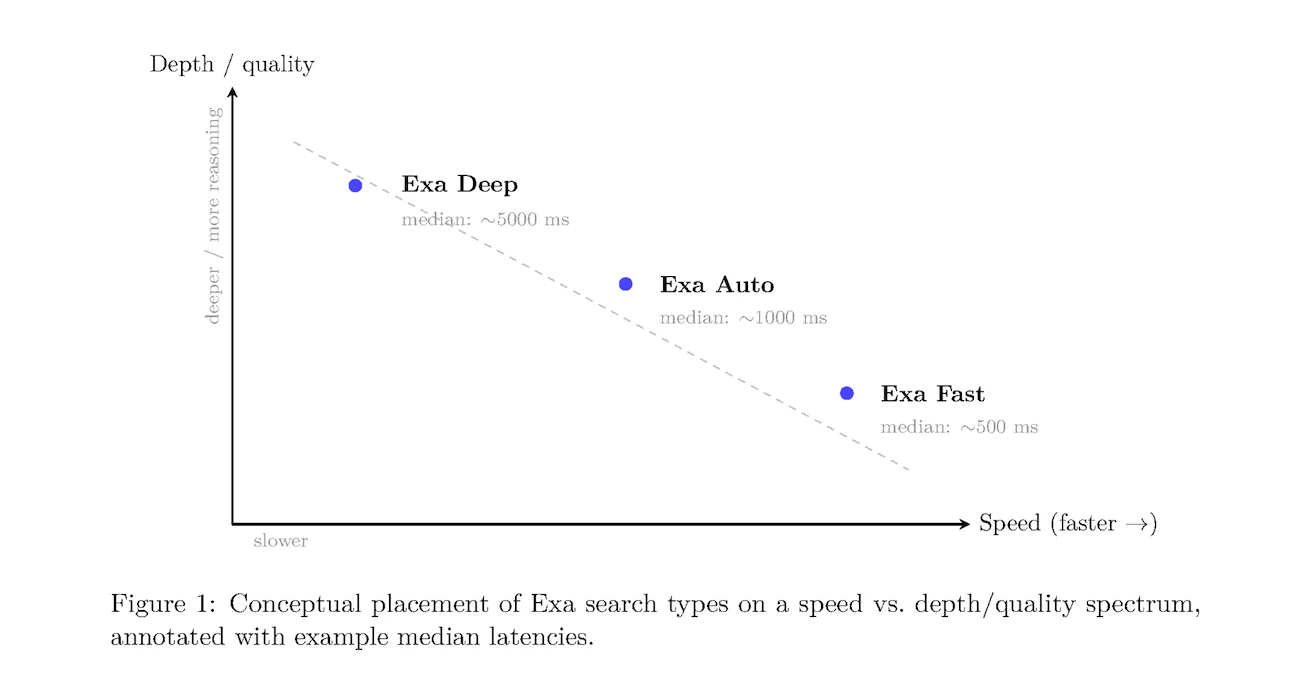
This document explains the functions behind the three steps of the fact-checker:
1. The LLM extracts verifiable claims from your text
2. Exa searches for relevant sources for each claim
3. The LLM evaluates each claim against its sources, returning whether or not its true, along with a confidence score.
See the full [step-by-step guide](/examples/identifying-hallucinations-with-exa) and [github repo](https://github.com/exa-labs/exa-hallucination-detector) if you'd like to recreate.
***
## Function breakdown
The `extract_claims` function uses an LLM (Anthropic's, in this case) to identify distinct, verifiable statements from your inputted text, returning these claims as a JSON array of strings.
For simpilicity, we did not include a try/catch block in the code below. However, if you are building your own hallucination detector, you should include one that catches any errors in the LLM parsing and uses a regex method that treats each sentence (text between capital letter and end punctuation) as a claim.
```python Python theme={null}
def extract_claims(text: str) -> List[str]:
"""Extract factual claims from the text using an LLM."""
system_message = SystemMessage(content="""
You are an expert at extracting claims from text.
Your task is to identify and list all claims present, true or false,
in the given text. Each claim should be a single, verifiable statement.
Present the claims as a JSON array of strings.
""")
human_message = HumanMessage(content=f"Extract factual claims from this text: {text}")
response = llm.invoke([system_message, human_message])
claims = json.loads(response.content)
return claims
```
The `exa_search` function uses Exa search to find evidence for each extracted claim. For every claim, it retrieves the 5 most relevant sources, formats them with their URLs and content (`text`), passing them to the next function for verification.
```python Python theme={null}
def exa_search(query: str) -> List[str]:
"""Retrieve relevant documents using Exa's semantic search."""
search = ExaSearchRetriever(k=5, text=True)
document_prompt = PromptTemplate.from_template("""
{url}{text}
""")
parse_info = RunnableLambda(
lambda document: {
"url": document.metadata["url"],
"text": document.page_content or "No text available",
}
)
document_chain = (parse_info | document_prompt)
search_chain = search | document_chain.map()
documents = search_chain.invoke(query)
return [str(doc) for doc in documents]
```
The `verify_claim` function checks each claim against the sources from `exa_search`. It uses an LLM to determine if the sources support or refute the claim and returns a decision with a confidence score. If no sources are found, it returns "insufficient information".
```python Python theme={null}
def verify_claim(claim: str, sources: List[str]) -> Dict[str, Any]:
"""Verify a single claim using combined Exa search sources."""
if not sources:
return {
"claim": claim,
"assessment": "Insufficient information",
"confidence_score": 0.5,
"supporting_sources": [],
"refuting_sources": []
}
combined_sources = "\n\n".join(sources)
system_message = SystemMessage(content="""
You are an expert fact-checker.
Given a claim and sources, determine whether the claim is supported,
refuted, or lacks sufficient evidence.
Provide your answer as a JSON object with assessment and confidence score.
""")
human_message = HumanMessage(content=f'Claim: "{claim}"\nSources:\n{combined_sources}')
response = llm.invoke([system_message, human_message])
return json.loads(response.content)
```
Using LLMs to extract claims and verify them against Exa search sources is a simple way to detect hallucinations in content. If you'd like to recreate it, the full documentation for the script is [here](/examples/identifying-hallucinations-with-exa) and the github repo is [here](https://github.com/exa-labs/exa-hallucination-detector).
---
# Source: https://exa.ai/docs/examples/demo-websets-news-monitor.md
> ## Documentation Index
> Fetch the complete documentation index at: https://exa.ai/docs/llms.txt
> Use this file to discover all available pages before exploring further.
# Websets News Monitor
> A live demo that monitors the web semantically using the Websets API.
***
# Overview
We created a Websets News Monitor that uses the Websets API to monitor the web semantically for queries like "startup funding round announcements" or "new product launches." Each tab uses a different Webset that updates daily using a monitor.
It demonstrates best practices for news monitoring including:
* Deduplicating articles about the same story
* Filtering out low-quality data sources
* Receiving real-time updates via webhooks
[View the full source code on GitHub](https://github.com/exa-labs/websets-news-monitor).
# How it Works
[Webhooks](/websets/api/webhooks) allow you to subscribe to real-time updates as your Websets run. We want to know when a Webset is created and items finish enriching, so we'll subscribe to `webset.created` and `webset.item.enriched`.
```javascript Javascript theme={null}
const exa = new Exa(process.env.EXA_API_KEY);
const webhookUrl = 'https://smee.io/123abc456def'; // Replace with your webhook handler endpoint
webhook = await exa.websets.webhooks.create({
url: webhookUrl,
events: [
EventType.webset_created,
EventType.webset_item_enriched,
],
});
console.log(`✅ Webhook created with ID: ${webhook.id}`);
console.log(`WEBHOOK_SECRET=${webhook.secret}`);
```
Save `webhook.secret`, we'll use it later to validate incoming webhook requests.
Now we'll create a Webset that searches for the types of articles we are looking for. Use `query` to direct the search and `criteria` to narrow down the results.
In this example we're looking for articles about recent startup fundraises.
```javascript Javascript theme={null}
const webset = await exa.websets.create({
search: {
query: "Startups that raised a funding round in the last 24 hours",
criteria: [
{
description: "Article is about a startup raising a funding round of at least $1M",
},
{
description: "Article published in a top 20 tech publication (TechCrunch, The Verge, Wired, etc.)",
},
{
description: "Article was published in the last 24 hours",
}
],
entity: { type: "article" },
behavior: "append",
count: 25
},
enrichments: [
{
description: "One sentence summary of the article using content not in the title",
format: "text",
}
]
});
console.log(`✅ Webset created with ID: ${webset.id}`);
```
We want our Webset to update with new articles daily, so we'll create a monitor with the `webset.id`. We set the `cadence` parameter to run daily and the `search` behavior so it looks for new results.
By default, monitors use the last search the Webset ran. When we created the Webset we used "in the last 24 hours" so it's always relative to when the monitor runs.
```javascript Javascript theme={null}
const monitor = await exa.websets.monitors.create({
websetId: webset.id,
behavior: { type: "search", config: { count: 10 } },
cadence: {
cron: "0 0 * * *", // Every day
timezone: "UTC"
}
});
console.log(`✅ Monitor created with ID: ${monitor.id}`);
```
Lastly, we need to create an endpoint to handle the webhook requests. We'll setup a Next.js route to handle POST requests and parse the event data.
For security purposes, you should verify the request's signature using the webhook secret from the first step. See the [signature verification guide](https://docs.exa.ai/websets/api/webhooks/verifying-signatures) for more info.
```javascript Javascript theme={null}
// app/api/webhook/route.ts
import { NextRequest, NextResponse } from 'next/server';
import { prisma } from '@/lib/prisma';
import { verifyWebhookSignature } from '@/lib/webhook';
import { exa } from '@/lib/exa';
import { embedText } from '@/lib/openai';
import { isDuplicate } from '@/lib/dedupe';
export async function POST(request: NextRequest) {
// Get the raw body for signature verification
const rawBody = await request.text();
const signatureHeader = request.headers.get('exa-signature') || '';
const webhookSecret = process.env.WEBHOOK_SECRET;
// Verify webhook signature
if (!verifyWebhookSignature(rawBody, signatureHeader, webhookSecret)) {
console.error('Invalid webhook signature');
return NextResponse.json({ error: 'Invalid signature' }, { status: 400 });
}
const body = JSON.parse(rawBody);
switch (body.type) {
case 'webset.created':
// Handle new Webset
break;
case 'webset.item.enriched':
// Handle new enriched item
break;
default:
break;
}
return NextResponse.json({
received: true,
type: body.type,
timestamp: new Date().toISOString()
});
```
View the full route implementation [here](https://github.com/exa-labs/websets-news-monitor/blob/main/src/app/api/webhook/route.ts).
# Semantic Whitelisting
We want our feeds to contain high-quality links and avoid SEO spam. This would normally require manually maintaining lists of domains to include/exclude from your results, but with Websets it's simple.
You can create criteria that function as a *semantic whitelist*, telling the LLM what kinds of articles to allow. Here's an example:
```
Article published in a top 20 tech publication (TechCrunch, The Verge, Wired, etc.)
```
You can see all of the criteria used in the demo [here](https://github.com/exa-labs/websets-news-monitor/blob/main/scripts/setup-websets.js).
# Storyline Deduplication
A common issue when monitoring news is handling multiple articles about the same storyline. Often you want to group articles by storyline or remove duplicates so users don't see repeated content.
In our demo, we solve this using embeddings, vector search, and an LLM to classify duplicates.
First, we'll embed the article's title using OpenAI's embedding API. We'll use the `text-embedding-3-small` model that produces vectors optimized for similarity comparisons.
```javascript Javascript theme={null}
import OpenAI from 'openai';
const openai = new OpenAI({
apiKey: process.env.OPENAI_API_KEY,
});
const response = await openai.embeddings.create({
model: 'text-embedding-3-small',
input: title,
dimensions: 1536,
});
const embedding = response.data[0].embedding;
```
Next, we use PostgreSQL's `pgvector` extension to find the 10 most similar articles from the last week.
```javascript Javascript theme={null}
import { prisma } from '@/lib/prisma';
const query = `
SELECT id, title, "publishedAt", embedding <+> $1::vector AS distance
FROM "Articles"
WHERE "publishedAt" >= NOW() - INTERVAL '7 days'
ORDER BY embedding <+> $1::vector
LIMIT 10;
`;
const similarArticles = await prisma.$queryRawUnsafe(query, embedding)
```
Finally, we'll use an LLM with structured outputs to classify whether the article is a duplicate. The LLM will look at the titles of similar articles and determine if they are about the same event.
```javascript Javascript theme={null}
const DuplicateCheck = z.object({
is_duplicate: z.boolean(),
});
const response = await openai.responses.parse({
model: 'gpt-4o-mini',
input: [
{
role: 'system',
content: 'You are a news deduplication assistant. Determine if stories are about the same event.'
},
{
role: 'user',
content: `Is this story a duplicate of any in the list? \nQuery story: "${title}" \nSimilar stories: ${similarArticles.map(item => item.title).join('\n')}`
}
],
text: {
format: zodTextFormat(DuplicateCheck, "duplicate_check"),
},
});
const isDuplicate = response.output_parsed.is_duplicate;
```
You can view the complete deduplication implementation [here](https://github.com/exa-labs/websets-news-monitor/blob/main/src/lib/dedupe.ts).
---
# Source: https://exa.ai/docs/changelog/domain-path-filter.md
> ## Documentation Index
> Fetch the complete documentation index at: https://exa.ai/docs/llms.txt
> Use this file to discover all available pages before exploring further.
# Domain Path Filter Support
> `includeDomains` and `excludeDomains` now support URL path filtering and subdomain wildcards.
***
**Date: August 4, 2025**
## What's New
The `includeDomains` and `excludeDomains` parameters now support:
* **Path-specific filtering**: Target specific sections of a domain by including the path
* **Subdomain wildcard matching**: Use `*.domain.com` to match all subdomains
## Examples
| Pattern | What it matches | Example URLs |
| ------------------------ | ------------------------------- | --------------------------------------------------------------------- |
| `"*.substack.com"` | Any subdomain of substack.com | `https://thehobbyist.substack.com/p/location-matters-6-days-273-bets` |
| `"exa.ai/blog"` | Only the blog section of exa.ai | `https://exa.ai/blog/meet-the-exacluster` |
| `"linkedin.com/company"` | Company profiles on LinkedIn | `https://www.linkedin.com/company/exa-ai` |
## When to Use Path Filtering
Path filtering is useful for things like:
1. **Blogs**: Search within blogs like `stripe.com/blog`, `openai.com/blog`, or `stratechery.com/2025`
2. **Product Catalogs**: Query product pages like `amazon.com/dp`, `etsy.com/listing`, or `ikea.com/us/en/cat`
3. **Directories**: Search specific directories like `ycombinator.com/companies`, `crunchbase.com/organization`, or `github.com/orgs`
## How To Use Path Filtering
You can use the same `includeDomains` and `excludeDomains` parameters:
```python Python theme={null}
result = exa.search_and_contents(
"gradient descent",
type="auto",
livecrawl="never",
includeDomains=["https://explained.ai", "https://huggingface.co/blog"],
num_results=10
)
```
```javascript JavaScript theme={null}
const result = await exa.searchAndContents(
"gradient descent",
{
type: "auto",
livecrawl: "never",
includeDomains: ["https://explained.ai", "https://huggingface.co/blog"],
numResults: 10
}
);
```
```bash cURL theme={null}
curl -X POST https://api.exa.AI/search \
-H "x-api-key: YOUR_API_KEY" \
-H "Content-Type: application/json" \
-d '{
"query": "gradient descent",
"type": "auto",
"includeDomains": ["https://explained.ai", "https://huggingface.co/blog"],
"numResults": 10
}'
```
## Need Help?
If you have any questions about domain filtering or need help with your specific use case, please reach out to [hello@exa.ai](mailto:hello@exa.ai).
---
# Source: https://exa.ai/docs/reference/error-codes.md
> ## Documentation Index
> Fetch the complete documentation index at: https://exa.ai/docs/llms.txt
> Use this file to discover all available pages before exploring further.
# Error Codes
> Reference for common error codes used by the Exa API
## API errors
| Code | Overview |
| --------------------------- | ------------------------------------------------------------------------------------------------------------------------------------------------------------------------------------------------------------------------------------------------------------ |
| 400 - Bad Request | **Cause:** Invalid request parameters, malformed JSON, missing required fields **Solution:** Check request body format, validate parameters, ensure API key is correctly formatted |
| 401 - Unauthorized | **Cause:** Missing or invalid API key **Solution:** Verify your API key is correct and active, ensure proper authentication headers |
| 402 - Payment Required | **Cause:** Account credits exhausted or API key spending budget exceeded **Solution:** Top up credits at [dashboard.exa.ai](https://dashboard.exa.ai) or contact your team administrator to increase the API key budget |
| 403 - Forbidden | **Cause:** Valid API key but insufficient permissions, feature disabled for your plan, or content blocked by policy **Solution:** Check feature access permissions for your plan, verify the content is not blocked by robots.txt or content moderation |
| 404 - Not Found | **Cause:** Resource not found (e.g., Webset, task, or URL doesn't exist) **Solution:** Verify the resource identifier exists and is accessible |
| 409 - Conflict | **Cause:** Resource already exists (e.g., Webset with same externalId) **Solution:** Use a different identifier or update the existing resource |
| 422 - Unprocessable Entity | **Cause:** Request was well-formed but a specific URL could not be processed **Solution:** Verify the URL is valid and accessible, then retry |
| 429 - Too Many Requests | **Cause:** Rate limit exceeded **Solution:** Implement exponential backoff and reduce request rate |
| 500 - Internal Server Error | **Cause:** Issue on our servers **Solution:** Retry your request after a brief wait and contact us if the issue persists |
| 501 - Not Implemented | **Cause:** Unable to generate a response for the given query with the available information **Solution:** Try rephrasing your query or adjusting parameters |
| 502 - Bad Gateway | **Cause:** Upstream server issue **Solution:** Retry the request after a brief delay |
| 503 - Service Unavailable | **Cause:** Service temporarily down **Solution:** Retry after delay, check for maintenance announcements |
## Error Response Structure
All error responses include a `requestId` field, `error` message, and an error `tag`:
```json theme={null}
{
"requestId": "67207943fab9832d162b5317f4cca830",
"error": "Invalid request body | Validation error: Invalid enum value. Expected 'never' | 'always' | 'fallback' | 'auto' | 'preferred' | 'fallback1.6', received 'alwayss' at \"livecrawl\"",
"tag": "INVALID_REQUEST_BODY"
}
```
Include the `requestId` when contacting support for faster troubleshooting. The `tag` field identifies the specific error type programmatically.
Rate limit errors (429) use a simpler response format with only an `error` field:
```json theme={null}
{
"error": "You've exceeded your Exa rate limit of 10 requests per second. If you want this increased, please email hello@exa.ai :)"
}
```
## API Error Tags
Error tags provide programmatic identification of the specific error. Use the `tag` field in the response to handle errors in your code.
### Authentication & Authorization
| Tag | HTTP Code | Description |
| ------------------------- | --------- | -------------------------------------------------------------------------------------- |
| `INVALID_API_KEY` | `401` | API key is missing, empty, or invalid |
| `NO_MORE_CREDITS` | `402` | Account credits are exhausted — top up at [dashboard.exa.ai](https://dashboard.exa.ai) |
| `API_KEY_BUDGET_EXCEEDED` | `402` | API key has exceeded its spending budget — contact your team administrator |
| `ACCESS_DENIED` | `403` | Feature requires a specific flag or permission you don't have |
| `FEATURE_DISABLED` | `403` | Feature is disabled for your plan type |
| `ROBOTS_FILTER_FAILED` | `403` | All requested URLs were blocked by robots.txt |
| `PROHIBITED_CONTENT` | `403` | Request blocked by content safety moderation |
| `CONTENT_FILTER_ERROR` | `403` | Content was filtered due to safety policy |
### Request Validation
| Tag | HTTP Code | Description |
| ---------------------- | --------- | ----------------------------------------------------------------------------------------- |
| `INVALID_REQUEST_BODY` | `400` | Request body failed validation (malformed JSON, missing fields, invalid parameter values) |
| `INVALID_REQUEST` | `400` | Conflicting parameters (e.g., setting both `livecrawl` and `maxAgeHours`) |
| `INVALID_URLS` | `400` | One or more URLs/IDs are in an invalid format |
| `INVALID_NUM_RESULTS` | `400` | `numResults` must be ≤ 100 when using highlights |
| `INVALID_FLAGS` | `400` | Unrecognized flags in request |
| `INVALID_JSON_SCHEMA` | `400` | Provided JSON schema is invalid (used by `/answer`) |
| `NUM_RESULTS_EXCEEDED` | `400` | Requested number of results exceeds your plan's limit |
| `NO_CONTENT_FOUND` | `400` | No contents could be found for the given URLs |
### Processing Errors
| Tag | HTTP Code | Description |
| ----------------------------- | --------- | ------------------------------------------------------------ |
| `FETCH_DOCUMENT_ERROR` | `422` | A specific URL could not be processed |
| `UNABLE_TO_GENERATE_RESPONSE` | `501` | Unable to generate a response with the available information |
| `DEFAULT_ERROR` | `500` | Unexpected server error — retry after a brief wait |
| `INTERNAL_ERROR` | `500` | Unclassified internal error — retry after a brief wait |
## Content Fetch Status Tags
When using the `/contents` endpoint (or `/search` with `contents` options), per-URL errors are returned in the `statuses` field rather than as HTTP error codes. This allows for granular error handling when fetching multiple URLs.
```json theme={null}
{
"results": [...],
"statuses": [
{
"id": "https://example.com",
"status": "error",
"error": {
"tag": "CRAWL_NOT_FOUND",
"httpStatusCode": 404
}
}
]
}
```
| Tag | HTTP Code | Description | How to Handle |
| ------------------------- | --------- | ------------------------------------------------ | ------------------------------------------------------------------ |
| `CRAWL_NOT_FOUND` | `404` | Content not found at the specified URL | Verify the URL is correct and accessible |
| `CRAWL_TIMEOUT` | `408` | Request timed out while fetching content | Retry the request or increase timeout if available |
| `CRAWL_LIVECRAWL_TIMEOUT` | `408` | Live crawl operation timed out | Try again with `livecrawl: "fallback"` or `livecrawl: "never"` |
| `SOURCE_NOT_AVAILABLE` | `403` | Access forbidden or source unavailable | Check if the source requires authentication or is behind a paywall |
| `UNSUPPORTED_URL` | — | URL scheme is not supported for content fetching | Use a standard HTTP/HTTPS URL |
| `CRAWL_UNKNOWN_ERROR` | `500+` | Other crawling errors | Retry the request; contact support if persistent |
## Getting Help
If you encounter persistent errors or need clarification on error codes:
* Check the [Rate Limits](/reference/rate-limits) page for current limits
* Review the [API Reference](/reference/search) for parameter requirements
* Contact support at [hello@exa.ai](mailto:hello@exa.ai) with error details and request IDs
---
# Source: https://exa.ai/docs/reference/evaluating-exa-search.md
> ## Documentation Index
> Fetch the complete documentation index at: https://exa.ai/docs/llms.txt
> Use this file to discover all available pages before exploring further.
# How to Evaluate Exa Search
> Comprehensive guide to benchmarking Exa's search API: methodology, optimal settings, datasets, and quality-latency tradeoffs
## Overview
Evaluating search APIs requires careful methodology to ensure fair, reproducible comparisons. This guide provides a framework for assessing Exa's search capabilities across multiple dimensions:
* **Retrieval Quality**: Accuracy and relevance of returned results
* **Latency**: Response time from query to results
* **Freshness**: Ability to retrieve up-to-date information
* **Cost Efficiency**: Value delivered per API call
* **Agentic Suitability**: Performance in multi-step reasoning workflows
Exa is designed to excel across different use cases:
* **Deep Research**: Multi-hop queries requiring comprehensive context and query expansion
* **Agentic Workflows**: Complex tasks involving multiple search iterations and reasoning steps
* **Low-Latency QA**: Fast factual question-answering for real-time applications
* **Semantic Discovery**: Finding conceptually related content beyond keyword matching
### Best Practice: Start with Defaults
**The most important recommendation for fair evaluation: use Exa's default settings.**
Adding restrictive parameters (date filters, domain restrictions, text inclusion/exclusion) often causes agents to over-optimize in non-meaningful ways, unnecessarily limiting results and reducing quality without providing valuable insights. Unless your evaluation specifically tests a filtered use case, avoid adding constraints that don't reflect real-world usage.
**Recommended minimal configuration:**
```python theme={null}
# Option 1: Use text with character limit (recommended for consistent comparisons)
exa.search_and_contents(
query,
type="auto", # or "fast" (for `Deep`, see Option 2)
num_results=10,
text={"max_characters": 15000}
)
# Option 2: Use highlights for targeted excerpts
# exa.search_and_contents(
# query,
# type="auto",
# num_results=10,
# highlights={"max_characters": 2000}
# )
# Option 3: Use context string for RAG (single string with total max characters)
# Note: `Deep` search may require context=True to return results
# exa.search_and_contents(
# query,
# type="deep",
# additional_queries=["variation 1", "variation 2"], # Optional query variations
# num_results=10,
# context={"max_characters": 20000}
# )
# Option 4: Use full text (may result in very long content)
# exa.search_and_contents(
# query,
# type="auto",
# num_results=10,
# text=True
# )
```
Setting a consistent `max_characters` ensures fair comparisons by standardizing content length across all queries. The `context` parameter returns a single RAG-ready string, while `text` returns individual content for each result. **Note: `Deep` search may require `context=True` to return detailed summaries.** Only add additional parameters (date filters, domain restrictions, etc.) when they're essential to your specific evaluation objective.
### Compare Within Latency Classes
**Critical: Always find the closest competitor in terms of P50 latency for meaningful comparisons.**
Don't compare systems with vastly different latency profiles — a 500ms API serves different use cases than a 5000ms API. Instead, benchmark within similar latency ranges:
* **For Exa Fast (\<500ms)**: Compare to other sub-1s APIs with similar latency
* **For Exa Auto (\~1s)**: Compare to mid-latency systems (800ms-1500ms)
* **For Exa Deep (>2s)**: Compare to other multi-second agentic/research systems
Comparing across latency classes (e.g., `Fast` vs `Deep`) is not meaningful — they're optimized for different requirements and use cases.
## Search Types: Understanding the Quality-Latency Spectrum
Exa offers four search types, each optimized for different evaluation scenarios:
### Fast Search
**Optimized for**: Speed-critical applications
**Characteristics**:
* Median latency: \~500ms (excluding network and optional features)
* Streamlined neural and reranking models
* Best for single-step factual queries
**When to benchmark with Fast**:
* Low-latency QA datasets (SimpleQA, WebWalkerQA)
* Real-time applications (voice agents, autocomplete)
* High-volume agentic workflows where latency accumulates
**Example configuration**:
```python theme={null}
result = exa.search_and_contents(
"latest AI breakthroughs in 2025",
type="fast",
num_results=10,
text={"max_characters": 15000}
)
```
### Auto Search (Default)
**Optimized for**: Balanced performance without manual tuning
**Characteristics**:
* Median latency: \~1000ms
* Intelligently combines multiple search methods
* Reranker model adapts to query type
**When to benchmark with Auto**:
* General-purpose search evaluations
* When query types vary significantly
* Production workloads requiring versatility
**Example configuration**:
```python theme={null}
result = exa.search_and_contents(
"companies building climate tech solutions",
type="auto", # or omit - auto is default
num_results=10,
text={"max_characters": 15000}
)
```
### Deep Search
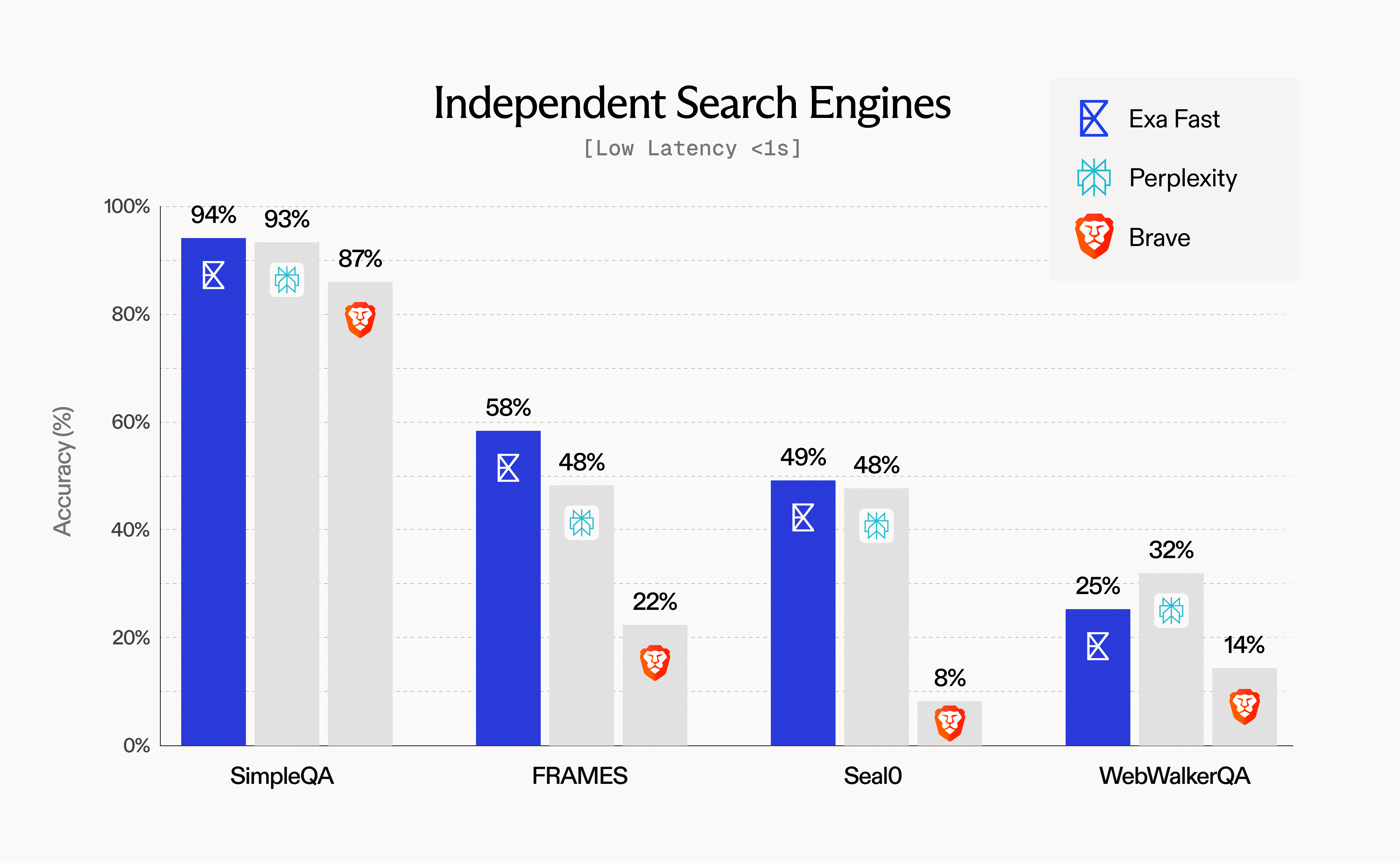
Learn more about Deep search in our [Deep Search changelog](/docs/changelog/new-deep-search-type).
**Optimized for**: Comprehensive research and multi-hop queries
**Characteristics**:
* Median latency: \~5000ms
* Automatic query expansion or custom query variations via `additional_queries` (Python) / `additionalQueries` (JavaScript)
* Rich contextual summaries for each result (requires `context=True`)
* Parallel search across multiple query formulations
**Using query variations**: Provide 2-3 query variations using `additional_queries` (Python) or `additionalQueries` (JavaScript) for best results. If not provided, Deep search will automatically generate variations.
**When to benchmark with Deep**:
* Agentic workflows (FRAMES, MultiLoKo, BrowseComp)
* Complex research tasks requiring multiple perspectives
* Scenarios where comprehensive coverage matters more than speed
**Example configuration**:
```python theme={null}
result = exa.search_and_contents(
"impact of quantum computing on cryptography",
type="deep",
additional_queries=[
"quantum threats to encryption",
"post-quantum cryptography research"
],
num_results=10,
text=True,
context=True # Required for `Deep` search summaries
)
```
### Neural Search
**Optimized for**: Semantic similarity and exploratory queries
**Characteristics**:
* Embeddings-based next-link prediction
* Excels at thematic and conceptual relationships
* Incorporated into Fast and Auto search types
**When to benchmark with Neural**:
* Exploratory search tasks
* Finding semantically related content
* Long-form query matching
## Evaluating Exa with Tool Calling
For evaluating Exa in agentic workflows where LLMs autonomously call search tools, proper tool calling setup is critical. Tool calling allows agents to dynamically invoke Exa search based on user queries and reasoning steps.
### Why Tool Calling Matters for Evaluation
When benchmarking agentic systems:
* **Agents decide when to search**: The LLM determines if/when to call Exa based on the task
* **Dynamic parameter selection**: Agents may choose search parameters (though we recommend minimal defaults)
* **Multi-step workflows**: Agents can make multiple Exa calls in sequence or parallel
### Tool Calling Best Practices for Evaluation
1. **Keep tool definitions minimal**: Don't expose too many parameters to the agent — this encourages over-filtering
2. **Use consistent tool schemas**: Standardize tool definitions across all evaluated systems
3. **Monitor tool call patterns**: Track how often and when agents invoke Exa vs competitors
### Implementation Guides
See our detailed guides for implementing Exa with popular LLM providers:
* **[Anthropic Tool Calling](/reference/anthropic-tool-calling)** - Using Claude with Exa search integration
* **[OpenAI Tool Calling](/reference/openai-tool-calling)** - Integrating Exa with GPT models
* **[OpenAI Responses API](/reference/openai-responses-api-with-exa)** - Recommended for new OpenAI projects
These guides show how to define Exa search as a tool and handle the agent's tool call responses properly.
***
## Evaluation Methodology
### Core Principles for Fair Benchmarking
To ensure reproducible, meaningful comparisons:
1. **Use default settings**: Start with minimal parameters (`type`, `num_results`, `text`). Avoid adding restrictive filters (date ranges, domains, text inclusion/exclusion) unless they're core to your evaluation — these often cause over-optimization that artificially limits results without meaningful benefit.
2. **Standardize queries**: Use identical query sets across all systems
3. **Control downstream processing**: Use the same LLM for answer synthesis and grading
4. **Disable prompt engineering**: Evaluate base API performance without query optimization
5. **Measure consistently**: Track P50 latency, accuracy, and coverage using identical metrics
6. **Document configurations**: Record all parameter settings for reproducibility
### Four-Phase Evaluation Workflow
#### Phase 1: Scope Definition
Define evaluation objectives:
* What capabilities are you testing? (factual QA, research depth, freshness, etc.)
* What latency requirements matter for your use case?
* Are you evaluating single-step retrieval or multi-step agentic workflows?
#### Phase 2: Dataset Selection
Choose benchmarks aligned with your scope (see Datasets section below):
* **Low-latency factual QA**: SimpleQA, WebWalkerQA
* **Single-step retrieval**: FRAMES (single-step slice), Seal0
* **Agentic workflows**: FRAMES (agentic slice), MultiLoKo, BrowseComp
* **Complex reasoning**: HLE (hard, long, emerging questions)
* **Freshness**: FreshQA, time-sensitive queries
#### Phase 3: Run Configurations
Execute standardized retrieval-synthesis-grading loop:
```python theme={null}
# 1. Retrieval step
results = exa.search_and_contents(
query,
type="auto", # or "fast", "deep"
num_results=10,
text={"max_characters": 15000}
)
# 2. Answer synthesis (downstream LLM restricted to retrieved context)
context = "\n\n".join([r.text for r in results.results])
answer = llm.generate(
f"Answer the question using only the provided context.\n\n"
f"Context: {context}\n\n"
f"Question: {query}\n\n"
f"Answer:"
)
# 3. Grading (LLM-based correctness evaluation)
grade = grading_llm.evaluate(
question=query,
expected_answer=ground_truth,
generated_answer=answer
)
# Returns: "correct", "partial", or "incorrect"
```
#### Phase 4: Results Analysis
Aggregate metrics:
* **Accuracy**: Percentage of correct answers
* **Partial-credit accuracy**: Weighted score (e.g., correct=1.0, partial=0.5, incorrect=0.0)
* **Retrieval coverage**: Percentage of queries where relevant information was retrieved
* **P50 latency**: Median response time across all queries
* **Cost per query**: Total API cost divided by number of queries
## Optimal Exa Settings for Evaluation
### Configuration Parameters
| Parameter | Purpose | Evaluation Recommendations |
| ------------------------------------------ | ---------------------------- | -------------------------------------------------------------------------------------------------------------------------- |
| `type` | Search method | Match to benchmark type (fast/auto/deep) |
| `num_results` | Number of results | Fix at 10 for consistency across comparisons |
| `text` | Retrieve full content | Set to `true` for RAG-style evaluation |
| `context` | Get AI-generated summaries | Set to `true` for Deep search |
| `livecrawl` | Real-time web fetching | Default `"fallback"` is recommended; use `"preferred"` for freshness tests |
| `additional_queries` / `additionalQueries` | Query variations (Deep only) | Provide 2-3 variations for best Deep search results. Use `additional_queries` in Python, `additionalQueries` in JavaScript |
### Recommended Configuration Templates
#### Fast-Baseline Configuration
For latency-sensitive evaluations:
```python Python theme={null}
result = exa.search_and_contents(
query,
type="auto",
num_results=10,
text={"max_characters": 15000}
)
```
```javascript JavaScript theme={null}
const result = await exa.searchAndContents(query, {
type: "auto",
numResults: 10,
text: {maxCharacters: 15000}
});
```
```bash cURL theme={null}
curl -X POST https://api.exa.ai/search \
-H "x-api-key: YOUR_API_KEY" \
-H "Content-Type: application/json" \
-d '{
"query": "your query here",
"type": "auto",
"num_results": 10,
"contents": {"text": {"max_characters": 15000}}
}'
```
#### Auto-Quality Configuration
For balanced evaluations:
```python Python theme={null}
result = exa.search_and_contents(
query,
type="auto",
num_results=10,
text={"max_characters": 15000}
)
```
```javascript JavaScript theme={null}
const result = await exa.searchAndContents(query, {
type: "auto",
numResults: 10,
text: {maxCharacters: 15000}
});
```
#### Highlights Configuration
For targeted excerpts 2000 characters of highlight extracts.
```python Python theme={null}
result = exa.search_and_contents(
query,
type="auto",
num_results=10,
highlights={"max_characters": 2000}
)
```
```javascript JavaScript theme={null}
const result = await exa.searchAndContents(query, {
type: "auto",
numResults: 10,
highlights: {maxCharacters: 2000}
});
```
#### Deep-Comprehensive Configuration
For agentic and research evaluations:
```python Python theme={null}
result = exa.search_and_contents(
query,
type="deep",
additional_queries=[variation1, variation2],
num_results=10,
text=True,
context=True,
livecrawl="fallback"
)
```
```javascript JavaScript theme={null}
const result = await exa.searchAndContents(query, {
type: "deep",
additionalQueries: [variation1, variation2],
numResults: 10,
text: true,
context: true,
livecrawl: "fallback"
});
```
## Choosing Datasets for Evaluation
### Benchmark-to-Search-Type Mapping
| Benchmark | Description | Recommended Search Type | Focus Area |
| ------------------------ | ---------------------------------------- | -------------------------------------- | ---------------------------- |
| **SimpleQA** | Single-step factual questions | `Fast`, `Auto` | Low-latency QA accuracy |
| **FRAMES** (single-step) | Straightforward retrieval tasks | `Fast`, `Auto` | Single-hop retrieval quality |
| **FRAMES** (agentic) | Multi-step reasoning requiring iteration | `Deep` | Agentic workflow performance |
| **MultiLoKo** | Multi-hop knowledge queries | `Deep` | Complex reasoning chains |
| **BrowseComp** | Web browsing comprehension | `Deep` | Context understanding |
| **Seal0** | General search quality | `Fast`, `Auto`, `Deep` | Overall performance |
| **WebWalkerQA** | Navigation-style queries | `Fast`, `Auto` | Real-world search scenarios |
| **HLE** | Hard, long, emerging questions | `Deep` | Difficult edge cases |
| **FreshQA** | Time-sensitive queries | All types with `livecrawl="preferred"` | Freshness/timeliness |
### Dataset Characteristics
#### SimpleQA
* **Purpose**: Tests fast, factual question-answering
* **Query style**: "What is the capital of France?", "Who invented the telephone?"
* **Evaluation focus**: Accuracy and latency for straightforward queries
* **Exa configuration**: Fast search with cached content
#### FRAMES
* **Purpose**: Evaluates both single-step and multi-step retrieval
* **Two slices**:
* Single-step: Direct queries answerable from one search
* Agentic: Complex queries requiring multiple search iterations
* **Evaluation focus**: Versatility across task complexity
* **Exa configuration**: `Fast`/`Auto` for single-step, `Deep` for agentic
#### MultiLoKo & BrowseComp
* **Purpose**: Multi-hop reasoning and deep comprehension
* **Query style**: Questions requiring synthesis across multiple sources
* **Evaluation focus**: Quality of context and reasoning support
* **Exa configuration**: `Deep` search with query expansion
#### Seal0
* **Purpose**: General search quality benchmark
* **Query style**: Diverse real-world queries
* **Evaluation focus**: Overall retrieval accuracy
* **Exa configuration**: All search types (compare performance)
#### HLE (Hard, Long, Emerging)
* **Purpose**: Stress-test with difficult queries
* **Query style**: Complex, lengthy queries about recent topics
* **Evaluation focus**: Handling edge cases and emerging information
* **Exa configuration**: `Deep` search with livecrawling
## Benchmark Results
### Low-Latency Search Engines
Performance on speed-critical tasks (latency \<1s):
**Key findings**:
* Exa Fast achieves 94% accuracy on SimpleQA with median latency \<500ms
* Strong performance across multiple benchmarks while maintaining speed advantage
* Ideal for real-time applications and high-volume agent workflows
### Agentic Search APIs
Performance on complex, multi-step tasks (latency >2s):
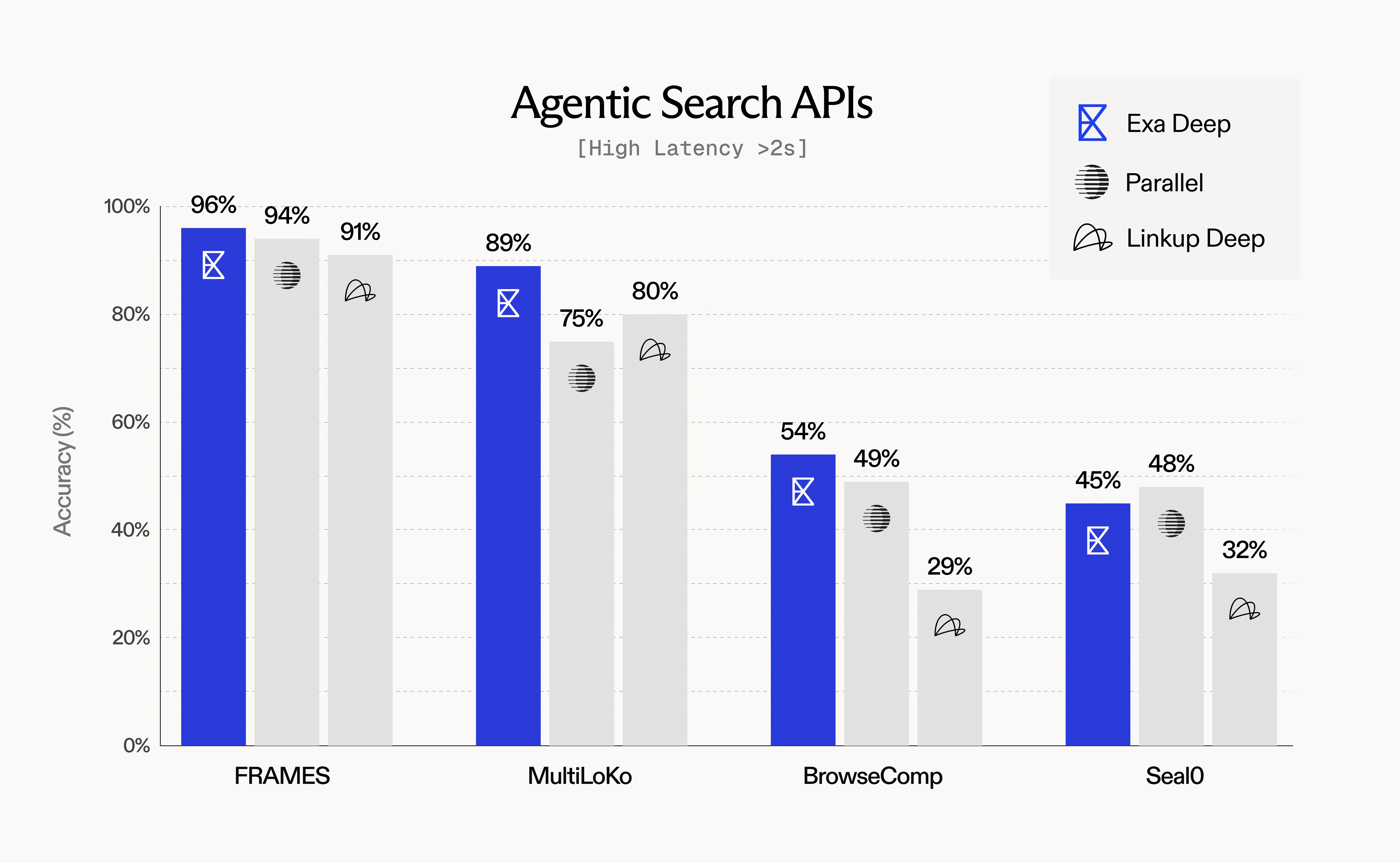
**Key findings**:
* Exa Deep leads on FRAMES (96%) and MultiLoKo (89%) benchmarks
* Query expansion and rich context enable superior agentic performance
* Higher latency justified by comprehensive, high-quality results
## Quality-Latency Tradeoffs
### Understanding the Spectrum
Different use cases require different points on the quality-latency spectrum:
| Use Case | Priority | Recommended Type | Expected Latency | Quality Characteristics |
| ---------------------- | -------- | ---------------- | ---------------- | ---------------------------- |
| Voice agents | Speed | `Fast` | \<500ms | Good factual accuracy |
| Chatbot grounding | Balanced | `Auto` | \~1000ms | Versatile, high quality |
| Research assistant | Depth | `Deep` | \~5000ms | Comprehensive, multi-faceted |
| Batch enrichment | Quality | `Deep` | \~5000ms | Maximum coverage |
| Real-time autocomplete | Speed | `Fast` | \<500ms | Relevant suggestions |
### Interpreting Tradeoffs
When analyzing evaluation results:
1. **Don't compare across latency classes**: `Fast` search at 500ms vs `Deep` search at 5000ms serve different purposes. **Always find the closest competitor in terms of latency for meaningful comparisons** — compare systems with similar P50 latency ranges.
2. **Benchmark within peer groups**:
* Compare Exa Fast (\<500ms) to other sub-1s APIs
* Compare Exa Auto (\~1s) to similar mid-latency systems
* Compare Exa Deep (>2s) to other agentic/research-oriented systems
3. **Consider total workflow time**: For multi-step agents, `Fast` search may complete the entire workflow faster than `Deep` search on a single query
4. **Account for quality requirements**: If accuracy >90% is required, accept higher latency; if \<1s is required, accept some quality tradeoff
### Factors That Impact Latency
Beyond search type selection, several parameters affect response time:
| Parameter | Latency Impact | Recommendation |
| ----------------------------------------------- | -------------- | ----------------------------------- |
| `livecrawl="preferred"` | +500-2000ms | Use only when freshness is critical |
| `livecrawl="fallback"` | Variable | Balanced freshness/speed (default) |
| AI-generated summaries | +300-800ms | Evaluate necessity vs speed |
| `num_results > 10` | +50-200ms | Keep at 10 for fair comparisons |
| Complex date filters | +100-300ms | Simplify when possible |
| Text filtering (`include_text`, `exclude_text`) | +100-500ms | Use sparingly |
## Running Production-Grade Evaluations
### Example: SimpleQA Evaluation Script
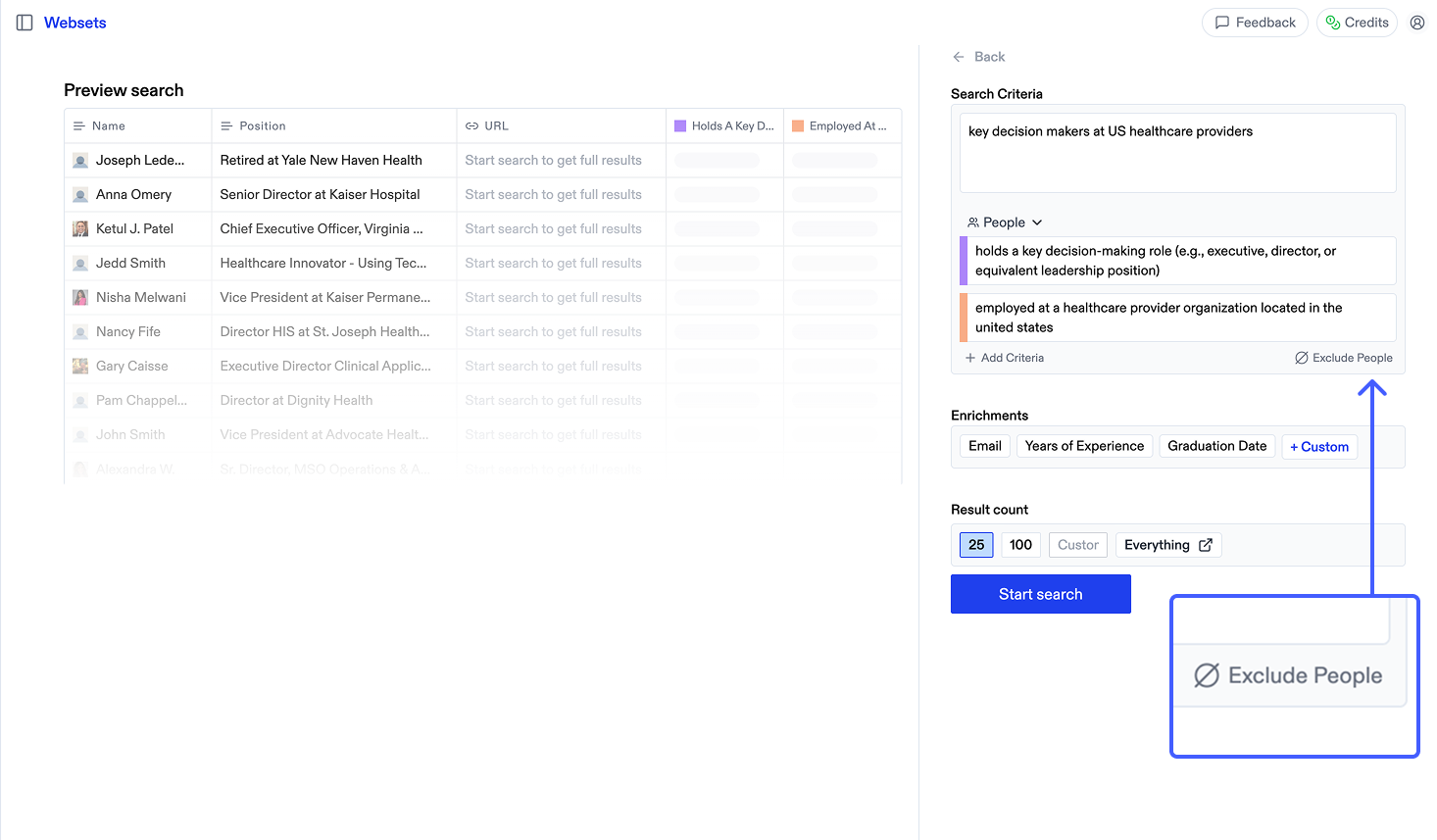
```python Python theme={null}
from exa_py import Exa
import json
from datetime import datetime
exa = Exa(api_key="YOUR_API_KEY")
def evaluate_simpleqa(dataset_path, config):
"""
Run SimpleQA evaluation with specified configuration.
Args:
dataset_path: Path to SimpleQA JSON file
config: Dict with keys: type, num_results, text, livecrawl
"""
with open(dataset_path) as f:
questions = json.load(f)
results = []
latencies = []
for item in questions:
query = item['question']
ground_truth = item['answer']
# Retrieval
start = datetime.now()
search_result = exa.search_and_contents(
query,
type=config['type'],
num_results=config['num_results'],
text=config['text'],
livecrawl=config['livecrawl']
)
latency = (datetime.now() - start).total_seconds() * 1000
latencies.append(latency)
# Synthesis (using your LLM)
context = "\n\n".join([r.text for r in search_result.results])
answer = your_llm.generate(
f"Answer concisely using only the context.\n\n"
f"Context: {context}\n\n"
f"Question: {query}\n\n"
f"Answer:"
)
# Grading (using your grading LLM)
grade = grading_llm.evaluate(
question=query,
expected=ground_truth,
generated=answer
)
results.append({
'query': query,
'grade': grade,
'latency_ms': latency
})
# Calculate metrics
accuracy = sum(1 for r in results if r['grade'] == 'correct') / len(results)
p50_latency = sorted(latencies)[len(latencies) // 2]
return {
'accuracy': accuracy,
'p50_latency_ms': p50_latency,
'total_queries': len(results),
'config': config
}
# Run evaluation
config = {
'type': 'auto',
'num_results': 10,
'text': {'max_characters': 15000}
}
results = evaluate_simpleqa('simpleqa.json', config)
print(f"Accuracy: {results['accuracy']:.2%}")
print(f"P50 Latency: {results['p50_latency_ms']:.0f}ms")
```
```javascript JavaScript theme={null}
import Exa from 'exa-js';
import fs from 'fs/promises';
const exa = new Exa("YOUR_API_KEY");
async function evaluateSimpleQA(datasetPath, config) {
const data = JSON.parse(await fs.readFile(datasetPath, 'utf8'));
const results = [];
const latencies = [];
for (const item of data) {
const { question, answer: groundTruth } = item;
// Retrieval
const start = Date.now();
const searchResult = await exa.searchAndContents(question, {
type: config.type,
numResults: config.numResults,
text: config.text,
livecrawl: config.livecrawl
});
const latency = Date.now() - start;
latencies.push(latency);
// Synthesis
const context = searchResult.results
.map(r => r.text)
.join('\n\n');
const answer = await yourLLM.generate(
`Answer concisely using only the context.\n\n` +
`Context: ${context}\n\n` +
`Question: ${question}\n\n` +
`Answer:`
);
// Grading
const grade = await gradingLLM.evaluate({
question,
expected: groundTruth,
generated: answer
});
results.push({ question, grade, latency });
}
// Calculate metrics
const accuracy = results.filter(r => r.grade === 'correct').length / results.length;
const p50Latency = latencies.sort((a, b) => a - b)[Math.floor(latencies.length / 2)];
return { accuracy, p50Latency, totalQueries: results.length, config };
}
// Run evaluation
const config = {
type: 'auto',
numResults: 10,
text: {maxCharacters: 15000}
};
const results = await evaluateSimpleQA('simpleqa.json', config);
console.log(`Accuracy: ${(results.accuracy * 100).toFixed(1)}%`);
console.log(`P50 Latency: ${results.p50Latency}ms`);
```
### Multi-Configuration Comparison
Best practice: Run multiple configurations to understand tradeoffs:
```python theme={null}
configs = [
{'name': 'Fast', 'type': 'fast'},
{'name': 'Auto', 'type': 'auto'},
{'name': 'Deep', 'type': 'deep'},
]
for config in configs:
results = evaluate_simpleqa('simpleqa.json', config)
print(f"{config['name']}: {results['accuracy']:.1%} @ {results['p50_latency_ms']:.0f}ms")
```
Example output:
```
`Fast`: 94.2% @ 450ms
`Auto`: 95.8% @ 1050ms
`Deep`: 97.2% @ 4950ms
```
## Recommendations
### For Low-Latency QA Benchmarks
**Datasets**: SimpleQA, WebWalkerQA, Seal0 (single-step)
**Configuration**:
* Use `type="fast"` or `type="auto"`
* Fix `num_results=10`
* Use `text={"max_characters": 15000}` for consistent context length
**Expected performance**:
* Accuracy: 90-95% on factual queries
* Latency: 400-600ms (Fast), 900-1200ms (Auto)
### For Agentic Workflow Benchmarks
**Datasets**: FRAMES (agentic), MultiLoKo, BrowseComp, HLE
**Configuration**:
* Use `type="deep"`
* Provide 2-3 query variations via `additional_queries` (Python) / `additionalQueries` (JavaScript) for best results
* Enable `context=True` for rich summaries
* Set `livecrawl="fallback"` for freshness
**For tool calling evaluations**: See the [Evaluating Exa with Tool Calling](#evaluating-exa-with-tool-calling) section below for guidance on setting up agents to autonomously invoke Exa search.
**Expected performance**:
* Accuracy: 85-96% on complex multi-hop queries
* Latency: 4000-6000ms
* Higher comprehensive coverage vs single-query search
### For Freshness Benchmarks
**Datasets**: FreshQA, time-sensitive custom queries
**Configuration**:
* Use any search type based on latency requirements
* Set `livecrawl="preferred"` or `livecrawl="fallback"`
* Include recent date filters if needed
**Expected performance**:
* Freshness: Up-to-date information from recent sources
* Latency: +500-2000ms vs cached content
### For Production Deployment
1. **Run comparative benchmarks** across `Fast`, `Auto`, and `Deep` to understand your quality-latency frontier
2. **Match search type to use case**:
* Real-time user-facing: `Fast`
* General chatbot/assistant: `Auto`
* Deep research/agent workflows: `Deep`
3. **Monitor in production**: Track accuracy, latency, and cost metrics continuously
4. **Optimize parameters**: Adjust `livecrawl`, `num_results`, and content options based on actual usage patterns
5. **Document your evaluation**: Record configurations, datasets, and results for reproducibility
### For Meaningful Cross-System Comparisons
1. **Standardize everything**:
* Identical query sets
* Same downstream LLM for synthesis
* Same grading model/rubric
* Fixed `num_results` across systems
2. **Compare within latency classes** — find the closest competitor in terms of P50 latency:
* For Exa Fast (\<500ms): Compare to other sub-1s APIs with similar latency
* For Exa Auto (\~1s): Compare to mid-latency systems (800ms-1500ms)
* For Exa Deep (>2s): Compare to other multi-second agentic/research systems
3. **Account for feature differences**:
* Some systems don't offer content retrieval
* Some don't support livecrawling
* Some have different context limits
4. **Measure what matters for your use case**:
* If latency \<500ms is required, only benchmark Fast-class systems
* If accuracy >95% is required, accept higher latency configurations
***
## Additional Resources
* [How Exa Search Works](/docs/reference/how-exa-search-works) - Deep dive into neural search and search types
* [Exa's Capabilities Explained](/docs/reference/exas-capabilities-explained) - Feature overview and use cases
* [Livecrawling Contents](/docs/reference/livecrawling-contents) - When and how to use livecrawling
* [API Reference: Search](/docs/reference/search) - Complete parameter documentation
For questions about evaluation methodology or custom benchmark needs, [join our Discord community](https://discord.com/invite/HCShtBqbfV) or [reach out to our team](https://exa.ai).
---
# Source: https://exa.ai/docs/reference/exa-for-sheets.md
> ## Documentation Index
> Fetch the complete documentation index at: https://exa.ai/docs/llms.txt
> Use this file to discover all available pages before exploring further.
# Exa for Google Sheets
Bring the power of Exa's semantic search directly into Google Sheets. Query the web, retrieve relevant results, and enrich your spreadsheets with up-to-date information—all without leaving your worksheet.
## Overview
Exa for Sheets is a Google Apps Script integration that enables you to:
* Run semantic web searches directly from spreadsheet cells
* Generate AI-powered answers with web citations
* Retrieve and parse web content at scale
* Find similar pages to reference URLs
* Automate research and data collection workflows
## Installation
Navigate to [Google Sheets](https://sheets.google.com) and open a new or existing spreadsheet.
1. Go directly to the [Exa AI add-on](https://workspace.google.com/marketplace/app/exa_ai/465545439521) in the Google Workspace Marketplace
2. Click **Install** and grant the necessary permissions
Alternatively, you can search manually:
* Click **Extensions** → **Add-ons** → **Get add-ons** in the menu bar
* Search for "Exa AI" in the Google Workspace Marketplace
1. After installation, you'll see a new **Exa AI** menu in Google Sheets
2. Click **Extensions** → **Exa AI** → **Open Sidebar**
3. Get your API key from [dashboard.exa.ai](https://dashboard.exa.ai/api-keys)
4. Paste your API key in the sidebar and click **Save Key**
You're all set! Start using Exa functions like `=EXA_SEARCH()`, `=EXA_ANSWER()`, and more in your spreadsheet cells.
## Using Exa in Sheets
### EXA\_SEARCH - Search the Web
Search the web and return URLs:
```
=EXA_SEARCH("latest developments in renewable energy", 5)
```
**Parameters:**
* `query` (required, string): Your search query
* `numResults` (optional, number): Number of results to return (1-10, default: 1)
* `searchType` (optional, string): "auto", "neural", or "fast" (default: "auto")
* `prefix` (optional, string): Text to prepend to the query
* `suffix` (optional, string): Text to append to the query
**Returns:** Vertical array of URLs that automatically spills into cells below
### EXA\_ANSWER - Generate AI Answers
Generate AI-powered answers based on web search results:
```
=EXA_ANSWER("What is quantum computing?", "", "", TRUE)
```
**Parameters:**
* `prompt` (required, string): The main question or prompt
* `prefix` (optional, string): Text to prepend to the prompt
* `suffix` (optional, string): Text to append to the prompt
* `includeCitations` (optional, boolean): If TRUE, includes source citations (default: FALSE)
**Returns:** String containing the answer with optional citations
### EXA\_CONTENTS - Extract Content
Extract text content from a specified URL:
```
=EXA_CONTENTS("https://example.com/article")
```
**Parameters:**
* `url` (required, string): Full URL starting with http/https
**Returns:** String containing the main text content from the URL
### EXA\_FINDSIMILAR - Find Similar Pages
Find URLs similar to a reference URL:
```
=EXA_FINDSIMILAR("https://example.com", 5)
```
**Parameters:**
* `url` (required, string): Reference URL to find similar content
* `numResults` (optional, number): Number of results (1-10, default: 1)
* `includeDomainsStr` (optional, string): Comma-separated domains to include
* `excludeDomainsStr` (optional, string): Comma-separated domains to exclude
* `includeTextStr` (optional, string): Phrase that must appear in results
* `excludeTextStr` (optional, string): Phrase that must not appear in results
**Returns:** Vertical array of similar URLs
## Example Use Cases
### Market Research
Automatically gather competitor information and industry trends:
```
=EXA_SEARCH("startup funding rounds in AI sector 2024", 10, "neural")
```
### Content Curation
Build reading lists and curate relevant articles:
```
=EXA_FINDSIMILAR("https://example.com/best-practices", 5)
```
### Research Automation
Get AI-powered answers with citations for research:
```
=EXA_ANSWER("What are the latest trends in renewable energy?", "", "", TRUE)
```
## Using Claude for Sheets with Exa
You can combine Exa for Sheets with Claude for Sheets to create powerful research and analysis workflows. While Exa finds and retrieves relevant web content, Claude can process, analyze, and transform that content.
### What is Claude for Sheets?
Claude for Sheets is a Google Sheets add-on that brings Anthropic's AI assistant directly into your spreadsheets. It allows you to use AI to analyze, summarize, rewrite, and process text data right in your cells.
**Install Claude for Sheets**: [Google Workspace Marketplace](https://workspace.google.com/marketplace/app/claude_for_sheets/909417792257)
### Combining Exa and Claude
Here's how you can use both tools together:
1. **Use Exa to find content**: Search for relevant URLs or extract content from web pages
2. **Use Claude to process the results**: Analyze, summarize, or transform the content Exa retrieved
## Available Functions Reference
| Function | Description | Returns |
| ------------------------------------------------------------------------------------------------------- | --------------------------- | ------------- |
| `=EXA_SEARCH(query, [numResults], [searchType], [prefix], [suffix])` | Search the web semantically | Array of URLs |
| `=EXA_ANSWER(prompt, [prefix], [suffix], [includeCitations])` | Generate AI-powered answers | Answer text |
| `=EXA_CONTENTS(url)` | Extract content from URL | Text content |
| `=EXA_FINDSIMILAR(url, [numResults], [includeDomains], [excludeDomains], [includeText], [excludeText])` | Find similar pages | Array of URLs |
## Sidebar Features
The Exa for Sheets sidebar provides additional functionality:
### API Key Management
* Save and manage your Exa API key securely
* Keys are stored in your Google account using UserProperties
* View masked key display (first 4 + last 4 characters)
* Remove keys when needed
### Batch Operations
* **Refresh Selected Cells**: Update multiple Exa function results at once
* Select a range of cells containing Exa functions
* Click "Refresh Selected Cells" to re-execute all functions
* Automatically handles spilled array values
### Built-in Documentation
* Quick reference for all available functions
* Parameter descriptions and types
* Function signatures with examples
## Tips and Best Practices
**Array Formulas**: `EXA_SEARCH` and `EXA_FINDSIMILAR` return arrays that automatically spill into cells below. Make sure you have empty cells below your formula to avoid `#SPILL!` errors.
**Batch Refresh**: Use the sidebar's batch refresh feature to update multiple cells at once instead of manually editing each formula.
**Rate Limits**: Be mindful of your API rate limits when running large batch operations. Each function call counts as one API request.
**Search Types**: Use "neural" for semantic similarity, "fast" for quick searches, or "auto" to let Exa choose the best approach automatically.
## Dynamic Queries with Concatenation
Build powerful dynamic queries by combining cell references with text using the `&` operator or `CONCAT()` function:
### Basic Concatenation
Combine text and cell values to create dynamic search queries:
```
=EXA_SEARCH("latest news about " & A2, 5)
```
If cell A2 contains "artificial intelligence", this searches for "latest news about artificial intelligence".
### Multiple Cell References
Combine multiple cells to build complex queries:
```
=EXA_SEARCH(A2 & " " & B2 & " in " & C2, 10, "neural")
```
Example: A2="Tesla", B2="production numbers", C2="2024" → searches for "Tesla production numbers in 2024"
### Using CONCAT for Cleaner Formulas
For longer queries, use `CONCAT()` for better readability:
```
=EXA_SEARCH(CONCAT("research papers about ", A2, " published after ", B2), 5)
```
### Dynamic Prefixes and Suffixes
Use the prefix and suffix parameters with cell references:
```
=EXA_SEARCH(A2, 5, "neural", "Find information about: ", " site:edu")
```
This prepends and appends text to your query dynamically.
### Conditional Queries
Combine with `IF()` statements for conditional searches:
```
=IF(A2<>"", EXA_SEARCH(CONCAT("latest ", A2, " trends"), 5), "Enter a topic")
```
### Example Use Cases
**Research Tracker:**
```
Column A: Topic name
Column B: =EXA_SEARCH("latest research on " & A2 & " 2024", 3)
```
**Competitor Analysis:**
```
Column A: Company name
Column B: Industry
Column C: =EXA_SEARCH(A2 & " " & B2 & " market analysis", 5, "neural")
```
**Content Discovery:**
```
Column A: Seed URL
Column B: =EXA_FINDSIMILAR(A2, 10)
Column C: =EXA_CONTENTS(B2)
```
## Privacy & Security
* API keys are stored securely using Google Apps Script's UserProperties service
* Keys are only accessible to your Google account
* No data is stored outside your Google account and the Exa API
* [Privacy Policy](https://exa.ai/exa-for-sheets/privacy-policy)
## Github Repository
Check out the [GitHub repository](https://github.com/exa-labs/exa-sheets).
---
# Source: https://exa.ai/docs/reference/exa-mcp.md
> ## Documentation Index
> Fetch the complete documentation index at: https://exa.ai/docs/llms.txt
> Use this file to discover all available pages before exploring further.
# Exa MCP
Exa MCP connects AI assistants to Exa's search capabilities, including web search and code search. It is open-source and available on [GitHub](https://github.com/exa-labs/exa-mcp-server).
## Installation
Connect to Exa MCP:
```
https://mcp.exa.ai/mcp
```
[](https://cursor.com/en/install-mcp?name=exa\&config=eyJuYW1lIjoiZXhhIiwidHlwZSI6Imh0dHAiLCJ1cmwiOiJodHRwczovL21jcC5leGEuYWkvbWNwIn0=)
Or add to `~/.cursor/mcp.json`:
```json theme={null}
{
"mcpServers": {
"exa": {
"url": "https://mcp.exa.ai/mcp"
}
}
}
```
[](https://vscode.dev/redirect/mcp/install?name=exa\&config=%7B%22type%22%3A%22http%22%2C%22url%22%3A%22https%3A%2F%2Fmcp.exa.ai%2Fmcp%22%7D)
Or add to `.vscode/mcp.json`:
```json theme={null}
{
"servers": {
"exa": {
"type": "http",
"url": "https://mcp.exa.ai/mcp"
}
}
}
```
Run in terminal:
```bash theme={null}
claude mcp add --transport http exa https://mcp.exa.ai/mcp
```
Add to your Claude Desktop config file:
**macOS:** `~/Library/Application Support/Claude/claude_desktop_config.json`
**Windows:** `%APPDATA%\Claude\claude_desktop_config.json`
```json theme={null}
{
"mcpServers": {
"exa": {
"command": "npx",
"args": ["-y", "mcp-remote", "https://mcp.exa.ai/mcp"]
}
}
}
```
Run in terminal:
```bash theme={null}
codex mcp add exa --url https://mcp.exa.ai/mcp
```
Add to your `opencode.json`:
```json theme={null}
{
"mcp": {
"exa": {
"type": "remote",
"url": "https://mcp.exa.ai/mcp",
"enabled": true
}
}
}
```
Add to `~/.codeium/windsurf/mcp_config.json`:
```json theme={null}
{
"mcpServers": {
"exa": {
"serverUrl": "https://mcp.exa.ai/mcp"
}
}
}
```
Add to your Zed settings:
```json theme={null}
{
"context_servers": {
"exa": {
"url": "https://mcp.exa.ai/mcp"
}
}
}
```
Add to `~/.gemini/settings.json`:
```json theme={null}
{
"mcpServers": {
"exa": {
"httpUrl": "https://mcp.exa.ai/mcp"
}
}
}
```
In v0, select **Prompt Tools** > **Add MCP** and enter:
```
https://mcp.exa.ai/mcp
```
Go to **Settings** > **MCP Servers** > **Add MCP Server** and add:
```json theme={null}
{
"exa": {
"url": "https://mcp.exa.ai/mcp"
}
}
```
Add to `~/.kiro/settings/mcp.json`:
```json theme={null}
{
"mcpServers": {
"exa": {
"url": "https://mcp.exa.ai/mcp"
}
}
}
```
Add to your Roo Code MCP config:
```json theme={null}
{
"mcpServers": {
"exa": {
"type": "streamable-http",
"url": "https://mcp.exa.ai/mcp"
}
}
}
```
Standard `mcpServers` format with the npm package. [Get your Exa API key](https://dashboard.exa.ai/api-keys).
```json theme={null}
{
"mcpServers": {
"exa": {
"command": "npx",
"args": ["-y", "exa-mcp-server"],
"env": {
"EXA_API_KEY": "your_api_key"
}
}
}
}
```
For other MCP clients that support remote MCP:
```json theme={null}
{
"mcpServers": {
"exa": {
"url": "https://mcp.exa.ai/mcp"
}
}
}
```
If your client doesn't support remote MCP servers directly:
```json theme={null}
{
"mcpServers": {
"exa": {
"command": "npx",
"args": ["-y", "mcp-remote", "https://mcp.exa.ai/mcp"]
}
}
}
```
## Available Tools
| Tool | Description |
| ---------------------- | -------------------------------------------------------------------------------------------------- |
| `web_search_exa` | Search the web for any topic and get clean, ready-to-use content |
| `get_code_context_exa` | Find code examples, documentation, and programming solutions from GitHub, Stack Overflow, and docs |
| `company_research_exa` | Research any company to get business information, news, and insights |
| Tool | Description |
| ------------------------- | --------------------------------------------------------------------------------------- |
| `web_search_advanced_exa` | Advanced web search with full control over filters, domains, dates, and content options |
| `deep_search_exa` | Deep search with automatic query expansion for thorough research |
| `crawling_exa` | Get the full content of a specific webpage from a known URL |
| `people_search_exa` | Find people and their professional profiles |
| `deep_researcher_start` | Start an AI research agent that searches, reads, and writes a detailed report |
| `deep_researcher_check` | Check status and get results from a deep research task |
Enable these by adding the `tools` parameter to the URL:
```
https://mcp.exa.ai/mcp?tools=web_search_exa,deep_search_exa
```
Use this URL instead of the default to enable all tools:
```
https://mcp.exa.ai/mcp?tools=web_search_exa,web_search_advanced_exa,get_code_context_exa,deep_search_exa,crawling_exa,company_research_exa,people_search_exa,deep_researcher_start,deep_researcher_check
```
View Exa MCP source code
Install Exa MCP npm package
**Web Search**
```
Search for recent developments in AI agents and summarize the key trends.
```
**Code Search**
```
Find Python examples for implementing OAuth 2.0 authentication.
```
**Company Research**
```
Research Stripe and give me an overview of their products and recent news.
```
**Deep Research**
```
Create a detailed report on the current state of quantum computing startups.
```
---
# Source: https://exa.ai/docs/examples/exa-rag.md
> ## Documentation Index
> Fetch the complete documentation index at: https://exa.ai/docs/llms.txt
> Use this file to discover all available pages before exploring further.
# RAG Q&A
> Using Exa to enable retrieval-augmented generation.
***
### What this doc covers
1. Using Exa search\_and\_contents to find relevant webpages for a query and get their contents
2. Performing Exa search based on text similarity rather than a search query
The Jupyter notebook for this tutorial is available on [Colab](https://colab.research.google.com/drive/1iXfXg9%5F-MEmhwW1a0WRHHbMl21jSxjO7?usp=sharing) for easy experimentation.
## Answer your questions with context
LLMs are powerful because they compress large amounts of data into a format that allows convenient access, but this compressions isn't lossless. LLMs are prone to hallucination, corrupting facts and details from training data.
To get around this fundamental issue with LLM reliability, we can use Exa to bring the most relevant data into context—a fancy way of saying: put the info in the LLM prompt directly. This lets us combine the compressed data and *reasoning abilities* of the LLM with a curated selection of uncompressed, accurate data for the problem at hand for the best answers possible.
Exa's SDKs make incorporating quality data into your LLM pipelines quick and painless. Install the SDK by running this command in your terminal:
```Shell Shell theme={null}
pip install exa-py
```
```Python Python theme={null}
# Now, import the Exa class and pass your API key to it.
from exa_py import Exa
my_exa_api_key = "YOUR_API_KEY_HERE"
exa = Exa(my_exa_api_key)
```
For our first example, we'll set up Exa to answer questions with OpenAI's popular GPT-3.5 Turbo model. (You can use GPT 4 or another model if you prefer!) We'll use Exa's `highlight` feature, which directly returns relevant text of customizable length for a query. You'll need to run `pip install openai` to get access to OpenAI's SDK if you haven't used it before. More information about the OpenAI Python SDK can be found [here](https://platform.openai.com/docs/quickstart?context=python).
```Python Python theme={null}
# Set up OpenAI' SDK
from openai import OpenAI
openai_api_key = "YOUR_API_KEY_HERE"
openai_client = OpenAI(api_key=openai_api_key)
```
Now, we just need some questions to answer!
```Python Python theme={null}
questions = [
"How did bats evolve their wings?",
"How did Rome defend Italy from Hannibal?",
]
```
While LLMs can answer some questions on their own, they have limitations:
* LLMs don't have knowledge past when their training was stopped, so they can't know about recent events
* If an LLM doesn't know the answer, it will often 'hallucinate' a correct-sounding response, and it can be difficult and inconvenient to distinguish these from correct answers
* Because of the opaque manner of generation and the problems mentioned above, it is difficult to trust an LLM's responses when accuracy is [important](https://www.forbes.com/sites/mollybohannon/2023/06/08/lawyer-used-chatgpt-in-court-and-cited-fake-cases-a-judge-is-considering-sanctions/?sh=27194eb67c7f)
Robust retrieval helps solve all of these issues by providing quality sources of ground truth for the LLM (and their human users) to leverage and cite. Let's use Exa to get some information to answer our questions:
```Python Python theme={null}
# Parameters for our Highlights search
highlights_options = {
"max_characters": 2000, # control the total length of highlight text returned
}
# Let the magic happen!
info_for_llm = []
for question in questions:
search_response = exa.search_and_contents(question, highlights=highlights_options, num_results=3)
info = [sr.highlights[0] for sr in search_response.results]
info_for_llm.append(info)
```
```Python Python theme={null}
info_for_llm
```
```[['As the only mammals with powered flight, the evolutionary\xa0history of their wings has been poorly understood. However, research published Monday in Nature and PLoS Genetics has provided the first comprehensive look at the genetic origins of their incredible wings.But to appreciate the genetics of their wing development, it’s important to know how crazy a bat in flight truly\xa0looks.Try a little experiment: Stick your arms out to the side, palms facing forward, thumbs pointing up toward the ceiling. Now imagine that your fingers are\xa0long, arching down toward the floor like impossibly unkempt fingernails — but still made of bone, sturdy and spread apart. Picture the sides of your body connecting to your hands, a rubbery membrane attaching your leg and torso to those long fingers, binding you with strong, stretchy skin. Then, finally, imagine using your muscles to flap those enormous hands.Bats, man.As marvelous as bat flight is to behold, the genetic origins of their storied wings has remained murky. However, new findings from an international team of researchers led by Nadav Ahituv, PhD, of the University of California at San Francisco, Nicola Illing, PhD, of the University of Cape Town\xa0in\xa0South Africa\xa0and Katie Pollard, PhD of the UCSF-affiliated Gladstone Institutes has shed new light on how, 50 million years ago, bats took a tetrapod blueprint for arms and legs and went up into the sky.Using a sophisticated set of genetic tools, researchers approached the question of how bats evolved flight by looking not only at which genes were used in the embryonic development of wings, but at what point during development the genes were turned on and off, and — critically — what elements in the genome were regulating the expression of these genes. Genes do not just turn themselves on without input; genetic switches, called enhancers, act to regulate the timing and levels of gene expression in the body.', theme={null}
"Since flight evolved millions of years ago in all of the groups that are capable of flight today, we can't observe the changes in behavior and much of the morphology that the evolution of flight involves. We do have the fossil record, though, and it is fairly good for the three main groups that evolved true flight. We'll spare you an in-depth description of how each group evolved flight for now; see the later exhibits for a description of each group and how they developed flight.",
"It's easy to forget that one in five species of mammal on this planet have wings capable of delivering spectacularly acrobatic flying abilities. Equally incredibly, two-thirds of these 1,200 species of flying mammal can fly in the dark, using exquisite echolocation to avoid obstacles and snatch airborne prey with stunning deftness. These amazing feats have helped make bats the focus not only of folkloric fascination, but also of biological enquiry and mimicry by human engineers from Leonardo da Vinci onwards. Recent research in PLOS journals continues to add surprising new findings to what we know about bats, and how they might inspire us to engineer manmade machines such as drones to emulate their skills. Bats, unlike most birds and flying insects, have relatively heavy wings – something that might appear disadvantageous. But a recent study in PLOS Biology by Kenny Breuer and colleagues shows that bats can exploit the inertia of the wings to make sharp turns that would be near-impossible using aerodynamic forces alone. The authors combined high-speed film of real bats landing upside-down on ceiling roosts with computational modelling to tease apart aerodynamic and inertial effects."],
["things, gold and silver, could buy a victory. And this Other Italian cities, inspired by Rome's example, overpowered occupying troops, shut their gates again and invited a second siege. Hannibal could not punish them without dividing his he had no competent leadership to do so, what with one member of",
'A group of Celts known as the Senone was led through Italy by their commander, Brennus. The Senone Gauls were threatening the nearby town of Clusium, when Roman Ambassadors from the Fabii family were sent to negotiate peace for Clusium. The Romans were notoriously aggressive, and so it is only a little surprising that when a scuffle broke out between the Gauls and Clusians, the Fabii joined in and actually killed a Senone chieftain. The Roman people voted to decide the fate of those who broke the sacred conduct of ambassadors, but the Fabii were so popular that they were instead voted to some of the highest positions in Rome. This absolutely infuriated Brennus and his people and they abandoned everything and headed straight for Rome. Rome was woefully unprepared for this sudden attack. The Gauls had marched with purpose, declaring to all the towns they passed that they would not harm them, they were heading straight for Rome.',
"Hannibal had no intention to sit and recieve the romans in spain.Hannibal clearly considered the nature of roman power-and came to the conclusion that Rome could only be defeated in Italy.The cornerstone of Rome's power was a strategic manpower base that in theory could produce 7,00,000 infantry and 70,000 cavalry.More than half of this manpower base (4,00,000) was provided by rome's Italian allies,who paid no taxes but had to render military service to rome's armies.Not all were content.Carthage on the other hand rarely used its own citizens for war,bulk of its army being mercenaries.In any case its manpower could never even come close to Rome,the fact that had aided roman victory in the 1st Punic war.Hannibal thus understood that Rome could afford to raise and send army after army to spain and take losses. Meanwhile any carthiginian losses in spain would encourage the recently conquered iberian tribes to defect. The only way to defeat Rome,was to fight in italy itself.By winning battle after battle on italian soil and demonstrating to the italian allies rome's inability to protect them and weakness,he could encourage them to break free of Rome eroding Rome's manpower to sizeable proportions. But there was one problem,his fleet was tiny and Rome ruled the seas.By land,the coastal route would be blocked by Roman forces and her ally-the great walled city of massalia.Hannibal thus resolved to think and do the impossible - move thousands of miles by land through the pyranees mountains,uncharted territory inhabited by the fierce gauls ,then through the Alps mountains and invade italy. Even before the siege of Saguntum had concluded,Hannibal had set things in motion.Having sent a number of embassies to the Gallic tribes in the Po valley with the mission of establishing a safe place for Hannibal to debouch from the Alps into the Po valley. He did not desire to cross this rugged mountain chain and to descend into the Po valley with exhausted troops only to have to fight a battle.Additionally the fierce gauls would provide a source of manpower for Hannibal's army.The romans had recently conquered much territory from the gauls in this area,brutally subjagating them ,seizing their land and redistributing it to roman colonists.Thus securing an alliance proved to be easy. After the sack of Saguntum he dismissed his troops to their own localities."]]
```
Now, let's give the context we got to our LLM so it can answer our questions with solid sources backing them up!
```Python Python theme={null}
responses = []
for question, info in zip(questions, info_for_llm):
system_prompt = "You are RAG researcher. Read the provided contexts and, if relevant, use them to answer the user's question."
user_prompt = f"""Sources: {info}
Question: {question}"""
completion = openai_client.chat.completions.create(
model="gpt-3.5-turbo",
messages=[
{"role": "system", "content": system_prompt},
{"role": "user", "content": user_prompt},
]
)
response = f"""
Question: {question}
Answer: {completion.choices[0].message.content}
"""
responses.append(response)
```
```Python Python theme={null}
from pprint import pprint # pretty print
pprint(responses)
```
```['\n' theme={null}
' Question: How did bats evolve their wings?\n'
' Answer: Recent research has shed new light on how bats evolved their '
'wings. An international team of researchers used genetic tools to study the '
'embryonic development of bat wings and the genes involved in their '
'formation. They also investigated the regulatory elements in the genome that '
'control the expression of these genes. By analyzing these factors, the '
'researchers discovered that bats took a tetrapod blueprint for arms and legs '
'and adapted it to develop wings, allowing them to fly. This research '
'provides a comprehensive understanding of the genetic origins of bat wings '
'and how they evolved over 50 million years ago.\n'
' ',
'\n'
' Question: How did Rome defend Italy from Hannibal?\n'
' Answer: Rome defended Italy from Hannibal by using various strategies. One '
'of the main defenses relied on the Roman manpower base, which consisted of a '
'large army made up of Roman citizens and Italian allies who were obligated '
"to render military service. Rome's strategic manpower base was a cornerstone "
'of their power, as it could produce a significant number of infantry and '
'cavalry. This posed a challenge for Hannibal, as Carthage relied heavily on '
"mercenaries and could not match Rome's manpower.\n"
'\n'
'Hannibal realized that in order to defeat Rome, he needed to fight them in '
'Italy itself. His plan was to win battles on Italian soil and demonstrate '
"Rome's inability to protect their Italian allies, with the intention of "
"encouraging them to break free from Rome. This would erode Rome's manpower "
'base to a sizeable proportion. However, Hannibal faced several obstacles. '
'Rome ruled the seas, making it difficult for him to transport troops and '
'supplies by sea. Additionally, the coastal route to Italy would be blocked '
'by Roman forces and their ally, the walled city of Massalia.\n'
'\n'
'To overcome these challenges, Hannibal devised a daring plan. He decided to '
'lead his troops on a treacherous journey through the Pyrenees mountains, '
'inhabited by fierce Gauls, and then through the Alps mountains to invade '
'Italy. He sent embassies to Gallic tribes in the Po valley, securing '
'alliances and establishing a safe place for his army to enter the Po valley '
'from the Alps.\n'
'\n'
'Overall, Rome defended Italy from Hannibal by leveraging their manpower '
'base, their control of the seas, and their strategic alliances with Italian '
'allies. They also had the advantage of better infrastructure and control '
'over resources within Italy itself. These factors ultimately played a '
"significant role in Rome's defense against Hannibal's invasion.\n"
' ']
```
## Beyond Question Answering: Text Similarity Search
Exa can be used for more than simple question answering. One superpower of Exa's special embeddings-based search is that we can search for websites containing text with similar meaning to a given paragraph or essay! Instead of providing a standard query like "a research paper about Georgism", we can provide Exa with a paragraph about Georgism and find websites with similar contents. This is useful for finding additional sources for your research paper, finding alternatives/competitors for a product, etc.
```Python Python theme={null}
paragraph = """
Georgism, also known as Geoism, is an economic philosophy and ideology named after the American
political economist Henry George (1839–1897).This doctrine advocates for the societal collective,
rather than individual property owners, to capture the economic value derived from land and other
ural resources. To this end, Georgism proposes a single tax on the unimproved value of land, known
as a "land value tax," asserting that this would deter speculative land holding and promote efficient
use of valuable resources. Adherents argue that because the supply of land is fundamentally inelastic,
taxing it will not deter its availability or use, unlike other forms of taxation. Georgism differs
from Marxism and capitalism, underscoring the distinction between common and private property while
largely contending that individuals should own the fruits of their labor."""
query = f"The best academic source about {paragraph} is (paper: "
georgism_search_response = exa.search_and_contents(paragraph, highlights=highlights_options, num_results=5)
```
```Python Python theme={null}
for result in georgism_search_response.results:
print(result.title)
print(result.url)
pprint(result.highlights)
```
```Henry George theme={null}
https://www.newworldencyclopedia.org/entry/Henry_George
["George's theory of interest is nowadays dismissed even by some otherwise "
'Georgist authors, who see it as mistaken and irrelevant to his ideas about '
'land and free trade. The separation of the value of land into improved and '
"unimproved is problematic in George's theory. Once construction has taken "
'place, not only the land on which such improvements were made is affected, '
'the value of neighboring, as yet unimproved, land is impacted. Thus, while '
'the construction of a major attraction nearby may increase the value of '
'land, the construction of factories or nuclear power plants decreases its '
'value. Indeed, location is the single most important asset in real estate. '
'George intended to propose a tax that would have the least negative impact '
'on productive activity. However, even unimproved land turns out to be '
'affected in value by productive activity in the neighborhood.']
Wikiwand
https://www.wikiwand.com/en/Georgism
['Georgism is concerned with the distribution of economic rent caused by land '
'ownership, natural monopolies, pollution rights, and control of the commons, '
'including title of ownership for natural resources and other contrived '
'privileges (e.g. intellectual property). Any natural resource which is '
'inherently limited in supply can generate economic rent, but the classical '
'and most significant example of land monopoly involves the extraction of '
'common ground rent from valuable urban locations. Georgists argue that '
'taxing economic rent is efficient, fair and equitable. The main Georgist '
'policy recommendation is a tax assessed on land value, arguing that revenues '
'from a land value tax (LVT) can be used to reduce or eliminate existing '
'taxes (such as on income, trade, or purchases) that are unfair and '
'inefficient. Some Georgists also advocate for the return of surplus public '
"revenue to the people by means of a basic income or citizen's dividend. The "
'concept of gaining public revenues mainly from land and natural resource '
'privileges was widely popularized by Henry George through his first book, '
'Progress and Poverty (1879).']
Henry George
https://www.conservapedia.com/Henry_George
['He argued that land, unlike other factors of production, is supplied by '
'nature and that rent is unearned surplus. The landless deserve their share '
'of this surplus as a birthright, according to George. Henry George was born '
'in Philadelphia, Pennsylvania, on the 2nd of September 1839. He settled in '
'California in 1858; then later removed to New York in 1880; was first a '
'printer, then an editor, but finally devoted all his life to economic and '
'social questions. In 1860, George met Annie Corsina Fox. Her family was very '
'opposed to the relationship, and in 1861 they eloped. In 1871 he published '
'Our Land Policy, which, as further developed in 1879 under the title of '
'Progress and Poverty, speedily attracted the widest attention both in '
'America and in Europe.']
Georgism - Wikipedia
https://en.wikipedia.org/wiki/Georgism
['A key issue to the popular adoption of Georgism is that homes are illiquid '
'yet governments need cash every year. Some economists have proposed other '
'ways of extracting value from land such as building government housing and '
'selling homes to new buyers in areas of fast-rising land value. The '
'government would theoretically collect revenue from home sales without much '
'cost to current homeowners while slowing down land value appreciation in '
'high-demand areas. Henry George, whose writings and advocacy form the basis '
'for Georgism Georgist ideas heavily influenced the politics of the early '
'20th century. Political parties that were formed based on Georgist ideas '
'include the Commonwealth Land Party in the United States, the Henry George '
'Justice Party in Victoria, the Single Tax League in South Australia, and the '
"Justice Party in Denmark. In the United Kingdom, George's writings were "
'praised by emerging socialist groups in 1890s such as the Independent Labour '
'Party and the Fabian Society, which would each go on to help form the '
'modern-day Labour Party.']
Georgism
https://rationalwiki.org/wiki/Georgism
['Even with mostly primitive methods, land values are already assessed around '
'the world wherever property/council taxes exist, and some municipalities '
'even collect all their revenue from land values. Though these are '
'market-based measures, they can still prove difficult and require upfront '
'investment. Georgists believe that the potential value of land is greater '
'than the current sum of government spending, since the abolition of taxes on '
'labor and investment would further increase the value of land. Conversely, '
'the libertarian strain in Georgism is evident in the notion that their land '
'tax utopia also entails reducing or eliminating the need for many of the '
'things governments currently supply, such as welfare, infrastructure to '
'support urban sprawl, and military & foreign aid spending to secure '
"resources abroad. Therefore, many Georgists propose a citizen's dividend. "
'This is a similar concept to basic income but its proponents project its '
'potential to be much larger due to supposedly huge takings from the land '
'tax, combined with lowered government spending. It has been recognized since '
'Adam Smith and David Ricardo that a tax on land value itself cannot be '
'passed on to tenants, but instead would be paid for by the owners of the '
'land:']
```
Using Exa, we can easily find related papers, either for further research or to provide a source for our claims. This is just a brief intro into what Exa can do. For a look at how you can leverage getting full contents, check out [Contents Retrieval](/reference/contents-retrieval).
---
# Source: https://exa.ai/docs/examples/exa-recruiting-agent.md
> ## Documentation Index
> Fetch the complete documentation index at: https://exa.ai/docs/llms.txt
> Use this file to discover all available pages before exploring further.
# Recruiting Agent
***
## What this doc covers
1. Using Exa search with includeDomain to only retrieve search results from a specified domain
2. Using Exa search to find specific people by name
3. Using excludeDomain to ignore certain low-signal domains
4. Using Exa link similarity search to find similar websites
***
## Introduction
In this tutorial, we use Exa to **automate** the process of **discovering**, **researching**, and **evaluating** exceptional candidates. If you just want to see the code, check out the [Colab notebook](https://colab.research.google.com/drive/1a-7niLbCtIEjZnPz-qXPS3XwckPgIMrV?usp=sharing).
Here's what we're going to do:
1. Candidate research: Identify potential candidates and use Exa to find additional details, such as personal websites, LinkedIn profiles, and their research topics.
2. Candidate evaluation: Evaluate candidates using an LLM to score their fit to our hiring criteria.
3. Finding more candidates: Discover more candidates similar to our top picks.
This project requires an [Exa API key](https://dashboard.exa.ai/api-keys) and an [OpenAI API key](https://platform.openai.com/api-keys). Get 1000 Exa searches per month free just for [signing up](https://dashboard.exa.ai/overview)!
```Python Python theme={null}
# install dependencies
!pip install exa_py openai matplotlib tqdm
import pandas as pd
from exa_py import Exa
import openai
EXA_API_KEY = ''
OPENAI_API_KEY = ''
exa = Exa(api_key = EXA_API_KEY)
openai.api_key = OPENAI_API_KEY
```
## Initial Candidates
Suppose I'm building Simile, an AI startup for web retrieval.
My hiring criteria is:
* AI experience
* interest in retrieval, databases, and knowledge
* available to work now or soon
We start with 13 example PhD students recommended by friends. All I have is their name and email.
```Python Python theme={null}
# Usually you would upload a csv of students
# df = pd.read_csv('./students.csv')
# TODO: add your own candidates
sample_data = {
"Name": [
"Kristy Choi", "Jiaming Song", "Brice Huang", "Andi Peng",
"Athiya Deviyani", "Hao Zhu", "Zana Bucinca", "Usha Bhalla",
"Kia Rahmani", "Jingyan Wang", "Jun-Kun Wang", "Sanmi Koyejo",
"Erik Jenner"
],
"Email": [
"[[email protected]](/cdn-cgi/l/email-protection)", "[[email protected]](/cdn-cgi/l/email-protection)",
"[[email protected]](/cdn-cgi/l/email-protection)"
]
}
# Creating the DataFrame
students_df = pd.DataFrame(sample_data)
students_df
```
## Information Enrichment
Now, let's add more information about the candidates: current school, LinkedIn, and personal website.
First, we'll define a helper function to call OpenAI -- we'll use this for many of our later functions.
```Python Python theme={null}
def get_openai_response(input_text):
# if contents is empty
if not input_text:
return ""
completion = openai.chat.completions.create(
model="gpt-3.5-turbo-0125",
messages=[
{"role": "system", "content": "You are a helpful assistant."},
{"role": "user", "content": input_text},
],
temperature=0
)
return completion.choices[0].message.content
```
We'll ask GPT to extract the candidate's school from their email address.
```Python Python theme={null}
def extract_school_from_email(email):
content = f"I'm going to give you a student's email. I want you to figure out what school they go to. For example, if the email is [[email protected]](/cdn-cgi/l/email-protection) you should return 'CMU' and nothing else. Only return the name of the school. Here is their email: {email}"
return get_openai_response(content)
# Example
extract_school_from_email('[[email protected]](/cdn-cgi/l/email-protection)')
```
Now that we have their school, let's use Exa to find their LinkedIn and personal website too.
We also specify `include_domains=['linkedin.com']` to restrict the results to LinkedIn profiles.
```Python Python theme={null}
def get_linkedin_from_name(name, school = ''):
query = f"{name} {school}"
search_result = exa.search(query, num_results=1, include_domains=['linkedin.com'])
if search_result.results:
result = search_result.results[0]
return result.url
print(f"No LinkedIn found for: {name}")
return None
print("LinkedIn:", get_linkedin_from_name('Sarah Chieng', 'MIT'))
```
To now find the candidate's personal website, we can use the same Exa query, but we want to also scrape the website's contents. To do this, we use `search_and_contents`.
We can also exclude some misleading websites with `exclude_domains=['linkedin.com', 'github.com', 'twitter.com']`. Whatever's left has a good chance of being their personal site!
```Python Python theme={null}
#given a name, returns their personal website if we can find it
def exa_search_personal_website(name, school = ''):
query = f"{name} {school}"
search_result = exa.search_and_contents(query, text={"include_html_tags": False}, num_results=1, exclude_domains=['linkedin.com', 'github.com', 'twitter.com'])
if search_result.results:
result = search_result.results[0]
return result.url, result.text
print(f"No personal website found for: {name}")
return (None, None)
#example
personal_website_url, personal_website_text = exa_search_personal_website('Aryaman Arora', 'Stanford')
personal_website_url
```
Now that I have personal websites of each candidate, we can use Exa and GPT-4 to answer questions like:
* what are they doing now? Or what class year are they?
* where did they do their undergrad?
* what topics do they research?
* are they an AI researcher?
Once we have all of the page's contents, let's start asking some questions:
```Python Python theme={null}
def extract_undergrad_from_contents(contents):
contents = f"""I'm going to give you some information I found online about a person. Based on the provided information, determine where they went to college for undergrad.
Some examples are \"MIT\" or \"Harvard.\" You should answer only in the example format, or return \"not sure\" if you're not sure. Do not return any other text. Here is the information I have scraped: {contents}."""
return get_openai_response(contents)
def extract_current_role_from_contents(contents):
contents = f"""I'm going to give you some information I found online about a person. Based on the provided information, determine where they are currently working or if they are still a student, what their current year of study is.
Some examples are \"OpenAI\" or \"first year PHD.\" You should answer only in the example format, or return \"not sure\" if you're not sure. Do not return any other text. Here is the information I have scraped: {contents}."""
return get_openai_response(contents)
def extract_research_topics_from_contents(contents):
contents = f"""I'm going to give you some information I found online about a person. Based on the provided information, determine what fields they research.
Some examples are \"RAG, retrieval, and databases\" or \"Diffusion models.\" You should answer only in the example format, or return \"not sure\" if you're not sure. Do not return any other text. Here is the information I have scraped: {contents}."""
return get_openai_response(contents)
def extract_is_ai_from_contents(contents):
contents = f"""I'm going to give you some information I found online about a person. Based on the provided information, determine whether they are a AI researcher.
You should only return \"yes\" or \"no\", or return \"not sure\" if you're not sure. Do not return any other text. Here is the information I have scraped: {contents}."""
return get_openai_response(contents)
#Example
personal_website_url, personal_website_text = exa_search_personal_website('Aryaman Arora', 'Stanford') # Note: this is a random person I found online using an Exa search
undergrad = extract_undergrad_from_contents(personal_website_text)
current = extract_current_role_from_contents(personal_website_text)
topics = extract_research_topics_from_contents(personal_website_text)
ai = extract_is_ai_from_contents(personal_website_text)
# Printing the information using f-string formatting
print(f"Personal Site: {personal_website_url}")
print(f"Undergrad: {undergrad}")
print(f"Current: {current}")
print(f"Topics: {topics}")
print(f"AI: {ai}")
```
## Candidate Evaluation
Next, we use GPT-4 to score candidates 1-10 based on fit. This way, we can use Exa to find more folks similar to our top-rated candidates.
```Python Python theme={null}
# TODO: change these to fit your own criteria
def calculate_score(info, undergrad, year, researchTopics, AI):
contents = f"""I'm going to provide some information about an individual, and I want you to rate on a scale of 1 to 10 how good of a hiring candidate they are. I am hiring for AI researchers.
A 10 is someone who went to an incredible college, is graduating soon (final year PhD ideally) or is already graduated, is definitely an AI researcher, has a lot of experience and seems really smart, and a nice bonus is if their research is related to retrieval, search, databases. Only return an integer from 0 to 10. Do not return anything else. This candidate did undergrad at {undergrad} and their current role is {year}. Are they an AI researcher? {AI}. They do research in {researchTopics}. Here are some other things I know about them: {info}"""
try:
return int(get_openai_response(contents))
except:
return None
```
Finally, let's enrich our dataframe of people. We define a function `enrich_row` that uses all the functions we defined to learn more about a candidate,and sort by score to get the most promising candidates.
```Python Python theme={null}
# Set up progress bar
from tqdm.auto import tqdm
tqdm.pandas()
def enrich_row(row):
row['School'] = extract_school_from_email(row['Email'])
linkedIn_info = get_linkedin_from_name(row['Name'], row['School'])
if linkedIn_info:
row['LinkedIn'] = linkedIn_info
website_url, website_info = exa_search_personal_website(row['Name'], row['School'])
row['ExaWebsite'] = website_url
row['ContentInfo'] = website_info
row['Undergrad'] = extract_undergrad_from_contents(row['ContentInfo'])
row['Role'] = extract_current_role_from_contents(row['ContentInfo'])
row['ResearchTopics'] = extract_research_topics_from_contents(row['ContentInfo'])
row['AI'] = extract_is_ai_from_contents(row['ContentInfo'])
row['Score'] = calculate_score(row['ContentInfo'], row['Undergrad'], row['Role'], row['ResearchTopics'], row['AI'])
return row
enriched_df = students_df.progress_apply(enrich_row, axis=1)
sorted_df = enriched_df.sort_values(by='Score', ascending=False).reset_index(drop=True)
sorted_df
```
## Finding more candidates
Now that we know how to research candidates, let's find some more! We'll take each of the top candidates (score 7-10), and use Exa to find similar profiles.
Exa's `find_similar`,allows us to search a URL and find semantically similar URLs. For example, I could search 'hinge.co' and it'll return the homepages of similar dating apps. In this case, we'll pass in the homepages of our top candidates to find similar profiles.
```Python Python theme={null}
# given a homepage, get homepages of similar candidates
def get_more_candidates(homepageURL):
new_homepages = []
if not homepageURL:
return None
similarity_search = exa.find_similar_and_contents(homepageURL, num_results=3, text={"include_html_tags": False}, exclude_domains=['linkedin.com', 'github.com', 'twitter.com'])
#return a list of emails
for res in similarity_search.results:
new_homepages.append((res.url, res.text))
return new_homepages
# we can already get things like role and education, but we need to get the name and email this time
def get_name_from_contents(contents):
content = f"""I'm going to give you some information I found online about a person. Based on the provided information, figure out their full name.
Some examples are \"Sarah Chieng\" or \"Will Bryk.\" You should answer only in the example format, or return \"not sure\" if you're not sure. Do not return any other text. Here is the information I have scraped: {contents}."""
return get_openai_response(content)
def get_email_from_contents(contents):
content = f"""I'm going to give you some information I found online about a person. Based on the provided information, figure out their email.
Some examples are \"[[email protected]](/cdn-cgi/l/email-protection)\" or \"[[email protected]](/cdn-cgi/l/email-protection).\" You should answer only in the example format, or return \"not sure\" if you're not sure. Do not return any other text. Here is the information I have scraped: {contents}."""
return get_openai_response(content)
# Example
example_homepage = ('https://winniexu.ca/')
additional_homepages = get_more_candidates(example_homepage)
new_candidate_url, new_candidate_content = additional_homepages[0]
name = get_name_from_contents(new_candidate_content)
email = get_email_from_contents(new_candidate_content)
print(f"Additional Homepages:{additional_homepages}")
print(f"Name:{name}")
print(f"Email: {email}")
```
Final stretch -- let's put it all together. Let's find and add our new candidates to our original dataframe.
```Python Python theme={null}
def new_candidates_df(df):
# get the websites of our top candidates
top_candidates_df = df[df['Score'] > 7]
websites_list = top_candidates_df['ExaWebsite'].tolist()
# use those top candidates to find new candidates
new_candidates = set()
for url in websites_list:
new_candidates.update(get_more_candidates(url))
#for each new candidate, get their information and add them to the dataframe
names = []
emails = []
urls = []
for url, content in tqdm(new_candidates):
names.append(get_name_from_contents(content))
emails.append(get_email_from_contents(content))
urls.append(url)
new_df = pd.DataFrame({
'Name': names,
'Email': emails,
'ExaWebsite': urls,
})
return new_df
new_df = new_candidates_df(sorted_df)
new_df
```
Alrighty, that's it! We've just built an automated way of finding, researching, and evaluating candidates. You can use this for recruiting, or tailor this to find customers, companies, etc.
And the best part is that every time you use Exa to find new candidates, you can do more `find_similar(new_candidate_homepage)` searches with the new candidates as well -- helping you build an infinite list!
Hope this tutorial was helpful and don't forget, you can get started with [Exa for free](https://dashboard.exa.ai/overview) :)
---
# Source: https://exa.ai/docs/reference/exa-research.md
> ## Documentation Index
> Fetch the complete documentation index at: https://exa.ai/docs/llms.txt
> Use this file to discover all available pages before exploring further.
# Exa Research
> Automate in-depth web research with structured output support.
## How It Works
The Research API is an **asynchronous, multi-step pipeline** that transforms open-ended questions into grounded reports. You provide natural-language instructions (e.g. *"Compare the hardware roadmaps of the top GPU manufacturers"*) and an optional JSON Schema describing the output you want.
Under the hood, Exa agents perform multiple steps:
1. **Planning** – Your natural-language `instructions` are parsed by an LLM that decomposes the task into one or more research steps.
2. **Searching** – Specialized search agents issue semantic queries to Exa's search engine, continuously expanding and refining the result set until they can fulfil the request.
3. **Reasoning & synthesis** – Reasoning models combine facts across sources and return structured JSON (if you provide `outputSchema`) or a detailed markdown report.
Because tasks are **asynchronous**, you submit a request and immediately receive a `researchId`. You can [poll the request](/reference/research/get-a-task) until it is complete or failed, or [list all tasks](/reference/research/list-tasks) to monitor progress in bulk.
## Best Practices
* **Be explicit** – Clear, scoped instructions lead to faster tasks and higher-quality answers. You should describe (1) what information you want (2) how the agent should find that information and (3) how the agent should compose it's final report.
* **Keep schemas small** – 1-5 root fields is the sweet spot. If you need more, create multiple tasks.
* **Use enums** – Tight schema constraints improve accuracy and reduce hallucinations.
## Models
The Research API offers two advanced agentic researcher models that break down your instructions, search the web, extract and reason over facts, and return structured answers with citations.
* **exa-research** (default) adapts to the difficulty of the task, using more or less compute for individual steps. Recommended for most use cases.
* **exa-research-pro** maximizes quality by using the highest reasoning capability for every step. Recommended for the most complex, multi-step research tasks.
Here are typical completion times for each model:
| Model | p50 (seconds) | p90 (seconds) |
| ---------------- | ------------- | ------------- |
| exa-research | 45 | 90 |
| exa-research-pro | 90 | 180 |
## Pricing
The Research API now uses **variable usage-based pricing**. You are billed based on how much work and reasoning the research agent does.
You are ONLY charged for tasks that complete successfully.
| Operation | exa-research | exa-research-pro | Notes |
| -------------------- | ----------------- | ------------------ | ---------------------------------------------------- |
| **Search** | \$5/1k searches | \$5/1k searches | Each unique search query issued by the agent |
| **Page read** | \$5/1k pages read | \$10/1k pages read | One "page" = 1,000 tokens from the web |
| **Reasoning tokens** | \$5/1M tokens | \$5/1M tokens | Specific LLM tokens used for reasoning and synthesis |
**Example:**\
A research task with `exa-research` that performs 6 searches, reads 20 pages of content, and uses 1,000 reasoning tokens would cost:
$$
\begin{array}{rl}
& \$0.03 \text{ (6 searches × \$5/1000)} \\
+ & \$0.10 \text{ (20 pages × \$5/1000)} \\
+ & \$0.005 \text{ (1{,}000 reasoning tokens × \$5/1{,}000{,}000)} \\
\hline
& \$0.135
\end{array}
$$
For `exa-research-pro`, the same task would cost:
$$
\begin{array}{rl}
& \$0.03 \text{ (6 searches × \$5/1000)} \\
+ & \$0.20 \text{ (20 pages × \$10/1000)} \\
+ & \$0.005 \text{ (1{,}000 reasoning tokens × \$5/1{,}000{,}000)} \\
\hline
& \$0.235
\end{array}
$$
## Examples
### Competitive Landscape Table
Compare the current flagship GPUs from NVIDIA, AMD, and Intel and extract pricing, TDP, and release date.
```python Python theme={null}
import os
from exa_py import Exa
exa = Exa(os.environ["EXA_API_KEY"])
instructions = "Compare the current flagship GPUs from NVIDIA, AMD and Intel. Return a table of model name, MSRP USD, TDP watts, and launch date. Include citations for each cell."
schema = {
"type": "object",
"required": ["gpus"],
"properties": {
"gpus": {
"type": "array",
"items": {
"type": "object",
"required": ["manufacturer", "model", "msrpUsd", "tdpWatts", "launchDate"],
"properties": {
"manufacturer": {"type": "string"},
"model": {"type": "string"},
"msrpUsd": {"type": "number"},
"tdpWatts": {"type": "integer"},
"launchDate": {"type": "string"}
}
}
}
},
"additionalProperties": False
}
research = exa.research.create(
model="exa-research",
instructions=instructions,
output_schema=schema
)
# Poll until completion
result = exa.research.poll_until_finished(research.researchId)
print(result)
```
```javascript JavaScript theme={null}
import Exa, { ResearchModel } from "exa-js";
const exa = new Exa(process.env.EXA_API_KEY);
async function compareGPUs() {
const research = await exa.research.create({
model: ResearchModel.exa_research,
instructions:
"Compare the current flagship GPUs from NVIDIA, AMD and Intel. Return a table of model name, MSRP USD, TDP watts, and launch date. Include citations for each cell.",
outputSchema: {
type: "object",
required: ["gpus"],
properties: {
gpus: {
type: "array",
items: {
type: "object",
required: [
"manufacturer",
"model",
"msrpUsd",
"tdpWatts",
"launchDate",
],
properties: {
manufacturer: { type: "string" },
model: { type: "string" },
msrpUsd: { type: "number" },
tdpWatts: { type: "integer" },
launchDate: { type: "string" },
},
},
},
},
additionalProperties: false,
},
});
// Poll until completion
const result = await exa.research.pollUntilFinished(research.researchId);
console.log("Research result:", result);
}
compareGPUs();
```
```bash Curl theme={null}
curl -X POST https://api.exa.ai/research/v1 \
-H "x-api-key: $EXA_API_KEY" \
-H "Content-Type: application/json" \
-d '{
"instructions": "Compare the current flagship GPUs from NVIDIA, AMD and Intel. Return a table of model name, MSRP USD, TDP watts, and launch date. Include citations for each cell.",
"outputSchema": {
"type": "object",
"required": ["gpus"],
"properties": {
"gpus": {
"type": "array",
"items": {
"type": "object",
"required": ["manufacturer", "model", "msrpUsd", "tdpWatts", "launchDate"],
"properties": {
"manufacturer": {"type": "string"},
"model": {"type": "string"},
"msrpUsd": {"type": "number"},
"tdpWatts": {"type": "integer"},
"launchDate": {"type": "string"}
}
}
}
},
"additionalProperties": false
}
}'
```
### Market Size Estimate
Estimate the total global market size (USD) for battery recycling in 2030 with a clear methodology.
```python Python theme={null}
import os
from exa_py import Exa
exa = Exa(os.environ["EXA_API_KEY"])
instructions = "Estimate the global market size for battery recycling in 2030. Provide reasoning steps and cite sources."
schema = {
"type": "object",
"required": ["estimateUsd", "methodology"],
"properties": {
"estimateUsd": {"type": "number"},
"methodology": {"type": "string"}
},
"additionalProperties": False
}
research = exa.research.create(
model="exa-research",
instructions=instructions,
output_schema=schema
)
# Poll until completion
result = exa.research.poll_until_finished(research.researchId)
print(result)
```
```javascript JavaScript theme={null}
import Exa, { ResearchModel } from "exa-js";
const exa = new Exa(process.env.EXA_API_KEY);
async function estimateMarketSize() {
const research = await exa.research.create({
model: ResearchModel.exa_research,
instructions:
"Estimate the global market size for battery recycling in 2030. Provide reasoning steps and cite sources.",
outputSchema: {
type: "object",
required: ["estimateUsd", "methodology"],
properties: {
estimateUsd: { type: "number" },
methodology: { type: "string" },
},
additionalProperties: false,
},
});
// Poll until completion
const result = await exa.research.pollUntilFinished(research.researchId);
console.log("Research result:", result);
}
estimateMarketSize();
```
```bash Curl theme={null}
curl -X POST https://api.exa.ai/research/v1 \
-H "x-api-key: $EXA_API_KEY" \
-H "Content-Type: application/json" \
-d '{
"instructions": "Estimate the global market size for battery recycling in 2030. Provide reasoning steps and cite sources.",
"outputSchema": {
"type": "object",
"required": ["estimateUsd", "methodology"],
"properties": {
"estimateUsd": {"type": "number"},
"methodology": {"type": "string"}
},
"additionalProperties": false
}
}'
```
### Timeline of Key Events
Build a timeline of major OpenAI product releases from 2015 – 2023.
```python Python theme={null}
import os
from exa_py import Exa
exa = Exa(os.environ["EXA_API_KEY"])
instructions = "Create a chronological timeline (year, month, brief description) of major OpenAI product releases from 2015 to 2023."
schema = {
"type": "object",
"required": ["events"],
"properties": {
"events": {
"type": "array",
"items": {
"type": "object",
"required": ["date", "description"],
"properties": {
"date": {"type": "string"},
"description": {"type": "string"}
}
}
}
},
"additionalProperties": False
}
research = exa.research.create(
model="exa-research",
instructions=instructions,
output_schema=schema
)
# Poll until completion
result = exa.research.poll_until_finished(research.researchId)
print(result)
```
```javascript JavaScript theme={null}
import Exa, { ResearchModel } from "exa-js";
const exa = new Exa(process.env.EXA_API_KEY);
async function createTimeline() {
const research = await exa.research.create({
model: ResearchModel.exa_research,
instructions:
"Create a chronological timeline (year, month, brief description) of major OpenAI product releases from 2015 to 2023.",
outputSchema: {
type: "object",
required: ["events"],
properties: {
events: {
type: "array",
items: {
type: "object",
required: ["date", "description"],
properties: {
date: { type: "string" },
description: { type: "string" },
},
},
},
},
additionalProperties: false,
},
});
// Poll until completion
const result = await exa.research.pollUntilFinished(research.researchId);
console.log("Research result:", result);
}
createTimeline();
```
```bash Curl theme={null}
curl -X POST https://api.exa.ai/research/v1 \
-H "x-api-key: $EXA_API_KEY" \
-H "Content-Type: application/json" \
-d '{
"instructions": "Create a chronological timeline (year, month, brief description) of major OpenAI product releases from 2015 to 2023.",
"outputSchema": {
"type": "object",
"required": ["events"],
"properties": {
"events": {
"type": "array",
"items": {
"type": "object",
"required": ["date", "description"],
"properties": {
"date": {"type": "string"},
"description": {"type": "string"}
}
}
}
},
"additionalProperties": false
}
}'
```
## FAQs
Product teams, analysts, researchers, and anyone who needs **structured answers** that require reading multiple web sources — without having to build their own search + scraping + LLM pipeline.
`/answer` is designed for **single-shot Q\&A**. The Research API handles
**long-running, multi-step investigations**. It's suitable for tasks that
require complex reasoning over web data.
Tasks generally complete in 20–40 seconds. Simple tasks that can be solved
with few searches complete faster, while complex schema's targeting niche
subjects may take longer.
Be explicit about the objective and any constraints - Specify the **time
range** or **types of sources** to consult if important - Use imperative verbs
("Compare", "List", "Summarize") - Keep it under 4096 characters
You must have ≤ 8 root fields. It must not be more than 5 fields deep.
If your schema is not valid, an error will surface *before the task is
created* with a message about what is invalid. You will not be charged for
such requests.
---
# Source: https://exa.ai/docs/examples/exa-researcher-python.md
> ## Documentation Index
> Fetch the complete documentation index at: https://exa.ai/docs/llms.txt
> Use this file to discover all available pages before exploring further.
# Exa Researcher - Python
***
## What this doc covers
1. Using Exa's Auto search to pick the best search setting for each query
2. Using search\_and\_contents() through Exa's Python SDK
***
In this example, we will build Exa Researcher, a Python app that, given a research topic, automatically searches for relevant sources with Exa's [auto search](../reference/how-exa-search-works) and synthesizes the information into a reliable research report.
To run this code, first we need a [Exa API key](https://dashboard.exa.ai/api-keys) and an [OpenAI API key](https://platform.openai.com/api-keys).
If you would like to se the full code for this tutorial as a Colab notebook, [click here](https://colab.research.google.com/drive/1Aj6bBptSHWxZO7GVG2RoWtQSEkpabuaF?usp=sharing)
## Setup
Let's import the Exa and OpenAI SDKs and set up our API keys to create client objects for each. We'll use environment variables to securely store our API keys.
```Python Python theme={null}
import os
import exa_py
from openai import OpenAI
EXA_API_KEY = os.environ.get('EXA_API_KEY')
OPENAI_API_KEY = os.environ.get('OPENAI_API_KEY')
exa = exa_py.Exa(EXA_API_KEY)
openai_client = OpenAI(api_key=OPENAI_API_KEY)
```
Since we'll be making several calls to the OpenAI API to get a completion from GPT-3.5 Turbo, let's make a simple utility function so we can pass in the system and user messages directly, and get the LLM's response back as a string.
```Python Python theme={null}
def get_llm_response(system='You are a helpful assistant.', user='', temperature=1, model='gpt-3.5-turbo'):
completion = openai_client.chat.completions.create(
model=model,
temperature=temperature,
messages=[
{'role': 'system', 'content': system},
{'role': 'user', 'content': user},
]
)
return completion.choices[0].message.content
```
Okay, great! Now let's start building Exa Researcher.
## Exa Auto search
The researcher should be able to automatically generate research reports for all kinds of different topics. Here's two to start:
```Python Python theme={null}
SAMA_TOPIC = 'Sam Altman'
ART_TOPIC = 'renaissance art'
```
The first thing our researcher has to do is decide what kind of search to do for the given topic.
Exa offers multiple search methods, with **neural** search being our primary approach. Neural search is preferred when the query is broad and complex because it lets us retrieve high quality, semantically relevant data. Neural search is especially suitable when a topic is well-known and popularly discussed on the Internet, allowing the machine learning model to retrieve contents which are more likely recommended by real humans.
Conveniently, Exa's [auto search](../reference/how-exa-search-works) feature (on by default) will automatically decide which search method to use for each query, optimizing results based on the query type.
Now, we'll create a helper function to generate search queries for our topic.
```Python Python theme={null}
def generate_search_queries(topic, n):
user_prompt = f"""I'm writing a research report on {topic} and need help coming up with diverse search queries.
Please generate a list of {n} search queries that would be useful for writing a research report on {topic}. These queries can be in various formats, from simple terms to more complex phrases. Do not add any formatting or numbering to the queries."""
completion = get_llm_response(
system='The user will ask you to help generate some search queries. Respond with only the suggested queries in plain text with no extra formatting, each on its own line.',
user=user_prompt,
temperature=1
)
return [s.strip() for s in completion.split('\n') if s.strip()][:n]
```
Next, let's write another function that actually calls the Exa API to perform searches using Auto search.
```Python Python theme={null}
def get_search_results(queries, links_per_query=2):
results = []
for query in queries:
search_response = exa.search_and_contents(query,
num_results=links_per_query
)
results.extend(search_response.results)
return results
```
## Writing a report with GPT-3.5 Turbo
The final step is to instruct the LLM to synthesize the content into a research report, including citations of the original links. We can do that by pairing the content and the URLs and writing them into the prompt.
```Python Python theme={null}
def synthesize_report(topic, search_contents, content_slice=750):
input_data = '\n'.join([f"--START ITEM--\nURL: {item.url}\nCONTENT: {item.text[:content_slice]}\n--END ITEM--\n" for item in search_contents])
return get_llm_response(
system='You are a helpful research assistant. Write a report according to the user\'s instructions.',
user=f'Input Data:\n{input_data}Write a two paragraph research report about {topic} based on the provided information. Include as many sources as possible. Provide citations in the text using footnote notation ([#]). First provide the report, followed by a single "References" section that lists all the URLs used, in the format [#] .',
# model='gpt-4' # want a better report? use gpt-4 (but it costs more)
)
```
## All Together Now
Now, let's just wrap everything into one Researcher function that strings together all the functions we've written. Given a user's research topic, the Researcher will generate search queries, feed those queries to Exa Auto search, and finally use an LLM to synthesize the retrieved information. Three simple steps!
```Python Python theme={null}
def researcher(topic):
print(f'Starting research on topic: "{topic}"')
search_queries = generate_search_queries(topic, 3)
print("Generated search queries:", search_queries)
search_results = get_search_results(search_queries)
print(f"Found {len(search_results)} search results. Here's the first one:", search_results[0])
print("Synthesizing report...")
report = synthesize_report(topic, search_results)
return report
```
In just a couple lines of code, we've used Exa to go from a research topic to a valuable essay with up-to-date sources.
```Python Python theme={null}
def run_examples():
print("Researching Sam Altman:")
sama_report = researcher(SAMA_TOPIC)
print(sama_report)
print("\n\nResearching Renaissance Art:")
art_report = researcher(ART_TOPIC)
print(art_report)
# To use the researcher on the examples, simply call the run_examples() function:
if __name__ == "__main__":
run_examples()
# Or, to research a specific topic:
# print(researcher("llama antibodies"))
```
This Python implementation of Exa Researcher demonstrates how to leverage Exa's Auto search feature and the OpenAI API to create an automated research tool. By combining Exa's powerful search capabilities with GPT-3.5 Turbo's language understanding and generation, we've created a system that can quickly gather and synthesize information on any given topic.
---
# Source: https://exa.ai/docs/examples/exa-researcher.md
> ## Documentation Index
> Fetch the complete documentation index at: https://exa.ai/docs/llms.txt
> Use this file to discover all available pages before exploring further.
# Exa Researcher - JavaScript
> Example project using the Exa JS SDK.
***
## What this doc covers
1. Using Exa's Auto search to pick the best search setting for each query
2. Using searchAndContents() through Exa's JavaScript SDK
***
In this example, we will build Exa Researcher, a JavaScript app that, given a research topic, automatically searches for relevant sources with Exa's [**Auto search**](/changelog/auto-search-as-default) and synthesizes the information into a reliable research report.
Fastest setup: Interact with the code in your browser with this Replit [template](https://replit.com/@olafblitz/exa-researcher?v=1).
Alternatively, this [interactive notebook](https://github.com/exa-labs/exa-js/tree/master/examples/researcher/researcher.ipynb) was made with the Deno Javascript kernel for Jupyter so you can easily run it locally. Check out the [plain JS version](https://github.com/exa-labs/exa-js/tree/master/examples/researcher/researcher.mjs) if you prefer a regular Javascript file you can run with NodeJS, or want to skip to the final result. If you'd like to run this notebook locally, [Installing Deno](https://docs.deno.com/runtime/manual/getting%5Fstarted/installation) and [connecting Deno to Jupyter](https://docs.deno.com/runtime/manual/tools/jupyter) is fast and easy.
To play with this code, first we need a [Exa API key](https://dashboard.exa.ai/api-keys) and an [OpenAI API key](https://platform.openai.com/api-keys).
## Setup
Let's import the Exa and OpenAI SDKs and put in our API keys to create a client object for each. Make sure to pick the right imports for your runtime and paste or load your API keys.
```TypeScript TypeScript theme={null}
// Deno imports
import Exa from 'npm:exa-js';
import OpenAI from 'npm:openai';
// NodeJS imports
//import Exa from 'exa-js';
//import OpenAI from 'openai';
// Replit imports
//const Exa = require("exa-js").default;
//const OpenAI = require("openai");
const EXA_API_KEY = "" // insert or load your API key here
const OPENAI_API_KEY = ""// insert or load your API key here
const exa = new Exa(EXA_API_KEY);
const openai = new OpenAI({ apiKey: OPENAI_API_KEY });
```
Since we'll be making several calls to the OpenAI API to get a completion from GPT-3.5 Turbo, let's make a simple utility function so we can pass in the system and user messages directly, and get the LLM's response back as a string.
```TypeScript TypeScript theme={null}
async function getLLMResponse({system = 'You are a helpful assistant.', user = '', temperature = 1, model = 'gpt-3.5-turbo'}){
const completion = await openai.chat.completions.create({
model,
temperature,
messages: [
{'role': 'system', 'content': system},
{'role': 'user', 'content': user},
]
});
return completion.choices[0].message.content;
}
```
Okay, great! Now let's starting building Exa Researcher.
## Exa Auto search
The researcher should be able to automatically generate research reports for all kinds of different topics. Here's two to start:
```TypeScript TypeScript theme={null}
const SAMA_TOPIC = 'Sam Altman';
const ART_TOPIC = 'renaissance art';
```
The first thing our researcher has to do is decide what kind of search to do for the given topic.
Exa offers multiple search methods, with **neural** search being our primary approach. Neural search is preferred when the query is broad and complex because it lets us retrieve high quality, semantically relevant data. Neural search is especially suitable when a topic is well-known and popularly discussed on the Internet, allowing the machine learning model to retrieve contents which are more likely recommended by real humans.
Conveniently, Exa's autosearch feature (on by default) will automatically decide which search method to use for each query, optimizing results based on the query type.
Now, we'll create a helper function to generate search queries for our topic.
```TypeScript TypeScript theme={null}
async function generateSearchQueries(topic, n){
const userPrompt = `I'm writing a research report on ${topic} and need help coming up with diverse search queries.
Please generate a list of ${n} search queries that would be useful for writing a research report on ${topic}. These queries can be in various formats, from simple terms to more complex phrases. Do not add any formatting or numbering to the queries.`;
const completion = await getLLMResponse({
system: 'The user will ask you to help generate some search queries. Respond with only the suggested queries in plain text with no extra formatting, each on its own line.',
user: userPrompt,
temperature: 1
});
return completion.split('\n').filter(s => s.trim().length > 0).slice(0, n);
}
```
Next, let's write another function that actually calls the Exa API to perform searches using Auto search.
```TypeScript TypeScript theme={null}
async function getSearchResults(queries, linksPerQuery=2){
let results = [];
for (const query of queries){
const searchResponse = await exa.searchAndContents(query, {
numResults: linksPerQuery
});
results.push(...searchResponse.results);
}
return results;
}
```
## Writing a report with GPT-4
The final step is to instruct the LLM to synthesize the content into a research report, including citations of the original links. We can do that by pairing the content and the URLs and writing them into the prompt.
```TypeScript TypeScript theme={null}
async function synthesizeReport(topic, searchContents, contentSlice = 750){
const inputData = searchContents.map(item => `--START ITEM--\nURL: ${item.url}\nCONTENT: ${item.text.slice(0, contentSlice)}\n--END ITEM--\n`).join('');
return await getLLMResponse({
system: 'You are a helpful research assistant. Write a report according to the user\'s instructions.',
user: 'Input Data:\n' + inputData + `Write a two paragraph research report about ${topic} based on the provided information. Include as many sources as possible. Provide citations in the text using footnote notation ([#]). First provide the report, followed by a single "References" section that lists all the URLs used, in the format [#] .`,
//model: 'gpt-4' //want a better report? use gpt-4 (but it costs more)
});
}
```
## All Together Now
Now, let's just wrap everything into one Researcher function that strings together all the functions we've written. Given a user's research topic, the Researcher will generate search queries, feed those queries to Exa Auto search, and finally use an LLM to synthesize the retrieved information. Three simple steps!
```TypeScript TypeScript theme={null}
async function researcher(topic){
console.log(`Starting research on topic: "${topic}"`);
const searchQueries = await generateSearchQueries(topic, 3);
console.log("Generated search queries:", searchQueries);
const searchResults = await getSearchResults(searchQueries);
console.log(`Found ${searchResults.length} search results. Here's the first one:`, searchResults[0]);
console.log("Synthesizing report...");
const report = await synthesizeReport(topic, searchResults);
return report;
}
```
In just a couple lines of code, we've used Exa to go from a research topic to a valuable essay with up-to-date sources.
```TypeScript TypeScript theme={null}
async function runExamples() {
console.log("Researching Sam Altman:");
const samaReport = await researcher(SAMA_TOPIC);
console.log(samaReport);
console.log("\n\nResearching Renaissance Art:");
const artReport = await researcher(ART_TOPIC);
console.log(artReport);
}
// To use the researcher on the examples, simply call the runExamples() function:
runExamples();
// Or, to research a specific topic:
researcher("llama antibodies").then(console.log);
```
For a link to a complete, cleaned up version of this project that you can execute in your NodeJS environment, check out the [alternative JS-only version](https://github.com/exa-labs/exa-js/tree/master/examples/researcher/researcher.mjs).
---
# Source: https://docs.exa.ai/reference/exas-capabilities-explained.md
# Exa's Capabilities Explained
> This page explains some of the available feature functionalities of Exa and some unique ways you might use Exa for your use-case
## Search Types
## Auto search (prev. Magic Search)
| Where you would use it |
| -------------------------------------------------------------------------------------------------------------------------------------------------------------------------------------------------------------------------------- |
| When you want optimal results without manually choosing search methods. When you might not know ahead of time what the best search type is. Note Auto search is the default search type - when unspecified, Auto search is used. |
```Python Python theme={null}
result = exa.search("hottest AI startups", type="auto")
```
## Neural Search
| Description | Where you would use it |
| ----------------------------------------------------------------------------------------------------------------------- | -------------------------------------------------------------------------------------------------------------------------------------------------------- |
| Uses Exa's embeddings-based index and query model to perform complex queries and provide semantically relevant results. | For exploratory searches or when looking for conceptually related content rather than exact matches. To find hard to find, specific results from the web |
```Python Python theme={null}
result = exa.search("Here is a startup building innovative solutions for climate change:", type="neural")
```
## Fast Search
| Description | Where you would use it |
| ------------------------------------------------------------- | -------------------------------------------------------------------------------------------------------------------------------------------------------------------------------------------- |
| Streamlined versions of our search models for faster results. | When you need quick search results and speed is more important than comprehensive coverage. Ideal for real-time applications, AI agents, or when you need to make many search calls quickly. |
```Python Python theme={null}
result = exa.search("latest AI news", type="fast")
```
## Deep Search
| Description | Where you would use it |
| ------------------------------------------------------------------------------- | --------------------------------------------------------------------------------------------------------------------------------------------------------------------------------------- |
| Comprehensive search with query expansion and detailed context for each result. | When you need thorough research results with high-quality context. Perfect for complex queries, research tasks, or when you want to explore different aspects of a topic in one search. |
```Python Python theme={null}
result = exa.search_and_contents(
"blog post about AI",
type="deep",
additional_queries=["AI blogpost", "machine learning blogs"],
text=True,
context=True
)
```
## Phrase Filter Search
| Description | Where you would use it |
| ------------------------------------------------------------------- | ------------------------------------------------------------------------------------------------------------------------------------------------------------------------------------ |
| Apply text filters atop of a neural search before returning results | When you want the power of Neural Search but also need to specify and filter on some key phrase. Often helpful when filtering on a piece of jargon where a specific match is crucial |
```Python Python theme={null}
result = exa.search(query, type='neural', includeText='Some_key_phrase_to_fiter_on')
```
[See a worked example here](/examples/niche-company-finder-with-phrase-filters)
## Large-scale Searches
| Description | Where you would use it |
| ---------------------------------------------------------- | --------------------------------------------------------------------------------------------------------------------------------- |
| Exa searches that return a large number of search results. | When desiring comprehensive, semantically relevant data for batch use cases, e.g., for enrichment of CRMs or full topic scraping. |
```Python Python theme={null}
result = exa.search("Companies selling sonar technology", num_results=1000)
```
Note high return results cost more and higher result caps (e.g., 1000 returns) are restricted to Enterprise/Custom plans only. [Get in touch ](https://cal.com/team/exa/exa-intro-chat?date=2024-11-14\&month=2024-11)if you are interested in learning more.
***
## Contents Retrieval
| Description | Where you would use it |
| ----------------------------------------------------------------------------------- | ---------------------------------------------------------------------------------------------- |
| Instantly retrieves whole, cleaned and parsed webpage contents from search results. | When you need the full text of webpages for analysis, summarization, or other post-processing. |
```Python Python theme={null}
result = exa.search_and_contents("latest advancements in quantum computing", text=True)
```
## Highlights
| Description | Where you would use it |
| ---------------------------------------------------------------- | --------------------------------------------------------------------------------------------------------------------------------- |
| Extracts relevant excerpts or highlights from retrieved content. | When you want a quick or targeted outputs from the most relevant parts of a search entity without wanted to handle the full text. |
```Python Python theme={null}
result = exa.search_and_contents("AI ethics", highlights=True)
```
***
## Prompt Engineering
Prompt engineering is crucial for getting the most out of Exa's capabilities. The right prompt can dramatically improve the relevance and usefulness of your search results. This is especially important for neural search and advanced features like writing continuation.
## Writing continuation queries
| Description | Where you would use it |
| ------------------------------------------------------------------------------------------------------------------------------------------------------------------------------------------------------ | -------------------------------------------------------------------------------------------------------------------------------------------------------------------------------------------------------------------------------------------------------------------------------------------------- |
| Prompt crafted by post-pending 'Here is a great resource to continue writing this piece of writing:'. Useful for research writing or any other citation-based text generation after passing to an LLM. | When you're in the middle of writing a piece and need to find relevant sources to continue or expand your content. This is particularly useful for academic writing, content creation, or any scenario where you need to find information that logically follows from what you've already written. |
```Python Python theme={null}
current_text = """
The impact of climate change on global agriculture has been significant.
Rising temperatures and changing precipitation patterns have led to shifts
in crop yields and growing seasons. Some regions have experienced increased
drought stress, while
"""
continuation_query = current_text + " If you found the above interesting, here's another useful resource to read:"
result = exa.search(continuation_query, type="neural")
```
## Long queries
| Description | Where you would use it |
| --------------------------------------------------------------------------------------- | -------------------------------------------------------------------------------------------------------------------------------------------------------------------------------------------------------------------------------------------------------- |
| Utilizing Exa's long query window to perform matches against semantically rich content. | When you need to find content that matches complex, detailed descriptions or when you want to find content similar to a large piece of text. This is particularly useful for finding niche content or when you're looking for very specific information. |
```Python Python theme={null}
long_query = """
Abstract: In this study, we investigate the potential of quantum-enhanced machine learning algorithms
for drug discovery applications. We present a novel quantum-classical hybrid approach that leverages
quantum annealing for feature selection and a quantum-inspired tensor network for model training.
Our results demonstrate a 30% improvement in prediction accuracy for binding affinity in protein-ligand
interactions compared to classical machine learning methods. Furthermore, we show a significant
reduction in computational time for large-scale molecular dynamics simulations. These findings
suggest that quantum machine learning techniques could accelerate the drug discovery process
and potentially lead to more efficient identification of promising drug candidates.
"""
result = exa.search(long_query, type="neural")
```
---
> To find navigation and other pages in this documentation, fetch the llms.txt file at: https://docs.exa.ai/llms.txt
---
# Source: https://exa.ai/docs/websets/dashboard/exclude-results.md
> ## Documentation Index
> Fetch the complete documentation index at: https://exa.ai/docs/llms.txt
> Use this file to discover all available pages before exploring further.
# Exclude Results
> Avoid duplicate results in your new searches by excluding URLs from previous Websets or CSV files.
## Overview
The Exclude Results feature ensures you don't get duplicate results when creating new searches. By specifying URLs to exclude based on previous Websets or uploaded CSV files, you can focus on discovering fresh, unique results that complement your existing data.
## How it works
1. Begin creating a new Webset
2. Below the criteria in the sidepanel, click "Exclude"
3. Select from past Websets or upload a CSV with URLs to exclude. You can select multiple sources to exclude from.
4. Start your search, with only new results that don't match your exclusions
The maximum number of results you can exclude is determined by your plan.

## When to use exclusions
* Finding leads that aren't already in your CRM
* Following up on previous searches with refined criteria
* Excluding results you already know about
---
# Source: https://exa.ai/docs/websets/faq.md
> ## Documentation Index
> Fetch the complete documentation index at: https://exa.ai/docs/llms.txt
> Use this file to discover all available pages before exploring further.
# FAQ
> Frequently asked questions about Websets
***
Websets is a tool meant to solve sourcing for knowledge workers. Here are a few major use cases:
* **Recruiters**: source potential candidates for any role (we all know Linkedin search is broken after all)
* **Sales teams**: source companies and points of contact that match your ICP. Watch hours of outbound research be done in minutes
* **Investors**: whether you're looking for your next target or doing diligence, Websets can be a powerful tool. Find companies, financial statements, reports and news.
* **Researchers**: find research papers, reports, news and more. No matter what you're researching.
* **Founder**: find competitors, tweet ideas, candidates, potential customers, potential investors and more.
And more! We've seen thousands of different use cases.
Websets helps you find lists of entities (e.g. companies, people, research
papers) that match the specific criteria you provide. It's not an all-purpose
Q\&A engine, so stick to queries aimed at listing out or filtering by certain
attributes. Websets can find people, companies, financial reports, research
papers, articles, news, blogposts, social media posts, code repos, the
list goes on.
Too many restrictive criteria. If your search is very narrow (e.g., "Companies
in Antarctica that raised \$1B in seed funding in 2025"), it may be impossible
to find matches. You can try removing or broadening certain criteria and
searching again. Asking questions not meant for Websets (e.g. if you're asking
open ended questions such as "How's the European economy doing in 2025?" or
specific questions such as "What's an EGOT?")
You can request anywhere from 1 to 1000+ results (depending on your plan and
credit balance). However: Large requests (1000+ results) can take about an
hour or more to complete. Websets stops automatically if it can't find your
requested number of matching items before hitting its search limit (50× your
requested size or 50,000 max).
Yes. On the results page, you can manually delete any entries that you don't
want to keep. If you see that the results aren't what you need, you can also
refine your criteria and try again.
Free: 1,000 credits. Websets up to 25 results, with limited features.
Subscription Core plan: \$49/month - 8,000 credits per month
Pro plan: \$449/month - 100,000 credits per month
We also have an Enterprise plan.
10 credit = 1 all-green result in a generated webset. For example, if you generate a webset of 50 perfect matches, that uses 500 credits. Credits are also used for special features such as custom columns, requesting emails/contact information & alerts.
Topping up credits: If you run out, you can contact your point person to purchase additional credits manually.
Large requests (especially 1000+ results) can take up to \~1 hour. This is
normal because Websets scans a large volume of data. The more criteria, the
tougher it is to find those results. These types of searches are narrower and
can take longer as well You can monitor the progress in the left-hand panel,
where you'll see the job's status and any partial progress.
Websets runs using the Exa API - a powerful search engine that combines
multiple search methods to find precise criteria. Websets collects
and aggregates data from publicly available sources (e.g., company websites,
press releases). It can validate different criteria using different data
sources. This ensures that we can find more matches, more accurately. The tool
surfaces the references (links) used, so you can check exactly which sources
informed each match.
Absolutely. You can revise your original query or tweak the criteria from the
Search More button on the lower left hand side. You would then run a new
Webset which would consume new credits based on how many all-green results you
generate.
Contact your account representative or point person if you need help,
additional credits, or have feedback about your results, or [hello@exa.ai](mailto:hello@exa.ai).
---
# Source: https://exa.ai/docs/reference/faqs.md
> ## Documentation Index
> Fetch the complete documentation index at: https://exa.ai/docs/llms.txt
> Use this file to discover all available pages before exploring further.
# FAQs
Exa is a search engine built specifically for AI applications. We've built our own search engine from scratch that is state of the art at finding high quality information for LLMs. Exa is used by thousands of companies to power their LLM and agentic applications.
Traditional search engines that are optimized for clicks and ads. Because nearly every search API wraps traditional search engines, they all have a similar problem.
In contrast, Exa is optimized to return the highest quality information for LLM applications. We do not make money from ads, so we are fully incentivized to return the highest quality results to our customers. Because we've built our own search engine from scratch, we're able to provide all sorts of customized features that other providers can't.
Exa is a new search engine built from the ground up. LLMs are models built to predict the next piece of text. Exa predicts specific links on the web given their relevance to a query. LLMs have intelligence, and are getting smarter over time as new models are trained. Exa connects these intelligences to the web.
Exa enhances LLMs by supplying high-quality, relevant web content, minimizing hallucination and outdated responses. An LLM can take a user's query, use Exa to find pertinent web content, and generate answers based on reliable, up-to-date information.
Exa.ai offers unique capabilities:
* Embedding Search Technology: Uses transformers for semantic understanding, handling complex queries based on meaning.
* Natural Language Queries: Processes and understands natural language queries for more accurate results.
* Instant Content Retrieval: Instantly returns clean and parsed content for any page in its index.
* Large-scale searches: Capable of returning thousands of results for automatic processing, ideal for batch use cases.
* Content Highlights: Extracts relevant excerpts or highlights from retrieved content for targeted information.
* Optimized for AI Applications: Specifically designed for enhancing AI models, chatbots, and research automation.
* Auto search: Automatically selects the best search method based on the query for optimal results.
We update our index every hour, and are constantly adding batches of new links. We target the highest quality web pages. Our clients oftentimes request specific domains to be more deeply covered - if there is a use-case we can unlock by additional domain coverage in our index, please contact us.
When you search using a URL, Exa crawls the URL, parses the main content from the HTML, and searches the index with that parsed content.
The model chooses webpages which it predicts are talked about in similar ways to the prompt URL. That means the model considers a range of factors about the page, including the text style, the domain, and the main ideas inside the text.
Similarity search is natural extension for a neural search engine like Exa, and something that's difficult with traditional search engines
We have robust policies and everything we do is either in standard cloud services, or built in house (e.g., we have our own vector database that we serve in house, our own GPU cluster, our own query model and our own search solution). In addition to this, we can offer unique security arrangements like zero data retention as part of a custom enterprise agreement. [Learn more](./security).
Exa crawls pages on the web, just like any other search engine. If a webpage has the noindex tag and is therefore not crawlable by any search engine, then Exa will not crawl that page.
* Super low latency search
* Build a (much) larger index
* Solve search. No, really.
---
# Source: https://exa.ai/docs/changelog/february-2026-api-updates.md
> ## Documentation Index
> Fetch the complete documentation index at: https://exa.ai/docs/llms.txt
> Use this file to discover all available pages before exploring further.
# Highlights, content freshness, and MCP updates
> New maxCharacters for highlights, maxAgeHours for content freshness control, and Exa MCP free tier limits.
***
**Date: February 2, 2026**
This release includes several improvements to give you more control over content extraction and search filtering.
## Highlights: maxCharacters Replaces numSentences
The `numSentences` parameter for highlights has been replaced with `maxCharacters`. This returns a single token-efficient excerpt from the page, ideal for agentic use cases where context overflow and latency matter.
```python Python theme={null}
result = exa.search_and_contents(
"latest AI research",
highlights={"max_characters": 2000}
)
```
```javascript JavaScript theme={null}
const result = await exa.searchAndContents(
"latest AI research",
{
highlights: { maxCharacters: 2000 }
}
);
```
```bash cURL theme={null}
curl -X POST https://api.exa.ai/search \
-H "x-api-key: YOUR_API_KEY" \
-H "Content-Type: application/json" \
-d '{
"query": "latest AI research",
"contents": {
"highlights": { "maxCharacters": 2000 }
}
}'
```
## Content Freshness: maxAgeHours
The new `maxAgeHours` parameter in `/contents` gives you fine-grained control over content freshness:
* `maxAgeHours: 0` - Always livecrawl for fresh content
* `maxAgeHours: -1` - Cache only, never livecrawl
* `maxAgeHours: 24` - Use cache if content is less than 24 hours old, otherwise livecrawl
This replaces the boolean `livecrawl` options with more precise age-based control.
```python Python theme={null}
# Get content no older than 6 hours
result = exa.get_contents(
urls = ["tesla.com"],
max_age_hours = 24,
text = True
)
```
```javascript JavaScript theme={null}
// Get content no older than 6 hours
const result = await exa.getContents(
urls,
{ maxAgeHours: 6, text: true }
);
```
```bash cURL theme={null}
curl -X POST https://api.exa.ai/contents \
-H "x-api-key: YOUR_API_KEY" \
-H "Content-Type: application/json" \
-d '{
"urls": ["https://example.com"],
"maxAgeHours": 6
}'
```
## Exa MCP Free Tier Limits
Unauthenticated users can now try the Exa MCP for free with the following limits:
* **3 QPS** rate limit
* **150 free calls per day**
To exceed these limits, add your API key to unlock full access.
## Need Help?
If you have any questions about these updates, please reach out to [hello@exa.ai](mailto:hello@exa.ai).
---
# Source: https://exa.ai/docs/reference/find-similar-links.md
> ## Documentation Index
> Fetch the complete documentation index at: https://exa.ai/docs/llms.txt
> Use this file to discover all available pages before exploring further.
# Find similar links
> Find similar links to the link provided and optionally return the contents of the pages.
***
## OpenAPI
````yaml post /findSimilar
openapi: 3.1.0
info:
version: 1.2.0
title: Exa Search API
description: >-
A comprehensive API for internet-scale search, allowing users to perform
queries and retrieve results from a wide variety of sources using
embeddings-based and traditional search.
servers:
- url: https://api.exa.ai
security:
- apikey: []
paths:
/findSimilar:
post:
summary: Find similar links
description: Find similar links to the link provided. Optionally get contents.
operationId: findSimilar
requestBody:
required: true
content:
application/json:
schema:
allOf:
- type: object
properties:
url:
type: string
example: https://arxiv.org/abs/2307.06435
default: https://arxiv.org/abs/2307.06435
description: The url for which you would like to find similar links.
required:
- url
- $ref: '#/components/schemas/CommonRequest'
responses:
'200':
$ref: '#/components/responses/FindSimilarResponse'
components:
schemas:
CommonRequest:
type: object
properties:
numResults:
type: integer
maximum: 100
default: 10
description: >
Number of results to return. Limits vary by search type:
- With "neural": max 100 results
- With "deep": max 100 results
If you want to increase the num results beyond these limits, contact
sales (hello@exa.ai)
example: 10
includeDomains:
type: array
maxItems: 1200
items:
type: string
description: >-
List of domains to include in the search. If specified, results will
only come from these domains.
example:
- arxiv.org
- paperswithcode.com
excludeDomains:
type: array
maxItems: 1200
items:
type: string
description: >-
List of domains to exclude from search results. If specified, no
results will be returned from these domains.
startCrawlDate:
type: string
format: date-time
description: >-
Crawl date refers to the date that Exa discovered a link. Results
will include links that were crawled after this date. Must be
specified in ISO 8601 format.
example: '2023-01-01T00:00:00.000Z'
endCrawlDate:
type: string
format: date-time
description: >-
Crawl date refers to the date that Exa discovered a link. Results
will include links that were crawled before this date. Must be
specified in ISO 8601 format.
example: '2023-12-31T00:00:00.000Z'
startPublishedDate:
type: string
format: date-time
description: >-
Only links with a published date after this will be returned. Must
be specified in ISO 8601 format.
example: '2023-01-01T00:00:00.000Z'
endPublishedDate:
type: string
format: date-time
description: >-
Only links with a published date before this will be returned. Must
be specified in ISO 8601 format.
example: '2023-12-31T00:00:00.000Z'
includeText:
type: array
items:
type: string
description: >-
List of strings that must be present in webpage text of results.
Currently, only 1 string is supported, of up to 5 words.
example:
- large language model
excludeText:
type: array
items:
type: string
description: >-
List of strings that must not be present in webpage text of results.
Currently, only 1 string is supported, of up to 5 words. Checks from
the first 1000 words of the webpage text.
example:
- course
context:
oneOf:
- type: boolean
description: >-
Return page contents as a context string for LLM. When true,
combines all result contents into one string. We recommend using
10000+ characters for best results, though no limit works best.
Context strings often perform better than highlights for RAG
applications.
example: true
- type: object
description: >-
Return page contents as a context string for LLM. When true,
combines all result contents into one string. We recommend using
10000+ characters for best results, though no limit works best.
Context strings often perform better than highlights for RAG
applications.
properties:
maxCharacters:
type: integer
description: >-
Maximum character limit for the context string. If you have
5 results and set 1000 characters, each result gets about
200 characters. We recommend 10000+ characters for best
performance.
example: 10000
moderation:
type: boolean
default: false
description: >-
Enable content moderation to filter unsafe content from search
results.
example: true
contents:
$ref: '#/components/schemas/ContentsRequest'
ContentsRequest:
type: object
properties:
text:
oneOf:
- type: boolean
title: Simple text retrieval
description: >-
If true, returns full page text with default settings. If false,
disables text return.
- type: object
title: Advanced text options
description: >-
Advanced options for controlling text extraction. Use this when
you need to limit text length or include HTML structure.
properties:
maxCharacters:
type: integer
description: >-
Maximum character limit for the full page text. Useful for
controlling response size and API costs.
example: 1000
includeHtmlTags:
type: boolean
default: false
description: >-
Include HTML tags in the response, which can help LLMs
understand text structure and formatting.
example: false
verbosity:
type: string
enum:
- compact
- standard
- full
default: compact
description: >
Controls the verbosity level of returned content. Requires
livecrawl: "always" to take effect.
- compact: Most concise output, main content only (default)
- standard: Balanced content with more detail
- full: Complete content including all sections
example: standard
includeSections:
type: array
items:
type: string
enum:
- header
- navigation
- banner
- body
- sidebar
- footer
- metadata
description: >
Only include content from these semantic page sections.
Requires livecrawl: "always" to take effect.
example:
- body
- header
excludeSections:
type: array
items:
type: string
enum:
- header
- navigation
- banner
- body
- sidebar
- footer
- metadata
description: >
Exclude content from these semantic page sections. Requires
livecrawl: "always" to take effect.
example:
- navigation
- footer
- sidebar
highlights:
oneOf:
- type: boolean
title: Simple highlights retrieval
description: >-
If true, returns highlights with default settings. If false,
disables highlights.
- type: object
title: Advanced highlights options
description: >-
Advanced options for controlling highlight extraction. Use this
when you need to customize the number of sentences, highlights
per URL, or provide a custom query.
properties:
numSentences:
type: integer
minimum: 1
description: The number of sentences to return for each snippet.
example: 1
highlightsPerUrl:
type: integer
minimum: 1
description: The number of snippets to return for each result.
example: 1
query:
type: string
description: Custom query to direct the LLM's selection of highlights.
example: Key advancements
description: Text snippets the LLM identifies as most relevant from each page.
properties:
maxCharacters:
type: integer
minimum: 1
description: >-
Maximum number of characters to return for highlights. Controls
the total length of highlight text returned per URL.
example: 2000
numSentences:
type: integer
minimum: 1
description: >-
Deprecated: use maxCharacters instead. The number of sentences
to return for each snippet.
example: 1
deprecated: true
highlightsPerUrl:
type: integer
minimum: 1
description: >-
Deprecated: use maxCharacters instead. The number of snippets to
return for each result.
deprecated: true
query:
type: string
description: Custom query to direct the LLM's selection of highlights.
example: Key advancements
summary:
type: object
description: Summary of the webpage
properties:
query:
type: string
description: Custom query for the LLM-generated summary.
example: Main developments
schema:
type: object
description: >
JSON schema for structured output from summary.
See https://json-schema.org/overview/what-is-jsonschema for JSON
Schema documentation.
example:
$schema: http://json-schema.org/draft-07/schema#
title: Title
type: object
properties:
Property 1:
type: string
description: Description
Property 2:
type: string
enum:
- option 1
- option 2
- option 3
description: Description
required:
- Property 1
livecrawl:
type: string
enum:
- never
- fallback
- preferred
- always
deprecated: true
description: >
**Deprecated**: Use `maxAgeHours` instead for more precise control
over content freshness.
Options for livecrawling pages.
'never': Disable livecrawling (default for neural search).
'fallback': Livecrawl when cache is empty.
'preferred': Always try to livecrawl, but fall back to cache if
crawling fails.
'always': Always live-crawl, never use cache. Only use if you cannot
tolerate any cached content. This option is not recommended unless
consulted with the Exa team.
example: preferred
livecrawlTimeout:
type: integer
default: 10000
description: The timeout for livecrawling in milliseconds.
example: 1000
maxAgeHours:
type: integer
description: >
Maximum age of cached content in hours. Controls when livecrawling
is triggered based on content freshness.
- Positive value (e.g. 24): Use cached content if it's less than
this many hours old, otherwise livecrawl.
- 0: Always livecrawl, never use cache.
- -1: Never livecrawl, always use cache.
- Omit (default): Livecrawl as fallback only when no cached content
exists.
example: 24
subpages:
type: integer
default: 0
description: >-
The number of subpages to crawl. The actual number crawled may be
limited by system constraints.
example: 1
subpageTarget:
oneOf:
- type: string
- type: array
items:
type: string
description: >-
Term to find specific subpages of search results. Can be a single
string or an array of strings, comma delimited.
example: sources
extras:
type: object
description: Extra parameters to pass.
properties:
links:
type: integer
default: 0
description: Number of URLs to return from each webpage.
example: 1
imageLinks:
type: integer
default: 0
description: Number of images to return for each result.
example: 1
context:
oneOf:
- type: boolean
description: >-
Return page contents as a context string for LLM. When true,
combines all result contents into one string. We recommend using
10000+ characters for best results, though no limit works best.
Context strings often perform better than highlights for RAG
applications.
example: true
- type: object
description: >-
Return page contents as a context string for LLM. When true,
combines all result contents into one string. We recommend using
10000+ characters for best results, though no limit works best.
Context strings often perform better than highlights for RAG
applications.
properties:
maxCharacters:
type: integer
description: >-
Maximum character limit for the context string. If you have
5 results and set 1000 characters, each result gets about
200 characters. We recommend 10000+ characters for best
performance.
example: 10000
ResultWithContent:
allOf:
- $ref: '#/components/schemas/Result'
- type: object
properties:
text:
type: string
description: The full content text of the search result.
example: >-
Abstract Large Language Models (LLMs) have recently demonstrated
remarkable capabilities...
highlights:
type: array
items:
type: string
description: Array of highlights extracted from the search result content.
example:
- Such requirements have limited their adoption...
highlightScores:
type: array
items:
type: number
format: float
description: Array of cosine similarity scores for each highlighted
example:
- 0.4600165784358978
summary:
type: string
description: Summary of the webpage
example: >-
This overview paper on Large Language Models (LLMs) highlights
key developments...
subpages:
type: array
items:
$ref: '#/components/schemas/ResultWithContent'
description: Array of subpages for the search result.
example:
- id: https://arxiv.org/abs/2303.17580
url: https://arxiv.org/pdf/2303.17580.pdf
title: >-
HuggingGPT: Solving AI Tasks with ChatGPT and its Friends in
Hugging Face
author: >-
Yongliang Shen, Microsoft Research Asia, Kaitao Song,
Microsoft Research Asia, Xu Tan, Microsoft Research Asia,
Dongsheng Li, Microsoft Research Asia, Weiming Lu,
Microsoft Research Asia, Yueting Zhuang, Microsoft Research
Asia, yzhuang@zju.edu.cn, Zhejiang University, Microsoft
Research Asia, Microsoft Research, Microsoft Research Asia
publishedDate: '2023-11-16T01:36:20.486Z'
text: >-
HuggingGPT: Solving AI Tasks with ChatGPT and its Friends in
Hugging Face Date Published: 2023-05-25 Authors: Yongliang
Shen, Microsoft Research Asia Kaitao Song, Microsoft
Research Asia Xu Tan, Microsoft Research Asia Dongsheng Li,
Microsoft Research Asia Weiming Lu, Microsoft Research Asia
Yueting Zhuang, Microsoft Research Asia, yzhuang@zju.edu.cn
Zhejiang University, Microsoft Research Asia Microsoft
Research, Microsoft Research Asia Abstract Solving
complicated AI tasks with different domains and modalities
is a key step toward artificial general intelligence. While
there are abundant AI models available for different domains
and modalities, they cannot handle complicated AI tasks.
Considering large language models (LLMs) have exhibited
exceptional ability in language understanding, generation,
interaction, and reasoning, we advocate that LLMs could act
as a controller to manage existing AI models to solve
complicated AI tasks and language could be a generic
interface to empower t
summary: >-
HuggingGPT is a framework using ChatGPT as a central
controller to orchestrate various AI models from Hugging
Face to solve complex tasks. ChatGPT plans the task, selects
appropriate models based on their descriptions, executes
subtasks, and summarizes the results. This approach
addresses limitations of LLMs by allowing them to handle
multimodal data (vision, speech) and coordinate multiple
models for complex tasks, paving the way for more advanced
AI systems.
highlights:
- >-
2) Recently, some researchers started to investigate the
integration of using tools or models in LLMs .
highlightScores:
- 0.32679107785224915
extras:
type: object
description: Results from extras.
properties:
links:
type: array
items:
type: string
description: Array of links from the search result.
example: []
CostDollars:
type: object
properties:
total:
type: number
format: float
description: Total dollar cost for your request
example: 0.005
breakDown:
type: array
description: Breakdown of costs by operation type
items:
type: object
properties:
search:
type: number
format: float
description: Cost of your search operations
example: 0.005
contents:
type: number
format: float
description: Cost of your content operations
example: 0
breakdown:
type: object
properties:
neuralSearch:
type: number
format: float
description: Cost of your neural search operations
example: 0.005
deepSearch:
type: number
format: float
description: Cost of your deep search operations
example: 0.015
contentText:
type: number
format: float
description: Cost of your text content retrieval
example: 0
contentHighlight:
type: number
format: float
description: Cost of your highlight generation
example: 0
contentSummary:
type: number
format: float
description: Cost of your summary generation
example: 0
perRequestPrices:
type: object
description: Standard price per request for different operations
properties:
neuralSearch_1_25_results:
type: number
format: float
description: Standard price for neural search with 1-25 results
example: 0.005
neuralSearch_26_100_results:
type: number
format: float
description: Standard price for neural search with 26-100 results
example: 0.025
neuralSearch_100_plus_results:
type: number
format: float
description: Standard price for neural search with 100+ results
example: 1
deepSearch_1_25_results:
type: number
format: float
description: Standard price for deep search with 1-25 results
example: 0.015
deepSearch_26_100_results:
type: number
format: float
description: Standard price for deep search with 26-100 results
example: 0.075
perPagePrices:
type: object
description: Standard price per page for different content operations
properties:
contentText:
type: number
format: float
description: Standard price per page for text content
example: 0.001
contentHighlight:
type: number
format: float
description: Standard price per page for highlights
example: 0.001
contentSummary:
type: number
format: float
description: Standard price per page for summaries
example: 0.001
Result:
type: object
properties:
title:
type: string
description: The title of the search result.
example: A Comprehensive Overview of Large Language Models
url:
type: string
format: uri
description: The URL of the search result.
example: https://arxiv.org/pdf/2307.06435.pdf
publishedDate:
type: string
nullable: true
description: >-
An estimate of the creation date, from parsing HTML content. Format
is YYYY-MM-DD.
example: '2023-11-16T01:36:32.547Z'
author:
type: string
nullable: true
description: If available, the author of the content.
example: >-
Humza Naveed, University of Engineering and Technology (UET),
Lahore, Pakistan
id:
type: string
description: The temporary ID for the document. Useful for /contents endpoint.
example: https://arxiv.org/abs/2307.06435
image:
type: string
format: uri
description: The URL of an image associated with the search result, if available.
example: https://arxiv.org/pdf/2307.06435.pdf/page_1.png
favicon:
type: string
format: uri
description: The URL of the favicon for the search result's domain.
example: https://arxiv.org/favicon.ico
responses:
FindSimilarResponse:
description: OK
content:
application/json:
schema:
type: object
properties:
requestId:
type: string
description: Unique identifier for the request
example: c6958155d5c89ffa0663b7c90c407396
context:
type: string
description: >-
Return page contents as a context string for LLM. When true,
combines all result contents into one string. Context strings
often perform better than highlights for LLMs.
results:
type: array
description: >-
A list of search results containing title, URL, published
date, and author.
items:
$ref: '#/components/schemas/ResultWithContent'
costDollars:
$ref: '#/components/schemas/CostDollars'
securitySchemes:
apikey:
type: apiKey
name: x-api-key
in: header
description: >-
API key can be provided either via x-api-key header or Authorization
header with Bearer scheme
````
---
# Source: https://exa.ai/docs/changelog/geolocation-filter-support.md
> ## Documentation Index
> Fetch the complete documentation index at: https://exa.ai/docs/llms.txt
> Use this file to discover all available pages before exploring further.
# Geolocation Filter Support
> `userLocation` added to the search API to bias search results based on geographic location.
***
**Date: July 30, 2025**
We're excited to announce a new `userLocation` parameter that lets you bias search results based on a user's geographic region. The location is passed as an [ISO 3166-1 alpha-2](https://en.wikipedia.org/wiki/ISO_3166-1_alpha-2) country code (e.g., "fr" for France, "us" for the United States).
If this field is provided, search will return results that are more relevant to users in the provided region.
## When to Use Geolocation Filter
The `userLocation` parameter is particularly useful for:
1. **Multi-regional applications**: Show users content that's relevant to their region
2. **Language-specific content**: Prioritizing content in regional languages
3. **Local discovery**: Surface products or businesses relevant to the users region
Consider using geolocation filtering when the user's physical location or regional context significantly impacts the relevance of search results.
## How To Use Geolocation Filter
Here's how to implement the new `userLocation` parameter:
```python Python theme={null}
result = exa.search_and_contents(
"football rules",
type="auto",
livecrawl="never",
userLocation="us", # ISO 3166-1 alpha-2 country code
num_results=10
)
```
```javascript JavaScript theme={null}
const result = await exa.searchAndContents(
"football rules",
{
type: "auto",
livecrawl: "never",
userLocation: "us", // ISO 3166-1 alpha-2 country code
numResults: 10
}
);
```
```bash cURL theme={null}
curl -X POST https://api.exa.ai/search \
-H "x-api-key: YOUR_API_KEY" \
-H "Content-Type: application/json" \
-d '{
"query": "football rules",
"type": "auto",
"userLocation": "us",
"numResults": 10
}'
```
## Response Structure Changes
The response structure remains unchanged - geolocation filtering affects result ranking and relevance scoring, but doesn't modify the response format.
## Need Help?
If you have any questions about location filtering or need help with your specific use case, please reach out to [hello@exa.ai](mailto:hello@exa.ai).
---
# Source: https://exa.ai/docs/websets/api/websets/searches/get-a-search.md
> ## Documentation Index
> Fetch the complete documentation index at: https://exa.ai/docs/llms.txt
> Use this file to discover all available pages before exploring further.
# Get a Search
> Gets a Search by id
## OpenAPI
````yaml get /v0/websets/{webset}/searches/{id}
openapi: 3.1.0
info:
title: Websets
description: ''
version: '0'
contact: {}
servers:
- url: https://api.exa.ai/websets/
description: Production
security: []
tags: []
paths:
/v0/websets/{webset}/searches/{id}:
get:
tags:
- Searches
summary: Get a Search
description: Gets a Search by id
operationId: websets-searches-get
parameters:
- name: webset
required: true
in: path
description: The id of the Webset
schema:
type: string
- name: id
required: true
in: path
description: The id of the Search
schema:
type: string
responses:
'200':
description: Search retrieved
content:
application/json:
schema:
$ref: '#/components/schemas/WebsetSearch'
headers:
X-Request-Id:
schema:
type: string
description: Unique identifier for the request.
example: req_N6SsgoiaOQOPqsYKKiw5
required: true
security:
- api_key: []
components:
schemas:
WebsetSearch:
type:
- object
properties:
id:
type:
- string
description: The unique identifier for the search
object:
type: string
const: webset_search
default: webset_search
status:
type:
- string
enum:
- created
- pending
- running
- completed
- canceled
description: The status of the search
title: WebsetSearchStatus
websetId:
type:
- string
description: The unique identifier for the Webset this search belongs to
query:
description: The query used to create the search.
type:
- string
minLength: 1
maxLength: 5000
entity:
$ref: '#/components/schemas/Entity'
description: >-
The entity the search will return results for.
When no entity is provided during creation, we will automatically
select the best entity based on the query.
nullable: true
criteria:
type:
- array
items:
type:
- object
properties:
description:
type:
- string
minLength: 1
maxLength: 1000
description: The description of the criterion
successRate:
type:
- number
minimum: 0
maximum: 100
description: >-
Value between 0 and 100 representing the percentage of results
that meet the criterion.
required:
- description
- successRate
description: >-
The criteria the search will use to evaluate the results. If not
provided, we will automatically generate them for you.
count:
type:
- number
minimum: 1
description: >-
The number of results the search will attempt to find. The actual
number of results may be less than this number depending on the
search complexity.
behavior:
$ref: '#/components/schemas/WebsetSearchBehavior'
default: override
type:
- string
description: >-
The behavior of the search when it is added to a Webset.
- `override`: the search will replace the existing Items found in
the Webset and evaluate them against the new criteria. Any Items
that don't match the new criteria will be discarded.
- `append`: the search will add the new Items found to the existing
Webset. Any Items that don't match the new criteria will be
discarded.
exclude:
type:
- array
items:
type:
- object
properties:
source:
type:
- string
enum:
- import
- webset
id:
type:
- string
required:
- source
- id
description: >-
Sources (existing imports or websets) used to omit certain results
to be found during the search.
scope:
type:
- array
items:
type:
- object
properties:
source:
type:
- string
enum:
- import
- webset
id:
type:
- string
relationship:
type:
- object
properties:
definition:
type:
- string
description: >-
What the relationship of the entities you hope to find is
relative to the entities contained in the provided source.
limit:
type:
- number
minimum: 1
maximum: 10
required:
- definition
- limit
required:
- source
- id
description: >-
The scope of the search. By default, there is no scope - thus
searching the web.
If provided during creation, the search will only be performed on
the sources provided.
progress:
type:
- object
properties:
found:
type:
- number
description: The number of results found so far
analyzed:
type:
- number
description: The number of results analyzed so far
completion:
type:
- number
minimum: 0
maximum: 100
description: The completion percentage of the search
timeLeft:
type: number
description: The estimated time remaining in seconds, null if unknown
nullable: true
required:
- found
- analyzed
- completion
- timeLeft
description: The progress of the search
recall:
type: object
properties:
expected:
type:
- object
properties:
total:
type:
- number
description: The estimated total number of potential matches
confidence:
type:
- string
enum:
- high
- medium
- low
description: The confidence in the estimate
bounds:
type:
- object
properties:
min:
type:
- number
description: The minimum estimated total number of potential matches
max:
type:
- number
description: The maximum estimated total number of potential matches
required:
- min
- max
required:
- total
- confidence
- bounds
reasoning:
type:
- string
description: The reasoning for the estimate
required:
- expected
- reasoning
description: >-
Recall metrics for the search, null if not yet computed or
requested.
nullable: true
metadata:
default: {}
description: Set of key-value pairs you want to associate with this object.
type:
- object
additionalProperties:
type:
- string
maxLength: 1000
canceledAt:
type: string
format: date-time
description: The date and time the search was canceled
nullable: true
canceledReason:
$ref: '#/components/schemas/WebsetSearchCanceledReason'
type: string
description: The reason the search was canceled
nullable: true
createdAt:
type:
- string
format: date-time
description: The date and time the search was created
updatedAt:
type:
- string
format: date-time
description: The date and time the search was updated
required:
- id
- object
- websetId
- status
- query
- entity
- criteria
- count
- exclude
- scope
- progress
- recall
- canceledAt
- canceledReason
- createdAt
- updatedAt
Entity:
oneOf:
- $ref: '#/components/schemas/CompanyEntity'
type:
- object
- $ref: '#/components/schemas/PersonEntity'
type:
- object
- $ref: '#/components/schemas/ArticleEntity'
type:
- object
- $ref: '#/components/schemas/ResearchPaperEntity'
type:
- object
- $ref: '#/components/schemas/CustomEntity'
type:
- object
WebsetSearchBehavior:
type: string
enum:
- override
- append
WebsetSearchCanceledReason:
type: string
enum:
- webset_deleted
- webset_canceled
CompanyEntity:
type:
- object
properties:
type:
type: string
const: company
default: company
required:
- type
title: Company
PersonEntity:
type:
- object
properties:
type:
type: string
const: person
default: person
required:
- type
title: Person
ArticleEntity:
type:
- object
properties:
type:
type: string
const: article
default: article
required:
- type
title: Article
ResearchPaperEntity:
type:
- object
properties:
type:
type: string
const: research_paper
default: research_paper
required:
- type
title: Research Paper
CustomEntity:
type:
- object
properties:
type:
type: string
const: custom
default: custom
description:
type:
- string
minLength: 2
maxLength: 200
required:
- type
- description
title: Custom
securitySchemes:
api_key:
type: apiKey
in: header
name: x-api-key
description: Your Exa API key
````
---
# Source: https://exa.ai/docs/reference/research/get-a-task.md
> ## Documentation Index
> Fetch the complete documentation index at: https://exa.ai/docs/llms.txt
> Use this file to discover all available pages before exploring further.
# Get a task
> Retrieve the status and results of a previously created research task.
Use the unique `researchId` returned from `POST /research/v1` to poll until the task is finished.
## OpenAPI
````yaml get /research/v1/{researchId}
openapi: 3.1.0
info:
title: Exa Research API
description: >-
Create asynchronous research tasks that explore the web, gather sources,
synthesize findings, and return structured results with citations. Perfect
for complex, multi-step research that requires reasoning over web data.
version: 1.0.0
contact: {}
servers:
- url: https://api.exa.ai
description: Production
security:
- api_key: []
tags: []
paths:
/research/v1/{researchId}:
get:
tags:
- Research
summary: Get a research request by id
description: Retrieve research by ID. Add ?stream=true for real-time SSE updates.
operationId: ResearchController_getResearch
parameters:
- name: researchId
required: true
in: path
description: The unique identifier of the research request to retrieve
schema:
type: string
- name: stream
required: false
in: query
description: >-
Set to "true" to receive real-time updates via Server-Sent Events
(SSE)
schema:
type: string
- name: events
required: false
in: query
description: >-
Set to "true" to include the detailed event log of all operations
performed
schema:
type: string
responses:
'200':
description: ''
content:
application/json:
schema:
$ref: '#/components/schemas/ResearchDtoClass'
components:
schemas:
ResearchDtoClass:
discriminator:
propertyName: status
oneOf:
- type:
- object
properties:
researchId:
type:
- string
description: >-
Unique identifier for tracking and retrieving this research
request
createdAt:
type:
- number
description: When the research was created (Unix timestamp in milliseconds)
model:
default: exa-research
type:
- string
enum:
- exa-research-fast
- exa-research
- exa-research-pro
description: The model used for this research request
instructions:
type:
- string
description: The original research instructions provided
outputSchema:
type:
- object
additionalProperties: {}
description: The JSON Schema used to validate the output, if provided
status:
type:
- string
enum:
- pending
required:
- researchId
- createdAt
- instructions
- status
title: Pending
- type:
- object
properties:
researchId:
type:
- string
description: >-
Unique identifier for tracking and retrieving this research
request
createdAt:
type:
- number
description: When the research was created (Unix timestamp in milliseconds)
model:
default: exa-research
type:
- string
enum:
- exa-research-fast
- exa-research
- exa-research-pro
description: The model used for this research request
instructions:
type:
- string
description: The original research instructions provided
outputSchema:
type:
- object
additionalProperties: {}
description: The JSON Schema used to validate the output, if provided
status:
type:
- string
enum:
- running
events:
type:
- array
items:
$ref: '#/components/schemas/ResearchEventDtoClass'
description: >-
Real-time log of operations as research progresses. Poll this
endpoint or use ?stream=true for live updates.
required:
- researchId
- createdAt
- instructions
- status
title: Running
- type:
- object
properties:
researchId:
type:
- string
description: >-
Unique identifier for tracking and retrieving this research
request
createdAt:
type:
- number
description: When the research was created (Unix timestamp in milliseconds)
model:
default: exa-research
type:
- string
enum:
- exa-research-fast
- exa-research
- exa-research-pro
description: The model used for this research request
instructions:
type:
- string
description: The original research instructions provided
outputSchema:
type:
- object
additionalProperties: {}
description: The JSON Schema used to validate the output, if provided
status:
type:
- string
enum:
- completed
events:
type:
- array
items:
$ref: '#/components/schemas/ResearchEventDtoClass'
description: >-
Detailed log of all operations performed during research. Use
?events=true to include this field for debugging or monitoring
progress.
output:
type:
- object
properties:
content:
type:
- string
description: >-
The complete research output as text. If outputSchema was
provided, this is a JSON string.
parsed:
type:
- object
additionalProperties: {}
description: >-
Structured JSON object matching your outputSchema. Only
present when outputSchema was provided and the output
successfully validated.
required:
- content
description: >-
The final research results, containing both raw text and parsed
JSON if outputSchema was provided
costDollars:
type:
- object
properties:
total:
type:
- number
description: Total cost in USD for this research request
numSearches:
type:
- number
description: >-
Count of web searches performed. Each search query counts as
one search.
numPages:
type:
- number
description: >-
Count of web pages fully crawled and processed. Only pages
that were read in detail are counted.
reasoningTokens:
type:
- number
description: >-
Total AI tokens used for reasoning, planning, and generating
the final output
required:
- total
- numSearches
- numPages
- reasoningTokens
description: Detailed cost breakdown for billing purposes
finishedAt:
type:
- number
description: When the research completed (Unix timestamp in milliseconds)
required:
- researchId
- createdAt
- instructions
- status
- output
- costDollars
- finishedAt
title: Completed
- type:
- object
properties:
researchId:
type:
- string
description: >-
Unique identifier for tracking and retrieving this research
request
createdAt:
type:
- number
description: When the research was created (Unix timestamp in milliseconds)
model:
default: exa-research
type:
- string
enum:
- exa-research-fast
- exa-research
- exa-research-pro
description: The model used for this research request
instructions:
type:
- string
description: The original research instructions provided
outputSchema:
type:
- object
additionalProperties: {}
description: The JSON Schema used to validate the output, if provided
status:
type:
- string
enum:
- canceled
events:
type:
- array
items:
$ref: '#/components/schemas/ResearchEventDtoClass'
description: >-
Detailed log of all operations performed during research. Use
?events=true to include this field for debugging or monitoring
progress.
finishedAt:
type:
- number
description: When the research was canceled (Unix timestamp in milliseconds)
required:
- researchId
- createdAt
- instructions
- status
- finishedAt
title: Canceled
- type:
- object
properties:
researchId:
type:
- string
description: >-
Unique identifier for tracking and retrieving this research
request
createdAt:
type:
- number
description: When the research was created (Unix timestamp in milliseconds)
model:
default: exa-research
type:
- string
enum:
- exa-research-fast
- exa-research
- exa-research-pro
description: The model used for this research request
instructions:
type:
- string
description: The original research instructions provided
outputSchema:
type:
- object
additionalProperties: {}
description: The JSON Schema used to validate the output, if provided
status:
type:
- string
enum:
- failed
events:
type:
- array
items:
$ref: '#/components/schemas/ResearchEventDtoClass'
description: >-
Detailed log of all operations performed during research. Use
?events=true to include this field for debugging or monitoring
progress.
error:
type:
- string
description: Human-readable error message explaining what went wrong.
finishedAt:
type:
- number
description: When the research failed (Unix timestamp in milliseconds)
required:
- researchId
- createdAt
- instructions
- status
- error
- finishedAt
title: Failed
examples:
- researchId: 01jszdfs0052sg4jc552sg4jc5
model: exa-research
instructions: What species of ant are similar to honeypot ants?
status: running
- researchId: 01jszdfs0052sg4jc552sg4jc5
model: exa-research
instructions: What species of ant are similar to honeypot ants?
status: completed
output: Melophorus bagoti
ResearchEventDtoClass:
oneOf:
- discriminator:
propertyName: eventType
oneOf:
- type:
- object
properties:
eventType:
type:
- string
enum:
- research-definition
instructions:
type:
- string
description: The complete research instructions as provided
outputSchema:
type:
- object
additionalProperties: {}
description: The JSON Schema that will validate the final output
createdAt:
type:
- number
description: When this event occurred (Unix timestamp in milliseconds)
researchId:
type:
- string
description: The research request this event belongs to
required:
- eventType
- instructions
- createdAt
- researchId
title: Research Definition
- type:
- object
properties:
eventType:
type:
- string
enum:
- research-output
output:
discriminator:
propertyName: outputType
oneOf:
- type:
- object
properties:
outputType:
type:
- string
enum:
- completed
costDollars:
type:
- object
properties:
total:
type:
- number
description: Total cost in USD for this research request
numSearches:
type:
- number
description: >-
Count of web searches performed. Each search
query counts as one search.
numPages:
type:
- number
description: >-
Count of web pages fully crawled and processed.
Only pages that were read in detail are counted.
reasoningTokens:
type:
- number
description: >-
Total AI tokens used for reasoning, planning,
and generating the final output
required:
- total
- numSearches
- numPages
- reasoningTokens
content:
type:
- string
description: >-
The complete research output as text. If
outputSchema was provided, this is a JSON string.
parsed:
type:
- object
additionalProperties: {}
description: >-
Structured JSON object matching your outputSchema.
Only present when outputSchema was provided and the
output successfully validated.
required:
- outputType
- costDollars
- content
title: Completed
- type:
- object
properties:
outputType:
type:
- string
enum:
- failed
error:
type:
- string
description: >-
Detailed error message explaining why the research
failed
required:
- outputType
- error
title: Failed
description: >-
The final research result, either successful with data or
failed with error
createdAt:
type:
- number
description: When this event occurred (Unix timestamp in milliseconds)
researchId:
type:
- string
description: The research request this event belongs to
required:
- eventType
- output
- createdAt
- researchId
title: Research Output
- discriminator:
propertyName: eventType
oneOf:
- type:
- object
properties:
eventType:
type:
- string
enum:
- plan-definition
planId:
type:
- string
description: Identifier for this planning cycle
createdAt:
type:
- number
description: When this event occurred (Unix timestamp in milliseconds)
researchId:
type:
- string
description: The research request this event belongs to
required:
- eventType
- planId
- createdAt
- researchId
title: Plan Definition
- type:
- object
properties:
eventType:
type:
- string
enum:
- plan-operation
planId:
type:
- string
description: Which plan this operation belongs to
operationId:
type:
- string
description: Unique identifier for this specific operation
data:
discriminator:
propertyName: type
oneOf:
- type:
- object
properties:
type:
type:
- string
enum:
- think
content:
type:
- string
description: The AI's reasoning process and decision-making steps
required:
- type
- content
title: Think
- type:
- object
properties:
type:
type:
- string
enum:
- search
searchType:
type:
- string
enum:
- neural
- auto
- fast
description: >-
Search algorithm used (neural for semantic search,
auto for intelligent search method selection)
goal:
type:
- string
description: What the AI is trying to find with this search
query:
type:
- string
description: The exact search query sent to the search engine
results:
type:
- array
items:
type:
- object
properties:
url:
type:
- string
required:
- url
description: URLs returned by the search, ranked by relevance
pageTokens:
type:
- number
description: Token cost for processing search result snippets
required:
- type
- searchType
- query
- results
- pageTokens
title: Search
- type:
- object
properties:
type:
type:
- string
enum:
- crawl
goal:
type:
- string
description: What information the AI expects to find on this page
result:
type:
- object
properties:
url:
type:
- string
required:
- url
description: The specific page that was crawled
pageTokens:
type:
- number
description: Token cost for processing the full page content
required:
- type
- result
- pageTokens
title: Crawl
description: The actual operation performed (think, search, or crawl)
createdAt:
type:
- number
description: When this event occurred (Unix timestamp in milliseconds)
researchId:
type:
- string
description: The research request this event belongs to
required:
- eventType
- planId
- operationId
- data
- createdAt
- researchId
title: Plan Operation
- type:
- object
properties:
eventType:
type:
- string
enum:
- plan-output
planId:
type:
- string
description: Which plan is producing this output
output:
discriminator:
propertyName: outputType
oneOf:
- type:
- object
properties:
outputType:
type:
- string
enum:
- tasks
reasoning:
type:
- string
description: Why these specific tasks were chosen
tasksInstructions:
type:
- array
items:
type:
- string
description: >-
List of task instructions that will be executed in
parallel
required:
- outputType
- reasoning
- tasksInstructions
title: Tasks
- type:
- object
properties:
outputType:
type:
- string
enum:
- stop
reasoning:
type:
- string
description: Why the AI decided to stop researching
required:
- outputType
- reasoning
title: Stop
description: >-
The plan's decision: either generate tasks or stop
researching
createdAt:
type:
- number
description: When this event occurred (Unix timestamp in milliseconds)
researchId:
type:
- string
description: The research request this event belongs to
required:
- eventType
- planId
- output
- createdAt
- researchId
title: Plan Output
- discriminator:
propertyName: eventType
oneOf:
- type:
- object
properties:
eventType:
type:
- string
enum:
- task-definition
planId:
type:
- string
description: The plan that generated this task
taskId:
type:
- string
description: Identifier for tracking this specific task
instructions:
type:
- string
description: What this task should accomplish
createdAt:
type:
- number
description: When this event occurred (Unix timestamp in milliseconds)
researchId:
type:
- string
description: The research request this event belongs to
required:
- eventType
- planId
- taskId
- instructions
- createdAt
- researchId
title: Task Definition
- type:
- object
properties:
eventType:
type:
- string
enum:
- task-operation
planId:
type:
- string
description: The plan that owns this task
taskId:
type:
- string
description: Which task is performing this operation
operationId:
type:
- string
description: Unique identifier for this specific operation
data:
discriminator:
propertyName: type
oneOf:
- type:
- object
properties:
type:
type:
- string
enum:
- think
content:
type:
- string
description: The AI's reasoning process and decision-making steps
required:
- type
- content
title: Think
- type:
- object
properties:
type:
type:
- string
enum:
- search
searchType:
type:
- string
enum:
- neural
- auto
- fast
description: >-
Search algorithm used (neural for semantic search,
auto for intelligent search method selection)
goal:
type:
- string
description: What the AI is trying to find with this search
query:
type:
- string
description: The exact search query sent to the search engine
results:
type:
- array
items:
type:
- object
properties:
url:
type:
- string
required:
- url
description: URLs returned by the search, ranked by relevance
pageTokens:
type:
- number
description: Token cost for processing search result snippets
required:
- type
- searchType
- query
- results
- pageTokens
title: Search
- type:
- object
properties:
type:
type:
- string
enum:
- crawl
goal:
type:
- string
description: What information the AI expects to find on this page
result:
type:
- object
properties:
url:
type:
- string
required:
- url
description: The specific page that was crawled
pageTokens:
type:
- number
description: Token cost for processing the full page content
required:
- type
- result
- pageTokens
title: Crawl
description: The actual operation performed within this task
createdAt:
type:
- number
description: When this event occurred (Unix timestamp in milliseconds)
researchId:
type:
- string
description: The research request this event belongs to
required:
- eventType
- planId
- taskId
- operationId
- data
- createdAt
- researchId
title: Task Operation
- type:
- object
properties:
eventType:
type:
- string
enum:
- task-output
planId:
type:
- string
description: The plan that owns this task
taskId:
type:
- string
description: Which task produced this output
output:
type:
- object
properties:
outputType:
type:
- string
enum:
- completed
content:
type:
- string
description: The information gathered by this task
required:
- outputType
- content
description: The successful completion result of this task
createdAt:
type:
- number
description: When this event occurred (Unix timestamp in milliseconds)
researchId:
type:
- string
description: The research request this event belongs to
required:
- eventType
- planId
- taskId
- output
- createdAt
- researchId
title: Task Output
securitySchemes:
api_key:
type: apiKey
in: header
name: x-api-key
description: Your Exa API key
````
---
# Source: https://exa.ai/docs/websets/api/webhooks/get-a-webhook.md
> ## Documentation Index
> Fetch the complete documentation index at: https://exa.ai/docs/llms.txt
> Use this file to discover all available pages before exploring further.
# Get a Webhook
> Get information about a webhook using its ID.
The webhook secret is not shown here for security - you only get it when you first create the webhook.
## OpenAPI
````yaml get /v0/webhooks/{id}
openapi: 3.1.0
info:
title: Websets
description: ''
version: '0'
contact: {}
servers:
- url: https://api.exa.ai/websets/
description: Production
security: []
tags: []
paths:
/v0/webhooks/{id}:
get:
tags:
- Webhooks
summary: Get a Webhook
description: >-
Get information about a webhook using its ID.
The webhook secret is not shown here for security - you only get it when
you first create the webhook.
operationId: webhooks-get
parameters:
- name: id
required: true
in: path
description: The id of the webhook
schema:
type: string
responses:
'200':
description: Webhook
content:
application/json:
schema:
$ref: '#/components/schemas/Webhook'
headers:
X-Request-Id:
schema:
type: string
description: Unique identifier for the request.
example: req_N6SsgoiaOQOPqsYKKiw5
required: true
'404':
description: Webhook not found
headers:
X-Request-Id:
schema:
type: string
description: Unique identifier for the request.
example: req_N6SsgoiaOQOPqsYKKiw5
required: true
security:
- api_key: []
components:
schemas:
Webhook:
type:
- object
properties:
id:
type:
- string
description: The unique identifier for the webhook
object:
type: string
const: webhook
default: webhook
status:
type:
- string
enum:
- active
- inactive
description: The status of the webhook
title: WebhookStatus
events:
type:
- array
items:
$ref: '#/components/schemas/EventType'
type:
- string
minItems: 1
description: The events to trigger the webhook
url:
type:
- string
format: uri
description: The URL to send the webhook to
secret:
type: string
description: >-
The secret to verify the webhook signature. Only returned on Webhook
creation.
nullable: true
metadata:
default: {}
description: The metadata of the webhook
type:
- object
additionalProperties:
type:
- string
maxLength: 1000
createdAt:
type:
- string
format: date-time
description: The date and time the webhook was created
updatedAt:
type:
- string
format: date-time
description: The date and time the webhook was last updated
required:
- id
- object
- status
- events
- url
- secret
- createdAt
- updatedAt
EventType:
type: string
enum:
- webset.created
- webset.deleted
- webset.paused
- webset.idle
- webset.search.created
- webset.search.canceled
- webset.search.completed
- webset.search.updated
- import.created
- import.completed
- webset.item.created
- webset.item.enriched
- monitor.created
- monitor.updated
- monitor.deleted
- monitor.run.created
- monitor.run.completed
- webset.export.created
- webset.export.completed
securitySchemes:
api_key:
type: apiKey
in: header
name: x-api-key
description: Your Exa API key
````
---
# Source: https://exa.ai/docs/websets/api/websets/get-a-webset.md
> ## Documentation Index
> Fetch the complete documentation index at: https://exa.ai/docs/llms.txt
> Use this file to discover all available pages before exploring further.
# Get a Webset
## OpenAPI
````yaml get /v0/websets/{id}
openapi: 3.1.0
info:
title: Websets
description: ''
version: '0'
contact: {}
servers:
- url: https://api.exa.ai/websets/
description: Production
security: []
tags: []
paths:
/v0/websets/{id}:
get:
tags:
- Websets
summary: Get a Webset
operationId: websets-get
parameters:
- name: id
required: true
in: path
description: The id or externalId of the Webset.
schema:
type: string
- name: expand
required: false
in: query
description: Expand the response with the specified resources
schema:
type: array
items:
type: string
enum:
- items
responses:
'200':
description: Webset
content:
application/json:
schema:
$ref: '#/components/schemas/GetWebsetResponse'
headers:
X-Request-Id:
schema:
type: string
description: Unique identifier for the request.
example: req_N6SsgoiaOQOPqsYKKiw5
required: true
'404':
description: Webset not found
headers:
X-Request-Id:
schema:
type: string
description: Unique identifier for the request.
example: req_N6SsgoiaOQOPqsYKKiw5
required: true
security:
- api_key: []
components:
schemas:
GetWebsetResponse:
allOf:
- $ref: '#/components/schemas/Webset'
type:
- object
- type:
- object
properties:
items:
type:
- array
items:
$ref: '#/components/schemas/WebsetItem'
type:
- object
description: >-
When expand query parameter contains `items`, this will contain
the items in the webset
Webset:
type:
- object
properties:
id:
type:
- string
description: The unique identifier for the webset
object:
type: string
const: webset
default: webset
status:
type:
- string
enum:
- idle
- pending
- running
- paused
description: The status of the webset
title: WebsetStatus
externalId:
type: string
description: The external identifier for the webset
nullable: true
title:
type: string
description: The title of the webset
nullable: true
searches:
type:
- array
items:
$ref: '#/components/schemas/WebsetSearch'
type:
- object
description: The searches that have been performed on the webset.
imports:
type:
- array
items:
$ref: '#/components/schemas/Import'
type:
- object
description: Imports that have been performed on the webset.
enrichments:
type:
- array
items:
$ref: '#/components/schemas/WebsetEnrichment'
type:
- object
description: The Enrichments to apply to the Webset Items.
monitors:
type:
- array
items:
$ref: '#/components/schemas/Monitor'
type:
- object
description: The Monitors for the Webset.
excludes:
type:
- array
items:
type:
- object
properties:
source:
type:
- string
enum:
- import
- webset
id:
type:
- string
required:
- source
- id
description: >-
The Excludes sources (existing imports or websets) that apply to all
operations within this Webset. Any results found within these
sources will be omitted across all search and import operations.
metadata:
default: {}
description: Set of key-value pairs you want to associate with this object.
type:
- object
additionalProperties:
type:
- string
maxLength: 1000
createdAt:
type:
- string
format: date-time
description: The date and time the webset was created
updatedAt:
type:
- string
format: date-time
description: The date and time the webset was updated
required:
- id
- object
- status
- externalId
- title
- searches
- imports
- enrichments
- monitors
- createdAt
- updatedAt
WebsetItem:
type:
- object
properties:
id:
type:
- string
description: The unique identifier for the Webset Item
object:
type: string
const: webset_item
default: webset_item
source:
type:
- string
enum:
- search
- import
description: The source of the Item
sourceId:
type:
- string
description: The unique identifier for the source
websetId:
type:
- string
description: The unique identifier for the Webset this Item belongs to.
properties:
oneOf:
- $ref: '#/components/schemas/WebsetItemPersonProperties'
type:
- object
title: Person
- $ref: '#/components/schemas/WebsetItemCompanyProperties'
type:
- object
title: Company
- $ref: '#/components/schemas/WebsetItemArticleProperties'
type:
- object
title: Article
- $ref: '#/components/schemas/WebsetItemResearchPaperProperties'
type:
- object
title: Research Paper
- $ref: '#/components/schemas/WebsetItemCustomProperties'
type:
- object
title: Custom
description: The properties of the Item
evaluations:
type:
- array
items:
$ref: '#/components/schemas/WebsetItemEvaluation'
type:
- object
description: The criteria evaluations of the item
enrichments:
type: array
items:
$ref: '#/components/schemas/EnrichmentResult'
type:
- object
description: The enrichments results of the Webset item
nullable: true
createdAt:
type:
- string
format: date-time
description: The date and time the item was created
updatedAt:
type:
- string
format: date-time
description: The date and time the item was last updated
required:
- id
- object
- source
- sourceId
- websetId
- properties
- evaluations
- enrichments
- createdAt
- updatedAt
WebsetSearch:
type:
- object
properties:
id:
type:
- string
description: The unique identifier for the search
object:
type: string
const: webset_search
default: webset_search
status:
type:
- string
enum:
- created
- pending
- running
- completed
- canceled
description: The status of the search
title: WebsetSearchStatus
websetId:
type:
- string
description: The unique identifier for the Webset this search belongs to
query:
description: The query used to create the search.
type:
- string
minLength: 1
maxLength: 5000
entity:
$ref: '#/components/schemas/Entity'
description: >-
The entity the search will return results for.
When no entity is provided during creation, we will automatically
select the best entity based on the query.
nullable: true
criteria:
type:
- array
items:
type:
- object
properties:
description:
type:
- string
minLength: 1
maxLength: 1000
description: The description of the criterion
successRate:
type:
- number
minimum: 0
maximum: 100
description: >-
Value between 0 and 100 representing the percentage of results
that meet the criterion.
required:
- description
- successRate
description: >-
The criteria the search will use to evaluate the results. If not
provided, we will automatically generate them for you.
count:
type:
- number
minimum: 1
description: >-
The number of results the search will attempt to find. The actual
number of results may be less than this number depending on the
search complexity.
behavior:
$ref: '#/components/schemas/WebsetSearchBehavior'
default: override
type:
- string
description: >-
The behavior of the search when it is added to a Webset.
- `override`: the search will replace the existing Items found in
the Webset and evaluate them against the new criteria. Any Items
that don't match the new criteria will be discarded.
- `append`: the search will add the new Items found to the existing
Webset. Any Items that don't match the new criteria will be
discarded.
exclude:
type:
- array
items:
type:
- object
properties:
source:
type:
- string
enum:
- import
- webset
id:
type:
- string
required:
- source
- id
description: >-
Sources (existing imports or websets) used to omit certain results
to be found during the search.
scope:
type:
- array
items:
type:
- object
properties:
source:
type:
- string
enum:
- import
- webset
id:
type:
- string
relationship:
type:
- object
properties:
definition:
type:
- string
description: >-
What the relationship of the entities you hope to find is
relative to the entities contained in the provided source.
limit:
type:
- number
minimum: 1
maximum: 10
required:
- definition
- limit
required:
- source
- id
description: >-
The scope of the search. By default, there is no scope - thus
searching the web.
If provided during creation, the search will only be performed on
the sources provided.
progress:
type:
- object
properties:
found:
type:
- number
description: The number of results found so far
analyzed:
type:
- number
description: The number of results analyzed so far
completion:
type:
- number
minimum: 0
maximum: 100
description: The completion percentage of the search
timeLeft:
type: number
description: The estimated time remaining in seconds, null if unknown
nullable: true
required:
- found
- analyzed
- completion
- timeLeft
description: The progress of the search
recall:
type: object
properties:
expected:
type:
- object
properties:
total:
type:
- number
description: The estimated total number of potential matches
confidence:
type:
- string
enum:
- high
- medium
- low
description: The confidence in the estimate
bounds:
type:
- object
properties:
min:
type:
- number
description: The minimum estimated total number of potential matches
max:
type:
- number
description: The maximum estimated total number of potential matches
required:
- min
- max
required:
- total
- confidence
- bounds
reasoning:
type:
- string
description: The reasoning for the estimate
required:
- expected
- reasoning
description: >-
Recall metrics for the search, null if not yet computed or
requested.
nullable: true
metadata:
default: {}
description: Set of key-value pairs you want to associate with this object.
type:
- object
additionalProperties:
type:
- string
maxLength: 1000
canceledAt:
type: string
format: date-time
description: The date and time the search was canceled
nullable: true
canceledReason:
$ref: '#/components/schemas/WebsetSearchCanceledReason'
type: string
description: The reason the search was canceled
nullable: true
createdAt:
type:
- string
format: date-time
description: The date and time the search was created
updatedAt:
type:
- string
format: date-time
description: The date and time the search was updated
required:
- id
- object
- websetId
- status
- query
- entity
- criteria
- count
- exclude
- scope
- progress
- recall
- canceledAt
- canceledReason
- createdAt
- updatedAt
Import:
type:
- object
properties:
id:
type:
- string
description: The unique identifier for the Import
object:
type:
- string
enum:
- import
description: The type of object
status:
type:
- string
enum:
- pending
- processing
- completed
- failed
description: The status of the Import
format:
type:
- string
enum:
- csv
- webset
description: The format of the import.
entity:
$ref: '#/components/schemas/Entity'
description: The type of entity the import contains.
nullable: true
title:
type:
- string
description: The title of the import
count:
type:
- number
description: The number of entities in the import
metadata:
description: Set of key-value pairs you want to associate with this object.
type:
- object
additionalProperties:
type:
- string
maxLength: 1000
failedReason:
type: string
enum:
- invalid_format
- invalid_file_content
- missing_identifier
description: The reason the import failed
nullable: true
failedAt:
type: string
format: date-time
description: When the import failed
nullable: true
failedMessage:
type: string
description: A human readable message of the import failure
nullable: true
createdAt:
type:
- string
format: date-time
description: When the import was created
updatedAt:
type:
- string
format: date-time
description: When the import was last updated
required:
- id
- object
- status
- format
- entity
- title
- count
- metadata
- failedReason
- failedAt
- failedMessage
- createdAt
- updatedAt
WebsetEnrichment:
type:
- object
properties:
id:
type:
- string
description: The unique identifier for the enrichment
object:
type: string
const: webset_enrichment
default: webset_enrichment
status:
type:
- string
enum:
- pending
- canceled
- completed
description: The status of the enrichment
title: WebsetEnrichmentStatus
websetId:
type:
- string
description: The unique identifier for the Webset this enrichment belongs to.
title:
type: string
description: >-
The title of the enrichment.
This will be automatically generated based on the description and
format.
nullable: true
description:
type:
- string
description: >-
The description of the enrichment task provided during the creation
of the enrichment.
format:
$ref: '#/components/schemas/WebsetEnrichmentFormat'
type: string
description: The format of the enrichment response.
nullable: true
options:
type: array
items:
type:
- object
properties:
label:
type:
- string
description: The label of the option
required:
- label
description: >-
When the format is options, the different options for the enrichment
agent to choose from.
title: WebsetEnrichmentOptions
nullable: true
instructions:
type: string
description: >-
The instructions for the enrichment Agent.
This will be automatically generated based on the description and
format.
nullable: true
metadata:
default: {}
description: The metadata of the enrichment
type:
- object
additionalProperties:
type:
- string
maxLength: 1000
createdAt:
type:
- string
format: date-time
description: The date and time the enrichment was created
updatedAt:
type:
- string
format: date-time
description: The date and time the enrichment was updated
required:
- id
- object
- status
- websetId
- title
- description
- format
- options
- instructions
- createdAt
- updatedAt
Monitor:
type:
- object
properties:
id:
type:
- string
description: The unique identifier for the Monitor
object:
type:
- string
enum:
- monitor
description: The type of object
status:
type:
- string
enum:
- enabled
- disabled
description: The status of the Monitor
websetId:
type:
- string
description: The id of the Webset the Monitor belongs to
cadence:
type:
- object
properties:
cron:
description: >-
Cron expression for monitor cadence (must be a valid Unix cron
with 5 fields). The schedule must trigger at most once per day.
type:
- string
timezone:
description: IANA timezone (e.g., "America/New_York")
default: Etc/UTC
type:
- string
required:
- cron
description: How often the monitor will run
behavior:
type:
- object
properties:
type:
type: string
const: search
default: search
config:
type:
- object
properties:
query:
type:
- string
minLength: 2
maxLength: 10000
description: >-
The query to search for. By default, the query from the last
search is used.
criteria:
type:
- array
items:
type:
- object
properties:
description:
type:
- string
minLength: 2
maxLength: 1000
required:
- description
maxItems: 5
description: >-
The criteria to search for. By default, the criteria from
the last search is used.
entity:
$ref: '#/components/schemas/Entity'
title: Entity
description: >-
The entity to search for. By default, the entity from the
last search/import is used.
count:
type:
- number
exclusiveMinimum: 0
description: The maximum number of results to find
behavior:
default: append
type:
- string
enum:
- override
- append
description: The behaviour of the Search when it is added to a Webset.
required:
- count
description: >-
Specify the search parameters for the Monitor.
By default, the search parameters (query, entity and criteria)
from the last search are used when no parameters are provided.
required:
- type
- config
description: Behavior to perform when monitor runs
lastRun:
$ref: '#/components/schemas/MonitorRun'
type: object
title: MonitorRun
description: The last run of the monitor
nullable: true
nextRunAt:
type: string
format: date-time
description: Date and time when the next run will occur in
nullable: true
metadata:
description: Set of key-value pairs you want to associate with this object.
type:
- object
additionalProperties:
type:
- string
maxLength: 1000
createdAt:
type:
- string
format: date-time
description: When the monitor was created
updatedAt:
type:
- string
format: date-time
description: When the monitor was last updated
required:
- id
- object
- status
- websetId
- cadence
- behavior
- lastRun
- nextRunAt
- metadata
- createdAt
- updatedAt
WebsetItemPersonProperties:
type:
- object
properties:
type:
type: string
const: person
default: person
url:
type:
- string
format: uri
description: The URL of the person profile
description:
type:
- string
description: Short description of the relevance of the person
person:
type:
- object
properties:
name:
type:
- string
description: The name of the person
location:
type: string
description: The location of the person
nullable: true
position:
type: string
description: The current work position of the person
nullable: true
company:
type: object
properties:
name:
type:
- string
description: The name of the company
location:
type: string
description: The location the person is working at the company
nullable: true
required:
- name
- location
title: WebsetItemPersonCompanyPropertiesFields
nullable: true
pictureUrl:
type: string
format: uri
description: The image URL of the person
nullable: true
required:
- name
- location
- position
- company
- pictureUrl
title: WebsetItemPersonPropertiesFields
required:
- type
- url
- description
- person
WebsetItemCompanyProperties:
type:
- object
properties:
type:
type: string
const: company
default: company
url:
type:
- string
format: uri
description: The URL of the company website
description:
type:
- string
description: Short description of the relevance of the company
content:
type: string
description: The text content of the company website
nullable: true
company:
type:
- object
properties:
name:
type:
- string
description: The name of the company
location:
type: string
description: The main location of the company
nullable: true
employees:
type: number
description: The number of employees of the company
nullable: true
industry:
type: string
description: The industry of the company
nullable: true
about:
type: string
description: A short description of the company
nullable: true
logoUrl:
type: string
format: uri
description: The logo URL of the company
nullable: true
required:
- name
- location
- employees
- industry
- about
- logoUrl
title: WebsetItemCompanyPropertiesFields
required:
- type
- url
- description
- content
- company
WebsetItemArticleProperties:
type:
- object
properties:
type:
type: string
const: article
default: article
url:
type:
- string
format: uri
description: The URL of the article
description:
type:
- string
description: Short description of the relevance of the article
content:
type: string
description: The text content for the article
nullable: true
article:
type:
- object
properties:
title:
type: string
description: The title of the article
nullable: true
author:
type: string
description: The author(s) of the article
nullable: true
publishedAt:
type: string
description: The date and time the article was published
nullable: true
required:
- title
- author
- publishedAt
title: WebsetItemArticlePropertiesFields
required:
- type
- url
- description
- content
- article
WebsetItemResearchPaperProperties:
type:
- object
properties:
type:
type: string
const: research_paper
default: research_paper
url:
type:
- string
format: uri
description: The URL of the research paper
description:
type:
- string
description: Short description of the relevance of the research paper
content:
type: string
description: The text content of the research paper
nullable: true
researchPaper:
type:
- object
properties:
title:
type: string
description: The title of the research paper
nullable: true
author:
type: string
description: The author(s) of the research paper
nullable: true
publishedAt:
type: string
description: The date and time the research paper was published
nullable: true
required:
- title
- author
- publishedAt
title: WebsetItemResearchPaperPropertiesFields
required:
- type
- url
- description
- content
- researchPaper
WebsetItemCustomProperties:
type:
- object
properties:
type:
type: string
const: custom
default: custom
url:
type:
- string
format: uri
description: The URL of the Item
description:
type:
- string
description: Short description of the Item
content:
type: string
description: The text content of the Item
nullable: true
custom:
type:
- object
properties:
title:
type: string
description: The title of the website
nullable: true
author:
type: string
description: The author(s) of the website
nullable: true
publishedAt:
type: string
description: The date and time the website was published
nullable: true
required:
- title
- author
- publishedAt
title: WebsetItemCustomPropertiesFields
required:
- type
- url
- description
- content
- custom
WebsetItemEvaluation:
type:
- object
properties:
criterion:
type:
- string
description: The description of the criterion
reasoning:
type:
- string
description: The reasoning for the result of the evaluation
satisfied:
type:
- string
enum:
- 'yes'
- 'no'
- unclear
description: The satisfaction of the criterion
references:
default: []
type:
- array
items:
type:
- object
properties:
title:
type: string
description: The title of the reference
nullable: true
snippet:
type: string
description: The relevant snippet of the reference content
nullable: true
url:
type:
- string
format: uri
description: The URL of the reference
required:
- title
- snippet
- url
description: The references used to generate the result.
required:
- criterion
- reasoning
- satisfied
EnrichmentResult:
type:
- object
properties:
object:
type: string
const: enrichment_result
default: enrichment_result
status:
type:
- string
enum:
- pending
- completed
- canceled
description: The status of the enrichment result.
format:
$ref: '#/components/schemas/WebsetEnrichmentFormat'
type:
- string
result:
type: array
items:
type:
- string
description: The result of the enrichment.
nullable: true
reasoning:
type: string
description: The reasoning for the result when an Agent is used.
nullable: true
references:
type:
- array
items:
type:
- object
properties:
title:
type: string
description: The title of the reference
nullable: true
snippet:
type: string
description: The relevant snippet of the reference content
nullable: true
url:
type:
- string
format: uri
description: The URL of the reference
required:
- title
- snippet
- url
description: The references used to generate the result.
enrichmentId:
type:
- string
description: The id of the Enrichment that generated the result
required:
- object
- status
- format
- result
- reasoning
- references
- enrichmentId
Entity:
oneOf:
- $ref: '#/components/schemas/CompanyEntity'
type:
- object
- $ref: '#/components/schemas/PersonEntity'
type:
- object
- $ref: '#/components/schemas/ArticleEntity'
type:
- object
- $ref: '#/components/schemas/ResearchPaperEntity'
type:
- object
- $ref: '#/components/schemas/CustomEntity'
type:
- object
WebsetSearchBehavior:
type: string
enum:
- override
- append
WebsetSearchCanceledReason:
type: string
enum:
- webset_deleted
- webset_canceled
WebsetEnrichmentFormat:
type: string
enum:
- text
- date
- number
- options
- email
- phone
- url
MonitorRun:
type:
- object
properties:
id:
type:
- string
description: The unique identifier for the Monitor Run
object:
type:
- string
enum:
- monitor_run
description: The type of object
status:
type:
- string
enum:
- created
- running
- completed
- canceled
- failed
description: The status of the Monitor Run
monitorId:
type:
- string
description: The monitor that the run is associated with
type:
type:
- string
enum:
- search
- refresh
description: The type of the Monitor Run
completedAt:
type: string
format: date-time
description: When the run completed
nullable: true
failedAt:
type: string
format: date-time
description: When the run failed
nullable: true
failedReason:
type: string
description: The reason the run failed
nullable: true
canceledAt:
type: string
format: date-time
description: When the run was canceled
nullable: true
createdAt:
type:
- string
format: date-time
description: When the run was created
updatedAt:
type:
- string
format: date-time
description: When the run was last updated
required:
- id
- object
- monitorId
- status
- type
- completedAt
- failedAt
- failedReason
- canceledAt
- createdAt
- updatedAt
CompanyEntity:
type:
- object
properties:
type:
type: string
const: company
default: company
required:
- type
title: Company
PersonEntity:
type:
- object
properties:
type:
type: string
const: person
default: person
required:
- type
title: Person
ArticleEntity:
type:
- object
properties:
type:
type: string
const: article
default: article
required:
- type
title: Article
ResearchPaperEntity:
type:
- object
properties:
type:
type: string
const: research_paper
default: research_paper
required:
- type
title: Research Paper
CustomEntity:
type:
- object
properties:
type:
type: string
const: custom
default: custom
description:
type:
- string
minLength: 2
maxLength: 200
required:
- type
- description
title: Custom
securitySchemes:
api_key:
type: apiKey
in: header
name: x-api-key
description: Your Exa API key
````
---
# Source: https://exa.ai/docs/websets/api/websets/enrichments/get-an-enrichment.md
> ## Documentation Index
> Fetch the complete documentation index at: https://exa.ai/docs/llms.txt
> Use this file to discover all available pages before exploring further.
# Get an Enrichment
## OpenAPI
````yaml get /v0/websets/{webset}/enrichments/{id}
openapi: 3.1.0
info:
title: Websets
description: ''
version: '0'
contact: {}
servers:
- url: https://api.exa.ai/websets/
description: Production
security: []
tags: []
paths:
/v0/websets/{webset}/enrichments/{id}:
get:
tags:
- Enrichments
summary: Get an Enrichment
operationId: websets-enrichments-get
parameters:
- name: webset
required: true
in: path
description: The id or externalId of the Webset
schema:
type: string
- name: id
required: true
in: path
description: The id of the Enrichment
schema:
type: string
responses:
'200':
description: Enrichment
content:
application/json:
schema:
$ref: '#/components/schemas/WebsetEnrichment'
headers:
X-Request-Id:
schema:
type: string
description: Unique identifier for the request.
example: req_N6SsgoiaOQOPqsYKKiw5
required: true
security:
- api_key: []
components:
schemas:
WebsetEnrichment:
type:
- object
properties:
id:
type:
- string
description: The unique identifier for the enrichment
object:
type: string
const: webset_enrichment
default: webset_enrichment
status:
type:
- string
enum:
- pending
- canceled
- completed
description: The status of the enrichment
title: WebsetEnrichmentStatus
websetId:
type:
- string
description: The unique identifier for the Webset this enrichment belongs to.
title:
type: string
description: >-
The title of the enrichment.
This will be automatically generated based on the description and
format.
nullable: true
description:
type:
- string
description: >-
The description of the enrichment task provided during the creation
of the enrichment.
format:
$ref: '#/components/schemas/WebsetEnrichmentFormat'
type: string
description: The format of the enrichment response.
nullable: true
options:
type: array
items:
type:
- object
properties:
label:
type:
- string
description: The label of the option
required:
- label
description: >-
When the format is options, the different options for the enrichment
agent to choose from.
title: WebsetEnrichmentOptions
nullable: true
instructions:
type: string
description: >-
The instructions for the enrichment Agent.
This will be automatically generated based on the description and
format.
nullable: true
metadata:
default: {}
description: The metadata of the enrichment
type:
- object
additionalProperties:
type:
- string
maxLength: 1000
createdAt:
type:
- string
format: date-time
description: The date and time the enrichment was created
updatedAt:
type:
- string
format: date-time
description: The date and time the enrichment was updated
required:
- id
- object
- status
- websetId
- title
- description
- format
- options
- instructions
- createdAt
- updatedAt
WebsetEnrichmentFormat:
type: string
enum:
- text
- date
- number
- options
- email
- phone
- url
securitySchemes:
api_key:
type: apiKey
in: header
name: x-api-key
description: Your Exa API key
````
---
# Source: https://exa.ai/docs/websets/api/events/get-an-event.md
> ## Documentation Index
> Fetch the complete documentation index at: https://exa.ai/docs/llms.txt
> Use this file to discover all available pages before exploring further.
# Get an Event
> Get a single Event by id.
You can subscribe to Events by creating a Webhook.
## OpenAPI
````yaml get /v0/events/{id}
openapi: 3.1.0
info:
title: Websets
description: ''
version: '0'
contact: {}
servers:
- url: https://api.exa.ai/websets/
description: Production
security: []
tags: []
paths:
/v0/events/{id}:
get:
tags:
- Events
summary: Get an Event
description: |-
Get a single Event by id.
You can subscribe to Events by creating a Webhook.
operationId: events-get
parameters:
- name: id
required: true
in: path
description: The id of the event
schema:
type: string
responses:
'200':
description: ''
content:
application/json:
schema:
$ref: '#/components/schemas/Event'
headers:
X-Request-Id:
schema:
type: string
description: Unique identifier for the request.
example: req_N6SsgoiaOQOPqsYKKiw5
required: true
'404':
description: Event not found
headers:
X-Request-Id:
schema:
type: string
description: Unique identifier for the request.
example: req_N6SsgoiaOQOPqsYKKiw5
required: true
security:
- api_key: []
components:
schemas:
Event:
discriminator:
propertyName: type
oneOf:
- type:
- object
properties:
id:
type:
- string
description: The unique identifier for the event
object:
type: string
const: event
default: event
type:
type: string
const: webset.created
default: webset.created
data:
$ref: '#/components/schemas/Webset'
type:
- object
createdAt:
type:
- string
format: date-time
description: The date and time the event was created
required:
- id
- object
- type
- data
- createdAt
title: WebsetCreatedEvent
- type:
- object
properties:
id:
type:
- string
description: The unique identifier for the event
object:
type: string
const: event
default: event
type:
type: string
const: webset.deleted
default: webset.deleted
data:
$ref: '#/components/schemas/Webset'
type:
- object
createdAt:
type:
- string
format: date-time
description: The date and time the event was created
required:
- id
- object
- type
- data
- createdAt
title: WebsetDeletedEvent
- type:
- object
properties:
id:
type:
- string
description: The unique identifier for the event
object:
type: string
const: event
default: event
type:
type: string
const: webset.idle
default: webset.idle
data:
$ref: '#/components/schemas/Webset'
type:
- object
createdAt:
type:
- string
format: date-time
description: The date and time the event was created
required:
- id
- object
- type
- data
- createdAt
title: WebsetIdleEvent
- type:
- object
properties:
id:
type:
- string
description: The unique identifier for the event
object:
type: string
const: event
default: event
type:
type: string
const: webset.paused
default: webset.paused
data:
$ref: '#/components/schemas/Webset'
type:
- object
createdAt:
type:
- string
format: date-time
description: The date and time the event was created
required:
- id
- object
- type
- data
- createdAt
title: WebsetPausedEvent
- type:
- object
properties:
id:
type:
- string
description: The unique identifier for the event
object:
type: string
const: event
default: event
type:
type: string
const: webset.item.created
default: webset.item.created
data:
$ref: '#/components/schemas/WebsetItem'
type:
- object
createdAt:
type:
- string
format: date-time
description: The date and time the event was created
required:
- id
- object
- type
- data
- createdAt
title: WebsetItemCreatedEvent
- type:
- object
properties:
id:
type:
- string
description: The unique identifier for the event
object:
type: string
const: event
default: event
type:
type: string
const: webset.item.enriched
default: webset.item.enriched
data:
$ref: '#/components/schemas/WebsetItem'
type:
- object
createdAt:
type:
- string
format: date-time
description: The date and time the event was created
required:
- id
- object
- type
- data
- createdAt
title: WebsetItemEnrichedEvent
- type:
- object
properties:
id:
type:
- string
description: The unique identifier for the event
object:
type: string
const: event
default: event
type:
type: string
const: webset.search.created
default: webset.search.created
data:
$ref: '#/components/schemas/WebsetSearch'
type:
- object
createdAt:
type:
- string
format: date-time
description: The date and time the event was created
required:
- id
- object
- type
- data
- createdAt
title: WebsetSearchCreatedEvent
- type:
- object
properties:
id:
type:
- string
description: The unique identifier for the event
object:
type: string
const: event
default: event
type:
type: string
const: webset.search.updated
default: webset.search.updated
data:
$ref: '#/components/schemas/WebsetSearch'
type:
- object
createdAt:
type:
- string
format: date-time
description: The date and time the event was created
required:
- id
- object
- type
- data
- createdAt
title: WebsetSearchUpdatedEvent
- type:
- object
properties:
id:
type:
- string
description: The unique identifier for the event
object:
type: string
const: event
default: event
type:
type: string
const: webset.search.canceled
default: webset.search.canceled
data:
$ref: '#/components/schemas/WebsetSearch'
type:
- object
createdAt:
type:
- string
format: date-time
description: The date and time the event was created
required:
- id
- object
- type
- data
- createdAt
title: WebsetSearchCanceledEvent
- type:
- object
properties:
id:
type:
- string
description: The unique identifier for the event
object:
type: string
const: event
default: event
type:
type: string
const: webset.search.completed
default: webset.search.completed
data:
$ref: '#/components/schemas/WebsetSearch'
type:
- object
createdAt:
type:
- string
format: date-time
description: The date and time the event was created
required:
- id
- object
- type
- data
- createdAt
title: WebsetSearchCompletedEvent
- type:
- object
properties:
id:
type:
- string
description: The unique identifier for the event
object:
type: string
const: event
default: event
type:
type: string
const: import.created
default: import.created
data:
$ref: '#/components/schemas/Import'
type:
- object
createdAt:
type:
- string
format: date-time
description: The date and time the event was created
required:
- id
- object
- type
- data
- createdAt
title: ImportCreatedEvent
- type:
- object
properties:
id:
type:
- string
description: The unique identifier for the event
object:
type: string
const: event
default: event
type:
type: string
const: import.completed
default: import.completed
data:
$ref: '#/components/schemas/Import'
type:
- object
createdAt:
type:
- string
format: date-time
description: The date and time the event was created
required:
- id
- object
- type
- data
- createdAt
title: ImportCompletedEvent
- type:
- object
properties:
id:
type:
- string
description: The unique identifier for the event
object:
type: string
const: event
default: event
type:
type: string
const: monitor.created
default: monitor.created
data:
$ref: '#/components/schemas/Monitor'
type:
- object
createdAt:
type:
- string
format: date-time
description: The date and time the event was created
required:
- id
- object
- type
- data
- createdAt
title: MonitorCreatedEvent
- type:
- object
properties:
id:
type:
- string
description: The unique identifier for the event
object:
type: string
const: event
default: event
type:
type: string
const: monitor.updated
default: monitor.updated
data:
$ref: '#/components/schemas/Monitor'
type:
- object
createdAt:
type:
- string
format: date-time
description: The date and time the event was created
required:
- id
- object
- type
- data
- createdAt
title: MonitorUpdatedEvent
- type:
- object
properties:
id:
type:
- string
description: The unique identifier for the event
object:
type: string
const: event
default: event
type:
type: string
const: monitor.deleted
default: monitor.deleted
data:
$ref: '#/components/schemas/Monitor'
type:
- object
createdAt:
type:
- string
format: date-time
description: The date and time the event was created
required:
- id
- object
- type
- data
- createdAt
title: MonitorDeletedEvent
- type:
- object
properties:
id:
type:
- string
description: The unique identifier for the event
object:
type: string
const: event
default: event
type:
type: string
const: monitor.run.created
default: monitor.run.created
data:
$ref: '#/components/schemas/MonitorRun'
type:
- object
createdAt:
type:
- string
format: date-time
description: The date and time the event was created
required:
- id
- object
- type
- data
- createdAt
title: MonitorRunCreatedEvent
- type:
- object
properties:
id:
type:
- string
description: The unique identifier for the event
object:
type: string
const: event
default: event
type:
type: string
const: monitor.run.completed
default: monitor.run.completed
data:
$ref: '#/components/schemas/MonitorRun'
type:
- object
createdAt:
type:
- string
format: date-time
description: The date and time the event was created
required:
- id
- object
- type
- data
- createdAt
title: MonitorRunCompletedEvent
title: Event
Webset:
type:
- object
properties:
id:
type:
- string
description: The unique identifier for the webset
object:
type: string
const: webset
default: webset
status:
type:
- string
enum:
- idle
- pending
- running
- paused
description: The status of the webset
title: WebsetStatus
externalId:
type: string
description: The external identifier for the webset
nullable: true
title:
type: string
description: The title of the webset
nullable: true
searches:
type:
- array
items:
$ref: '#/components/schemas/WebsetSearch'
type:
- object
description: The searches that have been performed on the webset.
imports:
type:
- array
items:
$ref: '#/components/schemas/Import'
type:
- object
description: Imports that have been performed on the webset.
enrichments:
type:
- array
items:
$ref: '#/components/schemas/WebsetEnrichment'
type:
- object
description: The Enrichments to apply to the Webset Items.
monitors:
type:
- array
items:
$ref: '#/components/schemas/Monitor'
type:
- object
description: The Monitors for the Webset.
excludes:
type:
- array
items:
type:
- object
properties:
source:
type:
- string
enum:
- import
- webset
id:
type:
- string
required:
- source
- id
description: >-
The Excludes sources (existing imports or websets) that apply to all
operations within this Webset. Any results found within these
sources will be omitted across all search and import operations.
metadata:
default: {}
description: Set of key-value pairs you want to associate with this object.
type:
- object
additionalProperties:
type:
- string
maxLength: 1000
createdAt:
type:
- string
format: date-time
description: The date and time the webset was created
updatedAt:
type:
- string
format: date-time
description: The date and time the webset was updated
required:
- id
- object
- status
- externalId
- title
- searches
- imports
- enrichments
- monitors
- createdAt
- updatedAt
WebsetItem:
type:
- object
properties:
id:
type:
- string
description: The unique identifier for the Webset Item
object:
type: string
const: webset_item
default: webset_item
source:
type:
- string
enum:
- search
- import
description: The source of the Item
sourceId:
type:
- string
description: The unique identifier for the source
websetId:
type:
- string
description: The unique identifier for the Webset this Item belongs to.
properties:
oneOf:
- $ref: '#/components/schemas/WebsetItemPersonProperties'
type:
- object
title: Person
- $ref: '#/components/schemas/WebsetItemCompanyProperties'
type:
- object
title: Company
- $ref: '#/components/schemas/WebsetItemArticleProperties'
type:
- object
title: Article
- $ref: '#/components/schemas/WebsetItemResearchPaperProperties'
type:
- object
title: Research Paper
- $ref: '#/components/schemas/WebsetItemCustomProperties'
type:
- object
title: Custom
description: The properties of the Item
evaluations:
type:
- array
items:
$ref: '#/components/schemas/WebsetItemEvaluation'
type:
- object
description: The criteria evaluations of the item
enrichments:
type: array
items:
$ref: '#/components/schemas/EnrichmentResult'
type:
- object
description: The enrichments results of the Webset item
nullable: true
createdAt:
type:
- string
format: date-time
description: The date and time the item was created
updatedAt:
type:
- string
format: date-time
description: The date and time the item was last updated
required:
- id
- object
- source
- sourceId
- websetId
- properties
- evaluations
- enrichments
- createdAt
- updatedAt
WebsetSearch:
type:
- object
properties:
id:
type:
- string
description: The unique identifier for the search
object:
type: string
const: webset_search
default: webset_search
status:
type:
- string
enum:
- created
- pending
- running
- completed
- canceled
description: The status of the search
title: WebsetSearchStatus
websetId:
type:
- string
description: The unique identifier for the Webset this search belongs to
query:
description: The query used to create the search.
type:
- string
minLength: 1
maxLength: 5000
entity:
$ref: '#/components/schemas/Entity'
description: >-
The entity the search will return results for.
When no entity is provided during creation, we will automatically
select the best entity based on the query.
nullable: true
criteria:
type:
- array
items:
type:
- object
properties:
description:
type:
- string
minLength: 1
maxLength: 1000
description: The description of the criterion
successRate:
type:
- number
minimum: 0
maximum: 100
description: >-
Value between 0 and 100 representing the percentage of results
that meet the criterion.
required:
- description
- successRate
description: >-
The criteria the search will use to evaluate the results. If not
provided, we will automatically generate them for you.
count:
type:
- number
minimum: 1
description: >-
The number of results the search will attempt to find. The actual
number of results may be less than this number depending on the
search complexity.
behavior:
$ref: '#/components/schemas/WebsetSearchBehavior'
default: override
type:
- string
description: >-
The behavior of the search when it is added to a Webset.
- `override`: the search will replace the existing Items found in
the Webset and evaluate them against the new criteria. Any Items
that don't match the new criteria will be discarded.
- `append`: the search will add the new Items found to the existing
Webset. Any Items that don't match the new criteria will be
discarded.
exclude:
type:
- array
items:
type:
- object
properties:
source:
type:
- string
enum:
- import
- webset
id:
type:
- string
required:
- source
- id
description: >-
Sources (existing imports or websets) used to omit certain results
to be found during the search.
scope:
type:
- array
items:
type:
- object
properties:
source:
type:
- string
enum:
- import
- webset
id:
type:
- string
relationship:
type:
- object
properties:
definition:
type:
- string
description: >-
What the relationship of the entities you hope to find is
relative to the entities contained in the provided source.
limit:
type:
- number
minimum: 1
maximum: 10
required:
- definition
- limit
required:
- source
- id
description: >-
The scope of the search. By default, there is no scope - thus
searching the web.
If provided during creation, the search will only be performed on
the sources provided.
progress:
type:
- object
properties:
found:
type:
- number
description: The number of results found so far
analyzed:
type:
- number
description: The number of results analyzed so far
completion:
type:
- number
minimum: 0
maximum: 100
description: The completion percentage of the search
timeLeft:
type: number
description: The estimated time remaining in seconds, null if unknown
nullable: true
required:
- found
- analyzed
- completion
- timeLeft
description: The progress of the search
recall:
type: object
properties:
expected:
type:
- object
properties:
total:
type:
- number
description: The estimated total number of potential matches
confidence:
type:
- string
enum:
- high
- medium
- low
description: The confidence in the estimate
bounds:
type:
- object
properties:
min:
type:
- number
description: The minimum estimated total number of potential matches
max:
type:
- number
description: The maximum estimated total number of potential matches
required:
- min
- max
required:
- total
- confidence
- bounds
reasoning:
type:
- string
description: The reasoning for the estimate
required:
- expected
- reasoning
description: >-
Recall metrics for the search, null if not yet computed or
requested.
nullable: true
metadata:
default: {}
description: Set of key-value pairs you want to associate with this object.
type:
- object
additionalProperties:
type:
- string
maxLength: 1000
canceledAt:
type: string
format: date-time
description: The date and time the search was canceled
nullable: true
canceledReason:
$ref: '#/components/schemas/WebsetSearchCanceledReason'
type: string
description: The reason the search was canceled
nullable: true
createdAt:
type:
- string
format: date-time
description: The date and time the search was created
updatedAt:
type:
- string
format: date-time
description: The date and time the search was updated
required:
- id
- object
- websetId
- status
- query
- entity
- criteria
- count
- exclude
- scope
- progress
- recall
- canceledAt
- canceledReason
- createdAt
- updatedAt
Import:
type:
- object
properties:
id:
type:
- string
description: The unique identifier for the Import
object:
type:
- string
enum:
- import
description: The type of object
status:
type:
- string
enum:
- pending
- processing
- completed
- failed
description: The status of the Import
format:
type:
- string
enum:
- csv
- webset
description: The format of the import.
entity:
$ref: '#/components/schemas/Entity'
description: The type of entity the import contains.
nullable: true
title:
type:
- string
description: The title of the import
count:
type:
- number
description: The number of entities in the import
metadata:
description: Set of key-value pairs you want to associate with this object.
type:
- object
additionalProperties:
type:
- string
maxLength: 1000
failedReason:
type: string
enum:
- invalid_format
- invalid_file_content
- missing_identifier
description: The reason the import failed
nullable: true
failedAt:
type: string
format: date-time
description: When the import failed
nullable: true
failedMessage:
type: string
description: A human readable message of the import failure
nullable: true
createdAt:
type:
- string
format: date-time
description: When the import was created
updatedAt:
type:
- string
format: date-time
description: When the import was last updated
required:
- id
- object
- status
- format
- entity
- title
- count
- metadata
- failedReason
- failedAt
- failedMessage
- createdAt
- updatedAt
Monitor:
type:
- object
properties:
id:
type:
- string
description: The unique identifier for the Monitor
object:
type:
- string
enum:
- monitor
description: The type of object
status:
type:
- string
enum:
- enabled
- disabled
description: The status of the Monitor
websetId:
type:
- string
description: The id of the Webset the Monitor belongs to
cadence:
type:
- object
properties:
cron:
description: >-
Cron expression for monitor cadence (must be a valid Unix cron
with 5 fields). The schedule must trigger at most once per day.
type:
- string
timezone:
description: IANA timezone (e.g., "America/New_York")
default: Etc/UTC
type:
- string
required:
- cron
description: How often the monitor will run
behavior:
type:
- object
properties:
type:
type: string
const: search
default: search
config:
type:
- object
properties:
query:
type:
- string
minLength: 2
maxLength: 10000
description: >-
The query to search for. By default, the query from the last
search is used.
criteria:
type:
- array
items:
type:
- object
properties:
description:
type:
- string
minLength: 2
maxLength: 1000
required:
- description
maxItems: 5
description: >-
The criteria to search for. By default, the criteria from
the last search is used.
entity:
$ref: '#/components/schemas/Entity'
title: Entity
description: >-
The entity to search for. By default, the entity from the
last search/import is used.
count:
type:
- number
exclusiveMinimum: 0
description: The maximum number of results to find
behavior:
default: append
type:
- string
enum:
- override
- append
description: The behaviour of the Search when it is added to a Webset.
required:
- count
description: >-
Specify the search parameters for the Monitor.
By default, the search parameters (query, entity and criteria)
from the last search are used when no parameters are provided.
required:
- type
- config
description: Behavior to perform when monitor runs
lastRun:
$ref: '#/components/schemas/MonitorRun'
type: object
title: MonitorRun
description: The last run of the monitor
nullable: true
nextRunAt:
type: string
format: date-time
description: Date and time when the next run will occur in
nullable: true
metadata:
description: Set of key-value pairs you want to associate with this object.
type:
- object
additionalProperties:
type:
- string
maxLength: 1000
createdAt:
type:
- string
format: date-time
description: When the monitor was created
updatedAt:
type:
- string
format: date-time
description: When the monitor was last updated
required:
- id
- object
- status
- websetId
- cadence
- behavior
- lastRun
- nextRunAt
- metadata
- createdAt
- updatedAt
MonitorRun:
type:
- object
properties:
id:
type:
- string
description: The unique identifier for the Monitor Run
object:
type:
- string
enum:
- monitor_run
description: The type of object
status:
type:
- string
enum:
- created
- running
- completed
- canceled
- failed
description: The status of the Monitor Run
monitorId:
type:
- string
description: The monitor that the run is associated with
type:
type:
- string
enum:
- search
- refresh
description: The type of the Monitor Run
completedAt:
type: string
format: date-time
description: When the run completed
nullable: true
failedAt:
type: string
format: date-time
description: When the run failed
nullable: true
failedReason:
type: string
description: The reason the run failed
nullable: true
canceledAt:
type: string
format: date-time
description: When the run was canceled
nullable: true
createdAt:
type:
- string
format: date-time
description: When the run was created
updatedAt:
type:
- string
format: date-time
description: When the run was last updated
required:
- id
- object
- monitorId
- status
- type
- completedAt
- failedAt
- failedReason
- canceledAt
- createdAt
- updatedAt
WebsetEnrichment:
type:
- object
properties:
id:
type:
- string
description: The unique identifier for the enrichment
object:
type: string
const: webset_enrichment
default: webset_enrichment
status:
type:
- string
enum:
- pending
- canceled
- completed
description: The status of the enrichment
title: WebsetEnrichmentStatus
websetId:
type:
- string
description: The unique identifier for the Webset this enrichment belongs to.
title:
type: string
description: >-
The title of the enrichment.
This will be automatically generated based on the description and
format.
nullable: true
description:
type:
- string
description: >-
The description of the enrichment task provided during the creation
of the enrichment.
format:
$ref: '#/components/schemas/WebsetEnrichmentFormat'
type: string
description: The format of the enrichment response.
nullable: true
options:
type: array
items:
type:
- object
properties:
label:
type:
- string
description: The label of the option
required:
- label
description: >-
When the format is options, the different options for the enrichment
agent to choose from.
title: WebsetEnrichmentOptions
nullable: true
instructions:
type: string
description: >-
The instructions for the enrichment Agent.
This will be automatically generated based on the description and
format.
nullable: true
metadata:
default: {}
description: The metadata of the enrichment
type:
- object
additionalProperties:
type:
- string
maxLength: 1000
createdAt:
type:
- string
format: date-time
description: The date and time the enrichment was created
updatedAt:
type:
- string
format: date-time
description: The date and time the enrichment was updated
required:
- id
- object
- status
- websetId
- title
- description
- format
- options
- instructions
- createdAt
- updatedAt
WebsetItemPersonProperties:
type:
- object
properties:
type:
type: string
const: person
default: person
url:
type:
- string
format: uri
description: The URL of the person profile
description:
type:
- string
description: Short description of the relevance of the person
person:
type:
- object
properties:
name:
type:
- string
description: The name of the person
location:
type: string
description: The location of the person
nullable: true
position:
type: string
description: The current work position of the person
nullable: true
company:
type: object
properties:
name:
type:
- string
description: The name of the company
location:
type: string
description: The location the person is working at the company
nullable: true
required:
- name
- location
title: WebsetItemPersonCompanyPropertiesFields
nullable: true
pictureUrl:
type: string
format: uri
description: The image URL of the person
nullable: true
required:
- name
- location
- position
- company
- pictureUrl
title: WebsetItemPersonPropertiesFields
required:
- type
- url
- description
- person
WebsetItemCompanyProperties:
type:
- object
properties:
type:
type: string
const: company
default: company
url:
type:
- string
format: uri
description: The URL of the company website
description:
type:
- string
description: Short description of the relevance of the company
content:
type: string
description: The text content of the company website
nullable: true
company:
type:
- object
properties:
name:
type:
- string
description: The name of the company
location:
type: string
description: The main location of the company
nullable: true
employees:
type: number
description: The number of employees of the company
nullable: true
industry:
type: string
description: The industry of the company
nullable: true
about:
type: string
description: A short description of the company
nullable: true
logoUrl:
type: string
format: uri
description: The logo URL of the company
nullable: true
required:
- name
- location
- employees
- industry
- about
- logoUrl
title: WebsetItemCompanyPropertiesFields
required:
- type
- url
- description
- content
- company
WebsetItemArticleProperties:
type:
- object
properties:
type:
type: string
const: article
default: article
url:
type:
- string
format: uri
description: The URL of the article
description:
type:
- string
description: Short description of the relevance of the article
content:
type: string
description: The text content for the article
nullable: true
article:
type:
- object
properties:
title:
type: string
description: The title of the article
nullable: true
author:
type: string
description: The author(s) of the article
nullable: true
publishedAt:
type: string
description: The date and time the article was published
nullable: true
required:
- title
- author
- publishedAt
title: WebsetItemArticlePropertiesFields
required:
- type
- url
- description
- content
- article
WebsetItemResearchPaperProperties:
type:
- object
properties:
type:
type: string
const: research_paper
default: research_paper
url:
type:
- string
format: uri
description: The URL of the research paper
description:
type:
- string
description: Short description of the relevance of the research paper
content:
type: string
description: The text content of the research paper
nullable: true
researchPaper:
type:
- object
properties:
title:
type: string
description: The title of the research paper
nullable: true
author:
type: string
description: The author(s) of the research paper
nullable: true
publishedAt:
type: string
description: The date and time the research paper was published
nullable: true
required:
- title
- author
- publishedAt
title: WebsetItemResearchPaperPropertiesFields
required:
- type
- url
- description
- content
- researchPaper
WebsetItemCustomProperties:
type:
- object
properties:
type:
type: string
const: custom
default: custom
url:
type:
- string
format: uri
description: The URL of the Item
description:
type:
- string
description: Short description of the Item
content:
type: string
description: The text content of the Item
nullable: true
custom:
type:
- object
properties:
title:
type: string
description: The title of the website
nullable: true
author:
type: string
description: The author(s) of the website
nullable: true
publishedAt:
type: string
description: The date and time the website was published
nullable: true
required:
- title
- author
- publishedAt
title: WebsetItemCustomPropertiesFields
required:
- type
- url
- description
- content
- custom
WebsetItemEvaluation:
type:
- object
properties:
criterion:
type:
- string
description: The description of the criterion
reasoning:
type:
- string
description: The reasoning for the result of the evaluation
satisfied:
type:
- string
enum:
- 'yes'
- 'no'
- unclear
description: The satisfaction of the criterion
references:
default: []
type:
- array
items:
type:
- object
properties:
title:
type: string
description: The title of the reference
nullable: true
snippet:
type: string
description: The relevant snippet of the reference content
nullable: true
url:
type:
- string
format: uri
description: The URL of the reference
required:
- title
- snippet
- url
description: The references used to generate the result.
required:
- criterion
- reasoning
- satisfied
EnrichmentResult:
type:
- object
properties:
object:
type: string
const: enrichment_result
default: enrichment_result
status:
type:
- string
enum:
- pending
- completed
- canceled
description: The status of the enrichment result.
format:
$ref: '#/components/schemas/WebsetEnrichmentFormat'
type:
- string
result:
type: array
items:
type:
- string
description: The result of the enrichment.
nullable: true
reasoning:
type: string
description: The reasoning for the result when an Agent is used.
nullable: true
references:
type:
- array
items:
type:
- object
properties:
title:
type: string
description: The title of the reference
nullable: true
snippet:
type: string
description: The relevant snippet of the reference content
nullable: true
url:
type:
- string
format: uri
description: The URL of the reference
required:
- title
- snippet
- url
description: The references used to generate the result.
enrichmentId:
type:
- string
description: The id of the Enrichment that generated the result
required:
- object
- status
- format
- result
- reasoning
- references
- enrichmentId
Entity:
oneOf:
- $ref: '#/components/schemas/CompanyEntity'
type:
- object
- $ref: '#/components/schemas/PersonEntity'
type:
- object
- $ref: '#/components/schemas/ArticleEntity'
type:
- object
- $ref: '#/components/schemas/ResearchPaperEntity'
type:
- object
- $ref: '#/components/schemas/CustomEntity'
type:
- object
WebsetSearchBehavior:
type: string
enum:
- override
- append
WebsetSearchCanceledReason:
type: string
enum:
- webset_deleted
- webset_canceled
WebsetEnrichmentFormat:
type: string
enum:
- text
- date
- number
- options
- email
- phone
- url
CompanyEntity:
type:
- object
properties:
type:
type: string
const: company
default: company
required:
- type
title: Company
PersonEntity:
type:
- object
properties:
type:
type: string
const: person
default: person
required:
- type
title: Person
ArticleEntity:
type:
- object
properties:
type:
type: string
const: article
default: article
required:
- type
title: Article
ResearchPaperEntity:
type:
- object
properties:
type:
type: string
const: research_paper
default: research_paper
required:
- type
title: Research Paper
CustomEntity:
type:
- object
properties:
type:
type: string
const: custom
default: custom
description:
type:
- string
minLength: 2
maxLength: 200
required:
- type
- description
title: Custom
securitySchemes:
api_key:
type: apiKey
in: header
name: x-api-key
description: Your Exa API key
````
---
# Source: https://exa.ai/docs/websets/api/websets/exports/get-an-export.md
> ## Documentation Index
> Fetch the complete documentation index at: https://exa.ai/docs/llms.txt
> Use this file to discover all available pages before exploring further.
# null
---
# Source: https://exa.ai/docs/websets/api/websets/items/get-an-item.md
> ## Documentation Index
> Fetch the complete documentation index at: https://exa.ai/docs/llms.txt
> Use this file to discover all available pages before exploring further.
# Get an Item
> Returns a Webset Item.
## OpenAPI
````yaml get /v0/websets/{webset}/items/{id}
openapi: 3.1.0
info:
title: Websets
description: ''
version: '0'
contact: {}
servers:
- url: https://api.exa.ai/websets/
description: Production
security: []
tags: []
paths:
/v0/websets/{webset}/items/{id}:
get:
tags:
- Items
summary: Get an Item
description: Returns a Webset Item.
operationId: websets-items-get
parameters:
- name: webset
required: true
in: path
description: The id or externalId of the Webset
schema:
type: string
- name: id
required: true
in: path
description: The id of the Webset item
schema:
type: string
responses:
'200':
description: Webset Item
content:
application/json:
schema:
$ref: '#/components/schemas/WebsetItem'
headers:
X-Request-Id:
schema:
type: string
description: Unique identifier for the request.
example: req_N6SsgoiaOQOPqsYKKiw5
required: true
security:
- api_key: []
components:
schemas:
WebsetItem:
type:
- object
properties:
id:
type:
- string
description: The unique identifier for the Webset Item
object:
type: string
const: webset_item
default: webset_item
source:
type:
- string
enum:
- search
- import
description: The source of the Item
sourceId:
type:
- string
description: The unique identifier for the source
websetId:
type:
- string
description: The unique identifier for the Webset this Item belongs to.
properties:
oneOf:
- $ref: '#/components/schemas/WebsetItemPersonProperties'
type:
- object
title: Person
- $ref: '#/components/schemas/WebsetItemCompanyProperties'
type:
- object
title: Company
- $ref: '#/components/schemas/WebsetItemArticleProperties'
type:
- object
title: Article
- $ref: '#/components/schemas/WebsetItemResearchPaperProperties'
type:
- object
title: Research Paper
- $ref: '#/components/schemas/WebsetItemCustomProperties'
type:
- object
title: Custom
description: The properties of the Item
evaluations:
type:
- array
items:
$ref: '#/components/schemas/WebsetItemEvaluation'
type:
- object
description: The criteria evaluations of the item
enrichments:
type: array
items:
$ref: '#/components/schemas/EnrichmentResult'
type:
- object
description: The enrichments results of the Webset item
nullable: true
createdAt:
type:
- string
format: date-time
description: The date and time the item was created
updatedAt:
type:
- string
format: date-time
description: The date and time the item was last updated
required:
- id
- object
- source
- sourceId
- websetId
- properties
- evaluations
- enrichments
- createdAt
- updatedAt
WebsetItemPersonProperties:
type:
- object
properties:
type:
type: string
const: person
default: person
url:
type:
- string
format: uri
description: The URL of the person profile
description:
type:
- string
description: Short description of the relevance of the person
person:
type:
- object
properties:
name:
type:
- string
description: The name of the person
location:
type: string
description: The location of the person
nullable: true
position:
type: string
description: The current work position of the person
nullable: true
company:
type: object
properties:
name:
type:
- string
description: The name of the company
location:
type: string
description: The location the person is working at the company
nullable: true
required:
- name
- location
title: WebsetItemPersonCompanyPropertiesFields
nullable: true
pictureUrl:
type: string
format: uri
description: The image URL of the person
nullable: true
required:
- name
- location
- position
- company
- pictureUrl
title: WebsetItemPersonPropertiesFields
required:
- type
- url
- description
- person
WebsetItemCompanyProperties:
type:
- object
properties:
type:
type: string
const: company
default: company
url:
type:
- string
format: uri
description: The URL of the company website
description:
type:
- string
description: Short description of the relevance of the company
content:
type: string
description: The text content of the company website
nullable: true
company:
type:
- object
properties:
name:
type:
- string
description: The name of the company
location:
type: string
description: The main location of the company
nullable: true
employees:
type: number
description: The number of employees of the company
nullable: true
industry:
type: string
description: The industry of the company
nullable: true
about:
type: string
description: A short description of the company
nullable: true
logoUrl:
type: string
format: uri
description: The logo URL of the company
nullable: true
required:
- name
- location
- employees
- industry
- about
- logoUrl
title: WebsetItemCompanyPropertiesFields
required:
- type
- url
- description
- content
- company
WebsetItemArticleProperties:
type:
- object
properties:
type:
type: string
const: article
default: article
url:
type:
- string
format: uri
description: The URL of the article
description:
type:
- string
description: Short description of the relevance of the article
content:
type: string
description: The text content for the article
nullable: true
article:
type:
- object
properties:
title:
type: string
description: The title of the article
nullable: true
author:
type: string
description: The author(s) of the article
nullable: true
publishedAt:
type: string
description: The date and time the article was published
nullable: true
required:
- title
- author
- publishedAt
title: WebsetItemArticlePropertiesFields
required:
- type
- url
- description
- content
- article
WebsetItemResearchPaperProperties:
type:
- object
properties:
type:
type: string
const: research_paper
default: research_paper
url:
type:
- string
format: uri
description: The URL of the research paper
description:
type:
- string
description: Short description of the relevance of the research paper
content:
type: string
description: The text content of the research paper
nullable: true
researchPaper:
type:
- object
properties:
title:
type: string
description: The title of the research paper
nullable: true
author:
type: string
description: The author(s) of the research paper
nullable: true
publishedAt:
type: string
description: The date and time the research paper was published
nullable: true
required:
- title
- author
- publishedAt
title: WebsetItemResearchPaperPropertiesFields
required:
- type
- url
- description
- content
- researchPaper
WebsetItemCustomProperties:
type:
- object
properties:
type:
type: string
const: custom
default: custom
url:
type:
- string
format: uri
description: The URL of the Item
description:
type:
- string
description: Short description of the Item
content:
type: string
description: The text content of the Item
nullable: true
custom:
type:
- object
properties:
title:
type: string
description: The title of the website
nullable: true
author:
type: string
description: The author(s) of the website
nullable: true
publishedAt:
type: string
description: The date and time the website was published
nullable: true
required:
- title
- author
- publishedAt
title: WebsetItemCustomPropertiesFields
required:
- type
- url
- description
- content
- custom
WebsetItemEvaluation:
type:
- object
properties:
criterion:
type:
- string
description: The description of the criterion
reasoning:
type:
- string
description: The reasoning for the result of the evaluation
satisfied:
type:
- string
enum:
- 'yes'
- 'no'
- unclear
description: The satisfaction of the criterion
references:
default: []
type:
- array
items:
type:
- object
properties:
title:
type: string
description: The title of the reference
nullable: true
snippet:
type: string
description: The relevant snippet of the reference content
nullable: true
url:
type:
- string
format: uri
description: The URL of the reference
required:
- title
- snippet
- url
description: The references used to generate the result.
required:
- criterion
- reasoning
- satisfied
EnrichmentResult:
type:
- object
properties:
object:
type: string
const: enrichment_result
default: enrichment_result
status:
type:
- string
enum:
- pending
- completed
- canceled
description: The status of the enrichment result.
format:
$ref: '#/components/schemas/WebsetEnrichmentFormat'
type:
- string
result:
type: array
items:
type:
- string
description: The result of the enrichment.
nullable: true
reasoning:
type: string
description: The reasoning for the result when an Agent is used.
nullable: true
references:
type:
- array
items:
type:
- object
properties:
title:
type: string
description: The title of the reference
nullable: true
snippet:
type: string
description: The relevant snippet of the reference content
nullable: true
url:
type:
- string
format: uri
description: The URL of the reference
required:
- title
- snippet
- url
description: The references used to generate the result.
enrichmentId:
type:
- string
description: The id of the Enrichment that generated the result
required:
- object
- status
- format
- result
- reasoning
- references
- enrichmentId
WebsetEnrichmentFormat:
type: string
enum:
- text
- date
- number
- options
- email
- phone
- url
securitySchemes:
api_key:
type: apiKey
in: header
name: x-api-key
description: Your Exa API key
````
---
# Source: https://exa.ai/docs/reference/team-management/get-api-key-usage.md
> ## Documentation Index
> Fetch the complete documentation index at: https://exa.ai/docs/llms.txt
> Use this file to discover all available pages before exploring further.
# Get API Key Usage
> Retrieve usage analytics and billing data for a specific API key.
## Overview
The Get API Key Usage endpoint allows you to retrieve detailed billing and usage analytics for a specific API key over a given time period. This endpoint returns cost data from Exa's billing system, providing an authoritative view of what you're being billed for that API key.
## Path Parameters
* **id**: The unique identifier of the API key to retrieve usage for
## Query Parameters
* **start\_date** (optional): Start date for the usage period in ISO 8601 format (e.g., `2025-01-01T00:00:00Z` or `2025-01-01`). Defaults to 30 days ago. Must be within the last 100 days.
* **end\_date** (optional): End date for the usage period in ISO 8601 format. Defaults to the current time.
* **group\_by** (optional): Time granularity for grouping results (`hour`, `day`, or `month`). Currently reserved for future enhancements and does not change the response shape. Defaults to `day`.
## Response
Returns detailed usage and billing information including:
* **api\_key\_id**: Unique identifier of the API key
* **api\_key\_name**: Descriptive name of the API key (if set)
* **team\_id**: Team ID this key belongs to
* **period**: Object containing the start and end dates of the usage period
* **total\_cost\_usd**: Total cost in USD for the specified period
* **cost\_breakdown**: Array of cost breakdowns by price type, each containing:
* **price\_id**: Unique identifier for the price
* **price\_name**: Name of the price (e.g., "Neural Search", "Content Retrieval")
* **quantity**: Total quantity consumed
* **amount\_usd**: Cost in USD for this price type
* **metadata**: Object containing report generation timestamp
## Important Notes
* **100-Day Lookback Limit**: The billing system has a 100-day lookback limit. Requests with `start_date` older than 100 days will return a 400 error.
* **Zero Usage**: If the API key has no usage in the requested period, `total_cost_usd` will be 0 and `cost_breakdown` may be empty.
* **Team Ownership**: The service API key used for authentication must belong to the same team as the requested API key. Cross-team access is not permitted.
* **Date Formats**: Dates can be provided in ISO 8601 format with or without time components (e.g., `2025-01-01` or `2025-01-01T00:00:00Z`).
## Use Cases
This endpoint is useful for:
* Building API-key-level billing dashboards
* Monitoring usage and costs for specific API keys
* Creating automated alerts based on usage thresholds
* Generating usage reports for internal cost allocation
* Debugging billing questions for specific API keys
## OpenAPI
````yaml get /api-keys/{id}/usage
openapi: 3.1.0
info:
version: 1.0.0
title: Team Management API
description: >-
API for managing API keys within teams. Provides CRUD operations for
creating, listing, updating, and deleting API keys with team-based access
controls.
servers:
- url: https://admin-api.exa.ai/team-management
security:
- apikey: []
paths:
/api-keys/{id}/usage:
get:
tags:
- Team Management
summary: Get API Key Usage
description: >-
Retrieves usage analytics and billing data for a specific API key over a
given time period. Returns cost breakdown by price type from the billing
system.
operationId: get-api-key-usage
parameters:
- name: id
in: path
required: true
schema:
type: string
format: uuid
description: The unique identifier of the API key
- name: start_date
in: query
required: false
schema:
type: string
format: date-time
description: >-
Start date for the usage period (ISO 8601 format). Defaults to 30
days ago. Must be within the last 100 days.
example: '2025-01-01T00:00:00Z'
- name: end_date
in: query
required: false
schema:
type: string
format: date-time
description: >-
End date for the usage period (ISO 8601 format). Defaults to current
time.
example: '2025-01-31T23:59:59Z'
- name: group_by
in: query
required: false
schema:
type: string
enum:
- hour
- day
- month
description: >-
Time granularity for grouping results. Currently reserved for future
enhancements and does not change the response shape. Defaults to
'day'.
example: day
responses:
'200':
description: Usage data retrieved successfully
content:
application/json:
schema:
type: object
properties:
api_key_id:
type: string
format: uuid
description: The API key ID
api_key_name:
type: string
nullable: true
description: The name of the API key
team_id:
type: string
format: uuid
description: The team ID this key belongs to
period:
type: object
properties:
start:
type: string
format: date-time
description: Start of the usage period
end:
type: string
format: date-time
description: End of the usage period
total_cost_usd:
type: number
description: Total cost in USD for the period
example: 45.67
cost_breakdown:
type: array
description: Breakdown of costs by price type
items:
type: object
properties:
price_id:
type: string
description: Unique identifier for the price
price_name:
type: string
description: >-
Name of the price (e.g., "Neural Search", "Content
Retrieval")
quantity:
type: number
description: Total quantity consumed
amount_usd:
type: number
description: Cost in USD for this price type
metadata:
type: object
properties:
generated_at:
type: string
format: date-time
description: When this report was generated
example:
api_key_id: 550e8400-e29b-41d4-a716-446655440000
api_key_name: Production API Key
team_id: 660e8400-e29b-41d4-a716-446655440000
period:
start: '2025-01-01T00:00:00Z'
end: '2025-01-31T23:59:59Z'
total_cost_usd: 45.67
cost_breakdown:
- price_id: price_neural_search
price_name: Neural Search
quantity: 1000
amount_usd: 30
- price_id: price_content_retrieval
price_name: Content Retrieval
quantity: 500
amount_usd: 15.67
metadata:
generated_at: '2025-02-01T10:30:00Z'
'400':
description: Bad Request - Invalid parameters
content:
application/json:
schema:
type: object
properties:
error:
type: string
examples:
- Invalid API key ID format. Must be a valid UUID.
- >-
Invalid date format. Use ISO 8601 format (YYYY-MM-DD or
YYYY-MM-DDTHH:mm:ss)
- start_date must be before end_date
- >-
Date range too far in the past. start_date must be
within the last 100 days.
- >-
Invalid group_by parameter. Must be one of: hour, day,
month
'401':
description: Unauthorized - Invalid or missing service key
content:
application/json:
schema:
type: object
properties:
error:
type: string
example: Unauthorized
'404':
description: Not Found - API key does not exist
content:
application/json:
schema:
type: object
properties:
error:
type: string
example: API key not found
'500':
description: Internal Server Error - Failed to fetch usage data
content:
application/json:
schema:
type: object
properties:
error:
type: string
example: Failed to fetch usage data. Please try again later.
security:
- apikey: []
components:
securitySchemes:
apikey:
type: apiKey
in: header
name: x-api-key
description: Service API key for team authentication
````
---
# Source: https://exa.ai/docs/reference/team-management/get-api-key.md
> ## Documentation Index
> Fetch the complete documentation index at: https://exa.ai/docs/llms.txt
> Use this file to discover all available pages before exploring further.
# Get API Key
> Retrieve details of a specific API key by its ID.
## Overview
The Get API Key endpoint allows you to retrieve detailed information about a specific API key using its unique identifier.
## Path Parameters
* **id**: The unique identifier of the API key to retrieve
## Response
Returns detailed information about the API key including:
* **id**: Unique identifier
* **name**: Descriptive name
* **rateLimit**: Rate limit in requests per minute (if set)
* **teamId**: Team ID this key belongs to
* **createdAt**: When the key was created
## OpenAPI
````yaml get /api-keys/{id}
openapi: 3.1.0
info:
version: 1.0.0
title: Team Management API
description: >-
API for managing API keys within teams. Provides CRUD operations for
creating, listing, updating, and deleting API keys with team-based access
controls.
servers:
- url: https://admin-api.exa.ai/team-management
security:
- apikey: []
paths:
/api-keys/{id}:
get:
tags:
- Team Management
summary: Get API Key
description: Retrieves details of a specific API key by its ID.
operationId: get-api-key
parameters:
- name: id
in: path
required: true
schema:
type: string
format: uuid
description: The unique identifier of the API key
responses:
'200':
description: API key retrieved successfully
content:
application/json:
schema:
type: object
properties:
apiKey:
type: object
properties:
id:
type: string
format: uuid
name:
type: string
rateLimit:
type: integer
nullable: true
teamId:
type: string
format: uuid
createdAt:
type: string
format: date-time
'400':
description: Bad request - invalid API key ID format
content:
application/json:
schema:
type: object
properties:
error:
type: string
example: Invalid API key ID format. Must be a valid UUID.
'401':
description: Unauthorized - Invalid or missing service key
content:
application/json:
schema:
type: object
properties:
error:
type: string
example: Unauthorized
'404':
description: Not found - API key does not exist
content:
application/json:
schema:
type: object
properties:
error:
type: string
example: API key not found
security:
- apikey: []
components:
securitySchemes:
apikey:
type: apiKey
in: header
name: x-api-key
description: Service API key for team authentication
````
---
# Source: https://exa.ai/docs/reference/get-contents.md
> ## Documentation Index
> Fetch the complete documentation index at: https://exa.ai/docs/llms.txt
> Use this file to discover all available pages before exploring further.
# Contents
> Get the full page contents, summaries, and metadata for a list of URLs.
Returns instant results from our cache, with automatic live crawling as fallback for uncached pages.
***
## OpenAPI
````yaml post /contents
openapi: 3.1.0
info:
version: 1.2.0
title: Exa Search API
description: >-
A comprehensive API for internet-scale search, allowing users to perform
queries and retrieve results from a wide variety of sources using
embeddings-based and traditional search.
servers:
- url: https://api.exa.ai
security:
- apikey: []
paths:
/contents:
post:
summary: Get Contents
operationId: getContents
requestBody:
required: true
content:
application/json:
schema:
type: object
allOf:
- type: object
properties:
urls:
type: array
description: >-
Array of URLs to crawl (backwards compatible with 'ids'
parameter).
items:
type: string
example:
- https://arxiv.org/pdf/2307.06435
default:
- https://arxiv.org/pdf/2307.06435
ids:
type: array
description: Array of document IDs obtained from searches.
items:
type: string
example:
- https://arxiv.org/pdf/2307.06435
required:
- urls
- $ref: '#/components/schemas/ContentsRequest'
responses:
'200':
$ref: '#/components/responses/ContentsResponse'
components:
schemas:
ContentsRequest:
type: object
properties:
text:
oneOf:
- type: boolean
title: Simple text retrieval
description: >-
If true, returns full page text with default settings. If false,
disables text return.
- type: object
title: Advanced text options
description: >-
Advanced options for controlling text extraction. Use this when
you need to limit text length or include HTML structure.
properties:
maxCharacters:
type: integer
description: >-
Maximum character limit for the full page text. Useful for
controlling response size and API costs.
example: 1000
includeHtmlTags:
type: boolean
default: false
description: >-
Include HTML tags in the response, which can help LLMs
understand text structure and formatting.
example: false
verbosity:
type: string
enum:
- compact
- standard
- full
default: compact
description: >
Controls the verbosity level of returned content. Requires
livecrawl: "always" to take effect.
- compact: Most concise output, main content only (default)
- standard: Balanced content with more detail
- full: Complete content including all sections
example: standard
includeSections:
type: array
items:
type: string
enum:
- header
- navigation
- banner
- body
- sidebar
- footer
- metadata
description: >
Only include content from these semantic page sections.
Requires livecrawl: "always" to take effect.
example:
- body
- header
excludeSections:
type: array
items:
type: string
enum:
- header
- navigation
- banner
- body
- sidebar
- footer
- metadata
description: >
Exclude content from these semantic page sections. Requires
livecrawl: "always" to take effect.
example:
- navigation
- footer
- sidebar
highlights:
oneOf:
- type: boolean
title: Simple highlights retrieval
description: >-
If true, returns highlights with default settings. If false,
disables highlights.
- type: object
title: Advanced highlights options
description: >-
Advanced options for controlling highlight extraction. Use this
when you need to customize the number of sentences, highlights
per URL, or provide a custom query.
properties:
numSentences:
type: integer
minimum: 1
description: The number of sentences to return for each snippet.
example: 1
highlightsPerUrl:
type: integer
minimum: 1
description: The number of snippets to return for each result.
example: 1
query:
type: string
description: Custom query to direct the LLM's selection of highlights.
example: Key advancements
description: Text snippets the LLM identifies as most relevant from each page.
properties:
maxCharacters:
type: integer
minimum: 1
description: >-
Maximum number of characters to return for highlights. Controls
the total length of highlight text returned per URL.
example: 2000
numSentences:
type: integer
minimum: 1
description: >-
Deprecated: use maxCharacters instead. The number of sentences
to return for each snippet.
example: 1
deprecated: true
highlightsPerUrl:
type: integer
minimum: 1
description: >-
Deprecated: use maxCharacters instead. The number of snippets to
return for each result.
deprecated: true
query:
type: string
description: Custom query to direct the LLM's selection of highlights.
example: Key advancements
summary:
type: object
description: Summary of the webpage
properties:
query:
type: string
description: Custom query for the LLM-generated summary.
example: Main developments
schema:
type: object
description: >
JSON schema for structured output from summary.
See https://json-schema.org/overview/what-is-jsonschema for JSON
Schema documentation.
example:
$schema: http://json-schema.org/draft-07/schema#
title: Title
type: object
properties:
Property 1:
type: string
description: Description
Property 2:
type: string
enum:
- option 1
- option 2
- option 3
description: Description
required:
- Property 1
livecrawl:
type: string
enum:
- never
- fallback
- preferred
- always
deprecated: true
description: >
**Deprecated**: Use `maxAgeHours` instead for more precise control
over content freshness.
Options for livecrawling pages.
'never': Disable livecrawling (default for neural search).
'fallback': Livecrawl when cache is empty.
'preferred': Always try to livecrawl, but fall back to cache if
crawling fails.
'always': Always live-crawl, never use cache. Only use if you cannot
tolerate any cached content. This option is not recommended unless
consulted with the Exa team.
example: preferred
livecrawlTimeout:
type: integer
default: 10000
description: The timeout for livecrawling in milliseconds.
example: 1000
maxAgeHours:
type: integer
description: >
Maximum age of cached content in hours. Controls when livecrawling
is triggered based on content freshness.
- Positive value (e.g. 24): Use cached content if it's less than
this many hours old, otherwise livecrawl.
- 0: Always livecrawl, never use cache.
- -1: Never livecrawl, always use cache.
- Omit (default): Livecrawl as fallback only when no cached content
exists.
example: 24
subpages:
type: integer
default: 0
description: >-
The number of subpages to crawl. The actual number crawled may be
limited by system constraints.
example: 1
subpageTarget:
oneOf:
- type: string
- type: array
items:
type: string
description: >-
Term to find specific subpages of search results. Can be a single
string or an array of strings, comma delimited.
example: sources
extras:
type: object
description: Extra parameters to pass.
properties:
links:
type: integer
default: 0
description: Number of URLs to return from each webpage.
example: 1
imageLinks:
type: integer
default: 0
description: Number of images to return for each result.
example: 1
context:
oneOf:
- type: boolean
description: >-
Return page contents as a context string for LLM. When true,
combines all result contents into one string. We recommend using
10000+ characters for best results, though no limit works best.
Context strings often perform better than highlights for RAG
applications.
example: true
- type: object
description: >-
Return page contents as a context string for LLM. When true,
combines all result contents into one string. We recommend using
10000+ characters for best results, though no limit works best.
Context strings often perform better than highlights for RAG
applications.
properties:
maxCharacters:
type: integer
description: >-
Maximum character limit for the context string. If you have
5 results and set 1000 characters, each result gets about
200 characters. We recommend 10000+ characters for best
performance.
example: 10000
ResultWithContent:
allOf:
- $ref: '#/components/schemas/Result'
- type: object
properties:
text:
type: string
description: The full content text of the search result.
example: >-
Abstract Large Language Models (LLMs) have recently demonstrated
remarkable capabilities...
highlights:
type: array
items:
type: string
description: Array of highlights extracted from the search result content.
example:
- Such requirements have limited their adoption...
highlightScores:
type: array
items:
type: number
format: float
description: Array of cosine similarity scores for each highlighted
example:
- 0.4600165784358978
summary:
type: string
description: Summary of the webpage
example: >-
This overview paper on Large Language Models (LLMs) highlights
key developments...
subpages:
type: array
items:
$ref: '#/components/schemas/ResultWithContent'
description: Array of subpages for the search result.
example:
- id: https://arxiv.org/abs/2303.17580
url: https://arxiv.org/pdf/2303.17580.pdf
title: >-
HuggingGPT: Solving AI Tasks with ChatGPT and its Friends in
Hugging Face
author: >-
Yongliang Shen, Microsoft Research Asia, Kaitao Song,
Microsoft Research Asia, Xu Tan, Microsoft Research Asia,
Dongsheng Li, Microsoft Research Asia, Weiming Lu,
Microsoft Research Asia, Yueting Zhuang, Microsoft Research
Asia, yzhuang@zju.edu.cn, Zhejiang University, Microsoft
Research Asia, Microsoft Research, Microsoft Research Asia
publishedDate: '2023-11-16T01:36:20.486Z'
text: >-
HuggingGPT: Solving AI Tasks with ChatGPT and its Friends in
Hugging Face Date Published: 2023-05-25 Authors: Yongliang
Shen, Microsoft Research Asia Kaitao Song, Microsoft
Research Asia Xu Tan, Microsoft Research Asia Dongsheng Li,
Microsoft Research Asia Weiming Lu, Microsoft Research Asia
Yueting Zhuang, Microsoft Research Asia, yzhuang@zju.edu.cn
Zhejiang University, Microsoft Research Asia Microsoft
Research, Microsoft Research Asia Abstract Solving
complicated AI tasks with different domains and modalities
is a key step toward artificial general intelligence. While
there are abundant AI models available for different domains
and modalities, they cannot handle complicated AI tasks.
Considering large language models (LLMs) have exhibited
exceptional ability in language understanding, generation,
interaction, and reasoning, we advocate that LLMs could act
as a controller to manage existing AI models to solve
complicated AI tasks and language could be a generic
interface to empower t
summary: >-
HuggingGPT is a framework using ChatGPT as a central
controller to orchestrate various AI models from Hugging
Face to solve complex tasks. ChatGPT plans the task, selects
appropriate models based on their descriptions, executes
subtasks, and summarizes the results. This approach
addresses limitations of LLMs by allowing them to handle
multimodal data (vision, speech) and coordinate multiple
models for complex tasks, paving the way for more advanced
AI systems.
highlights:
- >-
2) Recently, some researchers started to investigate the
integration of using tools or models in LLMs .
highlightScores:
- 0.32679107785224915
extras:
type: object
description: Results from extras.
properties:
links:
type: array
items:
type: string
description: Array of links from the search result.
example: []
CostDollars:
type: object
properties:
total:
type: number
format: float
description: Total dollar cost for your request
example: 0.005
breakDown:
type: array
description: Breakdown of costs by operation type
items:
type: object
properties:
search:
type: number
format: float
description: Cost of your search operations
example: 0.005
contents:
type: number
format: float
description: Cost of your content operations
example: 0
breakdown:
type: object
properties:
neuralSearch:
type: number
format: float
description: Cost of your neural search operations
example: 0.005
deepSearch:
type: number
format: float
description: Cost of your deep search operations
example: 0.015
contentText:
type: number
format: float
description: Cost of your text content retrieval
example: 0
contentHighlight:
type: number
format: float
description: Cost of your highlight generation
example: 0
contentSummary:
type: number
format: float
description: Cost of your summary generation
example: 0
perRequestPrices:
type: object
description: Standard price per request for different operations
properties:
neuralSearch_1_25_results:
type: number
format: float
description: Standard price for neural search with 1-25 results
example: 0.005
neuralSearch_26_100_results:
type: number
format: float
description: Standard price for neural search with 26-100 results
example: 0.025
neuralSearch_100_plus_results:
type: number
format: float
description: Standard price for neural search with 100+ results
example: 1
deepSearch_1_25_results:
type: number
format: float
description: Standard price for deep search with 1-25 results
example: 0.015
deepSearch_26_100_results:
type: number
format: float
description: Standard price for deep search with 26-100 results
example: 0.075
perPagePrices:
type: object
description: Standard price per page for different content operations
properties:
contentText:
type: number
format: float
description: Standard price per page for text content
example: 0.001
contentHighlight:
type: number
format: float
description: Standard price per page for highlights
example: 0.001
contentSummary:
type: number
format: float
description: Standard price per page for summaries
example: 0.001
Result:
type: object
properties:
title:
type: string
description: The title of the search result.
example: A Comprehensive Overview of Large Language Models
url:
type: string
format: uri
description: The URL of the search result.
example: https://arxiv.org/pdf/2307.06435.pdf
publishedDate:
type: string
nullable: true
description: >-
An estimate of the creation date, from parsing HTML content. Format
is YYYY-MM-DD.
example: '2023-11-16T01:36:32.547Z'
author:
type: string
nullable: true
description: If available, the author of the content.
example: >-
Humza Naveed, University of Engineering and Technology (UET),
Lahore, Pakistan
id:
type: string
description: The temporary ID for the document. Useful for /contents endpoint.
example: https://arxiv.org/abs/2307.06435
image:
type: string
format: uri
description: The URL of an image associated with the search result, if available.
example: https://arxiv.org/pdf/2307.06435.pdf/page_1.png
favicon:
type: string
format: uri
description: The URL of the favicon for the search result's domain.
example: https://arxiv.org/favicon.ico
responses:
ContentsResponse:
description: OK
content:
application/json:
schema:
type: object
properties:
requestId:
type: string
description: Unique identifier for the request
example: e492118ccdedcba5088bfc4357a8a125
results:
type: array
items:
$ref: '#/components/schemas/ResultWithContent'
context:
type: string
description: >-
Return page contents as a context string for LLM. When true,
combines all result contents into one string. Context strings
often perform better than highlights for LLMs.
statuses:
type: array
description: Status information for each requested URL
items:
type: object
properties:
id:
type: string
description: The URL that was requested
example: https://example.com
status:
type: string
enum:
- success
- error
description: Status of the content fetch operation
example: success
error:
type: object
nullable: true
description: Error details, only present when status is "error"
properties:
tag:
type: string
enum:
- CRAWL_NOT_FOUND
- CRAWL_TIMEOUT
- CRAWL_LIVECRAWL_TIMEOUT
- SOURCE_NOT_AVAILABLE
- UNSUPPORTED_URL
- CRAWL_UNKNOWN_ERROR
description: Specific error type
example: CRAWL_NOT_FOUND
httpStatusCode:
type: integer
nullable: true
description: The corresponding HTTP status code
example: 404
costDollars:
$ref: '#/components/schemas/CostDollars'
securitySchemes:
apikey:
type: apiKey
name: x-api-key
in: header
description: >-
API key can be provided either via x-api-key header or Authorization
header with Bearer scheme
````
---
# Source: https://exa.ai/docs/websets/api/imports/get-import.md
> ## Documentation Index
> Fetch the complete documentation index at: https://exa.ai/docs/llms.txt
> Use this file to discover all available pages before exploring further.
# Get Import
> Gets a specific import.
## OpenAPI
````yaml get /v0/imports/{id}
openapi: 3.1.0
info:
title: Websets
description: ''
version: '0'
contact: {}
servers:
- url: https://api.exa.ai/websets/
description: Production
security: []
tags: []
paths:
/v0/imports/{id}:
get:
tags:
- Imports
summary: Get Import
description: Gets a specific import.
operationId: imports-get
parameters:
- name: id
required: true
in: path
description: The id of the Import
schema:
type: string
responses:
'200':
description: Import details
content:
application/json:
schema:
$ref: '#/components/schemas/Import'
headers:
X-Request-Id:
schema:
type: string
description: Unique identifier for the request.
example: req_N6SsgoiaOQOPqsYKKiw5
required: true
security:
- api_key: []
components:
schemas:
Import:
type:
- object
properties:
id:
type:
- string
description: The unique identifier for the Import
object:
type:
- string
enum:
- import
description: The type of object
status:
type:
- string
enum:
- pending
- processing
- completed
- failed
description: The status of the Import
format:
type:
- string
enum:
- csv
- webset
description: The format of the import.
entity:
$ref: '#/components/schemas/Entity'
description: The type of entity the import contains.
nullable: true
title:
type:
- string
description: The title of the import
count:
type:
- number
description: The number of entities in the import
metadata:
description: Set of key-value pairs you want to associate with this object.
type:
- object
additionalProperties:
type:
- string
maxLength: 1000
failedReason:
type: string
enum:
- invalid_format
- invalid_file_content
- missing_identifier
description: The reason the import failed
nullable: true
failedAt:
type: string
format: date-time
description: When the import failed
nullable: true
failedMessage:
type: string
description: A human readable message of the import failure
nullable: true
createdAt:
type:
- string
format: date-time
description: When the import was created
updatedAt:
type:
- string
format: date-time
description: When the import was last updated
required:
- id
- object
- status
- format
- entity
- title
- count
- metadata
- failedReason
- failedAt
- failedMessage
- createdAt
- updatedAt
Entity:
oneOf:
- $ref: '#/components/schemas/CompanyEntity'
type:
- object
- $ref: '#/components/schemas/PersonEntity'
type:
- object
- $ref: '#/components/schemas/ArticleEntity'
type:
- object
- $ref: '#/components/schemas/ResearchPaperEntity'
type:
- object
- $ref: '#/components/schemas/CustomEntity'
type:
- object
CompanyEntity:
type:
- object
properties:
type:
type: string
const: company
default: company
required:
- type
title: Company
PersonEntity:
type:
- object
properties:
type:
type: string
const: person
default: person
required:
- type
title: Person
ArticleEntity:
type:
- object
properties:
type:
type: string
const: article
default: article
required:
- type
title: Article
ResearchPaperEntity:
type:
- object
properties:
type:
type: string
const: research_paper
default: research_paper
required:
- type
title: Research Paper
CustomEntity:
type:
- object
properties:
type:
type: string
const: custom
default: custom
description:
type:
- string
minLength: 2
maxLength: 200
required:
- type
- description
title: Custom
securitySchemes:
api_key:
type: apiKey
in: header
name: x-api-key
description: Your Exa API key
````
---
# Source: https://exa.ai/docs/websets/api/monitors/runs/get-monitor-run.md
> ## Documentation Index
> Fetch the complete documentation index at: https://exa.ai/docs/llms.txt
> Use this file to discover all available pages before exploring further.
# Get Monitor Run
> Gets a specific monitor run.
## OpenAPI
````yaml get /v0/monitors/{monitor}/runs/{id}
openapi: 3.1.0
info:
title: Websets
description: ''
version: '0'
contact: {}
servers:
- url: https://api.exa.ai/websets/
description: Production
security: []
tags: []
paths:
/v0/monitors/{monitor}/runs/{id}:
get:
tags:
- Monitors Runs
summary: Get Monitor Run
description: Gets a specific monitor run.
operationId: monitors-runs-get
parameters:
- name: monitor
required: true
in: path
description: The id of the Monitor to get the run for
schema:
type: string
- name: id
required: true
in: path
schema:
type: string
responses:
'200':
description: Monitor run details
content:
application/json:
schema:
$ref: '#/components/schemas/MonitorRun'
headers:
X-Request-Id:
schema:
type: string
description: Unique identifier for the request.
example: req_N6SsgoiaOQOPqsYKKiw5
required: true
security:
- api_key: []
components:
schemas:
MonitorRun:
type:
- object
properties:
id:
type:
- string
description: The unique identifier for the Monitor Run
object:
type:
- string
enum:
- monitor_run
description: The type of object
status:
type:
- string
enum:
- created
- running
- completed
- canceled
- failed
description: The status of the Monitor Run
monitorId:
type:
- string
description: The monitor that the run is associated with
type:
type:
- string
enum:
- search
- refresh
description: The type of the Monitor Run
completedAt:
type: string
format: date-time
description: When the run completed
nullable: true
failedAt:
type: string
format: date-time
description: When the run failed
nullable: true
failedReason:
type: string
description: The reason the run failed
nullable: true
canceledAt:
type: string
format: date-time
description: When the run was canceled
nullable: true
createdAt:
type:
- string
format: date-time
description: When the run was created
updatedAt:
type:
- string
format: date-time
description: When the run was last updated
required:
- id
- object
- monitorId
- status
- type
- completedAt
- failedAt
- failedReason
- canceledAt
- createdAt
- updatedAt
securitySchemes:
api_key:
type: apiKey
in: header
name: x-api-key
description: Your Exa API key
````
---
# Source: https://exa.ai/docs/websets/api/monitors/get-monitor.md
> ## Documentation Index
> Fetch the complete documentation index at: https://exa.ai/docs/llms.txt
> Use this file to discover all available pages before exploring further.
# Get Monitor
> Gets a specific monitor.
## OpenAPI
````yaml get /v0/monitors/{id}
openapi: 3.1.0
info:
title: Websets
description: ''
version: '0'
contact: {}
servers:
- url: https://api.exa.ai/websets/
description: Production
security: []
tags: []
paths:
/v0/monitors/{id}:
get:
tags:
- Monitors
summary: Get Monitor
description: Gets a specific monitor.
operationId: monitors-get
parameters:
- name: id
required: true
in: path
description: The id of the Monitor
schema:
type: string
responses:
'200':
description: Monitor details
content:
application/json:
schema:
$ref: '#/components/schemas/Monitor'
headers:
X-Request-Id:
schema:
type: string
description: Unique identifier for the request.
example: req_N6SsgoiaOQOPqsYKKiw5
required: true
security:
- api_key: []
components:
schemas:
Monitor:
type:
- object
properties:
id:
type:
- string
description: The unique identifier for the Monitor
object:
type:
- string
enum:
- monitor
description: The type of object
status:
type:
- string
enum:
- enabled
- disabled
description: The status of the Monitor
websetId:
type:
- string
description: The id of the Webset the Monitor belongs to
cadence:
type:
- object
properties:
cron:
description: >-
Cron expression for monitor cadence (must be a valid Unix cron
with 5 fields). The schedule must trigger at most once per day.
type:
- string
timezone:
description: IANA timezone (e.g., "America/New_York")
default: Etc/UTC
type:
- string
required:
- cron
description: How often the monitor will run
behavior:
type:
- object
properties:
type:
type: string
const: search
default: search
config:
type:
- object
properties:
query:
type:
- string
minLength: 2
maxLength: 10000
description: >-
The query to search for. By default, the query from the last
search is used.
criteria:
type:
- array
items:
type:
- object
properties:
description:
type:
- string
minLength: 2
maxLength: 1000
required:
- description
maxItems: 5
description: >-
The criteria to search for. By default, the criteria from
the last search is used.
entity:
$ref: '#/components/schemas/Entity'
title: Entity
description: >-
The entity to search for. By default, the entity from the
last search/import is used.
count:
type:
- number
exclusiveMinimum: 0
description: The maximum number of results to find
behavior:
default: append
type:
- string
enum:
- override
- append
description: The behaviour of the Search when it is added to a Webset.
required:
- count
description: >-
Specify the search parameters for the Monitor.
By default, the search parameters (query, entity and criteria)
from the last search are used when no parameters are provided.
required:
- type
- config
description: Behavior to perform when monitor runs
lastRun:
$ref: '#/components/schemas/MonitorRun'
type: object
title: MonitorRun
description: The last run of the monitor
nullable: true
nextRunAt:
type: string
format: date-time
description: Date and time when the next run will occur in
nullable: true
metadata:
description: Set of key-value pairs you want to associate with this object.
type:
- object
additionalProperties:
type:
- string
maxLength: 1000
createdAt:
type:
- string
format: date-time
description: When the monitor was created
updatedAt:
type:
- string
format: date-time
description: When the monitor was last updated
required:
- id
- object
- status
- websetId
- cadence
- behavior
- lastRun
- nextRunAt
- metadata
- createdAt
- updatedAt
Entity:
oneOf:
- $ref: '#/components/schemas/CompanyEntity'
type:
- object
- $ref: '#/components/schemas/PersonEntity'
type:
- object
- $ref: '#/components/schemas/ArticleEntity'
type:
- object
- $ref: '#/components/schemas/ResearchPaperEntity'
type:
- object
- $ref: '#/components/schemas/CustomEntity'
type:
- object
MonitorRun:
type:
- object
properties:
id:
type:
- string
description: The unique identifier for the Monitor Run
object:
type:
- string
enum:
- monitor_run
description: The type of object
status:
type:
- string
enum:
- created
- running
- completed
- canceled
- failed
description: The status of the Monitor Run
monitorId:
type:
- string
description: The monitor that the run is associated with
type:
type:
- string
enum:
- search
- refresh
description: The type of the Monitor Run
completedAt:
type: string
format: date-time
description: When the run completed
nullable: true
failedAt:
type: string
format: date-time
description: When the run failed
nullable: true
failedReason:
type: string
description: The reason the run failed
nullable: true
canceledAt:
type: string
format: date-time
description: When the run was canceled
nullable: true
createdAt:
type:
- string
format: date-time
description: When the run was created
updatedAt:
type:
- string
format: date-time
description: When the run was last updated
required:
- id
- object
- monitorId
- status
- type
- completedAt
- failedAt
- failedReason
- canceledAt
- createdAt
- updatedAt
CompanyEntity:
type:
- object
properties:
type:
type: string
const: company
default: company
required:
- type
title: Company
PersonEntity:
type:
- object
properties:
type:
type: string
const: person
default: person
required:
- type
title: Person
ArticleEntity:
type:
- object
properties:
type:
type: string
const: article
default: article
required:
- type
title: Article
ResearchPaperEntity:
type:
- object
properties:
type:
type: string
const: research_paper
default: research_paper
required:
- type
title: Research Paper
CustomEntity:
type:
- object
properties:
type:
type: string
const: custom
default: custom
description:
type:
- string
minLength: 2
maxLength: 200
required:
- type
- description
title: Custom
securitySchemes:
api_key:
type: apiKey
in: header
name: x-api-key
description: Your Exa API key
````
---
# Source: https://exa.ai/docs/websets/dashboard/get-started.md
# Source: https://exa.ai/docs/websets/api/get-started.md
> ## Documentation Index
> Fetch the complete documentation index at: https://exa.ai/docs/llms.txt
> Use this file to discover all available pages before exploring further.
# Get started
> Create your first Webset
## Create and setup your API key
1. Go to the [Exa Dashboard](https://dashboard.exa.ai)
2. Click on "API Keys" in the left sidebar
3. Click "Create API Key"
4. Give your key a name and click "Create"
5. Copy your API key and store it securely - you won't be able to see it again!
## Create a .env file
Create a file called `.env` in the root of your project and add the following line.
```bash theme={null}
EXA_API_KEY=your api key without quotes
```
## Make an API request
Use our Python or JavaScript SDKs, or call the API directly with cURL.
Install the latest version of the python SDK with pip. If you want to store your API key in a `.env` file, make sure to install the dotenv library.
```bash theme={null}
pip install exa-py
pip install python-dotenv
```
Create a file called `webset.py` and add the code below:
```python python theme={null}
from exa_py import Exa
from dotenv import load_dotenv
from exa_py.websets.types import CreateWebsetParameters, CreateEnrichmentParameters
import os
load_dotenv()
exa = Exa(os.getenv('EXA_API_KEY'))
# Create a Webset with search and enrichments
webset = exa.websets.create(
params=CreateWebsetParameters(
search={
"query": "Top AI research labs focusing on large language models",
"count": 5
},
enrichments=[
CreateEnrichmentParameters(
description="LinkedIn profile of VP of Engineering or related role",
format="text",
),
],
)
)
print(f"Webset created with ID: {webset.id}")
# Wait until Webset completes processing
webset = exa.websets.wait_until_idle(webset.id)
# Retrieve Webset Items
items = exa.websets.items.list(webset_id=webset.id)
for item in items.data:
print(f"Item: {item.model_dump_json(indent=2)}")
```
Install the latest version of the JavaScript SDK with npm or pnpm:
```bash theme={null}
npm install exa-js
```
Create a file called `webset.js` and add the code below:
```javascript javascript theme={null}
import * as dotenv from "dotenv";
import Exa, { CreateWebsetParameters, CreateEnrichmentParameters } from "exa-js";
// Load environment variables
dotenv.config();
async function main() {
const exa = new Exa(process.env.EXA_API_KEY);
try {
// Create a Webset with search and enrichments
const webset = await exa.websets.create({
search: {
query: "Top AI research labs focusing on large language models",
count: 10
},
enrichments: [
{
description: "Estimate the company'\''s founding year",
format: "number"
}
],
});
console.log(`Webset created with ID: ${webset.id}`);
// Wait until Webset completes processing
const idleWebset = await exa.websets.waitUntilIdle(webset.id, {
timeout: 60000,
pollInterval: 2000,
onPoll: (status) => console.log(`Current status: ${status}...`)
});
// Retrieve Webset Items
const items = await exa.websets.items.list(webset.id, { limit: 10 });
for (const item of items.data) {
console.log(`Item: ${JSON.stringify(item, null, 2)}`);
}
} catch (error) {
console.error("Error:", error);
}
}
main();
```
Pass the following command to your terminal to create a Webset:
```bash bash theme={null}
curl --request POST \
--url https://api.exa.ai/websets/v0/websets/ \
--header 'accept: application/json' \
--header 'content-type: application/json' \
--header "x-api-key: ${EXA_API_KEY}" \
--data '{
"search": {
"query": "Top AI research labs focusing on large language models",
"count": 5
},
"enrichments": [
{
"description": "Find the company'\''s founding year",
"format": "number"
}
]
}'
```
To check the status of your Webset:
```bash bash theme={null}
curl --request GET \
--url https://api.exa.ai/websets/v0/websets/{WEBSET_ID} \
--header 'accept: application/json' \
--header "x-api-key: ${EXA_API_KEY}"
```
To list items in your Webset:
```bash bash theme={null}
curl --request GET \
--url https://api.exa.ai/websets/v0/websets/{WEBSET_ID}/items \
--header 'accept: application/json' \
--header "x-api-key: ${EXA_API_KEY}"
```
Or you can use the `expand` parameter to get the latest 100 within your Webset:
```bash bash theme={null}
curl --request GET \
--url https://api.exa.ai/websets/v0/websets/{WEBSET_ID}?expand=items \
--header 'accept: application/json' \
--header "x-api-key: ${EXA_API_KEY}"
```
***
## What's next?
* Learn [how Websets work](/websets/api/how-it-works) and understand the event-driven process
* Configure [Monitors](/websets/api/monitors/create-a-monitor) to automatically receive continuous updates for your Websets
* Configure [webhooks](/websets/api/webhooks) to receive real-time updates as items are added into your Websets
* Learn about [Enrichments](/websets/api/websets/enrichments) to extract specific data points
* See how to [Manage Items](/websets/api/websets/items) in your Webset
---
# Source: https://exa.ai/docs/examples/getting-started-with-exa-in-instructor.md
> ## Documentation Index
> Fetch the complete documentation index at: https://exa.ai/docs/llms.txt
> Use this file to discover all available pages before exploring further.
# Structured Outputs with Instructor
> Using Exa with instructor to generate structured outputs from web content.
## What this doc covers
* Setting up Exa to use [Instructor](https://python.useinstructor.com/) for structured output generation
* Practical examples of using Exa and Instructor together
## Guide
## 1. Pre-requisites and installation
Install the required libraries:
```python Python theme={null}
pip install exa_py instructor openai
```
Ensure API keys are initialized properly. The environment variable names are `EXA_API_KEY` and `OPENAI_API_KEY`.
## 2. Why use Instructor?
Instructor is a Python library that allows you to generate structured outputs from a language model.
We could instruct the LLM to return a structured output, but the output will still be a string, which we need to convert to a dictionary. What if the dictionary is not structured as we want? What if the LLM forgot to add the last "}" in the JSON? We would have to handle all of these errors manually.
We could use `{ "type": "json_object" }` [](https://platform.openai.com/docs/guides/structured-outputs/json-mode) which will make the LLM return a JSON object. But for this, we would need to provide a JSON schema, which can get [large and complex](https://python.useinstructor.com/why/#pydantic-over-raw-schema).
Instead of doing this, we can use Instructor. Instructor is powered by [pydantic](https://docs.pydantic.dev/latest/), which means that it integrates with your IDE. We use pydantic's `BaseModel` to define the output model:
## 3. Setup and Basic Usage
Let's set up Exa and Instructor:
```python Python theme={null}
import os
import instructor
from exa_py import Exa
from openai import OpenAI
from pydantic import BaseModel
exa = Exa(os.environ["EXA_API_KEY"])
client = instructor.from_openai(OpenAI())
search_results = exa.search_and_contents(
"Latest advancements in quantum computing",
type="neural",
text=True,
)
# Limit search_results to a maximum of 20,000 characters
search_results = search_results.results[:20000]
class QuantumComputingAdvancement(BaseModel):
technology: str
description: str
potential_impact: str
def __str__(self):
return (
f"Technology: {self.technology}\n"
f"Description: {self.description}\n"
f"Potential Impact: {self.potential_impact}"
)
structured_output = client.chat.completions.create(
model="gpt-3.5-turbo",
response_model=QuantumComputingAdvancement,
messages=[
{
"role": "user",
"content": f"Based on the provided context, describe a recent advancement in quantum computing.\n\n{search_results}",
}
],
)
print(structured_output)
```
Here we define a `QuantumComputingAdvancement` class that inherits from `BaseModel` from Pydantic. This class will be used by Instructor to validate the output from the LLM and for the LLM as a response model. We also implement the `__str__()` method for easy printing of the output. We then initialize `OpenAI()` and wrap instructor on top of it with `instructor.from_openai` to create a client that will return structured outputs. If the output is not structured as our class, Instructor makes the LLM retry until max\_retries is reached. You can read more about how Instructor retries [here](https://python.useinstructor.com/why/#retries).
This example demonstrates how to use Exa to search for content about quantum computing advancements and structure the output using Instructor.
## 4. Advanced Example: Analyzing Multiple Research Papers
Let's create a more complex example where we analyze multiple research papers on a specific topic and use pydantic's own validation model to correct the structured data to show you how we can be *even* more fine-grained:
```python Python theme={null}
import os
from typing import List
import instructor
from exa_py import Exa
from openai import OpenAI
from pydantic import BaseModel, field_validator
exa = Exa(os.environ["EXA_API_KEY"])
client = instructor.from_openai(OpenAI())
class ResearchPaper(BaseModel):
title: str
authors: List[str]
key_findings: List[str]
methodology: str
@field_validator("title")
@classmethod
def validate_title(cls, v):
if v.upper() != v:
raise ValueError("Title must be in uppercase.")
return v
def __str__(self):
return (
f"Title: {self.title}\n"
f"Authors: {', '.join(self.authors)}\n"
f"Key Findings: {', '.join(self.key_findings)}\n"
f"Methodology: {self.methodology}"
)
class ResearchAnalysis(BaseModel):
papers: List[ResearchPaper]
common_themes: List[str]
future_directions: str
def __str__(self):
return (
f"Common Themes:\n- {', '.join(self.common_themes)}\n"
f"Future Directions: {self.future_directions}\n"
f"Analyzed Papers:\n" + "\n".join(str(paper) for paper in self.papers)
)
# Search for recent AI ethics research papers
search_results = exa.search_and_contents(
"Recent AI ethics research papers",
type="neural",
text=True,
num_results=5, # Limit to 5 papers for this example
)
# Combine all search results into one string
combined_results = "\n\n".join([result.text for result in search_results.results])
structured_output = client.chat.completions.create(
model="gpt-3.5-turbo",
response_model=ResearchAnalysis,
max_retries=5,
messages=[
{
"role": "user",
"content": f"Analyze the following AI ethics research papers and provide a structured summary:\n\n{combined_results}",
}
],
)
print(structured_output)
```
By using pydantic’s `field_validator`, we can create our own rules to validate each field to be exactly what we want, so that we can work with predictable data even though we are using an LLM. Additionally, implementing the `__str__()` method allows for more readable and convenient output formatting. Read more about different pydantic validators [here](https://docs.pydantic.dev/latest/concepts/validators/#field-validators). Because we don’t specify that the `Title` should be in uppercase in the prompt, this will result in *at least* two API calls. You should avoid using `field_validator`s as the *only* means to get the data in the right format; instead, you should include instructions in the prompt, such as specifying that the `Title` should be in uppercase/all-caps.
This advanced example demonstrates how to use Exa and Instructor to analyze multiple research papers, extract structured information, and provide a comprehensive summary of the findings.
## 5. Streaming Structured Outputs
Instructor also supports streaming structured outputs, which is useful for getting partial results as they're generated (this does not support validators due to the nature of streaming responses, you can read more about it [here](https://python.useinstructor.com/concepts/partial/)):
To make the output easier to see, we will use the [rich](https://pypi.org/project/rich/) Python package. It should already be installed, but if it isn’t, just run `pip install rich`.
```python Python theme={null}
import os
from typing import List
import instructor
from exa_py import Exa
from openai import OpenAI
from pydantic import BaseModel
from rich.console import Console
exa = Exa(os.environ["EXA_API_KEY"])
client = instructor.from_openai(OpenAI())
class AIEthicsInsight(BaseModel):
topic: str
description: str
ethical_implications: List[str]
def __str__(self):
return (
f"Topic: {self.topic}\n"
f"Description: {self.description}\n"
f"Ethical Implications:\n- {', '.join(self.ethical_implications or [])}"
)
# Search for recent AI ethics research papers
search_results = exa.search_and_contents(
"Recent AI ethics research papers",
type="neural",
text=True,
num_results=5, # Limit to 5 papers for this example
)
# Combine all search results into one string
combined_results = "\n\n".join([result.text for result in search_results.results])
structured_output = client.chat.completions.create_partial(
model="gpt-3.5-turbo",
response_model=AIEthicsInsight,
messages=[
{
"role": "user",
"content": f"Provide insights on AI ethics based on the following research:\n\n{combined_results}",
}
],
stream=True,
)
console = Console()
for output in structured_output:
obj = output.model_dump()
console.clear()
print(output)
if (
output.topic
and output.description
and output.ethical_implications is not None
and len(output.ethical_implications) >= 4
):
break
```
```Text stream output theme={null}
topic='AI Ethics in Mimetic Models' description='Exploring the ethical implications of AI that simulates the decisions and behavior of specific individuals, known as mimetic models, and the social impact of their availability in various domains such as game-playing, text generation, and artistic expression.' ethical_implications=['Deception Concerns: Mimetic models can potentially be used for deception, leading to misinformation and challenges in distinguishing between a real individual and a simulated model.', 'Normative Issues: Mimetic models raise normative concerns related to the interactions between the target individual, the model operator, and other entities that interact with the model, impacting transparency, authenticity, and ethical considerations in various scenarios.', 'Preparation and End-Use: Mimetic models can be used as preparation for real-life interactions or as an end in themselves, affecting interactions, personal relationships, labor dynamics, and audience engagement, leading to questions about consent, labor devaluation, and reputation consequences.', '']
Final Output:
Topic: AI Ethics in Mimetic Models
Description: Exploring the ethical implications of AI that simulates the decisions and behavior of specific individuals, known as mimetic models, and the social impact of their availability in various domains such as game-playing, text generation, and artistic expression.
Ethical Implications:
- Deception Concerns: Mimetic models can potentially be used for deception, leading to misinformation and challenges in distinguishing between a real individual and a simulated model.
- Normative Issues: Mimetic models raise normative concerns related to the interactions between the target individual, the model operator, and other entities that interact with the model, impacting transparency, authenticity, and ethical considerations in various scenarios.
- Preparation and End-Use: Mimetic models can be used as preparation for real-life interactions or as an end in themselves, affecting interactions, personal relationships, labor dynamics, and audience engagement, leading to questions about consent, labor devaluation, and reputation consequences.
```
This example shows how to stream partial results and break the loop when certain conditions are met.
## 6. Writing Results to CSV
After generating structured outputs, you might want to save the results for further analysis or record-keeping. Here's how you can write the results to a CSV file:
```python Python theme={null}
import csv
import os
from typing import List
import instructor
from exa_py import Exa
from openai import OpenAI
from pydantic import BaseModel
exa = Exa(os.environ["EXA_API_KEY"])
client = instructor.from_openai(OpenAI())
class AIEthicsInsight(BaseModel):
topic: str
description: str
ethical_implications: List[str]
# Search for recent AI ethics research papers
search_results = exa.search_and_contents(
"Recent AI ethics research papers",
type="neural",
text=True,
num_results=5, # Limit to 5 papers for this example
)
# Combine all search results into one string
combined_results = "\n\n".join([result.text for result in search_results.results])
def write_to_csv(insights: List[AIEthicsInsight], filename: str = "ai_ethics_insights.csv"):
with open(filename, mode='w', newline='', encoding='utf-8') as file:
writer = csv.writer(file)
writer.writerow(['Topic', 'Description', 'Ethical Implications'])
for insight in insights:
writer.writerow([
insight.topic,
insight.description,
'; '.join(insight.ethical_implications)
])
print(f"Results written to {filename}")
# Generate multiple insights
num_insights = 5
insights = []
for _ in range(num_insights):
insight = client.chat.completions.create(
model="gpt-3.5-turbo",
response_model=AIEthicsInsight,
messages=[
{
"role": "user",
"content": f"Provide an insight on AI ethics based on the following research:\n\n{combined_results}",
}
],
)
insights.append(insight)
# Write insights to CSV
write_to_csv(insights)
```
After running the code, you'll have a CSV file named "ai\_ethics\_insights.csv". Here's an example of what the contents might look like:
```csv theme={null}
Topic,Description,Ethical Implications
Algorithmic Bias,"This research challenges the assumption that algorithms can replace human decision-making and remain unbiased. It identifies three forms of outrage-intellectual, moral, and political-when reacting to algorithmic bias and suggests practical approaches like clarifying language around bias, developing new auditing methods, and building certain capabilities in AI systems.",Potential perpetuation of existing biases if not addressed; Necessity for transparency in AI system development; Impact on fairness and justice in societal decision-making processes; Importance of inclusive stakeholder engagement in AI design and implementation
Algorithmic Bias and Ethical Interview,"Artificial intelligence and machine learning are used to offload decision making from humans, with a misconception that machines can be unbiased. This paper critiques this assumption and discusses forms of outrage towards algorithmic biases, identifying three types: intellectual, moral, and political outrage. It suggests practical approaches such as clarifying language around bias, auditing methods, and building specific capabilities to address biases. The overall discussion urges for greater insight into conversations around algorithmic bias and its implications.","Algorithms can perpetuate and even amplify existing biases in data.; There can be a misleading assumption that machines are inherently fair and unbiased.; Algorithmic biases can trigger intellectual, moral, and political outrage, affecting societal trust in AI systems."
Algorithmic Bias and Human Decision Making,"This research delves into the misconceptions surrounding the belief that algorithms can replace human decision-making because they are inherently fair and unbiased. The study highlights the flaws in this rationale by showing that algorithms are not free from bias. It explores three types of outrage—intellectual, moral, and political—that arise when people confront algorithmic bias. The paper recommends addressing algorithmic bias through clearer language, better auditing methods, and enhanced system capabilities.","Algorithms can perpetuate and exacerbate existing biases rather than eliminate them.; The misconception that algorithms are unbiased may lead to a false sense of security in their use.; There is a need for the AI community to adopt clearer language and terms when discussing bias to prevent misunderstanding and misuse.; Enhancing auditing methods and system capabilities can help identify and address biases.; Decisions made through biased algorithms can have unjust outcomes, affecting public trust and leading to social and ethical implications."
Algorithmic Bias in AI,"Artificial intelligence and machine learning are increasingly used to offload decision making from people. In the past, one of the rationales for this replacement was that machines, unlike people, can be fair and unbiased. Evidence suggests otherwise, indicating that algorithms can be biased. The study investigates how bias is perceived in algorithmic decision-making, proposing clarity in the language around bias and suggesting new auditing methods for intelligent systems to address this concern.",Algorithms may inherit or exacerbate existing biases.; Misleading assumptions about AI's objectivity can lead to unfair outcomes.; Need for transparent language and robust auditing to mitigate bias.
Algorithmic Bias in AI Systems,"This research explores the misconception that algorithms can replace humans in decision-making without bias. It sheds light on the absurdity of assuming that algorithms are inherently unbiased and discusses emotional responses to algorithmic bias. The study suggests clarity in language about bias, new auditing methods, and capacity-building in AI systems to address bias concerns.",Misleading perception of unbiased AI leading to potential unfairness in decision-making.; Emotional and ethical concerns due to algorithmic bias perceived unfairness.; Need for consistent auditing methods to ensure fairness in AI systems.
```
Instructor has enabled the creation of structured data that can as such be stored in tabular format, e.g.in a CRM or similar.
By combining Exa’s powerful search capabilities with Instructor’s predictable output generation, you can extract and analyze information from web content efficiently and accurately.
---
# Source: https://exa.ai/docs/examples/getting-started-with-rag-in-langgraph.md
> ## Documentation Index
> Fetch the complete documentation index at: https://exa.ai/docs/llms.txt
> Use this file to discover all available pages before exploring further.
# Build a Retrieval Agent with LangGraph
***
## What this doc covers
* Brief intro to LangGraph
* How to set up an agent in LangGraph with Exa search as a tool
***
## Guide
This guide will show you how you can define and use Exa search within the LangGraph framework. This framework provides a straightforward way for you to define an AI agent and for it to retrieve high-quality, semantically matched content via Exa search.
## Brief Intro to LangGraph
Before we dive into our implementation, a quick primer on the LangGraph framework.
LangGraph is a powerful tool for building complex LLM-based agents. It allows for cyclical workflows, gives you granular control, and offers built-in persistence. This means you can create reliable agents with intricate logic, pause and resume execution, and even incorporate human oversight.
Read more about [LangGraph here](https://langchain-ai.github.io/langgraph/)
## Our Research Assistant Workflow
For our AI-powered research assistant, we're leveraging LangGraph's capabilities to create a workflow that combines an AI model (Claude) with a web search retrieval tool powered by Exa's API, to fetch, find and analyze any documents (in this case research on climate tech). Here's a visual representation of our workflow:

This diagram illustrates how our workflow takes advantage of LangGraph's cycle support, allowing the agent to repeatedly use tools and make decisions until it has gathered sufficient information to provide a final response.
## Let's break down what's happening in this simple workflow:
1. We start at the Entry Point with a user query (e.g., "Latest research papers on climate technology").
2. The Agent (our AI model) receives the query and decides what to do next.
3. If the Agent needs more information, it uses the Web Search Retriever Tool to search for relevant documents.
4. The Web Search Retriever Tool fetches information using Exa's semantic search capabilities.
5. The Agent receives the fetched information and analyzes it.
6. This process repeats until the Agent has enough information to provide a final response.
In the following sections, we'll explore the code implementation in detail, showing how we leverage LangGraph's features to create this advanced research assistant.
## 1. Prerequisites and Installation
Before starting, ensure you have the required packages installed:
```shell theme={null}
pip install langchain-anthropic langchain-exa langgraph
```
Make sure to set up your API keys. For LangChain libraries, the environment variables should be named `ANTHROPIC_API_KEY` and `EXA_API_KEY` for Anthropic and Exa keys respectively.
```bash theme={null}
export ANTHROPIC_API_KEY=
export EXA_API_KEY=
```
## 2. Set Up Exa Search as a LangChain Tool
After setting env variables, we can start configuring a search tool using `ExaSearchRetriever`. This tool ([read more here](https://api.python.langchain.com/en/latest/retrievers/langchain_exa.retrievers.ExaSearchRetriever.html)) will help retrieve relevant documents based on a query.
First we need to import the required libraries:
```python theme={null}
from typing import List
from langchain_exa import ExaSearchRetriever
from langchain_core.prompts import PromptTemplate
from langchain_core.runnables import RunnableLambda
from langchain_core.tools import tool
```
After we have imported the necessary libraries, we need to define and register a tool so that the agent know what tools it can use.
We use LangGraph `tool` decorator which you can read more about [here](https://python.langchain.com/v0.1/docs/modules/tools/custom_tools/#tool-decorator). The decorator uses the function name as the tool name. The docstring provides the agent with a tool description.
The `retriever` is where we initialize the Exa search retriever and configure it with parameters such as `highlights=True`. You can read more about all the available parameters [here](https://docs.exa.ai/reference/python-sdk-specification#input-parameters-1).
```python theme={null}
@tool
def retrieve_web_content(query: str) -> List[str]:
"""Function to retrieve usable documents for AI assistant"""
# Initialize the Exa Search retriever
retriever = ExaSearchRetriever(k=3, highlights=True, exa_api_key=EXA_API_KEY)
# Define how to extract relevant metadata from the search results
document_prompt = PromptTemplate.from_template(
"""
{url}{highlights}
"""
)
# Create a chain to process the retrieved documents
document_chain = (
RunnableLambda(
lambda document: {
"highlights": document.metadata.get("highlights", "No highlights"),
"url": document.metadata["url"],
}
)
| document_prompt
)
# Execute the retrieval and processing chain
retrieval_chain = retriever | document_chain.map()
# Retrieve and return the documents
documents = retrieval_chain.invoke(query)
return documents
```
Here, `ExaSearchRetriever` is set to fetch 3 documents.
Then we use LangChain's `PromptTemplate` to structure the results from Exa in a more AI friendly way. Creating and using this template is optional, but recommended. Read more about PromptTemplate ([here](https://python.langchain.com/v0.1/docs/modules/model_io/prompts/quick_start/#).
We also use a RunnableLambda to extract necessary metadata (like URL and highlights) from the search results and format it using the prompt template.
After all of this we start the retrieval and processing chain and store the results in the `documents` variable which is returned.
## 3. Creating a Toolchain with LangGraph
Now let's set up the complete toolchain using LangGraph.
```python theme={null}
from typing import Literal
from langchain_anthropic import ChatAnthropic
from langchain_core.messages import HumanMessage
from langgraph.checkpoint.memory import MemorySaver
from langgraph.graph import END, MessagesState, StateGraph
from langgraph.prebuilt import ToolNode
# Define and bind the AI model
model = ChatAnthropic(model="claude-3-5-sonnet-20240620", temperature=0, api_key=ANTHROPIC_API_KEY).bind_tools([retrieve_web_content])
```
Here, ChatAnthropic is set up with our Exa search tool, ready to generate responses based on the context provided.
## Define Workflow Functions
Create functions to manage the workflow:
```python theme={null}
# Determine whether to continue or end
def should_continue(state: MessagesState) -> Literal["tools", END]:
messages = state["messages"]
last_message = messages[-1]
return "tools" if last_message.tool_calls else END
# Function to generate model responses
def call_model(state: MessagesState):
messages = state["messages"]
response = model.invoke(messages)
return {"messages": [response]}
```
## Build the Workflow Graph
```python theme={null}
# Define the workflow graph
workflow = StateGraph(MessagesState)
workflow.add_node("agent", call_model)
workflow.add_node("tools", ToolNode([retrieve_web_content]))
workflow.set_entry_point("agent")
workflow.add_conditional_edges("agent", should_continue)
workflow.add_edge("tools", "agent")
# Initialize memory
checkpointer = MemorySaver()
# Compile the workflow into a runnable
app = workflow.compile(checkpointer=checkpointer)
```
This sets up a state machine that switches between generating responses and retrieving documents, with memory to maintain context (this is a key advantage of LangGraph).
## 4. Running Your Workflow
We are approaching the finish line of our Exa-powered search agent.
## Invoke and run
```python theme={null}
final_state = app.invoke(
{"messages": [HumanMessage(content="Latest research papers on climate technology")]},
config={"configurable": {"thread_id": 44}},
)
print(final_state["messages"][-1].content)
```
```c Text output theme={null}
Thank you for your patience. I've retrieved some information about the latest research papers on climate technology. Let me summarize the key findings for you:
1. Research and Development Investment Strategy for Paris Climate Agreement:
- Source: Nature Communications (2023)
- URL: https://www.nature.com/articles/s41467-023-38620-4.pdf
- Key points:
- The study focuses on research and development (R&D) investment strategies to achieve the goals of the Paris Climate Agreement.
- It highlights that some low-carbon options are still not available at large scale or are too costly.
- The research emphasizes the importance of government decisions in incentivizing R&D for climate technologies.
- Current assessments of climate neutrality often don't include research-driven innovation, which this paper addresses.
2. Impact of Green Innovation on Emissions:
- Source: SSRN (Social Science Research Network)
- URL: https://papers.ssrn.com/sol3/papers.cfm?abstract_id=4212567
- Key points:
- This study examines the effect of green innovation on direct and indirect emissions across various sectors worldwide.
- Surprisingly, it finds that green innovation does not significantly affect emissions in the short term (one year after filing a green patent) or medium term (three to five years after filing).
- The research touches on concepts like the path dependence of innovation and the Jevons paradox in relation to green technology.
3. Comprehensive Study on Green Technology:
- Source: Taylor & Francis Online
- URL: https://www.tandfonline.com/doi/pdf/10.1080/1331677X.2023.2178017
- Key points:
- This paper provides a comprehensive review of literature on green technology.
- It includes sections on research methods, measurement of variables, and data analysis techniques related to green technology.
- The study offers policy recommendations and discusses limitations in the field of green technology research.
These papers represent some of the latest research in climate technology, covering topics from R&D investment strategies to the actual impact of green innovations on emissions. They highlight the complexity of the field, showing that while there's significant focus on developing new technologies, the real-world impact of these innovations may be more nuanced than expected.
Would you like more information on any specific aspect of these studies or climate technology in general?
```
## (5. Optional: Streaming the output)
```python theme={null}
for chunk in app.stream({"messages": [HumanMessage(content="Latest research papers on climate technology")]}, config={"configurable": {"thread_id": 42}}):
print(chunk, end="|", flush=True)
```
Or asynchronously:
```python theme={null}
async def async_streamer():
async for chunk in app.astream({"messages": [HumanMessage(content="Latest research papers on climate technology")]}, config={"configurable": {"thread_id": 42}}):
print(chunk, end="|", flush=True)
async_streamer()
```
That's it! You have now created a super powered search agent with the help of LangGraph and Exa. Modify the code to fit your needs and you can create an Exa powered agent for any task you can think of.
## Full Code
```python theme={null}
from typing import List, Literal
from langchain_anthropic import ChatAnthropic
from langchain_core.messages import HumanMessage
from langchain_core.prompts import PromptTemplate
from langchain_core.runnables import RunnableLambda
from langchain_core.tools import tool
from langchain_exa import ExaSearchRetriever
from langgraph.checkpoint.memory import MemorySaver
from langgraph.graph import END, MessagesState, StateGraph
from langgraph.prebuilt import ToolNode
@tool
def retrieve_web_content(query: str) -> List[str]:
"""Function to retrieve usable documents for AI assistant"""
# Initialize the Exa Search retriever
retriever = ExaSearchRetriever(k=3, highlights=True)
# Define how to extract relevant metadata from the search results
document_prompt = PromptTemplate.from_template(
"""
{url}{highlights}
"""
)
# Create a chain to process the retrieved documents
document_chain = (
RunnableLambda(
lambda document: {
"highlights": document.metadata.get("highlights", "No highlights"),
"url": document.metadata["url"],
}
)
| document_prompt
)
# Execute the retrieval and processing chain
retrieval_chain = retriever | document_chain.map()
# Retrieve and return the documents
documents = retrieval_chain.invoke(query)
return documents
# Define and bind the AI model
model = ChatAnthropic(model="claude-3-5-sonnet-20240620", temperature=0).bind_tools(
[retrieve_web_content]
)
# Determine whether to continue or end
def should_continue(state: MessagesState) -> Literal["tools", END]:
messages = state["messages"]
last_message = messages[-1]
return "tools" if last_message.tool_calls else END
# Function to generate model responses
def call_model(state: MessagesState):
messages = state["messages"]
response = model.invoke(messages)
return {"messages": [response]}
# Define the workflow graph
workflow = StateGraph(MessagesState)
workflow.add_node("agent", call_model)
workflow.add_node("tools", ToolNode([retrieve_web_content]))
workflow.set_entry_point("agent")
workflow.add_conditional_edges("agent", should_continue)
workflow.add_edge("tools", "agent")
# Initialize memory
checkpointer = MemorySaver()
# Compile the workflow into a runnable
app = workflow.compile(checkpointer=checkpointer)
final_state = app.invoke(
{
"messages": [
HumanMessage(content="Latest research papers on climate technology")
]
},
config={"configurable": {"thread_id": 44}},
)
print(final_state["messages"][-1].content)
```
Full code in Google Colab [here](https://docs.exa.ai/reference/getting-started-with-rag-in-langgraph)
---
# Source: https://exa.ai/docs/reference/getting-started.md
> ## Documentation Index
> Fetch the complete documentation index at: https://exa.ai/docs/llms.txt
> Use this file to discover all available pages before exploring further.
# Welcome to Exa
> Exa is a search engine made for AIs.
***
Exa finds the exact content you're looking for on the web, with five core functionalities:
/search ->\
Find webpages using Exa's embeddings-based search and other intelligent methods.
/contents ->\
Obtain clean, up-to-date, parsed HTML from Exa search results.
/findsimilar ->\
Based on a link, find and return pages that are similar in meaning.
/answer ->\
Get direct answers to questions using Exa's Answer API.
/research ->\
Automate in-depth web research and receive structured JSON results with citations.
## Get Started
API Playground} icon="code" href="https://dashboard.exa.ai">
Tool Calling with Exa} icon="magnifying-glass" href="./rag-quickstart">
Give LLMs the ability to search the web with Exa.
Examples} icon="lightbulb" href="../examples">
Learn from our pre-built tutorials and live demos.
---
# Source: https://exa.ai/docs/integrations/google-adk.md
> ## Documentation Index
> Fetch the complete documentation index at: https://exa.ai/docs/llms.txt
> Use this file to discover all available pages before exploring further.
# Google ADK
Learn how to use Exa's search API with Google's Agent Development Kit (ADK). Google ADK works with Exa through our MCP (Model Context Protocol) server.
For the official Google ADK documentation about Exa integration, visit the [Google ADK Exa integration page](https://google.github.io/adk-docs/tools/third-party/exa/).
## What is Google ADK?
Google's Agent Development Kit (ADK) is a simple framework for building AI agents. It helps developers create and run AI agents that can do different tasks. ADK works with Google's Gemini models and other AI systems. It makes building agents feel more like regular software development.
## Exa MCP Integration
Exa has an MCP server that works with Google ADK. This lets your ADK agents search the web, find similar content, get clean text from web pages, and do research - all using Exa websearch.
## Prerequisites
* Create an [API Key](https://dashboard.exa.ai/api-keys) in Exa.
## Use with Google ADK
You can use Exa with Google ADK in two ways: with a local MCP server or a remote MCP server.
### Local MCP Server
```python theme={null}
from google.adk.agents import Agent
from google.adk.tools.mcp_tool.mcp_session_manager import StdioConnectionParams
from google.adk.tools.mcp_tool.mcp_toolset import MCPToolset
from mcp import StdioServerParameters
EXA_API_KEY = "YOUR_EXA_API_KEY"
root_agent = Agent(
model="gemini-2.5-pro",
name="exa_agent",
instruction="Help users get information from Exa",
tools=[
MCPToolset(
connection_params=StdioConnectionParams(
server_params = StdioServerParameters(
command="npx",
args=[
"-y",
"exa-mcp-server",
# (Optional) Choose which tools to use
# If you don't pick any tools, all tools will be used by default
# "--tools=get_code_context_exa,web_search_exa",
],
env={
"EXA_API_KEY": EXA_API_KEY,
}
),
timeout=30,
),
)
],
)
```
### Remote MCP Server
```python theme={null}
from google.adk.agents import Agent
from google.adk.tools.mcp_tool.mcp_session_manager import StreamableHTTPServerParams
from google.adk.tools.mcp_tool.mcp_toolset import MCPToolset
EXA_API_KEY = "YOUR_EXA_API_KEY"
root_agent = Agent(
model="gemini-2.5-pro",
name="exa_agent",
instruction="""Help users get information from Exa""",
tools=[
MCPToolset(
connection_params=StreamableHTTPServerParams(
url="https://mcp.exa.ai/mcp?exaApiKey=" + EXA_API_KEY,
# (Optional) Choose which tools to use
# If you don't pick any tools, all tools will be used by default
# url="https://mcp.exa.ai/mcp?exaApiKey=" + EXA_API_KEY + "&enabledTools=%5B%22crawling_exa%22%5D",
),
)
],
)
```
## More Resources
* [Exa MCP Server Documentation](https://docs.exa.ai/reference/exa-mcp)
* [Exa MCP Server Repository](https://github.com/exa-labs/exa-mcp-server)
---
# Source: https://exa.ai/docs/changelog/highlights-restored-js-sdk.md
> ## Documentation Index
> Fetch the complete documentation index at: https://exa.ai/docs/llms.txt
> Use this file to discover all available pages before exploring further.
# JS SDK: highlights restored
> The highlights feature has been reintroduced in the JavaScript SDK (exa-js) as of version 2.0.11.
***
**Date: November 26, 2025**
The highlights feature is back in the JavaScript SDK. Following user feedback, we've reintroduced highlights in `exa-js` v2.0.11, allowing you to extract key sentences from search results with relevance scores.
## What's Back
The `highlights` option is now available in search and contents operations:
* `highlights: true` - Returns highlighted sentences with default settings
* `highlights: { maxCharacters, query }` - Customize extraction behavior
Results include:
* `highlights: string[]` - Array of extracted key sentences
* `highlightScores: number[]` - Relevance scores for each highlight
## Usage Examples
**Basic highlights:**
```javascript theme={null}
const results = await exa.searchAndContents("latest AI research", {
highlights: true
});
console.log(results.results[0].highlights);
// ["Key sentence from the article...", "Another relevant excerpt..."]
```
**With options:**
```javascript theme={null}
const results = await exa.searchAndContents("machine learning tutorials", {
highlights: {
maxCharacters: 2000,
query: "beginner friendly"
}
});
```
**Combined with text:**
```javascript theme={null}
const results = await exa.searchAndContents("climate news", {
text: true,
highlights: true
});
// Returns both full text and highlighted excerpts
```
## Scope
This update applies only to the JavaScript SDK (`exa-js`). Other SDKs can access highlights via direct API calls.
## Installation
```bash theme={null}
npm install exa-js@latest
```
---
# Source: https://exa.ai/docs/home.md
> ## Documentation Index
> Fetch the complete documentation index at: https://exa.ai/docs/llms.txt
> Use this file to discover all available pages before exploring further.
# Home
## Build with Exa
Get started with Exa's web search and contents APIs
---
# Source: https://docs.exa.ai/reference/how-exa-search-works.md
# How Exa Search Works
> Exa is a novel search engine that utilizes the latest advancements in AI language processing to return the best possible results.
***
We offer four search types:
* **Auto (Default)** - Our best search, intelligently combines multiple search methods
* **Fast** - A streamlined implementation for faster results
* **Deep** - Comprehensive search with query expansion and detailed context
* **Neural** - Our AI search model, predicts relevant links based on query meaning
## Neural search via 'next-link prediction'
At Exa, we've built our very own index of high quality web content, and have trained a model to query this index powered by the same embeddings-based technology that makes modern LLMs so powerful.
By using embeddings, we move beyond traditional searches to use 'next-link prediction', understanding the semantic content of queries and indexed documents. This method predicts which web links are most relevant based on the semantic meaning, not just direct word matches.
By doing this, our model anticipates the most relevant links by understanding complex queries, including indirect or thematic relationships. This approach is especially effective for exploratory searches, where precise terms may be unknown, or where queries demand many, often semantically dense, layered filters.
You can query our search model directly with search type `neural`. It is also incorporated into the `auto` and `fast` search types.
## Auto search combines multiple methods
Sometimes traditional search methods are the best way to query the web - for instance, you may have a specific word or piece of jargon that you want to match explicitly with results (often the case with proper nouns like place-names). In these cases, semantic searches alone are not the most useful.
To ensure our engine is comprehensive, we have built multiple search capabilities in parallel to our novel neural search. This means Exa is an 'all-in-one' search solution, no matter what your query needs are.
We surface the best results through search type `auto`, to give users the best of all worlds. It uses a reranker model that understands your query and ranks results from multiple search methods according to relevance.
## Deep search for comprehensive results
Deep search takes a different approach by expanding your query into multiple variations and running parallel searches to find comprehensive results. When you provide a single query, Deep search automatically generates additional query variations to capture different aspects of your search intent. You can also provide your own query variations using the `additionalQueries` parameter for even more control.
Deep search is particularly powerful for research tasks, complex questions, and when you need detailed context about each result. It returns rich context for each result, making it ideal for applications that need to understand the content of web pages in depth.
You can use Deep search by setting `type="deep"` in your search requests. Note that Deep search requires the `context` parameter to be set to `true` in the contents object to return the detailed context for each result.
## Fast search is the world's fastest search API
We built Fast search for when latency matters most. It trades off a small amount of performance for significant speed improvements.
Fast search is best for applications where milliseconds matter. It means a much better user experience for real-time applications like voice agents and autocomplete. It's also great for long running agents, like deep research, that might use hundreds of search calls so the latency adds up.
We achieved these latency improvements by making streamlined versions of our neural and reranker models. You can expect Fast search to run in less than 400 milliseconds, not accounting for network latency or live crawling.
---
> To find navigation and other pages in this documentation, fetch the llms.txt file at: https://docs.exa.ai/llms.txt
---
# Source: https://exa.ai/docs/websets/api/how-it-works.md
> ## Documentation Index
> Fetch the complete documentation index at: https://exa.ai/docs/llms.txt
> Use this file to discover all available pages before exploring further.
# How It Works
The Websets API operates as an **asynchronous search system**. When you create a Webset, it automatically starts searching and verifying results based on your criteria. Let's dive into each part of the process.
***
## Creating Your First Search
The process starts when you [create a Webset](/websets/api/websets/create-a-webset). Here's how it flows:
### 1. Initial Request
Start by providing a search configuration:
```json theme={null}
{
"search": {
"query": "AI companies in Europe that raised Series A funding",
"count": 50
}
}
```
You can optionally specify:
* An `entity.type` to define what you're looking for
* Custom `criteria` for verification
* `enrichments` to extract specific data points
* `metadata` for your own tracking
### 2. Webset Creation
When your request is received:
1. A new Webset is created with status `running`
2. A `webset.created` event is emitted
3. The search process begins automatically
### 3. Search Process
The search flows through several stages:
1. **Initialization**
* A new WebsetSearch is created
* Status is set to `running`
* `webset.search.created` event is emitted
2. **Discovery & Verification**
* The system starts retrieving results leveraging Exa Search and verifies each one
* Items that pass verification and match your search criteria are automatically added to your Webset
* Each new item triggers a `webset.item.created` event
* Items are immediately available through the [list endpoint](/websets/api/websets/items/list-all-items-for-a-webset)
3. **Enrichment** (if configured)
* Each item is processed through specified enrichments
* `webset.item.enriched` events are emitted as results come in
* Enrichment results are added to the item's data
4. **Completion**
* When the search finds all items, its status changes to `completed`
* A `webset.search.completed` event is emitted
* If no other operations are running, you'll receive a `webset.idle` event
### Accessing Results
You can access your data throughout the process:
1. **Real-time Access**
* Use the list endpoint to paginate through items
* Listen for item events (`webset.item.created` and `webset.item.enriched`) to process results as they arrive
2. **Bulk Export**
* Available once the Webset becomes `idle`
* Includes all items with their content, verifications and enrichments
* Useful for processing the complete dataset
***
## Running Additional Searches
You can [create additional searches](/websets/api/websets/searches/create-a-search) on the same Webset at any time. Each new search:
* Follows the same event flow as the initial search
* Can run in parallel with other enrichment operations (not other searches for now)
* Maintains its own progress tracking
* Contributes to the overall Webset state
### Control Operations
Manage your searches with:
* [Cancel specific searches](/websets/api/websets/searches/cancel-a-running-search)
* [Cancel all operations](/websets/api/websets/cancel-a-running-webset)
***
## Up-to-date Websets using Monitors
**[Monitors](/websets/api/monitors/create-a-monitor)** allow you to automatically keep your Websets updated with fresh data on a schedule, creating a continuous flow of updates without manual intervention.
### Behavior
* **Search behavior**: Automatically run new searches to find fresh content matching your criteria. New items are added to your Webset with automatic deduplication.
* **Refresh behavior**: Update existing items by refreshing their content from source URLs or re-running specific enrichments to capture data changes.
### Scheduling
Set your update frequency with:
* **Cron Expression**: A valid Unix cron expression with 5 fields that triggers at most once per day
* **Timezone**: Any IANA timezone (defaults to `Etc/UTC`)
### Example: Weekly Monitor for Series A Funded Companies
```json theme={null}
{
"websetId": "ws_abc123",
"cadence": {
"cron": "0 9 * * 1",
"timezone": "America/New_York"
},
"behavior": {
"type": "search",
"config": {
"parameters": {
"query": "AI startups that raised Series A funding in the last week",
"count": 10,
"criteria": [
{ "description": "Company is an AI startup" },
{
"description": "Company has raised Series A funding in the last week"
}
],
"entity": { "type": "company" },
"behavior": "append"
}
}
}
}
```
---
# Source: https://exa.ai/docs/reference/ibm-watsonx.md
> ## Documentation Index
> Fetch the complete documentation index at: https://exa.ai/docs/llms.txt
> Use this file to discover all available pages before exploring further.
# IBM WatsonX
Combine IBM WatsonX's AI with Exa's web search to build a smart assistant that can search the internet and answer questions.
Check out our example notebook to get started quickly
## What it does
This integration connects IBM WatsonX with Exa to create an AI that can:
* Search the web to get information
* Give answers with links to sources
* Handle both simple and complex questions
## Try Notebook
Want to see it in action? [Try notebook here.](https://github.com/exa-labs/ibm-exa/blob/main/ibm_exa_integration.ipynb)
Make sure to add your API keys to the notebook.
## Resources
* [IBM WatsonX](https://www.ibm.com/products/watsonx-ai)
* [Exa API Playground](https://dashboard.exa.ai/)
* [Github Repository for this integration](https://github.com/exa-labs/ibm-exa)
---
# Source: https://exa.ai/docs/examples/identifying-hallucinations-with-exa.md
> ## Documentation Index
> Fetch the complete documentation index at: https://exa.ai/docs/llms.txt
> Use this file to discover all available pages before exploring further.
# Building a Hallucination Checker
> Learn how to build an AI-powered system that identifies and verifies claims using Exa and LangGraph.
***
We'll build a hallucination detection system using Exa's search capabilities to verify AI-generated claims. The system works in three steps:
1. Extract claims from text
2. Search for evidence using Exa
3. Verify claims against evidence
This combines RAG with LangGraph to fact-check AI outputs and reduce hallucinations by grounding claims in real-world data.
***
## Get Started
Install the required packages:
```python theme={null}
pip install langchain-core langgraph langchain-exa langchain-anthropic pydantic
```
You'll need both an Exa API key and an Anthropic API key to run this example. You can get your Anthropic API key [here](https://console.anthropic.com/).
Set up your API keys:
```python Python theme={null}
import os
import re
import json
from typing import Dict, Any, List, Annotated
from pydantic import BaseModel
from langchain_core.tools import StructuredTool
from langgraph.graph import StateGraph, END
from langgraph.graph.message import add_messages
from langchain_core.messages import HumanMessage, SystemMessage, AIMessage
from langchain_exa import ExaSearchRetriever
from langchain_core.runnables import RunnableLambda
from langchain_core.prompts import PromptTemplate
from langchain_anthropic import ChatAnthropic
# Check for API keys
assert os.getenv("EXA_API_KEY"), "Please set the EXA_API_KEY environment variable"
assert os.getenv("ANTHROPIC_API_KEY"), "Please set the ANTHROPIC_API_KEY environment variable"
# Set up the LLM (ChatAnthropic)
llm = ChatAnthropic(model="claude-3-5-sonnet-20240620", temperature=0)
```
First, we'll create functions to extract factual claims from the text:
```python Python theme={null}
def extract_claims_regex(text: str) -> List[str]:
"""Fallback function to extract claims using regex."""
pattern = r'([A-Z][^.!?]*?[.!?])'
matches = re.findall(pattern, text)
return [match.strip()+'.' for match in matches]
def extract_claims(text: str) -> List[str]:
"""Extract factual claims from the text using an LLM."""
system_message = SystemMessage(content="""
You are an expert at extracting claims from text.
Your task is to identify and list all claims present, true or false,
in the given text. Each claim should be a single, verifiable statement.
Consider various forms of claims, including assertions, statistics, and
quotes. Do not skip any claims, even if they seem obvious. Do not include in the list 'The text contains a claim that needs to be checked for hallucinations' - this is not a claim.
Present the claims as a JSON array of strings, and do not include any additional text.
""")
human_message = HumanMessage(content=f"Extract factual claims from this text: {text}")
response = llm.invoke([system_message, human_message])
try:
claims = json.loads(response.content)
if not isinstance(claims, list):
raise ValueError("Response is not a list")
except (json.JSONDecodeError, ValueError):
# Fallback to regex extraction if LLM response is not valid JSON
claims = extract_claims_regex(text)
return claims
```
We include a regex-based fallback method in case the LLM response isn't properly formatted. This ensures our system remains robust even if the LLM output is unexpected.
Create a function to search for evidence using Exa:
```python Python theme={null}
def exa_search(query: str) -> List[str]:
"""Function to retrieve usable documents for AI assistant."""
search = ExaSearchRetriever(k=5, text=True)
print("Query: ", query)
document_prompt = PromptTemplate.from_template(
"""
{url}{text}
"""
)
parse_info = RunnableLambda(
lambda document: {
"url": document.metadata["url"],
"text": document.page_content or "No text available",
}
)
document_chain = (parse_info | document_prompt)
search_chain = search | document_chain.map()
documents = search_chain.invoke(query+".\n Here is a web page to help verify this claim:")
print("Documents: ", documents)
return [str(doc) for doc in documents]
```
We format each source with its URL and content for easy reference in the verification step. The print statements help with debugging and understanding the search process.
Build a function to analyze the evidence and assess each claim:
```python Python theme={null}
def verify_claim(claim: str, sources: List[str]) -> Dict[str, Any]:
"""Verify a single claim using combined Exa search sources."""
if not sources:
# If no sources are returned, default to insufficient information
return {
"claim": claim,
"assessment": "Insufficient information",
"confidence_score": 0.5,
"supporting_sources": [],
"refuting_sources": []
}
# Combine the sources into one text
combined_sources = "\n\n".join(sources)
system_message = SystemMessage(content="""
You are an expert fact-checker.
Given a claim and a set of sources, determine whether the claim is supported, refuted, or if there is insufficient information in the sources to make a determination.
For your analysis, consider all the sources collectively.
Provide your answer as a JSON object with the following structure:
{
"claim": "...",
"assessment": "supported" or "refuted" or "Insufficient information",
"confidence_score": a number between 0 and 1 (1 means fully confident the claim is true, 0 means fully confident the claim is false),
"supporting_sources": [list of sources that support the claim],
"refuting_sources": [list of sources that refute the claim]
}
Do not include any additional text.
""")
human_message = HumanMessage(content=f"""
Claim: "{claim}"
Sources:
{combined_sources}
Based on the above sources, assess the claim.
""")
response = llm.invoke([system_message, human_message])
try:
result = json.loads(response.content)
if not isinstance(result, dict):
raise ValueError("Response is not a JSON object")
except (json.JSONDecodeError, ValueError):
# If parsing fails, default to insufficient information
result = {
"claim": claim,
"assessment": "Insufficient information",
"confidence_score": 0.5,
"supporting_sources": [],
"refuting_sources": []
}
return result
```
The verifier includes robust error handling and defaults to "Insufficient information" if there are issues with the LLM response or source processing.
Set up the LangGraph workflow to orchestrate the process:
```python Python theme={null}
def hallucination_check(text: str) -> Dict[str, Any]:
"""Check a given text for hallucinations using Exa search."""
claims = extract_claims(text)
claim_verifications = []
for claim in claims:
sources = exa_search(claim)
verification_result = verify_claim(claim, sources)
claim_verifications.append(verification_result)
return {
"claims": claim_verifications
}
def hallucination_check_tool(text: str) -> Dict[str, Any]:
"""Assess the given text for hallucinations using Exa search."""
return hallucination_check(text)
structured_tool = StructuredTool.from_function(
func=hallucination_check_tool,
name="hallucination_check",
description="Assess the given text for hallucinations using Exa search."
)
class State(BaseModel):
messages: Annotated[List, add_messages]
analysis_result: Dict[str, Any] = {}
def call_model(state: State):
# Simulate the assistant calling the tool
return {"messages": state.messages + [AIMessage(content="Use hallucination_check tool", additional_kwargs={"tool_calls": [{"type": "function", "function": {"name": "hallucination_check"}}]})]}
def run_tool(state: State):
text_to_check = next((m.content for m in reversed(state.messages) if isinstance(m, HumanMessage)), "")
tool_output = structured_tool.invoke(text_to_check)
return {"messages": state.messages + [AIMessage(content=str(tool_output))], "analysis_result": tool_output}
def use_analysis(state: State) -> str:
return "tools"
workflow = StateGraph(State)
workflow.add_node("agent", call_model)
workflow.add_node("tools", run_tool)
workflow.add_node("process_result", lambda x: x)
workflow.set_entry_point("agent")
workflow.add_conditional_edges("agent", use_analysis, {
"tools": "tools"
})
workflow.add_edge("tools", "process_result")
workflow.add_edge("process_result", END)
graph = workflow.compile()
```
Let's try it with a sample text about the Eiffel Tower:
```python Python theme={null}
initial_state = State(messages=[
SystemMessage(content="You are a helpful assistant."),
HumanMessage(content="Check this text for hallucinations: The Eiffel Tower, an iconic iron lattice structure located in Paris, was originally constructed as a giant sundial in 1822.")
])
final_state = graph.invoke(initial_state)
```
Sample output:
```
Workflow executed successfully
Final state:
Messages:
SystemMessage: You are a helpful assistant....
HumanMessage: Check this text for hallucinations: The Eiffel Tower, an iconic iron lattice structure located in Pa...
AIMessage: Use hallucination_check tool...
AIMessage: {'claims': [{'claim': 'The Eiffel Tower is an iconic iron lattice structure', 'assessment': 'support...
Analysis Result:
Claim: The Eiffel Tower is an iconic iron lattice structure
Assessment: supported
Confidence Score: 1
Supporting Sources:
- https://www.toureiffel.paris/en/news/130-years/what-eiffel-tower-made...
- https://thechalkface.net/resources/melting_the_eiffel_tower.pdf...
- https://datagenetics.com/blog/april22016/index.html...
- https://engineering.purdue.edu/MSE/aboutus/gotmaterials/Buildings/patel.html...
- https://www.toureiffel.paris/en/news/130-years/how-long-can-tower-last...
Refuting Sources:
Claim: The Eiffel Tower is located in Paris
Assessment: supported
Confidence Score: 1
Supporting Sources:
- https://hoaxes.org/weblog/comments/is_the_eiffel_tower_copyrighted...
- https://www.toureiffel.paris/en...
- http://www.eiffeltowerguide.com/...
- https://www.toureiffel.paris/en/the-monument...
Refuting Sources:
Claim: The Eiffel Tower was originally constructed as a giant sundial
Assessment: refuted
Confidence Score: 0.05
Supporting Sources:
Refuting Sources:
- https://www.whycenter.com/why-was-the-eiffel-tower-built/...
- https://www.sciencekids.co.nz/sciencefacts/engineering/eiffeltower.html...
- https://corrosion-doctors.org/Landmarks/eiffel-history.htm...
Claim: The Eiffel Tower was constructed in 1822
Assessment: refuted
Confidence Score: 0
Supporting Sources:
Refuting Sources:
- https://www.eiffeltowerfacts.org/eiffel-tower-history/...
- https://www.whycenter.com/why-was-the-eiffel-tower-built/...
- https://www.sciencekids.co.nz/sciencefacts/engineering/eiffeltower.html...
```
Through this combination of Exa's search capabilities and LangGraph's workflow management, we've created a powerful system for identifying and verifying claims in any text. The system successfully identified both true claims (structure and location) and false claims (construction date and purpose) about the Eiffel Tower.
---
# Source: https://exa.ai/docs/websets/dashboard/import-from-csv.md
> ## Documentation Index
> Fetch the complete documentation index at: https://exa.ai/docs/llms.txt
> Use this file to discover all available pages before exploring further.
# Import from CSV
> Turn your existing CSV data into a Webset
## Overview
The Import from CSV feature allows you to transform your existing CSV files containing URLs into fully-functional Websets. This is perfect when you already have a list of websites, companies, or resources that you want to enrich with additional data or apply search criteria to filter.
## How it works
1. Click "Start from CSV" to select your CSV file
2. Select which column contains the URLs you want to analyze
3. Review how your data will be imported before proceeding
4. Your URLs are transformed into a Webset with enrichments and metadata
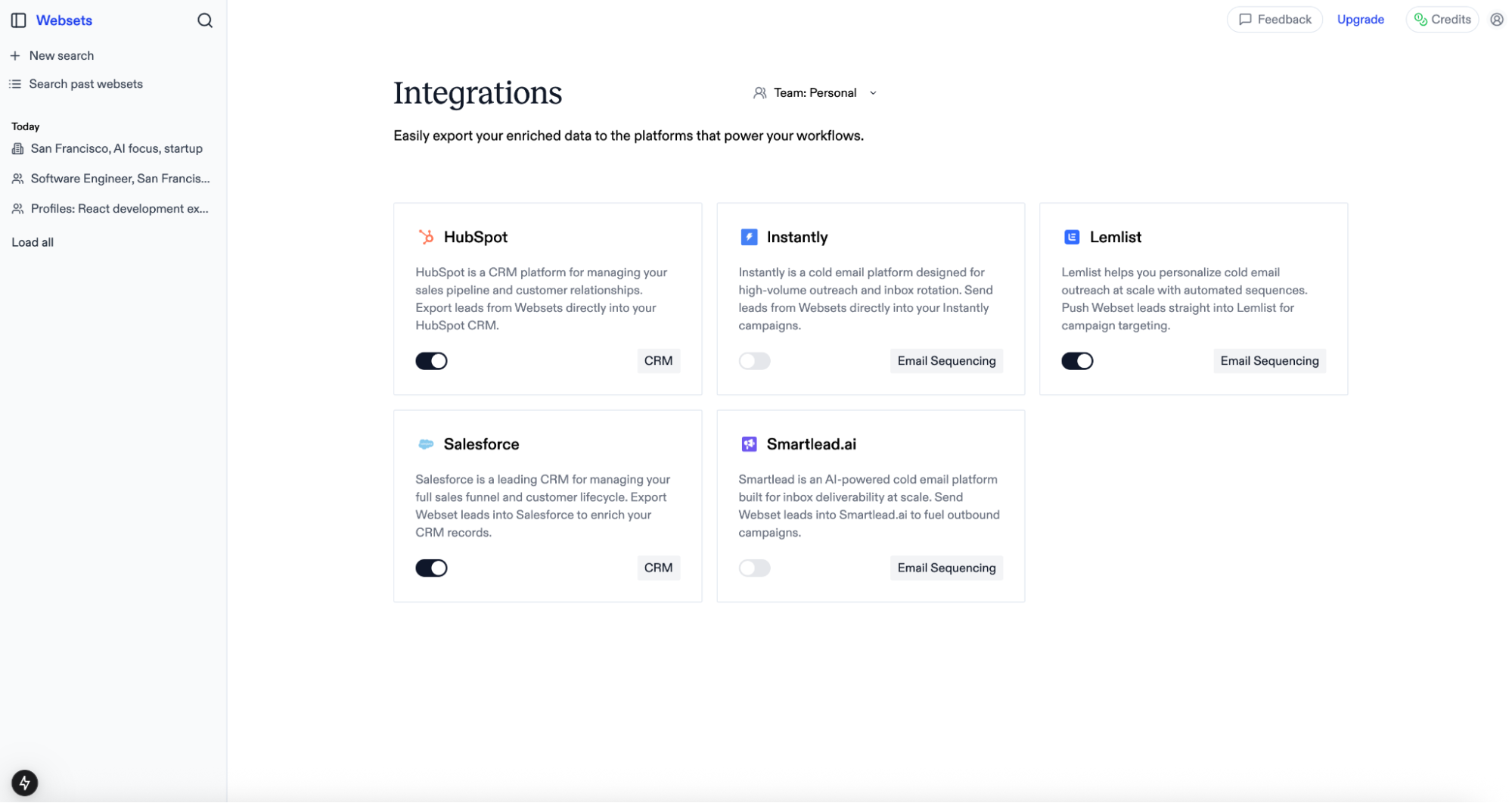
## CSV preparation
Ensure your CSV file has a URL column
* For People searches: URLs must be LinkedIn profile URLs (e.g., [https://linkedin.com/in/username](https://linkedin.com/in/username))
* For Company search: URLs must be company homepage URLs (e.g., [https://example.com](https://example.com))
* For other searches: use any type of URL
If you do not have URLs, Websets will attempt to infer URLs based on the information in each CSV row and any extra info you provide.
The maximum number of results you can import is determined by your plan.
## What happens next?
Once imported, your CSV becomes a full Webset where you can:
### Enrich with custom columns
Add any information you want about each URL:
* Contact information (emails, phone numbers)
* Company metrics (revenue, employee count)
* Content analysis (sentiment, topics, summaries)
* Custom data specific to your use case
### Apply search criteria
Filter your imported URLs based on specific criteria:
* Company stage or size
* Industry or sector
* Geographic location
* Content type or topic
---
# Source: https://exa.ai/docs/websets/dashboard/integrations.md
> ## Documentation Index
> Fetch the complete documentation index at: https://exa.ai/docs/llms.txt
> Use this file to discover all available pages before exploring further.
# Integrations
> Connect your Websets with popular CRM and email tools
## Overview
Websets integrates seamlessly with your favorite CRM, email sequencing, and database tools, allowing you to export enriched data directly where you need it. Manage all your integrations from a single dashboard and keep your workflows streamlined.
## Supported integrations
We've built support for leading platforms across sales, marketing, and data enrichment:
**CRM Platforms**
* [Salesforce](https://www.salesforce.com/) - Export People entities as Leads
* [HubSpot](https://www.hubspot.com/) - Export People entities as Contacts
**Email Sequencing**
* [Instantly](https://instantly.ai/) - Export People entities as Leads
* [Smartlead](https://www.smartlead.ai/) - Export People entities as Leads
* [Lemlist](https://www.lemlist.com/) - Export People entities as Leads
**Data Enrichment**
* [Clay](https://www.clay.com/) - Export any entity type via webhook
## Managing integrations
To enable an integration:
1. Visit [https://websets.exa.ai/integrations](https://websets.exa.ai/integrations)
2. Toggle the integration you want to connect
3. Provide your account credentials
4. The integration will be scoped to your currently selected team
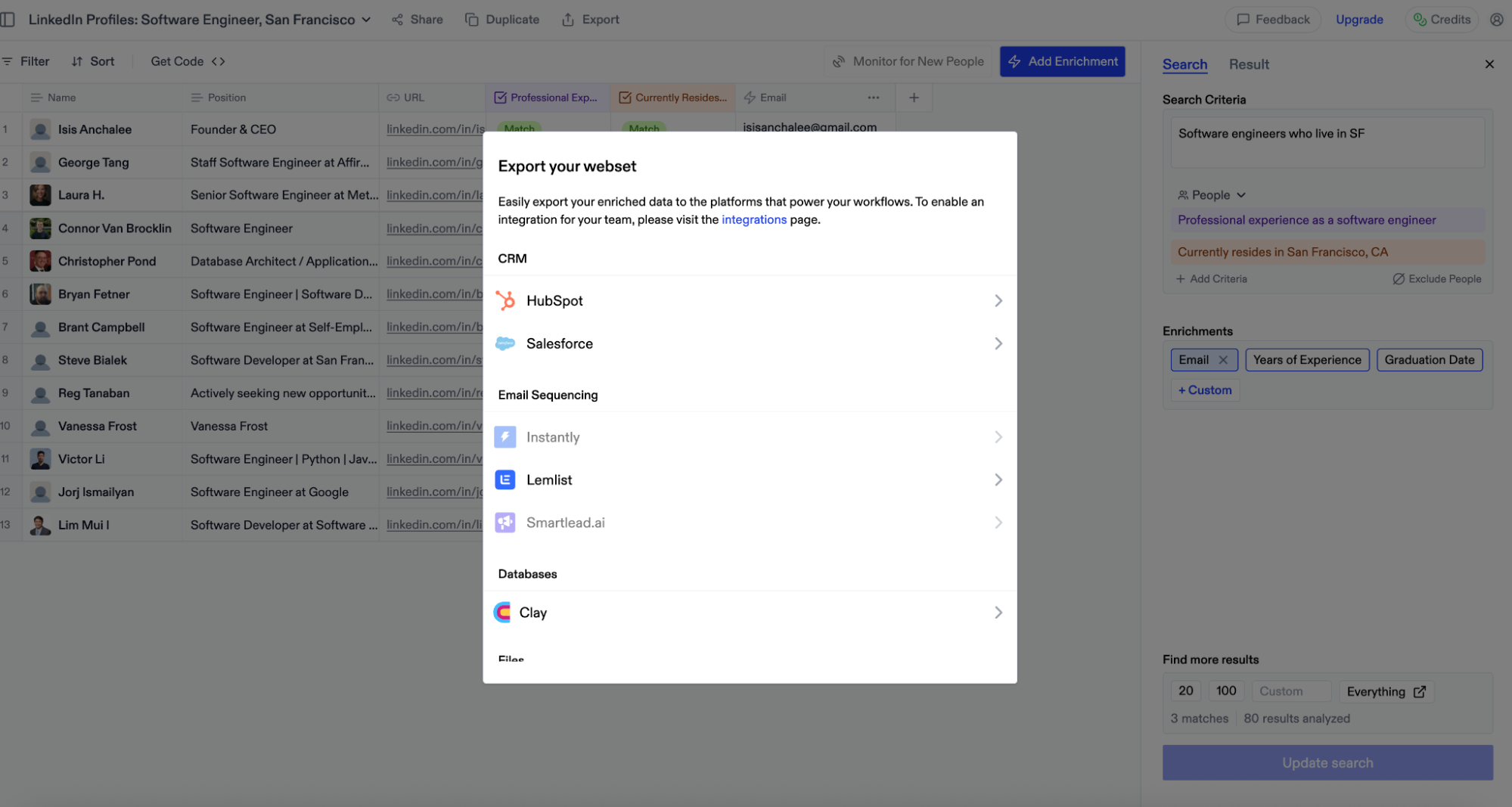
## Exporting capabilities
Currently, we support **exporting all** your Webset table rows to connected platforms. Import functionality for further enrichment is coming soon.
## Setup guides
### Salesforce
**Authentication**
When you toggle on the Salesforce integration, you'll be redirected to login to your Salesforce account. After logging in, you'll be redirected back and ready to go!
**Actions**
**Create Leads** – Export any People entity Webset type as **Leads** in your Salesforce account.
### HubSpot
**Authentication**
When you toggle on the HubSpot integration, you'll be redirected to login to your HubSpot account. You'll be prompted to install the Exa app and grant the requested permissions. After approval, you'll be redirected back and fully connected.
**Actions**
**Create Contacts** – Export any People entity Webset type as **Contacts** in your HubSpot account.
### Instantly
**Authentication**
When you toggle on the Instantly integration, you'll need to provide your Instantly API key:
1. Login to your Instantly account and click your avatar in the bottom left corner
2. Select "Settings" from the menu
3. Navigate to the "Integrations" tab
4. Select "API Keys" from the left navigation menu
5. Click "Create API Key"
6. Name your key and select "all:all" for scopes
7. Copy and paste the generated key into Websets
**Actions**
**Create Leads** – Export any People entity Webset type as **Leads** in your Instantly account.
### Smartlead
**Authentication**
When you toggle on the Smartlead integration, you'll need to provide your Smartlead API key:
1. Login to your Smartlead account and click your avatar in the top right corner
2. Select "Settings" from the menu
3. Scroll down to "Smartlead API Key"
4. Copy your existing key or generate a new one
5. Paste the key into Websets and click connect
**Actions**
**Create Leads** – Export any People entity Webset type as **Leads** in your Smartlead account.
### Lemlist
**Authentication**
When you toggle on the Lemlist integration, you'll need to provide your Lemlist API key:
1. Login to your Lemlist account and click your name in the bottom left corner
2. Select "Settings" from the menu
3. Click "Integrations" in the left menu
4. Find the "API overview" section and click "Generate"
5. Name your key and click "Create Key"
6. Copy and paste the generated key into Websets
**Actions**
**Create Leads** – Export any People entity Webset type as **Leads** in your Lemlist account.
### Clay
**Authentication**
No authentication is required for Clay integration, as we currently support exporting Webset data via webhook only. **Note: A Clay Pro account is required.**
**Creating a webhook**
1. Navigate to a Clay table and click "Add" at the bottom
2. Search for "Webhook" and select it
3. This creates a new table view with a Webhook column
4. Copy the webhook URL from the "Pull in data from a Webhook" panel on the right
**Actions**
**Create table rows** – Export Websets of any entity type to Clay:
1. From a Webset, click "Export" in the top navigation
2. Select the "Clay" integration option
3. Paste the webhook URL from Clay
4. Click "Export"
Your Webset rows will populate your Clay table within moments.
---
# Source: https://exa.ai/docs/introduction.md
> ## Documentation Index
> Fetch the complete documentation index at: https://exa.ai/docs/llms.txt
> Use this file to discover all available pages before exploring further.
# Home
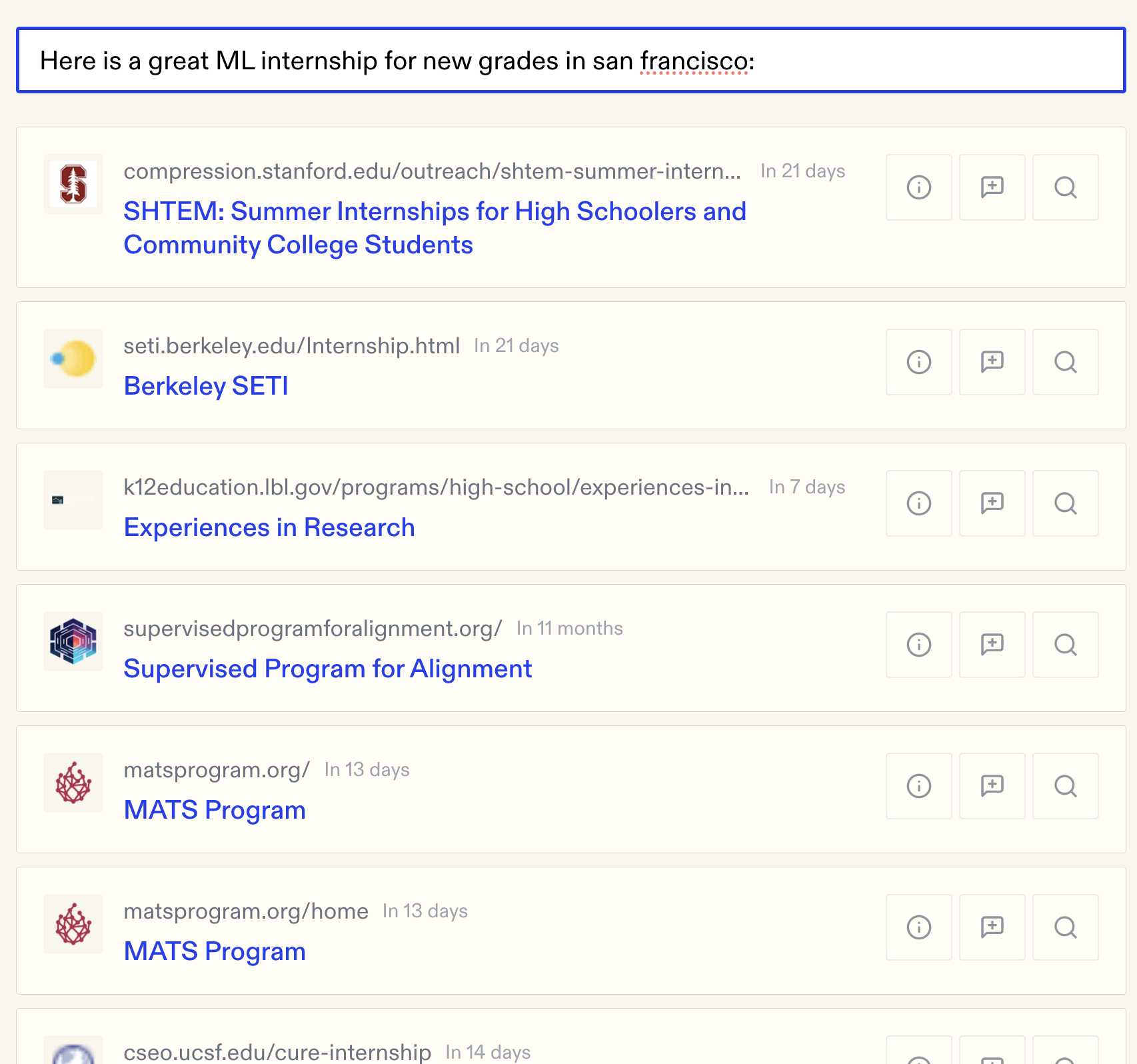
apple
---
# Source: https://exa.ai/docs/sdks/javascript-sdk.md
> ## Documentation Index
> Fetch the complete documentation index at: https://exa.ai/docs/llms.txt
> Use this file to discover all available pages before exploring further.
# JavaScript SDK
> Install and use the Exa JavaScript SDK
The official JavaScript SDK for Exa. Search the web, get page contents, find similar pages, and get answers with citations.
Get your API key from the dashboard
## Install
```bash theme={null}
npm install exa-js
```
```bash theme={null}
yarn add exa-js
```
```bash theme={null}
pnpm add exa-js
```
## Quick Start
```ts theme={null}
import Exa from "exa-js";
const exa = new Exa(); // reads EXA_API_KEY from environment
```
## Search
Search the web and get page contents in one call.
```ts theme={null}
const result = await exa.search(
"blog post about artificial intelligence",
{
contents: {
text: true
}
}
);
```
```ts theme={null}
const result = await exa.search("interesting articles about space", {
numResults: 10,
includeDomains: ["nasa.gov", "space.com"],
startPublishedDate: "2024-01-01",
contents: {
text: true
}
});
```
## Get Contents
Get text, summaries, or highlights from URLs.
```ts theme={null}
const { results } = await exa.getContents(["https://openai.com/research"], {
text: true
});
```
```ts theme={null}
const { results } = await exa.getContents(["https://stripe.com/docs/api"], {
summary: true
});
```
```ts theme={null}
const { results } = await exa.getContents(["https://arxiv.org/abs/2303.08774"], {
highlights: {
maxCharacters: 2000
}
});
```
## Find Similar
Find pages similar to a URL.
```ts theme={null}
const result = await exa.findSimilar(
"https://paulgraham.com/greatwork.html",
{
contents: {
text: true
}
}
);
```
```ts theme={null}
const result = await exa.findSimilar(
"https://waitbutwhy.com/2015/01/artificial-intelligence-revolution-1.html",
{
excludeSourceDomain: true,
contents: {
text: true
}
}
);
```
## Answer
Get answers to questions with citations.
```ts theme={null}
const response = await exa.answer("What caused the 2008 financial crisis?");
console.log(response.answer);
```
```ts theme={null}
for await (const chunk of exa.streamAnswer("Explain quantum computing")) {
if (chunk.content) {
process.stdout.write(chunk.content);
}
}
```
## Research
Run research tasks with structured output.
```ts theme={null}
const task = await exa.research.create({
instructions: "Find the top 5 AI startups founded in 2024",
outputSchema: {
type: "object",
properties: {
startups: { type: "array", items: { type: "string" } }
}
}
});
const result = await exa.research.pollUntilFinished(task.researchId);
```
## TypeScript
Full TypeScript support with types for all methods.
```ts theme={null}
import Exa from "exa-js";
import type { SearchResponse, RegularSearchOptions } from "exa-js";
```
View source code
View package
---
# Source: https://exa.ai/docs/examples/job-search-with-exa.md
> ## Documentation Index
> Fetch the complete documentation index at: https://exa.ai/docs/llms.txt
> Use this file to discover all available pages before exploring further.
# Job Search with Exa
> Tutorial for simple Exa searches on our front-end.
## What This Doc Covers
* The problem with traditional job search tools
* How to use Exa, an AI-powered search engine, for job hunting
* Other cool ways to use Exa beyond job searching
Finding a job is way harder than it should be. Tools like LinkedIn, Handshake, or traditional search engines are supposed to solve this problem, but they're filled with too many noisy results to actually be useful.
Here's how you can use AI to find hundreds of hidden job listings in less than 5 minutes.
At a high level, Exa is a search engine that understands your query. So, when searching for "ML internships for new grads in San Francisco" here's what gets returned:
And, by filtering for only things that were posted recently, you can make sure that the positions were new and not-filled.
But, there's actually an even better way to take advantage of Exa. You can just paste a job posting and get similar ones:
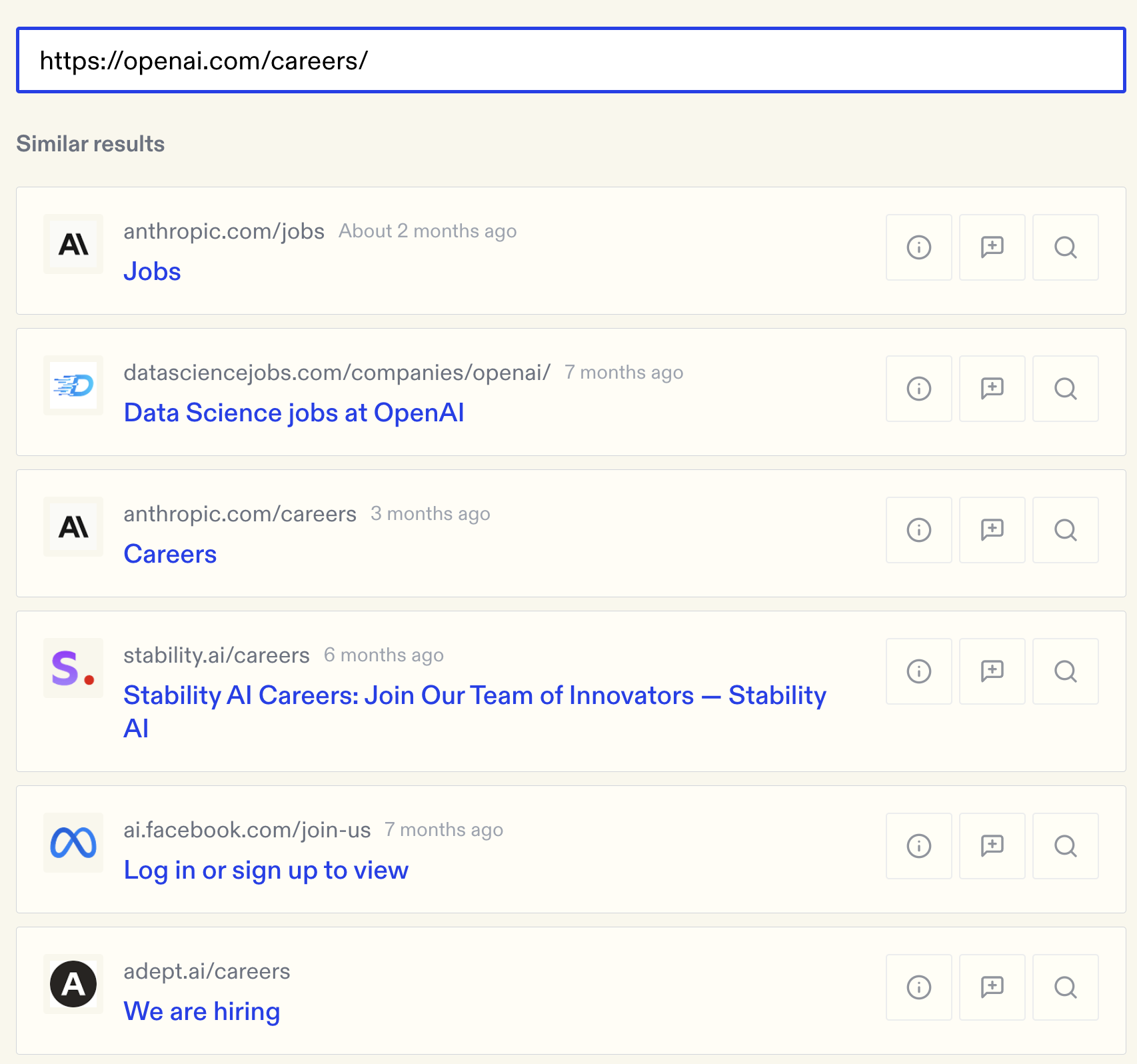
## More than just jobs
Job search is really just one use case of Exa. Exa is a search engine built using novel representation learning techniques.
For example, Exa excels at finding similar things.
* **Shopping**: if you want a similar (but cheaper) shirt, paste a link to your shirt and it'll give you hundreds like it
* **Research**: paste a link to a research paper to find hundreds of other relevant papers
* **Startups**: if you're building a startup, find your competitors by searching a link to your startup
---
# Source: https://exa.ai/docs/integrations/langchain-docs.md
> ## Documentation Index
> Fetch the complete documentation index at: https://exa.ai/docs/llms.txt
> Use this file to discover all available pages before exploring further.
# LangChain Docs
Learn how to use Exa's search API with LangChain. LangChain has a dedicated Exa tool. This enables AI agents to perform web search.
For detailed instructions on using Exa with LangChain, visit the [LangChain documentation](https://python.langchain.com/v0.2/docs/integrations/tools/exa_search/#using-the-exa-sdk-as-langchain-agent-tools).
---
# Source: https://exa.ai/docs/reference/langchain.md
> ## Documentation Index
> Fetch the complete documentation index at: https://exa.ai/docs/llms.txt
> Use this file to discover all available pages before exploring further.
# LangChain
> How to use Exa's integration with LangChain to perform RAG.
***
LangChain is a framework for building applications that combine LLMs with data, APIs and other tools. In this guide, we'll go over how to use Exa's LangChain integration to perform RAG with the following steps:
1. Set up Exa's LangChain integration and use Exa to retrieve relevant content
2. Connect this content to a toolchain that uses OpenAI's LLM for generation

See a YouTube tutorial of a very similar setup by the LangChain team [here](https://www.youtube.com/watch?v=dA1cHGACXCo). See the full reference from LangChain [here](https://python.langchain.com/docs/integrations/providers/exa%5Fsearch/).
***
## Get Started
Install the core OpenAI and Exa LangChain libraries
```Bash Bash theme={null}
pip install langchain-openai langchain-exa
```
Ensure API keys are initialized properly. For LangChain libraries, the environment variable names are `OPENAI_API_KEY` and `EXA_API_KEY` for OpenAI and Exa keys respectively.
Set up a Retriever tool using `ExaSearchRetriever`. This is a retriever that connects to Exa Search to find relevant documents via semantic search. First import the relevant libraries and instantiate the ExaSearchRetriever.
```Python Python theme={null}
# load the environment variables
import os
from dotenv import load_dotenv
load_dotenv()
from langchain_exa import ExaSearchRetriever
from langchain_core.prompts import PromptTemplate
from langchain_core.runnables import RunnableLambda
# Define our retriever to use Exa Search, grabbing 3 results and parsing highlights from each result
retriever = ExaSearchRetriever(api_key=os.getenv("EXA_API_KEY"), k=3, highlights=True)
```
We use a LangChain [PromptTemplate](https://python.langchain.com/v0.1/docs/modules/model%5Fio/prompts/quick%5Fstart/#prompttemplate) to define a template of placeholder to parse out URLs and Highlights from the Exa retriever.
```Python Python theme={null}
# Define a document prompt template using XML-like stags
document_prompt = PromptTemplate.from_template("""
{url}{highlights}
""")
```
We use a [Runnable Lambda](https://api.python.langchain.com/en/latest/runnables/langchain%5Fcore.runnables.base.RunnableLambda.html) to parse out the URL and Highlights attributes from the Exa Search results then pass this to the prompt template above
```Python Python theme={null}
# Create a Runnable Lambda that parses highlights and URL attributes from the retriever and passes to our document prompt from above
document_chain = RunnableLambda(
lambda document: {
"highlights": document.metadata["highlights"],
"url": document.metadata["url"]
}
) | document_prompt
```
Complete the retrieval chain by stitching together the Exa retriever, the parser and a short lambda function - this is crucial for passing the result as a single string as context for the LLM in the next step.
```Python Python theme={null}
# Define the retrieval chain - Exa search results => grab attributes and parse into XML => join into a single string to feed as context in next steps
retrieval_chain = retriever | document_chain.map() | (lambda docs: "\n".join([i.text for i in docs]))
```
In this step, we define the system prompt with Query and Context template inputs to be grabbed from the user and Exa Search respectively. First, once again import the relevant libraries and components from LangChains libraries
```Python Python theme={null}
from langchain_core.runnables import RunnablePassthrough, RunnableParallel
from langchain_core.prompts import ChatPromptTemplate
from langchain_openai import ChatOpenAI
from langchain_core.output_parsers import StrOutputParser
```
Then we define a generation prompt - the prompt template that is used with context from Exa to perform RAG.
```Python Python theme={null}
# Define core prompt template
generation_prompt = ChatPromptTemplate.from_messages([
("system", "You are an expert research assistant. You use xml-formatted context to research people's questions."),
("human", """
Please answer the following query based on the provided context. Please cite your sources at the end of your response.:
Query: {query}
---
{context}
""")
])
```
We set the generation [LLM to OpenAI](https://python.langchain.com/v0.1/docs/integrations/chat/openai/), then connect everything with a [RunnableParallel](https://python.langchain.com/v0.1/docs/expression%5Flanguage/primitives/parallel/) parallel connection. The generation prompt, containing the query and context, is then passed to the LLM and [parsed for better output representation](https://api.python.langchain.com/en/latest/output%5Fparsers/langchain%5Fcore.output%5Fparsers.string.StrOutputParser.html).
```Python Python theme={null}
# Use OpenAI for generation
llm = ChatOpenAI(api_key=os.getenv("OPENAI_API_KEY"))
# Simple string parsing for trhe output
output_parser = StrOutputParser()
# Connect the chain, including parallel connection for query from user and context from Exa retriever chain in step 2.
chain = RunnableParallel({
"query": RunnablePassthrough(),
"context": retrieval_chain,
}) | generation_prompt | llm | output_parser
```
Let's [invoke](https://python.langchain.com/v0.1/docs/expression%5Flanguage/interface/#invoke) the chain:
```Python Python theme={null}
result = chain.invoke("Latest research on climate change innovation")
print(result)
```
And have a look at the output (newlines parsed):
```Stdout Stdout theme={null}
'Based on the provided context, the latest research on climate change innovation reveals several important findings:
1. Innovation in response to climate change: A study examined how innovation responds to climate change by analyzing a panel dataset of 70 countries. The study found that the number of climate-change-related innovations is positively correlated with increasing levels of carbon dioxide emissions from gas and liquid fuels, mainly from natural gases and petroleum. However, it is negatively correlated with increases in carbon dioxide emissions from solid fuel consumption, mainly from coal, and other greenhouse gas emissions. The research also highlighted that government investment does not always influence decisions to develop and patent climate technologies. This study contributes to the environmental innovation literature by providing insights on how innovation reacts to changes in major climate change factors.
2. Climate tech funding and attention: During the period of 2010-2022, outside of the US, China, EU, and India, only 8% of total climate venture capital activity came from the rest of the world. This concentration of funding and attention in specific regions may be hindering the reach of climate tech solutions to low-income communities and developing countries, which are already feeling the effects of climate change but lack the necessary resources to address them effectively.
3. Research funding allocation: A study from the University of Sussex Business School analyzed research funding for climate and energy research from 1990 to 2020. The research found that 36% of funding was allocated to climate adaptation, while 28% went to studying how to clean up the energy system. Other significant shares of funding were allocated to transport and mobility (13%), geoengineering (12%), and industrial decarbonization (11%). The majority of the funding went to researchers in wealthy, Western countries, which may not be the most vulnerable to the immediate impacts of climate change.
Sources:
1. Study on innovation response to climate change: https://www.sciencedirect.com/science/article/pii/S0040162516302542
2. Climate tech funding and attention: https://www.sbs.ox.ac.uk/oxford-answers/climate-tech-opportunity-save-planet
3. Research funding allocation for climate and energy research: https://www.protocol.com/bulletins/climate-research-funding-adaptation'
```
Optionally, you may
```Python Python theme={null}
for chunk in chain.stream("Latest research on climate change innovation"):
print(chunk, end="|", flush=True)
# Or asynchronously
async def run_async():
async for chunk in chain.astream("Latest research on climate change innovation"):
print(chunk, end="|", flush=True)
import asyncio
asyncio.run(run_async())
```
Outputs, in a stream - [click here](https://python.langchain.com/v0.1/docs/expression%5Flanguage/streaming/) to learn more about the .stream method and other options, including handling of chunks and how to think about further parsing outputs:
```Streamed Streamed text output theme={null}
`|Based| on| the| provided| context|,| the| latest| research| on| climate| change| innovation| indicates| several| key| insights|:
|1|.| The| concentration| of| funding| and| attention| in| countries| like| the| US|,| China|,| EU|,| and| India| has| led| to| a| lack| of| climate| tech| ecosystem| development| in| other| parts| of| the| world|.| This| has| resulted| in| low|-income| communities| and| developing| countries| being| under|-equipped| to| address| the| effects| of| climate| change|.
|(Source|:| Oxford| Answers| -| https|://|www|.s|bs|.|ox|.ac|.uk|/|ox|ford|-|answers|/cl|imate|-tech|-op|portunity|-save|-|planet|)
|2|.| A| study| conducted| using| econ|ometric| methods| on| a| panel| dataset| of| |70| countries| found| that| the| number| of| climate|-change|-related| innovations| is| positively| responding| to| increasing| levels| of| carbon| dioxide| emissions| from| gas| and| liquid| fuels|,| but| negatively| to| increases| in| carbon| dioxide| emissions| from| solid| fuel| consumption| and| other| greenhouse| gas| emissions|.| Government| investment| does| not| always| influence| decisions| to| develop| and| patent| climate| technologies|.
|(Source|:| Science|Direct| -| https|://|www|.s|ci|enced|irect|.com|/sc|ience|/article|/pi|i|/S|004|016|251|630|254|2|)
|3|.| Additionally|,| insights| into| climate| change| technology| transfer| and| policy| implications| can| be| found| in| the| environmental|-in|novation| literature|,| contributing| to| a| better| understanding| of| how| innovation| reacts| to| changes| in| major| climate| change| factors|.
|(Source|:| Nature| -| https|://|www|.n|ature|.com|/articles|/n|climate|230|5|)
|These| sources| provide| valuable| information| on| the| current| state| of| climate| change| innovation| research| and| its| implications| for| addressing| the| global| challenge| of| climate| change|.|||Based| on| the| provided| context|,| here| are| the| responses| to| the| query|:
|1|.| Elon| Musk| is| known| for| being| the| richest| person| in| the| world| and| having| some| unusual| and| expensive| hobbies|.| One| of| his| hobbies| involves| pretending| to| acquire| public| companies|,| which| he| seems| to| find| fun|.| This| behavior| has| been| highlighted| in| the| article| mentioned| in| the| source|:| "|Programming| note|:| U|gh|,| here| we| are| again|,| huh|?| Oh| Elon| I| think| it| is| helpful| to| start| with| the| big| picture|."| (|Source|:| Bloomberg| Opinion|)
|2|.| Charles| E|.| No|ad| was| known| for| his| remarkable| abilities|,| such| as| being| able| to| discern| whether| a| period| at| the| end| of| a| sentence| was| in| it|al|ics| or| not|.| He| was| a| valuable| support| to| Christopher| Tolkien| and| contributed| an| essay| titled| "|On| the| Construction| of| the| Sil|mar|illion|,"| which| speculated| on| what| J|.R|.R|.| Tolkien| would| have| included| in| The| Sil|mar|illion| had| he| finished| it|.| This| information| is| detailed| in| the| source|:| "|He| could| quite| literally| tell| whether| a| period| (|the| full| stop| at| the| end| of| a| sentence|)| was| in| it|al|ics| or| not|."| (|Source|:| Kal|im|ac| Blog|)
|3|.| The| challenges| and| limitations| of| automated| technology|,| specifically| in| the| context| of| taxi| services|,| are| highlighted| in| the| source|:| "|There|'s| just| a| level| of| necessary| flexibility| given| the| reality| of| our| built| environment| that| the| robot| brains| aren|'t| going| to| manage|."| The| source| discusses| an| incident| where| a| robot| taxi|,| named| Brown|ie|,| did| not| respond| to| a| wave| to| pick| up| passengers|,| leading| them| to| walk| along| an| active| traffic| lane| to| reach| it|.| (|Source|:| Es|chat|on| Blog|)
|Sources|:
|1|.| Bloomberg| Opinion| -| https|://|www|.b|loomberg|.com|/op|inion|/articles|/|202|2|-|07|-|09|/|elon|-s|-out|
|2|.| Kal|im|ac| Blog| -| https|://|kal|im|ac|.blogspot|.com|/|202|3|/|07|/|char|les|-e|-no|ad|.html|
|3|.| Es|chat|on| Blog| -| https|://|www|.es|chat|on|blog|.com|/|202|2|/|07|/pay|-me|-for|-my|-gen|ius|.html||
```
As you can see, the output generation is enriched with the context of our Exa Search query result!
---
# Source: https://exa.ai/docs/changelog/language-filtering-default.md
> ## Documentation Index
> Fetch the complete documentation index at: https://exa.ai/docs/llms.txt
> Use this file to discover all available pages before exploring further.
# Added Language Filtering
> Language filtering is now turned on for everyone by default. Exa now detects your query language and only searches web search results in the same language.
***
**Date: November 5, 2025**
We now return results that match the language of your search query. This feature is now turned on by default for all users.
## What Changed
Before this update, Exa would mostly return results in your query language, but you might also get results from other languages mixed in. Now, Exa detects what language you're searching in and only shows you web search results in that same language.
## What This Means for You
1. **Better results**: Your search results will now be more relevant because they match your query language.
2. **No setup needed**: This feature is already working for your account - you don't need to do anything.
3. **Works across languages**: Whether you search in English, Spanish, French, or any other language, you'll get results in that language.
## How It Works
When you search, Exa automatically:
* Detects what language your query is in
* Searches only through web search results in that same language
* Returns results that are more relevant to your language needs
This update makes search results much more useful, especially if you work with content in multiple languages. The filtering works particularly well and has shown big improvements in our testing.
If you have any questions about this update, please reach out to [hello@exa.ai](mailto:hello@exa.ai).
---
# Source: https://exa.ai/docs/websets/api/events/list-all-events.md
> ## Documentation Index
> Fetch the complete documentation index at: https://exa.ai/docs/llms.txt
> Use this file to discover all available pages before exploring further.
# List all Events
> List all events that have occurred in the system.
You can paginate through the results using the `cursor` parameter.
## OpenAPI
````yaml get /v0/events
openapi: 3.1.0
info:
title: Websets
description: ''
version: '0'
contact: {}
servers:
- url: https://api.exa.ai/websets/
description: Production
security: []
tags: []
paths:
/v0/events:
get:
tags:
- Events
summary: List all Events
description: |-
List all events that have occurred in the system.
You can paginate through the results using the `cursor` parameter.
operationId: events-list
parameters:
- name: cursor
required: false
in: query
description: The cursor to paginate through the results
schema:
minLength: 1
type: string
- name: limit
required: false
in: query
description: The number of results to return
schema:
minimum: 1
maximum: 200
default: 25
type: number
- name: types
required: false
in: query
description: The types of events to filter by
schema:
type: array
items:
type: string
enum:
- webset.created
- webset.deleted
- webset.paused
- webset.idle
- webset.search.created
- webset.search.canceled
- webset.search.completed
- webset.search.updated
- import.created
- import.completed
- webset.item.created
- webset.item.enriched
- monitor.created
- monitor.updated
- monitor.deleted
- monitor.run.created
- monitor.run.completed
- webset.export.created
- webset.export.completed
- name: createdBefore
required: false
in: query
description: >-
Filter events created before or at this timestamp (inclusive). Must
be a valid ISO 8601 datetime string. All times are in UTC.
schema:
format: date-time
type: string
- name: createdAfter
required: false
in: query
description: >-
Filter events created after or at this timestamp (inclusive). Must
be a valid ISO 8601 datetime string. All times are in UTC.
schema:
format: date-time
type: string
responses:
'200':
description: List of events
content:
application/json:
schema:
$ref: '#/components/schemas/ListEventsResponse'
headers:
X-Request-Id:
schema:
type: string
description: Unique identifier for the request.
example: req_N6SsgoiaOQOPqsYKKiw5
required: true
security:
- api_key: []
components:
schemas:
ListEventsResponse:
type:
- object
properties:
data:
type:
- array
items:
$ref: '#/components/schemas/Event'
discriminator:
propertyName: type
description: The list of events
hasMore:
type:
- boolean
description: Whether there are more results to paginate through
nextCursor:
type: string
description: The cursor to paginate through the next set of results
nullable: true
required:
- data
- hasMore
- nextCursor
Event:
discriminator:
propertyName: type
oneOf:
- type:
- object
properties:
id:
type:
- string
description: The unique identifier for the event
object:
type: string
const: event
default: event
type:
type: string
const: webset.created
default: webset.created
data:
$ref: '#/components/schemas/Webset'
type:
- object
createdAt:
type:
- string
format: date-time
description: The date and time the event was created
required:
- id
- object
- type
- data
- createdAt
title: WebsetCreatedEvent
- type:
- object
properties:
id:
type:
- string
description: The unique identifier for the event
object:
type: string
const: event
default: event
type:
type: string
const: webset.deleted
default: webset.deleted
data:
$ref: '#/components/schemas/Webset'
type:
- object
createdAt:
type:
- string
format: date-time
description: The date and time the event was created
required:
- id
- object
- type
- data
- createdAt
title: WebsetDeletedEvent
- type:
- object
properties:
id:
type:
- string
description: The unique identifier for the event
object:
type: string
const: event
default: event
type:
type: string
const: webset.idle
default: webset.idle
data:
$ref: '#/components/schemas/Webset'
type:
- object
createdAt:
type:
- string
format: date-time
description: The date and time the event was created
required:
- id
- object
- type
- data
- createdAt
title: WebsetIdleEvent
- type:
- object
properties:
id:
type:
- string
description: The unique identifier for the event
object:
type: string
const: event
default: event
type:
type: string
const: webset.paused
default: webset.paused
data:
$ref: '#/components/schemas/Webset'
type:
- object
createdAt:
type:
- string
format: date-time
description: The date and time the event was created
required:
- id
- object
- type
- data
- createdAt
title: WebsetPausedEvent
- type:
- object
properties:
id:
type:
- string
description: The unique identifier for the event
object:
type: string
const: event
default: event
type:
type: string
const: webset.item.created
default: webset.item.created
data:
$ref: '#/components/schemas/WebsetItem'
type:
- object
createdAt:
type:
- string
format: date-time
description: The date and time the event was created
required:
- id
- object
- type
- data
- createdAt
title: WebsetItemCreatedEvent
- type:
- object
properties:
id:
type:
- string
description: The unique identifier for the event
object:
type: string
const: event
default: event
type:
type: string
const: webset.item.enriched
default: webset.item.enriched
data:
$ref: '#/components/schemas/WebsetItem'
type:
- object
createdAt:
type:
- string
format: date-time
description: The date and time the event was created
required:
- id
- object
- type
- data
- createdAt
title: WebsetItemEnrichedEvent
- type:
- object
properties:
id:
type:
- string
description: The unique identifier for the event
object:
type: string
const: event
default: event
type:
type: string
const: webset.search.created
default: webset.search.created
data:
$ref: '#/components/schemas/WebsetSearch'
type:
- object
createdAt:
type:
- string
format: date-time
description: The date and time the event was created
required:
- id
- object
- type
- data
- createdAt
title: WebsetSearchCreatedEvent
- type:
- object
properties:
id:
type:
- string
description: The unique identifier for the event
object:
type: string
const: event
default: event
type:
type: string
const: webset.search.updated
default: webset.search.updated
data:
$ref: '#/components/schemas/WebsetSearch'
type:
- object
createdAt:
type:
- string
format: date-time
description: The date and time the event was created
required:
- id
- object
- type
- data
- createdAt
title: WebsetSearchUpdatedEvent
- type:
- object
properties:
id:
type:
- string
description: The unique identifier for the event
object:
type: string
const: event
default: event
type:
type: string
const: webset.search.canceled
default: webset.search.canceled
data:
$ref: '#/components/schemas/WebsetSearch'
type:
- object
createdAt:
type:
- string
format: date-time
description: The date and time the event was created
required:
- id
- object
- type
- data
- createdAt
title: WebsetSearchCanceledEvent
- type:
- object
properties:
id:
type:
- string
description: The unique identifier for the event
object:
type: string
const: event
default: event
type:
type: string
const: webset.search.completed
default: webset.search.completed
data:
$ref: '#/components/schemas/WebsetSearch'
type:
- object
createdAt:
type:
- string
format: date-time
description: The date and time the event was created
required:
- id
- object
- type
- data
- createdAt
title: WebsetSearchCompletedEvent
- type:
- object
properties:
id:
type:
- string
description: The unique identifier for the event
object:
type: string
const: event
default: event
type:
type: string
const: import.created
default: import.created
data:
$ref: '#/components/schemas/Import'
type:
- object
createdAt:
type:
- string
format: date-time
description: The date and time the event was created
required:
- id
- object
- type
- data
- createdAt
title: ImportCreatedEvent
- type:
- object
properties:
id:
type:
- string
description: The unique identifier for the event
object:
type: string
const: event
default: event
type:
type: string
const: import.completed
default: import.completed
data:
$ref: '#/components/schemas/Import'
type:
- object
createdAt:
type:
- string
format: date-time
description: The date and time the event was created
required:
- id
- object
- type
- data
- createdAt
title: ImportCompletedEvent
- type:
- object
properties:
id:
type:
- string
description: The unique identifier for the event
object:
type: string
const: event
default: event
type:
type: string
const: monitor.created
default: monitor.created
data:
$ref: '#/components/schemas/Monitor'
type:
- object
createdAt:
type:
- string
format: date-time
description: The date and time the event was created
required:
- id
- object
- type
- data
- createdAt
title: MonitorCreatedEvent
- type:
- object
properties:
id:
type:
- string
description: The unique identifier for the event
object:
type: string
const: event
default: event
type:
type: string
const: monitor.updated
default: monitor.updated
data:
$ref: '#/components/schemas/Monitor'
type:
- object
createdAt:
type:
- string
format: date-time
description: The date and time the event was created
required:
- id
- object
- type
- data
- createdAt
title: MonitorUpdatedEvent
- type:
- object
properties:
id:
type:
- string
description: The unique identifier for the event
object:
type: string
const: event
default: event
type:
type: string
const: monitor.deleted
default: monitor.deleted
data:
$ref: '#/components/schemas/Monitor'
type:
- object
createdAt:
type:
- string
format: date-time
description: The date and time the event was created
required:
- id
- object
- type
- data
- createdAt
title: MonitorDeletedEvent
- type:
- object
properties:
id:
type:
- string
description: The unique identifier for the event
object:
type: string
const: event
default: event
type:
type: string
const: monitor.run.created
default: monitor.run.created
data:
$ref: '#/components/schemas/MonitorRun'
type:
- object
createdAt:
type:
- string
format: date-time
description: The date and time the event was created
required:
- id
- object
- type
- data
- createdAt
title: MonitorRunCreatedEvent
- type:
- object
properties:
id:
type:
- string
description: The unique identifier for the event
object:
type: string
const: event
default: event
type:
type: string
const: monitor.run.completed
default: monitor.run.completed
data:
$ref: '#/components/schemas/MonitorRun'
type:
- object
createdAt:
type:
- string
format: date-time
description: The date and time the event was created
required:
- id
- object
- type
- data
- createdAt
title: MonitorRunCompletedEvent
title: Event
Webset:
type:
- object
properties:
id:
type:
- string
description: The unique identifier for the webset
object:
type: string
const: webset
default: webset
status:
type:
- string
enum:
- idle
- pending
- running
- paused
description: The status of the webset
title: WebsetStatus
externalId:
type: string
description: The external identifier for the webset
nullable: true
title:
type: string
description: The title of the webset
nullable: true
searches:
type:
- array
items:
$ref: '#/components/schemas/WebsetSearch'
type:
- object
description: The searches that have been performed on the webset.
imports:
type:
- array
items:
$ref: '#/components/schemas/Import'
type:
- object
description: Imports that have been performed on the webset.
enrichments:
type:
- array
items:
$ref: '#/components/schemas/WebsetEnrichment'
type:
- object
description: The Enrichments to apply to the Webset Items.
monitors:
type:
- array
items:
$ref: '#/components/schemas/Monitor'
type:
- object
description: The Monitors for the Webset.
excludes:
type:
- array
items:
type:
- object
properties:
source:
type:
- string
enum:
- import
- webset
id:
type:
- string
required:
- source
- id
description: >-
The Excludes sources (existing imports or websets) that apply to all
operations within this Webset. Any results found within these
sources will be omitted across all search and import operations.
metadata:
default: {}
description: Set of key-value pairs you want to associate with this object.
type:
- object
additionalProperties:
type:
- string
maxLength: 1000
createdAt:
type:
- string
format: date-time
description: The date and time the webset was created
updatedAt:
type:
- string
format: date-time
description: The date and time the webset was updated
required:
- id
- object
- status
- externalId
- title
- searches
- imports
- enrichments
- monitors
- createdAt
- updatedAt
WebsetItem:
type:
- object
properties:
id:
type:
- string
description: The unique identifier for the Webset Item
object:
type: string
const: webset_item
default: webset_item
source:
type:
- string
enum:
- search
- import
description: The source of the Item
sourceId:
type:
- string
description: The unique identifier for the source
websetId:
type:
- string
description: The unique identifier for the Webset this Item belongs to.
properties:
oneOf:
- $ref: '#/components/schemas/WebsetItemPersonProperties'
type:
- object
title: Person
- $ref: '#/components/schemas/WebsetItemCompanyProperties'
type:
- object
title: Company
- $ref: '#/components/schemas/WebsetItemArticleProperties'
type:
- object
title: Article
- $ref: '#/components/schemas/WebsetItemResearchPaperProperties'
type:
- object
title: Research Paper
- $ref: '#/components/schemas/WebsetItemCustomProperties'
type:
- object
title: Custom
description: The properties of the Item
evaluations:
type:
- array
items:
$ref: '#/components/schemas/WebsetItemEvaluation'
type:
- object
description: The criteria evaluations of the item
enrichments:
type: array
items:
$ref: '#/components/schemas/EnrichmentResult'
type:
- object
description: The enrichments results of the Webset item
nullable: true
createdAt:
type:
- string
format: date-time
description: The date and time the item was created
updatedAt:
type:
- string
format: date-time
description: The date and time the item was last updated
required:
- id
- object
- source
- sourceId
- websetId
- properties
- evaluations
- enrichments
- createdAt
- updatedAt
WebsetSearch:
type:
- object
properties:
id:
type:
- string
description: The unique identifier for the search
object:
type: string
const: webset_search
default: webset_search
status:
type:
- string
enum:
- created
- pending
- running
- completed
- canceled
description: The status of the search
title: WebsetSearchStatus
websetId:
type:
- string
description: The unique identifier for the Webset this search belongs to
query:
description: The query used to create the search.
type:
- string
minLength: 1
maxLength: 5000
entity:
$ref: '#/components/schemas/Entity'
description: >-
The entity the search will return results for.
When no entity is provided during creation, we will automatically
select the best entity based on the query.
nullable: true
criteria:
type:
- array
items:
type:
- object
properties:
description:
type:
- string
minLength: 1
maxLength: 1000
description: The description of the criterion
successRate:
type:
- number
minimum: 0
maximum: 100
description: >-
Value between 0 and 100 representing the percentage of results
that meet the criterion.
required:
- description
- successRate
description: >-
The criteria the search will use to evaluate the results. If not
provided, we will automatically generate them for you.
count:
type:
- number
minimum: 1
description: >-
The number of results the search will attempt to find. The actual
number of results may be less than this number depending on the
search complexity.
behavior:
$ref: '#/components/schemas/WebsetSearchBehavior'
default: override
type:
- string
description: >-
The behavior of the search when it is added to a Webset.
- `override`: the search will replace the existing Items found in
the Webset and evaluate them against the new criteria. Any Items
that don't match the new criteria will be discarded.
- `append`: the search will add the new Items found to the existing
Webset. Any Items that don't match the new criteria will be
discarded.
exclude:
type:
- array
items:
type:
- object
properties:
source:
type:
- string
enum:
- import
- webset
id:
type:
- string
required:
- source
- id
description: >-
Sources (existing imports or websets) used to omit certain results
to be found during the search.
scope:
type:
- array
items:
type:
- object
properties:
source:
type:
- string
enum:
- import
- webset
id:
type:
- string
relationship:
type:
- object
properties:
definition:
type:
- string
description: >-
What the relationship of the entities you hope to find is
relative to the entities contained in the provided source.
limit:
type:
- number
minimum: 1
maximum: 10
required:
- definition
- limit
required:
- source
- id
description: >-
The scope of the search. By default, there is no scope - thus
searching the web.
If provided during creation, the search will only be performed on
the sources provided.
progress:
type:
- object
properties:
found:
type:
- number
description: The number of results found so far
analyzed:
type:
- number
description: The number of results analyzed so far
completion:
type:
- number
minimum: 0
maximum: 100
description: The completion percentage of the search
timeLeft:
type: number
description: The estimated time remaining in seconds, null if unknown
nullable: true
required:
- found
- analyzed
- completion
- timeLeft
description: The progress of the search
recall:
type: object
properties:
expected:
type:
- object
properties:
total:
type:
- number
description: The estimated total number of potential matches
confidence:
type:
- string
enum:
- high
- medium
- low
description: The confidence in the estimate
bounds:
type:
- object
properties:
min:
type:
- number
description: The minimum estimated total number of potential matches
max:
type:
- number
description: The maximum estimated total number of potential matches
required:
- min
- max
required:
- total
- confidence
- bounds
reasoning:
type:
- string
description: The reasoning for the estimate
required:
- expected
- reasoning
description: >-
Recall metrics for the search, null if not yet computed or
requested.
nullable: true
metadata:
default: {}
description: Set of key-value pairs you want to associate with this object.
type:
- object
additionalProperties:
type:
- string
maxLength: 1000
canceledAt:
type: string
format: date-time
description: The date and time the search was canceled
nullable: true
canceledReason:
$ref: '#/components/schemas/WebsetSearchCanceledReason'
type: string
description: The reason the search was canceled
nullable: true
createdAt:
type:
- string
format: date-time
description: The date and time the search was created
updatedAt:
type:
- string
format: date-time
description: The date and time the search was updated
required:
- id
- object
- websetId
- status
- query
- entity
- criteria
- count
- exclude
- scope
- progress
- recall
- canceledAt
- canceledReason
- createdAt
- updatedAt
Import:
type:
- object
properties:
id:
type:
- string
description: The unique identifier for the Import
object:
type:
- string
enum:
- import
description: The type of object
status:
type:
- string
enum:
- pending
- processing
- completed
- failed
description: The status of the Import
format:
type:
- string
enum:
- csv
- webset
description: The format of the import.
entity:
$ref: '#/components/schemas/Entity'
description: The type of entity the import contains.
nullable: true
title:
type:
- string
description: The title of the import
count:
type:
- number
description: The number of entities in the import
metadata:
description: Set of key-value pairs you want to associate with this object.
type:
- object
additionalProperties:
type:
- string
maxLength: 1000
failedReason:
type: string
enum:
- invalid_format
- invalid_file_content
- missing_identifier
description: The reason the import failed
nullable: true
failedAt:
type: string
format: date-time
description: When the import failed
nullable: true
failedMessage:
type: string
description: A human readable message of the import failure
nullable: true
createdAt:
type:
- string
format: date-time
description: When the import was created
updatedAt:
type:
- string
format: date-time
description: When the import was last updated
required:
- id
- object
- status
- format
- entity
- title
- count
- metadata
- failedReason
- failedAt
- failedMessage
- createdAt
- updatedAt
Monitor:
type:
- object
properties:
id:
type:
- string
description: The unique identifier for the Monitor
object:
type:
- string
enum:
- monitor
description: The type of object
status:
type:
- string
enum:
- enabled
- disabled
description: The status of the Monitor
websetId:
type:
- string
description: The id of the Webset the Monitor belongs to
cadence:
type:
- object
properties:
cron:
description: >-
Cron expression for monitor cadence (must be a valid Unix cron
with 5 fields). The schedule must trigger at most once per day.
type:
- string
timezone:
description: IANA timezone (e.g., "America/New_York")
default: Etc/UTC
type:
- string
required:
- cron
description: How often the monitor will run
behavior:
type:
- object
properties:
type:
type: string
const: search
default: search
config:
type:
- object
properties:
query:
type:
- string
minLength: 2
maxLength: 10000
description: >-
The query to search for. By default, the query from the last
search is used.
criteria:
type:
- array
items:
type:
- object
properties:
description:
type:
- string
minLength: 2
maxLength: 1000
required:
- description
maxItems: 5
description: >-
The criteria to search for. By default, the criteria from
the last search is used.
entity:
$ref: '#/components/schemas/Entity'
title: Entity
description: >-
The entity to search for. By default, the entity from the
last search/import is used.
count:
type:
- number
exclusiveMinimum: 0
description: The maximum number of results to find
behavior:
default: append
type:
- string
enum:
- override
- append
description: The behaviour of the Search when it is added to a Webset.
required:
- count
description: >-
Specify the search parameters for the Monitor.
By default, the search parameters (query, entity and criteria)
from the last search are used when no parameters are provided.
required:
- type
- config
description: Behavior to perform when monitor runs
lastRun:
$ref: '#/components/schemas/MonitorRun'
type: object
title: MonitorRun
description: The last run of the monitor
nullable: true
nextRunAt:
type: string
format: date-time
description: Date and time when the next run will occur in
nullable: true
metadata:
description: Set of key-value pairs you want to associate with this object.
type:
- object
additionalProperties:
type:
- string
maxLength: 1000
createdAt:
type:
- string
format: date-time
description: When the monitor was created
updatedAt:
type:
- string
format: date-time
description: When the monitor was last updated
required:
- id
- object
- status
- websetId
- cadence
- behavior
- lastRun
- nextRunAt
- metadata
- createdAt
- updatedAt
MonitorRun:
type:
- object
properties:
id:
type:
- string
description: The unique identifier for the Monitor Run
object:
type:
- string
enum:
- monitor_run
description: The type of object
status:
type:
- string
enum:
- created
- running
- completed
- canceled
- failed
description: The status of the Monitor Run
monitorId:
type:
- string
description: The monitor that the run is associated with
type:
type:
- string
enum:
- search
- refresh
description: The type of the Monitor Run
completedAt:
type: string
format: date-time
description: When the run completed
nullable: true
failedAt:
type: string
format: date-time
description: When the run failed
nullable: true
failedReason:
type: string
description: The reason the run failed
nullable: true
canceledAt:
type: string
format: date-time
description: When the run was canceled
nullable: true
createdAt:
type:
- string
format: date-time
description: When the run was created
updatedAt:
type:
- string
format: date-time
description: When the run was last updated
required:
- id
- object
- monitorId
- status
- type
- completedAt
- failedAt
- failedReason
- canceledAt
- createdAt
- updatedAt
WebsetEnrichment:
type:
- object
properties:
id:
type:
- string
description: The unique identifier for the enrichment
object:
type: string
const: webset_enrichment
default: webset_enrichment
status:
type:
- string
enum:
- pending
- canceled
- completed
description: The status of the enrichment
title: WebsetEnrichmentStatus
websetId:
type:
- string
description: The unique identifier for the Webset this enrichment belongs to.
title:
type: string
description: >-
The title of the enrichment.
This will be automatically generated based on the description and
format.
nullable: true
description:
type:
- string
description: >-
The description of the enrichment task provided during the creation
of the enrichment.
format:
$ref: '#/components/schemas/WebsetEnrichmentFormat'
type: string
description: The format of the enrichment response.
nullable: true
options:
type: array
items:
type:
- object
properties:
label:
type:
- string
description: The label of the option
required:
- label
description: >-
When the format is options, the different options for the enrichment
agent to choose from.
title: WebsetEnrichmentOptions
nullable: true
instructions:
type: string
description: >-
The instructions for the enrichment Agent.
This will be automatically generated based on the description and
format.
nullable: true
metadata:
default: {}
description: The metadata of the enrichment
type:
- object
additionalProperties:
type:
- string
maxLength: 1000
createdAt:
type:
- string
format: date-time
description: The date and time the enrichment was created
updatedAt:
type:
- string
format: date-time
description: The date and time the enrichment was updated
required:
- id
- object
- status
- websetId
- title
- description
- format
- options
- instructions
- createdAt
- updatedAt
WebsetItemPersonProperties:
type:
- object
properties:
type:
type: string
const: person
default: person
url:
type:
- string
format: uri
description: The URL of the person profile
description:
type:
- string
description: Short description of the relevance of the person
person:
type:
- object
properties:
name:
type:
- string
description: The name of the person
location:
type: string
description: The location of the person
nullable: true
position:
type: string
description: The current work position of the person
nullable: true
company:
type: object
properties:
name:
type:
- string
description: The name of the company
location:
type: string
description: The location the person is working at the company
nullable: true
required:
- name
- location
title: WebsetItemPersonCompanyPropertiesFields
nullable: true
pictureUrl:
type: string
format: uri
description: The image URL of the person
nullable: true
required:
- name
- location
- position
- company
- pictureUrl
title: WebsetItemPersonPropertiesFields
required:
- type
- url
- description
- person
WebsetItemCompanyProperties:
type:
- object
properties:
type:
type: string
const: company
default: company
url:
type:
- string
format: uri
description: The URL of the company website
description:
type:
- string
description: Short description of the relevance of the company
content:
type: string
description: The text content of the company website
nullable: true
company:
type:
- object
properties:
name:
type:
- string
description: The name of the company
location:
type: string
description: The main location of the company
nullable: true
employees:
type: number
description: The number of employees of the company
nullable: true
industry:
type: string
description: The industry of the company
nullable: true
about:
type: string
description: A short description of the company
nullable: true
logoUrl:
type: string
format: uri
description: The logo URL of the company
nullable: true
required:
- name
- location
- employees
- industry
- about
- logoUrl
title: WebsetItemCompanyPropertiesFields
required:
- type
- url
- description
- content
- company
WebsetItemArticleProperties:
type:
- object
properties:
type:
type: string
const: article
default: article
url:
type:
- string
format: uri
description: The URL of the article
description:
type:
- string
description: Short description of the relevance of the article
content:
type: string
description: The text content for the article
nullable: true
article:
type:
- object
properties:
title:
type: string
description: The title of the article
nullable: true
author:
type: string
description: The author(s) of the article
nullable: true
publishedAt:
type: string
description: The date and time the article was published
nullable: true
required:
- title
- author
- publishedAt
title: WebsetItemArticlePropertiesFields
required:
- type
- url
- description
- content
- article
WebsetItemResearchPaperProperties:
type:
- object
properties:
type:
type: string
const: research_paper
default: research_paper
url:
type:
- string
format: uri
description: The URL of the research paper
description:
type:
- string
description: Short description of the relevance of the research paper
content:
type: string
description: The text content of the research paper
nullable: true
researchPaper:
type:
- object
properties:
title:
type: string
description: The title of the research paper
nullable: true
author:
type: string
description: The author(s) of the research paper
nullable: true
publishedAt:
type: string
description: The date and time the research paper was published
nullable: true
required:
- title
- author
- publishedAt
title: WebsetItemResearchPaperPropertiesFields
required:
- type
- url
- description
- content
- researchPaper
WebsetItemCustomProperties:
type:
- object
properties:
type:
type: string
const: custom
default: custom
url:
type:
- string
format: uri
description: The URL of the Item
description:
type:
- string
description: Short description of the Item
content:
type: string
description: The text content of the Item
nullable: true
custom:
type:
- object
properties:
title:
type: string
description: The title of the website
nullable: true
author:
type: string
description: The author(s) of the website
nullable: true
publishedAt:
type: string
description: The date and time the website was published
nullable: true
required:
- title
- author
- publishedAt
title: WebsetItemCustomPropertiesFields
required:
- type
- url
- description
- content
- custom
WebsetItemEvaluation:
type:
- object
properties:
criterion:
type:
- string
description: The description of the criterion
reasoning:
type:
- string
description: The reasoning for the result of the evaluation
satisfied:
type:
- string
enum:
- 'yes'
- 'no'
- unclear
description: The satisfaction of the criterion
references:
default: []
type:
- array
items:
type:
- object
properties:
title:
type: string
description: The title of the reference
nullable: true
snippet:
type: string
description: The relevant snippet of the reference content
nullable: true
url:
type:
- string
format: uri
description: The URL of the reference
required:
- title
- snippet
- url
description: The references used to generate the result.
required:
- criterion
- reasoning
- satisfied
EnrichmentResult:
type:
- object
properties:
object:
type: string
const: enrichment_result
default: enrichment_result
status:
type:
- string
enum:
- pending
- completed
- canceled
description: The status of the enrichment result.
format:
$ref: '#/components/schemas/WebsetEnrichmentFormat'
type:
- string
result:
type: array
items:
type:
- string
description: The result of the enrichment.
nullable: true
reasoning:
type: string
description: The reasoning for the result when an Agent is used.
nullable: true
references:
type:
- array
items:
type:
- object
properties:
title:
type: string
description: The title of the reference
nullable: true
snippet:
type: string
description: The relevant snippet of the reference content
nullable: true
url:
type:
- string
format: uri
description: The URL of the reference
required:
- title
- snippet
- url
description: The references used to generate the result.
enrichmentId:
type:
- string
description: The id of the Enrichment that generated the result
required:
- object
- status
- format
- result
- reasoning
- references
- enrichmentId
Entity:
oneOf:
- $ref: '#/components/schemas/CompanyEntity'
type:
- object
- $ref: '#/components/schemas/PersonEntity'
type:
- object
- $ref: '#/components/schemas/ArticleEntity'
type:
- object
- $ref: '#/components/schemas/ResearchPaperEntity'
type:
- object
- $ref: '#/components/schemas/CustomEntity'
type:
- object
WebsetSearchBehavior:
type: string
enum:
- override
- append
WebsetSearchCanceledReason:
type: string
enum:
- webset_deleted
- webset_canceled
WebsetEnrichmentFormat:
type: string
enum:
- text
- date
- number
- options
- email
- phone
- url
CompanyEntity:
type:
- object
properties:
type:
type: string
const: company
default: company
required:
- type
title: Company
PersonEntity:
type:
- object
properties:
type:
type: string
const: person
default: person
required:
- type
title: Person
ArticleEntity:
type:
- object
properties:
type:
type: string
const: article
default: article
required:
- type
title: Article
ResearchPaperEntity:
type:
- object
properties:
type:
type: string
const: research_paper
default: research_paper
required:
- type
title: Research Paper
CustomEntity:
type:
- object
properties:
type:
type: string
const: custom
default: custom
description:
type:
- string
minLength: 2
maxLength: 200
required:
- type
- description
title: Custom
securitySchemes:
api_key:
type: apiKey
in: header
name: x-api-key
description: Your Exa API key
````
---
# Source: https://exa.ai/docs/websets/api/websets/items/list-all-items-for-a-webset.md
> ## Documentation Index
> Fetch the complete documentation index at: https://exa.ai/docs/llms.txt
> Use this file to discover all available pages before exploring further.
# List all Items for a Webset
> Returns a list of Webset Items.
You can paginate through the Items using the `cursor` parameter.
## OpenAPI
````yaml get /v0/websets/{webset}/items
openapi: 3.1.0
info:
title: Websets
description: ''
version: '0'
contact: {}
servers:
- url: https://api.exa.ai/websets/
description: Production
security: []
tags: []
paths:
/v0/websets/{webset}/items:
get:
tags:
- Items
summary: List all Items for a Webset
description: |-
Returns a list of Webset Items.
You can paginate through the Items using the `cursor` parameter.
operationId: websets-items-list
parameters:
- name: webset
required: true
in: path
description: The id or externalId of the Webset
schema:
type: string
- name: cursor
required: false
in: query
description: The cursor to paginate through the results
schema:
minLength: 1
type: string
- name: limit
required: false
in: query
description: The number of results to return
schema:
minimum: 1
maximum: 100
default: 20
type: number
- name: sourceId
required: false
in: query
description: The id of the source
schema:
type: string
responses:
'200':
description: Webset Items
content:
application/json:
schema:
$ref: '#/components/schemas/ListWebsetItemResponse'
headers:
X-Request-Id:
schema:
type: string
description: Unique identifier for the request.
example: req_N6SsgoiaOQOPqsYKKiw5
required: true
security:
- api_key: []
components:
schemas:
ListWebsetItemResponse:
type:
- object
properties:
data:
type:
- array
items:
$ref: '#/components/schemas/WebsetItem'
type:
- object
description: The list of webset items
hasMore:
type:
- boolean
description: Whether there are more Items to paginate through
nextCursor:
type: string
description: The cursor to paginate through the next set of Items
nullable: true
required:
- data
- hasMore
- nextCursor
WebsetItem:
type:
- object
properties:
id:
type:
- string
description: The unique identifier for the Webset Item
object:
type: string
const: webset_item
default: webset_item
source:
type:
- string
enum:
- search
- import
description: The source of the Item
sourceId:
type:
- string
description: The unique identifier for the source
websetId:
type:
- string
description: The unique identifier for the Webset this Item belongs to.
properties:
oneOf:
- $ref: '#/components/schemas/WebsetItemPersonProperties'
type:
- object
title: Person
- $ref: '#/components/schemas/WebsetItemCompanyProperties'
type:
- object
title: Company
- $ref: '#/components/schemas/WebsetItemArticleProperties'
type:
- object
title: Article
- $ref: '#/components/schemas/WebsetItemResearchPaperProperties'
type:
- object
title: Research Paper
- $ref: '#/components/schemas/WebsetItemCustomProperties'
type:
- object
title: Custom
description: The properties of the Item
evaluations:
type:
- array
items:
$ref: '#/components/schemas/WebsetItemEvaluation'
type:
- object
description: The criteria evaluations of the item
enrichments:
type: array
items:
$ref: '#/components/schemas/EnrichmentResult'
type:
- object
description: The enrichments results of the Webset item
nullable: true
createdAt:
type:
- string
format: date-time
description: The date and time the item was created
updatedAt:
type:
- string
format: date-time
description: The date and time the item was last updated
required:
- id
- object
- source
- sourceId
- websetId
- properties
- evaluations
- enrichments
- createdAt
- updatedAt
WebsetItemPersonProperties:
type:
- object
properties:
type:
type: string
const: person
default: person
url:
type:
- string
format: uri
description: The URL of the person profile
description:
type:
- string
description: Short description of the relevance of the person
person:
type:
- object
properties:
name:
type:
- string
description: The name of the person
location:
type: string
description: The location of the person
nullable: true
position:
type: string
description: The current work position of the person
nullable: true
company:
type: object
properties:
name:
type:
- string
description: The name of the company
location:
type: string
description: The location the person is working at the company
nullable: true
required:
- name
- location
title: WebsetItemPersonCompanyPropertiesFields
nullable: true
pictureUrl:
type: string
format: uri
description: The image URL of the person
nullable: true
required:
- name
- location
- position
- company
- pictureUrl
title: WebsetItemPersonPropertiesFields
required:
- type
- url
- description
- person
WebsetItemCompanyProperties:
type:
- object
properties:
type:
type: string
const: company
default: company
url:
type:
- string
format: uri
description: The URL of the company website
description:
type:
- string
description: Short description of the relevance of the company
content:
type: string
description: The text content of the company website
nullable: true
company:
type:
- object
properties:
name:
type:
- string
description: The name of the company
location:
type: string
description: The main location of the company
nullable: true
employees:
type: number
description: The number of employees of the company
nullable: true
industry:
type: string
description: The industry of the company
nullable: true
about:
type: string
description: A short description of the company
nullable: true
logoUrl:
type: string
format: uri
description: The logo URL of the company
nullable: true
required:
- name
- location
- employees
- industry
- about
- logoUrl
title: WebsetItemCompanyPropertiesFields
required:
- type
- url
- description
- content
- company
WebsetItemArticleProperties:
type:
- object
properties:
type:
type: string
const: article
default: article
url:
type:
- string
format: uri
description: The URL of the article
description:
type:
- string
description: Short description of the relevance of the article
content:
type: string
description: The text content for the article
nullable: true
article:
type:
- object
properties:
title:
type: string
description: The title of the article
nullable: true
author:
type: string
description: The author(s) of the article
nullable: true
publishedAt:
type: string
description: The date and time the article was published
nullable: true
required:
- title
- author
- publishedAt
title: WebsetItemArticlePropertiesFields
required:
- type
- url
- description
- content
- article
WebsetItemResearchPaperProperties:
type:
- object
properties:
type:
type: string
const: research_paper
default: research_paper
url:
type:
- string
format: uri
description: The URL of the research paper
description:
type:
- string
description: Short description of the relevance of the research paper
content:
type: string
description: The text content of the research paper
nullable: true
researchPaper:
type:
- object
properties:
title:
type: string
description: The title of the research paper
nullable: true
author:
type: string
description: The author(s) of the research paper
nullable: true
publishedAt:
type: string
description: The date and time the research paper was published
nullable: true
required:
- title
- author
- publishedAt
title: WebsetItemResearchPaperPropertiesFields
required:
- type
- url
- description
- content
- researchPaper
WebsetItemCustomProperties:
type:
- object
properties:
type:
type: string
const: custom
default: custom
url:
type:
- string
format: uri
description: The URL of the Item
description:
type:
- string
description: Short description of the Item
content:
type: string
description: The text content of the Item
nullable: true
custom:
type:
- object
properties:
title:
type: string
description: The title of the website
nullable: true
author:
type: string
description: The author(s) of the website
nullable: true
publishedAt:
type: string
description: The date and time the website was published
nullable: true
required:
- title
- author
- publishedAt
title: WebsetItemCustomPropertiesFields
required:
- type
- url
- description
- content
- custom
WebsetItemEvaluation:
type:
- object
properties:
criterion:
type:
- string
description: The description of the criterion
reasoning:
type:
- string
description: The reasoning for the result of the evaluation
satisfied:
type:
- string
enum:
- 'yes'
- 'no'
- unclear
description: The satisfaction of the criterion
references:
default: []
type:
- array
items:
type:
- object
properties:
title:
type: string
description: The title of the reference
nullable: true
snippet:
type: string
description: The relevant snippet of the reference content
nullable: true
url:
type:
- string
format: uri
description: The URL of the reference
required:
- title
- snippet
- url
description: The references used to generate the result.
required:
- criterion
- reasoning
- satisfied
EnrichmentResult:
type:
- object
properties:
object:
type: string
const: enrichment_result
default: enrichment_result
status:
type:
- string
enum:
- pending
- completed
- canceled
description: The status of the enrichment result.
format:
$ref: '#/components/schemas/WebsetEnrichmentFormat'
type:
- string
result:
type: array
items:
type:
- string
description: The result of the enrichment.
nullable: true
reasoning:
type: string
description: The reasoning for the result when an Agent is used.
nullable: true
references:
type:
- array
items:
type:
- object
properties:
title:
type: string
description: The title of the reference
nullable: true
snippet:
type: string
description: The relevant snippet of the reference content
nullable: true
url:
type:
- string
format: uri
description: The URL of the reference
required:
- title
- snippet
- url
description: The references used to generate the result.
enrichmentId:
type:
- string
description: The id of the Enrichment that generated the result
required:
- object
- status
- format
- result
- reasoning
- references
- enrichmentId
WebsetEnrichmentFormat:
type: string
enum:
- text
- date
- number
- options
- email
- phone
- url
securitySchemes:
api_key:
type: apiKey
in: header
name: x-api-key
description: Your Exa API key
````
---
# Source: https://exa.ai/docs/websets/api/websets/list-all-websets.md
> ## Documentation Index
> Fetch the complete documentation index at: https://exa.ai/docs/llms.txt
> Use this file to discover all available pages before exploring further.
# List all Websets
> Returns a list of Websets.
You can paginate through the results using the `cursor` parameter.
## OpenAPI
````yaml get /v0/websets
openapi: 3.1.0
info:
title: Websets
description: ''
version: '0'
contact: {}
servers:
- url: https://api.exa.ai/websets/
description: Production
security: []
tags: []
paths:
/v0/websets:
get:
tags:
- Websets
summary: List all Websets
description: |-
Returns a list of Websets.
You can paginate through the results using the `cursor` parameter.
operationId: websets-list
parameters:
- name: cursor
required: false
in: query
description: The cursor to paginate through the results
schema:
minLength: 1
type: string
- name: limit
required: false
in: query
description: The number of Websets to return
schema:
minimum: 1
maximum: 100
default: 25
type: number
responses:
'200':
description: List of Websets
content:
application/json:
schema:
$ref: '#/components/schemas/ListWebsetsResponse'
headers:
X-Request-Id:
schema:
type: string
description: Unique identifier for the request.
example: req_N6SsgoiaOQOPqsYKKiw5
required: true
security:
- api_key: []
components:
schemas:
ListWebsetsResponse:
type:
- object
properties:
data:
type:
- array
items:
$ref: '#/components/schemas/Webset'
type:
- object
description: The list of websets
hasMore:
type:
- boolean
description: Whether there are more results to paginate through
nextCursor:
type: string
description: The cursor to paginate through the next set of results
nullable: true
required:
- data
- hasMore
- nextCursor
Webset:
type:
- object
properties:
id:
type:
- string
description: The unique identifier for the webset
object:
type: string
const: webset
default: webset
status:
type:
- string
enum:
- idle
- pending
- running
- paused
description: The status of the webset
title: WebsetStatus
externalId:
type: string
description: The external identifier for the webset
nullable: true
title:
type: string
description: The title of the webset
nullable: true
searches:
type:
- array
items:
$ref: '#/components/schemas/WebsetSearch'
type:
- object
description: The searches that have been performed on the webset.
imports:
type:
- array
items:
$ref: '#/components/schemas/Import'
type:
- object
description: Imports that have been performed on the webset.
enrichments:
type:
- array
items:
$ref: '#/components/schemas/WebsetEnrichment'
type:
- object
description: The Enrichments to apply to the Webset Items.
monitors:
type:
- array
items:
$ref: '#/components/schemas/Monitor'
type:
- object
description: The Monitors for the Webset.
excludes:
type:
- array
items:
type:
- object
properties:
source:
type:
- string
enum:
- import
- webset
id:
type:
- string
required:
- source
- id
description: >-
The Excludes sources (existing imports or websets) that apply to all
operations within this Webset. Any results found within these
sources will be omitted across all search and import operations.
metadata:
default: {}
description: Set of key-value pairs you want to associate with this object.
type:
- object
additionalProperties:
type:
- string
maxLength: 1000
createdAt:
type:
- string
format: date-time
description: The date and time the webset was created
updatedAt:
type:
- string
format: date-time
description: The date and time the webset was updated
required:
- id
- object
- status
- externalId
- title
- searches
- imports
- enrichments
- monitors
- createdAt
- updatedAt
WebsetSearch:
type:
- object
properties:
id:
type:
- string
description: The unique identifier for the search
object:
type: string
const: webset_search
default: webset_search
status:
type:
- string
enum:
- created
- pending
- running
- completed
- canceled
description: The status of the search
title: WebsetSearchStatus
websetId:
type:
- string
description: The unique identifier for the Webset this search belongs to
query:
description: The query used to create the search.
type:
- string
minLength: 1
maxLength: 5000
entity:
$ref: '#/components/schemas/Entity'
description: >-
The entity the search will return results for.
When no entity is provided during creation, we will automatically
select the best entity based on the query.
nullable: true
criteria:
type:
- array
items:
type:
- object
properties:
description:
type:
- string
minLength: 1
maxLength: 1000
description: The description of the criterion
successRate:
type:
- number
minimum: 0
maximum: 100
description: >-
Value between 0 and 100 representing the percentage of results
that meet the criterion.
required:
- description
- successRate
description: >-
The criteria the search will use to evaluate the results. If not
provided, we will automatically generate them for you.
count:
type:
- number
minimum: 1
description: >-
The number of results the search will attempt to find. The actual
number of results may be less than this number depending on the
search complexity.
behavior:
$ref: '#/components/schemas/WebsetSearchBehavior'
default: override
type:
- string
description: >-
The behavior of the search when it is added to a Webset.
- `override`: the search will replace the existing Items found in
the Webset and evaluate them against the new criteria. Any Items
that don't match the new criteria will be discarded.
- `append`: the search will add the new Items found to the existing
Webset. Any Items that don't match the new criteria will be
discarded.
exclude:
type:
- array
items:
type:
- object
properties:
source:
type:
- string
enum:
- import
- webset
id:
type:
- string
required:
- source
- id
description: >-
Sources (existing imports or websets) used to omit certain results
to be found during the search.
scope:
type:
- array
items:
type:
- object
properties:
source:
type:
- string
enum:
- import
- webset
id:
type:
- string
relationship:
type:
- object
properties:
definition:
type:
- string
description: >-
What the relationship of the entities you hope to find is
relative to the entities contained in the provided source.
limit:
type:
- number
minimum: 1
maximum: 10
required:
- definition
- limit
required:
- source
- id
description: >-
The scope of the search. By default, there is no scope - thus
searching the web.
If provided during creation, the search will only be performed on
the sources provided.
progress:
type:
- object
properties:
found:
type:
- number
description: The number of results found so far
analyzed:
type:
- number
description: The number of results analyzed so far
completion:
type:
- number
minimum: 0
maximum: 100
description: The completion percentage of the search
timeLeft:
type: number
description: The estimated time remaining in seconds, null if unknown
nullable: true
required:
- found
- analyzed
- completion
- timeLeft
description: The progress of the search
recall:
type: object
properties:
expected:
type:
- object
properties:
total:
type:
- number
description: The estimated total number of potential matches
confidence:
type:
- string
enum:
- high
- medium
- low
description: The confidence in the estimate
bounds:
type:
- object
properties:
min:
type:
- number
description: The minimum estimated total number of potential matches
max:
type:
- number
description: The maximum estimated total number of potential matches
required:
- min
- max
required:
- total
- confidence
- bounds
reasoning:
type:
- string
description: The reasoning for the estimate
required:
- expected
- reasoning
description: >-
Recall metrics for the search, null if not yet computed or
requested.
nullable: true
metadata:
default: {}
description: Set of key-value pairs you want to associate with this object.
type:
- object
additionalProperties:
type:
- string
maxLength: 1000
canceledAt:
type: string
format: date-time
description: The date and time the search was canceled
nullable: true
canceledReason:
$ref: '#/components/schemas/WebsetSearchCanceledReason'
type: string
description: The reason the search was canceled
nullable: true
createdAt:
type:
- string
format: date-time
description: The date and time the search was created
updatedAt:
type:
- string
format: date-time
description: The date and time the search was updated
required:
- id
- object
- websetId
- status
- query
- entity
- criteria
- count
- exclude
- scope
- progress
- recall
- canceledAt
- canceledReason
- createdAt
- updatedAt
Import:
type:
- object
properties:
id:
type:
- string
description: The unique identifier for the Import
object:
type:
- string
enum:
- import
description: The type of object
status:
type:
- string
enum:
- pending
- processing
- completed
- failed
description: The status of the Import
format:
type:
- string
enum:
- csv
- webset
description: The format of the import.
entity:
$ref: '#/components/schemas/Entity'
description: The type of entity the import contains.
nullable: true
title:
type:
- string
description: The title of the import
count:
type:
- number
description: The number of entities in the import
metadata:
description: Set of key-value pairs you want to associate with this object.
type:
- object
additionalProperties:
type:
- string
maxLength: 1000
failedReason:
type: string
enum:
- invalid_format
- invalid_file_content
- missing_identifier
description: The reason the import failed
nullable: true
failedAt:
type: string
format: date-time
description: When the import failed
nullable: true
failedMessage:
type: string
description: A human readable message of the import failure
nullable: true
createdAt:
type:
- string
format: date-time
description: When the import was created
updatedAt:
type:
- string
format: date-time
description: When the import was last updated
required:
- id
- object
- status
- format
- entity
- title
- count
- metadata
- failedReason
- failedAt
- failedMessage
- createdAt
- updatedAt
WebsetEnrichment:
type:
- object
properties:
id:
type:
- string
description: The unique identifier for the enrichment
object:
type: string
const: webset_enrichment
default: webset_enrichment
status:
type:
- string
enum:
- pending
- canceled
- completed
description: The status of the enrichment
title: WebsetEnrichmentStatus
websetId:
type:
- string
description: The unique identifier for the Webset this enrichment belongs to.
title:
type: string
description: >-
The title of the enrichment.
This will be automatically generated based on the description and
format.
nullable: true
description:
type:
- string
description: >-
The description of the enrichment task provided during the creation
of the enrichment.
format:
$ref: '#/components/schemas/WebsetEnrichmentFormat'
type: string
description: The format of the enrichment response.
nullable: true
options:
type: array
items:
type:
- object
properties:
label:
type:
- string
description: The label of the option
required:
- label
description: >-
When the format is options, the different options for the enrichment
agent to choose from.
title: WebsetEnrichmentOptions
nullable: true
instructions:
type: string
description: >-
The instructions for the enrichment Agent.
This will be automatically generated based on the description and
format.
nullable: true
metadata:
default: {}
description: The metadata of the enrichment
type:
- object
additionalProperties:
type:
- string
maxLength: 1000
createdAt:
type:
- string
format: date-time
description: The date and time the enrichment was created
updatedAt:
type:
- string
format: date-time
description: The date and time the enrichment was updated
required:
- id
- object
- status
- websetId
- title
- description
- format
- options
- instructions
- createdAt
- updatedAt
Monitor:
type:
- object
properties:
id:
type:
- string
description: The unique identifier for the Monitor
object:
type:
- string
enum:
- monitor
description: The type of object
status:
type:
- string
enum:
- enabled
- disabled
description: The status of the Monitor
websetId:
type:
- string
description: The id of the Webset the Monitor belongs to
cadence:
type:
- object
properties:
cron:
description: >-
Cron expression for monitor cadence (must be a valid Unix cron
with 5 fields). The schedule must trigger at most once per day.
type:
- string
timezone:
description: IANA timezone (e.g., "America/New_York")
default: Etc/UTC
type:
- string
required:
- cron
description: How often the monitor will run
behavior:
type:
- object
properties:
type:
type: string
const: search
default: search
config:
type:
- object
properties:
query:
type:
- string
minLength: 2
maxLength: 10000
description: >-
The query to search for. By default, the query from the last
search is used.
criteria:
type:
- array
items:
type:
- object
properties:
description:
type:
- string
minLength: 2
maxLength: 1000
required:
- description
maxItems: 5
description: >-
The criteria to search for. By default, the criteria from
the last search is used.
entity:
$ref: '#/components/schemas/Entity'
title: Entity
description: >-
The entity to search for. By default, the entity from the
last search/import is used.
count:
type:
- number
exclusiveMinimum: 0
description: The maximum number of results to find
behavior:
default: append
type:
- string
enum:
- override
- append
description: The behaviour of the Search when it is added to a Webset.
required:
- count
description: >-
Specify the search parameters for the Monitor.
By default, the search parameters (query, entity and criteria)
from the last search are used when no parameters are provided.
required:
- type
- config
description: Behavior to perform when monitor runs
lastRun:
$ref: '#/components/schemas/MonitorRun'
type: object
title: MonitorRun
description: The last run of the monitor
nullable: true
nextRunAt:
type: string
format: date-time
description: Date and time when the next run will occur in
nullable: true
metadata:
description: Set of key-value pairs you want to associate with this object.
type:
- object
additionalProperties:
type:
- string
maxLength: 1000
createdAt:
type:
- string
format: date-time
description: When the monitor was created
updatedAt:
type:
- string
format: date-time
description: When the monitor was last updated
required:
- id
- object
- status
- websetId
- cadence
- behavior
- lastRun
- nextRunAt
- metadata
- createdAt
- updatedAt
Entity:
oneOf:
- $ref: '#/components/schemas/CompanyEntity'
type:
- object
- $ref: '#/components/schemas/PersonEntity'
type:
- object
- $ref: '#/components/schemas/ArticleEntity'
type:
- object
- $ref: '#/components/schemas/ResearchPaperEntity'
type:
- object
- $ref: '#/components/schemas/CustomEntity'
type:
- object
WebsetSearchBehavior:
type: string
enum:
- override
- append
WebsetSearchCanceledReason:
type: string
enum:
- webset_deleted
- webset_canceled
WebsetEnrichmentFormat:
type: string
enum:
- text
- date
- number
- options
- email
- phone
- url
MonitorRun:
type:
- object
properties:
id:
type:
- string
description: The unique identifier for the Monitor Run
object:
type:
- string
enum:
- monitor_run
description: The type of object
status:
type:
- string
enum:
- created
- running
- completed
- canceled
- failed
description: The status of the Monitor Run
monitorId:
type:
- string
description: The monitor that the run is associated with
type:
type:
- string
enum:
- search
- refresh
description: The type of the Monitor Run
completedAt:
type: string
format: date-time
description: When the run completed
nullable: true
failedAt:
type: string
format: date-time
description: When the run failed
nullable: true
failedReason:
type: string
description: The reason the run failed
nullable: true
canceledAt:
type: string
format: date-time
description: When the run was canceled
nullable: true
createdAt:
type:
- string
format: date-time
description: When the run was created
updatedAt:
type:
- string
format: date-time
description: When the run was last updated
required:
- id
- object
- monitorId
- status
- type
- completedAt
- failedAt
- failedReason
- canceledAt
- createdAt
- updatedAt
CompanyEntity:
type:
- object
properties:
type:
type: string
const: company
default: company
required:
- type
title: Company
PersonEntity:
type:
- object
properties:
type:
type: string
const: person
default: person
required:
- type
title: Person
ArticleEntity:
type:
- object
properties:
type:
type: string
const: article
default: article
required:
- type
title: Article
ResearchPaperEntity:
type:
- object
properties:
type:
type: string
const: research_paper
default: research_paper
required:
- type
title: Research Paper
CustomEntity:
type:
- object
properties:
type:
type: string
const: custom
default: custom
description:
type:
- string
minLength: 2
maxLength: 200
required:
- type
- description
title: Custom
securitySchemes:
api_key:
type: apiKey
in: header
name: x-api-key
description: Your Exa API key
````
---
# Source: https://exa.ai/docs/reference/team-management/list-api-keys.md
> ## Documentation Index
> Fetch the complete documentation index at: https://exa.ai/docs/llms.txt
> Use this file to discover all available pages before exploring further.
# List API Keys
> Retrieve all API keys belonging to your team with their metadata.
## Overview
The List API Keys endpoint returns all API keys associated with your team. This includes the key ID, name, rate limit, and creation timestamp for each key.
## Response Format
The response includes an array of API key objects with the following information:
* **id**: Unique identifier for the API key
* **name**: Human-readable name (if provided during creation)
* **rateLimit**: Rate limit in requests per minute (if set)
* **createdAt**: ISO 8601 timestamp of when the key was created
## OpenAPI
````yaml get /api-keys
openapi: 3.1.0
info:
version: 1.0.0
title: Team Management API
description: >-
API for managing API keys within teams. Provides CRUD operations for
creating, listing, updating, and deleting API keys with team-based access
controls.
servers:
- url: https://admin-api.exa.ai/team-management
security:
- apikey: []
paths:
/api-keys:
get:
tags:
- Team Management
summary: List API Keys
description: >-
Returns all API keys belonging to the authenticated team. Includes ID,
name, and rate limit for each key.
operationId: list-api-keys
parameters:
- name: api_key_id
in: query
required: false
schema:
type: string
format: uuid
description: Optional API key ID to retrieve a specific key
responses:
'200':
description: List of API keys retrieved successfully
content:
application/json:
schema:
oneOf:
- type: object
properties:
apiKeys:
type: array
items:
type: object
properties:
id:
type: string
format: uuid
name:
type: string
rateLimit:
type: integer
nullable: true
- type: object
properties:
apiKey:
type: object
properties:
id:
type: string
format: uuid
name:
type: string
rateLimit:
type: integer
nullable: true
teamId:
type: string
format: uuid
createdAt:
type: string
format: date-time
'400':
description: Bad request - invalid API key ID format
content:
application/json:
schema:
type: object
properties:
error:
type: string
example: Invalid API key ID format. Must be a valid UUID.
'401':
description: Unauthorized - Invalid or missing service key
content:
application/json:
schema:
type: object
properties:
error:
type: string
example: Unauthorized
'403':
description: Forbidden - insufficient permissions to access this API key
content:
application/json:
schema:
type: object
properties:
error:
type: string
example: Insufficient permissions to access this API key
'404':
description: Not found - API key or team not found
content:
application/json:
schema:
type: object
properties:
error:
type: string
examples:
- API key not found
- Team not found
security:
- apikey: []
components:
securitySchemes:
apikey:
type: apiKey
in: header
name: x-api-key
description: Service API key for team authentication
````
---
# Source: https://exa.ai/docs/websets/api/imports/list-imports.md
> ## Documentation Index
> Fetch the complete documentation index at: https://exa.ai/docs/llms.txt
> Use this file to discover all available pages before exploring further.
# List Imports
> Lists all imports for the Webset.
## OpenAPI
````yaml get /v0/imports
openapi: 3.1.0
info:
title: Websets
description: ''
version: '0'
contact: {}
servers:
- url: https://api.exa.ai/websets/
description: Production
security: []
tags: []
paths:
/v0/imports:
get:
tags:
- Imports
summary: List Imports
description: Lists all imports for the Webset.
operationId: imports-list
parameters:
- name: cursor
required: false
in: query
description: The cursor to paginate through the results
schema:
minLength: 1
type: string
- name: limit
required: false
in: query
description: The number of results to return
schema:
minimum: 1
maximum: 200
default: 25
type: number
responses:
'200':
description: List of imports
content:
application/json:
schema:
$ref: '#/components/schemas/ListImportsResponse'
headers:
X-Request-Id:
schema:
type: string
description: Unique identifier for the request.
example: req_N6SsgoiaOQOPqsYKKiw5
required: true
security:
- api_key: []
components:
schemas:
ListImportsResponse:
type:
- object
properties:
data:
type:
- array
items:
$ref: '#/components/schemas/Import'
type:
- object
description: The list of imports
hasMore:
type:
- boolean
description: Whether there are more results to paginate through
nextCursor:
type: string
description: The cursor to paginate through the next set of results
nullable: true
required:
- data
- hasMore
- nextCursor
Import:
type:
- object
properties:
id:
type:
- string
description: The unique identifier for the Import
object:
type:
- string
enum:
- import
description: The type of object
status:
type:
- string
enum:
- pending
- processing
- completed
- failed
description: The status of the Import
format:
type:
- string
enum:
- csv
- webset
description: The format of the import.
entity:
$ref: '#/components/schemas/Entity'
description: The type of entity the import contains.
nullable: true
title:
type:
- string
description: The title of the import
count:
type:
- number
description: The number of entities in the import
metadata:
description: Set of key-value pairs you want to associate with this object.
type:
- object
additionalProperties:
type:
- string
maxLength: 1000
failedReason:
type: string
enum:
- invalid_format
- invalid_file_content
- missing_identifier
description: The reason the import failed
nullable: true
failedAt:
type: string
format: date-time
description: When the import failed
nullable: true
failedMessage:
type: string
description: A human readable message of the import failure
nullable: true
createdAt:
type:
- string
format: date-time
description: When the import was created
updatedAt:
type:
- string
format: date-time
description: When the import was last updated
required:
- id
- object
- status
- format
- entity
- title
- count
- metadata
- failedReason
- failedAt
- failedMessage
- createdAt
- updatedAt
Entity:
oneOf:
- $ref: '#/components/schemas/CompanyEntity'
type:
- object
- $ref: '#/components/schemas/PersonEntity'
type:
- object
- $ref: '#/components/schemas/ArticleEntity'
type:
- object
- $ref: '#/components/schemas/ResearchPaperEntity'
type:
- object
- $ref: '#/components/schemas/CustomEntity'
type:
- object
CompanyEntity:
type:
- object
properties:
type:
type: string
const: company
default: company
required:
- type
title: Company
PersonEntity:
type:
- object
properties:
type:
type: string
const: person
default: person
required:
- type
title: Person
ArticleEntity:
type:
- object
properties:
type:
type: string
const: article
default: article
required:
- type
title: Article
ResearchPaperEntity:
type:
- object
properties:
type:
type: string
const: research_paper
default: research_paper
required:
- type
title: Research Paper
CustomEntity:
type:
- object
properties:
type:
type: string
const: custom
default: custom
description:
type:
- string
minLength: 2
maxLength: 200
required:
- type
- description
title: Custom
securitySchemes:
api_key:
type: apiKey
in: header
name: x-api-key
description: Your Exa API key
````
---
# Source: https://exa.ai/docs/websets/api/monitors/runs/list-monitor-runs.md
> ## Documentation Index
> Fetch the complete documentation index at: https://exa.ai/docs/llms.txt
> Use this file to discover all available pages before exploring further.
# List Monitor Runs
> Lists all runs for the Monitor.
## OpenAPI
````yaml get /v0/monitors/{monitor}/runs
openapi: 3.1.0
info:
title: Websets
description: ''
version: '0'
contact: {}
servers:
- url: https://api.exa.ai/websets/
description: Production
security: []
tags: []
paths:
/v0/monitors/{monitor}/runs:
get:
tags:
- Monitors Runs
summary: List Monitor Runs
description: Lists all runs for the Monitor.
operationId: monitors-runs-list
parameters:
- name: monitor
required: true
in: path
description: The id of the Monitor to list runs for
schema:
type: string
responses:
'200':
description: List of monitor runs
content:
application/json:
schema:
$ref: '#/components/schemas/ListMonitorRunsResponse'
headers:
X-Request-Id:
schema:
type: string
description: Unique identifier for the request.
example: req_N6SsgoiaOQOPqsYKKiw5
required: true
security:
- api_key: []
components:
schemas:
ListMonitorRunsResponse:
type:
- object
properties:
data:
type:
- array
items:
$ref: '#/components/schemas/MonitorRun'
type:
- object
description: The list of monitor runs
hasMore:
type:
- boolean
description: Whether there are more results to paginate through
nextCursor:
type: string
description: The cursor to paginate through the next set of results
nullable: true
required:
- data
- hasMore
- nextCursor
MonitorRun:
type:
- object
properties:
id:
type:
- string
description: The unique identifier for the Monitor Run
object:
type:
- string
enum:
- monitor_run
description: The type of object
status:
type:
- string
enum:
- created
- running
- completed
- canceled
- failed
description: The status of the Monitor Run
monitorId:
type:
- string
description: The monitor that the run is associated with
type:
type:
- string
enum:
- search
- refresh
description: The type of the Monitor Run
completedAt:
type: string
format: date-time
description: When the run completed
nullable: true
failedAt:
type: string
format: date-time
description: When the run failed
nullable: true
failedReason:
type: string
description: The reason the run failed
nullable: true
canceledAt:
type: string
format: date-time
description: When the run was canceled
nullable: true
createdAt:
type:
- string
format: date-time
description: When the run was created
updatedAt:
type:
- string
format: date-time
description: When the run was last updated
required:
- id
- object
- monitorId
- status
- type
- completedAt
- failedAt
- failedReason
- canceledAt
- createdAt
- updatedAt
securitySchemes:
api_key:
type: apiKey
in: header
name: x-api-key
description: Your Exa API key
````
---
# Source: https://exa.ai/docs/websets/api/monitors/list-monitors.md
> ## Documentation Index
> Fetch the complete documentation index at: https://exa.ai/docs/llms.txt
> Use this file to discover all available pages before exploring further.
# List Monitors
> Lists all monitors for the Webset.
## OpenAPI
````yaml get /v0/monitors
openapi: 3.1.0
info:
title: Websets
description: ''
version: '0'
contact: {}
servers:
- url: https://api.exa.ai/websets/
description: Production
security: []
tags: []
paths:
/v0/monitors:
get:
tags:
- Monitors
summary: List Monitors
description: Lists all monitors for the Webset.
operationId: monitors-list
parameters:
- name: cursor
required: false
in: query
description: The cursor to paginate through the results
schema:
minLength: 1
type: string
- name: limit
required: false
in: query
description: The number of results to return
schema:
minimum: 1
maximum: 200
default: 25
type: number
- name: websetId
required: false
in: query
description: The id of the Webset to list monitors for
schema:
type: string
responses:
'200':
description: List of monitors
content:
application/json:
schema:
$ref: '#/components/schemas/ListMonitorsResponse'
headers:
X-Request-Id:
schema:
type: string
description: Unique identifier for the request.
example: req_N6SsgoiaOQOPqsYKKiw5
required: true
security:
- api_key: []
components:
schemas:
ListMonitorsResponse:
type:
- object
properties:
data:
type:
- array
items:
$ref: '#/components/schemas/Monitor'
type:
- object
description: The list of monitors
hasMore:
type:
- boolean
description: Whether there are more results to paginate through
nextCursor:
type: string
description: The cursor to paginate through the next set of results
nullable: true
required:
- data
- hasMore
- nextCursor
Monitor:
type:
- object
properties:
id:
type:
- string
description: The unique identifier for the Monitor
object:
type:
- string
enum:
- monitor
description: The type of object
status:
type:
- string
enum:
- enabled
- disabled
description: The status of the Monitor
websetId:
type:
- string
description: The id of the Webset the Monitor belongs to
cadence:
type:
- object
properties:
cron:
description: >-
Cron expression for monitor cadence (must be a valid Unix cron
with 5 fields). The schedule must trigger at most once per day.
type:
- string
timezone:
description: IANA timezone (e.g., "America/New_York")
default: Etc/UTC
type:
- string
required:
- cron
description: How often the monitor will run
behavior:
type:
- object
properties:
type:
type: string
const: search
default: search
config:
type:
- object
properties:
query:
type:
- string
minLength: 2
maxLength: 10000
description: >-
The query to search for. By default, the query from the last
search is used.
criteria:
type:
- array
items:
type:
- object
properties:
description:
type:
- string
minLength: 2
maxLength: 1000
required:
- description
maxItems: 5
description: >-
The criteria to search for. By default, the criteria from
the last search is used.
entity:
$ref: '#/components/schemas/Entity'
title: Entity
description: >-
The entity to search for. By default, the entity from the
last search/import is used.
count:
type:
- number
exclusiveMinimum: 0
description: The maximum number of results to find
behavior:
default: append
type:
- string
enum:
- override
- append
description: The behaviour of the Search when it is added to a Webset.
required:
- count
description: >-
Specify the search parameters for the Monitor.
By default, the search parameters (query, entity and criteria)
from the last search are used when no parameters are provided.
required:
- type
- config
description: Behavior to perform when monitor runs
lastRun:
$ref: '#/components/schemas/MonitorRun'
type: object
title: MonitorRun
description: The last run of the monitor
nullable: true
nextRunAt:
type: string
format: date-time
description: Date and time when the next run will occur in
nullable: true
metadata:
description: Set of key-value pairs you want to associate with this object.
type:
- object
additionalProperties:
type:
- string
maxLength: 1000
createdAt:
type:
- string
format: date-time
description: When the monitor was created
updatedAt:
type:
- string
format: date-time
description: When the monitor was last updated
required:
- id
- object
- status
- websetId
- cadence
- behavior
- lastRun
- nextRunAt
- metadata
- createdAt
- updatedAt
Entity:
oneOf:
- $ref: '#/components/schemas/CompanyEntity'
type:
- object
- $ref: '#/components/schemas/PersonEntity'
type:
- object
- $ref: '#/components/schemas/ArticleEntity'
type:
- object
- $ref: '#/components/schemas/ResearchPaperEntity'
type:
- object
- $ref: '#/components/schemas/CustomEntity'
type:
- object
MonitorRun:
type:
- object
properties:
id:
type:
- string
description: The unique identifier for the Monitor Run
object:
type:
- string
enum:
- monitor_run
description: The type of object
status:
type:
- string
enum:
- created
- running
- completed
- canceled
- failed
description: The status of the Monitor Run
monitorId:
type:
- string
description: The monitor that the run is associated with
type:
type:
- string
enum:
- search
- refresh
description: The type of the Monitor Run
completedAt:
type: string
format: date-time
description: When the run completed
nullable: true
failedAt:
type: string
format: date-time
description: When the run failed
nullable: true
failedReason:
type: string
description: The reason the run failed
nullable: true
canceledAt:
type: string
format: date-time
description: When the run was canceled
nullable: true
createdAt:
type:
- string
format: date-time
description: When the run was created
updatedAt:
type:
- string
format: date-time
description: When the run was last updated
required:
- id
- object
- monitorId
- status
- type
- completedAt
- failedAt
- failedReason
- canceledAt
- createdAt
- updatedAt
CompanyEntity:
type:
- object
properties:
type:
type: string
const: company
default: company
required:
- type
title: Company
PersonEntity:
type:
- object
properties:
type:
type: string
const: person
default: person
required:
- type
title: Person
ArticleEntity:
type:
- object
properties:
type:
type: string
const: article
default: article
required:
- type
title: Article
ResearchPaperEntity:
type:
- object
properties:
type:
type: string
const: research_paper
default: research_paper
required:
- type
title: Research Paper
CustomEntity:
type:
- object
properties:
type:
type: string
const: custom
default: custom
description:
type:
- string
minLength: 2
maxLength: 200
required:
- type
- description
title: Custom
securitySchemes:
api_key:
type: apiKey
in: header
name: x-api-key
description: Your Exa API key
````
---
# Source: https://exa.ai/docs/reference/research/list-tasks.md
> ## Documentation Index
> Fetch the complete documentation index at: https://exa.ai/docs/llms.txt
> Use this file to discover all available pages before exploring further.
# List tasks
> Retrieve a paginated list of your research tasks.
The response follows a cursor-based pagination pattern. Pass the `limit` parameter to control page size (max 50) and use the `cursor` token returned in the response to fetch subsequent pages.
## OpenAPI
````yaml get /research/v1
openapi: 3.1.0
info:
title: Exa Research API
description: >-
Create asynchronous research tasks that explore the web, gather sources,
synthesize findings, and return structured results with citations. Perfect
for complex, multi-step research that requires reasoning over web data.
version: 1.0.0
contact: {}
servers:
- url: https://api.exa.ai
description: Production
security:
- api_key: []
tags: []
paths:
/research/v1:
get:
tags:
- Research
summary: List research requests
description: Get a paginated list of research requests
operationId: ResearchController_listResearch
parameters:
- name: cursor
required: false
in: query
description: The cursor to paginate through the results
schema:
minLength: 1
type: string
- name: limit
required: false
in: query
description: Number of results per page (1-50)
schema:
minimum: 1
maximum: 50
default: 10
type: number
responses:
'200':
description: List of research requests
content:
application/json:
schema:
$ref: '#/components/schemas/ListResearchResponseDto'
components:
schemas:
ListResearchResponseDto:
type:
- object
properties:
data:
type:
- array
items:
$ref: '#/components/schemas/ResearchDtoClass'
discriminator:
propertyName: status
examples:
- researchId: 01jszdfs0052sg4jc552sg4jc5
model: exa-research
instructions: What species of ant are similar to honeypot ants?
status: running
- researchId: 01jszdfs0052sg4jc552sg4jc5
model: exa-research
instructions: What species of ant are similar to honeypot ants?
status: completed
output: Melophorus bagoti
description: Research requests ordered by creation time (newest first)
hasMore:
type:
- boolean
description: If true, use nextCursor to fetch more results
nextCursor:
type:
- string
- 'null'
description: Pass this value as the cursor parameter to fetch the next page
required:
- data
- hasMore
- nextCursor
ResearchDtoClass:
discriminator:
propertyName: status
oneOf:
- type:
- object
properties:
researchId:
type:
- string
description: >-
Unique identifier for tracking and retrieving this research
request
createdAt:
type:
- number
description: When the research was created (Unix timestamp in milliseconds)
model:
default: exa-research
type:
- string
enum:
- exa-research-fast
- exa-research
- exa-research-pro
description: The model used for this research request
instructions:
type:
- string
description: The original research instructions provided
outputSchema:
type:
- object
additionalProperties: {}
description: The JSON Schema used to validate the output, if provided
status:
type:
- string
enum:
- pending
required:
- researchId
- createdAt
- instructions
- status
title: Pending
- type:
- object
properties:
researchId:
type:
- string
description: >-
Unique identifier for tracking and retrieving this research
request
createdAt:
type:
- number
description: When the research was created (Unix timestamp in milliseconds)
model:
default: exa-research
type:
- string
enum:
- exa-research-fast
- exa-research
- exa-research-pro
description: The model used for this research request
instructions:
type:
- string
description: The original research instructions provided
outputSchema:
type:
- object
additionalProperties: {}
description: The JSON Schema used to validate the output, if provided
status:
type:
- string
enum:
- running
events:
type:
- array
items:
$ref: '#/components/schemas/ResearchEventDtoClass'
description: >-
Real-time log of operations as research progresses. Poll this
endpoint or use ?stream=true for live updates.
required:
- researchId
- createdAt
- instructions
- status
title: Running
- type:
- object
properties:
researchId:
type:
- string
description: >-
Unique identifier for tracking and retrieving this research
request
createdAt:
type:
- number
description: When the research was created (Unix timestamp in milliseconds)
model:
default: exa-research
type:
- string
enum:
- exa-research-fast
- exa-research
- exa-research-pro
description: The model used for this research request
instructions:
type:
- string
description: The original research instructions provided
outputSchema:
type:
- object
additionalProperties: {}
description: The JSON Schema used to validate the output, if provided
status:
type:
- string
enum:
- completed
events:
type:
- array
items:
$ref: '#/components/schemas/ResearchEventDtoClass'
description: >-
Detailed log of all operations performed during research. Use
?events=true to include this field for debugging or monitoring
progress.
output:
type:
- object
properties:
content:
type:
- string
description: >-
The complete research output as text. If outputSchema was
provided, this is a JSON string.
parsed:
type:
- object
additionalProperties: {}
description: >-
Structured JSON object matching your outputSchema. Only
present when outputSchema was provided and the output
successfully validated.
required:
- content
description: >-
The final research results, containing both raw text and parsed
JSON if outputSchema was provided
costDollars:
type:
- object
properties:
total:
type:
- number
description: Total cost in USD for this research request
numSearches:
type:
- number
description: >-
Count of web searches performed. Each search query counts as
one search.
numPages:
type:
- number
description: >-
Count of web pages fully crawled and processed. Only pages
that were read in detail are counted.
reasoningTokens:
type:
- number
description: >-
Total AI tokens used for reasoning, planning, and generating
the final output
required:
- total
- numSearches
- numPages
- reasoningTokens
description: Detailed cost breakdown for billing purposes
finishedAt:
type:
- number
description: When the research completed (Unix timestamp in milliseconds)
required:
- researchId
- createdAt
- instructions
- status
- output
- costDollars
- finishedAt
title: Completed
- type:
- object
properties:
researchId:
type:
- string
description: >-
Unique identifier for tracking and retrieving this research
request
createdAt:
type:
- number
description: When the research was created (Unix timestamp in milliseconds)
model:
default: exa-research
type:
- string
enum:
- exa-research-fast
- exa-research
- exa-research-pro
description: The model used for this research request
instructions:
type:
- string
description: The original research instructions provided
outputSchema:
type:
- object
additionalProperties: {}
description: The JSON Schema used to validate the output, if provided
status:
type:
- string
enum:
- canceled
events:
type:
- array
items:
$ref: '#/components/schemas/ResearchEventDtoClass'
description: >-
Detailed log of all operations performed during research. Use
?events=true to include this field for debugging or monitoring
progress.
finishedAt:
type:
- number
description: When the research was canceled (Unix timestamp in milliseconds)
required:
- researchId
- createdAt
- instructions
- status
- finishedAt
title: Canceled
- type:
- object
properties:
researchId:
type:
- string
description: >-
Unique identifier for tracking and retrieving this research
request
createdAt:
type:
- number
description: When the research was created (Unix timestamp in milliseconds)
model:
default: exa-research
type:
- string
enum:
- exa-research-fast
- exa-research
- exa-research-pro
description: The model used for this research request
instructions:
type:
- string
description: The original research instructions provided
outputSchema:
type:
- object
additionalProperties: {}
description: The JSON Schema used to validate the output, if provided
status:
type:
- string
enum:
- failed
events:
type:
- array
items:
$ref: '#/components/schemas/ResearchEventDtoClass'
description: >-
Detailed log of all operations performed during research. Use
?events=true to include this field for debugging or monitoring
progress.
error:
type:
- string
description: Human-readable error message explaining what went wrong.
finishedAt:
type:
- number
description: When the research failed (Unix timestamp in milliseconds)
required:
- researchId
- createdAt
- instructions
- status
- error
- finishedAt
title: Failed
examples:
- researchId: 01jszdfs0052sg4jc552sg4jc5
model: exa-research
instructions: What species of ant are similar to honeypot ants?
status: running
- researchId: 01jszdfs0052sg4jc552sg4jc5
model: exa-research
instructions: What species of ant are similar to honeypot ants?
status: completed
output: Melophorus bagoti
ResearchEventDtoClass:
oneOf:
- discriminator:
propertyName: eventType
oneOf:
- type:
- object
properties:
eventType:
type:
- string
enum:
- research-definition
instructions:
type:
- string
description: The complete research instructions as provided
outputSchema:
type:
- object
additionalProperties: {}
description: The JSON Schema that will validate the final output
createdAt:
type:
- number
description: When this event occurred (Unix timestamp in milliseconds)
researchId:
type:
- string
description: The research request this event belongs to
required:
- eventType
- instructions
- createdAt
- researchId
title: Research Definition
- type:
- object
properties:
eventType:
type:
- string
enum:
- research-output
output:
discriminator:
propertyName: outputType
oneOf:
- type:
- object
properties:
outputType:
type:
- string
enum:
- completed
costDollars:
type:
- object
properties:
total:
type:
- number
description: Total cost in USD for this research request
numSearches:
type:
- number
description: >-
Count of web searches performed. Each search
query counts as one search.
numPages:
type:
- number
description: >-
Count of web pages fully crawled and processed.
Only pages that were read in detail are counted.
reasoningTokens:
type:
- number
description: >-
Total AI tokens used for reasoning, planning,
and generating the final output
required:
- total
- numSearches
- numPages
- reasoningTokens
content:
type:
- string
description: >-
The complete research output as text. If
outputSchema was provided, this is a JSON string.
parsed:
type:
- object
additionalProperties: {}
description: >-
Structured JSON object matching your outputSchema.
Only present when outputSchema was provided and the
output successfully validated.
required:
- outputType
- costDollars
- content
title: Completed
- type:
- object
properties:
outputType:
type:
- string
enum:
- failed
error:
type:
- string
description: >-
Detailed error message explaining why the research
failed
required:
- outputType
- error
title: Failed
description: >-
The final research result, either successful with data or
failed with error
createdAt:
type:
- number
description: When this event occurred (Unix timestamp in milliseconds)
researchId:
type:
- string
description: The research request this event belongs to
required:
- eventType
- output
- createdAt
- researchId
title: Research Output
- discriminator:
propertyName: eventType
oneOf:
- type:
- object
properties:
eventType:
type:
- string
enum:
- plan-definition
planId:
type:
- string
description: Identifier for this planning cycle
createdAt:
type:
- number
description: When this event occurred (Unix timestamp in milliseconds)
researchId:
type:
- string
description: The research request this event belongs to
required:
- eventType
- planId
- createdAt
- researchId
title: Plan Definition
- type:
- object
properties:
eventType:
type:
- string
enum:
- plan-operation
planId:
type:
- string
description: Which plan this operation belongs to
operationId:
type:
- string
description: Unique identifier for this specific operation
data:
discriminator:
propertyName: type
oneOf:
- type:
- object
properties:
type:
type:
- string
enum:
- think
content:
type:
- string
description: The AI's reasoning process and decision-making steps
required:
- type
- content
title: Think
- type:
- object
properties:
type:
type:
- string
enum:
- search
searchType:
type:
- string
enum:
- neural
- auto
- fast
description: >-
Search algorithm used (neural for semantic search,
auto for intelligent search method selection)
goal:
type:
- string
description: What the AI is trying to find with this search
query:
type:
- string
description: The exact search query sent to the search engine
results:
type:
- array
items:
type:
- object
properties:
url:
type:
- string
required:
- url
description: URLs returned by the search, ranked by relevance
pageTokens:
type:
- number
description: Token cost for processing search result snippets
required:
- type
- searchType
- query
- results
- pageTokens
title: Search
- type:
- object
properties:
type:
type:
- string
enum:
- crawl
goal:
type:
- string
description: What information the AI expects to find on this page
result:
type:
- object
properties:
url:
type:
- string
required:
- url
description: The specific page that was crawled
pageTokens:
type:
- number
description: Token cost for processing the full page content
required:
- type
- result
- pageTokens
title: Crawl
description: The actual operation performed (think, search, or crawl)
createdAt:
type:
- number
description: When this event occurred (Unix timestamp in milliseconds)
researchId:
type:
- string
description: The research request this event belongs to
required:
- eventType
- planId
- operationId
- data
- createdAt
- researchId
title: Plan Operation
- type:
- object
properties:
eventType:
type:
- string
enum:
- plan-output
planId:
type:
- string
description: Which plan is producing this output
output:
discriminator:
propertyName: outputType
oneOf:
- type:
- object
properties:
outputType:
type:
- string
enum:
- tasks
reasoning:
type:
- string
description: Why these specific tasks were chosen
tasksInstructions:
type:
- array
items:
type:
- string
description: >-
List of task instructions that will be executed in
parallel
required:
- outputType
- reasoning
- tasksInstructions
title: Tasks
- type:
- object
properties:
outputType:
type:
- string
enum:
- stop
reasoning:
type:
- string
description: Why the AI decided to stop researching
required:
- outputType
- reasoning
title: Stop
description: >-
The plan's decision: either generate tasks or stop
researching
createdAt:
type:
- number
description: When this event occurred (Unix timestamp in milliseconds)
researchId:
type:
- string
description: The research request this event belongs to
required:
- eventType
- planId
- output
- createdAt
- researchId
title: Plan Output
- discriminator:
propertyName: eventType
oneOf:
- type:
- object
properties:
eventType:
type:
- string
enum:
- task-definition
planId:
type:
- string
description: The plan that generated this task
taskId:
type:
- string
description: Identifier for tracking this specific task
instructions:
type:
- string
description: What this task should accomplish
createdAt:
type:
- number
description: When this event occurred (Unix timestamp in milliseconds)
researchId:
type:
- string
description: The research request this event belongs to
required:
- eventType
- planId
- taskId
- instructions
- createdAt
- researchId
title: Task Definition
- type:
- object
properties:
eventType:
type:
- string
enum:
- task-operation
planId:
type:
- string
description: The plan that owns this task
taskId:
type:
- string
description: Which task is performing this operation
operationId:
type:
- string
description: Unique identifier for this specific operation
data:
discriminator:
propertyName: type
oneOf:
- type:
- object
properties:
type:
type:
- string
enum:
- think
content:
type:
- string
description: The AI's reasoning process and decision-making steps
required:
- type
- content
title: Think
- type:
- object
properties:
type:
type:
- string
enum:
- search
searchType:
type:
- string
enum:
- neural
- auto
- fast
description: >-
Search algorithm used (neural for semantic search,
auto for intelligent search method selection)
goal:
type:
- string
description: What the AI is trying to find with this search
query:
type:
- string
description: The exact search query sent to the search engine
results:
type:
- array
items:
type:
- object
properties:
url:
type:
- string
required:
- url
description: URLs returned by the search, ranked by relevance
pageTokens:
type:
- number
description: Token cost for processing search result snippets
required:
- type
- searchType
- query
- results
- pageTokens
title: Search
- type:
- object
properties:
type:
type:
- string
enum:
- crawl
goal:
type:
- string
description: What information the AI expects to find on this page
result:
type:
- object
properties:
url:
type:
- string
required:
- url
description: The specific page that was crawled
pageTokens:
type:
- number
description: Token cost for processing the full page content
required:
- type
- result
- pageTokens
title: Crawl
description: The actual operation performed within this task
createdAt:
type:
- number
description: When this event occurred (Unix timestamp in milliseconds)
researchId:
type:
- string
description: The research request this event belongs to
required:
- eventType
- planId
- taskId
- operationId
- data
- createdAt
- researchId
title: Task Operation
- type:
- object
properties:
eventType:
type:
- string
enum:
- task-output
planId:
type:
- string
description: The plan that owns this task
taskId:
type:
- string
description: Which task produced this output
output:
type:
- object
properties:
outputType:
type:
- string
enum:
- completed
content:
type:
- string
description: The information gathered by this task
required:
- outputType
- content
description: The successful completion result of this task
createdAt:
type:
- number
description: When this event occurred (Unix timestamp in milliseconds)
researchId:
type:
- string
description: The research request this event belongs to
required:
- eventType
- planId
- taskId
- output
- createdAt
- researchId
title: Task Output
securitySchemes:
api_key:
type: apiKey
in: header
name: x-api-key
description: Your Exa API key
````
---
# Source: https://exa.ai/docs/websets/api/webhooks/attempts/list-webhook-attempts.md
> ## Documentation Index
> Fetch the complete documentation index at: https://exa.ai/docs/llms.txt
> Use this file to discover all available pages before exploring further.
# List webhook attempts
> List all attempts made by a Webhook ordered in descending order.
## OpenAPI
````yaml get /v0/webhooks/{id}/attempts
openapi: 3.1.0
info:
title: Websets
description: ''
version: '0'
contact: {}
servers:
- url: https://api.exa.ai/websets/
description: Production
security: []
tags: []
paths:
/v0/webhooks/{id}/attempts:
get:
tags:
- Webhooks Attempts
summary: List webhook attempts
description: List all attempts made by a Webhook ordered in descending order.
operationId: webhooks-attempts-list
parameters:
- name: id
required: true
in: path
description: The ID of the webhook
schema:
type: string
- name: cursor
required: false
in: query
description: The cursor to paginate through the results
schema:
minLength: 1
type: string
- name: limit
required: false
in: query
description: The number of results to return
schema:
minimum: 1
maximum: 200
default: 25
type: number
- name: eventType
required: false
in: query
description: The type of event to filter by
schema:
type: string
enum:
- webset.created
- webset.deleted
- webset.paused
- webset.idle
- webset.search.created
- webset.search.canceled
- webset.search.completed
- webset.search.updated
- import.created
- import.completed
- webset.item.created
- webset.item.enriched
- monitor.created
- monitor.updated
- monitor.deleted
- monitor.run.created
- monitor.run.completed
- webset.export.created
- webset.export.completed
- name: successful
required: false
in: query
description: Filter attempts by their success status
schema:
type: boolean
responses:
'200':
description: List of webhook attempts
content:
application/json:
schema:
$ref: '#/components/schemas/ListWebhookAttemptsResponse'
headers:
X-Request-Id:
schema:
type: string
description: Unique identifier for the request.
example: req_N6SsgoiaOQOPqsYKKiw5
required: true
security:
- api_key: []
components:
schemas:
ListWebhookAttemptsResponse:
type:
- object
properties:
data:
type:
- array
items:
$ref: '#/components/schemas/WebhookAttempt'
type:
- object
description: The list of webhook attempts
hasMore:
type:
- boolean
description: Whether there are more results to paginate through
nextCursor:
type: string
description: The cursor to paginate through the next set of results
nullable: true
required:
- data
- hasMore
- nextCursor
WebhookAttempt:
type:
- object
properties:
id:
type:
- string
description: The unique identifier for the webhook attempt
object:
type: string
const: webhook_attempt
default: webhook_attempt
eventId:
type:
- string
description: The unique identifier for the event
eventType:
type:
- string
enum:
- webset.created
- webset.deleted
- webset.paused
- webset.idle
- webset.search.created
- webset.search.canceled
- webset.search.completed
- webset.search.updated
- import.created
- import.completed
- webset.item.created
- webset.item.enriched
- monitor.created
- monitor.updated
- monitor.deleted
- monitor.run.created
- monitor.run.completed
- webset.export.created
- webset.export.completed
description: The type of event
webhookId:
type:
- string
description: The unique identifier for the webhook
url:
type:
- string
description: The URL that was used during the attempt
successful:
description: Whether the attempt was successful
type:
- boolean
responseHeaders:
type:
- object
additionalProperties:
type:
- string
description: The headers of the response
responseBody:
type: string
description: The body of the response
nullable: true
responseStatusCode:
type:
- number
description: The status code of the response
attempt:
type:
- number
description: The attempt number of the webhook
attemptedAt:
type:
- string
format: date-time
description: The date and time the webhook attempt was made
required:
- id
- object
- eventId
- eventType
- webhookId
- url
- successful
- responseHeaders
- responseBody
- responseStatusCode
- attempt
- attemptedAt
securitySchemes:
api_key:
type: apiKey
in: header
name: x-api-key
description: Your Exa API key
````
---
# Source: https://exa.ai/docs/websets/api/webhooks/list-webhooks.md
> ## Documentation Index
> Fetch the complete documentation index at: https://exa.ai/docs/llms.txt
> Use this file to discover all available pages before exploring further.
# List webhooks
> Get a list of all webhooks in your account.
The results come in pages. Use `limit` to set how many webhooks to get per page (up to 200). Use `cursor` to get the next page of results.
## OpenAPI
````yaml get /v0/webhooks
openapi: 3.1.0
info:
title: Websets
description: ''
version: '0'
contact: {}
servers:
- url: https://api.exa.ai/websets/
description: Production
security: []
tags: []
paths:
/v0/webhooks:
get:
tags:
- Webhooks
summary: List webhooks
description: >-
Get a list of all webhooks in your account.
The results come in pages. Use `limit` to set how many webhooks to get
per page (up to 200). Use `cursor` to get the next page of results.
operationId: webhooks-list
parameters:
- name: cursor
required: false
in: query
description: The cursor to paginate through the results
schema:
minLength: 1
type: string
- name: limit
required: false
in: query
description: The number of results to return
schema:
minimum: 1
maximum: 200
default: 25
type: number
responses:
'200':
description: List of webhooks
content:
application/json:
schema:
$ref: '#/components/schemas/ListWebhooksResponse'
headers:
X-Request-Id:
schema:
type: string
description: Unique identifier for the request.
example: req_N6SsgoiaOQOPqsYKKiw5
required: true
security:
- api_key: []
components:
schemas:
ListWebhooksResponse:
type:
- object
properties:
data:
type:
- array
items:
$ref: '#/components/schemas/Webhook'
type:
- object
description: The list of webhooks
hasMore:
type:
- boolean
description: Whether there are more results to paginate through
nextCursor:
type: string
description: The cursor to paginate through the next set of results
nullable: true
required:
- data
- hasMore
- nextCursor
Webhook:
type:
- object
properties:
id:
type:
- string
description: The unique identifier for the webhook
object:
type: string
const: webhook
default: webhook
status:
type:
- string
enum:
- active
- inactive
description: The status of the webhook
title: WebhookStatus
events:
type:
- array
items:
$ref: '#/components/schemas/EventType'
type:
- string
minItems: 1
description: The events to trigger the webhook
url:
type:
- string
format: uri
description: The URL to send the webhook to
secret:
type: string
description: >-
The secret to verify the webhook signature. Only returned on Webhook
creation.
nullable: true
metadata:
default: {}
description: The metadata of the webhook
type:
- object
additionalProperties:
type:
- string
maxLength: 1000
createdAt:
type:
- string
format: date-time
description: The date and time the webhook was created
updatedAt:
type:
- string
format: date-time
description: The date and time the webhook was last updated
required:
- id
- object
- status
- events
- url
- secret
- createdAt
- updatedAt
EventType:
type: string
enum:
- webset.created
- webset.deleted
- webset.paused
- webset.idle
- webset.search.created
- webset.search.canceled
- webset.search.completed
- webset.search.updated
- import.created
- import.completed
- webset.item.created
- webset.item.enriched
- monitor.created
- monitor.updated
- monitor.deleted
- monitor.run.created
- monitor.run.completed
- webset.export.created
- webset.export.completed
securitySchemes:
api_key:
type: apiKey
in: header
name: x-api-key
description: Your Exa API key
````
---
# Source: https://exa.ai/docs/examples/live-demo-hacker-news-clone.md
> ## Documentation Index
> Fetch the complete documentation index at: https://exa.ai/docs/llms.txt
> Use this file to discover all available pages before exploring further.
# Hacker News Clone
> Make your very own Hacker News powered by Exa
[Click here to try Exa-powered Hacker News for Anything.](https://hackernews-by-exa.replit.app/)
## What this doc covers:
* How to create a personalized Hacker News clone using Exa's API.
* Steps to set up and run your own news site with custom prompts.
* Customization options for the site's content, appearance, and deployment.
*Estimated time to complete: 20 minutes*
Built by Silicon Valley legend Paul Graham in 2007, [Hacker News](https://news.ycombinator.com/) is a popular website where users post interesting tech-adjacent content. The most interesting content often comes from small blogs and personal sites. However, these gems can be really hard to find.
Thankfully, Exa's search models are good at finding interesting sites from all corners of the web, no matter how big or small. Exa searches the web semantically, enabling you to find information based on meaning rather than SEO. We can use Exa to find super interesting tech articles without specific topics or blogs in mind.
In this tutorial, we'll use Exa's API to create a clone of Hacker News. Here's our [live example](https://hackernews-by-exa.replit.app/).
You'll get to create your own personalized version about anything, not just tech. For instance, you could make Business News, a site that displays relevant corporate updates. Your website will automatically update to get the newest content on whatever topic you choose.
## Getting Started
First, grab a free Exa API key by signing up [here](https://exa.ai/). You get 1000 free queries a month.
Next, fork (clone) our [template](https://replit.com/@olafblitz/exa-hackernews-demo-nodejs?v=1) on Replit.
Once you've forked the template, go to the lower left corner of the screen and scroll through the options until you see "Secrets" (where you manage environment variables like API keys).
Add your Exa API key as a secret named "EXA\_API\_KEY" (original, we know).
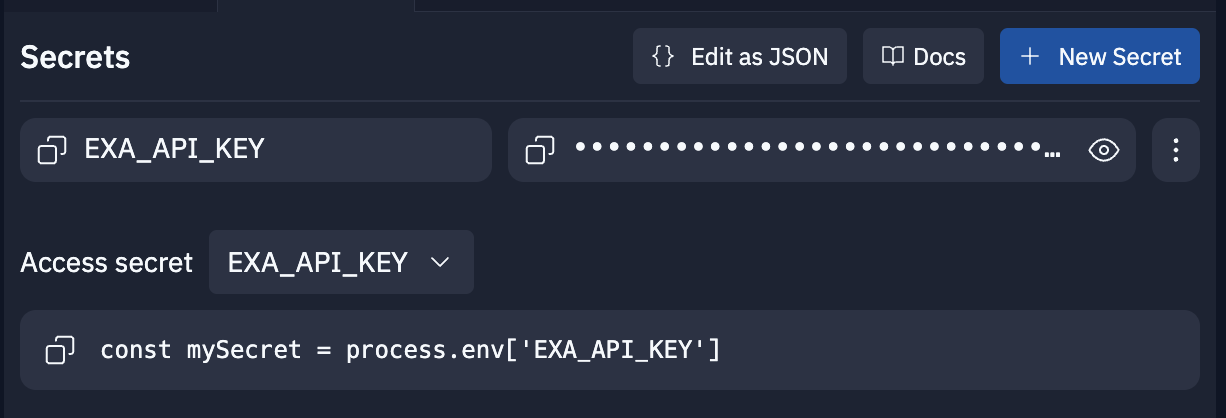
After you've added your API key, click the green Run button in the top center of the window.

After a few seconds, a Webview window will pop up with your website. You'll see a website that vaguely resembles Hacker News. It's a basic Express.js app with some CSS styling.
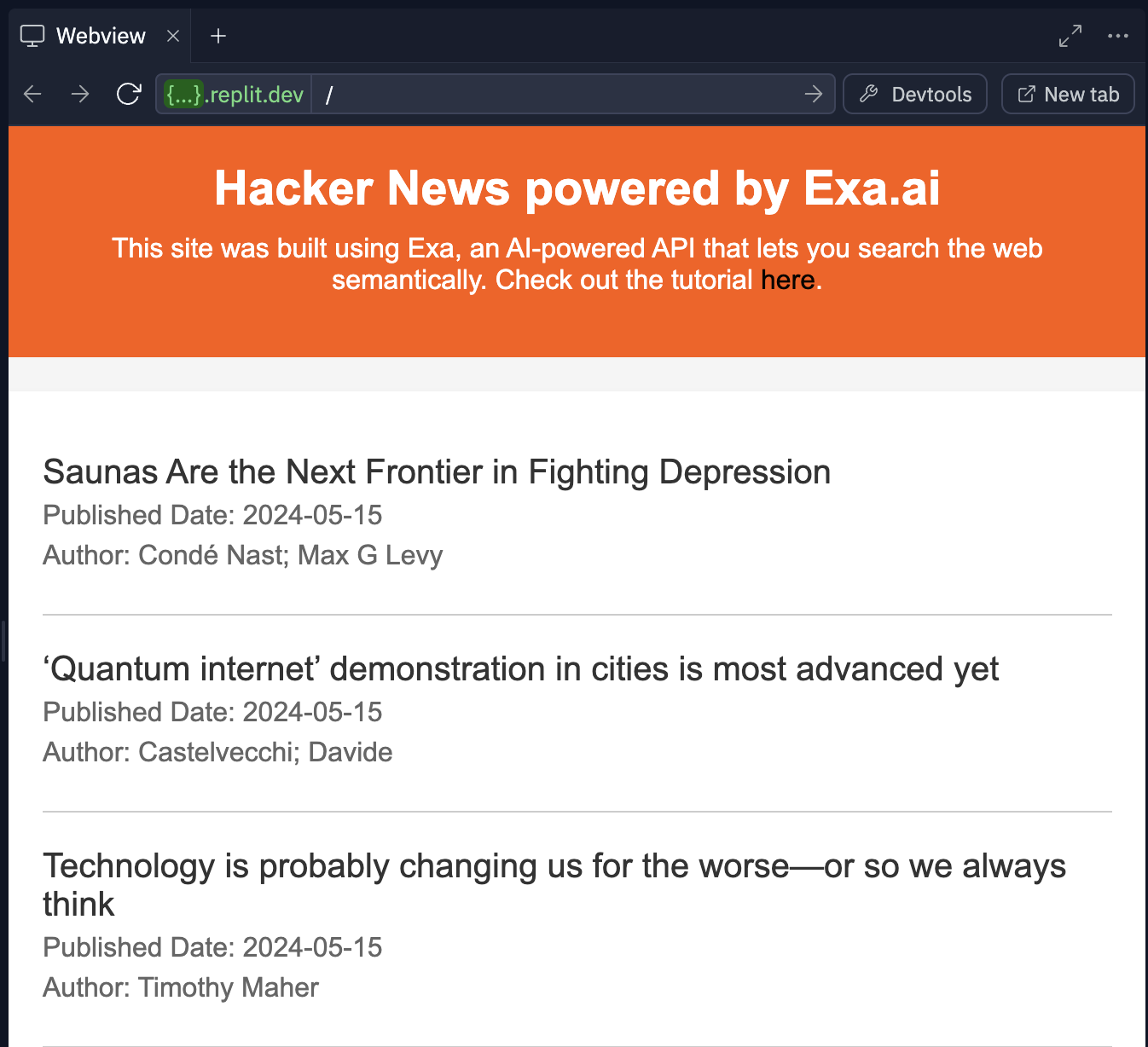
## How Exa works
In the index.js file (should be open by default), scroll to **line 19**. This is the brains of the site. It's where we call the Exa API with a custom prompt to get back Hacker News-style content.
```
const response = await fetch('https://api.exa.ai/search', {
method: 'POST',
headers: {
'Content-Type': 'application/json',
// Add your API key named "EXA_API_KEY" to Repl.it Secrets
'x-api-key': process.env.EXA_API_KEY,
},
body: JSON.stringify({
// change this prompt!
query: 'here is a really interesting techy article:',
// specify the maximum number of results to retrieve (10 is the limit for free API users)
numResults: 10,
// Set the start date for the article search
startPublishedDate: startPublishedDate,
// Set the end date for the article search
endPublishedDate: endPublishedDate,
}),
});
```
The prompt is set to "here is a really interesting tech article:". This is because of how Exa works behind the scenes. Exa uses embeddings to help predict which links would naturally follow a query. For example, on the Internet, you'll frequently see people recommend great content like this: "this tutorial really helped me understand linked lists: linkedlisttutorial.com". When you prompt Exa, you pretend to be someone recommending what you're looking for. In this case, our prompt nudges Exa to find links that someone would share when discussing a "really interesting tech article".
Check out the [results](https://exa.ai/search?q=here%20is%20a%20really%20interesting%20tech%20article%3A\&filters=%7B%22numResults%22%3A30%2C%22useAutoprompt%22%3Afalse%2C%22domainFilterType%22%3A%22include%22%7D) Exa returns for our prompt. Aren't they nice?
More example prompts to help you get a sense of prompting with Exa:
* [this gadget saves me so much time:](https://exa.ai/search?c=all\&q=this%20gadget%20saves%20me%20so%20much%20time%3A\&filters=%7B%22domainFilterType%22%3A%22include%22%2C%22timeFilterOption%22%3A%22any%5Ftime%22%2C%22activeTabFilter%22%3A%22all%22%7D)
* [i loved my wedding dress from this boutique:](https://exa.ai/search?c=all\&q=i%20loved%20my%20wedding%20dress%20from%20this%20boutique%3A\&filters=%7B%22domainFilterType%22%3A%22include%22%2C%22timeFilterOption%22%3A%22any%5Ftime%22%2C%22activeTabFilter%22%3A%22all%22%7D)
* [this video helped me understand attention mechanisms:](https://exa.ai/search?c=all\&q=this%20video%20helped%20me%20understand%20attention%20mechanisms%3A\&filters=%7B%22domainFilterType%22%3A%22include%22%2C%22timeFilterOption%22%3A%22any%5Ftime%22%2C%22activeTabFilter%22%3A%22all%22%7D)
More examples in the Exa [docs](/reference/the-exa-index).
At this point, please craft your own Exa prompt for your Hacker News site. It can be about anything you find interesting.
Example ideas:
* [this is a really exciting machine learning paper:](https://exa.ai/search?c=all\&q=this%20is%20a%20really%20exciting%20machine%20learning%20paper%3A\&filters=%7B%22domainFilterType%22%3A%22include%22%2C%22timeFilterOption%22%3A%22past%5Fday%22%2C%22activeTabFilter%22%3A%22all%22%7D)
* [here's a delicious new recipe:](https://exa.ai/search?c=all\&q=here%27s%20a%20delicious%20new%20recipe%3A\&filters=%7B%22domainFilterType%22%3A%22include%22%2C%22timeFilterOption%22%3A%22any%5Ftime%22%2C%22activeTabFilter%22%3A%22all%22%7D)
* [this company just got acquired:](https://exa.ai/search?c=all\&q=this%20company%20just%20got%20acquired%3A\&filters=%7B%22domainFilterType%22%3A%22include%22%2C%22timeFilterOption%22%3A%22past%5Fday%22%2C%22activeTabFilter%22%3A%22all%22%7D)
* [here's how the basketball game went:](https://exa.ai/search?c=all\&q=here%27s%20how%20the%20basketball%20game%20went%3A\&filters=%7B%22domainFilterType%22%3A%22include%22%2C%22timeFilterOption%22%3A%22past%5Fday%22%2C%22activeTabFilter%22%3A%22all%22%7D)
Once you have your prompt, replace the old one (line 28 of index.js). Hit the Stop button (where the Run button was) and hit Run again to restart your site with the new prompt.
Feel free to keep tweaking your prompt until you get results you like.
## Customize your site
Now, other things you can modify in the site template include the time window to search over, the number of results to return, the text on the site (title, description, footer), and styling (colors, fonts, etc.).
By default, the site asks the Exa API to get the ten most relevant results from the last 24 hours every time you visit the site. On the free plan, you can only get up to ten results, so you'll have to sign up for an Exa plan to increase this. You *can* tweak the time window though. Lines 12 to 17 in index.js is where we set the time window. You can adjust this as you like to get results from the last week, month, year, etc. Note that you don't have to search starting from the current date. You can search between any arbitrary dates, like October 31, 2015 and January 1, 2018.
To adjust the site title and other text, go to line 51 in index.js where the dynamic HTML starts. You can Ctrl-F "change" to find all the places where you can edit the text.
If orange isn't your vibe, go to the styles.css. To get there, go to the left side panel on Replit and click on the "public" folder.
To keep your site running all the time, you'll need to deploy it on Replit using Deployments. Click Deploy in the top right corner and select Autoscale. You can leave the default settings and click Deploy. This does cost money though. Alternatively you can deploy the site on your own. It's only two files (index.js and public/styles.css).
Well, there you have it! You just made your very own Hacker News-style site using the Exa API. Share it on X and [tag us](https://x.com/ExaAILabs) for a retweet!
---
# Source: https://exa.ai/docs/changelog/livecrawl-preferred-option.md
> ## Documentation Index
> Fetch the complete documentation index at: https://exa.ai/docs/llms.txt
> Use this file to discover all available pages before exploring further.
# New Livecrawl Option: Preferred
> Introducing the 'preferred' livecrawl option that tries to fetch fresh content but gracefully falls back to cached results when crawling fails, providing the best of both worlds.
***
**Date: 7 June 2025**
We've added a new `livecrawl` option called `"preferred"` that provides a more resilient approach to content fetching. This option attempts to crawl fresh content but gracefully falls back to cached results when live crawling fails.
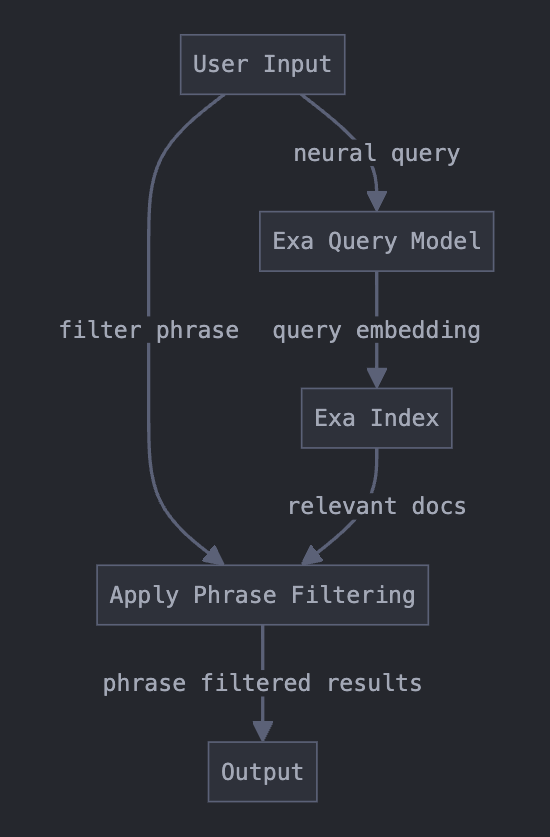
The `preferred` option is now available in both `/contents` and `/search_and_contents` endpoints.
## What's New
The new `livecrawl: "preferred"` option provides intelligent fallback behavior:
* **First**: Attempts to crawl fresh content from the live webpage
* **If crawling succeeds**: Returns the fresh, up-to-date content
* **If crawling fails but cached content exists**: Returns cached content instead of failing
* **If crawling fails and no cached content exists**: Returns the crawl error
## How It Differs from "Always"
The key difference between `"preferred"` and `"always"`:
| Option | Crawl Fails + Cache Available | Crawl Fails + No Cache |
| ------------- | ----------------------------- | ---------------------- |
| `"preferred"` | Returns cached content | Returns crawl error |
| `"always"` | Returns crawl error | Returns crawl error |
This makes `"preferred"` more resilient for production applications where you want fresh content when possible, but don't want requests to fail when websites are temporarily unavailable.
If content freshness is critical and you want nothing else, then using `"always"` might be better.
## When to Use "Preferred"
The `"preferred"` option is ideal when:
* You want the freshest content available but need reliability
* Building production applications that can't afford to fail on crawl errors
* Content freshness is important but not critical enough to fail the request
* You're crawling websites that might be occasionally unavailable
## Complete Livecrawl Options Overview
Here are all four livecrawl options and their behaviors:
| Option | Crawl Behavior | Cache Fallback | Best For |
| ------------- | ---------------- | --------------------------- | --------------------------------------------------- |
| `"always"` | Always crawls | Never falls back | Critical real-time data, willing to accept failures |
| `"preferred"` | Always crawls | Falls back on crawl failure | Fresh content with reliability |
| `"fallback"` | Only if no cache | Uses cache first | Balanced speed and freshness |
| `"never"` | Never crawls | Always uses cache | Maximum speed |
## Migration Guide
If you're currently using `livecrawl: "always"` but experiencing reliability issues:
```python theme={null}
# Before - fails when crawling fails
result = exa.get_contents(urls, livecrawl="always")
# After - more resilient with cache fallback
result = exa.get_contents(urls, livecrawl="preferred")
```
This change maintains your preference for fresh content while improving reliability.
---
# Source: https://exa.ai/docs/reference/livecrawling-contents.md
> ## Documentation Index
> Fetch the complete documentation index at: https://exa.ai/docs/llms.txt
> Use this file to discover all available pages before exploring further.
# Content Freshness
***
With Exa, we can already search the web using LLMs.
By default, we serve cached content to bias for the fastest response possible. If you need fresher content, use the `maxAgeHours` parameter to control how old cached content can be before we fetch a live version.
## maxAgeHours
`maxAgeHours` sets the maximum acceptable age (in hours) for cached content. If the cached version is older than this threshold, Exa will livecrawl the page to get fresh content.
| Value | Behavior | Best For |
| -------- | ----------------------------------------------------------- | ----------------------------------------------- |
| `24` | Use cache if less than 24 hours old, otherwise livecrawl | Daily-fresh content |
| `1` | Use cache if less than 1 hour old, otherwise livecrawl | Near real-time data |
| `0` | Always livecrawl (ignore cache entirely) | Real-time data where cached content is unusable |
| `-1` | Never livecrawl (cache only) | Maximum speed, historical/static content |
| *(omit)* | Default behavior (livecrawl as fallback if no cache exists) | **Recommended** — balanced speed and freshness |
## When LiveCrawl Isn't Necessary
Cached data is sufficient for many queries, especially for historical topics like "What were the major causes of World War II?" or educational content such as "How does photosynthesis work?" These subjects rarely change, so reliable cached results can provide accurate information quickly.
## Examples
### Company News
Set `maxAgeHours` to a low value to ensure you get fresh content. Pair with `livecrawlTimeout` to prevent long-running calls from hanging:
```bash cURL theme={null}
curl -X POST 'https://api.exa.ai/contents' \
-H 'x-api-key: YOUR-EXA-API-KEY' \
-H 'Content-Type: application/json' \
-d '{
"ids": ["https://www.apple.com"],
"maxAgeHours": 1,
"livecrawlTimeout": 12000
}'
```
```python Python theme={null}
result = exa.get_contents(
["https://www.apple.com"],
max_age_hours=1,
livecrawl_timeout=12000
)
```
```typescript TypeScript theme={null}
const result = await exa.getContents(
["https://www.apple.com"],
{
maxAgeHours: 1,
livecrawlTimeout: 12000
}
);
```
### Production Applications
For production apps, set `maxAgeHours` to match how frequently your target content changes. Pair with `livecrawlTimeout` for reliability:
```bash cURL theme={null}
curl -X POST 'https://api.exa.ai/contents' \
-H 'x-api-key: YOUR-EXA-API-KEY' \
-H 'Content-Type: application/json' \
-d '{
"ids": ["https://www.apple.com"],
"maxAgeHours": 24,
"livecrawlTimeout": 12000
}'
```
```python Python theme={null}
result = exa.get_contents(
["https://www.apple.com"],
max_age_hours=24,
livecrawl_timeout=12000
)
```
```typescript TypeScript theme={null}
const result = await exa.getContents(
["https://www.apple.com"],
{
maxAgeHours: 24,
livecrawlTimeout: 12000
}
);
```
This will serve cached content if it's less than 24 hours old, and livecrawl otherwise. If the livecrawl fails or times out, it falls back to cached content, making it ideal for production applications.
## Deprecated: livecrawl options
The `livecrawl` string parameter (`"always"`, `"preferred"`, `"fallback"`, `"never"`) is deprecated in favor of `maxAgeHours`. Existing code using `livecrawl` will continue to work, but we recommend migrating to `maxAgeHours` for more precise control over content freshness.
| Old livecrawl value | Equivalent maxAgeHours |
| ------------------- | ---------------------- |
| `"always"` | `0` |
| `"never"` | `-1` |
| `"fallback"` | *(omit — default)* |
`"preferred"` has no direct equivalent since it always livecrawls regardless of cache age. Use a low `maxAgeHours` value (e.g. `1`) for similar behavior.
---
# Source: https://exa.ai/docs/integrations/llamaIndex-docs.md
> ## Documentation Index
> Fetch the complete documentation index at: https://exa.ai/docs/llms.txt
> Use this file to discover all available pages before exploring further.
# LlamaIndex Docs
Learn how to use Exa's search API with LlamaIndex. LlamaIndex has a dedicated Exa tool. This enables AI agents to perform web search.
For detailed instructions on using Exa with LlamaIndex, visit the [LlamaIndex documentation](https://docs.llamaindex.ai/en/stable/api_reference/tools/exa/).
---
# Source: https://exa.ai/docs/reference/llamaindex.md
> ## Documentation Index
> Fetch the complete documentation index at: https://exa.ai/docs/llms.txt
> Use this file to discover all available pages before exploring further.
# LlamaIndex
> A quick-start guide on how to add Exa retrieval to a LlamaIndex Agent Application.
***
LlamaIndex is a framework for building LLM applications powered by structured data. In this guide, we'll use Exa's LlamaIndex integration to:
1. Specify Exa's Search and Retrieve Highlight Tool as a LlamaIndex retriever
2. Set up an OpenAI Agent that uses this tool in its response generation
***
## Get Started
Install the llama-index, llama-index core, llama-index-tools-exa libraries. OpenAI dependencies are within the core library, so we don't need to specify that.
```Python Python theme={null}
pip install llama-index llama-index-core llama-index-tools-exa
```
Also ensure API keys are initialized properly. The following code uses the `EXA_API_KEY` as the relevant environment variable name.
Import the relevant Exa integration library and instantiate LlamaIndex's `ExaToolSpec`.
```Python Python theme={null}
from llama_index.tools.exa import ExaToolSpec
import os
exa_tool = ExaToolSpec(
api_key=os.environ["EXA_API_KEY"],
)
```
For this example, we are only interested in passing the [search\_and\_retrieve\_highlights](./search) method to our agent, so we specify this using the `.to_tool_list`LlamaIndex method. We also pass `current_date`, a simple utility so our agent knows the current date.
```Python Python theme={null}
print('Tools that are provide by Exa LlamdaIndex integration:')
print('\n'.join(map(str, (exa_tool.spec_functions))))
search_and_retrieve_highlights_tool = exa_tool.to_tool_list(
spec_functions=["search_and_retrieve_highlights", "current_date"]
)
```
Set up the [OpenAIAgent](https://docs.llamaindex.ai/en/stable/examples/agent/Chatbot%5FSEC/), passing the filtered down toolset from above.
```Python Python theme={null}
from llama_index.agent.openai import OpenAIAgent
agent = OpenAIAgent.from_tools(
search_and_retrieve_highlights_tool,
verbose=True,
)
```
We can then use the chat method to interact with the agent.
```Python Python theme={null}
agent.chat(
"Can you summarize the news from the last month related to the US stock market?"
)
```
Output 1: Verbose output of agent operation
```js Stdout theme={null}
Added user message to memory: Can you summarize the news from the last month related to the US stock market?
=== Calling Function ===
Calling function: current_date with args: {}
Got output: 2024-05-09
========================
=== Calling Function ===
Calling function: search_and_retrieve_highlights with args: {"query":"US stock market news","num_results":5,"start_published_date":"2024-04-09","end_published_date":"2024-05-09"}
[Exa Tool] Autoprompt: Here is the latest news on the US stock market:
Got output: [Document(id_='26e0ccec-3b57-4785-ba20-fe0478051db3', embedding=None, metadata={}, excluded_embed_metadata_keys=[], excluded_llm_metadata_keys=[], relationships={}, text='Companies have repurchased more than $383 billion in shares over the past 13 weeks, according to Deutsche Bank research reported by Yahoo. This marks a 30% increase from the same period last year and is the highest level since June 2018. The Dow rose 75 points, or 0.2%, to 38,958 near midday. The S&P 500 dipped 0.1%, and the Nasdaq dropped 0.2%. AMC Entertainment and Robinhood will release their quarterly reports after markets close.', start_char_idx=None, end_char_idx=None, text_template='{metadata_str}\n\n{content}', metadata_template='{key}: {value}', metadata_seperator='\n'), Document(id_='5ffa10c4-700a-4c08-84f5-cdfe69189547', embedding=None, metadata={}, excluded_embed_metadata_keys=[], excluded_llm_metadata_keys=[], relationships={}, text='The California-based company reported a net loss of $270.6 million, or 43 cents per share, for the current period. This is compared to a loss of $268.3 million, or 44 cents per share, in the same period last year. Wall Street’s analysts predicted a per-share loss of 53 cents. Revenue increased by 22.3% to $801.3 million, falling short of the expectation of $918.8 million. Its bookings rose by 19% to $923.8 million, just missing expectations of $930.4 million.', start_char_idx=None, end_char_idx=None, text_template='{metadata_str}\n\n{content}', metadata_template='{key}: {value}', metadata_seperator='\n'), Document(id_='1bca8b42-4322-46ac-b423-fc9b076baf25', embedding=None, metadata={}, excluded_embed_metadata_keys=[], excluded_llm_metadata_keys=[], relationships={}, text="The Dow and other indexes opened higher on Thursday as the latest jobs report suggests the Federal Reserve may lower interest rates this year. Why McDonald's and Starbucks stocks should be avoided according to one analyst Off English Weekly jobless claims have risen to 231,000, up by 22,000 from the previous week. , this marks the highest level since August. This has raised hopes among investors that the central bank may reduce interest rates at some point this year. Meanwhile, , while the Swedish Riksbank and is expected to do so again this year.", start_char_idx=None, end_char_idx=None, text_template='{metadata_str}\n\n{content}', metadata_template='{key}: {value}', metadata_seperator='\n'), Document(id_='12cf1913-b637-4351-96fa-dd0a4e1dc6bd', embedding=None, metadata={}, excluded_embed_metadata_keys=[], excluded_llm_metadata_keys=[], relationships={}, text='Following the news, the stock declined 9.5% in mid-morning trading. Bitcoin jumps to $64,000 rebounded to morning The latest surge in Bitcoin price comes amid the resurgence of. Grayscale’s Bitcoin ETF has finally seen inflows. According to data compiled by , , which is the biggest Bitcoin ETF in terms of assets, received $63 million from investors on Friday. This marks the end of daily outflows that had been occurring for almost four months since its conversion to a spot ETF structure in January.', start_char_idx=None, end_char_idx=None, text_template='{metadata_str}\n\n{content}', metadata_template='{key}: {value}', metadata_seperator='\n'), Document(id_='fbd457e6-188f-464d-83f3-99303e2f2fc2', embedding=None, metadata={}, excluded_embed_metadata_keys=[], excluded_llm_metadata_keys=[], relationships={}, text='Its debt due 2025 is trading at 73 cents on the dollar, and its 2026 debt is at 55 cents. Following the news, the stock declined 9.7% by the end of the day. On the other hand, Spirit Airlines’ rivals soar on Monday. American Airlines, Southwest Airlines, and United Airlines were among the top-performing stocks, up 5.7%, 4.8%, and 4.4%, respectively. Stocks of Paramount soar amid acquisition discussions Shares of Paramount Global went up 3% by the end of the day amid ongoing discussions about who will acquire the streaming and entertainment company.', start_char_idx=None, end_char_idx=None, text_template='{metadata_str}\n\n{content}', metadata_template='{key}: {value}', metadata_seperator='\n')]
========================
```
Output 2: Agent response
```js Stdout theme={null}
AgentChatResponse(response="Here are some highlights related to the US stock market news from the last month:\n\n1. Companies have repurchased more than $383 billion in shares over the past 13 weeks, marking a 30% increase from the same period last year. This is the highest level since June 2018. The Dow rose 75 points, the S&P 500 dipped 0.1%, and the Nasdaq dropped 0.2%. AMC Entertainment and Robinhood will release their quarterly reports after markets close.\n\n2. A California-based company reported a net loss of $270.6 million, or 43 cents per share, for the current period. Revenue increased by 22.3% to $801.3 million, falling short of expectations. Bookings rose by 19% to $923.8 million, just missing expectations.\n\n3. The Dow and other indexes opened higher as the latest jobs report suggests the Federal Reserve may lower interest rates this year. Weekly jobless claims have risen to 231,000, the highest level since August, raising hopes among investors for a potential interest rate reduction.\n\n4. Following the news, a stock declined 9.5% in mid-morning trading. Bitcoin price surged to $64,000 amid the resurgence of Grayscale’s Bitcoin ETF seeing inflows after daily outflows for almost four months.\n\n5. Debt due in 2025 is trading at 73 cents on the dollar, and 2026 debt is at 55 cents. Following the news, a stock declined 9.7% by the end of the day. Spirit Airlines’ rivals, including American Airlines, Southwest Airlines, and United Airlines, saw their stocks soar. Paramount Global's shares went up 3% amid acquisition discussions.\n\nThese are some of the key highlights from the US stock market news in the last month.", sources=[ToolOutput(content='2024-05-09', tool_name='current_date', raw_input={'args': (), 'kwargs': {}}, raw_output=datetime.date(2024, 5, 9), is_error=False), ToolOutput(content='[Document(id_=\'26e0ccec-3b57-4785-ba20-fe0478051db3\', embedding=None, metadata={}, excluded_embed_metadata_keys=[], excluded_llm_metadata_keys=[], relationships={}, text=\'Companies have repurchased more than $383 billion in shares over the past 13 weeks, according to Deutsche Bank research reported by Yahoo. This marks a 30% increase from the same period last year and is the highest level since June 2018. The Dow rose 75 points, or 0.2%, to 38,958 near midday. The S&P 500 dipped 0.1%, and the Nasdaq dropped 0.2%. AMC Entertainment and Robinhood will release their quarterly reports after markets close.\', start_char_idx=None, end_char_idx=None, text_template=\'{metadata_str}\\n\\n{content}\', metadata_template=\'{key}: {value}\', metadata_seperator=\'\\n\'), Document(id_=\'5ffa10c4-700a-4c08-84f5-cdfe69189547\', embedding=None, metadata={}, excluded_embed_metadata_keys=[], excluded_llm_metadata_keys=[], relationships={}, text=\'The California-based company reported a net loss of $270.6 million, or 43 cents per share, for the current period. This is compared to a loss of $268.3 million, or 44 cents per share, in the same period last year. Wall Street’s analysts predicted a per-share loss of 53 cents. Revenue increased by 22.3% to $801.3 million, falling short of the expectation of $918.8 million. Its bookings rose by 19% to $923.8 million, just missing expectations of $930.4 million.\', start_char_idx=None, end_char_idx=None, text_template=\'{metadata_str}\\n\\n{content}\', metadata_template=\'{key}: {value}\', metadata_seperator=\'\\n\'), Document(id_=\'1bca8b42-4322-46ac-b423-fc9b076baf25\', embedding=None, metadata={}, excluded_embed_metadata_keys=[], excluded_llm_metadata_keys=[], relationships={}, text="The Dow and other indexes opened higher on Thursday as the latest jobs report suggests the Federal Reserve may lower interest rates this year. Why McDonald\'s and Starbucks stocks should be avoided according to one analyst Off English Weekly jobless claims have risen to 231,000, up by 22,000 from the previous week. , this marks the highest level since August. This has raised hopes among investors that the central bank may reduce interest rates at some point this year. Meanwhile, , while the Swedish Riksbank and is expected to do so again this year.", start_char_idx=None, end_char_idx=None, text_template=\'{metadata_str}\\n\\n{content}\', metadata_template=\'{key}: {value}\', metadata_seperator=\'\\n\'), Document(id_=\'12cf1913-b637-4351-96fa-dd0a4e1dc6bd\', embedding=None, metadata={}, excluded_embed_metadata_keys=[], excluded_llm_metadata_keys=[], relationships={}, text=\'Following the news, the stock declined 9.5% in mid-morning trading. Bitcoin jumps to $64,000 rebounded to morning The latest surge in Bitcoin price comes amid the resurgence of. Grayscale’s Bitcoin ETF has finally seen inflows. According to data compiled by , , which is the biggest Bitcoin ETF in terms of assets, received $63 million from investors on Friday. This marks the end of daily outflows that had been occurring for almost four months since its conversion to a spot ETF structure in January.\', start_char_idx=None, end_char_idx=None, text_template=\'{metadata_str}\\n\\n{content}\', metadata_template=\'{key}: {value}\', metadata_seperator=\'\\n\'), Document(id_=\'fbd457e6-188f-464d-83f3-99303e2f2fc2\', embedding=None, metadata={}, excluded_embed_metadata_keys=[], excluded_llm_metadata_keys=[], relationships={}, text=\'Its debt due 2025 is trading at 73 cents on the dollar, and its 2026 debt is at 55 cents. Following the news, the stock declined 9.7% by the end of the day. On the other hand, Spirit Airlines’ rivals soar on Monday. American Airlines, Southwest Airlines, and United Airlines were among the top-performing stocks, up 5.7%, 4.8%, and 4.4%, respectively. Stocks of Paramount soar amid acquisition discussions Shares of Paramount Global went up 3% by the end of the day amid ongoing discussions about who will acquire the streaming and entertainment company.\', start_char_idx=None, end_char_idx=None, text_template=\'{metadata_str}\\n\\n{content}\', metadata_template=\'{key}: {value}\', metadata_seperator=\'\\n\')]', tool_name='search_and_retrieve_highlights', raw_input={'args': (), 'kwargs': {'query': 'US stock market news', 'num_results': 5, 'start_published_date': '2024-04-09', 'end_published_date': '2024-05-09'}}, raw_output=[Document(id_='26e0ccec-3b57-4785-ba20-fe0478051db3', embedding=None, metadata={}, excluded_embed_metadata_keys=[], excluded_llm_metadata_keys=[], relationships={}, text='Companies have repurchased more than $383 billion in shares over the past 13 weeks, according to Deutsche Bank research reported by Yahoo. This marks a 30% increase from the same period last year and is the highest level since June 2018. The Dow rose 75 points, or 0.2%, to 38,958 near midday. The S&P 500 dipped 0.1%, and the Nasdaq dropped 0.2%. AMC Entertainment and Robinhood will release their quarterly reports after markets close.', start_char_idx=None, end_char_idx=None, text_template='{metadata_str}\n\n{content}', metadata_template='{key}: {value}', metadata_seperator='\n'), Document(id_='5ffa10c4-700a-4c08-84f5-cdfe69189547', embedding=None, metadata={}, excluded_embed_metadata_keys=[], excluded_llm_metadata_keys=[], relationships={}, text='The California-based company reported a net loss of $270.6 million, or 43 cents per share, for the current period. This is compared to a loss of $268.3 million, or 44 cents per share, in the same period last year. Wall Street’s analysts predicted a per-share loss of 53 cents. Revenue increased by 22.3% to $801.3 million, falling short of the expectation of $918.8 million. Its bookings rose by 19% to $923.8 million, just missing expectations of $930.4 million.', start_char_idx=None, end_char_idx=None, text_template='{metadata_str}\n\n{content}', metadata_template='{key}: {value}', metadata_seperator='\n'), Document(id_='1bca8b42-4322-46ac-b423-fc9b076baf25', embedding=None, metadata={}, excluded_embed_metadata_keys=[], excluded_llm_metadata_keys=[], relationships={}, text="The Dow and other indexes opened higher on Thursday as the latest jobs report suggests the Federal Reserve may lower interest rates this year. Why McDonald's and Starbucks stocks should be avoided according to one analyst Off English Weekly jobless claims have risen to 231,000, up by 22,000 from the previous week. , this marks the highest level since August. This has raised hopes among investors that the central bank may reduce interest rates at some point this year. Meanwhile, , while the Swedish Riksbank and is expected to do so again this year.", start_char_idx=None, end_char_idx=None, text_template='{metadata_str}\n\n{content}', metadata_template='{key}: {value}', metadata_seperator='\n'), Document(id_='12cf1913-b637-4351-96fa-dd0a4e1dc6bd', embedding=None, metadata={}, excluded_embed_metadata_keys=[], excluded_llm_metadata_keys=[], relationships={}, text='Following the news, the stock declined 9.5% in mid-morning trading. Bitcoin jumps to $64,000 rebounded to morning The latest surge in Bitcoin price comes amid the resurgence of. Grayscale’s Bitcoin ETF has finally seen inflows. According to data compiled by , , which is the biggest Bitcoin ETF in terms of assets, received $63 million from investors on Friday. This marks the end of daily outflows that had been occurring for almost four months since its conversion to a spot ETF structure in January.', start_char_idx=None, end_char_idx=None, text_template='{metadata_str}\n\n{content}', metadata_template='{key}: {value}', metadata_seperator='\n'), Document(id_='fbd457e6-188f-464d-83f3-99303e2f2fc2', embedding=None, metadata={}, excluded_embed_metadata_keys=[], excluded_llm_metadata_keys=[], relationships={}, text='Its debt due 2025 is trading at 73 cents on the dollar, and its 2026 debt is at 55 cents. Following the news, the stock declined 9.7% by the end of the day. On the other hand, Spirit Airlines’ rivals soar on Monday. American Airlines, Southwest Airlines, and United Airlines were among the top-performing stocks, up 5.7%, 4.8%, and 4.4%, respectively. Stocks of Paramount soar amid acquisition discussions Shares of Paramount Global went up 3% by the end of the day amid ongoing discussions about who will acquire the streaming and entertainment company.', start_char_idx=None, end_char_idx=None, text_template='{metadata_str}\n\n{content}', metadata_template='{key}: {value}', metadata_seperator='\n')], is_error=False)], source_nodes=[], is_dummy_stream=False)
```
As you can see, the output generation is enriched with the context of our Exa Search query result!
---
# Source: https://exa.ai/docs/changelog/markdown-contents-as-default.md
> ## Documentation Index
> Fetch the complete documentation index at: https://exa.ai/docs/llms.txt
> Use this file to discover all available pages before exploring further.
# Markdown Contents as Default
> Markdown content is now the default format for all Exa API endpoints, providing cleaner, more readable content that's ideal for AI applications and text processing.
***
**Date: 23 June 2025**
We've updated all Exa API endpoints to return content in markdown format by default. This change provides cleaner, more structured content that's optimized for AI applications, RAG systems, and general text processing workflows.
All endpoints now process webpage content into clean markdown format by default. Use the `includeHtmlTags` parameter to control content formatting.
## What Changed
Previously, our endpoints returned content in various formats depending on the specific endpoint configuration. Now, all endpoints consistently return content processed into clean markdown format, making it easier to work with the data across different use cases.
## Content Processing Behavior
The `includeHtmlTags` parameter now controls how we process webpage content:
* **`includeHtmlTags=false` (default)**: We process webpage content into clean markdown format
* **`includeHtmlTags=true`**: We return content as HTML without processing to markdown
In all cases, we remove extraneous data, advertisements, navigation elements, and other boilerplate content, keeping only what we detect as the main content of the page.
**No action required** if you want the new markdown format - it's now the default! If you need HTML content instead:
## Benefits of Markdown Default
1. **Better for AI applications**: Markdown format is more structured and easier for LLMs to process
2. **Improved readability**: Clean formatting without HTML tags makes content more readable
3. **RAG optimization**: Markdown content chunks more naturally for retrieval systems
If you have any questions about this change or need help adapting your implementation, please reach out to [hello@exa.ai](mailto:hello@exa.ai).
We're excited for you to experience the improved content quality with markdown as the default!
---
# Source: https://exa.ai/docs/reference/migrating-from-bing.md
> ## Documentation Index
> Fetch the complete documentation index at: https://exa.ai/docs/llms.txt
> Use this file to discover all available pages before exploring further.
# Migrating from Bing
> Guide for switching from the deprecated Bing Search API to Exa
## Overview
Microsoft deprecated the Bing Search API on August 11th, 2025. This guide provides the technical details needed to migrate from Bing Search API to Exa's search API.
## Quick Start
### Get your API key
### Install the SDK
```bash Python theme={null}
pip install exa-py
```
```bash JavaScript theme={null}
npm install exa-js
```
### Replace your API calls
**Bing**
```bash cURL theme={null}
curl -H "Ocp-Apim-Subscription-Key: YOUR_BING_KEY" \
"https://api.bing.microsoft.com/v7.0/search?q=latest%20AI%20news&count=10"
```
```python Python theme={null}
import requests
response = requests.get(
'https://api.bing.microsoft.com/v7.0/search',
params={'q': 'latest AI news', 'count': 10},
headers={'Ocp-Apim-Subscription-Key': 'YOUR_BING_KEY'}
)
```
```javascript JavaScript theme={null}
fetch(
"https://api.bing.microsoft.com/v7.0/search?q=latest%20AI%20news&count=10",
{
headers: {
"Ocp-Apim-Subscription-Key": "YOUR_BING_KEY",
},
}
);
```
**Exa**
```bash cURL theme={null}
curl -X POST https://api.exa.ai/search \
-H "x-api-key: YOUR_EXA_KEY" \
-H "Content-Type: application/json" \
-d '{
"query": "latest AI news",
"numResults": 10
}'
```
```python Python theme={null}
from exa_py import Exa
exa = Exa('YOUR_EXA_KEY')
results = exa.search("latest AI news", num_results=10)
```
```javascript JavaScript theme={null}
import Exa from "exa-js";
const exa = new Exa("YOUR_EXA_KEY");
const results = await exa.search("latest AI news", { numResults: 10 });
```
## Parameter Mapping
| Bing Parameter | Exa Parameter | Notes |
| ---------------- | -------------------------------------------------------------------------------------- | -------------------------------------------- |
| `q` | `query` | Required parameter |
| `count` | `numResults` | Default: 10, Max: 100 |
| `mkt`, `cc` | `userLocation` | Use 2-letter ISO country code |
| `freshness` | `startPublishedDate` `endPublishedDate` `startCrawlDate` `endCrawlDate` | Use ISO 8601 date format |
| `site:` operator | `includeDomains` `excludeDomains` | Use arrays of domain strings |
| Query filters | `includeText` `excludeText` | Use arrays of phrase filters |
| `safeSearch` | `moderation` | Disabled by default, set to `true` to enable |
| `offset` | Not supported | |
## Response Format Differences
**Bing Response Structure**
```json theme={null}
{
"webPages": {
"value": [
{
"name": "Page Title",
"url": "https://example.com",
"snippet": "Description...",
"dateLastCrawled": "2025-08-11T00:00:00"
}
]
}
}
```
**Exa Response Structure**
```json theme={null}
{
"results": [
{
"title": "Page Title",
"url": "https://example.com",
"publishedDate": "2025-08-11",
"author": "Author Name",
"text": "Full content when requested...",
"highlights": ["Key sentences..."]
}
],
"requestId": "unique-id"
}
```
## Examples
### Fresh Content Search
**Bing**
```bash cURL theme={null}
curl -H "Ocp-Apim-Subscription-Key: YOUR_KEY" \
"https://api.bing.microsoft.com/v7.0/search?q=AI+news&freshness=Week"
```
```python Python theme={null}
import requests
response = requests.get(
'https://api.bing.microsoft.com/v7.0/search',
params={'q': 'AI news', 'freshness': 'Week'},
headers={'Ocp-Apim-Subscription-Key': 'YOUR_KEY'}
)
```
```javascript JavaScript theme={null}
fetch("https://api.bing.microsoft.com/v7.0/search?q=AI+news&freshness=Week", {
headers: {
"Ocp-Apim-Subscription-Key": "YOUR_KEY",
},
});
```
**Exa**
```bash cURL theme={null}
curl -X POST https://api.exa.ai/search \
-H "x-api-key: YOUR_KEY" \
-H "Content-Type: application/json" \
-d '{
"query": "AI news",
"startPublishedDate": "2025-08-04T00:00:00Z",
"type": "auto"
}'
```
```python Python theme={null}
from datetime import datetime, timedelta
week_ago = (datetime.now() - timedelta(days=7)).isoformat() + "Z"
results = exa.search(
"AI news",
start_published_date=week_ago,
type="auto"
)
```
```javascript JavaScript theme={null}
const weekAgo = new Date();
weekAgo.setDate(weekAgo.getDate() - 7);
const results = await exa.search("AI news", {
startPublishedDate: weekAgo.toISOString(),
type: "auto",
});
```
### Domain-Specific Search
**Bing**
```bash cURL theme={null}
curl -H "Ocp-Apim-Subscription-Key: YOUR_KEY" \
"https://api.bing.microsoft.com/v7.0/search?q=site:arxiv.org+transformers"
```
```python Python theme={null}
import requests
response = requests.get(
'https://api.bing.microsoft.com/v7.0/search',
params={'q': 'site:arxiv.org transformers'},
headers={'Ocp-Apim-Subscription-Key': 'YOUR_KEY'}
)
```
```javascript JavaScript theme={null}
fetch(
"https://api.bing.microsoft.com/v7.0/search?q=site:arxiv.org+transformers",
{
headers: {
"Ocp-Apim-Subscription-Key": "YOUR_KEY",
},
}
);
```
**Exa**
```bash cURL theme={null}
curl -X POST https://api.exa.ai/search \
-H "x-api-key: YOUR_KEY" \
-H "Content-Type: application/json" \
-d '{
"query": "transformers",
"includeDomains": ["arxiv.org"],
"type": "auto"
}'
```
```python Python theme={null}
results = exa.search(
"transformers",
include_domains=["arxiv.org"],
type="auto"
)
```
```javascript JavaScript theme={null}
const results = await exa.search("transformers", {
includeDomains: ["arxiv.org"],
type: "auto",
});
```
### Search with Content Extraction
Exa provides integrated content extraction, eliminating the need for separate API calls:
```bash cURL theme={null}
curl -X POST https://api.exa.ai/search \
-H "x-api-key: YOUR_KEY" \
-H "Content-Type: application/json" \
-d '{
"query": "climate change research",
"numResults": 5,
"contents": {
"text": true,
"highlights": {
"maxCharacters": 2000,
"query": "key findings"
}
}
}'
```
```python Python theme={null}
results = exa.search_and_contents(
"climate change research",
num_results=5,
text=True,
highlights={
"max_characters": 2000,
"query": "key findings"
}
)
```
```javascript JavaScript theme={null}
const results = await exa.searchAndContents("climate change research", {
numResults: 5,
text: true,
highlights: {
maxCharacters: 2000,
query: "key findings",
},
});
```
---
# Source: https://exa.ai/docs/changelog/new-deep-search-type.md
> ## Documentation Index
> Fetch the complete documentation index at: https://exa.ai/docs/llms.txt
> Use this file to discover all available pages before exploring further.
# New Deep Search Type
> Introducing Exa Deep: Get better results with smart query expansion and high-quality summaries.
***
**Date: November 20, 2025**
We're excited to introduce **Exa Deep** - a new search type that finds better results by running multiple searches at once and gives you high-quality context for each result. You can send just one query (we'll create variations automatically) or provide your own query variations using the `additionalQueries` parameter for even better results.
Deep search is available on our API Playground. [Try Deep search in the dashboard →](https://dashboard.exa.ai/playground/search?q=blog%20post%20about%20AI\&filters=%7B%22text%22%3A%22true%22%2C%22type%22%3A%22deep%22%2C%22livecrawl%22%3A%22fallback%22%7D)
### How Deep Search Works
When you use Deep search, here's what happens:
1. **Query Expansion**: If you only send one query, we automatically create variations. If you send query variations yourself using `additionalQueries`, we use those instead. For best results, consider having a good LLM model (like GPT-5 or Claude 4.5 Sonnet) generate the query variations for you.
2. **Parallel Search**: We search for your main query and all variations at the same time
3. **Smart Ranking**: We combine and rank all results to give you the most relevant ones
4. **Summary Generation**: Each result gets a detailed, accurate summary
### How to Use Deep Search
Using Deep search is simple - just add `type="deep"` to your search requests. You can also add `additionalQueries` for even better results:
**Basic Deep Search:**
```bash theme={null}
curl -X POST https://api.exa.ai/search \
-H "x-api-key: EXA_API_KEY" \
-H "Content-Type: application/json" \
-d '{
"query": "blog post about AI",
"type": "deep",
"contents": {
"text": true,
"context": true
}
}'
```
**Deep Search with Query Variations:**
```bash theme={null}
curl -X POST https://api.exa.ai/search \
-H "x-api-key: EXA_API_KEY" \
-H "Content-Type: application/json" \
-d '{
"query": "blog post about AI",
"additionalQueries": ["AI blogpost", "machine learning blogs"],
"type": "deep",
"contents": {
"text": true,
"context": true
}
}'
```
### What You Get Back
Deep search returns a `context` field that gives you detailed context:
```json theme={null}
{
"requestId": "975a6ff95c69a0bdc558f01c99ede801",
"context": "Title: AI News | Latest AI News, Analysis & Events\nPublished Date: 2025-11-19T10:22:05.000Z\nURL: https://www.artificialintelligence-news.com/\nSummary: This page is a collection of recent news, analysis, and resources related to Artificial Intelligence (AI). It features various blog posts and articles covering topics such as:\n\n* **Workforce & HR:** Using ChatGPT for team planning and the Royal Navy's use of AI in recruitment.\n* **Technology & Infrastructure:** The role of Pure Storage and Azure in AI-ready data, and alliances between Microsoft, NVIDIA, and Anthropic for AI compute.\n* **AI Models & Tools:** Google’s Veo 3 video creation tools, Samsung’s small AI model, and lightweight LLMs for enterprise use in Japan.\n* **Industry Applications:** AI in asset management (Franklin Templeton & Wand AI), Levi Strauss's DTC model, and accounting firms using AI agents.\n* **Research & Hardware:** Breakthroughs in analog AI chips for deep learning a....",
"results": [
{
"id": "https://www.artificial-intelligence.blog/",
"title": "AI Blog - Artificial Intelligence Blog",
"url": "https://www.artificial-intelligence.blog/",
"publishedDate": "2016-01-01T00:00:00.000Z",
"author": "Artificial Superintelligence (ASI)",
"text": "This is a blog dedicated to Artificial Intelligence, aiming to keep readers updated on the field in innovative, informative, and entertaining ways. The content, including images and text, is largely generated by AI. The blog features various posts covering topics such as new AI models, societal impact, technical discussions, industry focus, market analysis, and beginner guides...",
"image": "http://static1.squarespace.com/static/62ec2bc76a27db7b37a2b32f/t/68974039b71d0f1a6f3e6920/1754742841664/of+ai-blog-youtube-2025.png?format=1500w",
"favicon": "https://images.squarespace-cdn.com/content/v1/62ec2bc76a27db7b37a2b32f/abfb4587-35b3-411f-8603-7e24344b95fc/favicon.ico?format=100w"
},
{
"id": "https://blog.google/technology/ai/",
"title": "AI",
"url": "https://blog.google/technology/ai/",
"publishedDate": "2018-06-07T18:13:42.000Z",
"author": "",
"text": "The work we're doing to make AI helpful for everyone. This page covers Gemini Models, Gemini App updates, Research developments, and Developer resources. Recent highlights include the release of Gemini 3, tips for using Nano Banana Pro, and various AI research initiatives...",
"image": "https://blog.google/static/blogv2/images/google-200x200.png?version=pr20251113-1736",
"favicon": "https://blog.google/favicon.ico"
}
],
"searchTime": 2619.8,
"costDollars": {
"total": 0.022,
"search": {"neural": 0.005},
"contents": {"text": 0.017}
}
}
```
### Available Search Types
Now you have four search types to choose from:
* **Auto** (default): Our best search, intelligently combines multiple search methods
* **Fast**: Fastest search with lowest latency
* **Deep**: Deep search with query expansion and summaries
* **Neural**: Predicts the most relevant results based on query meaning
We're excited for you to try Deep search and see how it can improve your search results!
---
# Source: https://exa.ai/docs/changelog/new-fast-search-type.md
> ## Documentation Index
> Fetch the complete documentation index at: https://exa.ai/docs/llms.txt
> Use this file to discover all available pages before exploring further.
# New Fast Search Type
> Introducing Exa Fast: The world's fastest search API.
***
**Date: July 29, 2025**
We're excited to introduce **Exa Fast** - the fastest search API in the world. Exa Fast uses streamlined versions of our search models with p50 latency below 425ms.
Fast search is available immediately on all API plans. [Try Fast search in the dashboard →](https://dashboard.exa.ai/playground/search?q=blog%20post%20about%20AI\&filters=%7B%22text%22%3A%22true%22%2C%22type%22%3A%22fast%22%2C%22livecrawl%22%3A%22never%22%7D)
## What's New
The Fast search type provides:
* **Speed**: p50 latency below 425ms - that's 30% faster than other search APIs
* **Exa Index**: Uses the same index of high quality content as our neural search
* **Customization**: Full compatibility with all the same parameters as our other search types
## When to Use Fast Search
Fast search is ideal for:
1. **Fast web grounding**: Integrate real-time web information into responses without sacrificing speed and impacting user experience
2. **Agentic workflows**: AI agents like deep research that use dozens or hundreds of search calls where milliseconds add up
3. **Low-latency AI products**: Latency-sensitive applications like AI voice companions where every millisecond matters
## How to Use Fast Search
Using Fast search is simple - just add `type="fast"` to your search requests:
```python Python theme={null}
result = exa.search_and_contents(
"latest AI news",
type="fast",
livecrawl="never",
)
```
```javascript JavaScript theme={null}
const result = await exa.searchAndContents(
"latest AI news",
{
type: "fast",
livecrawl: "never"
}
);
```
```bash cURL theme={null}
curl -X POST https://api.exa.ai/search \
-H "x-api-key: YOUR_API_KEY" \
-H "Content-Type: application/json" \
-d '{
"query": "latest AI news",
"type": "fast",
"livecrawl": "never"
}'
```
## Options That Impact Latency
While Fast search is optimized for speed, certain options can increase response times:
* **Live crawling**: Fetching content live requires real-time web requests. Set `livecrawl="never"` to use cached content and maintain optimal speed.
* **AI summaries**: Requesting AI-generated summaries requires LLM processing, which adds significant latency to your requests.
* **Complex date filters**: Using wide date ranges or multiple date constraints requires additional filtering that can slow down results.
* **Include/exclude text**: Text-based content filtering requires scanning through results, which impacts response times.
* **Subpages**: Including subpages in your search requires additional processing and can significantly increase latency.
For the fastest possible performance, use Fast search with minimal parameters and rely on cached content.
---
# Source: https://exa.ai/docs/examples/niche-company-finder-with-phrase-filters.md
> ## Documentation Index
> Fetch the complete documentation index at: https://exa.ai/docs/llms.txt
> Use this file to discover all available pages before exploring further.
# Phrase Filters: Niche Company Finder
***
## What this doc covers
1. What Phrase filters are and how they work
2. Using 'Phrase Filters' to find specific results, in this case filtering by a foreign company suffix
In this simple example, we'll demonstrate a company discovery search that helps find relevant companies incorporated in the Germany (and a few nearby countries) via Phrase Filters. This example will use the fact that companies incorporated in these locations [have a suffix of GmbH](https://en.wikipedia.org/wiki/GmbH), which is a term in the region similar to the US 'incorporated'.
## How Phrase Filters work
Exa's search combines semantic relevance with precise filtering: a neural query first retrieves contextually relevant documents, then a phrase filter refines these results by checking for specific text in the content. This two-stage approach delivers highly targeted outputs by leveraging both semantic understanding and exact text matching.
## Running a query with phrase filter
Using Phrase Filters is super simple. As usual, install the `exa_py` library with `pip install exa_py`. Then instantiate the library:
```Python Python theme={null}
# Now, import the Exa class and pass your API key to it.
from exa_py import Exa
my_exa_api_key = "YOUR_API_KEY_HERE"
exa = Exa(my_exa_api_key)
```
Make a query, in this example searching for the most innovative climate tech companies. To use Phrase Filters, specify a string corresponding to the `includeText` input parameter
```Python Python theme={null}
result = exa.search_and_contents(
"Here is an innovative climate technology company",
type="neural",
num_results=10,
text=True,
include_text=["GmbH"]
)
print(result)
```
Which outputs:
```
{
"results": [
{
"title": "Sorption Technologies |",
"id": "https://sorption-technologies.com/",
"url": "https://sorption-technologies.com/",
"publishedDate": "2024-02-10",
"author": null,
"text": ""
},
{
"title": "FenX | VentureRadar",
"id": "https://www.ventureradar.com/organisation/FenX/364b6fb7-0033-4c88-a4e9-9c3b1f530d72",
"url": "https://www.ventureradar.com/organisation/FenX/364b6fb7-0033-4c88-a4e9-9c3b1f530d72",
"publishedDate": "2023-03-28",
"author": null,
"text": "Follow\n\nFollowing\n\nLocation: Switzerland\n\nFounded in 2019\n\nPrivate Company\n\n\"FenX is a Spinoff of ETH Zurich tackling the world’s energy and greenhouse gas challenges by disrupting the building insulation market. Based on a innovative foaming technique, the company produces high-performance insulation foams made from abandoned waste materials such as fly ash from coal power stations. The final products are fully recyclable, emit low CO2 emissions and are economically competitive.\"\n Description Source: VentureRadar Research / Company Website\n\nExport Similar Companies Similar Companies\n\nCompany \n Country\n Status\n Description\n\nVecor Australia Australia n/a Every year the world’s coal-fired power stations produce approximately 1 billion tonnes of a very fine ash called fly ash. This nuisance ash, which resembles smoke, can be... MCC Technologies USA Private MCC Technologies builds, owns and operates processing plants utilizing coal fly ash waste from landfills and ash ponds. The company processes large volumes of low-quality Class F... Climeworks GmbH Switzerland Private Climeworks has developed an ecologically and economically attractive method to extract CO2 from ambient air. Our goal is to deliver CO2 for the production of synthetic liquid... Errcive Inc USA Private The company is involved in developing a novel fly ash based material to mitigate exhaust pollution. The commercial impact of the work is to allow: the reduction of exhaust fumes... 4 Envi Denmark n/a Danish 4 Envi develops a system for the cleaning and re-use of biomass-fuelled plant’s fly ash. After cleaning, the ash and some of its components can be reused as fertilizers,... Neolithe France n/a Néolithe wants to reduce global greenhouse gas emissions by 5% by tackling a problem that concerns us all: waste treatment! They transform non-recyclable waste into aggregates...\n\nShow all\n\nWebsite Archive\n\nInternet Archive snapshots for |\n\nhttps://fenx.ch/\n\nThe archive allows you to go back in time and view historical versions of the company website\n\nThe site\n\nhttps://fenx.ch/\n\nwas first archived on\n\n4th Jul 2019\n\nIs this your company? Claim this profile andupdate details for free\n\nSub-Scores\n\nPopularity on VentureRadar\n\nWebsite Popularity\n\nLow Traffic Sites\n Low\n\nHigh Traffic Sites\n High\n\nAlexa Global Rank:\n\n3,478,846 | \n fenx.ch\n\nAuto Analyst Score\n\n68\n\nAuto Analyst Score:\n 68 | \n fenx.ch\n\nVentureRadar Popularity\n\nHigh\n\nVentureRadar Popularity:\n High The popularity score combines profile views, clicks and the number of times the company appears in search results.\n\nor\n\nTo continue, please confirm you\n are not a robot"
},
{
"title": "intelligent fluids | LinkedIn",
"id": "https://www.linkedin.com/company/intelligentfluids",
"url": "https://www.linkedin.com/company/intelligentfluids",
"publishedDate": "2023-06-08",
"author": null,
"text": "Sign in to see who you already know at intelligent fluids GmbH (SMARTCHEM)\n\nWelcome back\n\nEmail or phone\n\nPassword\n\nForgot password?\n\nor\n\nNew to LinkedIn? Join now\n\nor\n\nNew to LinkedIn? Join now"
},
{
"title": "justairtech GmbH – Umweltfreundliche Kühlsysteme mit Luft als Kältemittel",
"id": "https://www.justairtech.de/",
"url": "https://www.justairtech.de/",
"publishedDate": "2024-06-13",
"author": null,
"text": "decouple cooling from climate change with air as refrigerant.\n\nWir entwickeln eine hocheffziente Kühlanlage, die Luft als Kältemittel verwendet. Wieso? Die Welt verändert sich tiefgreifender und schneller als in allen Generationen vor uns. Wir sehen darin nicht nur eine Bedrohung, sondern begreifen dies auch als Chance, Prozesse nachhaltig zu gestalten.\n\nUnsere Arbeit konzentriert sich auf die Revolutionierung der Kühlung für Zieltemperaturen von 0–40 °C bei beliebiger Umwelttemperatur. Dabei verwenden wir Luft als Kältemittel.\n\nzielgruppe\n\nDer globale Kühlbedarf macht aktuell 10% des weltweiten Strombedarfs aus und steigt rasant an. Es werden zwischen 2020 und 2070 knapp 10 Klimaanlagen pro Sekunde verkauft (viele weitere Zahlen und Statistiken rund um das Thema Kühlung findest Du bei der International Energy Agency ) . Mit unserer Technologie können wir verhindern, dass der Stromverbrauch und die CO2-Emissionen proportional mit der Anzahl der verkauften Anlagen wächst.\n\nWir entwickeln eine Technologie, die 4–5 mal so effizient wie konventionelle Kühlanlagen arbeitet. Außerdem verwendet sie Luft als Kühlmittel. Luft ist ein natürliches Kältemittel, ist unbegrenzt frei verfügbar und hat ein Global Warming Potential von 0 (mehr zu natürlichen Kältemittel bei der Green Cooling Initiative) . Der Einsatz von Luft als Kältemittel ist nicht neu, aber mit konventionellen Anlagen im Zieltemperaturbereich nicht wettbewerbsfähig umsetzbar. Unser erstes Produkt wird für die Kühlung von Rechenzentren ausgelegt. Weitere Produkte im Bereich der gewerblichen und industriellen Kälteerzeugung werden folgen.\n\nroadmap\n\n06/2020 \n Q4 2020 erste Seed-Finanzierungsrunde Q4 2020 \n 10/2020 erste Patentanmeldungen 10/2020 \n Q4 2021 zweite Seed-Finanzierungsrunde Q4 2021 \n Q4 2021 erste Patenterteilungen beantragt Q4 2021 \n 05/2022 Prototyp des fraktalen Wärmetauschers 05/2022 \n Q3 2022 Start-Up-Finanzierungsrunde Q3 2022\n\nQ4 2023 per CCS ausgeblendet Q4 2023 \n Q4 2023 physischer Anlagenprototyp Q4 2023 \n Q3 2024 Serienüberleitung und Beta-Tests Q3 2024 \n Q3 2025 \n ab 2025\n\nour core values\n\nWe love innovation. And disruption is even better! Failing is part of the game, but we are curious and continuous learners. \n We help and enable each other. Cooperative interaction with our clients, our partners and our colleagues is central. \n We are pragmatic. Our goals always remain our focus. We are dedicated team players. \n We interact respectfully. With each other and our environment.\n\nteam\n\nGerrit Barth Product Development & Technology \n Anna Herzog Head of Sales & Marketing, PR \n Bikbulat Khabibullin Product Development & Technology\n\nJohannes Lampl Product Development & Technology \n Anne Murmann Product Development & Technology \n Jens Schäfer Co-Founder and CEO\n\nHolger Sedlak Inventor, Co-Founder and CTO \n Adrian Zajac Product Development & Technology\n\nstellenangebote\n\npartner & förderungen"
},
{
"title": "Let’s capture CO2 and tackle climate change",
"id": "https://blancair.com/",
"url": "https://blancair.com/",
"publishedDate": "2023-03-01",
"author": null,
"text": "Let’s capture CO2 and tackle climate change\n\nWe need to keep global warming below 1.5°C. This requires a deployment of Negative Emission Technologies (NETs) of around 8 Gt of CO2 in 2050. Natural Climate solutions cannot do it alone.Technology has to give support. BLANCAIR can turn back human-emitted carbon dioxide from our atmosphere by capturing it and sequestering it back into the planet.\n\nGet to know us, our Hamburg team, partnerships and network\n\nTake a look at the BLANCAIR technology, our milestones & our next goals\n\nJoin our BLANCAIR team & help us to fight climate change!"
},
{
"title": "bionero - Der Erde zuliebe. Carbon Removal | Terra Preta",
"id": "https://www.bionero.de/",
"url": "https://www.bionero.de/",
"publishedDate": "2023-10-28",
"author": null,
"text": "Mehr Wachstum. Echter Klimaschutz. bionero ist eines der ersten Unternehmen weltweit, das zertifiziert klimapositiv arbeitet. Das Familienunternehmen, das in der Nähe von Bayreuth beheimatet ist, stellt qualitativ höchstwertige Erden und Substrate her, die durch das einzigartige Produktionsverfahren aktiv CO2 aus der Atmosphäre entziehen und gleichzeitig enorm fruchtbar sind. Aus Liebe und der Ehrfurcht zur Natur entwickelte bionero ein hochmodernes, industrialisiertes Verfahren, das aus biogenen Reststoffen eine höchstwertige Pflanzenkohle herstellt und zu fruchtbaren Schwarzerden made in Germany verwandelt. Hier kannst du bionero im Einzelhandel finden Wir liefern Gutes aus der Natur, für die Natur. Terra Preta (portugiesisch für \"Schwarze Erde\") gilt als \"wiederentdeckte Wundererde\". Sie wurde vor circa 40 Jahren in den Tiefen des Amazonasgebiets entdeckt und intensiv erforscht. Das Besondere an ihr ist ihre Fruchtbarkeit. Tatsächlich gilt dieser Boden als der fruchtbarste unseres Planeten. bionero hat gemeinsam mit Professor Bruno Glaser, einem weltweit anerkannten Experten für Terra Preta, das Herstellungsverfahren dieser besonderen Erde transformiert, optimiert und industrialisiert. Der wesentliche Wirk- und Inhaltsstoff ist eine sog. Pflanzenkohle. Sie sorgt dank ihrer enorm großen spezifischen Oberfläche für optimale Nährstoff- und Wasserspeicherfähigkeiten im Boden und bietet zusätzlich Lebensraum für wertvolle Mikroorganismen. Das Ergebnis ist ein stetiger Humusaufbau und eine dauerhafte Bodenfruchtbarkeit. Das Einzigartige an bionero? Die bionero Wertschöpfungskette ist vollständig klimapositiv! bioneros Produkte bieten einer Branche, die stark in die Kritik geraten ist, einen Weg in eine nachhaltige Zukunft. Während der Herstellung unserer hochwertigen Terra Preta leisten wir einen aktiven Beitrag zum Klimaschutz. Durch die Produktion unserer wichtigsten Zutat, der Pflanzenkohle, wird dem atmosphärischen Kohlenstoffkreislauf aktiv Kohlenstoff entzogen. Der Kohlenstoff, welcher anfangs in den biogenen Reststoffen gespeichert war, wird während des Pyrolyseprozesses für mehrere Jahrtausende in der Pflanzenkohle fixiert und gelangt somit nicht als Kohlenstoffdioxid zurück in unsere Atmosphäre. Das Erstaunliche: Die Pflanzenkohle entzieht der Atmosphäre das bis zu dreieinhalbfache ihres Eigengewichts an CO2! Die entstandenen Kohlenstoffsenken sind dabei transparent quantifizierbar und zertifiziert. Tatsächlich vereint bionero als erstes Unternehmen weltweit alle notwendigen Verfahrensschritte zu einer echten Kohlenstoffsenke gemäß EBC. Der Kohlenstoff ist am Ende der bionero Wertschöpfungskette in einer stabilen Matrix fixiert. Torf ist bis heute der meistgenutzte Rohstoff bei der Herstellung von Pflanzsubstraten. Schon beim Abbau werden Unmengen an CO2 freigesetzt. Moore sind einer der wichtigsten Kohlenstoff-Speicher unseres Planeten. Moore speichern 700 Tonnen Kohlenstoff je Hektar, sechsmal mehr als ein Hektar Wald! Durch die Trockenlegung und den Abbau für die Gewinnung von Torf können diese gewaltigen Mengen Kohlenstoff wieder zu CO2-reagieren und gelangen in die Atmosphäre. Hinzu kommen enorm weite Transportwege. Der Torfabbau findet zu großen Teilen in Osteuropa statt. Um einerseits die natürlichen Ökosysteme zu schützen und andererseits lange Transportwege zu vermeiden, setzen wir auf regional anfallende Roh- und Reststoffe. In langen Reifeprozessen verarbeiten wir natürliche Reststoffe zu hochwertigen Ausgangsstoffen für unsere Produkte. Bei der Auswahl aller Inputstoffe schauen wir genau hin und arbeiten nach dem Prinzip “regional, nachhaltig, umwelt- und klimaschonend“. Nur, wenn diese Voraussetzungen ausnahmslos gewährleistet sind, findet ein Rohstoff letztlich seinen Weg in unsere Produkte. bionero - Mehr Wachstum. Echter Klimaschutz. Erhalte spannende Einblicke in die Abläufe unseres Start-Ups und unsere hochmodernen Verfahren. Hier gibt es die neuesten Trends, aktuelle Tipps, hilfreiche Pflanz- und Pflegeanleitungen und interessante Videos."
},
{
"title": "Green City Solutions",
"id": "https://www.greentalents.de/green-city-solutions.php",
"url": "https://www.greentalents.de/green-city-solutions.php",
"publishedDate": "2022-04-12",
"author": null,
"text": "In their devices, called CityTrees, they combine the natural ability of moss to clean and cool the air with Internet of Things technology to control irrigation and ventilation. In March 2014, Green City Solutions GmbH was founded by Peter Sänger and his friend Liang Wu in Dresden. They set up a team of young experts from the fields of horticulture/biology, computer science, architecture, and mechanical engineering. The knowledge of the individuals was bundled to realise a device that combines nature and technology: the CityTree.\n\nThe living heart of CityTrees is moss cultivated on hanging textile mats. The moss mats are hidden behind wooden bars that provide sufficient shade for these plants, which naturally grow mainly in forests. Sensors are measuring various parameters such as temperature, humidity, and concentration of particulates. This data is used to regulate ventilation and irrigation. Behind the moss mats are large vents that create an airflow through the moss. In this way, the amount of air cleaned by the device can be increased when pollution levels are high, such as during rush hours.\n\nGreen City Solutions collaborates with several partners in Germany and abroad. Scientific partners include the Leibniz Institute for Tropospheric Research (TROPOS) and the Dresden University of Applied Sciences (HTW Dresden), both located in Germany. Green City Solutions has been awarded the Seal of Excellence by the European Commission. This is a European Union quality label for outstanding ideas worthy of funding.\n\nThe work of Green City Solutions mainly contributes to the Sustainable Development Goals 3, 11, 13, and 15:"
},
{
"title": "No.1 DAC manufacturer from Germany - DACMA GmbH",
"id": "https://dacma.com/",
"url": "https://dacma.com/",
"publishedDate": "2024-03-02",
"author": null,
"text": "Reach net zero goal with BLANCAIR by DACMA – a proven direct air capture technology with maximum CO2 uptake and minimal energy demand.\n\nDACMA GmbH, headquartered in Hamburg, Germany, is a pioneering DAC manufacturer with cutting-edge technology. With a proven track record, our first machines were delivered in 2023. Our scalable design reaches gigaton capacities, ensuring high CO2 uptake with minimal energy demand.\n\nGet to know us, our team, partnerships and network\n\nLearn more about the status quo of DAC technologies and our BLANCAIR solution\n\nJoin our DACMA team – help us to reach net zero and fight climate change!\n\nWhy BLANCAIR by DACMA:\n\nNo.1 DAC manufacturer from Germany – leveraging decades of aerospace – innovation\n\nDeliverable: proven technology in the market\n\nInterchangeable adsorbents for continuous performance improvement\n\nPatented reactor design with optimized air flow\n\nUniversal application for different climate conditions\n\n“In just one year, DACMA GmbH have achieved an exponential progress in the atmospheric carbon capture journey. The strategic alliance with Repsol (both in Venturing Capital and projects) will boost the pace of this highly focused group of outstanding engineers that are persistently looking for every angle of the technology improvement. Take the time to celebrate, acknowledge your success and keep going!!!”\n\n“One of the most relevant projects related to the development of technologies with a negative CO2 effect, the ONLY project in Brazil on Direct Air Capture multi-country Spain, Brazil Germany in Open Innovation. Repsol Sinopec Brazil Corporation, Start Up DACMA and PUC Rio Grande do Sul University. A disruptive commitment to a more decarbonized world. Being part of this project is a privilege and a unique opportunity to add value to society.”\n\n“In collaboration with Phoenix Contact, DACMA has developed an application that contributes to CO2 decarbonization. This technology makes a significant contribution to sector coupling in the All Electric Society and to the sustainable use of energy. I am delighted that two technology-driven companies are working together so efficiently.”\n\n“The DACMA GmbH with Jörg Spitzner and his team are not only valuable partners in our network, but also key initiators and innovators who, with BLANCAIR, are driving forward DAC system engineering in the Hamburg metropolitan region – an essential future climate change mitigation technology.”\n\n“Together with our partner DACMA GmbH, we are delighted to be building the first DAC machine on the HAMBURG BLUE HUB site in the Port of Hamburg. The 30-60 tons output of CO2 annually of the BLANCAIR machine can later be used to produce e-methanol for the Port of Hamburg, for example. This is a joint milestone, as it fits in with the plan to purchase large volumes of synthetic fuels from Power-to-X plants in Africa and South America for Germany through the HAMBURG BLUE HUB”.\n\nBacked by strong investors & partners:\n\nassociations & supporters:"
},
{
"title": "Heatrix GmbH Decarbonizing Industry – We decarbonize high temperature industrial heat.",
"id": "https://heatrix.de/",
"url": "https://heatrix.de/",
"publishedDate": "2024-02-28",
"author": null,
"text": "Our mission\n\nis to competitively replace fossil fuels in energy intensive industriesby converting renewable electricity into storable, high-temperature process heat.\n\n11% of global CO2 emissions is caused byhigh-temperature industrial heat.\n\nNo carbon-neutral, cost-competitive and easy\nto\nintegrate solution exists yet.\n\n11%\nof global CO2 emissions is caused by\nhigh-temperature industrial heat.\n\nNo carbon-neutral, cost-competitive and easy\nto integrate solution exists yet.\n\nOur solution\n\nThe Heatrix system combines an electric heater, utilizing off-grid solar or wind \nelectricity, with a thermal energy storage to provide continuous high-temperature \nprocess heat. With an outlet temperature of up to 1500 °C, Heatrix has the potential to \ndecarbonize the majority of high emission industries.\n\nHeatrix technology perfectly fulfils customers' \nrequirements – CO2 free continuous and easily integrated process heat at competitive cost.\n\nCarbon-free green heat, \nreducing CO2 emissions \n up to 100%\n\nProcess heat (hot air) \nup to 1500 °C\n\nThermal storage up\n to 20 hours to \ndeliver green heat 24/7\n\nHigh efficiency up \nto 90% based on \nresistance heating\n\nCost competitive vs. \nfossil fuels and substantially \ncheaper than green hydrogen\n\nModular container\nsystem enables \neasy scalability\n\nEasy integration \nwith minimal \nretrofitting needs\n\nApplications for Heatrix\n\nCalcination\n\nReplacing fossil fuel burners and reducing fuel consumption in calcination processes by integrating Heatrix heat to shaft calciners or precalciners of rotary kilns.\n\nHeat Treatment\n\nInducing required process temperatures via hot air flow from Heatrix replacing fossil fuel burners in heat treatment ovens.\n\nSintering & Pelletization\n\nReduced fuel gas & coke usage by providing Heatrix heat to sintering or pelletization plants.\n\nPreheating\n\nCombined with existing burner system, Heatrix technology can be used to preheat materials and reduce fuel consumption in the actual process.\n\nThis is us\n\nStrategy & Operations\n\nInnovator / Inventor / Sold first tech start-up in 2021 / Ph.D. from RWTH Aachen\n\nTechnology & Product\n\nTech Lead / Fluid dynamics expert / Energy technologies / Ph.D. from University Bremen\n\nBusiness & Finance\n\n2nd-time Founder / former VC-Investor / MBA from Tsinghua, MIT & HEC Paris\n\nContact us\n\nLooking for more information about Heatrix and our technology? We’d love to get in touch!\n\nHeatrix ensures defensibility through modular product, ease of integration, technological advantages and compelling business model.\n\nModular Product\n\n• Avoids individual design process – fits in standard containers• Industry-agnostic solution• Modular configuration to meet customer needs\n\nEasy Interaction\n\n• Rapid deployment• Focus on minimal plant downtime• Compatible to back-up for guaranteed production\n\nBusiness Model\n\n• Ongoing customer relationship and revenue \n• Large growth potential\n• Maximal impact on CO2\nreduction\n\nTechnical Advantage\n\n• Unique system design integrating electric heater and thermal storage \n• IP application in preparation for unique heater and storage design"
},
{
"title": "vabeck® GmbH - Grüne Prozesstechnik für den Umweltschutz",
"id": "https://www.vabeck.com/en",
"url": "https://www.vabeck.com/en",
"publishedDate": "2022-01-01",
"author": null,
"text": ""
}
],
"requestId": "a02fd414d9ca16454089e8720cd6ed2b"
}
```
Nice! On inspection, these results include companies located in Hamburg, Munich and other close by European locations. This example can be extended to any key phrase - have a play with filtering via [other company suffixes - ](https://en.wikipedia.org/wiki/List%5Fof%5Flegal%5Fentity%5Ftypes%5Fby%5Fcountry) and see what interesting results you get back!
---
# Source: https://exa.ai/docs/reference/openai-responses-api-with-exa.md
> ## Documentation Index
> Fetch the complete documentation index at: https://exa.ai/docs/llms.txt
> Use this file to discover all available pages before exploring further.
# OpenAI Responses API
> Use Exa with OpenAI's Responses API - both as a web search tool and for direct research capabilities.
## What is Exa?
Exa is the search engine built for AI. It finds information from across the web and delivers both links and the actual content from pages, making it easy to use with AI models.
Exa uses neural search technology to understand the meaning of queries, not just exact matches. The API works with semantic search and other intelligent methods.
***
## Get Started
First, you'll need API keys from both OpenAI and Exa:
* Get your Exa API key from the [Exa Dashboard](https://dashboard.exa.ai/api-keys)
* Get your OpenAI API key from the [OpenAI Dashboard](https://platform.openai.com/api-keys)
## Complete Example
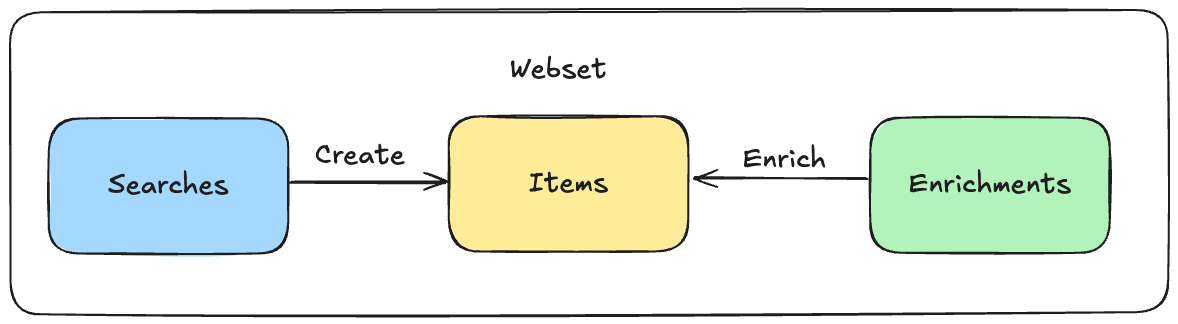
```python Python theme={null}
import json
from openai import OpenAI
from exa_py import Exa
OPENAI_API_KEY = "" # Add your OpenAI API key here
EXA_API_KEY = "" # Add your Exa API key here
# Define the tool for Exa web search
tools = [{
"type": "function",
"name": "exa_websearch",
"description": "Use Exa for the most accurate and latest web results for LLMs",
"parameters": {
"type": "object",
"properties": {
"query": {
"type": "string",
"description": "Search query for Exa."
}
},
"required": ["query"],
"additionalProperties": False
},
"strict": True
}]
# Define the system message
system_message = {"role": "system", "content": "You are a helpful assistant. Use exa_websearch to find info when relevant. Always list sources."}
def run_exa_search(user_query):
"""Run an Exa web search with a dynamic user query."""
openai_client = OpenAI(api_key=OPENAI_API_KEY)
exa = Exa(api_key=EXA_API_KEY)
# Create messages with the dynamic user query
messages = [
system_message,
{"role": "user", "content": user_query}
]
# Send initial request
print("Sending initial request to OpenAI...")
response = openai_client.responses.create(
model="gpt-4o",
input=messages,
tools=tools
)
print("Initial OpenAI response:", response.output)
# Check if the model returned a function call
function_call = None
for item in response.output:
if item.type == "function_call" and item.name == "exa_websearch":
function_call = item
break
# If exa_websearch was called
if function_call:
call_id = function_call.call_id
args = json.loads(function_call.arguments)
query = args.get("query", "")
print(f"\nOpenAI requested a web search for: {query}")
search_results = exa.search_and_contents(
query=query,
text = {
"max_characters": 4000
},
type="auto"
)
# Store citations for later use in formatting
citations = [{"url": result.url, "title": result.title} for result in search_results.results]
search_results_str = str(search_results)
# Provide the function call + function_call_output to the conversation
messages.append({
"type": "function_call",
"name": function_call.name,
"arguments": function_call.arguments,
"call_id": call_id
})
messages.append({
"type": "function_call_output",
"call_id": call_id,
"output": search_results_str
})
print("\nSending search results back to OpenAI for a final answer...")
response = openai_client.responses.create(
model="gpt-4o",
input=messages,
tools=tools
)
# Format the final response to include citations
if hasattr(response, 'output_text') and response.output_text:
# Add citations to the final output
formatted_response = format_response_with_citations(response.output_text, citations)
# Create a custom response object with citations
if hasattr(response, 'model_dump'):
# For newer versions of the OpenAI library that use Pydantic
response_dict = response.model_dump()
else:
# For older versions or if model_dump is not available
response_dict = response.dict() if hasattr(response, 'dict') else response.__dict__
# Update the output with annotations
if response.output and len(response.output) > 0:
response_dict['output'] = [{
"type": "message",
"id": response.output[0].id if hasattr(response.output[0], 'id') else "msg_custom",
"status": "completed",
"role": "assistant",
"content": [{
"type": "output_text",
"text": formatted_response["text"],
"annotations": formatted_response["annotations"]
}]
}]
# Update the output_text property
response_dict['output_text'] = formatted_response["text"]
# Create a new response object (implementation may vary based on the OpenAI SDK version)
try:
response = type(response)(**response_dict)
except:
# If we can't create a new instance, we'll just print the difference
print("\nFormatted response with citations would be:", formatted_response)
# Print final answer text
print("\nFinal Answer:\n", response.output_text)
print("\nAnnotations:", json.dumps(response.output[0].content[0].annotations if hasattr(response, 'output') and response.output and hasattr(response.output[0], 'content') else [], indent=2))
print("\nFull Response with Citations:", response)
return response
def format_response_with_citations(text, citations):
"""Format the response to include citations as annotations."""
annotations = []
formatted_text = text
# For each citation, append a numbered reference to the text
for i, citation in enumerate(citations):
# Create annotation object
start_index = len(formatted_text)
citation_text = f"\n\n[{i+1}] {citation['url']}"
end_index = start_index + len(citation_text)
annotation = {
"type": "url_citation",
"start_index": start_index,
"end_index": end_index,
"url": citation["url"],
"title": citation["title"]
}
# Add annotation to the array
annotations.append(annotation)
# Append citation to text
formatted_text += citation_text
return {
"text": formatted_text,
"annotations": annotations
}
if __name__ == "__main__":
# Example of how to use with a dynamic query
user_query = input("Enter your question: ")
run_exa_search(user_query)
```
```javascript JavaScript theme={null}
const OpenAI = require("openai");
const exaModule = require("exa-js");
const Exa = exaModule.default;
// Initialize API clients with API keys
const openai = new OpenAI({ apiKey: "" }); // Add your OpenAI API key here
const exa = new Exa(""); // Add your Exa API key here
// Define websearch tool
const tools = [
{
type: "function",
name: "exa_websearch",
description:
"Use Exa for the most accurate and latest web results for LLMs",
parameters: {
type: "object",
properties: {
query: {
type: "string",
description: "Search query for Exa.",
},
},
required: ["query"],
additionalProperties: false,
},
strict: true,
},
];
// Define the system message
const systemMessage = {
role: "system",
content:
"You are a helpful assistant. Use exa_websearch to find info when relevant. Always list sources.",
};
async function run_exa_search(userQuery) {
// Create messages with the dynamic user query
const messages = [systemMessage, { role: "user", content: userQuery }];
// Initial request to OpenAI
console.log("Sending initial request to OpenAI...");
let response = await openai.responses.create({
model: "gpt-4o",
input: messages,
tools,
});
console.log("Initial OpenAI Response:", JSON.stringify(response, null, 2));
// Check if the model wants to use the search function
const functionCall = response.output.find(
(item) => item.type === "function_call" && item.name === "exa_websearch"
);
if (functionCall) {
const query = JSON.parse(functionCall.arguments).query;
// Execute search with Exa API
const searchResults = await exa.searchAndContents(query, {
type: "auto",
text: {
maxCharacters: 4000,
},
});
// Store search results for later use in formatting
const citations = searchResults.results.map((result) => ({
url: result.url,
title: result.title,
}));
// Add function call and search results to the conversation
messages.push(functionCall);
messages.push({
type: "function_call_output",
call_id: functionCall.call_id,
output: JSON.stringify(searchResults),
});
// Send follow-up request to OpenAI with search results
console.log("Sending follow-up request with search results to OpenAI...");
response = await openai.responses.create({
model: "gpt-4o",
input: messages,
tools,
});
// Format the final response to include citations
if (response.output_text) {
// Add citations to the final output
const formattedResponse = formatResponseWithCitations(
response.output_text,
citations
);
// Create a custom response object with citations
const customResponse = {
...response,
output: [
{
type: "message",
id: response.output[0].id,
status: "completed",
role: "assistant",
content: [
{
type: "output_text",
text: formattedResponse.text,
annotations: formattedResponse.annotations,
},
],
},
],
output_text: formattedResponse.text,
};
// Replace the original response with our custom one
response = customResponse;
}
}
console.log("Final Answer:\n", response.output_text);
console.log(
"Annotations:",
JSON.stringify(response.output[0]?.content[0]?.annotations || [], null, 2)
);
console.log("Response with Citations:", JSON.stringify(response, null, 2));
return response;
}
// Helper function to format response with citations
function formatResponseWithCitations(text, citations) {
// Create empty annotations array
const annotations = [];
let formattedText = text;
// For each citation, append a numbered reference to the text
citations.forEach((citation, index) => {
// Create annotation object
const annotation = {
type: "url_citation",
start_index: formattedText.length,
end_index: formattedText.length + citation.url.length + 3, // +3 for '[', ']' and space
url: citation.url,
title: citation.title,
};
// Add annotation to the array
annotations.push(annotation);
// Append citation to text
formattedText += `\n\n[${index + 1}] ${citation.url}`;
});
return {
text: formattedText,
annotations,
};
}
// Example of how to use with a dynamic query
// For Node.js environments, you can use readline or process.argv
// For browser environments, you can use this function with user input from a form
// This is just a simple example:
async function runExaSearchExample() {
const userQuery = process.argv[2] || "What's the latest news about AI?";
const result = await run_exa_search(userQuery);
return result;
}
// Run the function if directly executed
if (require.main === module) {
runExaSearchExample().catch(console.error);
}
// Export the function for use in other modules
module.exports = { run_exa_search };
```
Both examples show how to:
1. Set up the OpenAI Response API with Exa as a tool
2. Make a request to OpenAI
3. Handle the search function call
4. Send the search results back to OpenAI
5. Get the final response
Remember to replace the empty API key strings with your actual API keys when trying these examples.
## How Tool Calling Works
Let's break down how the Exa web search tool works with OpenAI's Response API:
1. **Tool Definition**: First, we define our Exa search as a tool that OpenAI can use:
```javascript theme={null}
{
"type": "function",
"name": "exa_websearch",
"description": "Search the web using Exa...",
"parameters": {
"query": "string" // The search query parameter
}
}
```
2. **Initial Request**: When you send a message to OpenAI, the API looks at your message and decides if it needs to search the web. If it does, instead of giving a direct answer, it will return a "function call" in its output.
3. **Function Call**: If OpenAI decides to search, it returns something like:
```javascript theme={null}
{
"type": "function_call",
"name": "exa_websearch",
"arguments": { "query": "your search query" }
}
```
4. **Search Execution**: Your code then:
* Takes this search query
* Calls Exa's API to perform the actual web search
* Gets real web results back
5. **Final Response**: You send these web results back to OpenAI, and it gives you a final answer using the fresh information from the web.
This back-and-forth process happens automatically in the code above, letting OpenAI use Exa's web search when it needs to find current information.
## Direct Research with Responses API
In addition to using Exa as a search tool, you can also access Exa's powerful research capabilities directly through the OpenAI Responses API format. This provides a familiar interface for running complex research tasks.
### How It Works
Simply point the OpenAI client to Exa's API and use our research models:
```python Python theme={null}
from openai import OpenAI
client = OpenAI(
base_url="https://api.exa.ai",
api_key="YOUR_EXA_API_KEY" # Use your Exa API key
)
response = client.responses.create(
model="exa-research", # or "exa-research-pro"
input="Summarize the impact of CRISPR on gene therapy with recent developments"
)
print(response.output)
```
```javascript JavaScript theme={null}
import OpenAI from "openai";
const openai = new OpenAI({
baseURL: "https://api.exa.ai",
apiKey: "YOUR_EXA_API_KEY", // Use your Exa API key
});
async function main() {
const response = await openai.responses.create({
model: "exa-research", // or "exa-research-pro"
input:
"Summarize the impact of CRISPR on gene therapy with recent developments",
});
console.log(response.output);
}
main();
```
```bash cURL theme={null}
curl --location 'https://api.exa.ai/responses' \
--header 'x-api-key: YOUR_EXA_API_KEY' \
--header 'Content-Type: application/json' \
--data '{
"input": "Summarize the impact of CRISPR on gene therapy with recent developments",
"model": "exa-research"
}'
```
### Available Models
* **`exa-research`** - Adapts compute to task difficulty. Best for most use cases.
* **`exa-research-pro`** - Maximum quality with highest reasoning capability. Best for complex, multi-step research.
### Research vs Web Search Tool
Choose the right approach for your use case:
| Feature | Web Search Tool (Function Calling) | Direct Research |
| ----------------- | ------------------------------------------------ | ----------------------------------- |
| **Use Case** | Augment LLM conversations with web data | Get comprehensive research reports |
| **Control** | Full control over search queries and integration | Automated multi-step research |
| **Response Time** | Fast (seconds) | Longer (45-180 seconds) |
| **Best For** | Interactive chatbots, real-time Q\&A | In-depth analysis, research reports |
For detailed information about research capabilities, structured outputs, and
pricing, see the [Exa Research documentation](/reference/exa-research).
---
# Source: https://exa.ai/docs/reference/openai-sdk.md
> ## Documentation Index
> Fetch the complete documentation index at: https://exa.ai/docs/llms.txt
> Use this file to discover all available pages before exploring further.
# OpenAI SDK Compatibility
> Use Exa's endpoints as a drop-in replacement for OpenAI - supporting both chat completions and responses APIs.
***
## Overview
Exa provides OpenAI-compatible endpoints that work seamlessly with the OpenAI SDK:
| Endpoint | OpenAI Interface | Models Available | Use Case |
| ------------------- | -------------------- | ----------------------------------------- | ---------------------------- |
| `/chat/completions` | Chat Completions API | `exa`, `exa-research`, `exa-research-pro` | Traditional chat interface |
| `/responses` | Responses API | `exa-research`, `exa-research-pro` | Modern, simplified interface |
{" "}
Exa will parse through your messages and send only the last message to `/answer`
or `/research`.
## Answer
To use Exa's `/answer` endpoint via the chat completions interface:
1. Replace base URL with `https://api.exa.ai`
2. Replace API key with your Exa API key
3. Replace model name with `exa`.
{" "}
See the full `/answer` endpoint reference [here](/reference/answer).{" "}
{" "}
Need custom behavior when routing through `/answer`? Contact us at [hello@exa.ai](mailto:hello@exa.ai) and we can help tailor the integration.{" "}
```python Python theme={null}
from openai import OpenAI
client = OpenAI(
base_url="https://api.exa.ai", # use exa as the base url
api_key="YOUR_EXA_API_KEY", # update your api key
)
completion = client.chat.completions.create(
model="exa",
messages = [
{"role": "system", "content": "You are a helpful assistant."},
{"role": "user", "content": "What are the latest developments in quantum computing?"}
],
# use extra_body to pass extra parameters to the /answer endpoint
extra_body={
"text": True # include full text from sources
}
)
print(completion.choices[0].message.content) # print the response content
print(completion.choices[0].message.citations) # print the citations
```
```javascript JavaScript theme={null}
import OpenAI from "openai";
const openai = new OpenAI({
baseURL: "https://api.exa.ai", // use exa as the base url
apiKey: "YOUR_EXA_API_KEY", // update your api key
});
async function main() {
const completion = await openai.chat.completions.create({
model: "exa",
messages: [
{ role: "system", content: "You are a helpful assistant." },
{
role: "user",
content: "What are the latest developments in quantum computing?",
},
],
store: true,
stream: true,
extra_body: {
text: true, // include full text from sources
},
});
for await (const chunk of completion) {
console.log(chunk.choices[0].delta.content);
}
}
main();
```
```bash Curl theme={null}
curl https://api.exa.ai/chat/completions \
-H "Content-Type: application/json" \
-H "Authorization: Bearer $YOUR_EXA_API_KEY" \
-d '{
"model": "exa",
"messages": [
{
"role": "system",
"content": "You are a helpful assistant."
},
{
"role": "user",
"content": "What are the latest developments in quantum computing?"
}
],
"extra_body": {
"text": true
}
}'
```
## Research
To use Exa's research models via the chat completions interface:
1. Replace base URL with `https://api.exa.ai`
2. Replace API key with your Exa API key
3. Replace model name with `exa-research` or `exa-research-pro`
{" "}
See the full `/research` endpoint reference [here](/reference/research/create-a-task).{" "}
```python Python theme={null}
import os
from openai import OpenAI
client = OpenAI(
base_url="https://api.exa.ai",
api_key=os.environ["EXA_API_KEY"],
)
completion = client.chat.completions.create(
model="exa-research", # or exa-research-pro
messages=[
{"role": "user", "content": "What makes some LLMs so much better than others?"}
],
stream=True,
)
for chunk in completion:
if chunk.choices and chunk.choices[0].delta.content:
print(chunk.choices[0].delta.content, end="", flush=True)
```
```javascript JavaScript theme={null}
import { OpenAI } from "openai";
async function main() {
const openai = new OpenAI({
apiKey: process.env.EXA_API_KEY,
baseURL: "https://api.exa.ai",
});
const stream = await openai.chat.completions.create({
model: "exa-research", // or exa-research-pro
messages: [
{
role: "user",
content: "What are ants",
},
],
stream: true,
});
for await (const chunk of stream) {
const content = chunk.choices?.[0]?.delta?.content;
if (content) {
process.stdout.write(content);
}
}
}
main().catch((err) => {
console.error("Chat completion example failed:", err);
process.exit(1);
});
```
```bash Curl theme={null}
curl https://api.exa.ai/chat/completions \
-H "Content-Type: application/json" \
-H "Authorization: Bearer $YOUR_EXA_API_KEY" \
-d '{
"model": "exa-research",
"messages": [
{
"role": "user",
"content": "What makes some LLMs so much better than others?"
}
],
"stream": true
}'
```
## Research via Responses API
You can also access Exa's research models using OpenAI's newer Responses API format:
```python Python theme={null}
from openai import OpenAI
client = OpenAI(
base_url="https://api.exa.ai",
api_key="YOUR_EXA_API_KEY"
)
response = client.responses.create(
model="exa-research", # or "exa-research-pro"
input="Summarize the impact of CRISPR on gene therapy with recent developments"
)
print(response.output)
```
```javascript JavaScript theme={null}
import OpenAI from "openai";
const openai = new OpenAI({
baseURL: "https://api.exa.ai",
apiKey: "YOUR_EXA_API_KEY",
});
async function main() {
const response = await openai.responses.create({
model: "exa-research", // or "exa-research-pro"
input:
"Summarize the impact of CRISPR on gene therapy with recent developments",
});
console.log(response.output);
}
main();
```
```bash cURL theme={null}
curl --location 'https://api.exa.ai/responses' \
--header 'x-api-key: YOUR_EXA_API_KEY' \
--header 'Content-Type: application/json' \
--data '{
"input": "Summarize the impact of CRISPR on gene therapy with recent developments",
"model": "exa-research"
}'
```
The Responses API provides a simpler interface for single-turn research tasks.
For more details on using Exa with OpenAI's Responses API, including web
search tool integration, see the [OpenAI Responses API
guide](/reference/openai-responses-api-with-exa).
## Chat Wrapper
Exa provides a Python wrapper that automatically enhances any OpenAI chat completion with RAG capabilities. With one line of code, you can turn any OpenAI chat completion into an Exa-powered RAG system that handles search, chunking, and prompting automatically.
```python Python theme={null}
from openai import OpenAI
from exa_py import Exa
# Initialize clients
openai = OpenAI(api_key='OPENAI_API_KEY')
exa = Exa('EXA_API_KEY')
# Wrap the OpenAI client
exa_openai = exa.wrap(openai)
# Use exactly like the normal OpenAI client
completion = exa_openai.chat.completions.create(
model="gpt-4o",
messages=[{"role": "user", "content": "What is the latest climate tech news?"}]
)
print(completion.choices[0].message.content)
```
The wrapped client works exactly like the native OpenAI client, except it automatically improves your completions with relevant search results when needed.
The wrapper supports any parameters from the `exa.search()` function.
```python theme={null}
completion = exa_openai.chat.completions.create(
model="gpt-4o",
messages=messages,
use_exa="auto", # "auto", "required", or "none"
num_results=5, # defaults to 3
result_max_len=1024, # defaults to 2048 characters
include_domains=["arxiv.org"],
category="research paper",
start_published_date="2019-01-01"
)
```
---
# Source: https://exa.ai/docs/reference/openai-tool-calling.md
> ## Documentation Index
> Fetch the complete documentation index at: https://exa.ai/docs/llms.txt
> Use this file to discover all available pages before exploring further.
# OpenAI Tool Calling
> Learn to use OpenAI's tool call feature with Exa's Search Integration
***
OpenAI recommends using the Responses API for all new projects. [See the guide](./openai-responses-api-with-exa).
OpenAI's [tool calling](https://platform.openai.com/docs/guides/function-calling?lang=python) allows LLMs to call functions that are defined in your code. This guide will show you how to utilise tool calling to call Exa's search, with the following steps:
1. Install prerequisite packages and set up the environment
2. Overview of how OpenAI's tool calling feature works
3. Use Exa within an OpenAI tool call
***
## Get Started
Install the:
* `openai` library to perform OpenAI API calls and completions
* `exa_py` library to perform Exa search
* `rich` library to make the output more readable
```python Python theme={null}
pip install openai exa_py rich
```
Create an `.env` file in the root of your project and set the `EXA_API_KEY` and `OPENAI_API_KEY` environment variable to your API keys respectively. Visit the [OpenAI playground](https://platform.openai.com/api-keys) and the [Exa dashboard](https://dashboard.exa.ai/api-keys) to generate your API keys.
```Shell Shell theme={null}
OPENAI_API_KEY=insert your Exa API key here, without quotes
EXA_API_KEY=insert your Exa API key here, without quotes
```
OpenAI LLMs can call a function you have defined in your code, this is called [tool calling](https://platform.openai.com/docs/guides/function-calling?lang=python). To do this you first need to describe the function you want to call to OpenAI's LLM. You can do this by defining a description object of the format:
```json JSON theme={null}
{
"name": "my_function_name", # The name of the function
"description": "The description of my function", # Describe the function so OpenAI knows when and how to use it.
"input_schema": { # input schema describes the format and the type of parameters OpenAI needs to generate to use the function
"type": "object", # format of the generated OpenAI response
"properties": { # properties defines the input parameters of the function
"query": { # the function expects a query parameter
"type": "string", # of type string
"description": "The search query to perform.", # describes the paramteres to OpenAI
},
},
"required": ["query"], # define which parameters are required
},
}
```
When this description is sent to OpenAI's LLM, it returns an object with a string, which is the function name defined in *your* code, and the arguments that the function takes. This does not execute or *call* functions on OpenAI's side; it only returns the function name and arguments which you will have to parse and call yourself in your code.
```python Python theme={null}
...
id='call_62136123',
function=Function(
arguments='{"query":"Latest developments in quantum computing"}',
name='exa_search',),
type='function'
...
```
We will use this object to - in this case - call the `exa_search` function we define with the arguments provided.
First, we import and initialise the OpenAI and Exa libraries and load the stored API keys.
```python Python theme={null}
from dotenv import load_dotenv
from exa_py import Exa
from openai import OpenAI
load_dotenv()
openai = OpenAI(api_key=os.getenv("OPENAI_API_KEY"))
exa = Exa(api_key=os.getenv("EXA_API_KEY"))
```
Next, we define the function and the function schema so that OpenAI knows how to use it and what arguments our local function takes:
```python Python theme={null}
TOOLS = [
{
"name": "exa_search",
"description": "Perform a search query on the web, and retrieve the most relevant URLs/web data.",
"input_schema": {
"type": "object",
"properties": {
"query": {
"type": "string",
"description": "The search query to perform.",
},
},
"required": ["query"],
},
}
]
```
Finally, we'll define the primer `SYSTEM_MESSAGE`, which explains to OpenAI what it is supposed to do:
```python Python theme={null}
SYSTEM_MESSAGE = {
"role": "system",
"content": "You are an agent that has access to an advanced search engine. Please provide the user with the information they are looking for by using the search tool provided.",
}
```
We can now start writing the code needed to perform the LLM calls and the search. We'll create the `exa_search` function that will call Exa's `search_and_contents` function with the query:
```python Python theme={null}
def exa_search(query: str) -> Dict[str, Any]:
return exa.search_and_contents(query=query, type='auto', highlights=True)
```
Next, we create a function to process the tool calls:
```python Python theme={null}
def process_tool_calls(tool_calls, messages):
for tool_call in tool_calls:
function_name = tool_call.function.name
function_args = json.loads(tool_call.function.arguments)
if function_name == "exa_search":
search_results = exa_search(**function_args)
messages.append(
{
"role": "tool",
"content": str(search_results),
"tool_call_id": tool_call.id,
}
)
console.print(
f"[bold cyan]Context updated[/bold cyan] [i]with[/i] "
f"[bold green]exa_search ({function_args.get('mode')})[/bold green]: ",
function_args.get("query"),
)
return messages
```
Lastly, we'll create a `main` function to bring it all together, and handle the user input and interaction with OpenAI:
```python Python theme={null}
def main():
messages = [SYSTEM_MESSAGE]
while True:
try:
user_query = Prompt.ask(
"[bold yellow]What do you want to search for?[/bold yellow]",
)
messages.append({"role": "user", "content": user_query})
completion = openai.chat.completions.create(
model="gpt-4o-mini",
messages=messages,
tools=TOOLS,
)
message = completion.choices[0].message
tool_calls = message.tool_calls
if tool_calls:
messages.append(message)
messages = process_tool_calls(tool_calls, messages)
messages.append(
{
"role": "user",
"content": "Answer my previous query based on the search results.",
}
)
completion = openai.chat.completions.create(
model="gpt-4o-mini",
messages=messages,
)
console.print(Markdown(completion.choices[0].message.content))
else:
console.print(Markdown(message.content))
except Exception as e:
console.print(f"[bold red]An error occurred:[/bold red] {str(e)}")
if __name__ == "__main__":
main()
```
The implementation creates a loop that continually prompts the user for search queries, uses OpenAI's tool calling feature to determine when to perform a search, and then uses the Exa search results to provide an informed response to the user's query.
We also use the rich library to provide a more visually appealing console interface, including coloured output and markdown rendering for the responses.
Save the code in a file, e.g. `openai_search.py`, and make sure the `.env` file containing the API keys we previously created is in the same directory as the script.
Then run the script using the following command from your terminal:
```bash Bash theme={null}
python openai_search.py
```
You should see a prompt:
```bash Bash theme={null}
What do you want to search for?
```
Let's test it out.
```bash Bash theme={null}
What do you want to search for?: Who is Tony Stark?
Context updated with exa_search (None): Tony Stark
Tony Stark, also known as Iron Man, is a fictional superhero from Marvel Comics. He is a wealthy inventor and businessman, known for creating a powered suit of armor that gives him superhuman abilities. Tony Stark is a founding member of the Avengers and has appeared in various comic book series, animated
television shows, and films within the Marvel Cinematic Universe.
If you're interested in more detailed information, you can visit Tony Stark (Marvel Cinematic Universe) - Wikipedia.
```
That's it, enjoy your search agent!
## Full code
```python Python theme={null}
import json
import os
from dotenv import load_dotenv
from typing import Any, Dict
from exa_py import Exa
from openai import OpenAI
from rich.console import Console
from rich.markdown import Markdown
from rich.prompt import Prompt
# Load environment variables from .env file
load_dotenv()
# create the openai client
openai = OpenAI(api_key=os.getenv("OPENAI_API_KEY"))
# create the exa client
exa = Exa(api_key=os.getenv("EXA_API_KEY"))
# create the rich console
console = Console()
# define the system message (primer) of your agent
SYSTEM_MESSAGE = {
"role": "system",
"content": "You are the world's most advanced search engine. Please provide the user with the information they are looking for by using the tools provided.",
}
# define the tools available to the agent - we're defining a single tool, exa_search
TOOLS = [
{
"type": "function",
"function": {
"name": "exa_search",
"description": "Perform a search query on the web, and retrieve the world's most relevant information.",
"parameters": {
"type": "object",
"properties": {
"query": {
"type": "string",
"description": "The search query to perform.",
},
},
"required": ["query"],
},
},
}
]
# define the function that will be called when the tool is used and perform the search
# and the retrieval of the result highlights.
# https://docs.exa.ai/reference/python-sdk-specification#search_and_contents-method
def exa_search(query: str) -> Dict[str, Any]:
return exa.search_and_contents(query=query, type='auto', highlights=True)
# define the function that will process the tool call and perform the exa search
def process_tool_calls(tool_calls, messages):
for tool_call in tool_calls:
function_name = tool_call.function.name
function_args = json.loads(tool_call.function.arguments)
if function_name == "exa_search":
search_results = exa_search(**function_args)
messages.append(
{
"role": "tool",
"content": str(search_results),
"tool_call_id": tool_call.id,
}
)
console.print(
f"[bold cyan]Context updated[/bold cyan] [i]with[/i] "
f"[bold green]exa_search ({function_args.get('mode')})[/bold green]: ",
function_args.get("query"),
)
return messages
def main():
messages = [SYSTEM_MESSAGE]
while True:
try:
# create the user input prompt using rich
user_query = Prompt.ask(
"[bold yellow]What do you want to search for?[/bold yellow]",
)
messages.append({"role": "user", "content": user_query})
# call openai llm by creating a completion which calls the defined exa tool
completion = openai.chat.completions.create(
model="gpt-4o",
messages=messages,
tools=TOOLS,
tool_choice="auto",
)
# completion will contain the object needed to invoke your tool and perform the search
message = completion.choices[0].message
tool_calls = message.tool_calls
if tool_calls:
messages.append(message)
# process the tool object created by OpenAI llm and store the search results
messages = process_tool_calls(tool_calls, messages)
messages.append(
{
"role": "user",
"content": "Answer my previous query based on the search results.",
}
)
# call OpenAI llm again to process the search results and yield the final answer
completion = openai.chat.completions.create(
model="gpt-4o",
messages=messages,
)
# parse the agents final answer and print it
console.print(Markdown(completion.choices[0].message.content))
else:
console.print(Markdown(message.content))
except Exception as e:
console.print(f"[bold red]An error occurred:[/bold red] {str(e)}")
if __name__ == "__main__":
main()
```
---
# Source: https://exa.ai/docs/reference/openapi-spec.md
> ## Documentation Index
> Fetch the complete documentation index at: https://exa.ai/docs/llms.txt
> Use this file to discover all available pages before exploring further.
# OpenAPI Specification
***
You can view up-to-date versions of our OpenAPI specs here:
* [Search API Spec](https://raw.githubusercontent.com/exa-labs/openapi-spec/refs/heads/master/exa-openapi-spec.yaml)
* [Websets API Spec](https://raw.githubusercontent.com/exa-labs/openapi-spec/refs/heads/master/exa-websets-spec.yaml)
---
# Source: https://exa.ai/docs/integrations/openrouter.md
> ## Documentation Index
> Fetch the complete documentation index at: https://exa.ai/docs/llms.txt
> Use this file to discover all available pages before exploring further.
# OpenRouter
Learn how to use Exa's web search API with OpenRouter. OpenRouter provides web search capabilities that enable AI models to access current information from the web.
For detailed instructions on using Exa with OpenRouter, visit the [OpenRouter documentation](https://openrouter.ai/docs/features/web-search).
---
# Source: https://exa.ai/docs/websets/overview.md
# Source: https://exa.ai/docs/websets/api/websets/overview.md
# Source: https://exa.ai/docs/websets/api/overview.md
> ## Documentation Index
> Fetch the complete documentation index at: https://exa.ai/docs/llms.txt
> Use this file to discover all available pages before exploring further.
# Overview
> The Websets API helps you find, verify, and process web data at scale to build your unique collection of web content.
The Websets API helps you create your own unique slice of the web by organizing content in containers (`Webset`). These containers store structured results (`WebsetItem`) which are discovered by search agents (`WebsetSearch`) that find web pages matching your specific criteria. Once these items are added to your Webset, they can be further processed with enrichment agents to extract additional data.
Whether you're looking for companies, people, or research papers, each result becomes a structured Item with source content, verification status, and type-specific fields. These Items can be further enriched with enrichments.
## Key Features
At its core, the API is:
* **Asynchronous**: It's an async-first API. Searches (`Webset Search`) can take from seconds to minutes, depending on the complexity.
* **Structured**: Every result (`Webset Item`) includes structured properties, webpage content, and verification against your criteria, with reasoning and references explaining why it matches.
* **Event-Driven**: Events are published and delivered through webhooks to notify when items are found and when enrichments complete, allowing you to process data as it arrives.
## Core Objects
* **Webset**: Container that organizes your unique collection of web content and its related searches
* **Search**: An agent that searches and crawls the web to find precise entities matching your criteria, adding them to your Webset as structured WebsetItems
* **Item**: A structured result with source content, verification status, and type-specific fields (company, person, research paper, etc.)
* **Enrichment**: An agent that searches the web to enhance existing WebsetItems with additional structured data
## Next Steps
* Follow our [quickstart guide](/websets/api/get-started)
* Learn more about [how it works](/websets/api/how-it-works)
* Browse the [API reference](/websets/api/websets/create-a-webset)
---
# Source: https://exa.ai/docs/changelog/people-search-launch.md
> ## Documentation Index
> Fetch the complete documentation index at: https://exa.ai/docs/llms.txt
> Use this file to discover all available pages before exploring further.
# Introducing Exa People Search
> We're launching state-of-the-art people search with 1B+ indexed profiles. The 'linkedin' category is now replaced with 'people' for better results.
***
**Date: December 19, 2025**
We're launching **Exa People Search**, a new way to find and discover people on the web, designed for real production use across sales, recruiting, research, and more.
Try People Search in our API Playground with `category = "people"`. [Try People Search in the dashboard →](https://dashboard.exa.ai/playground/search?q=product%20managers%20at%20microsoft\&c=people\&filters=%7B%22text%22%3A%22true%22%2C%22type%22%3A%22auto%22%7D)
## What's New
**State-of-the-art people search**: Exa indexed 1B+ public profiles and trained a hybrid retrieval system (fine-tuned embeddings + Exa Search) to deliver highly accurate role, skill, and company based people search at web scale.
**Usecase focused**: Customers can run queries like "VP of Product at Microsoft" or "enterprise sales reps from Microsoft in EMEA" and programmatically enrich results with profiles for sales, recruiting, and market research workflows.
## What Changed
We're replacing the `linkedin` category with the new `people` category to provide better, more comprehensive people search results.
### Before
```python theme={null}
# Old approach - limited to LinkedIn
result = exa.search("VP of Product at Microsoft", category="linkedin")
```
### After
```python theme={null}
# New approach - comprehensive people search across the web
result = exa.search("VP of Product at Microsoft", category="people")
```
## How to Use People Search
Simply use `category="people"` in your search requests:
```bash theme={null}
curl -X POST https://api.exa.ai/search \
-H "x-api-key: EXA_API_KEY" \
-H "Content-Type: application/json" \
-d '{
"query": "Product managers at Microsoft",
"category": "people",
"numResults": 10
}'
```
The new `people` category provides:
* **Broader coverage**: 1B+ profiles across the entire web, not just LinkedIn
* **Better accuracy**: Fine-tuned embeddings specifically for people search
* **More relevant results**: Hybrid retrieval system optimized for role, skill, and company queries
## Learn More
* Read our blog post: [Introducing Exa's People Search Benchmarks](https://exa.ai/blog/people-search-benchmark)
* Follow our announcement: [Twitter/X](https://x.com/ExaAILabs/status/2001373897154007390)
* Try it in the [API Playground](https://dashboard.exa.ai/playground/search?q=product%20managers%20at%20microsoft\&c=people\&filters=%7B%22text%22%3A%22true%22%2C%22type%22%3A%22auto%22%7D)
## Need Help?
If you have questions about migrating from the `linkedin` category or want to learn more about optimizing your people search queries, reach out to [hello@exa.ai](mailto:hello@exa.ai). We're here to help you get the most out of Exa People Search!
---
# Source: https://exa.ai/docs/websets/api/websets/preview-a-webset.md
> ## Documentation Index
> Fetch the complete documentation index at: https://exa.ai/docs/llms.txt
> Use this file to discover all available pages before exploring further.
# Preview a webset
> Preview how a search query will be decomposed before creating a webset. This endpoint performs the same query analysis that happens during webset creation, allowing you to see the detected entity type, generated search criteria, and available enrichment columns in advance.
Use this to help users understand how their search will be interpreted before committing to a full webset creation.
## OpenAPI
````yaml post /v0/websets/preview
openapi: 3.1.0
info:
title: Websets
description: ''
version: '0'
contact: {}
servers:
- url: https://api.exa.ai/websets/
description: Production
security: []
tags: []
paths:
/v0/websets/preview:
post:
tags:
- Websets Preview
summary: Preview a webset
description: >-
Preview how a search query will be decomposed before creating a webset.
This endpoint performs the same query analysis that happens during
webset creation, allowing you to see the detected entity type, generated
search criteria, and available enrichment columns in advance.
Use this to help users understand how their search will be interpreted
before committing to a full webset creation.
operationId: websets-preview
parameters:
- name: search
required: false
in: path
description: Weather you want to search for a preview list of items or not
schema:
type: boolean
requestBody:
required: true
description: Search parameters
content:
application/json:
schema:
$ref: '#/components/schemas/PreviewWebsetParameters'
responses:
'200':
description: Preview of the webset
content:
application/json:
schema:
$ref: '#/components/schemas/PreviewWebsetResponse'
headers:
X-Request-Id:
schema:
type: string
description: Unique identifier for the request.
example: req_N6SsgoiaOQOPqsYKKiw5
required: true
'422':
description: Unable to detect entity or criteria from query
headers:
X-Request-Id:
schema:
type: string
description: Unique identifier for the request.
example: req_N6SsgoiaOQOPqsYKKiw5
required: true
security:
- api_key: []
components:
schemas:
PreviewWebsetParameters:
type:
- object
properties:
search:
type:
- object
properties:
query:
type:
- string
minLength: 1
maxLength: 5000
description: >-
Natural language search query describing what you are looking
for.
Be specific and descriptive about your requirements,
characteristics, and any constraints that help narrow down the
results.
examples:
- >-
Marketing agencies based in the US, that focus on consumer
products. Get brands worked with and city
- AI startups in Europe that raised Series A funding in 2024
- SaaS companies with 50-200 employees in the fintech space
entity:
$ref: '#/components/schemas/Entity'
description: >-
Entity used to inform the decomposition.
It is not required to provide it, we automatically detect the
entity from all the information provided in the query. Only use
this when you need more fine control.
count:
default: 10
type:
- number
minimum: 1
maximum: 10
description: >-
When query parameter search=true, the number of preview items to
return.
required:
- query
required:
- search
PreviewWebsetResponse:
type:
- object
properties:
search:
type:
- object
properties:
entity:
oneOf:
- $ref: '#/components/schemas/CompanyEntity'
type:
- object
- $ref: '#/components/schemas/PersonEntity'
type:
- object
- $ref: '#/components/schemas/ArticleEntity'
type:
- object
- $ref: '#/components/schemas/ResearchPaperEntity'
type:
- object
- $ref: '#/components/schemas/CustomEntity'
type:
- object
description: Detected entity from the query.
criteria:
type:
- array
items:
type:
- object
properties:
description:
type:
- string
required:
- description
description: Detected criteria from the query.
required:
- entity
- criteria
enrichments:
type:
- array
items:
type:
- object
properties:
description:
type:
- string
description: Description of the enrichment.
format:
type:
- string
enum:
- text
- date
- number
- options
- email
- phone
- url
description: Format of the enrichment.
options:
type:
- array
items:
type:
- object
properties:
label:
type:
- string
description: Label of the option.
required:
- label
description: When format is options, the options detected from the query.
required:
- description
- format
description: Detected enrichments from the query.
items:
type:
- array
items:
$ref: '#/components/schemas/WebsetItemPreview'
type:
- object
description: Preview items matching the search criteria.
required:
- search
- enrichments
- items
Entity:
oneOf:
- $ref: '#/components/schemas/CompanyEntity'
type:
- object
- $ref: '#/components/schemas/PersonEntity'
type:
- object
- $ref: '#/components/schemas/ArticleEntity'
type:
- object
- $ref: '#/components/schemas/ResearchPaperEntity'
type:
- object
- $ref: '#/components/schemas/CustomEntity'
type:
- object
CompanyEntity:
type:
- object
properties:
type:
type: string
const: company
default: company
required:
- type
title: Company
PersonEntity:
type:
- object
properties:
type:
type: string
const: person
default: person
required:
- type
title: Person
ArticleEntity:
type:
- object
properties:
type:
type: string
const: article
default: article
required:
- type
title: Article
ResearchPaperEntity:
type:
- object
properties:
type:
type: string
const: research_paper
default: research_paper
required:
- type
title: Research Paper
CustomEntity:
type:
- object
properties:
type:
type: string
const: custom
default: custom
description:
type:
- string
minLength: 2
maxLength: 200
required:
- type
- description
title: Custom
WebsetItemPreview:
type:
- object
properties:
id:
type:
- string
description: The unique identifier for the preview item
properties:
oneOf:
- $ref: '#/components/schemas/WebsetItemPersonProperties'
type:
- object
title: Person
- $ref: '#/components/schemas/WebsetItemCompanyProperties'
type:
- object
title: Company
- $ref: '#/components/schemas/WebsetItemArticleProperties'
type:
- object
title: Article
- $ref: '#/components/schemas/WebsetItemResearchPaperProperties'
type:
- object
title: Research Paper
- $ref: '#/components/schemas/WebsetItemCustomProperties'
type:
- object
title: Custom
description: The properties of the preview item
createdAt:
type:
- string
format: date-time
description: The date and time the preview was created
required:
- id
- properties
- createdAt
WebsetItemPersonProperties:
type:
- object
properties:
type:
type: string
const: person
default: person
url:
type:
- string
format: uri
description: The URL of the person profile
description:
type:
- string
description: Short description of the relevance of the person
person:
type:
- object
properties:
name:
type:
- string
description: The name of the person
location:
type: string
description: The location of the person
nullable: true
position:
type: string
description: The current work position of the person
nullable: true
company:
type: object
properties:
name:
type:
- string
description: The name of the company
location:
type: string
description: The location the person is working at the company
nullable: true
required:
- name
- location
title: WebsetItemPersonCompanyPropertiesFields
nullable: true
pictureUrl:
type: string
format: uri
description: The image URL of the person
nullable: true
required:
- name
- location
- position
- company
- pictureUrl
title: WebsetItemPersonPropertiesFields
required:
- type
- url
- description
- person
WebsetItemCompanyProperties:
type:
- object
properties:
type:
type: string
const: company
default: company
url:
type:
- string
format: uri
description: The URL of the company website
description:
type:
- string
description: Short description of the relevance of the company
content:
type: string
description: The text content of the company website
nullable: true
company:
type:
- object
properties:
name:
type:
- string
description: The name of the company
location:
type: string
description: The main location of the company
nullable: true
employees:
type: number
description: The number of employees of the company
nullable: true
industry:
type: string
description: The industry of the company
nullable: true
about:
type: string
description: A short description of the company
nullable: true
logoUrl:
type: string
format: uri
description: The logo URL of the company
nullable: true
required:
- name
- location
- employees
- industry
- about
- logoUrl
title: WebsetItemCompanyPropertiesFields
required:
- type
- url
- description
- content
- company
WebsetItemArticleProperties:
type:
- object
properties:
type:
type: string
const: article
default: article
url:
type:
- string
format: uri
description: The URL of the article
description:
type:
- string
description: Short description of the relevance of the article
content:
type: string
description: The text content for the article
nullable: true
article:
type:
- object
properties:
title:
type: string
description: The title of the article
nullable: true
author:
type: string
description: The author(s) of the article
nullable: true
publishedAt:
type: string
description: The date and time the article was published
nullable: true
required:
- title
- author
- publishedAt
title: WebsetItemArticlePropertiesFields
required:
- type
- url
- description
- content
- article
WebsetItemResearchPaperProperties:
type:
- object
properties:
type:
type: string
const: research_paper
default: research_paper
url:
type:
- string
format: uri
description: The URL of the research paper
description:
type:
- string
description: Short description of the relevance of the research paper
content:
type: string
description: The text content of the research paper
nullable: true
researchPaper:
type:
- object
properties:
title:
type: string
description: The title of the research paper
nullable: true
author:
type: string
description: The author(s) of the research paper
nullable: true
publishedAt:
type: string
description: The date and time the research paper was published
nullable: true
required:
- title
- author
- publishedAt
title: WebsetItemResearchPaperPropertiesFields
required:
- type
- url
- description
- content
- researchPaper
WebsetItemCustomProperties:
type:
- object
properties:
type:
type: string
const: custom
default: custom
url:
type:
- string
format: uri
description: The URL of the Item
description:
type:
- string
description: Short description of the Item
content:
type: string
description: The text content of the Item
nullable: true
custom:
type:
- object
properties:
title:
type: string
description: The title of the website
nullable: true
author:
type: string
description: The author(s) of the website
nullable: true
publishedAt:
type: string
description: The date and time the website was published
nullable: true
required:
- title
- author
- publishedAt
title: WebsetItemCustomPropertiesFields
required:
- type
- url
- description
- content
- custom
securitySchemes:
api_key:
type: apiKey
in: header
name: x-api-key
description: Your Exa API key
````
---
# Source: https://exa.ai/docs/sdks/python-sdk-specification.md
> ## Documentation Index
> Fetch the complete documentation index at: https://exa.ai/docs/llms.txt
> Use this file to discover all available pages before exploring further.
# Python SDK Specification
> Enumeration of methods and types in the Exa Python SDK (exa_py).
## Getting started
Install the [exa-py](https://github.com/exa-labs/exa-py) SDK
```bash theme={null}
uv add exa-py
```
```bash theme={null}
pip install exa-py
```
and then instantiate an Exa client
```python theme={null}
from exa_py import Exa
exa = Exa() # Reads EXA_API_KEY from environment
# or explicitly: exa = Exa(api_key="your-api-key")
```
Follow this link to get your API key
## `search` Method
Perform a search.
By default, returns text contents with 10,000 max characters. Use contents=False to opt-out.
### Input Example
```python theme={null}
# Basic search
result = exa.search(
"hottest AI startups",
num_results=2
)
# Deep search with query variations
deep_result = exa.search(
"blog post about AI",
type="deep",
additional_queries=["AI blogpost", "machine learning blogs"],
num_results=5
)
```
### Input Parameters
| Parameter | Type | Description | Default |
| ---------------------- | ----------------------------------------------------------------------- | ------------------------------------------------------------------------------------------------------------------------------------------------------------------------------------------------------------------------------------------------------------------------------------------------------------ | -------- |
| query | str | The query string. | Required |
| contents | Optional\[Union\[[ContentsOptions](#contentsoptions), Literal\[False]]] | Options for retrieving page contents. Defaults to `{"text": {"maxCharacters": 10000}`}. Use False to disable contents. See [ContentsOptions](#contentsoptions) for available options (text, highlights, summary, context, etc.). Note: For deep search (type='deep'), context is always returned by the API. | None |
| num\_results | Optional\[int] | Number of search results to return (default 10). For deep search, recommend leaving blank - number of results will be determined dynamically for your query. | None |
| include\_domains | Optional\[List\[str]] | Domains to include in the search. | None |
| exclude\_domains | Optional\[List\[str]] | Domains to exclude from the search. | None |
| start\_crawl\_date | Optional\[str] | Only links crawled after this date. | None |
| end\_crawl\_date | Optional\[str] | Only links crawled before this date. | None |
| start\_published\_date | Optional\[str] | Only links published after this date. | None |
| end\_published\_date | Optional\[str] | Only links published before this date. | None |
| include\_text | Optional\[List\[str]] | Strings that must appear in the page text. | None |
| exclude\_text | Optional\[List\[str]] | Strings that must not appear in the page text. | None |
| type | Optional\[Union\[[SearchType](#searchtype), str]] | Search type - 'auto' (default), 'fast', 'deep', or 'neural'. | None |
| category | Optional\[[Category](#category)] | Data category to focus on (e.g. 'company', 'news', 'research paper'). | None |
| flags | Optional\[List\[str]] | Experimental flags for Exa usage. | None |
| moderation | Optional\[bool] | If True, the search results will be moderated for safety. | None |
| user\_location | Optional\[str] | Two-letter ISO country code of the user (e.g. US). | None |
| additional\_queries | Optional\[List\[str]] | Alternative query formulations for deep search to skip automatic LLM-based query expansion. Max 5 queries. Only applicable when type='deep'. Example: \["machine learning", "ML algorithms", "neural networks"] | None |
### Return Example
```json theme={null}
{
"autopromptString": "Here is a link to one of the hottest AI startups:",
"results": [
{
"title": "Adept: Useful General Intelligence",
"id": "https://www.adept.ai/",
"url": "https://www.adept.ai/",
"publishedDate": "2000-01-01",
"author": null
},
{
"title": "Home | Tenyx, Inc.",
"id": "https://www.tenyx.com/",
"url": "https://www.tenyx.com/",
"publishedDate": "2019-09-10",
"author": null
}
],
"requestId": "a78ebce717f4d712b6f8fe0d5d7753f8"
}
```
### Result Object
| Field | Type | Description |
| --------------- | -------------------------------------- | ------------------------------------------------------------- |
| url | str | The URL of the search result. |
| id | str | The temporary ID for the document. |
| title | Optional\[str] | The title of the search result. |
| score | Optional\[float] | A number from 0 to 1 representing similarity. |
| published\_date | Optional\[str] | An estimate of the creation date, from parsing HTML content. |
| author | Optional\[str] | The author of the content (if available). |
| image | Optional\[str] | A URL to an image associated with the content (if available). |
| favicon | Optional\[str] | A URL to the favicon (if available). |
| subpages | Optional\[List\[[\_Result](#_result)]] | Subpages of main page |
| extras | Optional\[Dict] | Additional metadata; e.g. links, images. |
| entities | Optional\[List\[[Entity](#entity)]] | Structured entity data for company or person searches. |
## `find_similar` Method
Finds similar pages to a given URL, potentially with domain filters and date filters.
By default, returns text contents with 10,000 max characters. Use contents=False to opt-out.
### Input Example
```python theme={null}
similar_results = exa.find_similar(
"miniclip.com",
num_results=2,
exclude_source_domain=True
)
```
### Input Parameters
| Parameter | Type | Description | Default |
| ----------------------- | ----------------------------------------------------------------------- | -------------------------------------------------------------------------------------------------------------------------------------------------------------------------------------------------------------------------------- | -------- |
| url | str | The URL to find similar pages for. | Required |
| contents | Optional\[Union\[[ContentsOptions](#contentsoptions), Literal\[False]]] | Options for retrieving page contents. Defaults to `{"text": {"maxCharacters": 10000}`}. Use False to disable contents. See [ContentsOptions](#contentsoptions) for available options (text, highlights, summary, context, etc.). | None |
| num\_results | Optional\[int] | Number of results to return. Default is None (server default). | None |
| include\_domains | Optional\[List\[str]] | Domains to include in the search. | None |
| exclude\_domains | Optional\[List\[str]] | Domains to exclude from the search. | None |
| start\_crawl\_date | Optional\[str] | Only links crawled after this date. | None |
| end\_crawl\_date | Optional\[str] | Only links crawled before this date. | None |
| start\_published\_date | Optional\[str] | Only links published after this date. | None |
| end\_published\_date | Optional\[str] | Only links published before this date. | None |
| include\_text | Optional\[List\[str]] | Strings that must appear in the page text. | None |
| exclude\_text | Optional\[List\[str]] | Strings that must not appear in the page text. | None |
| exclude\_source\_domain | Optional\[bool] | Whether to exclude the source domain. | None |
| category | Optional\[[Category](#category)] | Data category to focus on (e.g. 'company', 'news', 'research paper'). | None |
| flags | Optional\[List\[str]] | Experimental flags. | None |
### Return Example
```json theme={null}
{
"results": [
{
"title": "Play New Free Online Games Every Day",
"id": "https://www.minigames.com/new-games",
"url": "https://www.minigames.com/new-games",
"publishedDate": "2000-01-01",
"author": null
},
{
"title": "Play The best Online Games",
"id": "https://www.minigames.com/",
"url": "https://www.minigames.com/",
"publishedDate": "2000-01-01",
"author": null
}
],
"requestId": "08fdc6f20e9f3ea87f860af3f6ccc30f"
}
```
### Result Object
| Field | Type | Description |
| --------------- | -------------------------------------- | ------------------------------------------------------------- |
| url | str | The URL of the search result. |
| id | str | The temporary ID for the document. |
| title | Optional\[str] | The title of the search result. |
| score | Optional\[float] | A number from 0 to 1 representing similarity. |
| published\_date | Optional\[str] | An estimate of the creation date, from parsing HTML content. |
| author | Optional\[str] | The author of the content (if available). |
| image | Optional\[str] | A URL to an image associated with the content (if available). |
| favicon | Optional\[str] | A URL to the favicon (if available). |
| subpages | Optional\[List\[[\_Result](#_result)]] | Subpages of main page |
| extras | Optional\[Dict] | Additional metadata; e.g. links, images. |
| entities | Optional\[List\[[Entity](#entity)]] | Structured entity data for company or person searches. |
## `get_contents` Method
Retrieve contents for a list of URLs.
### Input Example
```python theme={null}
# Get contents for a single URL
contents = exa.get_contents("https://example.com/article")
# Get contents for multiple URLs
contents = exa.get_contents([
"https://example.com/article1",
"https://example.com/article2"
])
```
### Input Parameters
| Parameter | Type | Description | Default |
| --------- | ---------------------------------------------------- | ----------------------------------------------------------------- | -------- |
| urls | Union\[str, List\[str], List\[[\_Result](#_result)]] | A single URL, list of URLs, or list of [Result](#result) objects. | Required |
### Return Example
```json theme={null}
{
"results": [
{
"url": "https://example.com/article",
"id": "https://example.com/article",
"title": "Example Article",
"text": "The full text content of the article..."
}
]
}
```
### Result Object
| Field | Type | Description |
| --------------- | -------------------------------------- | ------------------------------------------------------------- |
| url | str | The URL of the search result. |
| id | str | The temporary ID for the document. |
| title | Optional\[str] | The title of the search result. |
| score | Optional\[float] | A number from 0 to 1 representing similarity. |
| published\_date | Optional\[str] | An estimate of the creation date, from parsing HTML content. |
| author | Optional\[str] | The author of the content (if available). |
| image | Optional\[str] | A URL to an image associated with the content (if available). |
| favicon | Optional\[str] | A URL to the favicon (if available). |
| subpages | Optional\[List\[[\_Result](#_result)]] | Subpages of main page |
| extras | Optional\[Dict] | Additional metadata; e.g. links, images. |
| entities | Optional\[List\[[Entity](#entity)]] | Structured entity data for company or person searches. |
## `answer` Method
Generate an answer to a query using Exa's search and LLM capabilities.
### Input Example
```python theme={null}
response = exa.answer("What is the capital of France?")
print(response.answer) # e.g. "Paris"
print(response.citations) # list of citations used
# If you want the full text of the citations in the response:
response_with_text = exa.answer(
"What is the capital of France?",
text=True
)
print(response_with_text.citations[0].text) # Full page text
```
### Input Parameters
| Parameter | Type | Description | Default |
| -------------- | ---------------------------------------------- | ----------------------------------------------------------------------- | -------- |
| query | str | The query to answer. | Required |
| stream | Optional\[bool] | - | `False` |
| text | Optional\[bool] | Whether to include full text in the results. Defaults to False. | `False` |
| system\_prompt | Optional\[str] | A system prompt to guide the LLM's behavior when generating the answer. | None |
| model | Optional\[Literal\['exa', 'exa-pro']] | The model to use for answering. Defaults to None. | None |
| output\_schema | Optional\[[JSONSchemaInput](#jsonschemainput)] | JSON schema describing the desired answer structure. | None |
| user\_location | Optional\[str] | - | None |
### Return Example
```json theme={null}
{
"answer": "The capital of France is Paris.",
"citations": [
{
"id": "https://www.example.com/france",
"url": "https://www.example.com/france",
"title": "France - Wikipedia",
"publishedDate": "2023-01-01",
"author": null,
"text": "France, officially the French Republic, is a country in... [truncated for brevity]"
}
]
}
```
### Result Object
| Field | Type | Description |
| --------------- | -------------- | ------------------------------------------------------------ |
| id | str | The temporary ID for the document. |
| url | str | The URL of the search result. |
| title | Optional\[str] | The title of the search result. |
| published\_date | Optional\[str] | An estimate of the creation date, from parsing HTML content. |
| author | Optional\[str] | If available, the author of the content. |
| text | Optional\[str] | The full page text from each search result. |
## `stream_answer` Method
Generate a streaming answer response.
### Input Example
```python theme={null}
stream = exa.stream_answer("What is the capital of France?", text=True)
for chunk in stream:
if chunk.content:
print("Partial answer:", chunk.content)
if chunk.citations:
for citation in chunk.citations:
print("Citation found:", citation.url)
```
### Input Parameters
| Parameter | Type | Description | Default |
| -------------- | ---------------------------------------------- | ----------------------------------------------------------------------- | -------- |
| query | str | The query to answer. | Required |
| text | bool | Whether to include full text in the results. Defaults to False. | `False` |
| system\_prompt | Optional\[str] | A system prompt to guide the LLM's behavior when generating the answer. | None |
| model | Optional\[Literal\['exa', 'exa-pro']] | The model to use for answering. Defaults to None. | None |
| output\_schema | Optional\[[JSONSchemaInput](#jsonschemainput)] | JSON schema describing the desired answer structure. | None |
| user\_location | Optional\[str] | - | None |
### Return Example
```json theme={null}
{
"answer": "The capital of France is Paris.",
"citations": [
{
"id": "https://www.example.com/france",
"url": "https://www.example.com/france",
"title": "France - Wikipedia",
"publishedDate": "2023-01-01",
"author": null,
"text": "France, officially the French Republic, is a country in... [truncated for brevity]"
}
]
}
```
### Result Object
| Field | Type | Description |
| --------- | ----------------------------------------------- | ------------------------------------------- |
| content | Optional\[str] | The partial text content of the answer |
| citations | Optional\[List\[[AnswerResult](#answerresult)]] | List of citations if provided in this chunk |
## `research.create` Method
Create a new research request.
### Input Example
```python theme={null}
from exa_py import Exa
import os
exa = Exa(os.environ["EXA_API_KEY"])
# Create a simple research task
instructions = "What is the latest valuation of SpaceX?"
schema = {
"type": "object",
"properties": {
"valuation": {"type": "string"},
"date": {"type": "string"},
"source": {"type": "string"}
}
}
task = exa.research.create(
instructions=instructions,
output_schema=schema
)
print(f"Task created with ID: {task.research_id}")
```
### Input Parameters
| Parameter | Type | Description | Default |
| -------------- | ------------------------------------------------------------------------------------------------------------------ | ------------------------------------------------------------------------------ | --------------------- |
| instructions | str | The research instructions describing what to research. | Required |
| model | [ResearchModel](#researchmodel) | The model to use ('exa-research-fast', 'exa-research', or 'exa-research-pro'). | `'exa-research-fast'` |
| output\_schema | Optional\[Union\[Dict\[str, Any], Type\[[BaseModel](https://docs.pydantic.dev/latest/api/base_model/#BaseModel)]]] | Optional JSON schema for structured output format. | None |
### Return Example
```json theme={null}
{
"id": "a1b2c3d4-e5f6-7890-abcd-ef1234567890"
}
```
### Result Object
| Field | Type | Description |
| -------------- | ------------------------------------------------- | ----------------------------------------------- |
| research\_id | str | The unique identifier for the research request |
| created\_at | float | Milliseconds since epoch time |
| model | [ResearchModel](#researchmodel) | The model used for the research request |
| instructions | str | The instructions given to this research request |
| output\_schema | Optional\[Dict\[str, Any]] | - |
| status | Literal\['completed'] | - |
| finished\_at | float | Milliseconds since epoch time |
| events | Optional\[List\[[ResearchEvent](#researchevent)]] | - |
| output | [ResearchOutput](#researchoutput) | - |
| cost\_dollars | [CostDollars](#costdollars) | - |
## `research.get` Method
Get a research request by ID.
### Input Example
```python theme={null}
# Get a research task by ID
task_id = "your-task-id-here"
task = exa.research.get(task_id)
print(f"Task status: {task.status}")
if task.status == "completed":
print(f"Results: {task.output}")
```
### Input Parameters
| Parameter | Type | Description | Default |
| -------------- | ----------------------------------------------------------------------------------------- | ---------------------------------------------------- | -------- |
| research\_id | str | The unique identifier of the research task. | Required |
| stream | bool | Whether to stream events as they occur. | `False` |
| events | bool | Whether to include events in the response. | `False` |
| output\_schema | Optional\[Type\[[BaseModel](https://docs.pydantic.dev/latest/api/base_model/#BaseModel)]] | Optional Pydantic model for typed output validation. | None |
### Return Example
```json theme={null}
{
"id": "a1b2c3d4-e5f6-7890-abcd-ef1234567890",
"status": "completed",
"instructions": "What is the latest valuation of SpaceX?",
"schema": {
"type": "object",
"properties": {
"valuation": {
"type": "string"
},
"date": {
"type": "string"
},
"source": {
"type": "string"
}
}
},
"output": {
"valuation": "$350 billion",
"date": "December 2024",
"source": "Financial Times"
}
}
```
### Result Object
| Field | Type | Description |
| -------------- | ------------------------------------------------- | ----------------------------------------------- |
| research\_id | str | The unique identifier for the research request |
| created\_at | float | Milliseconds since epoch time |
| model | [ResearchModel](#researchmodel) | The model used for the research request |
| instructions | str | The instructions given to this research request |
| output\_schema | Optional\[Dict\[str, Any]] | - |
| status | Literal\['completed'] | - |
| finished\_at | float | Milliseconds since epoch time |
| events | Optional\[List\[[ResearchEvent](#researchevent)]] | - |
| output | [ResearchOutput](#researchoutput) | - |
| cost\_dollars | [CostDollars](#costdollars) | - |
## `research.poll_until_finished` Method
Poll until research is finished.
### Input Example
```python theme={null}
# Create and poll a task until completion
task = exa.research.create(
instructions="Get information about Paris, France",
output_schema={
"type": "object",
"properties": {
"name": {"type": "string"},
"population": {"type": "string"},
"founded_date": {"type": "string"}
}
}
)
# Poll until completion
result = exa.research.poll_until_finished(task.research_id)
print(f"Research complete: {result.output}")
```
### Input Parameters
| Parameter | Type | Description | Default |
| -------------- | ----------------------------------------------------------------------------------------- | ------------------------------------------------------- | -------- |
| research\_id | str | The unique identifier of the research task. | Required |
| poll\_interval | int | Milliseconds between polling attempts. | `1000` |
| timeout\_ms | int | Maximum time to wait in milliseconds before timing out. | `600000` |
| events | bool | Whether to include events in the response. | `False` |
| output\_schema | Optional\[Type\[[BaseModel](https://docs.pydantic.dev/latest/api/base_model/#BaseModel)]] | Optional Pydantic model for typed output validation. | None |
### Result Object
| Field | Type | Description |
| -------------- | ------------------------------------------------- | ----------------------------------------------- |
| research\_id | str | The unique identifier for the research request |
| created\_at | float | Milliseconds since epoch time |
| model | [ResearchModel](#researchmodel) | The model used for the research request |
| instructions | str | The instructions given to this research request |
| output\_schema | Optional\[Dict\[str, Any]] | - |
| status | Literal\['completed'] | - |
| finished\_at | float | Milliseconds since epoch time |
| events | Optional\[List\[[ResearchEvent](#researchevent)]] | - |
| output | [ResearchOutput](#researchoutput) | - |
| cost\_dollars | [CostDollars](#costdollars) | - |
## `research.list` Method
List research requests.
### Input Example
```python theme={null}
# List all research tasks
response = exa.research.list()
print(f"Found {len(response.data)} tasks")
# List with pagination
response = exa.research.list(limit=10)
if response.has_more:
next_page = exa.research.list(cursor=response.next_cursor)
```
### Input Parameters
| Parameter | Type | Description | Default |
| --------- | -------------- | ------------------------------------------- | ------- |
| cursor | Optional\[str] | Pagination cursor from a previous response. | None |
| limit | Optional\[int] | Maximum number of results to return. | None |
### Return Example
```json theme={null}
{
"data": [
{
"id": "task-1",
"status": "completed",
"instructions": "Research SpaceX valuation"
},
{
"id": "task-2",
"status": "running",
"instructions": "Compare GPU specifications"
}
],
"hasMore": true,
"nextCursor": "eyJjcmVhdGVkQXQiOiIyMDI0LTAxLTE1VDE4OjMwOjAwWiIsImlkIjoidGFzay0yIn0="
}
```
### Result Object
| Field | Type | Description |
| ------------ | ---------------------------------- | ------------------------------------------------------ |
| data | List\[[ResearchDto](#researchdto)] | The list of research requests |
| has\_more | bool | Whether there are more results to paginate through |
| next\_cursor | Optional\[str] | The cursor to paginate through the next set of results |
***
## Types Reference
This section documents the TypedDict and dataclass types used throughout the SDK.
### Content Options
These TypedDict classes configure content retrieval options for the `contents` parameter.
#### `TextContentsOptions`
A class representing the options that you can specify when requesting text
| Field | Type | Description |
| ------------------- | ---------------------------------------- | ---------------------------------------------------------------------------------------------------------------------------------------------------------------------------- |
| max\_characters | int | The maximum number of characters to return. Default: None (no limit). |
| include\_html\_tags | bool | If true, include HTML tags in the returned text. Default false. |
| verbosity | [VERBOSITY\_OPTIONS](#verbosity_options) | Controls verbosity level of returned content. "compact" (default): main content only; "standard": balanced; "full": all sections. Requires max\_age\_hours=0 to take effect. |
| include\_sections | List\[[SECTION\_TAG](#section_tag)] | Only include content from these semantic sections. Requires max\_age\_hours=0 to take effect. |
| exclude\_sections | List\[[SECTION\_TAG](#section_tag)] | Exclude content from these semantic sections. Requires max\_age\_hours=0 to take effect. |
#### `SummaryContentsOptions`
A class representing the options that you can specify when requesting summary
| Field | Type | Description |
| ------ | ----------------------------------- | ----------------------------------------------------------------------------------------------------------------------------------- |
| query | str | The query string for the summary. Summary will bias towards answering the query. |
| schema | [JSONSchemaInput](#jsonschemainput) | JSON schema for structured output from summary. Can be a Pydantic model (automatically converted) or a dict containing JSON Schema. |
#### `HighlightsContentsOptions`
A class representing the options that you can specify when requesting highlights.
| Field | Type | Description |
| --------------- | ---- | ---------------------------------------------------------------------------------------- |
| query | str | The query string for highlight generation. Highlights will be biased towards this query. |
| max\_characters | int | Maximum characters for highlights. |
#### `ContextContentsOptions`
Options for retrieving aggregated context from a set of search results.
| Field | Type | Description |
| --------------- | ---- | ------------------------------------------------------------------ |
| max\_characters | int | The maximum number of characters to include in the context string. |
#### `ExtrasOptions`
A class representing additional extraction fields (e.g. links, images)
| Field | Type | Description |
| ------------ | ---- | ----------- |
| links | int | - |
| image\_links | int | - |
#### `ContentsOptions`
Options for retrieving page contents in search and find\_similar methods.
All fields are optional. If no content options are specified, text with
max\_characters=10000 is returned by default.
| Field | Type | Description |
| --------------- | ------------------------------------------------------------------------------- | ------------------------------------------------------------------------------------------------------------------------------------------------------------------------------------------------------------------------------------------------ |
| text | Union\[[TextContentsOptions](#textcontentsoptions), Literal\[True]] | Options for text extraction, or True for defaults. |
| highlights | Union\[[HighlightsContentsOptions](#highlightscontentsoptions), Literal\[True]] | Options for highlight extraction, or True for defaults. |
| summary | Union\[[SummaryContentsOptions](#summarycontentsoptions), Literal\[True]] | Options for summary generation, or True for defaults. |
| context | Union\[[ContextContentsOptions](#contextcontentsoptions), Literal\[True]] | Options for context aggregation, or True for defaults. |
| max\_age\_hours | int | Maximum age of cached content in hours. If content is older, it will be fetched fresh. Special values: 0 = always fetch fresh content, -1 = never fetch fresh (use cached content only). Example: 168 = fetch fresh for pages older than 7 days. |
| subpages | int | Number of subpages to crawl. |
| subpage\_target | Union\[str, List\[str]] | Target subpage path(s) to crawl. |
| extras | [ExtrasOptions](#extrasoptions) | Additional extraction options (links, images). |
### Response Types
These dataclasses represent API response objects.
#### `JSONSchema`
Represents a JSON Schema definition used for structured summary output.
.. deprecated:: 1.15.0
Use Pydantic models or dict\[str, Any] directly instead.
This will be removed in a future version.
To learn more visit [https://json-schema.org/overview/what-is-jsonschema](https://json-schema.org/overview/what-is-jsonschema).
| Field | Type | Description |
| -------------------- | ----------------------------------------------------------------------------- | ----------- |
| schema\_ | str | - |
| title | str | - |
| description | str | - |
| type | Literal\['object', 'array', 'string', 'number', 'boolean', 'null', 'integer'] | - |
| properties | Dict\[str, [JSONSchema](#jsonschema)] | - |
| items | Union\[[JSONSchema](#jsonschema), List\[[JSONSchema](#jsonschema)]] | - |
| required | List\[str] | - |
| enum | List | - |
| additionalProperties | Union\[bool, [JSONSchema](#jsonschema)] | - |
| definitions | Dict\[str, [JSONSchema](#jsonschema)] | - |
| patternProperties | Dict\[str, [JSONSchema](#jsonschema)] | - |
| allOf | List\[[JSONSchema](#jsonschema)] | - |
| anyOf | List\[[JSONSchema](#jsonschema)] | - |
| oneOf | List\[[JSONSchema](#jsonschema)] | - |
| not\_ | [JSONSchema](#jsonschema) | - |
#### `CostDollarsSearch`
Represents the cost breakdown for search.
| Field | Type | Description |
| ------- | ----- | ----------- |
| neural | float | - |
| keyword | float | - |
#### `CostDollarsContents`
Represents the cost breakdown for contents.
| Field | Type | Description |
| ------- | ----- | ----------- |
| text | float | - |
| summary | float | - |
#### `CostDollars`
Represents costDollars field in the API response.
| Field | Type | Description |
| -------- | ------------------------------------------- | ----------- |
| total | float | - |
| search | [CostDollarsSearch](#costdollarssearch) | - |
| contents | [CostDollarsContents](#costdollarscontents) | - |
#### `_Result`
A class representing the base fields of a search result.
| Field | Type | Description |
| --------------- | -------------------------------------- | ------------------------------------------------------------- |
| url | str | The URL of the search result. |
| id | str | The temporary ID for the document. |
| title | Optional\[str] | The title of the search result. |
| score | Optional\[float] | A number from 0 to 1 representing similarity. |
| published\_date | Optional\[str] | An estimate of the creation date, from parsing HTML content. |
| author | Optional\[str] | The author of the content (if available). |
| image | Optional\[str] | A URL to an image associated with the content (if available). |
| favicon | Optional\[str] | A URL to the favicon (if available). |
| subpages | Optional\[List\[[\_Result](#_result)]] | Subpages of main page |
| extras | Optional\[Dict] | Additional metadata; e.g. links, images. |
| entities | Optional\[List\[[Entity](#entity)]] | Structured entity data for company or person searches. |
#### `Result`
A class representing a search result with optional text, summary, and highlights.
| Field | Type | Description |
| ----------------- | -------------------------------------- | ------------------------------------------------------------- |
| url | str | The URL of the search result. |
| id | str | The temporary ID for the document. |
| title | Optional\[str] | The title of the search result. |
| score | Optional\[float] | A number from 0 to 1 representing similarity. |
| published\_date | Optional\[str] | An estimate of the creation date, from parsing HTML content. |
| author | Optional\[str] | The author of the content (if available). |
| image | Optional\[str] | A URL to an image associated with the content (if available). |
| favicon | Optional\[str] | A URL to the favicon (if available). |
| subpages | Optional\[List\[[\_Result](#_result)]] | Subpages of main page |
| extras | Optional\[Dict] | Additional metadata; e.g. links, images. |
| entities | Optional\[List\[[Entity](#entity)]] | Structured entity data for company or person searches. |
| text | Optional\[str] | The text content of the page. |
| summary | Optional\[str] | A summary of the page content. |
| highlights | Optional\[List\[str]] | Relevant sentences from the page. |
| highlight\_scores | Optional\[List\[float]] | Scores for each highlight. |
#### `ResultWithText`
A class representing a search result with text present.
| Field | Type | Description |
| --------------- | -------------------------------------- | ------------------------------------------------------------- |
| url | str | The URL of the search result. |
| id | str | The temporary ID for the document. |
| title | Optional\[str] | The title of the search result. |
| score | Optional\[float] | A number from 0 to 1 representing similarity. |
| published\_date | Optional\[str] | An estimate of the creation date, from parsing HTML content. |
| author | Optional\[str] | The author of the content (if available). |
| image | Optional\[str] | A URL to an image associated with the content (if available). |
| favicon | Optional\[str] | A URL to the favicon (if available). |
| subpages | Optional\[List\[[\_Result](#_result)]] | Subpages of main page |
| extras | Optional\[Dict] | Additional metadata; e.g. links, images. |
| entities | Optional\[List\[[Entity](#entity)]] | Structured entity data for company or person searches. |
| text | str | The text of the search result page. |
#### `ResultWithSummary`
A class representing a search result with summary present.
| Field | Type | Description |
| --------------- | -------------------------------------- | ------------------------------------------------------------- |
| url | str | The URL of the search result. |
| id | str | The temporary ID for the document. |
| title | Optional\[str] | The title of the search result. |
| score | Optional\[float] | A number from 0 to 1 representing similarity. |
| published\_date | Optional\[str] | An estimate of the creation date, from parsing HTML content. |
| author | Optional\[str] | The author of the content (if available). |
| image | Optional\[str] | A URL to an image associated with the content (if available). |
| favicon | Optional\[str] | A URL to the favicon (if available). |
| subpages | Optional\[List\[[\_Result](#_result)]] | Subpages of main page |
| extras | Optional\[Dict] | Additional metadata; e.g. links, images. |
| entities | Optional\[List\[[Entity](#entity)]] | Structured entity data for company or person searches. |
| summary | str | - |
#### `ResultWithTextAndSummary`
A class representing a search result with text and summary present.
| Field | Type | Description |
| --------------- | -------------------------------------- | ------------------------------------------------------------- |
| url | str | The URL of the search result. |
| id | str | The temporary ID for the document. |
| title | Optional\[str] | The title of the search result. |
| score | Optional\[float] | A number from 0 to 1 representing similarity. |
| published\_date | Optional\[str] | An estimate of the creation date, from parsing HTML content. |
| author | Optional\[str] | The author of the content (if available). |
| image | Optional\[str] | A URL to an image associated with the content (if available). |
| favicon | Optional\[str] | A URL to the favicon (if available). |
| subpages | Optional\[List\[[\_Result](#_result)]] | Subpages of main page |
| extras | Optional\[Dict] | Additional metadata; e.g. links, images. |
| entities | Optional\[List\[[Entity](#entity)]] | Structured entity data for company or person searches. |
| text | str | - |
| summary | str | - |
#### `AnswerResult`
A class representing a result for an answer.
| Field | Type | Description |
| --------------- | -------------- | ------------------------------------------------------------ |
| id | str | The temporary ID for the document. |
| url | str | The URL of the search result. |
| title | Optional\[str] | The title of the search result. |
| published\_date | Optional\[str] | An estimate of the creation date, from parsing HTML content. |
| author | Optional\[str] | If available, the author of the content. |
| text | Optional\[str] | The full page text from each search result. |
#### `StreamChunk`
A class representing a single chunk of streaming data.
| Field | Type | Description |
| --------- | ----------------------------------------------- | ------------------------------------------- |
| content | Optional\[str] | The partial text content of the answer |
| citations | Optional\[List\[[AnswerResult](#answerresult)]] | List of citations if provided in this chunk |
#### `AnswerResponse`
A class representing the response for an answer operation.
| Field | Type | Description |
| --------- | ------------------------------------ | ------------------------------------------------ |
| answer | Union\[str, dict\[str, Any]] | The generated answer. |
| citations | List\[[AnswerResult](#answerresult)] | A list of citations used to generate the answer. |
#### `StreamAnswerResponse`
A class representing a streaming answer response.
#### `AsyncStreamAnswerResponse`
A class representing a streaming answer response.
#### `ContentStatus`
A class representing the status of a content retrieval operation.
| Field | Type | Description |
| ------ | ---- | ----------- |
| id | str | - |
| status | str | - |
| source | str | - |
#### `SearchResponse`
A class representing the response for a search operation.
| Field | Type | Description |
| ---------------------- | ------------------------------------------------- | ------------------------------------------------------------ |
| results | List\[T] | A list of search results. |
| resolved\_search\_type | Optional\[str] | 'neural' or 'keyword' if auto. |
| auto\_date | Optional\[str] | A date for filtering if autoprompt found one. |
| context | Optional\[str] | Combined context string when requested via contents.context. |
| statuses | Optional\[List\[[ContentStatus](#contentstatus)]] | Status list from get\_contents. |
| cost\_dollars | Optional\[[CostDollars](#costdollars)] | Cost breakdown. |
#### `CostDollars`
| Field | Type | Description |
| ----------------- | ----- | ----------- |
| total | float | - |
| num\_pages | float | - |
| num\_searches | float | - |
| reasoning\_tokens | float | - |
#### `Result`
| Field | Type | Description |
| ----- | ---- | ----------- |
| url | str | - |
#### `ResearchThinkOperation`
| Field | Type | Description |
| ------- | ----------------- | ----------- |
| type | Literal\['think'] | - |
| content | str | - |
#### `ResearchSearchOperation`
| Field | Type | Description |
| ------------ | --------------------------------------------- | ----------- |
| type | Literal\['search'] | - |
| search\_type | Literal\['neural', 'keyword', 'auto', 'fast'] | - |
| query | str | - |
| results | List\[[Result](#result)] | - |
| page\_tokens | float | - |
| goal | Optional\[str] | - |
#### `ResearchCrawlOperation`
| Field | Type | Description |
| ------------ | ----------------- | ----------- |
| type | Literal\['crawl'] | - |
| result | [Result](#result) | - |
| page\_tokens | float | - |
| goal | Optional\[str] | - |
#### `ResearchDefinitionEvent`
| Field | Type | Description |
| -------------- | ------------------------------- | ----------------------------- |
| event\_type | Literal\['research-definition'] | - |
| research\_id | str | - |
| created\_at | float | Milliseconds since epoch time |
| instructions | str | - |
| output\_schema | Optional\[Dict\[str, Any]] | - |
#### `ResearchOutputCompleted`
| Field | Type | Description |
| ------------- | --------------------------- | ----------- |
| output\_type | Literal\['completed'] | - |
| content | str | - |
| cost\_dollars | [CostDollars](#costdollars) | - |
| parsed | Optional\[Dict\[str, Any]] | - |
#### `ResearchOutputFailed`
| Field | Type | Description |
| ------------ | ------------------ | ----------- |
| output\_type | Literal\['failed'] | - |
| error | str | - |
#### `ResearchOutputEvent`
| Field | Type | Description |
| ------------ | ---------------------------------------------------------------------------------------------------------- | ----------------------------- |
| event\_type | Literal\['research-output'] | - |
| research\_id | str | - |
| created\_at | float | Milliseconds since epoch time |
| output | Union\[[ResearchOutputCompleted](#researchoutputcompleted), [ResearchOutputFailed](#researchoutputfailed)] | - |
#### `ResearchPlanDefinitionEvent`
| Field | Type | Description |
| ------------ | --------------------------- | ----------------------------- |
| event\_type | Literal\['plan-definition'] | - |
| research\_id | str | - |
| plan\_id | str | - |
| created\_at | float | Milliseconds since epoch time |
#### `ResearchPlanOperationEvent`
| Field | Type | Description |
| ------------- | --------------------------------------- | ----------------------------- |
| event\_type | Literal\['plan-operation'] | - |
| research\_id | str | - |
| plan\_id | str | - |
| operation\_id | str | - |
| created\_at | float | Milliseconds since epoch time |
| data | [ResearchOperation](#researchoperation) | - |
#### `ResearchPlanOutputTasks`
| Field | Type | Description |
| ------------------- | ----------------- | ----------- |
| output\_type | Literal\['tasks'] | - |
| reasoning | str | - |
| tasks\_instructions | List\[str] | - |
#### `ResearchPlanOutputStop`
| Field | Type | Description |
| ------------ | ---------------- | ----------- |
| output\_type | Literal\['stop'] | - |
| reasoning | str | - |
#### `ResearchPlanOutputEvent`
| Field | Type | Description |
| ------------ | -------------------------------------------------------------------------------------------------------------- | ----------------------------- |
| event\_type | Literal\['plan-output'] | - |
| research\_id | str | - |
| plan\_id | str | - |
| created\_at | float | Milliseconds since epoch time |
| output | Union\[[ResearchPlanOutputTasks](#researchplanoutputtasks), [ResearchPlanOutputStop](#researchplanoutputstop)] | - |
#### `ResearchTaskDefinitionEvent`
| Field | Type | Description |
| ------------ | --------------------------- | ----------------------------- |
| event\_type | Literal\['task-definition'] | - |
| research\_id | str | - |
| plan\_id | str | - |
| task\_id | str | - |
| created\_at | float | Milliseconds since epoch time |
| instructions | str | - |
#### `ResearchTaskOperationEvent`
| Field | Type | Description |
| ------------- | --------------------------------------- | ----------------------------- |
| event\_type | Literal\['task-operation'] | - |
| research\_id | str | - |
| plan\_id | str | - |
| task\_id | str | - |
| operation\_id | str | - |
| created\_at | float | Milliseconds since epoch time |
| data | [ResearchOperation](#researchoperation) | - |
#### `ResearchTaskOutput`
| Field | Type | Description |
| ------------ | --------------------- | ----------- |
| output\_type | Literal\['completed'] | - |
| content | str | - |
#### `ResearchTaskOutputEvent`
| Field | Type | Description |
| ------------ | ----------------------------------------- | ----------------------------- |
| event\_type | Literal\['task-output'] | - |
| research\_id | str | - |
| plan\_id | str | - |
| task\_id | str | - |
| created\_at | float | Milliseconds since epoch time |
| output | [ResearchTaskOutput](#researchtaskoutput) | - |
#### `ResearchOutput`
| Field | Type | Description |
| ------- | -------------------------- | ----------- |
| content | str | - |
| parsed | Optional\[Dict\[str, Any]] | - |
#### `ResearchBaseDto`
| Field | Type | Description |
| -------------- | ------------------------------- | ----------------------------------------------- |
| research\_id | str | The unique identifier for the research request |
| created\_at | float | Milliseconds since epoch time |
| model | [ResearchModel](#researchmodel) | The model used for the research request |
| instructions | str | The instructions given to this research request |
| output\_schema | Optional\[Dict\[str, Any]] | - |
#### `ResearchPendingDto`
| Field | Type | Description |
| -------------- | ------------------------------- | ----------------------------------------------- |
| research\_id | str | The unique identifier for the research request |
| created\_at | float | Milliseconds since epoch time |
| model | [ResearchModel](#researchmodel) | The model used for the research request |
| instructions | str | The instructions given to this research request |
| output\_schema | Optional\[Dict\[str, Any]] | - |
| status | Literal\['pending'] | - |
#### `ResearchRunningDto`
| Field | Type | Description |
| -------------- | ------------------------------------------------- | ----------------------------------------------- |
| research\_id | str | The unique identifier for the research request |
| created\_at | float | Milliseconds since epoch time |
| model | [ResearchModel](#researchmodel) | The model used for the research request |
| instructions | str | The instructions given to this research request |
| output\_schema | Optional\[Dict\[str, Any]] | - |
| status | Literal\['running'] | - |
| events | Optional\[List\[[ResearchEvent](#researchevent)]] | - |
#### `ResearchCompletedDto`
| Field | Type | Description |
| -------------- | ------------------------------------------------- | ----------------------------------------------- |
| research\_id | str | The unique identifier for the research request |
| created\_at | float | Milliseconds since epoch time |
| model | [ResearchModel](#researchmodel) | The model used for the research request |
| instructions | str | The instructions given to this research request |
| output\_schema | Optional\[Dict\[str, Any]] | - |
| status | Literal\['completed'] | - |
| finished\_at | float | Milliseconds since epoch time |
| events | Optional\[List\[[ResearchEvent](#researchevent)]] | - |
| output | [ResearchOutput](#researchoutput) | - |
| cost\_dollars | [CostDollars](#costdollars) | - |
#### `ResearchCanceledDto`
| Field | Type | Description |
| -------------- | ------------------------------------------------- | ----------------------------------------------- |
| research\_id | str | The unique identifier for the research request |
| created\_at | float | Milliseconds since epoch time |
| model | [ResearchModel](#researchmodel) | The model used for the research request |
| instructions | str | The instructions given to this research request |
| output\_schema | Optional\[Dict\[str, Any]] | - |
| status | Literal\['canceled'] | - |
| finished\_at | float | Milliseconds since epoch time |
| events | Optional\[List\[[ResearchEvent](#researchevent)]] | - |
#### `ResearchFailedDto`
| Field | Type | Description |
| -------------- | ------------------------------------------------- | ----------------------------------------------- |
| research\_id | str | The unique identifier for the research request |
| created\_at | float | Milliseconds since epoch time |
| model | [ResearchModel](#researchmodel) | The model used for the research request |
| instructions | str | The instructions given to this research request |
| output\_schema | Optional\[Dict\[str, Any]] | - |
| status | Literal\['failed'] | - |
| finished\_at | float | Milliseconds since epoch time |
| events | Optional\[List\[[ResearchEvent](#researchevent)]] | - |
| error | str | A message indicating why the request failed |
#### `ListResearchResponseDto`
| Field | Type | Description |
| ------------ | ---------------------------------- | ------------------------------------------------------ |
| data | List\[[ResearchDto](#researchdto)] | The list of research requests |
| has\_more | bool | Whether there are more results to paginate through |
| next\_cursor | Optional\[str] | The cursor to paginate through the next set of results |
#### `ResearchCreateRequestDto`
| Field | Type | Description |
| -------------- | ------------------------------- | -------------------------------------------------- |
| model | [ResearchModel](#researchmodel) | - |
| instructions | str | Instructions for what research should be conducted |
| output\_schema | Optional\[Dict\[str, Any]] | - |
### Entity Types
These types represent structured entity data returned for company or person searches.
#### `JSONSchemaInput`
Input type for JSON schema parameters. Can be either a Pydantic model class (automatically converted to JSON Schema) or a raw JSON Schema dictionary.
**Type:** Union\[type\[[BaseModel](https://docs.pydantic.dev/latest/api/base_model/#BaseModel)], dict\[str, Any]]
#### `Category`
Data category to focus on when searching. Each category returns results specialized for that content type.
**Type:** Literal\['company', 'research paper', 'news', 'pdf', 'tweet', 'personal site', 'financial report', 'people']
#### `SearchType`
Search type that determines the search algorithm. 'auto' (default) automatically selects the best approach, 'fast' prioritizes speed, 'deep' performs comprehensive multi-query search, 'neural' uses embedding-based semantic search.
**Type:** Literal\['auto', 'fast', 'deep', 'neural']
#### `VERBOSITY_OPTIONS`
Verbosity levels for content filtering.
* compact: Most concise output, main content only (default)
* standard: Balanced content with more detail
* full: Complete content including all sections
**Type:** Literal\['compact', 'standard', 'full']
#### `SECTION_TAG`
Section tags for semantic content filtering.
**Type:** Literal\['unspecified', 'header', 'navigation', 'banner', 'body', 'sidebar', 'footer', 'metadata']
#### `Entity`
**Type:** Union\[[CompanyEntity](#companyentity), [PersonEntity](#personentity)]
#### `ResearchModel`
**Type:** Literal\['exa-research-fast', 'exa-research', 'exa-research-pro']
#### `ResearchOperation`
**Type:** Annotated\[Union\[[ResearchThinkOperation](#researchthinkoperation), [ResearchSearchOperation](#researchsearchoperation), [ResearchCrawlOperation](#researchcrawloperation)], Field(discriminator='type')]
#### `ResearchMetaEvent`
**Type:** Union\[[ResearchDefinitionEvent](#researchdefinitionevent), [ResearchOutputEvent](#researchoutputevent)]
#### `ResearchPlanEvent`
**Type:** Union\[[ResearchPlanDefinitionEvent](#researchplandefinitionevent), [ResearchPlanOperationEvent](#researchplanoperationevent), [ResearchPlanOutputEvent](#researchplanoutputevent)]
#### `ResearchTaskEvent`
**Type:** Union\[[ResearchTaskDefinitionEvent](#researchtaskdefinitionevent), [ResearchTaskOperationEvent](#researchtaskoperationevent), [ResearchTaskOutputEvent](#researchtaskoutputevent)]
#### `ResearchEvent`
**Type:** Union\[[ResearchMetaEvent](#researchmetaevent), [ResearchPlanEvent](#researchplanevent), [ResearchTaskEvent](#researchtaskevent)]
#### `ResearchDto`
**Type:** Annotated\[Union\[[ResearchPendingDto](#researchpendingdto), [ResearchRunningDto](#researchrunningdto), [ResearchCompletedDto](#researchcompleteddto), [ResearchCanceledDto](#researchcanceleddto), [ResearchFailedDto](#researchfaileddto)], Field(discriminator='status')]
#### `EntityCompanyPropertiesWorkforce`
Company workforce information.
| Field | Type | Description |
| ----- | -------------- | ----------- |
| total | Optional\[int] | - |
#### `EntityCompanyPropertiesHeadquarters`
Company headquarters information.
| Field | Type | Description |
| ------------ | -------------- | ----------- |
| address | Optional\[str] | - |
| city | Optional\[str] | - |
| postal\_code | Optional\[str] | - |
| country | Optional\[str] | - |
#### `EntityCompanyPropertiesFundingRound`
Funding round information.
| Field | Type | Description |
| ------ | -------------- | ----------- |
| name | Optional\[str] | - |
| date | Optional\[str] | - |
| amount | Optional\[int] | - |
#### `EntityCompanyPropertiesFinancials`
Company financial information.
| Field | Type | Description |
| ---------------------- | -------------------------------------------------------------------------------------- | ----------- |
| revenue\_annual | Optional\[int] | - |
| funding\_total | Optional\[int] | - |
| funding\_latest\_round | Optional\[[EntityCompanyPropertiesFundingRound](#entitycompanypropertiesfundinground)] | - |
#### `EntityCompanyPropertiesWebTraffic`
Company web traffic information.
| Field | Type | Description |
| --------------- | -------------- | ----------- |
| visits\_monthly | Optional\[int] | - |
#### `EntityCompanyProperties`
Structured properties for a company entity.
| Field | Type | Description |
| ------------- | -------------------------------------------------------------------------------------- | ----------- |
| name | Optional\[str] | - |
| founded\_year | Optional\[int] | - |
| description | Optional\[str] | - |
| workforce | Optional\[[EntityCompanyPropertiesWorkforce](#entitycompanypropertiesworkforce)] | - |
| headquarters | Optional\[[EntityCompanyPropertiesHeadquarters](#entitycompanypropertiesheadquarters)] | - |
| financials | Optional\[[EntityCompanyPropertiesFinancials](#entitycompanypropertiesfinancials)] | - |
| web\_traffic | Optional\[[EntityCompanyPropertiesWebTraffic](#entitycompanypropertieswebtraffic)] | - |
#### `EntityDateRange`
Date range for work history entries.
| Field | Type | Description |
| ---------- | -------------- | ----------- |
| from\_date | Optional\[str] | - |
| to\_date | Optional\[str] | - |
#### `EntityPersonPropertiesCompanyRef`
Reference to a company in work history.
| Field | Type | Description |
| ----- | -------------- | ----------- |
| id | Optional\[str] | - |
| name | Optional\[str] | - |
#### `EntityPersonPropertiesWorkHistoryEntry`
A single work history entry for a person.
| Field | Type | Description |
| -------- | -------------------------------------------------------------------------------- | ----------- |
| title | Optional\[str] | - |
| location | Optional\[str] | - |
| dates | Optional\[[EntityDateRange](#entitydaterange)] | - |
| company | Optional\[[EntityPersonPropertiesCompanyRef](#entitypersonpropertiescompanyref)] | - |
#### `EntityPersonProperties`
Structured properties for a person entity.
| Field | Type | Description |
| ------------- | --------------------------------------------------------------------------------------------------- | ----------- |
| name | Optional\[str] | - |
| location | Optional\[str] | - |
| work\_history | Optional\[List\[[EntityPersonPropertiesWorkHistoryEntry](#entitypersonpropertiesworkhistoryentry)]] | - |
#### `CompanyEntity`
Structured entity data for a company.
| Field | Type | Description |
| ---------- | --------------------------------------------------- | ----------- |
| id | str | - |
| type | Literal\['company'] | - |
| version | int | - |
| properties | [EntityCompanyProperties](#entitycompanyproperties) | - |
#### `PersonEntity`
Structured entity data for a person.
| Field | Type | Description |
| ---------- | ------------------------------------------------- | ----------- |
| id | str | - |
| type | Literal\['person'] | - |
| version | int | - |
| properties | [EntityPersonProperties](#entitypersonproperties) | - |
---
# Source: https://exa.ai/docs/sdks/python-sdk.md
> ## Documentation Index
> Fetch the complete documentation index at: https://exa.ai/docs/llms.txt
> Use this file to discover all available pages before exploring further.
# Python SDK
> Install and use the Exa Python SDK
The official Python SDK for Exa. Search the web, get page contents, find similar pages, and get answers with citations.
Get your API key from the dashboard
## Install
```bash theme={null}
pip install exa-py
```
```bash theme={null}
uv add exa-py
```
Requires Python 3.9+
## Quick Start
```python theme={null}
from exa_py import Exa
exa = Exa() # reads EXA_API_KEY from environment
```
## Search
Search the web and get page contents in one call.
```python theme={null}
results = exa.search(
"blog post about artificial intelligence",
contents={"text": True}
)
```
```python theme={null}
results = exa.search(
"climate tech news",
num_results=20,
start_published_date="2024-01-01",
include_domains=["techcrunch.com", "wired.com"],
contents={"text": True}
)
```
## Get Contents
Get text, summaries, or highlights from URLs.
```python theme={null}
results = exa.get_contents(
["https://openai.com/research"],
text=True
)
```
```python theme={null}
results = exa.get_contents(
["https://stripe.com/docs/api"],
summary=True
)
```
```python theme={null}
results = exa.get_contents(
["https://arxiv.org/abs/2303.08774"],
highlights={"max_characters": 2000}
)
```
## Find Similar
Find pages similar to a URL.
```python theme={null}
results = exa.find_similar(
"https://paulgraham.com/greatwork.html",
contents={"text": True}
)
```
```python theme={null}
results = exa.find_similar(
"https://waitbutwhy.com/2015/01/artificial-intelligence-revolution-1.html",
exclude_source_domain=True,
contents={"text": True}
)
```
## Answer
Get answers to questions with citations.
```python theme={null}
response = exa.answer("What caused the 2008 financial crisis?")
print(response.answer)
```
```python theme={null}
for chunk in exa.stream_answer("Explain quantum computing"):
print(chunk, end="", flush=True)
```
## Async
Use `AsyncExa` for async operations.
```python theme={null}
from exa_py import AsyncExa
exa = AsyncExa()
results = await exa.search(
"machine learning startups",
contents={"text": True}
)
```
## Research
Run research tasks with structured output.
```python theme={null}
task = exa.research.create(
instructions="Summarize recent advances in fusion energy",
output_schema={
"type": "object",
"properties": {
"summary": {"type": "string"},
"key_developments": {"type": "array", "items": {"type": "string"}}
}
}
)
result = exa.research.poll_until_finished(task.research_id)
```
View source code
View package
---
# Source: https://exa.ai/docs/reference/quickstart.md
> ## Documentation Index
> Fetch the complete documentation index at: https://exa.ai/docs/llms.txt
> Use this file to discover all available pages before exploring further.
# Get started with Exa
> Make your first request to one of Exa's API endpoints
1
Set up your API key
Get your API key from the Exa Dashboard and set it as an environment variable.
Create a file called `.env` in the root of your project and add the following line:
```bash theme={null}
EXA_API_KEY=your api key without quotes
```
2
Install the SDK
Install the Python SDKs with pip. If you want to store your API key in a `.env` file, make sure to install the dotenv library.
Once you've installed the SDKs, create a file called `exa.py` and add the code below.
Get a list of results and their full text content.
```python python theme={null}
from exa_py import Exa
from dotenv import load_dotenv
import os
# Use .env to store your API key or paste it directly into the code
load_dotenv()
exa = Exa(os.getenv('EXA_API_KEY'))
result = exa.search(
"An article about the state of AGI",
type="auto",
contents={
"text": True
}
)
print(result)
```
Get an answer to a question, grounded by citations from exa.
```python python theme={null}
from exa_py import Exa
from dotenv import load_dotenv
import os
# Use .env to store your API key or paste it directly into the code
load_dotenv()
exa = Exa(os.getenv('EXA_API_KEY'))
result = exa.stream_answer(
"What are the latest findings on gut microbiome's influence on mental health?",
text=True,
)
for chunk in result:
print(chunk, end='', flush=True)
```
Get a chat completion from exa.
```python python theme={null}
from openai import OpenAI
from dotenv import load_dotenv
import os
# Use .env to store your API key or paste it directly into the code
load_dotenv()
client = OpenAI(
base_url="https://api.exa.ai",
api_key=os.getenv('EXA_API_KEY'),
)
completion = client.chat.completions.create(
model="exa",
messages = [
{"role": "system", "content": "You are a helpful assistant."},
{"role": "user", "content": "What are the latest developments in quantum computing?"}
],
extra_body={
"text": True
}
)
print(completion.choices[0].message.content)
```
Find similar links to a given URL and get the full text for each link.
```python python theme={null}
from exa_py import Exa
from dotenv import load_dotenv
import os
load_dotenv()
exa = Exa(os.getenv('EXA_API_KEY'))
# get similar links to this post about AGI
result = exa.find_similar(
"https://amistrongeryet.substack.com/p/are-we-on-the-brink-of-agi",
exclude_domains = ["amistrongeryet.substack.com"],
num_results = 3
)
urls = [link_data.url for link_data in result.results]
# get full text for each url
web_pages = exa.get_contents(
urls,
text=True
)
for web_page in web_pages.results:
print(f"URL: {web_page.url}")
print(f"Text snippet: {web_page.text[:500]} ...")
print("-"*100)
```
1
Set up your API key
Get your API key from the Exa Dashboard and set it as an environment variable.
Create a file called `.env` in the root of your project and add the following line:
```bash theme={null}
EXA_API_KEY=your api key without quotes
```
2
Install the SDK
Install the JavaScript SDK with npm. If you want to store your API key in a `.env` file, make sure to install the dotenv library.
Once you've installed the SDK, create a file called `exa.ts` and add the code below.
Get a list of results and their full text content.
```javascript javascript theme={null}
import dotenv from 'dotenv';
import Exa from 'exa-js';
dotenv.config();
const exa = new Exa(process.env.EXA_API_KEY);
const result = await exa.search(
"An article about the state of AGI",
{
type: "auto",
contents: {
text: true
}
}
);
// print the first result
console.log(result.results[0]);
```
Get an answer to a question, grounded by citations from exa.
```javascript javascript theme={null}
import dotenv from 'dotenv';
import Exa from 'exa-js';
dotenv.config();
const exa = new Exa(process.env.EXA_API_KEY);
for await (const chunk of exa.streamAnswer(
"What is the population of New York City?",
{
text: true
}
)) {
if (chunk.content) {
process.stdout.write(chunk.content);
}
if (chunk.citations) {
console.log("\nCitations:", chunk.citations);
}
}
```
Get a chat completion from exa.
```javascript javascript theme={null}
import OpenAI from "openai";
import dotenv from 'dotenv';
import Exa from 'exa-js';
dotenv.config();
const openai = new OpenAI({
baseURL: "https://api.exa.ai",
apiKey: process.env.EXA_API_KEY,
});
async function main() {
const completion = await openai.chat.completions.create({
model: "exa",
messages: [
{"role": "system", "content": "You are a helpful assistant."},
{"role": "user", "content": "What are the latest developments in quantum computing?"}
],
store: true,
stream: true,
extra_body: {
text: true // include full text from sources
}
});
for await (const chunk of completion) {
console.log(chunk.choices[0].delta.content);
}
}
main();
```
Find similar links to a given URL and get the full text for each link.
```javascript javascript theme={null}
import Exa from 'exa-js';
import dotenv from 'dotenv';
dotenv.config();
const exa = new Exa(process.env.EXA_API_KEY);
// Find similar links to this post about AGI
const result = await exa.findSimilar(
"https://amistrongeryet.substack.com/p/are-we-on-the-brink-of-agi",
{
excludeDomains: ["amistrongeryet.substack.com"],
numResults: 3
}
);
const urls = result.results.map(linkData => linkData.url);
// Get full text for each URL
const webPages = await exa.getContents(urls, { text: true });
webPages.results.forEach(webPage => {
console.log(`URL: ${webPage.url}`);
console.log(`Text snippet: ${webPage.text.slice(0, 500)} ...`);
console.log("-".repeat(100));
});
```
1
Set up your API key
Get your API key from the Exa Dashboard and set it as an environment variable:
---
# Source: https://exa.ai/docs/reference/rate-limits.md
> ## Documentation Index
> Fetch the complete documentation index at: https://exa.ai/docs/llms.txt
> Use this file to discover all available pages before exploring further.
# Rate Limits
> Default rate limits for Exa API endpoints
***
Need higher rate limits? Contact us at [hello@exa.ai](mailto:hello@exa.ai) to discuss an Enterprise plan.
Our API endpoints have default rate limits to ensure reliable performance for all users. Most endpoints are limited by QPS, while the Research API uses concurrent task limits for its long-running operations.
| Endpoint | Limit |
| ----------- | ------------------- |
| `/search` | 5 QPS\* |
| `/contents` | 50 QPS |
| `/answer` | 5 QPS |
| `/research` | 15 concurrent tasks |
*\*QPS = Queries Per Second*
---
# Source: https://exa.ai/docs/examples/recent-news-summarizer.md
> ## Documentation Index
> Fetch the complete documentation index at: https://exa.ai/docs/llms.txt
> Use this file to discover all available pages before exploring further.
# Building a News Summarizer
> Learn how to build an AI-powered news summarizer that searches and summarizes recent articles using Exa and GPT.
***
In this example, we will build an LLM-based news summarizer with the Exa API to keep us up-to-date with the latest news on a given topic. We'll do this in three steps:
1. Generate search queries for Exa using an LLM
2. Retrieve relevant URLs and their contents using Exa
3. Summarize webpage contents using GPT-3.5 Turbo
This is a form of Retrieval Augmented Generation (RAG), combining Exa's search capabilities with GPT's summarization abilities.
The Jupyter notebook for this tutorial is available on [Colab](https://colab.research.google.com/drive/1uZ0kxFCWmCqozl3ArTJohNpRbeEYlwlT?usp=sharing) for easy experimentation. You can also [check it out on Github](https://github.com/exa-labs/exa-py/tree/master/examples/newssummarizer/summarizer.ipynb), including a [plain Python version](https://github.com/exa-labs/exa-py/tree/master/examples/newssummarizer/summarizer.py) if you want to skip to the complete product.
***
## Get Started
Install the required packages:
```python theme={null}
pip install exa_py openai
```
You'll need both an Exa API key and an OpenAI API key to run this example. You can get your OpenAI API key [here](https://platform.openai.com/api-keys).
Set up your API keys:
```python theme={null}
from google.colab import userdata # comment this out if you're not using Colab
EXA_API_KEY = userdata.get('EXA_API_KEY') # replace with your Exa API key
OPENAI_API_KEY = userdata.get('OPENAI_API_KEY') # replace with your OpenAI API key
```
Import and set up both the OpenAI and Exa clients:
```python theme={null}
import openai
from exa_py import Exa
openai.api_key = OPENAI_API_KEY
exa = Exa(EXA_API_KEY)
```
First, we'll use GPT to generate an optimized search query based on the user's question:
```python theme={null}
SYSTEM_MESSAGE = "You are a helpful assistant that generates search queries based on user questions. Only generate one search query."
USER_QUESTION = "What's the recent news in physics this week?"
completion = openai.chat.completions.create(
model="gpt-3.5-turbo",
messages=[
{"role": "system", "content": SYSTEM_MESSAGE},
{"role": "user", "content": USER_QUESTION},
],
)
search_query = completion.choices[0].message.content
print("Search query:")
print(search_query)
```
Now we'll use Exa to search for recent articles, filtering by publication date:
```python theme={null}
from datetime import datetime, timedelta
one_week_ago = (datetime.now() - timedelta(days=7))
date_cutoff = one_week_ago.strftime("%Y-%m-%d")
search_response = exa.search_and_contents(
search_query, start_published_date=date_cutoff
)
urls = [result.url for result in search_response.results]
print("URLs:")
for url in urls:
print(url)
```
We use `start_published_date` to filter for recent content.
Exa's `search_and_contents` already retrieved the article contents for us, so we can access them directly:
```python theme={null}
results = search_response.results
result_item = results[0]
print(f"{len(results)} items total, printing the first one:")
print(result_item.text)
```
Unlike traditional search engines that only return URLs, Exa gives us direct access to the webpage contents, eliminating the need for web scraping.
Finally, we'll use GPT to create a concise summary of the article:
```python theme={null}
import textwrap
SYSTEM_MESSAGE = "You are a helpful assistant that briefly summarizes the content of a webpage. Summarize the users input."
completion = openai.chat.completions.create(
model="gpt-3.5-turbo",
messages=[
{"role": "system", "content": SYSTEM_MESSAGE},
{"role": "user", "content": result_item.text},
],
)
summary = completion.choices[0].message.content
print(f"Summary for {urls[0]}:")
print(result_item.title)
print(textwrap.fill(summary, 80))
```
And we're done! We've built an app that translates a question into a search query, uses Exa to search for useful links and their contents, and summarizes the content to effortlessly answer questions about the latest news.
**Through Exa, we have given our LLM access to the entire Internet.** The possibilities are endless.
---
# Source: https://exa.ai/docs/websets/api/websets/exports/schedule-an-export.md
> ## Documentation Index
> Fetch the complete documentation index at: https://exa.ai/docs/llms.txt
> Use this file to discover all available pages before exploring further.
# null
---
# Source: https://exa.ai/docs/changelog/sdk-major-version-changes.md
> ## Documentation Index
> Fetch the complete documentation index at: https://exa.ai/docs/llms.txt
> Use this file to discover all available pages before exploring further.
# SDK changes: highlights removed and contents returned by default
> Major SDK update with contents included by default in search, highlights feature removed from SDKs, and use_autoprompt field deprecated in all API responses.
***
**Date: October 28, 2025**
We're releasing a major version update to our SDKs along with changes to API responses. This update makes content retrieval more convenient while removing deprecated features.
### 1. Contents Included by Default in SDKs
Search operations in the SDKs now include page contents by default, eliminating the need for a separate contents call in most workflows. You can opt out if you need faster searches without content.
### 2. Highlights Feature Removed from SDKs
The highlights feature has been completely removed from all SDKs. This feature was previously deprecated and is no longer available in the SDK packages.
> *Update (November 2025): Highlights have been reintroduced in the JavaScript SDK as of `exa-js` v2.0.11. See [JS SDK: highlights restored](/changelog/highlights-restored-js-sdk) for details.*
**Migration Options:**
* **Option 1**: Do not upgrade to the new major version if you still need highlights
* **Option 2**: Use the API directly to access highlights functionality
* **Option 3**: Use "AI Summary" to get the main summary of "text"
### 3. use\_autoprompt Deprecated in All API Responses
The `use_autoprompt` field has been deprecated and removed from all API responses across the entire platform. This field is no longer needed with current search improvements.
## Need Help?
If you have questions about upgrading or need help with migration, please reach out to [hello@exa.ai](mailto:hello@exa.ai). We're here to help ensure a smooth transition to the new major version.
---
# Source: https://exa.ai/docs/reference/search-best-practices.md
> ## Documentation Index
> Fetch the complete documentation index at: https://exa.ai/docs/llms.txt
> Use this file to discover all available pages before exploring further.
# Search Best Practices
> Best practices for using Exa's Search API
Exa's Search API returns a list of webpages and their contents based on a natural language search query. Results are optimized for LLM consumption, enabling higher-quality completions with clean, token efficent data.
## Key Benefits
* **Token efficient**: Use `highlights` to get key excerpts relevant to your query, reducing token usage by 10x compared to full text, without adding latency.
* **Specialized index coverage**: State of the art search performance on [people](https://exa.ai/blog/people-search-benchmark), [company](https://exa.ai/blog/company-search-benchmarks), and code using Exa's in-house search indexes.
* **Incredible speed**: Providing the fastest search available without compromising on quality, allowing for search to be added to real-time workflows.
## Request Fields
The `query` parameter is required for all search requests. The remaining fields are optional. See the [API Reference](/reference/search) for complete parameter details.
| Field | Type | Notes | Example |
| ------------------ | --------- | --------------------------------------------------------------------------------------------------------------------------------------- | ---------------------------------------------- |
| query | string | The search query. Supports long, semantically rich descriptions for finding niche content. | "blog post about embeddings and vector search" |
| type | string | Search method: `auto` (highest quality search), `fast` (high quality and lower latency). | "auto" |
| numResults | int | Number of results to return (1-100). Defaults to 10. | 10 |
| text | bool/obj | Return full page text. Can specify `maxCharacters` and `includeHtmlTags`. | `true` or `{"maxCharacters": 5000}` |
| highlights | bool | Return token-efficient excerpts most relevant to your query. | `true` |
| maxAgeHours | int | Maximum age of indexed content in hours. If older, fetches with livecrawl. `0` = always livecrawl, `-1` = never livecrawl (cache only). | 24 |
| includeDomains | string\[] | Only return results from these domains. | \["arxiv.org", "nature.com"] |
| excludeDomains | string\[] | Exclude results from these domains. | \["reddit.com", "quora.com"] |
| startPublishedDate | string | Filter to content published after this date (ISO 8601). | "2024-01-01T00:00:00.000Z" |
| category | string | Target specific content types: `company`, `people`, `tweet`, `news` | "company" |
| summary | bool/obj | Return LLM-generated summaries. Can specify custom `query` and JSON `schema` for structured extraction. | `{"query": "Key technical contributions"}` |
## Search Type: Auto vs Fast
The `type` parameter selects the search method:
* **`auto`** (default): Exa's highest quality search.
* **`fast`**: Streamlined, low-latency search. Best for real-time applications where speed is critical.
## Token Efficiency
Choosing the right content mode can significantly reduce token usage while maintaining answer quality.
| Mode | Best For |
| ---------- | ------------------------------------------------------------------------ |
| text | Deep analysis, when you need full context, comprehensive research |
| highlights | Factual questions, specific lookups, multi-step agent workflows |
| summary | Quick overviews, structured extraction, when you control the output size |
**Use highlights for agentic workflows**: When building multi-step agents that make repeated search calls, highlights provide the most relevant excerpts without flooding context windows.
```json theme={null}
{
"query": "What is the current Fed interest rate?",
"contents": {
"highlights": true
},
// Real-time info requires livecrawl; this may increase latency
"maxAgeHours": 0
}
```
**Use full text for deep research**: When the task requires comprehensive understanding or when you're unsure which parts of the page matter, request full text. Use `maxCharacters` to cap token usage.
```json theme={null}
{
"query": "detailed analysis of transformer architecture innovations",
"contents": {
"text": { "maxCharacters": 15000 }
},
"numResults": 5
}
```
**Combine modes strategically**: You can request both highlights and text together—use highlights for quick answers and fall back to full text only when needed.
### Verbosity Settings
When using `text`, control how much content is returned with the `verbosity` parameter:
| Content Type | Compact | Standard | Full |
| -------------------------------------- | :-----: | :------: | :--: |
| Main body text | ✓ | ✓ | ✓ |
| Image placeholders (`![]`, `![alt]`) | | ✓ | ✓ |
| Infobox/metadata tables | | ✓ | ✓ |
| Navigation menus | | ✓ | ✓ |
| Footer content | | | ✓ |
| Legal/copyright notices | | | ✓ |
| Site-wide links (About, Privacy, etc.) | | | ✓ |
## Content Freshness
Control whether results come from Exa's index or are freshly crawled using `maxAgeHours`:
* **`maxAgeHours: 24`**: Use cache if less than 24 hours old, otherwise livecrawl. Good for daily-fresh content.
* **`maxAgeHours: 1`**: Use cache if less than 1 hour old. Good for near real-time data.
* **`maxAgeHours: 0`**: Always livecrawl (ignore cache). Use when cached data is unacceptable.
* **`maxAgeHours: -1`**: Never livecrawl (cache only). Maximum speed, historical/static content.
* **Omit** *(recommended)*: Default behavior — livecrawl as fallback if no cache exists.
```json theme={null}
{
"query": "latest announcements from OpenAI",
"includeDomains": ["openai.com"],
"contents": {
"maxAgeHours": 72,
"text": true
}
}
```
## Category Filters
Use `category` to target specific content types where Exa has specialized coverage:
| Category | Best For |
| ------------------ | ---------------------------------------------- |
| `company` | Company pages, LinkedIn company profiles |
| `people` | Multi-source data on people, LinkedIn profiles |
| `research paper` | Academic papers, arXiv, peer-reviewed research |
| `news` | Current events, journalism |
| `tweet` | Posts from X/Twitter |
| `personal site` | Blogs, personal pages (Exa's unique strength) |
| `financial report` | SEC filings, earnings reports |
```json theme={null}
{
"query": "agtech companies in the US that have raised series A",
"type": "auto",
"category": "company",
"numResults": 10,
"contents": {
"text": true
}
}
```
---
# Source: https://exa.ai/docs/reference/search-quickstart.md
> ## Documentation Index
> Fetch the complete documentation index at: https://exa.ai/docs/llms.txt
> Use this file to discover all available pages before exploring further.
# Get started with Exa
> Make your first request to Exa's search API
1
Install the SDK
Install the Python SDK with pip.
```bash theme={null}
pip install exa-py
```
2
Create your code
Get your API key from the Exa Dashboard, create a file called `exa.py`, and add the code below.
```python python theme={null}
from exa_py import Exa
exa = Exa(api_key="your-api-key")
result = exa.search(
"blog post about artificial intelligence",
type="auto",
contents={
"text": True
}
)
```
1
Install the SDK
Install the JavaScript SDK with npm.
```bash theme={null}
npm install exa-js
```
2
Create your code
Get your API key from the Exa Dashboard, create a file called `exa.ts`, and add the code below.
```javascript javascript theme={null}
import Exa from "exa-js";
const exa = new Exa("your-api-key");
const result = await exa.search(
"blog post about artificial intelligence",
{
type: "auto",
contents: {
text: true
}
}
);
```
1
Make your first API call
Get your API key from the Exa Dashboard and pass the following command to your terminal.
---
# Source: https://exa.ai/docs/reference/search.md
> ## Documentation Index
> Fetch the complete documentation index at: https://exa.ai/docs/llms.txt
> Use this file to discover all available pages before exploring further.
# Search
> The search endpoint lets you search the web and extract contents from the results.
## OpenAPI
````yaml post /search
openapi: 3.1.0
info:
version: 1.2.0
title: Exa Search API
description: >-
A comprehensive API for internet-scale search, allowing users to perform
queries and retrieve results from a wide variety of sources using
embeddings-based and traditional search.
servers:
- url: https://api.exa.ai
security:
- apikey: []
paths:
/search:
post:
summary: Search
description: >-
Perform a search with a Exa prompt-engineered query and retrieve a list
of relevant results. Optionally get contents.
operationId: search
requestBody:
required: true
content:
application/json:
schema:
allOf:
- type: object
properties:
query:
type: string
example: Latest developments in LLM capabilities
default: Latest developments in LLM capabilities
description: The query string for the search.
additionalQueries:
type: array
items:
type: string
description: >-
Additional query variations for deep search. Only works
with type="deep". When provided, these queries are used
alongside the main query for comprehensive results.
example:
- LLM advancements
- large language model progress
type:
type: string
enum:
- neural
- fast
- auto
- deep
description: >-
The type of search. Neural uses an embeddings-based
model, auto (default) intelligently combines neural and
other search methods, fast uses streamlined versions of
the search models, and deep provides comprehensive
search with query expansion and detailed context.
example: auto
default: auto
category:
type: string
enum:
- company
- research paper
- news
- tweet
- personal site
- financial report
- people
description: >-
A data category to focus on. The `people` and `company`
categories have improved quality for finding LinkedIn
profiles and company pages. Note: The `company` and
`people` categories only support a limited set of
filters. The following parameters are NOT supported for
these categories: `startPublishedDate`,
`endPublishedDate`, `startCrawlDate`, `endCrawlDate`,
`includeText`, `excludeText`, `excludeDomains`. For
`people` category, `includeDomains` only accepts
LinkedIn domains. Using unsupported parameters will
result in a 400 error.
example: research paper
userLocation:
type: string
description: The two-letter ISO country code of the user, e.g. US.
example: US
required:
- query
- $ref: '#/components/schemas/CommonRequest'
responses:
'200':
$ref: '#/components/responses/SearchResponse'
components:
schemas:
CommonRequest:
type: object
properties:
numResults:
type: integer
maximum: 100
default: 10
description: >
Number of results to return. Limits vary by search type:
- With "neural": max 100 results
- With "deep": max 100 results
If you want to increase the num results beyond these limits, contact
sales (hello@exa.ai)
example: 10
includeDomains:
type: array
maxItems: 1200
items:
type: string
description: >-
List of domains to include in the search. If specified, results will
only come from these domains.
example:
- arxiv.org
- paperswithcode.com
excludeDomains:
type: array
maxItems: 1200
items:
type: string
description: >-
List of domains to exclude from search results. If specified, no
results will be returned from these domains.
startCrawlDate:
type: string
format: date-time
description: >-
Crawl date refers to the date that Exa discovered a link. Results
will include links that were crawled after this date. Must be
specified in ISO 8601 format.
example: '2023-01-01T00:00:00.000Z'
endCrawlDate:
type: string
format: date-time
description: >-
Crawl date refers to the date that Exa discovered a link. Results
will include links that were crawled before this date. Must be
specified in ISO 8601 format.
example: '2023-12-31T00:00:00.000Z'
startPublishedDate:
type: string
format: date-time
description: >-
Only links with a published date after this will be returned. Must
be specified in ISO 8601 format.
example: '2023-01-01T00:00:00.000Z'
endPublishedDate:
type: string
format: date-time
description: >-
Only links with a published date before this will be returned. Must
be specified in ISO 8601 format.
example: '2023-12-31T00:00:00.000Z'
includeText:
type: array
items:
type: string
description: >-
List of strings that must be present in webpage text of results.
Currently, only 1 string is supported, of up to 5 words.
example:
- large language model
excludeText:
type: array
items:
type: string
description: >-
List of strings that must not be present in webpage text of results.
Currently, only 1 string is supported, of up to 5 words. Checks from
the first 1000 words of the webpage text.
example:
- course
context:
oneOf:
- type: boolean
description: >-
Return page contents as a context string for LLM. When true,
combines all result contents into one string. We recommend using
10000+ characters for best results, though no limit works best.
Context strings often perform better than highlights for RAG
applications.
example: true
- type: object
description: >-
Return page contents as a context string for LLM. When true,
combines all result contents into one string. We recommend using
10000+ characters for best results, though no limit works best.
Context strings often perform better than highlights for RAG
applications.
properties:
maxCharacters:
type: integer
description: >-
Maximum character limit for the context string. If you have
5 results and set 1000 characters, each result gets about
200 characters. We recommend 10000+ characters for best
performance.
example: 10000
moderation:
type: boolean
default: false
description: >-
Enable content moderation to filter unsafe content from search
results.
example: true
contents:
$ref: '#/components/schemas/ContentsRequest'
ContentsRequest:
type: object
properties:
text:
oneOf:
- type: boolean
title: Simple text retrieval
description: >-
If true, returns full page text with default settings. If false,
disables text return.
- type: object
title: Advanced text options
description: >-
Advanced options for controlling text extraction. Use this when
you need to limit text length or include HTML structure.
properties:
maxCharacters:
type: integer
description: >-
Maximum character limit for the full page text. Useful for
controlling response size and API costs.
example: 1000
includeHtmlTags:
type: boolean
default: false
description: >-
Include HTML tags in the response, which can help LLMs
understand text structure and formatting.
example: false
verbosity:
type: string
enum:
- compact
- standard
- full
default: compact
description: >
Controls the verbosity level of returned content. Requires
livecrawl: "always" to take effect.
- compact: Most concise output, main content only (default)
- standard: Balanced content with more detail
- full: Complete content including all sections
example: standard
includeSections:
type: array
items:
type: string
enum:
- header
- navigation
- banner
- body
- sidebar
- footer
- metadata
description: >
Only include content from these semantic page sections.
Requires livecrawl: "always" to take effect.
example:
- body
- header
excludeSections:
type: array
items:
type: string
enum:
- header
- navigation
- banner
- body
- sidebar
- footer
- metadata
description: >
Exclude content from these semantic page sections. Requires
livecrawl: "always" to take effect.
example:
- navigation
- footer
- sidebar
highlights:
oneOf:
- type: boolean
title: Simple highlights retrieval
description: >-
If true, returns highlights with default settings. If false,
disables highlights.
- type: object
title: Advanced highlights options
description: >-
Advanced options for controlling highlight extraction. Use this
when you need to customize the number of sentences, highlights
per URL, or provide a custom query.
properties:
numSentences:
type: integer
minimum: 1
description: The number of sentences to return for each snippet.
example: 1
highlightsPerUrl:
type: integer
minimum: 1
description: The number of snippets to return for each result.
example: 1
query:
type: string
description: Custom query to direct the LLM's selection of highlights.
example: Key advancements
description: Text snippets the LLM identifies as most relevant from each page.
properties:
maxCharacters:
type: integer
minimum: 1
description: >-
Maximum number of characters to return for highlights. Controls
the total length of highlight text returned per URL.
example: 2000
numSentences:
type: integer
minimum: 1
description: >-
Deprecated: use maxCharacters instead. The number of sentences
to return for each snippet.
example: 1
deprecated: true
highlightsPerUrl:
type: integer
minimum: 1
description: >-
Deprecated: use maxCharacters instead. The number of snippets to
return for each result.
deprecated: true
query:
type: string
description: Custom query to direct the LLM's selection of highlights.
example: Key advancements
summary:
type: object
description: Summary of the webpage
properties:
query:
type: string
description: Custom query for the LLM-generated summary.
example: Main developments
schema:
type: object
description: >
JSON schema for structured output from summary.
See https://json-schema.org/overview/what-is-jsonschema for JSON
Schema documentation.
example:
$schema: http://json-schema.org/draft-07/schema#
title: Title
type: object
properties:
Property 1:
type: string
description: Description
Property 2:
type: string
enum:
- option 1
- option 2
- option 3
description: Description
required:
- Property 1
livecrawl:
type: string
enum:
- never
- fallback
- preferred
- always
deprecated: true
description: >
**Deprecated**: Use `maxAgeHours` instead for more precise control
over content freshness.
Options for livecrawling pages.
'never': Disable livecrawling (default for neural search).
'fallback': Livecrawl when cache is empty.
'preferred': Always try to livecrawl, but fall back to cache if
crawling fails.
'always': Always live-crawl, never use cache. Only use if you cannot
tolerate any cached content. This option is not recommended unless
consulted with the Exa team.
example: preferred
livecrawlTimeout:
type: integer
default: 10000
description: The timeout for livecrawling in milliseconds.
example: 1000
maxAgeHours:
type: integer
description: >
Maximum age of cached content in hours. Controls when livecrawling
is triggered based on content freshness.
- Positive value (e.g. 24): Use cached content if it's less than
this many hours old, otherwise livecrawl.
- 0: Always livecrawl, never use cache.
- -1: Never livecrawl, always use cache.
- Omit (default): Livecrawl as fallback only when no cached content
exists.
example: 24
subpages:
type: integer
default: 0
description: >-
The number of subpages to crawl. The actual number crawled may be
limited by system constraints.
example: 1
subpageTarget:
oneOf:
- type: string
- type: array
items:
type: string
description: >-
Term to find specific subpages of search results. Can be a single
string or an array of strings, comma delimited.
example: sources
extras:
type: object
description: Extra parameters to pass.
properties:
links:
type: integer
default: 0
description: Number of URLs to return from each webpage.
example: 1
imageLinks:
type: integer
default: 0
description: Number of images to return for each result.
example: 1
context:
oneOf:
- type: boolean
description: >-
Return page contents as a context string for LLM. When true,
combines all result contents into one string. We recommend using
10000+ characters for best results, though no limit works best.
Context strings often perform better than highlights for RAG
applications.
example: true
- type: object
description: >-
Return page contents as a context string for LLM. When true,
combines all result contents into one string. We recommend using
10000+ characters for best results, though no limit works best.
Context strings often perform better than highlights for RAG
applications.
properties:
maxCharacters:
type: integer
description: >-
Maximum character limit for the context string. If you have
5 results and set 1000 characters, each result gets about
200 characters. We recommend 10000+ characters for best
performance.
example: 10000
ResultWithContent:
allOf:
- $ref: '#/components/schemas/Result'
- type: object
properties:
text:
type: string
description: The full content text of the search result.
example: >-
Abstract Large Language Models (LLMs) have recently demonstrated
remarkable capabilities...
highlights:
type: array
items:
type: string
description: Array of highlights extracted from the search result content.
example:
- Such requirements have limited their adoption...
highlightScores:
type: array
items:
type: number
format: float
description: Array of cosine similarity scores for each highlighted
example:
- 0.4600165784358978
summary:
type: string
description: Summary of the webpage
example: >-
This overview paper on Large Language Models (LLMs) highlights
key developments...
subpages:
type: array
items:
$ref: '#/components/schemas/ResultWithContent'
description: Array of subpages for the search result.
example:
- id: https://arxiv.org/abs/2303.17580
url: https://arxiv.org/pdf/2303.17580.pdf
title: >-
HuggingGPT: Solving AI Tasks with ChatGPT and its Friends in
Hugging Face
author: >-
Yongliang Shen, Microsoft Research Asia, Kaitao Song,
Microsoft Research Asia, Xu Tan, Microsoft Research Asia,
Dongsheng Li, Microsoft Research Asia, Weiming Lu,
Microsoft Research Asia, Yueting Zhuang, Microsoft Research
Asia, yzhuang@zju.edu.cn, Zhejiang University, Microsoft
Research Asia, Microsoft Research, Microsoft Research Asia
publishedDate: '2023-11-16T01:36:20.486Z'
text: >-
HuggingGPT: Solving AI Tasks with ChatGPT and its Friends in
Hugging Face Date Published: 2023-05-25 Authors: Yongliang
Shen, Microsoft Research Asia Kaitao Song, Microsoft
Research Asia Xu Tan, Microsoft Research Asia Dongsheng Li,
Microsoft Research Asia Weiming Lu, Microsoft Research Asia
Yueting Zhuang, Microsoft Research Asia, yzhuang@zju.edu.cn
Zhejiang University, Microsoft Research Asia Microsoft
Research, Microsoft Research Asia Abstract Solving
complicated AI tasks with different domains and modalities
is a key step toward artificial general intelligence. While
there are abundant AI models available for different domains
and modalities, they cannot handle complicated AI tasks.
Considering large language models (LLMs) have exhibited
exceptional ability in language understanding, generation,
interaction, and reasoning, we advocate that LLMs could act
as a controller to manage existing AI models to solve
complicated AI tasks and language could be a generic
interface to empower t
summary: >-
HuggingGPT is a framework using ChatGPT as a central
controller to orchestrate various AI models from Hugging
Face to solve complex tasks. ChatGPT plans the task, selects
appropriate models based on their descriptions, executes
subtasks, and summarizes the results. This approach
addresses limitations of LLMs by allowing them to handle
multimodal data (vision, speech) and coordinate multiple
models for complex tasks, paving the way for more advanced
AI systems.
highlights:
- >-
2) Recently, some researchers started to investigate the
integration of using tools or models in LLMs .
highlightScores:
- 0.32679107785224915
extras:
type: object
description: Results from extras.
properties:
links:
type: array
items:
type: string
description: Array of links from the search result.
example: []
CostDollars:
type: object
properties:
total:
type: number
format: float
description: Total dollar cost for your request
example: 0.005
breakDown:
type: array
description: Breakdown of costs by operation type
items:
type: object
properties:
search:
type: number
format: float
description: Cost of your search operations
example: 0.005
contents:
type: number
format: float
description: Cost of your content operations
example: 0
breakdown:
type: object
properties:
neuralSearch:
type: number
format: float
description: Cost of your neural search operations
example: 0.005
deepSearch:
type: number
format: float
description: Cost of your deep search operations
example: 0.015
contentText:
type: number
format: float
description: Cost of your text content retrieval
example: 0
contentHighlight:
type: number
format: float
description: Cost of your highlight generation
example: 0
contentSummary:
type: number
format: float
description: Cost of your summary generation
example: 0
perRequestPrices:
type: object
description: Standard price per request for different operations
properties:
neuralSearch_1_25_results:
type: number
format: float
description: Standard price for neural search with 1-25 results
example: 0.005
neuralSearch_26_100_results:
type: number
format: float
description: Standard price for neural search with 26-100 results
example: 0.025
neuralSearch_100_plus_results:
type: number
format: float
description: Standard price for neural search with 100+ results
example: 1
deepSearch_1_25_results:
type: number
format: float
description: Standard price for deep search with 1-25 results
example: 0.015
deepSearch_26_100_results:
type: number
format: float
description: Standard price for deep search with 26-100 results
example: 0.075
perPagePrices:
type: object
description: Standard price per page for different content operations
properties:
contentText:
type: number
format: float
description: Standard price per page for text content
example: 0.001
contentHighlight:
type: number
format: float
description: Standard price per page for highlights
example: 0.001
contentSummary:
type: number
format: float
description: Standard price per page for summaries
example: 0.001
Result:
type: object
properties:
title:
type: string
description: The title of the search result.
example: A Comprehensive Overview of Large Language Models
url:
type: string
format: uri
description: The URL of the search result.
example: https://arxiv.org/pdf/2307.06435.pdf
publishedDate:
type: string
nullable: true
description: >-
An estimate of the creation date, from parsing HTML content. Format
is YYYY-MM-DD.
example: '2023-11-16T01:36:32.547Z'
author:
type: string
nullable: true
description: If available, the author of the content.
example: >-
Humza Naveed, University of Engineering and Technology (UET),
Lahore, Pakistan
id:
type: string
description: The temporary ID for the document. Useful for /contents endpoint.
example: https://arxiv.org/abs/2307.06435
image:
type: string
format: uri
description: The URL of an image associated with the search result, if available.
example: https://arxiv.org/pdf/2307.06435.pdf/page_1.png
favicon:
type: string
format: uri
description: The URL of the favicon for the search result's domain.
example: https://arxiv.org/favicon.ico
responses:
SearchResponse:
description: OK
content:
application/json:
schema:
type: object
properties:
requestId:
type: string
description: Unique identifier for the request
example: b5947044c4b78efa9552a7c89b306d95
results:
type: array
description: >-
A list of search results containing title, URL, published
date, and author.
items:
$ref: '#/components/schemas/ResultWithContent'
searchType:
type: string
enum:
- neural
- deep
description: For auto searches, indicates which search type was selected.
example: auto
context:
type: string
description: >-
Return page contents as a context string for LLM. When true,
combines all result contents into one string. Context strings
often perform better than highlights for LLMs.
costDollars:
$ref: '#/components/schemas/CostDollars'
securitySchemes:
apikey:
type: apiKey
name: x-api-key
in: header
description: >-
API key can be provided either via x-api-key header or Authorization
header with Bearer scheme
````
---
# Source: https://exa.ai/docs/reference/security.md
> ## Documentation Index
> Fetch the complete documentation index at: https://exa.ai/docs/llms.txt
> Use this file to discover all available pages before exploring further.
# Enterprise Documentation & Security
***
Exa takes data security and privacy seriously. We are proud to be SOC 2 Type II certified, demonstrating our commitment to maintaining rigorous information security practices and controls.
Contact us at [sales@exa.ai](mailto:sales@exa.ai) to discuss an Enterprise plan if you are interested in Zero Data Retention or other customized data security solutions.
[Click here](https://exa-public.s3.us-east-1.amazonaws.com/Exa+Labs+Inc.+SOC2+Type+I+Report+-+Final.pdf) to view our SOC2 Type I Report
[Click here](https://exa-public.s3.us-east-1.amazonaws.com/Exa+SOC+2+Type+2+2025+Report.pdf) to view our SOC2 Type II Report
[Click here](https://exa-public.s3.us-east-1.amazonaws.com/Exa+-+Online+Master+Subscription+Agreement.pdf) to see our standard Master Subscription Agreement
[Click here](https://exa-public.s3.us-east-1.amazonaws.com/Exa+Data+Processing+Addendum.pdf) to see our standard Data Processing Agreement
---
# Source: https://exa.ai/docs/reference/set-exa-as-default-search.md
> ## Documentation Index
> Fetch the complete documentation index at: https://exa.ai/docs/llms.txt
> Use this file to discover all available pages before exploring further.
# Make Exa Your Default Search Engine
> Simple steps to set exa.ai as your browser's default search engine
Want to use Exa search every time you search from your browser's address bar? Here's how to set it up in simple steps. What You'll Need:
* A web browser (Chrome, Firefox, Safari, or Edge)
* 60 seconds of your time
### For Google Chrome
1. **Open Chrome** on your computer
2. **Go to exa.ai** in your address bar
3. **Click the three dots** (⋮) in the top right corner
4. **Click "Settings"**
5. **Click "Search engine"** on the left side
6. **Click "Manage search engines and site search"**
7. **Look for "exa.ai"** in the list
8. **Click the three dots** next to it
9. **Click "Make default"**
**That's it!** Now when you type in Chrome's address bar, it will search with Exa.
### For Mozilla Firefox
1. **Open Firefox** on your computer
2. **Go to exa.ai** in your address bar
3. **Right-click in the search box** on the Exa website
4. **Click "Add a Keyword for this Search"**
5. **Type "exa" as the keyword** and click "Save"
6. **Click the hamburger menu** (☰) in the top right
7. **Click "Settings"**
8. **Click "Search"** on the left side
9. **Find "Default Search Engine"**
10. **Select "Exa"** from the dropdown
**Done!** Firefox will now use Exa for your searches.
### For Safari (Mac)
1. **Open Safari** on your Mac
2. **Go to exa.ai** in your address bar
3. **Click "Safari"** in the top menu bar
4. **Click "Settings"** (or press ⌘,)
5. **Click the "Search" tab**
6. **Click the dropdown** next to "Search engine"
7. **Select "Other"**
8. **Type:** `https://exa.ai/search?q=%s`
9. **Click "OK"**
**All set!** Safari will now search with Exa.
### For Microsoft Edge
1. **Open Edge** on your computer
2. **Go to exa.ai** in your address bar
3. **Click the three dots** (⋯) in the top right corner
4. **Click "Settings"**
5. **Click "Privacy, search, and services"** on the left
6. **Scroll down to "Services"**
7. **Click "Address bar and search"**
8. **Click "Manage search engines"**
9. **Look for "exa.ai"** in the list
10. **Click the three dots** next to it
11. **Click "Make default"**
**Perfect!** Edge will now use Exa for searches.
## Quick Test
To make sure it worked:
1. **Click in your browser's address bar**
2. **Type any search term** (like "best pizza recipes")
3. **Press Enter**
You should see Exa's search results instead of Google or other search engines.
## Need Help?
If these steps don't work for your browser:
* Make sure you visited exa.ai first
* Try refreshing the settings page
## Why Use Exa as Your Default?
* **Better results** for research and finding specific information
* **Clean interface** without ads or seo slop, cluttering your results
* **Free, fast and accurate** search results every time
Now you can enjoy Exa's powerful search right from your browser's address bar!
---
# Source: https://exa.ai/docs/reference/setting-up-team.md
> ## Documentation Index
> Fetch the complete documentation index at: https://exa.ai/docs/llms.txt
> Use this file to discover all available pages before exploring further.
# Managing Your Team
> Details on Team structure and account management for the Exa platform
***
[Go to API Dashboard](https://dashboard.exa.ai)
Exa organizes account usage and paid feature access through 'Teams':
Upon account creation, you're placed in a 'Personal' Team. You can use the dropdown in the top-left of the Exa dashboard shown below to create a new Team or select between other Teams you have. You can make as many Teams as you like.
## Seeing your teams
Team dropdown (top-left) within the Exa dashboard under Team settings
[Go to API Dashboard](https://dashboard.exa.ai)
## Topping up a Team's balance
With the desired Team selected, you can top up your credit balance in the Billing page.
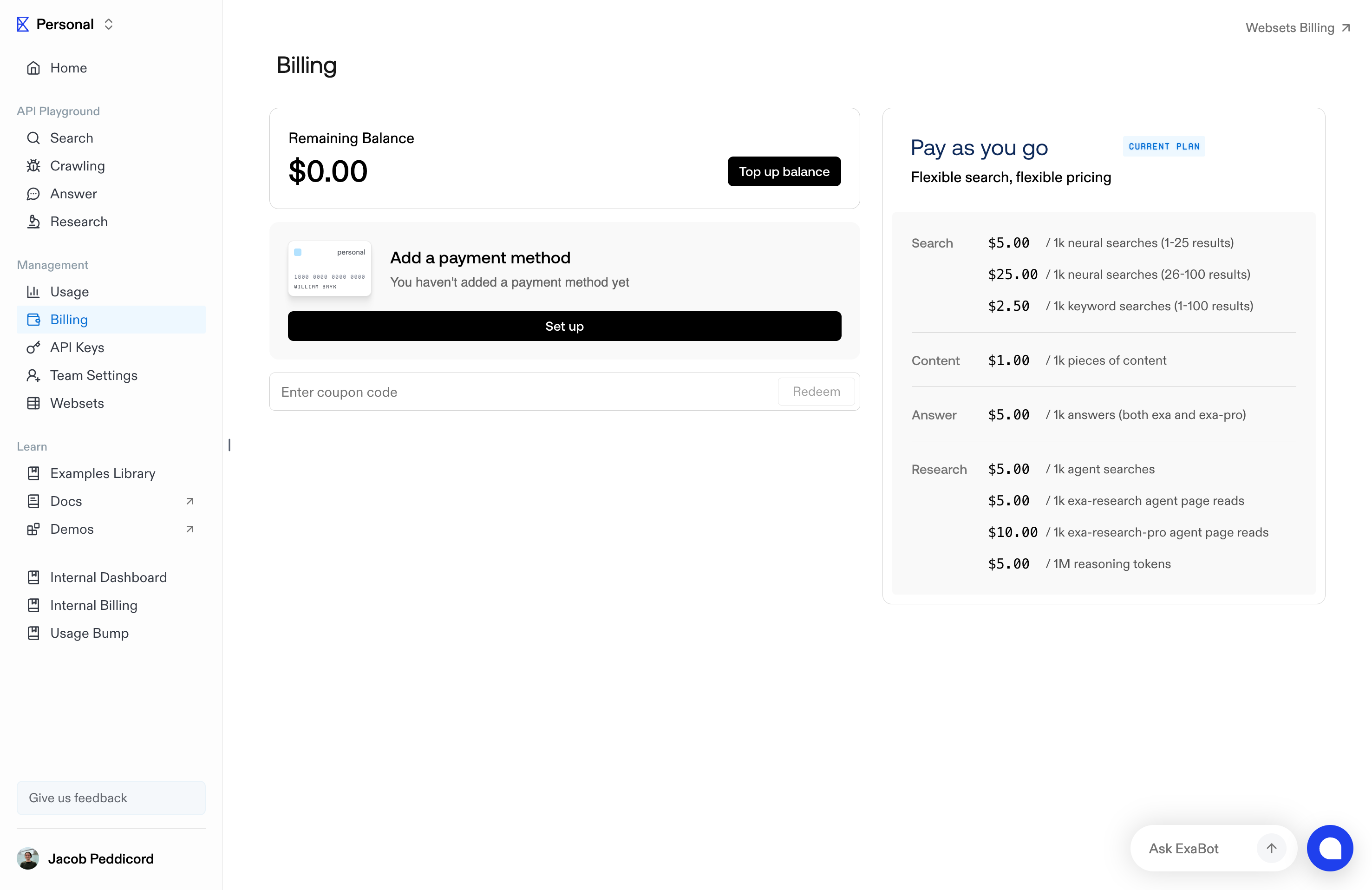
## Inviting people to your team
Team admins can add members via the Invite feature in Team settings.
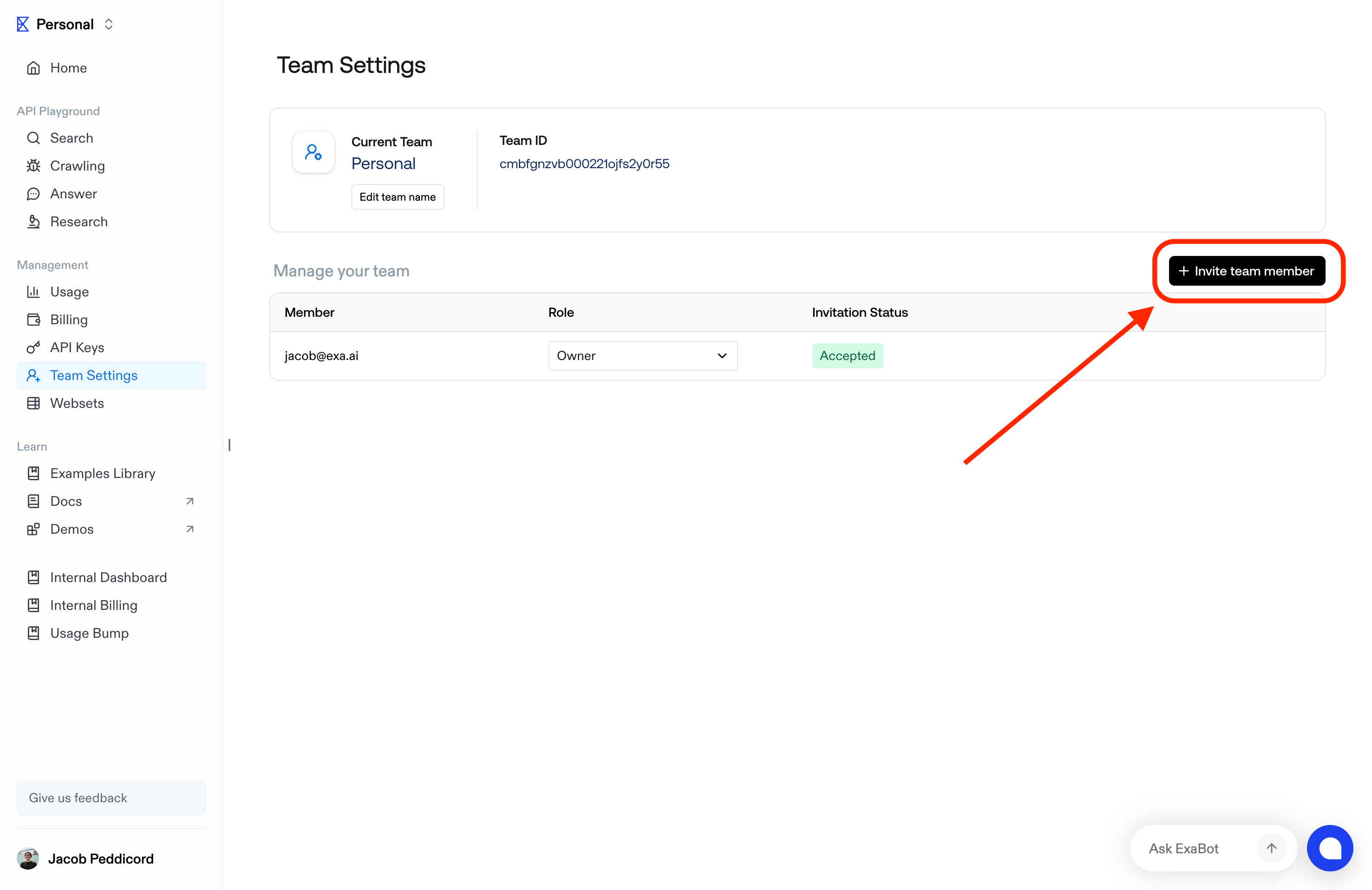
Once a team member is invited, their status will be 'Pending' on the team management menu.
They will receive an email inviting them to join the team.

Once accepted, you'll see both members are 'Accepted'. All Team members share the usage limits and features of their respective Team's plan.
[Go to API Dashboard](https://dashboard.exa.ai)
---
# Source: https://exa.ai/docs/reference/the-exa-index.md
> ## Documentation Index
> Fetch the complete documentation index at: https://exa.ai/docs/llms.txt
> Use this file to discover all available pages before exploring further.
# The Exa Index
> We spend a lot of time and energy creating a high quality, curated index.
***
There are many types of content, and we're constantly discovering new things to search for as well. If there's anything you want to be more highly covered, just reach out to [hello@exa.ai](mailto:hello@exa.ai). See the following table for a high level overview of what is available in our index:
| Category | Availability in Exa Index | Description | Example prompt link |
| :-----------------------------------------------: | :-----------------------: | :-----------------------------------------------------------------------------------------------------------------------------: | :----------------------------------------------------------------------------------------------------------------------------------------------------------------------------------------------------------------------------------------------------------------------------------------------------------------------------------------------------------------------------------------------------------------------------------------------------------------------------------------: |
| Research papers | Very High | Offer semantic search over a very vast index of papers, enabling sophisticated, multi-layer and complex filtering for use cases | [If you're looking for the most helpful academic paper on "embeddings for document retrieval", check this out (pdf:](https://search.exa.ai/search?q=If+you%27re+looking+for+the+most+helpful+academic+paper+on+%22embeddings+for+document+retrieval%22\&filters=%7B%22numResults%22%3A30%2C%22domainFilterType%22%3A%22include%22%2C%22type%22%3A%22neural%22%2C%22resolvedSearchType%22%3A%22neural%22%2C%22useAutoprompt%22%3Afalse%7D\&resolvedSearchType=neural) |
| Personal pages | Very High | Excels at finding personal pages, which are often extremely hard/impossible to find on traditional search engines | [Here is a link to the best life coach for when you're unhappy at work:](https://exa.ai/search?q=Here%20is%20a%20link%20to%20the%20best%20life%20coach%20for%20when%20you%27re%20unhappy%20at%20work%3A\&c=personal%20site\&filters=%7B%22numResults%22%3A30%2C%22useAutoprompt%22%3Afalse%2C%22domainFilterType%22%3A%22include%22%7D) |
| Wikipedia | Very High | Covers all of Wikipedia, providing comprehensive access to this vast knowledge base via semantic search | [Here is a Wikipedia page about a Roman emperor:](https://search.exa.ai/search?q=Here+is+a+Wikipedia+page+about+a+Roman+emperor%3A\&filters=%7B%22numResults%22%3A30%2C%22domainFilterType%22%3A%22include%22%2C%22type%22%3A%22neural%22%2C%22useAutoprompt%22%3Afalse%2C%22resolvedSearchType%22%3A%22neural%22%7D\&resolvedSearchType=neurall) |
| News | Very High | Includes a wide, robust index of web news sources, providing coverage of current events | [Here is news about war in the Middle East:](https://exa.ai/search?q=Here+is+news+about+war+in+the+Middle+East%3A\&c=personal+site\&filters=%7B%22numResults%22%3A30%2C%22domainFilterType%22%3A%22include%22%2C%22type%22%3A%22auto%22%2C%22useAutoprompt%22%3Afalse%2C%22resolvedSearchType%22%3A%22neural%22%2C%22startPublishedDate%22%3A%222024-10-29T01%3A45%3A46.055Z%22%7D\&resolvedSearchType=neural) |
| People (LinkedIn profiles) | *Very High (US+EU)* | Use `category="people"` to search for individual profiles. Has improved quality for finding LinkedIn profiles of individuals. | [best theoretical computer scientist at uc berkeley](https://exa.ai/search?q=best+theoretical+computer+scientist+at+uc+berkeley\&filters=%7B%22numResults%22%3A30%2C%22domainFilterType%22%3A%22include%22%2C%22type%22%3A%22neural%22%2C%22category%22%3A%22people%22%2C%22useAutoprompt%22%3Atrue%2C%22resolvedSearchType%22%3A%22neural%22%7D\&autopromptString=A+leading+theoretical+computer+scientist+at+UC+Berkeley.\&resolvedSearchType=neural) |
| Companies (LinkedIn company pages) | *Very High* | Use `category="company"` to search for company pages. Has improved quality for finding LinkedIn company pages. | [AI startups in San Francisco](https://exa.ai/search?q=AI+startups+in+San+Francisco\&filters=%7B%22numResults%22%3A30%2C%22domainFilterType%22%3A%22include%22%2C%22type%22%3A%22neural%22%2C%22category%22%3A%22company%22%2C%22useAutoprompt%22%3Afalse%2C%22resolvedSearchType%22%3A%22neural%22%7D\&resolvedSearchType=neural) |
| Company home-pages | Very High | Wide index of companies covered; also available are curated, customized company datasets - reach out to learn more | [Here is the homepage of a company working on making space travel cheaper:](https://search.exa.ai/search?q=Here+is+the+homepage+of+a+company+working+on+making+space+travel+cheaper%3A\&filters=%7B%22numResults%22%3A30%2C%22domainFilterType%22%3A%22include%22%2C%22type%22%3A%22neural%22%2C%22useAutoprompt%22%3Afalse%2C%22resolvedSearchType%22%3A%22neural%22%7D\&resolvedSearchType=neural) |
| Financial Reports | Very High | Includes SEC 10k financial reports and information from other finance sources like Yahoo Finance. | [Here is a source on Apple's revenue growth rate over the past years:](https://exa.ai/search?q=Here+is+a+source+on+Apple%27s+revenue+growth+rate+over+the+past+years%3A\&filters=%7B%22numResults%22%3A30%2C%22domainFilterType%22%3A%22include%22%2C%22type%22%3A%22neural%22%2C%22startPublishedDate%22%3A%222023-11-18T22%3A35%3A50.022Z%22%2C%22useAutoprompt%22%3Afalse%2C%22resolvedSearchType%22%3A%22neural%22%7D\&resolvedSearchType=neural) |
| GitHub repos | High | Indexes open source code (which the Exa team use frequently!) | [Here's a Github repo if you want to convert OpenAPI specs to Rust code:](https://exa.ai/search?q=Here%27s+a+Github+repo+if+you+want+to+convert+OpenAPI+specs+to+Rust+code%3A\&filters=%7B%22numResults%22%3A30%2C%22domainFilterType%22%3A%22include%22%2C%22type%22%3A%22neural%22%2C%22useAutoprompt%22%3Afalse%2C%22resolvedSearchType%22%3A%22neural%22%7D\&resolvedSearchType=neural) |
| Blogs | High | Excels at finding high quality reading material, particularly useful for niche topics | [If you're a huge fan of Japandi decor, you'd love this blog:](https://exa.ai/search?q=If+you%27re+a+huge+fan+of+Japandi+decor%2C+you%27d+love+this+blog%3A\&filters=%7B%22numResults%22%3A30%2C%22domainFilterType%22%3A%22include%22%2C%22type%22%3A%22neural%22%2C%22useAutoprompt%22%3Afalse%2C%22resolvedSearchType%22%3A%22neural%22%7D\&resolvedSearchType=neural) |
| Places and things | High | Covers a wide range of entities including hospitals, schools, restaurants, appliances, and electronics | [Here is a high-rated Italian restaurant in downtown Chicago:](https://exa.ai/search?q=Here+is+a+high-rated+Italian+restaurant+in+downtown+Chicago%3A\&filters=%7B%22numResults%22%3A30%2C%22domainFilterType%22%3A%22include%22%2C%22type%22%3A%22neural%22%2C%22useAutoprompt%22%3Afalse%2C%22resolvedSearchType%22%3A%22neural%22%7D\&resolvedSearchType=neural) |
| Legal and policy sources | High | Strong coverage of legal and policy information, (e.g., including sources like CPUC, Justia, Findlaw, etc.) | [Here is a common law case in california on marital property rights:](https://search.exa.ai/search?q=Here+is+a+common+law+case+in+california+on+marital+property+rights%3A\&filters=%7B%22numResults%22%3A30%2C%22domainFilterType%22%3A%22include%22%2C%22type%22%3A%22neural%22%2C%22useAutoprompt%22%3Afalse%2C%22includeDomains%22%3A%5B%22law.justia.com%22%5D%2C%22resolvedSearchType%22%3A%22neural%22%7D\&resolvedSearchType=neural) |
| Government and international organization sources | High | Includes content from sources like the IMF and CDC amongst others | [Here is a recent World Health Organization site on global vaccination rates:](https://exa.ai/search?q=Here+is+a+recent+World+Health+Organization+site+on+global+vaccination+rates%3A\&filters=%7B%22numResults%22%3A30%2C%22domainFilterType%22%3A%22include%22%2C%22type%22%3A%22neural%22%2C%22startPublishedDate%22%3A%222023-11-18T22%3A35%3A50.022Z%22%2C%22useAutoprompt%22%3Afalse%2C%22resolvedSearchType%22%3A%22neural%22%7D\&resolvedSearchType=neural) |
| Events | Moderate | Reasonable coverage of events in major municipalities, suggesting room for improvement | [Here is an AI hackathon in SF:](https://search.exa.ai/search?q=Here+is+an+AI+hackathon+in+SF\&filters=%7B%22numResults%22%3A30%2C%22domainFilterType%22%3A%22exclude%22%2C%22type%22%3A%22neural%22%2C%22startPublishedDate%22%3A%222024-07-02T23%3A36%3A15.511Z%22%2C%22useAutoprompt%22%3Afalse%2C%22endPublishedDate%22%3A%222024-07-09T23%3A36%3A15.511Z%22%2C%22excludeDomains%22%3A%5B%22twitter.com%22%5D%2C%22resolvedSearchType%22%3A%22neural%22%7D\&resolvedSearchType=neural) |
| Jobs | Moderate | Can find some job listings | [If you're looking for a software engineering job at a small startup working on an important mission, check out](https://search.exa.ai/search?q=If+you%27re+looking+for+a+software+engineering+job+at+a+small+startup+working+on+an+important+mission%2C+check+out\&filters=%7B%22numResults%22%3A30%2C%22domainFilterType%22%3A%22include%22%2C%22type%22%3A%22neural%22%2C%22useAutoprompt%22%3Afalse%2C%22resolvedSearchType%22%3A%22neural%22%7D\&resolvedSearchType=neural) |
---
# Source: https://exa.ai/docs/websets/api/events/types.md
> ## Documentation Index
> Fetch the complete documentation index at: https://exa.ai/docs/llms.txt
> Use this file to discover all available pages before exploring further.
# Event Types
> Learn about the events that occur within the Webset API
The Websets API uses events to notify you about changes in your Websets. You can monitor these events through our [events endpoint](/websets/api/events/list-all-events) or by setting up [webhooks](/websets/api/webhooks/create-a-webhook).
Events are retained for 60 days before being automatically deleted.
## Webset
* `webset.created` - Emitted when a new Webset is created.
* `webset.deleted` - Emitted when a Webset is deleted.
* `webset.paused` - Emitted when a Webset's operations are paused.
* `webset.idle` - Emitted when a Webset has no running operations.
## Search
* `webset.search.created` - Emitted when a new search is initiated.
* `webset.search.updated` - Emitted when search progress is updated.
* `webset.search.completed` - Emitted when a search finishes finding all items.
* `webset.search.canceled` - Emitted when a search is manually canceled.
## Item
* `webset.item.created` - Emitted when a new item has been added to the Webset.
* `webset.item.enriched` - Emitted when an item's enrichment is completed.
## Import
* `import.created` - Emitted when a new import is initiated.
* `import.completed` - Emitted when an import has been completed.
## Monitor
* `monitor.created` - Emitted when a new monitor is created.
* `monitor.updated` - Emitted when a monitor's configuration is updated.
* `monitor.deleted` - Emitted when a monitor is deleted.
* `monitor.run.created` - Emitted when a monitor run starts.
* `monitor.run.completed` - Emitted when a monitor run finishes.
Each event includes:
* A unique `id`
* The event `type`
* A `data` object containing the full resource that triggered the event
* A `createdAt` timestamp
You can use these events to:
* Track the progress of searches and enrichments
* Build real-time dashboards
* Trigger workflows when new items are found
* Monitor the status of your exports
---
# Source: https://exa.ai/docs/sdks/typescript-sdk-specification.md
> ## Documentation Index
> Fetch the complete documentation index at: https://exa.ai/docs/llms.txt
> Use this file to discover all available pages before exploring further.
# TypeScript SDK Specification
> Enumeration of methods and types in the Exa TypeScript SDK (exa-js).
## Getting started
Install the [exa-js](https://github.com/exa-labs/exa-js) SDK
```bash theme={null}
npm install exa-js
```
```bash theme={null}
yarn add exa-js
```
```bash theme={null}
pnpm add exa-js
```
and then instantiate an Exa client
```typescript theme={null}
import Exa from "exa-js";
const exa = new Exa(); // Reads EXA_API_KEY from environment
// or explicitly: const exa = new Exa("your-api-key");
```
Follow this link to get your API key
## `search` Method
The `options.type` parameter accepts: `"auto"` (default), `"fast"`, `"deep"`, or `"neural"`. See [RegularSearchOptions](#regularsearchoptions) for all available options.
### Input Example
```typescript theme={null}
const result = await exa.search("hottest AI startups", {
numResults: 10
});
```
### Input Parameters
| Parameter | Type | Description | Default |
| --------- | ----------------------------------------------------------------------- | ----------- | -------- |
| query | `string` | - | Required |
| options | `RegularSearchOptions & { contents?: T \| false \| null \| undefined }` | - | Required |
### Return Example
```json theme={null}
{
"autopromptString": "Here is a link to one of the hottest AI startups:",
"results": [
{
"title": "Adept: Useful General Intelligence",
"id": "https://www.adept.ai/",
"url": "https://www.adept.ai/",
"publishedDate": "2000-01-01",
"author": null,
"text": "Adept is building AI that can automate any software process..."
}
],
"requestId": "a78ebce717f4d712b6f8fe0d5d7753f8"
}
```
### Result Object
| Field | Type | Description |
| ----------- | ------------------------- | --------------------------------------------- |
| results | `SearchResult<T>[]` | The list of search results. |
| requestId | `string` | The request ID for the search. |
| context | `string` | The context for the search (for deep search). |
| autoDate | `string` | The autoprompt date, if applicable. |
| statuses | `Status[]` | Status information for each result. |
| costDollars | `CostDollars` | The cost breakdown for this request. |
## `searchAndContents` Method
The `options.type` parameter accepts: `"auto"` (default), `"fast"`, `"deep"`, or `"neural"`. See [RegularSearchOptions](#regularsearchoptions) for all available options.
### Input Example
```typescript theme={null}
const result = await exa.searchAndContents("AI in healthcare", {
text: true,
highlights: true,
numResults: 5
});
```
### Input Parameters
| Parameter | Type | Description | Default |
| --------- | -------------------------- | -------------------- | -------- |
| query | `string` | The query string. \* | Required |
| options | `RegularSearchOptions & T` | - | Required |
### Return Example
```json theme={null}
{
"results": [
{
"title": "2023 AI Trends in Health Care",
"id": "https://aibusiness.com/verticals/2023-ai-trends-in-health-care-",
"url": "https://aibusiness.com/verticals/2023-ai-trends-in-health-care-",
"publishedDate": "2022-12-29",
"author": "Wylie Wong",
"text": "While the health care industry was initially slow to adopt AI...",
"highlights": [
"AI is transforming healthcare through improved diagnostics and personalized treatment plans."
],
"highlightScores": [
0.85
]
}
],
"requestId": "b89fcd823e4f5a91c7d0fe1e6e8864f9"
}
```
### Result Object
| Field | Type | Description |
| ----------- | ------------------------- | --------------------------------------------- |
| results | `SearchResult<T>[]` | The list of search results. |
| requestId | `string` | The request ID for the search. |
| context | `string` | The context for the search (for deep search). |
| autoDate | `string` | The autoprompt date, if applicable. |
| statuses | `Status[]` | Status information for each result. |
| costDollars | `CostDollars` | The cost breakdown for this request. |
## `findSimilar` Method
See [FindSimilarOptions](#findsimilaroptions) for all available options including `excludeSourceDomain`.
### Input Example
```typescript theme={null}
const result = await exa.findSimilar("https://www.example.com/article", {
numResults: 10,
excludeSourceDomain: true
});
```
### Input Parameters
| Parameter | Type | Description | Default |
| --------- | --------------------------------------------------------------------- | ----------- | -------- |
| url | `string` | - | Required |
| options | `FindSimilarOptions & { contents?: T \| false \| null \| undefined }` | - | Required |
### Return Example
```json theme={null}
{
"results": [
{
"title": "Similar Article: AI and Machine Learning",
"id": "https://www.similarsite.com/ai-ml-article",
"url": "https://www.similarsite.com/ai-ml-article",
"publishedDate": "2023-05-15",
"author": "Jane Doe",
"text": "Artificial Intelligence (AI) and Machine Learning (ML) are revolutionizing various industries..."
}
],
"requestId": "08fdc6f20e9f3ea87f860af3f6ccc30f"
}
```
### Result Object
| Field | Type | Description |
| ----------- | ------------------------- | --------------------------------------------- |
| results | `SearchResult<T>[]` | The list of search results. |
| requestId | `string` | The request ID for the search. |
| context | `string` | The context for the search (for deep search). |
| autoDate | `string` | The autoprompt date, if applicable. |
| statuses | `Status[]` | Status information for each result. |
| costDollars | `CostDollars` | The cost breakdown for this request. |
## `findSimilarAndContents` Method
See [FindSimilarOptions](#findsimilaroptions) for all available options including `excludeSourceDomain`.
### Input Example
```typescript theme={null}
const result = await exa.findSimilarAndContents("https://www.example.com/article", {
text: true,
highlights: true,
numResults: 5
});
```
### Input Parameters
| Parameter | Type | Description | Default |
| --------- | ------------------------ | ------------------------------------------- | -------- |
| url | `string` | The URL for which to find similar links. \* | Required |
| options | `FindSimilarOptions & T` | - | Required |
### Return Example
```json theme={null}
{
"results": [
{
"title": "The Impact of AI on Modern Technology",
"id": "https://www.techblog.com/ai-impact",
"url": "https://www.techblog.com/ai-impact",
"publishedDate": "2023-06-01",
"author": "John Smith",
"text": "In recent years, artificial intelligence has made significant strides...",
"highlights": [
"AI is reshaping industries and creating new opportunities for innovation."
],
"highlightScores": [
0.92
]
}
],
"requestId": "c90gde934f5g6b02d8e1gf2f7f9975g0"
}
```
### Result Object
| Field | Type | Description |
| ----------- | ------------------------- | --------------------------------------------- |
| results | `SearchResult<T>[]` | The list of search results. |
| requestId | `string` | The request ID for the search. |
| context | `string` | The context for the search (for deep search). |
| autoDate | `string` | The autoprompt date, if applicable. |
| statuses | `Status[]` | Status information for each result. |
| costDollars | `CostDollars` | The cost breakdown for this request. |
## `getContents` Method
Retrieves contents of documents based on URLs.
### Input Example
```typescript theme={null}
const result = await exa.getContents([
"https://www.example.com/article1",
"https://www.example.com/article2"
], {
text: { maxCharacters: 1000 },
highlights: { query: "AI", maxCharacters: 2000 }
});
```
### Input Parameters
| Parameter | Type | Description | Default |
| --------- | ----------------------------------------------- | --------------------------------------------------------------- | -------- |
| urls | `string \| string[] \| SearchResult<T>[]` | A URL or array of URLs, or an array of SearchResult objects. \* | Required |
| options | `T` | - | Required |
### Return Example
```json theme={null}
{
"results": [
{
"url": "https://example.com/article",
"id": "https://example.com/article",
"title": "Example Article",
"text": "The full text content of the article..."
}
]
}
```
### Result Object
| Field | Type | Description |
| ----------- | ------------------------- | --------------------------------------------- |
| results | `SearchResult<T>[]` | The list of search results. |
| requestId | `string` | The request ID for the search. |
| context | `string` | The context for the search (for deep search). |
| autoDate | `string` | The autoprompt date, if applicable. |
| statuses | `Status[]` | Status information for each result. |
| costDollars | `CostDollars` | The cost breakdown for this request. |
## `answer` Method
### Input Example
```typescript theme={null}
const result = await exa.answer("What is the capital of France?", {
text: true,
model: "exa"
});
```
### Input Parameters
| Parameter | Type | Description | Default |
| --------- | --------------------------------------------------------- | ----------- | -------- |
| query | `string` | - | Required |
| options | `AnswerOptions \| AnswerOptionsTyped<ZodSchema` | - | Required |
### Return Example
```json theme={null}
{
"answer": "The capital of France is Paris.",
"citations": [
{
"id": "https://www.example.com/france",
"url": "https://www.example.com/france",
"title": "France - Wikipedia",
"publishedDate": "2023-01-01",
"author": null,
"text": "France, officially the French Republic, is a country in... [truncated for brevity]"
}
],
"requestId": "abc123"
}
```
### Result Object
| Field | Type | Description |
| ----------- | ----------------------------------------- | ------------------------------------------------------------------------ |
| answer | `string \| Record<string, unknown>` | The generated answer text (or object matching outputSchema if provided). |
| citations | `SearchResult<{}>[]` | The sources used to generate the answer. |
| requestId | `string` | The request ID for the answer. |
| costDollars | `CostDollars` | The cost breakdown for this request. |
## `streamAnswer` Method
### Input Example
```typescript theme={null}
for await (const chunk of exa.streamAnswer("What is quantum computing?", {
text: true,
model: "exa"
})) {
if (chunk.content) process.stdout.write(chunk.content);
if (chunk.citations) console.log("Citations:", chunk.citations);
}
```
### Input Parameters
| Parameter | Type | Description | Default |
| --------- | -------------------------------------------------------------------------------------------------------------------------------------------- | ----------- | -------- |
| query | `string` | - | Required |
| options | `{ text?: boolean; model?: "exa" \| "exa-pro"; systemPrompt?: string; outputSchema?: Record<string, unknown> \| ZodSchema<T>; }` | - | Required |
### Return Example
```json theme={null}
{
"content": "The capital of France is Paris.",
"citations": [
{
"id": "https://www.example.com/france",
"url": "https://www.example.com/france",
"title": "France - Wikipedia"
}
]
}
```
### Result Object
| Field | Type | Description |
| --------- | ---------------------------------------------------------------- | ------------------------------------------------------------------ |
| content | `string` | The partial text content of the answer (if present in this chunk). |
| citations | `Array<{id, url, title?, publishedDate?, author?, text?}>` | Citations associated with the current chunk of text (if present). |
## `research.create` Method
### Input Example
```typescript theme={null}
const task = await exa.research.create({
instructions: "Research the latest AI developments",
model: "exa-research-fast"
});
```
### Input Parameters
| Parameter | Type | Description | Default |
| --------- | --------------------------------------------------------------------------------------------------------------------------------------- | ----------- | -------- |
| params | `{ instructions: string; model?: ResearchCreateRequest["model"]; outputSchema?: Record<string, unknown> \| ZodSchema<T>; }` | - | Required |
### Return Example
```json theme={null}
{
"researchId": "a1b2c3d4-e5f6-7890-abcd-ef1234567890",
"status": "pending"
}
```
## `research.get` Method
When called with `stream: true`, returns an `AsyncGenerator` for real-time SSE updates instead of a `Promise`.
### Input Example
```typescript theme={null}
const result = await exa.research.get("a1b2c3d4-e5f6-7890-abcd-ef1234567890");
```
### Input Parameters
| Parameter | Type | Description | Default |
| ---------- | ---------------------------------------------------------------------------- | ----------- | -------- |
| researchId | `string` | - | Required |
| options | `{ stream?: boolean; events?: boolean; outputSchema?: ZodSchema<T>; }` | - | Required |
### Return Example
```json theme={null}
{
"researchId": "a1b2c3d4-e5f6-7890-abcd-ef1234567890",
"status": "completed",
"instructions": "What is the latest valuation of SpaceX?",
"output": {
"parsed": {
"valuation": "$350 billion",
"date": "December 2024",
"source": "Financial Times"
}
}
}
```
## `research.pollUntilFinished` Method
Options include `pollInterval` (default 1000ms), `timeoutMs` (default 10 minutes), and `events` (boolean to include event log).
### Input Example
```typescript theme={null}
const result = await exa.research.pollUntilFinished("a1b2c3d4-e5f6-7890-abcd-ef1234567890", {
pollInterval: 1000,
timeoutMs: 600000
});
```
### Input Parameters
| Parameter | Type | Description | Default |
| ---------- | ----------------------------------------------------------------------------------------------------- | ----------- | -------- |
| researchId | `string` | - | Required |
| options | `{ pollInterval?: number; timeoutMs?: number; events?: boolean; outputSchema?: ZodSchema<T>; }` | - | Required |
## `research.list` Method
### Input Example
```typescript theme={null}
const tasks = await exa.research.list({ limit: 10 });
```
### Input Parameters
| Parameter | Type | Description | Default |
| --------- | --------------------- | ----------- | -------- |
| options | `ListResearchRequest` | - | Required |
### Return Example
```json theme={null}
{
"data": [
{
"researchId": "task-1",
"status": "completed",
"instructions": "Research SpaceX valuation"
}
],
"hasMore": true,
"nextCursor": "eyJjcmVhdGVkQXQiOiIyMDI0LTAxLTE1VDE4OjMwOjAwWiIsImlkIjoidGFzay0yIn0="
}
```
***
## Types Reference
This section documents the types used throughout the SDK.
### Content Options
These types configure content retrieval options for the `contents` parameter.
#### `ContentsOptions`
Options for retrieving page contents
| Field | Type | Description |
| ------------------ | ----------------------------------- | ----------------------------------------------------------------------------------------------------------------------------------------------------------------------------------------------------------------------------------- |
| text | `TextContentsOptions \| true` | Options for retrieving text contents. |
| highlights | `HighlightsContentsOptions \| true` | Options for retrieving highlights. |
| summary | `SummaryContentsOptions \| true` | Options for retrieving summary. |
| maxAgeHours | `number` | Maximum age of cached content in hours. If content is older, it will be fetched fresh. Special values: 0 = always fetch fresh content, -1 = never fetch fresh (cache only). Example: 168 = fetch fresh for pages older than 7 days. |
| filterEmptyResults | `boolean` | If true, filters out results with no contents. Default is true. |
| subpages | `number` | Number of subpages to return for each result. |
| subpageTarget | `string \| string[]` | Text used to match/rank subpages in the returned list. |
| extras | `ExtrasOptions` | Miscellaneous data derived from results. |
| context | `ContextOptions \| true` | Options for retrieving context. |
#### `BaseSearchOptions`
Options for performing a search query
| Field | Type | Description |
| ------------------ | --------------------------------------------------------------------------------------------------------------------- | ----------- |
| contents | `ContentsOptions` | - |
| numResults | `number` | - |
| includeDomains | `string[]` | - |
| excludeDomains | `string[]` | - |
| startCrawlDate | `string` | - |
| endCrawlDate | `string` | - |
| startPublishedDate | `string` | - |
| endPublishedDate | `string` | - |
| category | `\| "company" \| "research paper" \| "news" \| "pdf" \| "tweet" \| "personal site" \| "financial report" \| "people"` | - |
| includeText | `string[]` | - |
| excludeText | `string[]` | - |
| flags | `string[]` | - |
| userLocation | `string` | - |
#### `RegularSearchOptions`
Search options for performing a search query.
Uses a discriminated union to ensure additionalQueries is only allowed when type is "deep".
| Field | Type | Description |
| ------------------ | ------------------------------------------------------------------------------------------------------------------ | ---------------------------------------------------------------------------------------- |
| type | `"auto" \| "fast" \| "deep" \| "neural"` | The type of search to perform. Default is "auto". |
| numResults | `number` | Number of search results to return. Default 10. Max 10 for basic plans. |
| includeDomains | `string[]` | List of domains to include in the search. |
| excludeDomains | `string[]` | List of domains to exclude in the search. |
| startCrawlDate | `string` | Start date for results based on crawl date (ISO format). |
| endCrawlDate | `string` | End date for results based on crawl date (ISO format). |
| startPublishedDate | `string` | Start date for results based on published date (ISO format). |
| endPublishedDate | `string` | End date for results based on published date (ISO format). |
| category | `"company" \| "research paper" \| "news" \| "pdf" \| "tweet" \| "personal site" \| "financial report" \| "people"` | A data category to focus on. |
| includeText | `string[]` | List of strings that must be present in webpage text. Max 1 string of up to 5 words. |
| excludeText | `string[]` | List of strings that must not be present in webpage text. Max 1 string of up to 5 words. |
| contents | `ContentsOptions` | Options for retrieving page contents for each result. |
| moderation | `boolean` | If true, the search results are moderated for safety. |
| useAutoprompt | `boolean` | If true, uses autoprompt to enhance the query. |
| userLocation | `string` | The two-letter ISO country code of the user, e.g. US. |
| additionalQueries | `string[]` | Alternative query formulations for deep search. Max 5 queries. Only for type: "deep". |
#### `FindSimilarOptions`
Options for finding similar links.
**Type:** `BaseSearchOptions & { excludeSourceDomain?: boolean; }`
#### `ExtrasOptions`
| Field | Type | Description |
| ---------- | -------- | ----------- |
| links | `number` | - |
| imageLinks | `number` | - |
#### `TextContentsOptions`
Options for retrieving text from page.
| Field | Type | Description |
| --------------- | ------------------ | ----------- |
| maxCharacters | `number` | - |
| includeHtmlTags | `boolean` | - |
| verbosity | `VerbosityOptions` | - |
| includeSections | `SectionTag[]` | - |
| excludeSections | `SectionTag[]` | - |
#### `HighlightsContentsOptions`
Options for retrieving highlights from page.
NOTE: For search type "deep", these options will not be respected. Highlights will be generated with respect
to your initial query, and may vary in quantity and length.
| Field | Type | Description |
| ------------- | -------- | ---------------------------------- |
| query | `string` | - |
| maxCharacters | `number` | Maximum characters for highlights. |
#### `SummaryContentsOptions`
Options for retrieving summary from page.
| Field | Type | Description |
| ------ | -------------------------------------------- | ----------- |
| query | `string` | - |
| schema | `Record<string, unknown> \| ZodSchema` | - |
#### `ContextOptions`
Options for retrieving the context from a list of search results. The context is a string
representation of all the search results.
| Field | Type | Description |
| ------------- | -------- | ----------- |
| maxCharacters | `number` | - |
#### `AnswerOptions`
Options for the answer endpoint
| Field | Type | Description |
| ------------ | ------------------------------- | ---------------------------------------------------------------------------- |
| text | `boolean` | Whether to include text in the source results. Default false. |
| model | `"exa"` | The model to use for generating the answer. Default "exa". |
| stream | `boolean` | Whether to stream the response. Default false. |
| systemPrompt | `string` | A system prompt to guide the LLM's behavior when generating the answer. |
| outputSchema | `Record<string, unknown>` | A JSON Schema specification for the structure you expect the output to take. |
| userLocation | `string` | The two-letter ISO country code of the user, e.g. US. |
### Response Types
These types represent API response objects.
#### `CostDollars`
Represents the total cost breakdown. Only non-zero costs are included.
| Field | Type | Description |
| -------- | --------------------- | ----------- |
| total | `number` | - |
| search | `CostDollarsSeearch` | - |
| contents | `CostDollarsContents` | - |
#### `SearchResult`
Represents a search result object.
| Field | Type | Description |
| --------------- | ---------------- | ------------------------------------------------------------ |
| title | `string \| null` | The title of the search result. |
| url | `string` | The URL of the search result. |
| id | `string` | The temporary ID for the document. |
| publishedDate | `string` | The estimated creation date of the content. |
| author | `string` | The author of the content, if available. |
| score | `number` | Similarity score between the query/url and the result. |
| image | `string` | A representative image for the content, if any. |
| favicon | `string` | A favicon for the site, if any. |
| text | `string` | The text content of the page (if text option enabled). |
| highlights | `string[]` | Highlighted text snippets (if highlights option enabled). |
| highlightScores | `number[]` | Scores for each highlight. |
| summary | `string` | Summary of the content (if summary option enabled). |
| entities | `Entity[]` | Structured entity data for company or person search results. |
#### `SearchResponse`
Represents a search response object.
| Field | Type | Description |
| ----------- | ------------------------- | --------------------------------------------- |
| results | `SearchResult<T>[]` | The list of search results. |
| requestId | `string` | The request ID for the search. |
| context | `string` | The context for the search (for deep search). |
| autoDate | `string` | The autoprompt date, if applicable. |
| statuses | `Status[]` | Status information for each result. |
| costDollars | `CostDollars` | The cost breakdown for this request. |
#### `Status`
| Field | Type | Description |
| ------ | -------- | ----------- |
| id | `string` | - |
| status | `string` | - |
| source | `string` | - |
#### `AnswerResponse`
Represents an answer response object from the /answer endpoint.
| Field | Type | Description |
| ----------- | ----------------------------------------- | ------------------------------------------------------------------------ |
| answer | `string \| Record<string, unknown>` | The generated answer text (or object matching outputSchema if provided). |
| citations | `SearchResult<{}>[]` | The sources used to generate the answer. |
| requestId | `string` | The request ID for the answer. |
| costDollars | `CostDollars` | The cost breakdown for this request. |
#### `AnswerStreamChunk`
| Field | Type | Description |
| --------- | ---------------------------------------------------------------- | ------------------------------------------------------------------ |
| content | `string` | The partial text content of the answer (if present in this chunk). |
| citations | `Array<{id, url, title?, publishedDate?, author?, text?}>` | Citations associated with the current chunk of text (if present). |
### Entity Types
These types represent structured entity data returned for company or person searches.
#### `ResearchModel`
The model to use for research tasks.
**Type:** 'exa-research-fast' | 'exa-research' | 'exa-research-pro'
#### `EntityCompanyProperties`
Structured properties for a company entity.
| Field | Type | Description |
| ------------ | --------------------------------------------- | ------------------------------------------------------ |
| name | `string \| null` | The company name. |
| foundedYear | `number \| null` | The year the company was founded. |
| description | `string \| null` | A description of the company. |
| workforce | `EntityCompanyPropertiesWorkforce \| null` | Information about the company's workforce. |
| headquarters | `EntityCompanyPropertiesHeadquarters \| null` | Information about the company's headquarters location. |
| financials | `EntityCompanyPropertiesFinancials \| null` | Financial information about the company. |
| webTraffic | `EntityCompanyPropertiesWebTraffic \| null` | Web traffic statistics for the company. |
#### `EntityPersonProperties`
Structured properties for a person entity.
| Field | Type | Description |
| ----------- | ------------------------------------------ | -------------------------- |
| name | `string \| null` | The person's name. |
| location | `string \| null` | The person's location. |
| workHistory | `EntityPersonPropertiesWorkHistoryEntry[]` | The person's work history. |
#### `CompanyEntity`
Structured entity data for a company.
| Field | Type | Description |
| ---------- | ------------------------- | -------------------------------------- |
| id | `string` | Unique identifier for the entity. |
| type | `"company"` | The entity type (always "company"). |
| version | `number` | The version of the entity schema. |
| properties | `EntityCompanyProperties` | Structured properties for the company. |
#### `PersonEntity`
Structured entity data for a person.
| Field | Type | Description |
| ---------- | ------------------------ | ------------------------------------- |
| id | `string` | Unique identifier for the entity. |
| type | `"person"` | The entity type (always "person"). |
| version | `number` | The version of the entity schema. |
| properties | `EntityPersonProperties` | Structured properties for the person. |
---
# Source: https://exa.ai/docs/websets/api/webhooks/update-a-webhook.md
> ## Documentation Index
> Fetch the complete documentation index at: https://exa.ai/docs/llms.txt
> Use this file to discover all available pages before exploring further.
# Update a Webhook
> Change a webhook's settings. You can update:
- Events: Add or remove which events you want to hear about - URL: Change where notifications are sent - Metadata: Update custom data linked to the webhook
Changes happen right away. If you change the events list, the webhook will start or stop getting notifications for those events immediately.
The webhook keeps its current status (`active` or `inactive`) when you update it.
## OpenAPI
````yaml patch /v0/webhooks/{id}
openapi: 3.1.0
info:
title: Websets
description: ''
version: '0'
contact: {}
servers:
- url: https://api.exa.ai/websets/
description: Production
security: []
tags: []
paths:
/v0/webhooks/{id}:
patch:
tags:
- Webhooks
summary: Update a Webhook
description: >-
Change a webhook's settings. You can update:
- Events: Add or remove which events you want to hear about - URL:
Change where notifications are sent - Metadata: Update custom data
linked to the webhook
Changes happen right away. If you change the events list, the webhook
will start or stop getting notifications for those events immediately.
The webhook keeps its current status (`active` or `inactive`) when you
update it.
operationId: webhooks-update
parameters:
- name: id
required: true
in: path
description: The id of the webhook
schema:
type: string
requestBody:
required: true
content:
application/json:
schema:
$ref: '#/components/schemas/UpdateWebhookParameters'
responses:
'200':
description: Webhook
content:
application/json:
schema:
$ref: '#/components/schemas/Webhook'
headers:
X-Request-Id:
schema:
type: string
description: Unique identifier for the request.
example: req_N6SsgoiaOQOPqsYKKiw5
required: true
'404':
description: Webhook not found
headers:
X-Request-Id:
schema:
type: string
description: Unique identifier for the request.
example: req_N6SsgoiaOQOPqsYKKiw5
required: true
security:
- api_key: []
components:
schemas:
UpdateWebhookParameters:
type:
- object
properties:
events:
type:
- array
items:
$ref: '#/components/schemas/EventType'
type:
- string
minItems: 1
maxItems: 19
description: The events to trigger the webhook
url:
type:
- string
format: uri
description: The URL to send the webhook to
metadata:
description: Set of key-value pairs you want to associate with this object.
type:
- object
additionalProperties:
type:
- string
maxLength: 1000
Webhook:
type:
- object
properties:
id:
type:
- string
description: The unique identifier for the webhook
object:
type: string
const: webhook
default: webhook
status:
type:
- string
enum:
- active
- inactive
description: The status of the webhook
title: WebhookStatus
events:
type:
- array
items:
$ref: '#/components/schemas/EventType'
type:
- string
minItems: 1
description: The events to trigger the webhook
url:
type:
- string
format: uri
description: The URL to send the webhook to
secret:
type: string
description: >-
The secret to verify the webhook signature. Only returned on Webhook
creation.
nullable: true
metadata:
default: {}
description: The metadata of the webhook
type:
- object
additionalProperties:
type:
- string
maxLength: 1000
createdAt:
type:
- string
format: date-time
description: The date and time the webhook was created
updatedAt:
type:
- string
format: date-time
description: The date and time the webhook was last updated
required:
- id
- object
- status
- events
- url
- secret
- createdAt
- updatedAt
EventType:
type: string
enum:
- webset.created
- webset.deleted
- webset.paused
- webset.idle
- webset.search.created
- webset.search.canceled
- webset.search.completed
- webset.search.updated
- import.created
- import.completed
- webset.item.created
- webset.item.enriched
- monitor.created
- monitor.updated
- monitor.deleted
- monitor.run.created
- monitor.run.completed
- webset.export.created
- webset.export.completed
securitySchemes:
api_key:
type: apiKey
in: header
name: x-api-key
description: Your Exa API key
````
---
# Source: https://exa.ai/docs/websets/api/websets/update-a-webset.md
> ## Documentation Index
> Fetch the complete documentation index at: https://exa.ai/docs/llms.txt
> Use this file to discover all available pages before exploring further.
# Update a Webset
## OpenAPI
````yaml post /v0/websets/{id}
openapi: 3.1.0
info:
title: Websets
description: ''
version: '0'
contact: {}
servers:
- url: https://api.exa.ai/websets/
description: Production
security: []
tags: []
paths:
/v0/websets/{id}:
post:
tags:
- Websets
summary: Update a Webset
operationId: websets-update
parameters:
- name: id
required: true
in: path
description: The id or externalId of the Webset
schema:
type: string
requestBody:
required: true
content:
application/json:
schema:
$ref: '#/components/schemas/UpdateWebsetRequest'
responses:
'200':
description: Webset updated
content:
application/json:
schema:
$ref: '#/components/schemas/Webset'
headers:
X-Request-Id:
schema:
type: string
description: Unique identifier for the request.
example: req_N6SsgoiaOQOPqsYKKiw5
required: true
'404':
description: Webset not found
headers:
X-Request-Id:
schema:
type: string
description: Unique identifier for the request.
example: req_N6SsgoiaOQOPqsYKKiw5
required: true
security:
- api_key: []
components:
schemas:
UpdateWebsetRequest:
type:
- object
properties:
metadata:
description: Set of key-value pairs you want to associate with this object.
type: object
additionalProperties:
type:
- string
maxLength: 1000
nullable: true
title:
type: string
minLength: 1
description: Optional name that appears anywhere the Webset is displayed.
Webset:
type:
- object
properties:
id:
type:
- string
description: The unique identifier for the webset
object:
type: string
const: webset
default: webset
status:
type:
- string
enum:
- idle
- pending
- running
- paused
description: The status of the webset
title: WebsetStatus
externalId:
type: string
description: The external identifier for the webset
nullable: true
title:
type: string
description: The title of the webset
nullable: true
searches:
type:
- array
items:
$ref: '#/components/schemas/WebsetSearch'
type:
- object
description: The searches that have been performed on the webset.
imports:
type:
- array
items:
$ref: '#/components/schemas/Import'
type:
- object
description: Imports that have been performed on the webset.
enrichments:
type:
- array
items:
$ref: '#/components/schemas/WebsetEnrichment'
type:
- object
description: The Enrichments to apply to the Webset Items.
monitors:
type:
- array
items:
$ref: '#/components/schemas/Monitor'
type:
- object
description: The Monitors for the Webset.
excludes:
type:
- array
items:
type:
- object
properties:
source:
type:
- string
enum:
- import
- webset
id:
type:
- string
required:
- source
- id
description: >-
The Excludes sources (existing imports or websets) that apply to all
operations within this Webset. Any results found within these
sources will be omitted across all search and import operations.
metadata:
default: {}
description: Set of key-value pairs you want to associate with this object.
type:
- object
additionalProperties:
type:
- string
maxLength: 1000
createdAt:
type:
- string
format: date-time
description: The date and time the webset was created
updatedAt:
type:
- string
format: date-time
description: The date and time the webset was updated
required:
- id
- object
- status
- externalId
- title
- searches
- imports
- enrichments
- monitors
- createdAt
- updatedAt
WebsetSearch:
type:
- object
properties:
id:
type:
- string
description: The unique identifier for the search
object:
type: string
const: webset_search
default: webset_search
status:
type:
- string
enum:
- created
- pending
- running
- completed
- canceled
description: The status of the search
title: WebsetSearchStatus
websetId:
type:
- string
description: The unique identifier for the Webset this search belongs to
query:
description: The query used to create the search.
type:
- string
minLength: 1
maxLength: 5000
entity:
$ref: '#/components/schemas/Entity'
description: >-
The entity the search will return results for.
When no entity is provided during creation, we will automatically
select the best entity based on the query.
nullable: true
criteria:
type:
- array
items:
type:
- object
properties:
description:
type:
- string
minLength: 1
maxLength: 1000
description: The description of the criterion
successRate:
type:
- number
minimum: 0
maximum: 100
description: >-
Value between 0 and 100 representing the percentage of results
that meet the criterion.
required:
- description
- successRate
description: >-
The criteria the search will use to evaluate the results. If not
provided, we will automatically generate them for you.
count:
type:
- number
minimum: 1
description: >-
The number of results the search will attempt to find. The actual
number of results may be less than this number depending on the
search complexity.
behavior:
$ref: '#/components/schemas/WebsetSearchBehavior'
default: override
type:
- string
description: >-
The behavior of the search when it is added to a Webset.
- `override`: the search will replace the existing Items found in
the Webset and evaluate them against the new criteria. Any Items
that don't match the new criteria will be discarded.
- `append`: the search will add the new Items found to the existing
Webset. Any Items that don't match the new criteria will be
discarded.
exclude:
type:
- array
items:
type:
- object
properties:
source:
type:
- string
enum:
- import
- webset
id:
type:
- string
required:
- source
- id
description: >-
Sources (existing imports or websets) used to omit certain results
to be found during the search.
scope:
type:
- array
items:
type:
- object
properties:
source:
type:
- string
enum:
- import
- webset
id:
type:
- string
relationship:
type:
- object
properties:
definition:
type:
- string
description: >-
What the relationship of the entities you hope to find is
relative to the entities contained in the provided source.
limit:
type:
- number
minimum: 1
maximum: 10
required:
- definition
- limit
required:
- source
- id
description: >-
The scope of the search. By default, there is no scope - thus
searching the web.
If provided during creation, the search will only be performed on
the sources provided.
progress:
type:
- object
properties:
found:
type:
- number
description: The number of results found so far
analyzed:
type:
- number
description: The number of results analyzed so far
completion:
type:
- number
minimum: 0
maximum: 100
description: The completion percentage of the search
timeLeft:
type: number
description: The estimated time remaining in seconds, null if unknown
nullable: true
required:
- found
- analyzed
- completion
- timeLeft
description: The progress of the search
recall:
type: object
properties:
expected:
type:
- object
properties:
total:
type:
- number
description: The estimated total number of potential matches
confidence:
type:
- string
enum:
- high
- medium
- low
description: The confidence in the estimate
bounds:
type:
- object
properties:
min:
type:
- number
description: The minimum estimated total number of potential matches
max:
type:
- number
description: The maximum estimated total number of potential matches
required:
- min
- max
required:
- total
- confidence
- bounds
reasoning:
type:
- string
description: The reasoning for the estimate
required:
- expected
- reasoning
description: >-
Recall metrics for the search, null if not yet computed or
requested.
nullable: true
metadata:
default: {}
description: Set of key-value pairs you want to associate with this object.
type:
- object
additionalProperties:
type:
- string
maxLength: 1000
canceledAt:
type: string
format: date-time
description: The date and time the search was canceled
nullable: true
canceledReason:
$ref: '#/components/schemas/WebsetSearchCanceledReason'
type: string
description: The reason the search was canceled
nullable: true
createdAt:
type:
- string
format: date-time
description: The date and time the search was created
updatedAt:
type:
- string
format: date-time
description: The date and time the search was updated
required:
- id
- object
- websetId
- status
- query
- entity
- criteria
- count
- exclude
- scope
- progress
- recall
- canceledAt
- canceledReason
- createdAt
- updatedAt
Import:
type:
- object
properties:
id:
type:
- string
description: The unique identifier for the Import
object:
type:
- string
enum:
- import
description: The type of object
status:
type:
- string
enum:
- pending
- processing
- completed
- failed
description: The status of the Import
format:
type:
- string
enum:
- csv
- webset
description: The format of the import.
entity:
$ref: '#/components/schemas/Entity'
description: The type of entity the import contains.
nullable: true
title:
type:
- string
description: The title of the import
count:
type:
- number
description: The number of entities in the import
metadata:
description: Set of key-value pairs you want to associate with this object.
type:
- object
additionalProperties:
type:
- string
maxLength: 1000
failedReason:
type: string
enum:
- invalid_format
- invalid_file_content
- missing_identifier
description: The reason the import failed
nullable: true
failedAt:
type: string
format: date-time
description: When the import failed
nullable: true
failedMessage:
type: string
description: A human readable message of the import failure
nullable: true
createdAt:
type:
- string
format: date-time
description: When the import was created
updatedAt:
type:
- string
format: date-time
description: When the import was last updated
required:
- id
- object
- status
- format
- entity
- title
- count
- metadata
- failedReason
- failedAt
- failedMessage
- createdAt
- updatedAt
WebsetEnrichment:
type:
- object
properties:
id:
type:
- string
description: The unique identifier for the enrichment
object:
type: string
const: webset_enrichment
default: webset_enrichment
status:
type:
- string
enum:
- pending
- canceled
- completed
description: The status of the enrichment
title: WebsetEnrichmentStatus
websetId:
type:
- string
description: The unique identifier for the Webset this enrichment belongs to.
title:
type: string
description: >-
The title of the enrichment.
This will be automatically generated based on the description and
format.
nullable: true
description:
type:
- string
description: >-
The description of the enrichment task provided during the creation
of the enrichment.
format:
$ref: '#/components/schemas/WebsetEnrichmentFormat'
type: string
description: The format of the enrichment response.
nullable: true
options:
type: array
items:
type:
- object
properties:
label:
type:
- string
description: The label of the option
required:
- label
description: >-
When the format is options, the different options for the enrichment
agent to choose from.
title: WebsetEnrichmentOptions
nullable: true
instructions:
type: string
description: >-
The instructions for the enrichment Agent.
This will be automatically generated based on the description and
format.
nullable: true
metadata:
default: {}
description: The metadata of the enrichment
type:
- object
additionalProperties:
type:
- string
maxLength: 1000
createdAt:
type:
- string
format: date-time
description: The date and time the enrichment was created
updatedAt:
type:
- string
format: date-time
description: The date and time the enrichment was updated
required:
- id
- object
- status
- websetId
- title
- description
- format
- options
- instructions
- createdAt
- updatedAt
Monitor:
type:
- object
properties:
id:
type:
- string
description: The unique identifier for the Monitor
object:
type:
- string
enum:
- monitor
description: The type of object
status:
type:
- string
enum:
- enabled
- disabled
description: The status of the Monitor
websetId:
type:
- string
description: The id of the Webset the Monitor belongs to
cadence:
type:
- object
properties:
cron:
description: >-
Cron expression for monitor cadence (must be a valid Unix cron
with 5 fields). The schedule must trigger at most once per day.
type:
- string
timezone:
description: IANA timezone (e.g., "America/New_York")
default: Etc/UTC
type:
- string
required:
- cron
description: How often the monitor will run
behavior:
type:
- object
properties:
type:
type: string
const: search
default: search
config:
type:
- object
properties:
query:
type:
- string
minLength: 2
maxLength: 10000
description: >-
The query to search for. By default, the query from the last
search is used.
criteria:
type:
- array
items:
type:
- object
properties:
description:
type:
- string
minLength: 2
maxLength: 1000
required:
- description
maxItems: 5
description: >-
The criteria to search for. By default, the criteria from
the last search is used.
entity:
$ref: '#/components/schemas/Entity'
title: Entity
description: >-
The entity to search for. By default, the entity from the
last search/import is used.
count:
type:
- number
exclusiveMinimum: 0
description: The maximum number of results to find
behavior:
default: append
type:
- string
enum:
- override
- append
description: The behaviour of the Search when it is added to a Webset.
required:
- count
description: >-
Specify the search parameters for the Monitor.
By default, the search parameters (query, entity and criteria)
from the last search are used when no parameters are provided.
required:
- type
- config
description: Behavior to perform when monitor runs
lastRun:
$ref: '#/components/schemas/MonitorRun'
type: object
title: MonitorRun
description: The last run of the monitor
nullable: true
nextRunAt:
type: string
format: date-time
description: Date and time when the next run will occur in
nullable: true
metadata:
description: Set of key-value pairs you want to associate with this object.
type:
- object
additionalProperties:
type:
- string
maxLength: 1000
createdAt:
type:
- string
format: date-time
description: When the monitor was created
updatedAt:
type:
- string
format: date-time
description: When the monitor was last updated
required:
- id
- object
- status
- websetId
- cadence
- behavior
- lastRun
- nextRunAt
- metadata
- createdAt
- updatedAt
Entity:
oneOf:
- $ref: '#/components/schemas/CompanyEntity'
type:
- object
- $ref: '#/components/schemas/PersonEntity'
type:
- object
- $ref: '#/components/schemas/ArticleEntity'
type:
- object
- $ref: '#/components/schemas/ResearchPaperEntity'
type:
- object
- $ref: '#/components/schemas/CustomEntity'
type:
- object
WebsetSearchBehavior:
type: string
enum:
- override
- append
WebsetSearchCanceledReason:
type: string
enum:
- webset_deleted
- webset_canceled
WebsetEnrichmentFormat:
type: string
enum:
- text
- date
- number
- options
- email
- phone
- url
MonitorRun:
type:
- object
properties:
id:
type:
- string
description: The unique identifier for the Monitor Run
object:
type:
- string
enum:
- monitor_run
description: The type of object
status:
type:
- string
enum:
- created
- running
- completed
- canceled
- failed
description: The status of the Monitor Run
monitorId:
type:
- string
description: The monitor that the run is associated with
type:
type:
- string
enum:
- search
- refresh
description: The type of the Monitor Run
completedAt:
type: string
format: date-time
description: When the run completed
nullable: true
failedAt:
type: string
format: date-time
description: When the run failed
nullable: true
failedReason:
type: string
description: The reason the run failed
nullable: true
canceledAt:
type: string
format: date-time
description: When the run was canceled
nullable: true
createdAt:
type:
- string
format: date-time
description: When the run was created
updatedAt:
type:
- string
format: date-time
description: When the run was last updated
required:
- id
- object
- monitorId
- status
- type
- completedAt
- failedAt
- failedReason
- canceledAt
- createdAt
- updatedAt
CompanyEntity:
type:
- object
properties:
type:
type: string
const: company
default: company
required:
- type
title: Company
PersonEntity:
type:
- object
properties:
type:
type: string
const: person
default: person
required:
- type
title: Person
ArticleEntity:
type:
- object
properties:
type:
type: string
const: article
default: article
required:
- type
title: Article
ResearchPaperEntity:
type:
- object
properties:
type:
type: string
const: research_paper
default: research_paper
required:
- type
title: Research Paper
CustomEntity:
type:
- object
properties:
type:
type: string
const: custom
default: custom
description:
type:
- string
minLength: 2
maxLength: 200
required:
- type
- description
title: Custom
securitySchemes:
api_key:
type: apiKey
in: header
name: x-api-key
description: Your Exa API key
````
---
# Source: https://exa.ai/docs/websets/api/websets/enrichments/update-an-enrichment.md
> ## Documentation Index
> Fetch the complete documentation index at: https://exa.ai/docs/llms.txt
> Use this file to discover all available pages before exploring further.
# Update an Enrichment
> Update an Enrichment configuration for a Webset.
## OpenAPI
````yaml patch /v0/websets/{webset}/enrichments/{id}
openapi: 3.1.0
info:
title: Websets
description: ''
version: '0'
contact: {}
servers:
- url: https://api.exa.ai/websets/
description: Production
security: []
tags: []
paths:
/v0/websets/{webset}/enrichments/{id}:
patch:
tags:
- Enrichments
summary: Update an Enrichment
description: Update an Enrichment configuration for a Webset.
operationId: websets-enrichments-update
parameters:
- name: webset
required: true
in: path
schema:
type: string
- name: id
required: true
in: path
schema:
type: string
requestBody:
required: true
content:
application/json:
schema:
$ref: '#/components/schemas/UpdateEnrichmentParameters'
responses:
'200':
description: ''
headers:
X-Request-Id:
schema:
type: string
description: Unique identifier for the request.
example: req_N6SsgoiaOQOPqsYKKiw5
required: true
security:
- api_key: []
components:
schemas:
UpdateEnrichmentParameters:
type:
- object
properties:
description:
type:
- string
minLength: 1
maxLength: 5000
description: >-
Provide a description of the enrichment task you want to perform to
each Webset Item.
format:
type:
- string
enum:
- text
- date
- number
- options
- email
- phone
- url
description: >-
Format of the enrichment response.
We automatically select the best format based on the description. If
you want to explicitly specify the format, you can do so here.
options:
type:
- array
items:
type:
- object
properties:
label:
type:
- string
description: The label of the option
required:
- label
minItems: 1
maxItems: 150
description: >-
When the format is options, the different options for the enrichment
agent to choose from.
metadata:
description: Set of key-value pairs you want to associate with this object.
type: object
additionalProperties:
type:
- string
maxLength: 1000
nullable: true
securitySchemes:
api_key:
type: apiKey
in: header
name: x-api-key
description: Your Exa API key
````
---
# Source: https://exa.ai/docs/reference/team-management/update-api-key.md
> ## Documentation Index
> Fetch the complete documentation index at: https://exa.ai/docs/llms.txt
> Use this file to discover all available pages before exploring further.
# Update API Key
> Update the name and rate limit of an existing API key.
## Overview
The Update API Key endpoint allows you to modify an existing API key
## Path Parameters
* **id**: The unique identifier of the API key to update (UUID format)
## Optional Parameters
* **name**: New descriptive name for the API key
* **rateLimit**: New rate limit in requests per minute
## OpenAPI
````yaml put /api-keys/{id}
openapi: 3.1.0
info:
version: 1.0.0
title: Team Management API
description: >-
API for managing API keys within teams. Provides CRUD operations for
creating, listing, updating, and deleting API keys with team-based access
controls.
servers:
- url: https://admin-api.exa.ai/team-management
security:
- apikey: []
paths:
/api-keys/{id}:
put:
tags:
- Team Management
summary: Update API Key
description: >-
Updates an existing API key's name and/or rate limit. Only API keys
belonging to the authenticated team can be updated.
operationId: update-api-key
parameters:
- name: id
in: path
required: true
schema:
type: string
format: uuid
description: The unique identifier of the API key to update
requestBody:
required: true
content:
application/json:
schema:
type: object
properties:
name:
type: string
description: Optional new name for the API key
example: Updated Production Key
rateLimit:
type: integer
description: Optional new rate limit for the API key
example: 2000
additionalProperties: false
responses:
'200':
description: API key updated successfully
content:
application/json:
schema:
type: object
properties:
apiKey:
type: object
properties:
id:
type: string
format: uuid
name:
type: string
rateLimit:
type: integer
nullable: true
teamId:
type: string
format: uuid
userId:
type: string
format: uuid
createdAt:
type: string
format: date-time
updatedAt:
type: string
format: date-time
'400':
description: Bad Request - Invalid parameters
content:
application/json:
schema:
type: object
properties:
error:
type: string
examples:
- api_key_id is required
- Invalid API key ID format. Must be a valid UUID.
'401':
description: Unauthorized - Invalid or missing service key
content:
application/json:
schema:
type: object
properties:
error:
type: string
example: Unauthorized
'403':
description: Forbidden - API key belongs to a different team
content:
application/json:
schema:
type: object
properties:
error:
type: string
example: You do not have permission to access this API key
'404':
description: Not Found - API key does not exist
content:
application/json:
schema:
type: object
properties:
error:
type: string
example: API key not found
security:
- apikey: []
components:
securitySchemes:
apikey:
type: apiKey
in: header
name: x-api-key
description: Service API key for team authentication
````
---
# Source: https://exa.ai/docs/websets/api/imports/update-import.md
> ## Documentation Index
> Fetch the complete documentation index at: https://exa.ai/docs/llms.txt
> Use this file to discover all available pages before exploring further.
# Update Import
> Updates a import configuration.
## OpenAPI
````yaml patch /v0/imports/{id}
openapi: 3.1.0
info:
title: Websets
description: ''
version: '0'
contact: {}
servers:
- url: https://api.exa.ai/websets/
description: Production
security: []
tags: []
paths:
/v0/imports/{id}:
patch:
tags:
- Imports
summary: Update Import
description: Updates a import configuration.
operationId: imports-update
parameters:
- name: id
required: true
in: path
description: The id of the Import
schema:
type: string
requestBody:
required: true
content:
application/json:
schema:
$ref: '#/components/schemas/UpdateImport'
responses:
'200':
description: Import updated successfully
content:
application/json:
schema:
$ref: '#/components/schemas/Import'
headers:
X-Request-Id:
schema:
type: string
description: Unique identifier for the request.
example: req_N6SsgoiaOQOPqsYKKiw5
required: true
security:
- api_key: []
components:
schemas:
UpdateImport:
type:
- object
properties:
metadata:
type:
- object
additionalProperties:
type:
- string
title:
type:
- string
Import:
type:
- object
properties:
id:
type:
- string
description: The unique identifier for the Import
object:
type:
- string
enum:
- import
description: The type of object
status:
type:
- string
enum:
- pending
- processing
- completed
- failed
description: The status of the Import
format:
type:
- string
enum:
- csv
- webset
description: The format of the import.
entity:
$ref: '#/components/schemas/Entity'
description: The type of entity the import contains.
nullable: true
title:
type:
- string
description: The title of the import
count:
type:
- number
description: The number of entities in the import
metadata:
description: Set of key-value pairs you want to associate with this object.
type:
- object
additionalProperties:
type:
- string
maxLength: 1000
failedReason:
type: string
enum:
- invalid_format
- invalid_file_content
- missing_identifier
description: The reason the import failed
nullable: true
failedAt:
type: string
format: date-time
description: When the import failed
nullable: true
failedMessage:
type: string
description: A human readable message of the import failure
nullable: true
createdAt:
type:
- string
format: date-time
description: When the import was created
updatedAt:
type:
- string
format: date-time
description: When the import was last updated
required:
- id
- object
- status
- format
- entity
- title
- count
- metadata
- failedReason
- failedAt
- failedMessage
- createdAt
- updatedAt
Entity:
oneOf:
- $ref: '#/components/schemas/CompanyEntity'
type:
- object
- $ref: '#/components/schemas/PersonEntity'
type:
- object
- $ref: '#/components/schemas/ArticleEntity'
type:
- object
- $ref: '#/components/schemas/ResearchPaperEntity'
type:
- object
- $ref: '#/components/schemas/CustomEntity'
type:
- object
CompanyEntity:
type:
- object
properties:
type:
type: string
const: company
default: company
required:
- type
title: Company
PersonEntity:
type:
- object
properties:
type:
type: string
const: person
default: person
required:
- type
title: Person
ArticleEntity:
type:
- object
properties:
type:
type: string
const: article
default: article
required:
- type
title: Article
ResearchPaperEntity:
type:
- object
properties:
type:
type: string
const: research_paper
default: research_paper
required:
- type
title: Research Paper
CustomEntity:
type:
- object
properties:
type:
type: string
const: custom
default: custom
description:
type:
- string
minLength: 2
maxLength: 200
required:
- type
- description
title: Custom
securitySchemes:
api_key:
type: apiKey
in: header
name: x-api-key
description: Your Exa API key
````
---
# Source: https://exa.ai/docs/websets/api/monitors/update-monitor.md
> ## Documentation Index
> Fetch the complete documentation index at: https://exa.ai/docs/llms.txt
> Use this file to discover all available pages before exploring further.
# Update Monitor
> Updates a monitor configuration.
## OpenAPI
````yaml patch /v0/monitors/{id}
openapi: 3.1.0
info:
title: Websets
description: ''
version: '0'
contact: {}
servers:
- url: https://api.exa.ai/websets/
description: Production
security: []
tags: []
paths:
/v0/monitors/{id}:
patch:
tags:
- Monitors
summary: Update Monitor
description: Updates a monitor configuration.
operationId: monitors-update
parameters:
- name: id
required: true
in: path
description: The id of the Monitor
schema:
type: string
requestBody:
required: true
content:
application/json:
schema:
$ref: '#/components/schemas/UpdateMonitor'
responses:
'200':
description: Monitor updated successfully
content:
application/json:
schema:
$ref: '#/components/schemas/Monitor'
headers:
X-Request-Id:
schema:
type: string
description: Unique identifier for the request.
example: req_N6SsgoiaOQOPqsYKKiw5
required: true
security:
- api_key: []
components:
schemas:
UpdateMonitor:
type:
- object
properties:
status:
type:
- string
enum:
- enabled
- disabled
description: The status of the monitor.
metadata:
type:
- object
additionalProperties:
type:
- string
cadence:
$ref: '#/components/schemas/MonitorCadence'
type:
- object
behavior:
$ref: '#/components/schemas/MonitorBehavior'
type:
- object
Monitor:
type:
- object
properties:
id:
type:
- string
description: The unique identifier for the Monitor
object:
type:
- string
enum:
- monitor
description: The type of object
status:
type:
- string
enum:
- enabled
- disabled
description: The status of the Monitor
websetId:
type:
- string
description: The id of the Webset the Monitor belongs to
cadence:
type:
- object
properties:
cron:
description: >-
Cron expression for monitor cadence (must be a valid Unix cron
with 5 fields). The schedule must trigger at most once per day.
type:
- string
timezone:
description: IANA timezone (e.g., "America/New_York")
default: Etc/UTC
type:
- string
required:
- cron
description: How often the monitor will run
behavior:
type:
- object
properties:
type:
type: string
const: search
default: search
config:
type:
- object
properties:
query:
type:
- string
minLength: 2
maxLength: 10000
description: >-
The query to search for. By default, the query from the last
search is used.
criteria:
type:
- array
items:
type:
- object
properties:
description:
type:
- string
minLength: 2
maxLength: 1000
required:
- description
maxItems: 5
description: >-
The criteria to search for. By default, the criteria from
the last search is used.
entity:
$ref: '#/components/schemas/Entity'
title: Entity
description: >-
The entity to search for. By default, the entity from the
last search/import is used.
count:
type:
- number
exclusiveMinimum: 0
description: The maximum number of results to find
behavior:
default: append
type:
- string
enum:
- override
- append
description: The behaviour of the Search when it is added to a Webset.
required:
- count
description: >-
Specify the search parameters for the Monitor.
By default, the search parameters (query, entity and criteria)
from the last search are used when no parameters are provided.
required:
- type
- config
description: Behavior to perform when monitor runs
lastRun:
$ref: '#/components/schemas/MonitorRun'
type: object
title: MonitorRun
description: The last run of the monitor
nullable: true
nextRunAt:
type: string
format: date-time
description: Date and time when the next run will occur in
nullable: true
metadata:
description: Set of key-value pairs you want to associate with this object.
type:
- object
additionalProperties:
type:
- string
maxLength: 1000
createdAt:
type:
- string
format: date-time
description: When the monitor was created
updatedAt:
type:
- string
format: date-time
description: When the monitor was last updated
required:
- id
- object
- status
- websetId
- cadence
- behavior
- lastRun
- nextRunAt
- metadata
- createdAt
- updatedAt
MonitorCadence:
type:
- object
properties:
cron:
description: >-
Cron expression for monitor cadence (must be a valid Unix cron with
5 fields). The schedule must trigger at most once per day.
type:
- string
timezone:
description: IANA timezone (e.g., "America/New_York")
default: Etc/UTC
type:
- string
required:
- cron
MonitorBehavior:
type:
- object
properties:
type:
type: string
const: search
default: search
config:
type:
- object
properties:
query:
type:
- string
minLength: 2
maxLength: 10000
description: >-
The query to search for. By default, the query from the last
search is used.
criteria:
type:
- array
items:
type:
- object
properties:
description:
type:
- string
minLength: 2
maxLength: 1000
required:
- description
maxItems: 5
description: >-
The criteria to search for. By default, the criteria from the
last search is used.
entity:
$ref: '#/components/schemas/Entity'
title: Entity
description: >-
The entity to search for. By default, the entity from the last
search/import is used.
count:
type:
- number
exclusiveMinimum: 0
description: The maximum number of results to find
behavior:
default: append
type:
- string
enum:
- override
- append
description: The behaviour of the Search when it is added to a Webset.
required:
- count
description: >-
Specify the search parameters for the Monitor.
By default, the search parameters (query, entity and criteria) from
the last search are used when no parameters are provided.
required:
- type
- config
Entity:
oneOf:
- $ref: '#/components/schemas/CompanyEntity'
type:
- object
- $ref: '#/components/schemas/PersonEntity'
type:
- object
- $ref: '#/components/schemas/ArticleEntity'
type:
- object
- $ref: '#/components/schemas/ResearchPaperEntity'
type:
- object
- $ref: '#/components/schemas/CustomEntity'
type:
- object
MonitorRun:
type:
- object
properties:
id:
type:
- string
description: The unique identifier for the Monitor Run
object:
type:
- string
enum:
- monitor_run
description: The type of object
status:
type:
- string
enum:
- created
- running
- completed
- canceled
- failed
description: The status of the Monitor Run
monitorId:
type:
- string
description: The monitor that the run is associated with
type:
type:
- string
enum:
- search
- refresh
description: The type of the Monitor Run
completedAt:
type: string
format: date-time
description: When the run completed
nullable: true
failedAt:
type: string
format: date-time
description: When the run failed
nullable: true
failedReason:
type: string
description: The reason the run failed
nullable: true
canceledAt:
type: string
format: date-time
description: When the run was canceled
nullable: true
createdAt:
type:
- string
format: date-time
description: When the run was created
updatedAt:
type:
- string
format: date-time
description: When the run was last updated
required:
- id
- object
- monitorId
- status
- type
- completedAt
- failedAt
- failedReason
- canceledAt
- createdAt
- updatedAt
CompanyEntity:
type:
- object
properties:
type:
type: string
const: company
default: company
required:
- type
title: Company
PersonEntity:
type:
- object
properties:
type:
type: string
const: person
default: person
required:
- type
title: Person
ArticleEntity:
type:
- object
properties:
type:
type: string
const: article
default: article
required:
- type
title: Article
ResearchPaperEntity:
type:
- object
properties:
type:
type: string
const: research_paper
default: research_paper
required:
- type
title: Research Paper
CustomEntity:
type:
- object
properties:
type:
type: string
const: custom
default: custom
description:
type:
- string
minLength: 2
maxLength: 200
required:
- type
- description
title: Custom
securitySchemes:
api_key:
type: apiKey
in: header
name: x-api-key
description: Your Exa API key
````
---
# Source: https://exa.ai/docs/reference/vercel.md
> ## Documentation Index
> Fetch the complete documentation index at: https://exa.ai/docs/llms.txt
> Use this file to discover all available pages before exploring further.
# AI SDK by Vercel
# Exa AI SDK
Exa is a Websearch API. Add Exa websearch tool to your LLMs in just a few lines of code. Giving your AI apps websearch capabilites. Works with AI SDK by Vercel.
## Install
```bash theme={null}
npm install @exalabs/ai-sdk
```
## Quick Start
```typescript theme={null}
import { generateText, stepCountIs } from "ai";
import { webSearch } from "@exalabs/ai-sdk";
import { openai } from "@ai-sdk/openai";
const { text } = await generateText({
model: openai('gpt-5-nano'),
prompt: 'Tell me the latest developments in AI',
system: "Only use web search once per turn. Answer based on the information you have.",
tools: {
webSearch: webSearch(),
},
stopWhen: stepCountIs(3),
});
console.log(text);
```
Get your API key from the [Exa Dashboard](https://dashboard.exa.ai/api-keys).
**Defaults when you use `webSearch()`:**
* Type: `auto` (best search)
* Results: `10`
* Text: `3000 characters per result`
* Livecrawl: `fallback` (fresh content when needed)
## Setup
1. Get your API key from the [Exa Dashboard](https://dashboard.exa.ai/api-keys)
2. Add it to your `.env` file:
```bash theme={null}
EXA_API_KEY=your-api-key-here
```
That's it! The package reads it automatically.
## Example
Here's a full-featured example combining the most useful search settings:
```typescript theme={null}
const { text } = await generateText({
model: openai('gpt-5-nano'),
prompt: 'Find the top AI companies in Europe founded after 2018',
tools: {
webSearch: webSearch({
type: "auto", // intelligent hybrid search
numResults: 6, // return up to 6 results
category: "company", // focus on companies
contents: {
text: { maxCharacters: 1000 }, // get up to 1000 chars per result
livecrawl: "preferred", // always get fresh content if possible
summary: true, // return an AI-generated summary for each result
},
}),
},
stopWhen: stepCountIs(5),
});
console.log(text);
```
## All Options
```typescript theme={null}
webSearch({
// Search settings
type: "auto", // "auto", "neural", "fast", "deep"
category: "news", // "company", "research paper", "news", "pdf",
// "github", "personal site", "people", "financial report"
numResults: 10,
// Filter by domain
includeDomains: ["linkedin.com", "github.com"],
excludeDomains: ["wikipedia.com"],
// Filter by date (ISO 8601)
startPublishedDate: "2025-01-01T00:00:00.000Z",
endPublishedDate: "2025-12-31T23:59:59.999Z",
startCrawlDate: "2025-01-01T00:00:00.000Z",
endCrawlDate: "2025-12-31T23:59:59.999Z",
// Filter by text
includeText: ["AI"], // Must contain
excludeText: ["spam"], // Must not contain
// Location
userLocation: "US", // Two-letter country code
// Content options
contents: {
text: {
maxCharacters: 1000,
includeHtmlTags: false,
},
summary: {
query: "Main points",
},
livecrawl: "fallback", // "never", "fallback", "always", "preferred"
livecrawlTimeout: 10000,
subpages: 5,
subpageTarget: "about",
extras: {
links: 5,
imageLinks: 3,
},
},
})
```
## TypeScript Support
Full TypeScript types included:
```typescript theme={null}
import { webSearch, ExaSearchConfig, ExaSearchResult } from "@exalabs/ai-sdk";
const config: ExaSearchConfig = {
numResults: 10,
type: "auto",
};
const search = webSearch(config);
```
## Links
* [GitHub Repository](https://github.com/exa-labs/ai-sdk) - View source code of this npm package
* [Try npm Package](https://www.npmjs.com/package/@exalabs/ai-sdk) - View on npm
* [Vercel AI SDK Docs](https://ai-sdk.dev/cookbook/node/web-search-agent#exa) - Web Search Agent guide featuring Exa
* [API Dashboard](https://dashboard.exa.ai) - Try Exa API on the dashboard
* [Get your API Keys](https://dashboard.exa.ai/api-keys) - Get your API keys
* [Exa Website](https://exa.ai) - Learn more about Exa
---
# Source: https://exa.ai/docs/websets/api/webhooks/verifying-signatures.md
> ## Documentation Index
> Fetch the complete documentation index at: https://exa.ai/docs/llms.txt
> Use this file to discover all available pages before exploring further.
# Verifying Signatures
> Learn how to securely verify webhook signatures to ensure requests are from Exa
When you receive a webhook from Exa, you should verify that it came from us to ensure the integrity and authenticity of the data. Exa signs all webhook payloads with a secret key that's unique to your webhook endpoint.
## How Webhook Signatures Work
Exa uses HMAC SHA256 to sign webhook payloads. The signature is included in the `Exa-Signature` header, which contains:
* A timestamp (`t=`) indicating when the webhook was sent
* One or more signatures (`v1=`) computed using the timestamp and payload
The signature format looks like this:
```
Exa-Signature: t=1234567890,v1=5257a869e7ecebeda32affa62cdca3fa51cad7e77a0e56ff536d0ce8e108d8bd
```
## Verification Process
To verify a webhook signature:
1. Extract the timestamp and signatures from the `Exa-Signature` header
2. Create the signed payload by concatenating the timestamp, a period, and the raw request body
3. Compute the expected signature using HMAC SHA256 with your webhook secret
4. Compare your computed signature with the provided signatures
```python python theme={null}
import hmac
import hashlib
import time
def verify_webhook_signature(payload, signature_header, webhook_secret):
"""
Verify the signature of a webhook payload.
Args:
payload (str): The raw request body as a string
signature_header (str): The Exa-Signature header value
webhook_secret (str): Your webhook secret
Returns:
bool: True if signature is valid, False otherwise
"""
try:
# Parse the signature header
pairs = [pair.split('=', 1) for pair in signature_header.split(',')]
timestamp = None
signatures = []
for key, value in pairs:
if key == 't':
timestamp = value
elif key == 'v1':
signatures.append(value)
if not timestamp or not signatures:
return False
# Optional: Check if timestamp is recent (within 5 minutes)
current_time = int(time.time())
if abs(current_time - int(timestamp)) > 300:
print("Warning: Webhook timestamp is more than 5 minutes old")
# Create the signed payload
signed_payload = f"{timestamp}.{payload}"
# Compute the expected signature
expected_signature = hmac.new(
webhook_secret.encode('utf-8'),
signed_payload.encode('utf-8'),
hashlib.sha256
).hexdigest()
# Compare with provided signatures
return any(hmac.compare_digest(expected_signature, sig) for sig in signatures)
except Exception as e:
print(f"Error verifying signature: {e}")
return False
# Example usage in a Flask webhook endpoint
from flask import Flask, request, jsonify
import os
app = Flask(__name__)
@app.route('/webhook', methods=['POST'])
def handle_webhook():
# Get the raw payload and signature
payload = request.get_data(as_text=True)
signature_header = request.headers.get('Exa-Signature', '')
webhook_secret = os.environ.get('WEBHOOK_SECRET')
# Verify the signature
if not verify_webhook_signature(payload, signature_header, webhook_secret):
return jsonify({'error': 'Invalid signature'}), 400
# Process the webhook
webhook_data = request.get_json()
print(f"Received {webhook_data['type']} event")
return jsonify({'status': 'success'}), 200
```
```javascript javascript theme={null}
const crypto = require('crypto');
function verifyWebhookSignature(payload, signatureHeader, webhookSecret) {
/**
* Verify the signature of a webhook payload.
*
* @param {string} payload - The raw request body as a string
* @param {string} signatureHeader - The Exa-Signature header value
* @param {string} webhookSecret - Your webhook secret
* @returns {boolean} True if signature is valid, false otherwise
*/
try {
// Parse the signature header
const pairs = signatureHeader.split(',').map(pair => pair.split('='));
const timestamp = pairs.find(([key]) => key === 't')?.[1];
const signatures = pairs
.filter(([key]) => key === 'v1')
.map(([, value]) => value);
if (!timestamp || signatures.length === 0) {
return false;
}
// Optional: Check if timestamp is recent (within 5 minutes)
const currentTime = Math.floor(Date.now() / 1000);
if (Math.abs(currentTime - parseInt(timestamp)) > 300) {
console.warn('Warning: Webhook timestamp is more than 5 minutes old');
}
// Create the signed payload
const signedPayload = `${timestamp}.${payload}`;
// Compute the expected signature
const expectedSignature = crypto
.createHmac('sha256', webhookSecret)
.update(signedPayload)
.digest('hex');
// Compare with provided signatures using timing-safe comparison
return signatures.some(sig =>
crypto.timingSafeEqual(
Buffer.from(expectedSignature, 'hex'),
Buffer.from(sig, 'hex')
)
);
} catch (error) {
console.error('Error verifying signature:', error);
return false;
}
}
// Example usage in an Express.js webhook endpoint
const express = require('express');
const app = express();
// Important: Use raw body parser for webhook verification
app.use('/webhook', express.raw({ type: 'application/json' }));
app.post('/webhook', (req, res) => {
const payload = req.body.toString();
const signatureHeader = req.headers['exa-signature'] || '';
const webhookSecret = process.env.WEBHOOK_SECRET;
// Verify the signature
if (!verifyWebhookSignature(payload, signatureHeader, webhookSecret)) {
return res.status(400).json({ error: 'Invalid signature' });
}
// Process the webhook
const webhookData = JSON.parse(payload);
console.log(`Received ${webhookData.type} event`);
res.json({ status: 'success' });
});
```
```java java theme={null}
import javax.crypto.Mac;
import javax.crypto.spec.SecretKeySpec;
import java.nio.charset.StandardCharsets;
import java.security.InvalidKeyException;
import java.security.NoSuchAlgorithmException;
import java.time.Instant;
import java.util.ArrayList;
import java.util.List;
public class WebhookTest {
/**
* Verify the signature of a webhook payload.
*
* @param payload The raw request body as a string
* @param signatureHeader The Exa-Signature header value
* @param webhookSecret Your webhook secret
* @return true if signature is valid, false otherwise
*/
public static boolean verifyWebhookSignature(String payload, String signatureHeader, String webhookSecret) {
try {
// Parse the signature header
String[] pairs = signatureHeader.split(",");
String timestamp = null;
List signatures = new ArrayList<>();
for (String pair : pairs) {
String[] keyValue = pair.split("=", 2);
if (keyValue.length == 2) {
String key = keyValue[0];
String value = keyValue[1];
if ("t".equals(key)) {
timestamp = value;
} else if ("v1".equals(key)) {
signatures.add(value);
}
}
}
if (timestamp == null || signatures.isEmpty()) {
return false;
}
// Optional: Check if timestamp is recent (within 5 minutes)
long currentTime = Instant.now().getEpochSecond();
long webhookTime = Long.parseLong(timestamp);
if (Math.abs(currentTime - webhookTime) > 300) {
System.out.println("Warning: Webhook timestamp is more than 5 minutes old");
}
// Create the signed payload
String signedPayload = timestamp + "." + payload;
// Compute the expected signature
String expectedSignature = computeHmacSha256(signedPayload, webhookSecret);
// Compare with provided signatures using timing-safe comparison
return signatures.stream().anyMatch(sig -> timingSafeEquals(expectedSignature, sig));
} catch (Exception e) {
System.err.println("Error verifying signature: " + e.getMessage());
return false;
}
}
/**
* Compute HMAC SHA256 signature.
*/
private static String computeHmacSha256(String data, String key)
throws NoSuchAlgorithmException, InvalidKeyException {
Mac mac = Mac.getInstance("HmacSHA256");
SecretKeySpec secretKeySpec = new SecretKeySpec(key.getBytes(StandardCharsets.UTF_8), "HmacSHA256");
mac.init(secretKeySpec);
byte[] hash = mac.doFinal(data.getBytes(StandardCharsets.UTF_8));
return bytesToHex(hash);
}
/**
* Convert byte array to hexadecimal string.
*/
private static String bytesToHex(byte[] bytes) {
StringBuilder result = new StringBuilder();
for (byte b : bytes) {
result.append(String.format("%02x", b));
}
return result.toString();
}
/**
* Timing-safe string comparison to prevent timing attacks.
*/
private static boolean timingSafeEquals(String a, String b) {
if (a.length() != b.length()) {
return false;
}
int result = 0;
for (int i = 0; i < a.length(); i++) {
result |= a.charAt(i) ^ b.charAt(i);
}
return result == 0;
}
// Example usage and test
public static void main(String[] args) {
System.out.println("🚀 === Exa Webhook Signature Verification Test ===\n");
// Test with a known payload and signature
String testPayload = "{\"type\":\"webset.created\",\"data\":{\"id\":\"ws_test\"}}";
String testSecret = "test_webhook_secret";
String testTimestamp = String.valueOf(Instant.now().getEpochSecond());
try {
// Create test signature
String signedPayload = testTimestamp + "." + testPayload;
String testSignature = computeHmacSha256(signedPayload, testSecret);
String testHeader = "t=" + testTimestamp + ",v1=" + testSignature;
System.out.println("📋 Test Data:");
System.out.println(" • Payload: " + testPayload);
System.out.println(" • Secret: " + testSecret);
System.out.println(" • Timestamp: " + testTimestamp);
System.out.println(" • Generated Signature: " + testSignature);
System.out.println(" • Header: " + testHeader);
System.out.println();
System.out.println("🧪 Running Tests...");
// Test verification
boolean isValid = verifyWebhookSignature(testPayload, testHeader, testSecret);
System.out.println(" ✓ Valid signature verification: " + (isValid ? "✅ PASSED" : "❌ FAILED"));
// Test with invalid signature
String invalidHeader = "t=" + testTimestamp + ",v1=invalid_signature";
boolean isInvalid = verifyWebhookSignature(testPayload, invalidHeader, testSecret);
System.out.println(" ✓ Invalid signature rejection: " + (!isInvalid ? "✅ PASSED" : "❌ FAILED"));
// Test with missing timestamp
String noTimestampHeader = "v1=" + testSignature;
boolean noTimestamp = verifyWebhookSignature(testPayload, noTimestampHeader, testSecret);
System.out.println(" ✓ Missing timestamp rejection: " + (!noTimestamp ? "✅ PASSED" : "❌ FAILED"));
// Test with empty header
boolean emptyHeader = verifyWebhookSignature(testPayload, "", testSecret);
System.out.println(" ✓ Empty header rejection: " + (!emptyHeader ? "✅ PASSED" : "❌ FAILED"));
// Test with malformed header
boolean malformedHeader = verifyWebhookSignature(testPayload, "invalid-header-format", testSecret);
System.out.println(" ✓ Malformed header rejection: " + (!malformedHeader ? "✅ PASSED" : "❌ FAILED"));
System.out.println();
// Example webhook processing
if (isValid) {
System.out.println("🎉 === Processing Valid Webhook ===");
System.out.println(" Processing webhook payload: " + testPayload);
// Here you would parse the JSON and handle the webhook event
System.out.println(" Webhook processed successfully!");
System.out.println();
System.out.println("🔒 Security verification complete! Your webhook signature verification is working correctly.");
}
} catch (Exception e) {
System.err.println("❌ Test failed with error: " + e.getMessage());
e.printStackTrace();
}
}
}
```
***
## Security Best Practices
Following these practices will help ensure your webhook implementation is secure and robust:
* **Always Verify Signatures** - Never process webhook data without first verifying the signature. This prevents attackers from sending fake webhooks to your endpoint.
* **Use Timing-Safe Comparison** - When comparing signatures, use functions like `hmac.compare_digest()` in Python or `crypto.timingSafeEqual()` in Node.js to prevent timing attacks.
* **Check Timestamp Freshness** - Consider rejecting webhooks with timestamps that are too old (e.g., older than 5 minutes) to prevent replay attacks.
* **Store Secrets Securely** - Store your webhook secrets in environment variables or a secure secret management system. Never hardcode them in your application. **Important**: The webhook secret is only returned when you [create a webhook](https://docs.exa.ai/websets/api/webhooks/create-a-webhook) - make sure to save it securely as it cannot be retrieved later.
* **Use HTTPS** - Always use HTTPS endpoints for your webhooks to ensure the data is encrypted in transit.
***
## Troubleshooting
### Invalid Signature Errors
If you're getting signature verification failures:
1. **Check the raw payload**: Make sure you're using the raw request body, not a parsed JSON object
2. **Verify the secret**: Ensure you're using the correct webhook secret from when the webhook was created
3. **Check header parsing**: Make sure you're correctly extracting the timestamp and signatures from the header
4. **Encoding issues**: Ensure consistent UTF-8 encoding throughout the verification process
### Testing Signatures Locally
You can test your signature verification logic using the webhook secret and a sample payload:
```python python theme={null}
# Test with a known payload and signature
test_payload = '{"type":"webset.created","data":{"id":"ws_test"}}'
test_timestamp = "1234567890"
test_secret = "your_webhook_secret"
# Create test signature
import hmac
import hashlib
signed_payload = f"{test_timestamp}.{test_payload}"
test_signature = hmac.new(
test_secret.encode('utf-8'),
signed_payload.encode('utf-8'),
hashlib.sha256
).hexdigest()
test_header = f"t={test_timestamp},v1={test_signature}"
# Verify it works
is_valid = verify_webhook_signature(test_payload, test_header, test_secret)
print(f"Test signature valid: {is_valid}") # Should print True
```
***
## What's Next?
* Learn about [webhook events](/websets/api/events) and their payloads
* Set up [webhook retries and monitoring](/websets/api/webhooks/attempts/list-webhook-attempts)
* Explore [webhook management endpoints](/websets/api/webhooks/create-a-webhook)
---
# Source: https://exa.ai/docs/websets/dashboard/websets-example-queries.md
> ## Documentation Index
> Fetch the complete documentation index at: https://exa.ai/docs/llms.txt
> Use this file to discover all available pages before exploring further.
# Example queries
> Here are some examples for things to search for, to get you started!
***
## Sales
1. Heads of Sales at companies with less than 500 employees, based in Europe
2. Marketing agencies, based in the US, with less than 30 employees.
3. Research labs, with at least 3 researchers, that have a biochemistry focus
4. Engineering managers at fortune 500 companies in traditional (non tech focused) industries
5. Startups that raised a series B in 2024 and have a head of people
## Recruiting
1. Engineers with startup experience, that have contributed to open source projects
2. Candidate with strong analytical and operational skills, that has worked at a startup before
3. SDR, with experience selling healthcare products, based in the East Coast
4. ML Software engineers or computer science PhD students that went to a top 20 US university.
5. Investment banker or consultant, attended an Ivy League, has been at their role for over 2 years.
## Market Research/Investing
1. Linkedin profile of person that has changed their title to “Stealth Founder” in 2025
2. Companies in the agrotech space focused on hardware solutions
3. Financial reports of food & beverage companies that mention team downsizing
4. Fintech startups that raised a series A in 2024 from a major US based VC fund
## Sourcing
1. Hydrochlorous acid manufacturers that have sustainability angles
2. High end clothing, low minimum order quantity manufacturers in Asia or Europe
3. Software solutions for fleet management automation
4. Cool agentic AI tools to help with productivity
## Research Papers
1. Research papers, published in a major US journal, focused on cell generation technology
2. Research papers that disagree with transformer based model methodology for AI training
3. Research papers written by someone with a phd, focused on astrophysics.
---
# Source: https://exa.ai/docs/reference/websets-mcp.md
> ## Documentation Index
> Fetch the complete documentation index at: https://exa.ai/docs/llms.txt
> Use this file to discover all available pages before exploring further.
# Websets MCP
Websets MCP connects AI assistants to Exa's Websets API for building and enriching collections of web entities like companies, people, and research papers.
**What you can do:**
* Find AI startups in San Francisco with funding over \$10M
* Build a database of companies and enrich with CEO names, revenue, employee counts
* Create a list of research papers and extract key findings
* Monitor industries for new companies matching your criteria
## Installation
Connect to Websets MCP:
```
https://websetsmcp.exa.ai/mcp?exaApiKey=YOUR_EXA_API_KEY
```
[](https://cursor.com/en/install-mcp?name=websets\&config=eyJuYW1lIjoid2Vic2V0cyIsInR5cGUiOiJodHRwIiwidXJsIjoiaHR0cHM6Ly93ZWJzZXRzbWNwLmV4YS5haS9tY3AifQ==)
Or add to `~/.cursor/mcp.json`:
```json theme={null}
{
"mcpServers": {
"websets": {
"url": "https://websetsmcp.exa.ai/mcp?exaApiKey=YOUR_EXA_API_KEY"
}
}
}
```
[](https://vscode.dev/redirect/mcp/install?name=websets\&config=%7B%22type%22%3A%22http%22%2C%22url%22%3A%22https%3A%2F%2Fwebsetsmcp.exa.ai%2Fmcp%22%7D)
Or add to `.vscode/mcp.json`:
```json theme={null}
{
"servers": {
"websets": {
"type": "http",
"url": "https://websetsmcp.exa.ai/mcp?exaApiKey=YOUR_EXA_API_KEY"
}
}
}
```
Run in terminal:
```bash theme={null}
claude mcp add --transport http websets "https://websetsmcp.exa.ai/mcp?exaApiKey=YOUR_EXA_API_KEY"
```
Add to your Claude Desktop config file:
**macOS:** `~/Library/Application Support/Claude/claude_desktop_config.json`
**Windows:** `%APPDATA%\Claude\claude_desktop_config.json`
```json theme={null}
{
"mcpServers": {
"websets": {
"command": "npx",
"args": ["-y", "mcp-remote", "https://websetsmcp.exa.ai/mcp?exaApiKey=YOUR_EXA_API_KEY"]
}
}
}
```
Add to `~/.codeium/windsurf/mcp_config.json`:
```json theme={null}
{
"mcpServers": {
"websets": {
"serverUrl": "https://websetsmcp.exa.ai/mcp?exaApiKey=YOUR_EXA_API_KEY"
}
}
}
```
For other MCP clients that support remote MCP:
```json theme={null}
{
"mcpServers": {
"websets": {
"url": "https://websetsmcp.exa.ai/mcp?exaApiKey=YOUR_EXA_API_KEY"
}
}
}
```
If your client doesn't support remote MCP servers directly:
```json theme={null}
{
"mcpServers": {
"websets": {
"command": "npx",
"args": ["-y", "mcp-remote", "https://websetsmcp.exa.ai/mcp?exaApiKey=YOUR_EXA_API_KEY"]
}
}
}
```
## Available Tools
| Tool | Description |
| ------------------- | ------------------------------------------------------------------------ |
| `create_webset` | Create a collection with search query, criteria, and enrichments |
| `list_websets` | List all websets in your account |
| `get_webset` | Get details about a webset |
| `update_webset` | Update a webset's metadata |
| `list_webset_items` | List items in a webset with their data |
| `get_item` | Get details about a specific item |
| `create_search` | Add more entities to a webset |
| `get_search` | Check search status |
| `cancel_search` | Cancel a running search |
| `create_enrichment` | Extract data from items (text, number, date, email, phone, url, options) |
| `get_enrichment` | Check enrichment status |
| `delete_enrichment` | Delete an enrichment |
| `cancel_enrichment` | Cancel a running enrichment |
| `create_monitor` | Auto-update a webset on a schedule |
Free searches are included. A [Websets plan](https://exa.ai/pricing) is required for continued use.
## Key Concepts
**Entity Types:** Search for different kinds of entities:
* `company` - companies and startups
* `person` - individuals (e.g., for recruiting)
* `research_paper` - academic papers
* `article` - blog posts and news articles
* `custom` - define your own entity type
**Enrichment Formats:** Extract data in different formats:
* `text` - free-form text (CEO name, description)
* `number` - numeric values (employee count, revenue)
* `date` - dates (founding date, funding date)
* `email`, `phone`, `url` - contact info
* `options` - multiple choice (e.g., funding stage: Seed, Series A, Series B)
**Criteria:** Natural language filters to verify entities:
* "Founded after 2020"
* "Has raised more than \$10M in funding"
* "Located in the United States"
* "Has more than 50 employees"
Full API reference
Visual interface for websets
**Create a Webset**
```
Create a webset of AI startups in San Francisco founded after 2020. Find 10 companies and enrich with CEO name and funding amount.
```
**Add More Entities**
```
Search for 5 more AI companies that have raised Series A funding.
```
**Extract Data**
```
Add an enrichment to extract employee count for each company.
```
**Set Up Monitoring**
```
Create a monitor to check for new AI startups every Monday at 9am.
```